Leaderboard




Popular Content
Showing content with the highest reputation on 03/01/24 in Posts
-
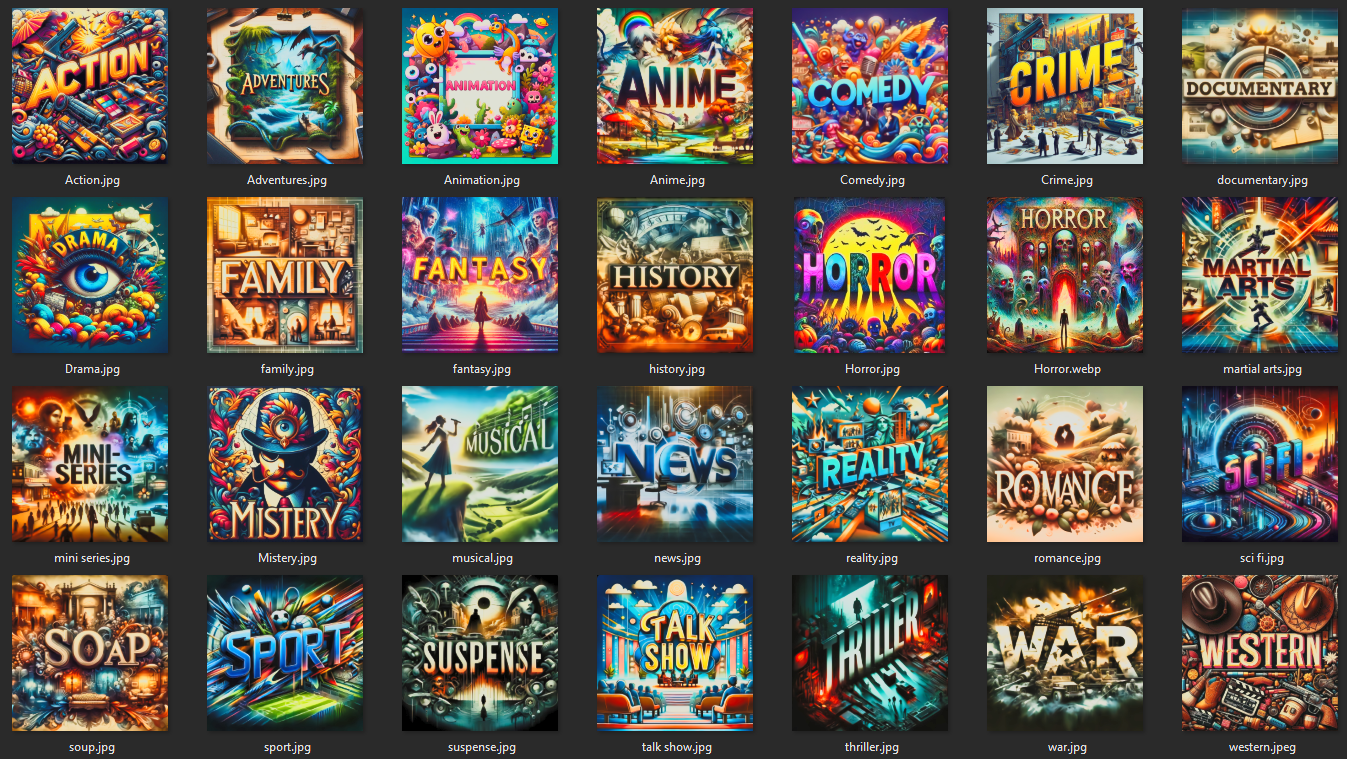
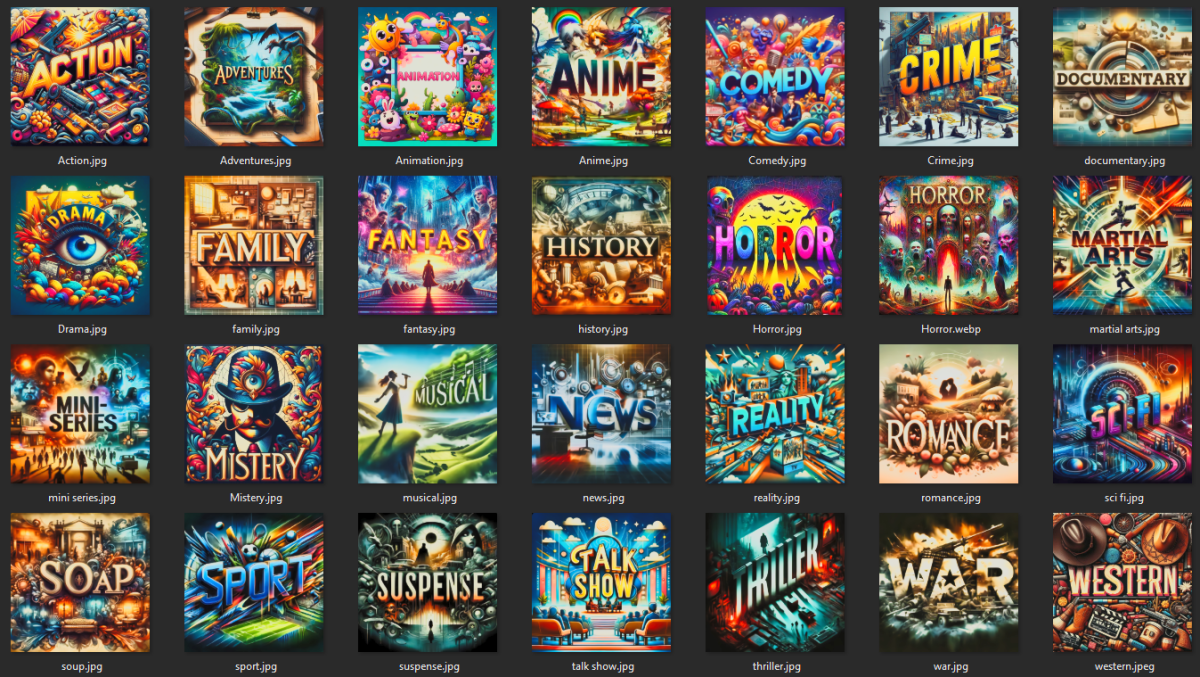
Hi all, habe mich, da der Threadersteller sich nicht meldet, mal die Icons von ihm genommen und bisschen mit KI bearbeitet, sodass die Quali passt. Ein paar habe ich durch eigens erstellte ersetzt. Nachfolgend die Pics im Überblick: KI Stil.zip
 3 points
 -
Did you do this?2 points
-
I used to use Plex, but their model is to control the environment and lock you to them, so anything Emby can do to make the server more personal to you would extract customers from them. I am making an interactive streaming platform for my family, and I think that is what most users would want from their media server. It's that simple. Keep moving in that direction and the customers will follow. Every time Plex goes down and you can't even watch content on your own network, people look at alternatives. All Emby has to do is offer personalization and control to its users, and people will come to Emby whenever that happens. How people can allow a third party to control whether they can watch their own videos is beyond comprehension to me.2 points
-
Luke the misconception a lot of people make is that the option in ATV is for allowing passthrough when actually it's designed to stop passthrough for those who don't want boxes like the Shield converting to PCM 2.0 and instead want the server to convert to AC3 5.12 points
-
All sorted in the latest release @Anskar262 points
-
TheTVDB now supports more alternative orders than just Aired/Absolute/DVD. Can Emby query these additional orders and add them as options? Two examples of shows I've seen this used are Re:Zero which has a "Director's Cut" display order and Money Heist which has a "Netflix" order. https://thetvdb.com/series/re-zero-starting-life-in-another-world https://thetvdb.com/series/la-casa-de-papel1 point
-
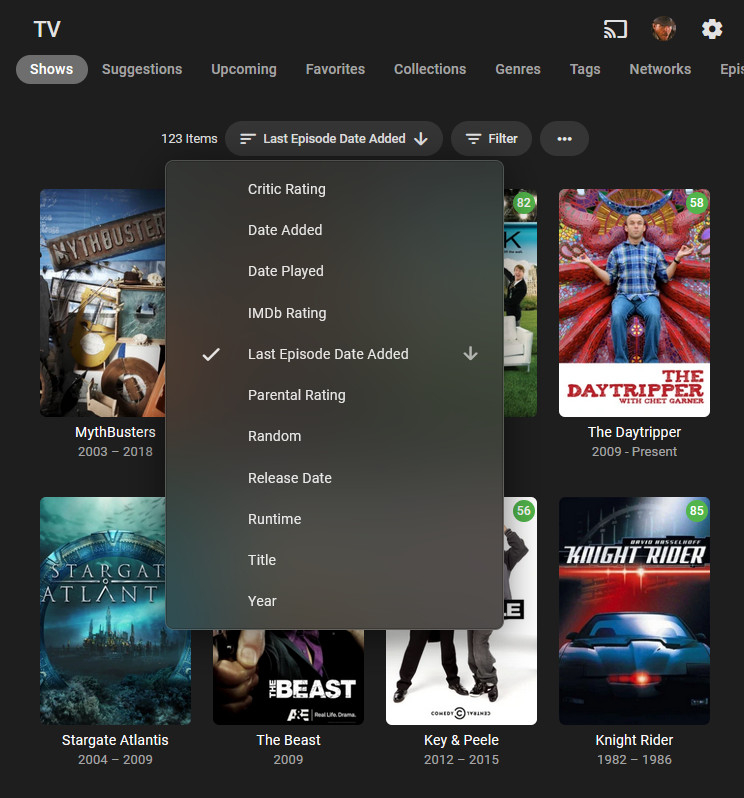
I like the 'Last Episode Date Added' sort option. I'd like a 'Last Episode Date Aired' option even more. Thanks.
 1 point
 -
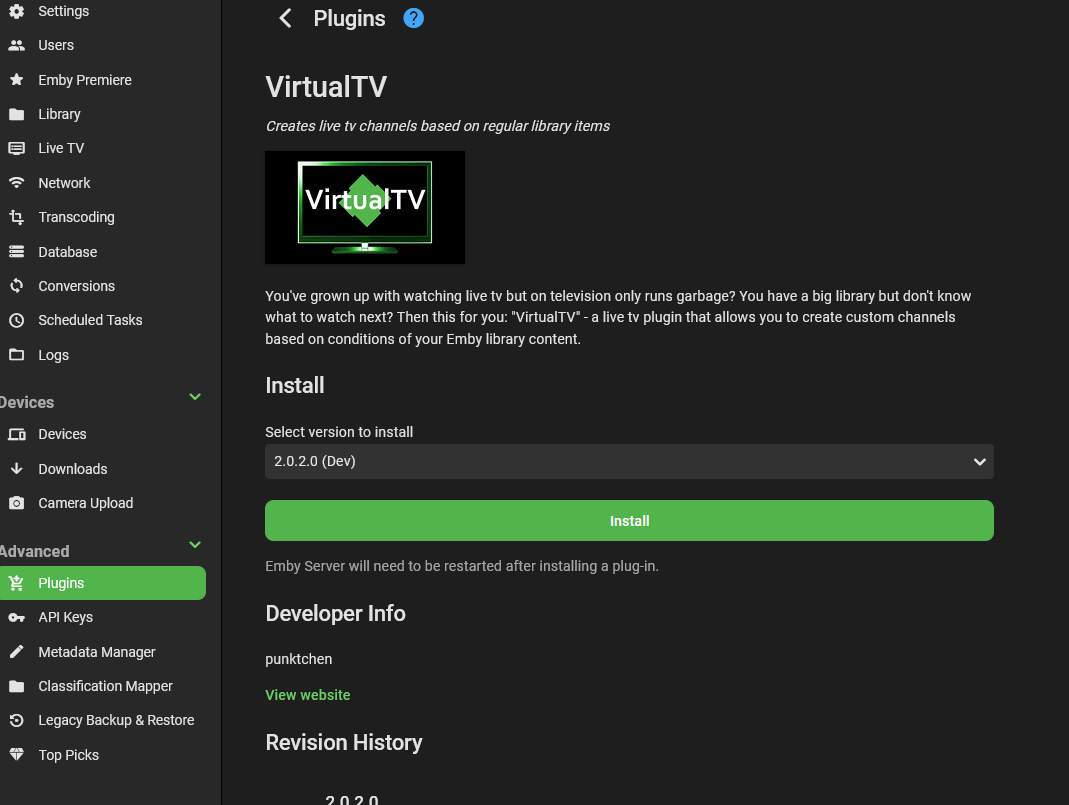
In emby Server dashboard, goto plugins. Then find VirtualTV plugin under Livetv plugin section. Then install
 1 point
 -
One of the security issues of having my server in a public-facing enviroment is a "brute force" attack where various passwords are attempted against the server to gain access. A good security policy to adopt is if, after 10 or more failed attempts, the IP address is blocked from further login attempts and the date/time, IP address, and account name is logged for viewing by the server administrator.1 point
-
Thanks for the reply and yeah I honestly think shuffle is 1 of the best features for music sometimes some albums have good and bad songs and shuffle just makes it more interesting1 point
-
These are all fantastic! Just wanted to say a big thank you, loving the new icons!1 point
-
But why would I ever want to open a "metadata manager" thingy? I have never had to in 10 plus years, why make me now??? I simply want to see them in the season, just like always thanks.1 point
-
Bwahahahaha deleted post eh, without so much as a by your leave, lame Luke lame. Also there is no "solution" the solution was removed by Emby, permanently.1 point
-
Model 3 highland (NL here) Trouble for me seems to be that the actual connect to app.emby.media allows login but fails on accessing the server at all. I’ll try test tube anyway, but seems like I would need that connection via the webbrowser to work ‘at all’ right? Testtube or any other full screen service will rely on that I guess.1 point
-
Better to edit your media files directly using MP3Tag or similar software.1 point
-
Support for tvg-url and url-tvg is in Emby Server 4.8.3+:1 point
-
Hi, what version of the Emby android app do you have installed? If you're referring to our standard app, there is no setting for passthrough because it auto-detects, although settings may get added at some point.1 point
-
I think you can argue this one either way, and both sides have valid arguments. What we could do is start keeping track of whether a collection was auto-created or manually created, and then the reset feature could only clear out the auto-created ones.1 point
-
About dynamic nodes, again it's absolutely fine using them. I personally do not use them cause they have several drawbacks. First and that's main reason for me, they have poor performance. You probably don't have this issue as you use small to medium sized libraries. If you have several thousands movies etc. you will see they are very slow compared with synced nodes cause each view is build on the fly. Second, Kodi integration of dynamic nodes is not perfect in a way Kodi could handle metadata on synced content. Third, in 9.X the dynamic nodes are not abstracted by content type. Means a dynamic audio/photo node uses workarounds to keep Kodi playlists on track. e.g. audio content should be added to Kodi's music playlists and not video playlist. Without the workaround, Kodi would add everything to video playlists. In 10.X I addressed the issue and 99% is solved by the new design. However e.g. a mixed Emby library (especially in folder view) still uses "magic" to keep the content straight. 4th, external plugins/skins cannot benefit from dynamic nodes and you might lose functions. I could continue, but you see it's not optimal. Mostly edge cases but sooner or later if you focus on small details, you will see the difference between synced and dynamic nodes. In 10.X I squeezed the best out of the dynamic nodes, if you have suggestions for improvement, I'm open for it. btw. 10.X will drop Kodi 20 support when I fully integrate Kodi 21 new multiversion selection. This will require database changes.1 point
-
Yeah this on 9.4.18. Ill grab the full log for you1 point
-
Reference: Issue #1574: Remove from Next Up / Continue Watching Added to the Roku issue tracker along with link to this thread. This will give it better visibility.1 point
-
Yeah. I can see how the skip intro button will "steal" focus from the prompt for are you still watching. The unfocused prompt will lose keypresses and they will pass to the focused skip intro button instead. We need to adjust how the skip intro button takes focus and not have it steal focus when the prompt asking are you still watching is visible and has focus. That would solve this correctly. We can get this fixed and i'll add it to our issue tracker. Having the skip intro instead dismiss the are you still watching prompt when it is visible is possible, but not as cleanly, it would be more a hack to do that. This problem might also be an issue in Android TV, since it shares much in common with the Roku app. Reference: Issue #1575: Skip Intro button will steal focus from "Are you still watching?" prompt.1 point
-
Well boredom may have set in. After reading MrLinford's process of setting up the pre-requisite apps in docker. I decided to transform this into a LSIO docker-mod that will allow simply adding an environment variable to the container definition to have the creation of the container include the apps required. Almost all of this is entirely based on MrLinford's script, diced and sliced into parts that leverage LSIO's standardised structure for customising their containers and some added checks in place to ensure that it wont try and install things if they already are or its not a compatible base image. There is also an option to enable the BifTools stuff to be installed if you wish to use the BIF generator. https://github.com/SimCity/emby-mediainfo-plugin-prereq has all the details on how to use. Quick outline: Add the environment variable to the LSIO Emby container definition: DOCKER_MODS=ghcr.io/simcity/emby-mediainfo-plugin-prereq:latest Optionally, to be able to utilise BIF generator, also add: INCLUDE_BIFTOOL=TRUE Start container. If the container is already running, you will need to restart the container (not just restart emby) for the changes to apply. When container is up, it will also initialise with all the packages and files required for MediaInfo to work. In the settings for MediaInfo plugin, the locations are: /bin/mediainfo /bin/mkvpropedit /bin/biftool1 point
-
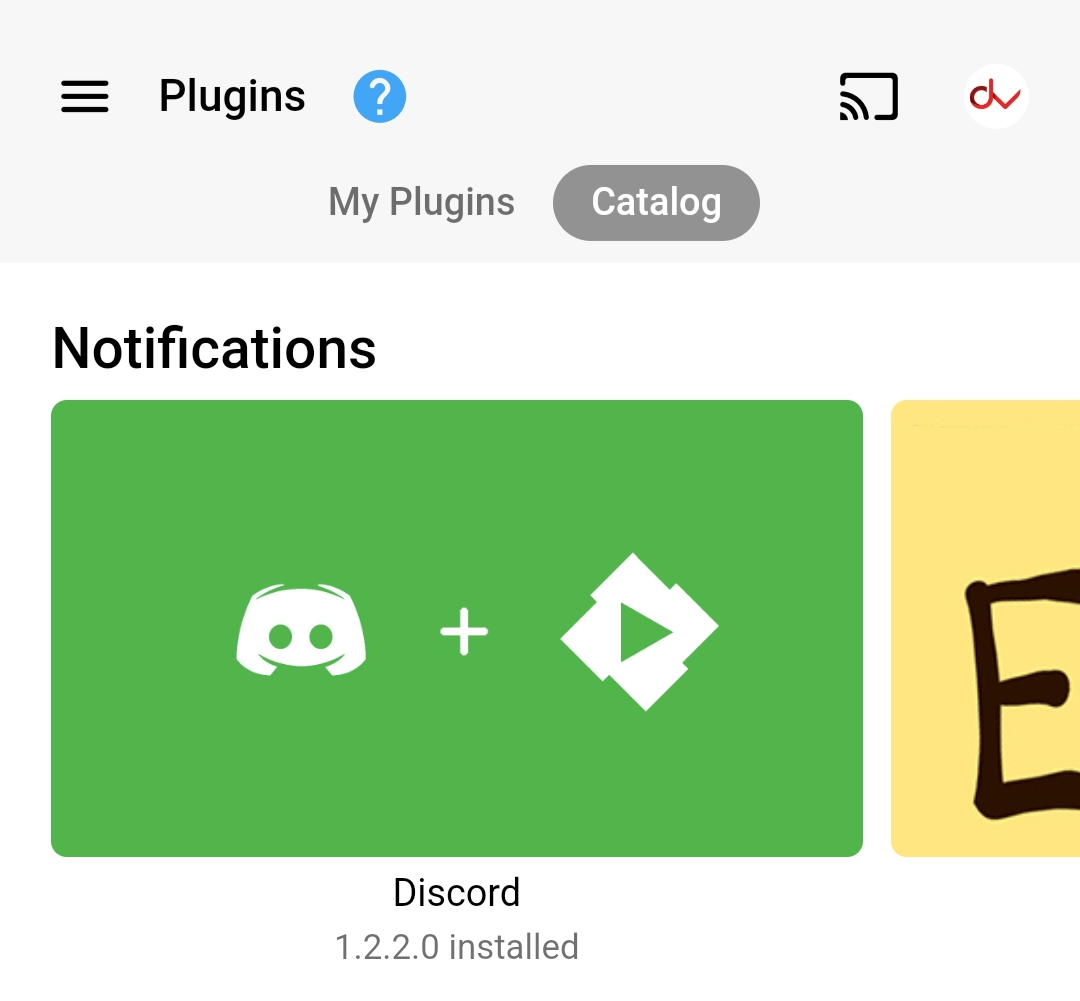
Emby Server Setting > Plugins > Catalog
 1 point
 -
Indeed. I didn't know it existed either. That is something nice to know. Thanks.1 point
-
Movie Theme Videos Update Released 1.8.2.0 Fixes the config screens not loading correctly.1 point
-
TV Theme Songs Update Released 1.8.1.0 Fixes the config screens not loading correctly.1 point
-
You're most welcome Yeah, I can totally imagine that some sort of familiar distraction is good to forget the struggles of every-day-life1 point
-
Should all be resolved now @gihayes1 point
-
Sorry it's taken so long, the four plugins have been updated to resolve the issues with their config screens1 point
-
Movie Theme Songs Update Released 1.8.1.0 Fixes the config screens not loading correctly.1 point
-
Yes those two are used.1 point
-
Hi, Emby does use the information in your nfo files, but it will also supplement that with whatever internet metadata you have enabled. Then the end result will be written back to the nfo file if you have nfo saving enabled. Just FYI, disabling nfo saving when you have an existing nfo is going to create one problem for you: If you use the metadata editor, the server won't be able to write your changes back to the nfo, which means your changes will likely be lost later at some point when the nfo gets reread. Maybe we're guilty of offering too many options and allowing users to make their own mess, but if you have nfo reading enabled then I would suggest enabling saving as well.1 point
-
Waiting anxiously for the ARM / M1-M3 support update. I have high hopes that my M1 would work better with DoVi HDR 10 etc than the latest (and yet old) Nvidia Shield Pro. I also have 2.5G network ready with NAS waiting for using Emby on my M1.1 point
-
Rather than take anymore of your time, since you said it should work I reinstalled from scratch to a new installation. I tried with both 9.x stable and 10.x. And sure enough, it works on both even after installing the Aeon MQ9 Mod. So I must have broken something along the way in my original installation. As I slowly add back all my add-ons and customizations, I'll keep an eye out for it breaking and post if it happens again. I'm just beginning to put all my customizations back in, but for now it is working beautifully. And I want to say, you seem to be be pushing back on the idea by having dynamic modes working really adds a lot to the setup. It's so nice to have all them Emby categorizations available without having to try to reinvent them with custom nodes or playlists. And being able easily access them from multiple clients make rolling it out much easier. Just my two cents there. Dynamic nodes just add so much to the setup when they don't have to part of the synced nodes. That's not meant as criticism or to be argumentative at all. I really do appreciate the work you're doing here.1 point
-
I don't see a need to sync them is why, it's not instant, trips up here and there, and there's just no benefit for me. Dynamic nodes work great for me. I don't have a need to store anything on OSMC machine. I can update to 10.x, the problem for me is it says Kodi 20 for now. the ominous warning says "Kodi 20 support will be dropped at some point.". That implies it won't support 20 down the line. I use OSMC, I will not be updating to 21 until OSMC is ready for 21. I don't want to get into a situation where I'm stuck on 20 but only 21 is supported and now nextgen doesn't work until it is. Perhaps I am incorrect on this though. Dynamic nodes are the best reason to use this "plugin" to me. I don't want 2 sets of data.1 point
-
Unless you are using Emby Theatre (via SMB), Kodi (SMB) or AndroidTV using Android 10 (allowing direct SMB access) - then emby traffic will always come from the emby server (in the form of http) thus the emby server needs to get it from the NAS first (in the form of SMB) and then redistribute to the client (via HTTP). This is why direct SMB access is so much better, because the client connects to the NAS direct to get the media data, ie half the bandwidth required, it no longer relies on the emby server to stream it.1 point
-
My internet searches lead me to believe it does not. The AndroidTV subreddit moderator was the first to comment. The official spec sheet only lists Dolby Atmos, which comes in two flavors, both Dolby Digital+ and TrueHD. The comments there are that it only supports the former. They are also comments that DTS-HD is passed through as DTS Core. I can't find a single credible result showing that it will passthrough both of those formats.1 point
-
Bonsoir et merci de vos réponses. Le souci est résolu après être passé en mode (addons) et après avoir re fait une synchronisation de mes médias. Bonne soirée à vous deux. Cordialement. Good evening and thank you for your answers. The problem is solved after switching to mode (addons) and after re-synchronization of my media. Good evening to both of you. Warmly1 point
-
I think my trakt problem is gone; watched shows are now sync'ing to trakt. I followed what you said above and restarted Emby (just in case). I have manually marked shows as watched in Emby and they are then sync'ing to trakt as watched. Thanks for the help Luke.1 point
-
1 point
-
Yes the KB sort of needs update to reflect TV requirement of trailers folder.1 point
-
Dotnet was shipped self-contained previously, because we had to use unofficial freebsd builds of dotnet 6.0, but now that it is available in the ports tree, it's better to depend on it so you can get dotnet updates and security fixes without the need to update emby itself. We just have to be careful when dotnet 8 will inevitably get replaced with dotnet 9, hopefully freebsd will keep 8 in the ports tree, or we will revert to a self-contained build.1 point
-
Hi, have you considered using MakeMKV to convert to mkv files? You can do this without any loss of quality.1 point
-
It likely picks them on scheduled library scan (default: daily), suggesting that RTM is not picking them up, likely due to inotify instances limit reached. You can post server log or check yourself if you're getting inotify errors within.1 point
-
If you have a choice, it's always better to have direct attached storage, be it SATA disk, USB3 disk etc as a 'network stack' and 'network file system protocols - SMB, NFS etc' always add overhead. Technically, a 1Gbit network should never be a 'bottleneck' reading lets say a 4K Remux file at 100Mbit - but now add the fact you need to 'Read' at 100Mbit via SMB, process that through the network stack, now convert it to HLS/HTTP etc, now send that to your client at 100Mbit ... all over the same network. Things start to get busy real quick, especially with chatty protocols. Direct Attached storage runs independently of your network, thus in parallel, it's reading the data (theoritcal @ 6Gb/sec), while the network stack is dedicated to 'sending' only - and if using HLS/HTTP, then it's pretty efficient at doing so - 1Gig/sec is more than ample for say 8 or so 100Mbit 4K Remux's or 80 x10Mbit streams ... The DS920+ actually has eSATA - so personally, I would connect to the NUC via that if I could - it will be far faster than a network connection... Alternatively, USB 3.0 is going to be faster than a network connection also. The NUC has USB 3.2, the Synology only USB 3.0 - but for the price of a cable, certainly better than even an aggregated 2Gb/sec network for above reasons.1 point
-
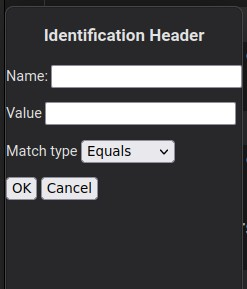
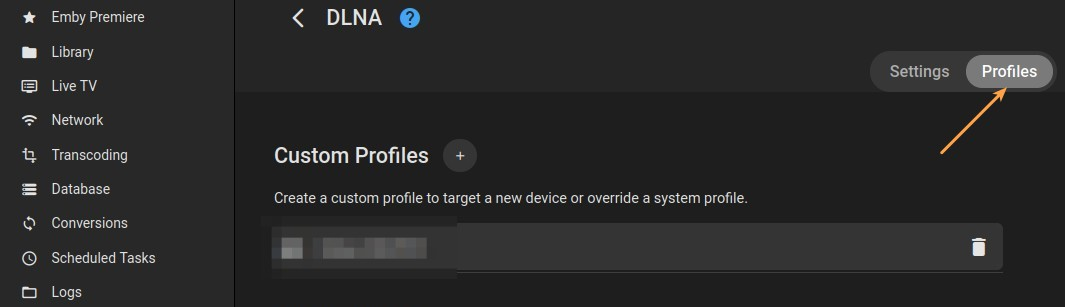
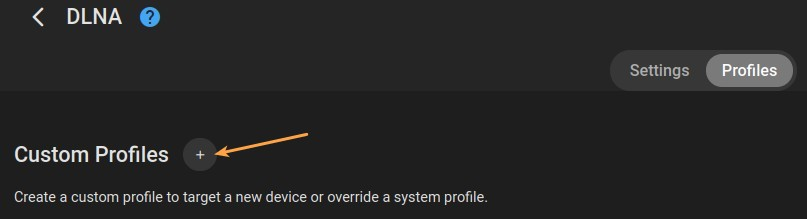
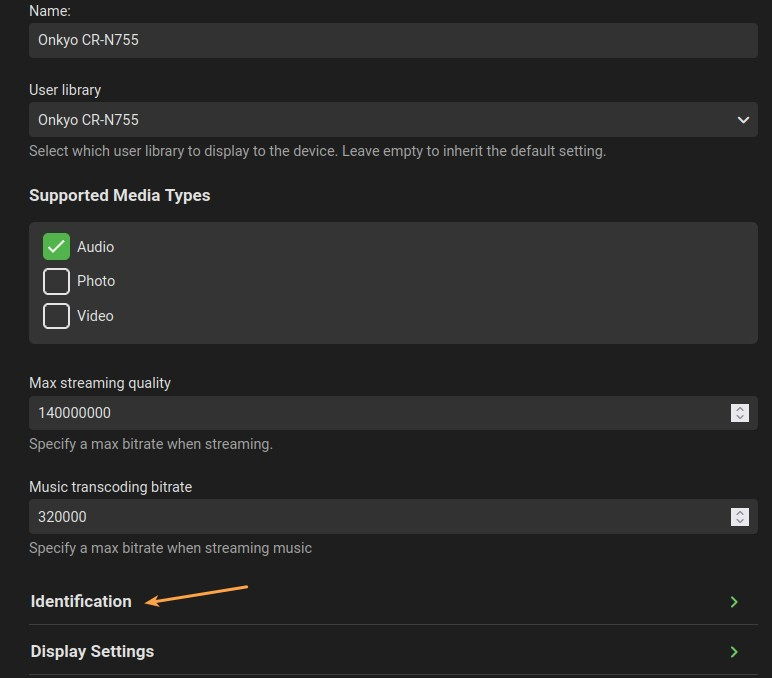
@Luke I wrote down the process I followed to create a custom DLNA profile for my stereo. It occurred to me that it might serve as a starting point for Emby's documentation. Please feel free to use it, with whatever modifications you find necessary, to develop the Help page for this feature: ___________________________________________________________________________________________ Creating a Custom DLNA Profile Emby's debug-level logging can help you identify your DLNA device. The information found here can be used to create a custom profile. Finding detailed device information for DLNA: 1. Enable debug logging on Emby server. 2. Allow your DLNA-capable device to connect to your Emby server. 3. On your Emby server, go to Settings > Logs and open the most recent log. 4. Find the entries in the log file that resemble the following: 5. In the first line of the sample log above, find the "User-Agent," and its value. This will be used to create an HTTP Header in your custom profile (the value is the entire string between "User-Agent=" and the comma preceding the next parameter. In the sample, the "User-Agent" value is "Mediabolic-IMHTTP/1.8.225 UPNP/1.0 DLNADOC/1.50"). The information gathered above can be used to create a custom DLNA profile for the device on your Emby server. Creating a custom DLNA profile: 1. In Settings > DLNA, select the "Profiles" tab. 2. Click the "+" next to "Custom Profiles" to create a new profile. 3. Give the profile a name. 4. Select a library, or leave this field alone to use the default. 5. Expand the "Identification" section. Use the information you found in step 4 to populate these fields. 6. At the bottom of the "Identification" section, click the "+" next to HeaderHttpHeaders. 7. Use the "User-Agent" value that you found in the log file to fill this out. Name = "User-Agent" (without quotation marks) Value = [value from your log] 8. Click "Save." This will create a profile that should allow your DLNA device to successfully connect to your Emby server. The default values of the fields not discussed above should be suitable for most users. It is recommended to only change them if you know what you are doing. Testing the profile: Once you have created your custom profile, you can test it by allowing your device to re-connect to your Emby server. Examine the log file again, as you did at the beginning of this process. If the custom profile is successfully used, instead of seeing "Using default profile for: ..." your device, the log file should say: "Found matching device profile: [name of your device profile]". Be sure to set the "Enable debug logging" back to "No" when you are done.
 1 point
 -
Intel quicksync is king. Be it via video card with ARC or iGPU. iCPU is obviously cheaper as a 13100 will do a great job. Some people will harp about lack of AV1 when picking iGPU, but AV1 is such a non starter as encode times are insane, and hardware support for playback is still extremely limited. I run with a i5-1235u (yes a laptop) as my server and I will run out of network bandwidth before I run out of encode capabilities.1 point
-
Ich versuche Webhooks zu verwenden. Aber leider bekomme ich kein Ergebnis von Emby. Hier habe ich einen Webhook in Python geschrieben. Aber leider bekomme ich keine Daten von Emby! from flask import Flask, request app = Flask(__name__) @app.route('/webhook', methods=['POST']) def handle_webhook(): print("") print("RUN") data = request.json # json-Daten aus Anfrage auslesen # Hier können Sie die Aktionen ausführen, die auf den Webhook folgen sollen print("...") print(data) print("...") return '', 200 # Antwort an den Sender senden if __name__ == '__main__': app.run(port=5500) # Anwendung starten Wenn ich mit diesem Skript Poste, dann bekomme ich die Daten vom Skript. Warum klappt das nicht mit Emby? import requests import json data = {'name': 'John', 'age': 30} # Beispiel-Daten headers = {'Content-type': 'application/json'} # Header setzen r = requests.post('http://127.0.0.1:5500/webhook', data=json.dumps(data), headers=headers) print(r.status_code) # HTTP-Statuscode der Antwort Hiermit bekomme ich das ausgegeben! RUN ... {'name': 'John', 'age': 30} ... Aber mit Emby bekomme ich nur RUN Wäre echt Spitze wenn da jemand Ahnung hat und mir helfen kann. Danke! sudo apt-get update && sudo apt-get upgrade -y sudo pip install flask requests :: Raspberry1 point
-
I've requested this, a temporary workaround that I've put in (though you'll need 4.0 to do this) is having the folder structure like this: - TV Recordings - - TV Recordings (User 1) - - TV Recordings (User 2) - - TV Recordings (User 3) - - TV Recordings (Shared) Add all of the user folders and shared folder to your library and set the default recording location as the shared folder, then when a recording is saved that's for a specific user, manually move it to their respective folder. On 4.0, you can grant access to individual folders rather than having to give either all of the library or none of it, as below: The users won't have to switch between libraries then and won't know when you've moved a recording from one folder to the other because they all appear under one library. The only downside to this is that all users will be able to see all recordings until you manually move them, but I think this is the best you can do until per-user recording is added.1 point