Leaderboard




Popular Content
Showing content with the highest reputation on 02/06/24 in Posts
-
@BillOatman @roaku You both now on new group that can edit their thread any time.4 points
-
The powers that be graciously gave me permissions to modify my older posts, so I was able to update the first post with the latest release info.3 points
-
It's a usability, a privacy and a security issue all rolled into one. This is the only place in the entire emby system where all users get their existence exposed to other users. There are so many examples where this is a breach of trust - a 'work' colleague seeing what nicknames you have for all your family, the fact you have family and their names is a breach of privacy. I'm sure there are a lot more examples out there - so until the list is restricted somehow, I cannot fully use this feature. As an Admin, I have a responsbility to ensure any personal data is kept personal unless it's explicitely categorised as Public.3 points
-
Hi Guys, we have identified the issue and the next update will include the fix. Thanks to all of you for helping to trace it down! sw3 points
-
Now that beta has moved to 4.9 can we expect some of the TVnext benefits to start to be implemented? Like faster channel changing I am ready to be a beta tester or alpha tester. This slow channel change is killing me.3 points
-
The new playlist sharing features are great but could use some minor enhancements which would greatly enhance the UX. A new default playlist view which would separate "My" playlists from "Shared with me". This would make it always easy to access personal playlists over whatever family decides to make shared. A big use case for playlists is a "Watch Later" list and this should be easy to find and access. Maybe it would be better to be able to favorite and show/hide playlists with a view showing favs in the top section, all else below. This way would be more flexible. Shared playlists should somehow denote they are shared and who the owner is. Deleting playlists should not prompt about deleting a file from the system; what's happening on the back end is irrelevant and this is likely to cause concern for any non admin users. A user should be able to delete playlists they create by default and not require explicit permission. I think if these additional features were implemented, playlists would finally be complete.2 points
-
i know its not what people want to hear but dont use apps on your tv they are security risks. get a streaming device. 35$2 points
-
Interesting. I made it through the first 8 episodes of The Sandman (and, actually, all the 4K stuff I have) without ever noticing any issues with playback at all, without the HEVC extensions. Actually never even knew it was an issue. Added the extensions, and now it appears to be working fine. The fix-it-guy in me wants to know what changed and why, because something clearly did, but honestly, at this point in my life I'm good with accepting that it works. Thanks.2 points
-
I just pushed an update that I believe fixes what your seeing.2 points
-
I definitely like the new playlist system as it''s nice not having all created playlists show up for anyone with access. Being able to share playlists is definitely a desirable feature, and having that configurable as a per user option was the right approach. Currently the biggest caveat for enabling that option for a user is that they now have a complete list of all user accounts on the server, including admin accounts. This is enough to make me want to keep it disabled for the time being as there are numerous downsides and concerns with providing a full list of all users (especially admin accounts) just for the sake of enabling playlist sharing. I'm not sure if this is something that is already planned, but there should be an additional selection option when enabling this feature to control what other users that particular user can share a playlist with. That kind of granularity in the controls will make it a useable feature for more security conscious setups where a full user list enumeration is not desirable.1 point
-
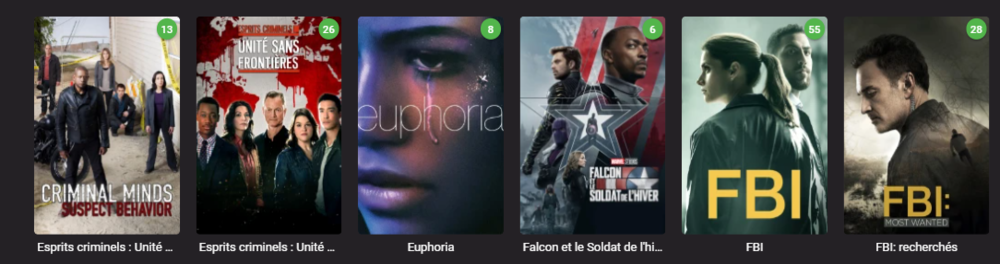
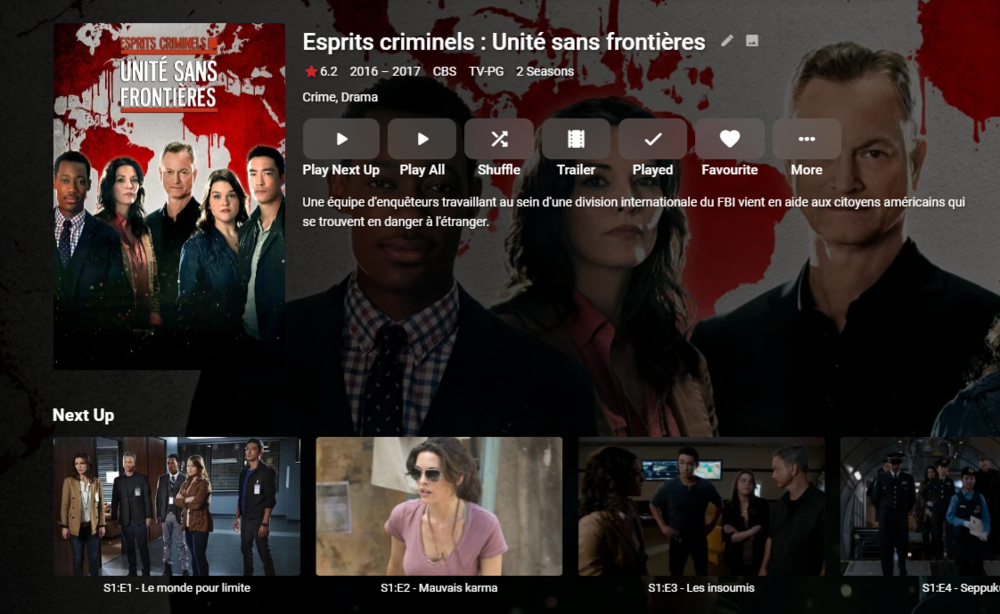
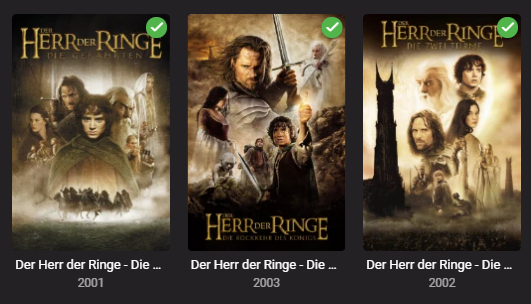
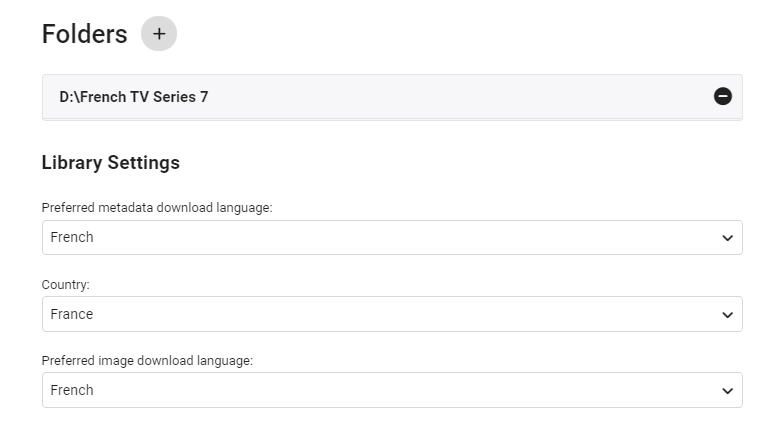
edit 30/08/2022 I've updated the script as follows - - On repeat usage, added Progress Monitor when skipping existing STRM files (rather than thinking it's hung ..) - Added Summary page of the New Libraries This also works with TV Series - due to the nature of each episode needing it's own STRM file - it takes a little longer, but works just as well. ------- I've created a simple script that creates a copy of the structure of an existing emby library (file path). It then populates this new structure with strm (link) files back to the original video files. You can then use this library as a new library within emby - and subsequently you can choose the metadata language as you would do as part of the normal setup. This means you can get : native language metadata (if it exists) native language artwork (if that exists) subtitle language as required (you can do multi language subs in the core system) The video file is played from the original library - so there is no need to duplicate the video files. If required, user permission can be removed from the main library, leaving just this new library to browse in the users native language. Usage (windows batch file) Copy the batch file 'libstrm.bat' and 'library.txt' to the emby server in a suitable directory. Modify the 'library.txt' file to match your system. In the example file I have - D:\TV Series\;D:\French TV Series\ D:\Films\;D:\German Films\ Also works with UNC - \\media\TV Series\;\\media\French TV Series\ \\media\Films\;\\media\German Films\ The first path is the original location, the second path is the new library location (with the strm files). Note - the path must end with a \ and the entries are separated by a semi-colon. The 'library.txt' file can contain any number of drives and folders - I suggest testing with a sample to start with. Run the 'libstrm.bat' file from a command. Depending on the number of folders/files - it may take a few seconds or more to complete - but it will show progress as it goes. Once complete - create new emby libraries pointing to the new locations - remembering to set the metadata language as required. For example :- Once setup and emby has scanned the new folders (it will do this automatically if set to monitor - or a manual scan) - all the relevant metadata will be imported. As an example - in my test French library :- Note the French metadata, episode names and artwork. In my test German library :- Again, German metadata & artwork. Keeping the system updated ... Because creating the strm files is manual - to add NEW media, the script can just be run again (via the Windows task schedule ever day for example). If the strm file is already there, it will not recreate it. However, if media is removed from the original library (remember it links to it, it is not a copy) - then the strm link will unfortunately break. It can of course just be removed manually by deleting the strm file. I've added a progress bar to now show when items are skipped (every 100 items gets a # displayed..) Media Playback ... The resulting playback will of course be identical to playing the original file (as it IS the original file) but any playback preferences will be remembered for that library. So if the Audio was set to French with French subtitles, then next time it is played, it will remember those settings. There may be a way of setting these to a library default in the native language - I have not experimented with this. Feedback welcome. (rename the libstrm.bat.txt file to libstrm.bat) library.txtlibstrm.bat.txt

 1 point
 -
New BETA version available 9.4.9: Delta changelog 9.4.8 -> 9.4.9 fix dynamic nodes folder selection, when folder has multiple content types included (e.g. pictures) fix delete after played option1 point
-
You need to recreate the container, not restart it. If you change the port on the Emby side the container is still mapped 8090:8096 and to change that it has to be recreated with the new mapping.1 point
-
On a new devices yes - as you then assign it a unique device id, but on an existing device - you simply have to restrict them first and then they can only sign in on that device. The awkwardness is there if you untick 'all devices' because the default is for every device to still be ticked - if you untick 'all devices', you probably want to restrict by device, so the default should be untick all the devices and then manually tick the one(s) you want .. I personally think it's a really useful function - to restrict emby usage per user on only the devices you specify. Web browsers need a bit of work - because unless you give them custom names - they all appear as the same name. Appending the machine hostname name would be nice1 point
-
Looking forward to it Depending on the timescales for the Smartplaylists - now we have better playlist management and a way to probe strm files, I may also revisit my 'Recommendation' Plugin/Script and convert that into a proper Plugin. That uses a similiar concept, but simply creates a new strm item in a 'watch/recommended' library created by simply retrieving those items from a suitable named user created playlist (now in the db, don't need to query the xml anymore). https://emby.media/community/index.php?/topic/99029-personalised-recommendations-library-work-in-progress/#comment-10332551 point
-
All Windows 7 X86 and should apply to Window 8 also but have not tested. Still getting validation but current temporary fix is copying sqlite3.dll from 4.7 to 4.8 update. My testing showed sqlite3 x86 v3.39.4.0 through v.3.41.2.0 appear to work. @Wishmaster20looks like you created a database issue but devs will have to comment further. SQLitePCL.pretty.SQLiteException: Error: no such table: main.UserDataKeys - delete from MediaItems where Id in ....................1 point
-
Feels like I'll be doing some combining of various scripts and plugins then... ScripterX, RBJTech's STRM script and the extract plugin... let's see what that comes back with Thanks both, @rbjtechand @TeamB!1 point
-
Well this should only take a few minutes right? so just shutdown the current server, run the portable one, and then you can delete it afterwards.1 point
-
Should be soon.1 point
-
Unfortunately, I couldn't roll back I did the whole install again. In my case it's not that hard the only hard part was to recreate all the series recordings again. I did run into an issue it was automatically updating so I posted a question in the server section how to stop auto update. Family is once again happy.1 point
-
Because it has some awkwardness to it. You have to first grant them access to everything so that they can login, then restrict after that. If later you forget that you applied this restriction, then it leads to sign in problems.1 point
-
Ok then I'll add both of these nodes. in 10.X1 point
-
It would be helpful to know the answer to that, yes.1 point
-
HI, yes this is planned for an upcoming update to the Emby Apple Tv app. Thanks.1 point
-
I wrote a plugin that triggers a STRM to be probed:1 point
-
Btw, I believe I may have found the issue here, my user Playback / Advanced settings had the “Enable Cinema Intros” selected and I have not configured Cinema Intros, but after I turned that off tv shows and movies started advancing as they should.1 point
-
Makes sense, I'll update them manually since this sounds like a one-off issue. Thanks for the prompt and helpful response!1 point
-
What happy2play is suggesting is that maybe it is, but ffprobe is not pulling the expected data from the file because you might have a mix of id3 versions containing different values. That's why it's probably a good idea to run some of these files through ffprobe to see what it reports as the album, artist, albumartist, etc.1 point
-
Hi there, what exactly are you doing, and what exactly makes you think that it's not working?1 point
-
Is anyone able to try the 4.9 beta that went up today? If it resolves the issue then we can backport the changes into a 4.8.1 release. Thanks.1 point
-
+1 for the request to be able to manually enter a subtitle offset (or any other solution for when subtitles need a large offset except for pushing the button a gazillion times). recently watched a TV series where the subtitles in the language we wanted had a recap but the recorded series did not have the recap... the required offset was something like 90 seconds1 point
-
Not sure if I can tell how/when it's completed. If you can let me know, i can test it out a bit. FYI, I uninstalled, removing all files from the "Emby-Server" folder. Ran a clean install, and then copied in all of the "programdata" files from my backup. When I launched the browser on the server to connect to localhost, it failed (same as the other messages in this thread). I stopped the server and renamed the 3 activitylog files to .bak, and started it up again. Everthing started just fine (with the server re-creating the activitylog files). So, looks like some sort of corruption in my files. I'm happy to drop the backup files back in again to test it, but since I can't manage the server from the browser to check status on anything when they're in place, I'll need to know what else to look for to see if the database upgrade completes. Ultimately, I'm not that bothered to lose the activity log. More just happy to have the server up and running.1 point
-
The logic is pretty simple really. Being able to give users the abilities to share playlists with other users where it makes sense, and not otherwise unnecessarily exposing usernames. Not really at all. I've outlined several reasons why this is a desirable feature that don't simply equate to "I don't want my wife to know my mistress is on the server" That kind of wording is extremely dismissive despite numerous valid reasons that have already been provided as to why this would be useful in a variety of situations. Unnecessarily exposing all usernames on the server(especially admin accounts) to all other users is just bad opsec in general, and there are a number of ways this could cause problems and frustration for the server admin or amongst their users. Imagine having friends or relatives that you get along with, but they don't get along with each other. See how enabling this could get abused? Cousin Larry hates cousin Fred, so Larry makes 20 different playlists of Golden Girls and shares them with Fred. Or better yet, say the admin has fail2ban monitoring failed login attempts for emby and Fred thinks it's funny to get Larry's IP banned. Or the admin is using AD authentication (like I am) and little nephew Johnny thinks he's going to try to guess uncle's password. Next thing you know uncle admin is locked out of his computer because there was a lockout policy set in AD after 5 failed attempts. I get that the playlist sharing is an optional feature, but it's a very useful one. It's usefulness is greatly diminished though by the fact that anyone can share anything with anyone when enabled, and can also see all other accounts on the server. You guys are missing the point that giving server admins the ability to better control permissions while still being able give their users the ability to use a highly desirable feature would be a good thing.1 point
-
I'm pretty sure I'm the one who added that and put your name on it so Luke would know who to ping, been a while though1 point
-
I don't care if they're authed as a regular user or not I do not want the usernames of my administrator account(s) displayed to my users. I have no control over other users clients and whether they leave them unattended. Nor can I enforce password complexity requirements. Because of these; I cannot ensure the person looking at that list is the authenticated user. Regardless; I don't want my regular users knowing my admin usernames giving them one less hurdle to potentially exploiting any future auth insecurities.1 point
-
Everyone here is on a 32-bit system, right? Right now that looks like the common denominator.1 point
-
That would be ok then. It also works on the Android smartphone so far. But not on the Shield. It's just Android TV. And it would be relevant there. And in the Play Store of the Shield there is only Emby for Android TV. Then I'm happy to wait for the official update. Of course, if it takes too long, I'll get on your nerves again. Maybe next time you should make sure that all official apps support the new functions before the server rolls out the update.1 point
-
I know they are supported by a subset of ffmpeg known as mpeg h 3d. And yes I can provide a file. It's pretty my Dolby Atmos but lower bitrate and more channels . Still sounds pretty good though. I believe it has 13 channels? I haven't looked at mine in a while because I can't play them1 point
-
To me, this is a back-door around the options we have in the server to hide users from login screens. Those options become kinda useless if we're just gonna allow anyone to see the entire user base with a right click...1 point
-
Morning. The last few updates are not prompting me to delete an episode after it's finished. Long pressing on the episode and deleting from the context menu works. Thsnks1 point
-
May I ask why ? This feature implies extra control to restrict access to certain devices - ie I want to restrict access to a childs use of emby on the playroom tv only - I don't want them to use the same login and password on lets say a phone. It can also be used to restrict an Admin account to use certain devices only - ie a weak form a multi factor authentication, albeit an easy one to bypass if you know the device id in question as I believe that is sent in plain text, but it's better than no restrictions at all.1 point
-
Docker uses slightly more resources, but it's not very much, it just introduces some potential network headaches that are mostly figured out nowadays. I'd still recommend Docker over Flatpak if you can, our Docker image is extremely lightweight, Flatpak will also be slightly more resource intensive as it runs in a sandbox with its own runtime, overall its footprint will be larger than our Docker image.1 point
-
There are cases when it could be extremely obvious who the admin is if the word "admin" or any other similar distinction is in the username, which I'm sure is fairly common even if it's not a best practice. While a strong password should be set for all accounts, having the option would decrease unnecessary exposure of account names in general. Another issue with exposing all users to everyone would be using ldap to authenticate some/all users in emby as those accounts correlate to usernames used elsewhere in active directory or another directory server. I personally use AD at home (yeah a bit masochistic I know) but I also have some users just using emby's built in auth. I may not want to expose an account name that's used to authenticate several other services to users using the built in authentication. As for usability, I'll provide another example as to why this would be useful for even just in the home, ignoring any remote users. Let's say I want my kids to be able to share playlists with only each other, but I want my wife and I to be able to share playlists with the kids as well as each other. As it stands right now if I want my kids to be able to share playlists with each other, I have to worry about them sharing 10 different playlists of paw patrol or something with my wife and I, thus cluttering up our libraries with things we don't want. There are numerous reasons why it would be desirable from a usability/isolation standpoint, and having the option to select who can share what with who would cover pretty much every imaginable edge case.1 point
-
Sure; but you went from having no idea what the admin usernames could be, to an all inclusive list of users that definitely contains at least one admin. As I said pretty minor, but still a flaw. On privacy: more that my immature friends don't need to be sharing content with my grandmother... I've also read of users here with 50+ accounts on their servers. That's a lot of clutter to scroll through when most of those would only share with a handful of others.1 point
-
Mostly just exposing admin usernames where really unnecessary. One less piece for an attacker to figure out. Not a major flaw, but a flaw. Assuming all users have good passwords isn't great; emby has no controls to enforce password requirements aside from setting them yourself and removing permissions to change passwords. For me I'd just like the privacy options and to keep things tidy. Family doesn't need to see personal friends, and different friend groups don't need to mix. I'm sure everyone has their own requirements/desires for privacy; that'll vary quite a bit.1 point
-
Is this plugin available on the catalog? Or a way to have it auto update when an update is available?1 point
-
I dont want to be forced to PIN my accounts even if they are remembers - and specifically neither does my wife or children. If the network configuration has the ability to identify if I am local or not why can we not continue to utilise a feature that has existed for a long time I completely understand if you wish it to not be the default but if the user is willing to accept the associated risk for the convenience I really hope this is something we can bring back. This is actually something that should it been clearer in the upgrade logs i may have just stayed on 4.7. Upgrade logs were very vague on disappearing features. his is extremely disappointing and i would normally test on a docker or similar first but given how long this has been in beta i skipped that part. I already secure all my accounts with a strong password for when I decide to allow remote connectvity (this is not always active and i login manually) - Only i knew this password because locally "Allow logins from local network" allowed the login thorugh Now the only way to allow my wife and children to login easily is to remove all passwords from the account So can i ask a further question: If it is more secure to require a Password/PIN over the ability to "Login locally without password" - Why do i have the ability to have an account that simply has no password Surely a passwordless account is even less secure than what we had before? I will add a disclaimer here that i do agree this is more secure, but I also believe that as the end users we should be empowered to make the decision on the security risk and not have it made for us. Essentially now instead of having my accounts secured by a password, I have had to remove the passwords completely Can we please bring back the local network login? Disclaimer it that this is not recommended etc etc if you need to but this really is a approval factor for EMBY. Last I checked even Plex does not force this on its users and I really hope EMBY team listens to this feedback1 point
-
Singular reason: I don't have to login to Emby Corp to use my Emby server. None who access my Emby server have to login to Emby Corp either. Is that still one reason?1 point
-
I made the same mistake. Wondering if in a future release there could be a warning message like "Caution -changing Lan Settings could prevent you from accessing your EMBY Server-Proceed with Caution". Even better would be some way to regain access to the EMBY Server without having to SSH into your machine to edit the system.xml if you change the lan settings in EMBY. I'm a causal user of EMBY and certainly do not have any coding or IT skills. As Vince44 mentioned you need to edit the system.xml. To do this you need to know how to access your device using SSH and how to edit out the problematic lan settings manually in system.xml. This requires knowledge of a few SSH linux command lines and how to use tools VI to edit and save the file. Wish there would have been an easy way to fix my mistake.1 point