Leaderboard




Popular Content
Showing content with the highest reputation on 02/02/24 in Posts
-
Hey All, I see the new version is release so I can finally work on the fix... (I battled to get my hands on the changed libraries before hand). I will set some time aside this weekend to resolve. Once the new version is compatible, I will look at feature/bug requests. Priority is getting this on the new version. (I wanna upgrade toooooo). Awesome Sauce.8 points
-
As the new Emby server Stable version has been released, I am locking this thread. If you have any problems, please start a new thread and follow the instructions on How to Report a Problem. Thanks.7 points
-
4.8 stable packages are starting to go up.6 points
-
Hi, it's coming. Apologies for the delay.4 points
-
Oh my that is horrible, I will have to keep him in my prayers. He is a great guy.4 points
-
I’m very disappointed in emby dev team! When will 4.9 stable release? Seriously, congrats, and thank you.4 points
-
Calm down! Is everything else working OK other than the TV cards? If so, just set up a portable install of 4.7.14.0 with no libraries and check that the TV still works in that before going for a complete rebuild. If the TV works there, use it to do the recordings you need, using the same library as your "broken" installation so that they get seen there and can be viewed. Then you can get help from Emby investigating why your TV card isn't working in the new version, so that it can get fixed. If the TV isn't working in the portable install of the old system, going back won't help you - you get help getting it working at all, which should then fix the updated system. Paul3 points
-
The old playlists were still there for me after updating from 4.7.14.0 to 4.8.0.80. Didn't have to do anything special to see them. To recreate them I just started to play the playlist in full, then used "Save Play Queue to Playlist" to a new playlist. For the Simpsons one (since I didn't want to actually start playback and potentially transcode) I just multi-selected the contents of the original playlist and used "Add to Playlist".3 points
-
The Apple response: The TV is upside down3 points
-
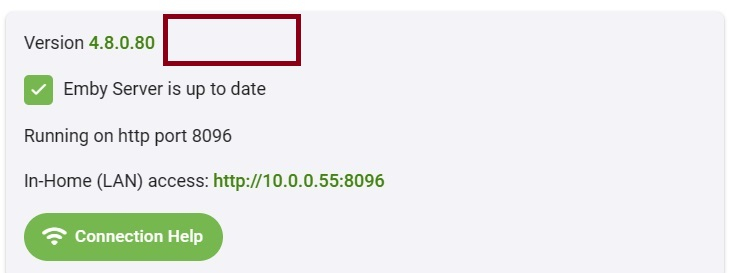
They are out there now. I just upgraded from latest 4.8 beta to 4.8.0.80 stable on my Synology with no issues. For those who were on beta and wish to leave this is the point you would do that.
 3 points
 -
It has happend to me a few times that I've accidentally touched the "Played" button in a playlist or the overview of a show, involuntarily mass-marking a lot of episodes as watched or unwatched. And it is always a hustle to undo this - especially if I don't know exactly what the last episode I've watched was. So I would really welcome either an "Undo"-Function to restore the state before the accidential touch or at least a confirmation dialogue before changing the watched-state of multiple episodes.2 points
-
Thanks Luke, I worked around it and deleted the playlists from the filesystem, so I no longer have any old playlists to test that with. Hopefully if someone else needs it, they can give that a try. And hopefully if there are issues with playlists getting lost in the upgrade like some of the other folks in this thread, the team can get that isolated and resolved.2 points
-
Hi. Carlo has had to step away for a while due to some health issues. We hope he is back with us soon.2 points
-
it works for me on an older iPhone with latest iOS 16 and on a last gen iPad with latest iOS 17... don't have any issues at all...2 points
-
On an unrelated but related note, in regards to my original question of how to delete, I went ahead and brushed up on SSH and how to access the EmbyServer folder on my Synology NAS and manually deleted the old playlists. Scanned the playlist library and they're gone now. Feels like there should probably be a way to delete the 4.7 or older playlists through the interface, but that was my only issue with 4.8 so far at least.2 points
-
Nobody is going to make the leap that "Add new profile pin feature. Useful for devices shared by multiple users“ equals "not require credentials when on the internal network" has been removed. Not a chance. No point continuing to discuss this as it's very black & white. Thanks for the info but think lessons can\should be learned from this.2 points
-
zeroSSL has worked for others. SSL root certificates generally have a long lifetime (can be more than 10 years). The intermediate and other certificates they generate have a much shorter lifetime. The root certificate is built into the firmware. Only ssl certificates tied to valid root certificates that are built into the firmware and haven't expired will allow https traffic. This is also the reason why not every ssl certicate works for https on TV's - only the more common ones are supprted, A few years ago, the LetsEncrypt root certificate expired. While this not usually a big issue as servers and PC's can update their root certificates, but only the TV manufacturer can update the firmware based certs, and in most cases they haven't bothered. I think LG has done some older devices, but not Samsung as far as I am aware. Fortunately, zeroSSL is another common certificate supported on LG and Samsung, and it hasn't expired. That's why it will work as an alternative.2 points
-
New PUBLIC TESTING version available 9.4.4: Delta changelog 9.4.3 -> 9.4.4 fix multiversion fix player issues fix upgrade issue from 8.X version KNOWN BUG: If you install from absolute scratch, you need to perform a factory reset before you start init sync. Fill be fixed in next version. Update from any previous version is working.2 points
-
Plugin updated for 4.8. Please read the instructions. Enjoy2 points
-
fyi, I fixed the multicontent issue. Just performing some final tests.2 points
-
Now that 4.8 has been released to stable, are there plans to update the plugin to be compatible?2 points
-
Bingo, I can reproduce the issue2 points
-
Hi, this is something we plan to review in future updates. Thanks.2 points
-
@Luke /mods I think this one can be marked complete now as everything requested is in 4.8 stable. My wife who relies on hearing impaired subs is very pleased. Thank you very much.2 points
-
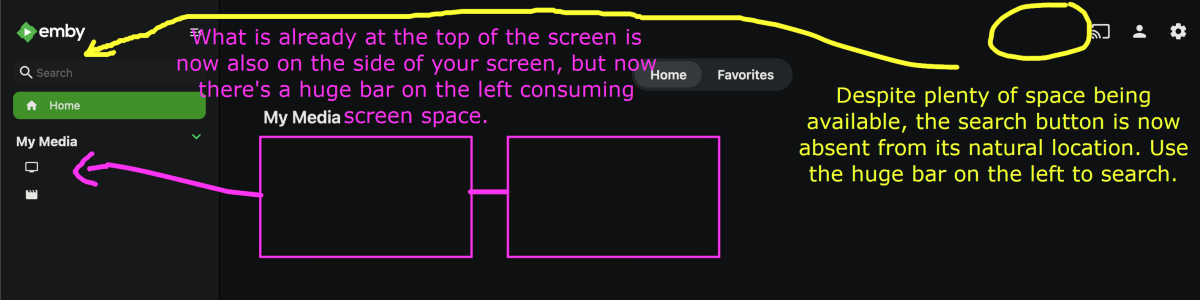
Please create an option to hide the new sidebar by default. I know it can be hidden if the collapse button is clicked three times. I was hoping there could be a default display setting for this sidebar, in order to avoid a "settings theme" situation; major display settings resetting with each visit. Managing settings like these in localStorage via a userscript is annoying. Hopefully there will be a default for this...
 1 point
 -
Yes you're right. A built-in solution would be nice. The closest thing to this is that feature that lets admins send a message to devices that are currently playing something. Not exactly the same functionality of course. Yes, I'll take your Pushover plugin as the base like always, thanks man1 point
-
Sorry mate, i missed your second reply there, trying that now1 point
-
Thanks. I'll update my userscript...1 point
-
Didn't know 4.8 just came out. I'll get on it, but don't really expect this plugin to ever be in the catalog unless the Emby team decides to release their own. Mine's not really my own in a way but you know what I mean =P1 point
-
Just recently started using Gotify myself and also, 4.8 stable started rolling out today. Would like to see an update that brings this more current, and possibly even in the catalog.1 point
-
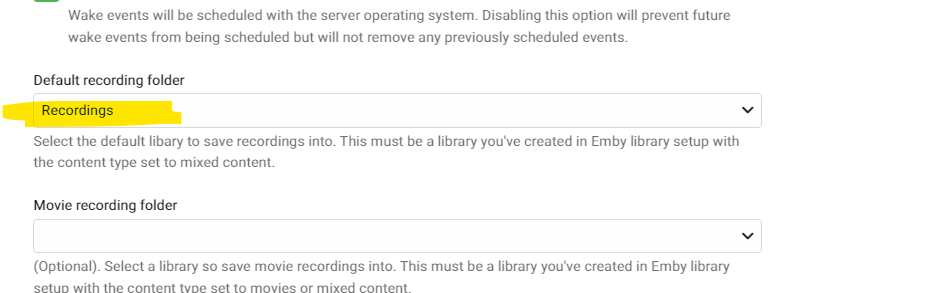
Fixed the default recording folder was blank after the update. Once I changed it the recordings are all there Pheeww
 1 point
 -
I was only 1 DAY OFF!! Do I get any bonus points for that or something??? Maybe a free upgrade?1 point
-
I have been reading this thread for a few days now and finally feel it is time to add my two cents worth. First, I too have been a Lifetime Premier user since January of 2017. So I’ve heard this same concern since the implementation of the device limits. I too purchased a “Lifetime” license. I do remember in reading the terms of the license, a clause that I will paraphrase, that indicated that the license was for the current version and subsequent updates until such time as a “major” release or change to the software was provided. So, for the last 7 years of using Emby, I have not been presented with the need to “update my license due to a “major” upgrade. THANK YOU EMBY STAFF! When first implemented it took a while for me to wrap my mind around the concept of device limits. I too had some concerns that it would be restrictive and limiting access by not only myself, but family member as well. I have a total of 14 family members/users that are fairly active. The longest time for inactivity by a user has been around 6 days. Each family member has more than one device that they use for access to my server. I personally have 3 televisions using apps (Samsung), 3 roku devices, 2 desktop computers, 1 laptop computer and a cell phone. Emby tells me there are 45 devices that have been used. And still my license tells me: “You have a Lifetime Emby Premiere plan and your device usage is well within your limit.” Since Emby is designed, marketed, licensed and to be used as a personal server, I find it hard to believe that personal users are exceeding the limitation on devices as is currently implemented. And yes, I do use the features that would result in a count of a device. If you are exceeding the limits, I believe the Emby staff has offered to discuss on a per user basis to determine if an alternate solution is available for your particular situation. So my summary of this entire discussion is; if you are not exceeding the limits, you probably have nothing to be concerned about. If you are exceeding the limits, reach out to the staff directly. Or, take a good look at the system you are running and ask yourself if you are living up to your obligation under the license agreement (are you running a pay to play service?). I agree that a more precise display of the number of devices would be helpful, but I have not had issue in 7 years of running my server so I really don’t give it much thought. As I am writing this, I understand that version 4.8 has become available. With all the discussion about all the added features, I am pleasantly surprised to see that this has been included in my “LIFETIME” license and not considered a “Major” release. THANK YOU AGAIN EMBY STAFF!!!1 point
-
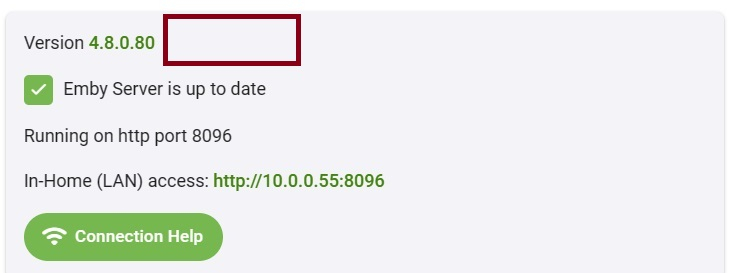
I just upgraded to 4.8.0.80 without any problems on my DS1821+. I was on beta before though, so it was a fairly minor update for me.
 1 point
 -
I think that is not really strange at all. As I documented earlier I upgraded then it appeared I could play nothing so I "thought" I had downgraded back to the beta and everything played. But I looked at the settings screen and it said nothing about being on the beta so I retested my backup server and, this time, everything seems to work fine. The Difference being I did some debugging instead of 'Shooting from the Hip'1 point
-
Someone has to reply... ...about 3 hours ago...hehehe1 point
-
My beta instance still shows that it's beta, so if it says beta you're still using the beta build/tag. This depends on the build/tag you're using.1 point
-
Excited to give 4.8 stable a whirl when the Synology builds are available. Thanks for your efforts Emby team.1 point
-
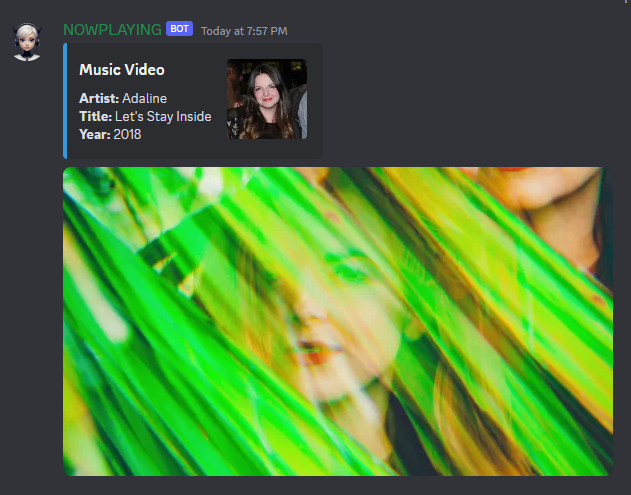
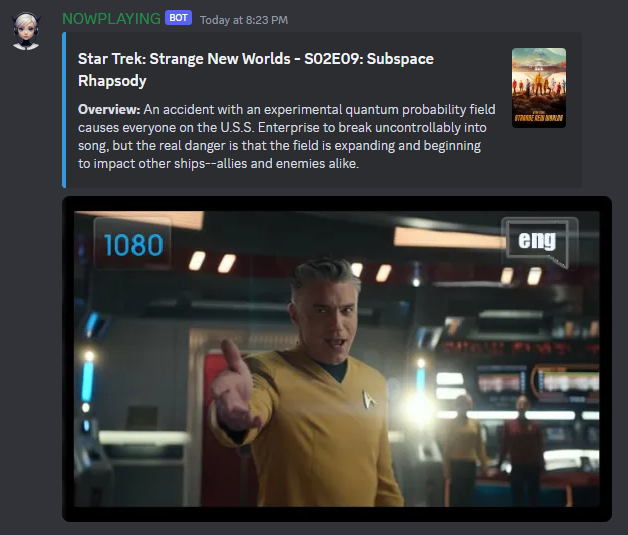
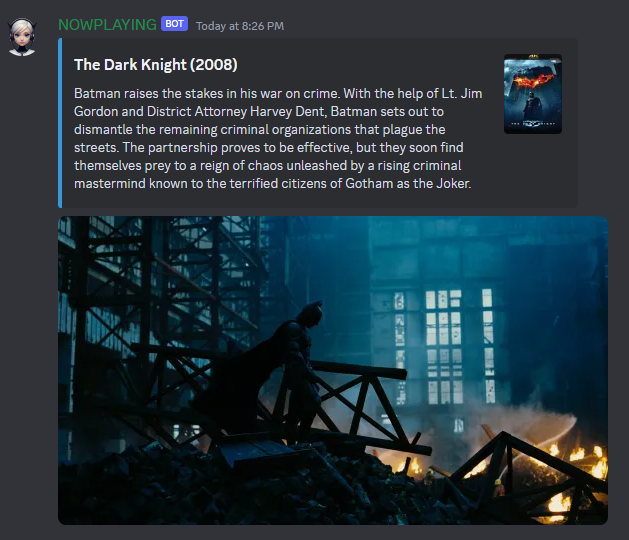
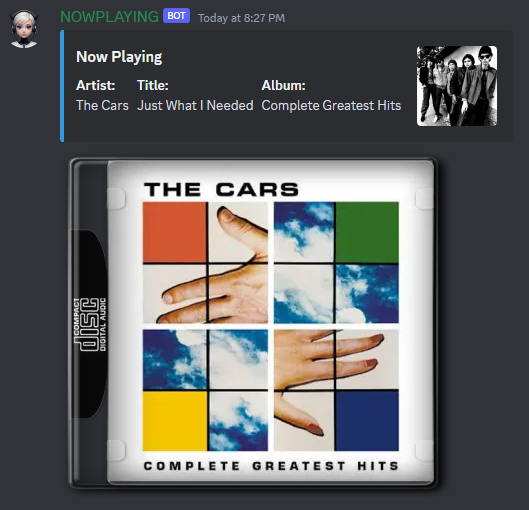
Made some updates, it is still a bit rough but closer to what I had envisioned now.
 1 point
 -
Maybe... tried quickly...1 point
-
Maybe hw detection wasn't completed yet.1 point
-
@Lukeyes, that’s what happens 95% of the time. It’s just the odd 5% or so that get the No Compatible Streams message. However, when I get that error, I can play the episode ok (both versions) if I access it from any place other than the Home Screen (both Resume Playing and Next Up). Trigger the playback from either area throws the error. Don’t burn a lot of time on this issue tho. It’s easy enough to just trigger the playback from the main TV section or via Search.1 point
-
Just updated and at first couldnt play anything (too many errors), did a quick reboot of the computer and everything is working great!1 point
-
Played with it for a while. 1. I still have to clean up a lot of uploaded picture libraries. Hope this is the last time? Besides this, I saw the uploaded video support is improved. 2. LAN networks: This feature is very helpful to me as I do have a dial-in network require bandwidth limitation. 3. I could feel speed of loading of posters and pictures becoming improved. 4. Not found playback issue for now yet. 5. Backup and restore part looks promising, I will configure it and make a try. Thank you Luke and all Emby developers!1 point
-
Thank you and your team for all the hard work that went into this. Excited to experience 4.8!1 point
-
Thanks @hackthis02! It did indeed fix the issues I was seeing with the 4.8 beta builds. I'll report back if I see anything weird.1 point
-
I try to remember, on emby server 4.7.14 (using a previous version of plugin 9.4.1 I think I was running 8.x.x) I selected the two same movies with different resolution, and choose option (...) Group Versions. was working then using 8.x.x if I recall correctly...! After updates to 9.4.1, From there I was not able to play either version (1080p, 2160p). I did in the media info, I clicked Split Versions Apart on the server... Then I was able to play again (after sync) the movie. Went back and Group versions again, this is where I started to see a third line in the available versions when trying to play it.... The newly added (3rd) was starting now with Remux-1080 and was playable, the two same other was starting only with 1080 or 2160, and was not playable. So I never played around moving files etc. Today, I tried to reset the nodes to see if the versions will be fixed and back to only two version (Not work, always 3 versions), I reset the database and start over configuring the plugin, had to force a sync of library... But now the sync takes forever and it stuck after hours+ at 85% in the TV Shows scan. Something not going correctly now.... I should (still on 9.4.1) reset everything and go with the latest 9.4.3? See if this will work better...??? Any other steps to make sure I freshly start over and fix the issues here?1 point
-
Yep - and I did notice this is AviDemux - the example file had zero key frames - thus seeking to any part of the video was not working, you could only play from the start. All my other files, you can seek and use key-frames ....1 point
-
Hi luke if any updates for this issue please add this option1 point
-
UPDATE MADE TO POST #1 PLEASE REVIEW.1 point















.thumb.png.225edb9636a79b10cd220c27f59990f3.png)