Leaderboard




Popular Content
Showing content with the highest reputation on 12/15/23 in Posts
-
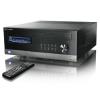
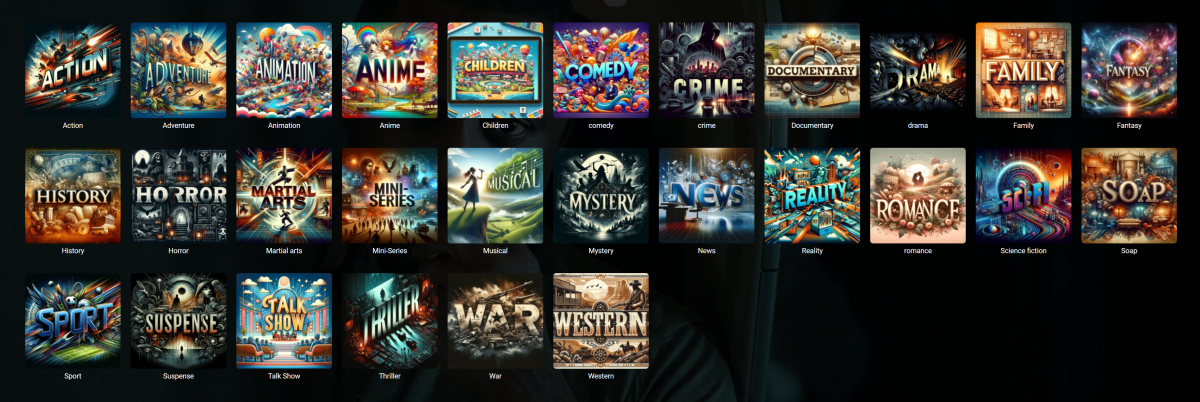
These were both fun and PITA ass to generate. But, they look so good on big screen. thoughts?
 5 points
 -
And there we have it. At some pont in setup, probablywhen I first installed and so that I knew where the device was on the network while I was configuring, I had set it as static, so it didn't use DHCP to get an updated gateway address when the new router went in. It had been my intention to move the new router to the old address but I had to run them in parallel for a while so my ISP kept provisioning my phone services until the new ISP took over my number. So, all my fault - as I bet you expected Gateway now changed and images have started appearing... Thanks to GrimReaper and Q-Droid!2 points
-
Hey there guys, I've proposed this in some thread already, but I think it would be very handy to sort media of artists into different groups, as musicbrainz does for example. For instance, implement the option to enable sorting artist's music into, e.g., "Albums", "Singles", "Live albums", "Compilations", etc. I have no idea if this is quickly done or rather takes a lot of work, but it would be very cool to have imho. Currently, media of bands like AC/DC or Michael Jackson, so artists making music since some decades, have 50+ albums/singles/etc. cluttering the artist view, making it very hard to find a specific item of that artist. If we would have the option to have this sorted out into different groups, it'd make the artist view more cleaned up. Cheers boys and girls! Have a great day (or night) ahead!1 point
-
Hello the Emby Community I recently created a script to auto-update Emby-Server (on Ubuntu) today and wanted to share it with you. I know there are other versions on the forum, but none were customizable the way I wanted it to be. Here are the possibilities with this version : is able to look for stable only or any latest releases is able to fetch a specific release can ask for a user confirmation before installing anything (in case you run it manually) The script will never downgrade a version without asking you first, so there is no risk breaking Emby by downgrading from beta to stable. By default, only stable releases are installed AFTER asking your permission. Here's the help text : Auto-update Emby-Server to the very last version found on github ---------------------------------------------------------------- The user can either choose the stable or beta branch A user confirmation can be requested before installing a new version When no options are given : -> only Stable releases are looked for -> a user confirmation is mandatory Options: --stable Only look for the latest Stable release --latest Only look for the latest (Beta or Stable) release --version Specify a version to install as a 2nd argument If no argument is provided, display a list of all available versions on Github -s, --silent Do not ask for a user input when a new version is found -h, --help Print this help You can run it manually or to schedule it, you can copy the emby_updater.sh to any directory and then use the below script from the same directory. This will : copy the updater into the default directory of Emby (/opt/emby-server) activate the updater 5 minutes after every reboot (OnBootSec=5min) activate the updater every night at 6AM (OnCalendar=*-*-* 06:00:00) activate the update at any other time if the last start date was missed (Persistent=true) allow any new version, beta or stable (--latest flag) to be automatically installed (--silent flag) mkdir -p /opt/emby-server/updater cp emby_updater.sh /opt/emby-server/updater/ chmod +x /opt/emby-server/updater/emby_updater.sh echo "[Unit] Description=Auto-update Emby-Server on a schedule [Service] Type=oneshot ExecStart=/bin/bash /opt/emby-server/updater/emby_updater.sh --latest --silent " > /etc/systemd/system/emby_updater.service echo "[Unit] Description=Auto-update Emby-Server on a schedule [Timer] OnBootSec=5min OnCalendar=*-*-* 06:00:00 Persistent=true [Install] WantedBy=timers.target " > /etc/systemd/system/emby_updater.timer systemctl daemon-reload systemctl enable emby_updater.timer systemctl start emby_updater.timer Enjoy ! emby_updater.sh1 point
-
It would be useful if the server (or perhaps clients) could cache most (if not all) content images (posters, backdrops, logos, etc) for movies, TV series and seasons. This would mainly be of benefit when a portion of someone's content is offline but the users would still like to view the content to know what exists. I think caching on the server would be preferable, then all clients could make use of the same cached images. if you think this would be a useful feature, please click the "Like This" button on this post.1 point
-
Put in a new NIC and had to adjust routing table. First time doing on an unRaid server, took be a bit to figure out. Seems to be ok for now. Thanks All1 point
-
I finally resolved this issue by switching to another IPTV provider. The EPG shows up correctly now. I am still using the same EPG as the one before the switch. So the mystery is unsolved1 point
-
Hm There wasnt a clear way to embed the metadata into the mp3, converting them to m4a with a separate app was just easier.1 point
-
Nothing positive overnight, looked at my server logs and have a networking issue, running that down now. Will let you know how it turns out. Thanks...1 point
-
So I solved it! I renamed the folder from "Reacher (2022)" to "Jack Reacher (2022)". After that, everything identified itself.1 point
-
Don't think it's crashed in the last few days, but nothing has changed here as far as I'm aware1 point
-
I don't know anything about Asustor but the basics would be to check: - IP address - Netmask - Gateway address - DNS servers If rebuilt with static IP make sure those are correct. If using DHCP with or without IP reservation then it should be working unless some of it has an overridden value. If Asus has apps like a package manager or updater those should be able to connect back to the Asus servers for updates. Getting those to connect should also resolve the Emby problem. The Asus admin console might also have some type of troubleshooter to assist.1 point
-
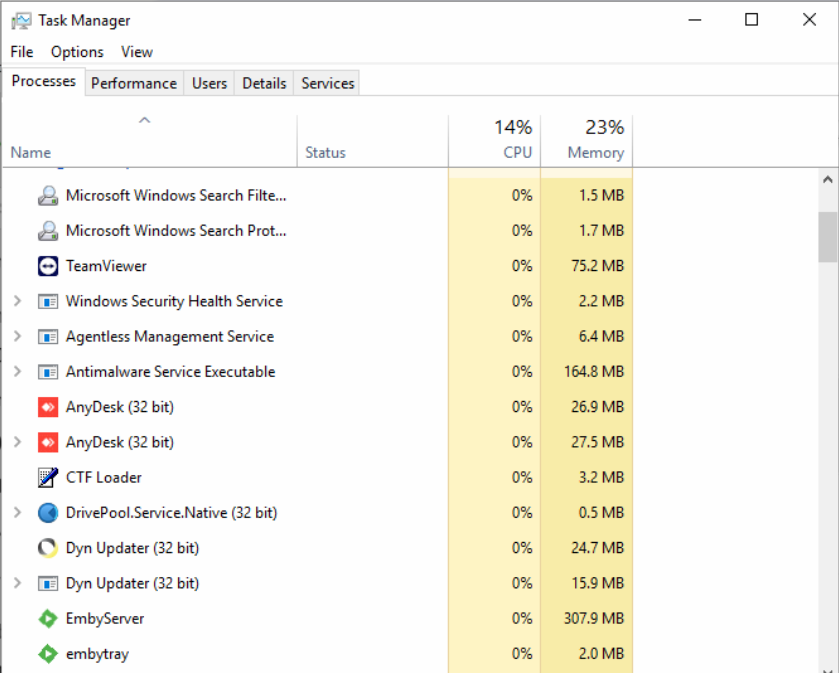
Since the last Beta update to 4.8.0.62 it is now sitting pretty at 300mb so I guess I'll just have to monitor it. DLNA is now disabled. embyserver.txt
 1 point
 -
That was already surmised. I reckon OP's looking for somewhat more specific assistance.1 point
-
Are you running DLNA in the Emby server? Try disabling it if you are. Paul1 point
-
I've run into this problem before to. As a disclaimer I don't use User Engagement at all and just create a custom pinned list of movies.. But as soon as I add a tv show to the list (mixed content) weird things start to happen like this. With movies only I can add/remove/sort the list no problem. Mixed content not so much.. So I just use movies.1 point
-
Hello, I installed and tested version 4.8.0.62 and everything now seems to work in terms of samba authentication. I indeed managed to connect all the shares and access the resources on them! Thank you for the work, for my part I consider that emby now correctly manages authenticated network shares.1 point
-
I’ll test it out, thank you!1 point
-
Hey @Badwolf, I used to keep the first posted updated with this, but can no longer edit the first post so I suggest keeping an eye on the GitHub repo for latest. As far as beta goes, the latest will not work unfortunately, the smart playlist is dependent on some Emby libraries, that seems to have changed, I didn’t get to the bottom of this and also could not get my hands on the libraries to try and debug, no documentation, which kinda stop my dev on this for now. I’ll have a look to see if this has changed, if so l, I want to roll out a beta version. I do not wanna add any new features or bug fixes just yet, until new version is out. But now I’m on holidays I can look back into this….1 point
-
I set a static IP for the NAS in the router and rebooted router and NAS. It all connects now. I'll have a look at other options for host and client naming, but if I can't even get it to see a new IP address, maybe this is my best option. Thanks for your help.1 point
-
That's really cool!!1 point
-
Support for opensubtitles.com has been added on the 4.8 beta channel:1 point
-
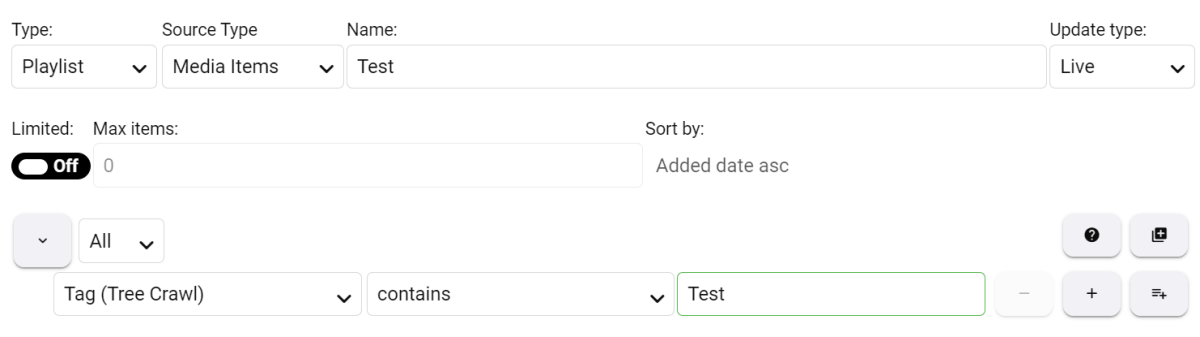
To ShaneP and all the various helpers/testers - thanks for creating the best Emby plug-in that I have used. Once there is a stable version it would be great for it to be a core part of Emby, or at a minimum, in the official plug-in catalogue! My main interest is music. I have been experimenting with creating smart playlists and found it very easy to make Decade and Genre Decade "radio stations" when the relevant info is embedded into the track(song) metadata. To better sort and categorise many 1000s of music albums, I have been adding Emby tags at the Album Artist and Album levels that sit above the individual tracks. Therefore I am interested in creating smart playlists based on these high-level tags. Album Artist (Emby Tag 1) (Emby Tag 2) Album (Emby Tag 3) Track (smart playlist compiled from here, embedded music metadata tags here - Album, Album Artist, Artist, Genre, Year, etc.) Has anyone use the Tag (Tree Crawl) option for music and does it work? Will it search the parent items for the tag and then assign the underlying tracks to the music playlist? The below post for Studio (Tree Crawl) is the best example I could find of how I think it should work??? I created a "Test" Smart Playlist as follows: When an Album Artist is tagged with "Test" no underlying tracks are added to the "Test" playlist. When an Album is tagged with "Test" the underlying tracks from the Album are not added. Any individual tracks tagged with "Test" are added. Also - when I look at the "Test" tag in Emby, it shows all the relevant Album Artists, Albums and Tracks(Songs) with the "Test" tag. So Emby sees them but the Smart Playlist doesn't. Perhaps I am not setting up the Smart Playlist properly??? Any tips or hints from anyone who has this working would be greatly appreciated! Thanks...
 1 point
 -
Think its as per that thread I started about USP, as in Unique Selling Proposition. Everyone interested in this type of thing has heard of the biggest one (Plex) and a lot are attracted to the free one (JF). Emby is stuck somewhat in the middle.1 point
-
Emby for LG TV's 1.0.39 has been released. Stay tuned to the blog for the release announcement.1 point