Leaderboard




Popular Content
Showing content with the highest reputation on 11/28/23 in Posts
-
Any new functionality will not be used by emby - as they compile a custom ffmpeg and add custom functionality (which sometimes gets included back into the master release). So by using the formal release only, you will probably lose functionality. You can specify any ffmpeg path in the Diagnostics Options Plugin (in the ffmpeg tab) configuration if you want to test it - but it will not be persistent after an emby restart.2 points
-
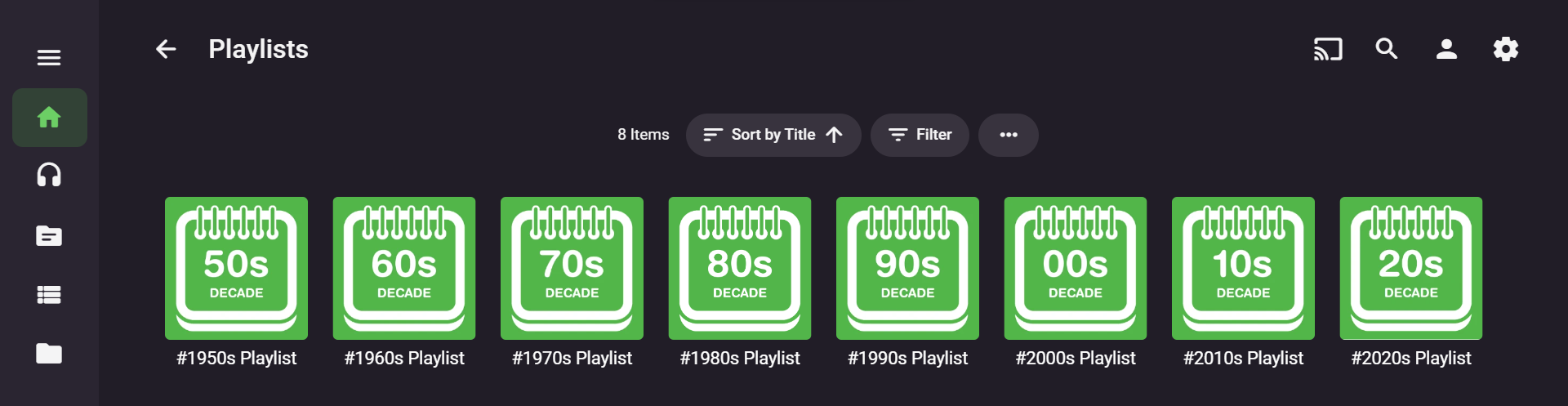
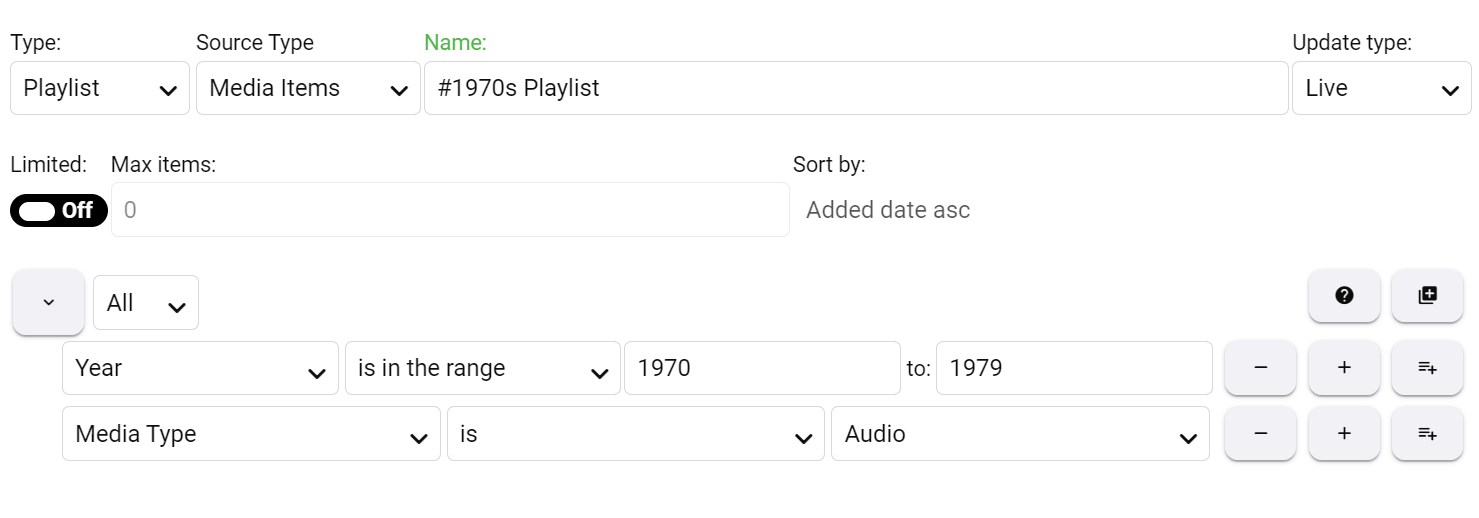
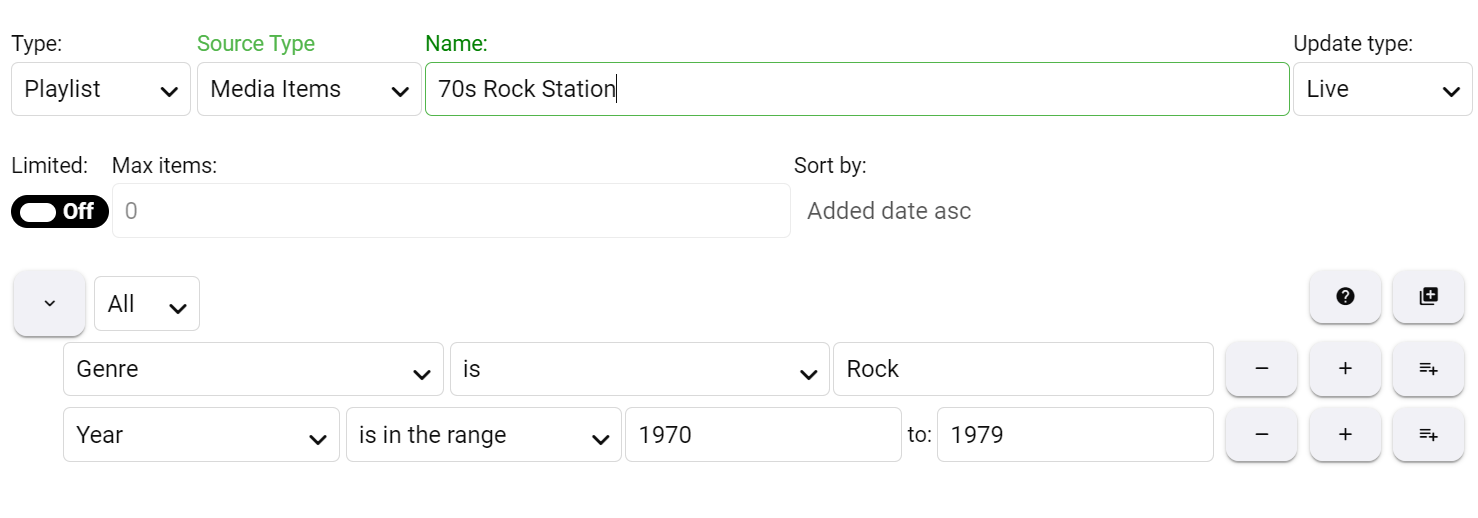
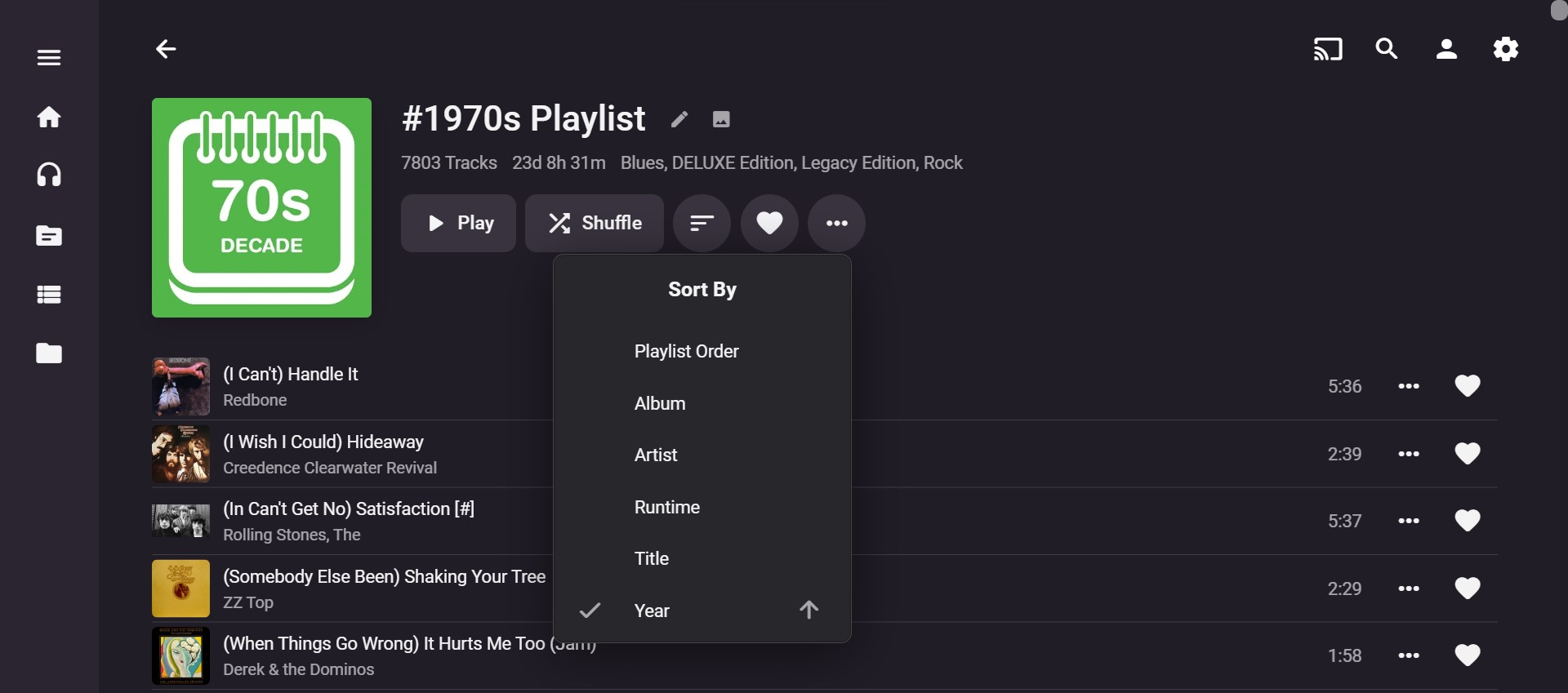
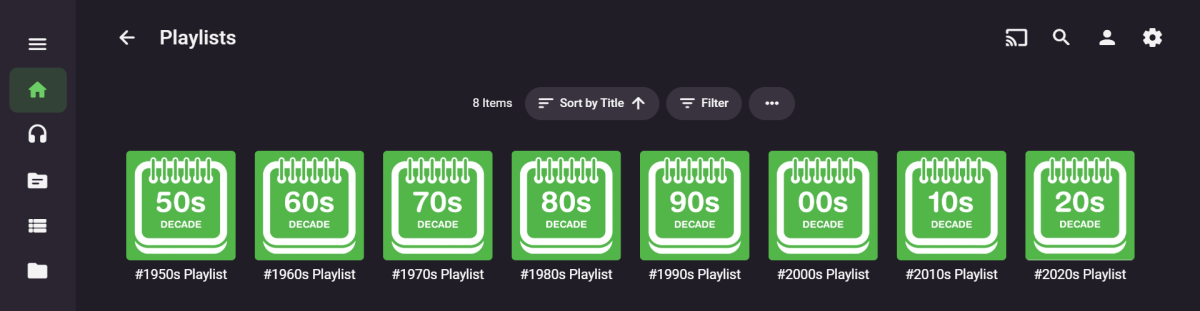
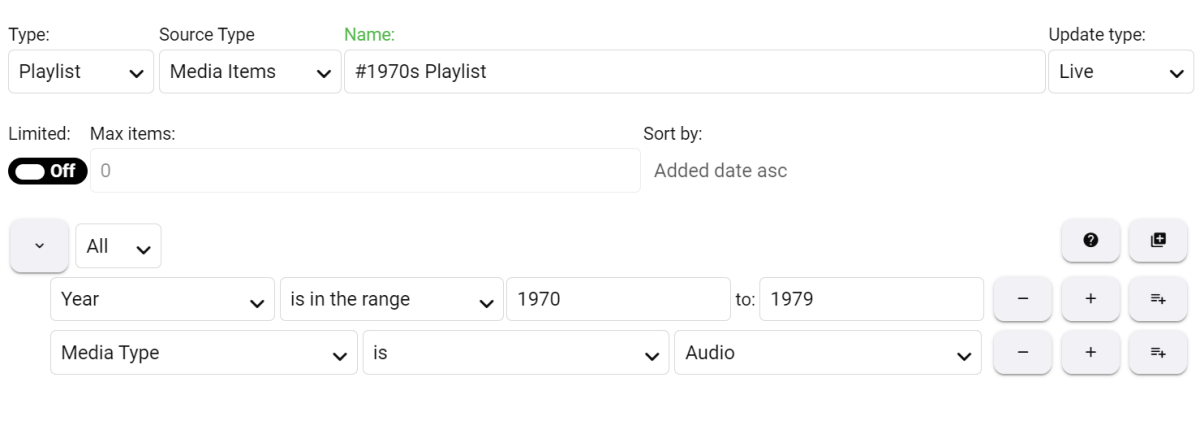
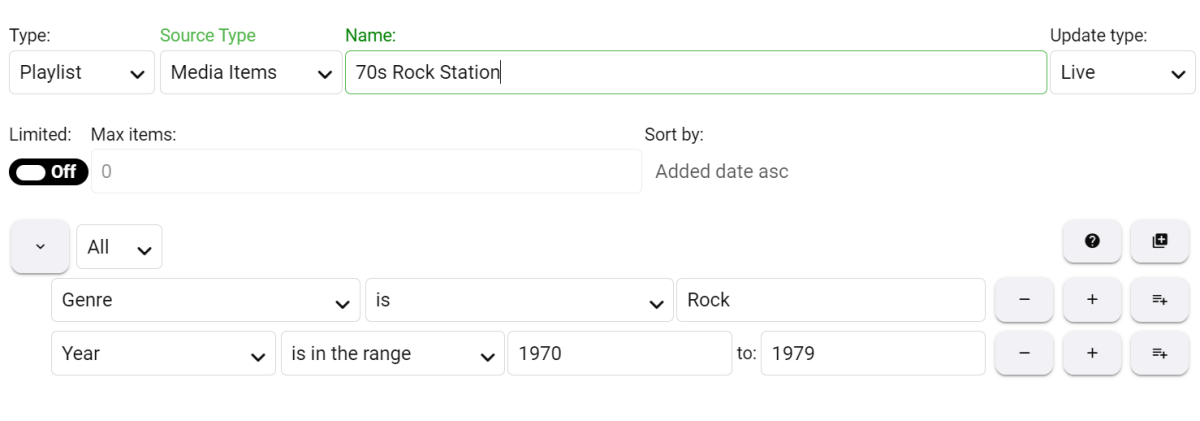
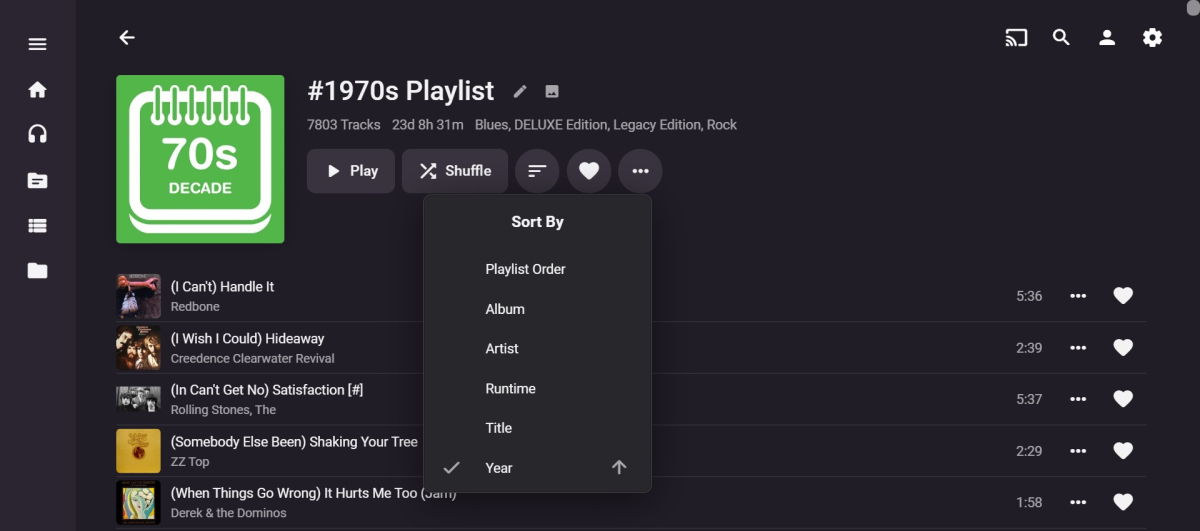
@Darren & GemmaYou could try the Smart Playlists 2.0 Plug-in. https://emby.media/community/index.php?/topic/99885-new-plugin-smart-playlists-20/ I've used it to create Decade Music Playlists which can be shuffled. This is one of the radio examples you have given. It is really quick and easy to set up once you have manually installed the plug-in and get the hang of it. It took me longer to create the graphics than set up the playlists! I think it could be possible to create much more sophisticated music playlists (a.k.a radio stations) incorporating genres and other info you have tagged your music with, but I haven't gotten around to exploring this fully as yet. Doing a very quick test just now, I set up a "70s Rock Station" by combining the Rock genre with the decade information: Anyway, it could be worth trying the plug-in as it may get you some way towards what you want to achieve without too much difficulty?
 2 points
 -
Here is the latest list of versions for Emby software across the server and clients. Emby Server Stable: v4.9.5.0 (2026/05/18) Release Notes Beta: v4.10.0.14 (2026/06/04) Release Notes For other platforms, please refer to the download page. Emby for Android TV Google Devices Stable: v2.1.23 (2025/12/27) Beta: v2.1.46 (2026/04/15) Amazon Devices Stable: v2.1.23 (2025/12/27) Beta: v2.1.46 (2026/04/15) Stable Release Notes Beta Release Notes Universal Android app Stable: v3.5.16 (2026/01/26) Beta: v3.5.36 (2026/05/10) Release Notes Download the latest Beta here. Emby for Kodi See here for the latest information. Emby for Roku Stable: v4.1.63 (2026/05/04) Release Notes Beta: v4.1.64 (2026/05/13) Release Notes Emby for Windows (Windows Store for PC & Xbox One) Stable Release Notes Beta release notes Emby for Linux Beta Release Notes Emby for Samsung Smart TV (Orsay) E-series to H-series TVs only Release Notes Emby Theatre for Samsung Smart TV (Tizen) Release Notes Emby Theatre for LG Smart TV Stable: 1.0.50 (2026/01/19) Emby for iOS Stable: v2.2.53 (2026/05/16) Stable Release Notes Beta: v2.2.52 (2025/04/11) Beta Release Notes Emby for Apple TV Stable: v2.0.3 (2025/12/26) Announcement Beta: v2.0.6 (2026/04/11) Release Notes Emby for tvOS (Apple TV) Stable: 2.1.6 (2022/12/23) Release Notes - TBA Beta: 1.5.1 (10) (2021/03/02) Beta Release Notes Emby For MacOS Stable: 2.1.6 (2022/05/09) Details here. I will keep this post up-to-date as much as possible, but please send me a PM about anything I haven't updated, or is missing. Special thanks to @Borskfor supplying a lot of the updated information. Thanks.1 point
-
It could rotate or something, like in the theater Of coarse it would have to be able to be turned off I suppose for people who don't like the idea.1 point
-
Hi Luke, Is the new windows app in development able to be trialed yet? Release date before this Christmas do you think?1 point
-
@Lukethat sounds perfect - looking forward to it.1 point
-
ahh, I see the issue now, I disable the merge setting.1 point
-
I'm not familiar with seedbox, only local sab and torrent on my own server. If the terminology is the same with seedbox, the download path and final destination can be the same or different and it shouldn't matter for what you're trying to do. That's just useful if you want to have your "in progress and not fully downloaded" to be kept on a different drive than the fully completed files. Ultimately, Sonarr only cares about the completed files. I see when I click my download client (the rtorrent box in your case) at the very bottom is a "Completed Download Handling" option that asks if you want it to remove imported downloads. If I was running a local torrent I would want to uncheck that so it keeps seeding however I'm not sure how that works with seedbox. And because I'm all local, I don't have any of the remote path mappings configured. Sorry I can't be any further help on that part.1 point
-
@LukeBTW, I have observed this happening under Android 7.1.1 (old Samsung tablet), Android 12 (new Samsung Tablet) and Android 11 (Moto G 2020).1 point
-
HI, thanks for following up.1 point
-
Yes, the Emby server can do that, and then passes them to the client, either directly if the client can handle them, or transcoded to an easier format if the client needs that. The server is a middle-man, and if you want to use it then it must be up and running. Emby clients talk to the server - they do not get media from other addresses by themselves. Paul1 point
-
Yes other wise you could not connect to the server. Servers are suppose to run 24/7 doing there thing, to help you do your thing, when needed Think of Emby server as your waiter, and Emby client as you. You want you media, when you snap your fingers, and the waiter is there taking your request. If you turn of your waiter or let it take a rest. You would have to wait till it leaves the breakroom. Hope this makes sense1 point
-
Plex and Jellyfin both have had this feature for some time. I haven't tried on either yet but I have heard good things about both. It's an option until Emby catches up.1 point
-
(I hope this translates back understandable) I do have Sonarr managing the downloads but only through Sabnzbd not torrents. The way I have mine setup that might help with your configuration is to think of Sonarr as the bridge between your downloaders and Emby but don't let Emby directly touch the downloads if you're using Sonarr. I used to do it with Sab and Emby without Sonarr, and then it's okay to let them both work with the same folder, but with Sonarr you really want to separate them. Sonarr talks to Sab, tells it to download into a sab configured download folder that Emby has NO access to. When the downloads complete, it's Sonarr's job to move those files into your Emby libraries. I have separate drives/folders for Emby's libraries. i.e. Shows, Kids Shows, Movies, etc. When you configure each show in Sonarr, you tell it that it's final destination is E:\shows\<showname> and it will take care of all the micromanagement, renaming, moving of files. If I remember right, Sonarr will even trigger a limited rescan in Emby for that series that was just affected.1 point
-
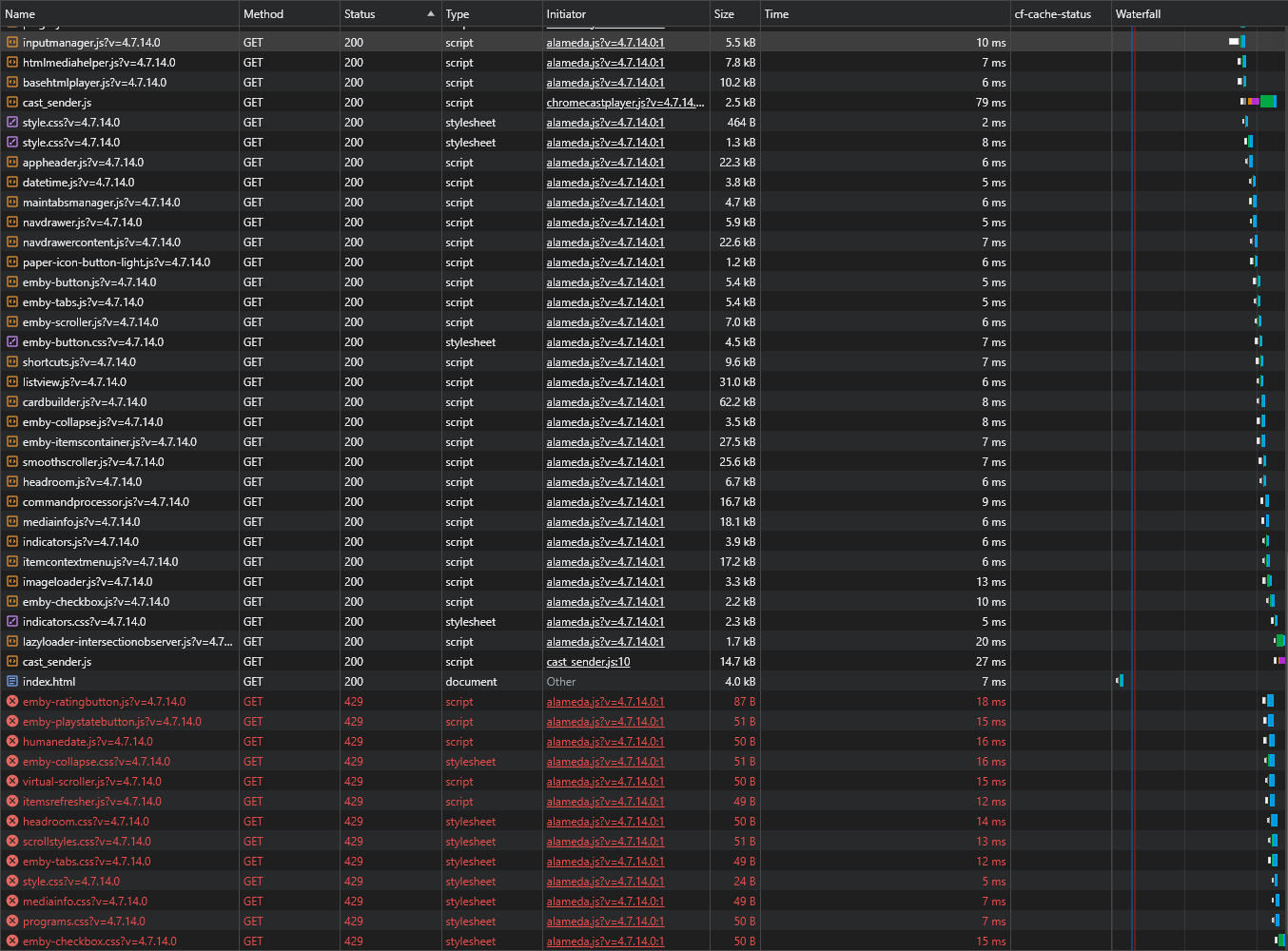
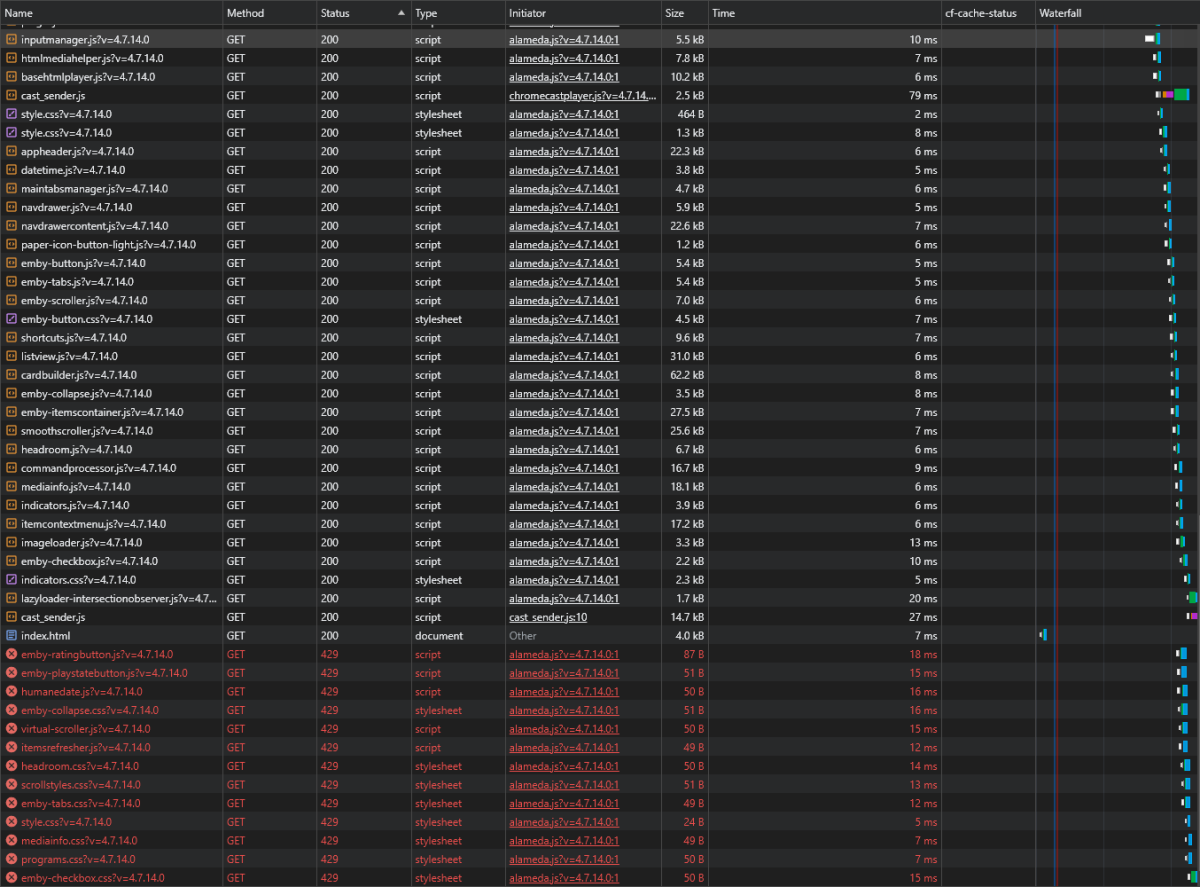
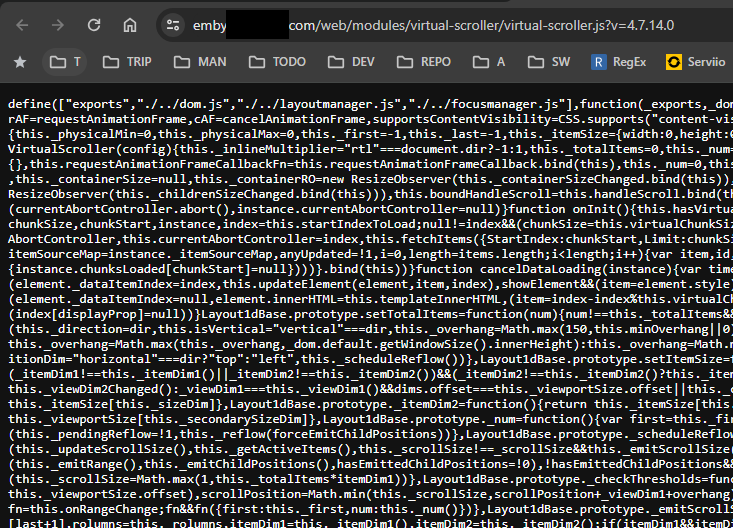
I have read the HOW TO: Cloudflare settings and have everything set up as in the first post except the Page rules. I have replaced this settings with the Cache rules, which seems to be working since I dont see any values for cf-cache-status: When trying to open those scripts in new window they get loaded:
 1 point
 -
That applies to any unplayed item, going forward. For any already played item, selection is remembered, you need to either: a) Click green-colored "Clear saved track selection" on that screen you posted screenshot of or b)1 point
-
Nope, you did not turn them off.1 point
-
In your client Settings>Subtitles, set "Subtitle mode" to no subtiles. Or select "Subtitles: Off" before playing that item in item detail screen. Alternatively, obtain external text-based subs either via Emby or by some other means (like directly from providers website), OpenSubtitles is a good place to start. https://emby.media/support/articles/Subtitles.html https://emby.media/support/articles/Open-Subtitles.html1 point
-
Your HWA is failing and falling back to software transcoding (which is also failing). Hence high CPU usage. Have you tried playing that item without graphical subtitles selected? Or alternatively obtain external text-based subs (like .srt) and see how does that compare. You're also running 32-bit OS, restricting your graphics card capabilities hence taxing your CPU.1 point
-
Shield 2019 is limited to 120Hz at 1080p and 60Hz at 4k. You also want to make sure you are using a certified cable and not some dollar store garbage. Odds are your cable is not allowing the connection. I would presume the OG Shield is similar, but it might not be.1 point
-
@Lukewhich I know is not Emby’s recommend way of storing files, but I’m sure there are many people like me who don’t have subfolders for each season1 point
-
Looking at my test, I think you have to post in fairly quick succession. My third post was 1 minute later and it didn't merge. Yes, it is a neat trick.1 point
-
Yeah, I had that happen to me once today too. I actually thought it was kinda cool. I think maybe if you post twice in rapid succession (or, perhaps, before anyone has seen the first post) it just merges them together. Neat.1 point
-
Interesting, the second post was merged with the first. In my earlier post when I reported this issue, my second post was in a separate topic. Let's see what happens to this third post1 point
-
The sideloaded app is the direction we are moving towards. We are working on getting it into the store for TV devices.1 point
-
You are correct - I have 10,000+ local trailers and they all play on Trailers button press in all the clients I use (Web app, Win Theater(s), Android app, AndroidTV app). Or in \trailers subfolder, whereas for TV shows it works only with subfolder, as you've stated:1 point
-
I don't believe this is correct - I use downloaded trailers and they play instead of the YT ones when I click on the Trailers button on the emby client ? As above - Movies - need to be filename-trailer.ext in the same folder TV Shows - need to be ..\trailers\trailer.ext as a subfolder in the root of the TV Show You'll need to re-scan the item, but then it will use the locally stored trailer instead. and you could do this, by just using a 'backdrops' folder instead of trailers - it would then play the Trailer as a backdrop ... This assumes of course that the client can play backdrop video - some cannot .. https://emby.media/support/articles/Theme-Songs-Videos.html1 point
-
@rbjtech @jaycedk @Ahole and @fraenhawk may have some Sonarr/Radarr tips.1 point
-
Hi, no ETA but this is planned for future updates. Thanks.1 point
-
My frank concern for the development of Emby is that the powers that be simply want a bigger piece of a smaller pie. I have no idea of what their revenue stream is, or what their market/business potential may be. From a resources standpoint, they seem to be in need of additional developers and possibly even product managers, however bringing those resources in will dilute revenue. On the other hand, who knows how much opportunity cost the developers of Emby have experienced due to a lack of execution. As a user who goes back to the MB days, I sincerely wish them continued success, and continue to use the product stack as the alternatives leave too much to be desired (IMO). Still, there are a lot of QoL and long-standing execution issues that can be frustrating.1 point
-
I have run a test on my Echo Show 15 by using the Live App Testing flow. I confirm that your last beta version works correctly. I will wait for the new official release.1 point
-
hi, we are looking into this. Thanks.1 point
-
I actually think it looks really nice - what are your views ? I could modify my 'Recommendations' script to do this for a 'Spotlight' if people were interested, maybe even get it added as a plugin to search for a tag of 'Spotlight' or something and then automatically refresh the 'Spotlight' library even week etc...1 point
-
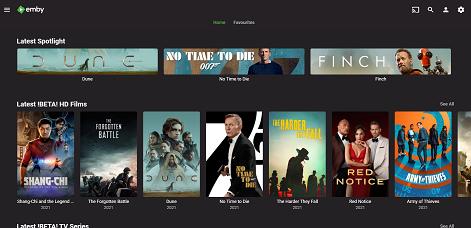
It's a 'Home videos & photos' Library. The library just points to a single folder with the 3 x jpg's in it which are 'banner' jpg's renamed with a '-poster' appended so they can be used by the associated .strm file. The .strm file points to the real media. That makes them 'playable', otherwise you just get picture when you click it1 point
-
There you go - I only had two entries in that library, so added a third . Also to note, the standard emby film scraper(s) does not get the banner artwork by default (TV Series does) - but you can easily get by edit 'image' and then select 'banner' to get it.
 1 point
 -
This just begs for the third banner.1 point
-
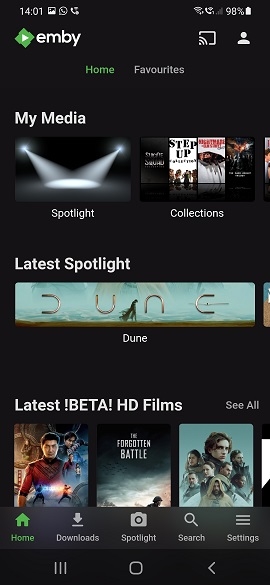
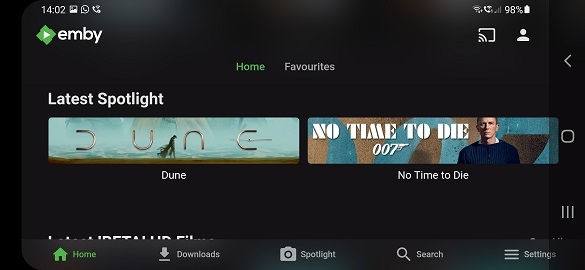
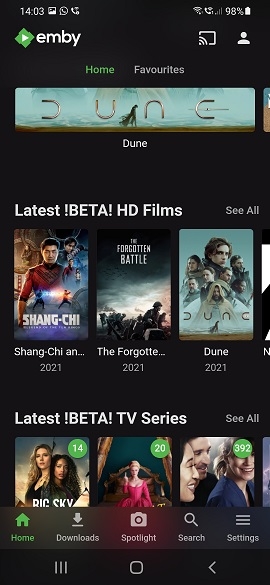
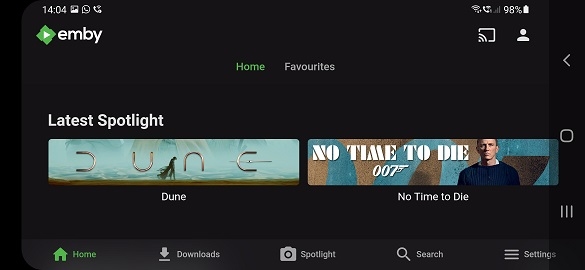
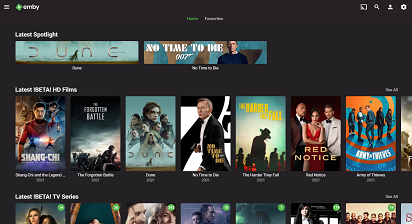
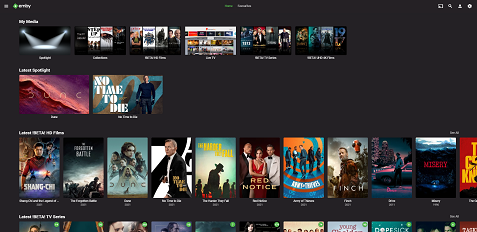
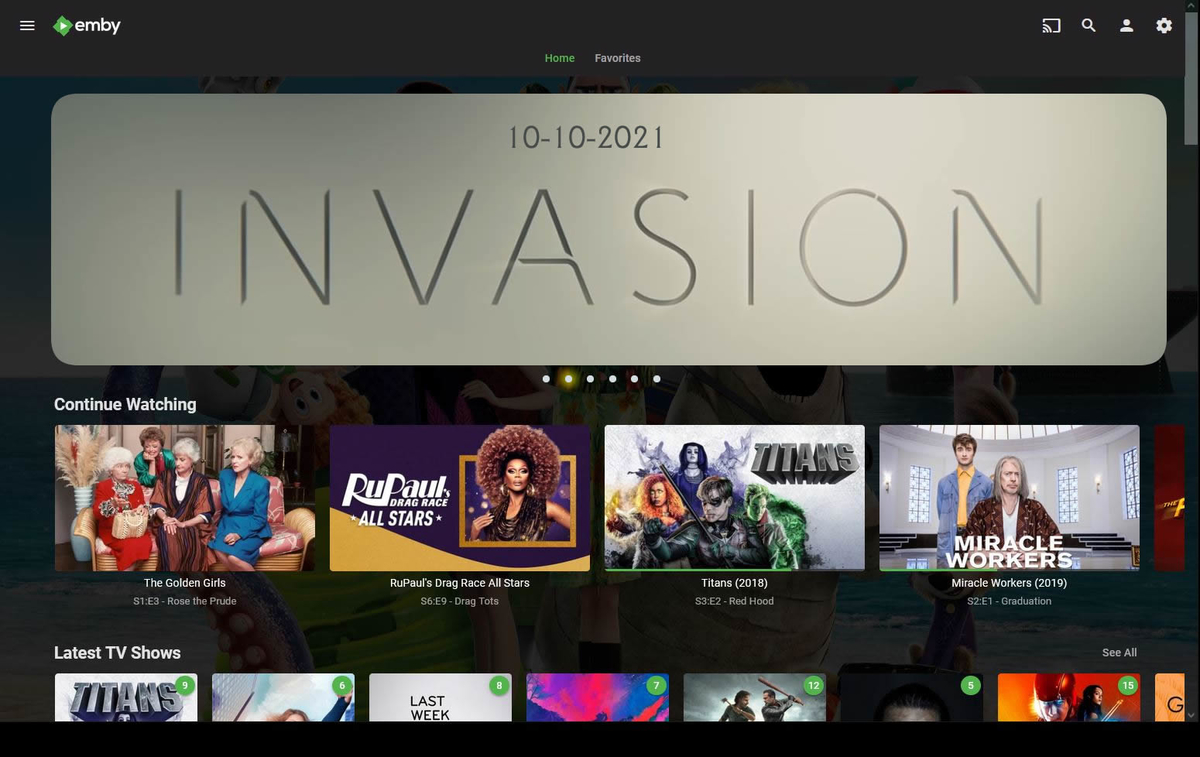
If you are happy with more than one 'spotlight' item - then using 'banner' artwork actually looks ok. This is what I use now for my own version of 'spotlight' - this works on all clients today - it just uses the 'Photo' library type - which displays any image (and it's playable if you use a strm file with the same name alongside it..). If you watch the item, it disappears from the Spotlight.. On some of the clients - these are actually 'in your face' and you can only get two of them on the screen anyway. Examples from an Android Phone below :- These are the web server screens .. This is using the 'Backdrop' image instead of the 'Banner' So yes, it's perfectly doable. If extra 'long' or 'large' images can be accommodated, then great - but functionally - I personally think this works ok.
 1 point
 -
I just typed 90% , ok its 20% but this feature is not so complex that we should be waiting for it for years. There is something that is the backbone for it that's what i was pointing out. Seems to me that we always have the same response , its complicated because we need to update all the apps. Ok, than make it, or cut down the number of apps so we will have more features that people want (for years). Or don't make improvements for features that only small number of users will use and give priority to features like this that are wanted by bigger number of users.1 point
-
Hi Luke, what do you mean by you don't have artwork for it ? I'm sure there are people here that would love to make artwork for it me included. I would gladly contribute my time in making some crisp 4k banners if that's what your referring to. After watching apple tv videos on youtube for the last hour I'm pumped for this look now on emby1 point
-
One challenge with this display on a wide screen, as much as I love it, is we don't have artwork for it that is a perfect match. The banner image type is the closest in aspect ratio, but won't look sharp if we have to blow it up and increase it in size. Or we could take a middle portion of the backdrop image, but I already know the complaints we'll get over having to crop it. In portrait orientation, on a smart phone for example, there would be no problem though. But the more I look at it on Apple TV, the more I want it in Emby, so I'd like to try and find a way.1 point
-
Please, Please, Please...
 1 point
 -
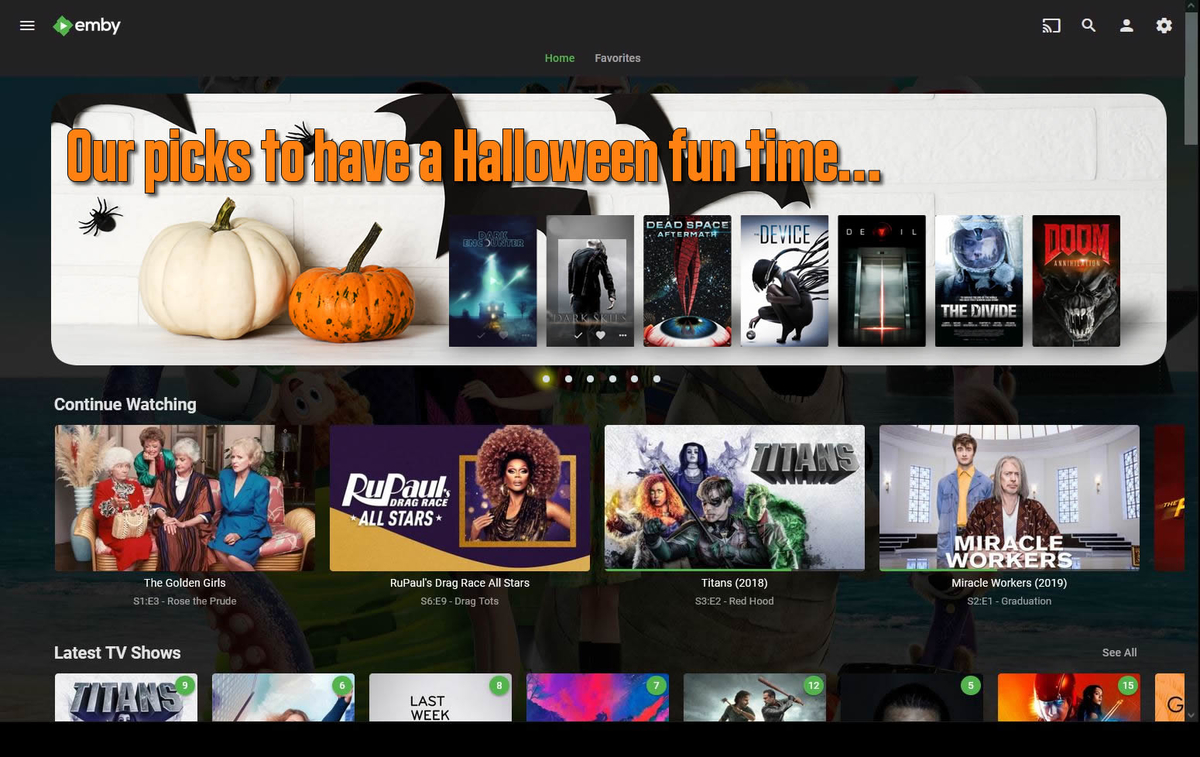
Any news guys? Simple will be the idea, let the user upload any image and just allow to link it to a play list or a specific movie/series. no more than 6 or 7 items. And to turn it on and off if they want to. Off by default for people that does not know how to use it.
 1 point
 -
It's something that we're interested in, just haven't been able to get to it yet.1 point
-
And while I'm hijacking threads, a Theater like Home page option for Android devices would be nice too...1 point
-
Personally, like the idea in post no 1 but that space on the right is begging to be filled. So a, dare I say it, Theater like horizontal home page for the web would be good IMHO, possible as per jachin99. Also like Luke's image, just think its so wide that a lot of art, would likely consist of the top of someones forehead.1 point
-
I like this, and is pretty much what I was hoping to have with my req for a "featured" section. Awesome. https://emby.media/community/index.php?/topic/72493-featured-option/1 point
-
Favorite || Liked content. Probably based on user rating Much like the theater. I really like that Apple TV setup.1 point
-
I would like this to be configurable on / off and not random. The server administrator should be able to manually define the content of this section. It would be useful for my family, especially for older members who feel uncomfortable browsing libraries.1 point
-
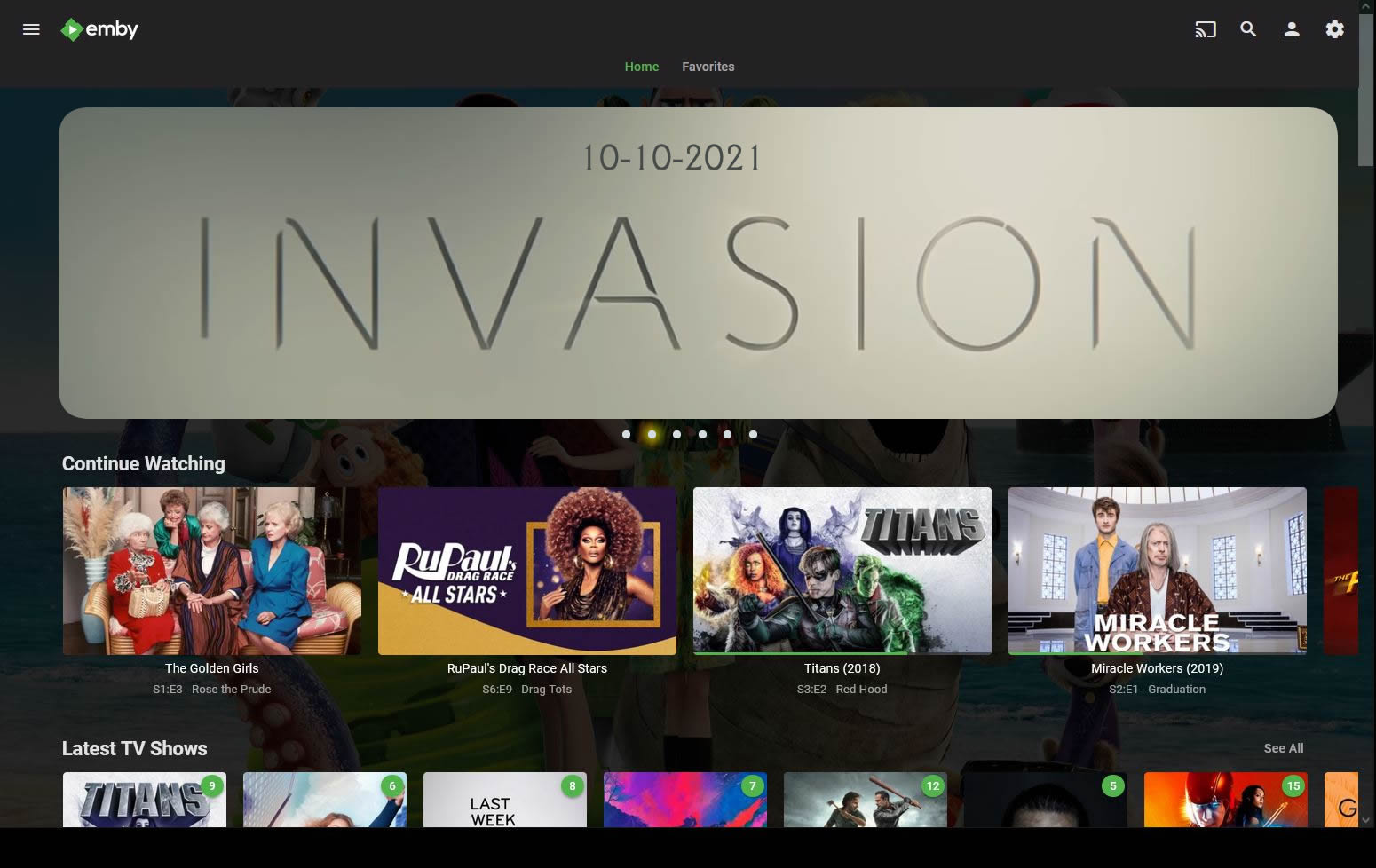
I think in TV layouts this would be a good idea. I like how apple tv does it:1 point