Leaderboard




Popular Content
Showing content with the highest reputation on 10/13/23 in Posts
-
Just did a hard reset, still the same with the tracert promt. I will wait and see. Thanks for all your help so far, i will update when i see something new, hoping other people will benefit Have a good weekend all2 points
-
2 points
-
Hi emby community. Sadly my much loved Sony Android TV died last weekend. The emby Android TV OS did just about everything I wanted and was great. I've replaced my TV with a Hisense 65R8 - https://hisense.com.au/product/65-series-8-65r8/ Unfortunately this doesn't run Android TV, instead using Hisense's own 'VIDAA U3.0 AI' OS. It has an app store named 'AppsNOW' with a very small library that doesn't include emby, nor kodi. There's an inbuilt browser but it won't load the web client either. So, my questions are: 1. What is the likelihood that an emby client app might be developed for this OS in the future? 2. What are my best options for getting back to the Android TV experience without huge expense? I'm thinking along the lines of some sort of Android TV box. In the meantime I can use my Windows 8.1 HTPC, which is running WMC with emby classic. This gets the job done but lacks a lot of the features and love that I enjoyed with the Android TV emby client. I've tried using the emby theatre (desktop) app. This gets me close but doesn't work very well with my remote and I can't work out playback controls during playback (seeking, stats for nerds, view progress, time-shifting for live tv, mini guide, etc). It also seems to make the HTPC work pretty hard with the cooling fan spinning up to annoying levels. The Windows store app doesn't appear to be available on Windows 8.1 so I haven't tried that. Ember for emby looks like another option that might be worth exploring. (BTW, my HTPC is a gen 3 core-i3 NUC - https://ark.intel.com/content/www/us/en/ark/products/76978/intel-nuc-kit-d34010wyk.html) Thanks for your input. TT1 point
-
Guys, The ebook side of Emby/MediaBrowser has been long stalled or rather stagnated. I would like to offer up a couple of suggestions. Many people use calibre as an ebook/comic book tool for scraping data and general management of their collection already. This program is absolutely astonishing in its ability to pull metadata from post calibre scans, as well as draw in metadata from the file source and/or directory structure. http://vaemendis.net/ubooquity/ Its a self contained .jar server/reader combination. And honestly I am very impressed by it's small footprint and wide range of abilities. The other option is COPS , which was written specifically with calibre in mind. It is open source, so making it work with emby I would think would be fairly easy. https://blog.slucas.fr/projects/calibre-opds-php-server/ Ever since the original release of MediaBrowser's bookshelf I have always wanted something that would allow me to 'read' my collection, rather than being basically nothing more than a place-set for images of books I own. I am sure that those who mainly have audiobooks are thrilled with bookshelf , but it's nothing more than an extension of the music library IMHO, not new features. We can have both right? Here I give you two suggestions free of charge.. Just because I love you, and Emby Personally I plan on running the Ubooquity Server along side of Emby from now on, just because of it's massive functionality and tiny footprint. But I sure hope that someone decides -- "yeah, ebook support should be in here too" and do something about it - rather than allow this now very very ancient issue to continue to remain an issue. And so I don't have to have 20 different ports open, some with SSL support - some not, because Emby isn't delivering the 'complete package'. (Please take some of this with humor, I know you have your hands full with improvements/bugs/suggestions/requests)1 point
-
It appears that any playlist that any user creates is public--all other users can see it. I can appreciate the benefit of a public playlist. I could create a playlist called "Harv's Favorite Horror Films" for example, in case other users are interested in checking out what I like. However, the way most of my users are using playlists is to keep track of things they want to watch in the future. They are typically things that the user has not watched yet, so it's not meant as a recommendation to others, just as a way of them personally keeping track of what they want to watch. Having that kind of playlist be public is of questionable benefit to other users. Additionally, it is not clear when you create a playlist that other users will be able to see it. That has the potential to cause some embarrassment. He hasn't created one yet, but I wouldn't want to see my nephew's "movies to fap to" playlist, for example. If I could make a suggestion, I would suggest associating each playlist with the user who created it, and giving that user the ability to make the playlist private or public. For example, the following two checkboxes could be shown when creating or editing a playlist: Allow other users to see this playlist Allow other users to edit this playlist Initially, both checkboxes would be unchecked. Since another user cannot edit a playlist they cannot see, the second would be allowed to be checked only if the first were also checked. (You could grey it out to make that clear.) Depending on your UI preference, it could also be a drop-down menu. Playlist visibility: (Only me | all users can view | all users can view and edit) Thanks for considering this.1 point
-
Confirmed resolved in latest Android 14 release.1 point
-
I haven't had time to even try this yet - got overwhelmed with stuff for work.1 point
-
ok I have figured this problem out seems i did not have port 8096 open on ubuntu I opened it and connected straight away1 point
-
OK, I don't know much about this plugin, but based on the messages in the server log, it looks like you need to reconfigure your authentication for it.1 point
-
OK we'll try to chase this down. Thanks.1 point
-
Follow-up to my earlier posts about the playback error. It appears the my Comodo firewall was blocking a few ip address's that were not connected to my cell phone network which is T-Mobile. The ip address's belong to cloudfront.net and hosted by Amazon AWS. I do not believe that these are related to T-Mobile routing since I have other services which I can play from my iPhone with no issues. So at this point, it looks as if the error message may be somewhat mis-leading as it uses the term "compatible streams", when in fact the stream is basically being blocked.1 point
-
Sorry, I had a busy week. I will just attach it here. It has been working perfectly for me for a couple of weeks now, but use it at your own risk. AutoCollections_1.0.0.7-libraryoption.zip1 point
-
Off and on again - but please liaise with your ISP - they will be able to advise when the change has been made at their end. You may need to wait. You may need to do something on the router - but they should advise you of this. As above - if the 10.x.x.x has been replaced with something else on line 2 - then you are likely on a real public IP - and it should work from that point onwards.1 point
-
You almost certainly have to reset your router to pick up the new public IP. Then repeat the tracert test above - check you don't have a 10.x.x.x address before you proceed to the next stage - but as Paul says, it may just work by using the public IP to connect as the forwarding rule does not change.1 point
-
Well apparently I am either blind or was in a rush. I found the settings and it worked perfectly. Yay! So now I can eliminate MB2 as a server on the client box and just use Theater. I still cannot believe that after at least 6 years or more I had never thought about Theater. Now this is a great app to go with a server. Thanks Luke and company you guys are great! Cheers!!!1 point
-
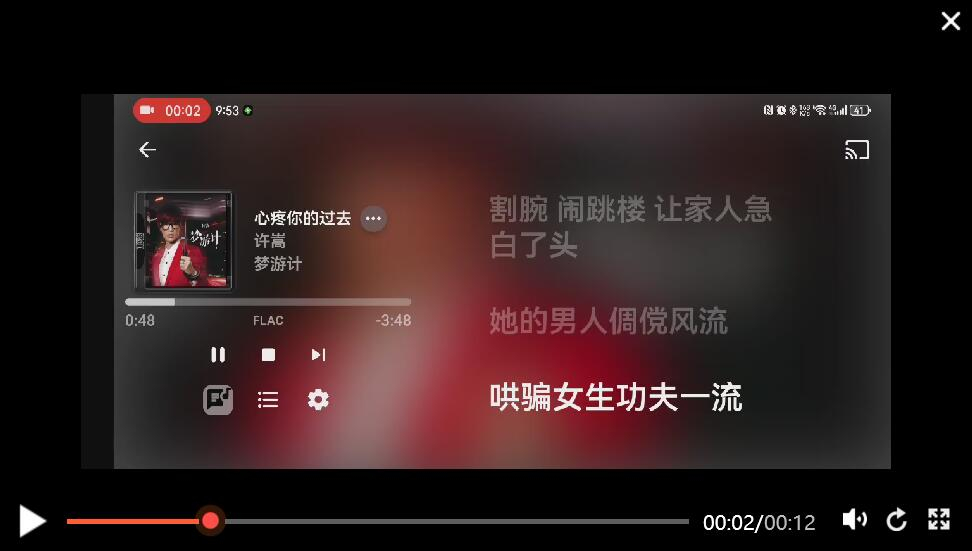
There is also a question, suggesting that the highlighted part of the lyrics be centered
 1 point
 -
Well done getting the IP! And you've already got the handle on the port forwarding, which should work now. You need to check that Emby is now picking up your new WAN IP and showing it on the dashboard, and that you have enabled remote access on the Network settings page. Then it should just work™. These steps are summarised at: https://emby.media/support/articles/Remote-Setup.html Once you've got that going OK, you might want to consider https security (as a degree of privacy, mainly. There are plenty of threads about that in the forum. Paul1 point
-
Thx a lot buddy @rbjtech , appreciate sharing this! I will be testing this for sure. This is an alternate solution to the one above, I think i might prefer this more as I get more control. I've been using ffmpeg on Win and it's working great, I'll tweak the script to convert to mp4. One thing that I noticed is that MP4 are much much easier to play, rewind, pause, etc in a normal video player compared to mkv file; thus that's why I always convert mkv to mp4, also their size gets reduced too : ) luv ffmpeeg : ) thx once again!1 point
-
Ah, apologies, searching for favourite/favorite & people returns too many results to find matching issues. I expect I will get told off for raising it. Seems like a simple fix, rather than searching for the name as text and returning spurious results just do what they do for films etc and use a unique number! (Which is why they use the ID's for imdb, tmdb, tvdb etc.). Indeed if you search for a person on those sites then you get a unique 'personid' for this exact reason. It's odd.1 point
-
Okay I figured it out : in docker you set this like that (in my case at least). -v /media/share/series:/data/tvshows \ -v /media/share/movies:/data/movies \ That means emby will find the relevant data not in "media/share" but in "data/tvshows". 100% next time I install I get this wrong again. Thanks for your support guys, and sorry for my noobiness1 point
-
Top Picks will Break Emby Beta .52 After Upgrade to .52 Emby will not Start Up. In the Logs i found: After deleting the Top Pick .dll manuell, Emby Restarts without any issues again.1 point
-
Yes, I used the 3 dot menu for the other pages and that worked perfectly. I just can't seem to tweak the landing page but as you said there is an app display setting and maybe I just overlooked it. I will try again later this evening. When you say "smaller version" I take it you mean the same thing you said in your first comment about app display settings. Also, this is all in MB Theater that is the issue. All in all, I really like this app. I wish I would have tried it a few years back. TIA Cheers!!!1 point
-
Who created it? Many people create this kind of lyric file, which can also be called enhanced lyrics.1 point
-
On the regular emby no but I will now. Thx1 point
-
@softworkzyou wanted a project for a large dataset? How is this? ;-)1 point
-
I would assume that unless the ISP's network is architected by morons, that a simple public IP check to see if it's in the correct CIDR range would be sufficient...maybe with a URL to point to a FAQ entry about how to deal with it (per your suggestion by use of tunnels).1 point
-
I've been experimenting with the 30 second skip functionality that this thread was originally talking about. I have to agree with the Original Poster in almost every way. The AndroidTV app does it weird. It's usable, but I wonder why it was implemented this way? It does not seem intuitive for any type of seeking other than a single forward or backward jump. It would definitely be a good thing to change the jump/seek behavior to work more like the regular Android App does. I like the AndroidTV app better than the regular Android app in almost all ways. Except for this one. Brian.1 point
-
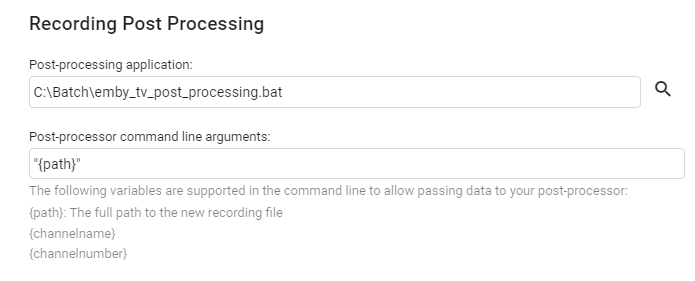
In Live TV > Advanced You just need to write a small script to do this (in my case just a windows batch file) Mine creates a mkv using mkvmerge - but you can replace that with ffmpeg if you like to create an MP4 using the same logic. example batch file - this removes the original .TS recording if there is a sucessfully created MKV of the same name. @echo off set logfile="c:\batch\emby_tv_recordings_log.txt" echo Emby TV Post Processing echo. echo [%date% %time:~0,8%] Info EmbyTV Processing : "%~d1%~p1%~n1.ts" >> %logfile% "C:\mkvtoolnix\mkvmerge.exe" -o "%~d1%~p1%~n1.mkv" --audio-tracks eng --no-buttons --no-attachments --no-global-tags --no-track-tags "%~d1%~p1%~n1.ts" if %errorlevel% equ 0 ( echo [%date% %time:~0,8%] Info EmbyTV Processed : "%~d1%~p1%~n1.mkv" >> %logfile% if exist "%~d1%~p1%~n1.mkv" del "%~d1%~p1%~n1.ts" ) else ( echo [%date% %time:~0,8%] Error EmbyTV File Not Processed : "%~d1%~p1%~n1.ts" >> %logfile% )
 1 point
 -
Was pretty sure I'd downloaded theatre, but it was an unexpected experience. After downloading and running the setup.exe the subsequent downloaded took ages. Maybe up to an hour - I got bored watching with no visible sign of progress. When it finally did start installing it appeared to be installing components that I wasn't expecting. Anyway I've since retried with success and this time it installed in minutes. So all good now. The odd thing is that the setup.exe properties appeared to be the same as before so not sure what happened previously. Probably user error somehow. Thanks for the responses.1 point
-
It is working for my Pixel 7 Pro on Android 14. Thanks for the help and sorry to have kept bothering you with this when it was a Google problem.1 point
-
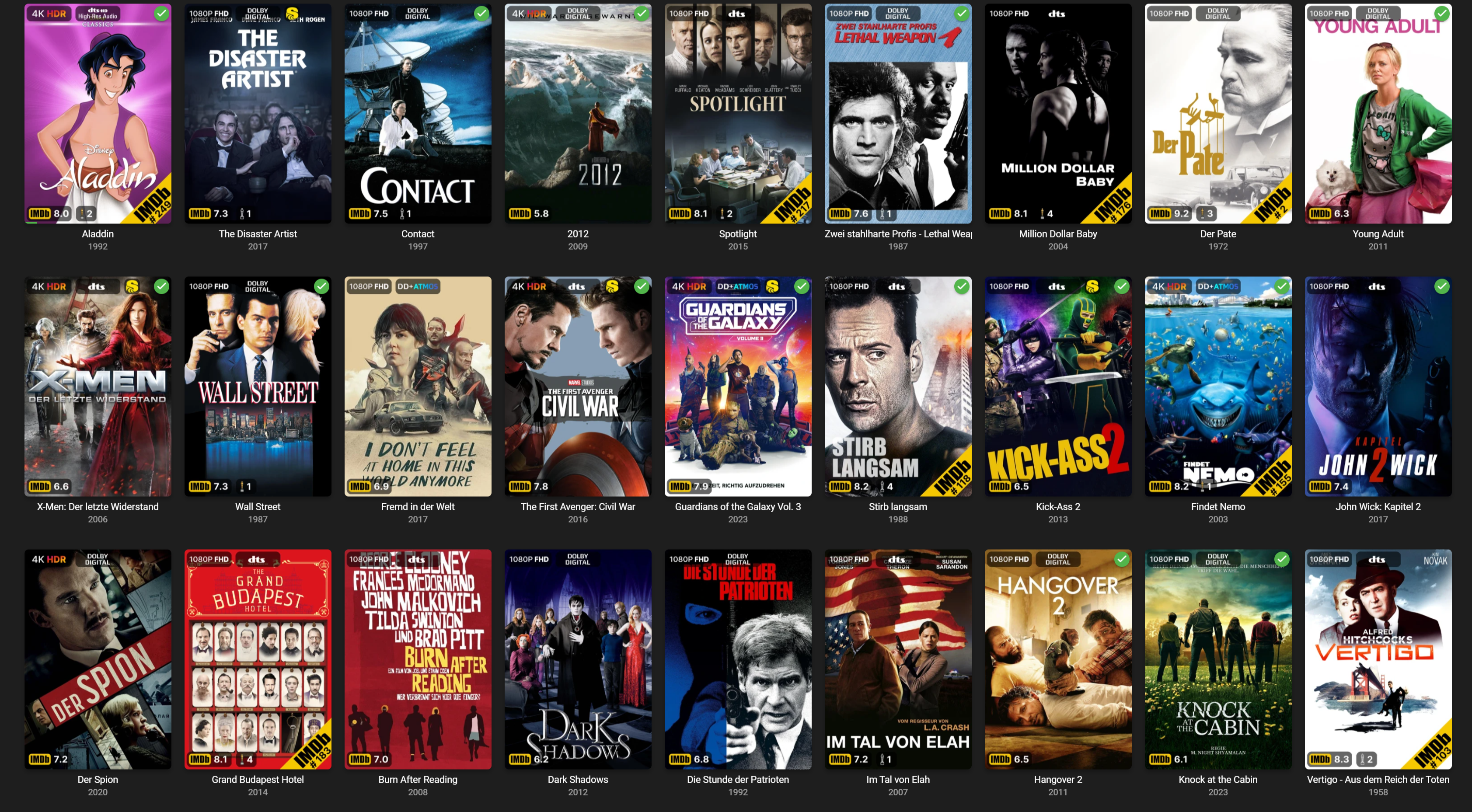
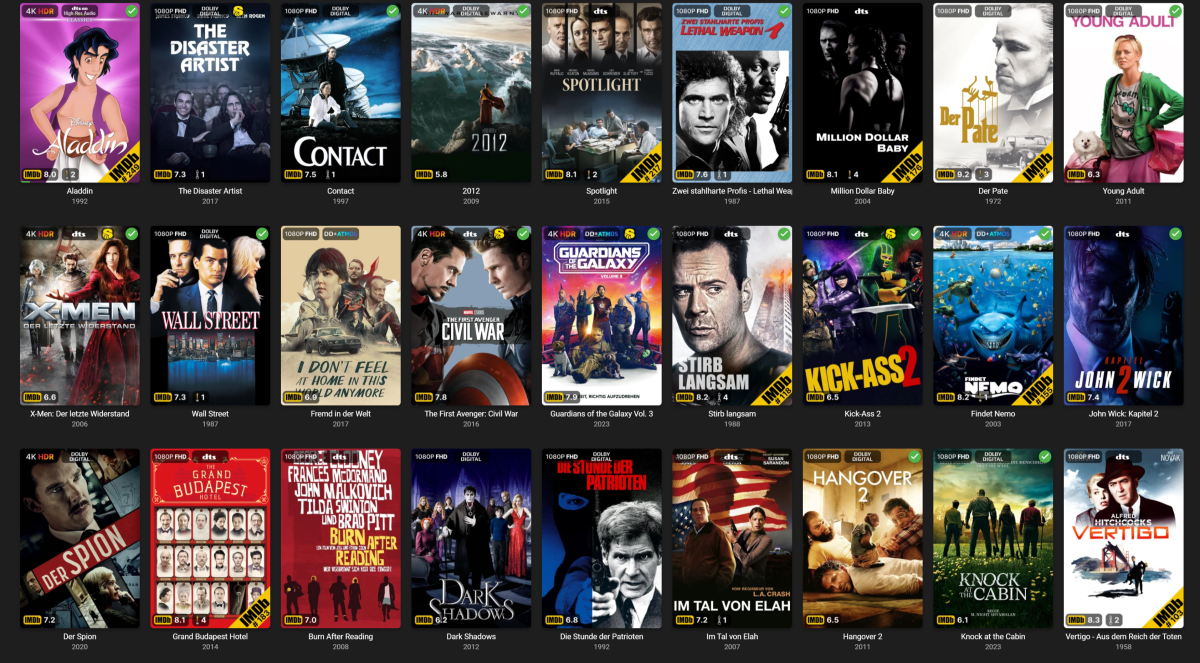
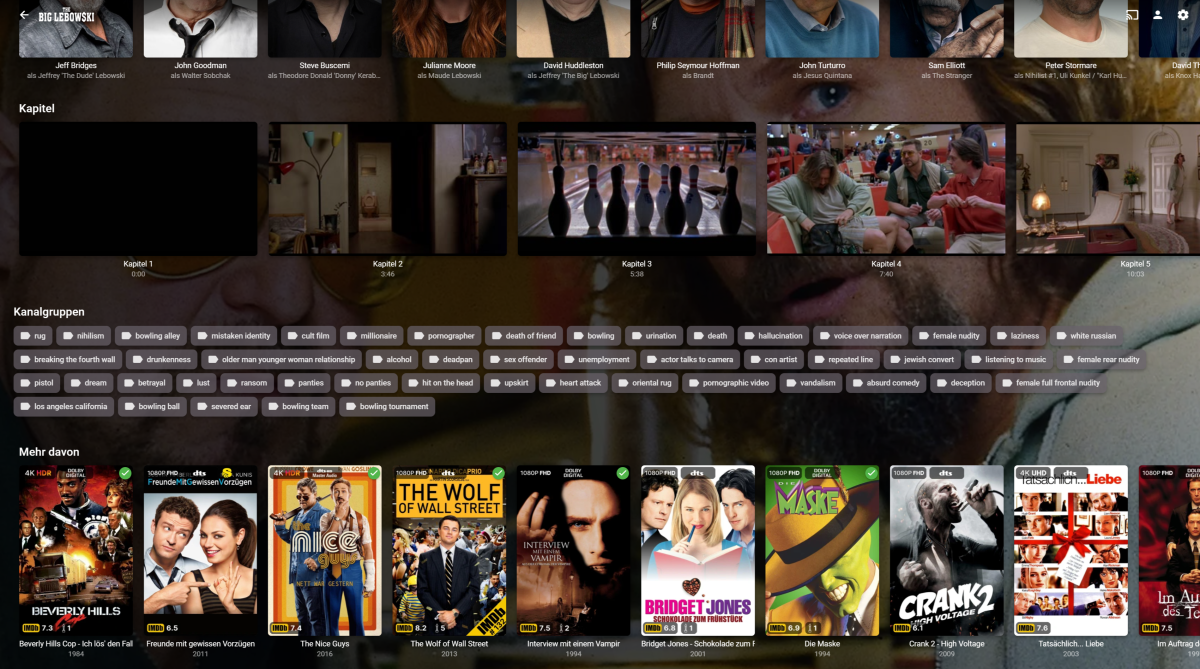
There's so much activity here, that I want to share my efforts too, to replicate the PMM overlay feature in Emby. I also added the possibility to add IMDb Tags to every movie or episode. It's still a lot of work to do, because I want it to be as failsafe and user-friendly as possible. But I intend to share the code, once it's done. Still working on automatic collections, too. If you look at the Overlays you may notice, that I even expanded on some of the PMM features. Instead of just showing the IMDb Top 250 banner, it actually shows the current place. And it will update this regularly based on a cache system, that checks for changes in customizable intervals. I even included an Oscar badge, showing the number of nominations (white oscar) or wins (golden oscar). Could be a bit more visible, but it's a start^^. There is also a mediastinger badge, indicating if a movie has any after-credit scene. Shows and episodes are also included, but that's not finished as of right now.
 1 point
 -
Good news! Upgraded Pixel 5a from 13->14. Slider bar worked before, and continues to work now. Upgraded Pixel Tablet from 13->14. Slider bar didn't work before, but DOES work now!1 point
-
+1 for a "thumbs down/this sucks" button. Also trying to transition from iTunes/iPod being heavily reliant on smart playlists. A basic 3 option rating should be more than enough to segregate favorites, leave the filler, and filter out unwanted tracks when playing albums, entire artist catalogs, playlists, etc.1 point
-
Thanks for confirming! A suggestion might be to simply ask at some point how many tuners are available. Emby could then give a warning if you set up a conflict or try to record too many simultaneous recordings. Just a suggestion. Thanks!1 point
-
The episode is s00e12 - i.e. it's marked as a special. So Emby will insert it where required if the appropriate settings are in the metadata (presumably TVDB will put the insert point in there, but you can do it manually if necessary). Paul1 point
-
https://forums.thetvdb.com/viewtopic.php?t=328081 point
-
And now, i found the cause of the difference in count for the movies I had 2 movies with same name and released same year. TMM and Kodi managed them has 2 different movies (they could coexist in my file managers as they were in different folders), and Emby as 1. Probably the solution applied to the TV shows above would have worked, but i went for a different solution: if TMDB indicates the 2 movies have been released the same year, TheTVDB reports that one was released one year earlier. I don't really care so i went for that; now Emby sees them both. End of the thread, thanks to all commenting and guiding me1 point
-
Hi, we don’t currently have the 4.8 beta for macOS but hopefully will soon. Thanks.1 point
-
Thanks, i'll wait then1 point
-
thanks Paul, the network interface was set to Public. Not sure why it was set that way, possibly a change made by my vpn. Maybe add this to the Connection Troubleshooter?1 point
-
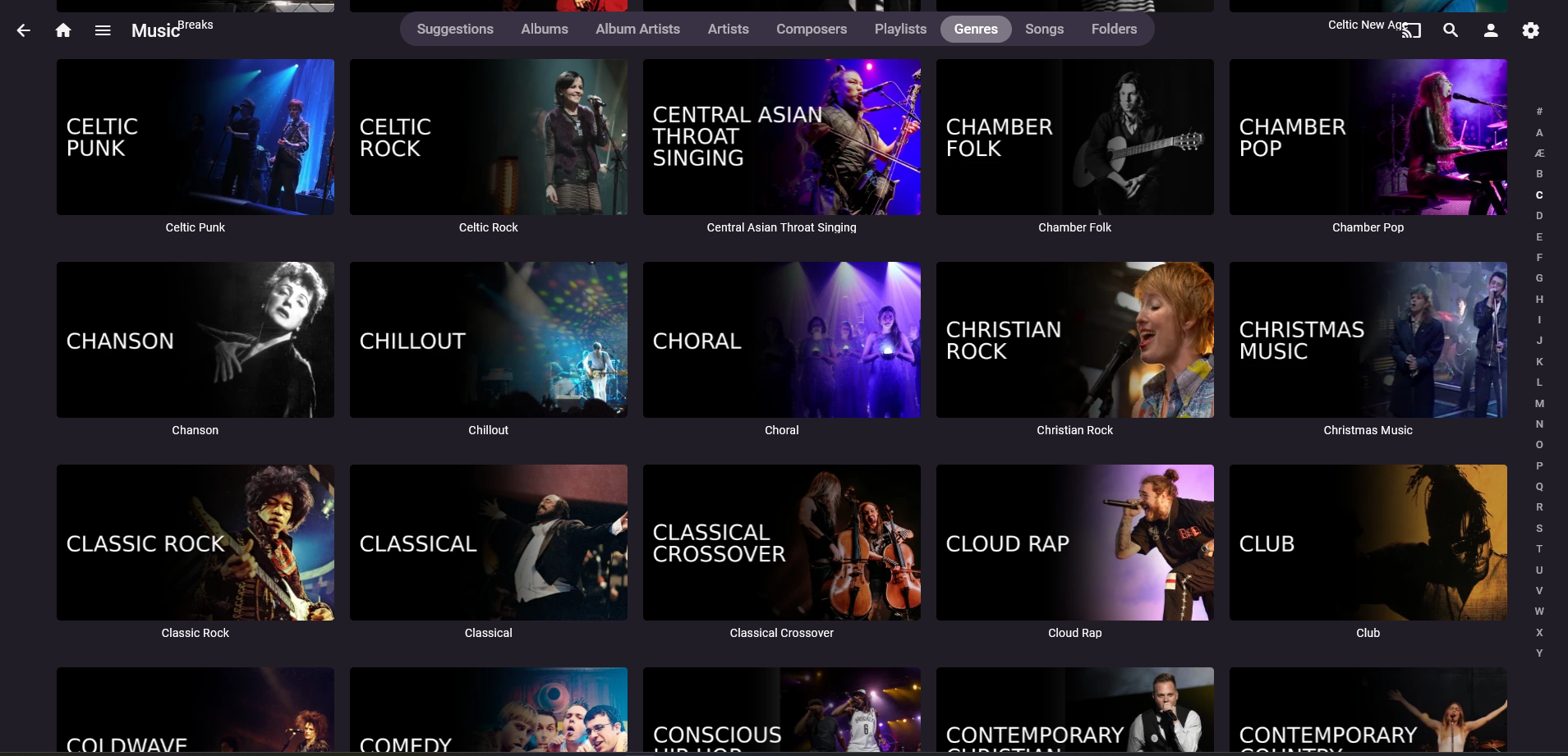
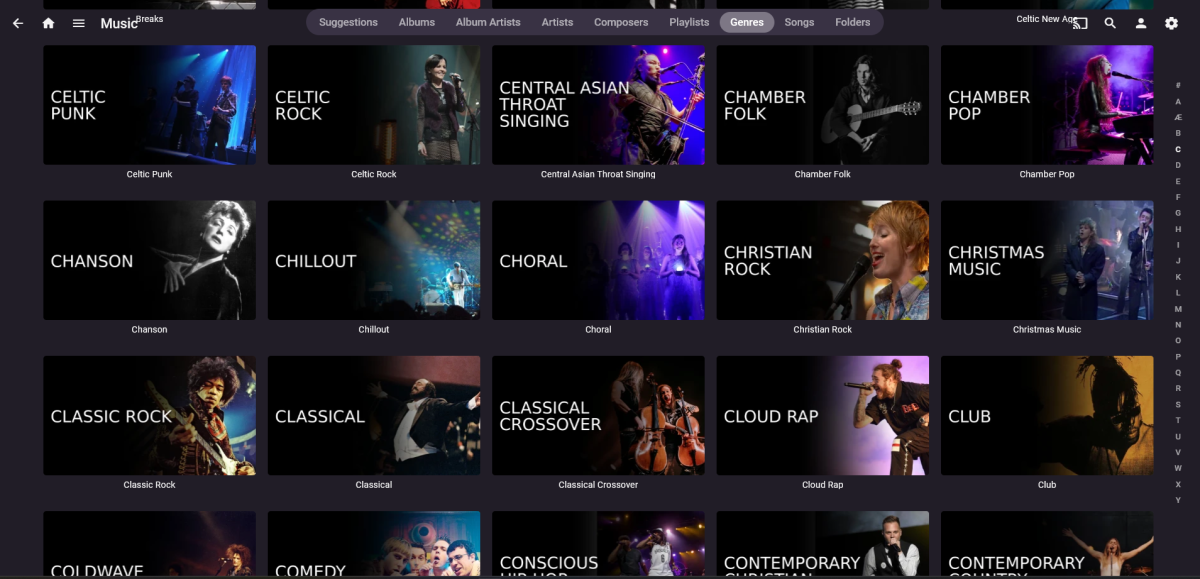
Still loving these icons - I used to have them all different colours but I didn't like the overall effect so now I use the straight black option - here's a selection of my 314 music genres
 1 point
 -
The MediaInfo Plugin for emby ... We use the mediainfo cli to get the data, so our gratitude to the Author as well ! Latest (non Catalogue) version (1.0.1.34) is in the main MediaInfo Plugin thread - here
 1 point
 -
I've spent the last handful of years using different media servers. I've used the two big ones for at least one year each. I had settled on "P" a while back since it seemed more stable than "K". But was never exactly what I wanted. I saw a reference to Emby and decided to give it a quick try and see how it handled my library. I was immediately impressed by both the server management and the client for Nvidia Shield (AndroidTV). Managing metadata from the server was pretty easy. The "identify" button was such a welcome feature to find in the menu! Cover art was easy to work with and had a really nice set of sources for new art. In short, really decent metadata management at the server admin level. The AndroidTV client seems fairly nimble. The number of button presses required to change sorting is fairly small. The two most common sorting options (alphabetical and by import date) are right at the top of the sort button. Awesome! Filtering is actually quite useable and has all of the obvious criteria that I could think of. The alphabet on the side is easy to get to and quick to navigate with. The entire client feels faster than others I have used from competing products. ...and then I watched a movie. "Is that sharper than I remember it? No, it can't be. But it is. This looks better than "P". How have I not been getting full quality? This is awesome!" After noticing that each movie had many images as "assets", I set Emby to store them next to the movie files themselves. I like to have everything associated with my media in the same spot. Which led me to notice that having ALL my movies in the SAME folder wasn't great. So I did a weekend project to move all movies into their own individual folders. I also fixed the naming of all of my media to include the year and thus make them all uniquely identifiable. This was extremely satisfying, even if it didn't really involve Emby. I used TinyMediaManager, which turns out to be awesome as well after you learn a bit about it. At some point I found the "organize by collections" button and checked it. I was so happy when it made all of these automatic collections. Dirty Harry, Harry Potter, Star Trek, Die Hard... all organized into their own containers and ordered by release date. That's EXACTLY what I wanted all this time. But P and K made it so clunky and hard to do. With Emby it was all automatic. Shortly after, I figured out that I had many duplicate versions of movies. Many of them were not exact duplicates though. Things like "Drumline - Theatrical" and "Drumline - Extended Version". I figured out how Emby does "movie versioning" and honestly I'm not a fan. But Emby has a convenient button to "ungroup movie versions" which I used. I then decided I need to make collections for each of these movies with multiple versions. It was incredibly easy to create a collection and add movies to it. Just like it should be! Collections are really a killer feature of Emby for me. My library has never looked so good and never been so correctly organized. As I was cleaning up my collection with help from Emby and TMM, I figured out that I had a handful of movie "extras" I had ripped from Blu-ray and DVD a long time ago. Files that I had honestly lost track of. I had never had a good way to present movie extras or to group them with their parent movies. Emby impressed me again with the ease of making an "extras" folder and then simply automatically showing me all the extras right inside the movie screen for that movie. This is one of those events where after you've seen it, you wonder why it isn't like this on all systems. It's so easy and elegant. My favorite two design paradigms. This has changed my media acquisition workflow. For years now I have been ripping discs and simply ignoring the extras because I couldn't organize them. No more! Now I can rip all the extras and keep them with the parent movies, ready to see any time. This is something I missed from the days of DVD players and physical discs: All the extra content that added richness to the movie experience. Now I have it again. I don't know how "huge" this is to my movie experience, but it is a sea change. It's brought back something that I thought I'd never have again. Early on I subscribed to Emby Premiere. I did this to support the developers and to try out a couple of features that looked compelling. The Cover Art plugin makes movie and TV posters look like disc cases. Blu-ray's look like Blu-ray cases. DVD rips look like... you guessed it, DVD cases. This alone is a HUGE feature. Before this I had to click on each movie to see what the resolution was (DVD or BluRay). Now I can tell just by the case "wrapper". This detail really makes my collection more accessible to me. Premiere is worth having for this feature alone. I was excited to try the "Cinema Intros" feature as well. This shows one or more trailers before your movie. Trailers that should be similar in theme to the movie you are about to watch. In practice this feature is a little rough. Mostly due to the sources of the trailers, which are frequently poor quality, or in a foreign language, or have some other issue that make them unappealing. I think with a better source of trailers, this could still be a really neat feature to have. I'm still experimenting with it. I'll say it again: My movie and TV collection has never been this well presented before. Emby has helped that happen and Emby is the final presentation (the Emby clients) which support all of this organization. I'm very excited about this and have told all of my friends that are interested in home media servers. Is Emby perfect? Not yet. But it's the best media server product I've ever used. Thanks Team Emby! Brian.1 point
-
The idea is great to consider an app for vidaa os as well I have a tv with VIDAA U5.0 operating system1 point
-
VIDAA is more and more used in Europe so please if you could do something…1 point
-
If you bring up the menu on the main recordings folder (not show level) and select convert, there is an option to automatically convert all new content. I don't think it converts straight away, but creates a scheduled task, which you can change how often it converts1 point
-
Please can we have an app for Hisense VIDAA U5 smart TV's. Alternativley, a method for installing Emby from a USB stick.1 point
-
Hi guys, Pack v1.2 has been released. Please find updated download link HERE. @DJKoopa@CrispinD The font I used is called Norwester. @mptpro "books" added @bgeelen "recordings" added @DJKoopa I'm not sure what kind of picture should I use for "new releases", any kind of feedback would be appreciated.1 point