Leaderboard




Popular Content
Showing content with the highest reputation on 10/05/23 in Posts
-
Hi buddy, I give you permission on TUT's forum, so go a head and edit what you like there. My best2 points
-
Here is the latest list of versions for Emby software across the server and clients. Emby Server Stable: v4.9.5.0 (2026/05/18) Release Notes Beta: v4.10.0.14 (2026/06/04) Release Notes For other platforms, please refer to the download page. Emby for Android TV Google Devices Stable: v2.1.23 (2025/12/27) Beta: v2.1.46 (2026/04/15) Amazon Devices Stable: v2.1.23 (2025/12/27) Beta: v2.1.46 (2026/04/15) Stable Release Notes Beta Release Notes Universal Android app Stable: v3.5.16 (2026/01/26) Beta: v3.5.36 (2026/05/10) Release Notes Download the latest Beta here. Emby for Kodi See here for the latest information. Emby for Roku Stable: v4.1.63 (2026/05/04) Release Notes Beta: v4.1.64 (2026/05/13) Release Notes Emby for Windows (Windows Store for PC & Xbox One) Stable Release Notes Beta release notes Emby for Linux Beta Release Notes Emby for Samsung Smart TV (Orsay) E-series to H-series TVs only Release Notes Emby Theatre for Samsung Smart TV (Tizen) Release Notes Emby Theatre for LG Smart TV Stable: 1.0.50 (2026/01/19) Emby for iOS Stable: v2.2.53 (2026/05/16) Stable Release Notes Beta: v2.2.52 (2025/04/11) Beta Release Notes Emby for Apple TV Stable: v2.0.3 (2025/12/26) Announcement Beta: v2.0.6 (2026/04/11) Release Notes Emby for tvOS (Apple TV) Stable: 2.1.6 (2022/12/23) Release Notes - TBA Beta: 1.5.1 (10) (2021/03/02) Beta Release Notes Emby For MacOS Stable: 2.1.6 (2022/05/09) Details here. I will keep this post up-to-date as much as possible, but please send me a PM about anything I haven't updated, or is missing. Special thanks to @Borskfor supplying a lot of the updated information. Thanks.1 point
-
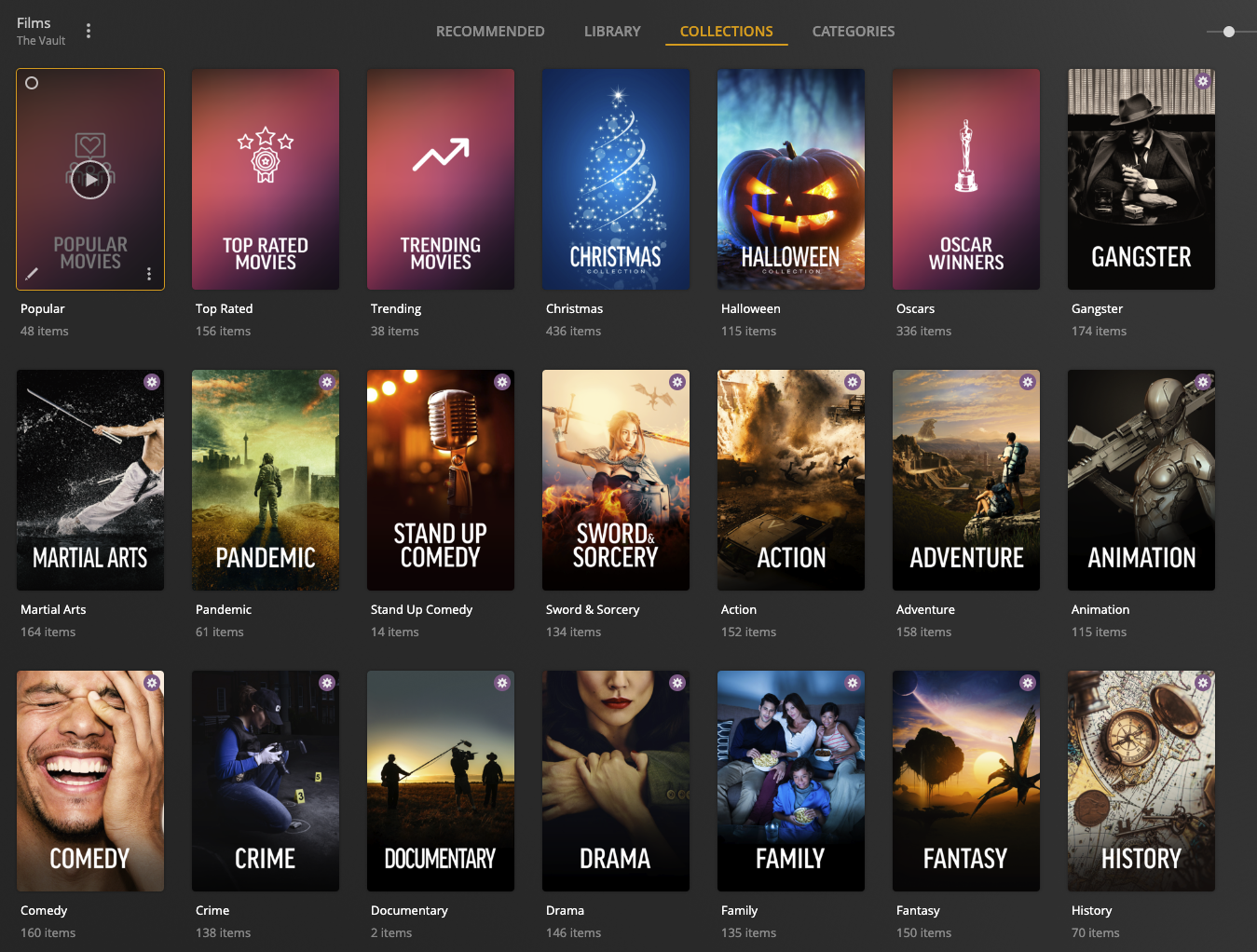
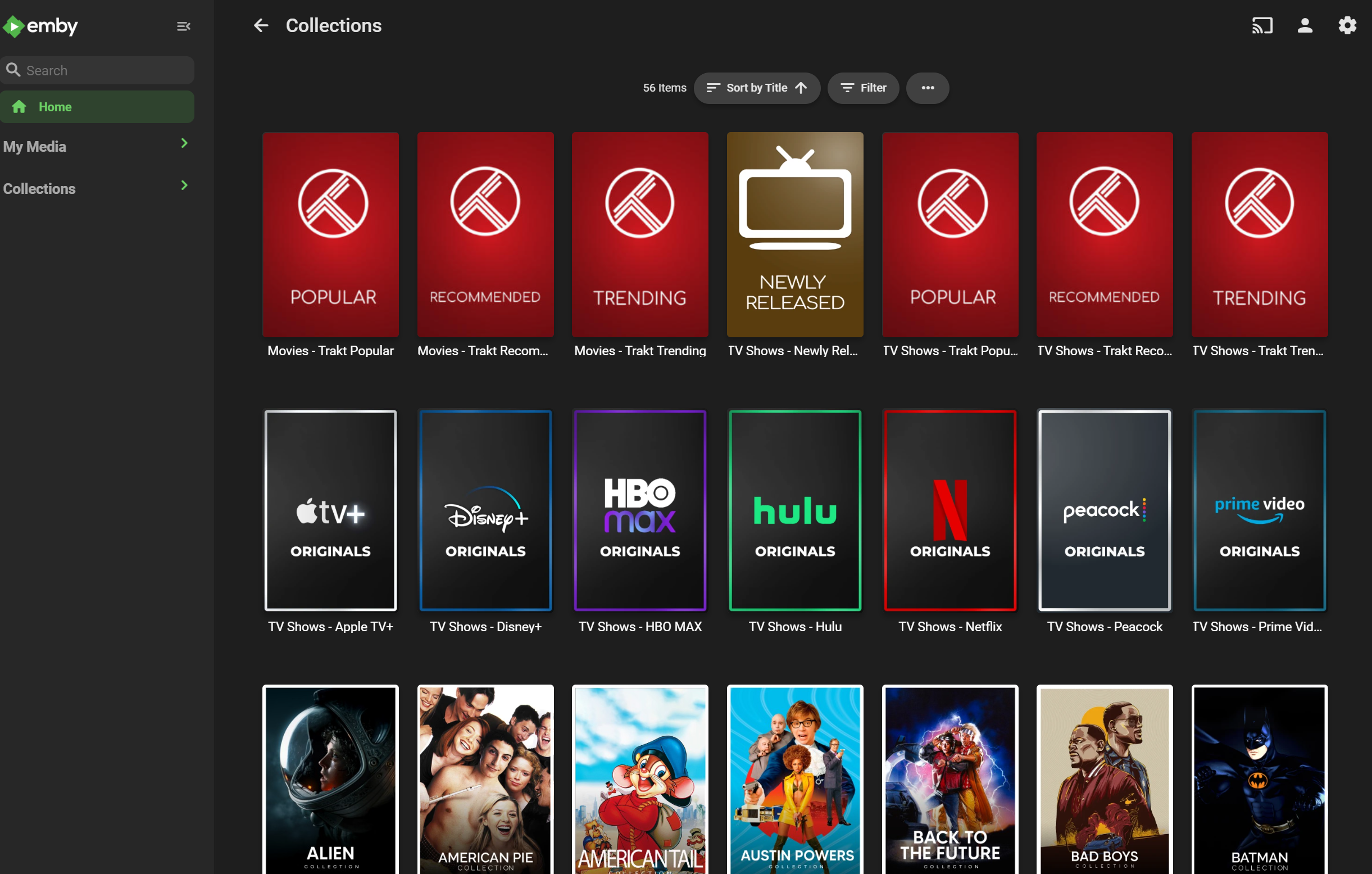
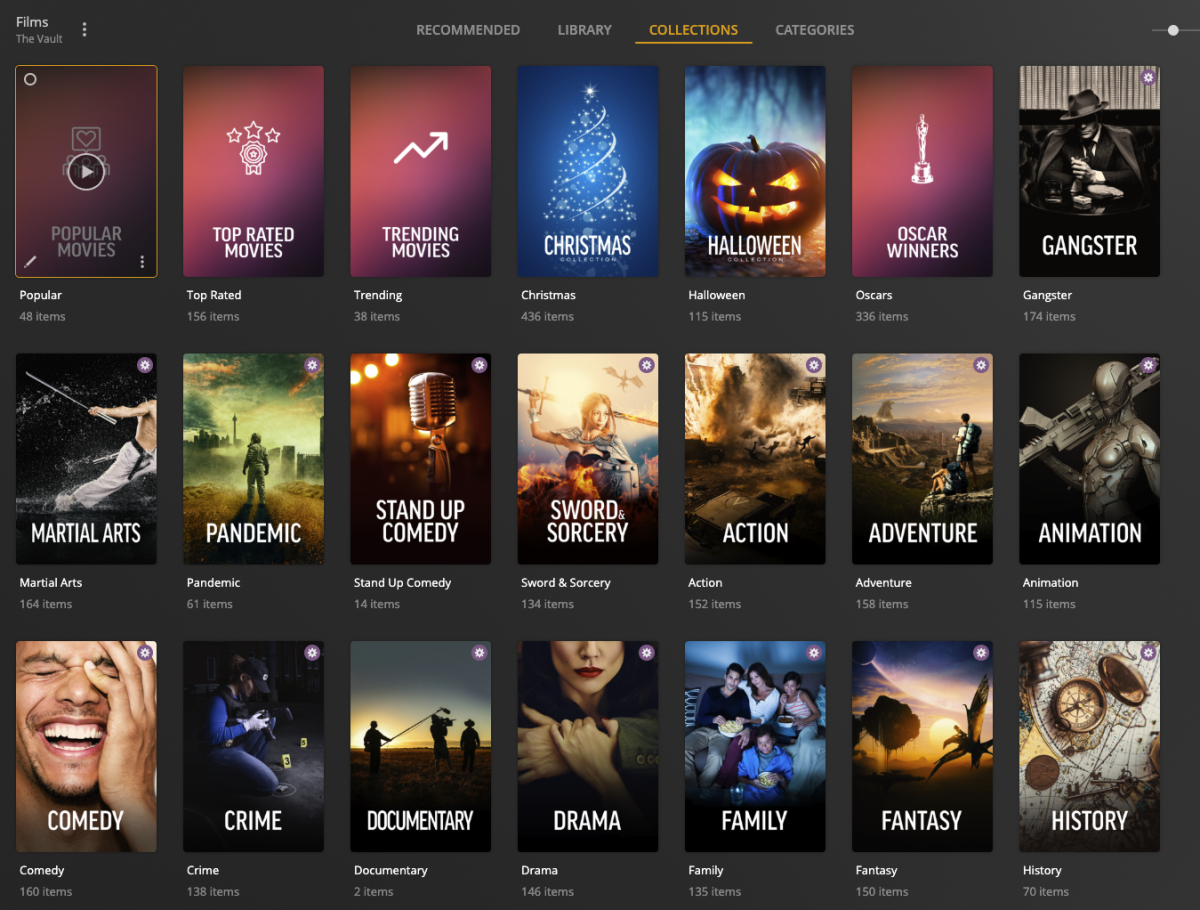
Hi everyone! I'm looking to get some more support from Emby community on getting PMM (Plex Meta Manager) to support Emby. This is an Collection / Poster Tool that will auto-populate collections based on criteria, for example TMDB Collections List. IMDB Collections List. Trakt Lists Etc... You can also overlay things on top of the posters. They haven't started but I suspect its API related so anymore that whats to help then lets get this done Check it out and if you want to throw in some support, Sponsor! (This isn't me, i'm just plugging) https://metamanager.wiki/en/latest/ & https://github.com/sponsors/meisnate12 Discord is running: https://discord.gg/xwJ9kfaJ & Feature Request for Emby https://features.metamanager.wiki/features/p/emby-jellyfin-support

 1 point
 -
I think it'd be nice if there was an option to bookmark parts of videos so I could quickly jump to my favourite parts.1 point
-
Some times I forget where are all the settings are and 'are they related to this or that?', 'user level or system level (or both!)?' I'd like to be able to search for a setting then go to that section. Right now I'm trying to find the poster stuff and can't find it. I thought "I'll click this magnifying glass here in Settings!" but no, that searches my libraries. (This would seem to be a problem within itself - context, context!)
 1 point
 -
Not sure entirely, I remapped the ports for a third time and it just started working...1 point
-
Hello John, Glad to hear that this solution worked for you also. Thanks for the feedback. Kind regards, Michael1 point
-
Good to know, thank you1 point
-
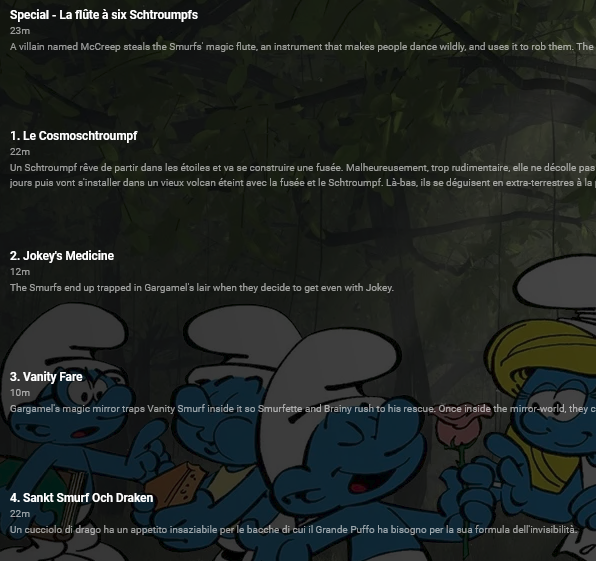
ok, now that's interesting. in the season 1 emby is showing one of the episode of the specials folder, and then i have a ,ix of french-english-swedish and italian in the episodes titles and descriptions I think i'll make a copy of the files somewhere, i'll remove all non media file and will do a clean scraping and import back to emby in the coming days, let's see what it will say. thanks for all that have commented. if you have any ideas for the +1 movie please now...
 1 point
 -
I will, try that. Thanks.1 point
-
well... on the Emby app on the Roku it was definitely enabled. be back soon after I retest!!
 1 point
 -
Feel free to make it private or delete it. It's been helpful.1 point
-
Great, thanks Abo1 point
-
1 point
-
HI, if you're using full paths inside the playlists, then you'll need to match the format that you've got in Emby library setup, which means /srv/remotemount/music The network path is currently not used with this function, although we might be able to support that. So yes, this means if you format the playlists like that, then they will not work on windows. Alternatively you can use relative paths in the playlists, and that should allow them to work universally.1 point
-
Do you mean with Live TV? Not directly, but you could probably use that with NextPVR and then setup the NextPVR plugin for Emby. Or TvHeadEnd.1 point
-
perfect thank you1 point
-
Right, the url needs to contain xml in the RSS format.1 point
-
I would like to see a search bar added to EPG Mapping. When using a list with 1000 channels it takes 20 times as long to scroll through and search for channels instead of typing in a search bar.1 point
-
Thanks for your help, That was the problem. Now it works perfectly! Greetings!1 point
-
Thanks you arrbee991 point
-
Bei mir funktioniert die URL zum RSS Feed. Beispielsweise so etwas: https://[URL_ZUR_XML_DATEI]/feed.xml Bei mir stehts beispielsweise auch als Kommentar im Dialog zum Anlegen: "Enter a URL for a valid xml RSS feed."1 point
-
@b3nZolGood morning... Sorry for the delay... I had family activities to tend to... Bulky doesn't do any kind of metadata clean up. That's all done by Emby. In fact, all of the magic is done by Emby. Bulky just asks Emby to do things. Vic1 point
-
OP's actually about Hisense, TCL got mentioned a lot as well, maybe I'll just add both.1 point
-
Hi. This is an option you set in your library setup.1 point
-
Good ideas. That and the switching of Admin and SSH back off. I'll have to see if I can get a mod to let me change it. @Abobader1 point
-
Sorry, I wasnt looking for a solution to a problem. I merely offered advice about what I do to overcome the mounting issue and media being removed from library.1 point
-
So a few extra steps are needed if you only have the default pyton libraries installed Install the python http request library python -m pip install requests Likely change https, to http on the emby local urls I'd suggest creating a dedicated emby api key for this - do not use your default key --- This now works perfectly on Windows. Change the sortname to starting with an underscore - then they are all grouped at the start of the collections. Nested collections still require a hack .. I may develop this a little further ... and possibly create the channels to use on the home screen as I have that working in a Plugin for another project ..
 1 point
 -
Yes that's exactly what i did and i also disabled the Synology admin user profile as well.1 point
-
Thanks FrostByte that's exactly what i got wrong. Not sure if this can be clarified in your instructions around skipping the superuser steps. When i redid it from scratch with all steps it worked. The only other item i performed was changing the SmartPlaylist.dll properties of Owner and Group from root to Emby and giving it the same Permissions of the other DLL plugins. I restarted the EmbyServer and it worked. And as mentioned to Luke its great to see the Emby product well supported by Staff and Community.1 point
-
Accepted Answer! This does the trick. After editing and saving all episodes the ordering is correct. Thanks for the great support!1 point
-
1 point
-
1 point
-
Hi, stay tuned for more coming.1 point
-
HI, we pulled that release because some users were reporting playback problems with it, so if you install again you'll get 3.0.20.1 point
-
Iconic could potentially be expanded for this but in your examples, other than the "X" possibly meaning canceled, I've got no idea what those other icons mean...1 point
-
Hi ! I use the Studio Cleaner and Genre Cleaner plugins which are very useful and I wonder if an age classification project was in the works somewhere or if a programmer would be interested in developing it? Based on Genre Cleaner, it could go faster but I don't know if the dev of this plugin shared their code... THANKS1 point
-
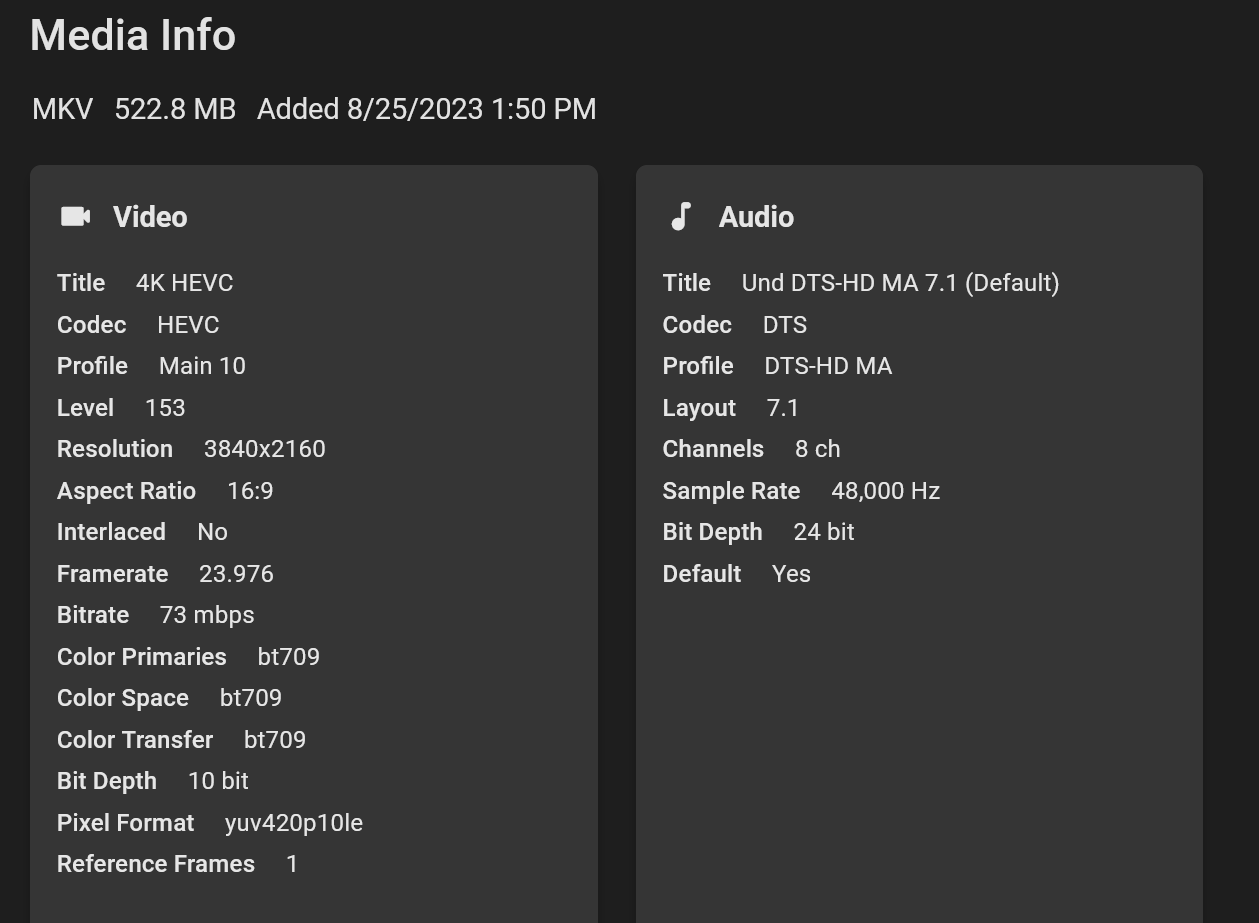
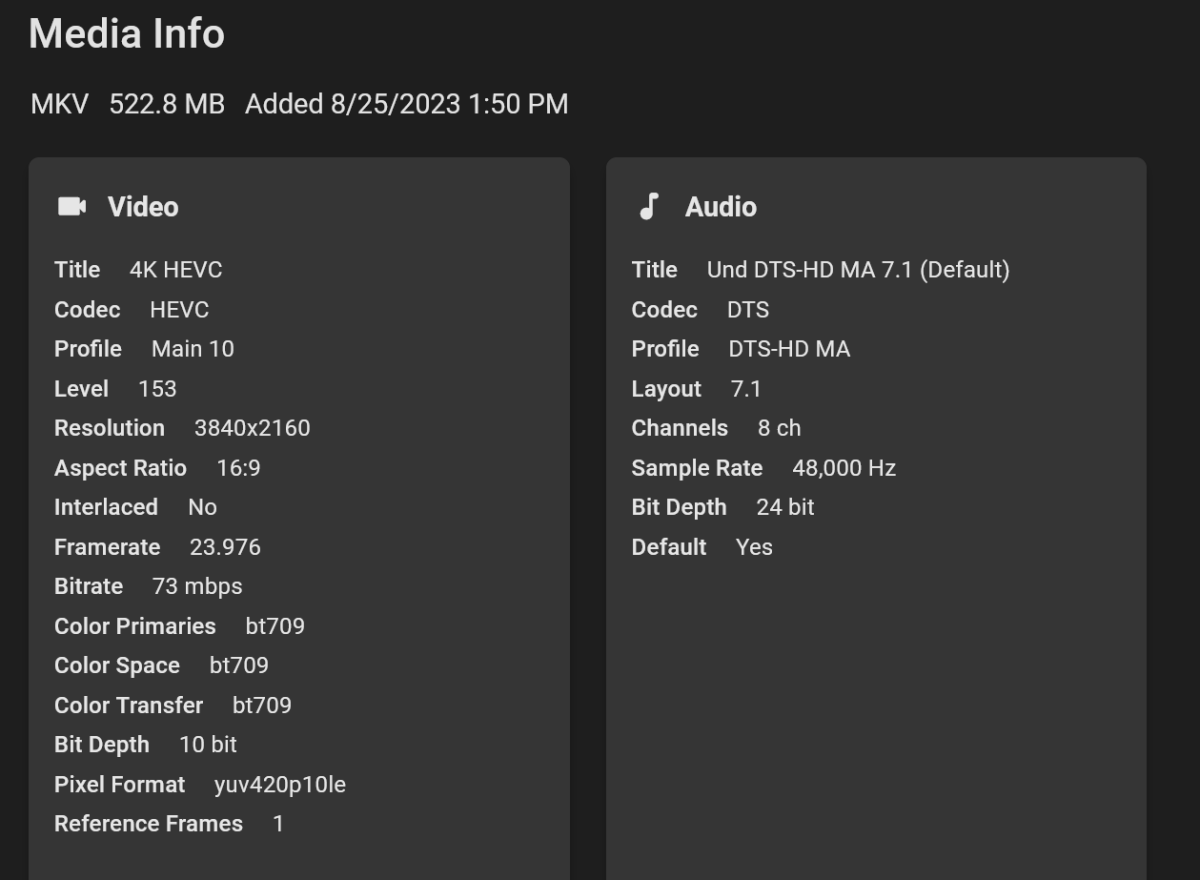
I confirmed that I can turn off transcribing and direct play DTS-X videos on the G3. I used DTS-X files from demolandia.com. The audio plays just fine over the G3, surround sound works as expected. I only have 5.1, but it was a 7.1 channel sample. See below. If there are any other samples/formats you would like me to test just link them or let me know what profiles.
 1 point
 -
Welcome to the WMC UI Public Beta! Thanks for your interest in the WMC UI and for being part of this! Your help and feedback is important and essential for getting this to perfection and ironing out all those things that one alone can't find and identify as everybody has different setup and different ways of using Emby. There are two places for interaction and communication: GitHub: Issue-Tracking and Releases WMC UI Forums (here) Issues Issues are used for tracking work that needs to be done Please create a new for every problem you see, no matter which kind - can be errors, unexpected behavior, visual glitches, etc. Please check first, whether an entry already exists for the same problem If you think an existing entry is the same, but the situation is slightly different, you can add a message to the existing issue or create a new one, we'll then find out whether it's different or same WMC UI Forums We’re using the forums as a place for general communication like: Publishing announcements about when updates are published Asking questions about the WMC UI Sharing ideas and suggestions Please always start a new topic for a new subject and let's try to avoid endless conversations which are "about everything" Platform Availability The WMC UI Beta is currently available in the following forms: Web Browser & Installable Web App Emby Theater WMC (Windows) Emby WMC (Android) Web Browser & Installable Web App Web Browser There's an http and an https URL available: http://wmc.emby.media/ https://wmc.emby.media/ Emby Theater WMC (Windows) ClickOnce Installation (auto-updating) Win 64bit: https://softworkz.github.io/etwmc/setup/x64/ Portable Installs These are useful to test or compare specific versions or in case of issues with ClickOnce installation. They can be found in the Releases section: https://github.com/EmbySupport/Emby.WMC.UI/releases Just unzip and run. Emby WMC (Android) The app version can be installed in parallel to the regular Emby Android App and the ATV app. Please side-load the app by using the matching APK. The APKs can be found in the Releases section: https://github.com/EmbySupport/Emby.WMC.UI/releases NOTE The Android app is limited by date, so that it is working within 10 days after release. We'll try to always have a new release ready before the previous one expires.1 point
-
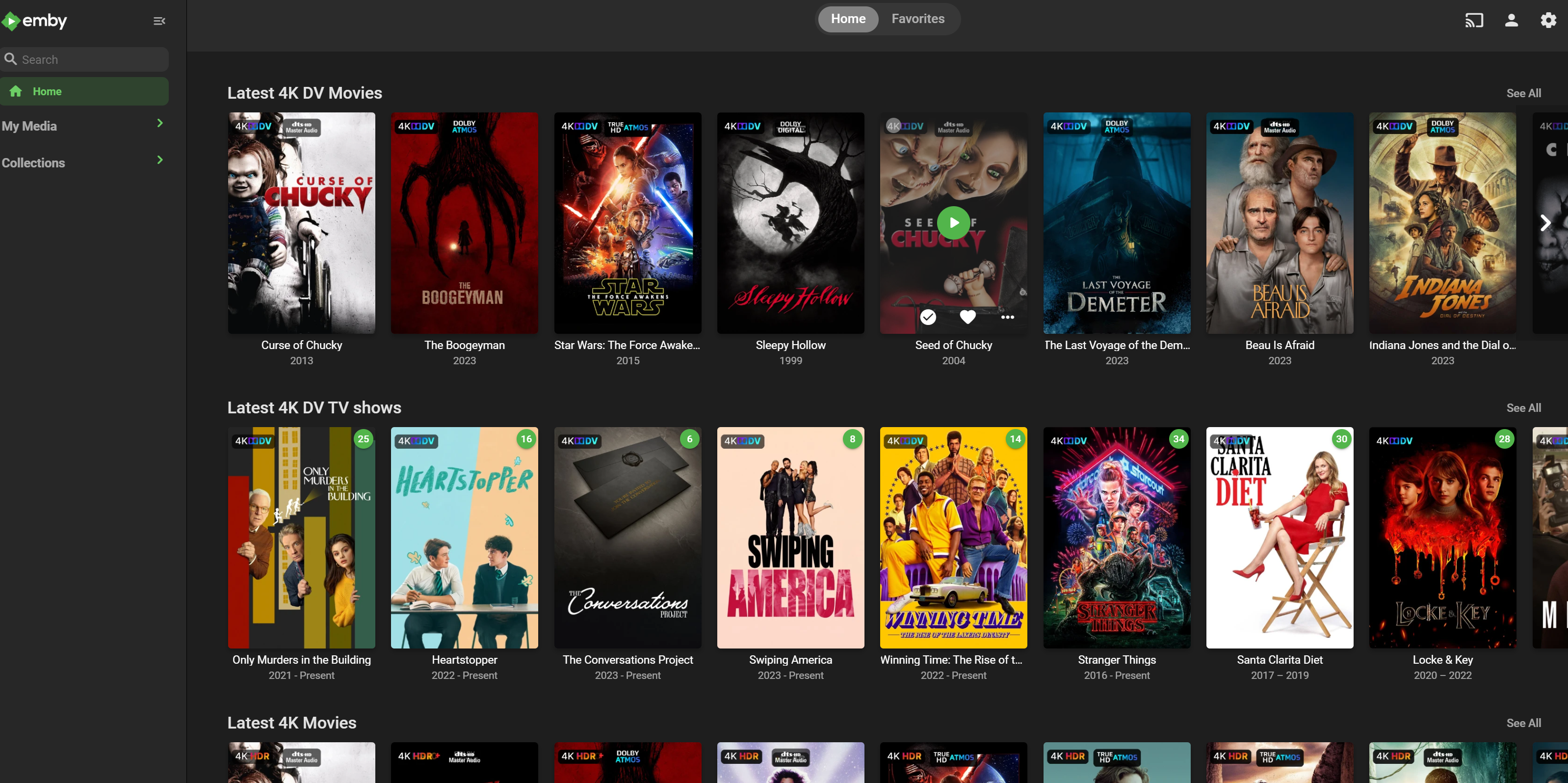
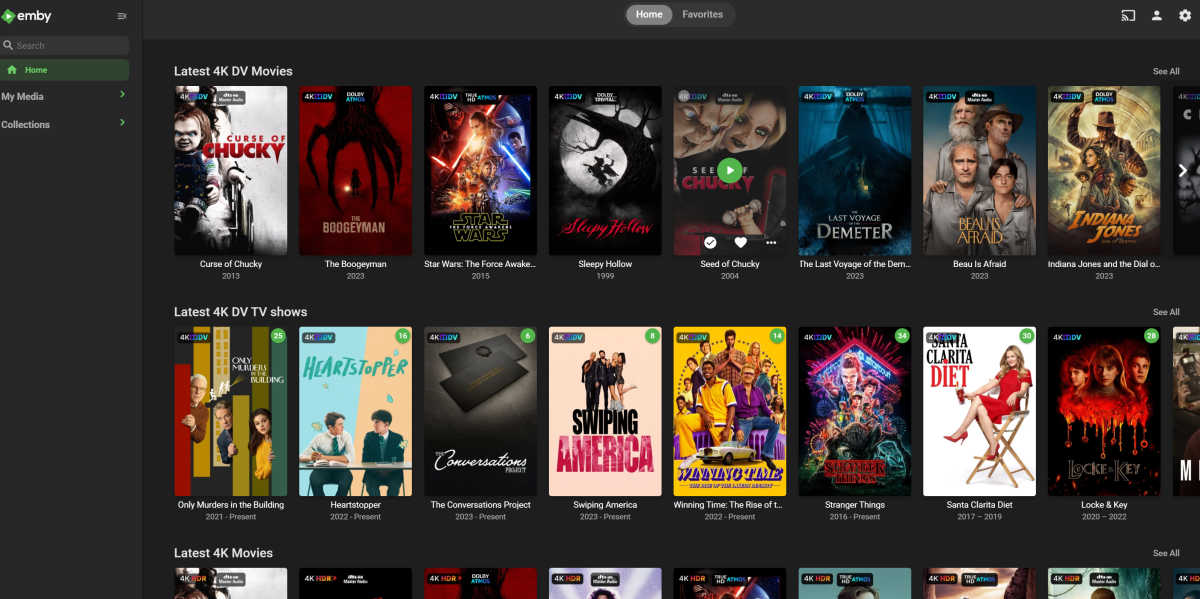
I cheated and pulled them from https://github.com/meisnate12/Plex-Meta-Manager/tree/master/defaults/overlays/images I did have to make some for the 3D content overlays though1 point
-
wrote it using python1 point
-
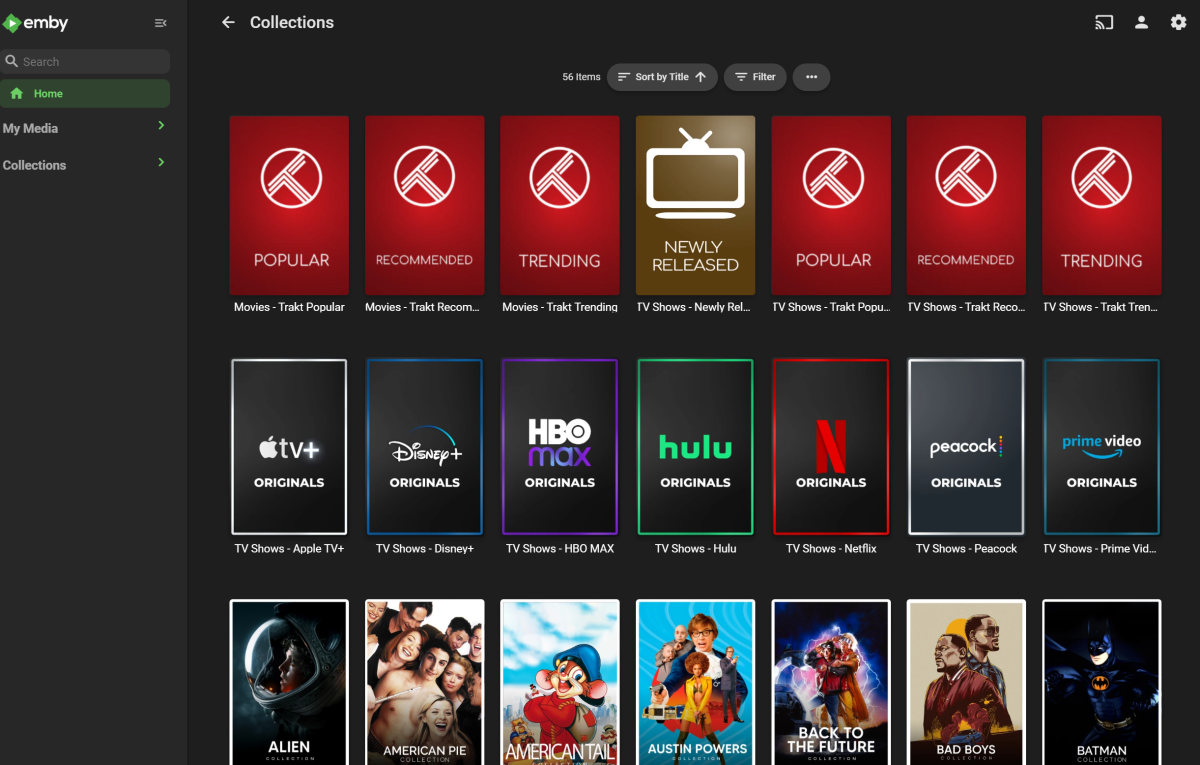
making progress... need to speed up collection creating/updating though.
 1 point
 -
Just to correct you here - any OLED model before the C9 worked fine with DTS/DTS-HD. Glad to see LG have finally seen the light and put in support for DTS/DTS-HD-MA and DTS:X Lets hope other manufacturers start to follow ..1 point
-
I'm assuming you meant 'Emby' in there somewhere1 point
-
All - this is not for emby to 'support' - it it for PMM to support emby Emby has great REST API support for creating and managing collections - and a few examples have been given in this thread. PMM therefore doesn't need tight integration with Emby - they should be able to simply 'import' the emby libraries via the provider ID's to get a list of what's 'available', then pipe that into the PMM 'engine' to create the collections and finally create those new collections via an emby API request. I don't believe there is anything emby need to do here .. IF those collections needed to be made into 'Channels' (as opposed to collections), THEN it would need an Emby PMM Plugin - but getting the collections into it looks to be an easy first step..1 point
-
Hi, yes we plan to improve this in future updates. Thanks.1 point
-
Folders that contain single video files are identified as movies but, perhaps, we shouldn't do that in a "Home Videos" type library.1 point
-
Good! Plex has become far too bloated and convoluted, it's a mess right now! Do you really expect indivviduals to go through 1000s of folders and files, lookup TMDB/IMDB stuff and add them? That's just ridiculous. The title and year should be enough to get there, and if not, don't match the movie/show , show it as unidentified and let the owners manually do it. THIS, Emby gets points for, as it's not hard to add that after the fact. BTW: In at least one of the listed cases, this doesn't work. Or it does, partly, but pretty much just ignores the other part. So, I'm left with Emby refusing to acknowledge, or identify a show properly, simply because they'd rather do things their way. It is absolutely strange, when the user has to continually click 'back', be taken to the top of a page containing 100s of items just to get back to where they were. this is convoluted at best. Respect the browser. Which is pointless and useless. Been there, done that. Zero effect on this issue. Again, this isn't a Roku issue. This is an Emby issue. If it was Roku, it would have done the exact same thing on Plex. Because it doesn't. There is, quite literally, no way, to pull chapters up while watching on Roku, Apple TV, or many others, so, no, it's not done at all. While there is on Windows and Xbox, again, this gets back to uniformity.1 point
-
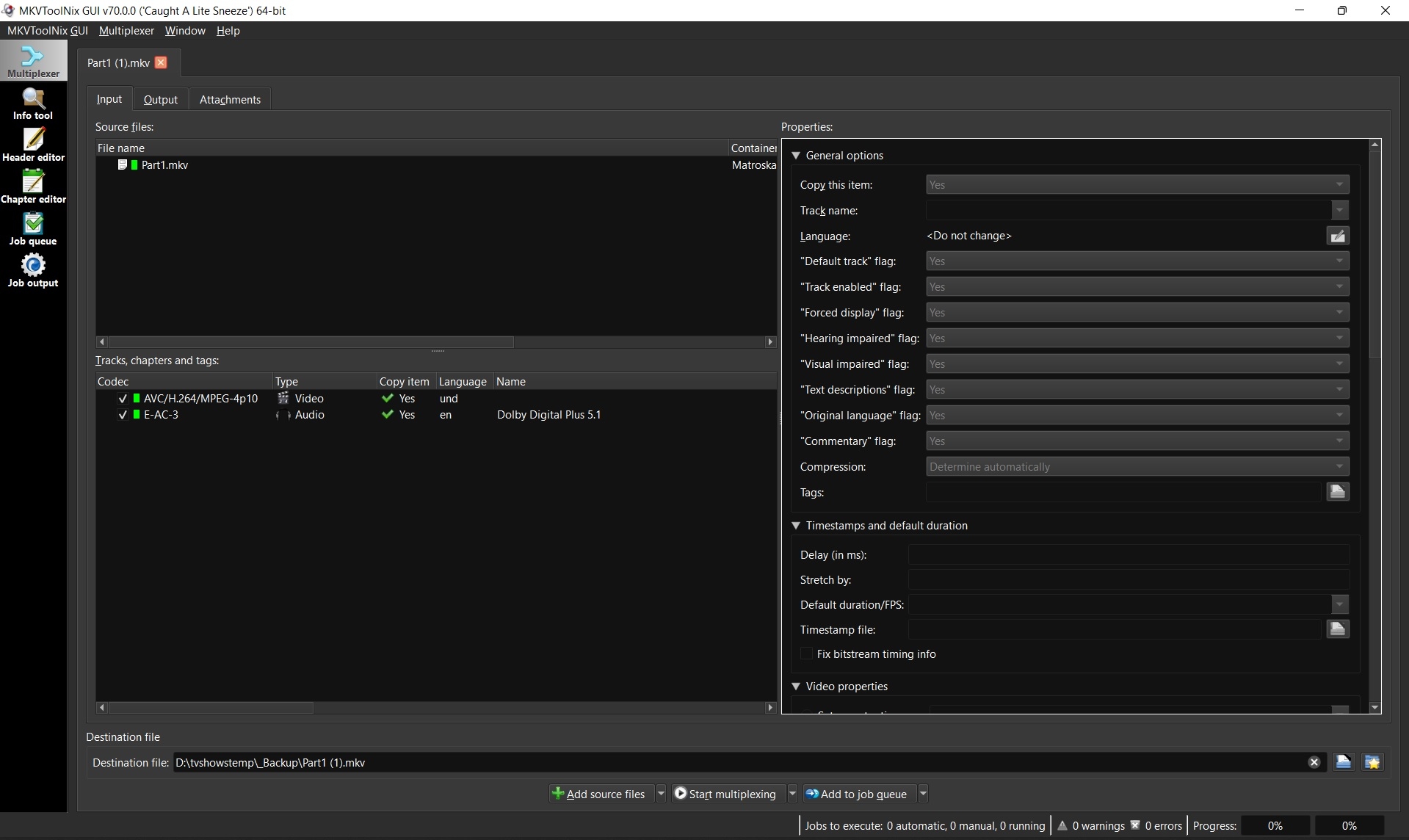
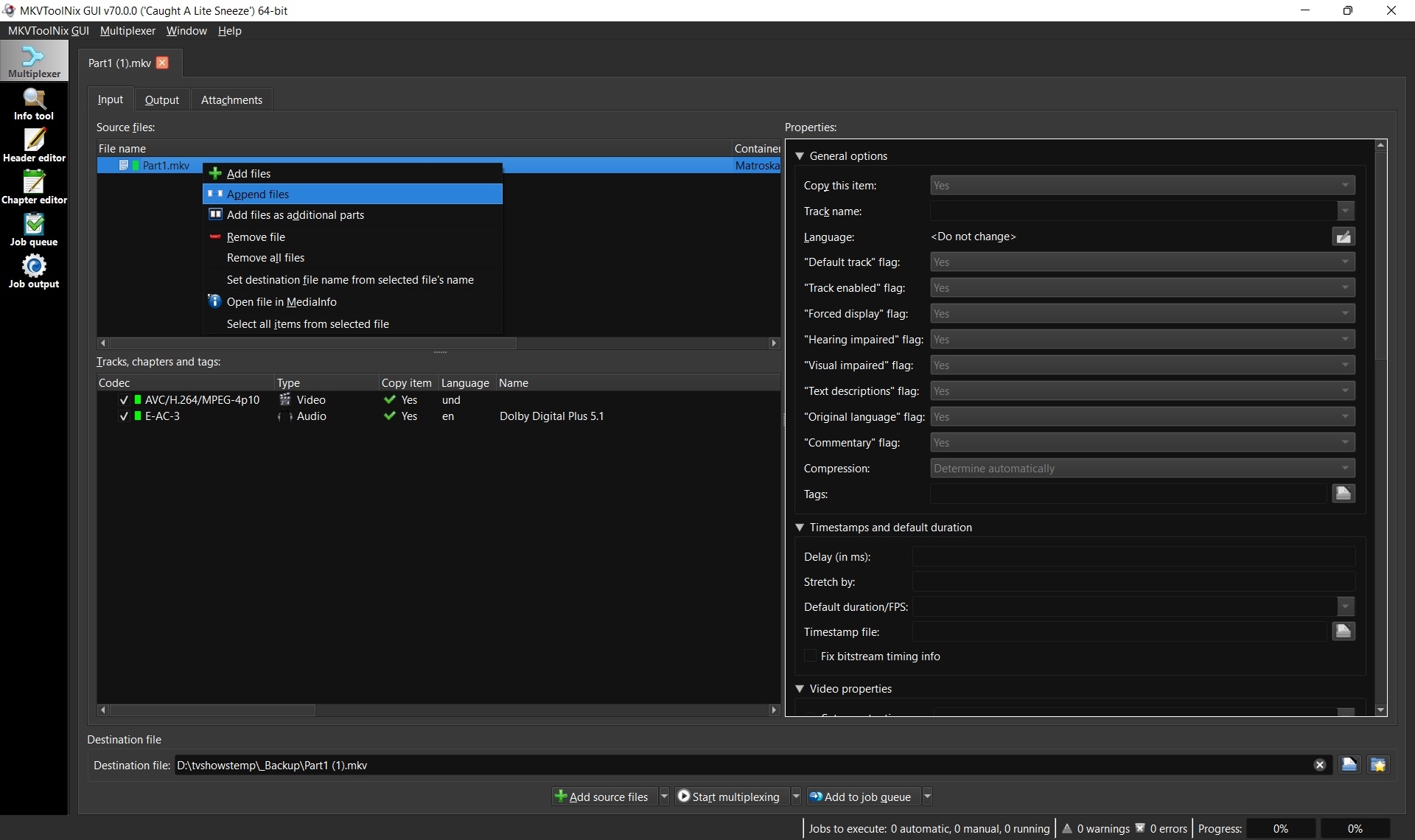
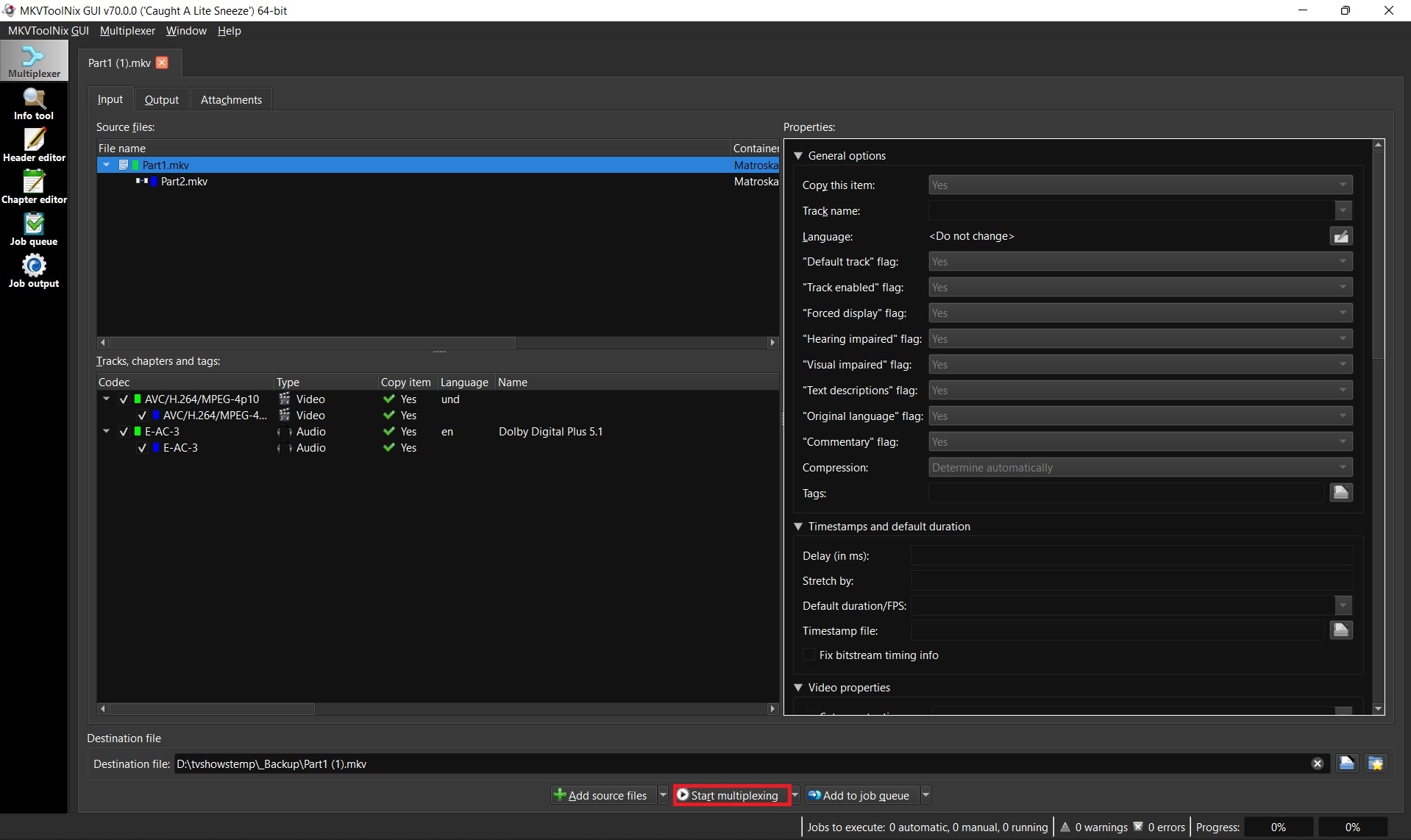
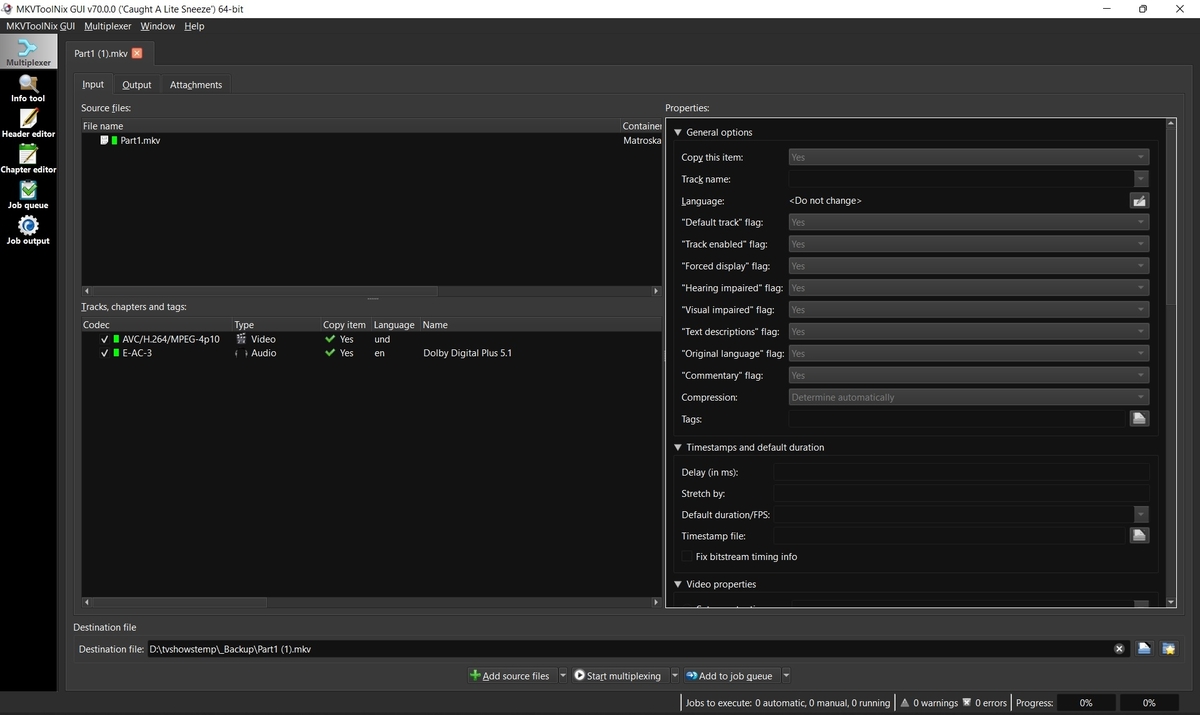
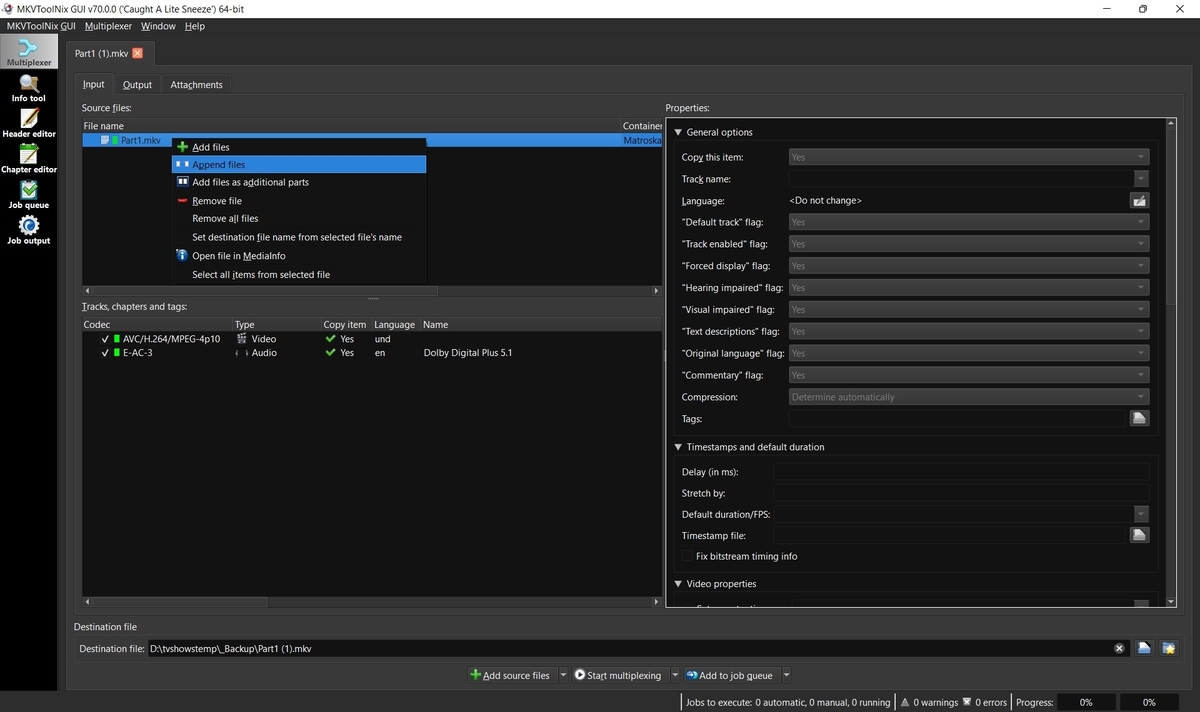
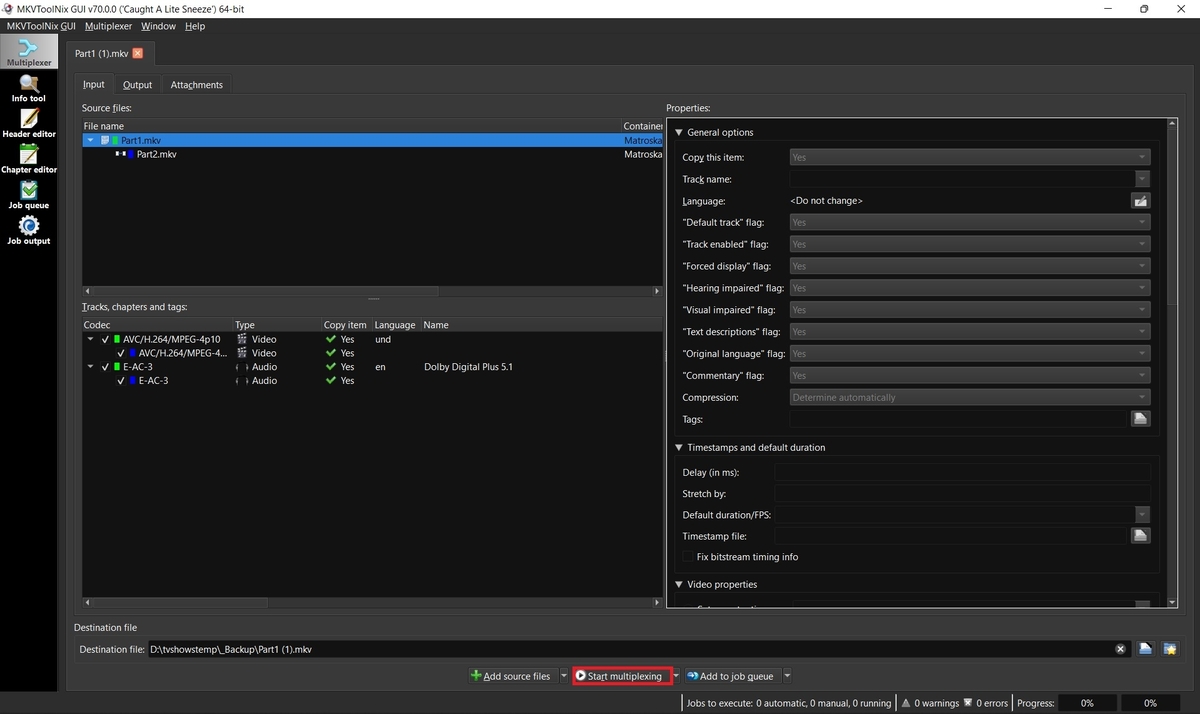
Some movies such as Lawrence of Arabia 4K are too big to fit on one disc and thus when ripped create two separate MKV files. Emby supports these multiple part movies, but merging them into one larger file is always recommended for better playback, resuming, etc. 1. Download and install MKVToolnix Click the link below if you don't already have MKVToolNix MKVToolNix Downloads – Matroska tools for Linux/Unix and Windows 2. Open the first part of your movie Start MKVToolnix Drag-n-drop part 1 of your movie to the "File name" box 3. Append part 2 Select and right-click on part 1 in the file name box Select "Append files" and open part 2 3. Start merging files together Click the "Start multiplexing" button
 1 point
 -
I think it is not a thing and @xsteadfastx has abandoned the project as he is not using emby and mopidy anymore the current version is not supported with the new mopidy as it uses Python 3.7 and his extension only supports 2.7. I would love if someone could fork this and make it work with latest 3.2 mopidy. :) There is a version also for JF, not sure we could use that somehow..1 point