Leaderboard




Popular Content
Showing content with the highest reputation on 09/13/23 in Posts
-
Great news everyone. Another 40 countries have been added, and according to our Samsung developer portal, the app is available in over 60 countries now. Too many to list Please check and see if the app is available in your country. If not then rest assured we are working on releasing in more countries. Thanks everyone.8 points
-
Hi Please, it would be great to be able to limit download speed (of offline playback) without affecting streaming speed. I found more than one topic talking on this feature from a long time ago but unfortunately not implemented yet ... so I post it here in " Feature Requests" section. It would be a very nice if you can add this feature as soon as possible as @FredMuppeteer said on other topic: Also in the same feature it needs to control/limit how many download the user can do on the same time. I hope the other users agree with me and make voting for the feature Many thanks --------- here some topic about these feature:3 points
-
Belgium is on the list.2 points
-
Ahh there is it.. Updated the app and I am VERY happy to report the following.. I changed the audio setting back to auto on the Emby for Android TV app I tested several movies that I knew had audio skipping issues (due to HD audio formats) and they are now playing with no issues Also noticed my Denon receiver is now automatically switching the audio formats (as it should) based on that movies surround sound mode. Including DTS-HD and TRUE-HD. It seems Emby is passing the audio through now. Very nice. Fantastic work guys2 points
-
Feature Request: Have User Groups and all settings applied at the Group Level That way you can just assign users to the appropriate Group and all settings will be inheritated.1 point
-
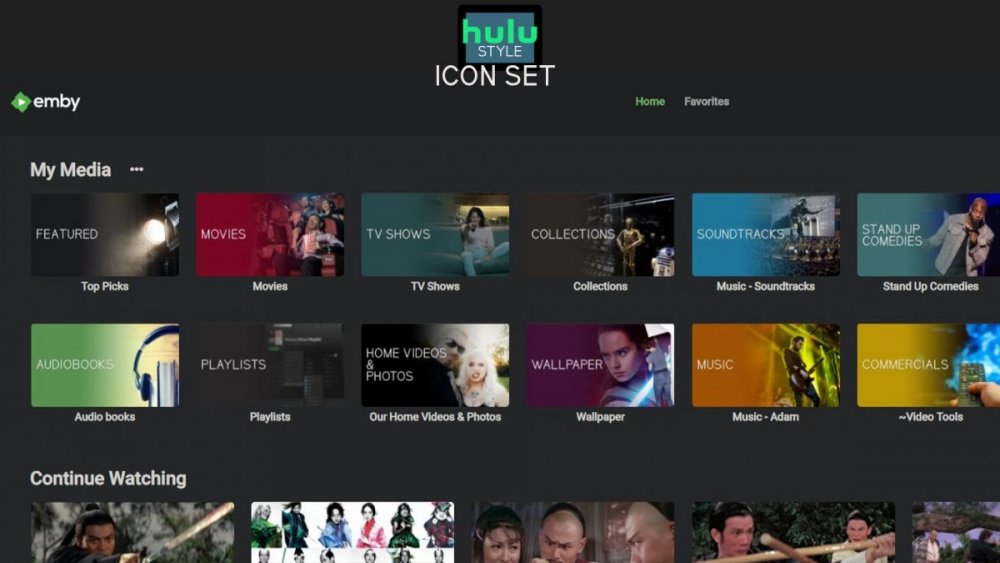
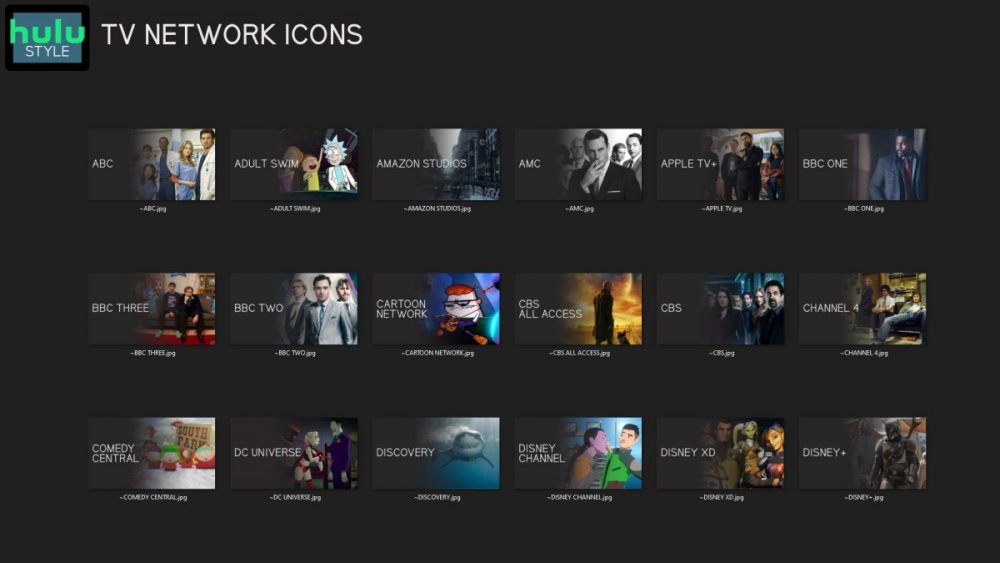
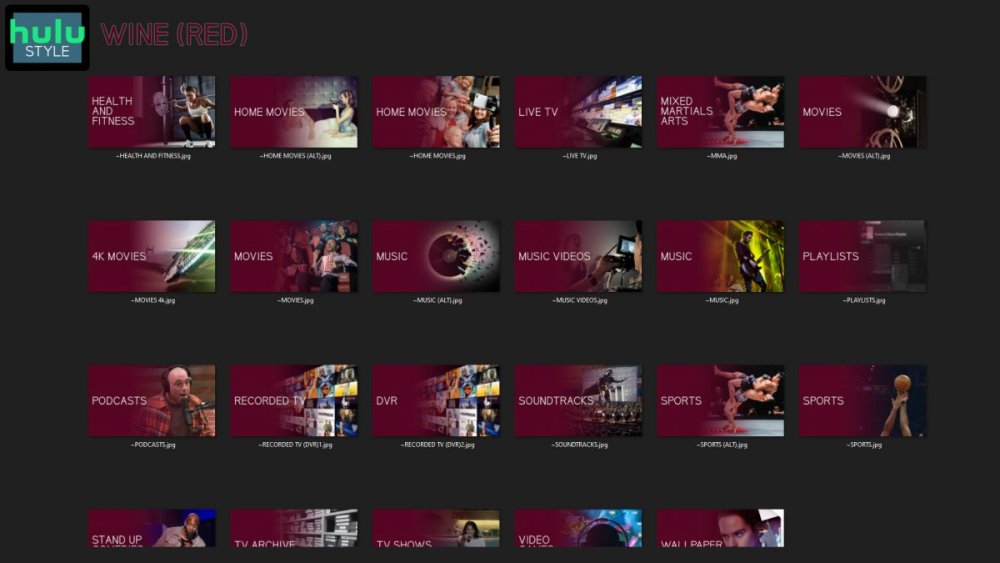
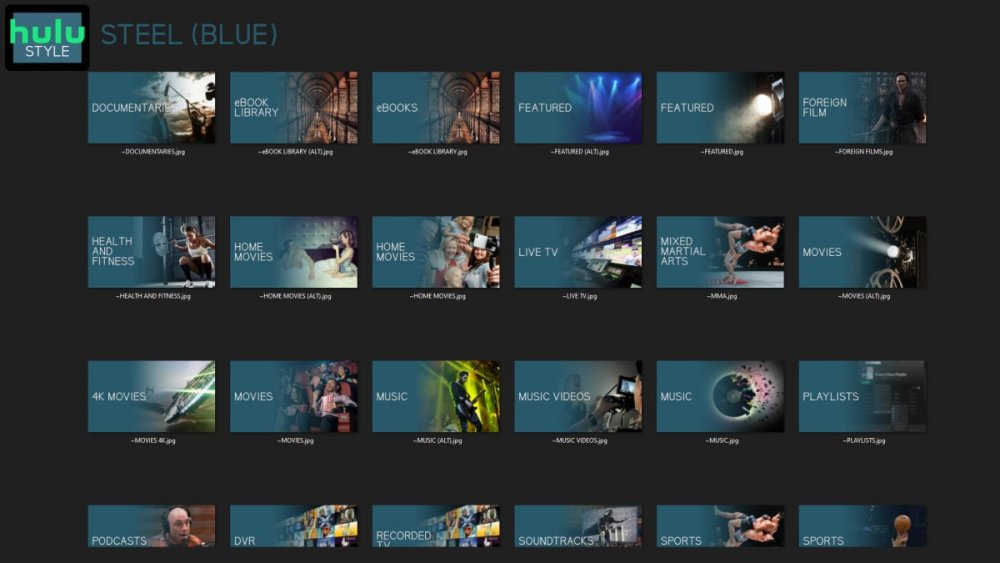
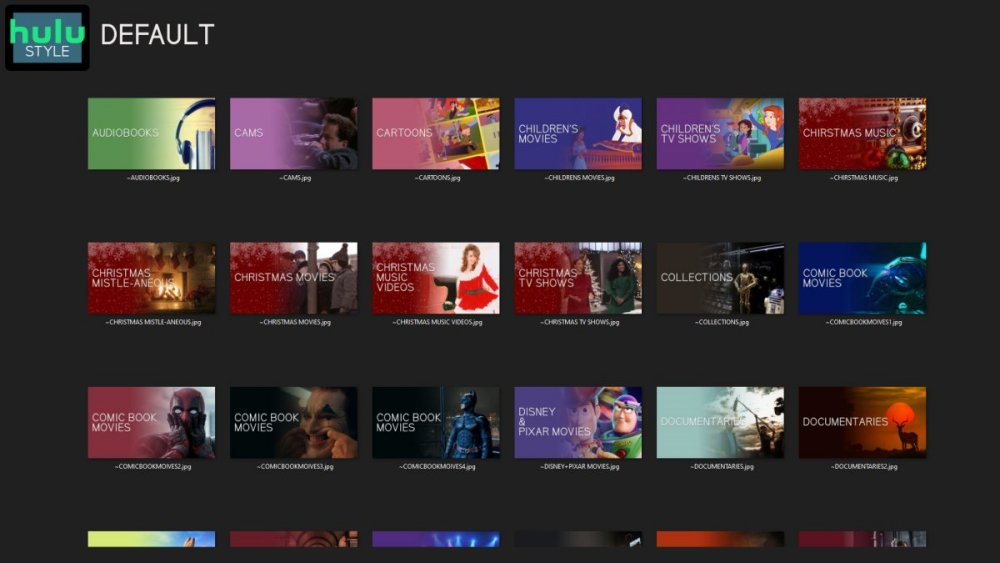
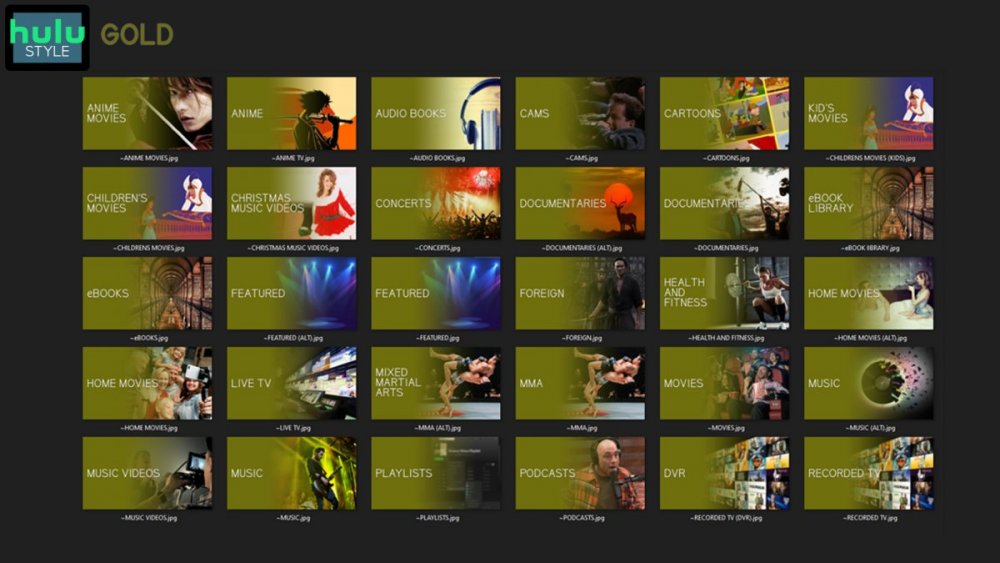
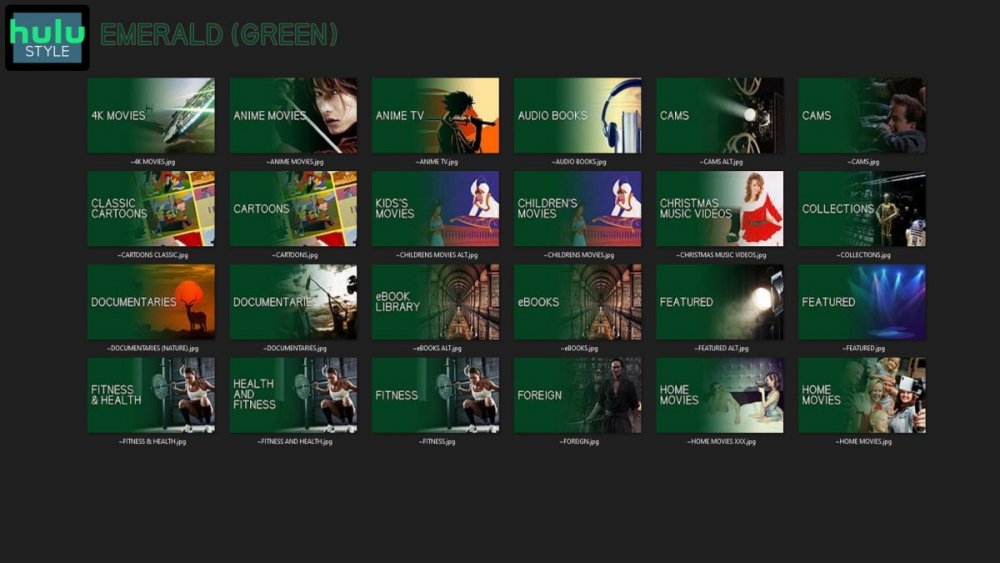
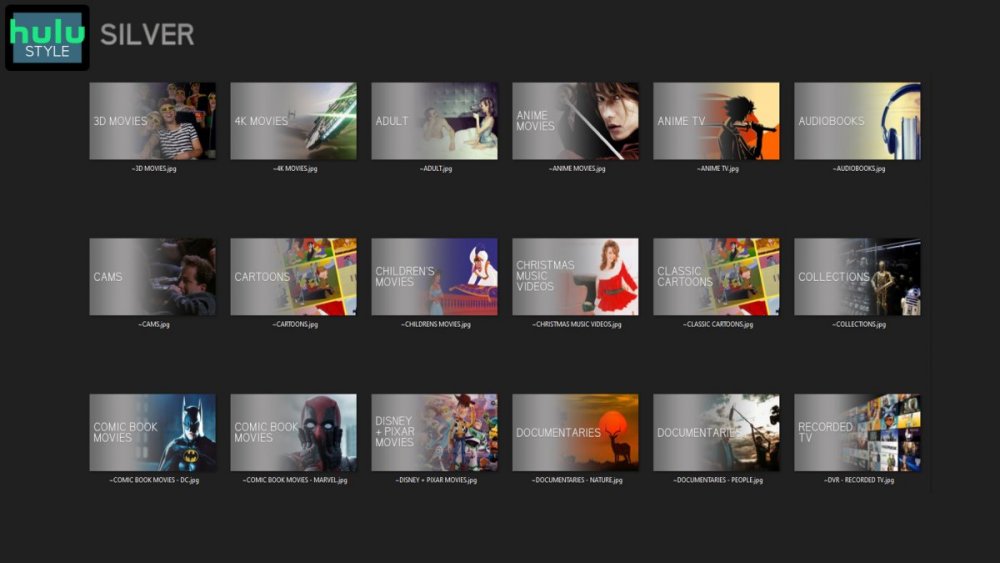
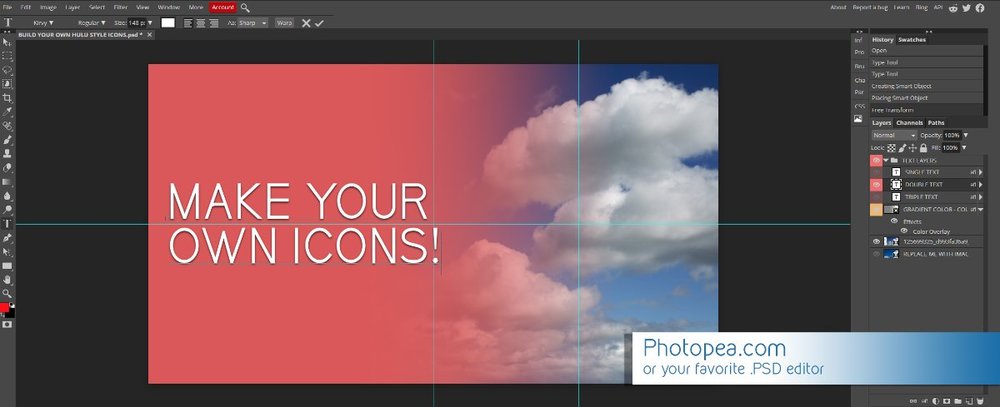
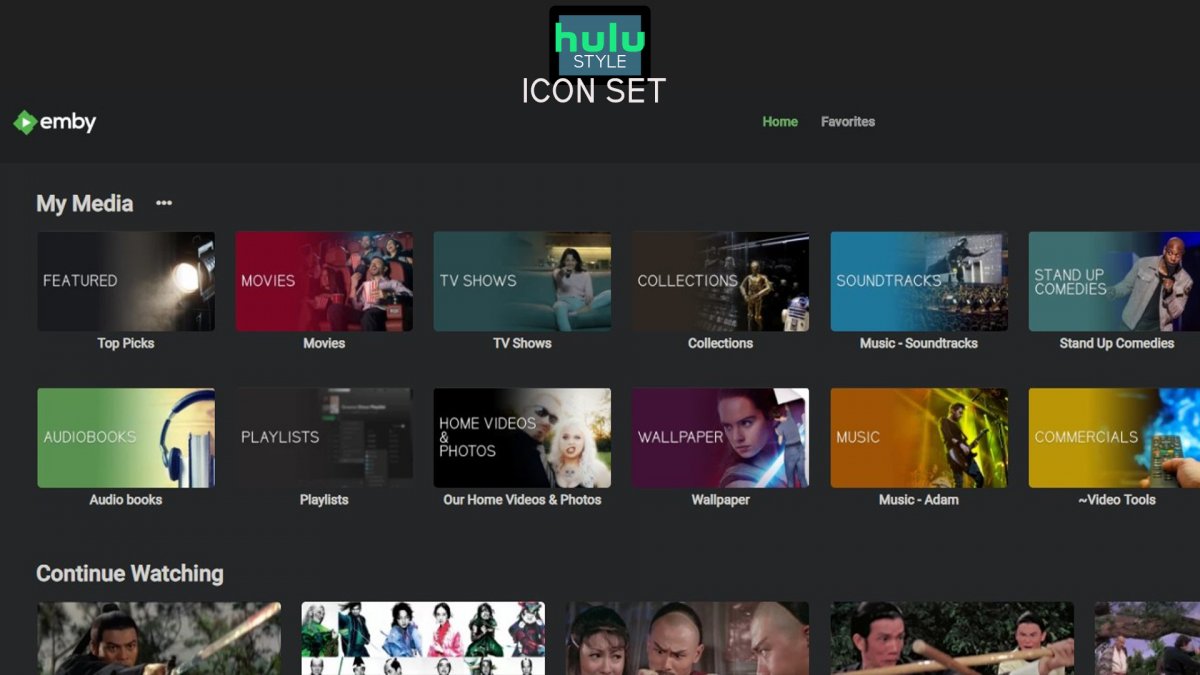
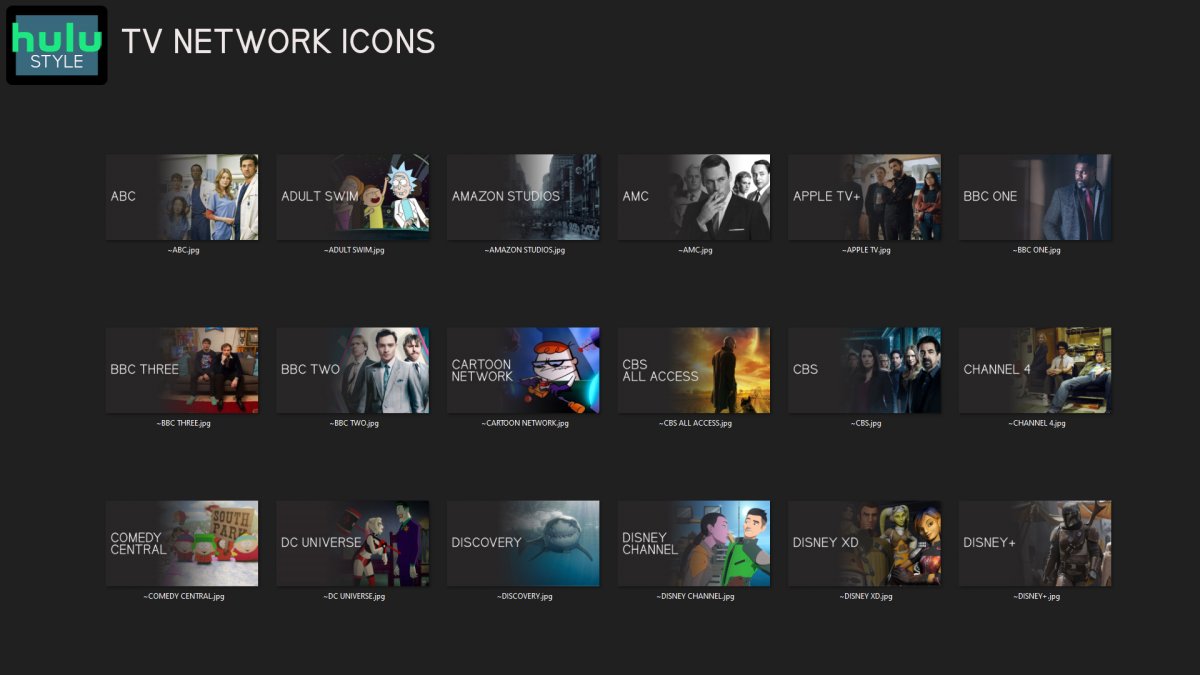
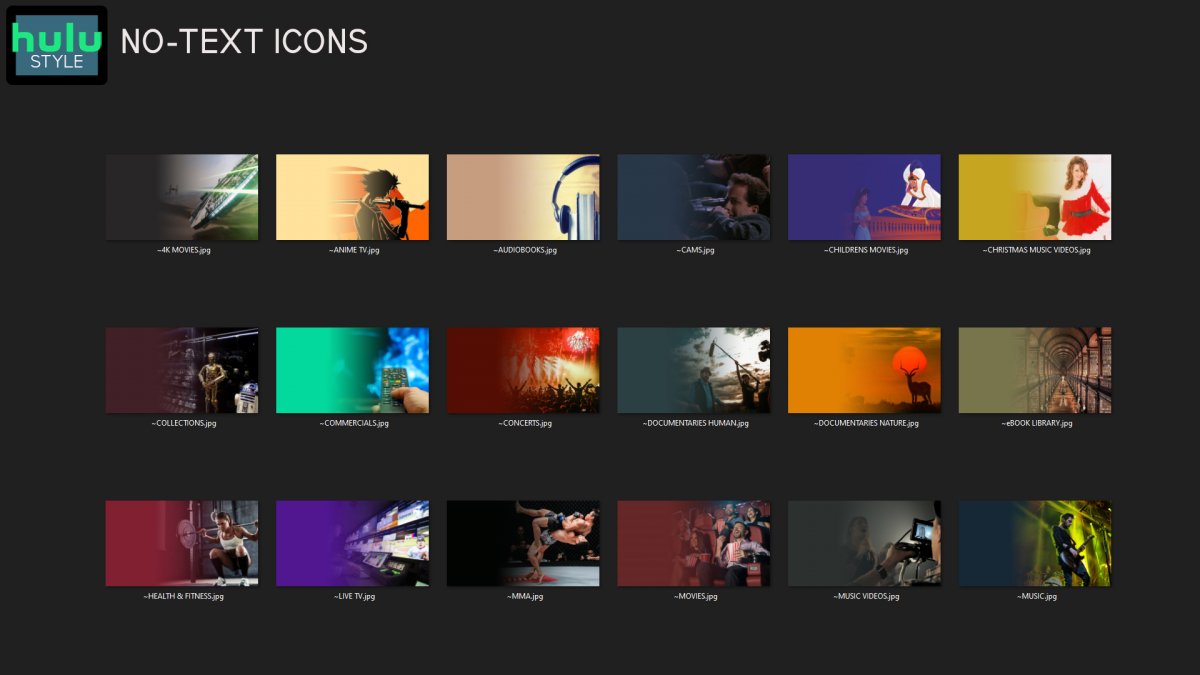
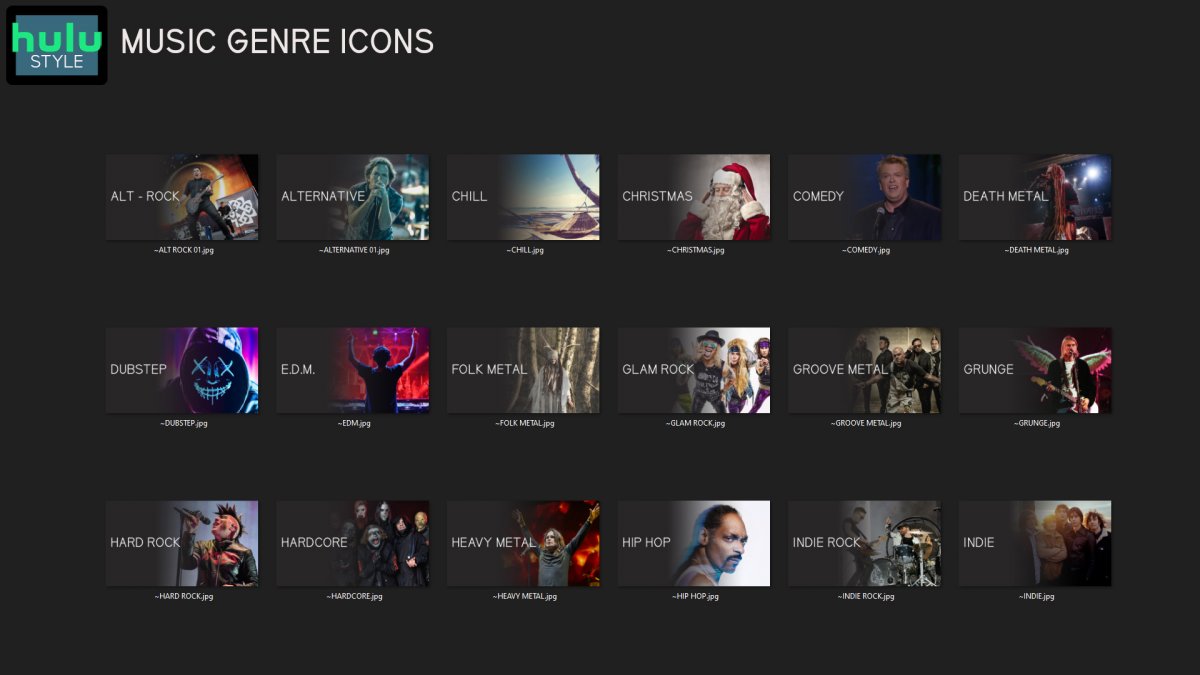
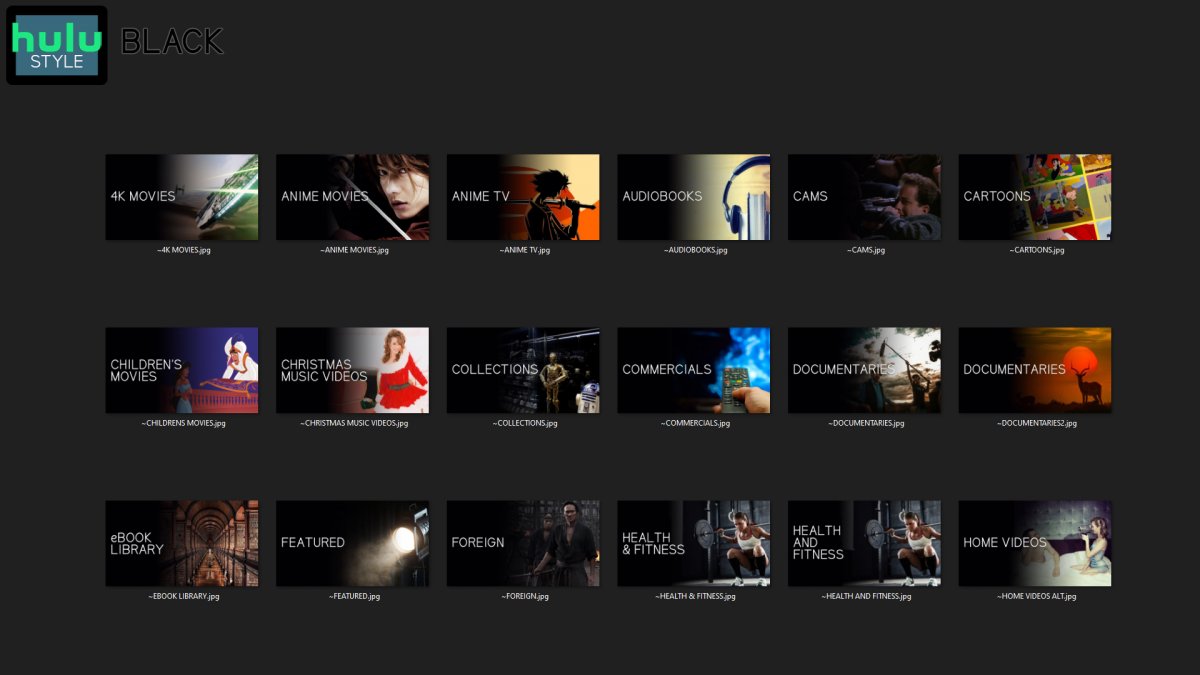
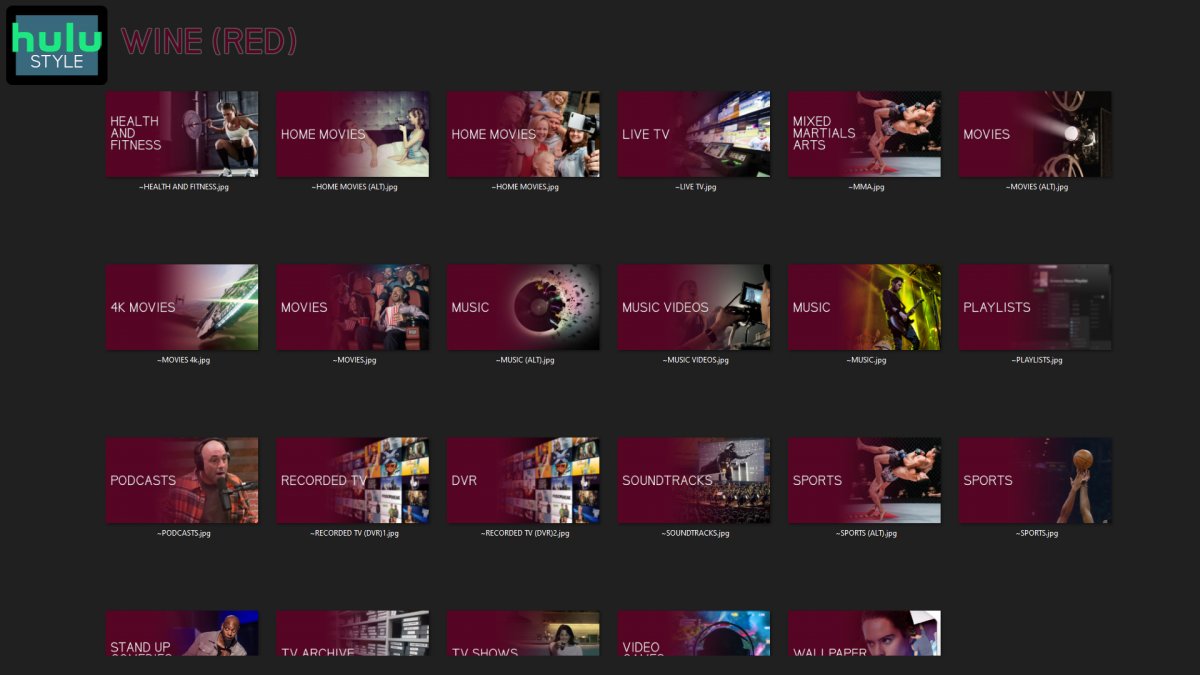
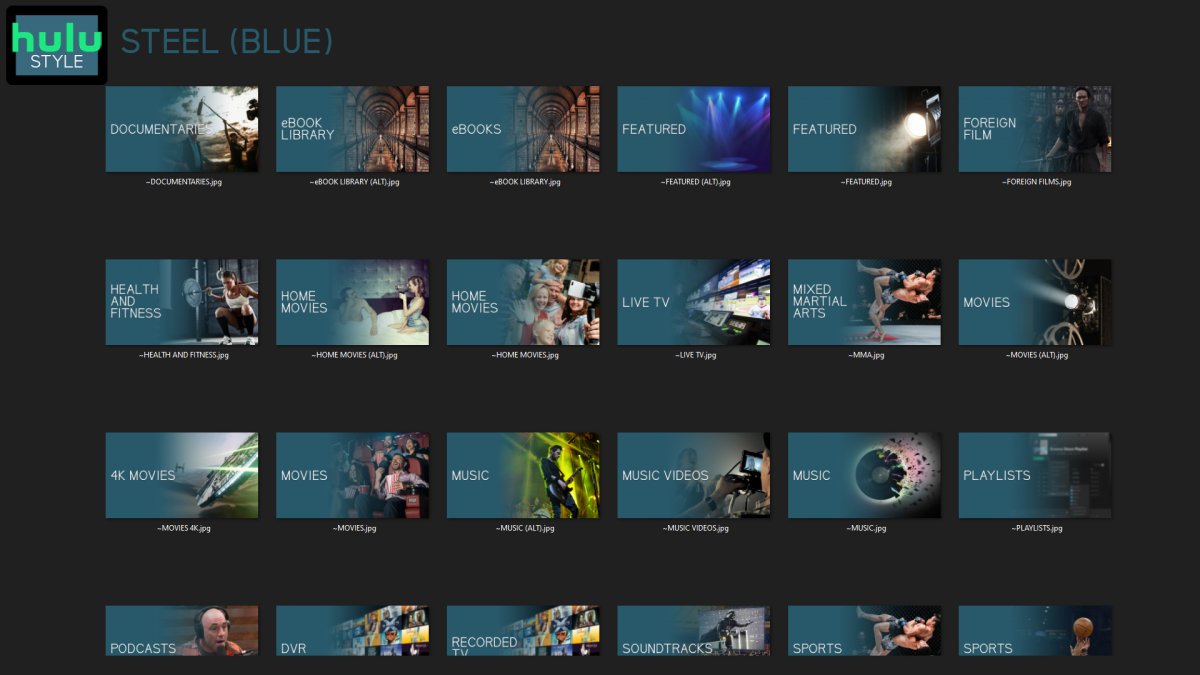
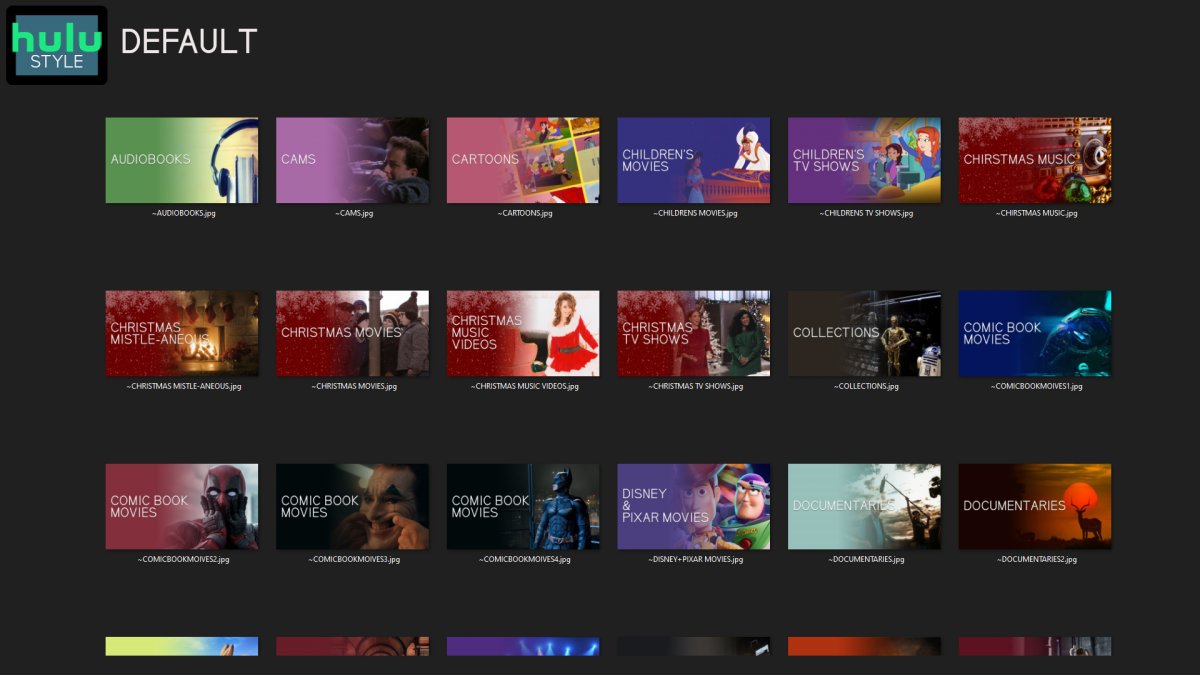
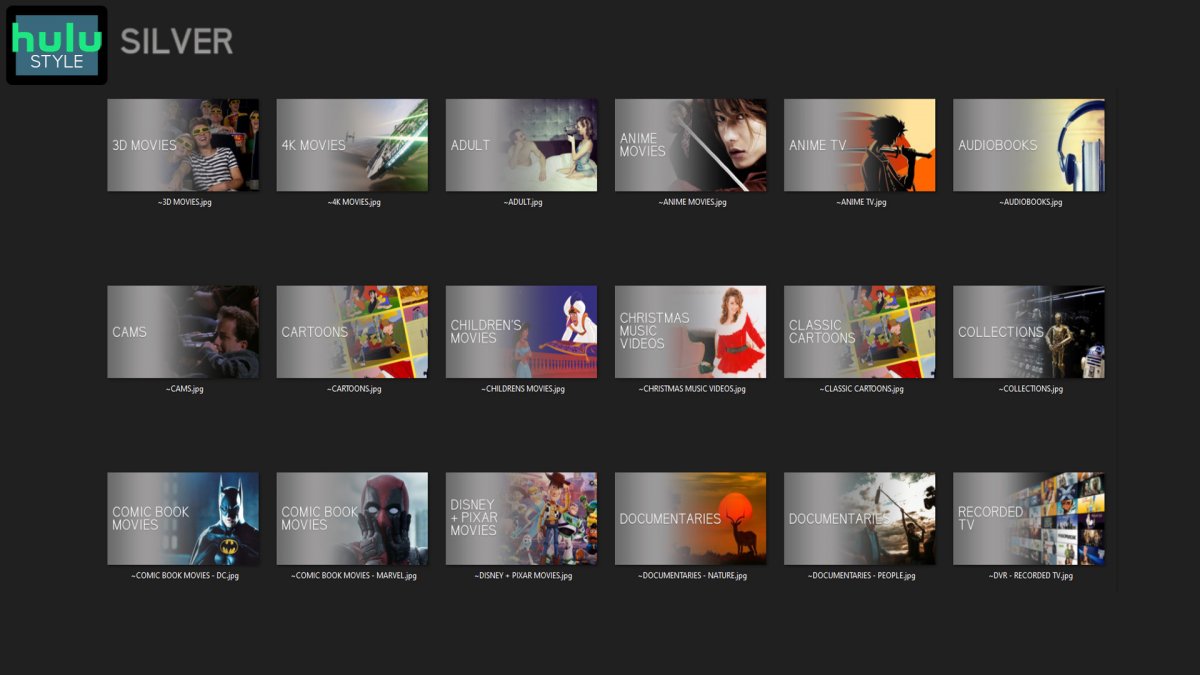
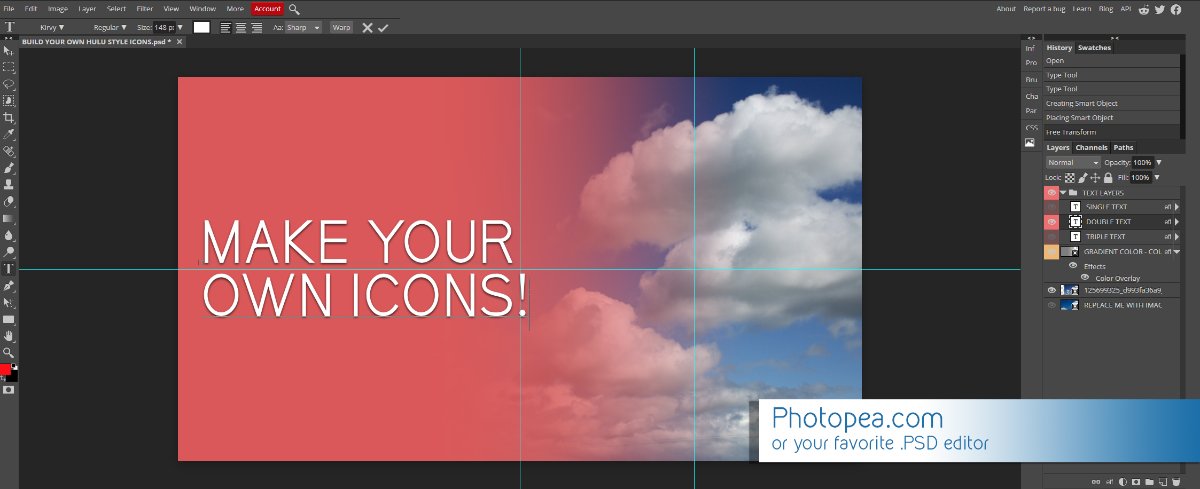
Media Library Icons for Emby Updated: 07/10/2021 I've always had a thing for the simple gradient style Hulu overlays on their library images. I'm not that great at graphic design, but I can mimic some things pretty decent. I hope! It's very simple, and clean and something I've been wanting to attempt for a while. I've never done anything like this, so constructive criticism is appreciated! More color options for media libraries coming soon!!! Also included to make your icons match across the platform, are video genre, music genre and TV network icons: I've hosted this only my Google Drive, so if if the link is not working please, reach out to me and let me know and I will do what I can to resolve! The font (Kirvy), and PSD's are located in the \~TOOLS\ sub-folder Media Library Icons - DOWNLOAD HERE Feel free to create your own to fit your needs! Photoshop Template - DOWNLOAD HERE Gimp Template - DOWNLOAD HERE (ALL credit for creation of Gimp template are thanks to, Mibok, who took the time to recreate the Photoshop template in Gimp!) Many have asked for a smaller and easier version of the .PSD file to create their own custom icons. I have simplified the .PSD and it is now compatible with, Photopea.com photo editor so no need to own Photoshop to make your own icons! Download the new .PSD HERE Thanks for giving me so many hours of entertainment, this was something fun to try and give something back! (If any of the above images are not allowed, please inform me ASAP and I will correct it) *** Change Log*** 07/10/2021 Added GIMP template, created by, Mibok to allow users alternate means to create their own icons 01/25/2021 Added lighter .psd file for easier custom icons 10/04/2020 Added "Silver" Media Library Icon Set and all remaining requests and missing items in each set 08/15/2020 Added some requests and "Emerald" (green) Media Library Icons Set 07/06/2020 Added "Gold" (yellow) Media Library Icons Set 06/29/2020 Added "Wine" and "Steel" (red and blue) Media Library Icons Set 06/29/2020 Updated sample images 06/22/2020 Added "Black" Media Library Icons Set 02/27/2020 Added TV Network Icons for 49 U.S. networks 02/27/2020 Added ~MEDIA LIBRARIES sub-folder to help keep the folder organized 02/24/2020 Added Phase One of Music Genres to Google Drive 01/25/2020 Added requested images to Google Drive 12/21/2019 LITE - Hulu Style Library Icons PSD Added (Uploaded PSD with no graphics for a faster, lighter PSD option) 12/21/2019 Media Library - No Text Icons Added 12/17/2019 Generic Movie Genre Icons Added To Do: Update preview post with images Continue color sets: Black - Maroon - Navy - Emerald- Gold - Silver Update No Text Icons Downgrade PSD for compatibility for older versions of GIMP/Photoshop TV Networks - USA Optimize PSD for simplicity
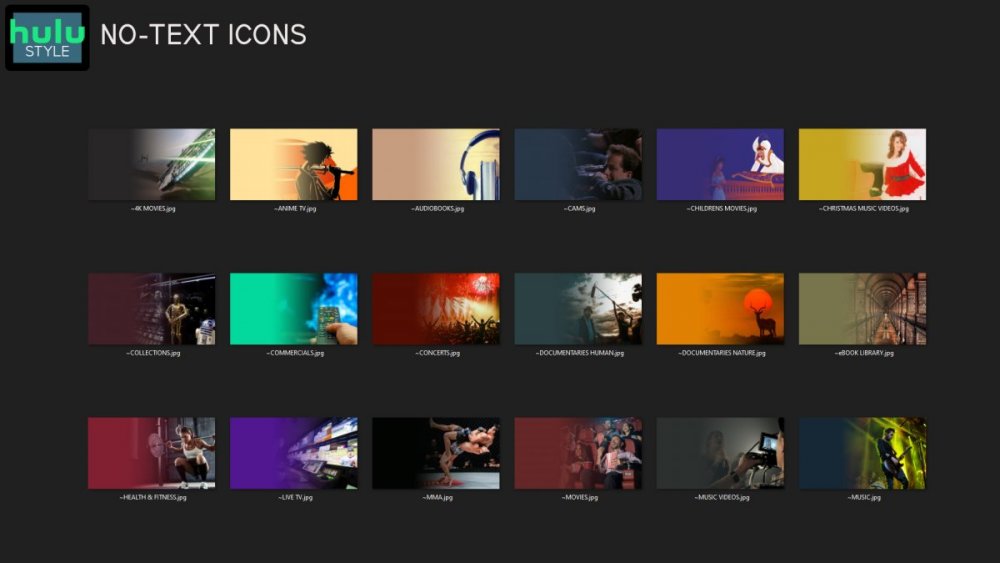
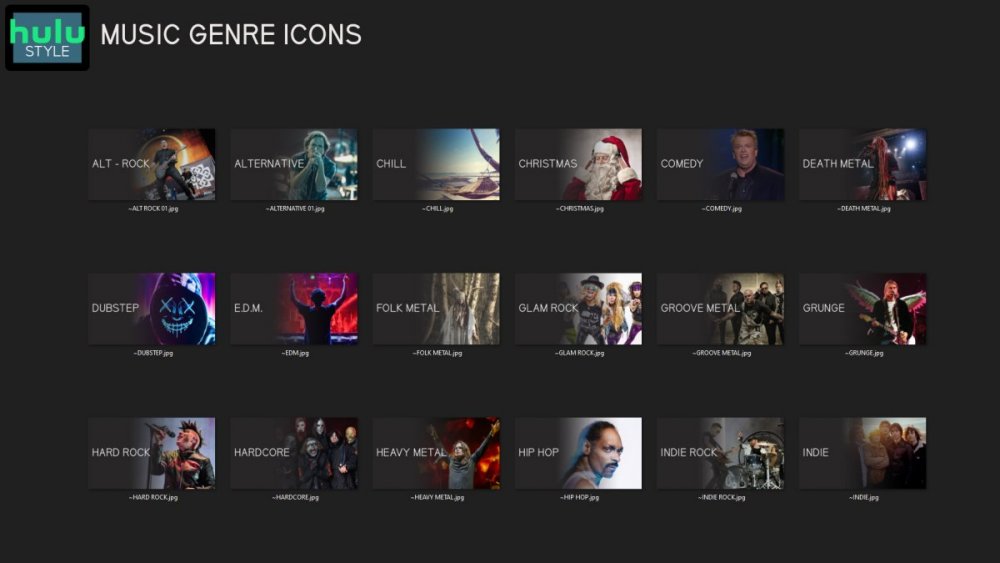
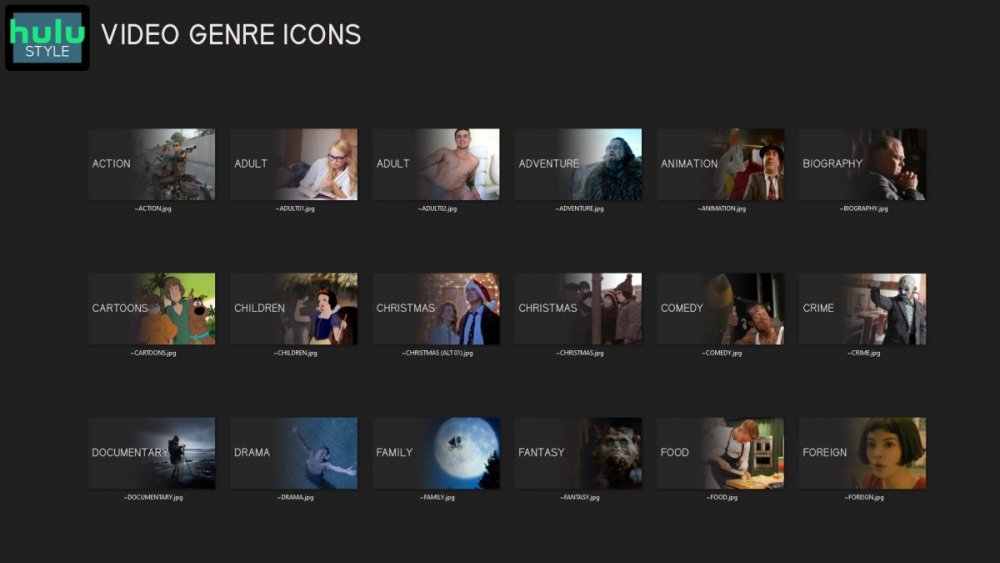
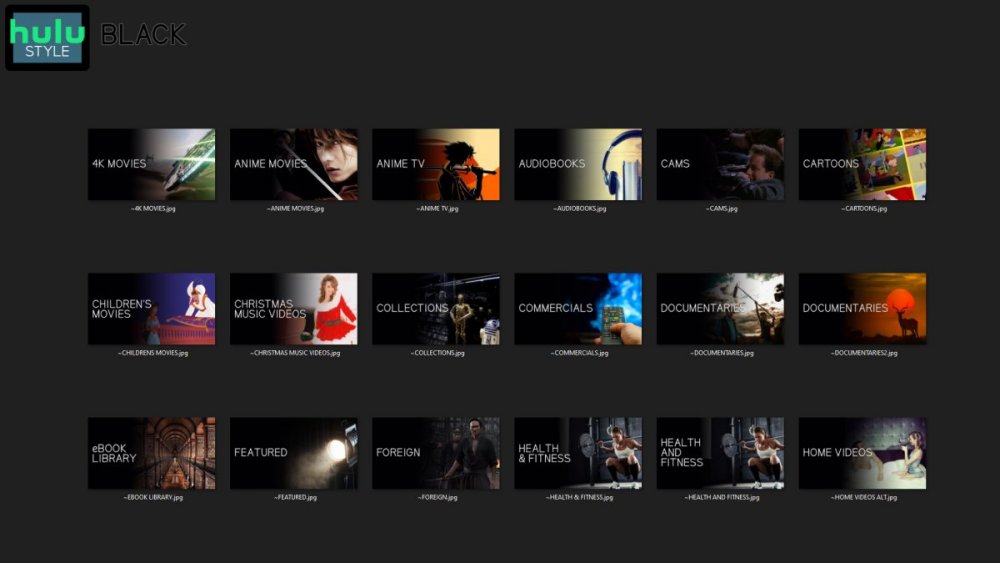

 1 point
 -
Prior to all the changes for the vulnerability issue being made on May 25, my husband and I were able to navigate to the top of the Emby screen on our fire TV, select the current logged on user, drop down to switch user, and select the other Emby user to easily switch between our individual user accounts on the same Emby server. We no longer have this option. Now all we can select is logout, switch server, and unlock app. This is an extremely annoying loss of functionality. At this point, the only solution we see to not have to type our user name and password every time we want to switch who is watching Emby is to attach a second Firestick to the same TV and use separate devices to access separate Emby users. Seems extreme. We are using Emby server 4.7.12.0 and Emby fire TV app 2.0.79a. We deleted and reinstalled the fire TV app. is anyone else having this problem with fire TV. Does anyone have any suggestions on how to get the switch user function back?1 point
-
Hi, Starlink had an outage of over 30 minutes today. During this time the whole house was unable to watch TV as Emby said we didn't have Premiere. This is very boring. Could you make it so that lifetime subs only need to check for the license once a year or something?1 point
-
Thanks @Lukethat worked and behaved as expected. Let me know if you need any more dets to debug what's happening with the FireTV version.1 point
-
It's not just about transcoding a file and having it play on the end-user device but about doing it efficiently and with the best quality possible, IMHO. Allowing Emby to be soley responsible for all streaming/conversions/transcodes would cost me 2 to 4 times the disc space as well as quality the user receives. I would have a crazy number of different formats including flash, xvid, DVD, BlueRay, interlaced SD & HD mgep2/ts, just to name a few older formats. These are all semi-problematic files when streaming. How about all the typical files people download that use 10 bit AVC files or have wrong headers or timing issues? Not to mention the quality and bitrate differences. Emby can transcode a file using more bitrate than the original, yet degrade the picture noticeable. Compare that to a pipeline conversion where you can do multipass encoding, and can test a couple variables on 10 to 30 second samples to see what gets the best scores on noise and perceptible quality, then use that profile for the video. Sure that's probably a lot more than others do but there are tools like TDarr that can do similar things. Why Now? Because you're then 3 years behind the curve of people being able to use features already supported and making an impact in the industry. Quality at any given bitrate is superiour for AV1 compared to AVC or HEVC. NVENC AV1 offers substantial compression efficiency with respect to H.264 and HEVC at better performance. You can plot out different profiles then compare signal-to-noise ratios (PSNR) as well as use the video multimethod assessment fusion scores (VMAF) to compare different encodes to gauge encoding quality. This is the ideal way to find the combination of setting (profiles & adjustments) that provide the best outgoing stream for any codec and bitrate combination. Right now there is no compelling reason to have anything more than a 1650/60 as Emby won't really take advantage of "more" card. If however we supported full functionality of the ADA cards, we would see much more of them in use as it could open up the world to much better transcoding. ADA can support up to 3 encoders and 4 decoders on a single card automatically using all encoders/decoders for even higher throughput. There are even media accelerator cards such as the Alveo MA35D which lists for $1695 and has 32 separate stream engines that can do up to 8K, AV1 encoding in real time. They have a 16 stream engine version at $995 as well which is cheaper than some GPUs with only 3 encode engines. Is hardware like this over the top for a home media server? Maybe, maybe not. If you only have 20Mb or 30Mb upload and can't do anything about it (ie Comcast) then being able to make much better use of your bandwidth is easily justifiable for many. Hell, many people spend 2K for a GPU to play games! He's a stunner, An H.264 video is encoded using medium presets at 30 Mbps. The same video is encoded using AV1 video at 18 Mbps using the high-performance presets. The VMAF score is equal so there is no perceptible difference between the two videos during playback. The H.264 encoded at roughly 55.5 fps while the VC1 encoded at roughly 500 fps or 9X times faster! Stepping out above an apples to apples comparison both HEVC and AV1 can do 10 bit encoding in addition to 8 bit encoding. 10bit encoding can prove even faster conversion times with better quality yet! I believe the above is the thought pattern of a lot people in this thread trying to save bandwidth and get better quality encodes along with reduced latency which is a triple win.1 point
-
Haha, ok wow. Might be easier to just got through manually for me haha. I'll give it a look though, thanks for your help. Just one of the reasons Emby is better than the rest!1 point
-
You're going to have to be handy with databases. You'll need to use a sqlite viewer to open up library.db. Then you can get all movies for example using: select * from mediaitems where type=5 or all episodes using: select * from mediaitems where type=81 point
-
Hi! Thanks for the info about the "too long path", I made my tests here and share my foundings: I tried to extend the paths in Windows registry (via steps below(maybe it will help someone else)): https://www.microfocus.com/documentation/filr/filr-4/filr-desktop/t47bx2ogpfz7.html This wasnt any real help for Emby or even VLC... even after reboot was not fixed... however I was able to run with Media player. Then I have just shorted the "Season folder" name and it was resolved for Emby and VLC ... My conclusions after few tests: - Yes: it was that issue with the long path "261 vs. 256" - No: the assumption that "encoding - "’" showing on page instead of " ' " - Stack Overflow" was not confirmed on my side, I wasnt changing anu characters in root name or episode names. Thank you for your assistance here ! PS: sorry for my late respond was 3 weeks afk aka. afe1 point
-
Nothing is ever scraped from IMDB. That said, genres are exclusively dependent of meta-providers used and their order. In your case, there is no perfectly happy solution as TMDB (most common top-preferred movie provider) doesn't even recognize "Sport" as a genre: Genres - Movie Bible — The Movie Database (TMDB) (themoviedb.org) and you likely have it as top-preferred provider as well, as per: which is likely where they came from: Race (2016) — The Movie Database (TMDB) (themoviedb.org) TVDB does have "Sport" as a genre: Genres - TheTVDB.com though for that particular movie it doesn't list it as a genre either. Race - TheTVDB.com Only provider that has it listed for "Race" is OMDB: but you generally don't want OMDB as your top-preferred provider as that'll likley create more issues and/or missing/incomplete metadata then solve this particular "Sports" genre issue. So, besides lot of manual workarounds (deleting parts of metadata, changing library settings multiple times, locking items etc.), don't see it being achievable, it's much easier to just add "Sports" as genre manually to those few odd items you deem valid.1 point
-
I installed and Belgium works fine. Version 1.4.8 if not mistaken. Thanks a lot!!!1 point
-
The two servers are reporting the same unique identifier, so that's the reason for this issue. I would go to one of them, locate the server data folder: Emby Server Data Folder Then from there delete the /data/device.txt file and restart the server. If you do use Emby Connect then you'll need to relink all users on that server after doing this.1 point
-
Hi, no, this is not intended. Thanks.1 point
-
Thank you.1 point
-
Either way should be fine, but I would just start with the beta since you plan to upgrade to that.1 point
-
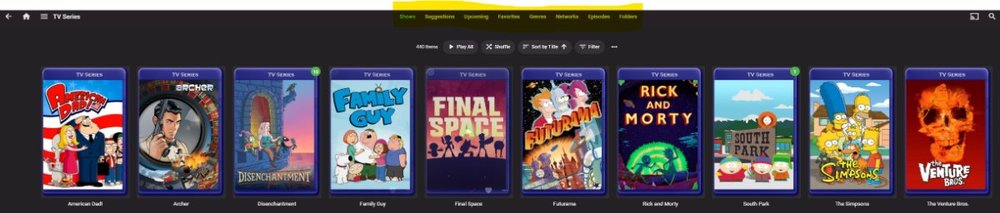
Greetings, I'd like to have the ability to turn off headers on a per user basis. I think this should be an administrative power accessible only in the admin panel --OR-- users should also be able to opt to turn if off in the user panel. The reason I think both options should exist is because the Admin may wish to opt, SPECIFICALLY to not allow users to see the folder structure. I've also found "episodes" to be problematic at times too. Users who have given access to this may also opt to not want to see it too. Additionally, while we are talking about header changes, could we toss in a section for Tags (which already exist) and/or Collections for Series? Thanks!
 1 point
 -
Ok sounds good. Thanks for your help.1 point
-
There's only one Tizen store, but the store checks your model year for compatibility, etc. Even model years which are still supported can fail while other years pass and if your TV didn't pass testing it isn't offered to you. The reason they do this is because the version of Tizen changes every year. Their testers then stop testing apps altogether for models after they've reached 5 years. @Luke or @SamES would have to confirm, but I believe that may be your last update from the store for 2016s. I.0.94 is very old. The only thing I can think of is that Disney+, Netflix are in a different support tier if they are still submitting updates.1 point
-
I uninstalled Embycon and Emby next gen, rebooted, installed Emby next gen again and somehow it went back to working.1 point
-
The store version will always be behind the usb version even after things get back to normal. The usb version is meant for testing and thus beta so you're getting it before Samsung does. The store version could be several versions old depending on how many issues testers here find and then how slowly the whole approval process by Samsung goes after that. Then after your tv is 5 years old Samsung no longer accepts updates. So, if you want the latest version, you will eventually be back to installing from usb anyway. Hopefully the whole country update thing wraps up soon though so that Luke can start submitting updates again.1 point
-
So, now that the app is in the store for my country, awaiting with plesdutr for the update to the latest release (as mine now was downgraded)1 point
-
The Roku doesn't support PSG subs nor TrueHD 7.1, but my phone does. My phone is much more powerful, so I just want the streams to pass through the Roku to the TV. I want the emby server to serve movies to my phone, have the phone do all the decoding work, etc, and then pass through the Roku to the TV.1 point
-
I guess this thread could use a bump. I would love to see ability to download an entire album over syncing... downloading to my computer via the web-app would be amazing... Single song downloads is quite tedious, especially if you want more than one album (or a big album)...1 point
-
He encontrado la solucion..si me voy a la configuracion y subtitulos .. y le doy a - Borrar selecciones de pistas guardadas. y luego hago el escaneo me las encuentra las pistas bien.. Por lo menos por ahora no me ha dado ninguna error. Saludos1 point
-
You can lend your support here: If using nginx in front of your Emby server, you might wanna take a look here:1 point
-
@FrostByte In next version, plugin will support realtime boxset updates and also Kodi "native" favorites. Due to these fixes, I can also remove the specific Emby context menu and embed all Emby features into the native context menu.1 point
-
I'm not denying that you're having a problem, but what I'm saying is you're focusing on scheduled tasks instead of letting us help you get to the bottom of it. I'm just telling you that the problem is something else. Your scheduled task triggers are running, that's not the issue.1 point
-
GitHub is updated now. Thanks.1 point
-
I would be very happy to participate in beta testing for MacOS as well. Any plans to integrate hardware transcoding for M1/M2 chips?1 point
-
Yeah me too. Every release in GitHub I searching for the Mac OS to try it out, it will be really great so have Mac OS in the beta releases1 point
-
I'm a very excited new adopter of Emby. My chosen server platform is MacOS. I'm currently running the 4.7.14 Intel version, as it works properly with the Cover Art Plugin, while the ARM version does not. I would very much enjoy trying out the 4.8 Beta on MacOS. I'm hoping this post encourages the person that does the MacOS development to release a beta build. Your MacOS customers are out here! Thanks for reading, Brian.1 point
-
Not at all, I was just making a point as to how far off in left field the implementation is. If you or anyone on the team actually consumes audiobooks as content, run Audiobookshelf for a week and you'll see the difference, saving progress not withstanding.1 point
-
OK there is a good chance this will be improved in the upcoming 4.8 server release.1 point
-
Hi, I would suggest installing 4.8.0.43. The issues that were on the beta channel are resolved in that build.1 point
-
Starlink uses CGNAT so you won't be able to reach it directly. You'll need an external service to be able reach your server. A vps running a vpn that your server connects to, or something like cloudflare tunnels.1 point
-
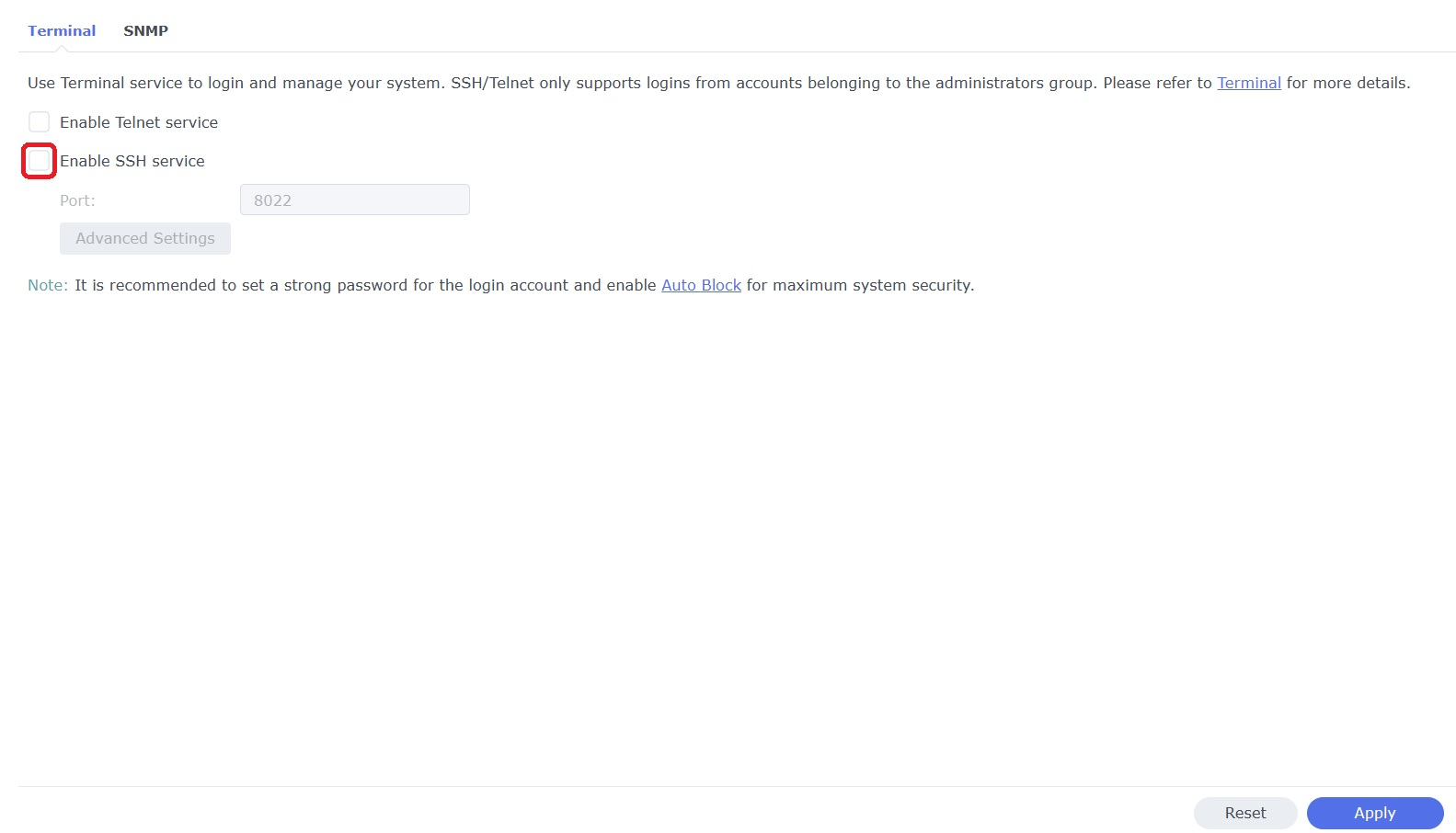
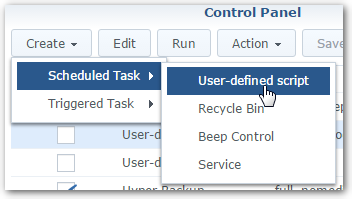
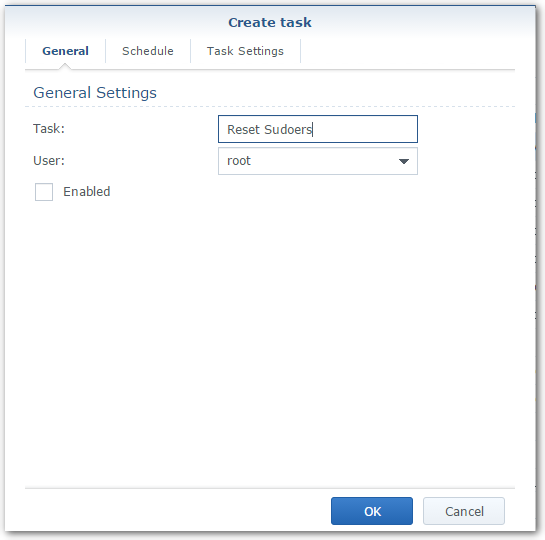
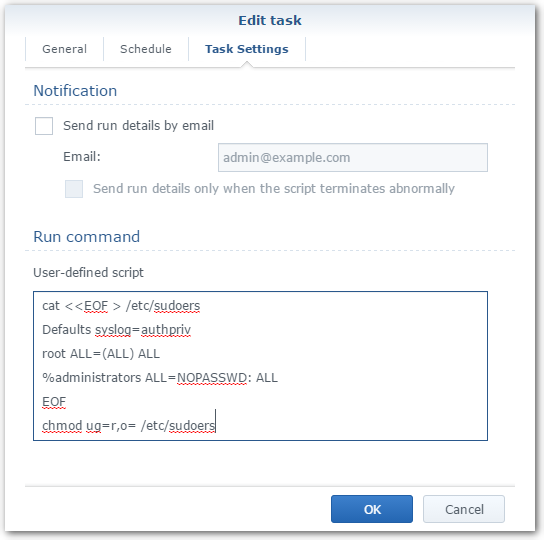
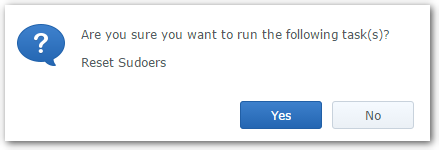
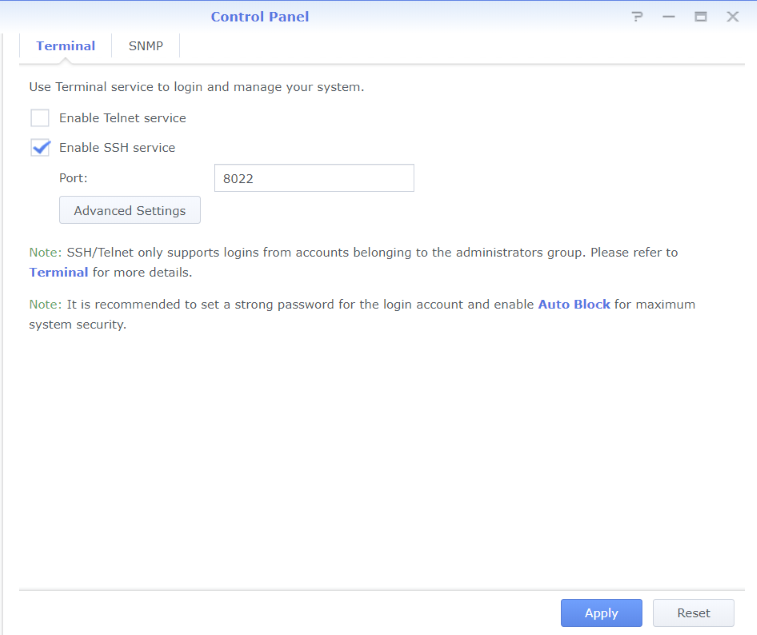
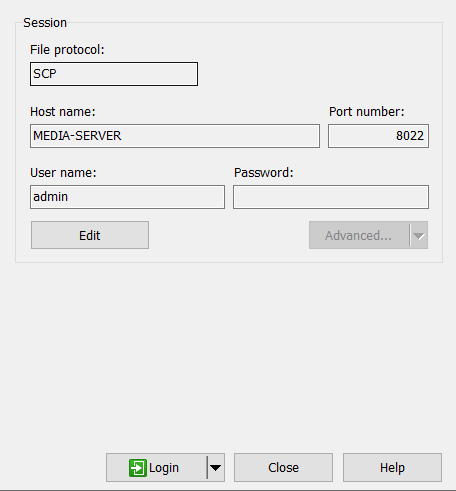
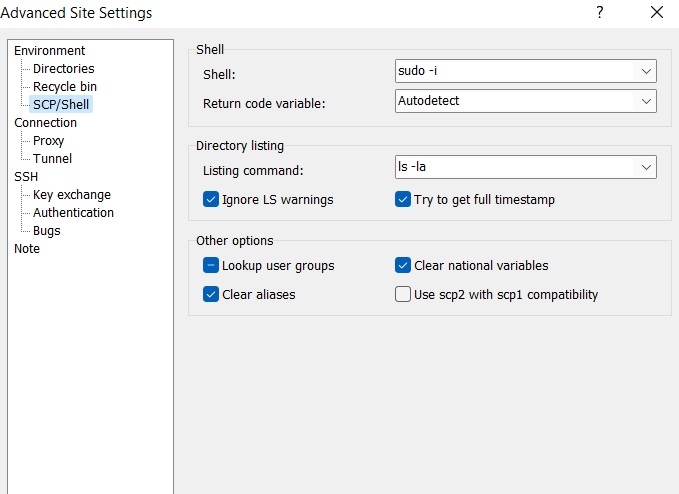
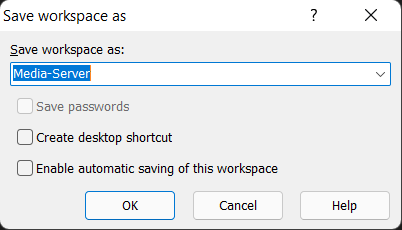
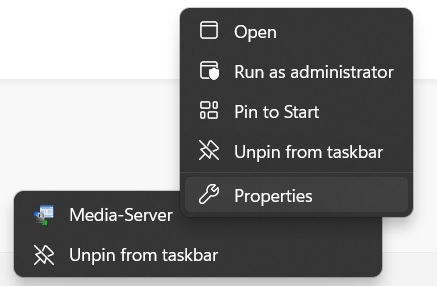
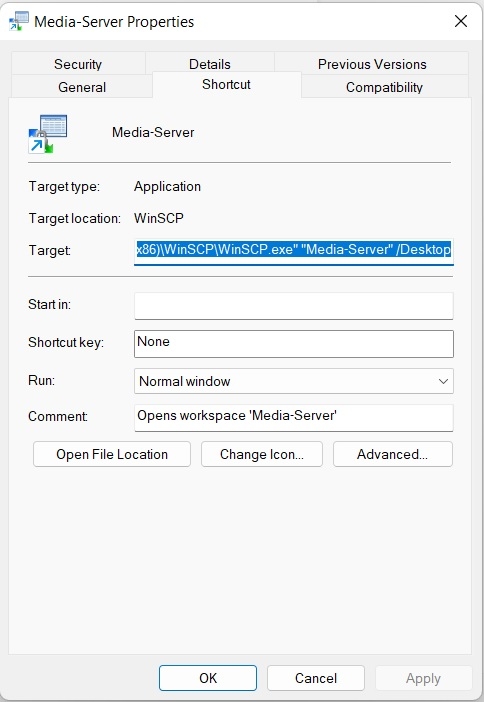
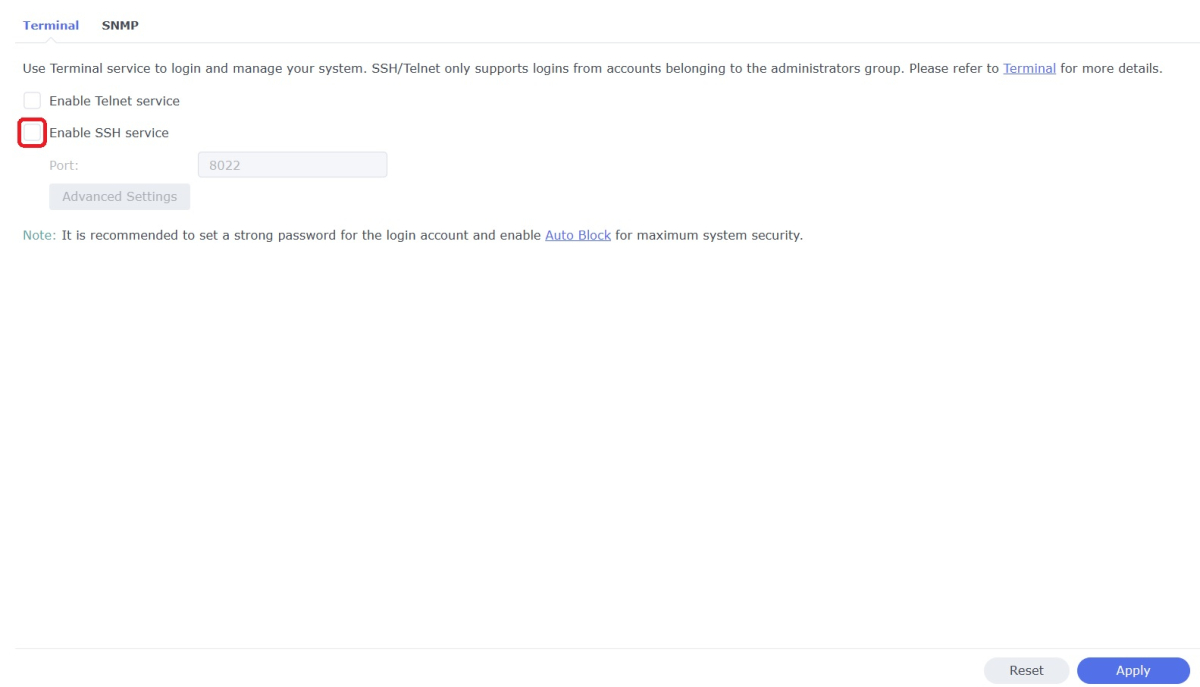
WinSCP is a popular SFTP client and FTP client for Microsoft Windows which can be used as a GUI alternative to Putty or Terminal. The procedures below will allow you to perform tasks as Superuser just like you can with Putty or Terminal. Superuser privileges may be needed for the following: full read/write/ execute privileges creating or installing files or software modifying files and settings deleting users and data If you do not need superuser access with WinSCP and just want to access your NAS using Admin then skip the steps (2, 3, and 6) in blue. 1. Enable SSH on Synology NAS Open DSM Control Panel Click Terminal & SNMP Click Terminal tab Check "Enable SSH service" Click "Apply" 2. Create script to modify sudoers config file on Synology NAS This script modifies the sudoers file which is needed to prevent DSM from prompting administrators only for the Admin password again when switching to superuser during the login process as WinSCP can't handle this prompt. This script is saved to rerun again later because DSM updates tend to overwrite any changes to the sudoers file. Open DSM Control Panel Click Task Scheduler Create a Scheduled Task - User-defined script Click General Tab Set task name "Reset Sudoers" Set user as "root" Uncheck "Enabled" box Click Task Setting tab Copy/paste the following into the Run command box cat <<EOF > /etc/sudoers Defaults syslog=authpriv root ALL=(ALL) ALL %administrators ALL=NOPASSWD: ALL EOF chmod ug=r,o= /etc/sudoers Click OK 3. Run the "Reset Sudoers" script on Synology NAS This step will need to be rerun whenever a DSM update puts your sudoers file back to default Highlight the new script you just created Click Run Click Yes 4. Install WinSCP Download and install WinSCP on Windows machine https://winscp.net/eng/download.php Allow WinSCP to start when done 5. Configure WinSCP to auto logon Create a new session/site: Change Login window using the following File protocol: SCP Host name: enter the NAS host name or IP address Port number: enter the port number you used from step 3 Enter User name: "admin" and password 6. Add switching to super user Click the Advanced... button In the the Advanced Site Settings window do the following: Select SCP/Shell under Environment Shell box: "sudo -i" Click OK to return to the Login window Click Save Click "Login" 7. Create a saved workspace for WinSCP (this step is optional) This will create a Windows shortcut to start WinSCP and automatically login to your session without any prompts Log into your new session you created in Step 5 Click Sessions Click Save Workspace... type a name for your new workspace Click OK 8. Create a shortcut for WinSCP on taskbar (this step is optional) While WinSCP is running Right Click the icon on the taskbar and choose "Pin to taskbar" Right Click on the WinSCP icon on the taskbar again Now Right Click on the WinSCP workspace you used in Step 7 and choose properties Your shortcut should look something like the one below with the exception of the workspace you used above Example Windows shortcut used on target line above "C:\Program Files (x86)\WinSCP\WinSCP.exe" "Media-Server" /Desktop Click OK Click WinSCP icon on taskbar start WinSCP and be logged into your NAS as Superuser without any prompts 9. Disable SSH in DSM (this step is optional) After you're all done using WinSCP it may be a good idea to close this port for security reasons. Additionally, you can also disable your Admin account now if you enabled it to do this. When you need to use WinSCP again just reenable SSH and you're ready. Open DSM Control Panel Click Terminal & SNMP Click Terminal tab Uncheck "Enable SSH service" Click "Apply"
 1 point
 -
That did it! (By the way, the Libraries still show up but no content is inside. I'm happy with that result.) So the "trick" is to not be in the Home screen and right-click on the library to select "Scan Library Files". Nor is it to be in "Manage Emby Server", under Library, and right-click on the given libraries to scan for files. The solution is to go to "Manage Emby Server" \ Advanced \ Scheduled Tasks \ Library \ and hit the Play button under "Scan Media Library". After that, all the .ignore files are working properly! Thank you, @Happy2Play and @ebr for your feedback. They led me to the correct solution. Solved.1 point
-
Is there a way to set a simultaneous connection limit for each user. I share my server with family and a few friends and sometimes I see a couple with 2 or more active streams from different clients under their user and I would like to limit this to 1 connection per user for them. Thanks and keep up the excellent work.1 point
-
Hi, please attach the main emby server log as well. Thanks !0 points
-
Can you please attach the emby server log from when the problem occurred? How to Report a Problem Thanks !0 points













.thumb.jpg.c304d153e3b000cc5d72ac63e2ee1b1c.jpg)