Leaderboard




Popular Content
Showing content with the highest reputation on 08/30/23 in Posts
-
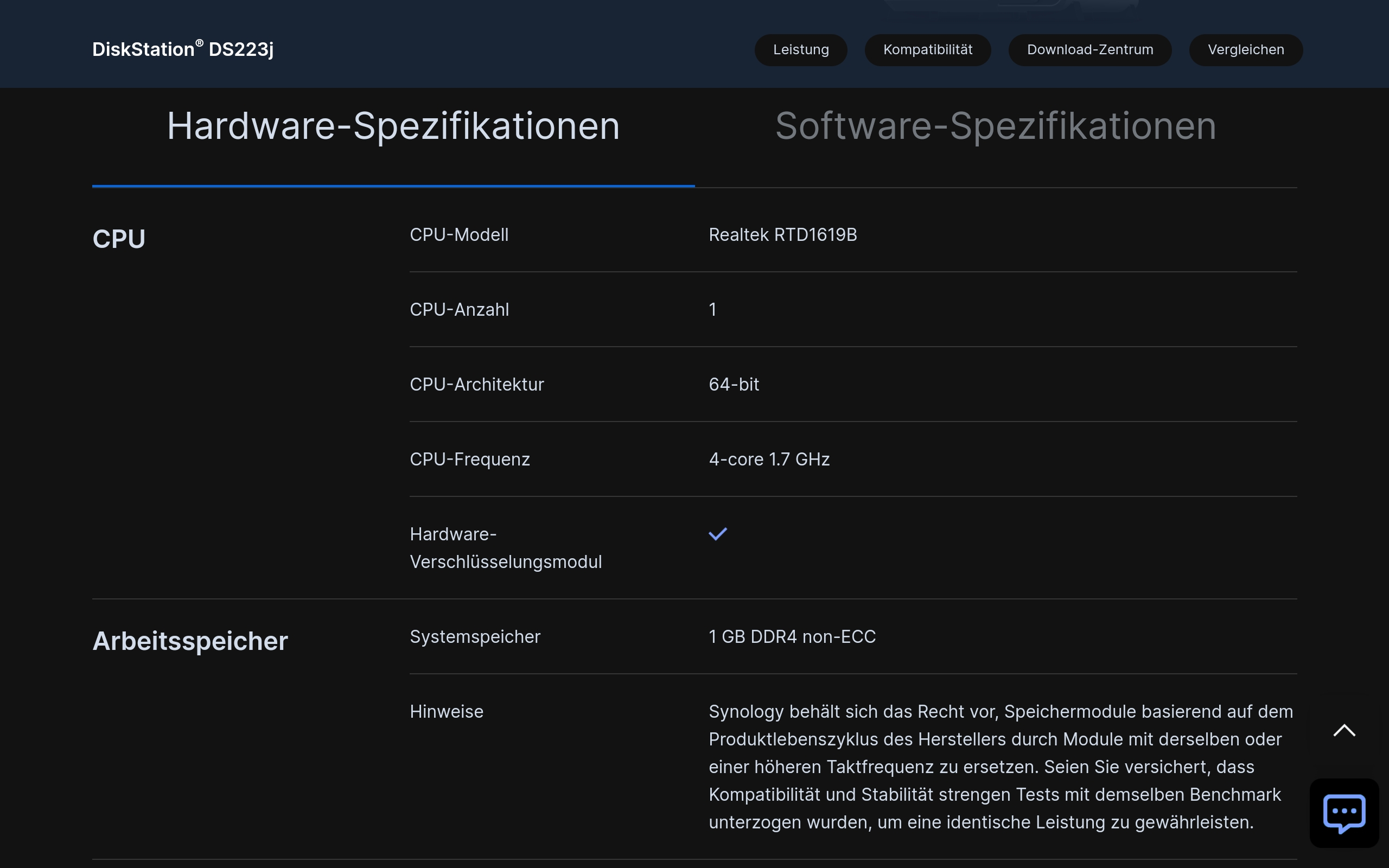
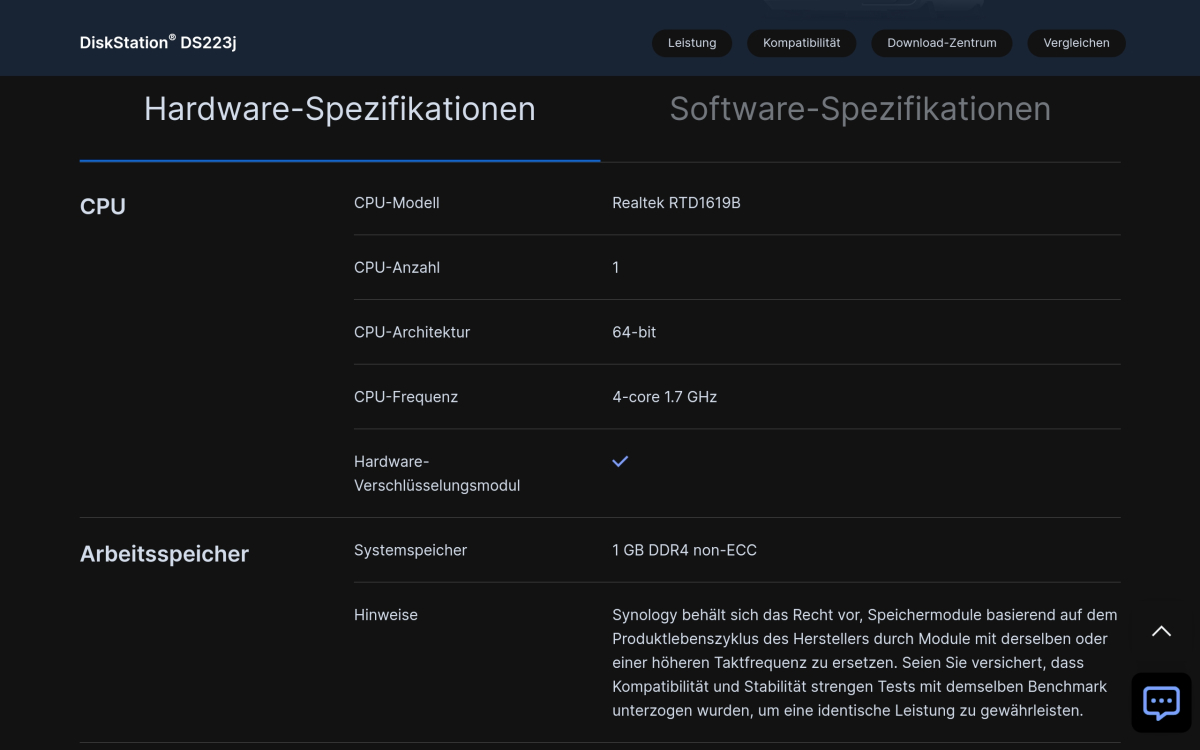
Ah, thank you very much, @DonMacaroni! I was looking directly on the Synology site and there is 64-bit architecture specified for DS223j and so I used the 64-bit link on Emby's download page. That's a little bit confusing. Will try the ARMv8-A package now.
 2 points
 -
You downloaded wrong version DS223j does not have x86_x64 arch. Realtek RTD1619B uses ARMv8-A (64-bit) ISA, so I believe you should download this version instead: https://github.com/MediaBrowser/Emby.Releases/releases/download/4.7.14.0/emby-server-synology72_4.7.14.0_armv8.spk2 points
-
We have a great governor. He has 20,000 line men from all over the country staged to fix any power problems. So far the power is still on thanks @MBSkifor your concern. Vic2 points
-
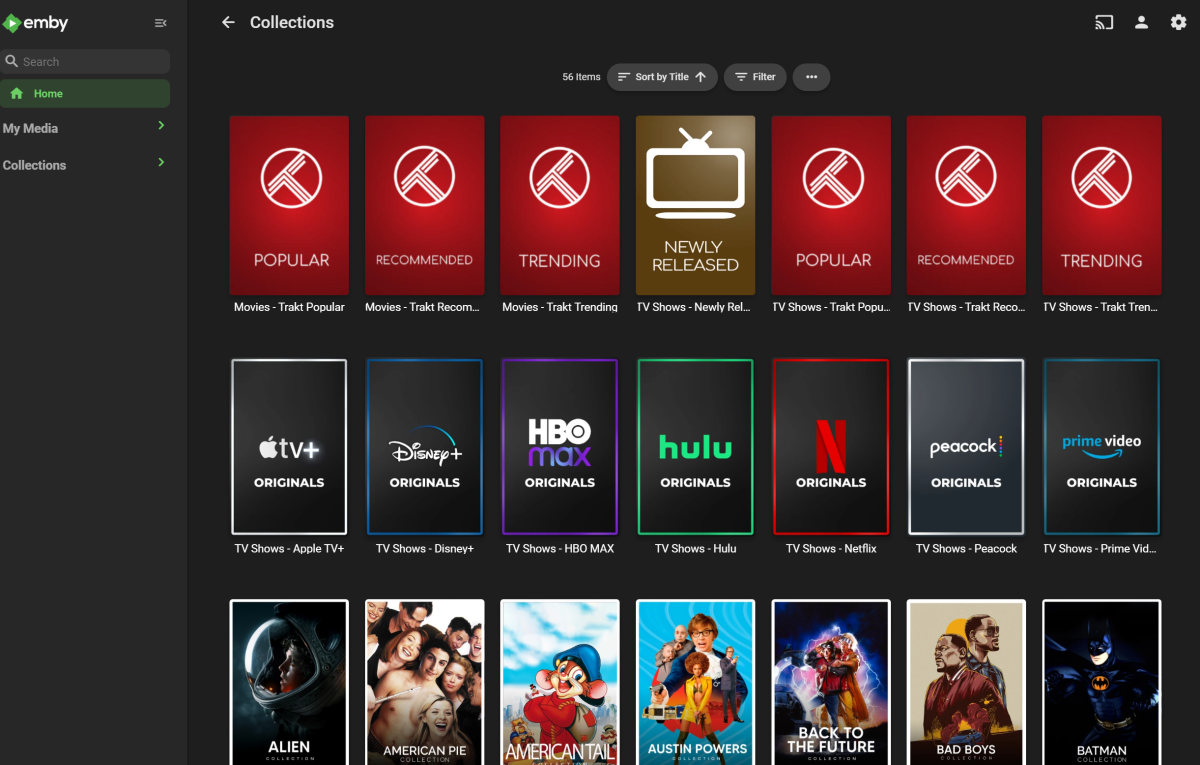
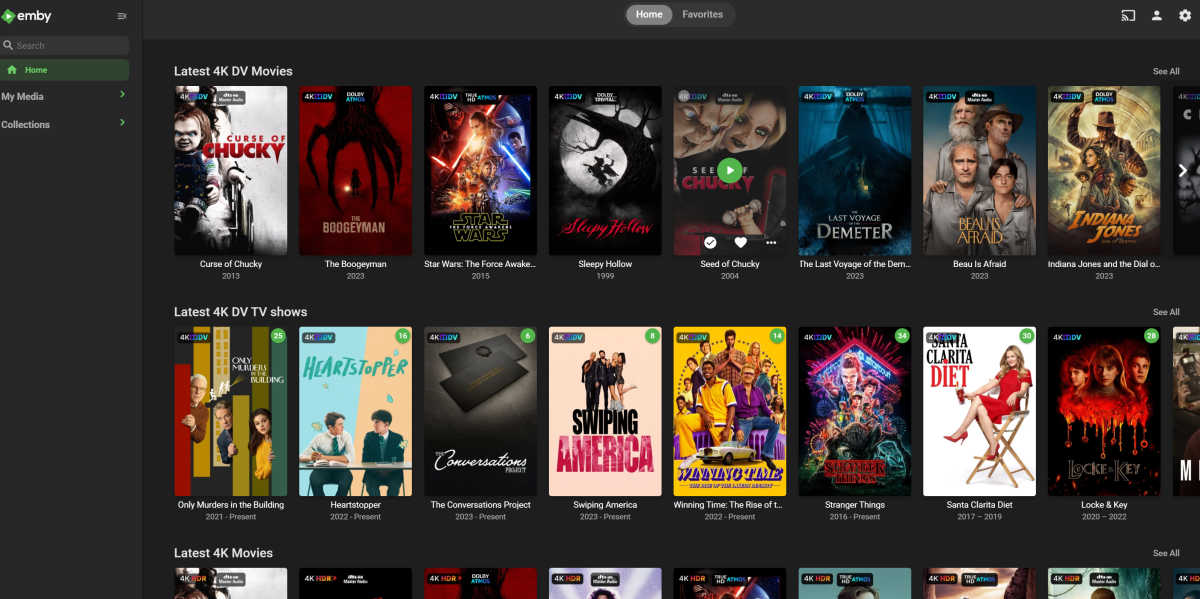
making progress... need to speed up collection creating/updating though.
 2 points
 -
any plan to support ? thanks1 point
-
Hi, I would like to have an option to choose H265 instead of H264 in the Transcode option. It will be smaller for all bad bandwidth (2~5Mbit ADSL), but will have a great quality. Mobile phone can benefit of it greatly too with the 4G and the limitation of download.1 point
-
Hi, is there an option to install Emby beta version on MacOS? The beta version in the Emby website is not updated with the latest 4.8 beta. thanks1 point
-
I have a suggestion. While adding tags to music files, each user has his own way of doing and many times, although at user level the Album Artist and or Artist are appearing the same in Mp3tag, when we add the albums, more than one Album Artist or Artist are appearing in Emby. No matter how many times it is ensured that the same Artist and or Album Artist is ensured, this problem is persisting. Therefore, I request you to give a provision to merge same Album Artist or Artist at user level, so that any mistakes or hidden problems can be overcome. This provision is available in Plex. This will help in keeping the Emby look wonderful with just one Primary Image showing per Artist. I am attaching a screen shot where more than one album artist is added although I have ensured Album artist is same for all the files in Mp3tag. Kindly consider this suggestion.
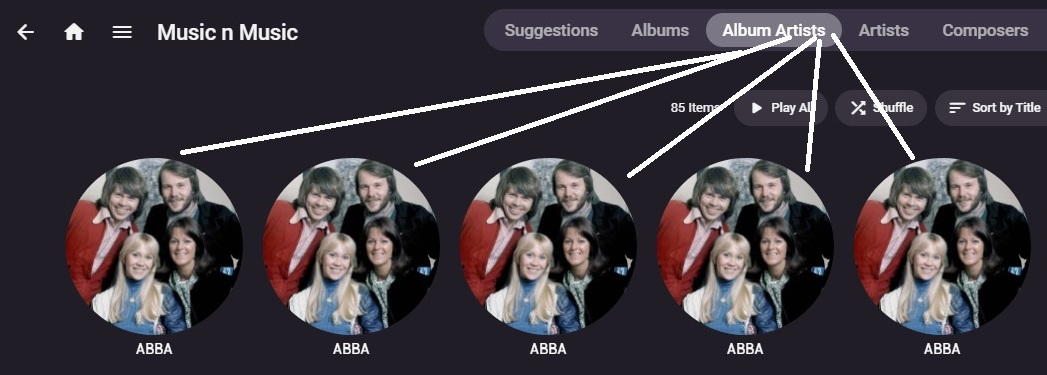 1 point
 -
Hi Everyone, Just a quick one, I have had a look in the forums but can't find what i'm looking for. Is anyone using gapless flac and how do you do it. At the moment I convert CDs into separate tracks, but I have quite a few that would be better as a whole disk. Has anyone had any success doing this? Cheers1 point
-
I chose "show login", then I logged in, then I unchecked "show login" and now it's working perfectly again. Click the app and it opens directly to my home page. Boom! Thanks ebr! You are a rock star!1 point
-
Ah, command back! Emby where kicked out of the firewall permissions during several installations and uninstallations, never had this before with other apps. So the latest ARMv8-A package works! Thanks to @DonMacaroniand @Luke!1 point
-
You are missing an important point. There doesn't exist any other subtitle format which comes even remotely close to ASS. Converting just the text is not that much of a problem, of course.1 point
-
OK you may just want to wait for the update in Package Center. We are working on getting that released. Thanks.1 point
-
There is also no app for the Models Q60R and Q90R both are 2019 Models. Both TVs got a reset and we selected germany as region (usually we choose austria) but after setup and smart hub update, still no emby.1 point
-
Shouldn't you be using the armv8 package? That's what that model seems like to me.1 point
-
hello @miraclesuki... The storm is gone, the rain has stopped. No damage here at all and the power stayed on. I just uploaded the updated Plugin with the problem that you found fixed. Thanks so much for reporting this. I had a bug in the code. Give it a try now. It should work OK. If you have another problem, please let me know ASAP. Thanks again, Vic1 point
-
Restarted the computer. Installation is working now. I guess it is good. Thank you.1 point
-
Thank you the new iOS version has fixed the issue also at my end.1 point
-
Ah I checked for updates before yesterday and didn't see anything but I do now -- thanks Luke, Emby iOS 2.2.12 did fix it!1 point
-
super , merci , j'ai fait la meme chose avec les sous titre merci encore1 point
-
Merci pour vos réponses !1 point
-
I did it initially with the Truenas plugin, but it seems to be broken with this new version of TrueNas (13.0-U5.3). To solve the problem I created a Jail in a older version to install Emby manually and its working again with the emby 4.7.13.0.1 point
-
I'll take all that back. After some time, it now appears to be working:) I'll inform you if anything changes1 point
-
I cheated and pulled them from https://github.com/meisnate12/Plex-Meta-Manager/tree/master/defaults/overlays/images I did have to make some for the 3D content overlays though1 point
-
Hi, have you updated to Emby for iOS 2.2.12?1 point
-
Luke, Some additional detail on the changes Asustor made in the most recent update. Not sure if this helps mitigate the impact on Emby, not really a Linux guy. ---- by Patrick » Wed Aug 30, 2023 3:47 am Currently, ADM change the permission for /dev, and only allow root group to access it. This is the security improvement, and uBuntu also applied this kind of permission for /dev system folder. For using /dev folder (especially for /dev/dri/renderD128 to use Hardware transcoding) in docker container, you can change the container as a non-root user, but keep it in root group. Then it have no problem to use /dev/dri/renderD128 now.1 point
-
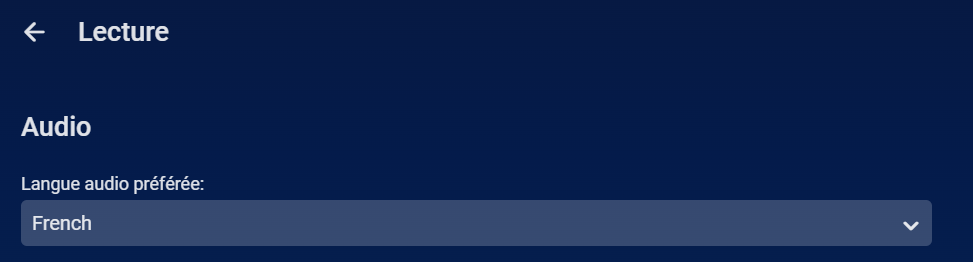
Oui absolument. C'est dans les options paramètres de l'application, dans Lecture.
 1 point
 -
wrote it using python1 point
-
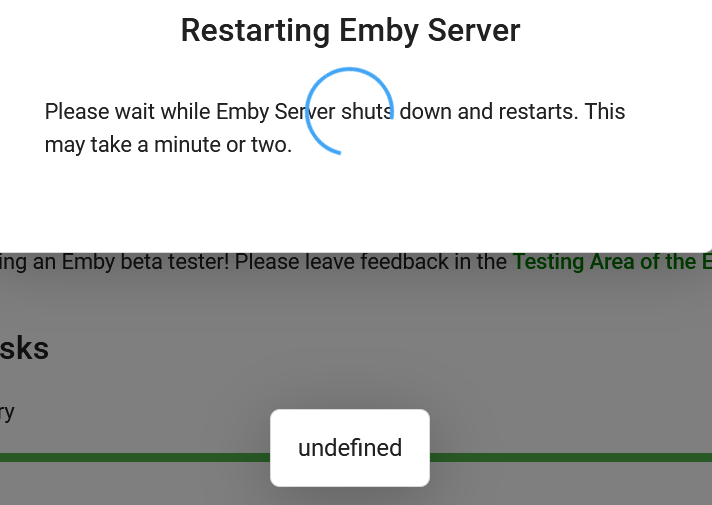
That seems to have done the trick on playback and general usability! Thanks for all that you and the Emby team do @Luke As a side effect, the Server Backup plugin might need a look as I see few issues related to it (let me know if/where I should repost this information): -I installed it after the upgrade from .42 to .43 and the pop up screen that confirms installation and says to restart the service had three phantom buttons below it that said undefined. One of them also showed up when doing a standard server restart from the main config screen (screenshot). -When restoring from a location, the browse window to browse the file structure has no ability to scroll so you are limited to clicking on the first four folder paths or manually entering the path. This issue I had seen on earlier versions throughout this recent journey, so I am not sure when the scroll window disappeared.
 1 point
 -
then there is a high risk that transcoding would be required sometimes - which won't work (my server is not fast enough)...1 point
-
@miraclesukiI think I know what the problem is. At the moment my town is in a major hurricane. The state is prepared, and any power problems will be fixed quickly. So I think I will have time today to fix the problem. Vic1 point
-
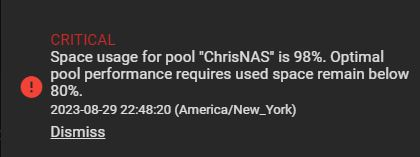
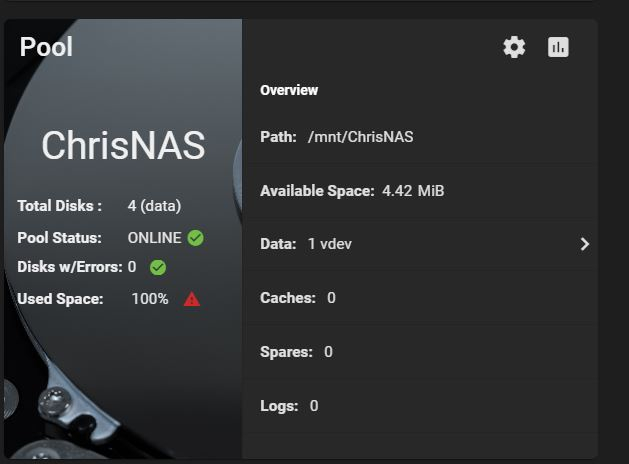
I think I may have found the issue. Looks like I do not have anymore space on my NAS. This morning I wasn't able to access either of my Emby servers. I couldn't even access the NAS drives via Windows Explorer. I would click the drives and nothing would happen. Well, actually, if I let it sit long enough, the drives opened. It even takes a long time for WINSCP top open now and it freezes not responding, but eventually gets to my NAS. It's odd though, because I was able to get into everything last night and nothing has changed since. Also, the working Emby server worked fine all yesterday, but I cannot access that either this morning. I guess it's time to buy larger drives. Do you guys think this is the issue?
 1 point
 -
Hello, This is why I don't really like FlatHub as it can confuse people. You cannot update FlatHub installs with standard install packages. FlatHub contains the program and all dependent programs in a semi-container. Since Emby does not deploy that way you would have had to wait for whoever created the FlatHub install to release the updated version to update the installed FlatHub version. So.... If you really want to run the unsupported version of Emby... Go to the console, and execute: dpkg -r emby-server That should remove the standard install package.1 point
-
As a guess, your file naming is not close enough to Emby's preferences for it to get everything right, and in this case the special has been seen as an alternate version of the episode. If you select the episode details screen, is there a drop-down for the episode name allowing you to select from those two items? Paul1 point
-
Thanks ebr. I will try and figure that out and report back :)1 point
-
What I would do is go through the metadata editor for all songs and music videos that are attached to the A Ha artist. Check the artist and album artist values for each of those and see if you can find one named A Ha instead of A-ha.1 point
-
No worries, next time it happens to me I will pull out the log immediately, now much stuff has happened in between to pin point at what time this happened. In the same vein sometimes a sentence in the subs will get stuck and the next sentences will appear on top of it making it impossible to read. Which I will keep track of as well and send a log for as well next time.1 point
-
Copied emby-server to emby-old, mv emby-server to emby, ran 4.7.14 upgrade, everything working fine.!!!! Thanks very much1 point
-
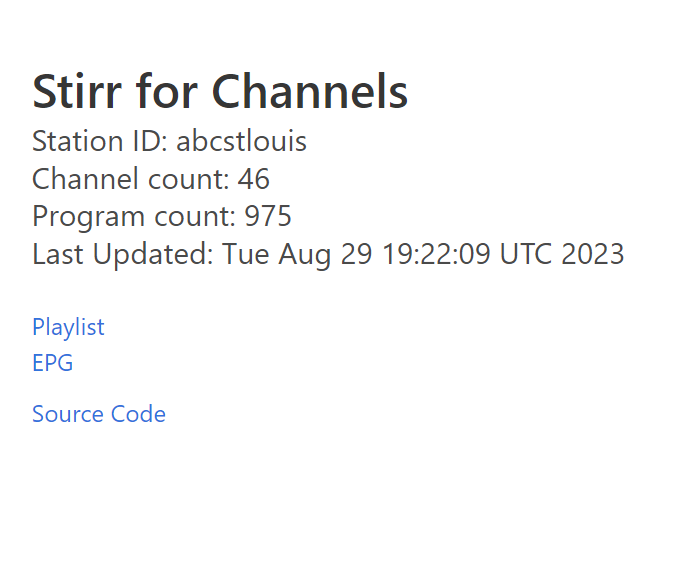
You can use wireshark to get the stream links, youtube has videos on how to do this. Stirr for channels now has custom channel support, I have been playing with this last week for a bit https://github.com/robbiet480/stirr-for-channels It's kind of fun to play with this stuff.
 1 point
 -
Hi. Go into that setting you showed and set it to "Show login screen" then, immediately go back in and select "Login as this user". Then exit the app and see if it logs you in automatically.1 point
-
What version of the server?1 point
-
1 point
-
@FancyNerd92 that would be nice, now you can put in commercials That would be fun1 point
-
En los clientes (en este caso el Emby del FireTV) prueba a poner la configuración de la velocidad de internet en el valor máximo posible y prueba.1 point
-
Hi, not currently but I’m hoping to do a beta for macOS soon. Thanks.1 point
-
Apologies for interjecting, but I really need to express my profound frustration with Emby. I've been a loyal subscriber, but the IOS offline download feature has been nothing but a letdown. It simply has never worked for me, and it's incredibly disappointing. I've gone to great lengths to try and fix this issue. I went ahead and reset my Emby server not once, but twice! On top of that, I've repeatedly redownloaded the Emby apps on both my iPad and iPhone, hoping for a miracle. But alas, it's been a futile effort. The worst part is that I see other apps like Infuse seamlessly providing offline download capabilities. So, it begs the question: why is Emby struggling with this seemingly basic feature? I signed up for Emby with the expectation of being able to download my favorite content for offline viewing, especially when I'm on the move or without a stable internet connection. But instead, I'm left feeling scammed and frustrated. If anyone out there has encountered a similar problem and found a way to make the offline download feature work on Emby, I'm all ears. Right now, I'm disheartened and seriously considering alternatives because this experience has been a real letdown. AC0018ED-AC81-4A49-995D-A5E9A151848F.MP4 IMG_1360.MOV1 point
-
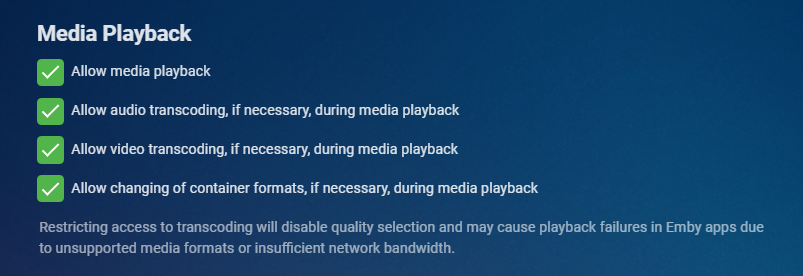
Newer versions of the server have a bit better wording for this option you find on the first tab when editing a user.
 1 point
 -
Hi, yes it's possible for future updates. Thanks.1 point
-
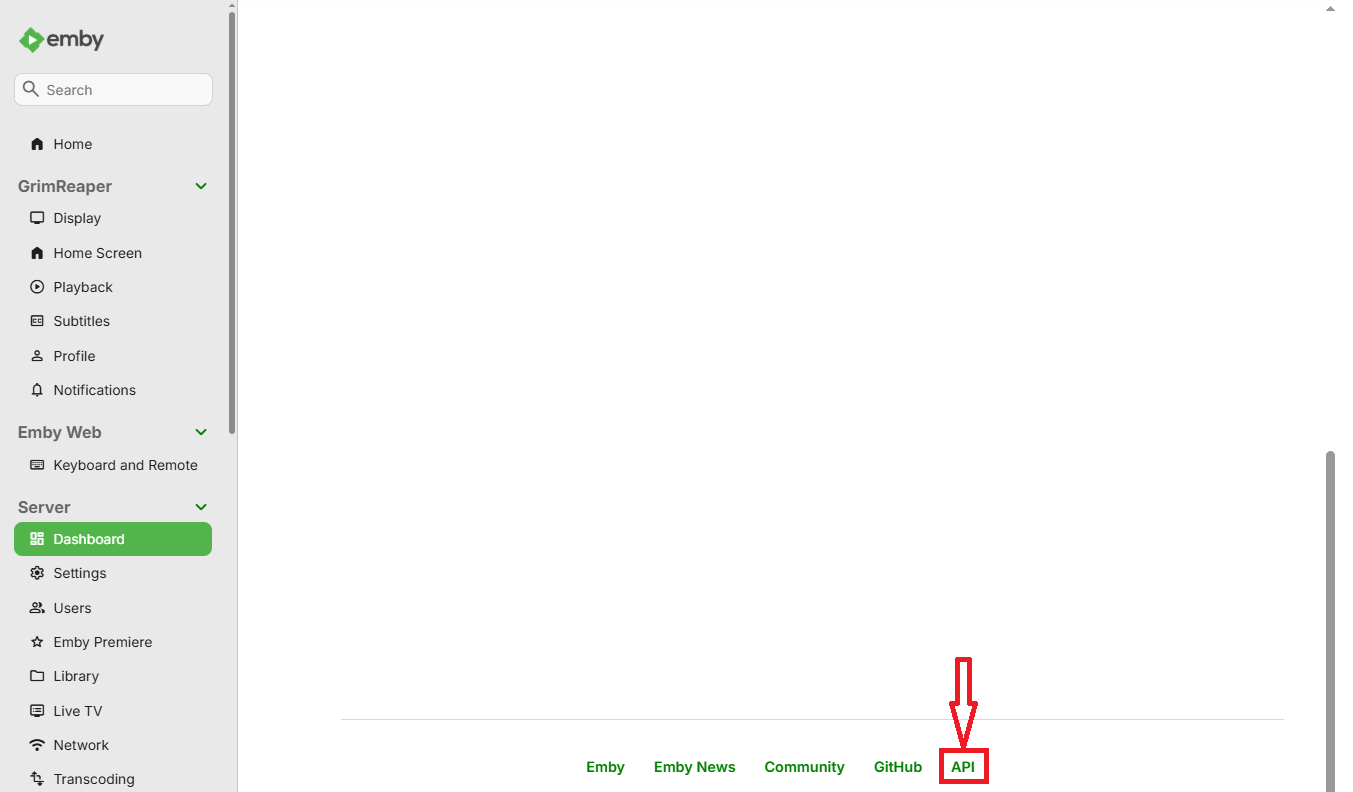
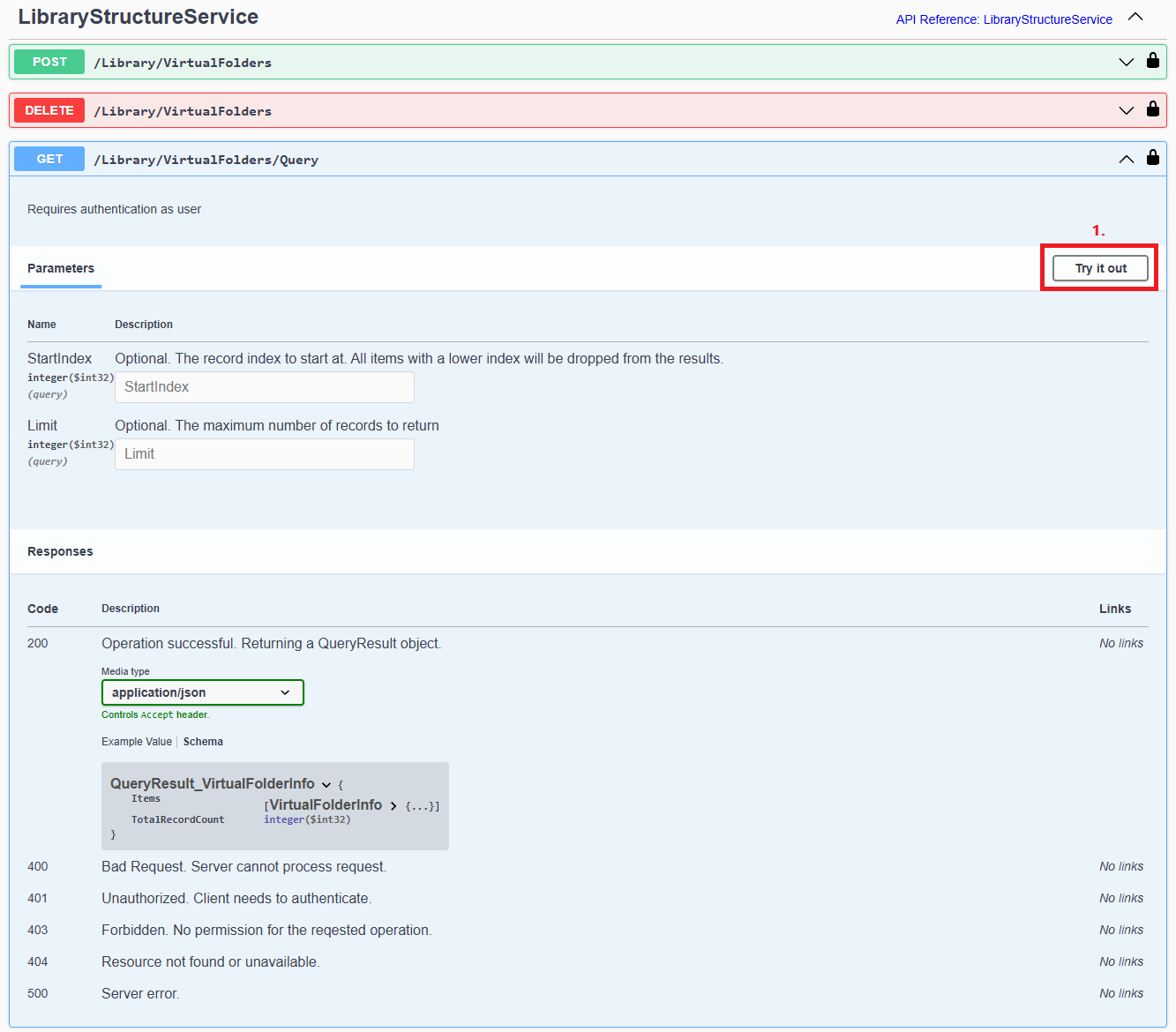
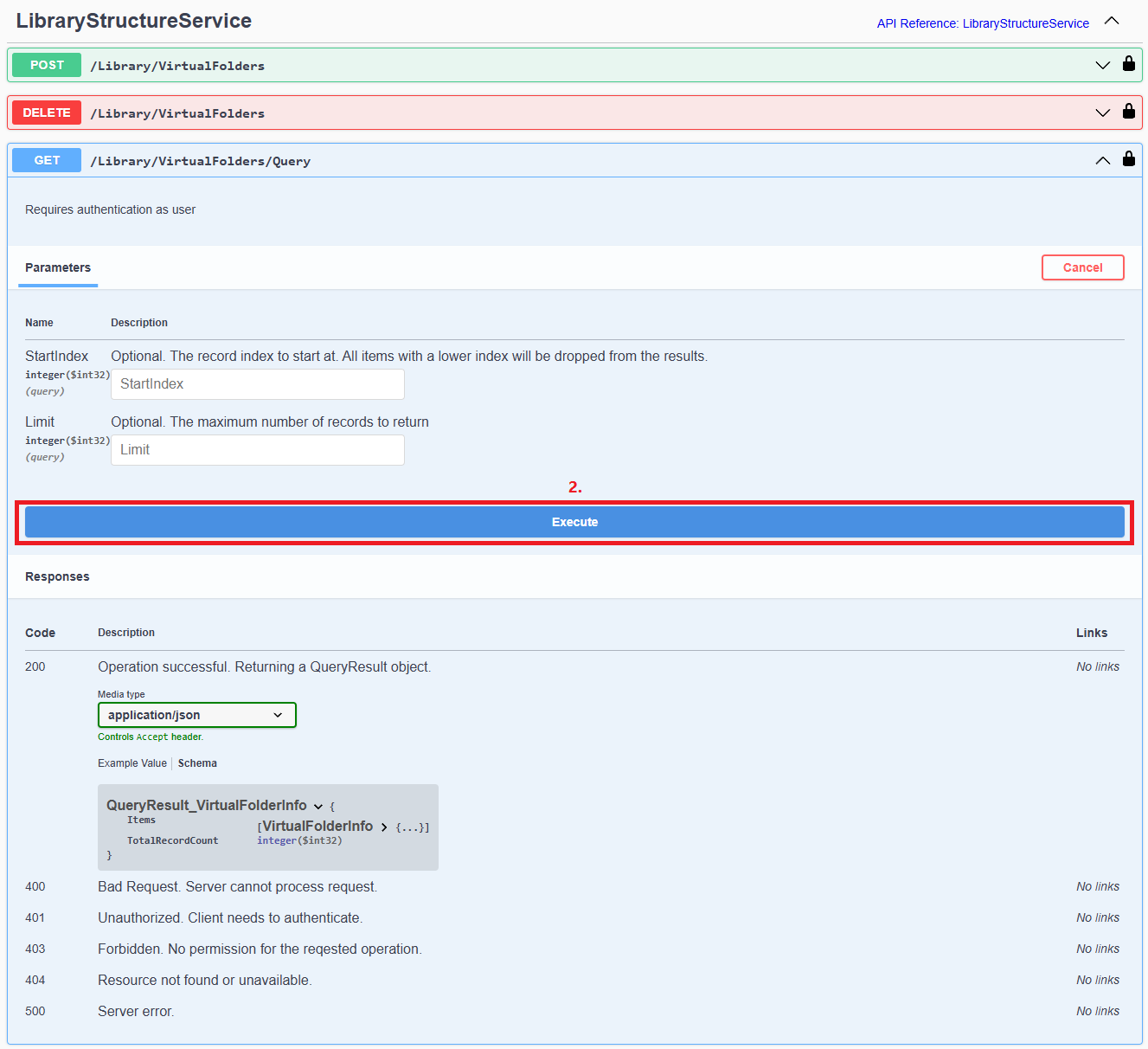
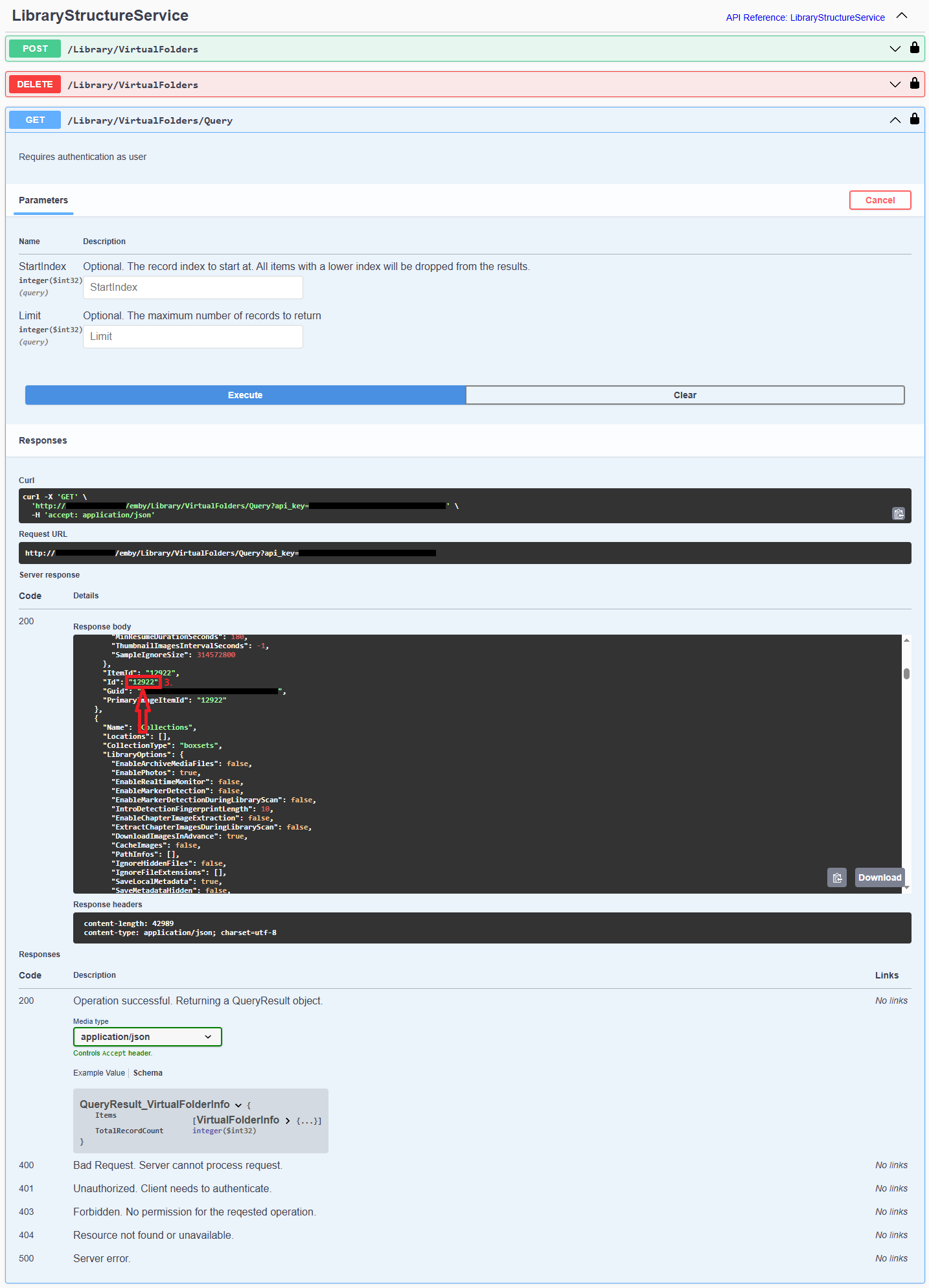
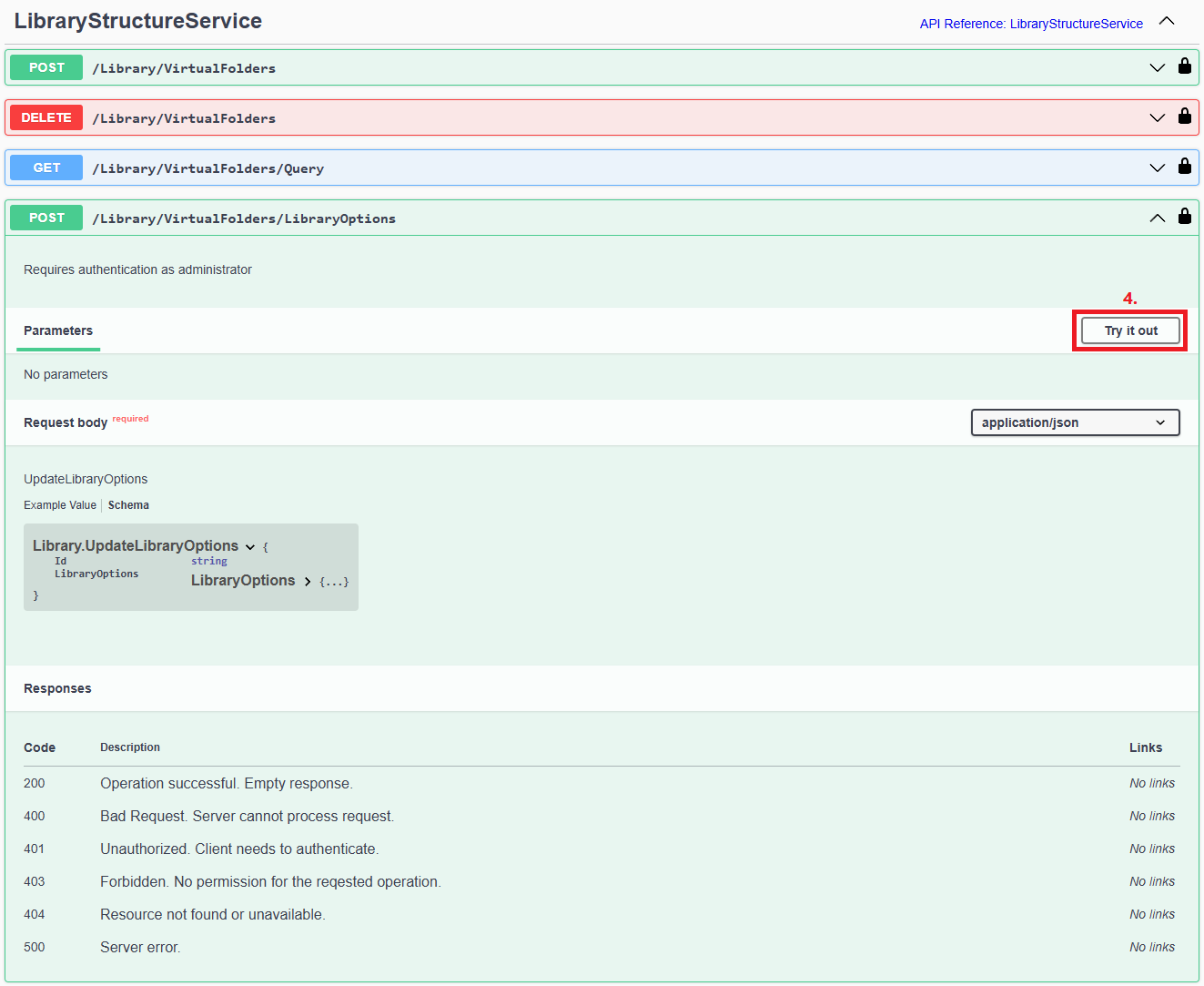
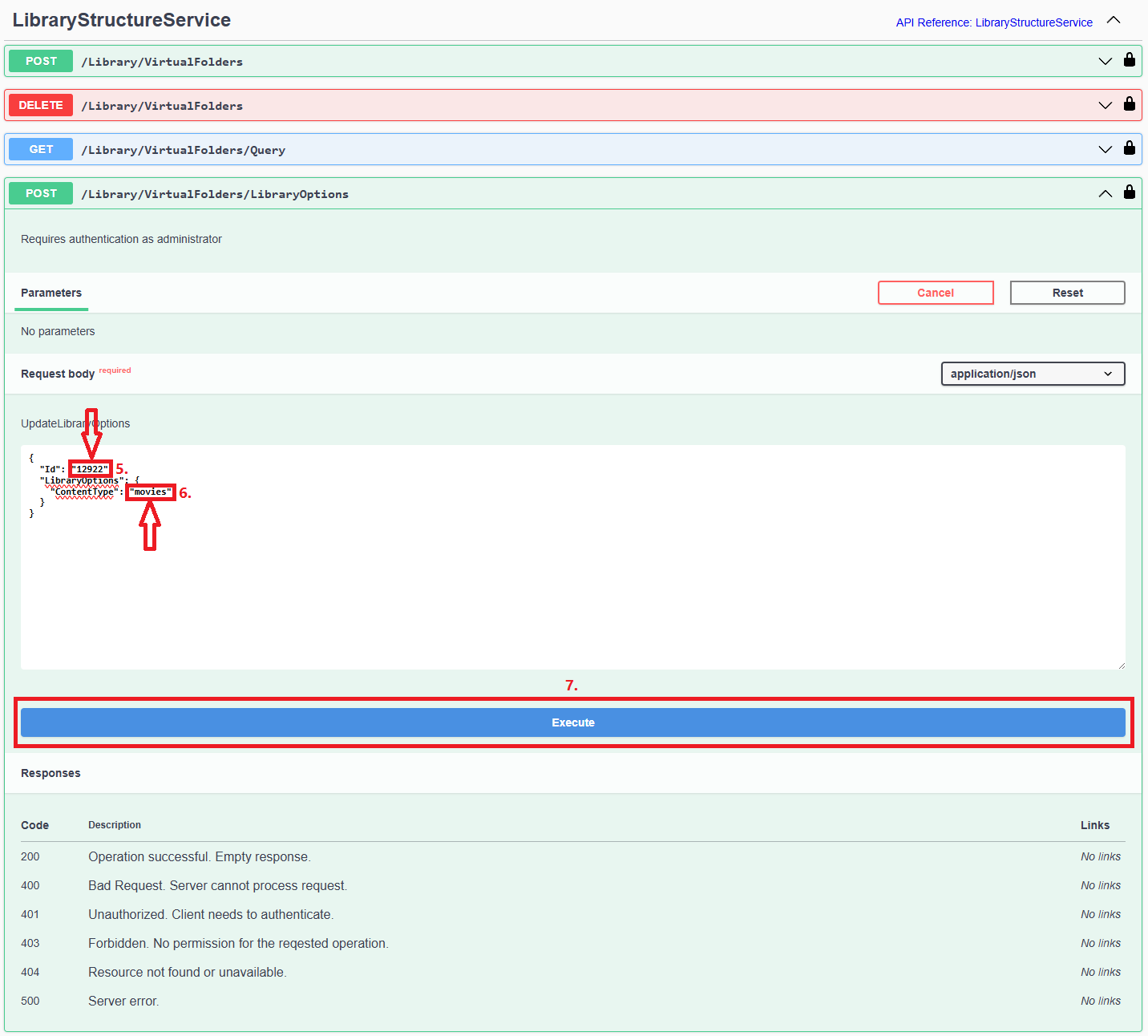
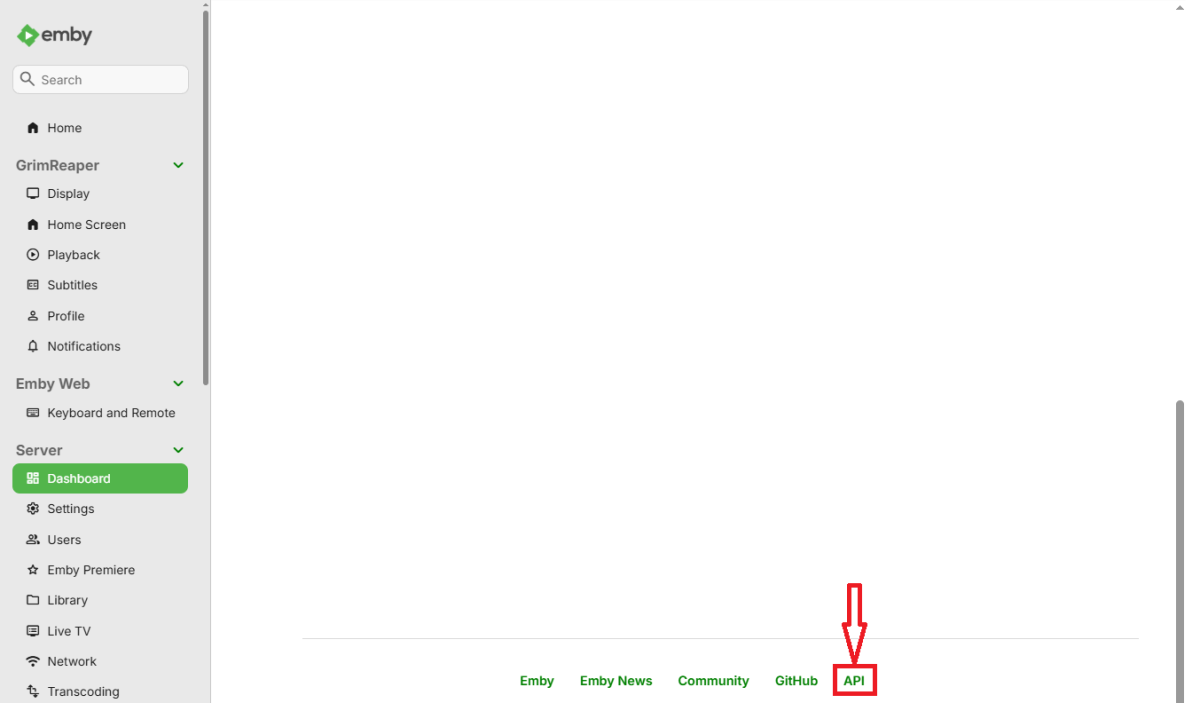
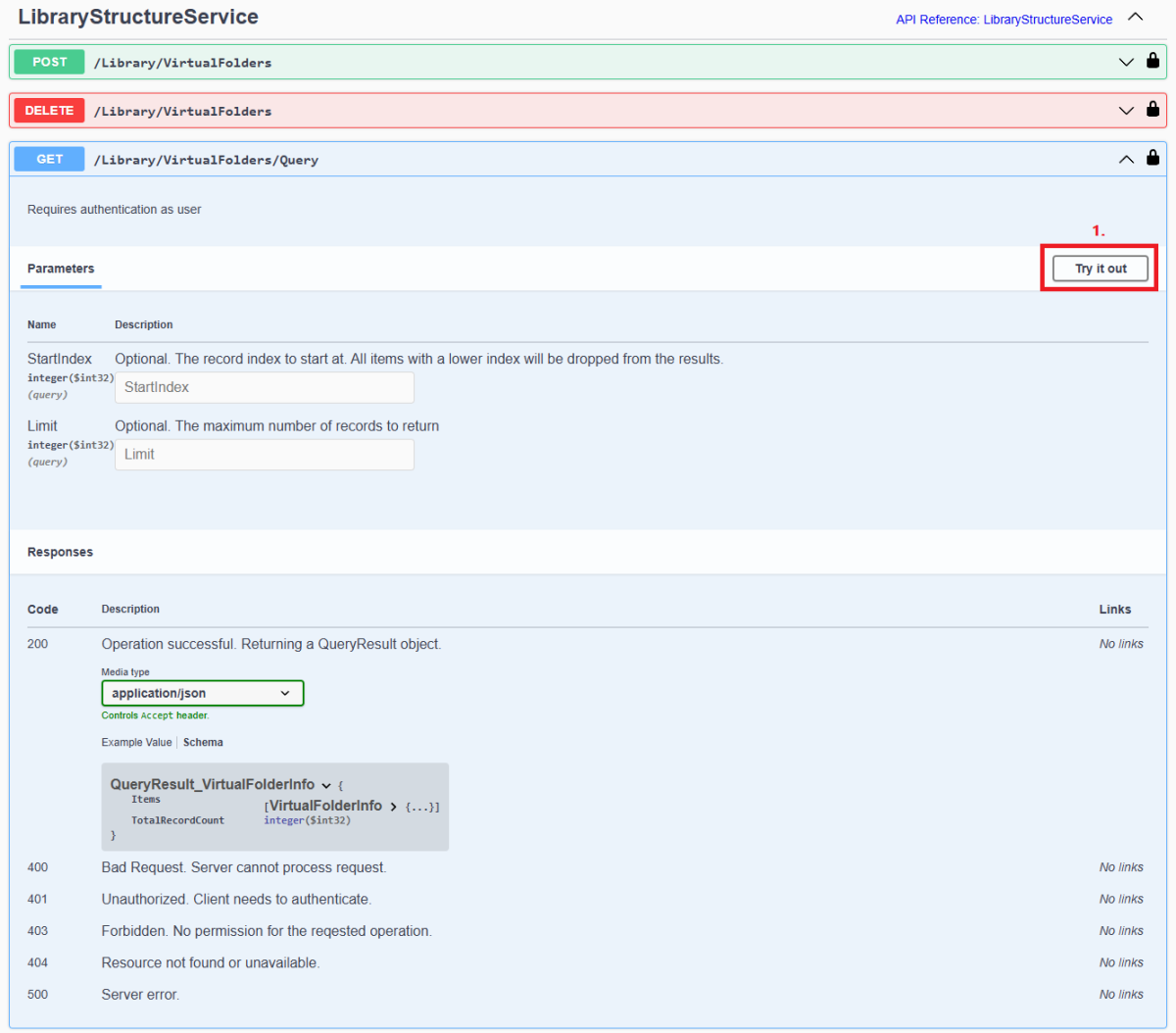
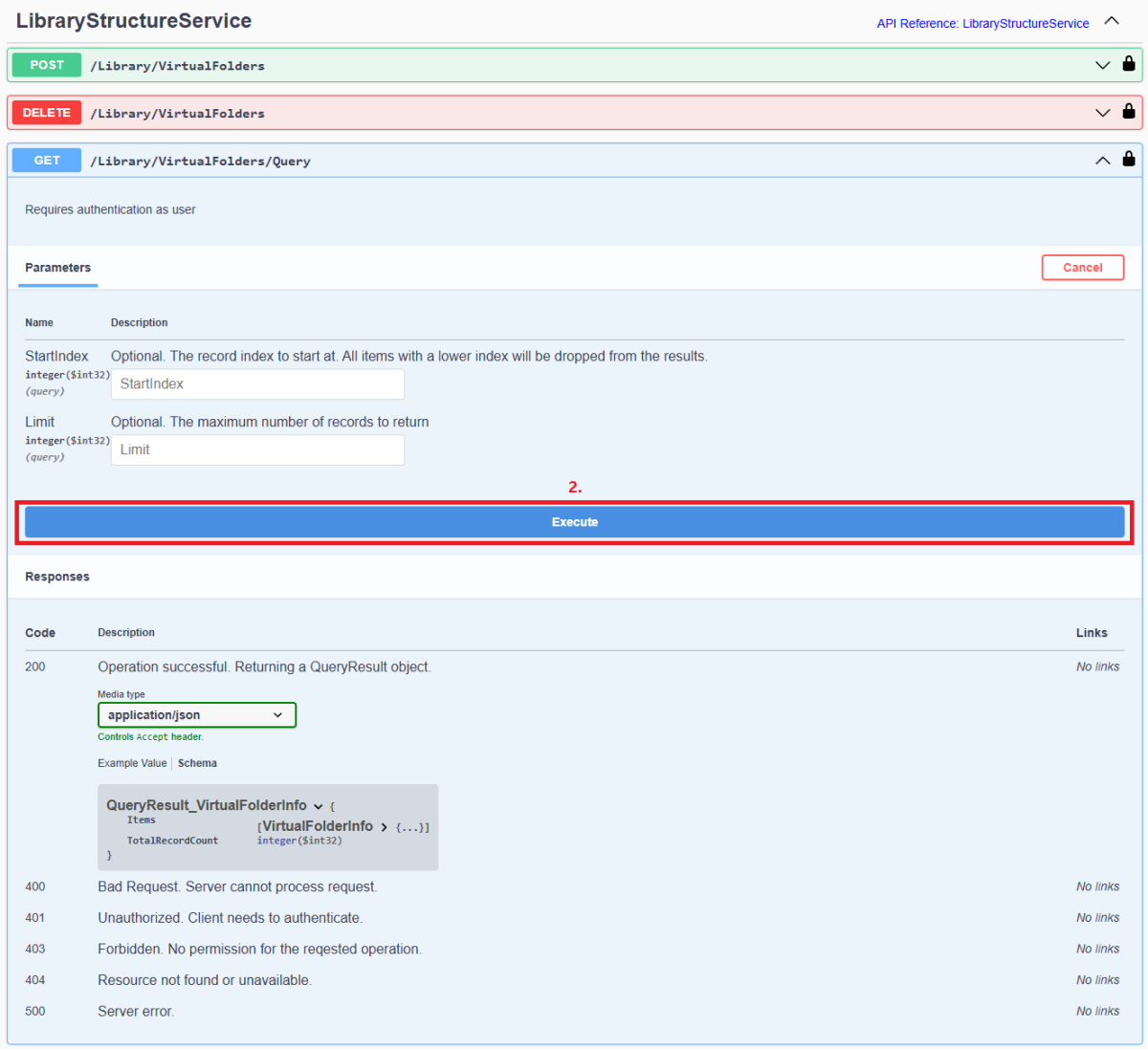
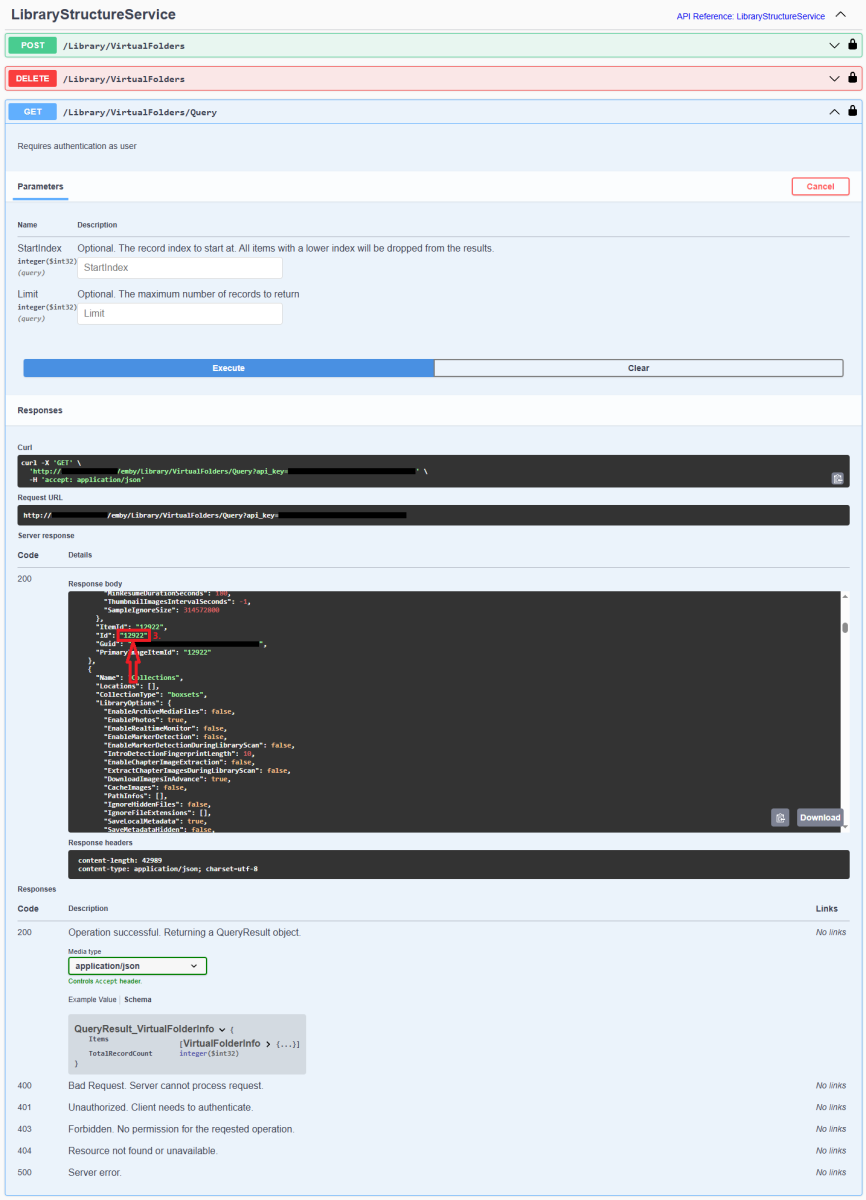
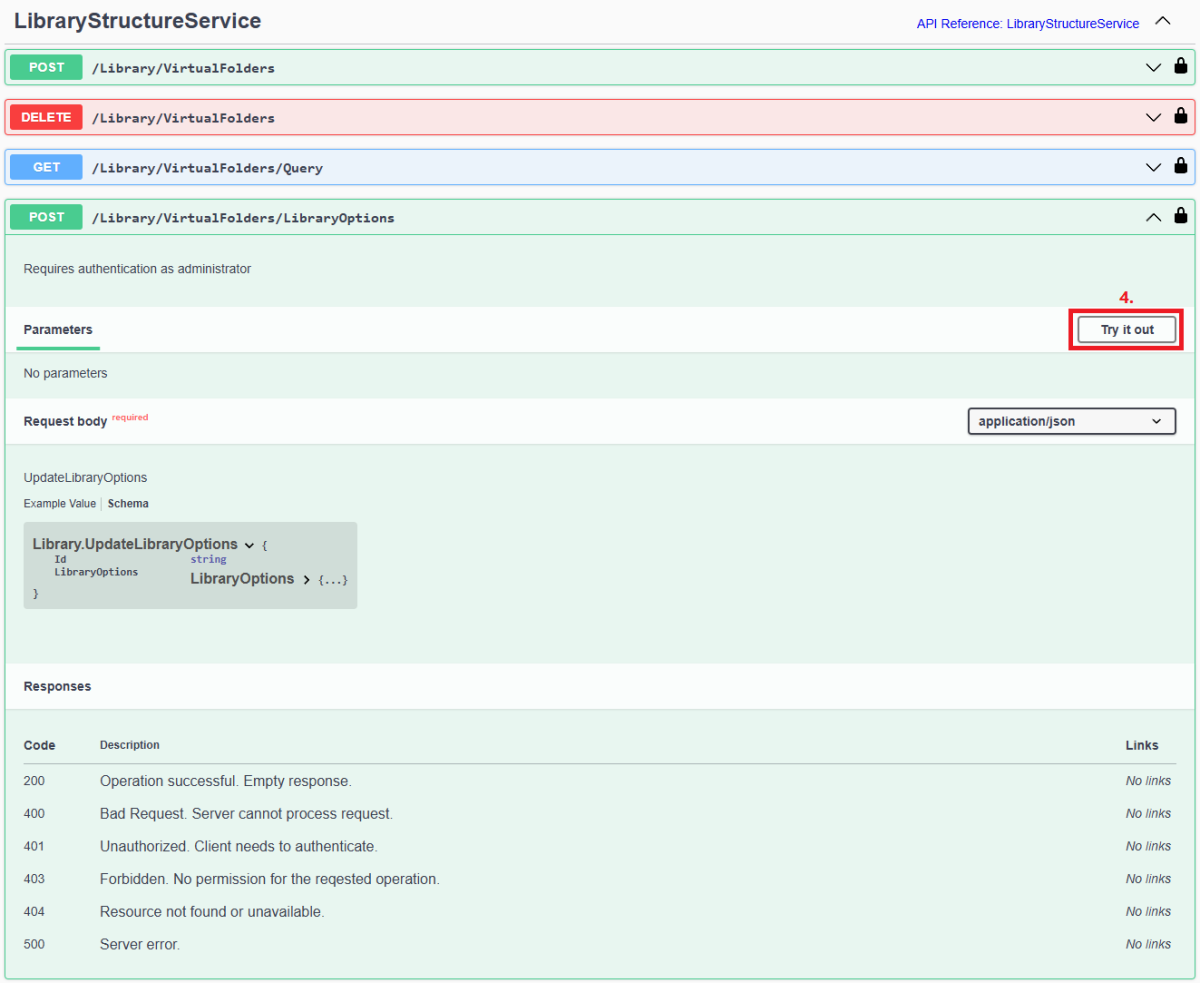
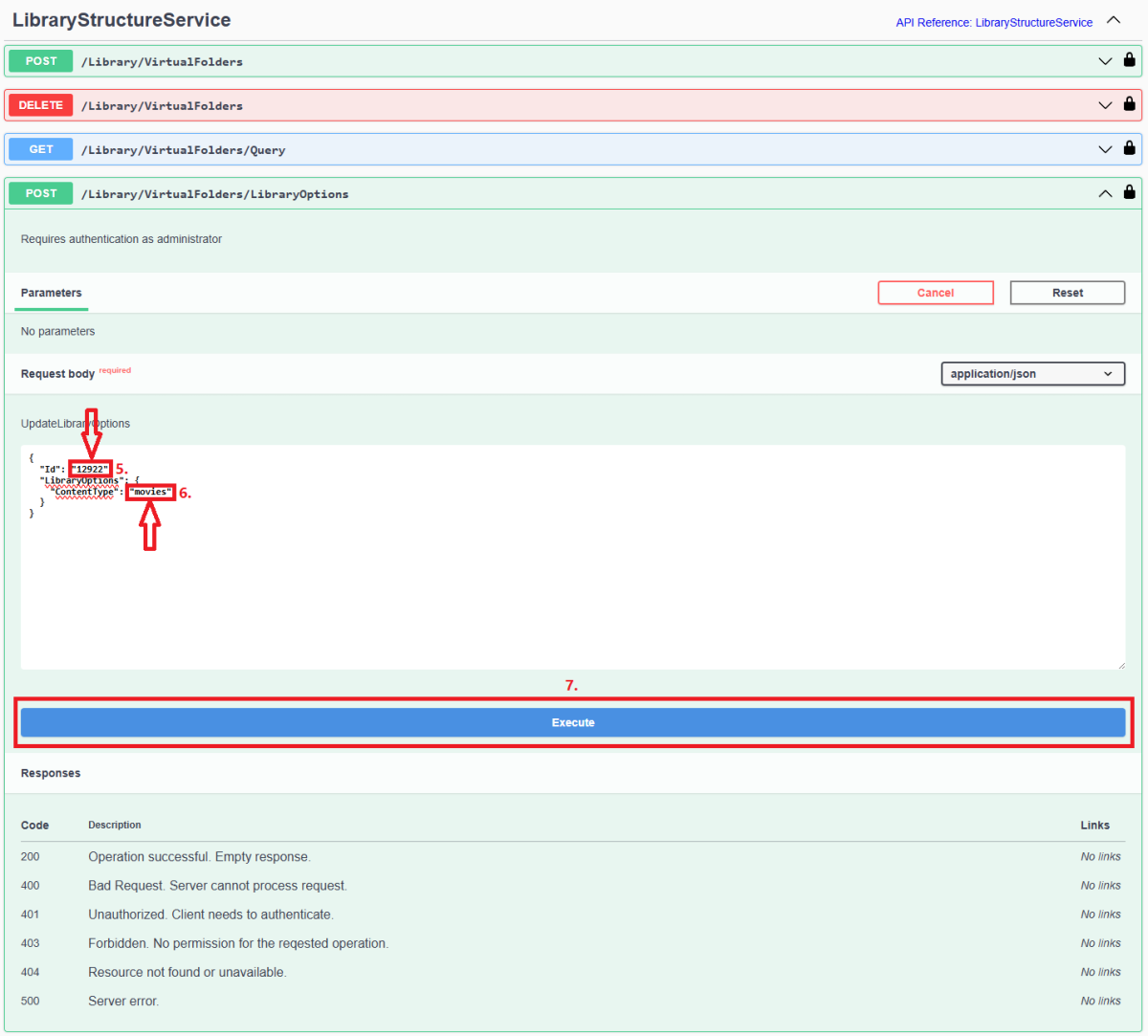
Since server version 4.8+, all library options (including library Content Type) are db-only and any desired changes need to be done via Emby Server REST API service (previous method of changing options via options.xml files is deprecated). Method below describes using Swagger: 1. Access Swagger by navigating to your Dashboard>scroll to the bottom of the page>select "API" hyperlink 2. Obtain library "Id" from /Library/VirtualFolders/Query endpoint: Find relevant library "Id" in the response: 3. In /Library/VirtualFolders/LibraryOptions, change "Id" to the one obtained above and "ContentType" to desired type (valid ContentType strings listed below). Execute. 4. You can check Settings>Library tab or query /Library/VirtualFolders/Query endpoint to confirm Content Type change Valid Content Types Audio books "ContentType": "audiobooks" Camera Uploads "ContentType": "homevideos" Collections "ContentType": "boxsets" Home videos & photos "ContentType": "homevideos" Movies "ContentType": "movies" Music "ContentType": "music" Music Videos "ContentType": "musicvideos" Playlists "ContentType": "playlists" TV shows "ContentType": "tvshows"
 1 point
 -
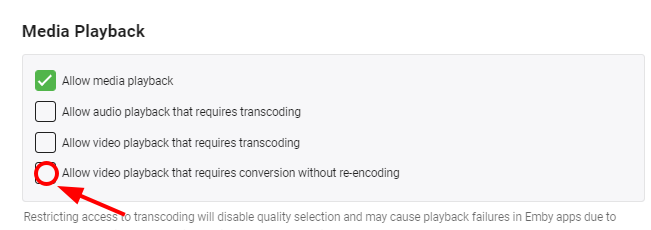
Hi all. ...removing this flag now it works in Direct Play Thank you all!
 1 point