Leaderboard




Popular Content
Showing content with the highest reputation on 08/09/23 in Posts
-
I released a new version with an updated plugin sdk and a bunch of changes to the DB system anyway that would get it back up and running4 points
-
This is actually pretty interesting, as there was another thread recently on ZFS issue on high bandwidth playback - direct SMB was no issues, just emby. I'm wondering if there is some correlation between the ZFS buffer size and the way emby 'reads' the data into it's buffers .. I don't know ZFS at all - but if this fixed it for you - it may fix it for the other OP .. let me find the thread. Thanks !2 points
-
Don't worry about the cable, after changing the cable I still had the same problem of slowness but as soon as I changed the ZFS configuration the change in speed was radical. Thanks for your time2 points
-
like you, I wish this was added as a global or per-user option to DISABLE. I would love to turn it off, kids keep uploading and it's driving me nuts to keep sorting it out. God, their photos are already on Google cloud anyway.2 points
-
Just in case your coffee is done earlier than the stock replies are done: ChatGPT: Please write a node.js script which processes the html files in a given folder in a way that it removes all inline styles for 'color' and 'background-color'. This time, it's not a joke - these are the things that really work2 points
-
I am doing this while enjoying my coffee at the moment2 points
-
Just in case anyone still has this problem, for me it was related to my AVR. I had a Denon X3400H, but this week upgraded to an X3800H and this problem has gone away, all the files play perfectly well now.2 points
-
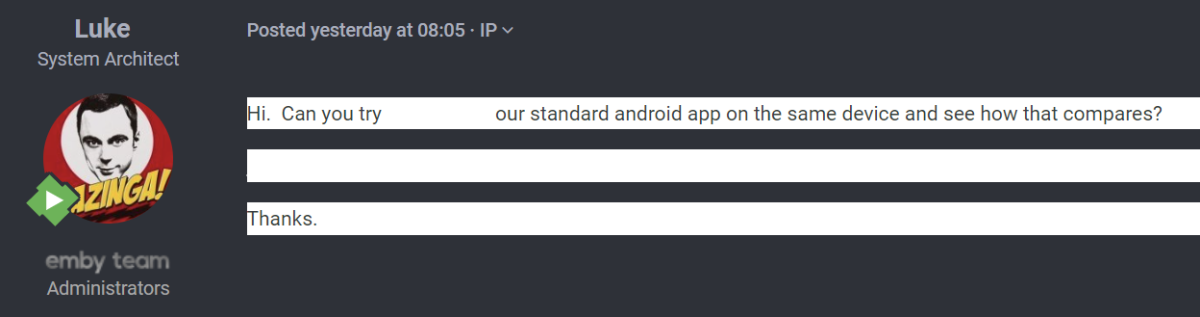
Thanks @softworkz- for clarity, I don't believe this to be a new issue as such, much like CBers, I have been experiencing this for quite some but just haven't gotten around to reporting it. As a full time Dark Theme user, I see it a lot on some of the Stock Replies used, like this one: Presumably these responses were created in the standard light theme, and then copy/pasted to be a stock reply (retaining the background). Hyperlinks are completely invisible, unless you highlight select them. If any user using the default white theme copies and pastes text into their reply, for a user viewing with the dark theme, they will see just that text with a white background. The quick solution on the user side is to simply paste as clear-text (just like Abo did above) - or click when prompted.

 2 points
 -
I can, and will! But to be honest I'd much prefer the actual playback and transcoding getting some updates since that has the biggest impact on usage at the moment. UI is more of a nice to have I think.2 points
-
Here is the latest list of versions for Emby software across the server and clients. Emby Server Stable: v4.9.5.0 (2026/05/18) Release Notes Beta: v4.10.0.14 (2026/06/04) Release Notes For other platforms, please refer to the download page. Emby for Android TV Google Devices Stable: v2.1.23 (2025/12/27) Beta: v2.1.46 (2026/04/15) Amazon Devices Stable: v2.1.23 (2025/12/27) Beta: v2.1.46 (2026/04/15) Stable Release Notes Beta Release Notes Universal Android app Stable: v3.5.16 (2026/01/26) Beta: v3.5.36 (2026/05/10) Release Notes Download the latest Beta here. Emby for Kodi See here for the latest information. Emby for Roku Stable: v4.1.63 (2026/05/04) Release Notes Beta: v4.1.64 (2026/05/13) Release Notes Emby for Windows (Windows Store for PC & Xbox One) Stable Release Notes Beta release notes Emby for Linux Beta Release Notes Emby for Samsung Smart TV (Orsay) E-series to H-series TVs only Release Notes Emby Theatre for Samsung Smart TV (Tizen) Release Notes Emby Theatre for LG Smart TV Stable: 1.0.50 (2026/01/19) Emby for iOS Stable: v2.2.53 (2026/05/16) Stable Release Notes Beta: v2.2.52 (2025/04/11) Beta Release Notes Emby for Apple TV Stable: v2.0.3 (2025/12/26) Announcement Beta: v2.0.6 (2026/04/11) Release Notes Emby for tvOS (Apple TV) Stable: 2.1.6 (2022/12/23) Release Notes - TBA Beta: 1.5.1 (10) (2021/03/02) Beta Release Notes Emby For MacOS Stable: 2.1.6 (2022/05/09) Details here. I will keep this post up-to-date as much as possible, but please send me a PM about anything I haven't updated, or is missing. Special thanks to @Borskfor supplying a lot of the updated information. Thanks.1 point
-
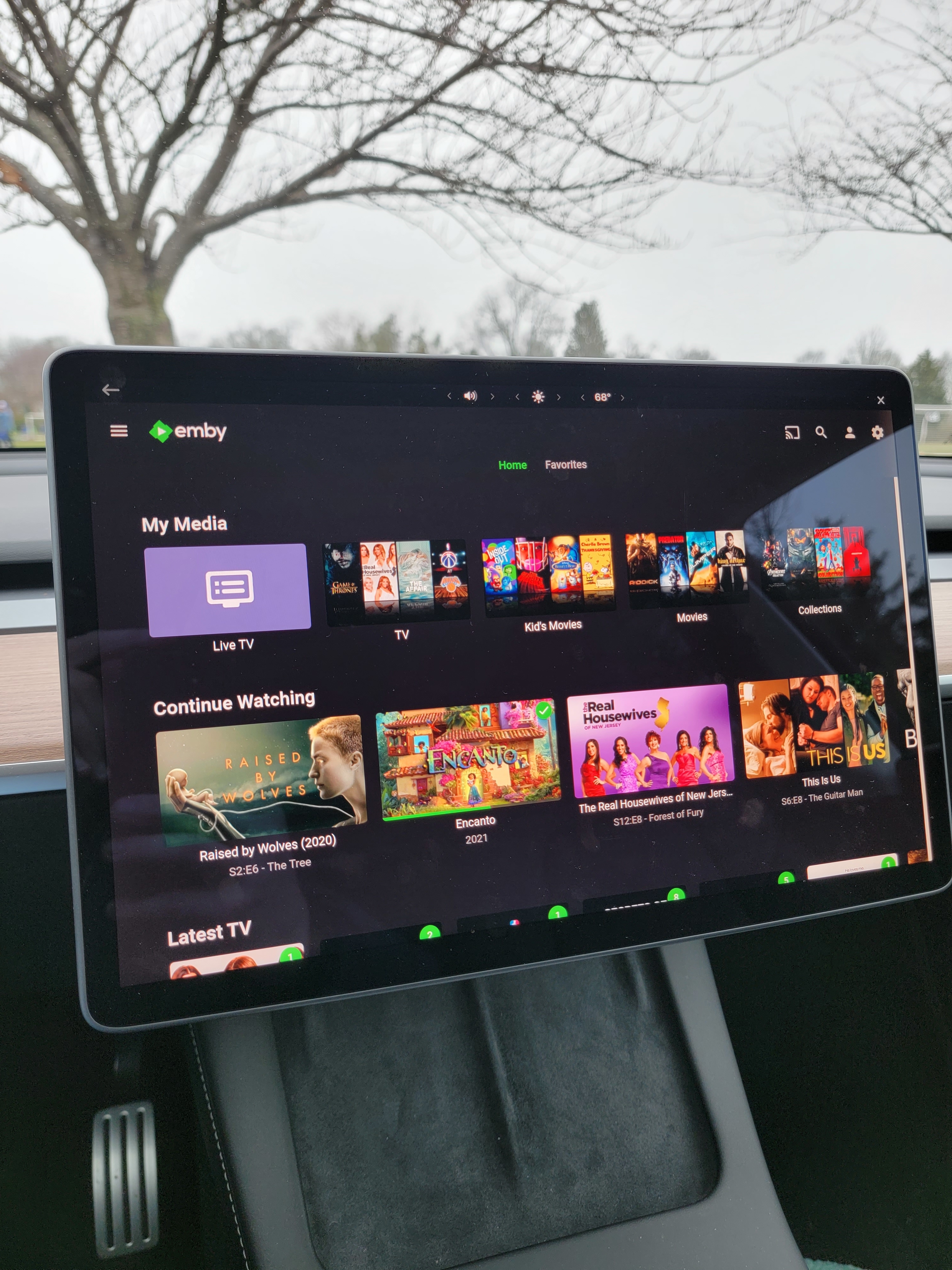
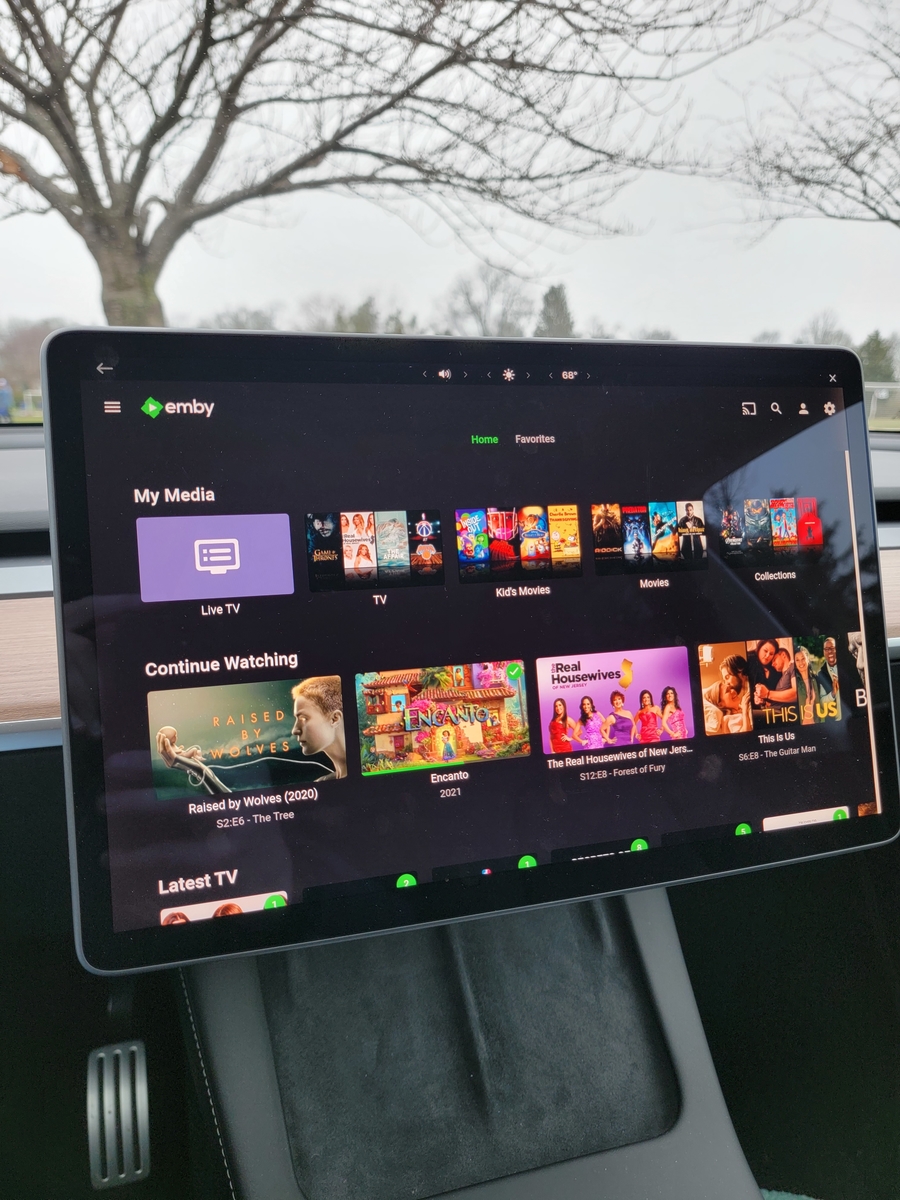
Pretty sweet. Kid's soccer practice got so much better.
 1 point
 -
Hi ! I would love to be able to add my own sections and be able to sort them in whatever order I want. Add sections with custom titles and filters, with different sorting modes (Randomly is the most important for me). THANKS !1 point
-
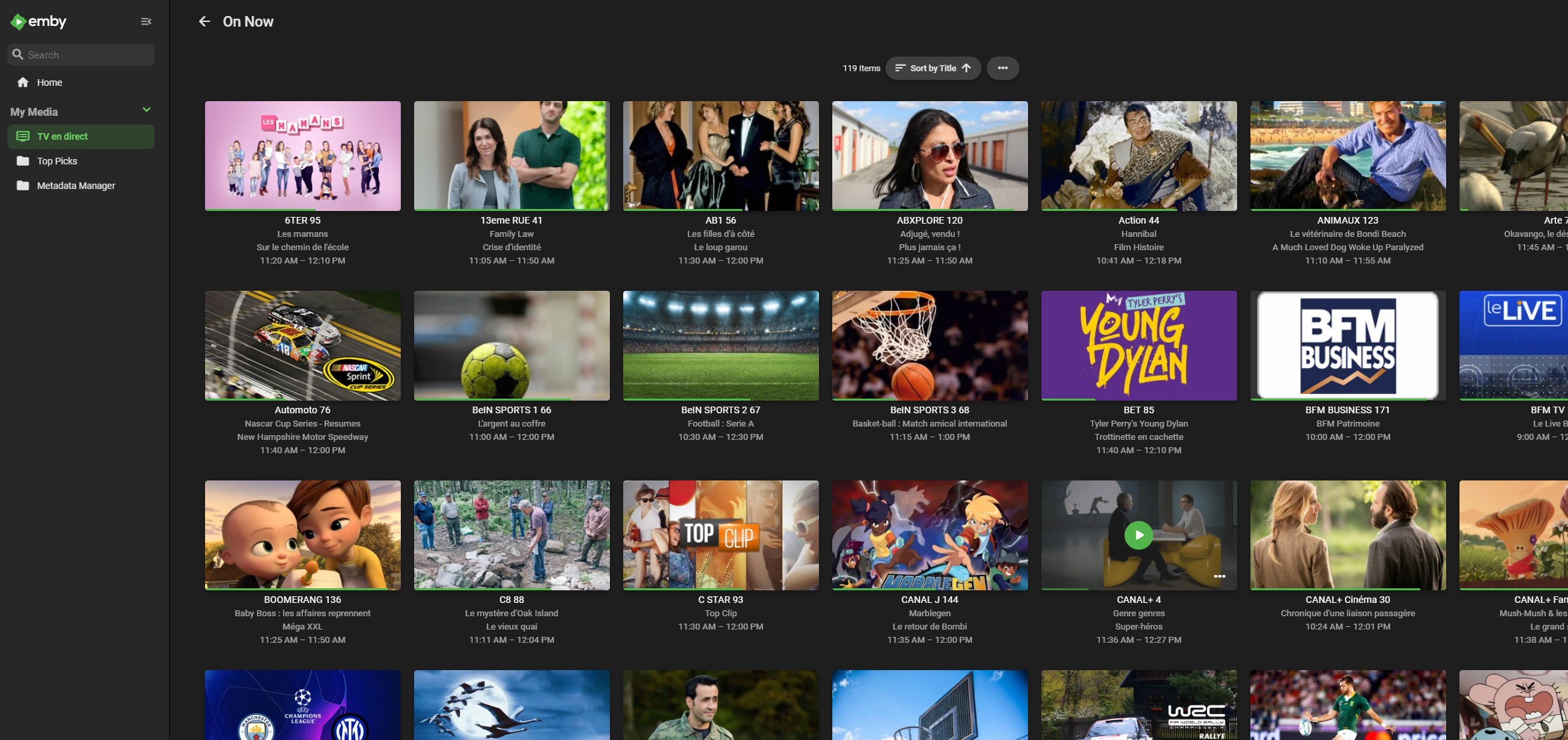
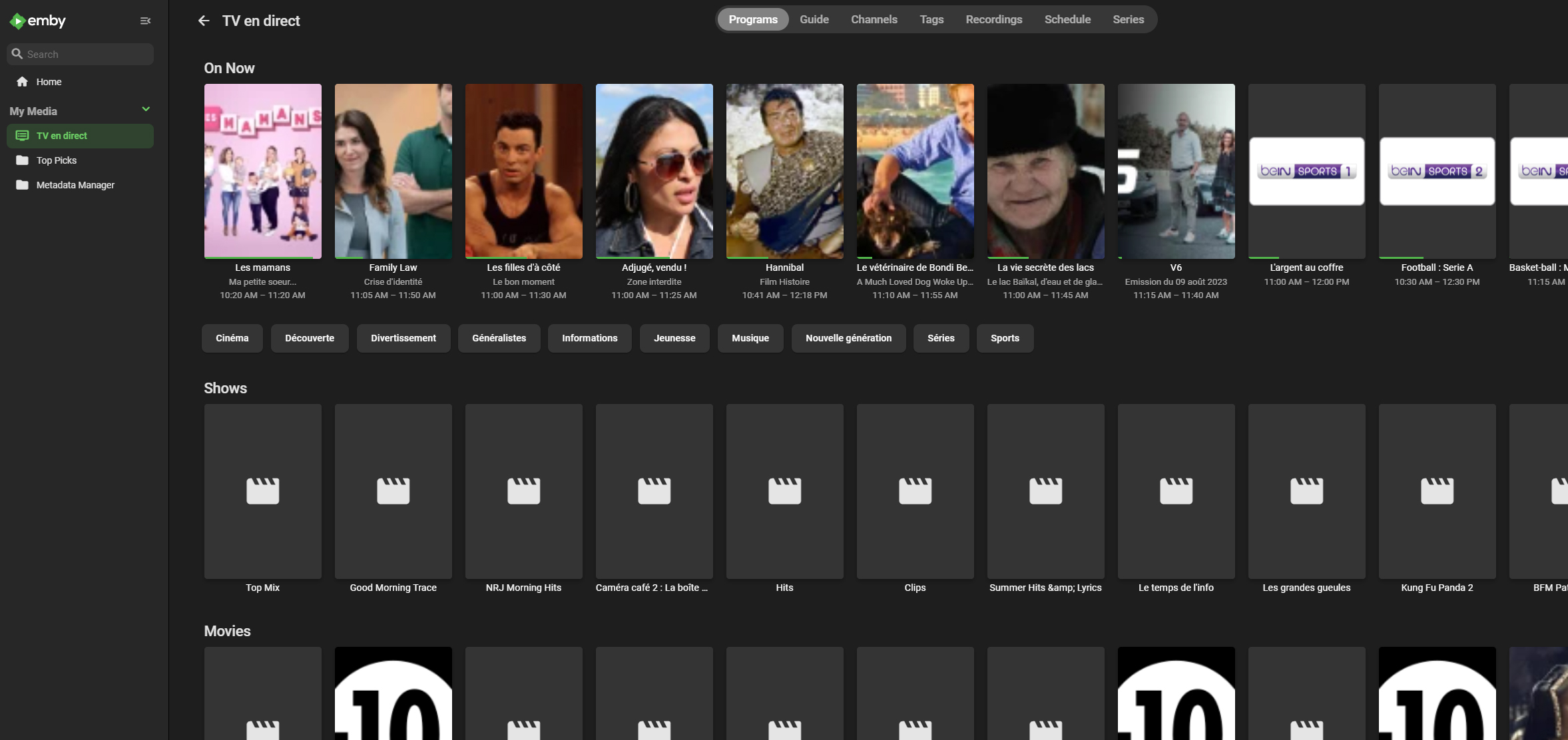
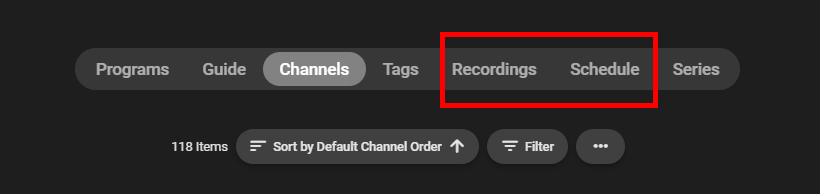
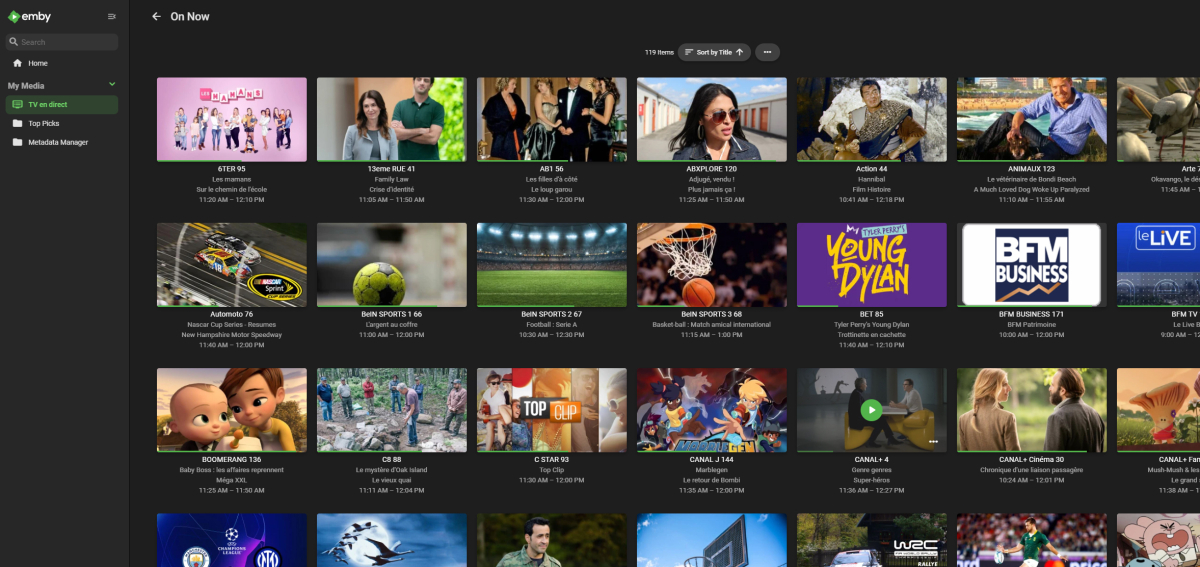
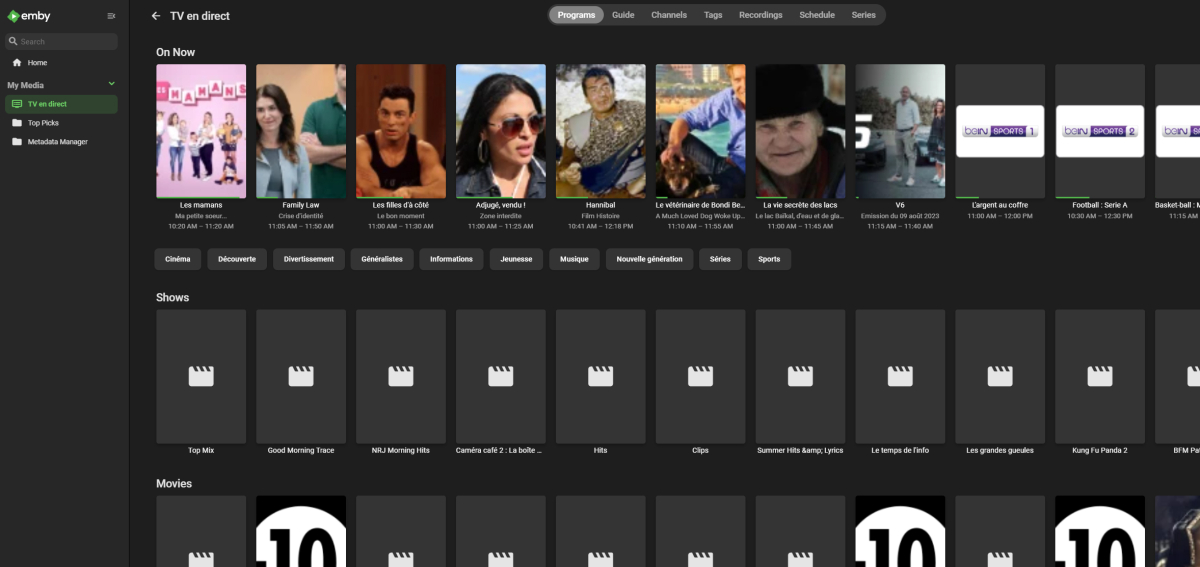
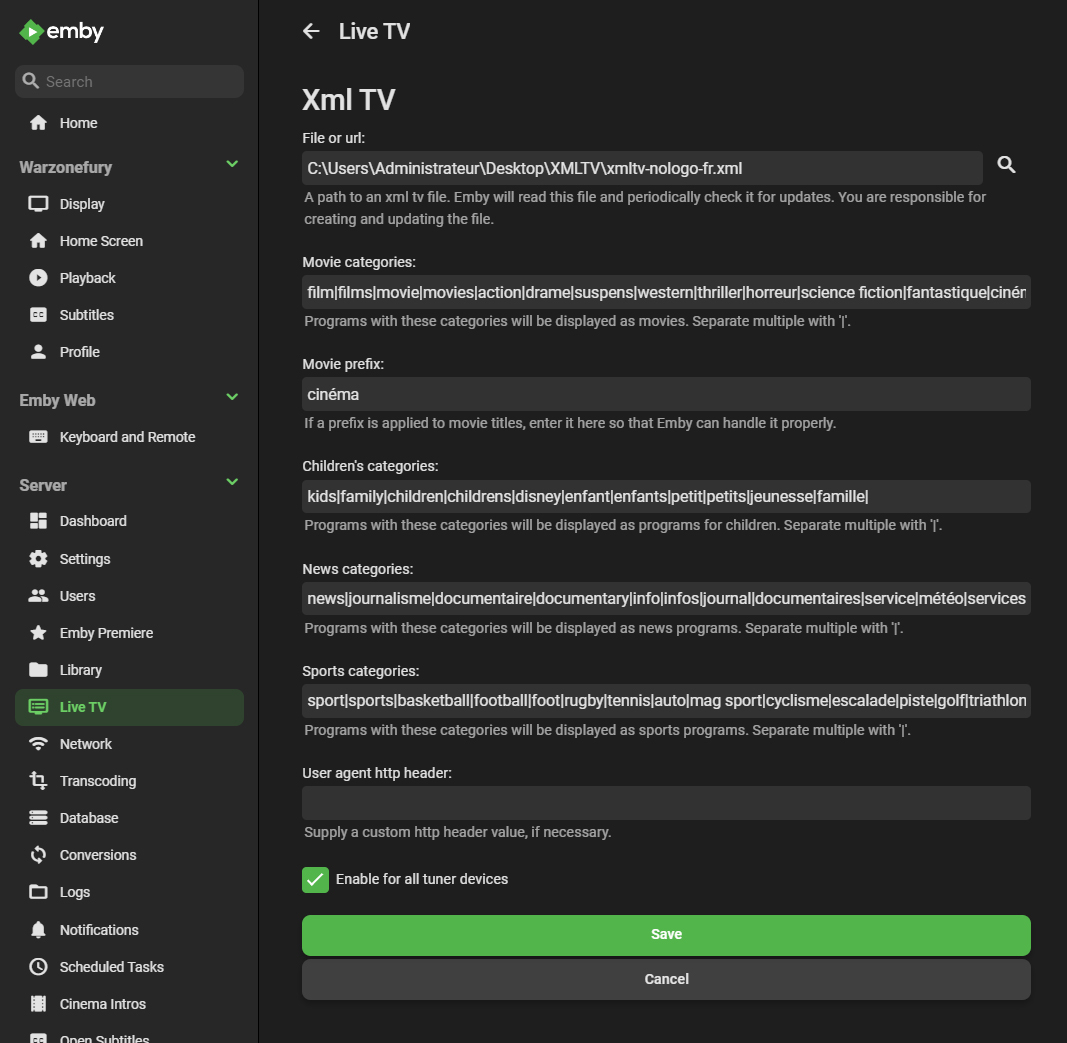
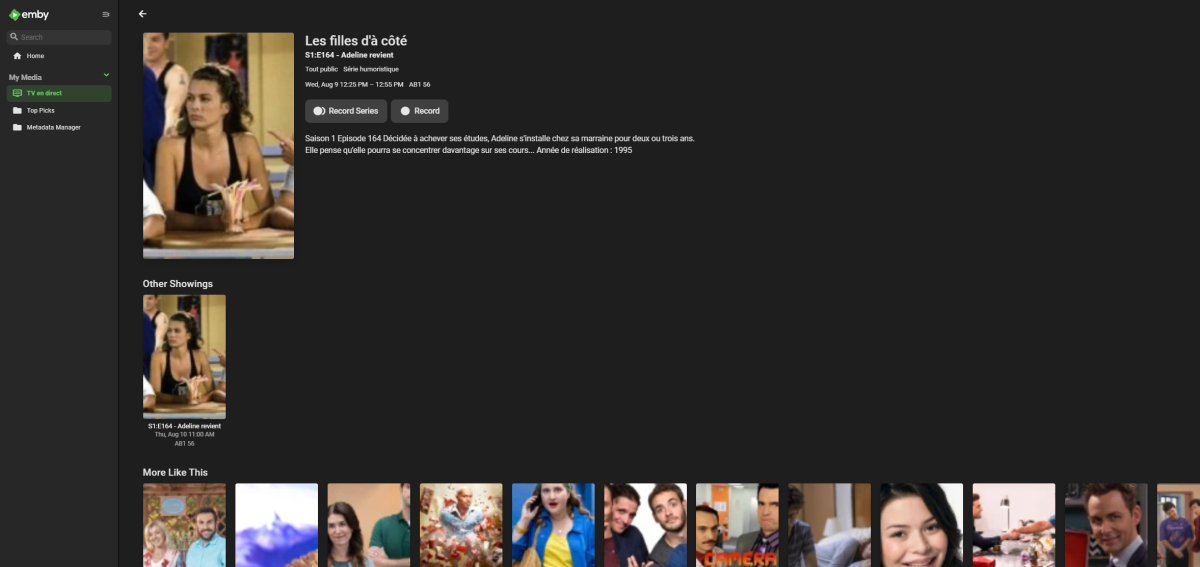
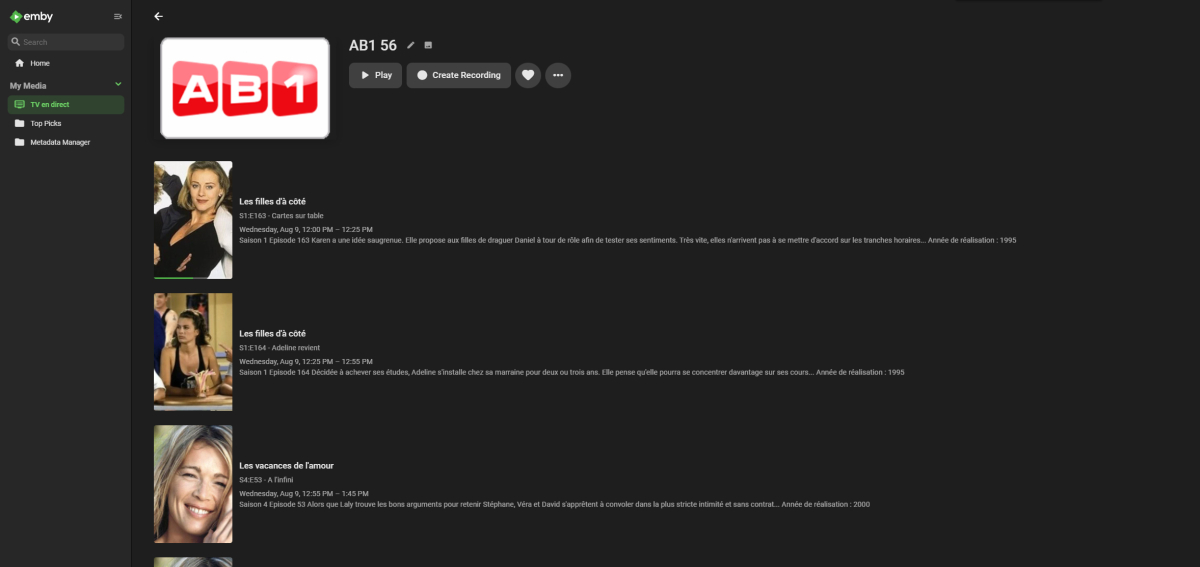
Hello ! 1) it would be cool if these buttons disappear when you deactivate the right to record the LIVE to a user. 2) To be able to add custom sections in the LIVE TV homepage. For example : - Distraction - Magazine 3) Have the possibility to use Regex in the configuration menu of XML files for the TV guide. There are many compound words in the categories of XML files, and knowing all of them and entering them takes a lot of time. 4) Add the ability to display thumbnails in all Live TV pages in "Logo" mode and be able to set it by default for everyone because the images in the XML look very bad in "Primary" mode. Here's how it looks in "Logo" mode, it's still much cleaner : Thank you for your reading, I hope not to have made a duplicate. See you soon!
 1 point
 -
My 2 main points are: 1. Emby Server is to share my media. It is not for users having their own content. Having user accounts with their own content would be something completely different. 2. Not being able to prevent users from uploading to my server is an absolute no-go. The only reason I say this is because I really love Emby and would like to continue to use it and share with others. Addressing this fundamental issue would be very much appreciated and would allow me to finally actually share my library with others. - CHEERS1 point
-
I dont know whats changed but ive left it a few hours and come back and what was refusing to work is now working?? Soo strange this house im pretty sure its got gremlins .... LOL Thanks for the explanation1 point
-
A quick look at the log shows 456 is unauthorized response. I have seen this in the past when a provider (or other server) restricts access to its content except for certain apps/browsers. Normally I fix that by adding the user agent specified in a client that is able to access the content to the header my app sends and it tends to solve the problem. However how, or even if, that applies to Emby you will need a Emby person to tell you. Good luck.1 point
-
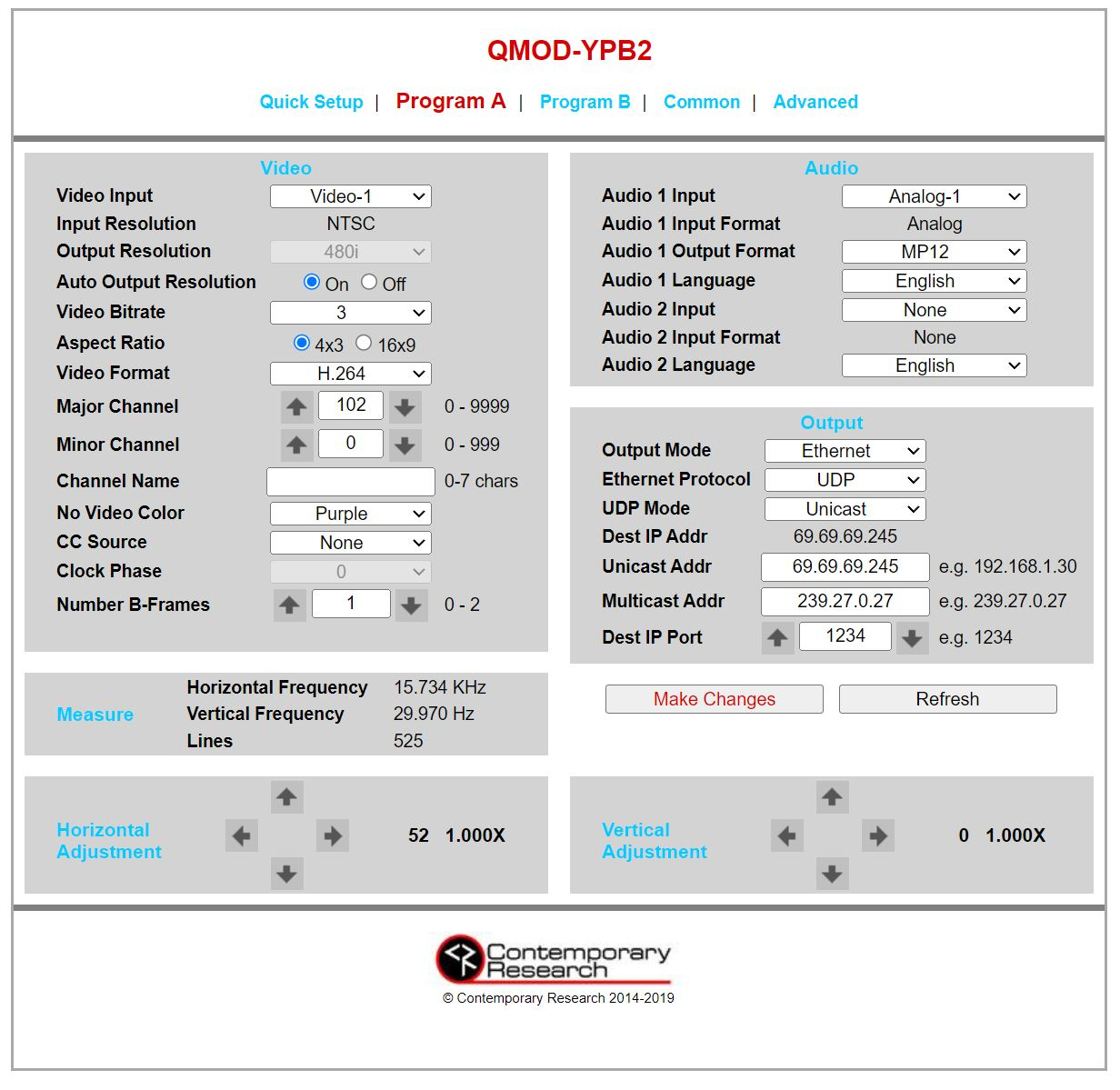
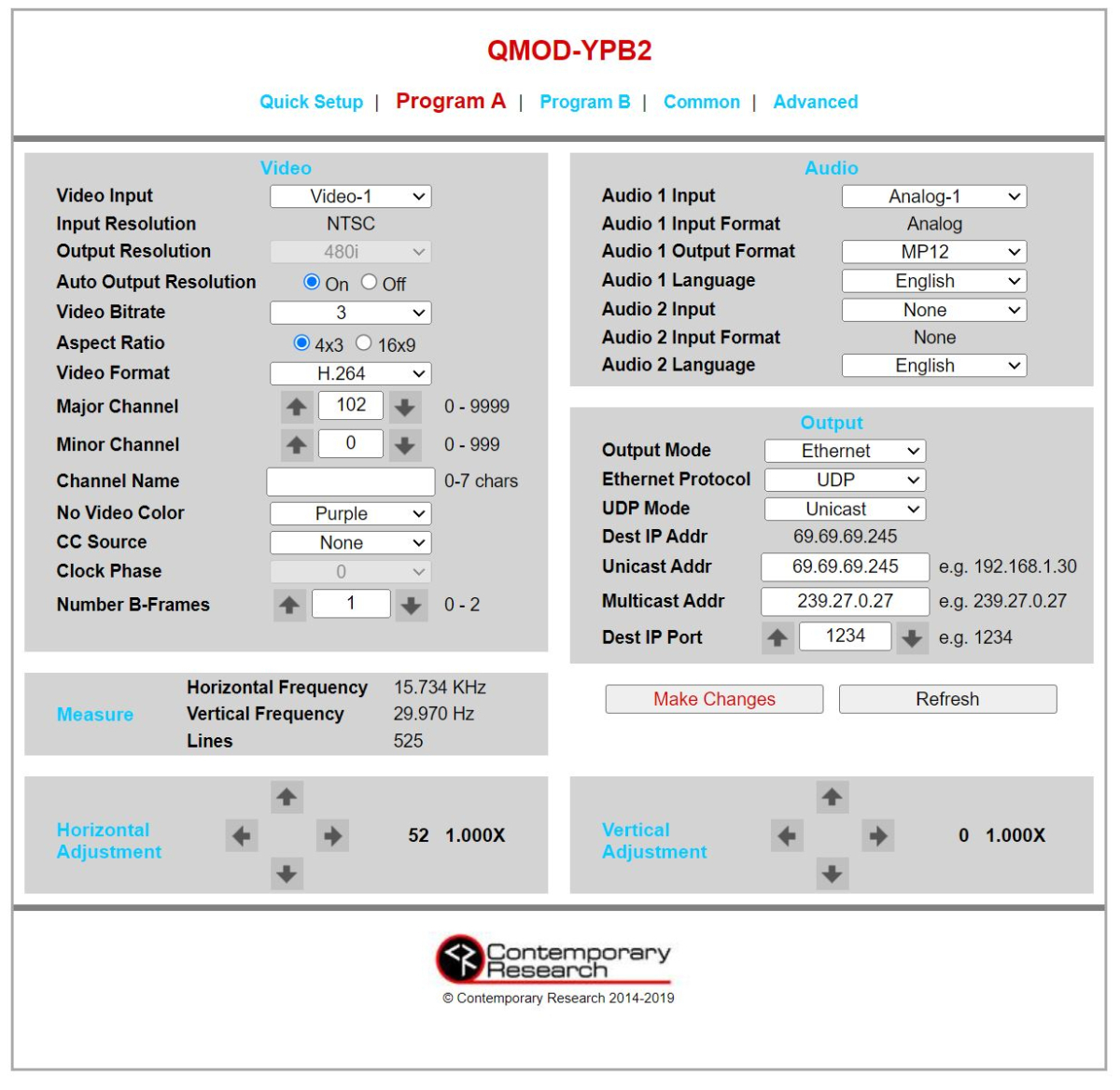
It's working! My format was a little off initially for the m3u, but it appears to be working great now. Here's my m3u as an example: #EXTM3U #EXTINF:-1 channel-id="TEST",TEST udp://127.0.0.1:1234 #EXT-X-ENDLIST M3U I pipe into channels dvr via their "custom channel". That output from channels dvr goes to emby -- reads m3u. Those apps run on the same machine. I'm running a Contemporary Research encoder QMOD-YPB2 (has composite, component and coaxial SPDIF).The destination unicast address needs to be set to whatever address you're receiving at. Attached are my settings in the web ui for my encoder:
 1 point
 -
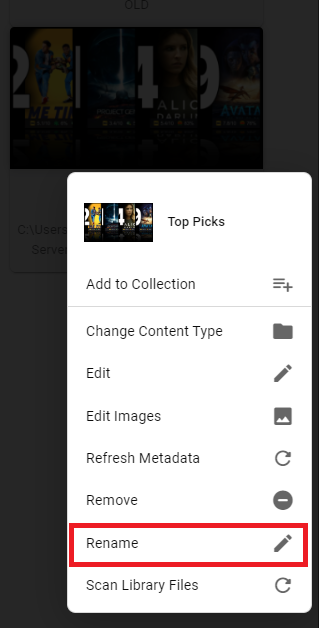
Top Picks creates a mixed-content type library, you can rename it just as any other regular library on your server: Settings>Library tab>three-dot menu or right click Top Picks thumb>Rename.
 1 point
 -
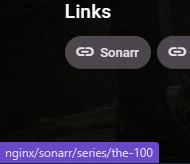
Hi @mickle026 So you 'could' query radarr/sonarr but you'd need the API key to do so - but it just so happens that radarr simply uses the tmdbid. You can therefore just use that directly from radarr - all you need to provide is the URL base for radarr - and you can just append the tmdbid. ie http://localhost:7878/movie/[tmdbid] in my case - as I'm using an internal reverse proxy - mine is simply http://nginx/radarr/movie/[tmdbid] Now for Sonarr - it's a little more involved but not overly so - as sonarr appears to just use the tmdbid 'name' with a '-' substituting any spaces so for 'The 100' - it should be http://localhost:????/series/[tmdb name] http://nginx/sonarr/series/the-100 I've shown an example for Radarr above - but this works for Sonarr as well (see below) I would just allow the user to enter the URL base - maybe default it to assume it's localhost with the correct sonarr or radarr port and then just use the existing tmdb metadata to populate it maybe ? Happy to help test this if you like. Thanks edit - API key works fine as well to get a JSON query from sonarr/radarr curl -X "GET" "http://nginx/sonarr/api/v3/series?tvdbId=268592&includeSeasonImages=false&apikey=[mySonarrAPIKey]" -H "accept: application/json" -H "X-Api-Key:[mySonarrAPIKey]" gives [ { "title": "The 100", "alternateTitles": [ { "title": "Los 100", "seasonNumber": -1 }, { "title": "Les 100", "seasonNumber": -1 } ], "sortTitle": "100", "status": "ended", "ended": true, "overview": "Set ninety-seven years after a nuclear war has destroyed civilization, when a spaceship housing humanity's lone survivors sends one hundred juvenile delinquents back to Earth, in hopes of possibly re-populating the planet.", "previousAiring": "2020-10-01T00:00:00Z", "network": "The CW", "airTime": "20:00", "images": [ { "coverType": "banner", "url": "/sonarr/MediaCover/1334/banner.jpg?lastWrite=638121561262789703", "remoteUrl": "https://artworks.thetvdb.com/banners/graphical/268592-g2.jpg" }, { "coverType": "poster", "url": "/sonarr/MediaCover/1334/poster.jpg?lastWrite=638121561265967785", "remoteUrl": "https://artworks.thetvdb.com/banners/posters/268592-2.jpg" }, { "coverType": "fanart", "url": "/sonarr/MediaCover/1334/fanart.jpg?lastWrite=638121561269908631", "remoteUrl": "https://artworks.thetvdb.com/banners/fanart/original/268592-5.jpg" }, { "coverType": "unknown", "url": "/sonarr/MediaCover/1334/unknown.jpg?lastWrite=638211296160172461", "remoteUrl": "https://artworks.thetvdb.com/banners/v4/series/268592/clearlogo/611b6133024e8.png" } ], "seasons": [ { "seasonNumber": 1, "monitored": true, "statistics": { "previousAiring": "2014-06-12T00:00:00Z", "episodeFileCount": 13, "episodeCount": 13, "totalEpisodeCount": 13, "sizeOnDisk": 21378559885, "releaseGroups": [], "percentOfEpisodes": 100.0 } }, { "seasonNumber": 2, "monitored": true, "statistics": { "previousAiring": "2015-03-12T00:00:00Z", "episodeFileCount": 16, "episodeCount": 16, "totalEpisodeCount": 16, "sizeOnDisk": 26662194556, "releaseGroups": [], "percentOfEpisodes": 100.0 } }, { "seasonNumber": 3, "monitored": true, "statistics": { "previousAiring": "2016-05-20T00:00:00Z", "episodeFileCount": 16, "episodeCount": 16, "totalEpisodeCount": 16, "sizeOnDisk": 12211471659, "releaseGroups": [], "percentOfEpisodes": 100.0 } }, { "seasonNumber": 4, "monitored": true, "statistics": { "previousAiring": "2017-05-25T00:00:00Z", "episodeFileCount": 13, "episodeCount": 13, "totalEpisodeCount": 13, "sizeOnDisk": 17513053697, "releaseGroups": [], "percentOfEpisodes": 100.0 } }, { "seasonNumber": 5, "monitored": true, "statistics": { "previousAiring": "2018-08-08T00:00:00Z", "episodeFileCount": 13, "episodeCount": 13, "totalEpisodeCount": 13, "sizeOnDisk": 16827184260, "releaseGroups": [], "percentOfEpisodes": 100.0 } }, { "seasonNumber": 6, "monitored": true, "statistics": { "previousAiring": "2019-08-07T00:00:00Z", "episodeFileCount": 13, "episodeCount": 13, "totalEpisodeCount": 13, "sizeOnDisk": 14073636473, "releaseGroups": [], "percentOfEpisodes": 100.0 } }, { "seasonNumber": 7, "monitored": true, "statistics": { "previousAiring": "2020-10-01T00:00:00Z", "episodeFileCount": 16, "episodeCount": 16, "totalEpisodeCount": 16, "sizeOnDisk": 17109029354, "releaseGroups": [], "percentOfEpisodes": 100.0 } } ], "year": 2014, "path": "\\\\media\\TV Series\\The 100 (2014) [tvdbID=268592]", "qualityProfileId": 4, "languageProfileId": 1, "seasonFolder": true, "monitored": false, "useSceneNumbering": false, "runtime": 41, "tvdbId": 268592, "tvRageId": 34770, "tvMazeId": 6, "firstAired": "2014-03-19T00:00:00Z", "seriesType": "standard", "cleanTitle": "the100", "imdbId": "tt2661044", "titleSlug": "the-100", "rootFolderPath": "\\\\media\\TV Series", "certification": "TV-14", "genres": [ "Action", "Drama", "Mystery", "Science Fiction", "Suspense", "Thriller" ], "tags": [], "added": "2023-02-16T14:51:52.4117533Z", "ratings": { "votes": 0, "value": 0.0 }, "statistics": { "seasonCount": 7, "episodeFileCount": 100, "episodeCount": 100, "totalEpisodeCount": 100, "sizeOnDisk": 125775129884, "releaseGroups": [], "percentOfEpisodes": 100.0 }, "id": 1334 } ] For Radarr curl -X "GET" "http://nginx/radarr/api/v3/movie?tmdbId=122&apikey=[myRadarrAPIKey]" -H "accept: application/json" -H "X-Api-Key:[myRadarrAPIKey]" Output .. [ { "title": "The Lord of the Rings: The Return of the King", "originalTitle": "The Lord of the Rings: The Return of the King", "originalLanguage": { "id": 1, "name": "English" }, "alternateTitles": [ { "sourceType": "tmdb", "movieMetadataId": 3972, "title": "The Return of the King", "sourceId": 0, "votes": 0, "voteCount": 0, "language": { "id": 1, "name": "English" }, "id": 45538 }, { "sourceType": "tmd................................ blah blah, you get the idea.
 1 point
 -
Hi Guys, from Italy finally i can install Emby for Tizen from App Store! QE32LS03TCUXZT (Samsung The Frame 2020) Work good but 1.4.8 emby version QE65QN85AATXZT (Samsung QLED Neo 2021) Work good but 1.4.8 emby version Thank you!1 point
-
It not OS related only buddy, but sure i will test it for you tonight.1 point
-
Just wondered if the white background when posting was MAC related.1 point
-
Will do as soon as i can,1 point
-
You need to reconfigure your locale to utf8, you didn't mention your OS and configuration so its hard to recommend solution. But you need to use utf8 , maybe this can help https://github.com/rclone/rclone/issues/21251 point
-
Post a log from rclone, seems your mount becomes unavailable.1 point
-
I am not following what you are trying to do? Can you provide an example of what you mean and what you are doing vs what you are expecting? Like @rbjtechsaid this tool is not a metadata fetcher, not a webscraper, not an information provider. It is a provider id and/or link extension that allows you to add extra URLs via ids and a generic URL to the buttons already there. This is for the user to provide. How would it know the id that you were even adding or expecting? For some users I believe it would be extremely handy but you really need to be aware of what it is and what it actually does. It was not even going to be a public tool, it was primarily for my own use until it was asked about by another forum member when they saw my developer questions to Luke. Some adult ones will be added via ADM adult plugin if you use that separate plugin such as barcode , jeedoo, javlibrary, adultdvdempire, Excalibur and a very small amount of twitter and such social media links. This list for adult items will continue to grow. However I am not aware of any others that can do this as yet. This was what it was originally wrote for - for my own use, and I would consider it still an early alpha version. My own desire also was to eventually add webpages to my server that described actors and their careers with descriptions of roles and achievements, then maybe later to use this id link for other means too as it will be accessed internally that means other plugins I create in the future can also access this information. The idea to add custlinks was born from a request by a forum member, but it's a great idea because then I can add whatever I like If you don't add a link when you add a custom item, then you only add an internally accessible id to your item, then the id is only accessible when you use this plugin in conjunction with another, maybe your own that can access that item by name in code or via the API. I hope this explains a little about where the direction of this plugin lies.... if all this is still meaningless then you really don't need this plugin and it's of no use to you. I am not promoting it, or promising anything with it, just simply allowing other users to use it's ability if they wish to do so.1 point
-
No white back ground. @abobader Do you use a MAC By any chance?1 point
-
I've never come across "ctrl+shift+v ", in all my years working in IT. I've always just used ctrl+c to copy, or ctrl+x to cut, and then ctrl+v to paste. This is my "ctrl+shift+v" pasting result> ctrl+shift+v1 point
-
as i run emby behind a reverse proxy in caddy, my solution for this is to block "/emby/Devices/CameraUploads*" path in caddy. here's my caddy file example... example.com { tls contact@example.com reverse_proxy 127.0.0.1:8096 @blocked { path /emby/Devices/CameraUploads* } respond @blocked 403 } It can be done on nginx too. If you use cloudflare, you can use WAF to block this also. it seem to work on the little testing i did. Anyone from the emby team can help me on how the emby app will react when it receives a 403 response? will it try again and again???1 point
-
I see, thanks!1 point
-
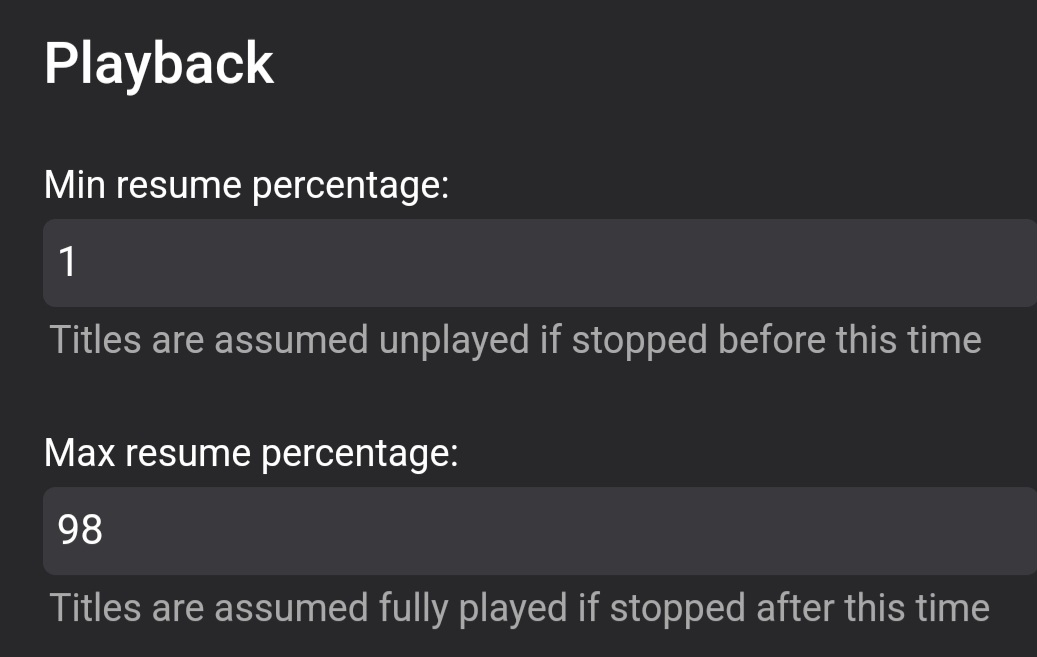
That is depending on your setting, you can set Played/Unplayed threshold in your library settings.
 1 point
 -
Thanks guys!1 point
-
OHHH I see. I didn't realize that the number was only showing the remaining unwatched episodes. Thanks!1 point
-
I'm not deep into the subject, just following alongside, but there are two details which gained my attention: It appears that the training data for the OpenAI models hasn't changed since GPT 3. Not with ChatGPT3, Da-Vinci/GPT3.5, neither ChatGPT4 not GPT4. All have the same knowledge cutoff in December 2021, so it's quite unlikely that there's any difference in the training data. That's remarkable, because previously, every new model generation was based on a massively increased data source. But no increase since OpenAI's GPT3 . What has increased though, is the size of context data (kind of like the capacity of short-term memory when processing a series of requests) But besides that, if the didn't increase the source data, what did they do meanwhile? . Also interesting is that fine-tuning (feeding an existing gpt model with your own specific knowledge data) is not available for GPT 3.5 Turbo or GPT-4 (yet announced for later this year). Hence, my conclusion is that the main difference between those models is some kind of fine-tuning that they do. Not in the classic way of feeding specific data, but maybe rather thing like patterns for problem-solving etc. (though, I'm just speculating here...)1 point
-
I remember now that we had cases where we didn't want to strip all text and background colors (like for cases of CODE sections with syntax highlighting). But I still don't remember the full story (to many different things flying through me..) Abo, do you know which conversation it was where we got this going? Ah, and one thing that you could maybe do: Cleaning the stock responses from color styles... Is that possible?1 point
-
As explain by @softworkz and @seanbuff Normally I use ctrl+shift+v to paste plain text or anyone can use the option as @seanbuff post in his last reply line option (you need to click the underline words not the x). Well, we have the option for the editor to only post in plain text, but sure many of us will not like that. I am sure @softworkz will come with something, for that, I will not search for a solution Seriously, big thanks to @softworkz for all his works.1 point
-
Can you please provide the emby server log? thanks.1 point
-
Nope. Or unless some of your users that have permission to Download media that requires transcoding does so.
 1 point
 -
You didn't have to, it'll be there by default. Yes. Three-dot menu on an item, one of the first selections near the top will be "Convert media", for when you want to convert actual file (container, video/audio codec, bitrate) to some other, like for example lowering quality/bitrate for a more friendly remote/mobile streaming and you don't want conversion to happen immediately. Also used when downloading/transferring to other devices where different quality/profile is selected.1 point
-
@seanbuff - Thanks for the additional information. Today I tried to paste some thing from GitHub in dark mode and testipb and it appeared dark - but readable (white font). I had assumed that there has been a change since the update. But if it wasn't, then think it's time to re-read the original conversation and see what the conclusion was.1 point
-
You nailed it. Thank you so much!1 point
-
13 hours ago, Abobader said: As I paste with plain text above (ctrl+shift+v), but I think we made some modification to the editor by @softworkz some time ago that i can not remember witch we did. Hm - after looking a bit into it, these are my findings: The ckEditor version has changed from 4.20.1 to 4.21.0 The change logs do not mention any change regarding the paste filter The config that we had worked out for the editor's paste-filter is still the same It also doesn't get changed after we set it, it's still unchanged in the moment of paste The editor's paste filter is pretty "generous". It allows things that we wouldn't want (like embed or script tags), but these couldn't be pasted nonetheless, IIRC I was suspecting this being due to a custom clipboard plugin for the editor done by IPB which means that an additional filtering of pasted data was happening In turn, we just did some slight modifications to the paste filter of the editor to remove those things (e.g. background-color) which would have been gone through otherwise Preliminary diagnosis: Probably some IPB setting(s) got lost while updating - or haven't be re-applied yet. Or IPB made some changes in that area. I think it's rather unlikely an issue at the side of ckEditor with our pasteFilter config. ckEditor 4 is EOL and 4.22 is the last official version, so it's extremely unlikely that they would make any functional changes to the very last versions.1 point
-
One tip that I got from you was to use an M3U to strm file script. I have the m3u script create series, movies and tv stream files daily and one of the emby servers indexes them currently. Works great with the on demand series and movies from XtremeHD. The folders are monitored for changes and may/may not be keeping up with the changes. Emby just keeps getting better. Eagerly anticipating the updates.1 point
-
Thanks for the response, Luke. That's great news. It's not the management aspect that is a problem for me specifically. That is straight forward. The indexing is more problematic since the database retains references to channels that the m3u list has changed and then multiple same channels are listed and not working, even when m3us are deleted from emby. I keep checking emby against VLC for the TV streams. The HD Homerun channels work great and almost always in emby. It's the inconsistent streams from the m3u lists that are the main culprit I think. This is why I was excited about adding xteve to aggregate the playlists and feed a buffered stream to emby but it is not reliable enough so I am kind of stuck. VLC forwards to the next channel if the stream stops; iptv smarters handles the streams more consistently. I've tried lots of combinations even stacking the xteves setting one as a perimeter tuner with a bigger buffer, invoking ffmpeg and vlc for restreaming and buffering various combinations with 50/50 success. I really love emby and the tv streaming was initially a bonus since I was primarily looking for a personal media server for my MP3s. Again, works great with my hd homerun but not quite yet with the iptv streams. I hope this helps.1 point
-
HI, yes the next update to the Emby android app will have the same option. Thanks.1 point
-
@Source12is it possible that nothing was watched in the last week on the server? Thanks so much. Bare with me while I familiarize my self with the code again, and also hunt for possible issues. Luckily, I wrote decent code with some comments to my future self.1 point
-
no, only album images the same as what I also have as folder.ext images in the album folder. My metadata folder (that is meant to be ignored in Appdata) contains a folder for every artist in my music library, if I delete the entire folder, it's back again. I would be curious if someone else looked in their appdata folder if they have settings set to store with library (and not the default AppData\Roaming\Emby-Server\programdata\metadata\musicartists) to see if theirs contains a ton of images that should not be there?1 point
-
He works for Emby and has remoted into several systems to help. Good guy.1 point
-
Oh . They stoped all domains on your account? Not just the one that was an issue? I have three domains there inc my emby one, maybe I should create three accounts then going forward if others are affected. The others don’t do any media though……. Yet.1 point
-
OK, probably an issue specific to that. We can trap the error and prevent it from causing the library scan to fail. Unfortunately this error may still lead to some content not showing up. I guess we'll wait and see if that happens or not.1 point


.thumb.jpg.7d793de0dff08bf27c2d089379dfdfb1.jpg)