Leaderboard




Popular Content
Showing content with the highest reputation on 08/06/23 in Posts
-
To be blunt, that's not the point. We were told back in January that a complete new TV system was ready for wider testing. It is clear from the descriptions that this is not something that can be slipped in piecemeal, so the question is simply when will the new TV system be brought into the public beta stream. Asking about specific features worryingly implies that you might even consider soon-to-be-wasted work on the current TV system (just delaying things further). In any case, from my POV there are multiple "specific features" of the new system which I would like to see. I presume, from the fact that the time from 4.7 stable to 4.8 stable is becoming so long, that you wish to complete that milestone first. But after that, is there actually anything more important than getting this show on the road? Paul3 points
-
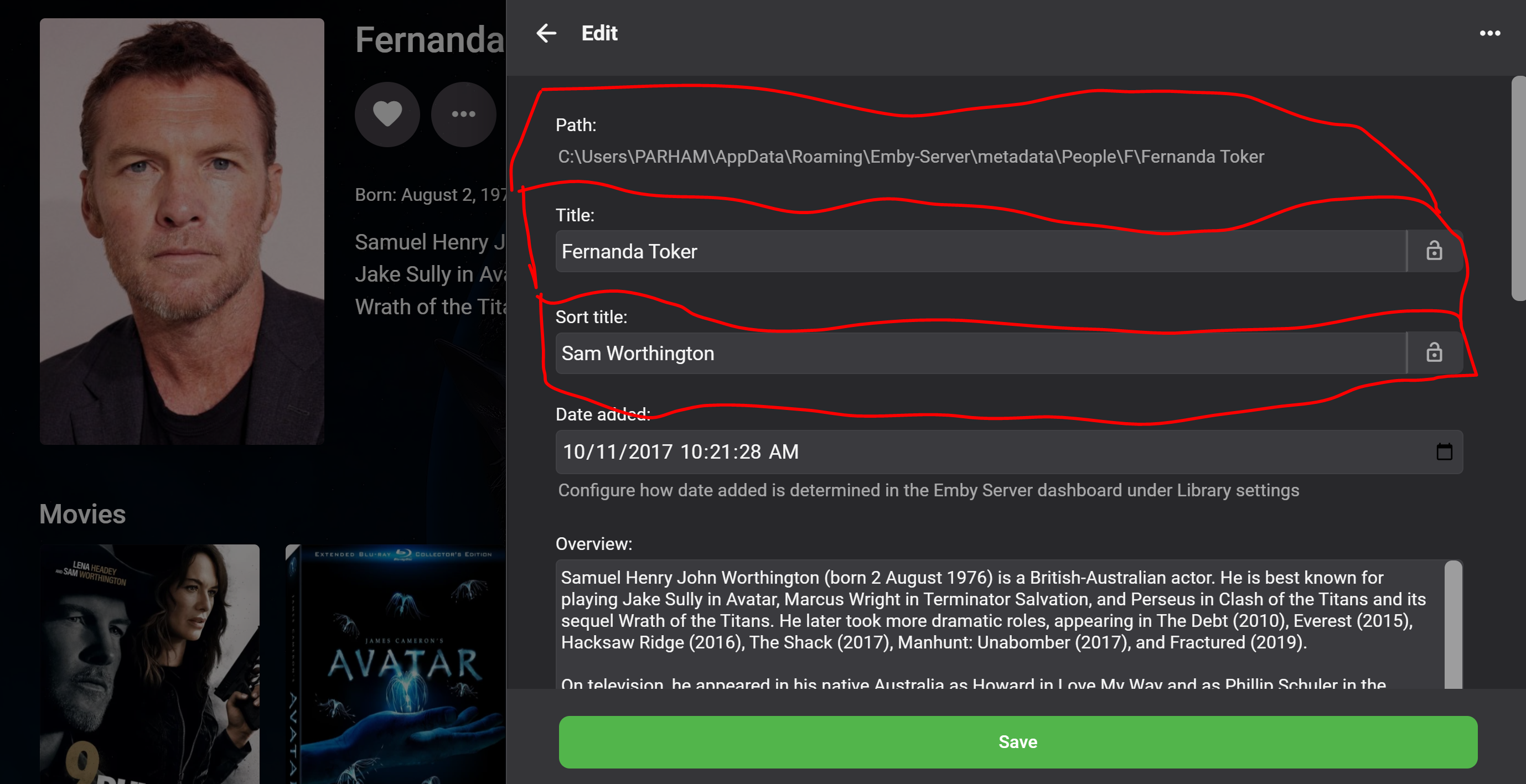
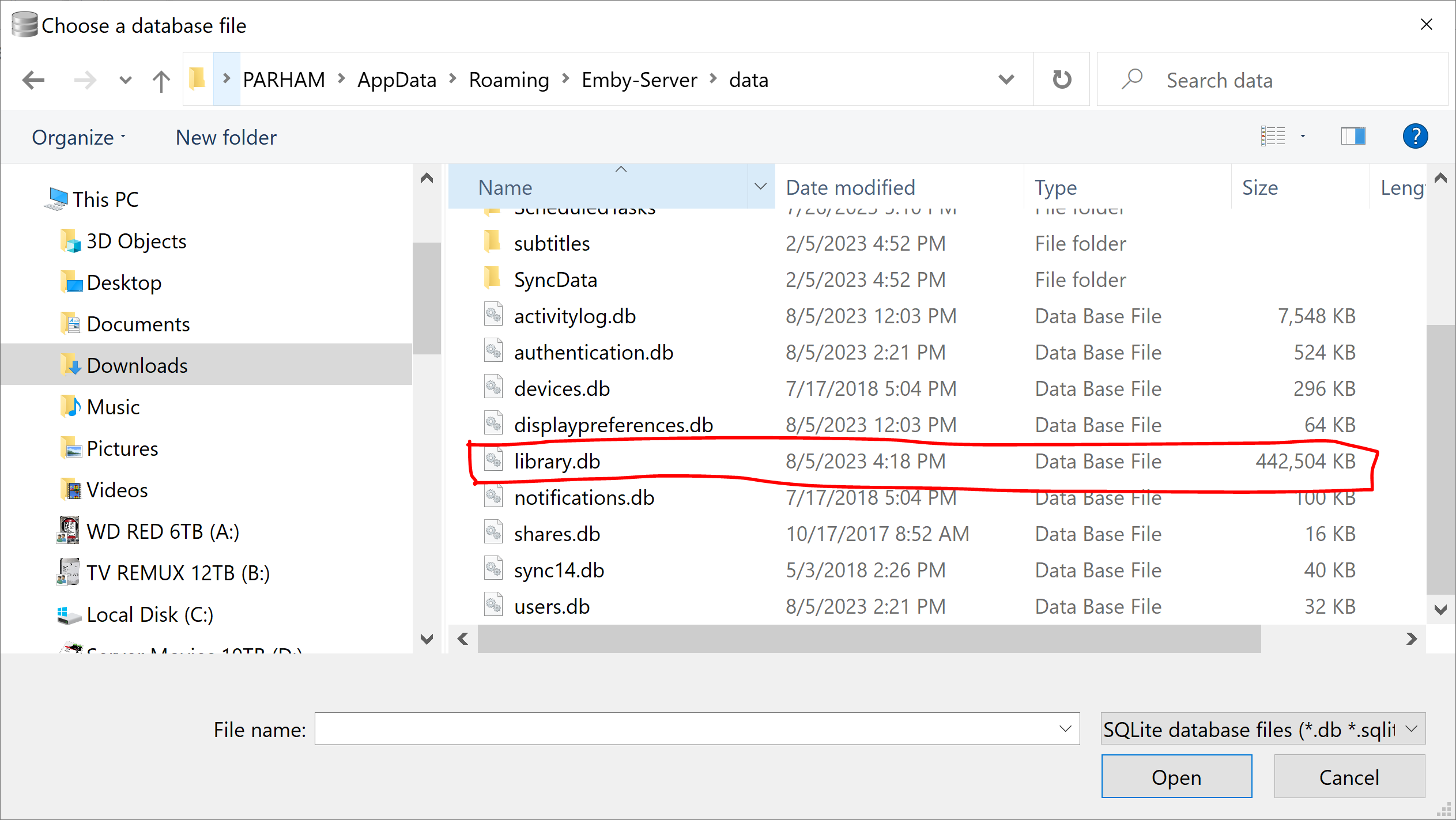
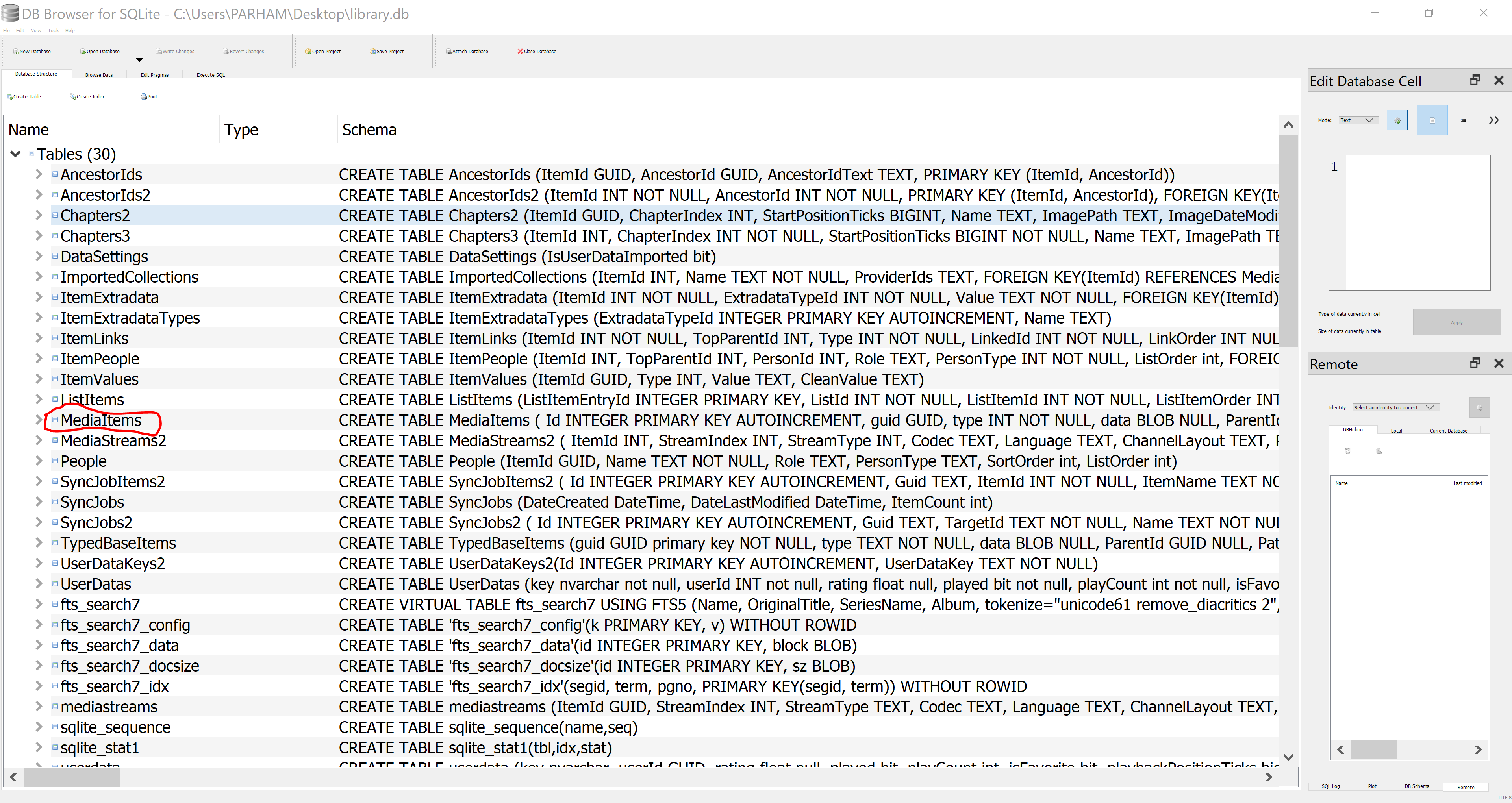
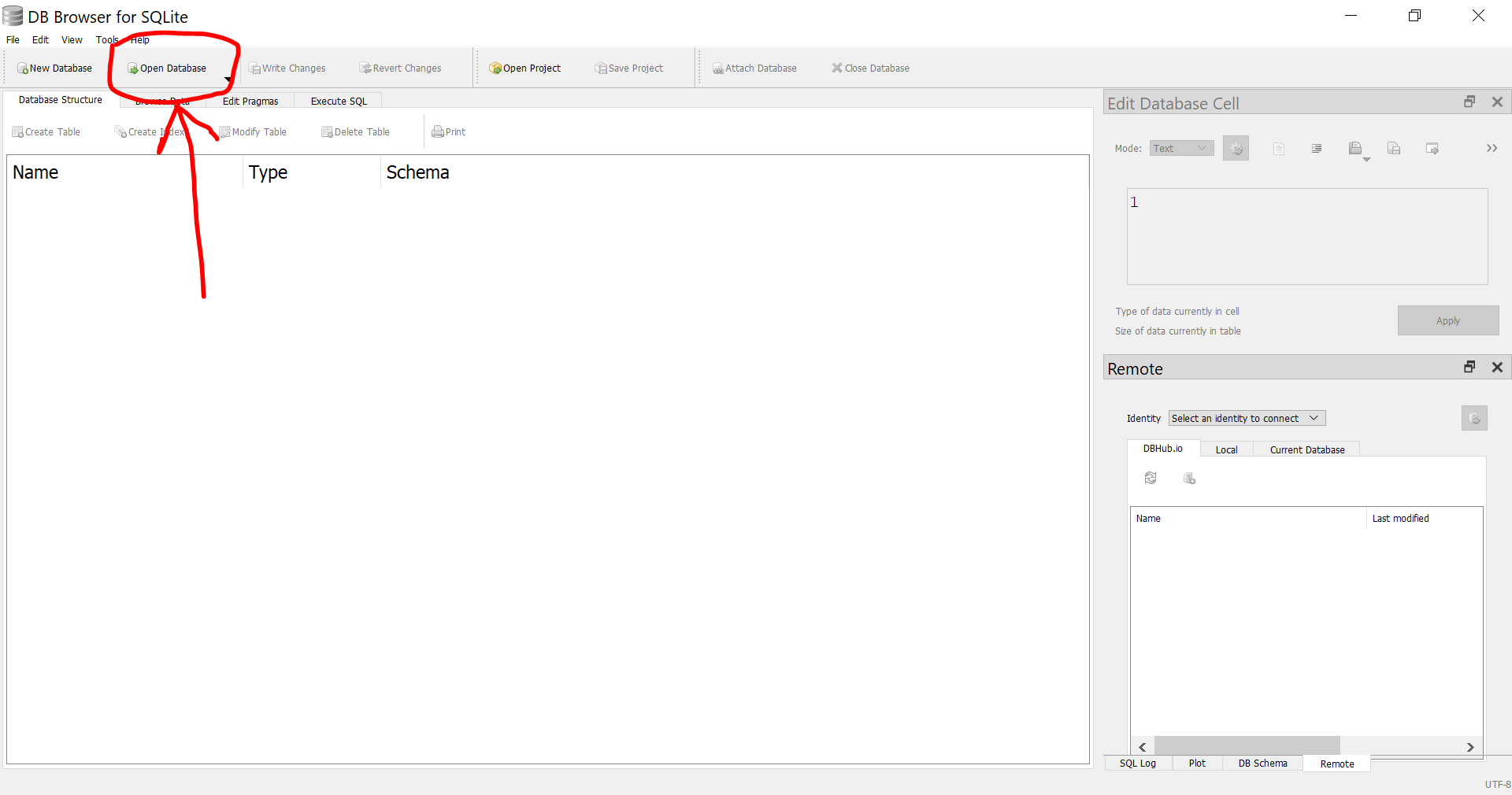
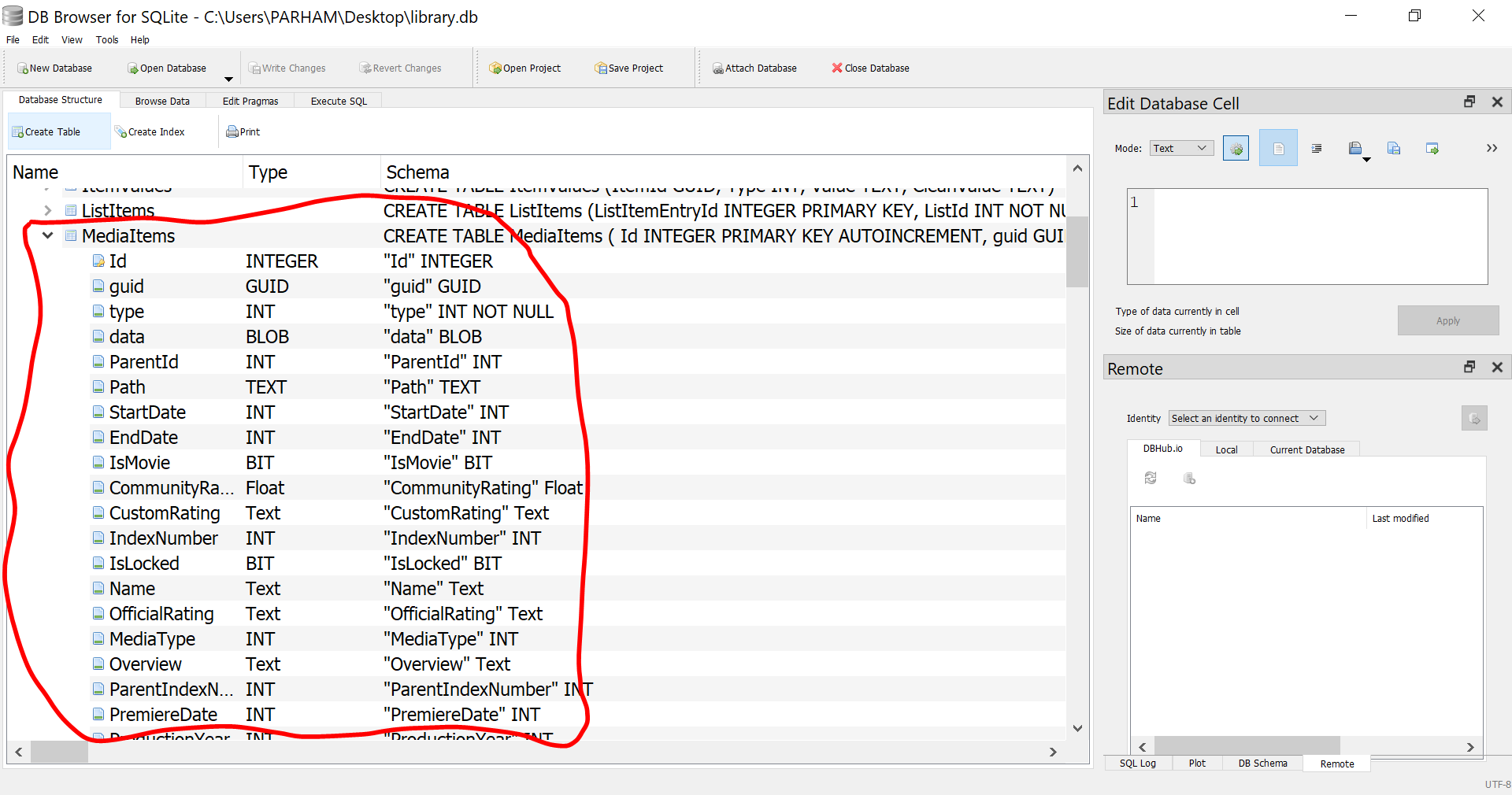
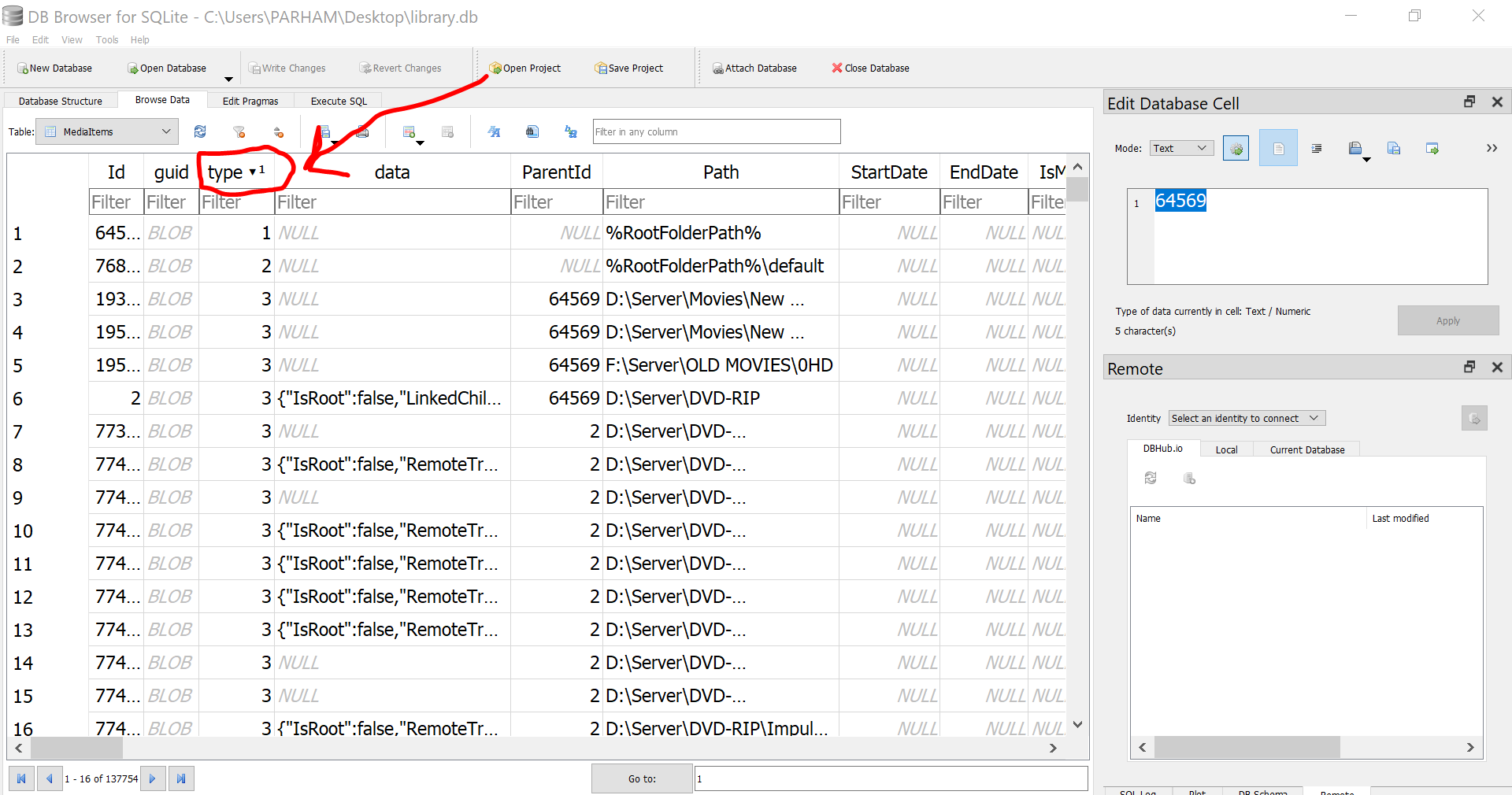
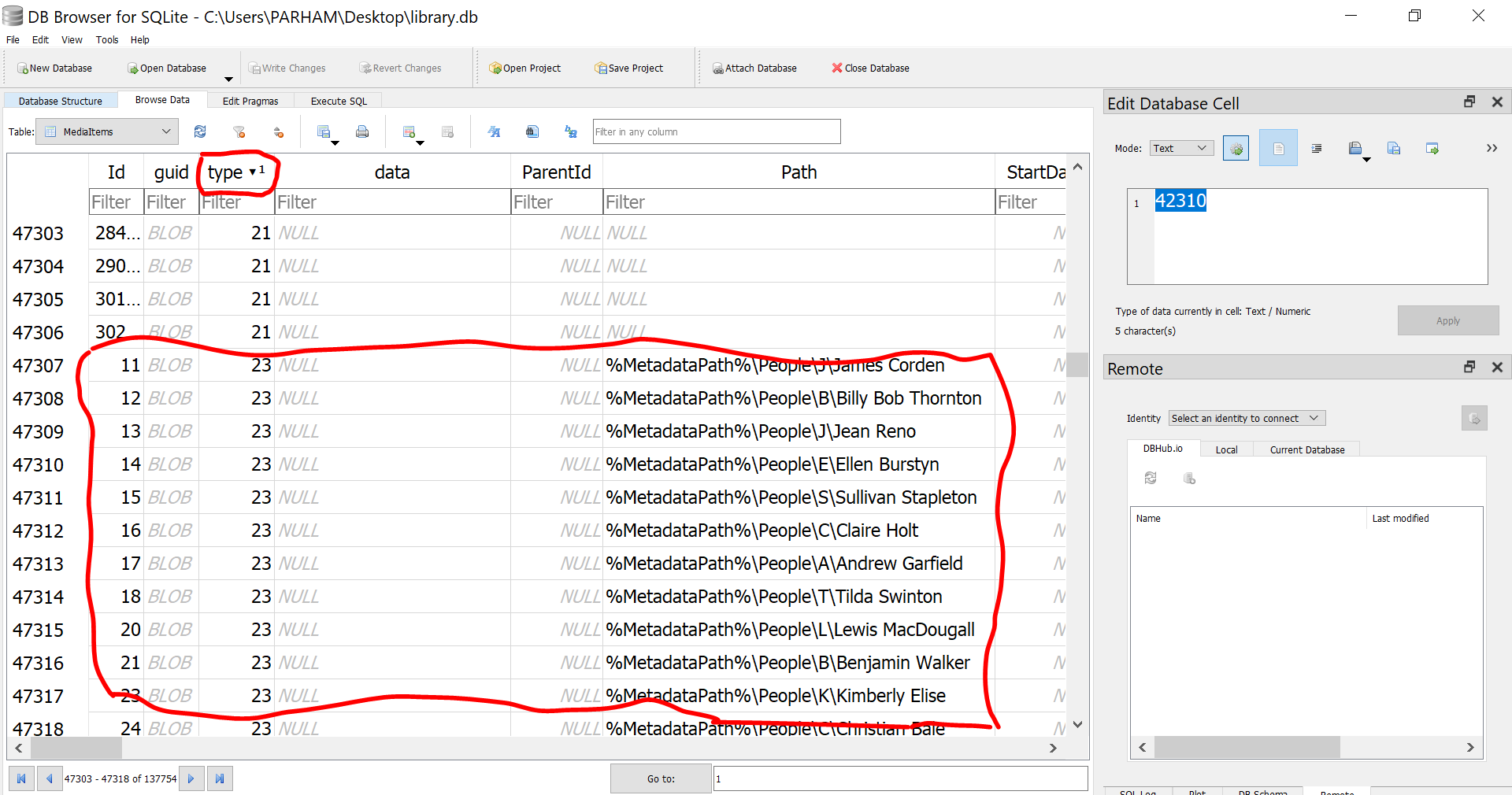
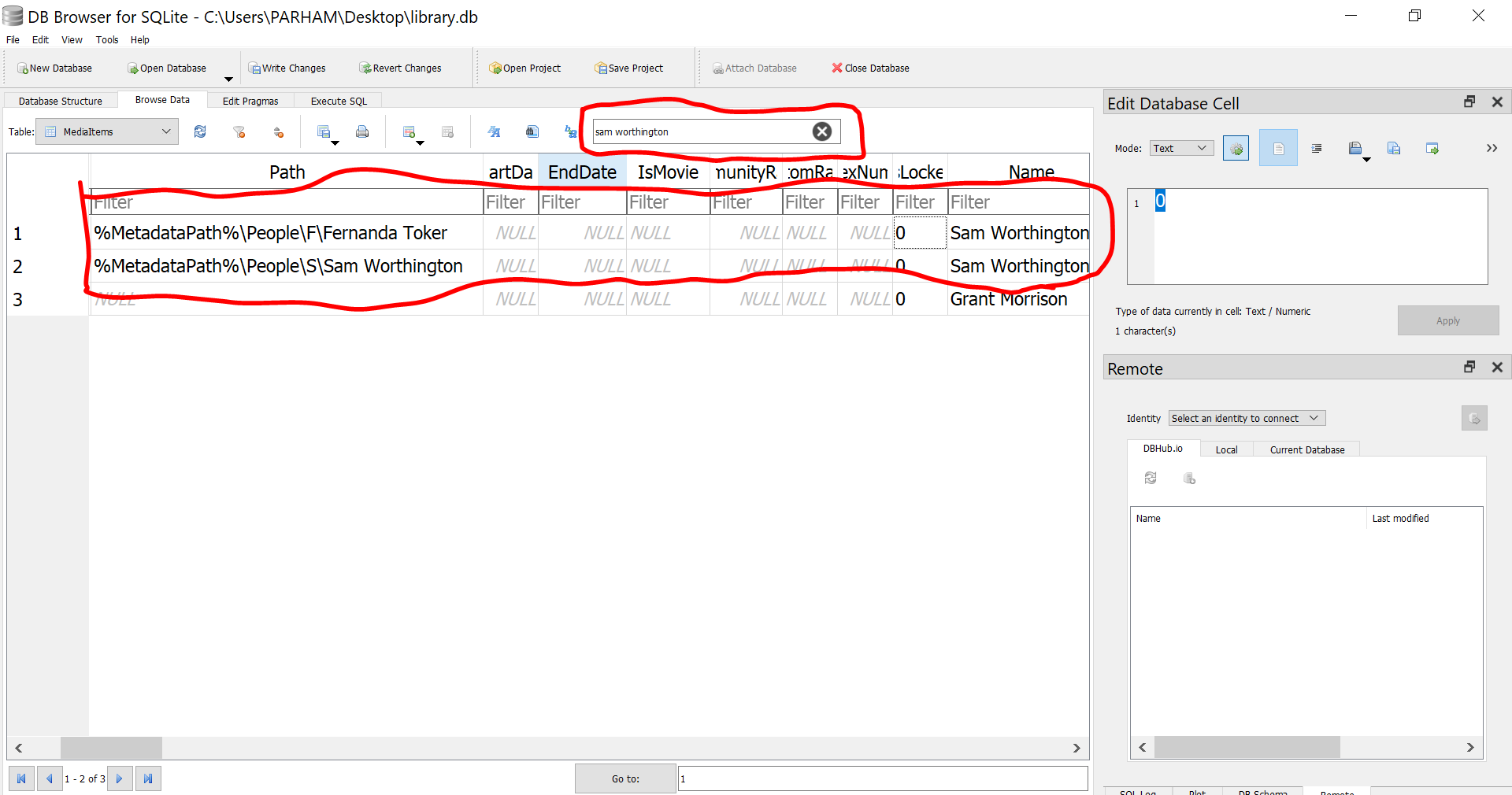
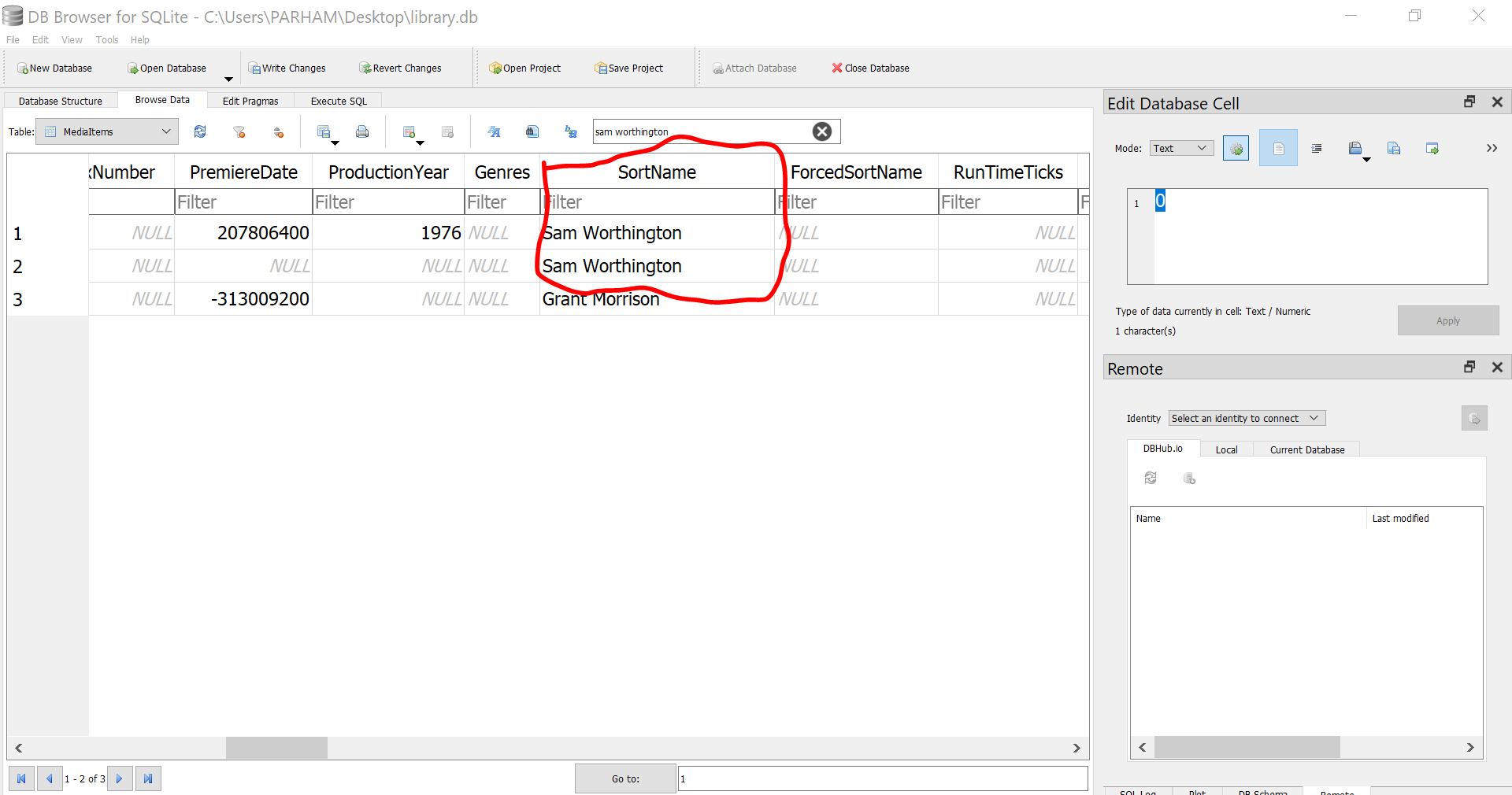
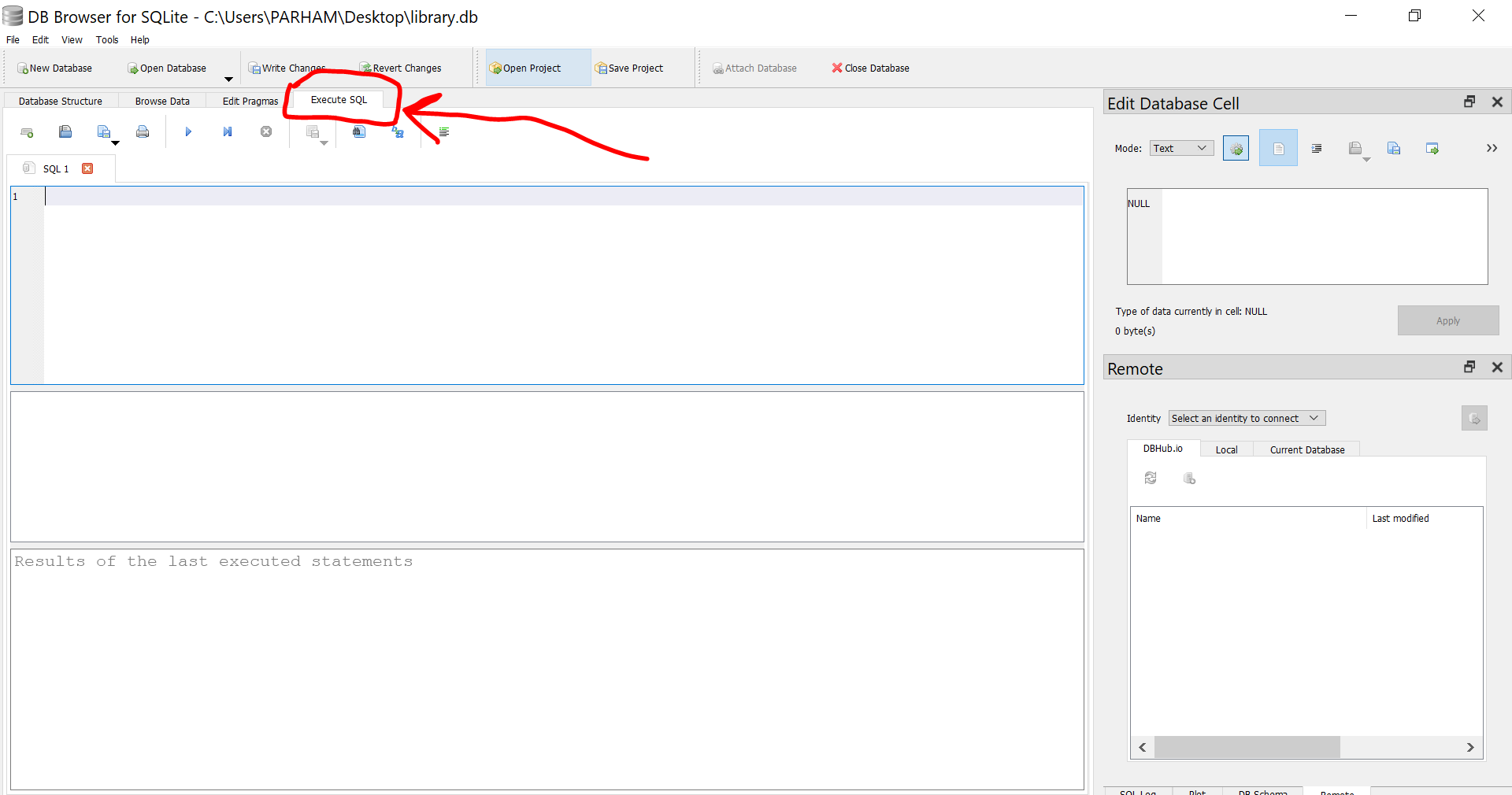
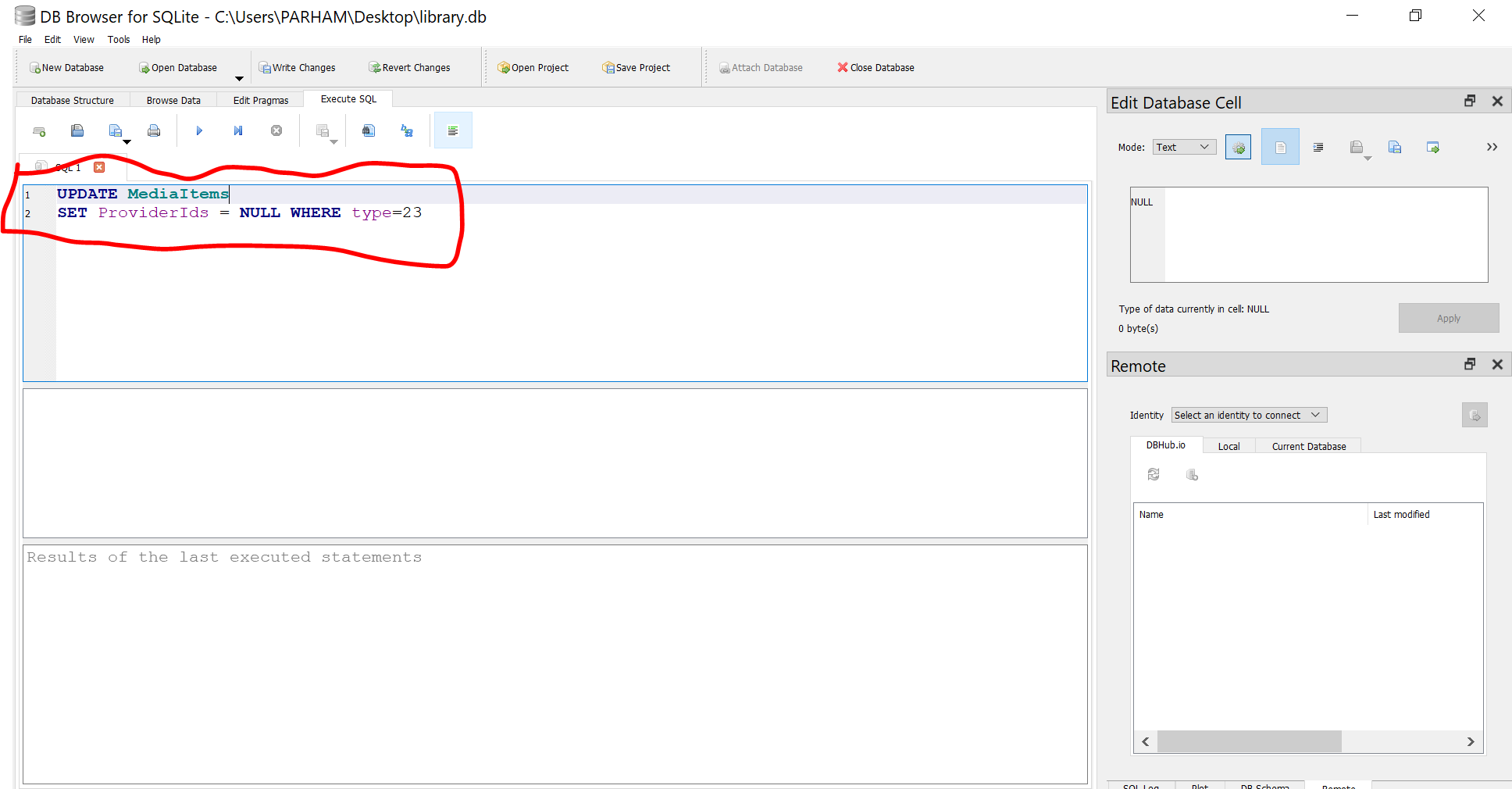
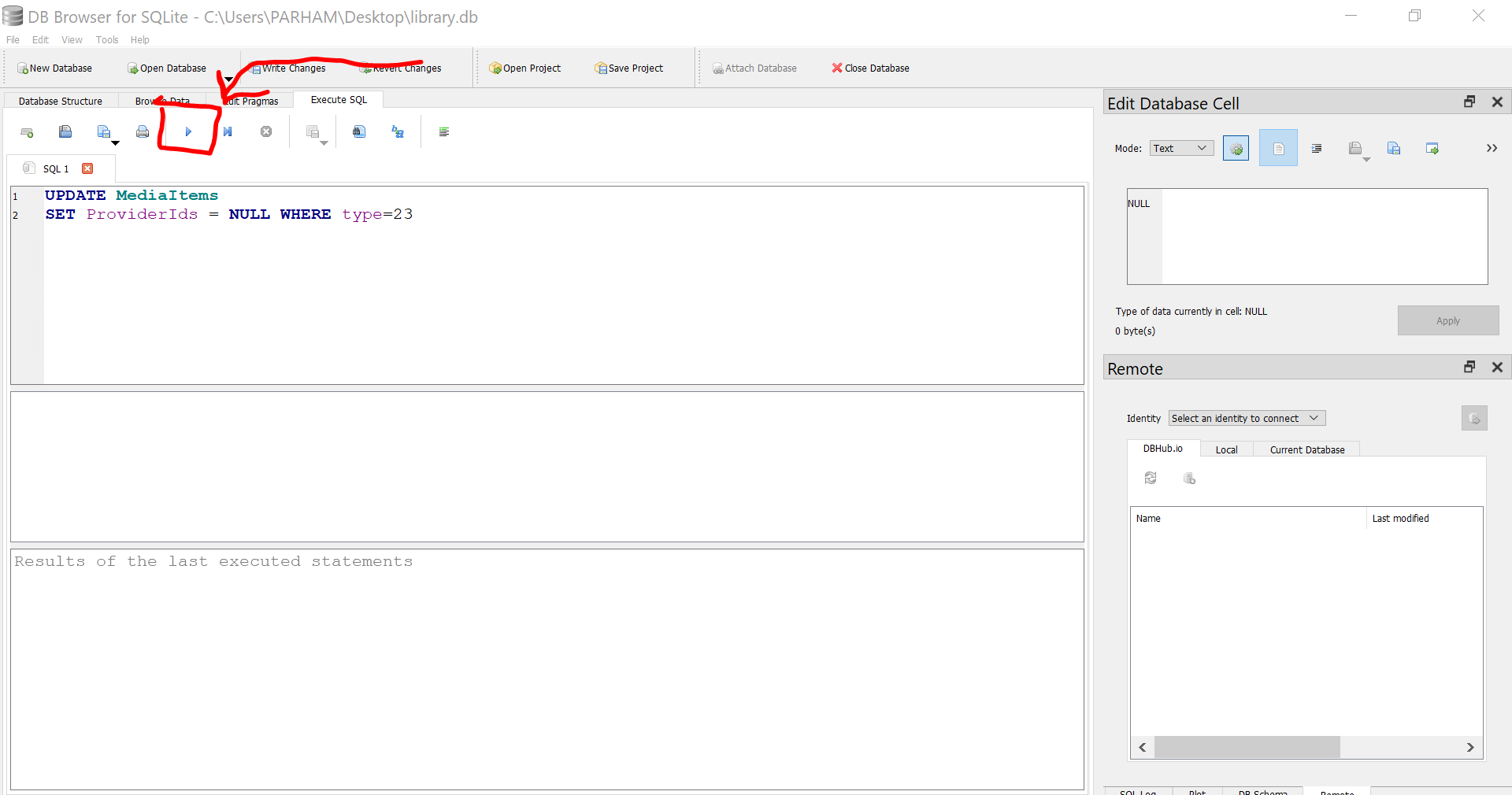
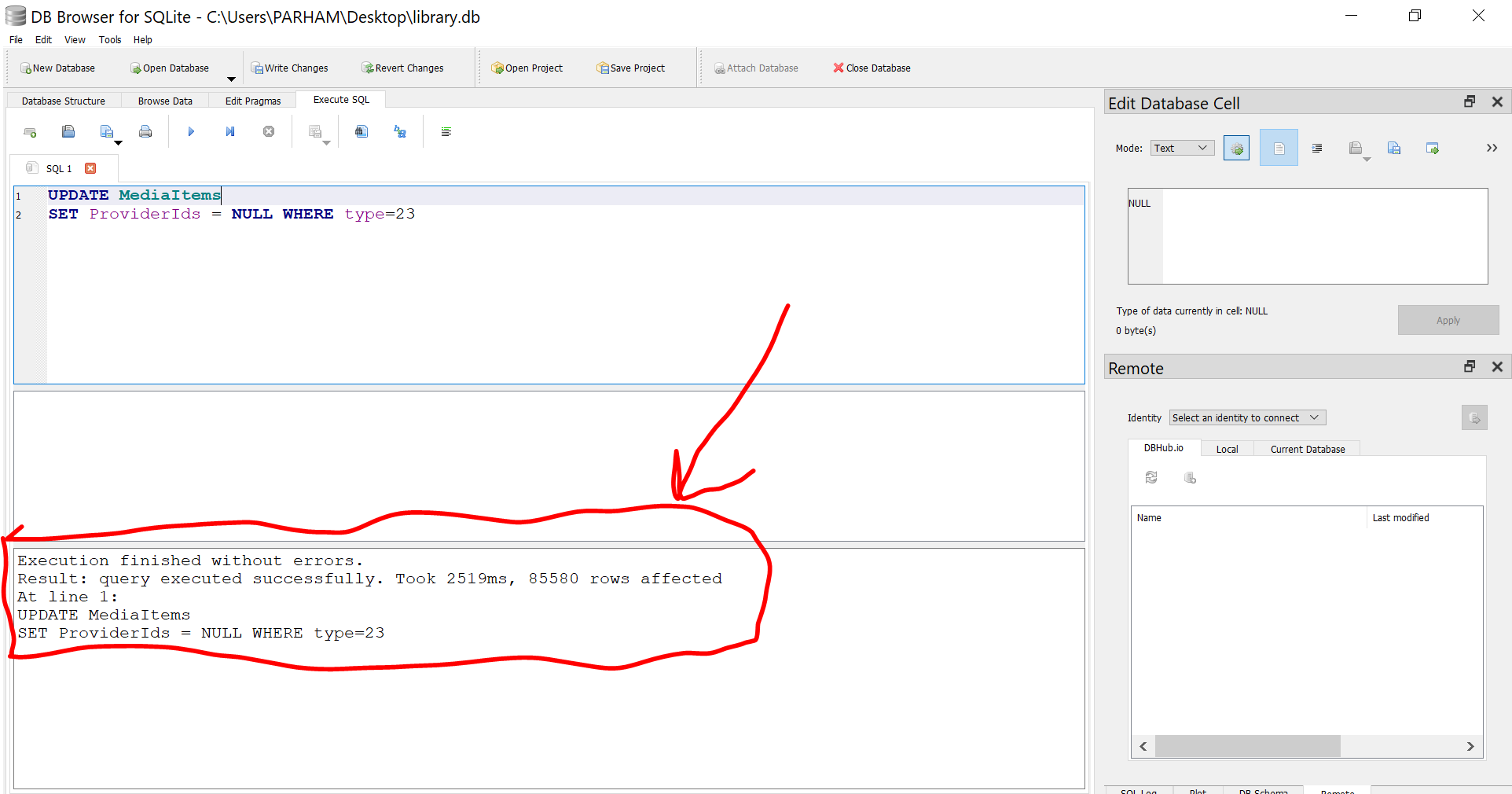
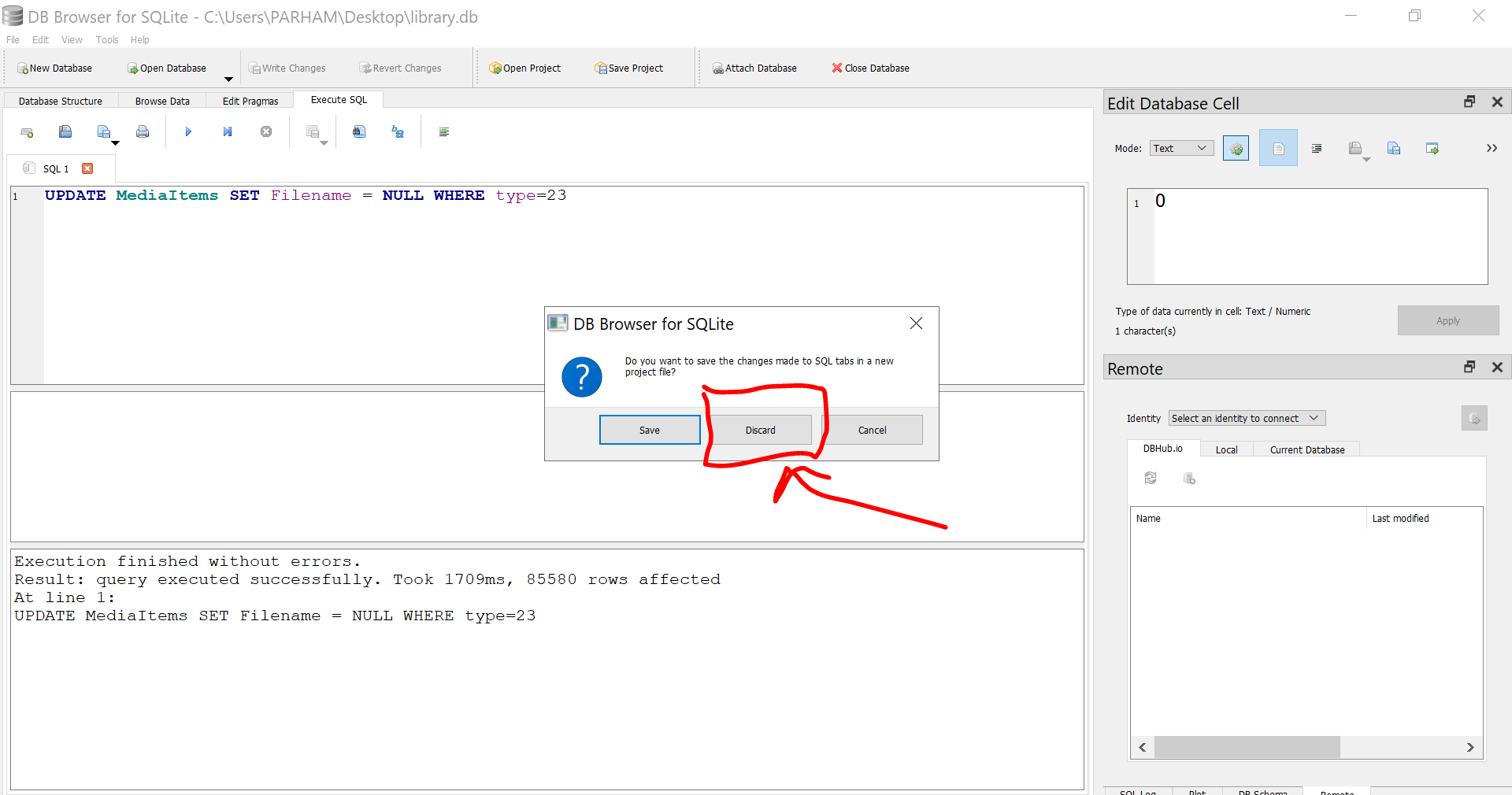
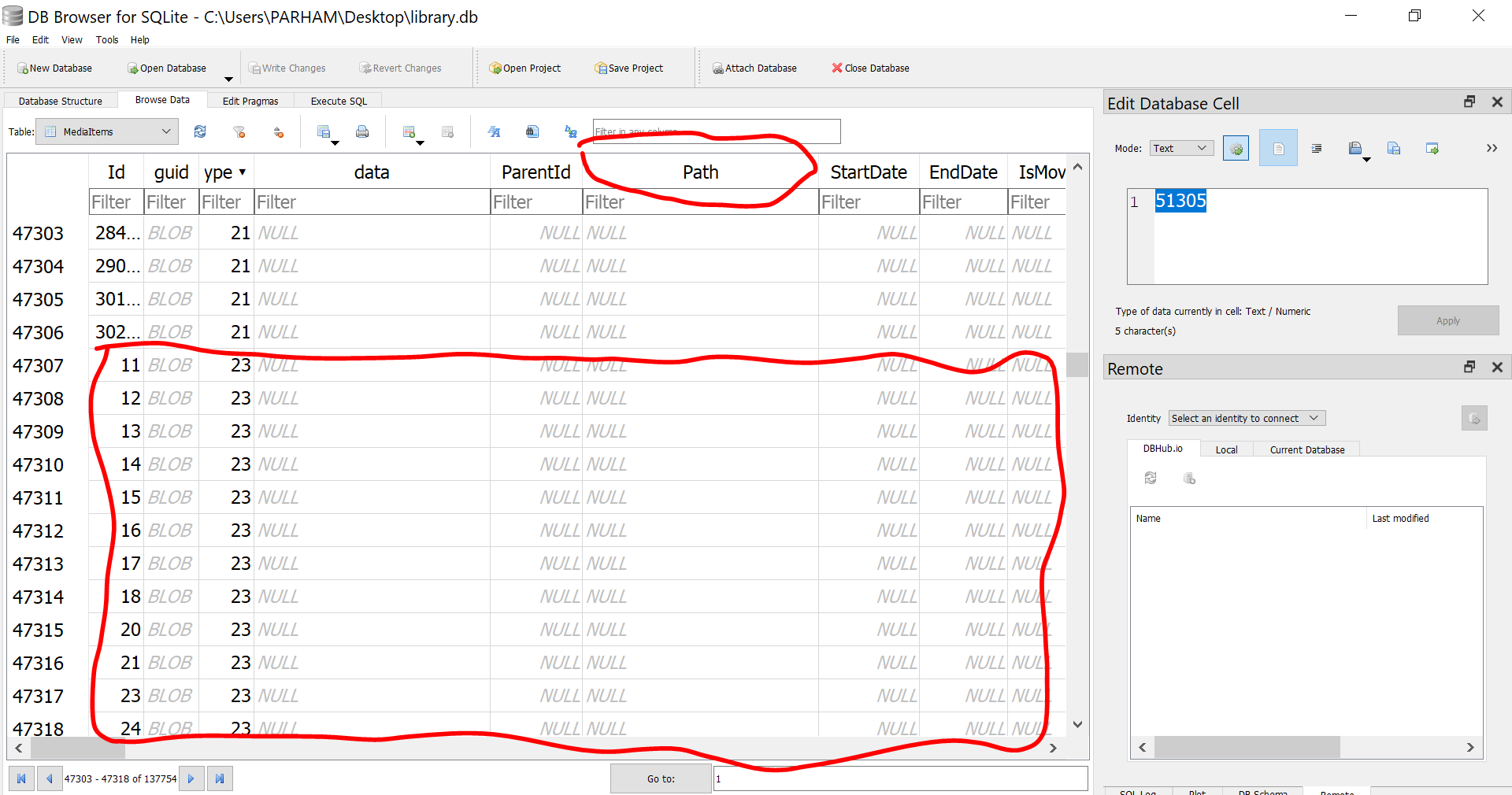
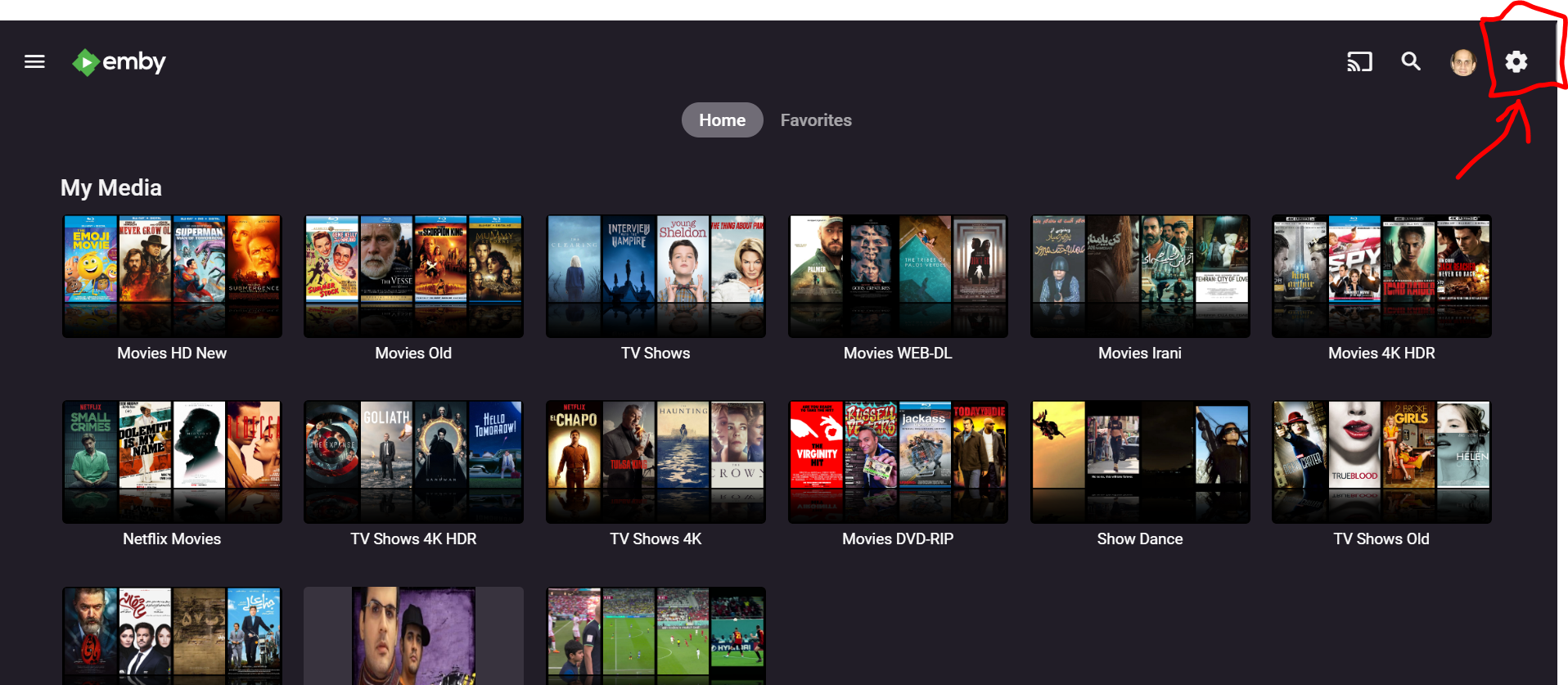
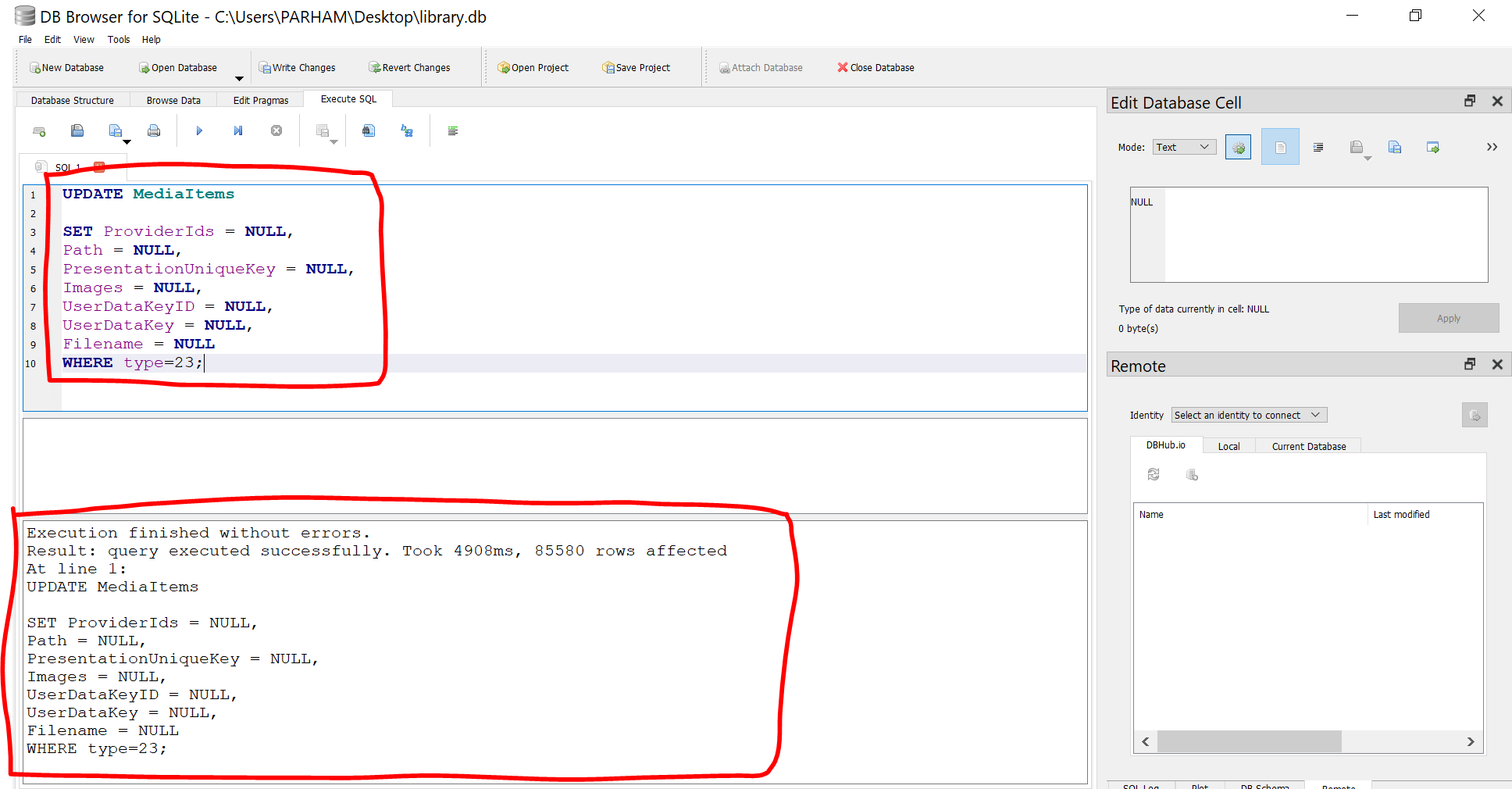
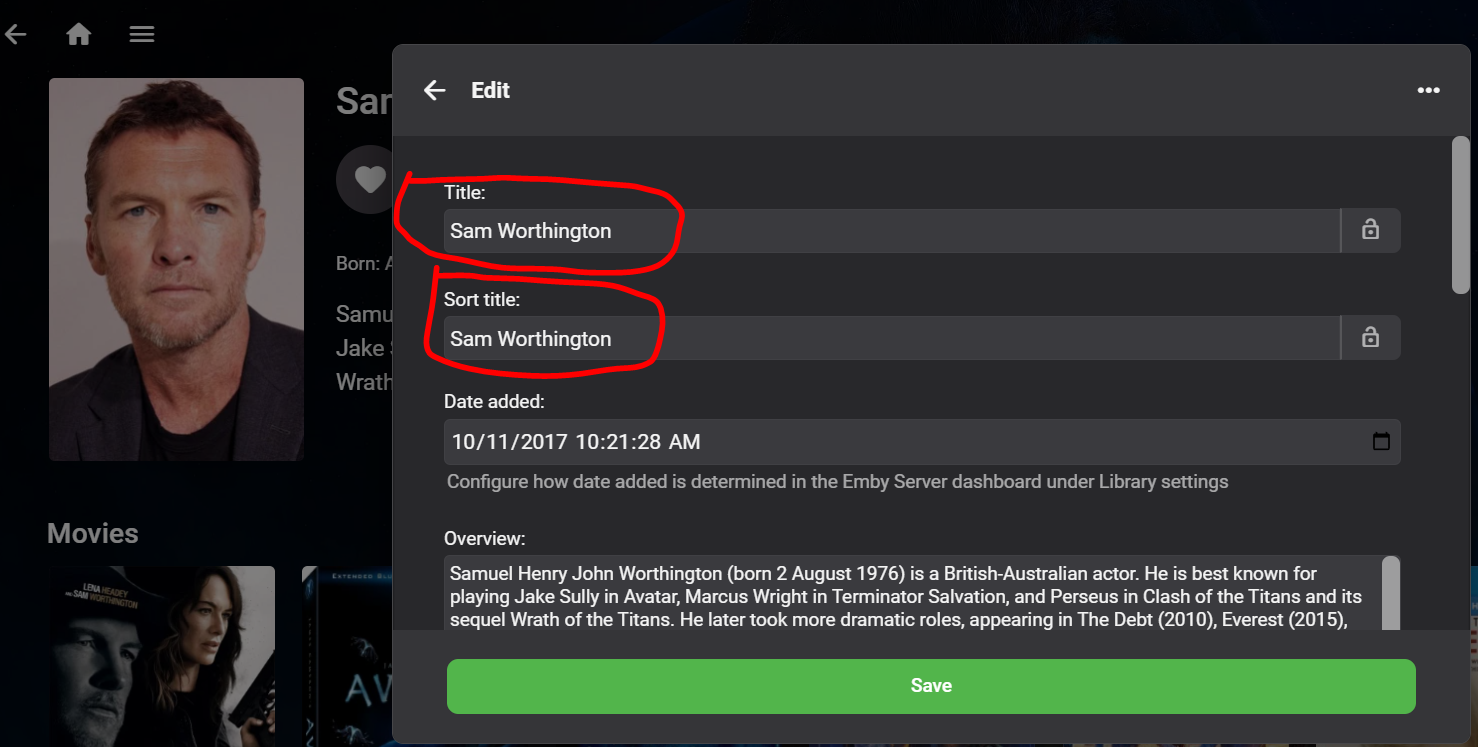
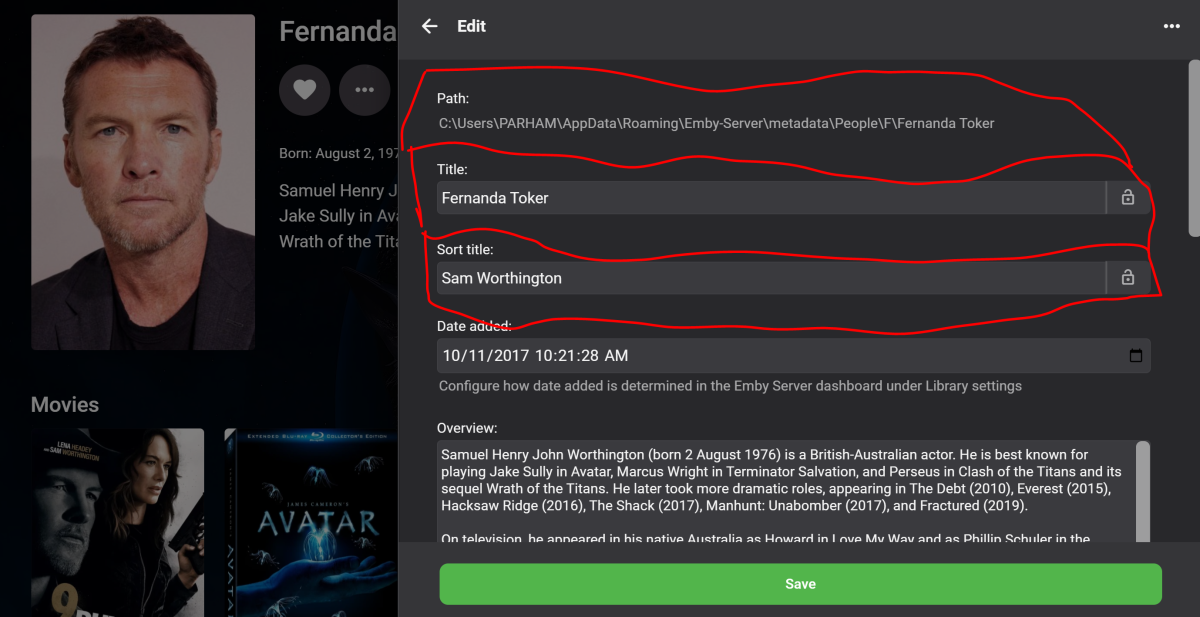
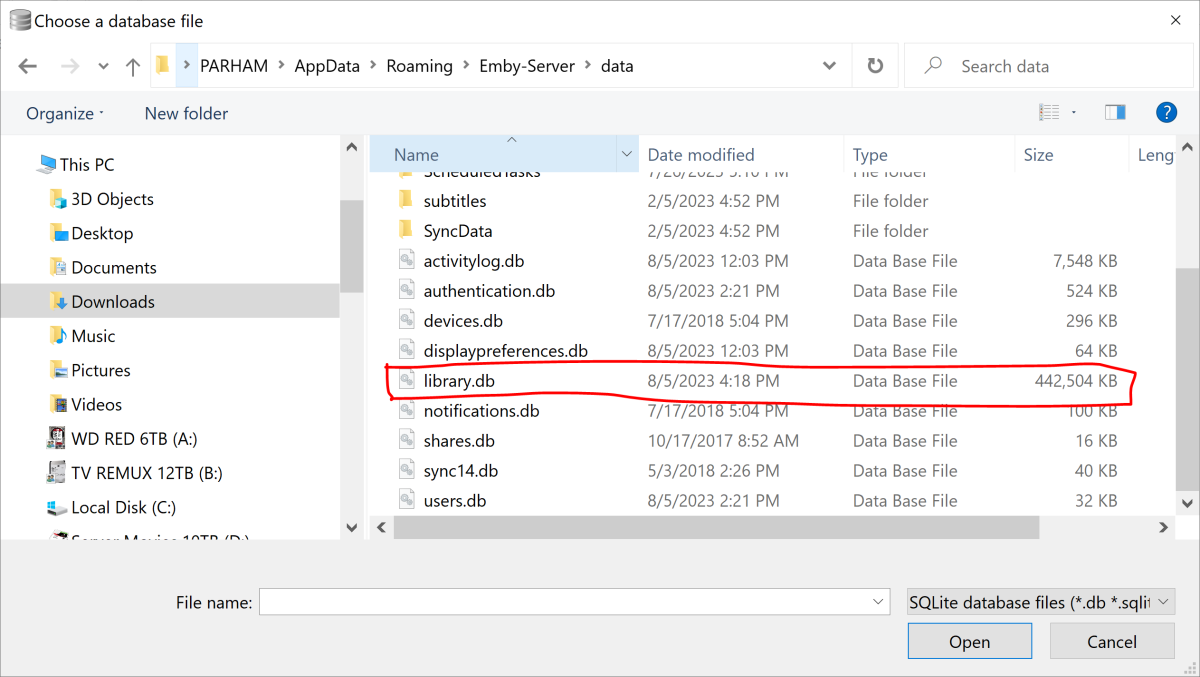
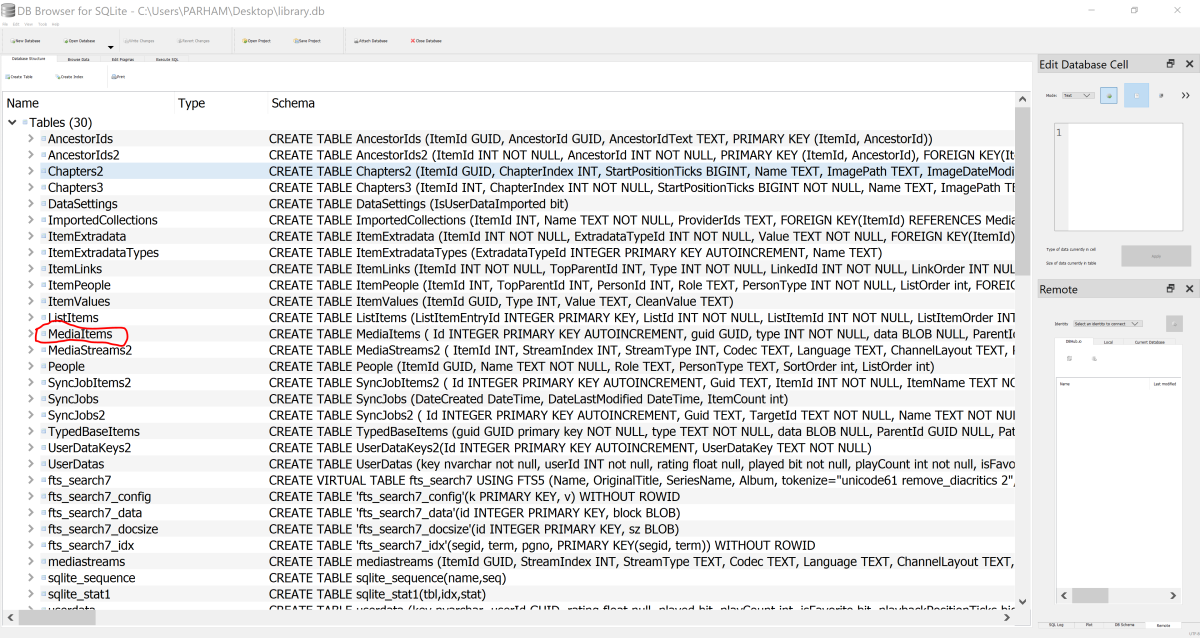
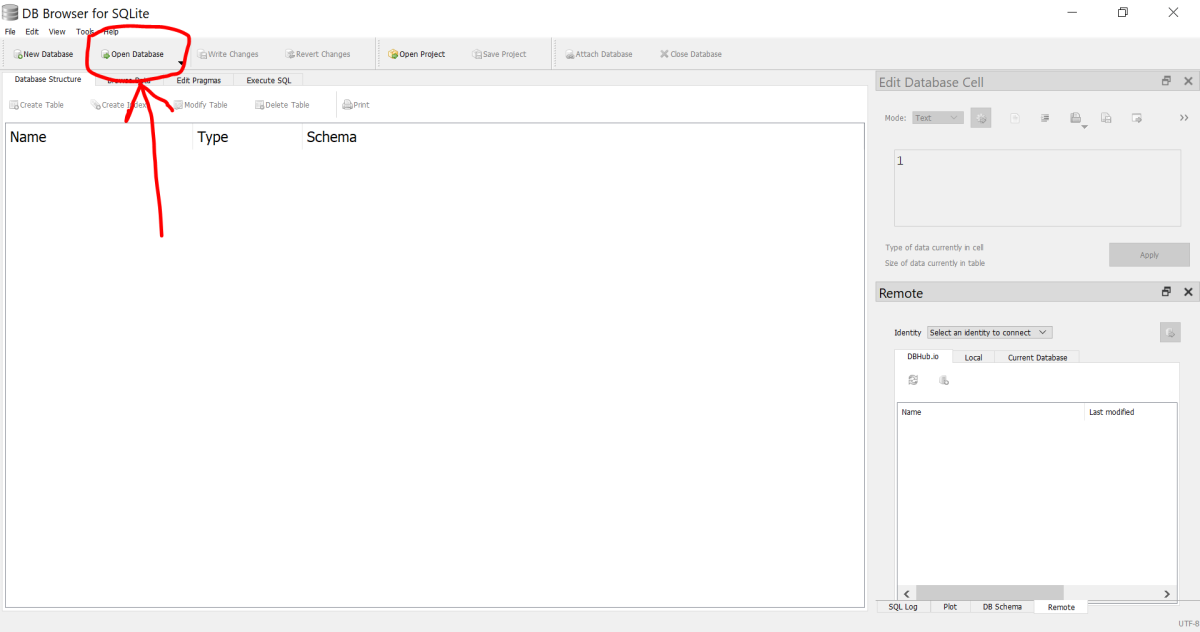
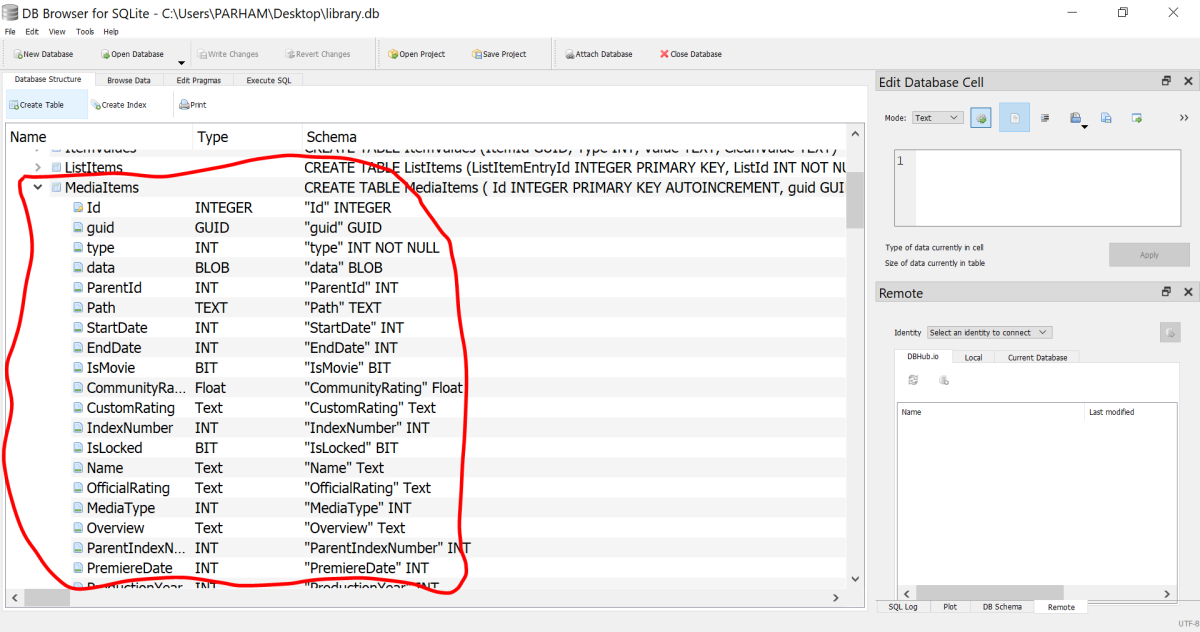
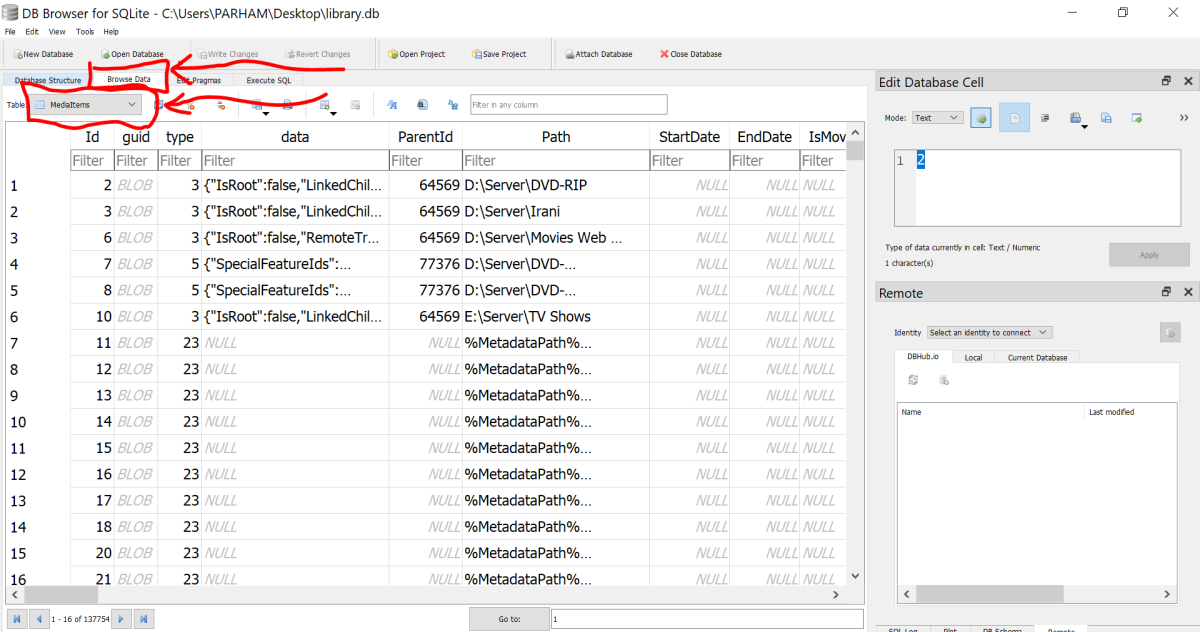
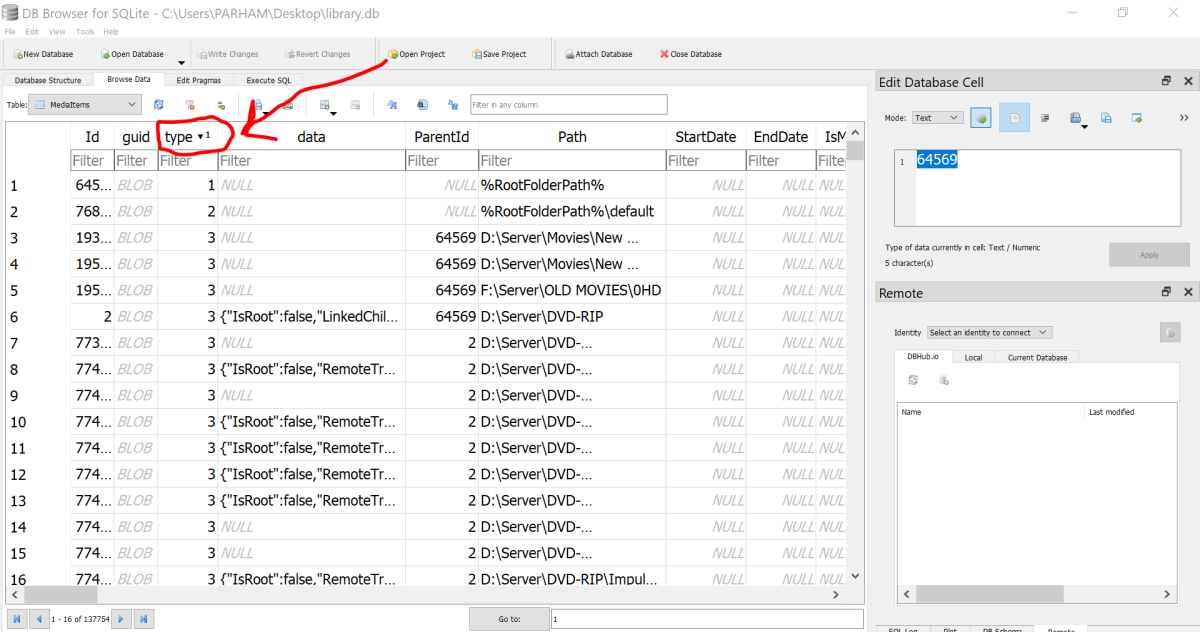
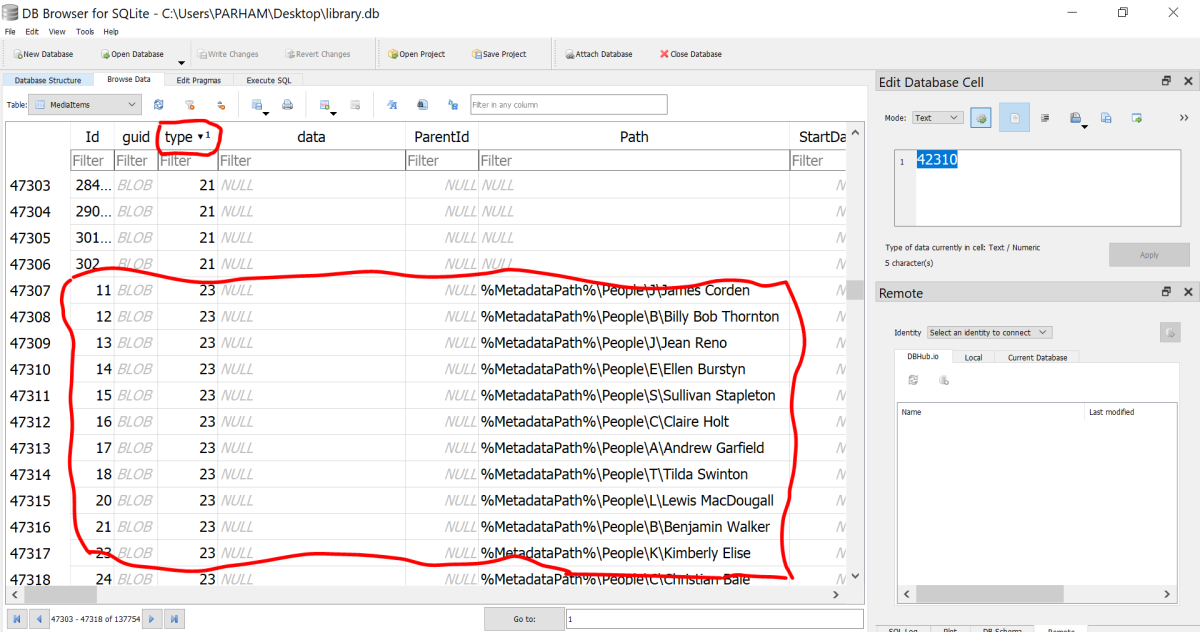
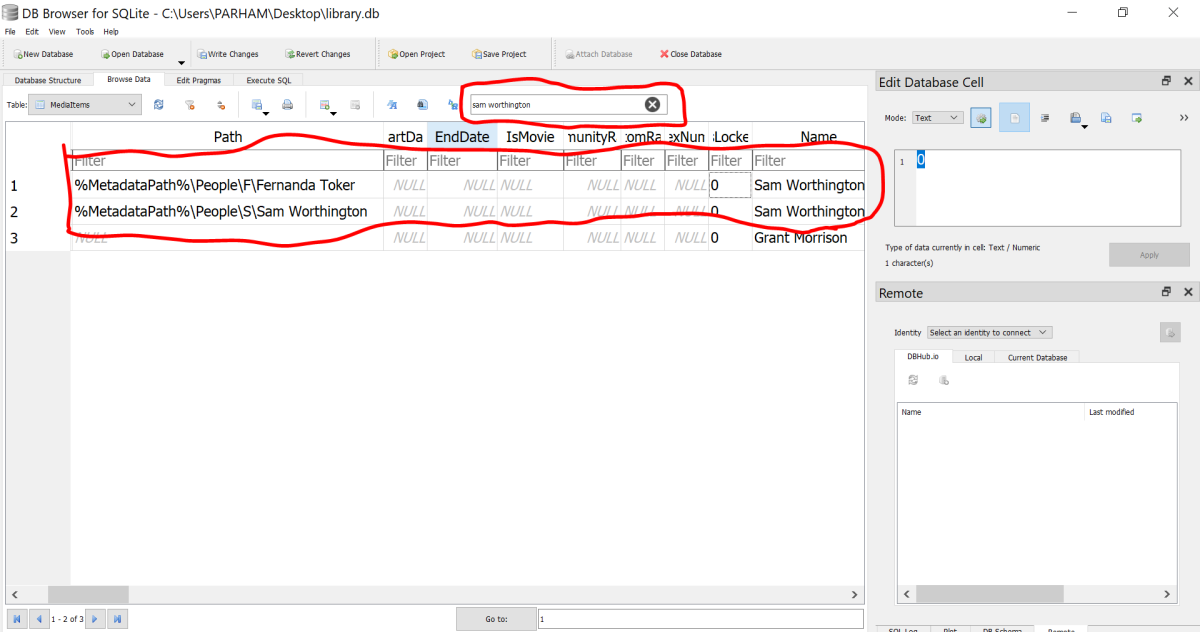
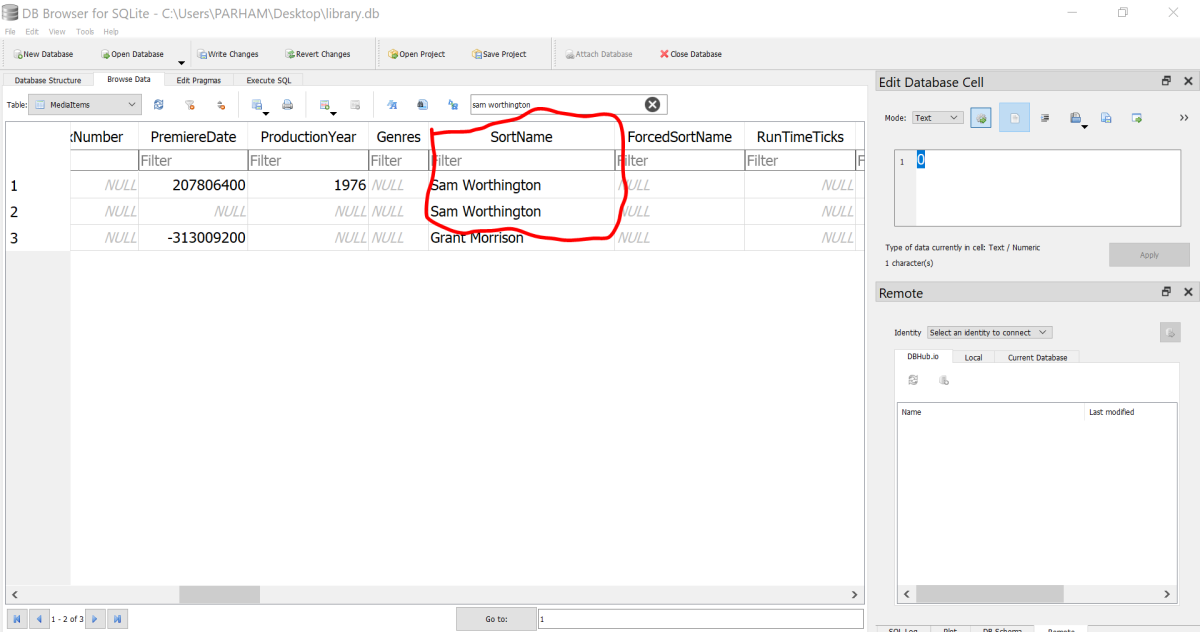
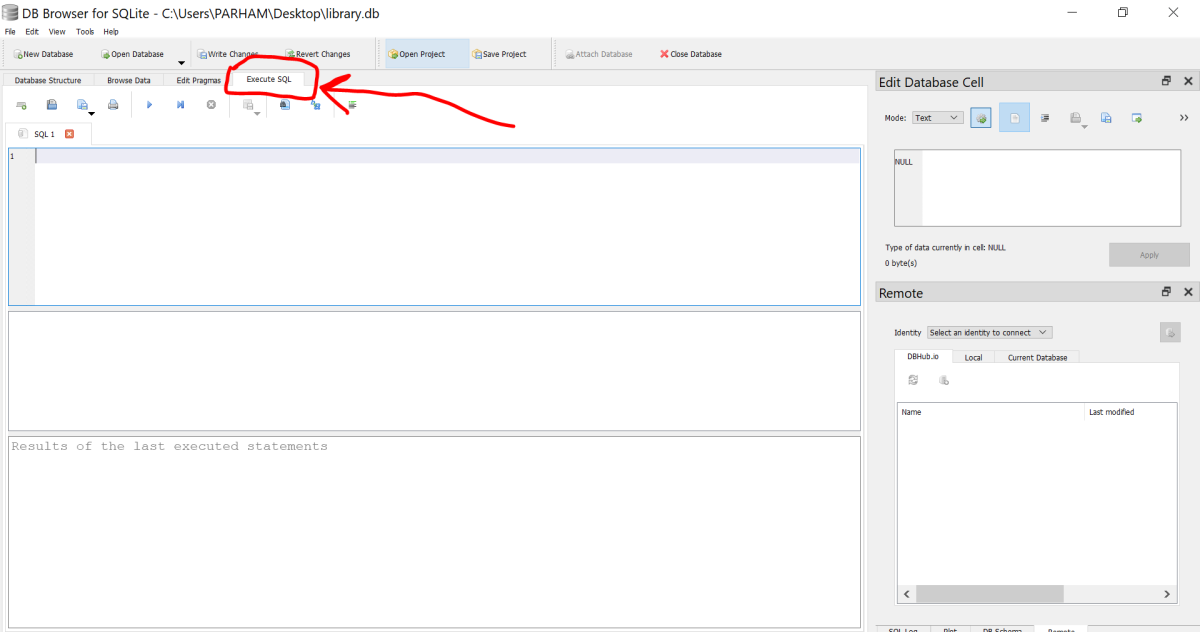
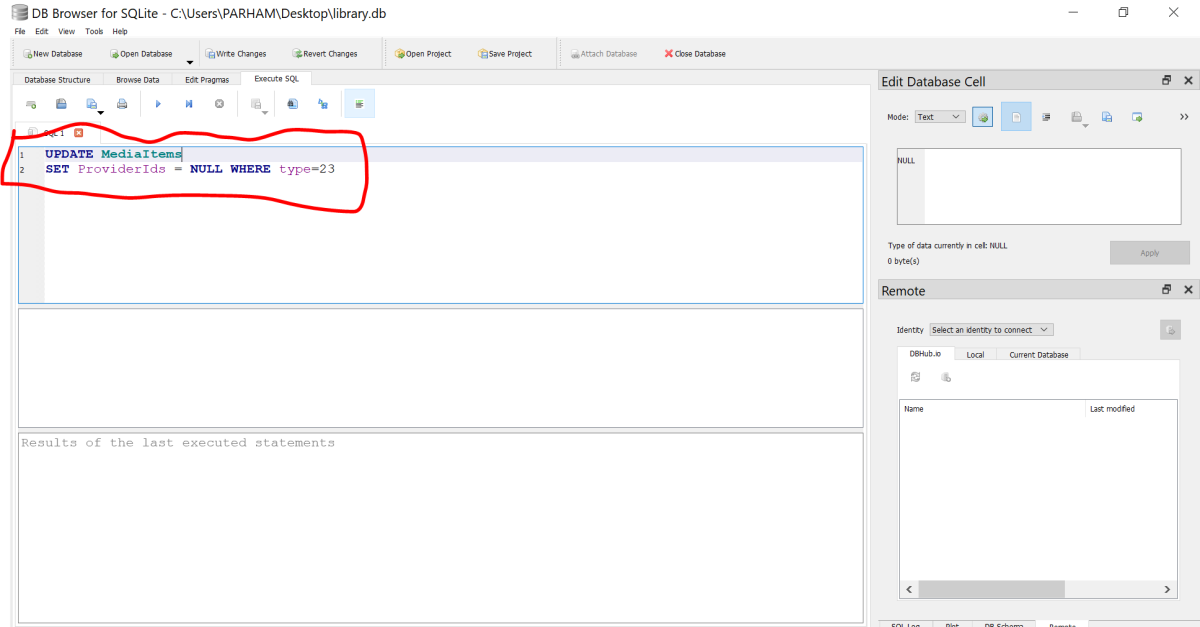
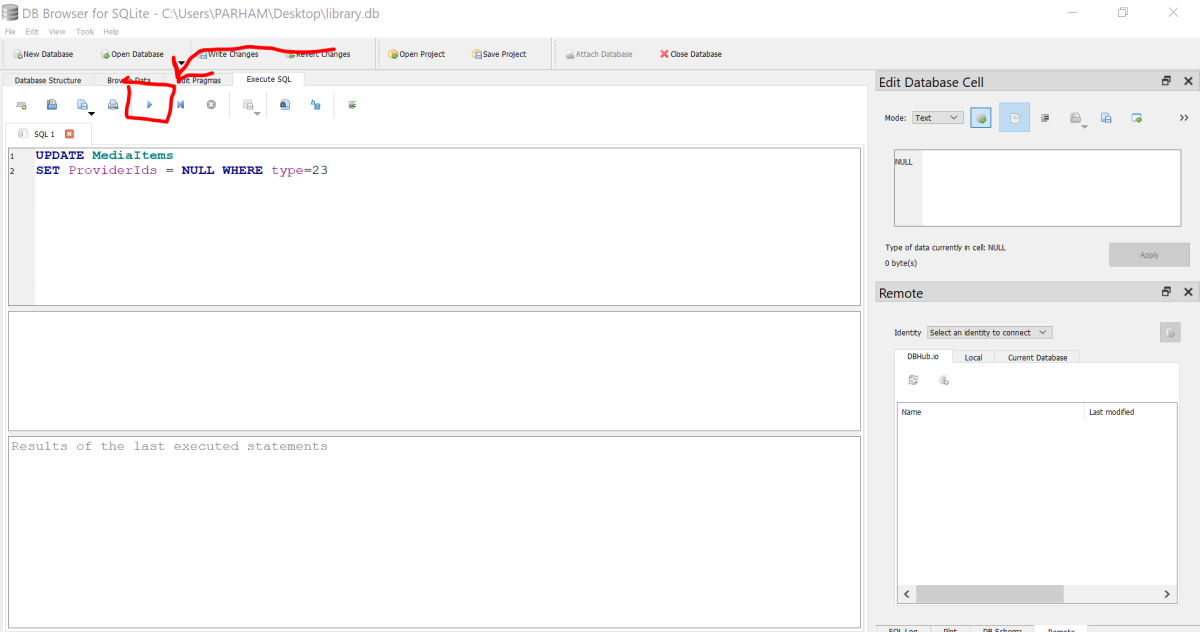
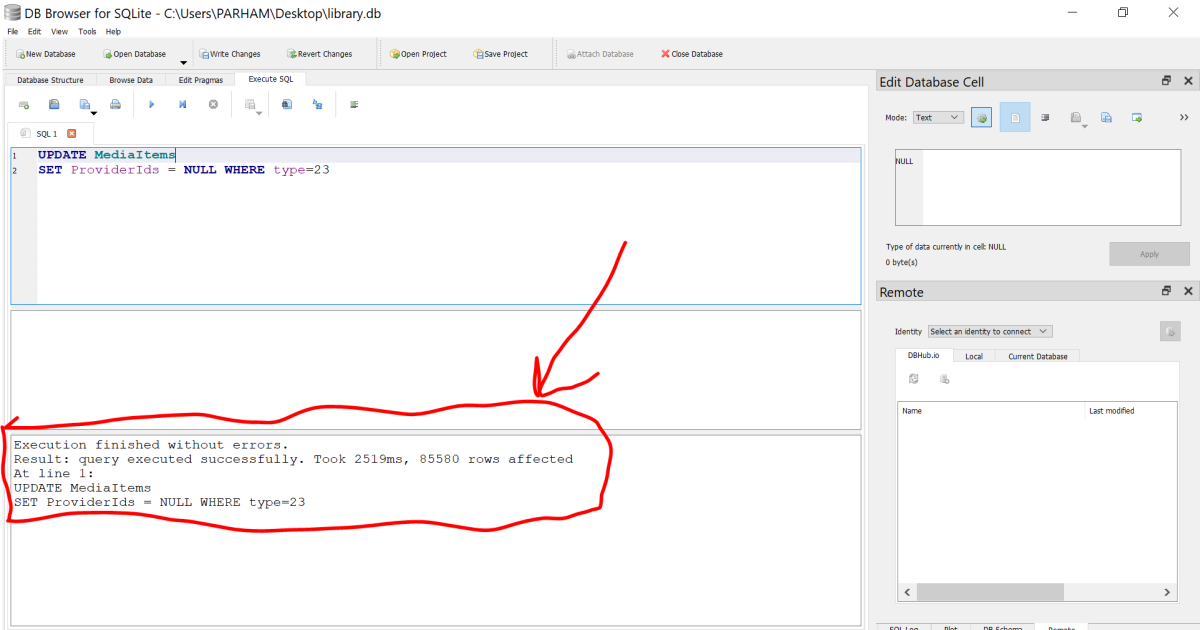
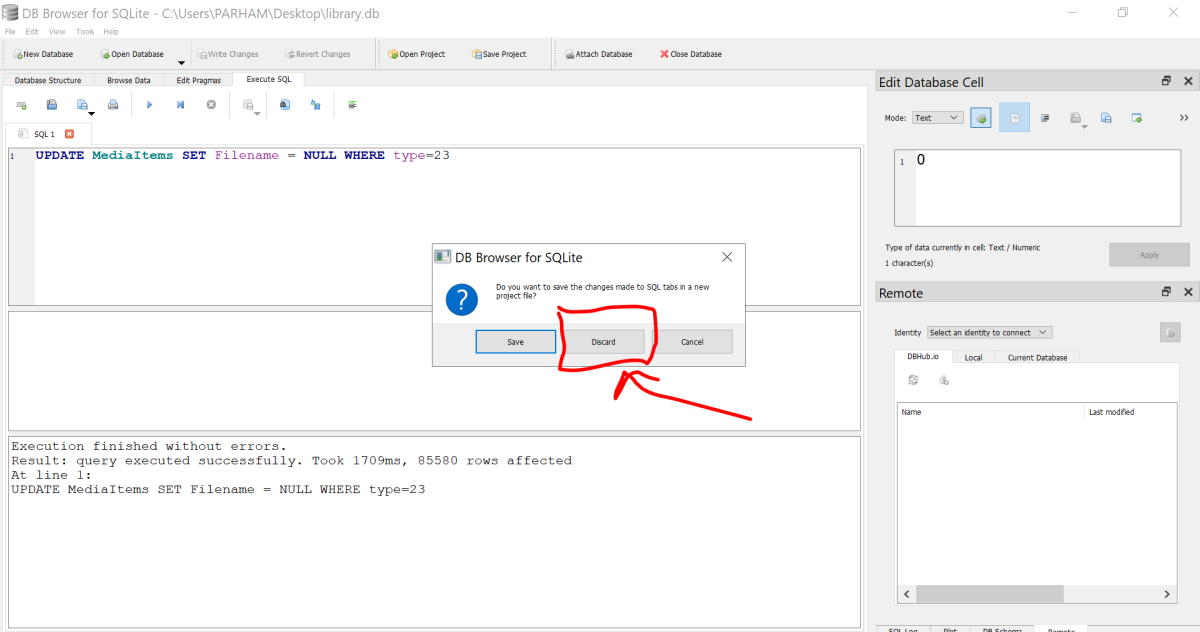
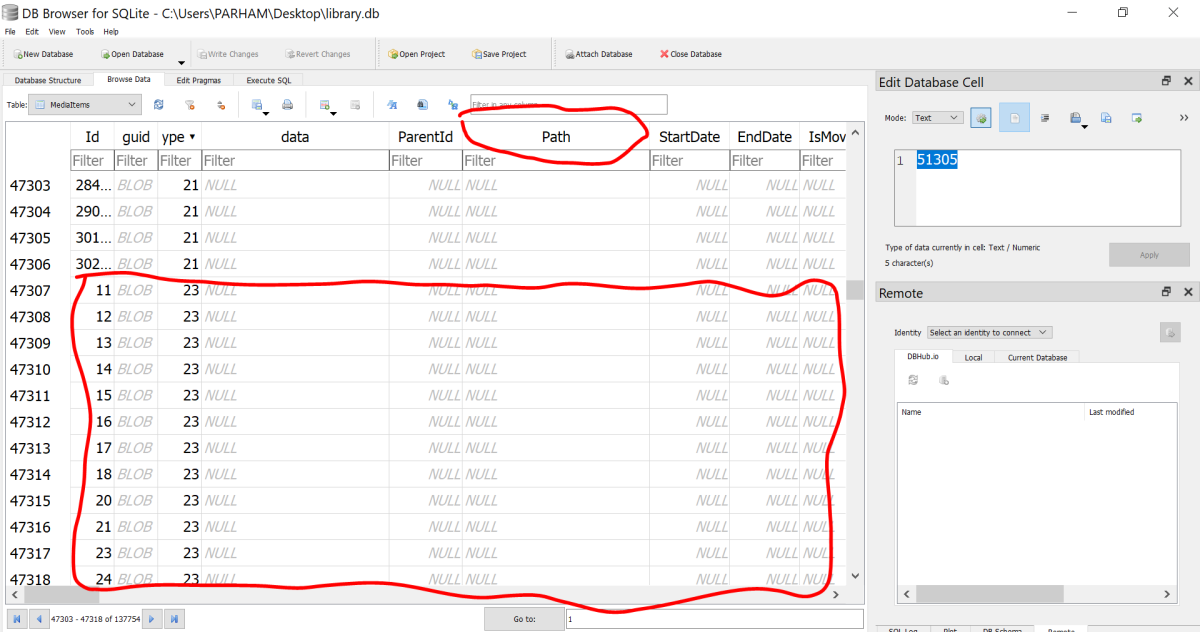
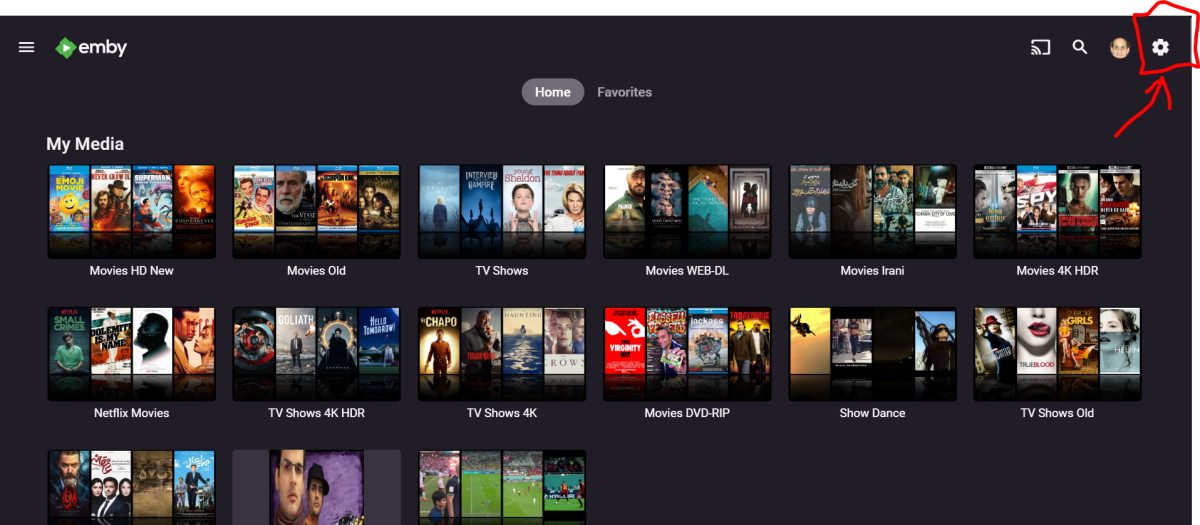
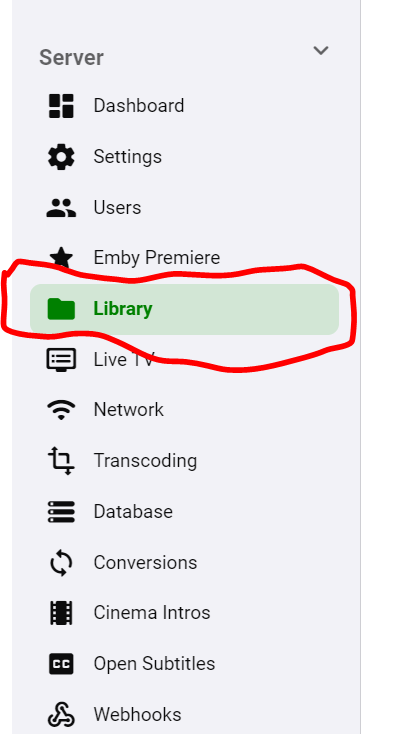
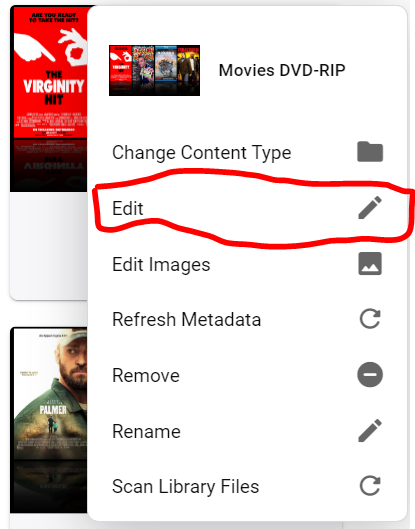
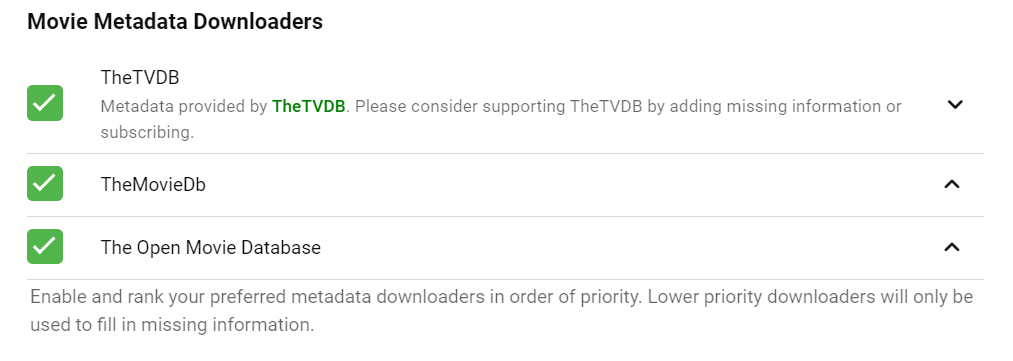
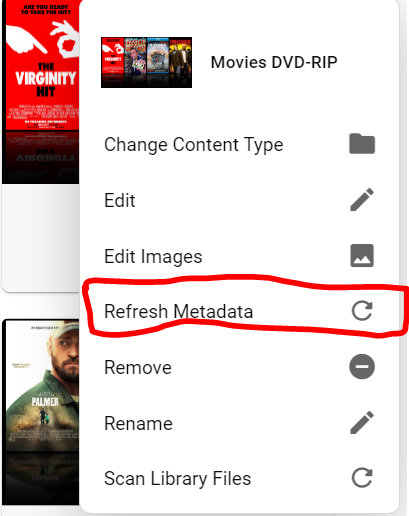
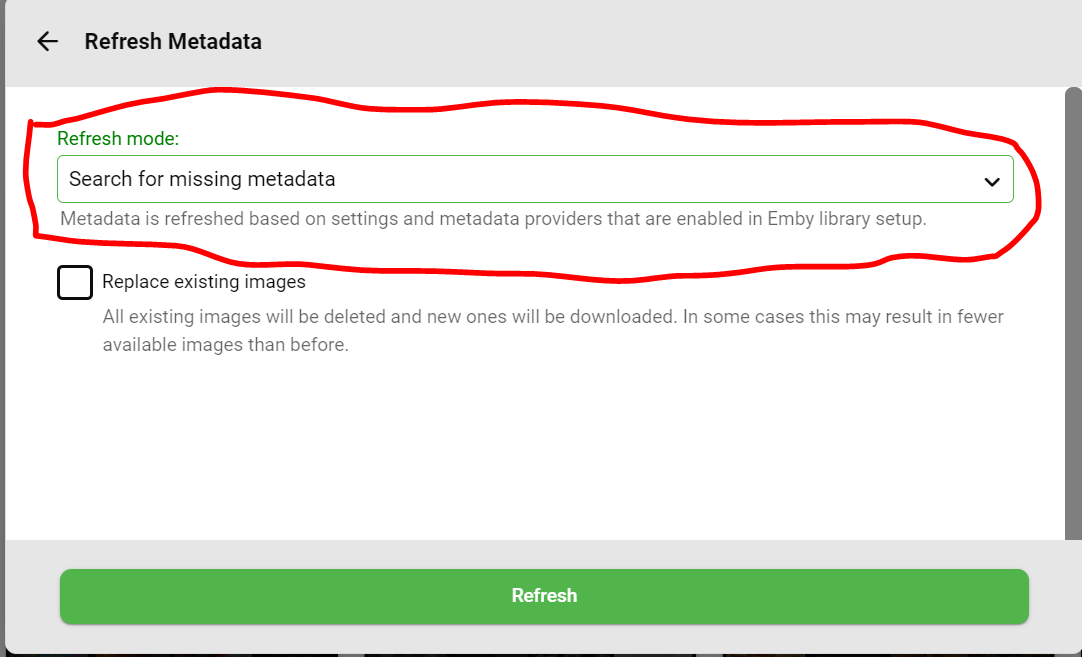
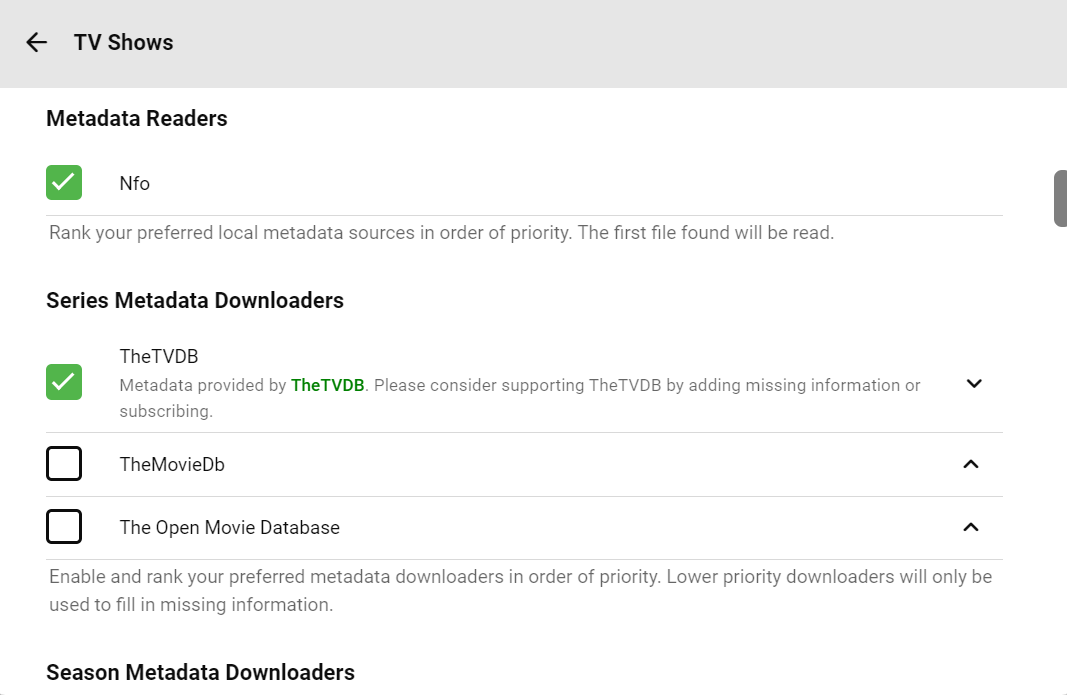
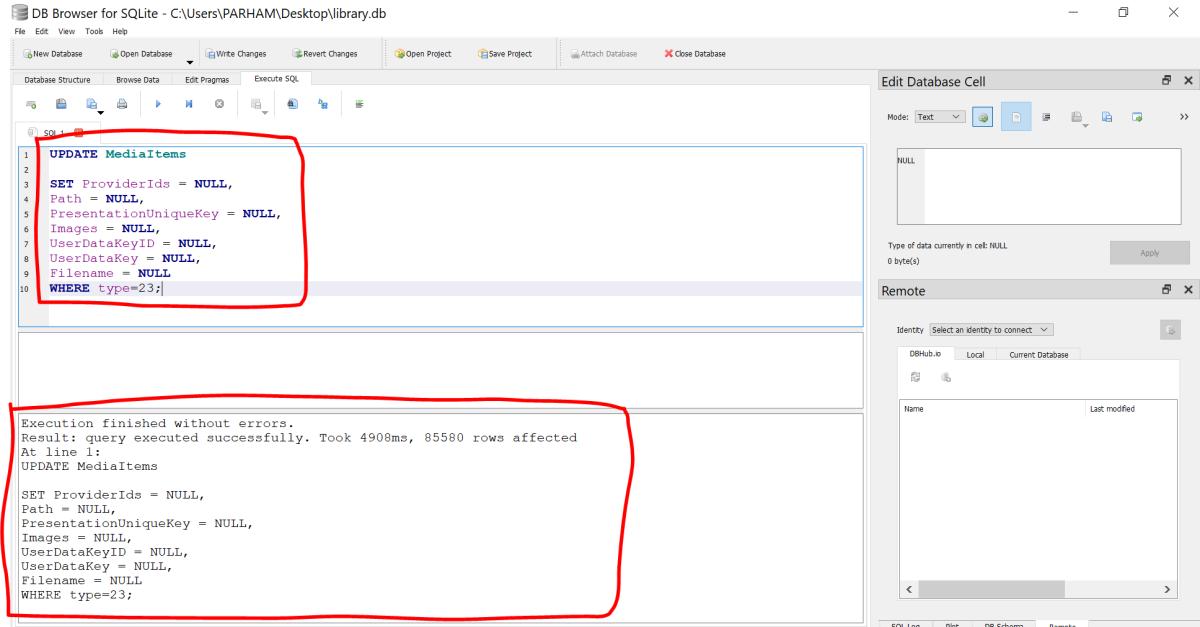
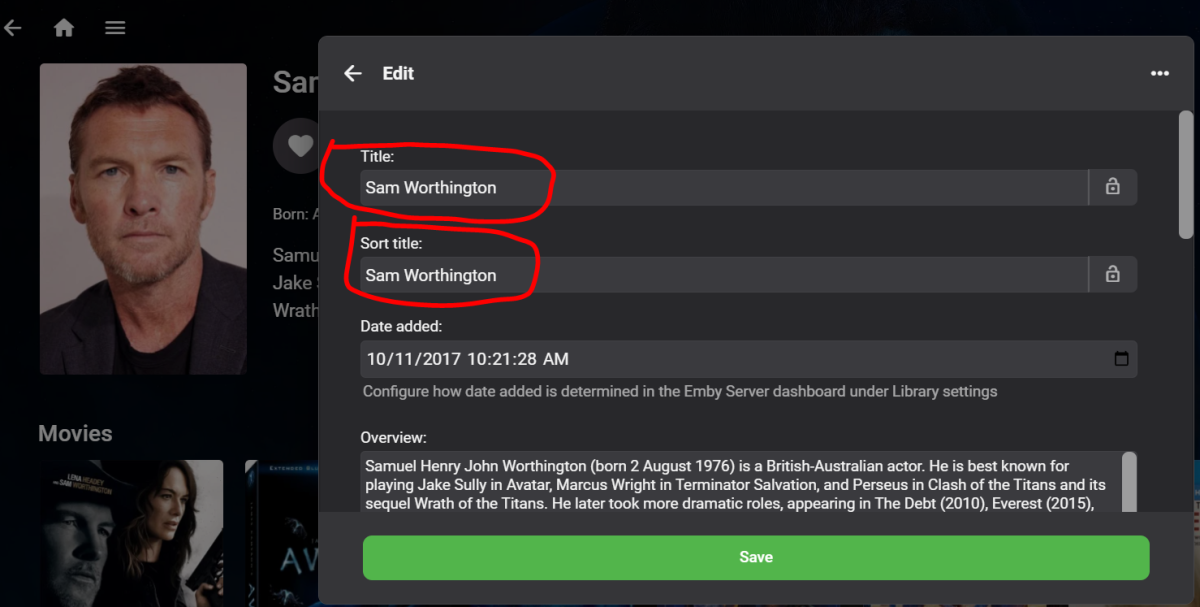
Ok so I finally fixed the issue. Before going into the details, I take no responsibly if you corrupt your Emby database further more, so you are doing this at your own risk!!! Make sure to backup the files and folders I mentioned in this guide so you can always revert back!!! I just made this guide for dummies like myself :). All the credit goes to freddyfinn, Carlo, PenkethBoy, Happy2Play, and Luke for making this possible. This guide is going to be for people who are also suffering from either corrupted/missing peoples images (or people images not loading), or Emby not recognizing the correct cast and crew. I am not going to details why this has happened at first place and concentrate more on how to fix it since I spend so much time on this matter: 1- Before you do anything make sure to backup 2 important files/folders. a. The first folder would be your "People" or "people" folder located in "C:\Users\(YourUserName)\AppData\Roaming\Emby-Server\metadata". In my case it was "People" folder. Create a folder on your desktop or anywhere you like and copy the folder (make a backup just in case, later one you will have to delete "people" folder). b. The Second file (probably the most important file on your Emby Server) is your "library.db" file. This file might be in 2 locations: C:\Users\(YourUserName)\AppData\Roaming\Emby-Server\data or C:\Users\(YourUserName)\AppData\Roaming\Emby-Server\programdata\data In my case I had both files but after further investigation (and from the size of the file) I had to mess around and change the database in the "C:\Users\(YourUserName)\AppData\Roaming\Emby-Server\data" location. See screenshot below: Ignore the "library.db.org" and "library - Copy.db" files, as those are my backups of each original file in that folder. Make sure to backup both; but for me, as mentioned before the first file with the bigger size had all the Emby database information. 2- Before making any changes to the file, shut down your Emby server. If you reached here you probably know how to do this :). 3- Download DB Browser for SQLite Portable. I downloaded from here: https://portableapps.com/redir2/?a=SQLiteDatabaseBrowserPortable&s=s&p=https://github.com/sqlitebrowser/sqlitebrowser/releases/download/v3.12.2/&d=pb&f=SQLiteDatabaseBrowserPortable_3.12.2_English.paf.exe If the link doesn't work just open google and search for it. SQLiteDatabaseBrowserPortable. The file I downloaded was named: "SQLiteDatabaseBrowserPortable_3.12.2_English.paf.exe" Double click on it and open/extract it. You should end up with a folder like this: SQLiteDatabaseBrowserPortable. Inside the folder you should see these files and folders: The file you want to run is: SQLiteDatabaseBrowserPortable.exe Double click the file (run it as admin) and you should see the following, click on "Open Database" or Ctrl+O: Now locate where you have the library.db file, in my case located in "C:\Users\PARHAM\AppData\Roaming\Emby-Server\data", and open the file: If it says the file is locked that means that your Emby server is still running so shut it down. What I suggest is to copy the file "library.db" on your desktop and then open it so you don't mess around with the original file. Your choice. But again make sure to have a backup of the original "library.db" file somewhere else in case things go south!!! For simplicity I have copied the original corrupted file on my desktop and I am going to modify it with the program: When you open the file you are going to see a screen like this: what you want to change are the contents of the "MediaItems" data, you can expand it for fun to see the contents. Next, click on "Brows Data" and from the "Table" Drop down select "MediaItems": Then sort by "items", what we are interested in is data under "type" with "23": Now scroll down until you see items that have "type" "23": You can always use the "Filter" Field to search for a certain "people". For example I was having issues with AVATAR 2 movie not showing the correct cast. See below: As you can see the "Sort title" is correct but the "Path" and the "Title" are pointing to the wrong cast. So lets Search for "Sam Worthington" in the database, and see the issue: So in the Database under "type" "23" I have two "Sam Worthington" and the Path for one of them is pointing to "Fernanda Toker". Also "SortName" for both are the same: So lets fix that! Don't ask me why but this is what worked for me. If you are only having issues with images you might only getaway with executing one "SQL" Command. Head to the program and click on "Execute SQL": Now type the following in the field highlighted in Red: UPDATE MediaItems SET ProviderIds = NULL WHERE type=23 An then click on the "Execute all" (looks similar to a Play button) Button (shortcuts are also Ctrl+Return, F5, Ctrl+R): You should see a confirmation that the command has been executed without errors: Go ahead and type all the command below (one by one). There might be a way to execute all of them (yes there is so see the UPDATE SECTION BELOW) at once but I did this one at a time. So write it down, execute and get the confirmation: 1- "UPDATE MediaItems SET ProviderIds = NULL WHERE type=23" 2- "UPDATE MediaItems SET Path = NULL WHERE type=23" 3- "UPDATE MediaItems SET PresentationUniqueKey = NULL WHERE type=23" 4- "UPDATE MediaItems SET Images = NULL WHERE type=23" 5- "UPDATE MediaItems SET UserDataKeyID = NULL WHERE type=23" 6- "UPDATE MediaItems SET UserDataKey = NULL WHERE type=23" 7- "UPDATE MediaItems SET Filename = NULL WHERE type=23" Do not enter the numbers or the ", just the text inside the " " and execute one by one. Explanation of what you are doing here (for example for the "UPDATE MediaItems SET ProviderIds = NULL WHERE type=23" command) : So you are basically "Nullifying" (Placing "NULL") on each entry of the "MediaItems" table where the "type" is "23" and the field is "ProviderIds", and so on. So after executing all the command you should have "Null" in all the columns "ProviderIds:, "Path", "PresentationUniqueKey", "Images", "UserDataKeyID", "UserDataKey", and "Filename" where the "type" is "23" (people). After you executed all the commands and you got a confirmation that you did not get any errors go ahead and save the changes. Goto "file", "Write changes" or "Ctrl+S". No close the "DB Browser for SQLite". When asked for "Do you want to save changes made to the SQL tabs in a new project file" click "Discard": ----------------------------------------------------------------------------------------------------------------------------------------------------------------------------------------- UPDATE (How to UPDATE Multiple Columns with One Command): If you are interested to set "NULL" to multiple entries at once you can use the following commands (Below is the syntax): UPDATE MediaItems SET ProviderIds = NULL, Path = NULL, PresentationUniqueKey = NULL, Images = NULL, UserDataKeyID = NULL, UserDataKey = NULL, Filename = NULL WHERE type=23; Be careful don't use any tab or spaces so technically this should be like this (pay attention to where the commas are); ----------------------------------------------------------------------------------------------------------------------------------------------------------------------------------------- Now lets confirm that we did everything right. Open "SQLiteDatabaseBrowserPortable.exe" and open the "library.db" file that we made changes on the desktop to see the contents. Click on "Brows Data", from "Table" Dropdown select "MediaItems", then sort by "type" again and scroll down until you see "23" under "type" columns. Here as you can see we have "Nullyfied" all the "people" s "Path" entries to "Null". This should be the same for all other columns "ProviderIds:, "Path", "PresentationUniqueKey", "Images", "UserDataKeyID", "UserDataKey", and "Filename" for the entries that have "type" "23". ok, close the "DB Browser for SQLite". 4- Again I am giving you the warning you must have a backup of the original "library.db" and "people" folder before doing the next steps in case something goes wrong!!! Go ahead and copy the "library.db. file that you made changes (in my case the modified file was on my desktop) into your "C:\Users\(YourUserName)\AppData\Roaming\Emby-Server\data" folder and overwrite the file (make sure you are overwriting the correct file, the "library.db" file that has the bigger size): Now goto where your "people" or "People" folder is located (in my case located in "C:\Users\(YourUserName)\AppData\Roaming\Emby-Server\metadata") and delete the whole folder. 5- Run Emby-Server. 6- Click on "Manage Emby Server" (Gear Icon): 7- Click on library: 8- Click on 3 dots on the library that you have and click "Edit": 9- Make sure you have something for the "Movie Metadata Downloader" highlighted here (your choice) or your TV Shows: 10- Now close this windows and goto the library and click on the 3 dots again and click on "Refresh Metadata": 10- Here select "Search for missing metadata", if you have images for movies in your root folder then you dont need to highlight "Replace existing images". Hit Refresh: 11- Remember you need to "Refresh metadata" for all your libraries in order for the "Metadata Downloaders" to fetch new cast and crew and their images for all your movies/TV Shows. 12- Depending on your Library Size it might take a couple of hours for all the metadata to be downloaded and refreshed so don't worry if you still see some images not loaded up. At the end, all the "people" metadata and images should get refreshed. If not click on some of them and they should load up. 13- That's all!!! hope this helps someone with the same issue that I had. Here is the image of the "Sam Worthington" that I was having issues before (all fixed up): Let me know if you have any questions or if I made a mistake on any of the guide!!! Again, All the credit goes to freddyfinn, Carlo, PenkethBoy, Happy2Play, and Luke and others for making this possible!!!


 2 points
 -
That's it. Thank You.2 points
-
You need to Refresh metadata.2 points
-
I strongly vote for Nvidia Shield (Either versions - I have both - they will work happily with Emby android tv - the emby app is slick and lightweight) I have two TVs and use Shield on both. The only irritating thing is the Android advertisements (this is a google tv issue, not shield). I bought the Shield many years ago when it launched when I only had 1080p TVs. Today, I have the Shield connected to LG 4K Dolby video TV - Soundbar systems. Works to perfection. The AI upscaling of the Shield works well for smart sharpening - I can use a single button on the remote to enable / disable AI upscaling. I prefer the shield wired with gigabit ethernet because I have ethernet ports available next to the TV - not due to bandwidth but for latency - it works fine on wifi too - had it on wifi for years with no probs. Wired just gives that millisecond better response when being served from a local server. The Shield remote is all I need - the built in illumination is ideal when in low light (I have Emby controlling Philips Hue lights via samsung plugin). When properly configured there is no need of the TV remote. I have the "Netflix" button on the remote remapped to Emby. A double click opens youtube. Complete cord cutter. I strongly recommend a Shield as it comes out of the box supporting audio and video - Dolby Atmos and DTS for audio and dolby vision. I moved to Emby Premiere some time ago from being a long time user of Plex Pass - The Plex server is buggy, the Android TV app of Plex was a long term buggy resource intensive - it had memory leaks crashing android TV all the time. Today I keep Plex for music only on my mobile phone - I still like plex music mobile app.2 points
-
@seanbuffThanks, I knew I had seen it but that only proves one thing.....the issue is old and still hasn't been addressed. I have noticed this for years too. I really wish they would fix this, it is annoying....super annoying.2 points
-
'For the software side, there exists an installable setup of the Windows server with TVnext (based on 4.8.0.39).' Believe me, I know how to prevaricate, but Emby really is in a different league. You must have spectacular patience to survive this. Pretty much the same stuff has been said for years. Its been sitting and sitting. Just rename it to 4.9.0.1 and make it crystal clear what it is and release it. Its not like a stable version will arrive any time soon anyway.2 points
-
Trying to get any kind of eta out of (certain members) of Emby is like trying to get blood out of a stone which you can't even find because it was all mixed up and used to repair the great wall of China.2 points
-
That controls triggering the library events. I would just use the method overload that doesn't take that param.1 point
-
the speed of channel tuning was pretty high up on my list of things that i liked about the tvnext beta in testing, but that benefits all tuning, not just channel surfing. and its good that you've built this into tvnext for those that want to use it. but that doesnt help our angry chicken when there are too few buttons on the remote of your standard streaming device to support it at the client end. at best i imagine it would be controllable through the OSD1 point
-
well... based on the length of the current beta (now 14months, and lets not forget we were promised at the last stable release that future beta rounds would try to be shorter ) its reasonable to predict not seeing it in stable til October 20241 point
-
As I mentioned earlier each year and each model group is evaluated separately and many times by different testing personnel. There are usually 3 groups (Premium, standard, and basic) every year which I posted a link to. So, an update can pass, fail, or be held up for some reason and you can potentially have 3 versions approved by Samsung for each year. Multiply that by the number of years Tizen has been out (since 2015) and that is the potential number of different versions that could possibly be out there at any one time. Luckily it has never been that bad, but some years and model groups are behind because of that very reason. It gets approved for some, and some it doesn't. However, if it is approved for one group then it should be the same version for that group in every region. Then after 5 years models from all 3 groups are frozen at the current version as Samsung will no longer test newer versions. The reason this all happens is because the Tizen version and thus the SDK the devs use changes every year and the capabilities of TV models between groups is sometimes different which is why Samsung tests every year and every group differently. Just because an app works Tizen 4.5 doesn't mean it will work in Tizen 4.0 and just because it works on a Premium tv set doesn't mean it will work on basic model.1 point
-
Please add also Turkey to the list, there are thousands of Emby users in Turkey and waiting for this feature. Thanks.1 point
-
Thanks for the help guys, I installed the server apk but didn't realise I had to then configure it via a browser on my phone. The Shield doesn't seem to have a decent or m(any) browser applications. So after a lot of configuring, I got it to work. My gf loves it and so do I. It keeps popping up that I'm on a trial version? I'm not sure what will change after the trial expires, hopefully I can still access the media etc. Am looking at premiere option and transcoding might be a plus, not sure. Thanks anyway. very much appreciated.1 point
-
Not sure what @paulschofieldmeans about no encryption - I never said that.. To clarify - as I know you are fully aware of this In referring to end-end encryption. If using http/in the clear - then any 'encryption' done by the VPN is only being done between the two VPN clients. If the VPN endpoint sits on lets say a shared router (as opposed to the end client) - then from that point to the end device, it's in the clear. In the grand scheme of things, a VPN is obviously better than http only, but is typically less secure end-end (from a purely encyption point of view) than https. https could be intercepted with mitm attacks, so obviously is not 100% safe either. In summary, the primary purpose of a VPN is to tunnel traffic across two end points, but imo, it should not be used as a https substitute.1 point
-
Until I started to use Sonarr I had these kinds of problems. I now use Sonarr to manage my files - I now even have the tvdbid in each folder (Sonarr does that autmatically) - it manages itself. Strongly recommend using Sonarr to manage the library - automatic renaming will make the library spotlessly consistent. It will save a lot of headaches.1 point
-
Yeah, it seems that ADM identify something. Not correct, but it does something.1 point
-
Reported originally here: And more recently here:1 point
-
Oh, there's also some good news, which I almost forgot, but I think I can tell, as it has been eventually greenlighted now: It is a piece which had originally been part of TVnext. It's a plugin that we have separated out, for being able to deliver it earlier and independently. Like I mentioned above, TVnext playback is specialized on live TV signals, which also means that it doesn't support "channels" which actually aren't live tv channels but just pointing to a remote file (like mp4 or mkv). It's sometimes used for VOD content which is provided as pseudo tv channels and where you can easily end up with like 50k of channels which aren't tv channels at all. Providers are doing like this, because most simple clients can't handle anything else but TV channels. But we are Emby. Organization and presentation of media is our mission, and so we should be able to do better in handling such content than presenting it as thousands of tv channels. This is not just an inferior way of presentation - it also messes up the TV feature in many ways: searching for channels and other tv items, managing and maintaining your channels, handling EPG mappings, making recordings, and it also can negatively affect performance. There's a plugin coming up shortly (for the betas) to fill this gap and have such content managed and presented a bit more like an Emby library instead of tv "channels". Official announcement will follow.1 point
-
Hi, yes we’ll look at improving it. Thanks.1 point
-
There were some 2018 and 2019 models that Samsung failed the last update on but passed everything else (it happens occasionally as they have different testers for different year/models) so that's why you're only seeing 1.2.6. It will get updated in the next round, but as Luke has stated Samsung won't allow us to do both country expansion and app updates at the same time1 point
-
DFA works sort of but those remuxes just wont play. I remember comparing each and every setting with @FrostByte but at the end of the day and all things set the same, no dice. Was it @CBers who mentioned he too couldn’t get DFA to work right either? Seemed hit and miss.1 point
-
By the time any of the features hinted at are available, then terrestrial TV probably won't even be a thing.1 point
-
Had to..... Seriously though, it is clear by many (many) users that attention in the form of a released product to improve upon LiveTv is sorely overdue and extremely disappointing knowing that a lot of talented dev effort has happened with nothing to show for it (minus the teasers which I do love BTW, yet they sadden me). Starting this thread 8 months ago was at a point where it seemed ridiculous to not see some of these great improvements come to light even if in a Beta channel. Yet we still have zero idea or hope we will see it in another 8 months. I don't say it to be mean, I say it due to being disappointed. It is the single most wanted feature by many users here, and yet there is no update, no plan, no anything other than Luke asking a stupid question (sorry) when he knows damn well what we're asking for..... (end rant)1 point
-
There are a lack of many features, haven't you read the thread at all Mr. 6000+ posts?1 point
-
I think people are just rightly frustrated at the lack of action. Let's not forget this thread was started in 2018, not as a result of the security incident. I'm hopeful that will have been the kick the emby team needed to start taking security seriously, but if we're still commenting in this thread at the end of the year perhaps it will be time to find an alternative.1 point
-
Changing the name, plus a restart fixed it! Name change alone didn't, but with a restart solved it. I wanted to provide clarity for the next person. Thanks for the help1 point
-
@mixXximYour changes are on my list but they are cosmetic in nature and at the moment difficult for me to do. I know the effort appears simple, but it is not. When I get back to that part of the code I will work on it. I am working now on things I said I would do a long time back and on other threads. This is not a job. I do what I can when I can do it. Vic1 point
-
I’d love to see a page up and page down in the guide1 point
-
How about channel changing that doesn't take 8-10+ seconds to tune (direct play without the ability to pause or seek doesn't count)? I'd sure love that, as would everyone in this thread, and that's me just picking one of the many (many) improvements from the list.1 point
-
In earlier days, Intel had a driver model with primary focus on OEMs, like mainboard manufacturers. Those OEMs were provided base driver versions by Intel and could customize them and release them as their own - branded - versions of the drivers. The idea is that the OEMs are testing the drivers to be compatible with their own specific hardware (mainboard+firmware). Those procedures haven't changed, but earlier it wasn't (easily) possible to install the Intel (plain-vanilla) drivers on top of those drivers (once installed). This is what has changed 2 years ago: You can always install Intel's drivers on top of other drivers - probably because it has turned out that the board manufacturers are updating their OEM versions rarely and often completely stop updating after 1-3 years. Testing new drivers costs time and money - so what's remaining is that "recommended" (= tested) driver versions are always behind the latest Intel driver versions - sometimes even far behind. For >90% of cases, it doesn't matter a lot, because users aren't expecting much more than proper display of their desktop UI. For media hardware acceleration it's a different story. The initial Iris/Arc drivers had tons of issues in this area, but it's not something cared by those who determine and release the "recommended driver versions" for specific hardware (even when it's Intel itself - but another department). So the golden rule for using Intel Media Hardware Acceleration with Emby: Always go to the Intel Support Site and download the latest drivers for your graphics hardware!1 point
-
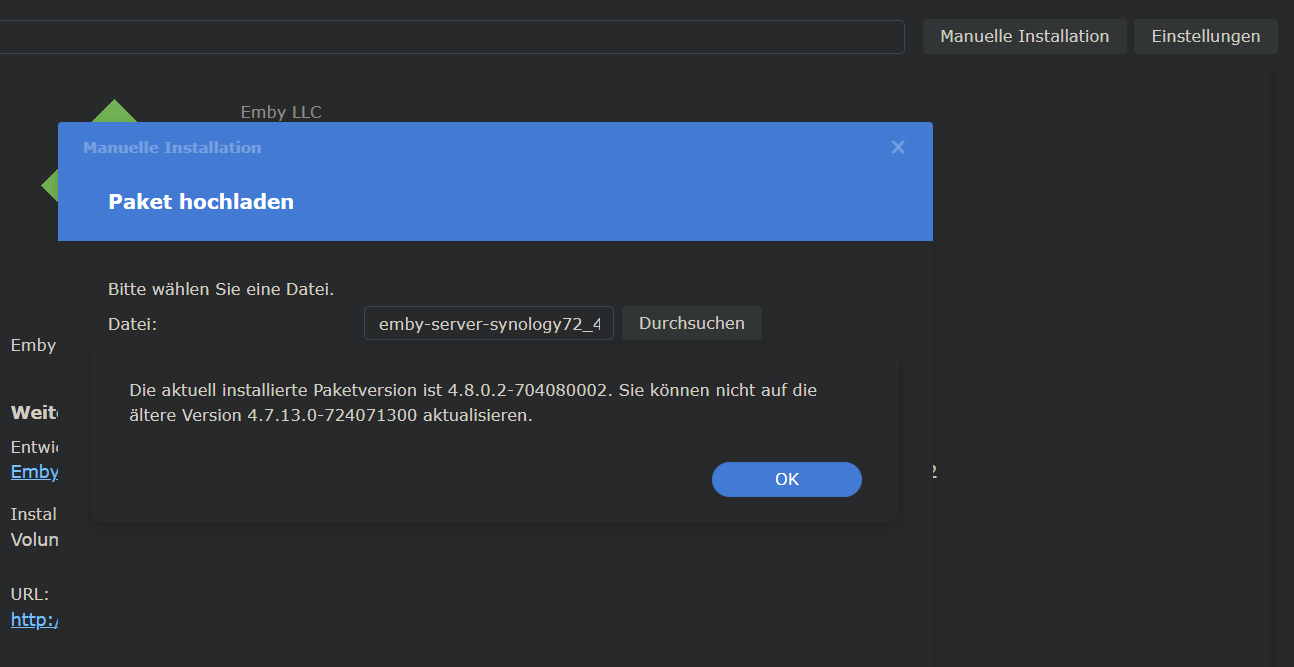
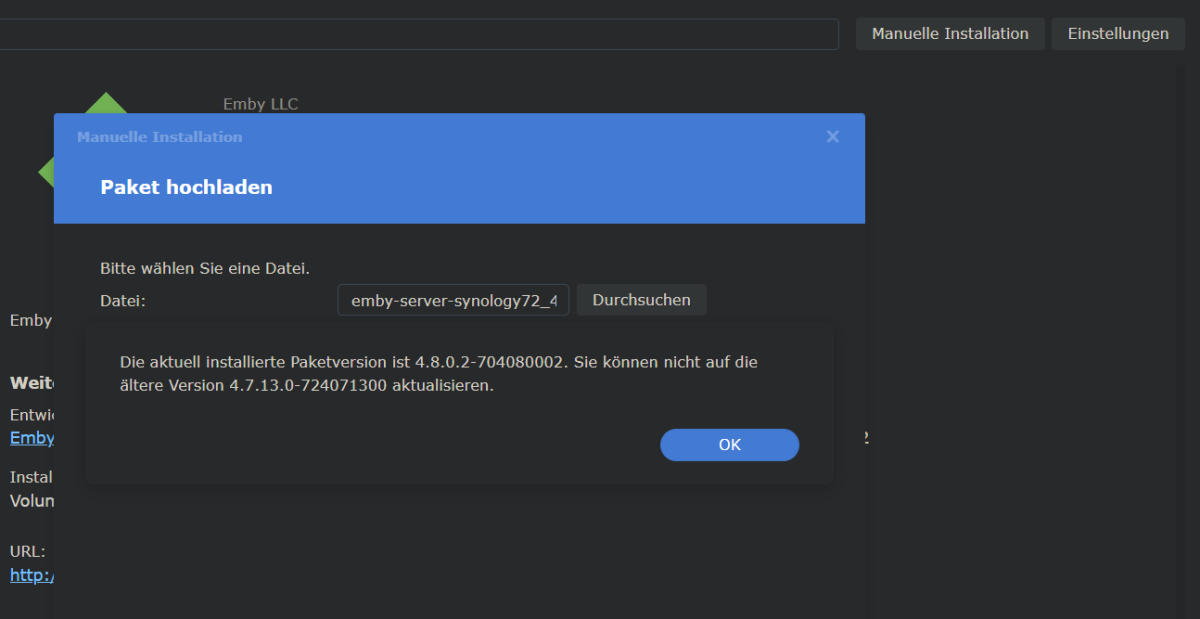
I tried to install the following package: * emby-server-synology72_4.7.13.0_x86_64 I got that one from here: https://emby.media/synology-server.html This is the output (n English: The current Version is xxxxxxx. You can't update to the older version yyyyyy)
 1 point
 -
Given the latest events, isn't it about time the development team took this a little more seriously and stopped kicking it down the road? All internet facing systems in 2023 should have the option for MFA.1 point
-
Your view seems focused on the US. The situation is very different at other places in the world (e.g. Europe). I think all the many people that aren't using Emby due to the lack of native tuner support. Full support. Even across machines in a LAN (e.g. Emby/TVnext on Windows or on Linux, tuners installed on a different machine). The remote tuner agent also runs on a number of SAT receivers (even one with MIPS architecture...) DVB driver support on Linux is quite good. Haven't seen any problems in testing. The sat receivers (also Linux) with their custom drivers were challenging, though.1 point
-
@Luke I want the functionality this request is pushing for but I don't think the requested feature would work. I'm unlikely go go through my tracks and mark each one with a 'like it/don't like it' tag. That said, if you added a control during playback that make it easy to flag songs I dislike and then filtered them out for the future, that would be awesome. So when playing a playlist, using instant mix, or shuffling a genre or artist and a track that I don't like plays, I could click the 'this sucks' icon. The track would then be skipped and marked to be ignored in this kind of playback in the future. If it's a playlist the track could automatically be removed from the playlist too. Over time those tags would shrink the list of content emby would select from when playing in various mix modes to just things I might want to hear. I'd love that.1 point