Leaderboard




Popular Content
Showing content with the highest reputation on 08/02/23 in Posts
-
For those in France, Germany, Italy, Spain, and Canada, can you please check the app store on your Samsung TV and let us know if the Emby app is available now? Thanks !4 points
-
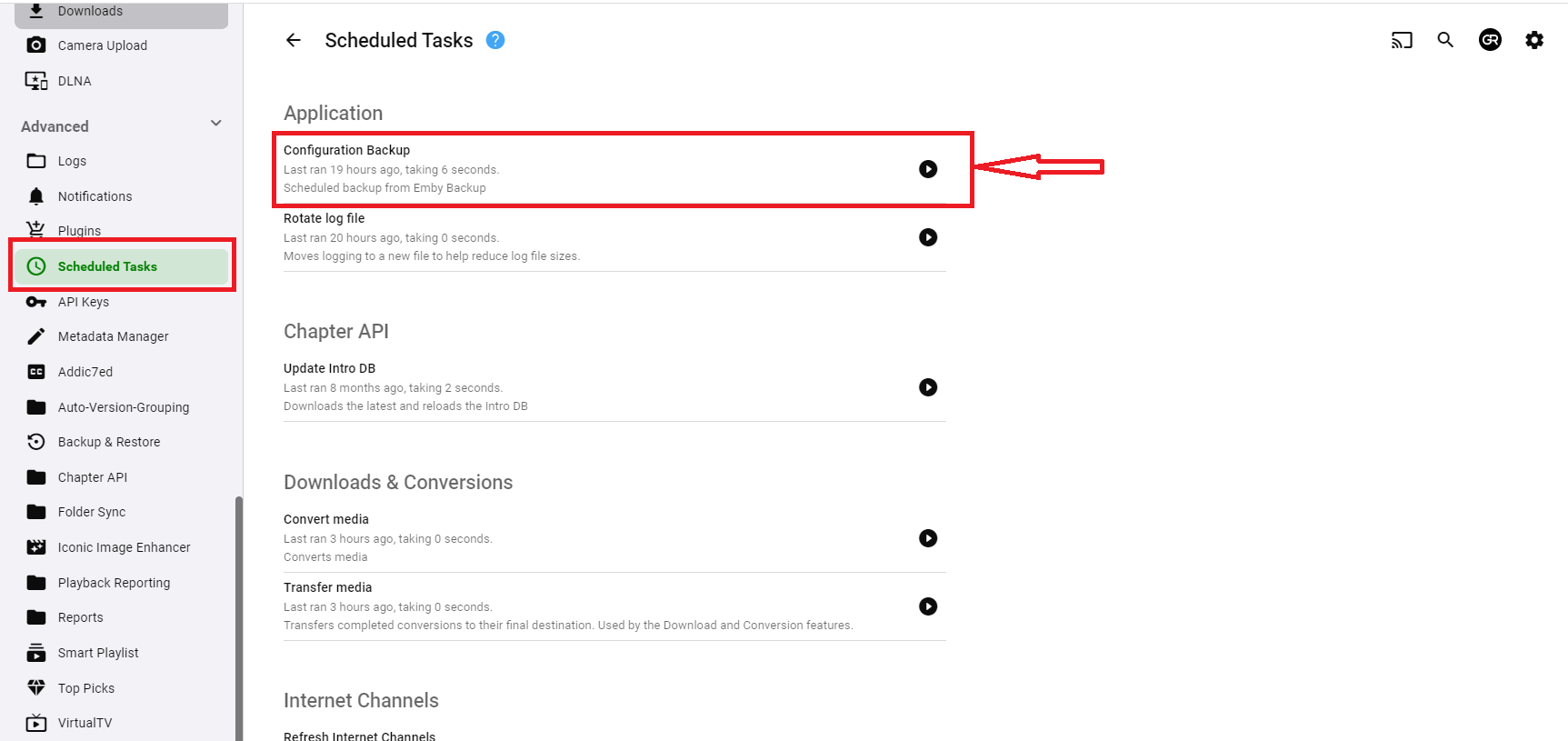
Thank you! For some reason my old slow brain did not even think about "Scheduled tasks" in this case. I know it should have occurred to me but this old brain sometimes just ignores the obvious. Again, THANKS!! Oh, I did not see @GrimReaperpost before I wrote this. Thank you very much too.3 points
-
Do you have the Backup & Restore plugin installed? When you want a manual backup, just run the scheduled task.2 points
-
The issue was mine. I have a problem with Emby where it keeps a tuner busy even though every recording is done (or maybe it thinks live tv is on and never turns it off don't recall). What happens is an endless transcoding temp file, gets to be hundreds of GB very quickly. So, I created a task to restart the hdhomeruns I have at 5:48am. I very vaguely recalled this and finally found the task. I have moved it. Don't know if the actual Emby problem is resolved or not. System has 20 some TB free on that zfs pool so nowhere near out of space.2 points
-
Since music is highly tag driven now, especially with musicbrainz tags, can we please fully use those tags to keep libraries better organized? Some artists credit themselves with multiple names over their career. for example, Fela Kuti: https://musicbrainz.org/artist/6514cffa-fbe0-4965-ad88-e998ead8a82a all the variations have the same mbz artist tag. So naturally, mbz lists them all together on the same artist page. But emby separates every spelling difference into its own unique artist page. matching mbz tags should pool together under one page, with the unique name changes listed underneath the albums.
 1 point
 -
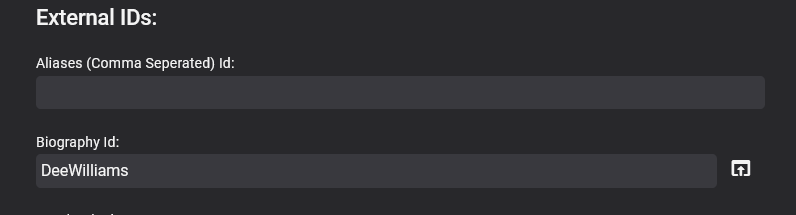
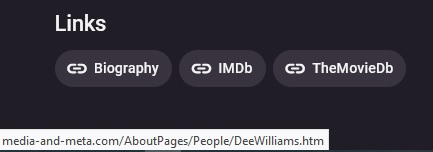
This is an Alpha version so far. - Check the last posts for the latest version What it does is allow you to add external links like this, to people, movies, tv shows, episodes, albums (including audiobooks) , artists and games It has not been extensively tested!!! and is still a bit rough round the edges with no real instructions I have not documented anything yet However you can use shortened urls / redirectors etc !!! For security reasns please bear in mind that external links can be hijacked, malicious code injected etc so please verify your sources before adding them to your server !!!! It has some custom fields too so you can create your own links Its is no where near finished, there is still a lot to do, its jsut posted here for testing for now. Provider_Ids_Extender(12Aug2023).zip 18-02-2024 Update Added a few more Ids and a section for tracks - see thread for details (page 3) Provider_Ids_Extender(18-02-2024).zip 19-02-2024 Update Fixed typo is Custom Id 3 of Artists Added Generic Youtube url to artists (so now can either add channel or generic youtube url - youtube.com/{0}) Added Amazon to Albums and Artists Provider_Ids_Extender(19-02-2024).zip
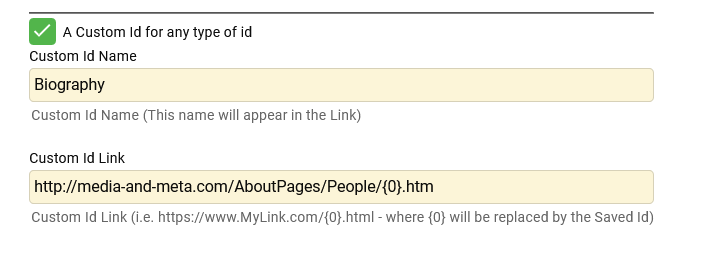
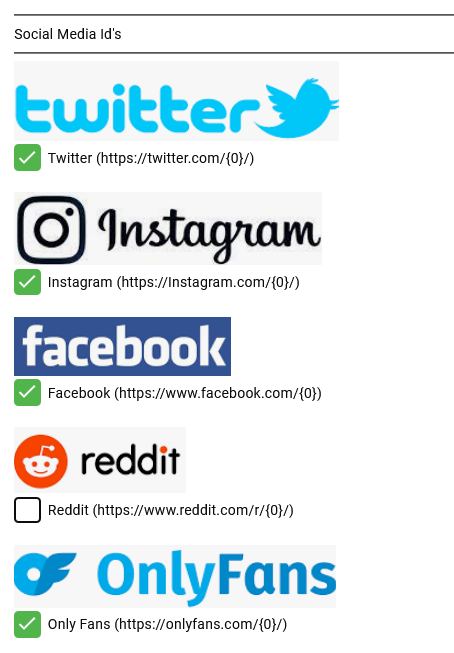
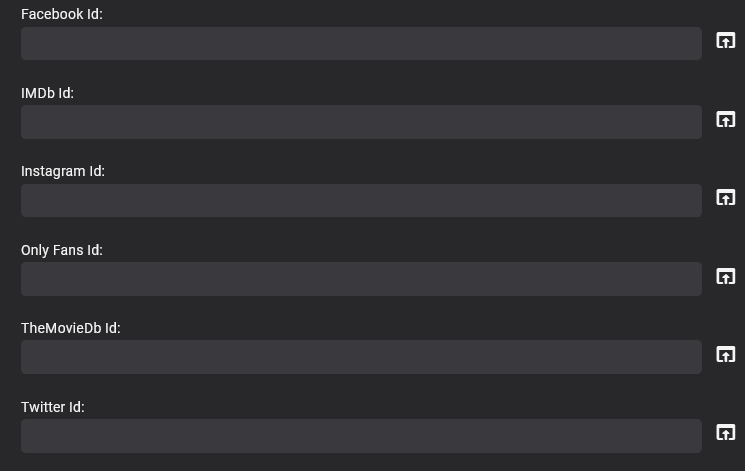
 1 point
 -
Oh thanks! i will try. Did not know/see i clould move them1 point
-
Move Screen Grabber to the bottom of preferred fetchers and Refresh metadata with Replace images selected.1 point
-
I located on the Emby forum an article titled "How to access Synology NAS as Admin or Superuser using WinSCP". I followed the instructions, built the script on Synology, created the necessary login in WinSCP, edited the Hosts file, and deleted the files as indicated in the instructions. I deinstalled and reinstalled 4.7.13. Emby server 4.7.13 still shuts itself down.1 point
-
With a bit of Linux Bash magic i hopefully have filtered out every Movie,, Episode, Serie or Folder which got lost. Thanks for the help.1 point
-
Yea it makes sense. Thanks.1 point
-
Thanks to Luke and the whole team for the changes! I see that Emby was updated to use the server name (or friendly name if you set it in Emby settings) of the Emby server. It is used for the html <title> (seen in your browser tab) and is also used as the value of several meta tags: <link rel="manifest" href="manifest.json"> <meta name="description" content="Your Server Name"> <meta name="application-name" content="Your Server Name"> <meta property="og:title" content="Your Server Name"> <meta property="og:site_name" content="Your Server Name"> <meta property="og:description" content="Energize your media."> <title>Your Server Name</title> My server was flagged by Google as "deceptive" a couple of times back in March before you'd made these changes, and in an attempt to get around that problem I made the same changes you did, but additionally I updated the contents of manifest.json to remove references to Emby (with the exception of the iPhone and Android app links). I also replaced all of the Emby logo images with custom ones I made, including favicon.ico. My site hasn't been flagged as deceptive in the five months since I did that! I really have no idea if the reason my server has not been re-flagged is because I also updated those images, and replaced Emby references in the manifest.json, or if that is not necessary. But until we know for sure, do you think you could also use the server name inside manifest.json? And perhaps give us a folder where we can put custom images and use those if present? The ones I replaced are: /app/emby/dashboard-ui/favicon.ico /app/emby/dashboard-ui/images/icon-72x72.png /app/emby/dashboard-ui/images/icon-96x96.png /app/emby/dashboard-ui/images/icon-128x128.png /app/emby/dashboard-ui/images/icon-144x144.png /app/emby/dashboard-ui/images/icon-152x152.png /app/emby/dashboard-ui/images/icon-192x192.png /app/emby/dashboard-ui/images/icon-384x384.png /app/emby/dashboard-ui/images/icon-512x512.png /app/emby/dashboard-ui/images/splash.png /app/emby/dashboard-ui/modules/themes/logowhite.png /app/emby/dashboard-ui/modules/themes/logodark.png To avoid losing my changes whenever Emby Server is updated, I used a combination of docker volume mapping (for whole file replacement) and a rewrite-body middleware with traefik ingress to make the html changes that you have now made for us. So I shouldn't need the rewrite-body middleware anymore, but I'm still concerned about the image and manifest.json files until we know for sure those don't need to be changed too.1 point
-
I hope that the Czech Republic(Czechia) will be soon as well1 point
-
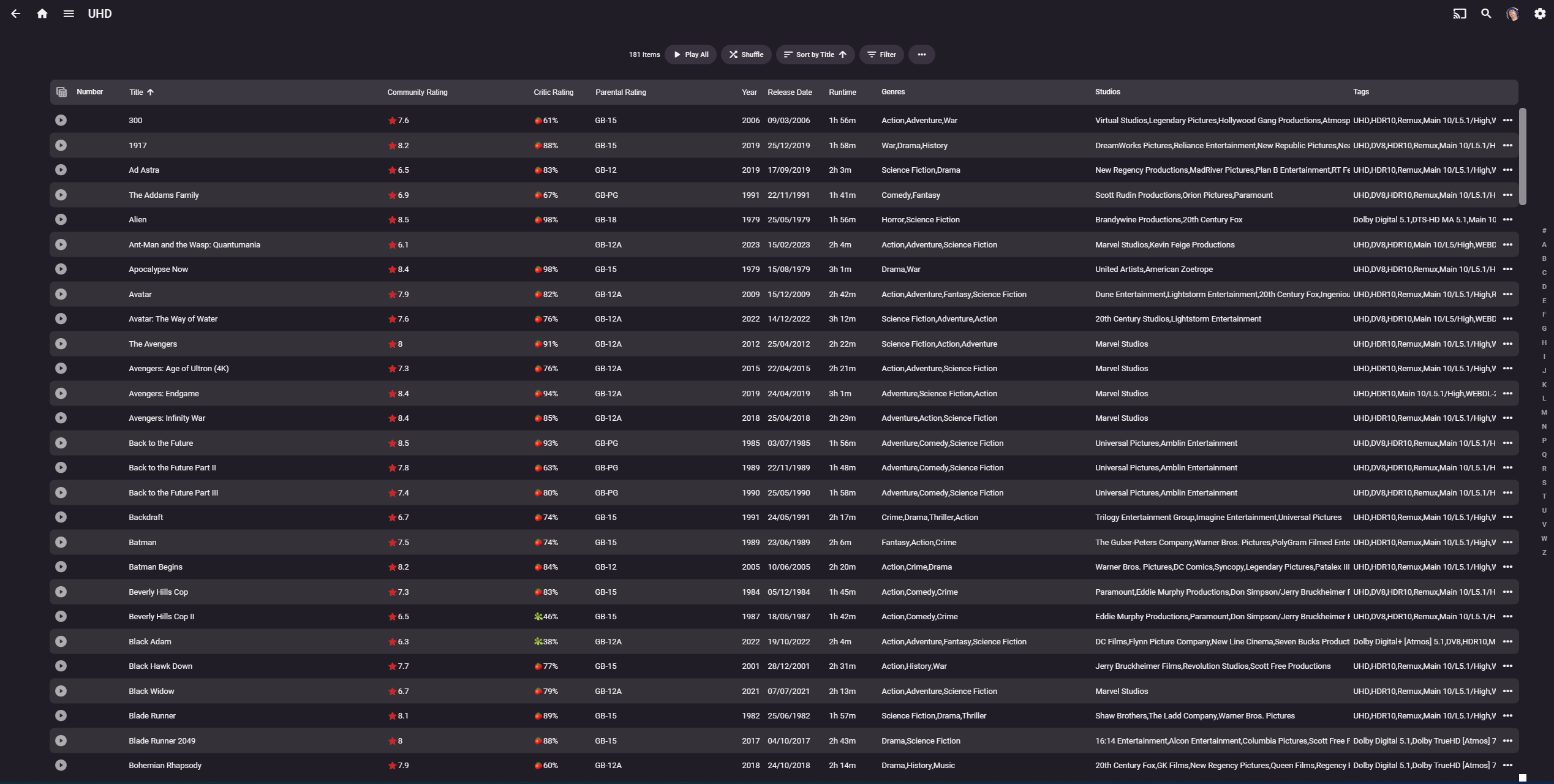
So in Emby - this is a table view as a result of filtering Movies by Tag = UHD There are 181 Items - so all I really want to do is to visually give it a 'once over' that the filter I am using is correct. i can quickly scroll up and down to see the rest. Once 'previewed' THEN I think maybe shown the Bulk Edit options as you do now (for Tags, Genres - Add/remove etc) and then just have an 'Apply/Save' button) I *think* that's probably less confusing than having a detail screen for every item..
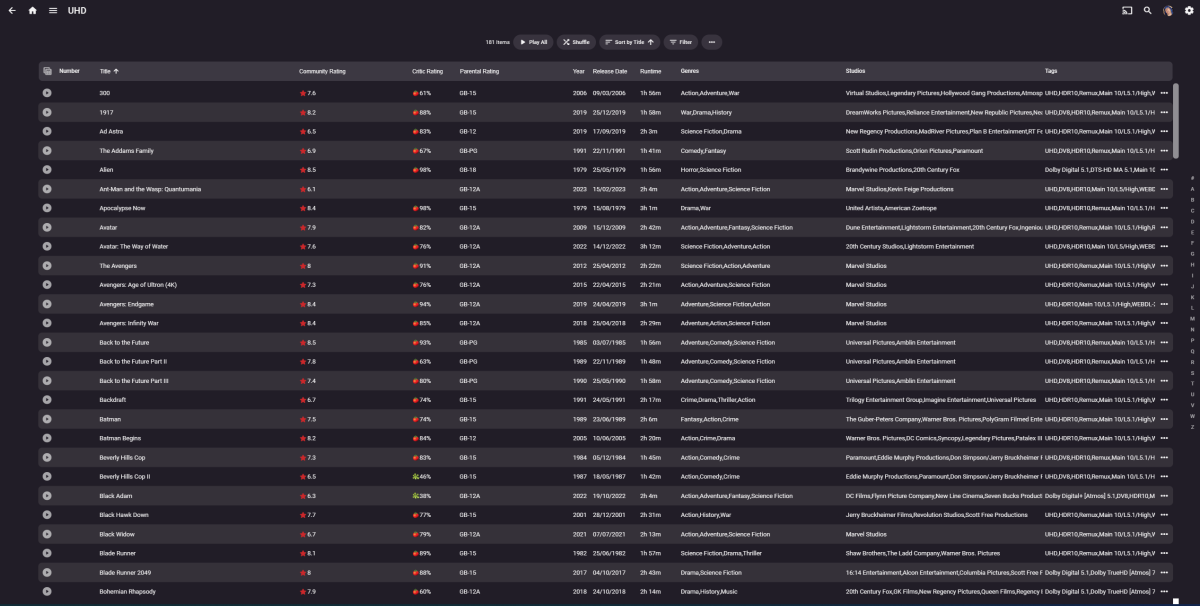 1 point
 -
Also version 1.4.8 in Germany. Thank You! Best News for Today!1 point
-
Can confirm that app is available in Canada but still the old version 1.2.61 point
-
Good job !! I hope to make it available to Greece!!!1 point
-
Getting closer to Belgium Thanks for the hard work1 point
-
Version 1.4.8 available in the Spanish app store!! Thank you for your great job!1 point
-
Good news for users in France, Germany, Italy, Spain and Canada:1 point
-
If the file doesn't exist, then emby removes it from it's database automatically during a scheduled scan - so unless that is captured before removal, then it won't have the ability to know it is 'missing' again. The only thing I can think of doing it is scraping the logs to look for 'removed' content (as it will log that it removed Item x) Do you have the logs from when it happended ? edit .. Look for lines that say 'Removing item from database' - use a decent log viewer and filter to get your list of files that have been deleted.
 1 point
 -
Ensure Windows is in Private Networking, not Public. Public will isolate the server locally on the LAN. You can create a specific rule to deal with this, but most will just change Windows to Private Networking (which means everthing on the same LAN is discoverable). Changing your router may have activated this change as Windows considers it a 'new/untrusted' network.1 point
-
1.7.5 (1) fixed it — thanks!1 point
-
Thank you soooo much. I had not done that first step.1 point
-
Yes they do. Works great.1 point
-
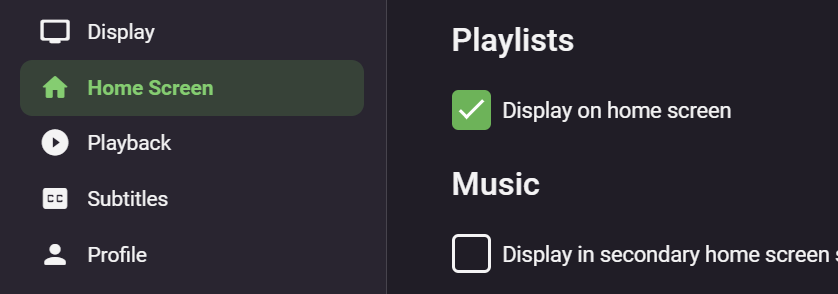
Hi, firstly your user account must be granted access to the 'Playlist' library, look for this under the 'Access' tab of the user account. Then you can select to display 'Playlists' on the home screen from the users 'Home Screen' settings:
 1 point
 -
We do this with a database query, not managed c#. So yes you can recreate it, but there isn't a ready made method you can call. Try this for starters, off the top of my head: new List<Episode>() .OrderBy(i => i.SortParentIndexNumber ?? i.ParentIndexNumber) .ThenBy(i => i.SortIndexNumber ?? i.IndexNumber) .ThenBy(i => i.PremiereDate) .ThenBy(i => i.SortName) That should be a close enough starting point.1 point
-
It's version 1.7.5 that went out yesterday.1 point
-
The app was storing it's data in a place where the tvOS system may wipe it out at any point in time, so we had to move it elsewhere.1 point
-
Did you delete the folder like I mentioned? If so, what folder, and how did you do it? Can you install 4.7.13?1 point
-
Afraid I won't be of much more help, but I do have two comments. First it appears you are running an older version of Ubuntu (Ubuntu 5.4.0-6ubuntu1~16.04.12)). Not sure if that could be a contributing factor, but is worth noting as it is an older version. Second, make sure you have enough free space on your partition.1 point
-
from the truenas 13 install instructions: iocage fetch -P emby-server.json dhcp="on" ip6="inherit" allow_mlock="on" --branch master Plugin: emby-server Official Plugin: False Using RELEASE: 13.1-RELEASE Using Branch: master Post-install Artifact: https://github.com/MediaBrowser/iocage-amd64.git These pkgs will be installed: - audio/libogg - audio/libvorbis - audio/opus - converters/fribidi - databases/sqlite3 - devel/icu - devel/libinotify - devel/libunwind - devel/orc - converters/fribidi - converters/libiconv - devel/libzvbi - devel/ocl-icd - graphics/jpeg-turbo - graphics/libdrm - graphics/libexif - graphics/libheif - graphics/libimagequant - graphics/libjxl - graphics/openexr - graphics/openjpeg - graphics/png - graphics/tesseract - graphics/tiff - graphics/webp - multimedia/intel-media-sdk - multimedia/libass - multimedia/libtheora - multimedia/libva - print/freetype2 - security/gnutls - security/krb5 - security/openssl - textproc/expat2 - x11-fonts/fontconfig - x11-toolkits/pango Testing Host DNS response to pkg.freebsd.org Testing emby-server's SRV response to pkg.freebsd.org Testing emby-server's DNSSEC response to pkg.freebsd.org Installing plugin packages: - audio/libogg... - audio/libvorbis... - audio/opus... - converters/fribidi... - databases/sqlite3... - devel/icu... - devel/libinotify... - devel/libunwind... - devel/orc... - converters/fribidi... - converters/libiconv... - devel/libzvbi... - devel/ocl-icd... - graphics/jpeg-turbo... - graphics/libdrm... - graphics/libexif... - graphics/libheif... - graphics/libimagequant... - graphics/libjxl... - graphics/openexr... - graphics/openjpeg... - graphics/png... - graphics/tesseract... - graphics/tiff... - graphics/webp... - multimedia/intel-media-sdk... - multimedia/libass... - multimedia/libtheora... - multimedia/libva... - print/freetype2... - security/gnutls... - security/krb5... - security/openssl... - textproc/expat2... - x11-fonts/fontconfig... - x11-toolkits/pango... Fetching artifact... Cloning git repository Running post_install.sh [emby-server] Fetching emby-server-freebsd13_4.7.13.0_amd64.pkg: .......... done [emby-server] Installing emby-server-4.7.13.0_1... [emby-server] Installing emby-server-4.7.13.0_1... pkg: Missing dependency 'mbedtls' Failed to install the following 1 package(s): https://github.com/MediaBrowser/Emby.Releases/releases/download/4.7.13.0/emby-server-freebsd13_4.7.13.0_amd64.pkg pkg: Missing dependency 'mbedtls' emby_server_enable: -> YES pkg: Missing dependency 'mbedtls' emby-server does not exist in /etc/rc.d or the local startup directories (/usr/local/etc/rc.d), or is not executable pkg: Missing dependency 'mbedtls' Last 10 lines: pkg: Missing dependency 'mbedtls'1 point
-
In earlier days, Intel had a driver model with primary focus on OEMs, like mainboard manufacturers. Those OEMs were provided base driver versions by Intel and could customize them and release them as their own - branded - versions of the drivers. The idea is that the OEMs are testing the drivers to be compatible with their own specific hardware (mainboard+firmware). Those procedures haven't changed, but earlier it wasn't (easily) possible to install the Intel (plain-vanilla) drivers on top of those drivers (once installed). This is what has changed 2 years ago: You can always install Intel's drivers on top of other drivers - probably because it has turned out that the board manufacturers are updating their OEM versions rarely and often completely stop updating after 1-3 years. Testing new drivers costs time and money - so what's remaining is that "recommended" (= tested) driver versions are always behind the latest Intel driver versions - sometimes even far behind. For >90% of cases, it doesn't matter a lot, because users aren't expecting much more than proper display of their desktop UI. For media hardware acceleration it's a different story. The initial Iris/Arc drivers had tons of issues in this area, but it's not something cared by those who determine and release the "recommended driver versions" for specific hardware (even when it's Intel itself - but another department). So the golden rule for using Intel Media Hardware Acceleration with Emby: Always go to the Intel Support Site and download the latest drivers for your graphics hardware!1 point
-
Just landed here by searching. Would love to see this option as well. Use case is simple. For some TV Shows that have a lot of seasons, like “The Simpsons” or “ Doctor Who” (there are many more examples), it makes more sense to see the seasons from new to old.1 point
-
Thank you. I actually think I am going to unmount the external hard drive and try this method of remounting before doing anything else!1 point
-
Most Linux distros follow the same basic conventions and the ones that don't are more difficult to use, not easier. Stick with what you have for now. If you want to stay with Linux and not go back to Windows then abandon the idea of "easier way to do this". The easier way is knowing what needs to be done and how to do it. "This is the way..." - some guy on some show Find one of many online Linux tutorials and go thru the sections on shell access, navigation, files, directories, ownership and permissions. Linux is a multi-user system from the ground up. What you do from your account (create, move, copy, mount, run, etc.) is not by default visible to other accounts. What you do from GUI tools are done from your account unless explicitly done as admin (root) for the system - may be different tools. The external drive has to be mounted using method/options that make it visible to others on the system, in this case emby. Mounting or automounting from your desktop session restricts the access to your account. There are resources online that show you how to mount the drives so they are usable by others - usually done as root and/or from the fstab. Even after the drive is mounted you might have to adjust access of the path to the media for emby to see it.1 point
-
That fixed it, thank you!1 point
-
+1 to the ability to use a channel name as the guide data for channels that do not have guide data.1 point
-
@LukeI got it all sorted out. I had placed the emby-server folder in the wrong path. Thanks1 point
-
i changed in TVH setup the Password from „plain and diggest“ to plain only . now it works1 point
-
C:\Users\USERNAME\AppData\Roaming\mpv\ If you go in this folder, create a file named mpv.conf and add this line: keepaspect=no then it should automatically stretch for all content, you can also create instead a file named input.conf and assign a key to aspect ratio switching if you prefer that, more info in mpv docs.1 point
-
Thanks ebr. I'm not sure what made me think of it: just the fact that the server wasn't visible over the network I guess. So the network settings on the PC with the server on seemed the place to start looking. All the best! Andy1 point
-
Yes, I got the NFS share to work with UNC path and mapped drive. So you are right, there is not need to use the mapped drives. At the moment, I do not use a service as Emby is running on a dedicated hardware, where nothing/nobody else is working on, so I have only one account and it is automatically logged in to. Thank you for you help! The topic is solved!1 point
-
It doesn't work because a 'mapped' drive is a 'user logon' based mapping - it only exists when the user is logged in. Emby will still work even if you are not logged in (one of the major advantages to using a service) - thus the mapping would not exist in this configuration (but any UNC paths will work just fine). You need to try and use the NFS share as a UNC path - check the NFS version - most allow you to 'mount' it via a UNC.1 point
-
thank you. it was my VPN provider1 point
-
Maybe you have issues reaching the providers, your connection timing out or something blocking it? Post server log.1 point
-
Yes make sure to select the correct install page for your DSM version: https://emby.media/download.html1 point
-
@DMazerYou need to install "emby-server-synology72_4.8.0.39_x86_64".1 point
-
Yea, I've done that for a lot in the past. But honestly, that's just accepting there is a problem with emby and that it won't be fixed. I'd like to believe it will be. If emby is going to base music metadata on mbz tags then they need to properly utilize the tags. Not tell all of it's users to do extra work to get around it's flaws.1 point