Leaderboard




Popular Content
Showing content with the highest reputation on 05/09/23 in Posts
-
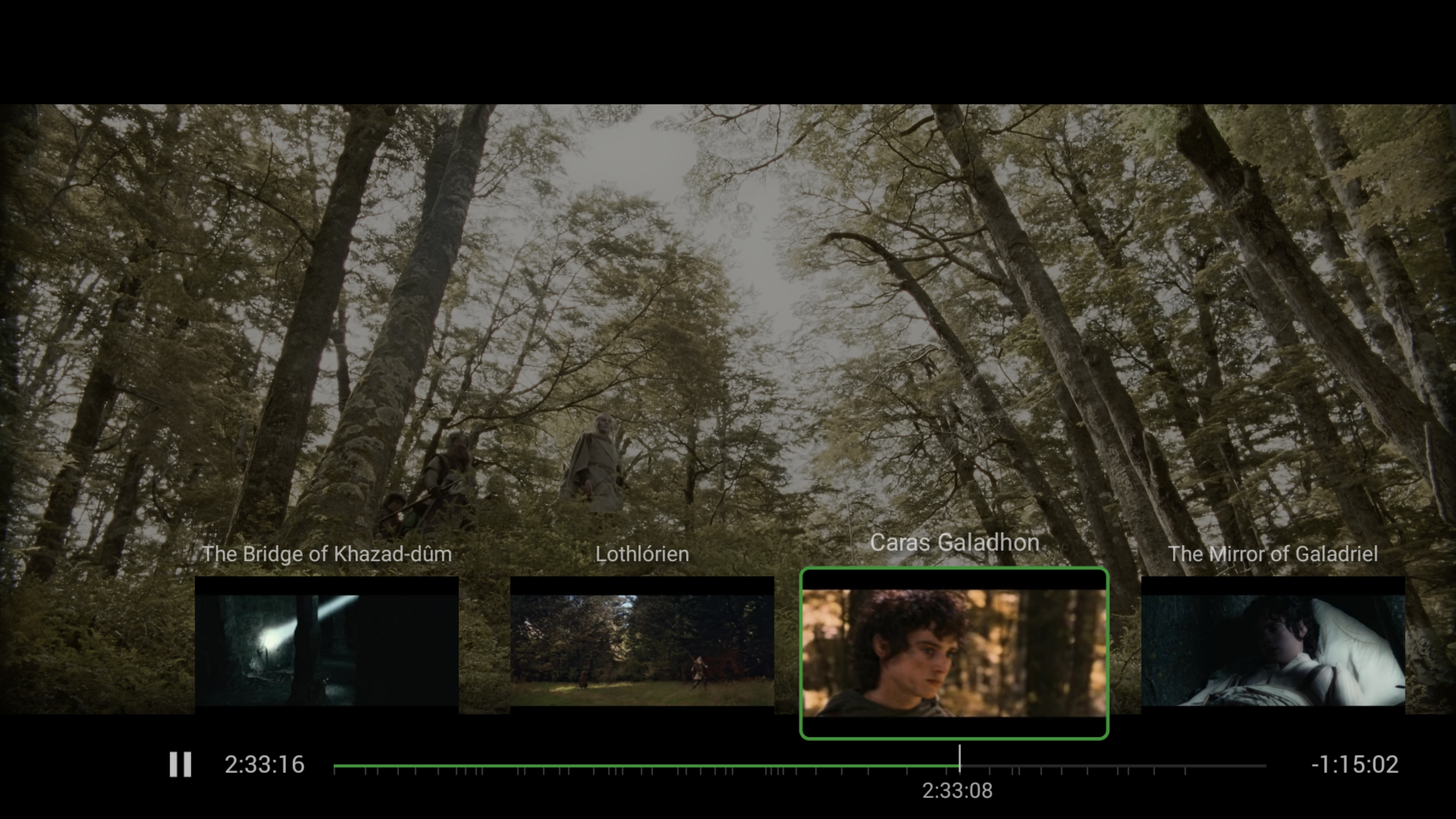
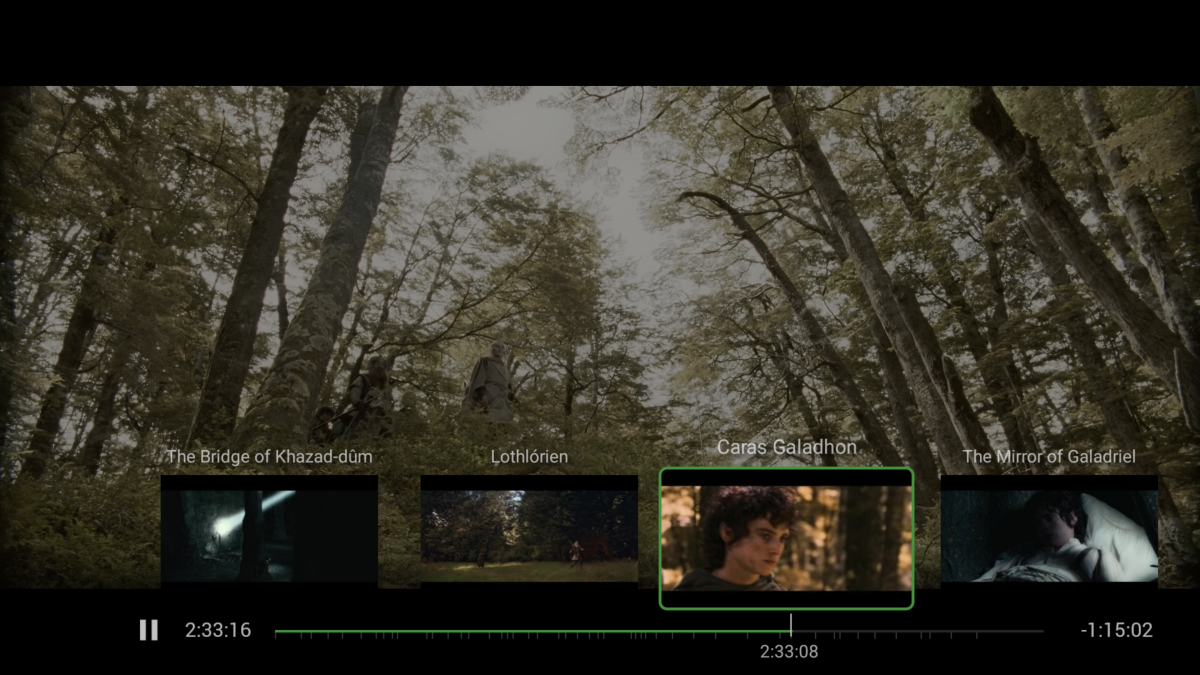
Very nice. So rather than blindly 'scrobbing' to find the chapter you want (albeit easier to do than before..) - the AndroidTV client you can just press 'up' and get to the chapter markers, importantly listed on the play line as well so you visually know where they are vs the overall timeline. Having this in combination with this accurate seeking would be amazing...
 3 points
 -
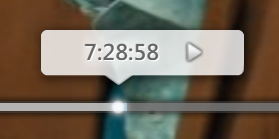
A note about the last video in the previous post: Of course the video doesn't depict the eventual appearance. The big transparent circle and the red and blue lines were just meant to illustrate the new precision. WMC Theme Seeking The WMC theme uses improvements to seeking precision as explained above, but there are a number of Differences There's the "Play Head" which is always shown as part of the seek slider The current time position is always shown inside the play head, not at the left edge: In case of TV playback, the left edge of the slider is showing the start time of the current program, the right edge is showing the end time of the program and the play head is showing the wall-clock time of the current playback position: There's nothing shown when just hovering over the seek slider with the mouse It is still possible to click on arbitrary locations of the seek slider to seek to a certain position: (with precise timing and slider positioning) WMC_SeekingPrevision1a.mp4 It's also possible to grab and drag the slider position marker It's still precise and doesn't jump when you grab the position marker off-center: WMC_SeekingPrevision1b.mp4 Play Head Dragging It is also possible to drag the whole play head instead of the small dot. The difference in range is compensated automatically (which you can see from the movement of the small notch at the bottom of the play head) WMC_SeekingPrevision2.mp4 Keyboard and Remote Control Operation The last video shows keyboard operation: The play head expands automatically to show thumbnails when it's focused, and the position can be moved via keyboard input (LEFT/RIGHT). When leaving, the play head is collapsed back to its regular state: WMC_SeekingPrevision3.mp4
 3 points
 -
About Seeking Precision Have you ever - like me, frequently - wanted to seek to a very specific position in video or audio and found out that you can't? Maybe even repeatedly, to replay a specific sequence again and again? Then this might be for you. The current situation 1. Direct Click on the seek bar When you move the mouse (without clicking) until a certain time position is shown, you will on the seek bar, expecting to get to that point in time of the video/audio. But that's not what is happening: SeekingPrecision_1.mp4 In the moment when the mouse goes down, you don't get to the point in time, but really far away from it: 31:46 => 31:26 - 20s off 10:01 => 0:21 - 40s off 18:10 => 17:43 - 27s off 2. Dragging the "Knob" Pt. 1 You don't always know the time where you want to go to, but you just want to move a tiny bit back or forward. In this case, you would rather drag the "know" and move it very slightly into the desired direction: SeekingPrecision_3.mp4 What happens is that after mouse-down, when you make the first movement with the mouse, the knob jumps as it gets centered to the mouse pointer. 22s off 31s off Those values might even be longer time spans than you actually wanted to move the knob yourself. After that jump has happened, you often don't even know anymore at which position it was before doing so. You cannot even adapt to the situation by trying to position the pointer in the center of the knob, because that differs depending on the position: In the left area the knob will be centered at its right edge and at the right seekbar side to the left edge (and center in the middle). 3. Dragging the "Knob" Pt. 2 The only thing that works somewhat - and only when you know the exact time you want to go to - is to drag the knob and lift the mouse button when the desired time position is shown. Then, the video will get to the position that was shown, but you'll hardly even realize that it has worked right, because once another thing weird thing is happening here: The time in the slider bubble is jumping again after mouse-up - which makes you think that it didn't work correctly as well. Not just Emby While the way it manifests is quite extreme with Emby, similar issues exist in other players (but just one, not all three): VLC has a very small knob - it's jumping as well, but a lot less Windows Media Player (the older one) has similar problems. The new Media Player does it right and precise, though WMC does it rather ok, but it has a similar centering problem when trying to drag the playhead: SeekingPrecision_4.mp4 When you click on the playhead, it centers it horizontally to the mouse pointer - which isn't much helpful either. This can't be true! ...is what I thought after looking at this...and before I started to create a better seek bar. This is the initial result (the generic, non-WMC theme related part): New_SeekSlider.mp4 I'll cover the WMC-Theme side in another article.3 points
-
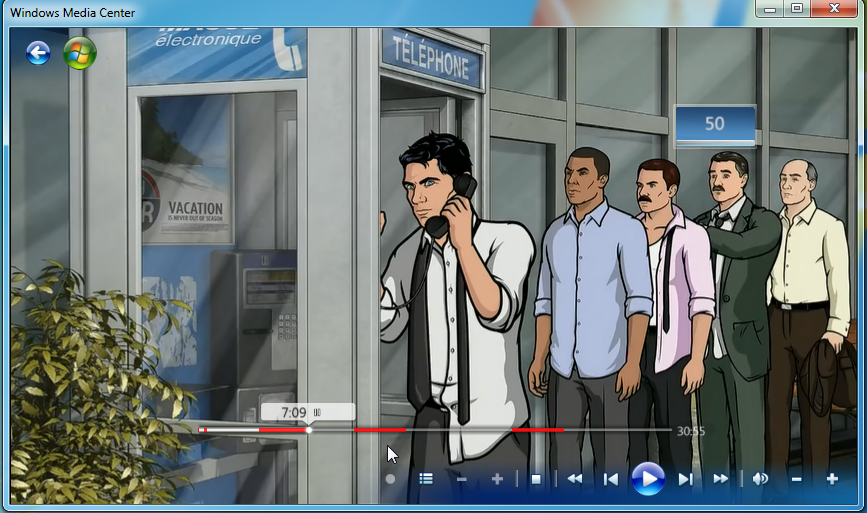
I can't speak for @Spaceboy, and I no longer have WMC however I distinctly recall DVRMSToolbox highlighting commercials/ads on the seek bar. Edit: Found a post demonstrating the UI when you install the DTBAddin that works in conjunction with DVRMSToolbox
 2 points
 -
Hi Vic, for the main part everything is working great. There are a few issues that I have reported but that's just me testing things out. They don't really affect me personally. The "clear all" would be nice though, thanks for taking a look! Keep up the good work mate! Your doing the community a great service here!2 points
-
CTRL+Click and Shift+Click also work to select individual or ALL to the end of the selection2 points
-
DSM7 Upgrade for Emby.mkvEDIT: The instructions assume default Synology install volume of /volume1. If your location is different use that instead! This is based on the release version of Emby which at the time of writing/video creation was 4.6.3. The video will become dated so just use the latest DSM 6 Emby version from the website https://emby.media/synology-server.html. If you happen to be running a beta version update to the latest beta version before the DSM 7 update. The idea is to do any updates on DSM 6 first before installing DSM 7. Since the creation of the video Emby Server is now availing in the Emby Package store (release version) so you can install Emby on DSM 7 now from that. ----------------------------------------------------------------------------------------------------------------------------- Attached is a quick video of upgrading DSM 6 to DSM 7 with Emby Updates. The video will show only browser items and not the PUTTY/SSH commands but everything done in browser is recorded. The SSH commands are included below. I converted this to MKV/H.265 to make it small enough to download and view offline. DMS7 Upgrade for Emby.mkv21.57 MB · 78 downloads Instructions used were: Download and have ready DSM 7 package for update. https://www.synology.com/en-us/DSM70 (I will be downloading both a virtualDSM 7 & for 920+) Download and have ready Emby Server 4.6.3 for both DSM 6 & DSM 7 https://emby.media/download.html - update Emby Server to current release of 4.6.3. - restart Emby Server and verify your on the latest release version. - uninstall Emby - update DSM to v7 - install Emby 4.6.3 (or same version that was running above (dsm7 version) - You can now install the DSM 7 version directly from the Synology Package store! (still on our website too) - stop Emby - remove emby_pkg user and video group - enable admin account if needed - enable ssh in Synology settings (Terminal & SSH menu) Not shown in video: - connect with Putty to Synology, login with admin user and get root rights with: sudo -i - copy files from old Emby share to new data location: cp -rv /volume1/Emby/* /volume1/@appdata/EmbyServer - adjust owner from copied files: chown -R emby:emby /volume1/@appdata/EmbyServer - close putty Shown again in video: - From Control Panel go to Shared Folder and edit each share that is used by Emby Server. Click the share, then EDIT, go to permission tab, select System internal user from drop down, grant emby user read/write access. - start Emby Notes: You can now disable the default admin account as well as SSH. You may also want to rename /volume1/Emby to /volume1/Emby6 as well. This will help make sure you don't have anything referencing the old directory. If you don't notice any issues in a week or two you can delete this old folder/share to free up space. DSM7 Upgrade for Emby.mkvDSM7 Upgrade for Emby.mkv1 point
-
The default sort order is set to 'Folders'. I would prefer to have all libraries I select to default to release date. I know I can manually set it, but I have to do that for every folder in the library. I would like to see the ability to have it automatically set the default sort order for all new folders I create.1 point
-
https://github.com/Shurelol/EmbyCustomJS_Css Some fantastic feature can be added to your emby easily Such as photo carousel
 1 point
 -
It appears that any playlist that any user creates is public--all other users can see it. I can appreciate the benefit of a public playlist. I could create a playlist called "Harv's Favorite Horror Films" for example, in case other users are interested in checking out what I like. However, the way most of my users are using playlists is to keep track of things they want to watch in the future. They are typically things that the user has not watched yet, so it's not meant as a recommendation to others, just as a way of them personally keeping track of what they want to watch. Having that kind of playlist be public is of questionable benefit to other users. Additionally, it is not clear when you create a playlist that other users will be able to see it. That has the potential to cause some embarrassment. He hasn't created one yet, but I wouldn't want to see my nephew's "movies to fap to" playlist, for example. If I could make a suggestion, I would suggest associating each playlist with the user who created it, and giving that user the ability to make the playlist private or public. For example, the following two checkboxes could be shown when creating or editing a playlist: Allow other users to see this playlist Allow other users to edit this playlist Initially, both checkboxes would be unchecked. Since another user cannot edit a playlist they cannot see, the second would be allowed to be checked only if the first were also checked. (You could grey it out to make that clear.) Depending on your UI preference, it could also be a drop-down menu. Playlist visibility: (Only me | all users can view | all users can view and edit) Thanks for considering this.1 point
-
Oh, I'm really sorry about that. I didn't get that with the download. Sorry for the hassle. I feel really stupid right now. Looking forward to the book reading function Thanks for your patience.1 point
-
Mmh, but every Emby app is sending playback progress every few seconds to the server. If the server doesn't get it from the client for a few minutes, it has to asume the client is gone and just stop streaming, release the tuner and so on.1 point
-
dvrmstoolbox used to visually mark the adverts from the edl file1 point
-
This was something I'd been considering putting a request for...1 point
-
Ditto. In your install-dir\programdata\config folder.1 point
-
If you don't want articles ignored, you need to remove desired ones from system.xml: <SortRemoveWords> <string>the</string> <string>a</string> <string>an</string> <string>das</string> <string>der</string> <string>el</string> <string>la</string> </SortRemoveWords> Shutdown server before making changes, refresh metadata afterwards.1 point
-
Will grab logs next time it occurs. Unfortunately I was trying to restore the feed so didn't have time to collect a before and after in that instant.1 point
-
In the WMC theme, you press "down" and then 2 or 3 times "right" to get to the chapter list. Though, this is covering the timeline rather than showing alongside. I don't see this to be replicable in the exact same way... ...but: there exists an idea that I'd call "Seekbar Annotations". This would be about displaying various types of markers on the seek bar: chapters, intro end, end credits start, etc. This could be used in combination with another brand new feature (from today)...1 point
-
Yes, I also tried on Windows. I didn't try two dlna clients, I'll give a shot later, I tried to reset my Shield, may be it was a problem in Android1 point
-
IntroSkip Plugin.1 point
-
I use a nvme drive for metadata + thumbnails, serve pictures as fast as possible to client. and a old ssd scrap drive for transcoding, easy to swap out if s@#t happens. That does mean the initial library scan takes a long time, if i need to rebuild. But i do that in sequence scan + meta, next step thumbnails. That will get your library ready fast, but without thumb for chapters, that's done later.1 point
-
Mucho mas claro si señor, muchas gracias.1 point
-
Depending on the number obviously, the storage for them is not insignificant either - I have ~80Gb of them which is why I choose to save on alternative drives and not with the emby install.1 point
-
That is annoying of them not to maintain the updates, thankfully you provide the update files here as a backup for which I am eternally grateful.1 point
-
@Junglejimthanks for the kind words. How would you like the clear all to work? Vic1 point
-
@__WhoAmI__, yes that is how it works - I have not yet implemented selecting ranges - once everything is debugged I will revisit ranges. In the custom filter you can search on path. Vic1 point
-
I check the sync, works fine on my setup. Seems some themes are broken on your server, however. Next version will ignore those issues.1 point
-
@coyotecabreadoesa cantidad es un solo pago por desbloquear la app. Lo que tiene un coste mensual es la suscripción al Emby Premiere, pero para reproducir el contenido de tu biblioteca desde la app no necesitas el Emby Premiere, te basta con desbloquear la aplicación del Fire TV. Es como comprar la app.1 point
-
I use Emby -> Shield Pro -> LG OLED as also recommended by @rbjtechand it works great! Once you have it, try out Demos to Test Your Home Cinema Equipment.1 point
-
Put Shield Pro between your server and your TV.1 point
-
So anyone reading this, this is the solution which worked for me. Remove newly added path, which was giving me problems. set the advanced setting to date created. Readd librart and let it scan. Then in advanced setting, set the option to date added to emby. this solved this headache for me.1 point
-
@Abobader1 point
-
Seems to be working now. Reset TV. Reloaded USB. Install finally worked for latest version.1 point
-
1 point
-
Thanks, I already disabled the tasks and disabled the settings in the libraries. Audio fingerprinting is running1 point
-
I can confirm that the TVs internal media player also drops the audio on the same file at the same times. So we can eliminate the Emby client as the source of the issue. I tried a few bitrate options and no AAC Stereo codecs ran stably on my TV despite the codec supposedly being supported according to Samsung specs. (And 5.1 versions of AAC working perfectly) Its a Frame 65 2021 for those that don't speak model numbers Oh PS the really low video bitrate in this example relates to the program being a 1979 BBC sitcom so higher bitrates offered no real video benefit in this one. Cheers, Brad1 point
-
At the top of this post, I'm being asked: "If any of these replies answered your question, please take a moment to click the 'Mark as solution' button on the post with the best answer. Marking posts as the solution will help other community members find answers to their questions quickly. Thank you for your help!" I truly appreciate all your help @Lukeand @cayarsand others, but none of the replies solved this issue. I love Emby, we've been with y'all for many years, back from the Media Browser days. But, this issue with the Apple TV and Emby live TV has not been resolved. Thankfully, the Apple TV is in a room that I don't use often, so really no big deal. Just want to close this out with MY solution - use the HDHomerun app when viewing Live TV on the Apple TV. I check with each Apple TV update, but still the same, deinterlacing and transcoding. My daily clients, Android Shields, play direct. Probably an Apple "thing". Anyway, all good, still love Emby! Just marking this solved from my point of view.1 point
-
Thanks @rbjtechfor the link. I never knew such icons existed. Vic1 point
-
https://emby.media/community/index.php?/topic/79688-hulu-style-library-icons/1 point
-
Yes but the opinions are as varied as you will find on audio. The style is unimportant (as long as both will stretch flat). It is all about the material. if it is in a completely dark room, some people prefer a gray material for blacker blacks. Realize that no projector can project "black". It is just projecting nothing (or close to nothing) onto whatever screen surface you have and it is just our imperfect eyes and perception that then interpret that as black. YMMV. I'd go to AVSForums and spend some time reading in their screen forum.1 point
-
I would call it a workaround rather than a solution. "Auto" suggests to be a set and forget but unfortunately it cannot hold up to it. I've been using Emby for a couple of years now and in fact, it never has there were always problems with it.1 point
-
I've been doing some more testing and digging around on this and I think it's a problem in MacOS rather than the Emby app. The same issues have been occurring for me in the AppleTV app recently and after running some searches I ended up changing the monitor refresh rate from 60 hertz to 50 hertz (based on this MacRumors forum thread). I've now had no issues with video playback in the Emby app (or Apple TV app) for the last 3 days. It's odd that the same issue has never affected browser-based playback or VLC, and as the issue was intermittent I can't say with 100% certainty that it's fixed. But I think this is problem solved.1 point
-
I would pair the LG with a Shield Pro 2019 - while it would be nice to use the LG Emby App (which works ok, but has limitations) - you will get the maximum out your LG and AVR if you use an external device. I have not seen one TV (incl LG) that INTERNALLY passes HD Audio over it's eARC - thus you are limited to compressed Audio. SHIELD > AVR > TV On the AVR front - anything half decent is going to play all the HD Audio formats - TrueHD Atmos, DTS-HD, DTS-X,DTS HRA etc. - I chose Denon and have had zero issues passing any 4K format through it to the TV, incl Dolby Vision. If possible, I would stretch to a 7.1 AVR with Atmos - for a 5.1.2 setup (two overhead) - and if you are laying wires, then lay for a 7.1.2 or 7.1.4 system ready for future upgrades. ie 2 rear 2 rear height 2 front height + the usual FL,FR,C,Sub Wires are cheap, time and effort installing new ones down the line is expensive1 point
-
For users with Samsung Tizen SmartTVs (2015 - Present) who want to test the latest version of the Emby client app before it's submitted to Samsung for release in their app store. These installs should be considered beta until approved by Samsung, however they are the same ones submitted to Samsung monthly for inclusion in the Samsung store. Samsung's policy is that the only official way to distribute apps is through the Samsung store and that usb installs should be used for testing purposes only. Because of this policy Samsung has mandated that usb distributed apps must expire within 30 days of compiling. To help with testing you will be remined to update to the latest beta release as the app expires to ensure you are using the latest version when reporting issues. This install will also work for those who don't have access to the official client app in the Samsung app store. However, the same rules must be followed as indicated above. Release notes and version number For the latest release notes and version number click on this post https://emby.media/community/index.php?/topic/31461-emby-for-samsung-smarttv-release-notes-tizen-orsay/ Installation instructions Download this zip file: https://github.com/MediaBrowser/Emby.Releases/raw/master/tizen/tizen.zip Format a USB 2.0 stick using FAT16 (some larger USB 3.0 hard drives have been found to not work) (newer models may support other formats, check your users manual) Copy the tizen.zip file to the root of your USB stick Extract the contents of the tizen.zip file to the root. (This should create the folder 'userwidget' in the root of the USB stick and the folder should contain the two files needed) Turn on the TV Make sure your TV is connected to the Internet Plug the USB stick into the TV's USB port. Installation should start automatically. (There will be 3 quick messages in the upper right corner of the TV) Click 'OK' once the installation is complete. Optional, add the Emby app as a shortcut to Home Start the app from the Smart Hub or installed apps section of your TV. Troubleshooting If the installation does not start automatically, then please ensure your TV firmware is up to date and try again. If you get an installation error, try the process again with the USB stick formatted ass FAT32. We've received reports from users that installing from USB 3.0 hard-drive devices does not work, so please make sure to use a USB 2.0 thumb-drive device. Also, make sure the thumb-drive is unlocked/writable before plugging it in. The TV will need to write to your thumb-drive. Users with 2015 Samsung SmartTVs may experience an issue where the USB version of the app deletes itself upon restart of their TV. This is a security measure implemented by Samsung in which we have no control. If this is the case you may have to leave the thumb-drive in the TV and reinstall upon reboot, or install the latest release version of the client found in the Samsung app center. Updating from a previous USB install The app will notify you when an update is available. To update a previous USB install just repeat the instructions above. Notes: Certain Samsung SmartTVs have an issue where the app won't upgrade from USB drive if there is already a USB version installed. If this is the case you'll simply delete the old version before inserting the USB and then repeat the same installation process to install the new version. Also, try power cycling your TV after deleting the previous version if you have problems.1 point
-
What's in a name? Or title for that matter? When initially adding TV Shows from my existing library into Emby I had the folder titled as series name and the series initial year in parenthesis "The Goldbergs (2013)" but after Emby processed each series I noticed the year was removed "The Goldbergs (2013)" becomes "The Goldbergs". I didn't see Emby do this for movies and after poking around I couldn't find a configuration option to control it. Reading the TV naming Wiki (https://github.com/MediaBrowser/Wiki/wiki/TV-naming) it appears to me that this is by design and I'm having a bit of trouble understanding why and not seeing any options to override it. Like movies, more and more TV Shows are being remade, small example (https://www.indiewire.com/gallery/reboots-and-remakes-29-tv-shows-making-a-comeback-from-amazing-stories-to-will-grace/#!1/amazingstories/), and without the series year showing up in the title how does Emby know how to label the series folders for 2 different TV Shows that share the same name? As an example, suppose you are a fan of "Charmed" (I'm not but it works for the example). If you are using Sonarr or something like that then for the original series you see "Charmed (1988)" but Emby shows it as "Charmed". Now say you were such a big fan of the original series you have it in your library and now you want to add the new series too. Sonarr sees the new series as "Charmed (2018)" so the "Charmed (1988)" and "Charmed (2018)" are nice and different. What happens if you tried to bring it into Emby? Does everything go into the 1988 Charmed folder or do you end up with "Charmed" and "Charmed 1" or ?? I've seen a number threads about the series year showing up season folder (season x) or the episode file name (personally prefer it without the year but largely indifferent) but not seeing or finding much on the series folder. Also, for those who do use something like Sonarr, which hard codes the year into the title when new series are added, how do you integrate Sonarr into Emby without adding manual steps; Add the show in Sonarr which creates the tv show folder with the year in the directory the Emby library monitors. Wait for Emby to scan the newly added show and rename the folder to not have the year. Manually edit the show in Sonarr changing the path to the Emby named path so Sonarr will be able to see existing episodes in the library or those brought in by the DVR. All of that with the mindset this is supposed to be steps ones significant other can do easily and quickly. Oh, that those steps are in addition to setting the show to record in the DVR (using Sonarr as a backup) which in itself causes tension. Doubt I'm the first person who has run into this and likely I have just missed something in the configuration so I look forward to someone pointing me in the right direction. Thanks!1 point