Leaderboard




Popular Content
Showing content with the highest reputation on 05/08/23 in Posts
-
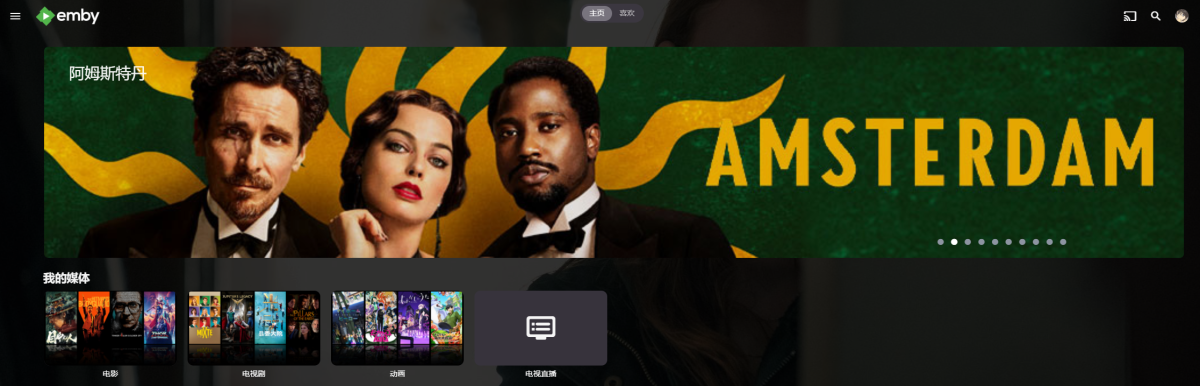
https://github.com/Shurelol/EmbyCustomJS_Css Some fantastic feature can be added to your emby easily Such as photo carousel
 4 points
 -
About Seeking Precision Have you ever - like me, frequently - wanted to seek to a very specific position in video or audio and found out that you can't? Maybe even repeatedly, to replay a specific sequence again and again? Then this might be for you. The current situation 1. Direct Click on the seek bar When you move the mouse (without clicking) until a certain time position is shown, you will on the seek bar, expecting to get to that point in time of the video/audio. But that's not what is happening: SeekingPrecision_1.mp4 In the moment when the mouse goes down, you don't get to the point in time, but really far away from it: 31:46 => 31:26 - 20s off 10:01 => 0:21 - 40s off 18:10 => 17:43 - 27s off 2. Dragging the "Knob" Pt. 1 You don't always know the time where you want to go to, but you just want to move a tiny bit back or forward. In this case, you would rather drag the "know" and move it very slightly into the desired direction: SeekingPrecision_3.mp4 What happens is that after mouse-down, when you make the first movement with the mouse, the knob jumps as it gets centered to the mouse pointer. 22s off 31s off Those values might even be longer time spans than you actually wanted to move the knob yourself. After that jump has happened, you often don't even know anymore at which position it was before doing so. You cannot even adapt to the situation by trying to position the pointer in the center of the knob, because that differs depending on the position: In the left area the knob will be centered at its right edge and at the right seekbar side to the left edge (and center in the middle). 3. Dragging the "Knob" Pt. 2 The only thing that works somewhat - and only when you know the exact time you want to go to - is to drag the knob and lift the mouse button when the desired time position is shown. Then, the video will get to the position that was shown, but you'll hardly even realize that it has worked right, because once another thing weird thing is happening here: The time in the slider bubble is jumping again after mouse-up - which makes you think that it didn't work correctly as well. Not just Emby While the way it manifests is quite extreme with Emby, similar issues exist in other players (but just one, not all three): VLC has a very small knob - it's jumping as well, but a lot less Windows Media Player (the older one) has similar problems. The new Media Player does it right and precise, though WMC does it rather ok, but it has a similar centering problem when trying to drag the playhead: SeekingPrecision_4.mp4 When you click on the playhead, it centers it horizontally to the mouse pointer - which isn't much helpful either. This can't be true! ...is what I thought after looking at this...and before I started to create a better seek bar. This is the initial result (the generic, non-WMC theme related part): New_SeekSlider.mp4 I'll cover the WMC-Theme side in another article.3 points
-
One thing the streaming community hasn't done well is really create tools that allow us to simulate live TV well. I think the biggest reason that binging on Netflix (and Emby) is so popular is because you push a button and go. I'd like to see Emby create a "To Watch List" that basically allows you to sort shows into a specific order. When you watch that list, it will only play the most recent episode of each show in the list that premier inside that week. Lets pretend I made a DC TV Watch list, it would only play this weeks episode of Arrow, Flash, Legends, Supergirl and Gotham one after another. If an episode didn't premier that week, it gets skipped. Additionally, I'd like to see this system *ALSO* allow us to insert bumpers similar to Cartoon Network or Toonami. In the here and now, it would only insert bumpers between the series, but it would be nice if in the future, a system that allows some method for choosing the appropriate points between each act of an episode where bumpers could also be inserted. Bumpers would be a community thing to create, but inside the "to watch list", you'd choose what bumpers (if any) are used. Bumpers could even be surrounded by previews. Finally, another thought: while Emby already can pull Movie Trailers, it might be another cool future project if we could pull previews of related series not in the "To Watch List" and/or perhaps ones that aren't on your server that are similar to what you are watching. There's a lot of ideas in this post to digest and several should be their own project as part of this concept. Thoughts2 points
-
Ahh thanks! Didnt know about that option2 points
-
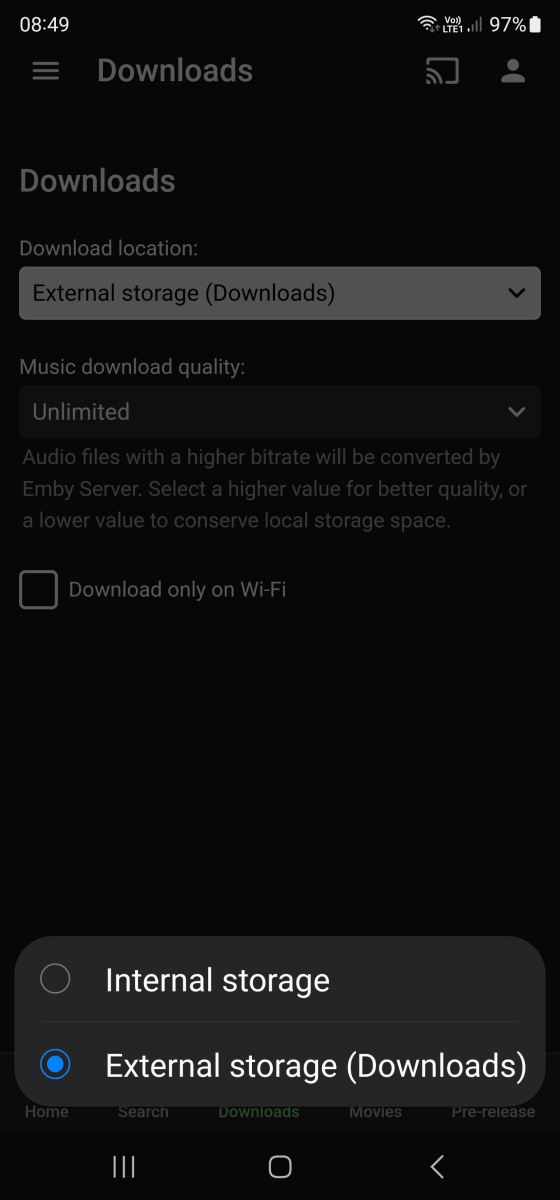
Hi @Utini Are you aware that there is already a feature enabling you to do what I think you are after? Simply go into your app settings and click on Downloads. There you can specify whether the app should download to your internal storage or to your external downloads folder which will enable you to view downloaded content in your android gallery/media app of your choice. Screenshot attached. Cheers.
 2 points
 -
Would it be able to implement a user setting that disable the "Download" option in browser. When I tested this option, it allows you to download the source file. This is a option i don't want to allow to some users to keep the legality of the usage. But I still want to provide those users to sync/"Download to" in app.1 point
-
Plugin should be platform-independent, yes.1 point
-
The STTE.221215.004.A1 update also solved my stutter issues1 point
-
@Abobader1 point
-
Of course now that I'm waiting for it to happen it hasn't happened for the last four days. If/when it happens again I'll be careful to test what fixes it and even take a picture.1 point
-
It's a plugin issue, I'll fix it in next version.1 point
-
Thanks, I already disabled the tasks and disabled the settings in the libraries. Audio fingerprinting is running1 point
-
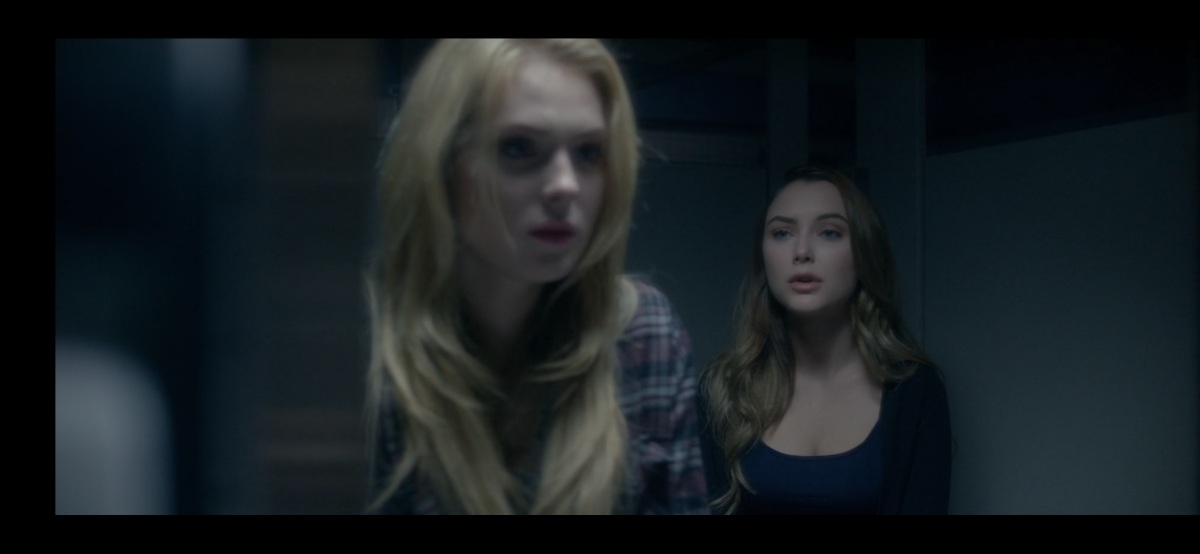
I really need help because screen is really dark on my phone, when im outside the house i barely can see the screen, see picture , thanks
 1 point
 -
When your transcoding keeps filling up your disk for instance. At least that's how I notice as my network tuner has 4 tuners and I usually only use two of them, so no issue on the playback side only when my disk is full. Interesting I can't even see a hint in the Emby log but still it keeps filling the transcoding folder. Restarting Emby is the only solution but this is a pretty annoying issue.1 point
-
Hi, there's already an open request for this or something functionally equivalent. Please join in and contribute to the existing discussion at:1 point
-
Hi. You mean the brightness slider?1 point
-
* Luke, of course. Haven't noticed auto-replacement.1 point
-
I was able to solve this issue through unraid1 point
-
You're welcome Luke. I managed to update to the latest version of Emby, version: 4.7.11.0. Thanks so much to the Emby team for putting the TNAS tpk file in the download section. This allowed me to be fully up to date.1 point
-
Hi, since i use the the 8.x.x branch "syncing theme media" does not work anymore. Current setup: E4K 8.1.3 on Windows and Coreelec (Kodi 20.1), Emby Server beta 8.4.0.34, but the last few E4K and beta server versions had the same problem. Both linking and downloading theme media files (tested audio only) lead to progress stuck at 0% and the first movie file. I remember the 7.x.x branch (with an older beta server) was working monthes ago. Since i not use these function on a regular base i cant say since when it stopped workiong, and im not sure if it is a plugin or a server problem. Audio themes still working on the emby server web interface and emby theater windows. kodi.old.log1 point
-
with HDHR i assume that you are able to see the open streams in their own software? but where/how do you see that iptv streams are still open?1 point
-
I get that, but I don't really understand why people source the incorrect file type in the first place...1 point
-
I can filter by subtitle codec and audio codec. Nice, but it cannot filter those 2 by language, only by codec? And is there a option to filter by path/filename? Search for string seems only to work in titles. thanks.1 point
-
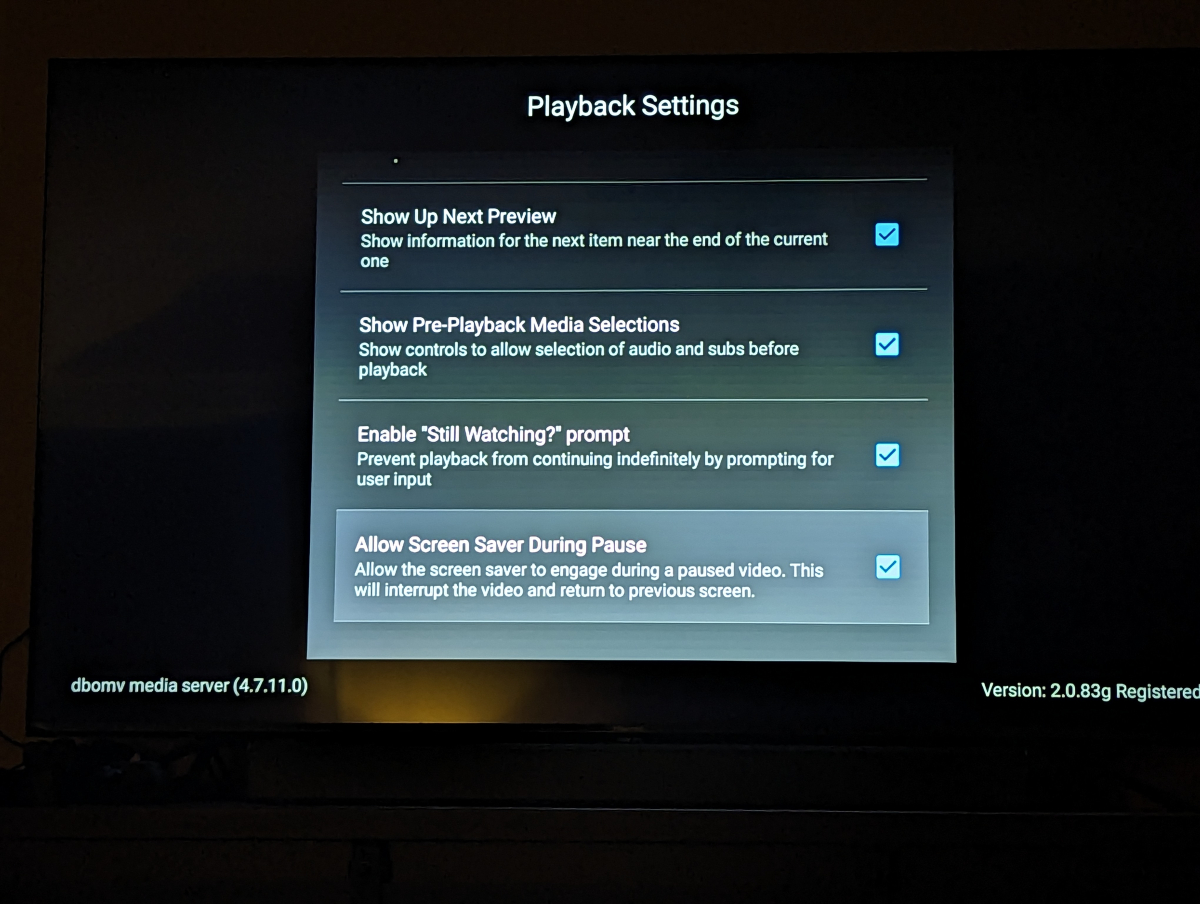
Dang. Turns out it was already enabled. I suppose I'll try disabling it instead and see if that helps?
 1 point
 -
I can confirm that the TVs internal media player also drops the audio on the same file at the same times. So we can eliminate the Emby client as the source of the issue. I tried a few bitrate options and no AAC Stereo codecs ran stably on my TV despite the codec supposedly being supported according to Samsung specs. (And 5.1 versions of AAC working perfectly) Its a Frame 65 2021 for those that don't speak model numbers Oh PS the really low video bitrate in this example relates to the program being a 1979 BBC sitcom so higher bitrates offered no real video benefit in this one. Cheers, Brad1 point
-
Correct.1 point
-
I rewrote my own script for this from scratch and handled things a little bit differently. https://github.com/bruor/Apollo_m3u_to_strm I was concerned about only adding new strm content and not removing stale strm files from disk. This also creates folders/files using Emby naming conventions taken from the published names of the content that Apollo provides. An important note though, there are a fair number of media scanning discrepancies because Apollo has the wrong year tacked onto a bit of their content.1 point
-
Thanks again for the response. NFO saving is not enabled via Radarr. Advanced option was set to "use file creation date". I just changed it this morning to date scanned into the library. UPDATE SOLVED: I added a new file to get from Radarr that was from a few years ago and no issues it marked it as date added as today. So clearly the advanced option change helped resolve the issue. Thank you!1 point
-
Thanks, I can reproduce. I'm pretty sure this is isolated to dialogs on the home screen. We're looking into it.1 point
-
resolved the issue i deleted other tuners and xml data guide even tho they were not enable for hd homerun tuners. thanks for the quick replay.1 point
-
The initial problem I started this thread for seems to be working better now with no changes to my media files. The files I had trouble with before played fine on the device I had issues with before.1 point
-
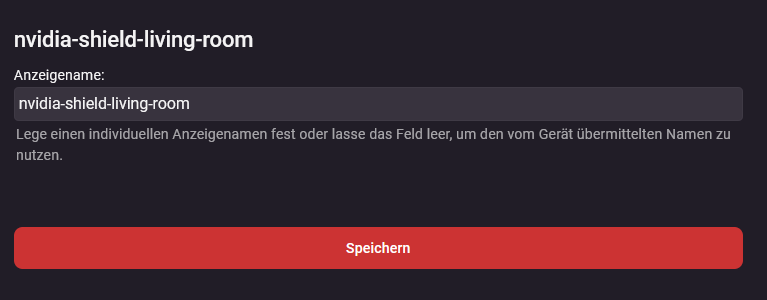
Yes I called it that. In the webhook it is also like this: "DeviceName":"nvidia-shield-living-room"
 1 point
 -
fiouf! it's working back to normal thanks u luke ! i'll open a new post as soon as i have news from the issue. my friend who had the issue is sleeping rn and i'v deleted logs when i was trying to get back my server1 point
-
Hopefully it will, but as we're not testing this it's hard to predict. You may see some quirks. But in the interests of preserving your setup, I would suggest starting with this and then we'll go from there.1 point
-
Yes I have the file on a UBS ready to test. I just need the kids to go to bed early enough for me to test I'll hopefully have a chance this evening. Cheers, Brad1 point
-
Hi, why don't you have the server info? Is it your server, or someone else's?1 point
-
I've copied the DLL in a PM. Please remember this is unsupported and you cannot run the Core Introskip in parallel. You need to disable any Core Introskip tasks. You are fully responsible for it's use! (but as you used it before, this should be less of an issue).1 point
-
My NAS CPU isn't a barn burner. The movie stopped dead a few times so I switched the server back to a Mac Mini but left the files on the NAS1 point
-
Correct - the only option is to EXCLUDE all those shows (in the Plugin), so they are not scanned again. The Plugin will then not scan them, but the Core will still use the markers if you restore them. That's probably the best you can do - nobody is realistically going to spend any further Dev time on this Plugin ...1 point
-
HI, we're getting there. More improvements to channel management will be coming. Thanks.1 point
-
Dolby Atmos comes in two flavours - Compressed Dolby Digital Plus (it's actually usually 'fake/matrixed' Atmos from a 5.1 source) or the 'real' 7.1+ Atmos in uncompressed Dolby True-HD. If you have the hardware to decode it (ie an AVR or Soundbar that can decode True-HD) - then Dolby True-HD is obviously better - but at the expense of much more storage and much less compatibility with 'other' devices the file may be played on. This is why the files sometimes come with multiple tracks - so you simply select the one for your system. But the complications arise when the 'Default' is lets say a THD track and the device cannot play that - emby then needs to convert it - potentially losing quality when there may be a perfectly good alternative (Atmos if DD+) track available. As you have a Samsung TV - then yes, stay away from Dolby Vision - especially Profile 5 and Profile 7 (but unless described, there is no way of knowing without using mediaInfo etc to check). Profile 8 'should' be ok as it will fallback to HDR10 or HDR10+ which your Samsung will understand. But if there is a choice - then use HDR10 or HDR10+ only. This is simply because the AppleTV cannot decode any HD Audio, the Shield can. You haven't mentioned DTS - but DTS-HD is the uncompressed version of DTS, but it too has a object based system called DTS-X. The Shield can play all of these.1 point
-
Wow thanks for this detailed response1 point
-
That sounds like old metadata but I believe we will still read those as long as you have a single movie per folder. All you need to do is move the media, then make sure your libraries are pointing to the new location (if it changed - the roots may not have) and run a scan. If you are re-arranging everything, might be best to bring down the server while you do it so it doesn't go crazy trying to react to changes.1 point
-
Hi. Neither of those files are used by Emby i don't believe. Simply move your media to the new location and run a library scan. if you save the metadata with the media, this should be a pretty painless process. If not, then all metadata will probably have to be re-fetched. Please let us know how you get on. Thanks.1 point
-
Hi guys, I was trying to convert some GoPro clips (2,7K60 and 4K60) from HEVC to H264 so that I can play them using my FTVS but unfortunately the convert feature currently only supports predefined categories (TV, mobile). It would be great if we could have more control about FPS, resolution and maybe bitrate as well, as my results were transcoded from 2,7K60/4K60 to 1080p30 with no option to change it. The bitrate also went down from 40-60Mbit to about 15-20Mbit although I went from HEVC (theoretically more bitrate efficient) to H264. Further information might be found here: https://emby.media/community/index.php?/topic/74413-convert-to-same-resolution/ Thanks for considering this!1 point
-
I'm now using MediaMonkey, strictly for music syncing. It's the only solution I've come across (aside from a personal FTP server) that works reliably.1 point
-
found this in the HDHomerun log: 20230503-17:20:52 Tuner: tuner0 tuning 146.1 WANF (atsc3:575MHz-7) 20230503-17:20:57 HTTP: rejecting request from 192.168.1.67 - protected channel 20230503-17:20:57 Tuner: tuner0 http stream ended (unknown reason)0 points
-
For Anyone who is interested on changing their TV Region to US, I made a video to show how it can be done (My Region was Canada before, change was done on QN65Q900RBFXZC): Cheers!!!0 points