Leaderboard




Popular Content
Showing content with the highest reputation on 05/07/23 in Posts
-
About Seeking Precision Have you ever - like me, frequently - wanted to seek to a very specific position in video or audio and found out that you can't? Maybe even repeatedly, to replay a specific sequence again and again? Then this might be for you. The current situation 1. Direct Click on the seek bar When you move the mouse (without clicking) until a certain time position is shown, you will on the seek bar, expecting to get to that point in time of the video/audio. But that's not what is happening: SeekingPrecision_1.mp4 In the moment when the mouse goes down, you don't get to the point in time, but really far away from it: 31:46 => 31:26 - 20s off 10:01 => 0:21 - 40s off 18:10 => 17:43 - 27s off 2. Dragging the "Knob" Pt. 1 You don't always know the time where you want to go to, but you just want to move a tiny bit back or forward. In this case, you would rather drag the "know" and move it very slightly into the desired direction: SeekingPrecision_3.mp4 What happens is that after mouse-down, when you make the first movement with the mouse, the knob jumps as it gets centered to the mouse pointer. 22s off 31s off Those values might even be longer time spans than you actually wanted to move the knob yourself. After that jump has happened, you often don't even know anymore at which position it was before doing so. You cannot even adapt to the situation by trying to position the pointer in the center of the knob, because that differs depending on the position: In the left area the knob will be centered at its right edge and at the right seekbar side to the left edge (and center in the middle). 3. Dragging the "Knob" Pt. 2 The only thing that works somewhat - and only when you know the exact time you want to go to - is to drag the knob and lift the mouse button when the desired time position is shown. Then, the video will get to the position that was shown, but you'll hardly even realize that it has worked right, because once another thing weird thing is happening here: The time in the slider bubble is jumping again after mouse-up - which makes you think that it didn't work correctly as well. Not just Emby While the way it manifests is quite extreme with Emby, similar issues exist in other players (but just one, not all three): VLC has a very small knob - it's jumping as well, but a lot less Windows Media Player (the older one) has similar problems. The new Media Player does it right and precise, though WMC does it rather ok, but it has a similar centering problem when trying to drag the playhead: SeekingPrecision_4.mp4 When you click on the playhead, it centers it horizontally to the mouse pointer - which isn't much helpful either. This can't be true! ...is what I thought after looking at this...and before I started to create a better seek bar. This is the initial result (the generic, non-WMC theme related part): New_SeekSlider.mp4 I'll cover the WMC-Theme side in another article.5 points
-
ohh sweet. thanks so much that worked.2 points
-
My Dad used to hand these out to people in his office
 2 points
 -
If behind CGNAT, you can try TailScale or ZeroTier. Edit:2 points
-
The default sort order is set to 'Folders'. I would prefer to have all libraries I select to default to release date. I know I can manually set it, but I have to do that for every folder in the library. I would like to see the ability to have it automatically set the default sort order for all new folders I create.1 point
-
Hi all, So my MacBook only plays DV profile 5 (yay Thanks Apple, totally not a huge hassle). Which means that I have some profile 5 files, but (again thanks Apple) cannot stream them without it trigering transcoding. Not that big of an issue, i'll just open them locally. But now that I have the files anyway it would be cool if I could use them for my family. At the moment, when tonemapping begins for Profile 5, it will give the signature green and purple look. Jellyfin looks to have fixed that and I was hoping this could also come to Emby, especially snce your recent update mentioning Emby will now recognise and tag content as DV @Luke. No rush, it's not that big of a deal for me but maybe easy and nice to implement when you have the time! J1 point
-
Can you please change the default download folder to outside of /storage/Android/ or give us an option to change the default download folder? That way I could view downloaded videos/photos with my native image viewer for example. It isn't possible to browse /storage/Android/media/ since Android 13. Thanks!1 point
-
I wouldn't write them anymore. They are deprecated since 3.5 years now. If those other "popular" tools haven't adopted it yet, the are probably EOL.1 point
-
Not that i know.1 point
-
Got it now and images are perfect. Myself and family happy again! Thanks team!1 point
-
1 point
-
Been a little busy getting HVAC installed. I had rebooted her pc to find the same issue, but the next day Emby worked normally which rules a lot of things out. I will check again tomorrow, thanks for the response1 point
-
IIRC two-letter searches are not implemented in AndroidTV app, three is minimum - search for "it " (i-t-space) instead and results should show up.1 point
-
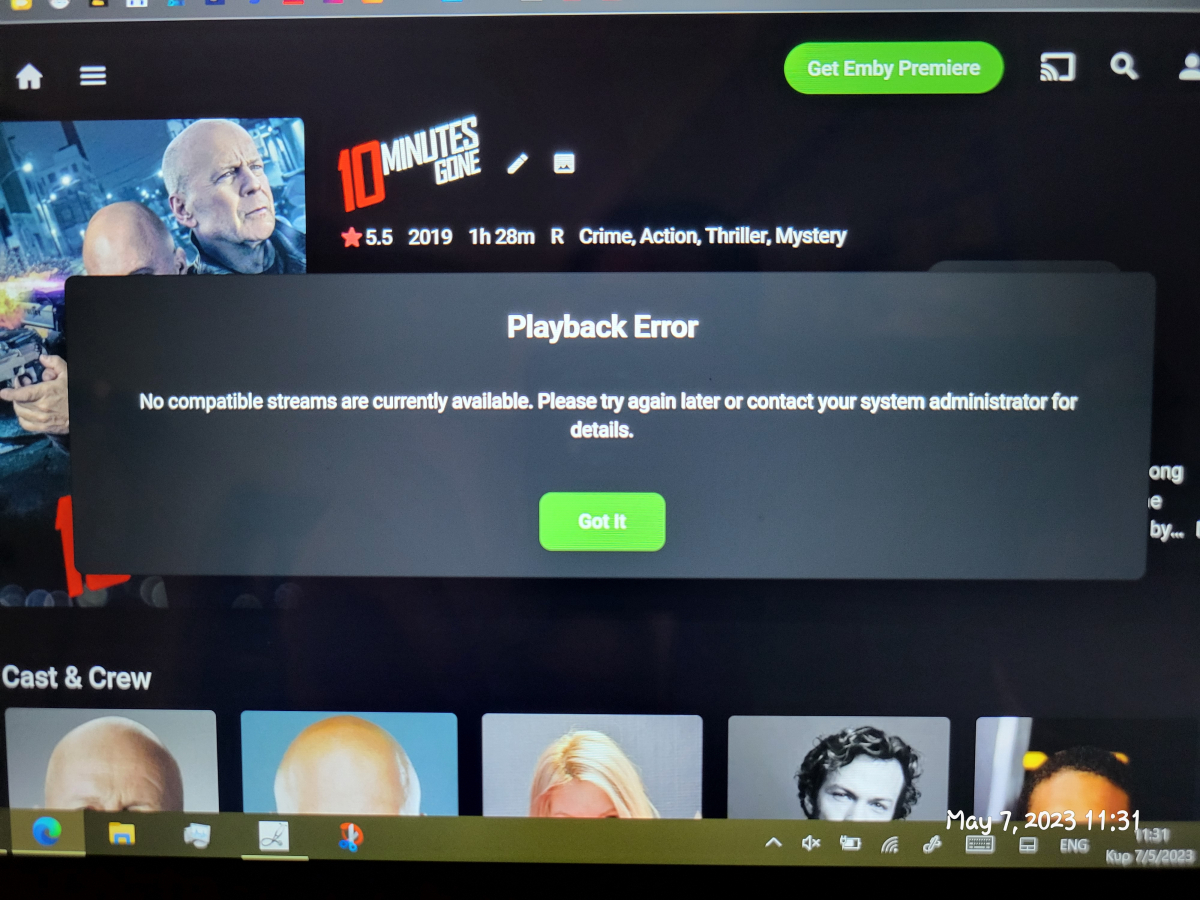
i found the problem disk with movies was temporarily out of order!false alarm
 1 point
 -
a slider would be excellent. though I guess for my purposes with Roku, not so much. most of the consoles I work on have a pot that one can read as frames or ms. but there is also the issue of wrongly formatted subs when the drift back and forth.1 point
-
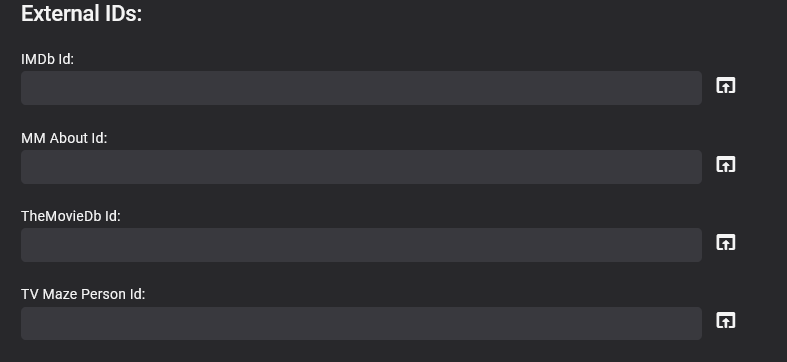
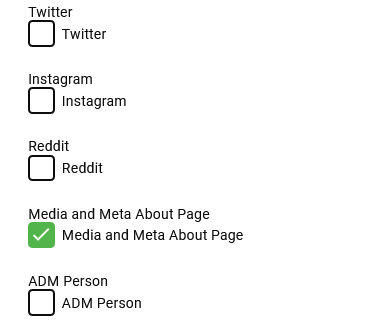
This is exactly what I needed, Big Thankyou to @softworkz I'll post here what I did in case it can help others.... I set them all to off in their classes, so they are all off by default. public static bool IsEnabled { get; set; } = false; Used My config page to turn them on as required. This is a sample image I have more than this. Set my IService to call a static void from within the Get rather than doing it all in the Get method, so its shared call so ServerEntryPoint can also access it too [Route("/APID/ToggleId", "GET", Summary = "ToggleId")] public class ToggleId : IReturn<string> { public string Text { get; set; } } public string Get(ToggleId result) { config = Plugin.Instance.Configuration; Current = this; UpdateProviderToggleSettings(); return _json.SerializeToString(new ToggleId() { Text = "Setting Toggled!" }); } public static void UpdateProviderToggleSettings() { config = Plugin.Instance.Configuration; if (config.MMAboutUrl) { ExternalAboutPage1.IsEnabled = true; } else { ExternalAboutPage1.IsEnabled = false; } // rest of code } Then to get around them not loading at emby start utilised the server entry point to load the config and toggle the true/false settings whether they are on or off public void Run() { var config = Plugin.Instance.Configuration; Plugin.Instance.UpdateConfiguration(Plugin.Instance.Configuration); My_Provider_Ids.UpdateProviderToggleSettings(); } It all works , I'm pleased about this as it was becoming a bit of a nightmare. The External Id works fine without the UI programatically, but it is also very handy to do some of the edits in the UI , this enables me to use it as and when i want
 1 point
 -
Ah okay! Sorry, I thought it's not available publicly.1 point
-
Ah, thanks! I didn't realize the options changed a bit when inside of a library.1 point
-
Can I mark this post as resolved please? I managed to get hold of TerraMaster support via the online chat. Their solution was to update my TOS to version 4.2.41-2203011629. I did this, rebooted my NAS server and then I was able to re-install to the 4.7.9.0 (the latest version in TOS). I am now able to access Emby once again across all devices with my settings intact. Thanks. Kind regards, Michael1 point
-
I've copied the DLL in a PM. Please remember this is unsupported and you cannot run the Core Introskip in parallel. You need to disable any Core Introskip tasks. You are fully responsible for it's use! (but as you used it before, this should be less of an issue).1 point
-
Hi. Look at the options when you are in the library you actually want to change...1 point
-
Maybe because my servers are never really offline is the reason I haven't experienced this problem. Sounds like the Emby integration on the HA side needs a more resilient heartbeat check (which is unofficially developed by a third party) - probably best asking the question in the HA forums.1 point
-
Thanks @softworkz, your answers are always so informative and helpful I am pretty sure I will also try to use this approach in my future apps.1 point
-
Changing IsPortAuthorized worked for me, thank you @Happy2Play!!1 point
-
Ok, then probably better to keep the comments related to that thread there as it makes it hard when you post a random statement in a topic about a different issue. We’re all trying to help, so the less confusing you can make it the better. Regarding your issue in the other topic, it will be fixed in the next update, but for that we need to get through LG’s submission process which is not quick.1 point
-
I have now created a shell script to run with "emby" docker container, you can find it here: https://github.com/MrLinford/Docker-MediaInfo-PreReq1 point
-
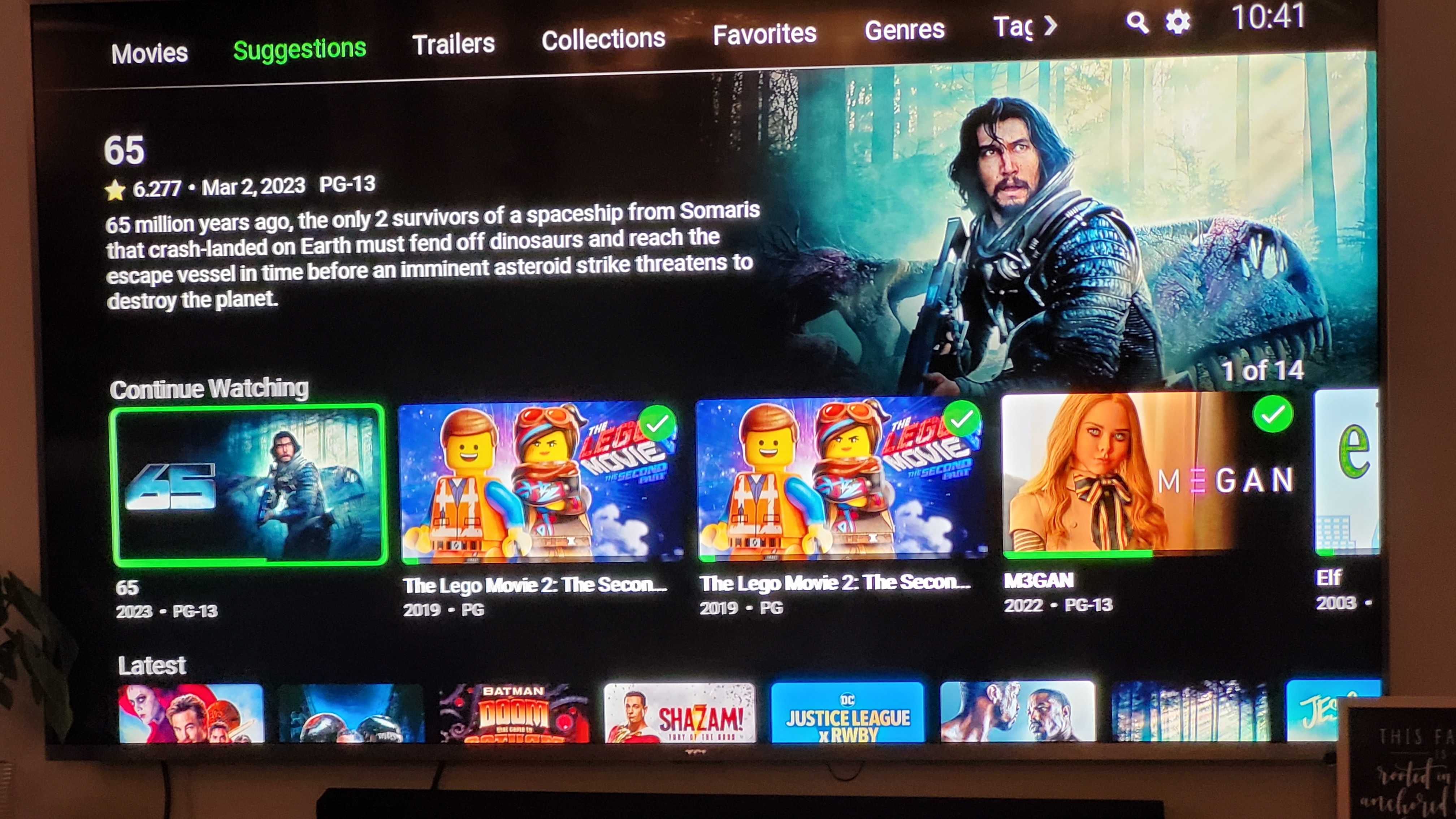
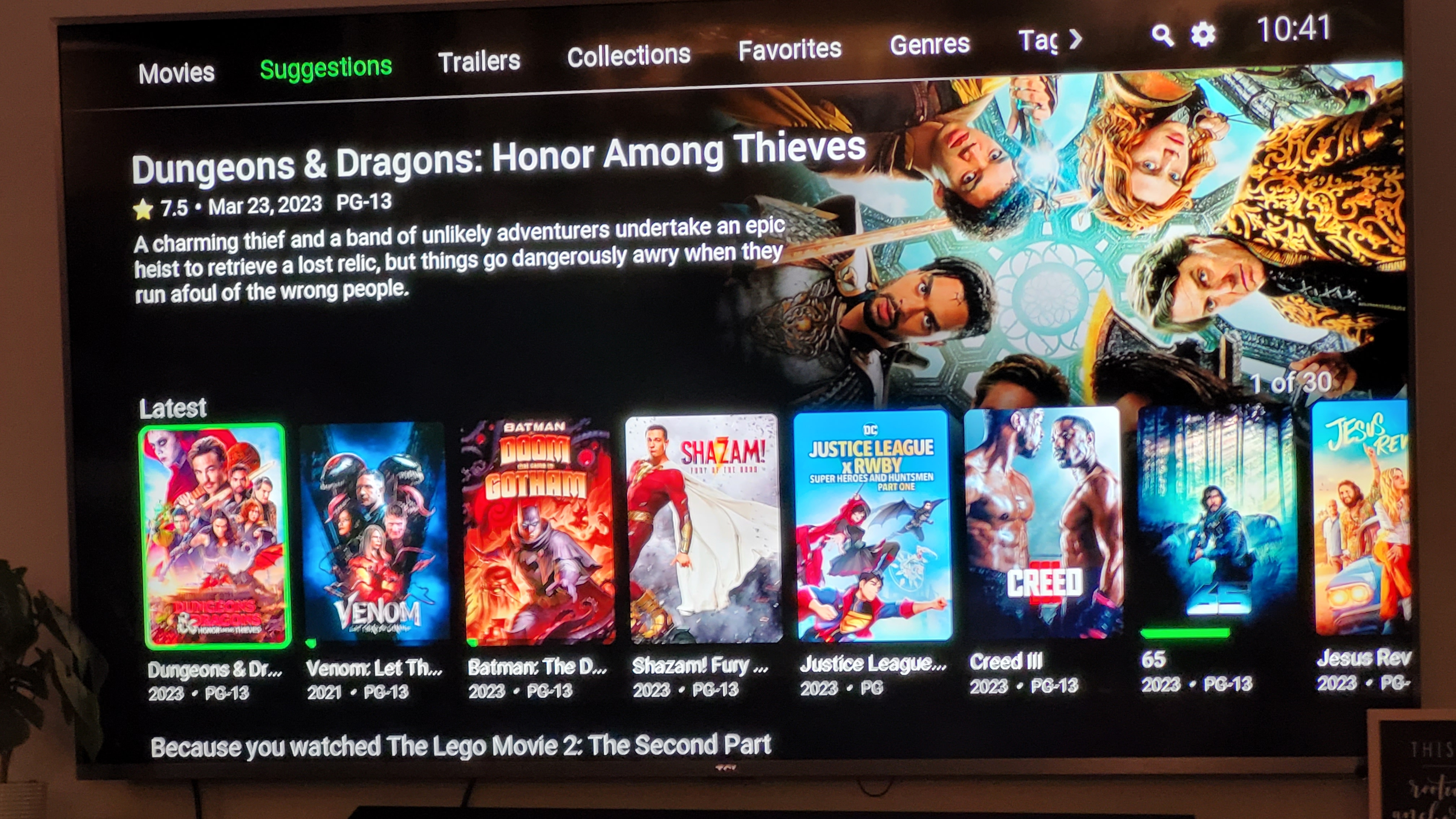
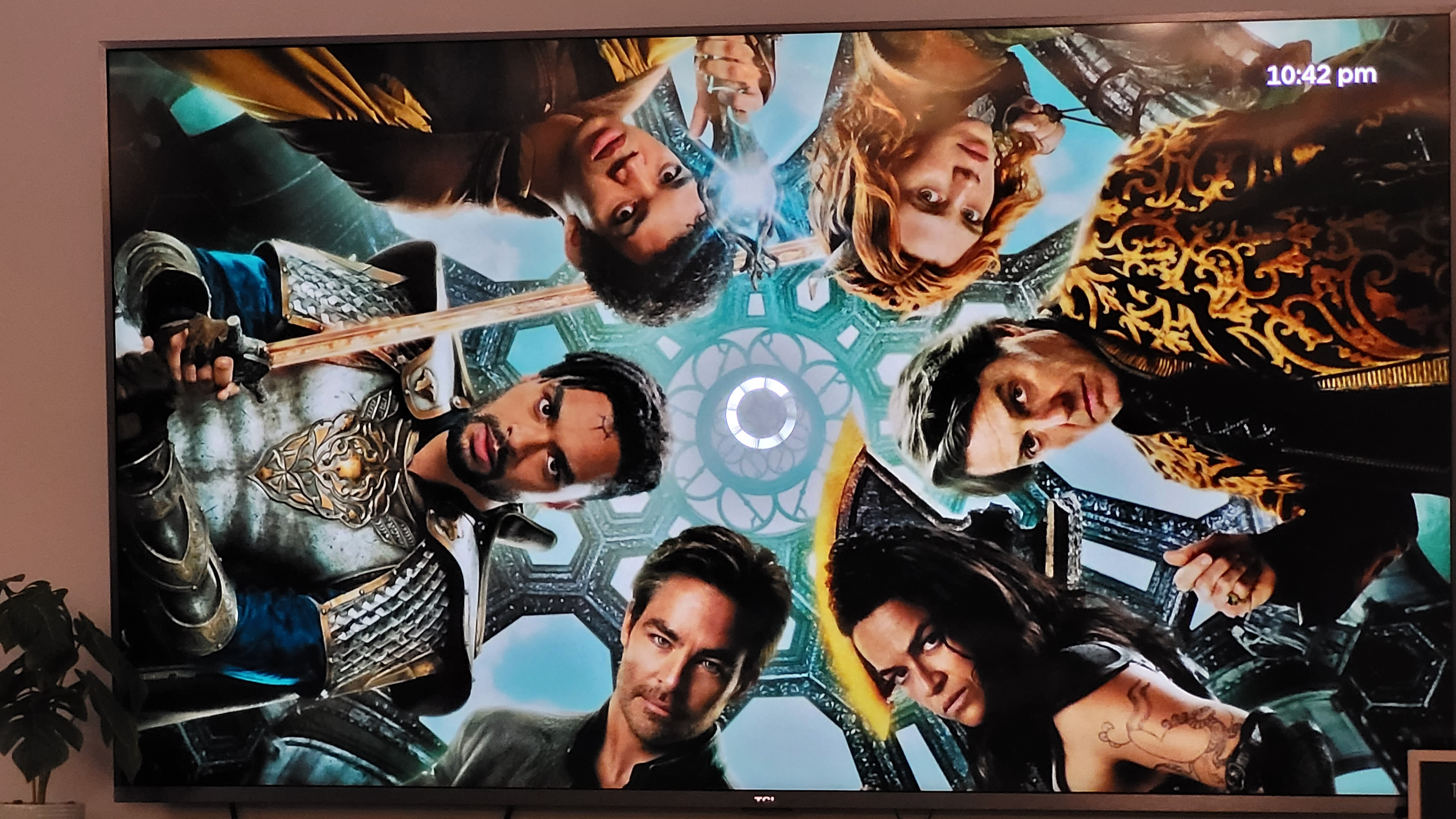
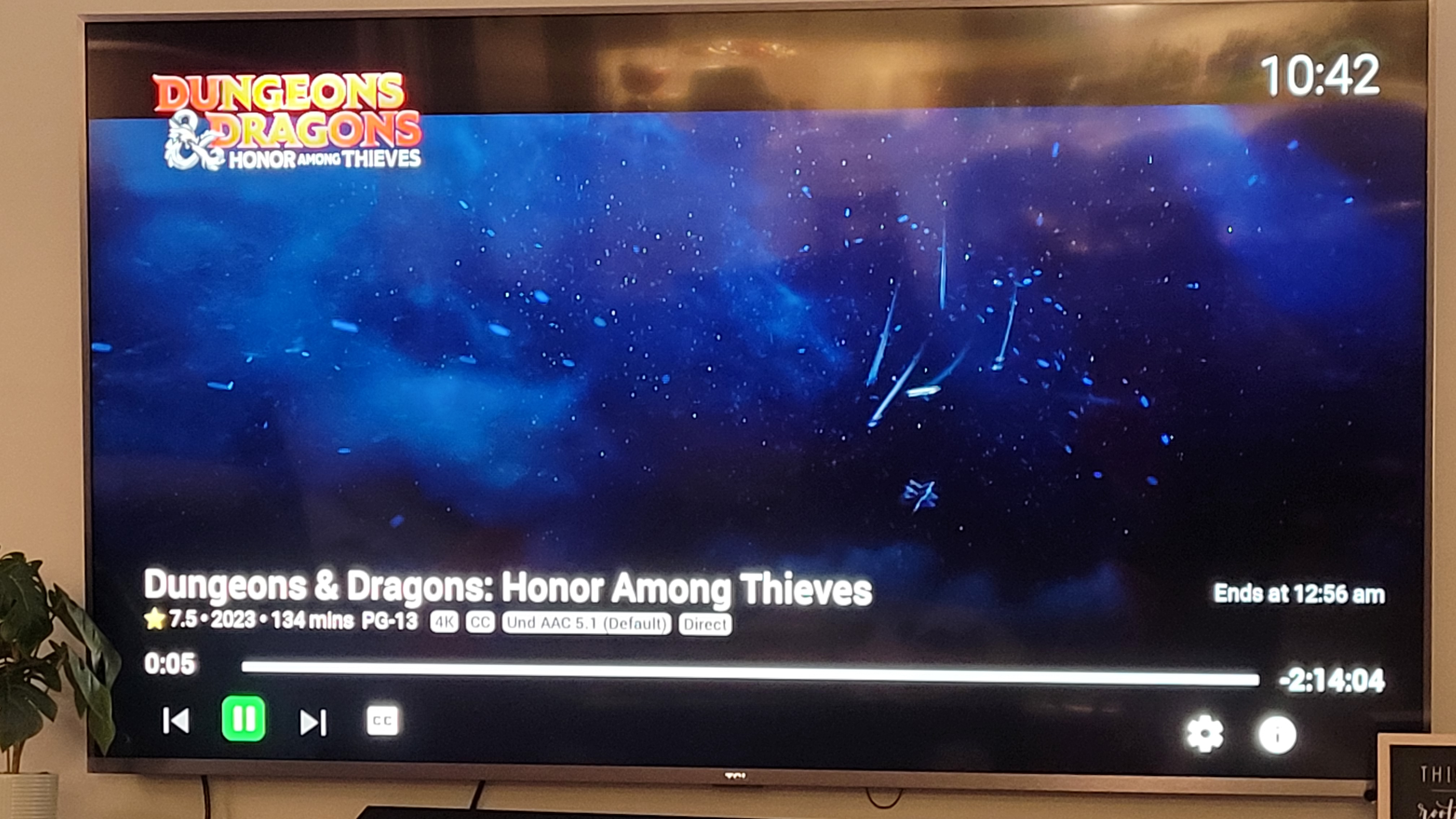
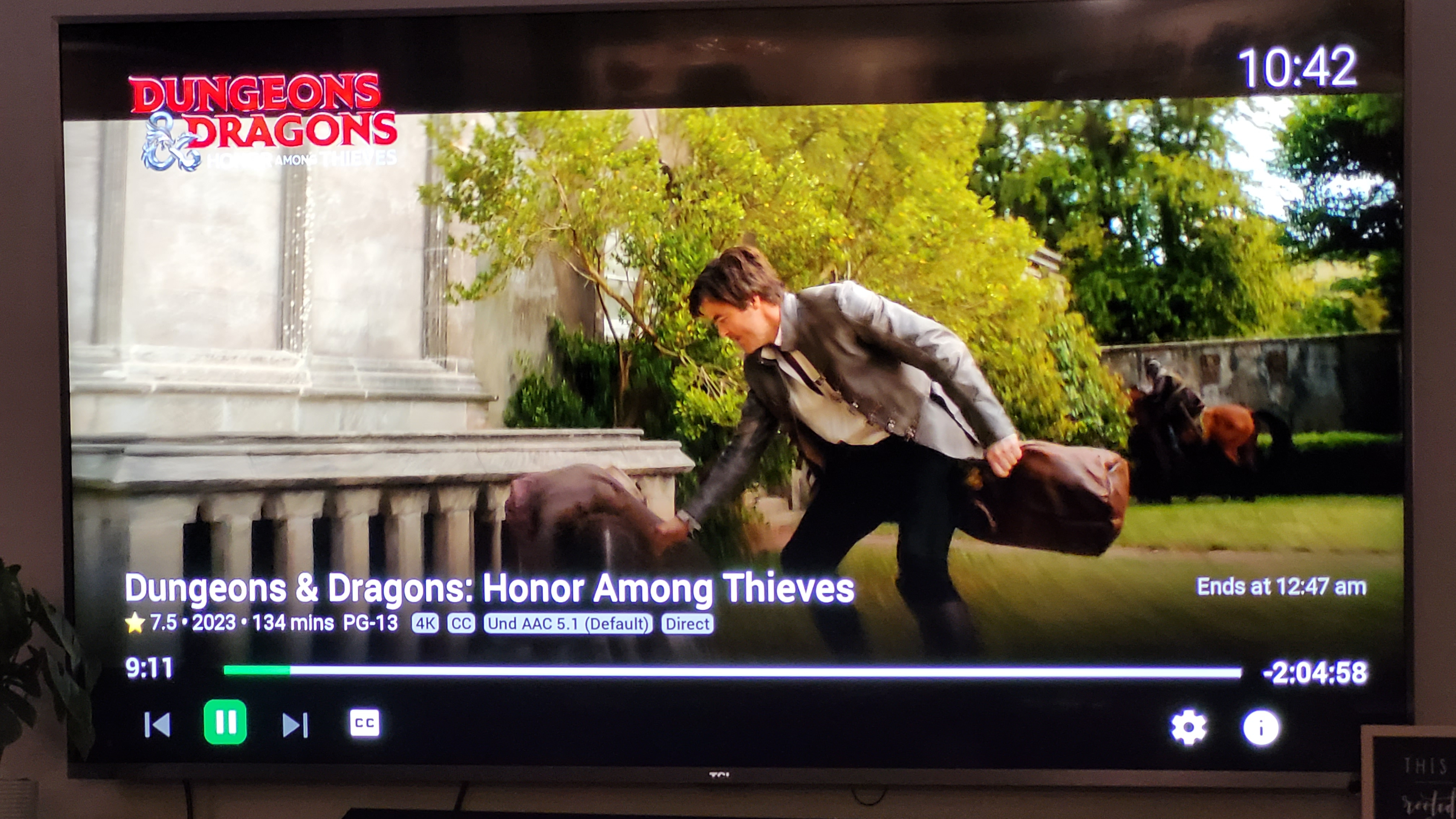
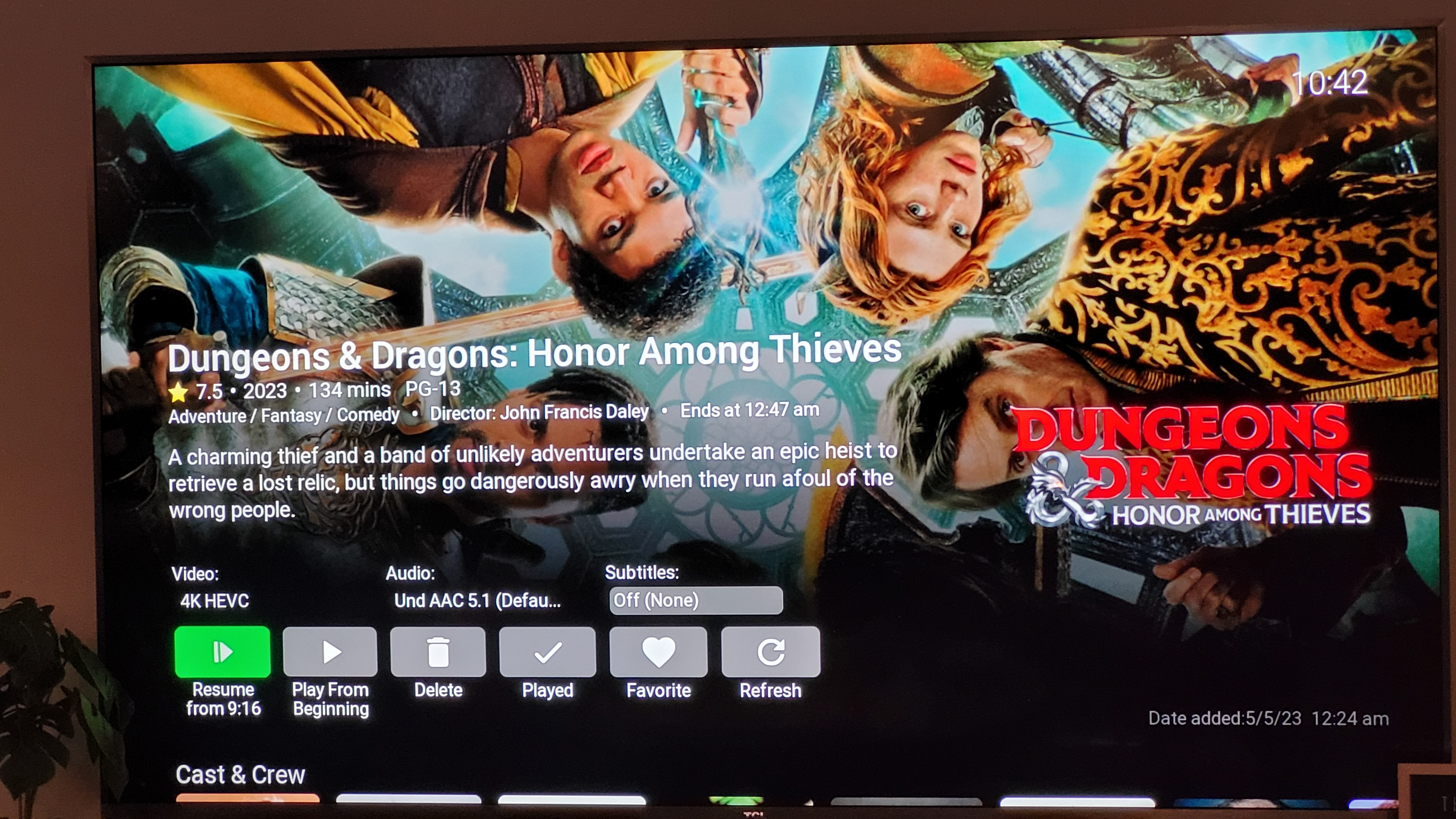
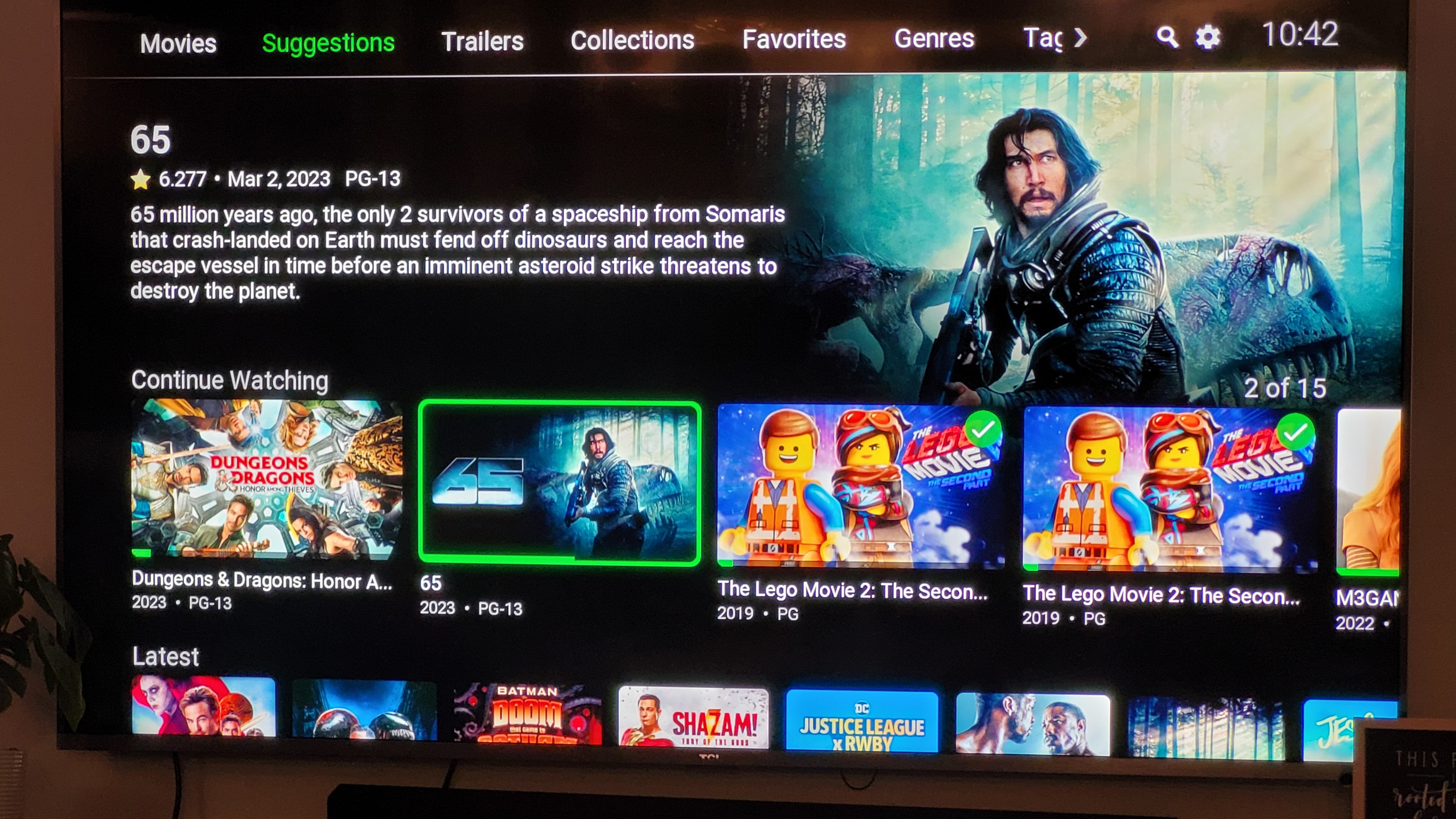
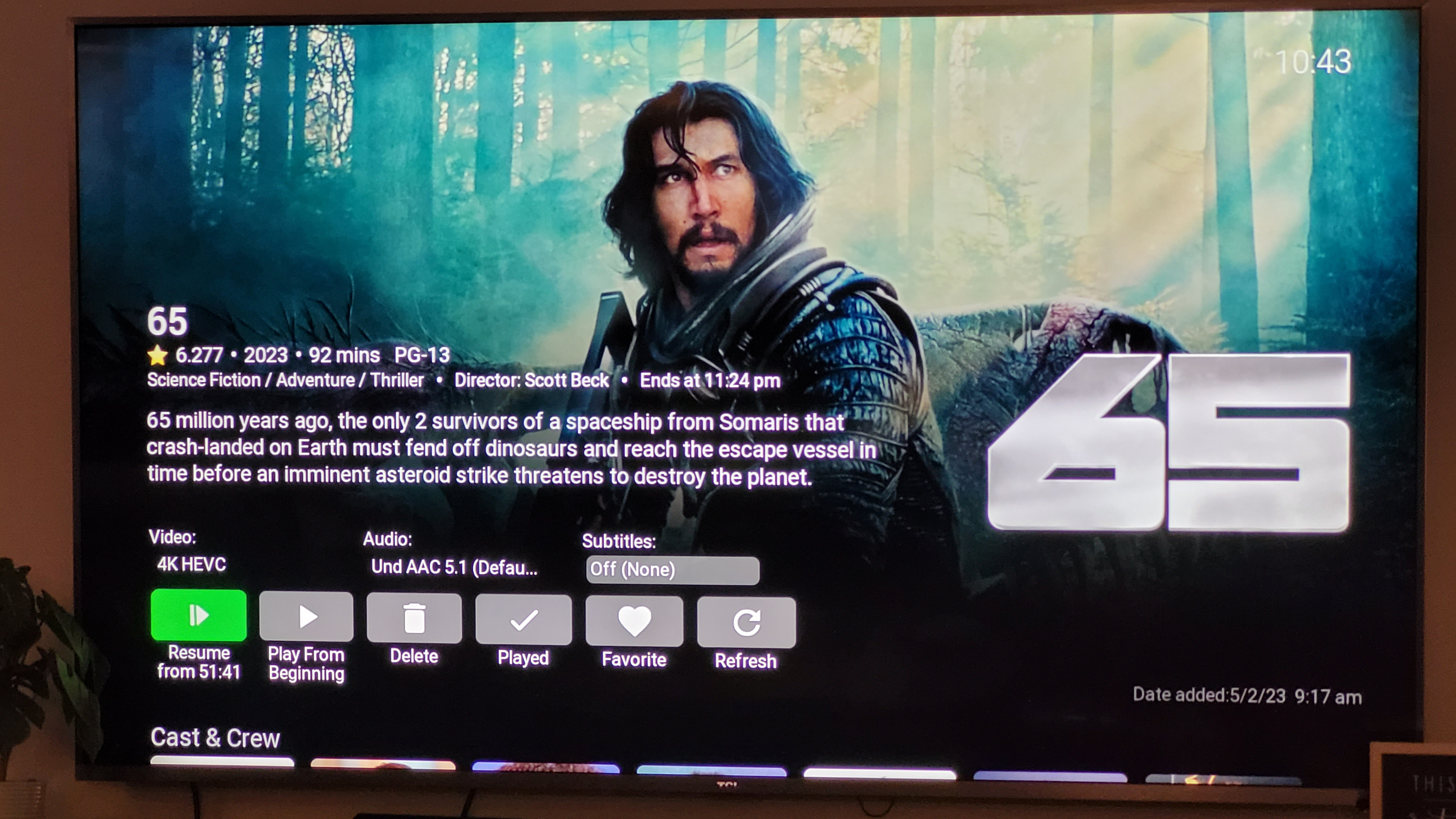
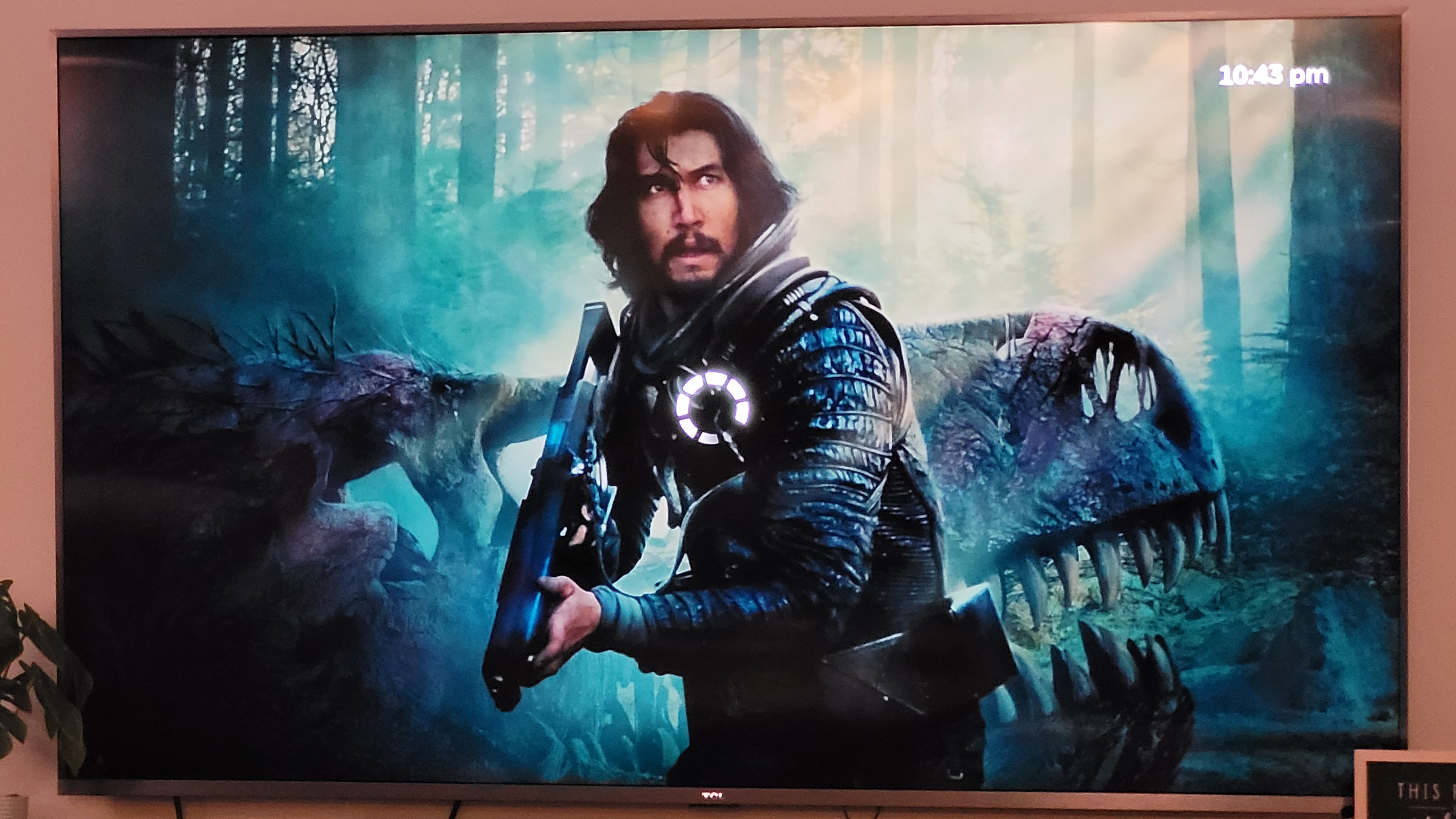
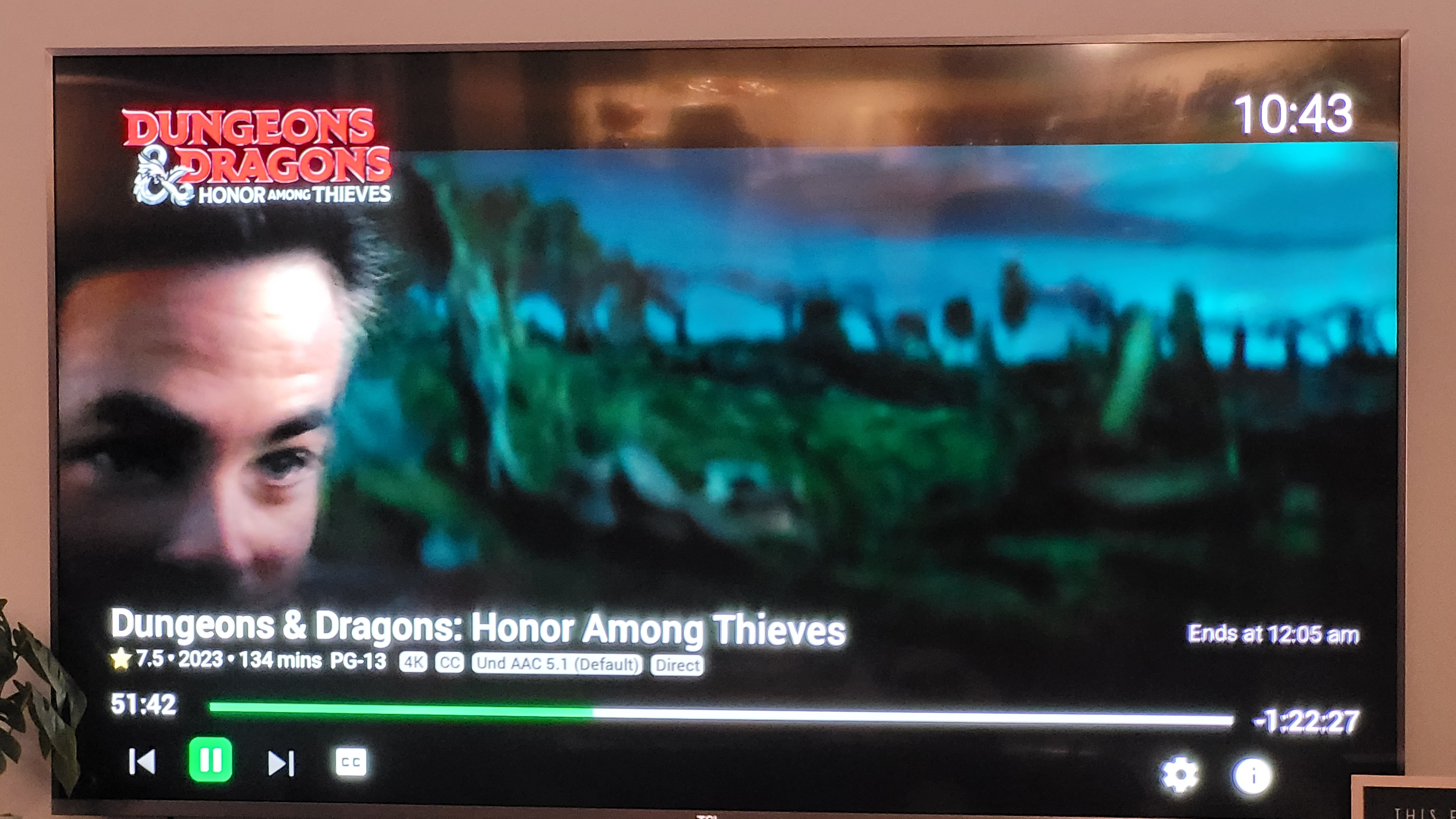
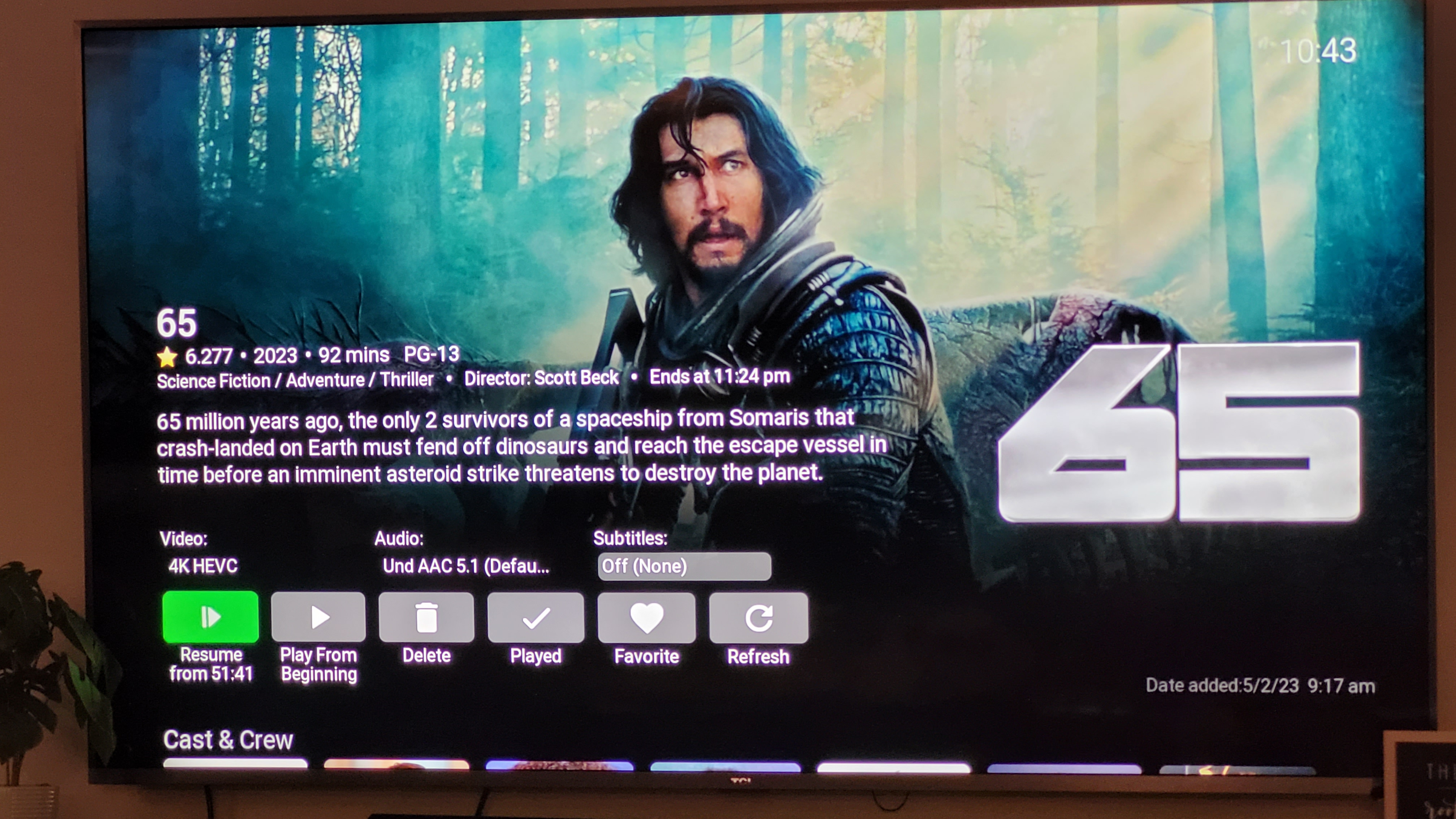
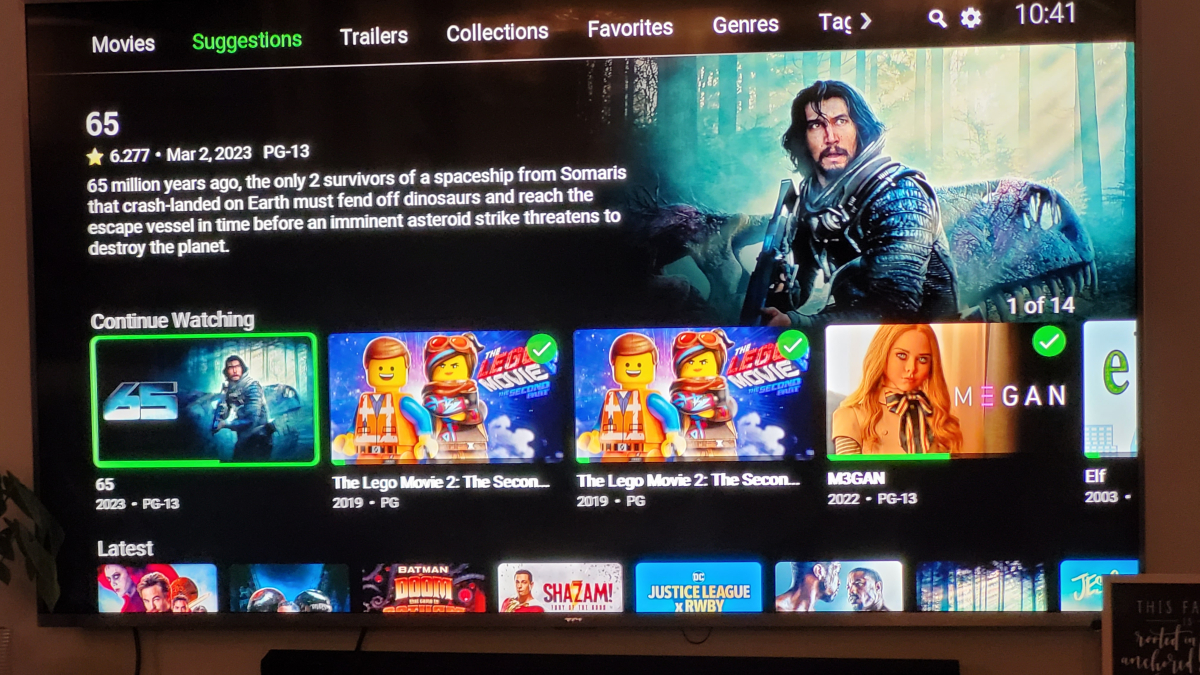
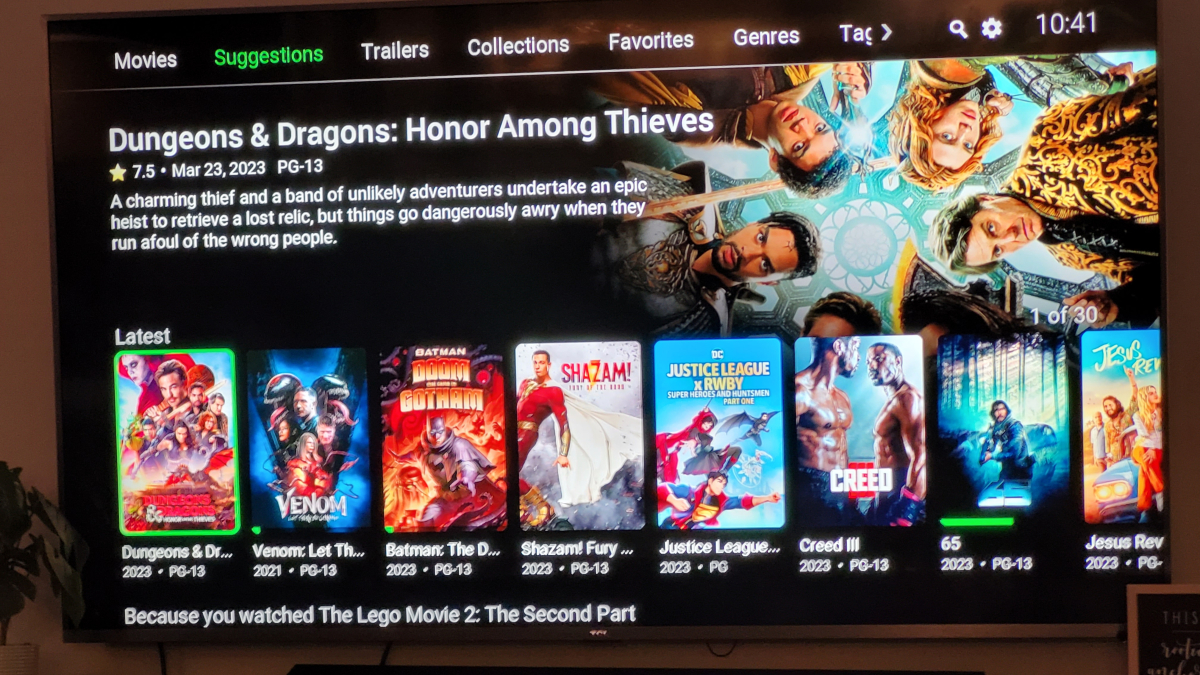
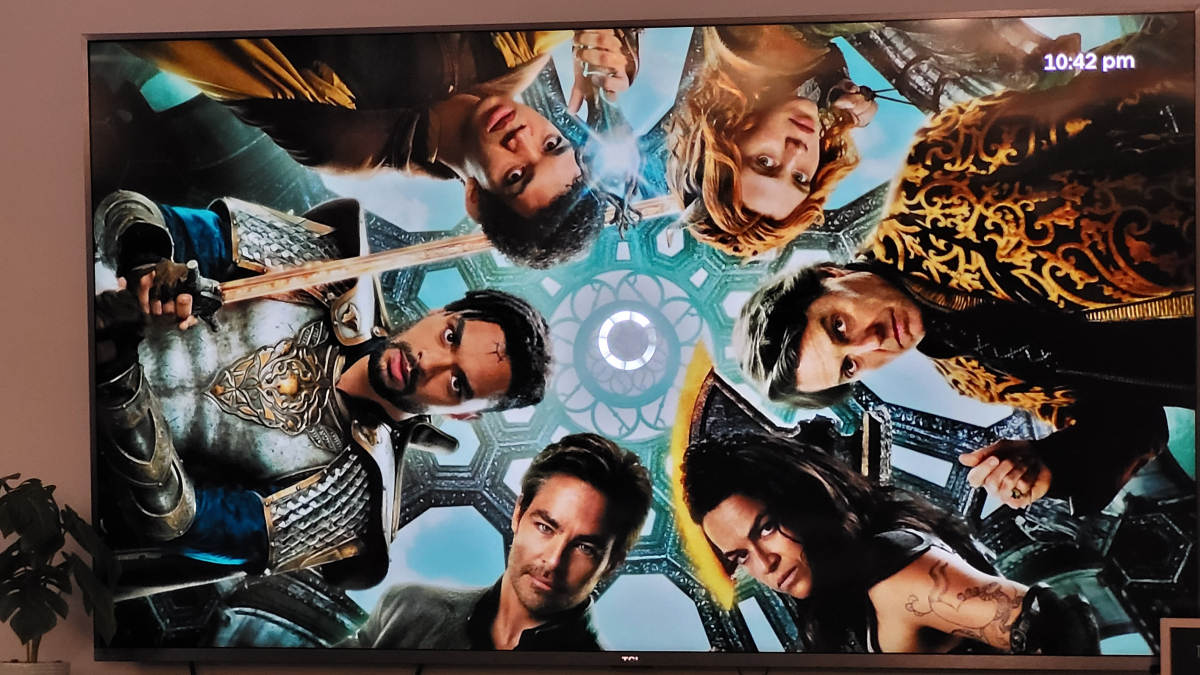
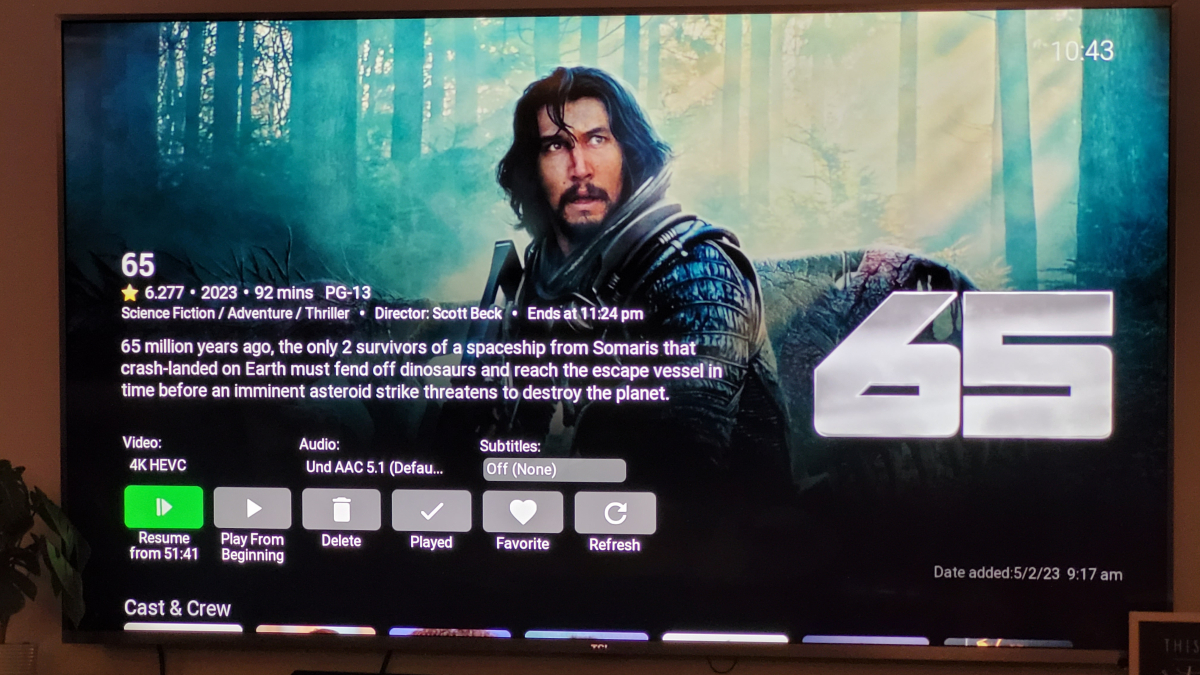
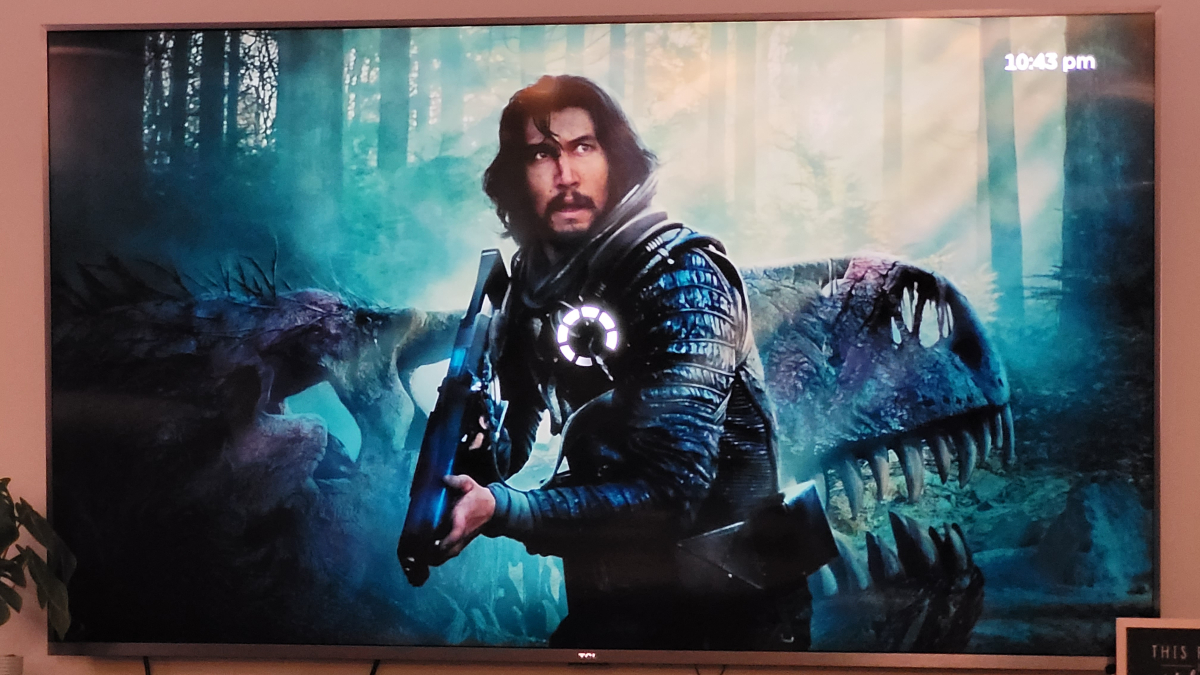
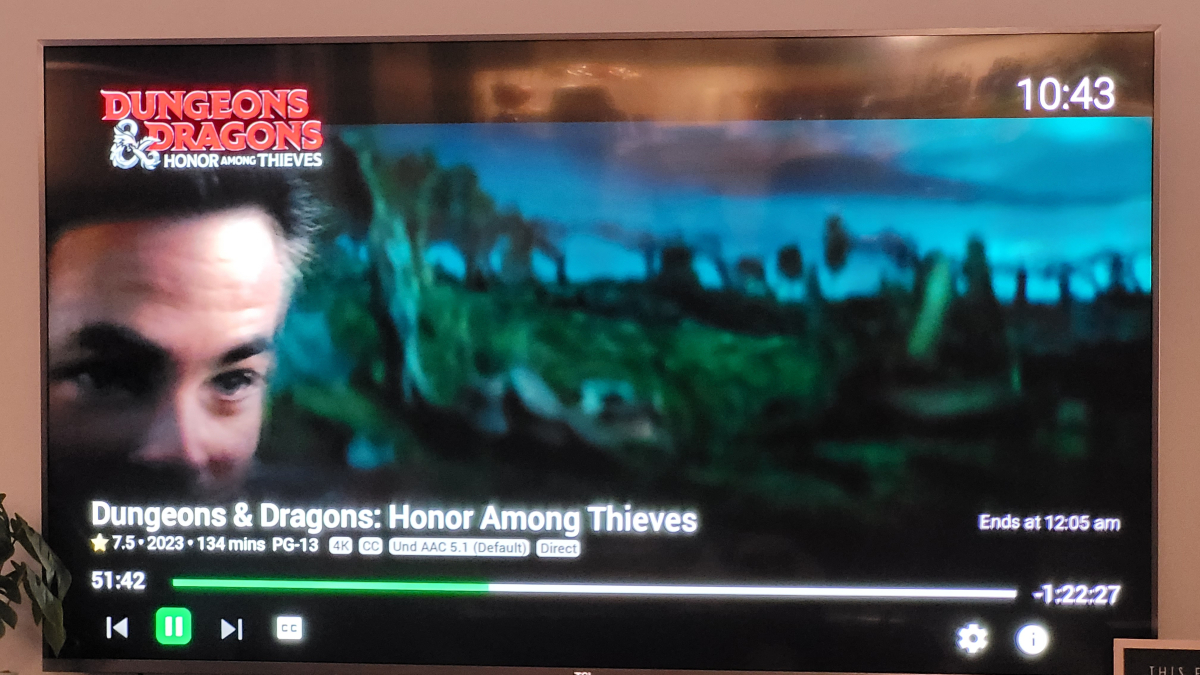
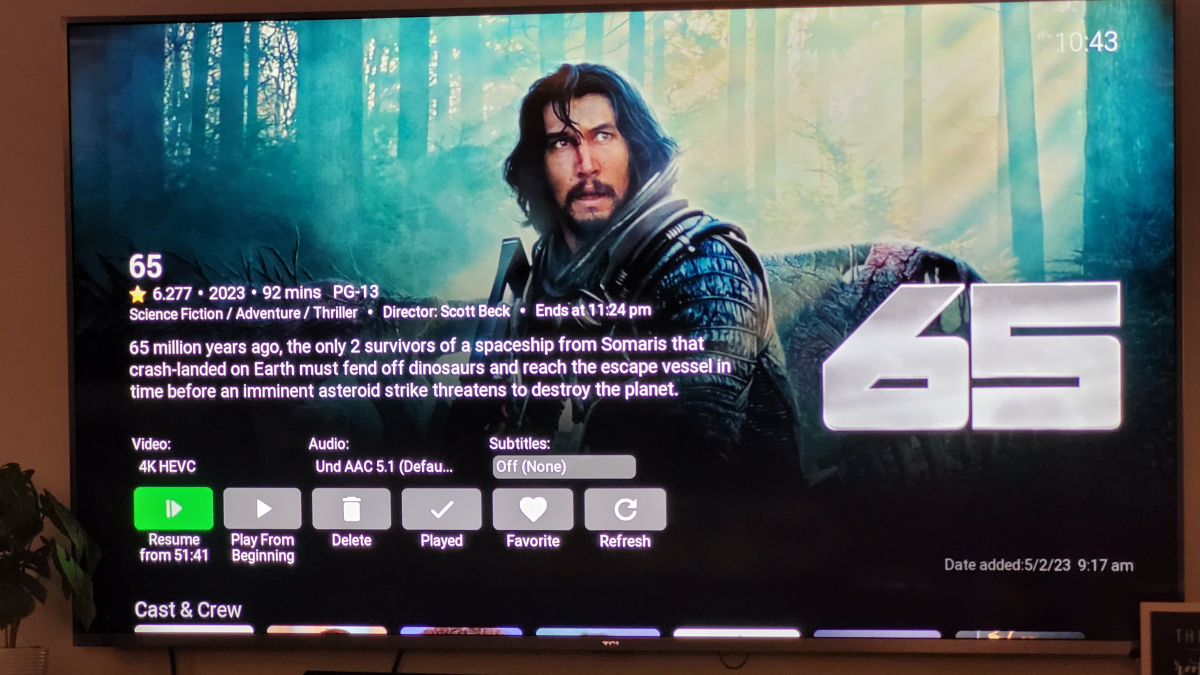
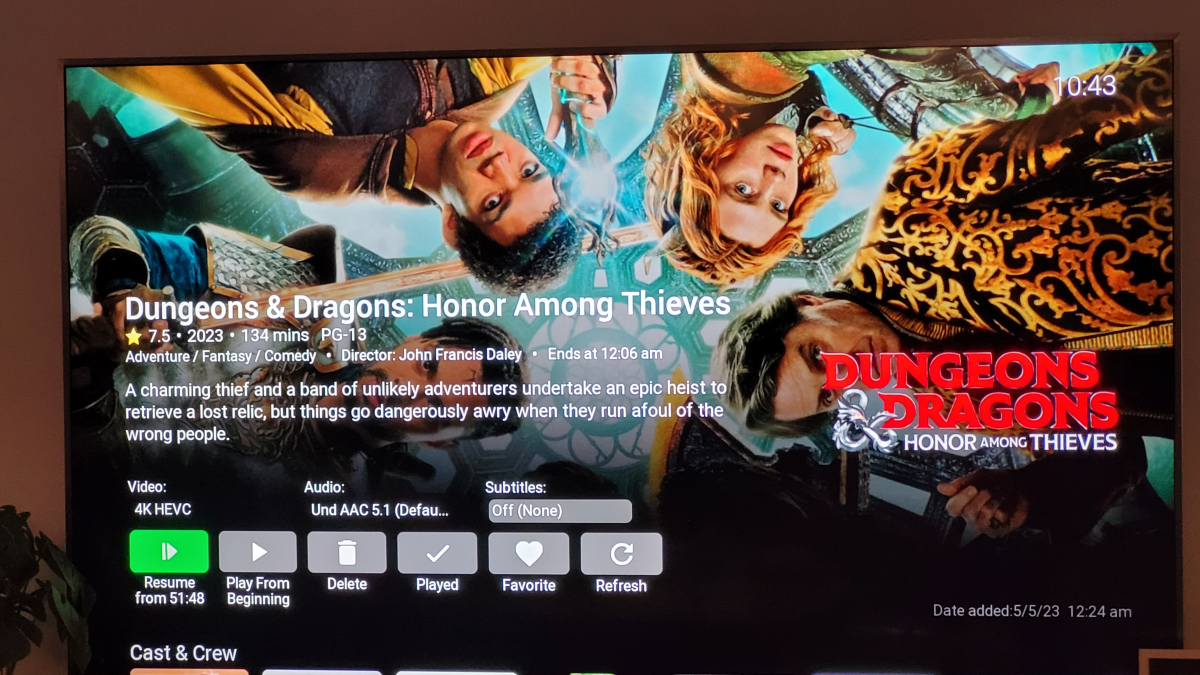
Ok here is the rundown: 1. This is the movie page/library 2. I chose dungeons and dragons 3. I messed up the shot here but was supposed to show that there is no resume option as this is the first time I'm attempting to play this file 4. This shows it started from the beginning. 5. This is where i stopped playing it using the back button on my remote. 6. This shows the resume playback feature is correctly showing it stopped at 9:16 7. Now i chose the movie 65 from the continue watching section (this behavior is the same regardless of where i choose the content). 8. It shows that 65 should resume at front stamp 51:41. 9. This shot shows that emby is starting video from 65 media page 10. As you can see dungeons and dragons played at the timestamp of 51:41 which was the stamp for 65. The original timestamp of dungeons and dragons was 9:16 (screenshot 6). 11. When i stopped the media using the back button on remote, it returned me to 65 page, even though you saw it was playing dungeons and dragons. 12. When i went back to the dungeons and dragons page, the timestamp is now showing 51:48 which is where it stopped when it got played from the 65 page. Hopefully that wasn't too much but you can see something funny is going on (not just my bad taste in movies lol). This doesn't happen if the first and all subsequent videos are resume play initiated. This only happens when a new movie is played from the beginning. Almost as if the identifier use to mark that movie overwrites everything else.
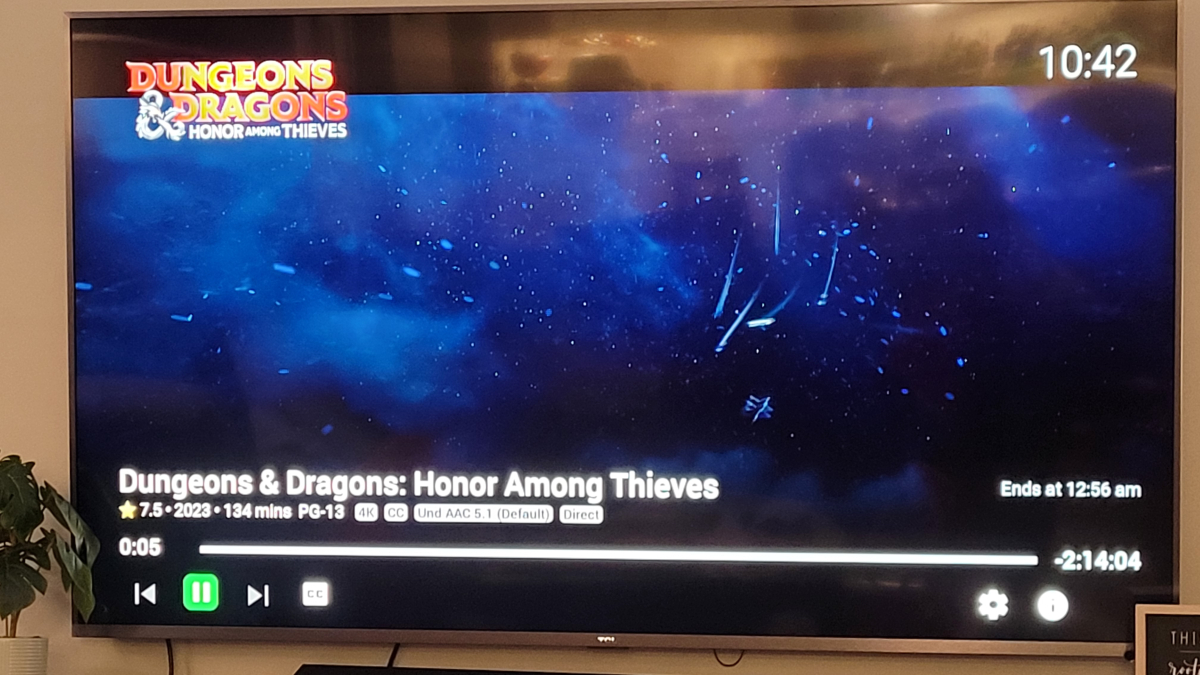
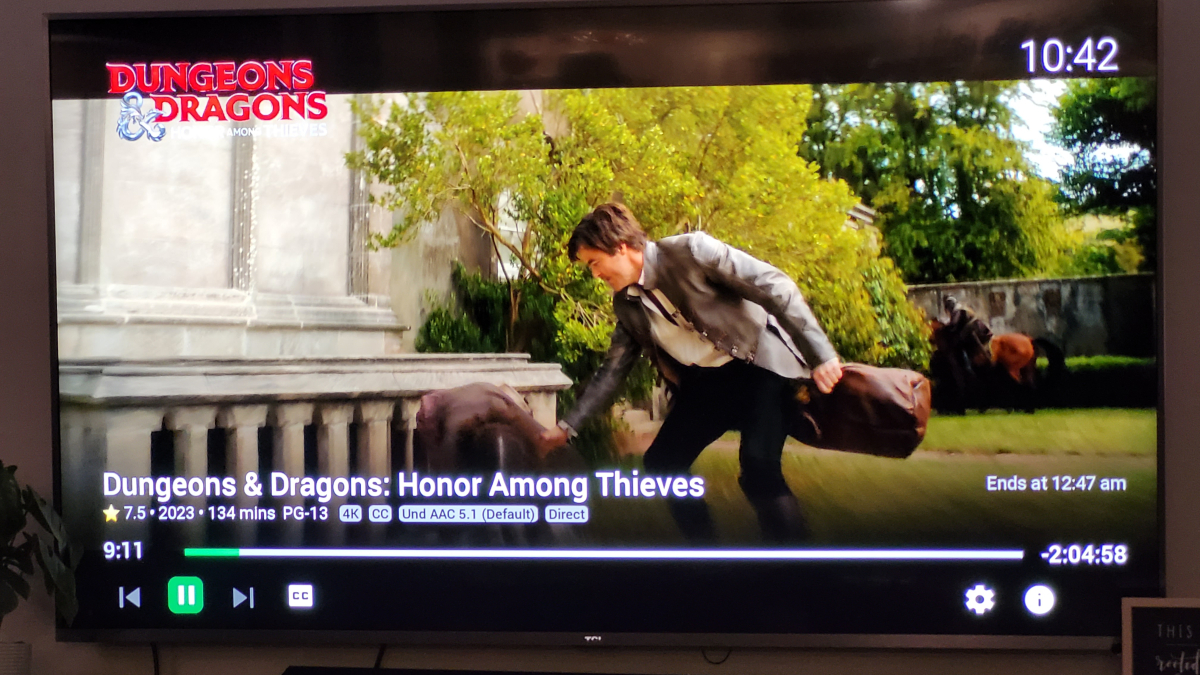
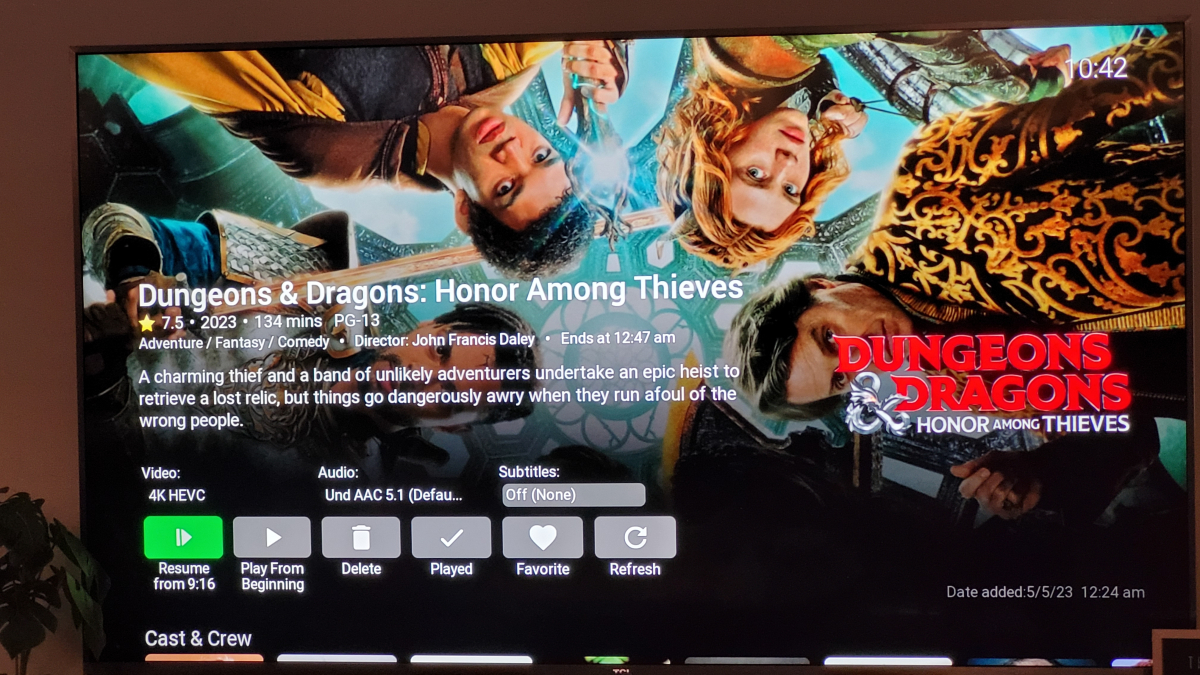
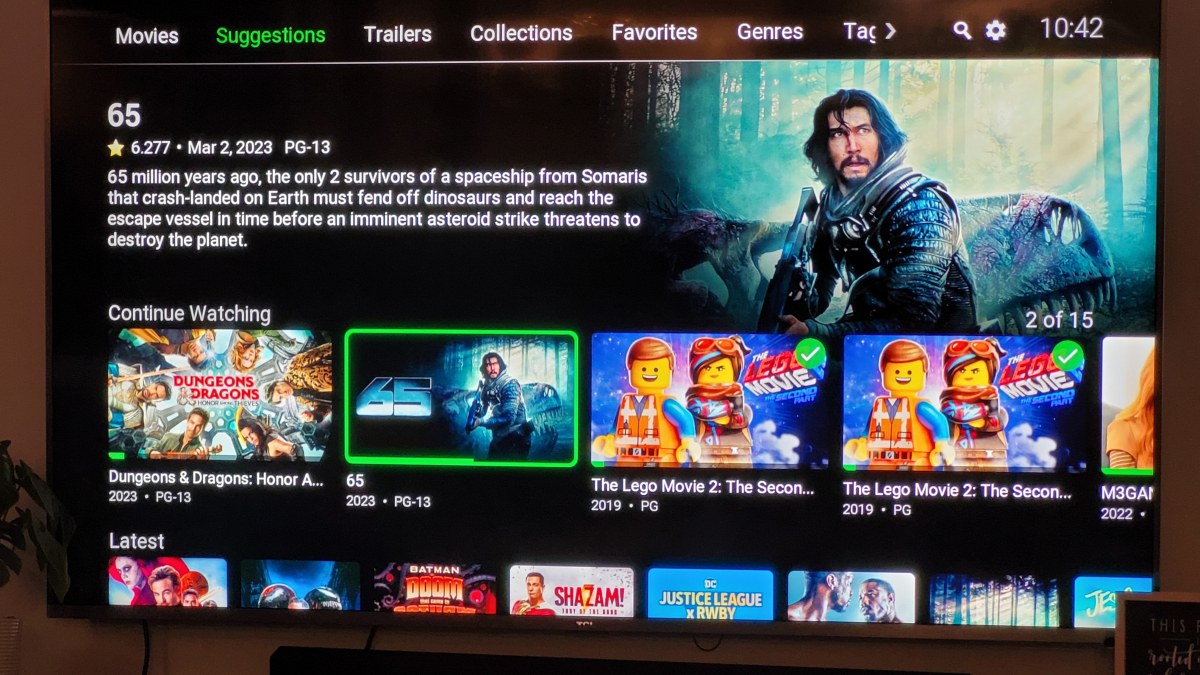
 1 point
 -
That doesn't sound right. Previous HA versions had this problem but that should no longer be an issue with current HA release. When was the last time you tried this tied to your "Emby" media player entity?1 point
-
Awesome news. I shall watch for the next release1 point
-
Yeah, I'm with ya... if [ $MatchType = Audio ]; then IncludeItemTypes=Audio ParentId=$AlbumId else IncludeItemTypes=Episode ParentId=$SeriesId fi url=$Host"/Items?Recursive=true&IncludeItemTypes="$IncludeItemTypes"&ParentId="$ParentId full_parent_data=`curl -s -X GET -H "$EmbyXToken" -H "Content-Type: application/json" $url`1 point
-
Just got in from travels, i will look at this tomorrow or during the week1 point
-
It's a class and you cannot know when and where any instances of this class are created by Emby. The key to the solution is not that IsEnabled is a property of the provider class. The key is that it's static:.It is not bound to any specific instance of the class - it's rather a global singleton value, and so it doesn't matter when and how many instances Emby may create. Using statics is generally not a good pattern, but as we're not into professional application design patterns here, this is nice for its simplicity. The static property could be located anywhere, that doesn't matter. Or - like mentioned above - you could store the settings (that indicate which IDs to enable and which not) in the AppDomain or In Emby's Emby SDK Reference: IConfigurationManager. In the latter case, you would add a constructor to the ID class like follows. This works, because Emby server is using dependency injection to create object instance. public class MyExternalId : IExternalId { private readonly IConfigurationManager configurationManager; private bool? cachedIsEnabled; /// <summary>Initializes a new instance of the <see cref="T:System.Object" /> class.</summary> public MyExternalId(IConfigurationManager configurationManager) { this.configurationManager = configurationManager; } private bool IsEnabled { get { if (!cachedIsEnabled.HasValue) { var config = this.configurationManager.GetConfiguration("MyConfigKey") as string; // now determine for the config string whether this ID should be enabled, so true or false for the next line: this.cachedIsEnabled = false; } return cachedIsEnabled.Value; } } public string Name { get { return "My External ID Example"; } } public string Key { get { if (this.IsEnabled) { return "MyExtId"; } return "dkjgfogihrgtoihn"; } } public string UrlFormatString { get { return "http://my.extid.com/api?redir={0}"; } } public bool Supports(IHasProviderIds item) { if (this.IsEnabled) { return item is Series; } return false; } } In this case the IsEnabled property is playing a totally different role: It's not static and not public. Here, you don't make any setting on the class (instance) from outside to switch on or off, but instead, the class finds that out on its own by reading the configuration. This is a much better approach, because all functionality is encapsulated inside that class and you don't need any code from elsewhere to set the state. There's a lot of potential for errors when such dependencies exist, i.e. when something needs to happen at one place in order to get something working properly at a different place, while you don't have any control over which happens first...1 point
-
Thank you for getting back with me. I am a premium member (lifetime) running VP 2.1.0.5 on Emby 4.7.11.0. Attached is the EmbyLog file. In the time since I made my post, I have edited my Vantage playlist to bypass the problem by removing online trailers and copying all my trailers into a seperate folder where Vantage can randomly play the Multiple Intro feature. In order to do testing I created a new Vantage playlist with only two commands in it. The first is to play a single local trailer, the second is to play a single online trailer. After a full library scan as directed then a server restart for good measure, I then selected three movies to load. In each case the program ran exactly as I expected it would: It played the Austin Power's trailer (International Man of Mystery each time), then skipped the online trailer. I have 26 movies with accompanied trailers for it to pick from, but it only wants International Man of Mystery. I tested this off of the computer hosting the server, but I can confirm the problem occurred on multiple different devices across my house. embyserver.txt1 point
-
Yes indeed. There always seem to be companies trotting out the same digitization they used for the DVD in newer formats and not really changing the source material, just releasing it in a new format. Having recently moved into the 4k realm for display I also agree that a quality image - pretty much at any resolution, is still a quality image at any other resolution. When the new TV was within reach I did some upscaled test files because of concerns some older low res stuff may not look great......wrong. It looks virtually the same at either resolution. Broadcast TV? Again, there is some gain in resolution, but nothing earthshaking. Color again is the biggest difference. All that disappoints me in all this is as an amateur photographer, I understand how color display is affected by surroundings, room lighting, color temperature of room lighting, and it would be nice if manufacturers would start adding color calibration to displays.1 point
-
Very cool. Thanks for sharing.1 point
-
This is my position. I watch mostly old classic movies that were filmed 30-90 years ago. I have noticed that even on Blu-Ray that a lot of these movies aren't really that high quality. I'm not saying they are bad or unwatchable but they just aren't really what one would expect from a Blu-Ray since they were actually shot on real film. Now these days some of these films are coming out on 4K but there is going to have to be a lot of digital enhancement to make them actually better.....but then the question becomes "is that actually better". You kind of have to keep this stuff in perspective and not get sucked into the rabbit hole of constantly seeking that little extra here and there. It's expensive and a waste of time in my opinion. Most of my content is recorded from TV, especially TCM, and even when I have a Blu-Ray copy side by side comparisons are hard to see any difference even though the Blu-Rays are usually at least 2X the size of as recorded. Once encoded the file size is only different because of the size of the audio file and once again....hard to see any difference. I understand the limitations of the content I watch and I am very pleased with the results I get and so are all my users. Yes, some movies are better than others but after exhaustive comparisons over the last couple years when I compare my encodes to the originals the issues I see are actually in the original so I no longer question anything and now I just enjoy my content instead wasting time trying to make limited gains if any. Newer movies encode so well from a 1080P or 1080i source that it is almost impossible to tell they are not off of a disc. Most users can't see the difference. My wife is constantly amazed. I'm happy with my content because I understand the limitations we face here and considering if I have seen them before it was probably years ago on a 4:3 CRT TV with pan and scan so this is an awesome upgrade to say the least.1 point
-
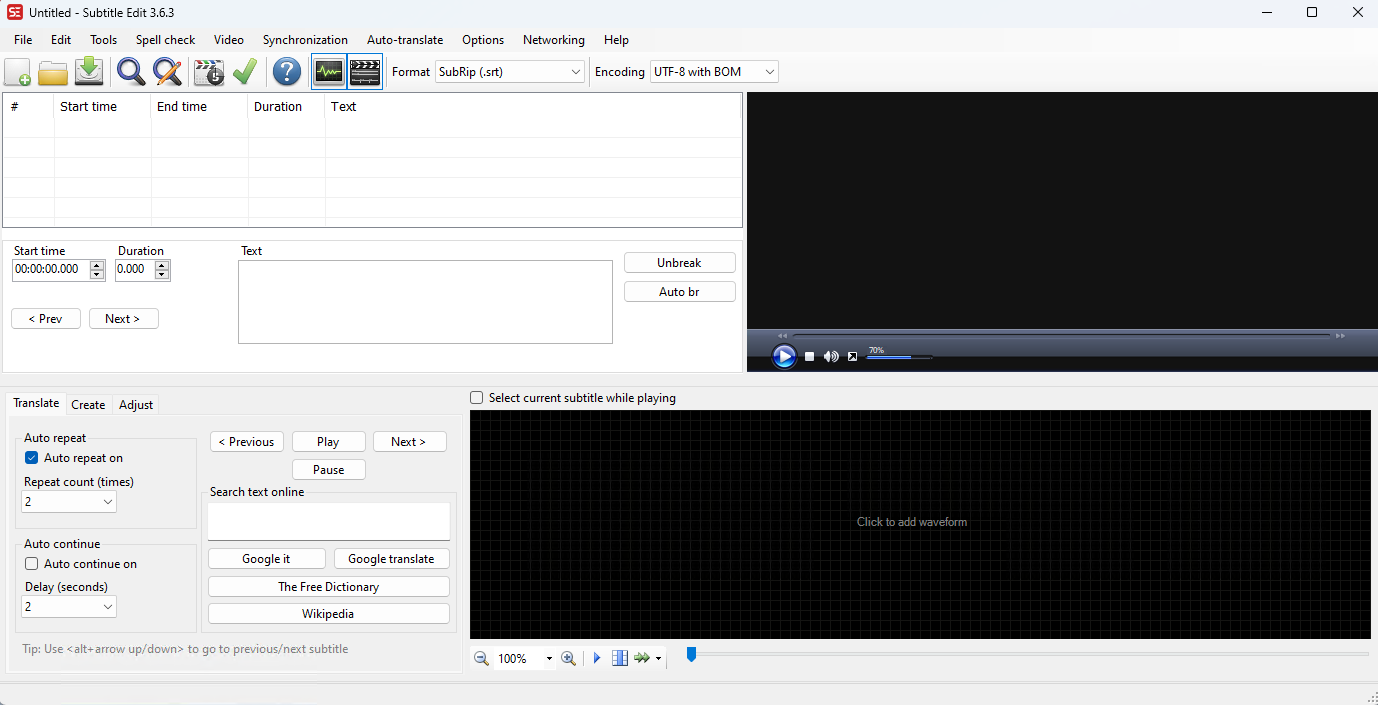
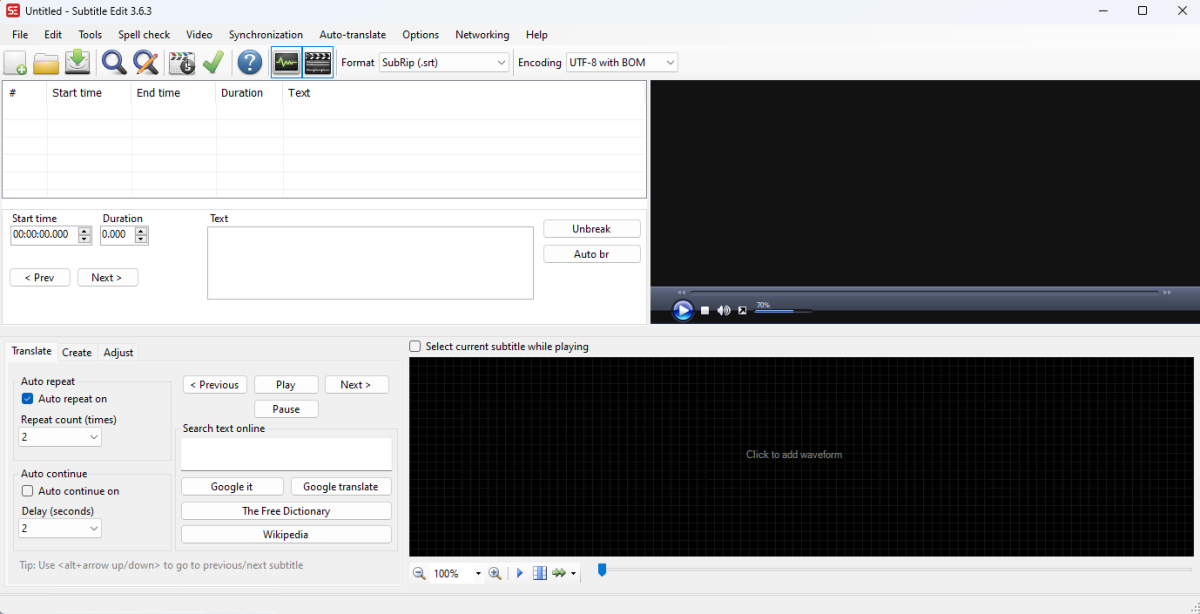
I use subtitle edit - it shows you the video alongside and you can sync them live, no need for an external player.
 1 point
 -
Done !1 point
-
Emby provides software for you to set up your own server to serve your own media. Emby is not a streaming service. Paul1 point
-
Actually figured out the problem with stutter/jitter in the web browser. Appears to be a container problem. The movies with the issues are MP4. If I run them through MKVToolNix and switch to MKV they play perfectly.1 point
-
I would prefer to have all libraries I select to default to release date or added time. Set in global server by default. it's possible?1 point
-
2013 F-Series Install Open the main menu and scroll down to "Smart Features" and press enter Select "Samsung Account" Select "Log In" In the Email field enter "develop" - no need to enter a password (the password field is inaccessible) Press Login Exit from the menu Press the Smart Hub button on the remote and scroll to Apps Select "More Apps" (at the bottom of the screen) Select "Options" at the top right Select "IP Setting" Enter the IP address 173.230.139.54 Exit and then select "Start App Sync" from the Options menu - this will download the app Once the app has downloaded it will appear on the "More Apps" screen Select the App You will then have to enter your Emby Server's IP address and port number (these are visible on the server's settings page).1 point
-
Overview CoverArt is an "Image Processor" for Media Browser server. It does not download any artwork. What it does is take the artwork you have (either downloaded with the normal MB providers or supplied by you) and apply different specialized treatments to those images. So, it can take a plain movie poster and make it look like a Blu-Ray case, or a beveled glass case - or take your episode images and put TV frames around them so that they look obviously like TV episodes. It can also do some very interesting things with Collections (box sets) or other folder types by creating images that represent the actual content that is within them. CoverArt does not modify any of your original artwork. It does its magic on the server before the images are delivered to the clients so you can easily switch between different styles and rest assured your original posters will remain intact. You can select different treatments for different types of media. For example, movies can have a case style treatment while TV Series, Seasons and Episodes all have different styles. Additionally, these selections can be grouped into different Profiles which allow you to define different sets of options for different physical locations within your library. All of this together makes CoverArt an extremely powerful and flexible way to customize your media artwork into something much more exciting than just movie posters.1 point