Leaderboard




Popular Content
Showing content with the highest reputation on 04/28/23 in Posts
-
Thats a completely seperate project myself and @samuelqwehave been working on. We have some pretty promising results but it needs finessed. There is a topic on the forums somewhere regarding our progress.2 points
-
if we are serious about making this available then i think some work should be done to remove autoskip for intros. and tidy it up so it's more compatible with current set ups What you guys think2 points
-
New Comskipper release. Links etc. in first post. Version 2.0.0.0 - Allows for chapters to identify commercial points if they exist. PlayOn and perhaps others identify commercials that way.2 points
-
It appears that any playlist that any user creates is public--all other users can see it. I can appreciate the benefit of a public playlist. I could create a playlist called "Harv's Favorite Horror Films" for example, in case other users are interested in checking out what I like. However, the way most of my users are using playlists is to keep track of things they want to watch in the future. They are typically things that the user has not watched yet, so it's not meant as a recommendation to others, just as a way of them personally keeping track of what they want to watch. Having that kind of playlist be public is of questionable benefit to other users. Additionally, it is not clear when you create a playlist that other users will be able to see it. That has the potential to cause some embarrassment. He hasn't created one yet, but I wouldn't want to see my nephew's "movies to fap to" playlist, for example. If I could make a suggestion, I would suggest associating each playlist with the user who created it, and giving that user the ability to make the playlist private or public. For example, the following two checkboxes could be shown when creating or editing a playlist: Allow other users to see this playlist Allow other users to edit this playlist Initially, both checkboxes would be unchecked. Since another user cannot edit a playlist they cannot see, the second would be allowed to be checked only if the first were also checked. (You could grey it out to make that clear.) Depending on your UI preference, it could also be a drop-down menu. Playlist visibility: (Only me | all users can view | all users can view and edit) Thanks for considering this.1 point
-
While I don’t think this will be built-in anytime soon, I can’t imagine this being a mandatory feature. Obviously, not everyone wants to (or can) run ressource intensive tasks, such as these, on their servers. I assume this would be an opt-in feature like it is with intro scanning.1 point
-
This has been resolved in the upcoming 4.8 release.1 point
-
You can not sort by video codecs - only filter by them.1 point
-
I'd say you've sorted by File Name - what you want is sort by Title.1 point
-
Great; what a timing! Thanks a lot for the info, Luke Cheers1 point
-
Gotta find some ways to improve it, but I haven’t found a good way to go about it yet. I know it’s possible though, since that other closed-source media server was able to do it. However, we have nowhere near the amount of resources or experience that they have, so it’s a lot harder for us to get something that works reliably.1 point
-
Very pleased. I added 2 m.2 nvme 500gb in raid 1 for cache, 4 8tb Seagate Iron wolf for media and 2 8gb crucial memory. This thing is fast and transcodes great. Now for the cons "well in my case the unknowns" 1. Setup time between initializing drives, transferring 6tb of media took a full day 2 Remaining volume size went from 32gb down to usable 17.1gb after raid 5 setup, and other previsions 3. Emby media scan took forever, about 4hrs, made sure chapter markers were disabled , may have been because I was still transferring media to my tv shows folder? But in all I am very pleased with the speed and playback, handles all my media without a hitch including UHD HDR rips and fast forwarding, chapter skip, resume all working great. I should have done this a long time ago.1 point
-
Well after more digging, the HD on the Emby server ran out of space. It was filled up by Windows updates. Cleared the space issue, and everything is working as expected. Found the problem in the Emby Logs. I should have checked that earlier.1 point
-
I created SizeWise to provide myself with a way to have an in-depth look into what files are taking up the most space on my Synology NAS, where I house my Emby instance. With SizeWise, you can easily sort a list of files in any directory based on their size, making it easier for you to identify and manage large files. Here are some of the key features of SizeWise: Display a list of files in a directory, sorted by file size. Provides a quick/easy way to identify large files that may be taking up valuable space on your storage medium. To get started, simply adjust the $directoryPath variable and point it to the directory of your choosing. You will also need to adjust the $logPath variable to output the log file. Here ya go! SizeWise_1.0.1.ps11 point
-
Hahahha it's actually earlier in this thread https://emby.media/community/index.php?/topic/108871-end-credits-detection-for-resumenext-episode/&do=findComment&comment=11822721 point
-
Yep - and has been said before - now that Emby can properly analyse the dv profile - it should simply say 'DV + HDR10' for Video's that do have a backwards compatibility track (DV7 and DV8) and say 'DV Only' (or maybe just DV) for those that don't. (DV5) It's s shame Emby hasn't fully implemented all the information that ffmpeg is providing them .. [SIDE_DATA] side_data_type=DOVI configuration record dv_version_major=1 dv_version_minor=0 dv_profile=8 dv_level=6 rpu_present_flag=1 el_present_flag=0 bl_present_flag=1 dv_bl_signal_compatibility_id=1 [/SIDE_DATA]1 point
-
You are welcome. Just a note, in the plugin configuration section you will see a 'Real Time" option. This is only relevant to comskip users and the switch is meaningless if using embedded chapter markers. At some point I'll add some text to that configuration page. Enjoy!1 point
-
I just wanted to write to say thank you and congratulations on this amazing plugin. I encourage you to keep maintaining it, as you are doing us all a favor. Thank you very much.1 point
-
The Introskip Plugin did - 'CreditSequenceEnd' but didn't actually do anything with it - as it was such an extreme use case at the time. I might actually see if the Creditskip works with it as intended .. now a few shows actually have a need for it ...1 point
-
Don't think it's worth the effort in time tbh Dave for the number of users that would take advantage of it. I still use the full Introskip Plugin - it works perfectly well, has much greater functionality (and accuracy) then the Core offering - other than making it 'fit' better by maybe removing the separate DB, I don't really see a need to try and fill the Core gaps ...1 point
-
my five cents here: I have the same issues sometimes. The issue is not really that I cannot make jumps. The issue would be my on my side. My TV is a Philips.Android which is already sihtty hardware wise and on top bloaded.root with APKs which makes is even more sluggish. On top of that -> the Remote Control is absolute garbage. So ticking right keys a "couple of times" is a little nerve recking.... AND I know-> Immediate solution is: get a new TV Though, I don't have a suggestion on how to make this issue better, I would like to show up that this can be an issue. Also, sliding through all the Languages to scroll back and forth your desired languages is also an issue on my part. Why not filter the countries you have no desire of? Would make scrolling and switching between the languages much much easier. Maybe reducing this process to a button.clientside that searches and downloads all the preset languages and possibilites? That way one could remove the whole language selection part on the client. I mean if the movie is like 34 Gigs - who cares if there are 2 or 4 SRTs ea 430KB on the drive ..... hope that I make sense here...1 point
-
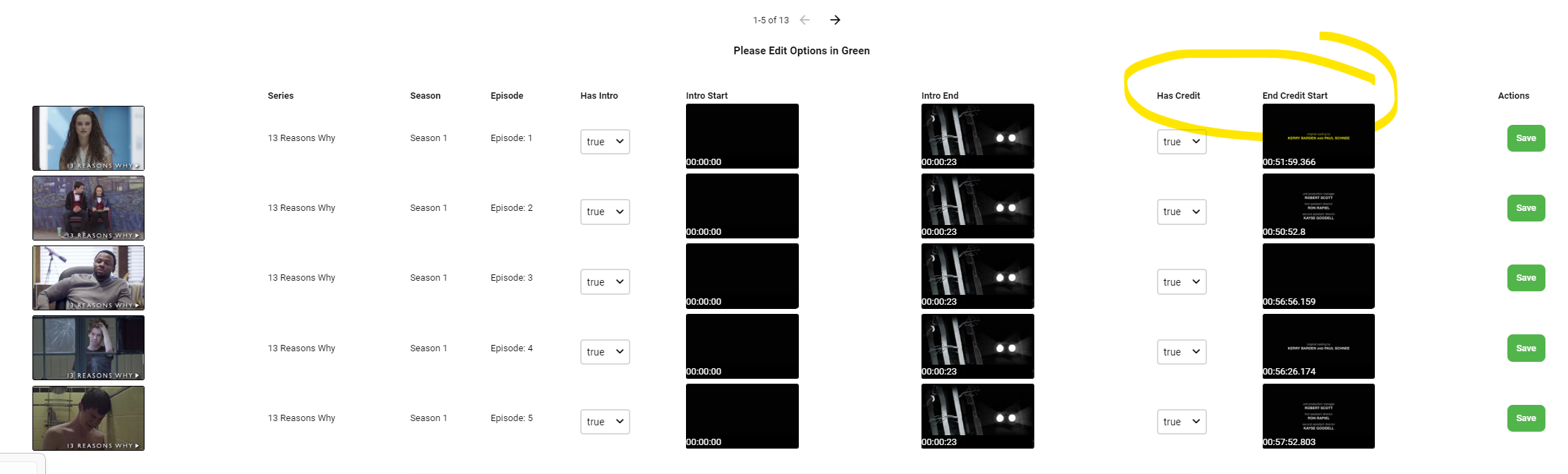
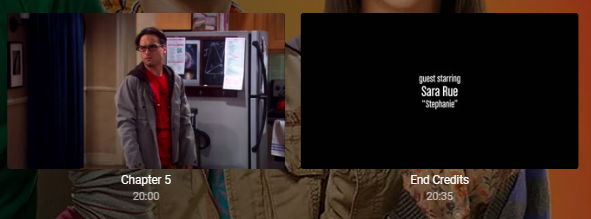
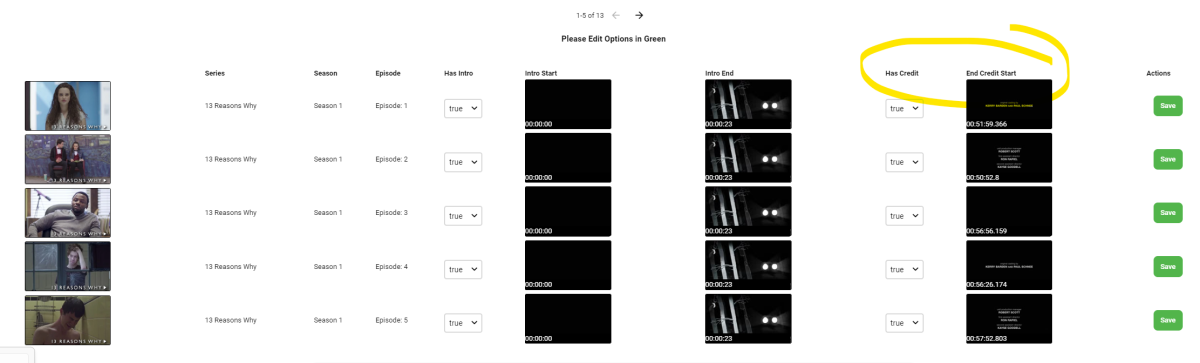
In the Introskip Plugin - the OPTIONAL flag to Insert real Chapters serves two purposes (default = OFF) - 1) Gracefully inserts the Introskip and Creditskip chapters into the normal chapters in Emby. It does NOT change the original video container. 2. It also adds the HIDDEN markers from the Introskip Plugin database and detection. This is so the Emby CLIENTS can use the markers for either an Intro manual or AutoSkip or a manual Creditskip. None of the 'Autoskip' options in the Plugin need to be used. However, if you want to AutoSkip on Credit's, the the Plugin skill works (see below).


 1 point
 -
Mostly all of those transcodes are due to unsupported graphical subtitles (single one is due to unsupported audio but that did not impact performance as it is relatively inexpensive CPU task) and your server is lacking muscle to keep up - try playing those items without subtitles selected or obtain external text subs.1 point
-
I'm unable to check right now but it's the latest stable release. I believe my issue is now resolved though, it seems that resetting my router has fixed it, it just took some time to take effect. Havnt had the issue since I last posted so I'm guessing you were right with it being some sort of watchdog setting. I will give it a few days before I mark it as solved as I want to make sure it's not just a fluke. Thank you for your help1 point
-
HI, you can mount these as part of your docker run command, and then add the mounted path into emby server. https://docs.docker.com/storage/volumes/#create-cifssamba-volumes Please let us know if this helps. Thanks.1 point
-
Great with your advice will keep it installed thabk you very much for your quick answers1 point
-
The Roku in question is at my sister's home and she reports that she is able to login. I have no issue with the Roku Ultras in my home. Thanks.1 point
-
OK I pushed an update to the auto organize plugin. Please let me know how that compares. Thanks.1 point
-
Ok so i think i need to plough some time to get this added as the seperate plugin, i got 98% of it working but its my JS that’s letting me down again as usual. As the db is correct but the UI is not. im rammed until next after week. Off to Germany on Monday for a week. So while old Charles is donning his crown i will get to workon this on the 8th May.1 point
-
Hi, yes these are on our to do list. Thanks for reporting.1 point
-
Sorry if you're already aware but you can tell Proxmox VMs to delay their startup when the system boots. I'm pretty certain there's even a way to tell it to wait to start the VM by using some sort of ping to the storage machine. That would probably involve a bash script of some sort though. @HSEmbyBoxI use SMB between Linux machines and it works just fine. Just be aware that real time monitoring is unlikely, if not impossible to get working. Emby relies on the inotify subsystem and this is only capable of providing this functionality and incapable of receiving it. That's why Linux > Windows will work (because Windows can receive these calls) but Linux > Linux fails because the Linux box that needs to receive the calls doesn't know how to answer it. https://lwn.net/Articles/896055/1 point
-
Script looks fine tome so it's probably that the comskip version you are running was compiled with an incompatible version of ffmpeg than the version of emby you are running (this has come up before in this verrry long thread). Try putting: unset LD_LIBRARY_PATH before you run comskip since your not using ffmpeg later there is no need to save and restore it (LD_LIBRARY_PATH) afterwards.1 point
-
This will be in Emby Server 4.8.1 point
-
HI, yes this will be in the 4.8 server release. Thanks.1 point
-
Bingie, Regarding your short guide data issue, in your XMLTV guide data source, did you add a duration option? If you want 14 days of guide data (which is what I use), it would look like this; http://xxx.xxx.xxx.xxx:8089/devices/ANY/guide/xmltv?duration=1209600 assuming you are using the default port for Channels.1 point
-
I rarely watch Amazon Prime but I stumbled into this animation.. The Legend of Vox Machina (disclaimer this is not for kids). It doesn't take it's self too seriously but it can get intense at times. I binged the first season but I like this type of animation stuff from prime.1 point
-
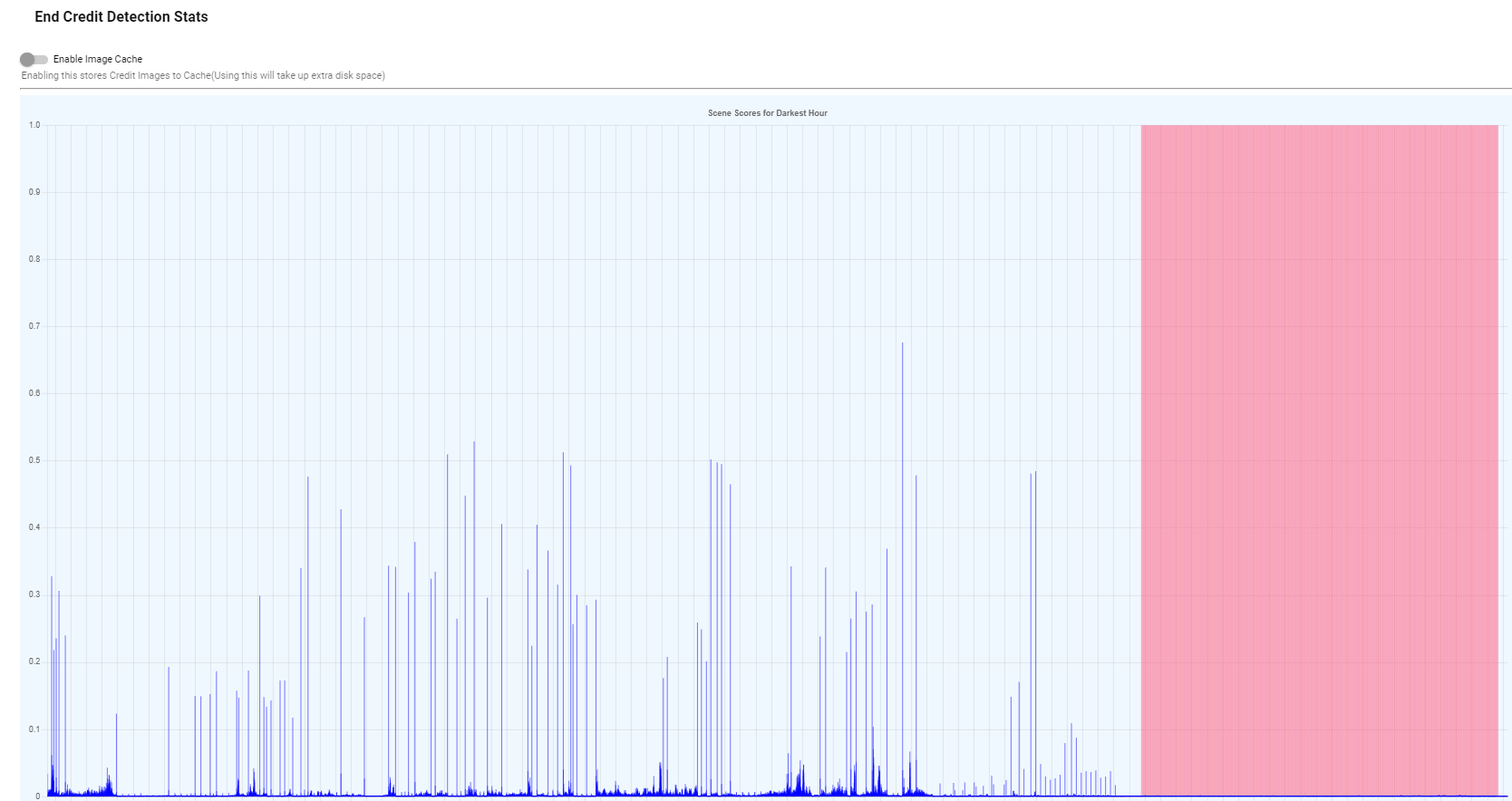
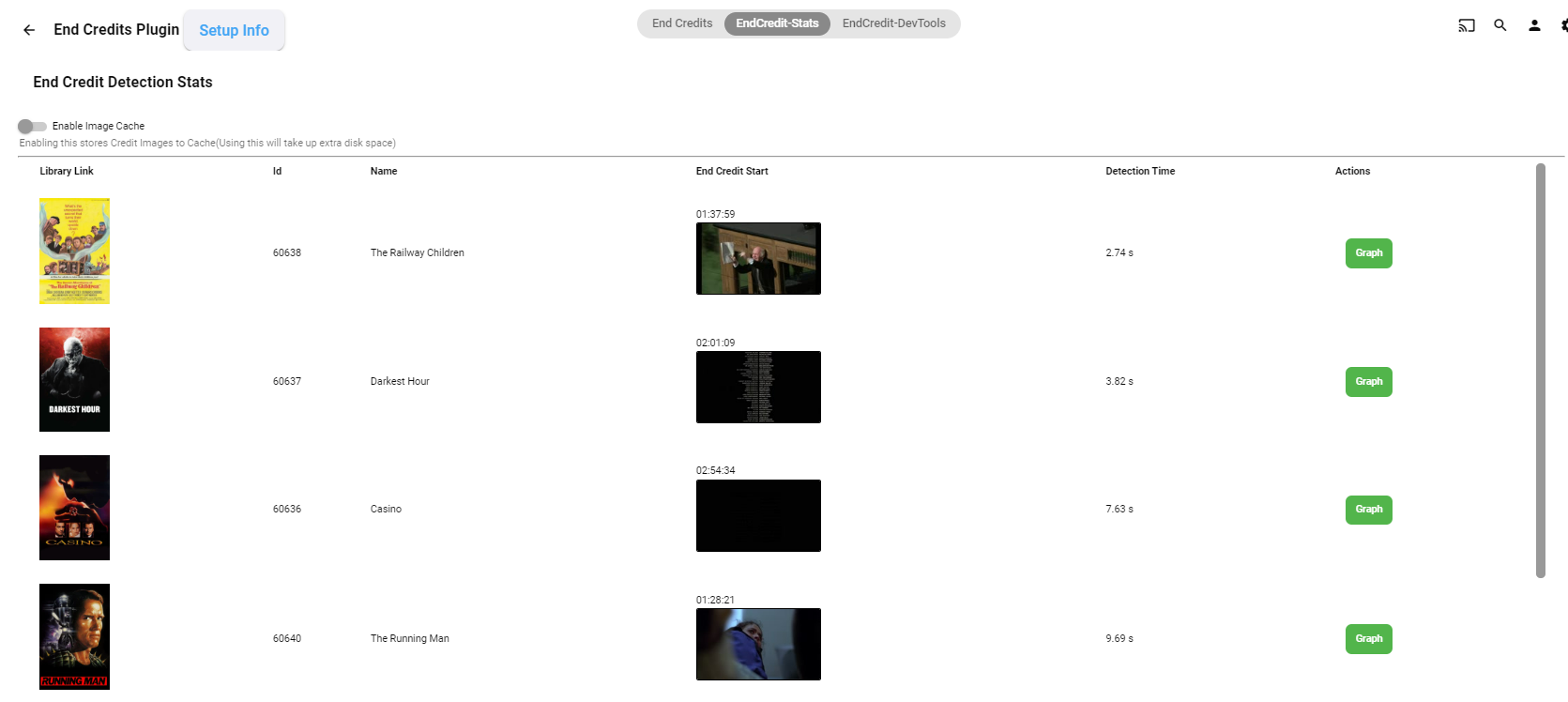
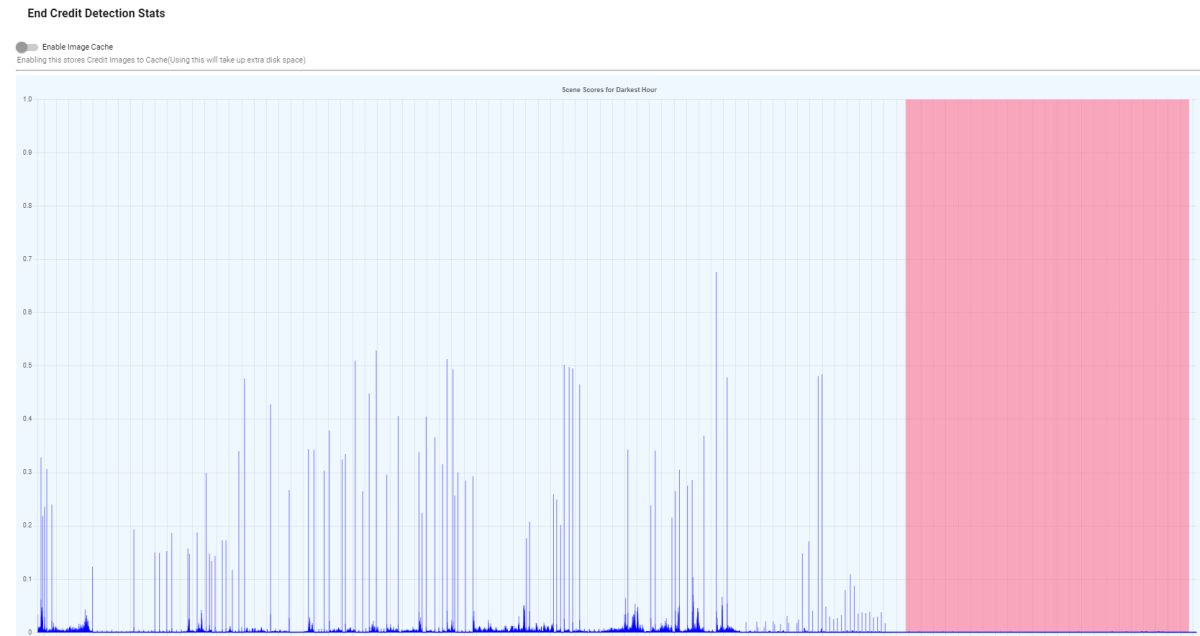
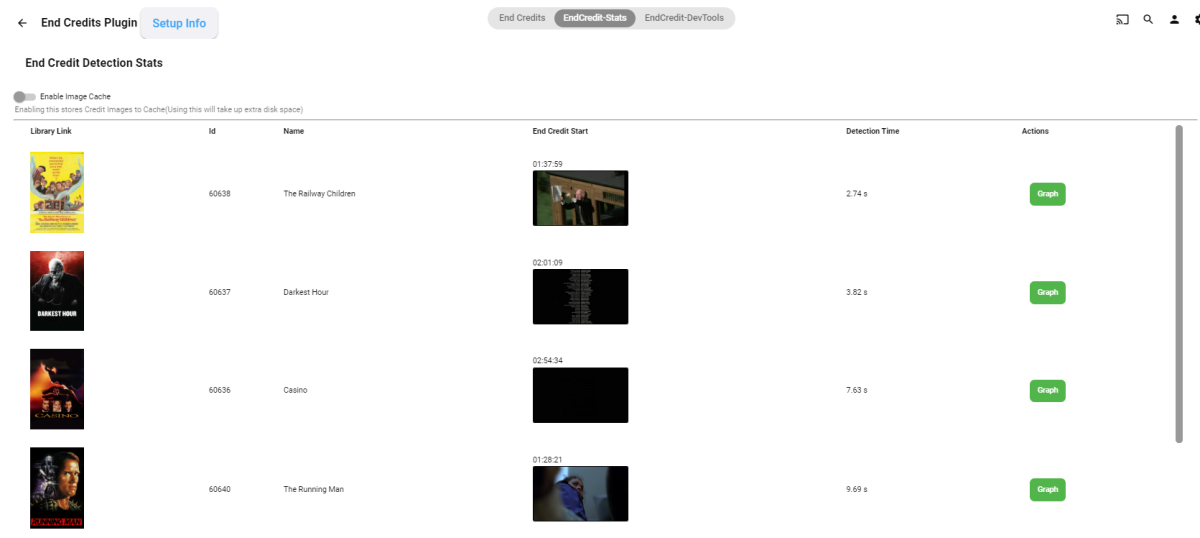
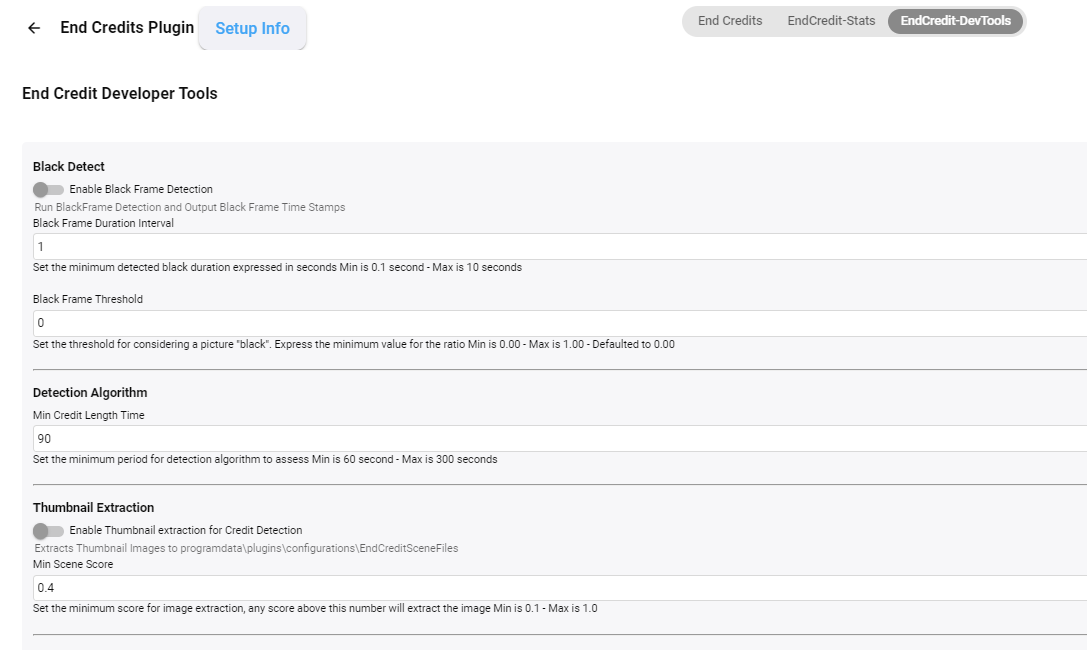
@softworkz Some interesting reading. For TV Shows - the Introskip Plugin ( @chef) created over 18 months ago used a combo of Black Frame detection and Chromaprint - it was very accurate if the show used the classic 'credits' roll. I've been using it on the AndroidTV App (GoofleTV/FireTV) for all this time - that app pulls up the 'Next Up' banner (at the correct time) - or you can tell it to Auto-Skip to the next episode - it worked well and still does.. @Cheesegeezer and @samuelqwe have also been working on credit identification for movies/films - but this time based on Scenes with ffmpeg - early days, but this again is working well for some types of 'credits'. I hope cheese and sam don't mind me showing this - but the plugin is in a good shape.. development on it has paused as other life priorities have hit - but the logic looks solid. (pink area shows the 'credits' section - basically identified because it has no 'scene' changes..)
 1 point
 -
Creo que no es posible agregar directamente peliculas en archivos m3u a una biblioteca de medios, pero lo que si puedes hacer es usar archivos .strm que contengan rutas web apuntando a tus contenidos en linea consulta aqui como hacerlo : https://support.emby.media/support/solutions/articles/44001159147-strm-files. Otra opcion que puedes probar es agregar la lista m3u como "Sintonizadora de TV" de manera que cada item se muestre como un canal de TV puedes consultar mas informacion sobre eso aqui: https://support.emby.media/support/solutions/articles/44001848795-m3u-tuners Haz las pruebas y nos cuentas como te fue.1 point
-
I cannot believe that I have to say this, but, apparently I do, because a MEDIA application in 2023 has no proper priorities, at all. This is as ridiculous as it gets, honestly The problem: I have a rather large media library. Like ginormous. 75k episodes, 3k(ish) movies, etc. It takes a while for Emby to go through an "scan all files", do whatever it does, blah, blah, blah, blah. Like if I restart the server, it takes better than a day to go through and do all of this. The issue comes when I add new stuff (which I do on a daily basis). I cannot ACCESS this until Emby has completely finished it's scan and whatever processing it does when told to 'scan library files'. Do that processing differently. PRIORITIZE new media, instead of lumping everything (subtitles, images, nfo, meta, etc, etc, etc) . Scanning files should, quite literally be just to scan for file changes and new files.0 points