Leaderboard




Popular Content
Showing content with the highest reputation on 04/26/23 in Posts
-
Having collections gets very confusing for some of my users because if they have their library set to sort by "date added" in order to show the newest movies first, they will not see some of the latest movies because they were added to an existing collection. Sorting by "date added" just sorts by the date the collection was created. Would it be possible to sort collections by "Date of last addition" or something similar? I like the collections feature, but when the newest movies "disappear" into a collection down the list somewhere it makes it confusing for many users.1 point
-
I noticed that the primary image for an episode appears in a folder as "Episode-thumb", and if you also have a thumb for an episode, it doesn't appear in the directory at all. Can something be changed so that the "real" episode thumb also appears in the season directory?1 point
-
Understood. Will apply the settings you are recommending. Regards.1 point
-
Check your DSM file logs to see what program is changing the permissions on you. It could very well be your file syncing program that is changing this. Besides the above, you should be able to set "emby" as the file owner as well as "emby" as the group owner. Set the permissions at the root of the media folder as well as set it up to casqued to all sub directories. Setup the permissions to be the defaults written and then check your syncing program to make it not copy any type of ownership/permission info as it well be inherited from the root of your media. Unless you have a reason don't allow windows users to modify directories or files in your media section. Give them only read access.1 point
-
I'd say an option would be pretty nice and strongly needed. I'd much prefer episode thumbs instead of the generic series thumb.1 point
-
rename it to wav but my Windows VLC player doesnt get it. Ill give youre option a go1 point
-
Couldn't get it to work either way ( I even tried switching to another SMTP server, w/o success ... ), so I ended up removing the plugin1 point
-
Thank you, I forgot that I had gone back to 1.2.6 when the updated one stopped being valid1 point
-
Thanks for the quick response. Was not thinking the server as it has always played fine directly via the web / ios app. I will tweak my schedules and see if that helps. Thanks for your help!1 point
-
@LukeThank you I didn't view the link for version 7.2 of DSM. It's perfect now. Regards, Yannick1 point
-
Ok so i think i need to plough some time to get this added as the seperate plugin, i got 98% of it working but its my JS that’s letting me down again as usual. As the db is correct but the UI is not. im rammed until next after week. Off to Germany on Monday for a week. So while old Charles is donning his crown i will get to workon this on the 8th May.1 point
-
Indeed strange. Thank you for the effort.1 point
-
Hi, yes we are still working on improving it. Thanks.1 point
-
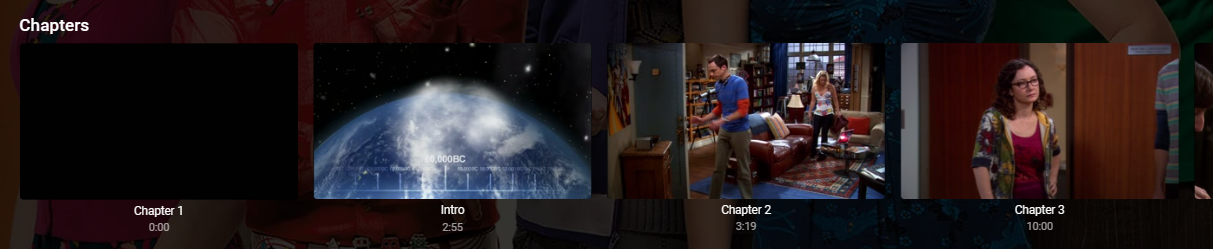
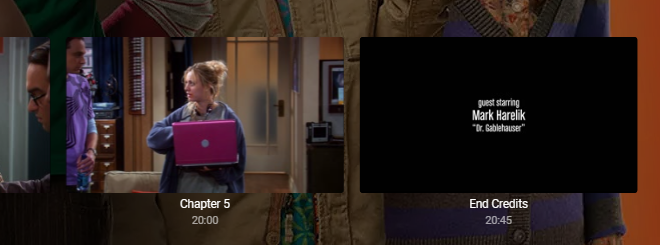
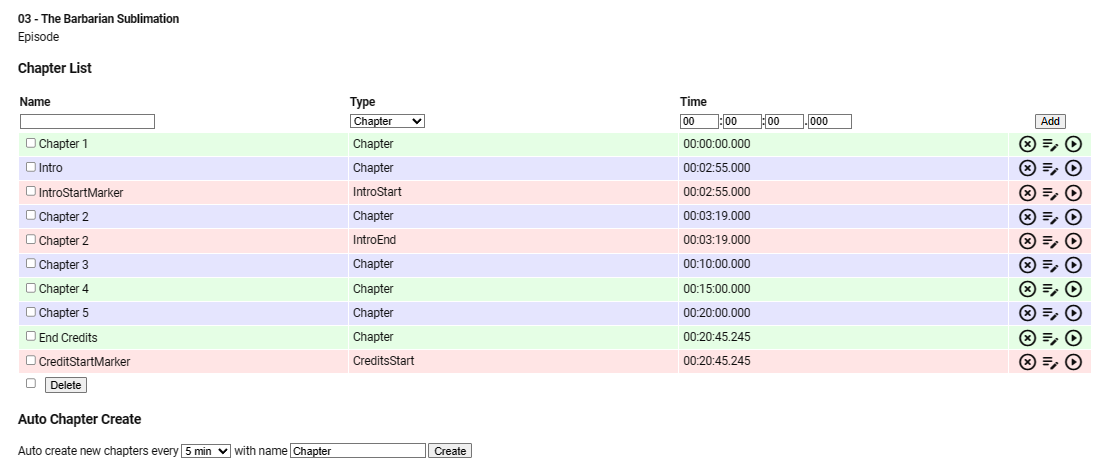
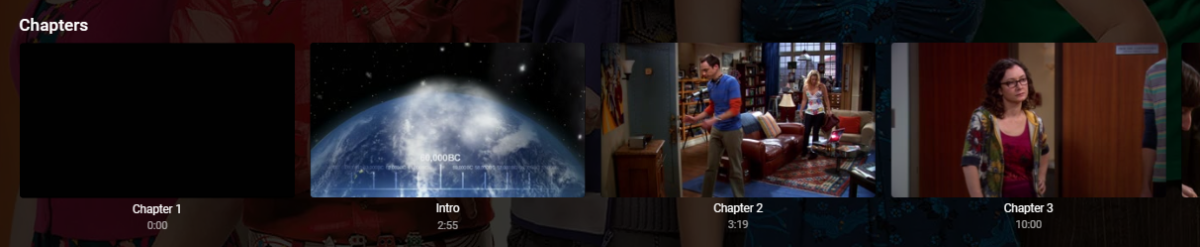
Ensure the top option is set. Please be aware that the Introskip Plugin is NOT compatible with the Core Introskip. Run one or the other. If you are running the Core Introskip, it's possible that it is wiping the Credit data. Post running it (and after a Library Scan) you should see the hidden markers appear as real chapters (as the Introskip Plugin nicely Inserts them (as well as the Intro..) (note the recalibrated chapter points, going back to every 5 minutes post the Intro.. ) .. and you should also see in the ChapterAPI Plugin as a hidden CreditStartMarker

 1 point
 -
Grazie per il supporto, spero venga risolta l'anomalia. Thanks for the support, I hope the anomaly is resolved.1 point
-
Have you enabled chapter insertion in the config. UI for IntroSkip1 point
-
I will do it this afternoon. Thanks!1 point
-
I had a huge problem with stuttering when panning all of a sudden. I went from rasberry Pi/Kodi (no stuttering) to Nvidia Shield, Chromecast 4k and Firestick 4K clients. I thought it was something in the new clients or bandwidth issues so I bought ethernet adaptors, ran temporary ethernet cables through the apartment (GF loves that). Nothing fixed it. It was not every movie but some were really bad. Even a slow pan over the bridge in Star Trek TNG stuttered every 2-3 seconds.... One day I was browsning through my Samsung QLED TV's picture settings and turned off I think it was "Motion Plus" something. Love and behold no more stuttering at all. I have absolutely no idea why it was affecting some movies and even if the panning was really slow. And why didn't I experience this with my Raspberries... I talked to my users and they found similar settings in their tv's that made the stuttering disappear. Looks like the Motion Settings is too aggressive by default. Something to try out..1 point
-
1 point
-
https://emby.media/community/index.php?/topic/116933-synology-72-beta-compatibility/&do=findComment&comment=12336481 point
-
@fahad92 you are almost there, just run this now in the query tab like you did for the first query INSERT INTO PlaybackActivity SELECT *, "" AS RemoteAddress FROM PlaybackActivity_20230424_160540 WHERE DateCreated NOT IN (SELECT DateCreated FROM PlaybackActivity)1 point
-
Great, I downloaded the latest version and this issue has been resolved.1 point
-
Saying "moderate" was a sop to the extremists - "good, but not quite archival" is how I view those figures. But for best quality, the answer is easy - don't re-encode. You'll need more or bigger disks in the end, of course. If you have any files that won't play, then consider whether you want to spend the money to replace the inadequate device concerned, or experiment to find the best encoding for that file which will serve. The problem there is that you may easily end up spending more time playing with encoding than watching movies! For some people that is in itself satisfying, but probably a minority - after all, what is a movie for? BTW, I should say that I have no experience of 4K, so my figures might need tweaking. I use lower ICQ values for old 480p material than I do for 1080p, because when the quality is already lower I want to preserve every tiny bit. As for "best specs for Emby", Emby itself doesn't care much. The key thing is what your devices can handle. AVC (h264) for video is universal, but 4K on disk is in HEVC (x265) format - fine if it can direct play, but you'll lose a lot of quality if it can't (because Emby re-encodes in h264, so lower quality than x265 if the bitrate is the limiting factor). The handling of different multichannel audio formats is very variable, so it matters whether that is critical for you as well as video. Subtitles can be a problem - to be considered if you have foreign-language films, or any viewers who have the need for them for other reasons. Frame rate is easy - don't change it; some older DVD rips may have it wrong, but it's best to assume it's correct in general. But overall, start with avoiding unnecessary processing, and learn through experience what you will need to do. Paul1 point
-
Thanx that is a feature that a have never noticed or used must be new then Preferred series display Ok thanx looks much better now And this is the Version 4.8.0.31 beta version
 1 point
 -
I think I found the problem. I fix it also in next version.1 point
-
For a given quality, the required bit rate varies with the codec; and the codec you choose will depend on whether your devices can direct-play it. But what is the required quality anyway? There are as many answers as viewers - some people want to preserve the best quality that they can obtain (which is achieved by not re-encoding it at all, of course); some people are happy with 1Mbps for a 1080p movie (codec deliberately omitted!), while others would say that watching that is as painful as bleach in the eyes. Only you know what suits your requirements, and if you want to re-encode, to save space, say, you just need to try a range of parameters and determine for yourself what is acceptable for you. The main quality selector in HandBrake is ICQ - for a moderate quality which is generally acceptable, you'd be looking at values of 20 for h264, or 24 for HEVC, maybe even 26 for AV1. Personally I use higher values than those (lower quality - the scale goes the "wrong" way) because frankly I don't notice the difference - but some people will certainly suggest those values are too high already. Selecting a slower encode will improve the quality somewhat at a given ICQ, but I've never really played with that - two-pass encoding perhaps more again, particularly if the bit rate is not constrained (setting a specific bitrate prevents occasional more complex sequences from using more bits to maintain quality to match simpler parts - this is a benefit of sticking with the IC|Q setting as the main control). There will also be some variation in what is acceptable depending on the type of content. Experiment! And good luck. Paul1 point
-
Well considering all of the new transcoding settings you'll be getting in 4.8, I would say anything is possible.1 point
-
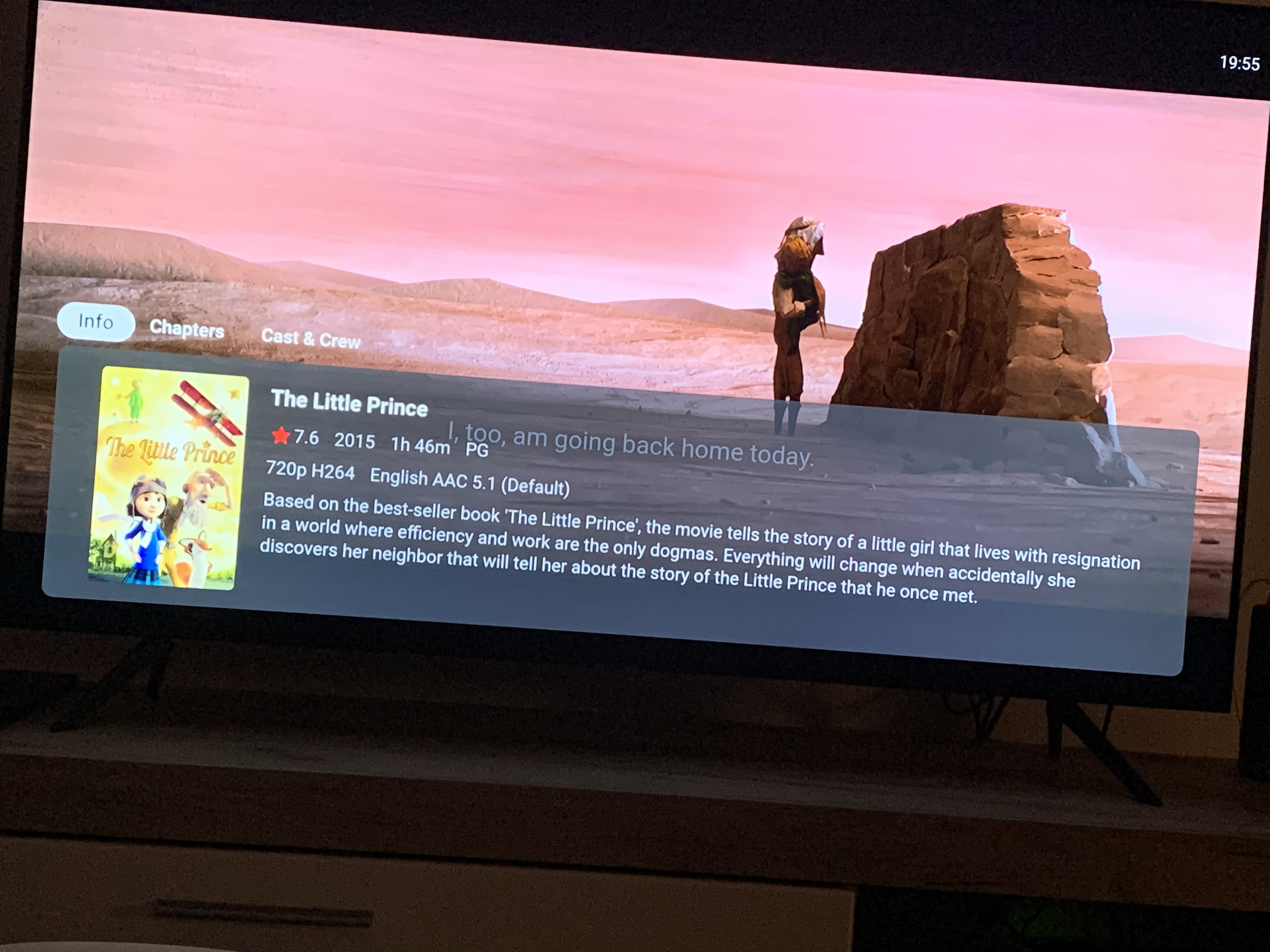
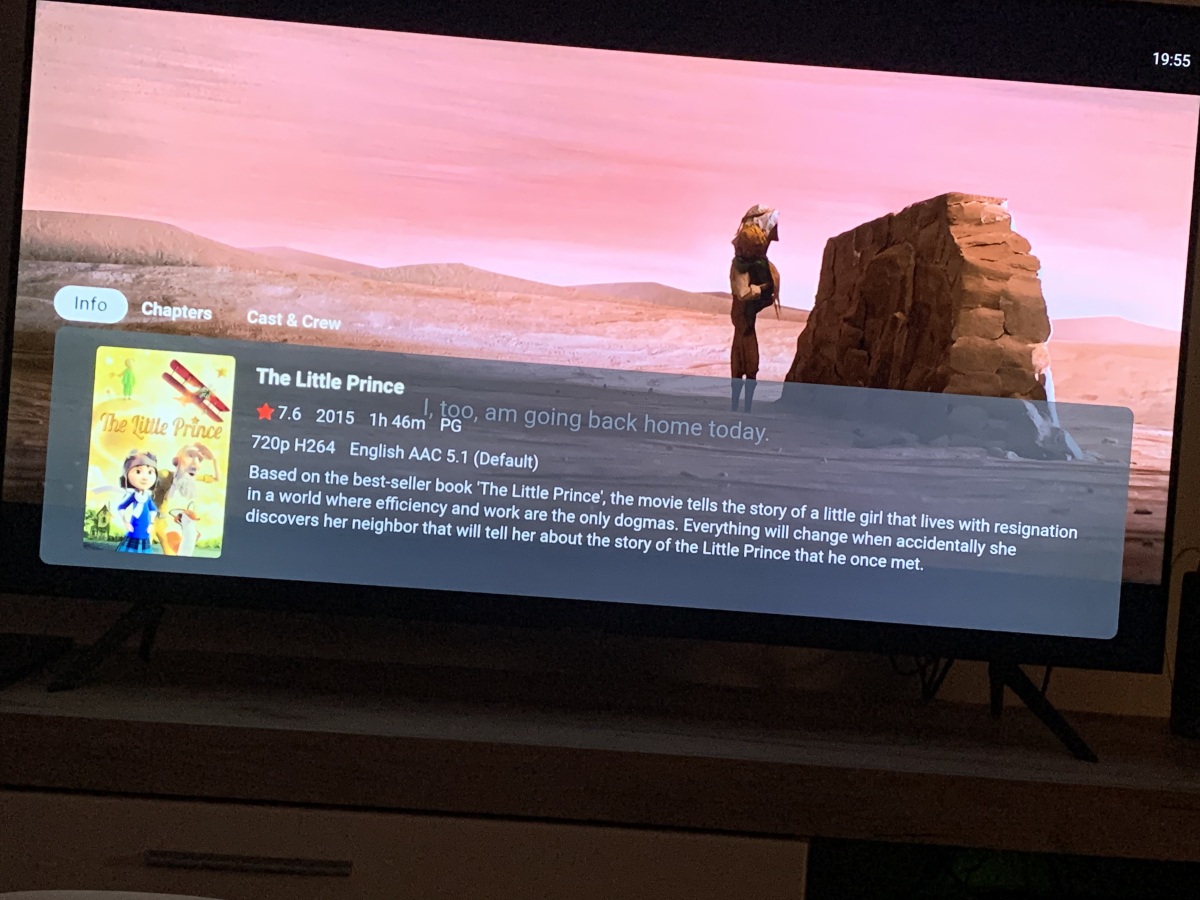
I usually play vids at random and look at this pop up to see what has come next, would be great to have as much info in there as possible but genre would be my first pick of importance to at least know what kind of film I’m watching.
 1 point
 -
To add, the Shield 2019 has some pretty advanced upscaling (see below) and this is very likely better than what the 'TV' could do. So in this case, you would NOT want to match resolution, because the Shield is upscaling it for you anyway. The TV then receives an already scaled image and thus does not need to scale it again. This is where you would have frame rate matching ON but match resolution OFF. SHIELD TV | AI Upscaling (nvidia.com)1 point
-
Emby for AndroidTV on the previous Android 9 OS allowed you to 'mount' your file shares - allowing REAL Direct file playback - the same as VLC and KODI does. No streaming is involved, the file comes direct from the Storage to the Shield - Emby is not involved in the file transfer once it has been established. For high bandwidth playback on lower powered equipment, this is essential as it simply removes the middleman (emby server) from the equation. However, Eric made the decision to remove this option in the latest Android 11 update - because it involved the user having to 'agree' on additional permissions. My view was the fact you had setup the mounts, you should know that you need permissions lol.. but it fell on deaf ears. Yes it's a small userbase that would use this enhanced functionality, but as the top client (and still is..), removing this was the start of AndroidTV's demise .. I even downgraded by AndroidTV back to Android 9 so I could retain it.. The Unix and Windows Emby Theatre clients also have this mode - and it works beautifully. It uses the 'optional' path in the emby library setup. For many - this is the only way to get high bandwidth 4K playback - 'streaming' simply adds too much network latency into the chain.1 point
-
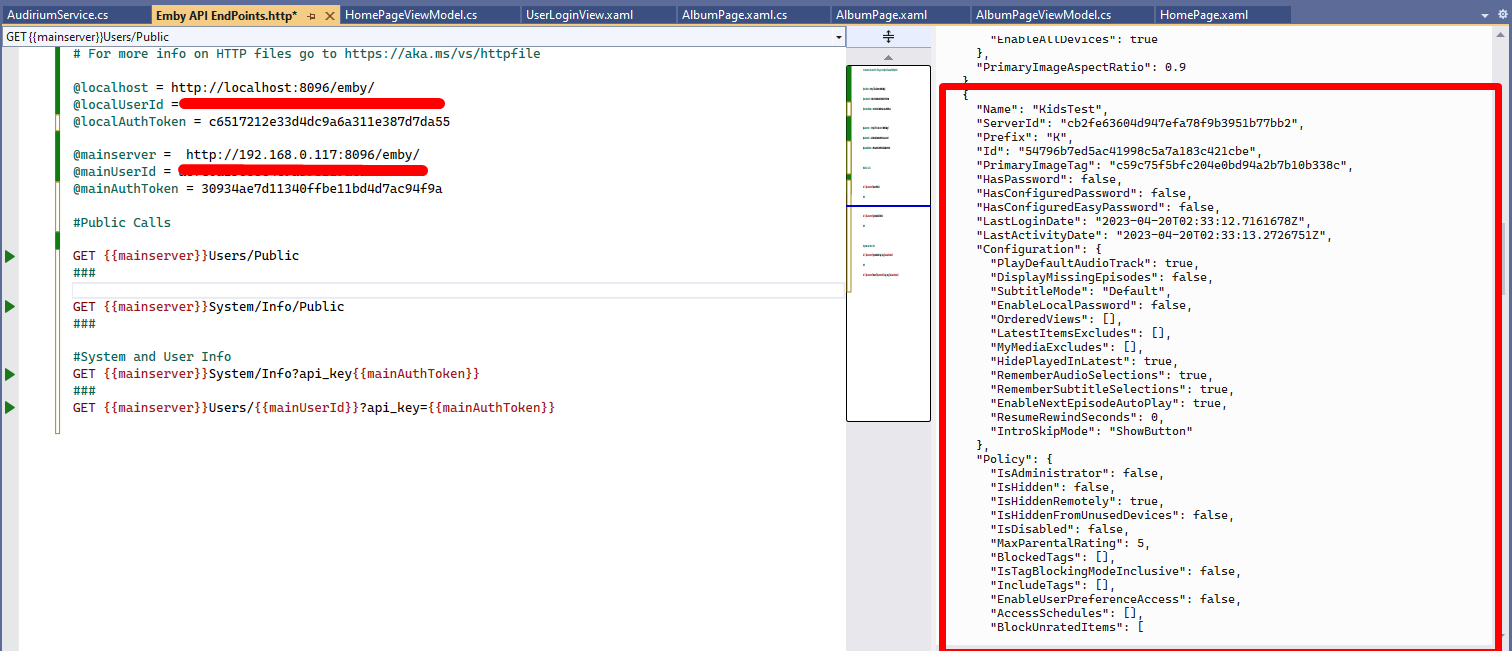
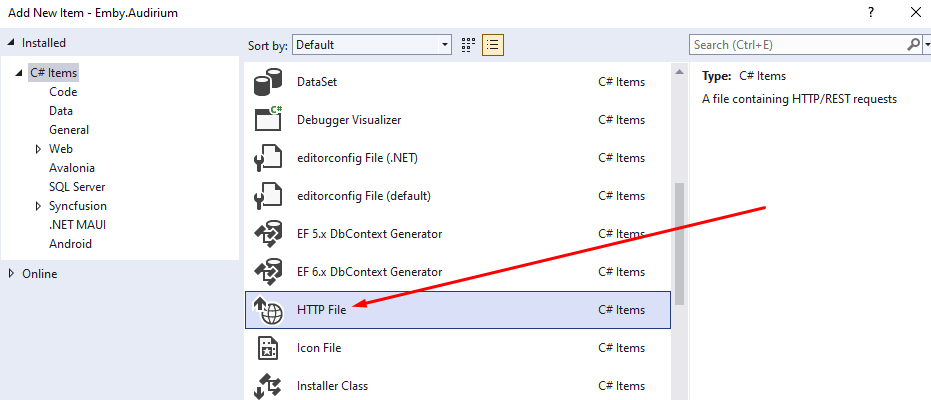
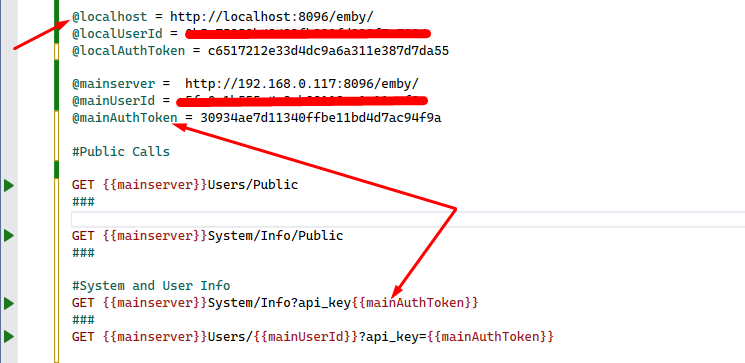
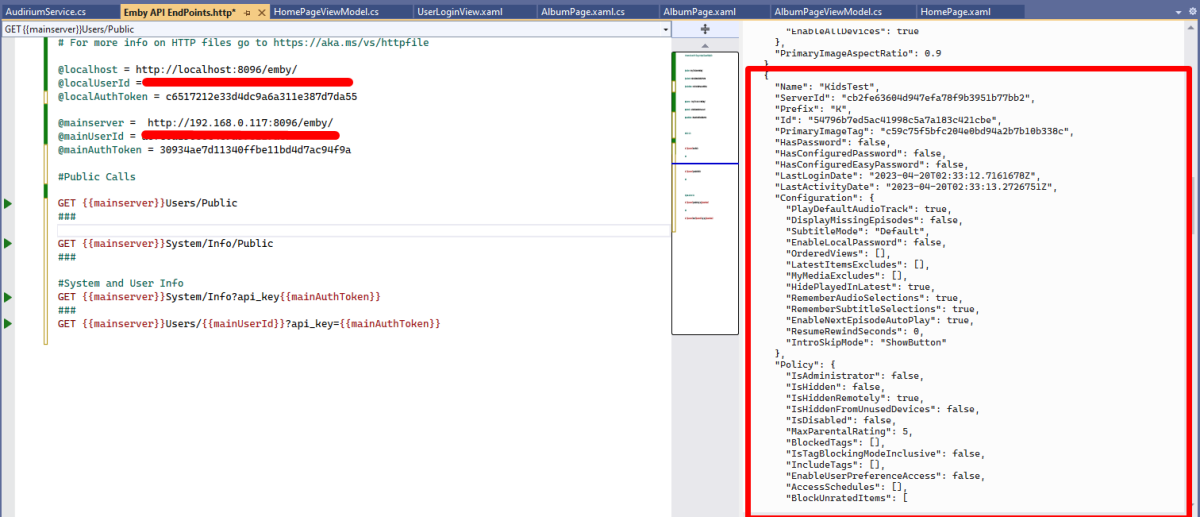
I just stumbled across this excellent "hidden" feature in Visual Studio. Which lets you test api endpoints without having to run code for testing or even use Swagger to return jsons. It's simply a http file extension. Its epic!! Let me show you.... Create a new folder in your project and call it API Playground or something like that Right click folder and add new item and in C# items you should see http file Select HTTP File and give it a name like Emby API Endpoints once created you can use GET POST PUT & DELETE requests to test any endpoint. you can create and use variables. you just need to add the @ symbol before the name of your variable and to use it in your request you need enclose the variable name in DOUBLE curly braces.... {{myVariable}} To add multiple end point tests you need to do a triple hash key under each request ### and to comment you just need a single # prefix Click the little play icon next to the Endpoint you want to test and boom you will get all the info you need in a json right next to it!!! It's so cool, i didn't know about this amazing feature and wow does it speed up work flow. You can also copy the full json and then create new ModelDto's without even leaving VS!!! @chef @VicMoore @TeamB @ginjaninja @mickle026 @BillOatman This is true Wizardry!!! I'm sure you all knew about it, but i just wanted to share this!! Hope it helps someone else out.
 1 point
 -
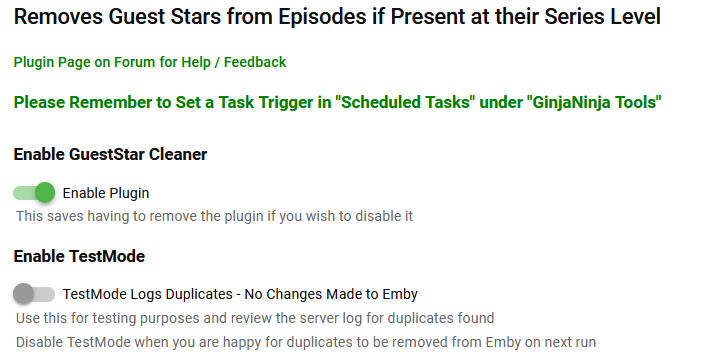
Purpose / Benefits Reduces pointless clutter on people's bio page. Avoids showing multiples episodes a person has acted in when they are already credited at the series level. Easy to see where a person has directed an episode of a series they act in. Functionality Removes guest stars and actors from episodes when they are also actors at the series level (match on server .Id) whilst ignoring 'legitimate' duplication for non acting roles e.g. Director. Instructions for Use A scheduled task - scheduled in the usual manner at regular intervals, nightly works well for me. Brucey Bonus - identifies (in debug log) likely provider data errors where there is a person name match on the episode/series without an id match. Credit A big shout out to @Cheesegeezer who provided the vast majority of the effort and expertise in this plugin, the base solution template, the configuration page, most of the code, the thumbnail, help with Git Hub and hours of support (almost everything :-)). Download Emby.GuestStarCleaner v0.1.0.1.zip Emby.GuestStarCleaner v0.1.0.0.zip Changes v0.1.0.1 Corrected/Changed removal logic to remove duplicated Actors as well as duplicated Guest stars




 1 point
 -
The beta server has removed a number of things from the web app html that might have caused this. If you've already been flagged then you'll have to go through the process with google as mentioned above to get unflagged. Hopefully the changes will help prevent it from happening again.1 point
-
This is in Emby Server 4.8:1 point
-
An unmatch feature is coming in Emby Server 4.8:1 point
-
Hey @Whatscheiser, I guess we have a little misunderstanding. The Windows games are not saved on my Windows Machine. They are stored on my NAS. My PC is in the same Network as my NAS and by Using "\\NAS_name\[...]\" I can access the NAS-folders via SMB protocol. This way I can run those Windows games, I just have to map the local path from the NAS server to the network path from my PC. That is what the script, I wrote and attached, does. PS: Today I tested one game and played it from my PC, later on I went to my Dad and his PC and started the same game via Emby Gamebrowser via Emby Theater. And it worked great! Best wishes1 point
-
Do we know if this is being officially added at any point as a standard feature within Emby and if yes any ETA? @Luke1 point
-
It just seems like overthinking the concept of minimalism. Where 5 boxes on a shelf look ugly, so lets just put 1 box. Ignore that the one box is filled with 5 boxes of unorganized stuff. It looks nicer as long as u never open the box.1 point
-
My feeling is that none of the devs really use extras in Movies or TV, so they don't experience the pain of the 90% completed feature set.1 point
-
Code for Flashing: /*Flashing*/ @-webkit-keyframes flash { 0% { opacity: 1; } 50% { opacity: .1; } 100% { opacity: 1; } } @keyframes flash { 0% { opacity: 1; } 50% { opacity: .1; } 100% { opacity: 1; } } Red Flashing Text Top of the Startpage: /*Alert Text*/ .verticalSection.section0:before { content: "Your Text"; left: 35vw; position: relative; font-size: 200%; font-weight: bold; color: red; -webkit-animation: flash linear 2s infinite; animation: flash linear 2s infinite; } }1 point
-
I recently went thru all of that. Not much luck. Your wife already won, you just don't know it yet My family refuses to give up their roku boxes, so I'm stuck supporting them, no matter what. I still enjoy my kodi box, but it's just for me. It does require a tinkerer's mind set, so I'm not wasting time trying to convince my family to use it, and honestly, don't want to have to support them on it. Let's face it, kodi isn't very stable when streaming from some sources, the first drop in feed can cause it to lock up. I actually keep an ssh window open on my windows pc to the kodi box, and a linux script ./restartkodi which is disappointingly necessary. I also programmed a key on the remote to restart kodi, but it only works if you catch it before kodi totally locks up. I'm also still trying to find an acceptable live tv option. Emby is just too slow when starting any kind of live tv stream, either from the local hdhomerun device (local tv antenna), or any Internet streaming service. I tried channels dvr, it's too slow, has problems, and in my opinion isn't ready for prime time, it lacks too many basic features. Also, emby has trouble streaming some of the free m3u lists out there, such as for these (they all crash/stop when go to commercial, which usually breaks the feed): https://community.getchannels.com/t/ability-to-import-pluto-tv-xumo-roku-tv-channels-to-tv-guide/32201/3 I'm currently testing plex server on my nas. I absolutely love it's free live tv, when you select a channel, it INSTANTLY starts buffering, which usually takes maybe 1 second, and bam! live television. Emby always takes several seconds before it even initiates any live stream from any source (for me anyways), and then several more seconds to buffer, before anything starts playing. Too slow. The roku boxes also offer free live tv streaming, and they work well usually (you can't record), although they struggle sometimes to keep playing after a commercial break, and you have to back out of the channel, then back into it. But at least the roku doesn't lock up like kodi. I also have an nvidia shield tv box, and have been testing it, but it has issues too, for me, mainly the total lack of audio balancing, or night mode, or whichever "term" you wish to use. I don't like having to adjust volume every single time I change what I'm watching, so I don't even use it anymore. I also refuse to pay for one of the many illegal m3u services out there, why should I, there are plenty of legal free ones, if you don't mind commercials. I also refuse to pay $60-100+ each month for one of the legal streaming services, such as youtube, sling, hulu, etc. Those sites have problems too, streams not starting, or stopping, etc. They aren't worth it. Sadly, IMHO there are no good solutions currently available today for live tv. They all have major limitations, one way or the other. I miss the cable boxes from the 80's and 90's where changing a channel was INSTANT, you could literally flick thru channels as fast as you can click, and see what was on. Those days are gone now. Now it's all wait wait wait wait wait... I'm tempted to reconnect the antenna directly to the tv, at least that was quick changing channels. Maybe use an amplified cable splitter, and run a coax cable to each tv. And to record, run a coax cable to the hdhomerun device too, then let emby handle the recording. This is going backwards though. Technology today isn't all it's cracked up to be. Pretty disappointing, if you ask me. Oh well, at least we can still watch all of our movies and tv shows from the emby server to the roku boxes. That works well.0 points