Leaderboard




Popular Content
Showing content with the highest reputation on 04/06/23 in Posts
-
Extra options for to choose. Just rename the ones that you want. Also added hdr icons - but they are NOT supported at this time. I’m hoping that a future update would include this option - I’m just trying to will it into existence. PLAIN - METALLIC (BRONZE, SILVER, GOLD & PLATINUM) EXTRAS Overlays-Craig 97px.zip


 3 points
 -
IIRC there were few posts today in that topic, but were split to a separate topic later on by an Admin: @Abobader, this is in relation to the ongoing topic we have in Mod's talk about split topics and Moderation history not leaving any trace in the original topic but visible only in the newly created one, as IPS likes it and as it is wrong.2 points
-
You’re very welcome. I did have help though - thanks to @GrimReaper @Eigeplackter & @ebr2 points
-
Thanks, I tend to only keep up with official release versions as beta is ever changing and often find myself chasing my tail. I'll take a look properly over the next week or so.2 points
-
More appropriate platinum icons:

 2 points
 -
As I mention in a related post, I love the additional subfolders for Movie Extras (eg, Shorts, Scenes, Interviews, etc.)! It would be awesome to extend this functionality to TV Series as well. Specifically to add support for many/all of the same folders supported for Movie Extras, eg, extras specials shorts scenes featurettes behind the scenes deleted scenes interviews trailers As well as any additional folders that get added in the future (eg, hopefully Galleries). Support Placement of "Extras" Folders Within Each Season Folder, Plus A Naming Scheme to Link A Particular Extras Folder with a Specific Episode (eg, "\Season 1\E1 - Deleted Scenes\" for episode 1 deleted scenes): I want to clarify that it would be great if these various "extras" folder types could reside within each Season folder. So for example, within a Season 1 folder we could then have an "Extras" folder, a "Deleted Scenes" folder, a "Featurettes" folder, etc. And furthermore, that we could designate a particular folder to refer to a specific episode (eg, "\Season 1\E1 - Deleted Scenes\" for episode 1 deleted scenes). See more below, particularly why I think this would be so useful: https://emby.media/community/index.php?/topic/55915-emby-server-theater-additional-extrasspecial-folder-types-for-tv-series-similar-to-movies/&do=findComment&comment=587195 Thanks for your consideration! PS - If this is something you might like to see implemented, be sure to "Like" this top/first post (as well as any subsequent posts in this thread that highlight particular aspects of what you are interested in) -- "Liking" the top/first post helps the Devs to know how much interest there is in a given Feature Request.1 point
-
@Bhawks_2 i have posted the answers here Google chromecast with android TV just sucks. this is not the same chip handling h265 or h264. For 1080p h264 vids, it cannot support bitrates more than 24 megabit/s For 4k 2160p videos coded in h265 codec, it can support bitrates up to 100 megabit/s yes the chromecast ultra is older but still better. it can support 1080p vids at full bluray bitrate speed (around 35 megabit/s) google engineers tricked us. They have done a chromecast with worse performance than before. the chromecast ultra is stil better than the google tv chromecast.1 point
-
Not sure but this is what I get from that file.
 1 point
 -
Remove the plugin via UI or delete the dll in Emby program data/plugins folder, then go to the /plugins/configurations folder and delete the GenreCleaner.xml.1 point
-
In your library settings - if you have ticked 'Save video preview thumbnails into media folders' - then the .bif will be in with media - if not, then it will be buried in the local metadata - I'm not sure there is an easy way to find it tbh as I've never used local metadata. You should be able to search by file creation date though ?1 point
-
Don't know for any browser save MS Edge playing (E)AC3 natively.1 point
-
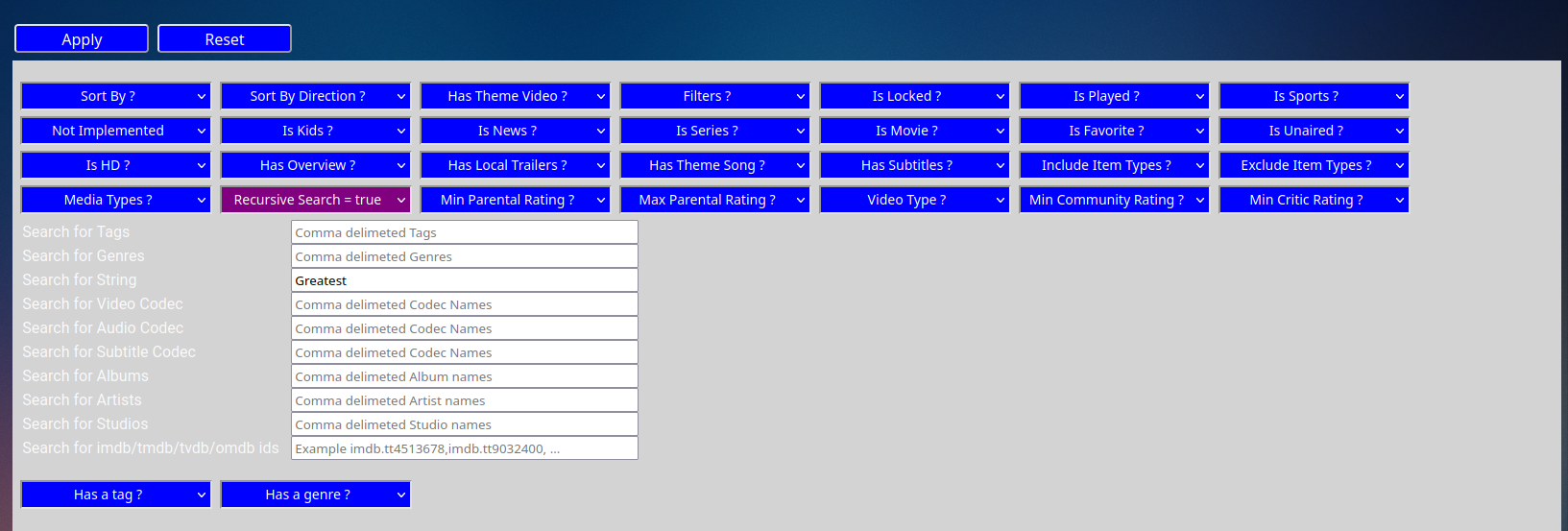
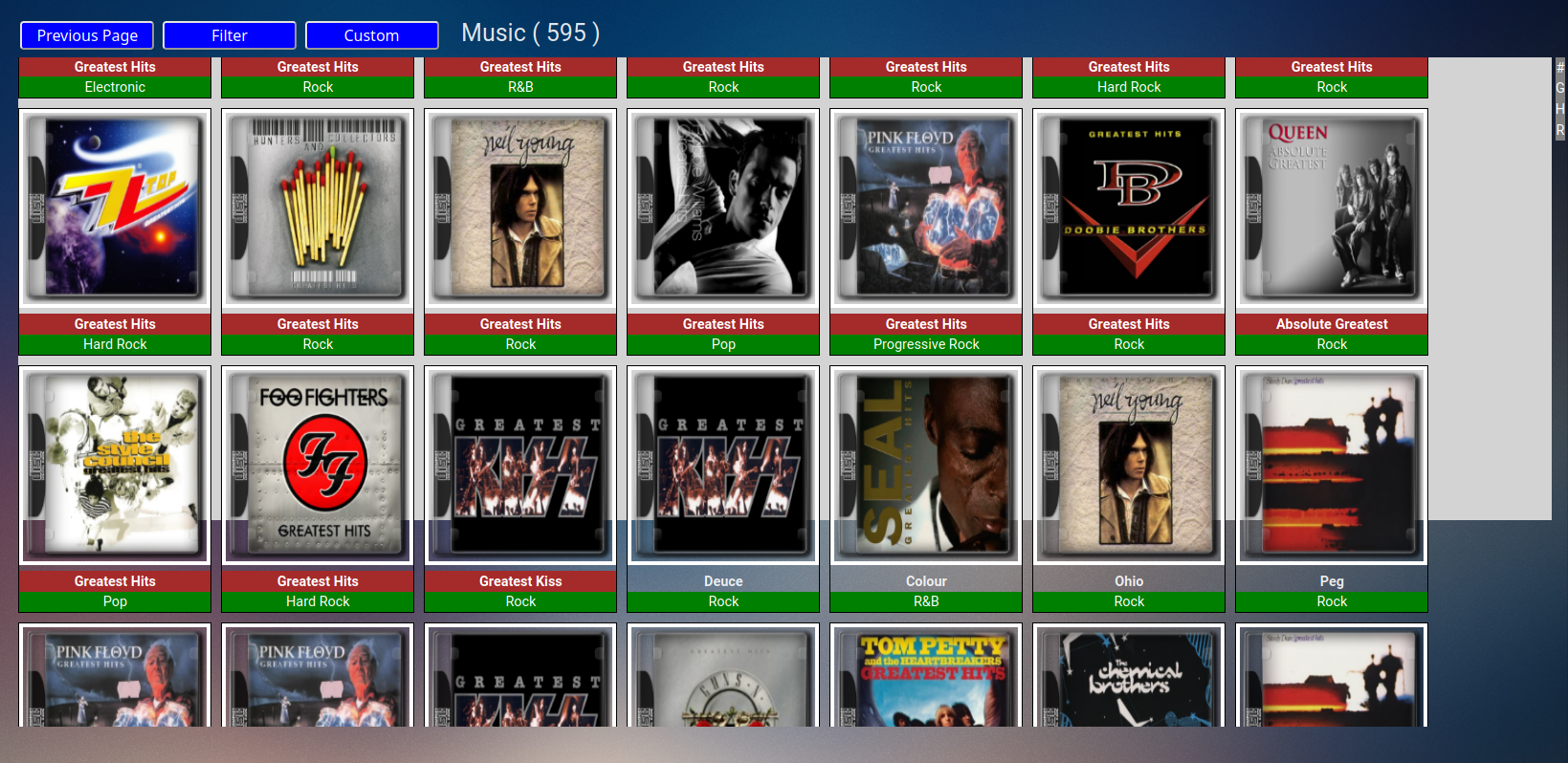
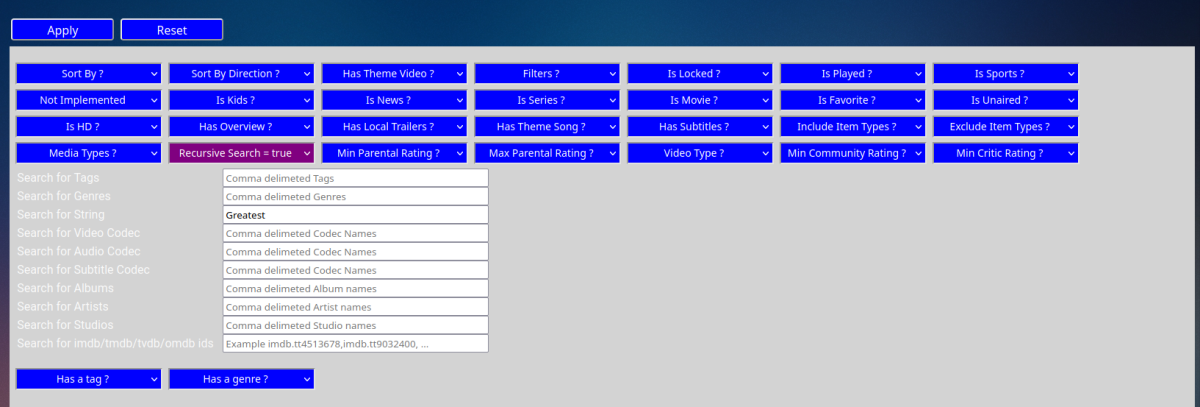
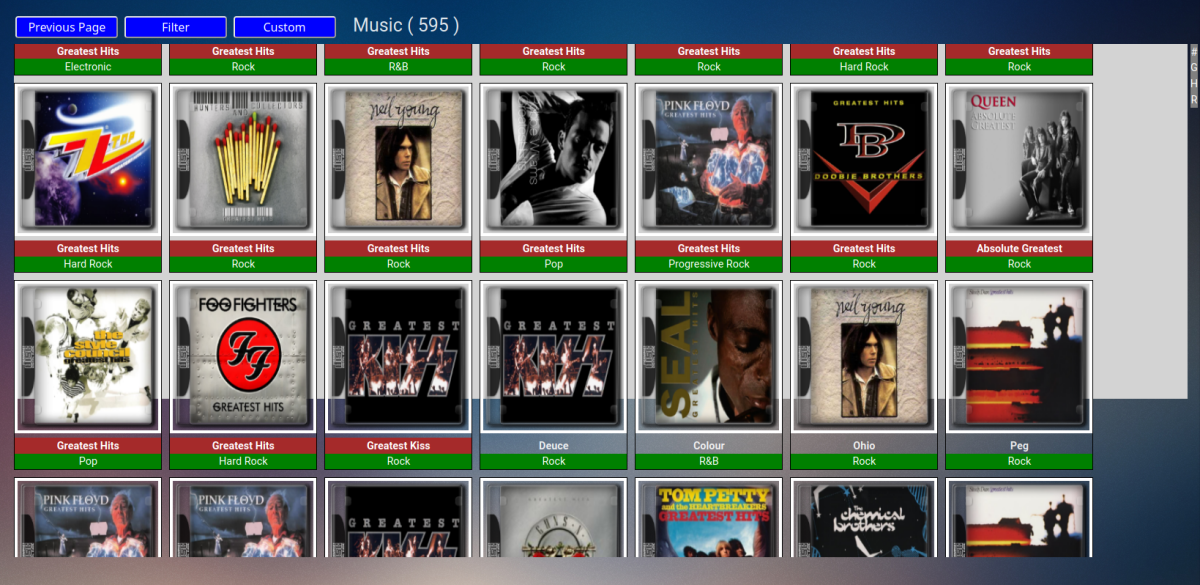
Here is the .8 filter.. The Albums should have a red title header (folder), as you can see it picked up 595 items (albums+songs) I hope that helps, now all Vic has to do is get rid of that crappy white html background panel..
 1 point
 -
@Scrouples23 Ah i see because the tag will only ever match one file name, so if you had ATMOS, ATMOS-1,etc it will only ever match the atmos tag and always choose that file. I think this shoukd be a quick fix and also to incorporate @crusher11requests also. hopefully have this done by the weekend for you guys1 point
-
It worked ok for me, albums and songs where listed. I must admit the music library in bulky is a dogs breakfast, not to sure how he works the logic with it as it is. Work in progress as they say..1 point
-
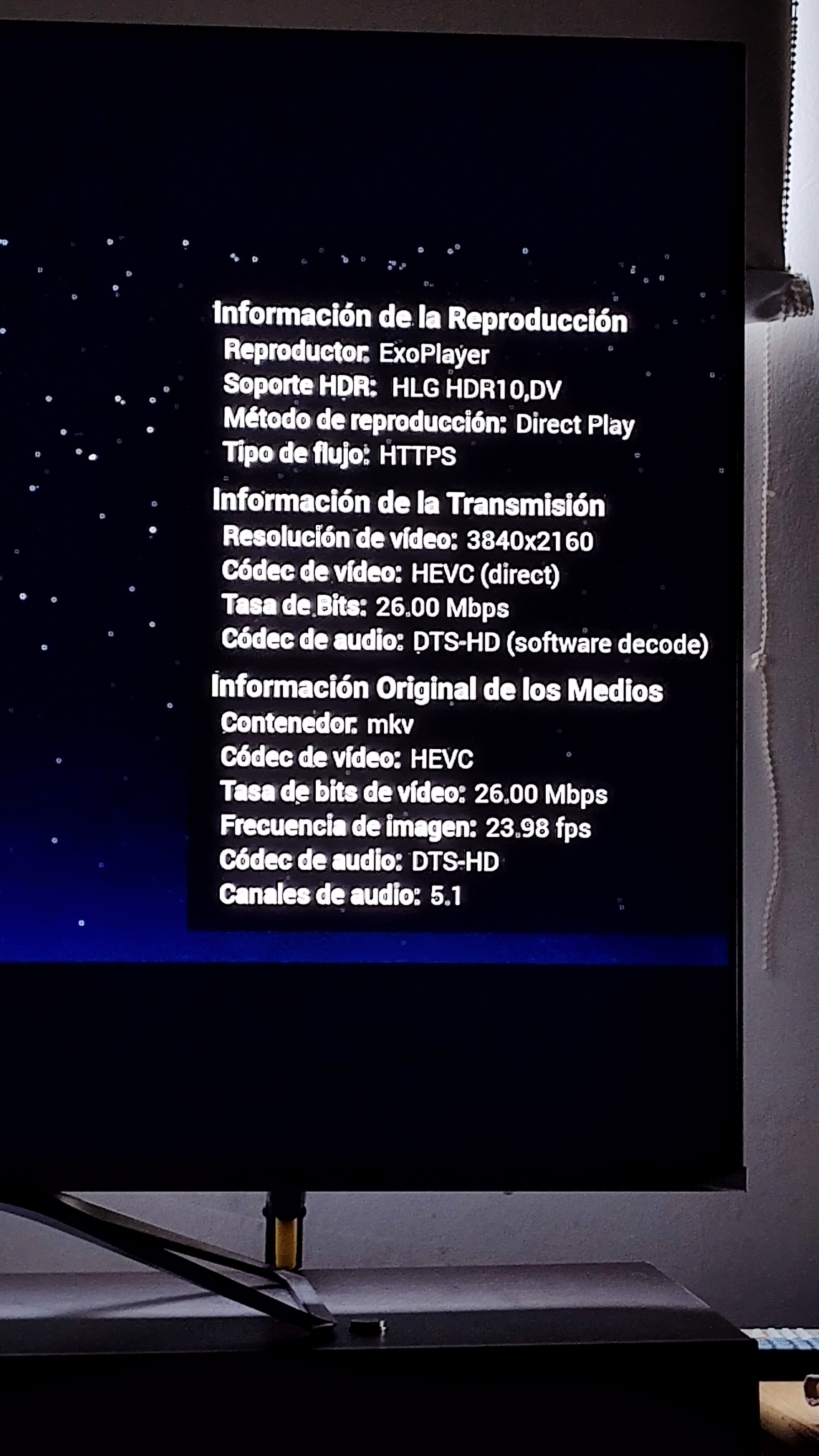
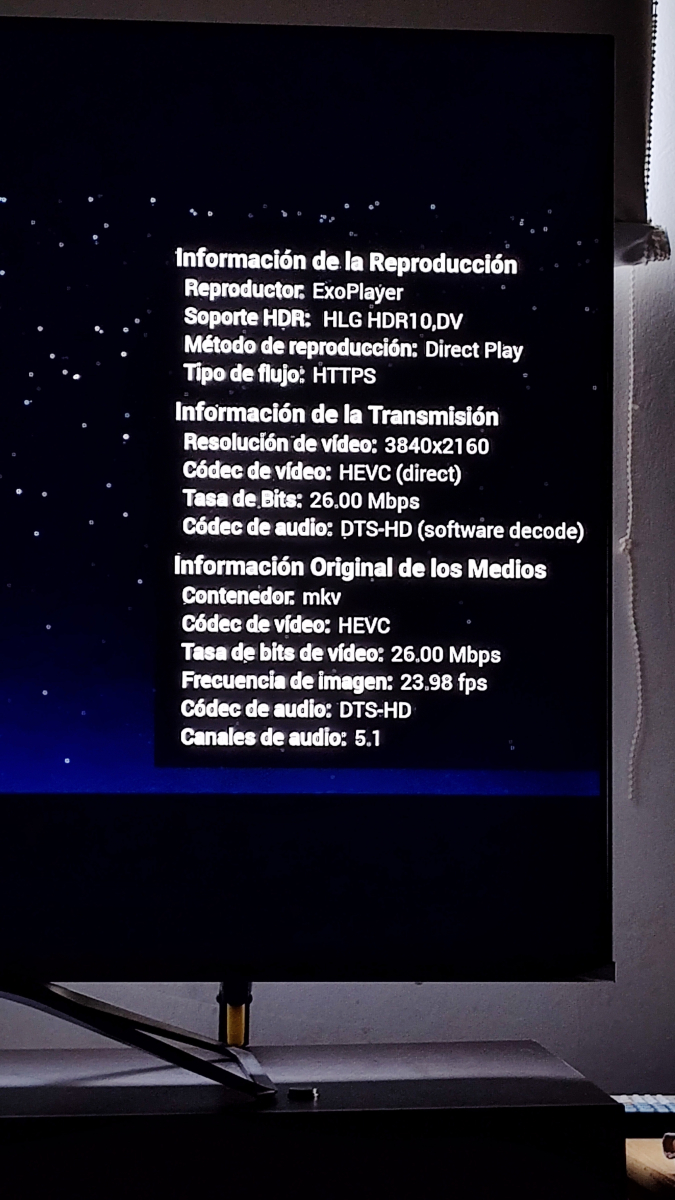
Says this. All direct playing. Playing perfectly.
 1 point
 -
Just to keep this topic going, I too have been waiting for years for the ability to view PDF/EPUB via my emby without just downloading the file. It seems from viewing forum feeds that there is definitely enough support for this project. Emby is the best and believe this would make it a complete media server. TKS1 point
-
Running .29 with 8.1.0 on march 30th kodi nightly and I'm getting intermittent playback state sync issues. I'll play something, stop it and kodi says it hasn't recorded progress although the emby server does (If i quit kodi, relaunch it then shows the progress). I'll also watch something completely and kodi says its unplayed, again emby reports it as being completed (when this happens the emby dashboard doesn't report "user X has started watching etc". Just gauging if anyone else has had any issues before I dive into logs. Could also be the nightly issue, though it was fine on .21 with 7.x1 point
-
In case of difficulty identifying, it is always worthwhile to look up the movie/series manually on the appropriate website (TMDB, TVDB) to see what their preferred form of the name is and what year they have recorded. Then adjust your naming to match your preferred source for that item type and you should have no more problems. In rare extreme cases (e.g. multiple movies with the same name and year - it happens!), adding the site's id may be necessary for automatic recognition. Paul1 point
-
I tried but to restart the server I had to remove the certificate, and after the restart the error message disappears for some reason.1 point
-
Gotta say I'm very excited to see CoverArt get some love! And thanks Craggles for the awesome icons!1 point
-
I am running .29 on windows and through Kodi (Android) Next Gen 8.1.0 and it ran perfect. Any little activity done on the server will interrupt the scan for a few mins. I have a huge library and it only took 25 minutes to scan in. Works flawless. Thank god @quickmicand @Lukegot to the bottom of the whole scanning the library issue. Next Gen back to working great Mook1 point
-
Not sure on this as css should not have any influence on image loading/processing. But would probably need to see your css code. Something like this. Note section will be specific to your home screen sections. So this code is for having My Media in section 1. /*Remove My Media title*/ div.homeSectionsContainer div.section0 div.cardText:not(.bannerCard .cardText) {display: none;} What do you mean custom login page? Do you mean customizing current login/manuallogin page? Requires adding page id to existing login/manuallogin html files then applying custom css or writing directly to the html file. There are several topics in this forum section about the login/manuallogin page.1 point
-
LOVE LOVE LOVE This Plugin! Great work as it really brings the cinema experience home to me! Apologies if I have missed this in the thread, but I had a question regarding random file selection. I have several Dolby ATMOS and True HD bumpers...Is there a way to name the files in a way that each time it Tag Matches an ATMOS track or TRUEHD track that it randomly plays one? Not a huge deal but Im getting used to the same 2 bumpers when those films with said tags play. Thanks so much for any help!1 point
-
Ah okay I will try this. I realized it was only 3 of the 10 seaons that were whacked out, weird since all the file names, nfo files, metadata etc etc are all corrrect. So odd. Thanks, I'll report back.1 point
-
I tried changing ports back and fort, and now both port 80 and 443 reports as open on https://canyouseeme.org/. I don't get it. I'm suspecting my ISP's shitty coax modem. Testing https://mysubdomain.duckdns.org/, or any subfolder of that URL, still sends me to Swag's welcome page. I've set the server_name as the full URL as you suggested. Gonna look into your test method with adguard.1 point
-
Not sure entirely as it normally comes from SortTtile but episodes are slightly different using season/episode numbers. But suggest something within the database.1 point
-
The best idea probably is, a recording option that says "Delete Partially Recorded" with an extra option below that which says 'Notify'.. This should be present on the single show recording options and the global recording options in the Live TV setup. (Or maybe the notify option should just be global) Emby has an ability to notify and doesn't seem to use it anywhere near as much as 'other media servers' do....1 point
-
There's no movie American Pie 1 (1999). Remove that "1", rescan. What are those ****? Do they stand for Year or?1 point
-
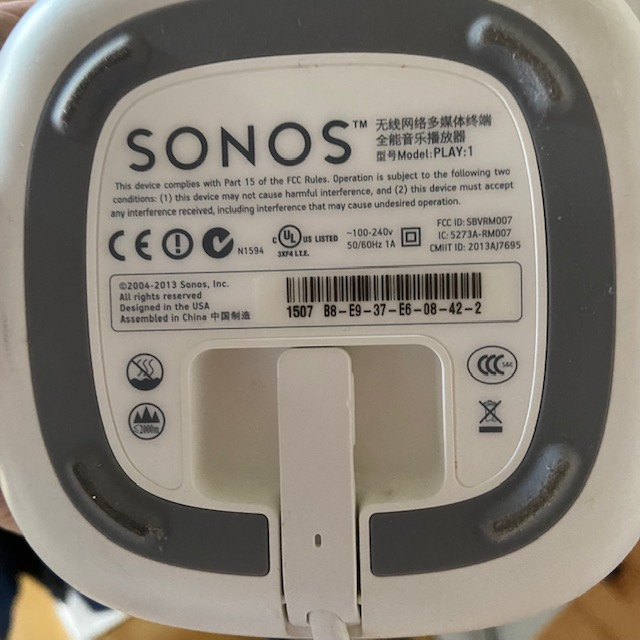
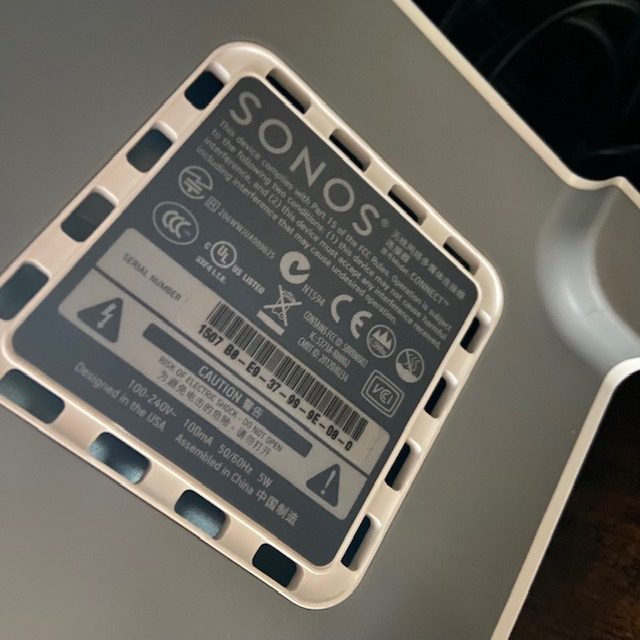
Correction: 2 x Sonos Play:1 1 x Sonos Connect
 1 point
 -
#Yatse 11.4.0 is released. * Added: Added IMDb top 250 smart filter and sort. * Added: Add Is single song smart filter. * Added: Add a skip button to media version selection during cast to avoid wrong transcoding due to subtitles. * Changed: Emby/Jellyfin offline transcoding now prefer MP4 format to workaround missing cue index breaking seeking over http. * Fixed: Possible wrong host status after network connectivity change in the background. * Fixed: Many other fixes and optimizations. Do not forget to rate the application. If you like this, please buy the Unlocker / Donate to ensure continued development. https://community.yatse.tv/t/version-11-4-0-released/42891 point
-
#Yatse 11.3.5 released. * Note: Small reminder that translations are crowd sourced, you can contribute from the settings page. (https://translation.yatse.tv/) * Changed: WOL now send all possible packet type to support more network configurations. * Fixed: Fix adding host via full urls not always working as intended. * Fixed: Play on Media Center missing when sharing from some applications. * Some other reported issues and always more optimizations. Do not forget to rate the application. If you like this, please buy the Unlocker / Donate to ensure continued development. https://community.yatse.tv/t/version-11-3-5-released/42311 point
-
#Yatse 11.3.0 is released. * Note: Happy new year, thanks for the continued support for 11 years now. * Note: Small reminder that translations are crowd sourced, you can contribute from the settings page. (https://translation.yatse.tv/) * Changed: Many libraries updates, please report any issues to support as usual. * Fixed: Fixed handling of special episodes in Jellyfin and sometimes in Emby. * Fixed: Fixed 1 obscure bug. * Some other reported issues and always more optimizations. Do not forget to rate the application. If you like this, please buy the Unlocker / Donate to ensure continued development. https://community.yatse.tv/t/version-11-3-0-released/41991 point
-
#Yatse 11.12.5 is released. * Fixed: Number pad dialog properly vibrate according to settings. * Fixed: A few rare crashes. Remember that it's way easier if you contact support when you have crashes than trying to guess from the little data that is sometimes available in Google Play Console. * Fixed: Long press shows/seasons then offline actions not working under some conditions. * Fixed: Local audio player support more ogg files + more resilient to some bad FLAC files. * Fixed: Wokaround VLC streaming on Android 13 (Will still lack resume point update until changes is made on their side) * Some other reported issues and always more optimizations. Do not forget to rate the application. If you like this, please buy the Unlocker / Donate to ensure continued development. https://community.yatse.tv/t/version-11-12-5-released/41621 point
-
#Yatse 11.12.0 is released. * Fixed: Better handling of Plex song artists in compilations. * Fixed: Support more edge case of Replay gain tags. * Fixed: Try to avoid keyboard closing when searching due to internal state changes. * Fixed: Properly detect more sync issues to avoid half filled databases. * Some other reported issues and always more optimizations. Do not forget to rate the application. If you like this, please buy the Unlocker / Donate to ensure continued development. https://community.yatse.tv/t/version-11-12-0-released/41251 point
-
#Yatse 11.1.5 is released. * Added: Complete rewrite of the Wear companion app, new design, new functions, ... * Fixed: Wear app communication when phone is on Android 13. * Some other reported issues and always more optimizations. Do not forget to rate the application. If you like this, please buy the Unlocker / Donate to ensure continued development. https://community.yatse.tv/t/version-1-11-5-released/40971 point
-
#Yatse 11.1.0 is released. * Added: Replay gain support for local renderer (Configure in settings, require proper tags embedded in the media) * Added: Option to ignore remote stop commands to keep active queue (Like some cars) * Some other reported issues and always more optimizations. Do not forget to rate the application. If you like this, please buy the Unlocker / Donate to ensure continued development. https://community.yatse.tv/t/version-11-1-0-released/4082 And since I forget to post Yatse 11.0.5: * Added: Setting to use host color as primary colors in the remote screens. * Added: Setting to show colored host icon in top app bars. * Added: Quite a few workarounds to try to support Jellyfin AudioBooks. * Fixed: Some small design tweaks and fixes. * Fixed: Fix handling of some specific Emby results. * Some other reported issues and always more optimizations.1 point
-
#Yatse 11.0.0 is released. * IMPORTANT: This is a major version, with design changes, targeting Android 13 and requiring Android 6+ * Yatse now requires at least Android 6. Previous versions will continue to work on your older devices without any issues. * Long overdue major design update, complete tuning of every UI details while keeping the same UX to reduce the flow of insults from last large update: - The updated themes, and added support of Material you, requires removal of most of the current media center accent color. Please contact support with details about why you’d absolutely need this. - The themes are now based on Material design 3, you can use Google theme generator to propose new themes for integration in Yatse. - The icon font for custom commands have been updated for consistency, you may have to update your defined icons. * Targeting Android 13 with the associated changes when using it: - OS level language configuration. - Themed icon. - New permissions for local device files. - Updated notification handling. * Added: Support for Material you themes. (Android 12+) * Added: Setting option to disable image rounding. * Changed: Many external libraries updates, as always contact support if any issues… * Fixed: Single season download. * Fixed: Possible UPnP issues when casting images * Some other reported issues and always more optimizations. Do not forget to rate the application. If you like this, please buy the Unlocker / Donate to ensure continued development. https://community.yatse.tv/t/yatse-11-0-0-released/40271 point
-
#Yatse 10.13.0 is released. * IMPORTANT: Finally making the final jump to target Android 12 with the many impacts. Hopefully all the preparation was enough, but if you have issues on Android 12 please contact support with details. * Note: This now open the way to support Material YOU themes. Please show interest on the forum about that or not. * Note: Many external libraries updates, as always contact support if any issues. * Fixed: Try to fix status bar overlap on some devices. * Fixed: Fix HTTPS connection from wizard in some cases like non standard proxy configuration. * Fixed: Many small fixes backported from Symfonium. * Some other reported issues and always more optimizations. Do not forget to rate the application. If you like this, please buy the Unlocker / Donate to ensure continued development. https://community.yatse.tv/t/version-10-13-0-released/39771 point
-
Hi. I don't think there is a bug here. My guess as to what happened is you accidentally triggered the shortcut to show that information. That is done by long-pressing the select/ok button on the remote. Could be a case of you leaning against or sitting on the remote...1 point