Leaderboard




Popular Content
Showing content with the highest reputation on 04/03/23 in Posts
-
I personally do not like the list view. I like the grid view better, just my 2 cents.3 points
-
Is this doable by some sort of plugin ? Maybe add your imdb credentials and then be able to rate movies here and have them on imdb as well (not talking about sorting here, just rating stuff)2 points
-
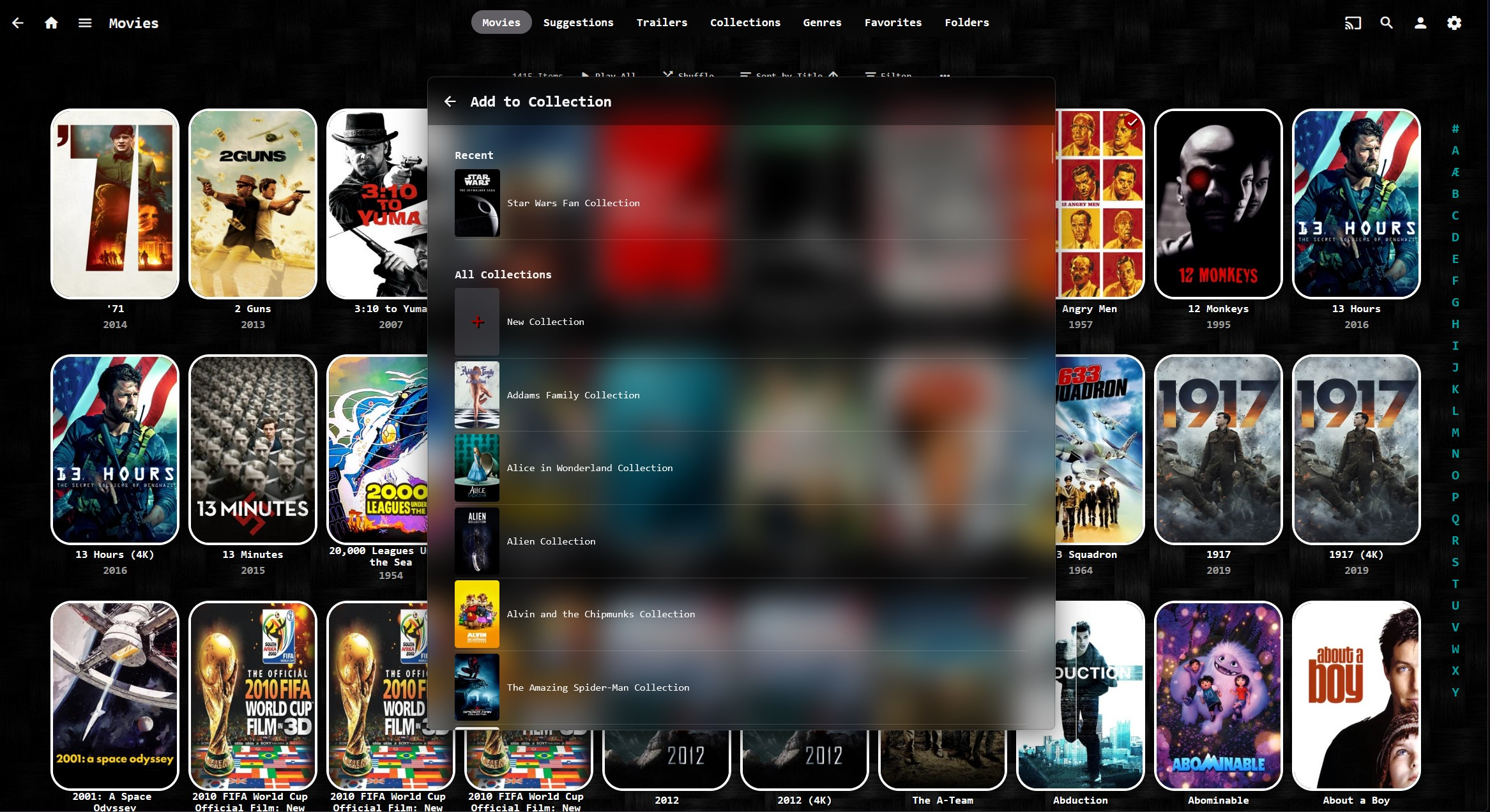
Except that "recently used" is only one item, which is unlikely to be particularly helpful - if I'm adding a lot of things to one collection I'm probably multi-selecting them. Having a small selection of "frequently used" might help some people, but I can't imagine that cropping up much either. And if you want a collection that isn't your most recently used collection, you now have to do significantly more scrolling than previously. It's a massive pain in the ass.2 points
-
I'd really like to have 2 Factor Authentication added to the login screen. It's just this (optional) extra layer of security to help secure the server (which, especially if people use camera uploads) contains pretty private data. There are for every type of programming language quite a few libraries available, so implementation on a server shouldn't be too hard to realise1 point
-
Similar to this old post, I'm suggesting a tab that would be titled Watchlist and could be placed in between Suggestions and Favorites. The functionality would pretty much be a copy of Favorites, just with a + symbol added next to the heart and other symbols that let you favorite a movie etc. The previous post had mentioned extra functionality such as automatically removing a movie from Watchlist after it has been watched. This would be nice, but is unnecessary because after watching a movie you can simply click the + symbol a second time to remove it from Watchlist. I would imagine this would be very easy to implement as a rebranded copy of Favorites. Adding other features could come later. Edit: added link to old post1 point
-
ability to be able to add a collection into another collection. ie: Spiderman Collection into a SuperHero Collection. like i could with mediabrowser with shortcuts. TIA1 point
-
Hi, Thank you for the great product. It is a pleasure to use it. I have seen some posts but they are years ago regarding my request. Is there a plan to have notification (when adding movies, shows, live tv etc.) from the emby app ? This means to get a push message on my android phone, iphone, windows app, etc. With 3rd party software its not so cool. Thank you.1 point
-
Scenario; main tv has a roku or other stb that is used by all. That emby account is restricted to pg only. Instead of changing accounts in emby, could there be a prompt for a pin to access pg13 + content? I've seen this on a cable box back when I used to have them.1 point
-
Apart from the controls that we have for schedules by contents, it would be possible to control a library or plugin through a pin.1 point
-
I would like the ability to disable the camera upload feature, both per-user and globally. It seems odd to me that that isn't already there as far as I can find... Sure I could just not use it, but that depends on trust that your other users wont decide to enable it, as the only on/off is in each users personal preferences.1 point
-
Summary: Hyper-v! Ubuntu 22.04/20.04 nginx proxy xteve OTA/XtremeHD/iptv-org (Finallly! My mp3 archive) VPN & ZTNA And a selfish features want list.1 point
-
@LukeET 3.0.19 .deb pkg on Ubuntu 20.04.2 LTS on a HP Z240 with NVidia Quadro K2200 works great! RPI4 I had no success yet. Would be so great to make this work. All I can offer is to help you do some testing if required. So let me know if you need anything Cheers1 point
-
Thanks, i will try these 2 options and will update when i get home.1 point
-
Yeah, it's practically native in Windows but not on other platforms so for it to work it would have to be part of the application - hence my question to Carlo.1 point
-
I'm more curious about this than auto-starting client app. Why are you under the impression that client app needs to also be started in addition to server app, as those two are completely unrelated apps?1 point
-
You really don't want to do that. One of the benefits of running a reverse proxy is being to use the same ports (ie. 80 & 443) for multiple programs/services you have running. The proxy can differentiate where to send the data internally based on the subdomain you set up such as www.domain.com, emby.domain.com, portal.domain.com, etc... Carlo1 point
-
Also check all the devices are on the same network and same subnet - are they all automatically getting their IP addresses from the router (dhcp server) or have you manually entered any IP addresses ? On the emby server - you need to check that emby is 'listening' At a command prompt - enter netstat -a | find "8096" It should return something like - TCP 0.0.0.0:8096 <hostname>:0 LISTENING1 point
-
I've simply just been upgrading each time my server prompts a new stable release. I'm not a beta tester.1 point
-
Check that the emby server is on private network in windows. I have see upgrades can put it as public network. Here is a good guide How to Change Windows 11 Network from Public to Private (thedroidguy.com)1 point
-
Of course there would be resistance if you were to change Emby's default behavior. I myself would not want you to change the default behavior of the green balls, as I'm sure at least some of my users are used to it and could get confused. That's why I'm talking about a client-side option. (Maybe there are people who would prefer a server-side option, but that's not me.)1 point
-
Yes configure the optional network paths in Emby library setup and then make sure the theater machine can reach those paths.1 point
-
Sorry I was out of town for a few days. But yes this did solve my problem and thank you for the help.1 point
-
It means some of the items in that list are either virtual or perhaps strm files that have never been played so Emby does not have a duration for them.1 point
-
SMB is available on Linux. Couple things to note: Upper/Lower case must match perfectly. Where you create the share matters as the format is \\Server\Share The actual path of your media could be something like this: /pool2/volume3/media/Movies if you create a share named "Movies" then you would use these two formats /pool2/volume3/media/Movies \\Server\Movies You will need to grant read permissions to everyone so that anonymous connections on your LAN can access the files directly. Hope that helps, Carlo1 point
-
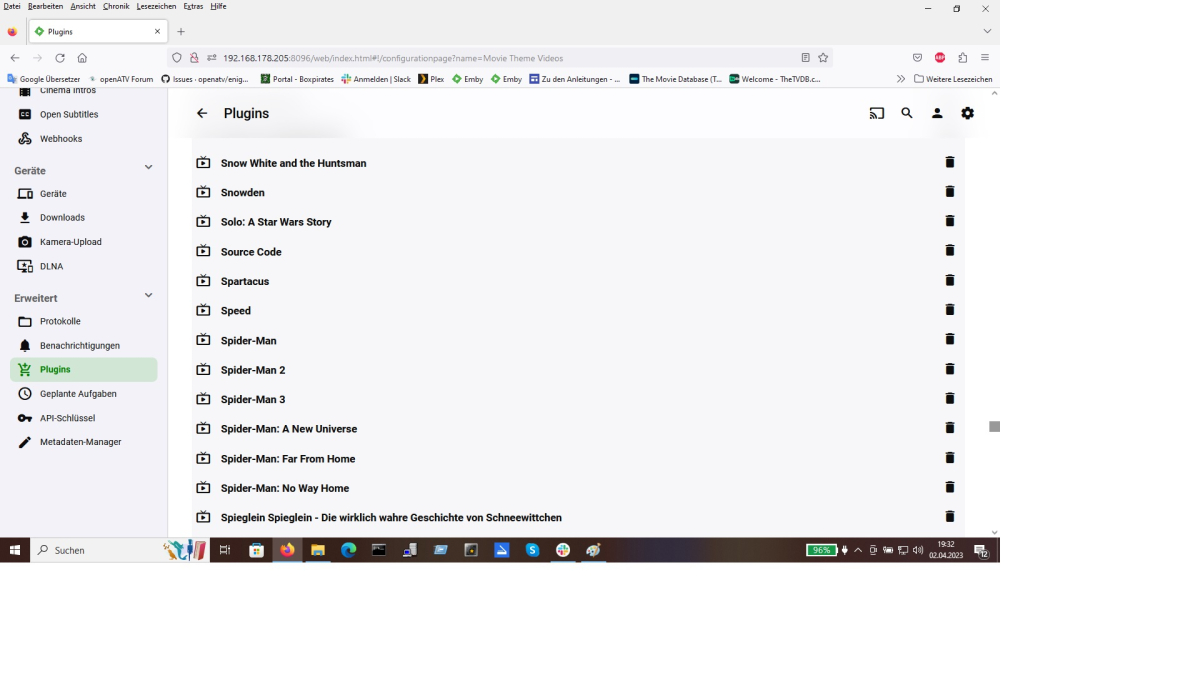
At the bottom of this screen, once you've deleted the filter you need to make sure you hit save
 1 point
 -
Sharkvpn does not support port forwarding. Almost no vpn provider does. ovpn only does this with an ipv4 static ip from them. best regards1 point
-
Are you making sure you hit save at the bottom of your theme download filters page before you re run the scheduled task?1 point
-
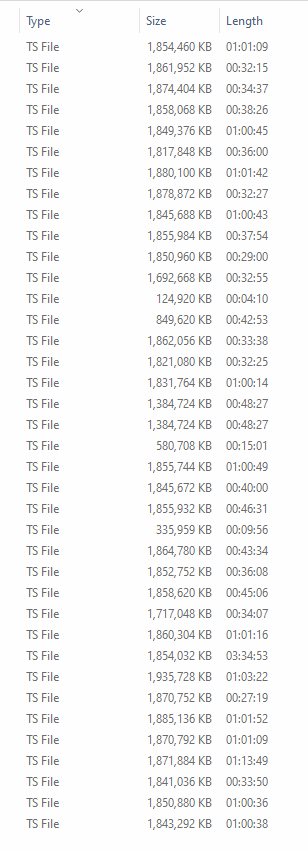
maybe just a option to not keep uncomplete content in that case it would get deleted automatically and attempted next recording i have to clean theses all the time and we cant trust the file size for that
 1 point
 -
Resuming audio books is supported. Can you please repost the sample file for testing? Thanks.1 point
-
I didn't do any back-grading. As I said, I accidentally installed the old over the old. That caused the problem. And then I installed the old a second time. I never installed the new before the old. And after installing the old over the old the dashboard correctly showed that I had the old version but weirdly it didn't show the message saying to upgrade to the new. This whole thing started when I saw the message to upgrade. Anyway, I just upgraded to 4.8.0.21 and that fixed everything. It is really weird that installing that old version over itself did so much damage. I even upgraded my Ubuntu and rebooted and the problem persisted. Doing that install again didn't fix anything. I guess all's well that ends well. Sorry for the trouble.1 point
-
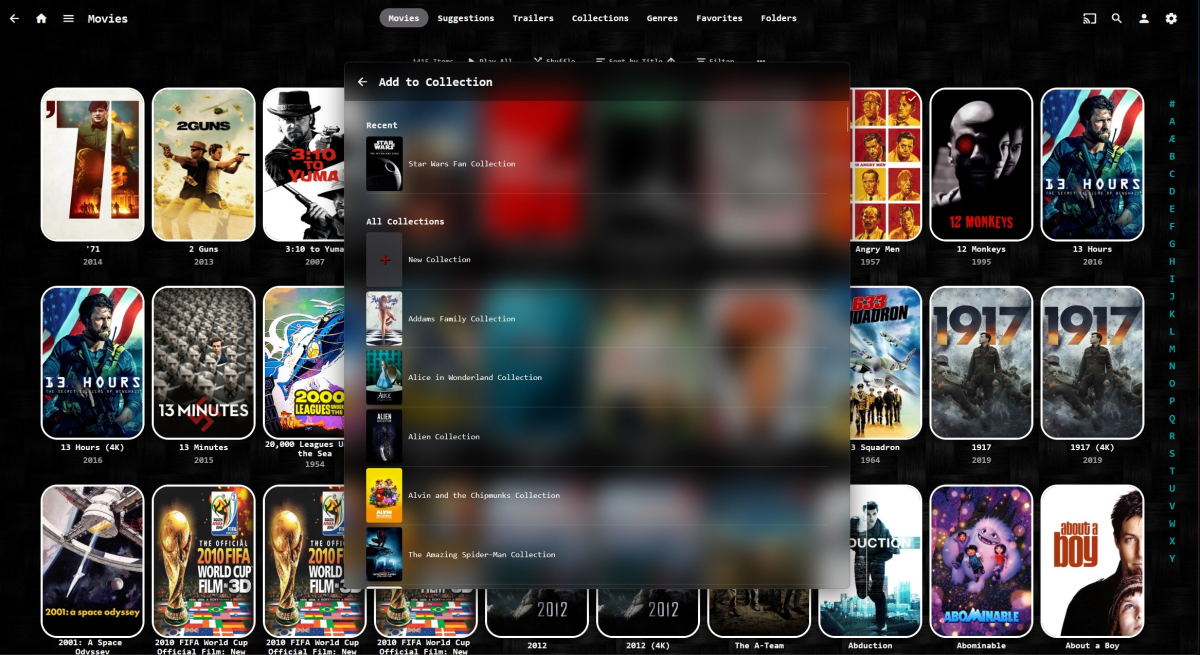
I guess you're asking the OP, but all I see is acres of wasted space - Having Recent at the top is good idea though. How about going back to the grid but the first row consists of recent items ?
 1 point
 -
Hi, @radeon is the developer of this plug-in and can help with that. Thanks.1 point
-
Hi, we’ll have a new build up tonight. Thanks.1 point
-
None, but Emby is not at fault. Synology decided to drop Intel-CPUs with iGPU for Ryzen CPUs w/o iGPU in 21. The Ryzens have an iGPU option, but its not supported/activated by DSM/Synology. 23 Line-up has the same problem, even after moving from 1500B to 1700 Ryzen. No iGPU = no HW transcoding.1 point
-
1 point
-
Absolutely agree, that tool works like a charm, no issues with Emby at all.1 point
-
It works OK!!! Thank you so much!!!1 point
-
Okay, I fixed the release. The library is there now.1 point
-
source code publish now1 point
-
This will be in Emby Server 4.8.1 point
-
For Anyone who is interested on changing their TV Region to US, I made a video to show how it can be done (My Region was Canada before, change was done on QN65Q900RBFXZC): Cheers!!!1 point
-
Hi, we'll take a look at it. Thanks.1 point
-
Courtesy of @Abobader Sort by Most Reactions at the FR forum:1 point
-
Yep. A HUGE step......................... backwards.1 point
-
On my screen in a browser add to collection displays 30 items at a time and the new improved version is going to display 5 ? Impressive.1 point
-
Why was this changed? The full-page view was much easier to navigate through vs this list.1 point
-
More change for changes sake that nobody asked for ?1 point
-
Movie reviews are not currently supported, but I'd like to add them in future updates. Thanks.1 point
-
PLEASE NOTE THIS GUIDE IS FOR SYNOLOGY NAS WITH EMBY SERVER RUNNING ON IT. I would like to thank the original poster for several of his ideas/steps are straight forward. Though I must admit with a mix of his steps and as several others have pointed out you can go multiple different ways to get to the same end result, a secure connection. Follow guide for google domain purchase, and setup the google dynamic dns record for emby. Google domains / dns option left bar / advanced settings at the bottom / manage dynamic dns / create record example = emby To clarify the dynamic dns entry you only need to type in emby A visual indicator will fill out the rest of the domain. Once you save that record you can go right back and click view credentials as they are needed in the next step. Updating the google domains dynamic dns, for some reason the standard google option listed didn't work for me, here's my setup. In synology control panel / external access / ddns - click the Customize Provider button "Service provider:" Whatever you want. example = customgoogledns "Query URL:" https://domains.google.com/nic/update?hostname=__HOSTNAME__&user=__USERNAME__&pass=__PASSWORD__&myip=__MYIP__ After saving that customized provider - click add button Service provider = customgoogledns Hostname = emby.yourdomain.com Username = provided from google credentials Password = provided from google credentials External address = auto Hopefully you test successful / normal Next step certificates Forget doing the manual ACME client certificate... use the nas. In synology control panel / security / certificate For the domain point it to your dynamic dns record. example = emby.yourdomain.com As other's have pointed out you can use synology's reverse proxy instead of the headache of telling emby what certificate to use. In synology control panel / login portal / advanced - click reverse proxy button name it whatever. example = embylink source protocol = https hostname = emby.yourdomain.com port = 443 check hsts * lol no idea what it does but figure'd meh... destination protocol = http hostname = locoalhost port = 8096 Then you need to point the correct certificate to the reverse proxy In synology control panel / security / certificate - click settings from the dropdown list match your reverse proxy to the certificate for the dynamic domain Inside Emby server network settings checked allow remote connections public port = 8096 public https port = 8920 leave everything else blank external domain = custom ssl cert pat = cert pass = Secure connection mode = handled by reverse proxy Save and restart emby server from dashboard. As the original poster stated it isn't in the scope of my guide to teach you how to port forward, but as 443 is what we used for reverse proxy source... logic would suggest to open that pointed to the nas. Good Luck! Hope this helps someone... I sure spent way too long inside emby garnishing no secure result and in the end it wasn't worth the trouble once I learned the reverse proxy trick.1 point
-
If you're asking if you can merge the content from two separate servers and display it all at once without switching servers, that is not currently possible. The closest you can get to that, like you mentioned in the OP, is adding multiple servers to your Emby client and switching between them.1 point