Leaderboard




Popular Content
Showing content with the highest reputation on 03/29/23 in Posts
-
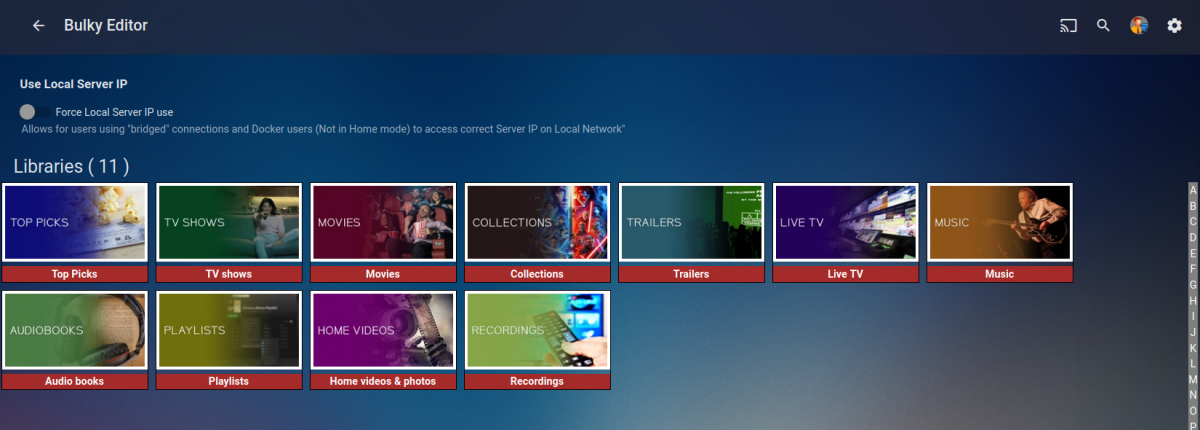
You will be used to using the excellent web based Tool created to Bulk Edit any of your media Items This is now being converted to be run directly from the plugins Section inside Emby Server. An extremely powerful tool that saves time Current Status: Development Testing This is currently under development and is consistently evolving. For this reason the dll files will be posted at the bottom of this thread. Bug Reporting & Issues: Please report bugs and Issues in this thread. corrected the problem with critic rating Feature Requests: While we welcome feature requests, please note that bugs and issues take priority and that feature requests will be subject to review and may or may not make it to the plugin. CURRENT VERSION: DEV 1.0.13.43 INSTALLATION - NOTE: Default Target for installation is Emby-Server/programdata/Plugins - Please download the "dll" file below copy and paste dll to the plugins folder. restart your emby server as this is in Development you will need to clear your browser Cache after each install, or the new changes will not appear Enjoy DOWNLOAD CHANGELOG: Filtering has now been added Bugs and Issues Reporting link - NOW WORKING Added "Image Not Found" image removed backgrounds added a spinner fixed several bugs with save IsFavorite and Played finally fixed saving UserData (IsFavorite and Played) fixed a bug in the custom editor - the edit buttons are now displayed for the results of a search fixed bug in bulk save added managing collections added managing playlists when you edit metata data for an item you can cast the video to a tv or monitor on your network. I added this just for fun added the ability to edit live tv channel meta data changed Shift click to work more in the traditional was - you can select segments you can now change primary images added the ability to remove specific tags simplified the code retained image aspect ratios added show folders button removed "cast to tv" from the edit menu, added it to the Movie and TV screens fixed the "Image Not Fpund" for none video items removed "Folder" button from screens where it didnt belong fixed button problem with custom filter added better file not found images added "emby data" and "channels" fixed bugs enhanced Channels rewrote Explorer Bulky is a collaboration between @Cheesegeezerand @VicMoore Bulky is an Emby plugin and it is in the Emby plugin library.
 6 points
 -
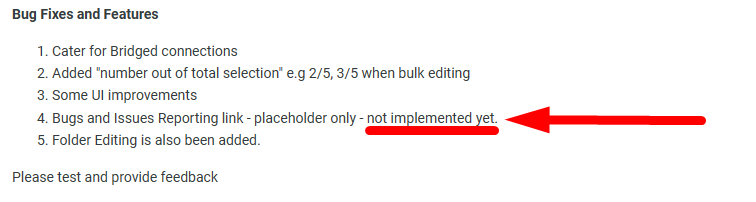
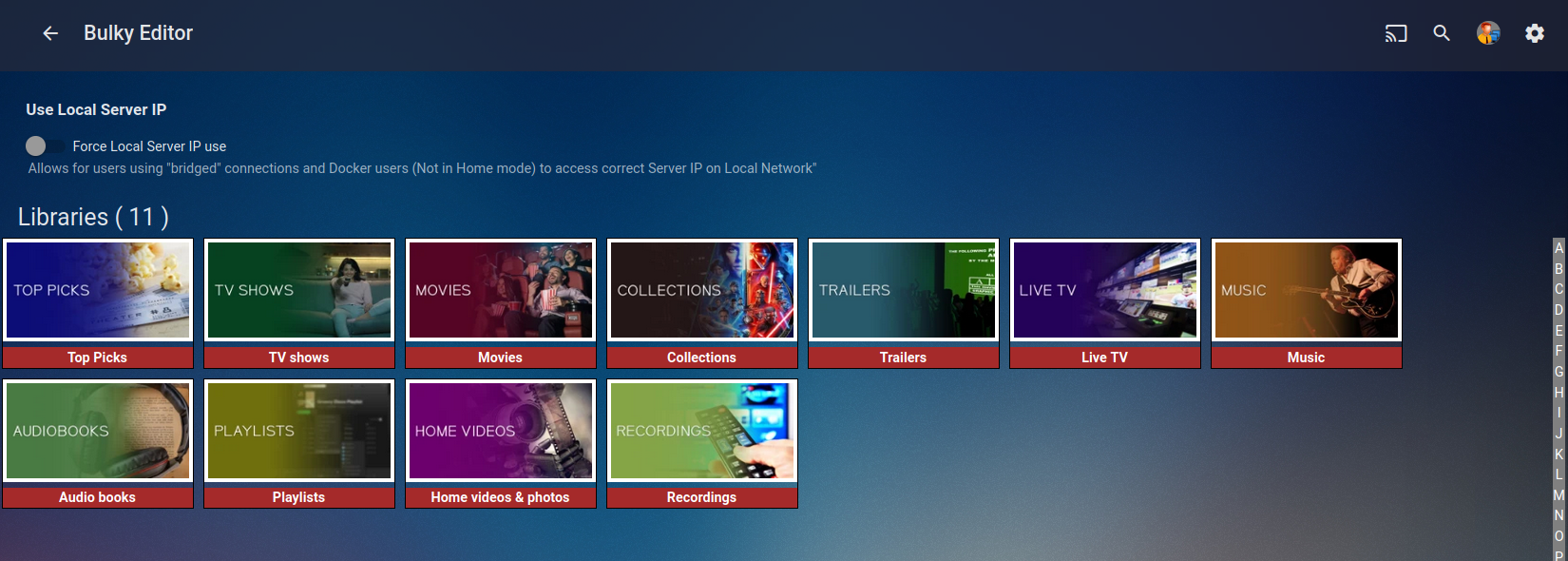
New DLL Below - v0.0.0.10 Bug Fixes and Features Cater for Bridged connections Added "number out of total selection" e.g 2/5, 3/5 when bulk editing Some UI improvements Bugs and Issues Reporting link - placeholder only - not implemented yet. Folder Editing is also been added. Please test and provide feedback Thanks everyone Emby.Bulky.dll3 points
-
For those doing image processing, ImageProcessor.ImageEncoder has now been changed to ImageEncoders (plural), because with the introduction of libvips, there can be multiple encoders available. Currently at startup I believe you make decisions when choosing skia or imagemagick, you should update that code to look like the following: var serverImageEncoders = ImageProcessor.ImageEncoders; if (serverImageEncoders.Any(i => i.Name.IndexOf("skia", StringComparison.OrdinalIgnoreCase) != -1)) { // init skia support here } else if (serverImageEncoders.Any(i => i.Name.IndexOf("magick", StringComparison.OrdinalIgnoreCase) != -1)) { // init image magick support here } @roaku @chef @pünktchen2 points
-
Right this issue requires a compatibility update for the addon, which should be available soon.2 points
-
If figured it was a "theme" issue, no worries, I was able to figure that part out Im still amazed, that I have been using emby for almost 2 years, and still learn about little things like this. Such a great product!2 points
-
I have some subtitles as well. Examples attached. Overlays-Craig.zip


 2 points
 -
We are in Dev Testing at the minute. Vic wants to drive this module by module. So next up is the filtering options to be added and some other UI improvements. A plugin page has been created and once Vic is added as a Mod then we will unlock it. I'll post the link here to the new thread and we can lock this one up.2 points
-
Once ready, it will become a full emby plugin - should be available in the catalogue with auto-update blah blah. The attached DLL's are just for preview Beta testing.2 points
-
I’m not sure on the naming (if they do currently exist)

 2 points
 -
2 points
-
I have created a new plugin: https://github.com/jaruba/RPDB-Emby-Plugin For my new project: https://ratingposterdb.com/ Although I'm a professional developer, this is the first time I used C#, so there are still things to improve. I was told to post here in order to get a Developer ID to be able to publish the plugin to the Emby catalog. For all those that want to try it out, DM me and I'll send you a free trial Tier 1 API Keys that will expire on the 15th of May. There is one issue with the plugin right now, my API gets images based on an URL pattern, some images may be missing (most likely backdrops, as RPDB hosts all known posters), in this case Emby seems to consider a HTTP status code error as valid and sets an empty image as an option. Alternatively, the RPDB Folders app also works with Emby: https://github.com/jaruba/rpdb-folders (and is more flexible with settings than the plugin for now) Here are some screenshots of RPDB in action:1 point
-
... as I was tired of manually grouping all my movie versions into groups after each recreation of the db, I created a plugin to help with that. The use case is having movies, that belong together spread around and not being able to easily match the emby naming conventions, but still having the desire to present them as one item with multiple versions. The plugin works similar to the auto boxsets, but does the "movie versions grouping" - it will group all movies based on their TMDB id into one item, regardless of where they're placed and how they're named. I made that for myself - however, if anybody is interested, attached is a plugin that solves this issue. Attached version is for current 3.6.0.49 beta Server, do NOT use it with stable release! Plugin is alpha state, you should only use it, if you are willing to backup your db (there is no way to revert the changes otherwise!) and manually put the dll in the server plugin directory. Do not use it in your production environment before having tested in a test environment that you're fine with what it does - seriously! ;-). Note: There is a known bug in the web GUI presentation which is described here, which needs to be fixed on emby side. Edit: the mentioned display bug in BoxSets is fixed in Emby now, thanks Luke. AutoCollections-for3-6-0-49-betaServer.zip AutoCollections-for3-6-0-75-betaServer.zip AutoCollections-for-4.1.0.15-betaServer.zip AutoCollections-for-4.2.0.17-betaServer.zip (4.6.0.10 and before) 4.6.4.0 and above (does not require beta server as version number has been surpassed) AutoCollections-for-4.6.0.22-betaServer.zip Note: Original version will cause issue with other new plugins like Top Picks. Updates by community members: v.1.0.0.4 New update thanks to @Cheesegeezer Looks like we've managed to update the plugin, to be current Emby Server 4.7.7 (minimum). Some Changes to be aware of Automatic Library scan and updates are disabled, too many things are triggering library scans at the moment and entering into an endless loop which will crash the server. Moved to a Scheduled task now. Fully Locked item Metadata can be ignored in the Plugin Settings for grouping. (Partial field may have worked before but you need to Lock the item itself now) ".strm" files are ignored from any processing New plugin Graphics with a big nod to MikePlanet This is always Mikes plugin and the work he has done is fantastic. - We only did essential maintenance to keep this alive for you peeps. AutoCollections_1.0.0.4.zip v1.0.0.5 Removed Top Pick Items from the available item list re introduced the auto scanning... this will take place 1 min after an item event is detected re introduced auto run after a library scan tested against top pick plugin and there is no endless looping... but please test fixed the locked items bug. Good luck and let me know how the testing goes. AutoCollections.v1.0.0.5.zip v.1.0.0.9 New update thanks to @Hoptional Added option whether to Merge items across different libraries Compatible with nested folder structures, the "Top Picks", and the "New Releases" plugin Improved logging AutoCollections_1.0.0.9-libraryoption.dll1 point
-
Lol - it's two decades since I had to use a cross-over network cable; I've not even seen one since then! Paul1 point
-
I haven't encountered the issue since then. It might've been an issue with my network. Thanks for the follow-up!1 point
-
Due to the scope of changes, downgrading emby server is not safe unless it is a fresh install. I would just wait for the updated addon, which should be available soon. Thanks.1 point
-
You're not, number of topics existing, example:1 point
-
My bad, sorry. Adblock removed those images. I wish I looked into debug console earlier.1 point
-
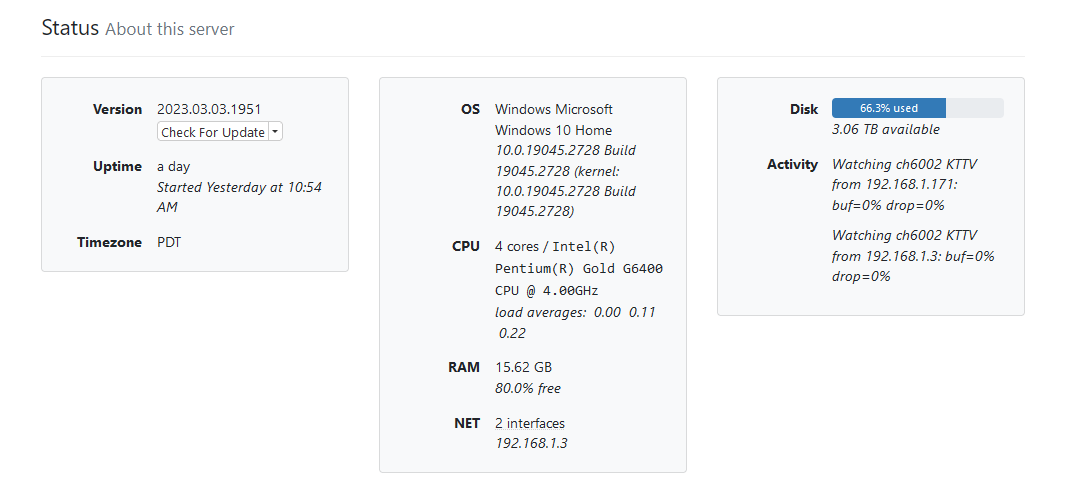
Hi, The Emby dashboard shows what streams are currently playing. It would be nice if it also showed some server status info, like current: cpu utilization, memory utilization, disk space, etc. For example, here is a screen shot of the "Channels DVR" dashboard, which shows that kind of information, which I find extremely helpful:
 1 point
 -
Hi, yes this is something that we're interested in for future updates. Thanks.1 point
-
I would be interested to see a screenshot from mkvtoolnix or mediainfo showing the actual chapter content of one of the movie files.1 point
-
Nice collaboration and quick fixes guys1 point
-
1 point
-
"4. Bugs and Issues Reporting link - placeholder only - not implemented yet."1 point
-
The "drive" that DrivePool creates behaves just like any other drive and, for me at least, real time monitoring works just fine. BTW: The way DrivePool creates its pool is that each physical drive gets a (hidden I think) directory called something like "PoolPart.159ed417-db72-4217-bbee-3a3b1a6d79f1" Any file that is on the drive but not in that directory is not in the pool. And any file that is in that directory is on the pooled drive. That means that once you add the drive to the pool any file on that drive that you move directly into that directory is in the pool right away. That makes moving files very fast and easy. I have a pool of about 70 tb across 12 drives and everything works well. I use "file duplication" for redundancy for my main movies and TV shows that I cannot easily recreate and, so far in over 8 years, I have lost 3 drives in the pool but I have never lost a single hard to recreate file. I do physically backup many files but, so far, I have not had to use the backup due to any failure in the pool. I did use it once but that was because I decided to do something stupid. If you keep in mind that "redundancy" is not a backup then the "file duplication" feature is very valuable and saves a lot of time.1 point
-
Resolved. The issue was on the m3U side of things.1 point
-
lt's currently being converted by Vic1 point
-
It defaults to only working on movies that are over 100 minutes long. So if it is a cartoon movie that runs 98 minutes it won't show you the previews. You can change these settings also. And if you have someone like your kids that don't want to watch the previews you can make it so in there account that it is disabled. Use the settings tab while in there profile to do this.1 point
-
Thank you very much! @ebrIt’s great how different you can make the video thumbnails with this plug-in and a few clicks - as well as being able to customise the indicators themselves. I agree that it would be awesome if the plug-in was updated with the current missing stuff as well as adding any newer categories. Being able to reorder the would also be great! Or change the default order from reverse alphabetical to something like: Resolution - hdr - aspect - video codec - audio codec1 point
-
@CragglesI have to admit that I really fancy how do your badges look inside my libraries giving them a touch of flair, smooth job, really well done. That said, I hope CoverArt plugin will get some lovin' in the indicators department, both to include missing common stuff (SD reses, other Aspect ratios...) and to keep up with the times (DV, HDR, HDR10...) as it feels a bit left behind. Or that's just my impression.1 point
-
I did the data reset from the Emby server, which took about 2 days. This version 8.1.0 build 2, did correct the issue of stopping the scan on a specific file. I played the file that was causing the issue on the Android device that I installed the addon, and it does NOT play very well, if at all. I then tested the same **problematic** video on my Windows PC using VLC and it played perfectly. I then played that file on a different device running CoreELEC and again, it played perfectly. So, it appears that my Android box (Mecool KM7 Plus), running Android 11, and Kodi is lacking something in it's drivers. Thanks again for your addon. PS, I have a new Android box arriving today, and will be using your addon running under the native Android and CoreELEC, so I will do more testing. This is the box I will be receiving today >> TOX3 Smart Android 11 TV Box Amlogic S905X4 4k1 point
-
That's actually a much better way of handling it. I'm going to do this. Great advice.1 point
-
I got it working. Not sure what happened.1 point
-
Yeah they are my favs, grab them here https://emby.media/community/index.php?/topic/79688-hulu-style-library-icons/ There are templates and a font too if you want to create your own. I can share mine if you see some you like. I've got a custom gimp template setup so just provide the image and I can whip one up.1 point
-
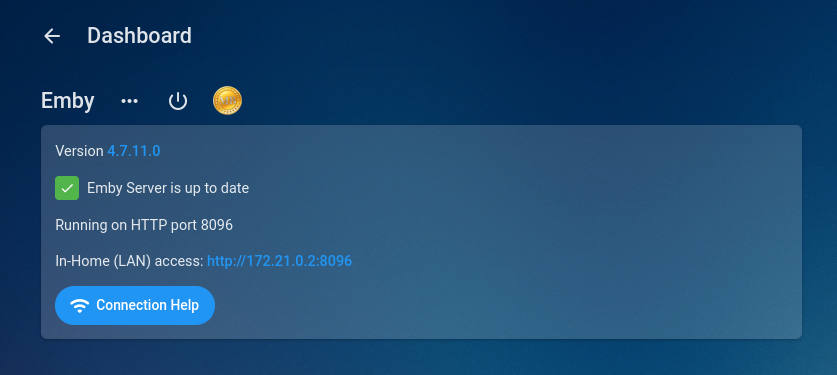
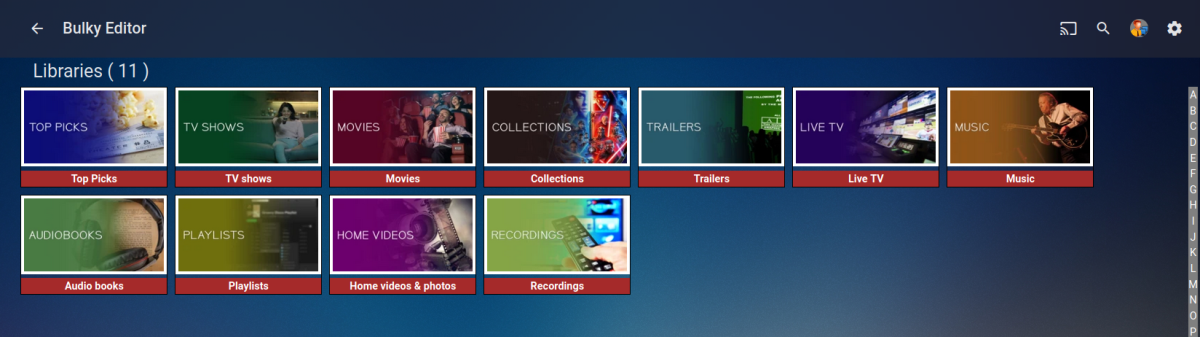
Success mate! Great work!!! Thanks sooo much, lets hope Vic likes the changes.
 1 point
 -
Ok, I'll revert the container to bridged and give it a whirl. back in 5...1 point
-
I think i have an elegant solution here Jim. No settings and hopefully will work now for everyone. Test this out - still 0.0.0.1 ONLY FOR JUNGLEJIM TO TEST - NOT A PUBLIC RELEASE1 point
-
Honestly I kinda felt the same way when I was with Plex. It was the part of my brain that liked seeing updates, moreso than Plex making any meaningful changes to warrant pushing out new versions so frequently. I can probably count more times those updates broke things or added something no one asked for, than those that actually improved my experience with the software... then I'd go on their forums because I was running into a new issue, and get mostly ignored. (They did actually answer me once, ONCE, over the course of years, but only because they legitimately pushed out a broken build that was wrecking installs... and even that was just a canned response.) I have my qualms with Emby's process, mostly that I'd love them to maintain a list of what is 100% on the "currently in development" list even if they don't have timelines... but Plex is far from the gold standard of service lol. The Emby team is very active here and while it's not the most transparent, you can typically glean from beta notes and conversations in the testing area what kinda stuff is being worked on, and that's been enough to hold me over.1 point
-
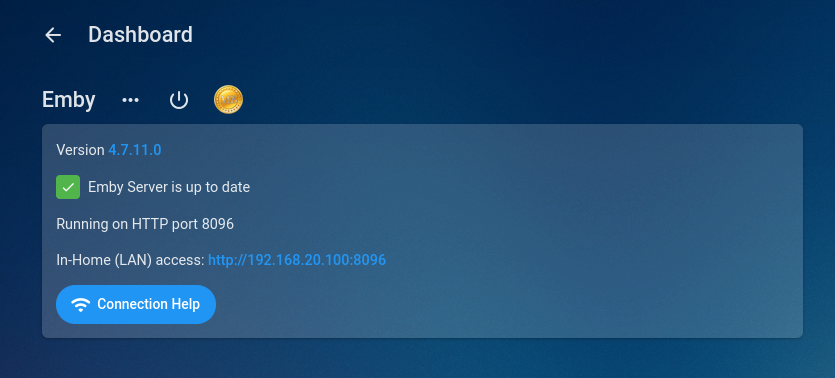
As I thought "Host" mode with the container works, even without the new setting.. So its defo the bridged mode that's tripping it up.
 1 point
 -
Yeah looks good, maybe change "Home" to "Host"1 point
-
Excellent, just need to figure out an elegant way to hand this. You may be one of the few edge cases, so i'll propose some changes to vic and see if he is happy with it. This is his baby after all!!1 point
-
The modi cannot be toggled in config menu. It's part init wizard therefore a factory reset would be required to change it.1 point
-
Nope no big bright yellow text in the console lol1 point
-
Thats progress at least lol1 point
-
You should post logs to help the Dev's out.1 point
-
Oh... you think .27 will go in the right direction? I'm doing what I can, as little as that is, to try and help the devs understand the problem. Patience not a problem,... as long as my TV still talks to me from time to time. Cheers.1 point
-
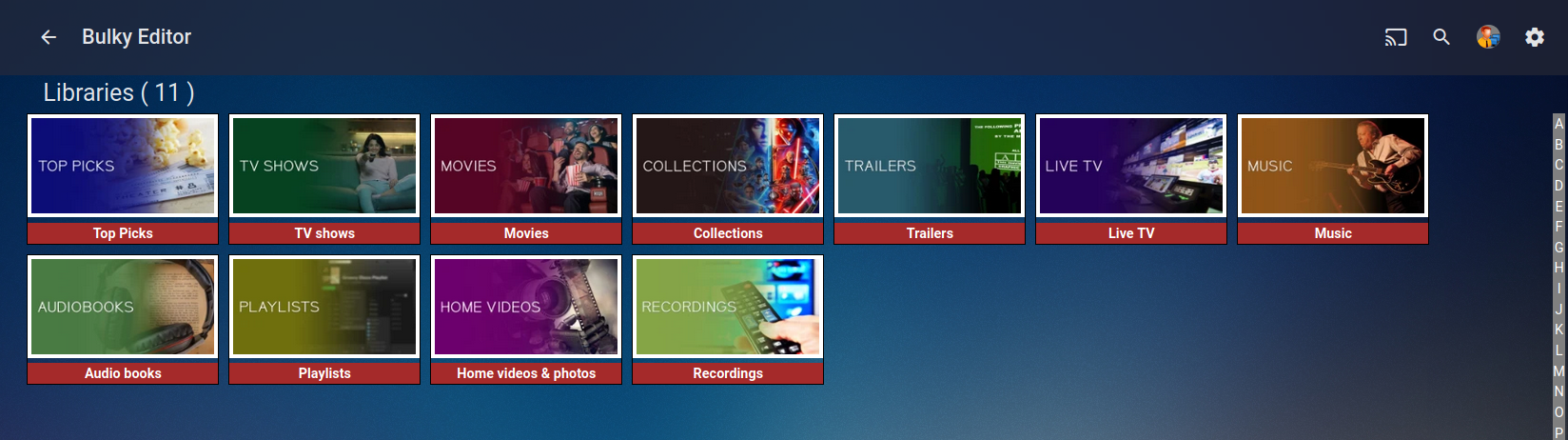
Good morning everyone... @Cheesegeezerand I have been working together to create a plugin version of this tool. We have the first code drop ready for testing. It's not the complete tool. It is a bulk editor and has the same layout as the original tool. We are looking for some testers. Anyone interested? Vic1 point
-
No need to format drives. The beauty of Stablebit drive pool is it will work on existing drives - as essentially the 'pool' just sits in hidden NTFS folders. However with the drives at 90% full - then you are not going to have a lot of wiggle room. I would run this past Stablebit for best advice but in summary - The official method would be to create a pool on the remaining 10% drive space - and then MOVE files into the pool - as you move the files, the pool will actually remain the same size despite you adding files to it because you are creating 'free' space on the moved file once it has been added to the pool. If you are clever with your setup - then you can actually configure it to just 'move' the files on the same disk. This 'may' be extremely fast - as it's not moving the data at all - it's just re-pointing the data in the pool. Obviously if you COPY the files, then you are going to run out of disk space. With all of this - ensure you have a working backup. With 120TB, this is easier said than done I agree, but I strongly suggest a 'verify' operation before you begin a major file system re-organisation such as this (same with ANY solution, not just Stablebit).1 point
-
You're guessing right. You can lend your support here: Similar duplicate FR:1 point
-
Abend, @Mugen360Ich warte auch noch drauf Wenn nicht bald was wird werde ich wohl auf Plex wegsel müssen1 point