Leaderboard




Popular Content
Showing content with the highest reputation on 03/20/23 in Posts
-
Finally figured this out!! Yay! I was able to reproduce the error (by accident) where it was asking for permission to allow ffmpeg access. It wasn't on a movie file in Emby but another file using VLC. This time a took a real close look at it and discovered that it was indeed being caused by Iobit Malware Fighter. Previously when I though I had uninstalled the program, I was wrong. there were some remnants in a hidden folder so I unhid all folders and then I could delete the remnants. After this, all the movie files were working again using Emby. Now that I know what caused the problem I will try to figure out how I can still have IMF installed but allow FFmpeg through to do its thing. Thanks to everyone who assisted on this issue. If I am able to figure out how to allow ffmpeg through and still use IMF I will report back. For now I am satisfied with the results. Cheers!!!2 points
-
Although not absolutely necessary, it is recommended for each movie to be in its own folder: https://support.emby.media/support/solutions/articles/44001159102-movie-naming If you have multi-movie folders, whilst it'll generally work, you'd be giving up some features, one of those being theme music/videos: https://support.emby.media/support/solutions/articles/440011591792 points
-
OMG!! You have saved my marriage. Just kidding, but I am very grateful. I changed the audio playback to a format I knew was supported, and the movie played perfectly. You are awesome. Jim2 points
-
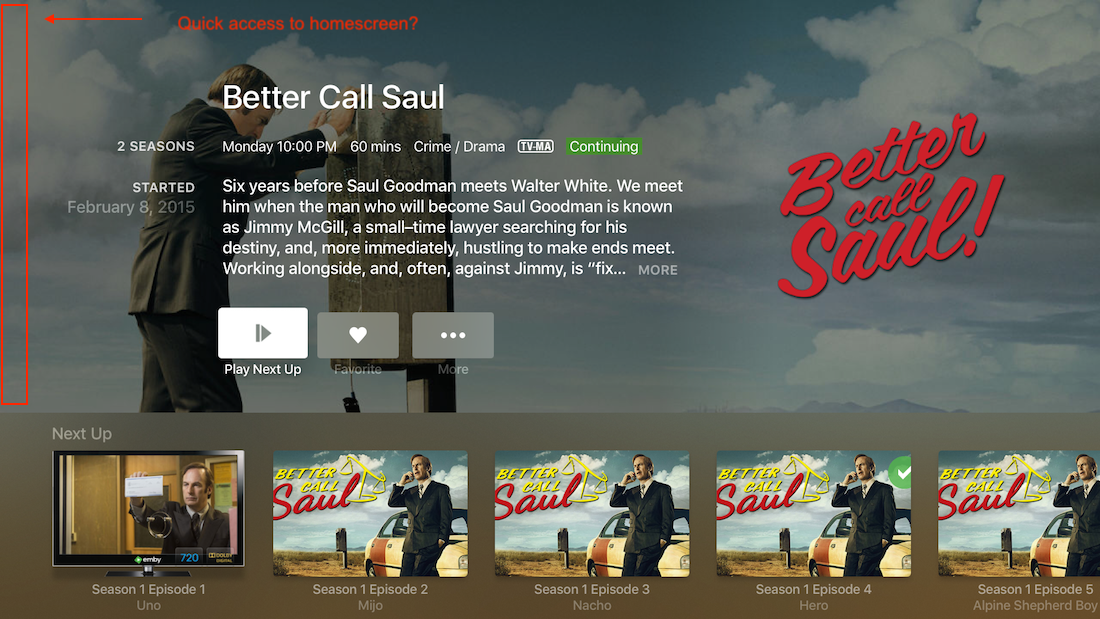
Hi All, I've been wondering, is there an option to keep top/side home menu always available on appletv emby app? Currently, if I'm deep in some season of a particular show and there is a change of watching plans, only way to select something different from home dashboard is back, back, back, back, back until home screen is reached. Seems like a lot of unnecessary clicking. AppleTV is my defalt home streaming device, and I love smooth Emby works on it. Above is a minor inconvenience, just wondering if there is a option I haven't found. Thanks, Blazej.
 1 point
 -
Is there a reason why animated gifs dont work as a poster for ex a movie? Can we have support for them please? Thx1 point
-
Would it be feasible to have a dialogue box that alerts you when you are about to add an item to a playlist that already exists on that playlist? Thanks.1 point
-
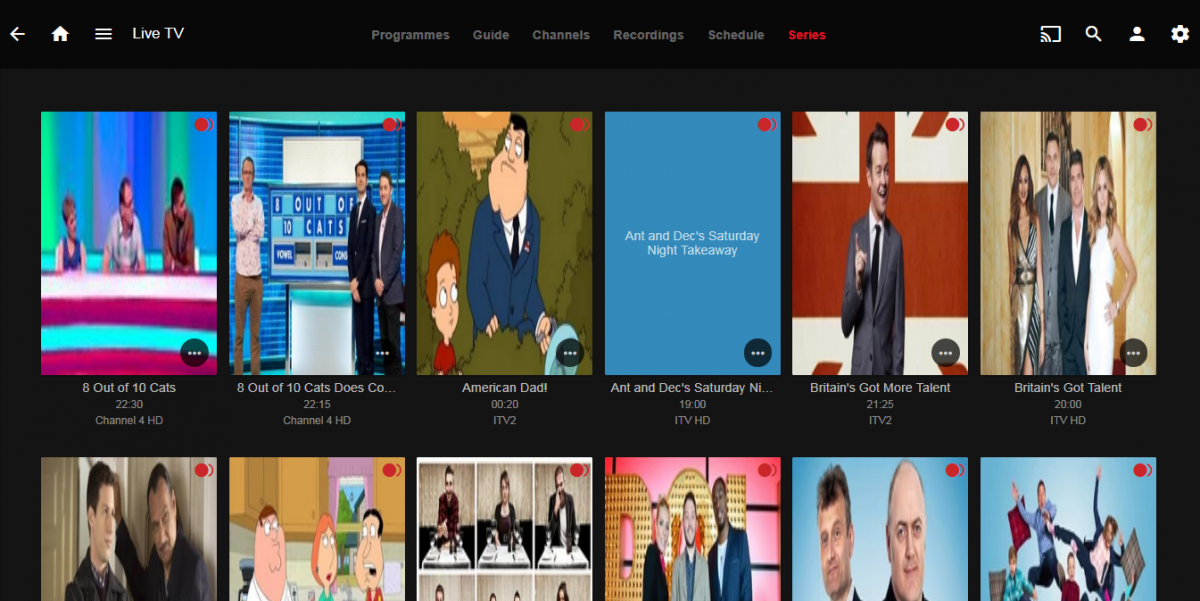
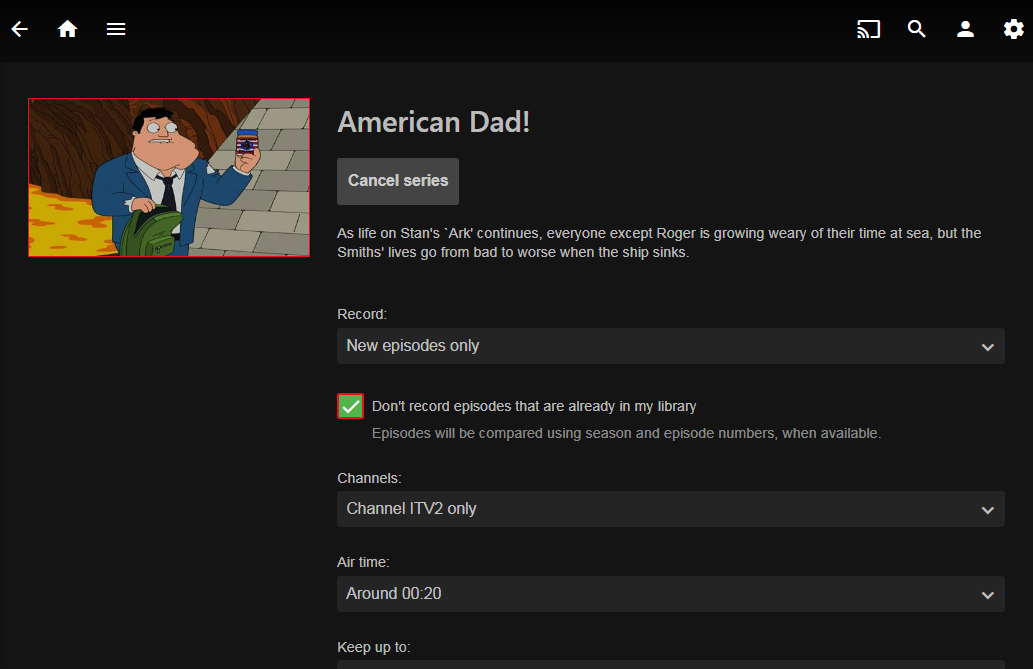
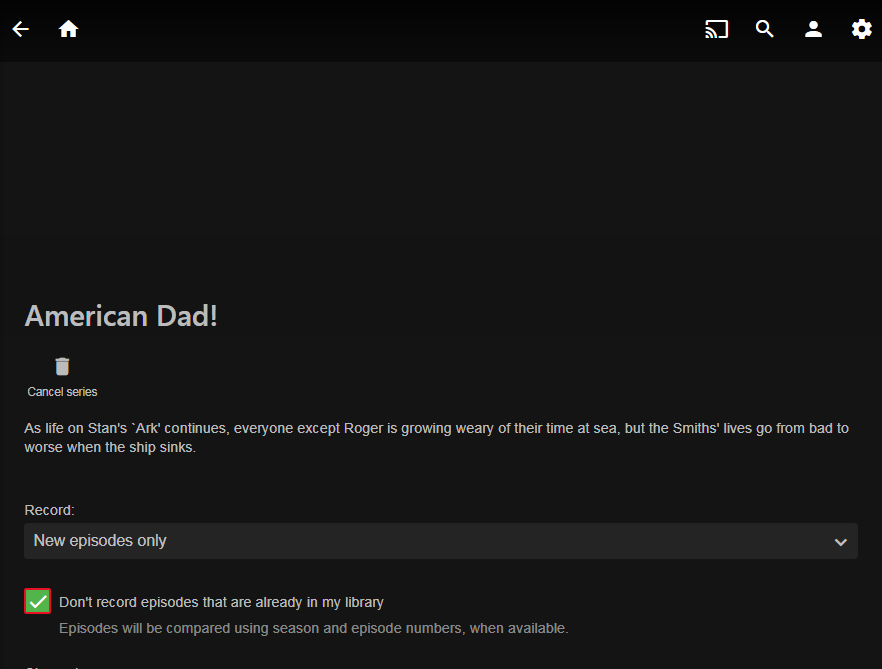
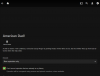
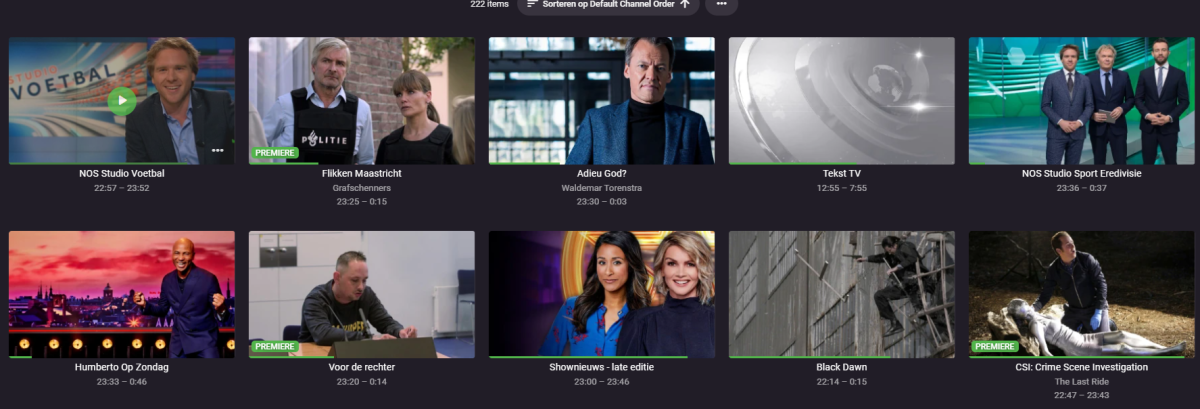
Hi, Firstly loving the new update, seems to have fixed quite a few annoying bugs. As the title says the poster images in the series section of the Live TV are wrong, they show up in poster format rather than 16:9 which is the aspect ratio of the images. I've had this problem before with other sections and they have been fixed. See screenshot. Also when you click on a series item, the image shows up on widescreen devices but not narrow e.g. mobile. again see screenshots. Thanks

 1 point
 -
Sort of a bug as it is broken in BETA as online app is using newer code then local web client 4.7.11.0. But @Lukeno scroller in 4.8 test version and online app. Edge/Chrome/FF 111.x Note sync will auto-scroll but no scrollbar1 point
-
It's reported. Load a new Guide Provider for you postal Code choosing Dish Network. Don't set it for any tuner to automatically pull from. Now edit the Circle net channel, select the Dish Network as the guide and use channel number 370. That should be the exact same info you need.1 point
-
AFAIK yes, there's no full support for multi-part episodes (not multi-episode files). Again, AFAIK it works in all of them - additional parts are just not displayed in them all (example Web app yes, AndroidTV app no; it does play them, though).1 point
-
i see, thank you for your help1 point
-
Ok, I took a look at the code and there's a mismatch between the UI description and reality. Currently, ALL the listed keywords need to match in a given file instead of ANY. I'll fix as soon as I can.1 point
-
Something like file2folder but there are others out there. Download Files 2 Folder - MajorGeeks1 point
-
Ditto, I have to do it for any language, not only German. Number of ways available: use some tool like FileBot, user external metadata manager like TMM, maybe some samaritan community member would be willing to share a script... though you'll have better chances for that last one if posted in English forum section, like Tools and Utilities or General/Windows. Do a topic search as well, as that seems like something that might've already come up before.1 point
-
Hi, that's really not true. We don't normally have long gaps in between betas. This is just a one-time exception to that.1 point
-
Thank you both for your tips! Resolved.1 point
-
Never heard of it. Is it something you installed as it is not part of Emby? But looks like you installed something in Emby-Server folder. Would say uninstall this program and reinstall somewhere else.1 point
-
Got unflagged today, took them 3 days. Submitted review through Google Search Console and mention that it's a private media server that uses free software that is used by many users. In my case also a installation of Picoshare on a different subdomain got flagged at the same time.1 point
-
It will probably happen at some point.1 point
-
Okay, thanks for the clarification. We'll keep this request open for further feedback. IMO that is a much trickier ask because it will not be obvious to the user which items will be affected by the sort change and which will not and we'd have to create some sort of way to change that behavior on each artist. It all gets quite complicated and confusing pretty quickly.1 point
-
You have a performance system - K class CPU and Z790 chipset - simply put you are not going to be 'efficient' with that hardware... Putting the drives to sleep will make very little difference - you'll maybe save 10-15 Watts tops.1 point
-
There are several topic on issues with Arc. In one of the next betas there should be a fix, but should be resolved before 4.8 gets released. Next beta will be 4.8.0.22+ but not available yet.1 point
-
lol yes sry was a typo 6TB drives Thx for the fast reply @GrimReaper1 point
-
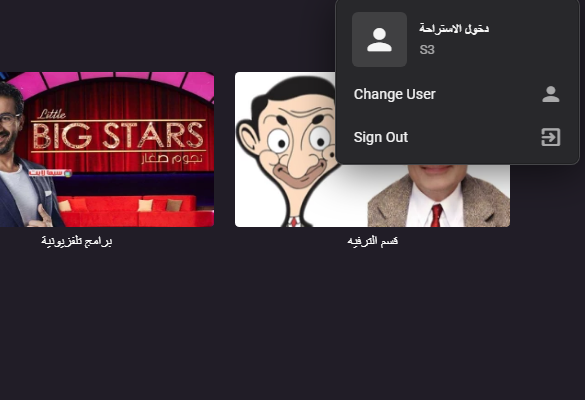
wait >>> It's working now when I did it for the last time .. it worked ,, So thank you for your answer , It was important for me . Thank you again and again ,,
 1 point
 -
Nope, the account is fine and it created on 2019. No need for password reset for that date. Then it not account problem, it OS/Device problem.1 point
-
How do they track their watchstates/favorites? Write them down? Why don't you create local user for each of those users, that's kinda the point? Create separate users.1 point
-
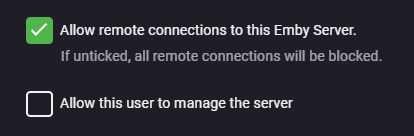
Well as long as you haven't checked 'Allow this user to manage the server' Then they will only have access to user preferences, like language preference, audio, subtitles, and display options. Nothing in there is harmful to your server at all.
 1 point
 -
You can't. But those are settings that affect only that particular user, why wouldn't you want to allow that?1 point
-
Yes. Based on your previous thread, you do not have SSL setup, hence http connection hence not secure. Obtain a domain and cert and connect to https://app.emby.media.1 point
-
Not sure what is going on with your "Despicable Me_t00.mkv" file as the FF log show all tracks and the Samsung log shows it only has a audio track. Honestly don't know the Samsung app but can't you select a supported audio track before playback to Direct Play? TranscodeReasons=AudioCodecNotSupported 18:02:38.679 Stream mapping: 18:02:38.679 Stream #0:0 -> #0:0 (copy) 18:02:38.679 Stream #0:1 -> #0:1 (truehd (native) -> ac3 (native)) Devs will have to comment more but thought if audio needs converted, video would be also with HEVC. @SamES1 point
-
Until we have the new API, I've opened a PR for using my service in the Addic7ed plugin that use ILibraryManager as suggested by @softworkz https://github.com/MediaBrowser/Addic7ed/pull/61 point
-
That's how it should work, but I don't use that feature, so it's possible something's up. What server version? Could you share a screenshot of a file path from the Emby media section?1 point
-
Let us know how you get on. Thanks.1 point
-
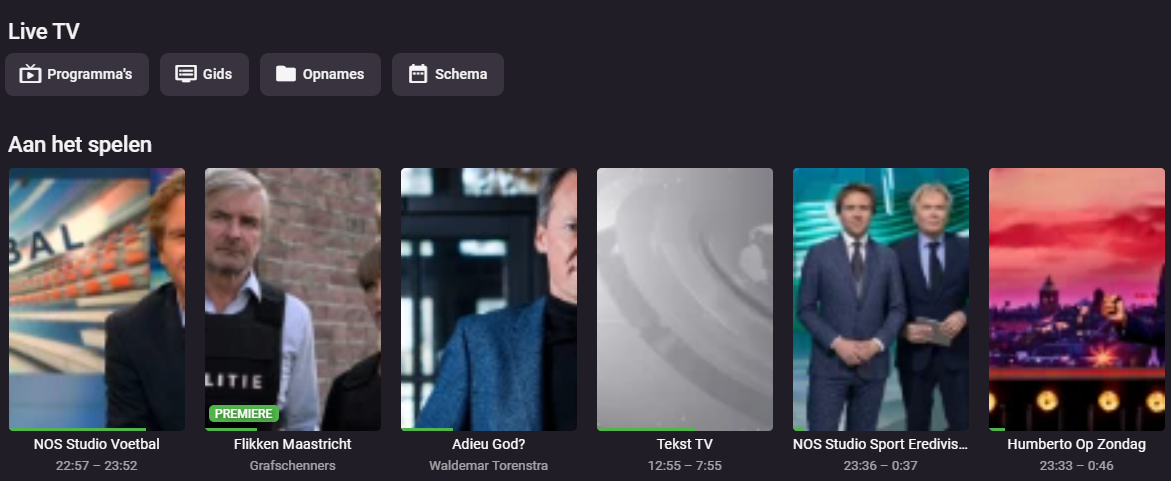
Just let users choose the layout of the now playing section, then the problem would be solved accross multiple epg providers. For instance if i could choose logo view for the now playing section no images would be cropped. However this won't work perfectly for users having multiple epg guides, using different aspect ratios. Seems like a simple solution?
 1 point
 -
..and this will only work if your VPN provider supports 'Port Forwarding' back to your emby host - bypassing your NAT and firewalls in the process. There is a general misunderstanding that by just using a 'VPN' - all traffic goes though it. This is wrong - all OUTBOUND traffic (initiated by you/your LAN) will go though it yes, but any INCOMING traffic (ie external emby clients, not initiated by you) will not - as the only address 'the internet' knows about your emby server, is your normal WAN ISP address. If you could pass it the 'VPN' address - great, but now the VPN provider needs to know what to do with this traffic - hence needing port forwarding and suitable setup.1 point
-
The frustrating thing for developer Gods like @Luketo consider is this really doesn't seem like anything that requires a redesign to implement. And the quality of the improvement would be immediately relevant. For those of us with thousands and thousands of songs in our libraries, maintaining a playlist like "Awesome Songs" means that when I hear a song and remember that it is in fact "awesome", I have to check a playlist which already contains hundreds of songs and search to see if I thought it was "awesome" 9 months ago. Otherwise, I'm adding things over and over to the same playlists. It seems like a couple lines of code fixes this. I'm no coder, but the logic seems simple enough... When you click the "add to playlist" button a simple script of code runs. 1, check if track exists in playlist... 2, if no, continue... 3, if yes, ask to confirm adding anyway... 4, confirm, continue... 5, cancel, stop... Unless I'm missing the incredible complexity required here, for the love of God, guys! Just do it this afternoon.1 point
-
Animated gif posters will be supported in Emby Server 4.8 - on detail screens only. What that means is, when you're browsing lists, searching, etc, you won't see the animation, but you will see it on detail screens. Also please note that on some form factors such as mobile layouts in portrait orientation, we don't even show the poster anymore. But where it is used and the platform supports it, the animation will be supported.1 point
-
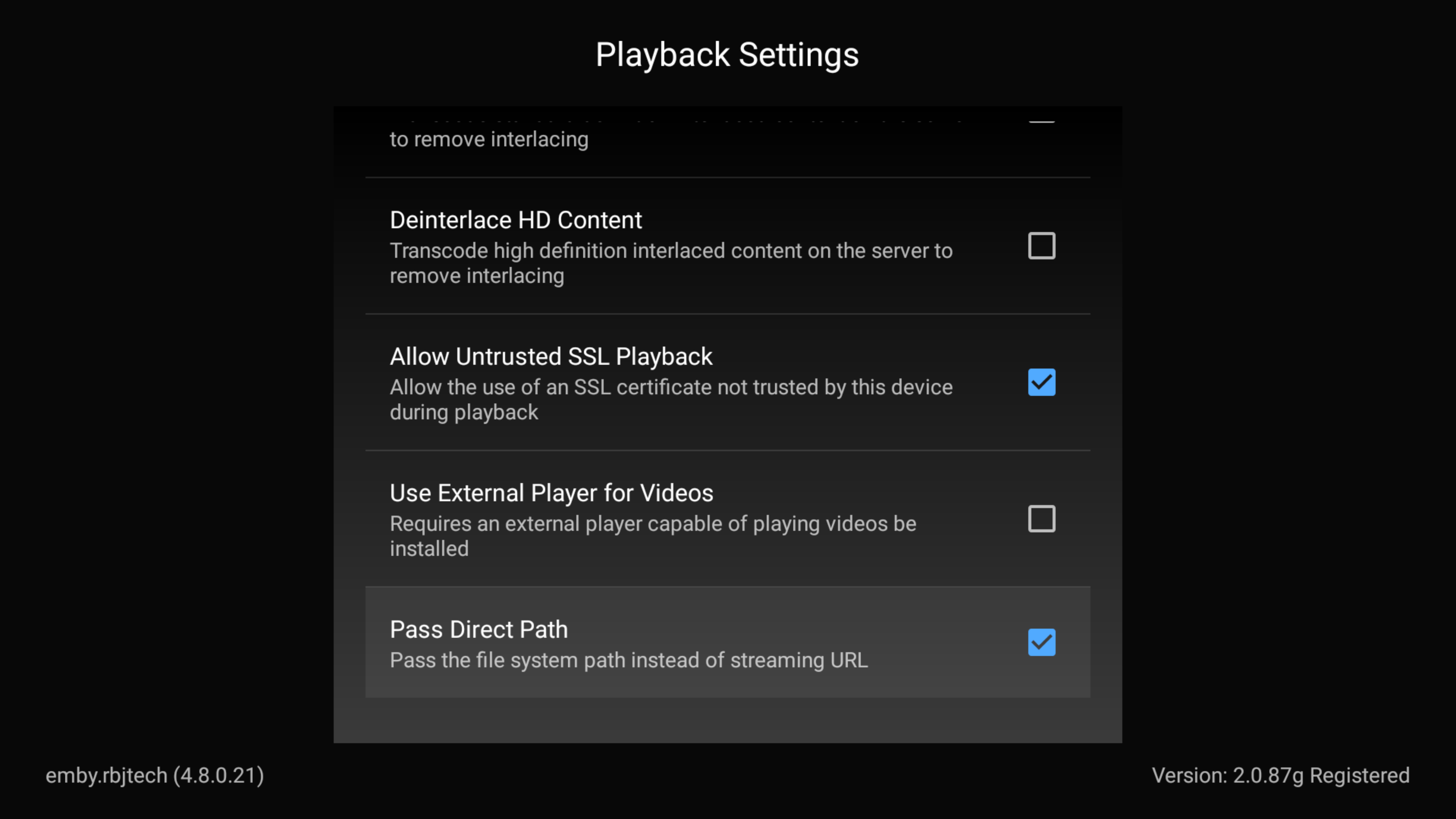
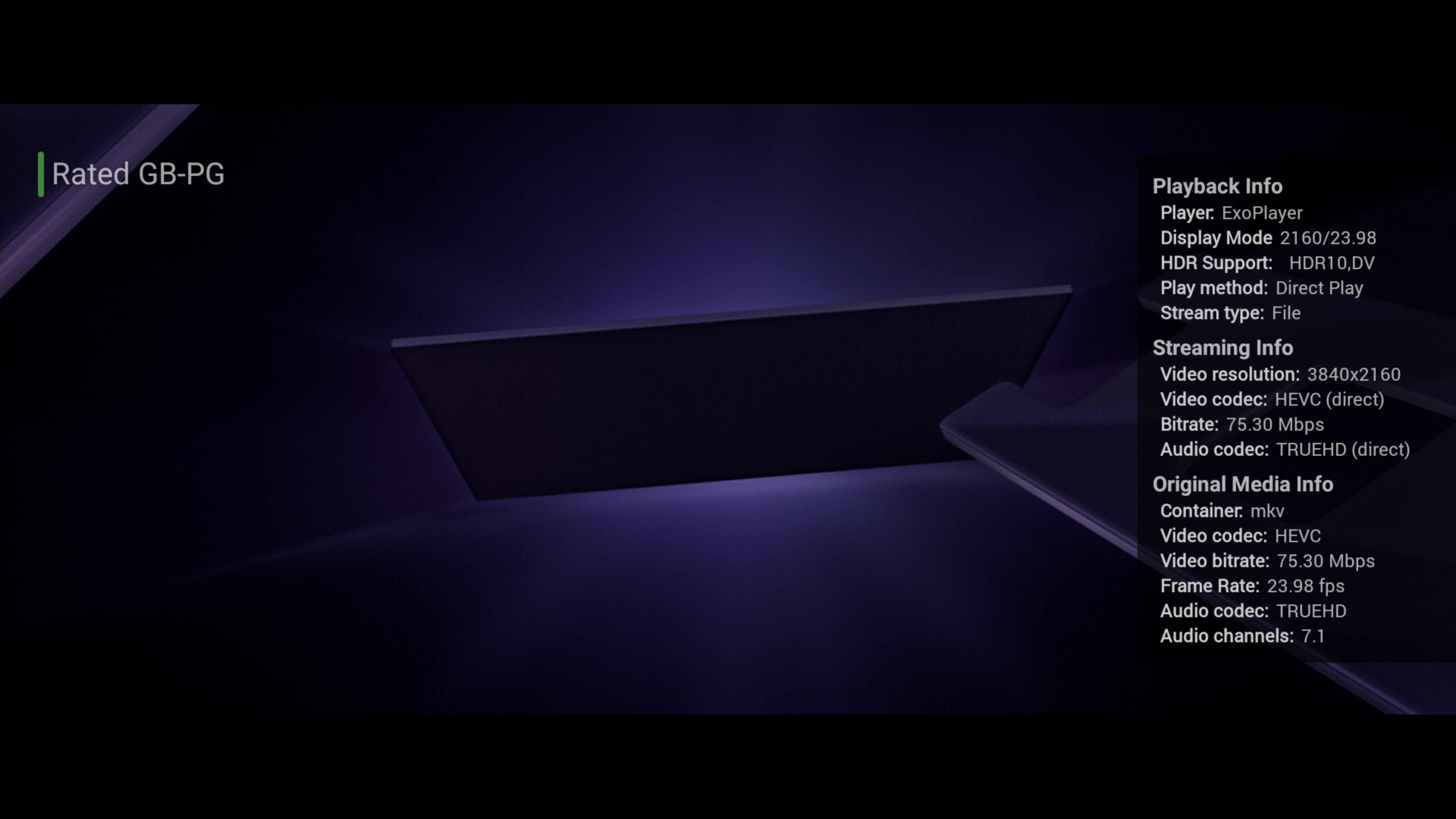
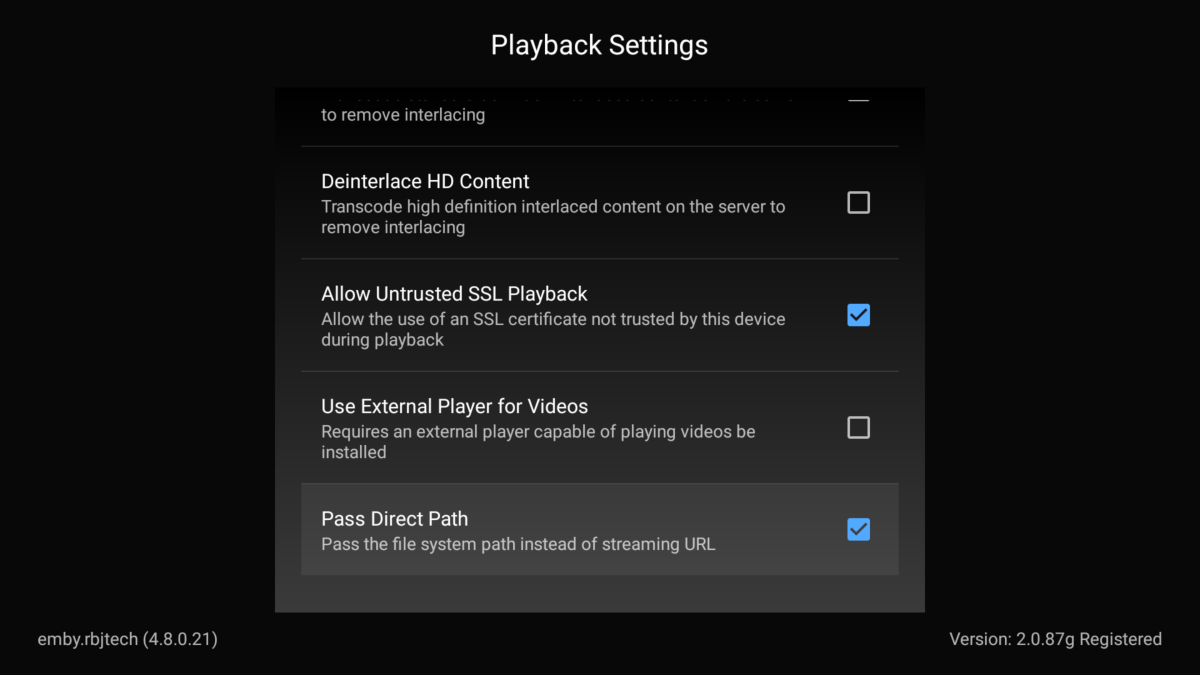
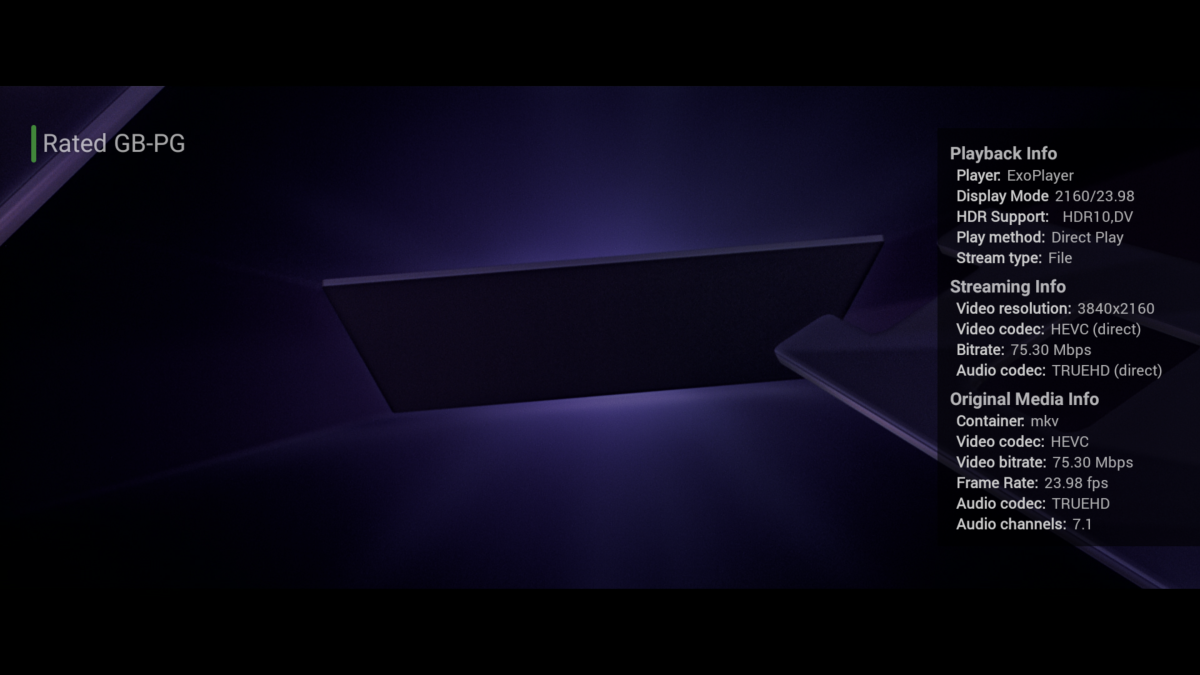
So I use direct file access myself (direct SMB file access) on my Shield Pro - but only because it still runs Android 9. If I were to upgrade to Android 11 (the latest Shield release) then I would loose the option. The new Android App does not have this option at all. Have you the option to 'mount' the storage from the unc file shares on the Zidoo ? If yes, you MUST use capital letters for the OPTIONAL server name in the Emby library - or it will not work. ie The Pass Direct Path is in the 'Playback Menu' - see below :- Unless you see 'File' in the stream type - then it is not playing via a direct SMB file playback. btw - you do not HAVE to use this option to playback high bitrate 4K files (it is best to - I agree 100% - but that's a long lost debate with the emby team ..) but streaming / http works just fine as well - but obviously needs the emby server in the middle to do the SMB to HTTP conversion and twice the network bandwidth if your files sit on a NAS etc. This 'can' cause problems if your files sit on a NAS - if they do, then direct playback via SMB is an obvious resolution. If your files sit as directly attached storage (local disk), then it's not that much of an overhead.

 1 point
 -
Famous DirectPlayError, "informative" as always. Anyway, those are both Main profile items: that your device reports support for: However, you have global bitrate limit at 2 MBps: and you're playing back 8+ Mbps item. Since your IPs are anonymized and no server log, don't know whether that was remote or local playback? Edit: @Luke, can we please get rid of DirectPlayError as a reason at last, there must've been some criteria decision to transcode was based on, something must've triggered it - can we please get that noted as a reason in the log, however senseless it might seem as it would likely be more informative than current iteration, as that is not a reason but a consequence. Thanks.1 point
-
The original request was really for videos, but the reality is that Emby provides the capability to edit metadata for ANY piece of media. If you're not envisioning/recommending maintaining the information in Emby, why would you provide the capability to edit it? I get that there are priorities when it comes to development, but editing metadata is in fact a feature that is prominently mentioned on your website. If managing "my media my way" is NOT a feature, then any mention of it should be deleted from your about page. Per your own website, is "Easy web-based tools help you edit metadata and images, search for subtitles, and more." The reality is that it is in fact easy, but it doesn't scale. Multiple other similar requests have popped up since I wrote the original request. They all point back to a lack of scalability. Please re-consider prioritizing this.1 point
-
Might just start over with Plex, it'll be quicker than getting any help on here. Christ.1 point
-
1 point
-
I would think about bequeathing my emby account to my grandchildren so that they can see it, maybe ...1 point
-
Thanks for that. I don't know who's mentioned having Emby tag the original files. Having Emby modify our media is the last thing any of us should want. We just want the ability to change Emby's internal / nfo metadata for more than 1 item at a time. Add a new tag, or change the genre for all of an artist's albums at once. Add tags, people, or locations to a group of photos. As my collection grows and my interests change, the way I organize and identify my collection needs to adapt and change. Actually moving or re-tagging the original media as you've described is both rigid, and flies in the face of proper 'archiving.' The whole purpose of metadata should be so we can change and refine our organizational strategy at any time, without modifying the original files in any way.1 point
-
Your point?0 points