Leaderboard




Popular Content
Showing content with the highest reputation on 03/02/23 in Posts
-
apt update && apt upgrade have already been solved2 points
-
Eric sets up 3rd Party devs on the admin site. but whole heartedly agree, Ginj has done great work with the plugin!!2 points
-
Is this doable by some sort of plugin ? Maybe add your imdb credentials and then be able to rate movies here and have them on imdb as well (not talking about sorting here, just rating stuff)1 point
-
In my library, some albums appear multiple times even when they have the Ids (MusicBrainz). These IDs are from one double:1 point
-
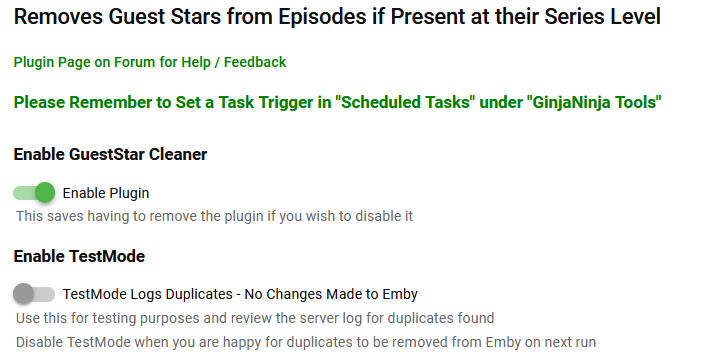
Purpose / Benefits Reduces pointless clutter on people's bio page. Avoids showing multiples episodes a person has acted in when they are already credited at the series level. Easy to see where a person has directed an episode of a series they act in. Functionality Removes guest stars and actors from episodes when they are also actors at the series level (match on server .Id) whilst ignoring 'legitimate' duplication for non acting roles e.g. Director. Instructions for Use A scheduled task - scheduled in the usual manner at regular intervals, nightly works well for me. Brucey Bonus - identifies (in debug log) likely provider data errors where there is a person name match on the episode/series without an id match. Credit A big shout out to @Cheesegeezer who provided the vast majority of the effort and expertise in this plugin, the base solution template, the configuration page, most of the code, the thumbnail, help with Git Hub and hours of support (almost everything :-)). Download Emby.GuestStarCleaner v0.1.0.1.zip Emby.GuestStarCleaner v0.1.0.0.zip Changes v0.1.0.1 Corrected/Changed removal logic to remove duplicated Actors as well as duplicated Guest stars




 1 point
 -
HI, yes we are looking into improving this. Thanks.1 point
-
Hi, yes, ideally beta discussion should be in the Testing Area. Thanks !1 point
-
HI, we'll take a look at this. Thanks for reporting.1 point
-
Hi, yes there's room for improvement there. Thanks.1 point
-
Given the size of some people's libraries, I'm not sure I could do that in a way that won't bring the browser to a crawl. But if you're just wanting to know what file is what, or quickly track down a file with invalid data. you can check the log when debugging is enabled. 2023-02-20 21:15:57.717 Debug Statistics: CalculateMovieQualities Friday 720p 2023-02-20 21:15:57.717 Debug Statistics: CalculateMovieQualities-episode 12 oz. Mouse: Hired SD 2023-02-20 21:15:57.717 Debug Statistics: CalculateMovieCodecs Friday h264 2023-02-20 21:15:57.717 Debug Statistics: CalculateMovieCodecs-episode 12 oz. Mouse: Hired mpeg41 point
-
@chef no rush, we dont want you to feel chased…. and I mean it
 1 point
 -
Okay, seems like 4k content crashes the app and live tv is where I saw the stuttering.1 point
-
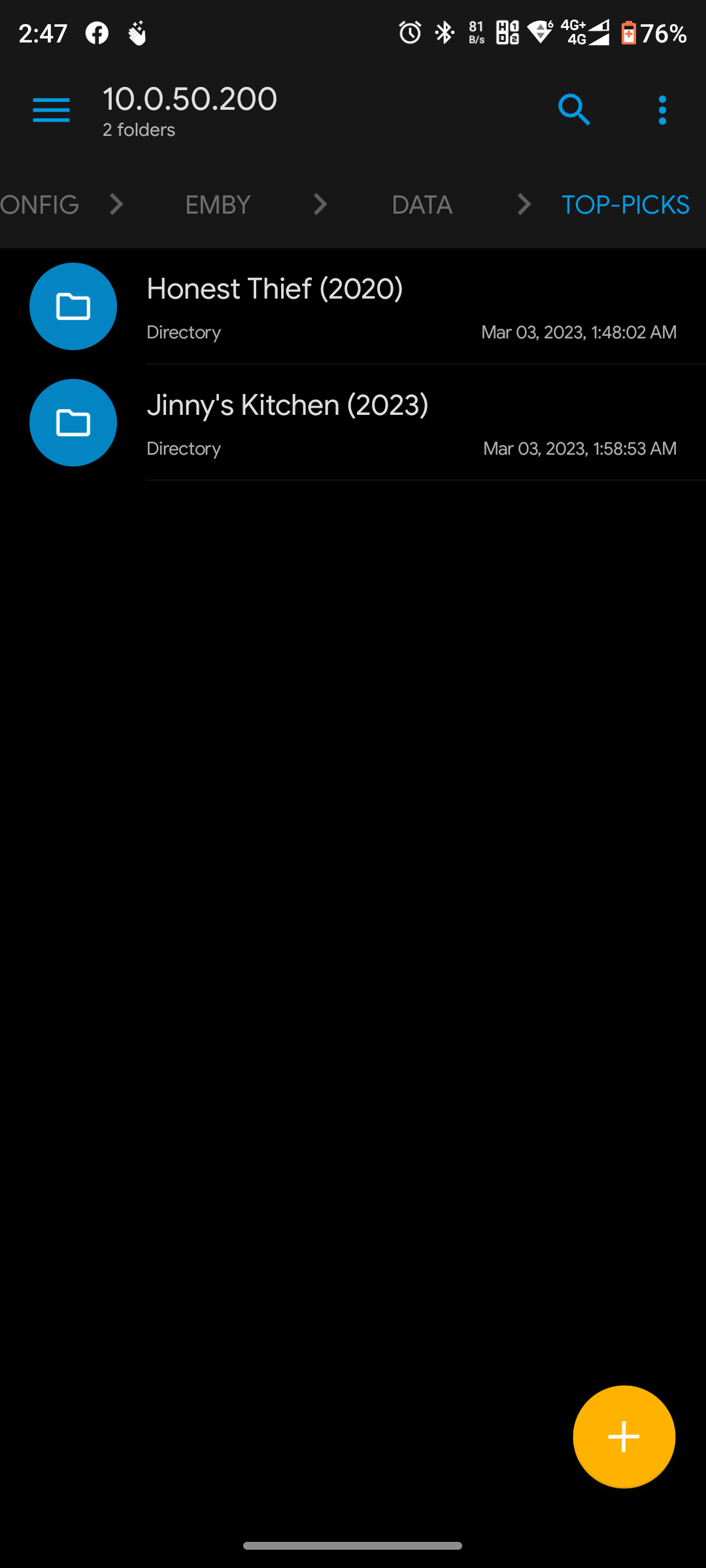
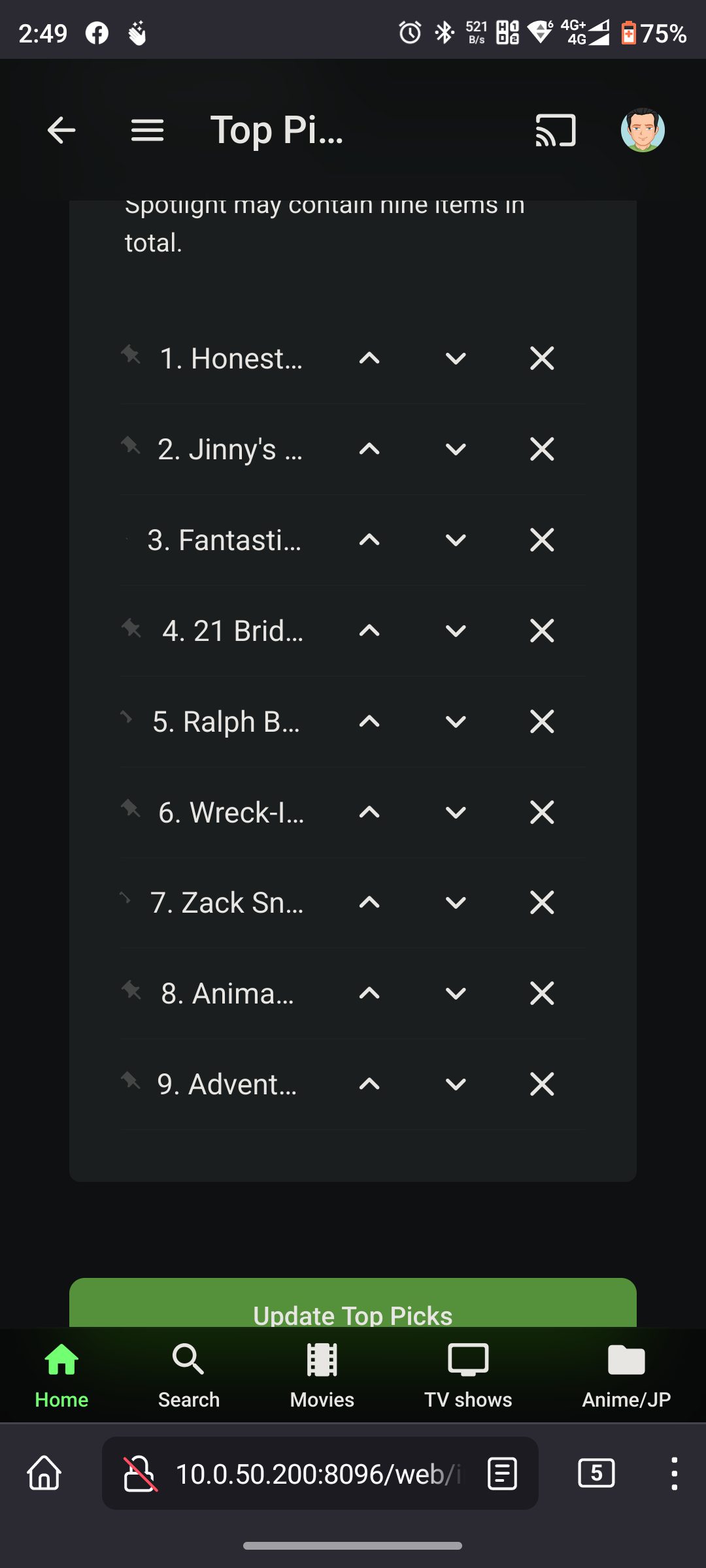
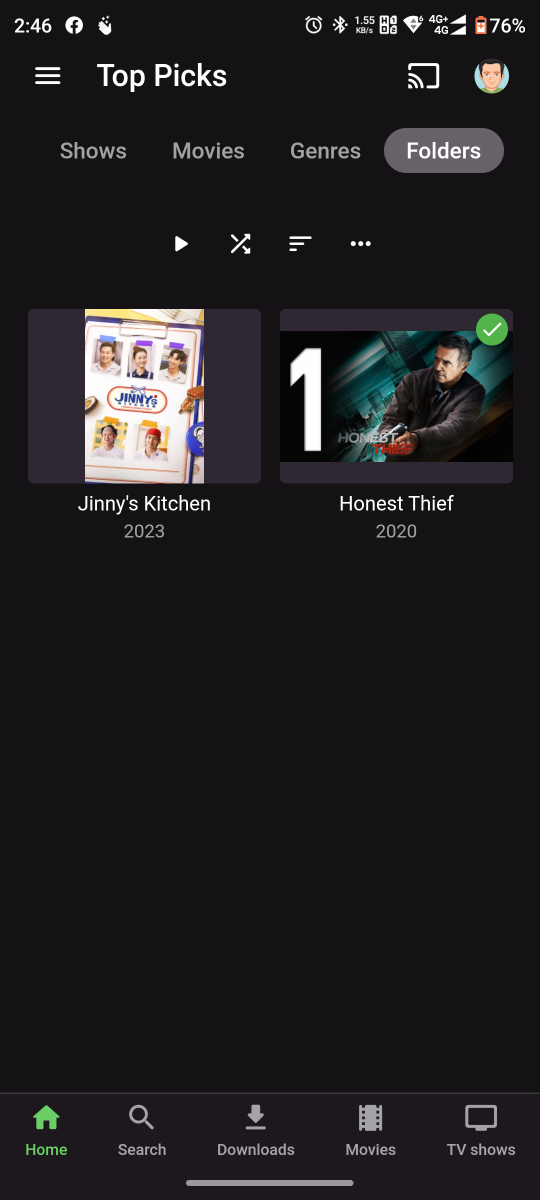
remember my previous unsolved issue, where tapping on movie-ty0e top picks crashes my docker&omv6 pi4B? i took liberty to test again on various client since alot of version jump already Movie top picks (Honest Thief) Android app - crash AndroidTV app - crash iPad app - crash Web browser - crash TV series top pick (Jinny's Kirchen) Android app - no issue AndroidTV app - no issue iPad app - no issue Web browser - no issue I couldn't figure why this happened attached also logs, if it help (no unhandled) hardware_detection-63813409134.txt embyserver-63813409117.txt hardware_detection-63813409002.txt embyserver-63813408984.txt hardware_detection-63813408875.txt embyserver-63813408857.txt hardware_detection-63813408755.txt embyserver-63813408741.txt
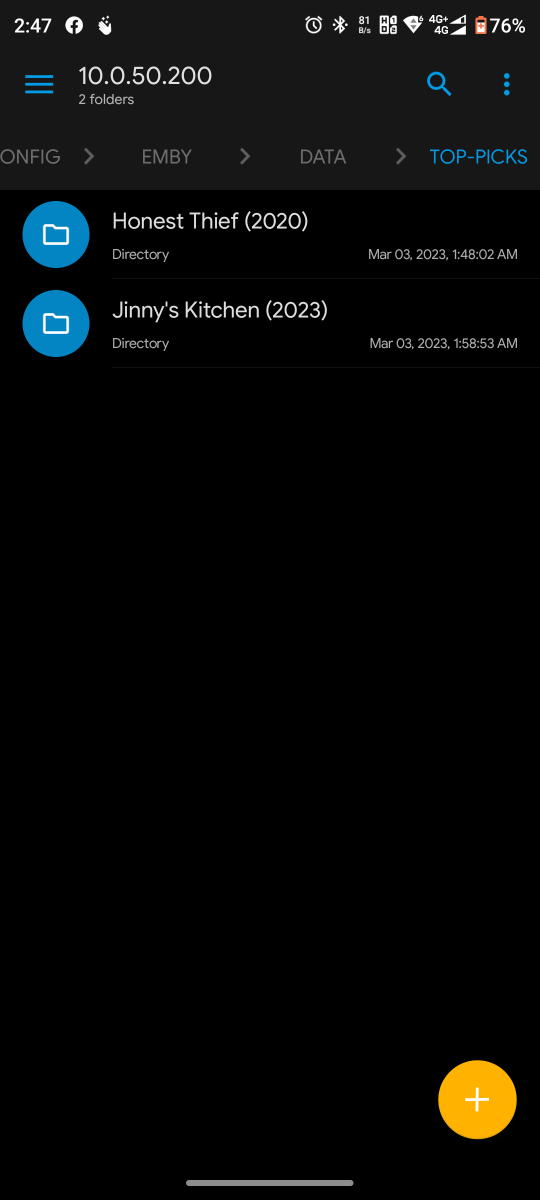
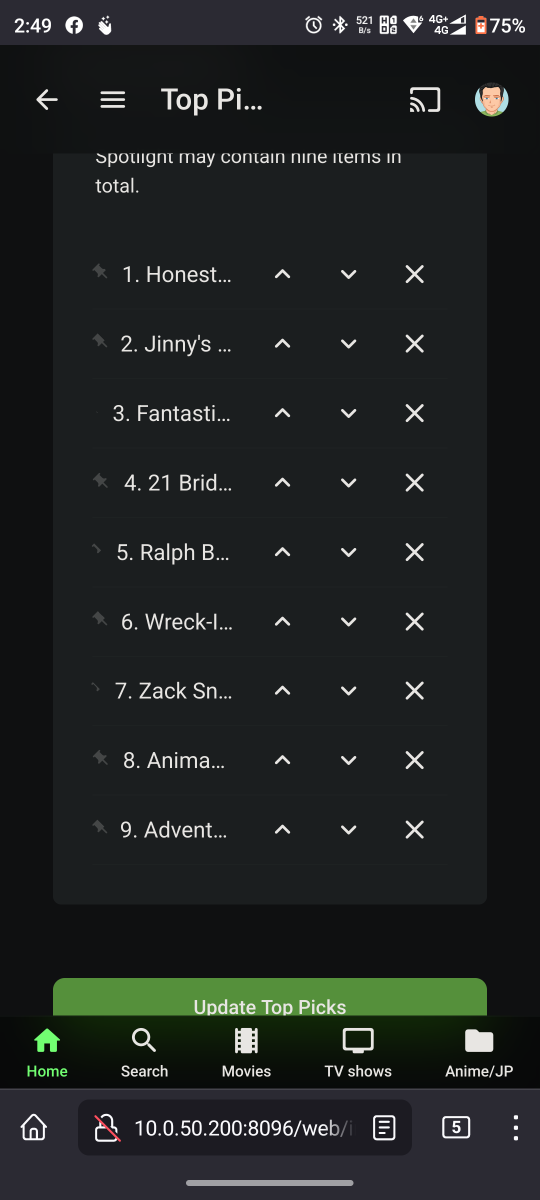 1 point
 -
Some people might not want to see images of nipples or bu***ke in these forums.1 point
-
yeah thats all v71.x versions...1 point
-
Thanks, we've done all of the above, even reset. Tech is still here, brought a new card, data id changed, they added new card to account. Still trying, we'll see. Talking to new phone tech now, sounds very knowledgeable.1 point
-
It compiled ok - but it's on the old version 1.15 - and it's missing the 'per library' settings you added. If you can update your github with the 1.20 - then I'll re-add and test .. Thanks !1 point
-
Oh shoot, I’m tied up and been lazy with github pushes. I’ll get latest to git tomorrow pal1 point
-
Looking at the filesizes, those appear to be pictures in mp4, not actual video files? If so, AFAIK those can't be displayed, but someone will correct me if I'm wrong.1 point
-
Hmm that looks like images with mp4 extensions. Meaning they are small in size. Do they play as a video via vlc ?1 point
-
What I would suggest is download the current version for your NAS from here: https://emby.media/synology-server.html Then install it in Synology Package Manager in the Synology Web GUI. Open Package Manager and then click the Manual Install button top right. Select the package you just downloaded from the Emby website and follow the prompts. Carlo1 point
-
Most of that subtitle stuff is a beta thing. It's also complicated in that case by the fact that there are similar options on the Diagnostics page shown and on the Advanced Transcoding tab for subtitles, and no indication of how they are linked or which takes precedence. Add the old option on the ordinary transcoding page about stripping subtitles or burning them in and the whole thing's currently rather a mess! Obviously (?) this will get cleaned up for release; I'm hoping against hope that it's actually one of the things getting sorted out during this beta release hiatus - as all the subtitle options seem to be working pretty well now if you can get the right ones selected. Paul1 point
-
I think it's this (Capture HDR10 PQ Mode bit I added below) in MediaInfoScheduledTask.cs ... gonna try it and see .. haha //Dolby Vision/HDR string dolbyVisionOutput = ""; if (!string.IsNullOrEmpty(typeInfo.colour_primaries)) { if (typeInfo.colour_primaries == "BT.2020" && typeInfo.transfer_characteristics != "HLG") dolbyVisionOutput = FormatHelper.DolbyVisionOutput(typeInfo.HDR_Format, typeInfo.HDR_Format_Profile); sb.Append(dolbyVisionOutput); // *** Capture HDR10 PQ Mode if (typeInfo.colour_primaries == "BT.2020" && typeInfo.HDR_Format == "") sb.Append("HDR10 PQ "); // *** End Capture HDR10 PQ Mode if (typeInfo.colour_primaries == "BT.709" && typeInfo.Width == "3840") { sb.Append("SDR "); } if (typeInfo.transfer_characteristics == "HLG") { sb.Append("HLG "); } }1 point
-
I know how to fetch the primary, logo, thumb, and backdrop images for every Emby image. I also know how to store them back into Emby. Both are done with the provided Emby API. What I don't know is how to save these images on a local computer. I am worried that CORS or other security issues may prevent or limit storing data locally. There may be an API I can use to store this data within one of the Emby databases. I will look into how to do this. It would be a cool feature. Vic1 point
-
.48 has been pushed to the catalog. Now, about these custom generic images... I've got to test the Skia code. There maybe another release before I leave for work today. Hopefully.1 point
-
Nope ,the best way right now is to rebuild the whole library lol.1 point
-
Odd - could be a Beta release thing - as I have these options. Ignore this for the moment - lets get the logs and I'll try and see what's going on ..
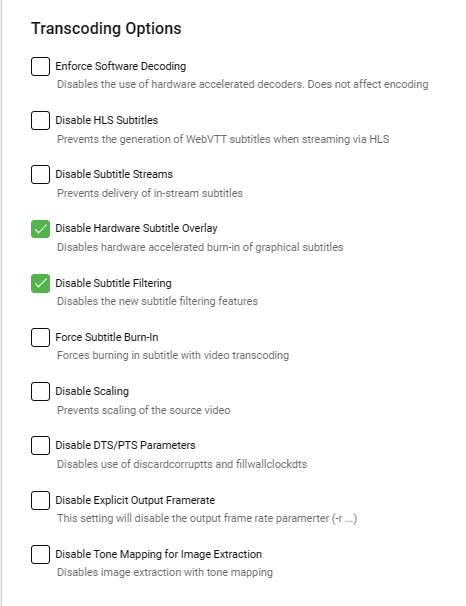 1 point
 -
We rely on Emby to give a parameter with the name in it. So the code never calls the path directly. It is whatever emby returns as the path from the db... If it exists.1 point
-
Actually, this is good point. Right now we are looking by name, however, we should be checking to see if emby has the actual ID first then check by name.1 point
-
@TheGru@Darkseidd Are you downloading some images manually? I see on the images of @TheGru very different naming conventions, sometime it is just folder, sometimes it is fanart1, fanart2 etc. i never had a fanart1 or fanart2 with automatic downloads, except i decided to download more than one fanarts. this is how a movie looks for me if i add it new and let everything download automatically and this seems very different to yours (ignore the theme, this is because of a plugin) In my folder there is just the MKV file, the rest comes automatically after adding and detecting.
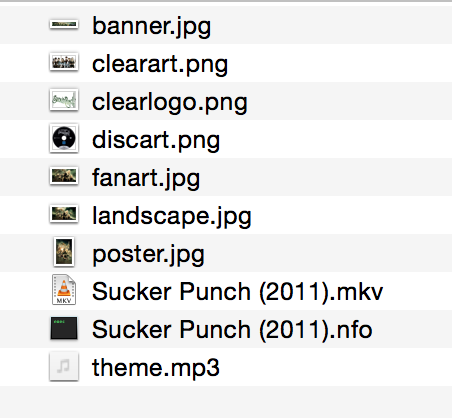 1 point
 -
TMDB surely does, what is the plugin logic for querying, does it query by name/identify or queries with known providerid? https://api.themoviedb.org/3/search/movie?api_key=f6bd687ffa63cd282b6ff2c6877f2669&query=The+Fast+And+The+Furious&year=2001 https://api.themoviedb.org/3/movie/9799?api_key=f6bd687ffa63cd282b6ff2c6877f2669&language=en-US https://api.themoviedb.org/3/movie/9799/images?api_key=f6bd687ffa63cd282b6ff2c6877f2669 https://api.themoviedb.org/3/movie/9799/images?api_key=f6bd687ffa63cd282b6ff2c6877f2669&language=en-US&include_image_language=en1 point
-
Exactly - as explained above. Thus back to the original point - having no DTS MA or DTS X passthrough/bitstream on the Fire Cube 3 is an issue for AV Enthusiasts with the AV equipment to fully utilise the object based DTS codecs.1 point
-
MediaInfo isnt version managed in the plugin its its only mkvtoolnix that is has a version check, because that is the culprit for the issues as it writes the title to the header. MediaInfo is only used to read and interrogate the media files.1 point
-
There's no difference in quality if you are comparing the raw stream to a PCM decode but there are differences in how signal is interpreted by the device at the end of the chain. An AVR that receives PCM may not be able to apply the same sound effects or processing it can with a non-PCM signal. This is even more important now with DTS-X and Atmos (Dolby MAT 2.0) as they carry object audio information, although with Dolby MAT 2.0 any device should be able to transport Atmos contained in a LPCM anyway. But that's a different matter entirely. Legacy DTS-HD and TrueHD are fine decoded into PCM, as are the even older Dolby and DTS tracks.1 point
-
I will put a cancel button in tomorrow, and I will address your other issues as well. To use the ombd code you need an id key. You can get one free from the omdb web site. If you have trouble getting a key, let me know. Eigeplackter, thanks for the help Vic1 point
-
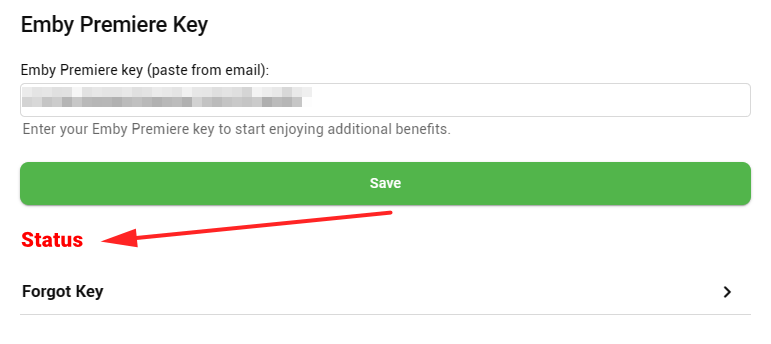
Thanks Happy, yes you should see a "Status" section above 'Forgot Key' if your key is successfully applied (despite the confirmation popup)
 1 point
 -
May need to see server log as it appears your Premiere key is not applying.1 point
-
Thank you for looking into it1 point
-
Great, that's a good sign that the issue is resolved in the next release of the server.1 point
-
Got it!!!!! Took a few minutes for Spam Assassin to turn off!1 point
-
The email is not being filtered in any way on our end. Our internal logs indicate at least six emails successfully delivered to your family .US email server since February 27, with your mail server response being "250 OK" which is the standard when everything is normal.1 point
-
Yify rocks lol !! No it wont change your date added at all. So everything in your library will not be changed in order.1 point
-
Hi. I think they mean passing through from a hardware (BD) player connected to their input port on the device.1 point
-
Nice work mate, this is cool! I'm not sure how the emby catalog accepts plugins but this deserves a spot in there.1 point
-
In the system.xml i commented out the the local network subnets config. After Restart of Emby, the whole section was removed from the system.xml and the error is gone. Thanks for your support!1 point
-
I'm not sure I fully understand what has and hasn't been done. When you installed the server on Synology as part of the setup you create the first account which is an admin account and will have a password you also entered during setup. Some of your pictures look as though you are trying to create a user named "emby" (without quotes) on DSM. You can't do this! When you install Emby Server on Synology the setup will create a special user on DSM named "emby" (without quotes) that is a "system internal user". This is not a username you can use as a general purpose account but is used for permission control (ie give Ember Server access to specific Media folders). Best practice is not to create a user "emby" unless specifically told to do so. That goes for the OS as well as Emby Server itself. When creating the first user in Emby use something unique and not easily guessed. Resist easy to guess usernames like emby, admin, root, guest, media as those would be easy targets if you were ever hacked.1 point
-
So, it's now working... I did so much things, impossible to know exactly what was the order and where was the miracle... stop and start Emby uninstalled an reinstalled about 20 times emby ( differents versions manually, last available on synology packet center...) an at least last version on emby (4.7.1.0 704071100) re-imported DSM6 emby files (cp -rv /volume1/Emby/* /volume1/@appdata/EmbyServer) adjusted owner from copied files: chown -R emby:emby /volume1/@appdata/EmbyServer changed rights : chmod -R 755 /volume1/@appdata/EmbyServer reactivated guet account with rights to my media folder Sometimes restart the synology ... et hop ... maintenant ça marche !!!1 point
-
1 point
-
Items stay in favorites when watched. Items in a 'to watch' list should automatically be removed when watched. I want this!1 point