Leaderboard




Popular Content
Showing content with the highest reputation on 02/16/23 in Posts
-
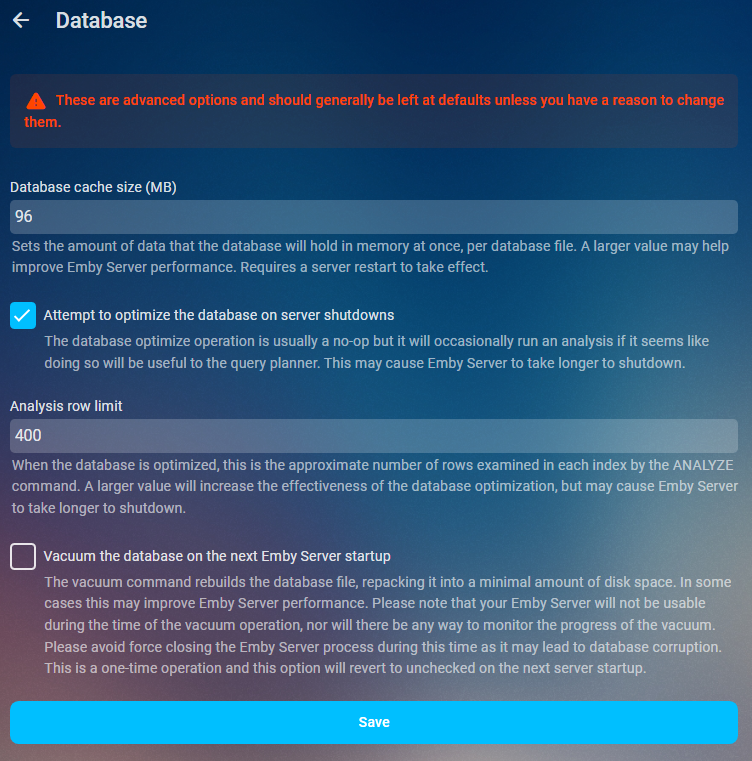
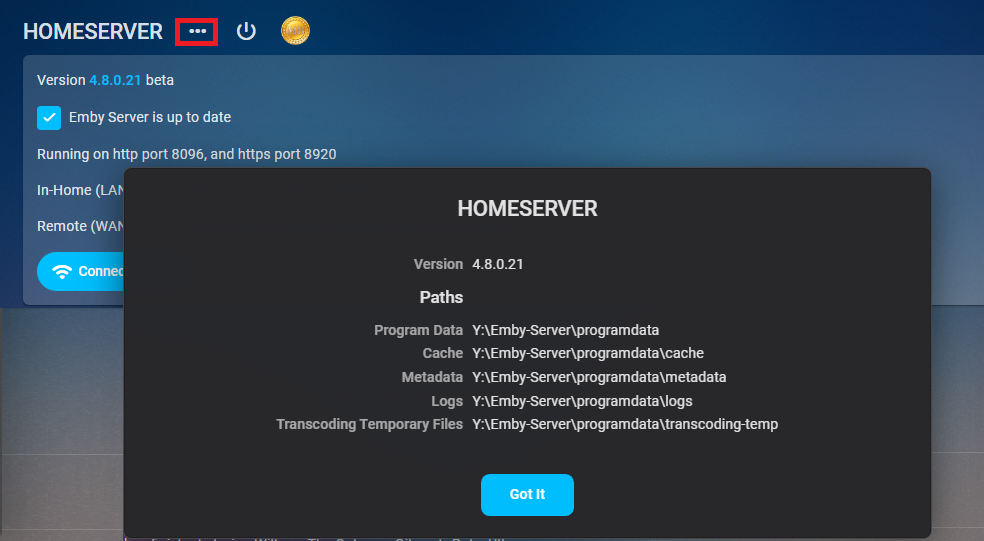
As of 4.9 multiple db connections were added so increasing this value to much could have negative effects on Ram usage. As it could be 5x your value or in some cases from a beta standpoint 20x your value. Will try to update when more info is available. Performace tweaks Database cache size Sets the amount of data that the database will hold in memory at once, per database file. A larger value may help improve Emby Server performance. Requires a server restart to take effect. If you have the available RAM you should set the database cache size to 1.5 to 2 times your library.db size. Navigate to your platform Emby programdata folder and look in the data folder to see its size. You can find your server info on the dashboard three dot menu. App Settings- Database
 5 points
 -
Did the trick. Thanks.2 points
-
I have been able to extract the preview images. I deleted the movie and copied it again. After clicking on the "Thumbnail image extraction" task, the images of the chapters appeared. I am going to do the same with the rest of the films. Thank you very much2 points
-
I think I got the solution by doing this. I will try to increase the db cache size some around 460MB2 points
-
Hi, we could do something like this, based on your current watch position in the show.2 points
-
and what is most annoying about this, is that Emby used to DEFAULT to this view before loving up stupid Spotify and trying to copy them on misguided belief they were correct. Instead of doing the right thing and putting in a VIEW BY option that would be "sticky", they chose to just change the view, not tell anyone. They had ir right to start with, but if you did want to change, at least put the original view as an option....2 points
-
I have a huge music collection and totally agree that under genres, sorting by album name is completely useless. I want to sort by artist. So adding Artist in the sort field seems reasonable to me.2 points
-
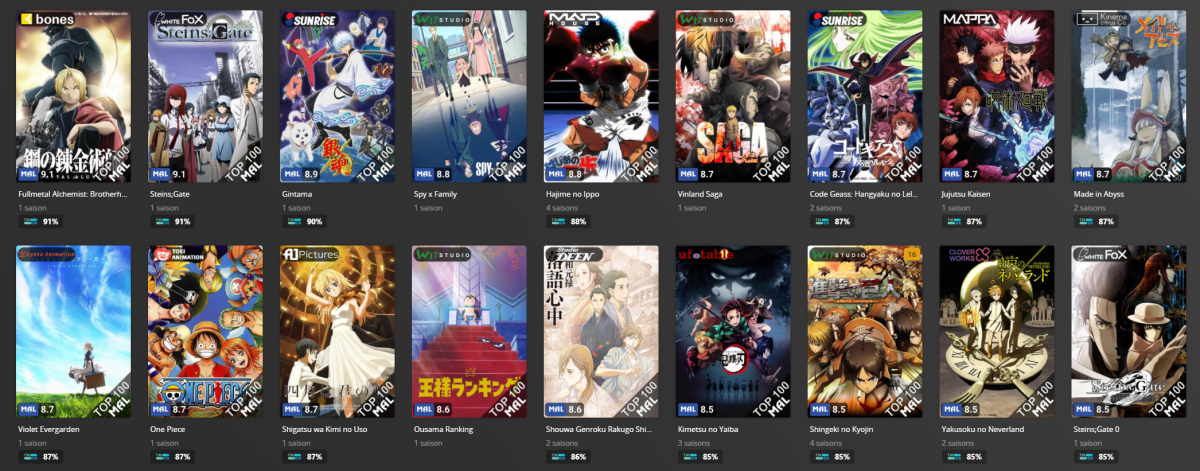
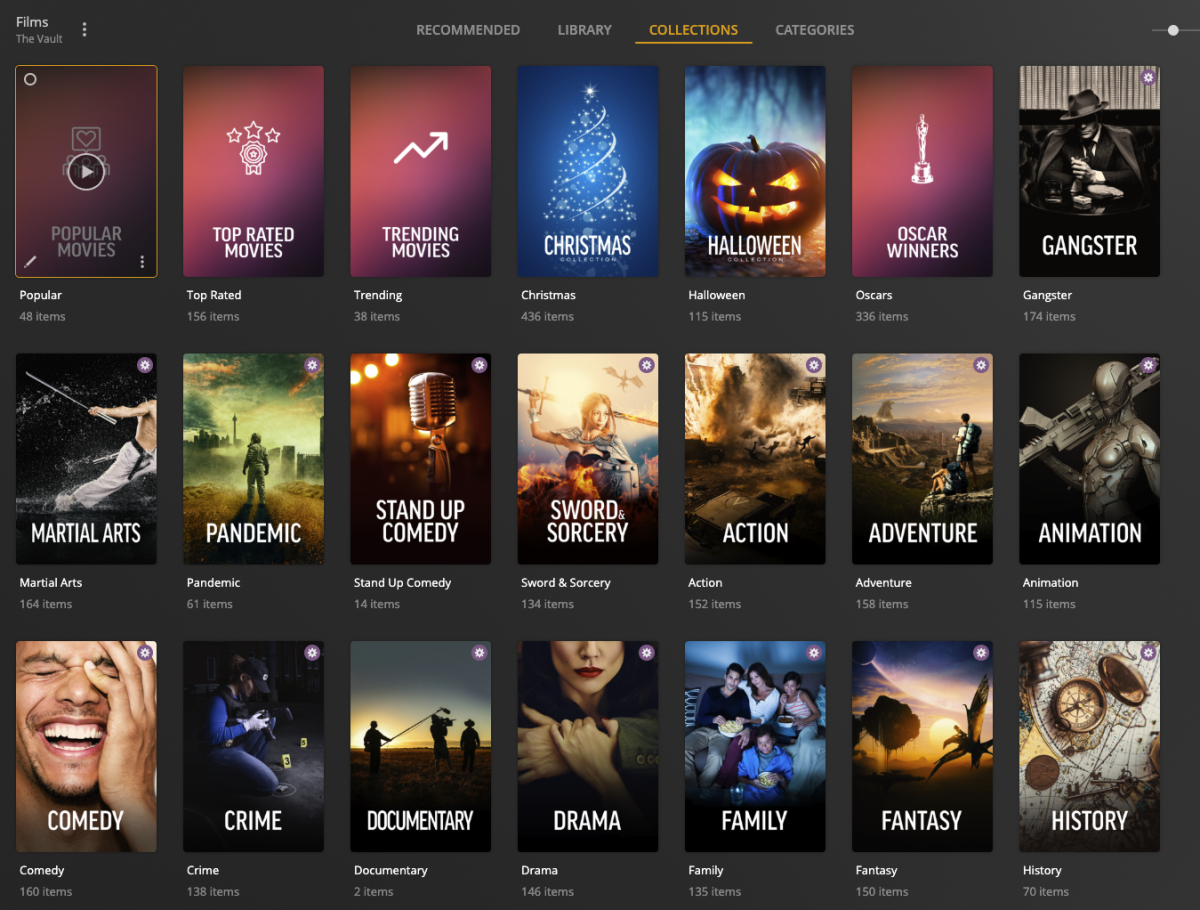
Hi everyone! I'm looking to get some more support from Emby community on getting PMM (Plex Meta Manager) to support Emby. This is an Collection / Poster Tool that will auto-populate collections based on criteria, for example TMDB Collections List. IMDB Collections List. Trakt Lists Etc... You can also overlay things on top of the posters. They haven't started but I suspect its API related so anymore that whats to help then lets get this done Check it out and if you want to throw in some support, Sponsor! (This isn't me, i'm just plugging) https://metamanager.wiki/en/latest/ & https://github.com/sponsors/meisnate12 Discord is running: https://discord.gg/xwJ9kfaJ & Feature Request for Emby https://features.metamanager.wiki/features/p/emby-jellyfin-support
 1 point
 -
As I mention in a related post, I love the additional subfolders for Movie Extras (eg, Shorts, Scenes, Interviews, etc.)! It would be awesome to extend this functionality to TV Series as well. Specifically to add support for many/all of the same folders supported for Movie Extras, eg, extras specials shorts scenes featurettes behind the scenes deleted scenes interviews trailers As well as any additional folders that get added in the future (eg, hopefully Galleries). Support Placement of "Extras" Folders Within Each Season Folder, Plus A Naming Scheme to Link A Particular Extras Folder with a Specific Episode (eg, "\Season 1\E1 - Deleted Scenes\" for episode 1 deleted scenes): I want to clarify that it would be great if these various "extras" folder types could reside within each Season folder. So for example, within a Season 1 folder we could then have an "Extras" folder, a "Deleted Scenes" folder, a "Featurettes" folder, etc. And furthermore, that we could designate a particular folder to refer to a specific episode (eg, "\Season 1\E1 - Deleted Scenes\" for episode 1 deleted scenes). See more below, particularly why I think this would be so useful: https://emby.media/community/index.php?/topic/55915-emby-server-theater-additional-extrasspecial-folder-types-for-tv-series-similar-to-movies/&do=findComment&comment=587195 Thanks for your consideration! PS - If this is something you might like to see implemented, be sure to "Like" this top/first post (as well as any subsequent posts in this thread that highlight particular aspects of what you are interested in) -- "Liking" the top/first post helps the Devs to know how much interest there is in a given Feature Request.1 point
-
Currently 4.6 has GENRES menu option going to display a long list of ALBUMS (using the ID3v2 tag name) and this is really not expected as the view as artists can be randomly shown in the list as its done alphabetically by ALBUM name. Can this be changed so that the ARTIST (or ALBUM ARTIST) tag is used as the view please because it makes more sense; its tidier too. When you go into GENRES, you often want to see the ARTISTS or AUTHORS and THEN see the list of work for them such as Albums or Books. Music and Music Video Libraries: ALBUMS are assigned to ARTIST in embedded meta data terms AudioBooks: BOOKS are assigned to AUTHORS. In this case the actual embedded meta data tags are still the same (BOOKS is ALBUMS and AUTHOR is ARTIST) If this change is completed, the result is that when you select a GENRE e.g. 'Rock', you'll then get a list of artists in that genre. When you find the artist you are interested in, and click it, you then get the albums. This is instead of the current alphabetical list of album names resulting in far bigger list to wade through if you have many albums (or books). In this current view, the artist work can be repeated multiple times if they released multiple albums and are all over the place because the sorting is on the album name. NOTE: MUSIC library did used to be like the proposed change until changed in 4.6.x!1 point
-
I like to sort my music by (custom) genre, but I greatly prefer music apps that organize music by Genre > Artist > Album instead of Genre > Album. It makes album selection easier to browse if each album is nested under its own artist, but I don't want Film Soundtracks on the same screen as Jars of Clay or Led Zeppelin; and if I want to browse just Christian music, Skillet and Plumb would only list one artist entry each, on a page of 50 items, instead of 5 or 6 albums each on a page of 110+.1 point
-
Ok, fixed it. Seems the problem was the bitrate. I converted the files and dropped the audio bitrate to 192 kbps and now it's working fine.1 point
-
Just refreshing the item, replacing images, should do it.1 point
-
Hi, I was able to create the preview images for one of the movies that was giving me a failure. Now I am trying to create the images of the rest of the movies using the same method (delete and import movie). Thank you very much1 point
-
Hi, the port numbers have to be declared in the Synology package in order for the server to receive permission to use them, so that's why the option is not there.1 point
-
Crooze, Thank You - I tested the other day when I was in my RAV4 car w/o connected Android Auto. No problems at all with network errors using wireguard accessing via VPN. Tested different scenario's with my Android phone with Emby and confident this is Android Auto. Once I connected to Android Auto and Emby I would see the network error behavior. Someone suggested to upgrade the firmware for the RAV4 radio - done. Also, remove the fuse to the radio for a full reset. (Not performed yet but considering). tvos1 point
-
Think they are still blacklisted/only processed once, just don't have the txt file anymore and items would require Refresh metadata.1 point
-
Just wanted to say thank you again on this! I missed having the option turned on in the library to scan. Shows now have skip intro button and it is working well. Great work adding this directly into the core app!1 point
-
Try clearing browser cache.1 point
-
Glad your load times have improved. Looks like you're still hitting your iNotify limit -- did you also follow the steps to increase this using the first link in Happy's post above?1 point
-
I get the feeling that the client is not sending the pause or the server is not correctly processing it so does not know the client is paused. This would look like above where the server thinks a user is playing an item but in reality it is paused for a very long time thus the long play time.1 point
-
Hello mixXxim... I am working on a new GUI and I will add your button suggestion. Vic1 point
-
Hi, sounds like your provider only allows one stream at a time. If you import this into live tv using an m3u tuner, the server can sometimes share it across devices.1 point
-
I'm on 8.0.1, I have the same behavior, mostly I make it happened when I turn off my Android TV and let Kodi running in the background, and when I turn iback on later the TV then I cannot play anything from Kodi. I have to quit Kodi and start it again! Then all work again! Kodi 20 running on an Android TV. For me it is not a show stopper, because normally I always quit Kodi before turning off the TV, so I'll keep testing 8.x.x1 point
-
What is the size of the library.db? /config/data/library.db If you have the RAM, depending on the size of your library.db you can set the Database cache size to 1.5 to 2 time the db size as the default 96Mb can be restricting on some setups. App Settings-Database Have you ever vacuumed your database?1 point
-
Hi, can you please attach the emby server log from when you thought it was slow? What you attached is just a short log of the server starting up. Thanks.1 point
-
HI, we are working on it. Thanks.1 point
-
I put the VM HUB into modem mode now i can connect from my phone using mobile data1 point
-
Hi. Is something clearing your browsing data? Some of these options are saved in the browser.1 point
-
Those are per-app/per-user settings and should stick between sessions. The only exception that I know of is Web app if something is clearing your browsing data. Do you have any browser extensions doing so?1 point
-
I'd love to see this as well. Genre is my starting point when I want to listen to something but don't know what. Showing Artist next seems like a logical progression to me. I also find that the current setting is not helpful for genres with a large number of albums. This was literally my only issue when weighing up whether to go with Emby; I only use it for music and everything else works exactly as I'd hoped it would.1 point
-
Good day, We update the community forum, if anything not working as normal, please let us know. Thanks all. My best1 point
-
Don't know anything about the LDAP plugin, Devs will have to comment, but yes knowing the url/itemid can circumvent access restrictions on an authenticated user in my tests. @Luke tested current release and beta (if itemid is known any item can be accessed)1 point
-
So Emby apps on my Smart TV as of now, still sorely miss the WMC interface, although the horizontal view in TV Mode of Emby (LG/Android apps) with blue WMC background (until Luke destroyed it in the LG app recently) was a fair compromise. I used WMC merely as a backup TV tuner recording device rather than continue to use it. Sounds like once this gets released, I can ditch WMC totally and autoboot on the HTPC into Emby WMC1 point
-
Support for WMC Remote Controls As discussed earlier above: I have good news for all of you who are still having a WMC remote around (or having a programmable remote and the WMC IR receiver) I was able to incorporate support for WMC remotes - which means that all buttons are functional, including Ch+/-, Info, Guide, Recorded TV, Movies, Music, etc. It is using the WebHID API, which is currently supported by Chrome, Edge and Opera. While the API is platform-independent, I'm not sure whether the receiver would work on non-windows with generic HID class drivers, so it's probably limited to Windows.1 point
-
Well, it's not really about metadata. I use PMM mainly for collections and overlays. I guess most people do. And currently I don't know of any way to recreate any of this in Emby. This alone is a game changer and far superior to any Emby-overlay-plugin I know of: https://metamanager.wiki/en/latest/defaults/overlays.html There is not really anything that Emby can do about this. Have to wait for PMM to adapt. But what Emby could do is finding ways to redesign the front page, including ways to make it more dynamic by putting random or specified collections on it. In my opinion, there should be something new on the front page every time a user visits it, even if nothing was added or removed. It's way too static1 point
-
May I suggest using https://animethemes.moe for anime themes? Here's their API https://api-docs.animethemes.moe/anime/ and example of the userscript that fetches data from the API using AniList ID https://greasyfork.org/en/scripts/374785-anisongs/code. As far as I can see it does not support TVDB IDs, but most of the anime shows are using AniList and MyAnimeList IDs for their metadata anyway and they are supported by animethemes.moe.1 point
-
Hi, thanks for reporting. We'll take a look.1 point
-
@Luke Any news on this yet? Instead of looking at a bunch of album names when going into GENRES we want a view of "Sort by Artist" so we get artist name with albums then listed under that genre (by ID3v2 tags on track usually). The artist should be listed just once and not for each album, and when you click on the artist you then get the albums. This used to be the case in Emby until it was changed some releases ago. It's a major p***off to have a useless bunch of albums presented randomly like Emby has done copying Spotify who also get it wrong. If you have lots of Artists a huge list of Albums is pointless. You are going into genres to see artists with a list of tracks tagged for the genre. Thanks.1 point
-
Here was my original post where I pasted images to demonstrate WHY GENRE > ARTIST > ALBUM is better.....1 point
-
I raised this a while ago with EBR. Emby USED to have GENRE > Artist > Album and then they blindly changed to the "Spotify" way of GENRE > ALBUM. A useless list of all albums randomly sorted by album name. Using ARTIST groups the albums together. Its nuts. I want to use the menu option "Genres" then see all artists who have any albums with tracks tagged with that genre. Tagged as in ID3v2 for the tracks. Anything not tagged as that genre is not displayed for the artist. Folder view does give me that BUT it has other limitations that are annoying. The emby devs are really dragging their feet over this one. All it needs is a "sort" or "View By" option that is sticky (remembered view). Everyone could be happy then. I feel quite annoyed by it, as Emby always had it until someone fiddled...I didn't use Spotify because they got their logic stupidly wrong too.1 point
-
It's possible for the future. We're monitoring this for community feedback. Thanks.1 point
-
So can this be done pretty please EBR / Luke? My request is perfectly valid view type, that if done the way I indicated above, would not affect what you think should be your default view, but flexible enough for a lot of us who prefer a view prior to 4.6.x where we prefer GENRE > ARTIST > ALBUMS view rather than your change to GENRE > ALBUMS. (Music/Music Videos/Audiobooks library types) As I said the reason is, often the family want to watch something by a GNERE type eg. Pop Music, and then see the artists under the genre and then the albums collected together by that artist. You changed this in the music library to go from Pop Music in this example straight to an alphabetical list list of albums not sorted and grouped by artist. Everyone in household is moaning about this. The ID3v2 tags for GENRE chosen determine the ARTIST tags shown for the ARTIST and then ALBUM tag to show albums.1 point
-
From a personal perspective I disagree about adding the extra level of grouping by artist... I want to get to the album as quickly as possible from the genre screen to be able to play it... So I suspect a change like this will definitely polarise opinions But the option of being able to sort the current view by Artist I see as a good option1 point
-
What you say is correct; quoted above; but with my pictures pasted above in previous reply to demonstrate a list of albums scattered with other artists albums is a pretty useless view! It needs to be organised by artist view, then when you click on the artists you want, you get a list of their works in that genre previously selected.1 point
-
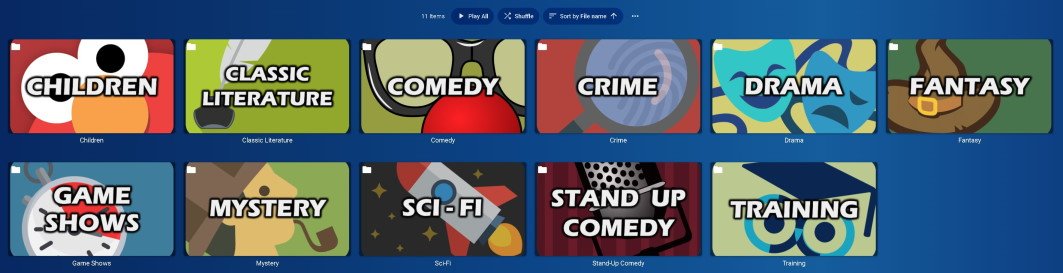
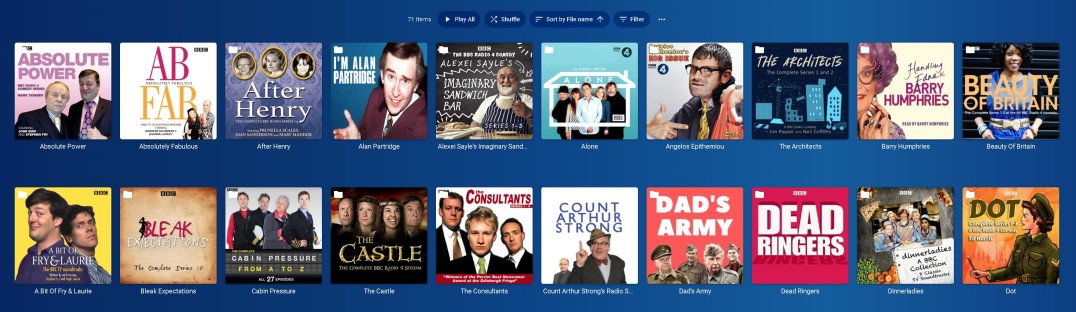
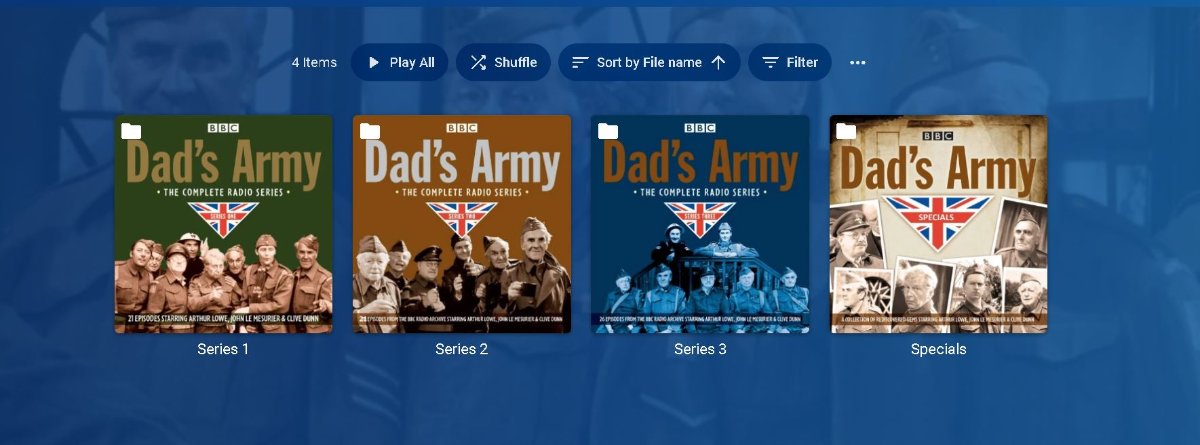
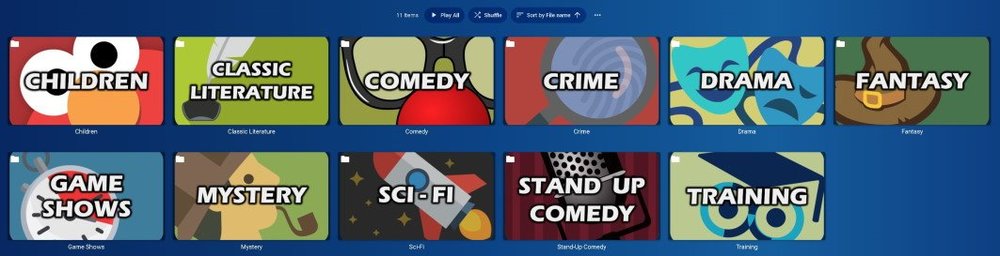
Using the same embedded tags for GENRE, ARTIST and ALBUMS; AudioBook library types can be as follows (GENRE > AUTHOR > BOOKS): (Audiobooks use same tags as music for embedded tags, so ALBUMS is Books or Series, and Artist is the AUTHOR!) Pictures represent GENRES (Based on collated embedded genres from the audiobook files) then for this example, click on 'COMEDY' GENRE then see list of 'AUTHORS' then select one, in this case 'Dad's Army' to see the works of an AUTHOR (i.e. books or series). The ALBUM tag sets "Series 1" or "Series 2" in this example, but works for book names too:
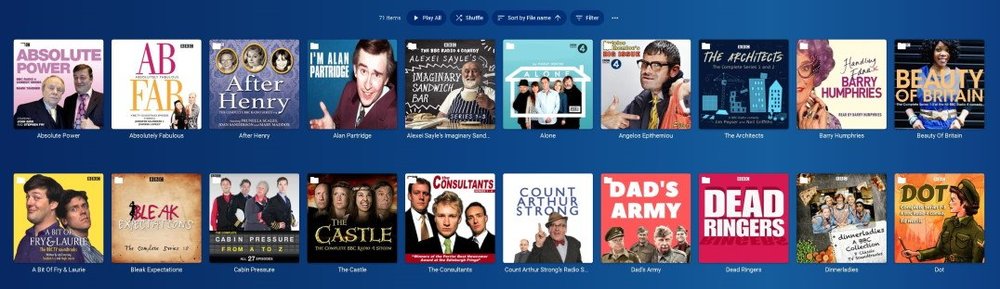
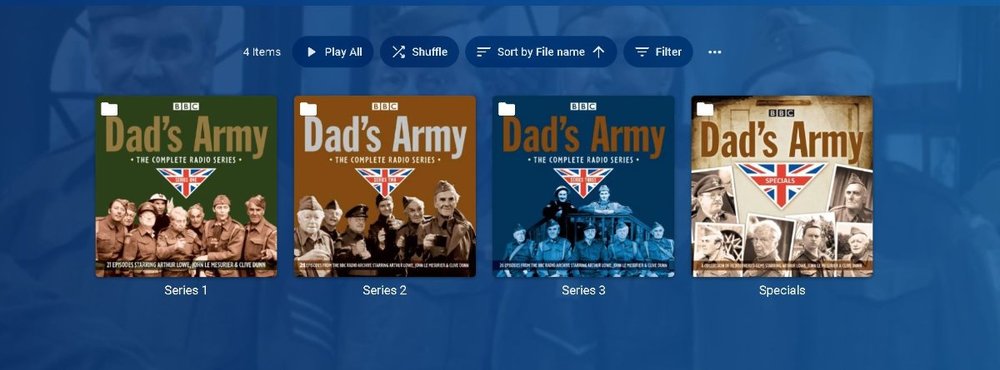 1 point
 -
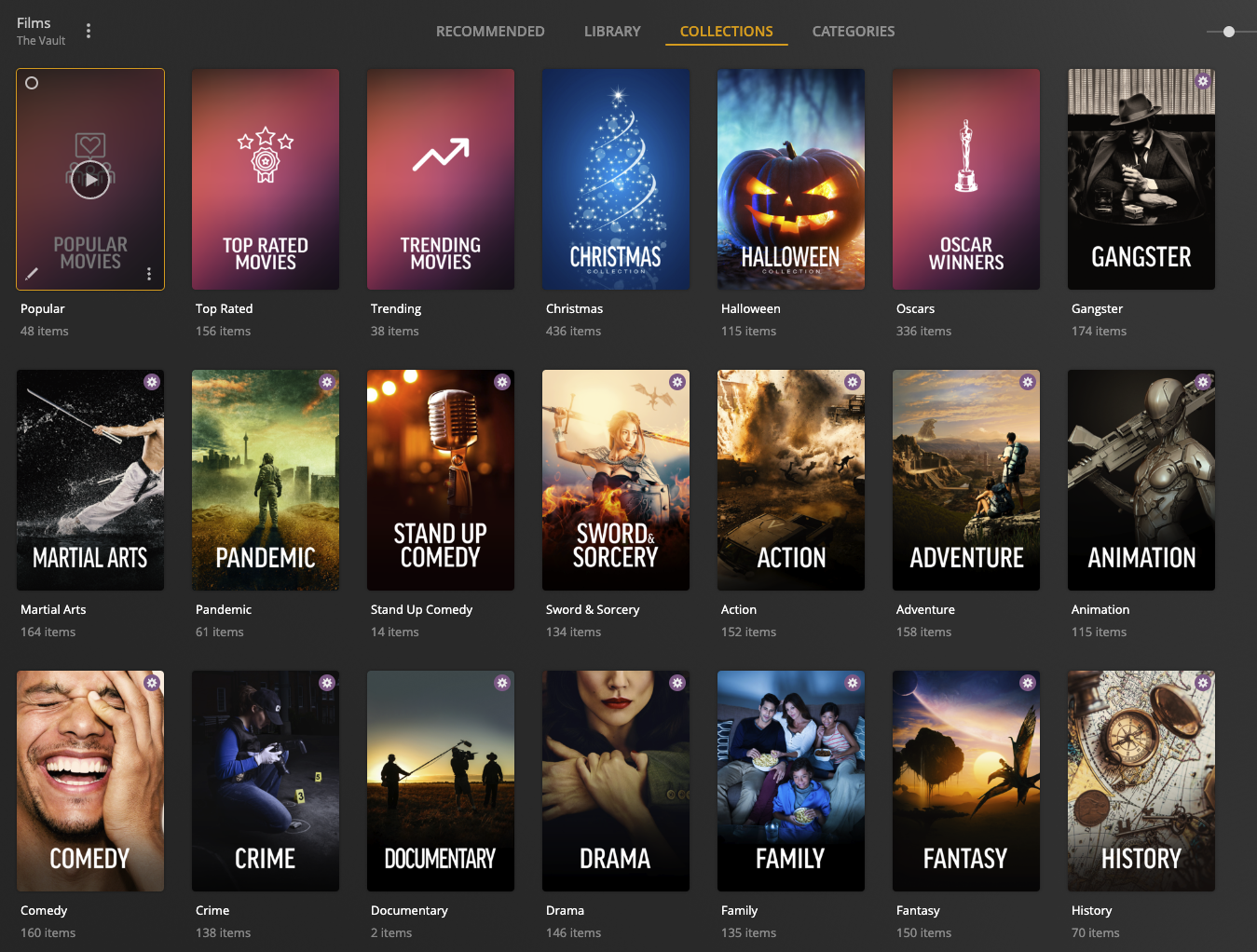
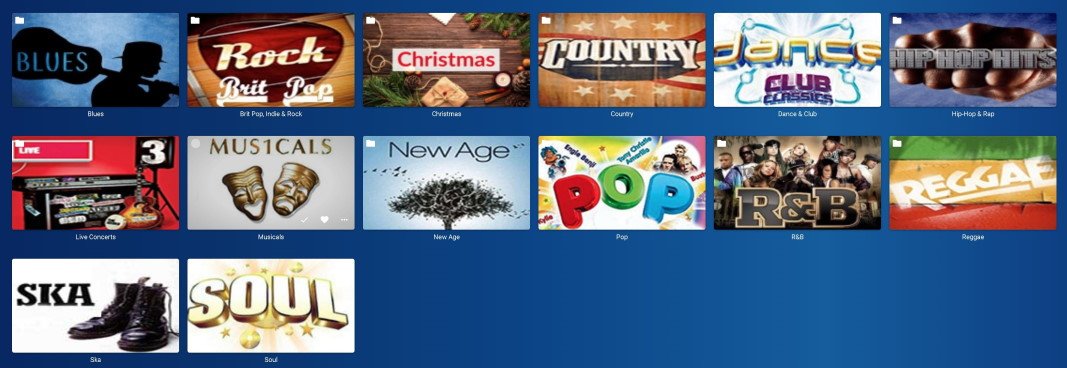
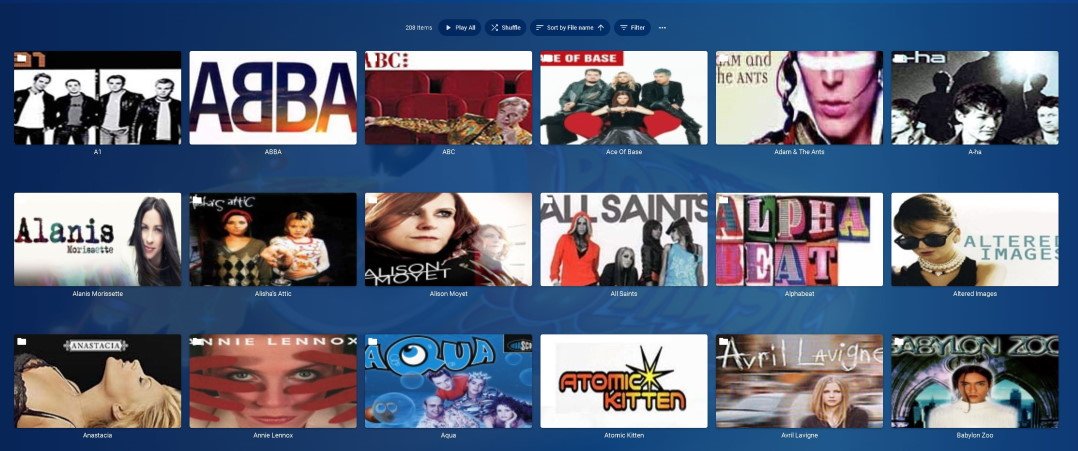
That's what I meant. The Album has the genre. At the moment, emby just spews out a useless list of albums to wade through, not grouped under any artist. It knows the artist, because that's in the embedded meta data where it read the genre tag for the album. Here's a picture or two to describe what I mean. Ignore the fact that the picture is actually a folder view - and pretend the images for each genre could be generated by Emby based on embedded genre tags. I'd expect this when going into the menu option of GENRES and then selecting 'Pop' for this example. Clicking on any artist would then show the albums for that artist tagged with "Pop":
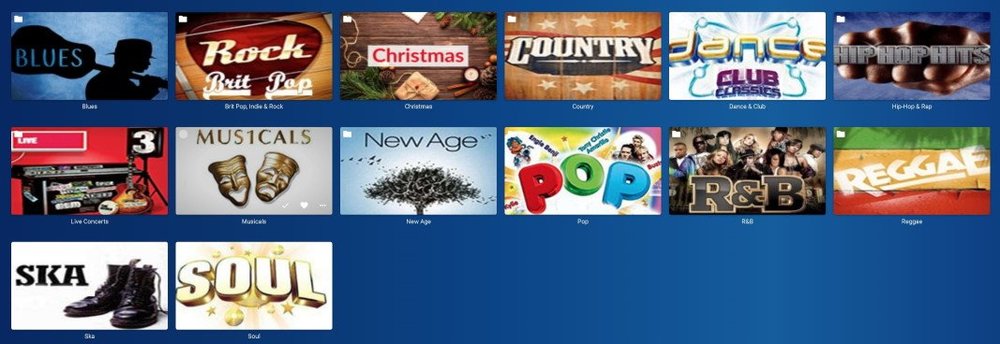
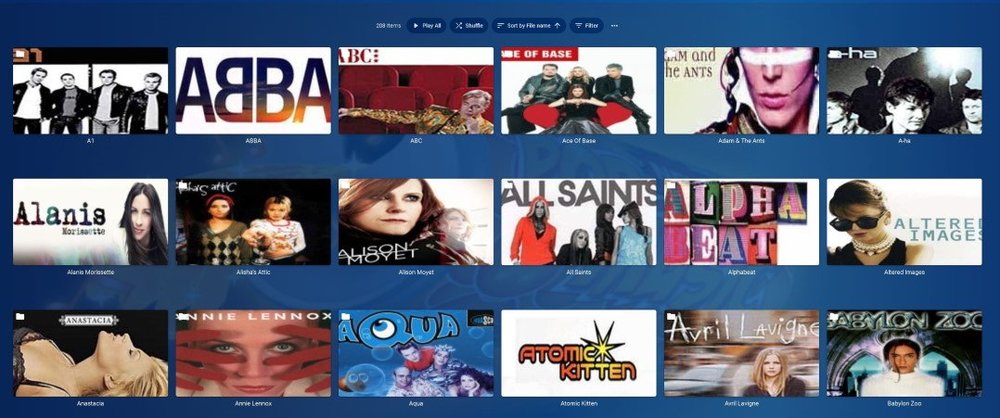 1 point
 -
Music Library used to be this way? Its the embedded tag GENRE of the file so of course it would work. It would show the ARTIST that has any tags for the genre in the file. If the artist is in other genres then that file appears there under the artist in the other genre. If I go into Music Videos browsing for videos to watch, I think to myself, I'd like Pop Music. I go into GENRE Pop Music, and sensibly, Emby would display the ARTISTS that had "Pop" set as their genre. You dont get a messy list of random Albums strewn across the screen because they are grouped under each artist that has a genre of "Pop".1 point
-
Yes, except that Folder View doesn't scrape metadata for artist folders or album folders. It treats those folders as arbitrary and doesn't scrape anything for them. Also, it organizes by folder name rather than embedded metadata content, which is not always ideal, for one thing because folder names have limited naming conventions on the backend. It also puts a little folder icon in the corner of the artwork, which is the most minor of nitpicks, but is still a thing. Yes, and her Christmas albums (if she has any) would show up in the Christmas genre. In iTunes, under the "Songs" Library, there is an option (under View) called "Column Browser". With the column browser, you can select a Genre from a list in the left column; when a genre is selected, it shows Artists (with tracks in that genre) from a list in the middle column; when an artist is selected, it then shows Albums (with tracks for that artist in that genre) from a list in the right column. While I'm not asking for a column browser like that, I'm asking that when I select a genre in the Genre view it shows a small(er) list of Artists instead of a large(r ) list of Albums. I guess. Maybe? I don't see the advantage of this. Why would you include albums not in a genre on the artist page under that genre? No. Neither the Web app nor the Android app shows a list of artists under Genres. It shows a list of albums which includes every artist.1 point
-
I want to clarify that it would be great if these various "extras" folder types could reside within each Season folder. So for example, within a Season 1 folder we could then have an "Extras" folder, a "Deleted Scenes" folder, a "Featurettes" folder, etc. I don't see this as replacing the current Season 0 functionality, but rather being really useful for the various TV extras for which there is no TVDB entry. When an extra has a TVDB entry then naming it appropriately (so that it gets identified correctly) and sticking it in the Season 0 folder is definitely the way to go. But it would be super-useful if we could have various extras folders residing within each Season folder, and then that various extras content be automatically displayed at the end of that season's content (probably after any Season 0 content that applies to that season). This would be sooooo much faster than having to edit the metadata for each item when you're dealing with things like deleted scenes that are specific to a particular season. Actually, while I'm wishing for things it would be further nifty if we could even define these various extras folders (which reside within a given Season folder) to refer to a specific episode. So the idea would be that "\TV_SHOW_NAME (2005)\Season 1\Deleted Scenes\" would be Deleted Scenes for all of Season 1 (and so display at the end of Season 1's episodes), and then something like "\TV_SHOW_NAME (2005)\Season 1\E1 - Deleted Scenes\" would be Deleted Scenes specifically for Episode 1 of Season 1 (and thus could be displayed after Episode 1 automatically). The goal with all of this is be able to more easily add various TV extras which don't have metadata (because of not residing in the TVDB) and have them better organized in how they're displayed without having to manually edit a ton of metadata. If I have 6 Deleted Scenes for an episode it is way faster to be able to just name a single folder properly and put the files there than to have to edit the metadata for each file in order for it to show up in a useful place within the episode order. Thanks for your consideration!1 point