Leaderboard




Popular Content
Showing content with the highest reputation on 02/05/23 in Posts
-
Another day, another article mentioning Jellyfin and Plex, and only Jellyfin and Plex- https://www.pcmag.com/opinions/buy-or-bootleg-save-your-favorite-streaming-media-by-any-means-necessary Maybe its time to introduce something new and innovative, like say the best Live TV implementation, or maybe just catch up, like a standalone music player, or that Watch Together thing...3 points
-
Haven't got a security cam, but it's much more appreciated that you make the effort to come up with all this stuff...2 points
-
NOW AVAILABLE THRU THE PLUGIN CATALOGUE. I've fixed the issue with the display limit not working. I will need to figure out the strange list of all episodes with the same Season and Episode indexes. I may need to force the split versions option in the code when running the the channels refresh task. Enjoy and thanks to everyone that's helped this get to release.
 2 points
 -
This is now released to the Catalogue and available for download there. Updates will come from there from now on. Thanks to everyone for their help as always it's very much appreciated. Enjoy
 2 points
 -
Exactly my error, now working, thank you !2 points
-
Excellent - the 'version' of either mediainfo and/or mkvtoolnix is usually the issue here - as the code itself is very solid. DV capabilities are going to be included in the next release of emby (now in ffmpeg) but ability to get the HD Audio codecs and the great formatting/display options are still going to be missing from the core, so I see this plugin being a 'must' for AV enthusiast for a good while yet For stability - the best thing you can probably so, is just install a dedicated version of mediainfo and mkvtoolnix (or just mkvpropedit) and leave them on the old versions. New versions add nothing - I'm still using versions from when the plugin was first developed.. haha.2 points
-
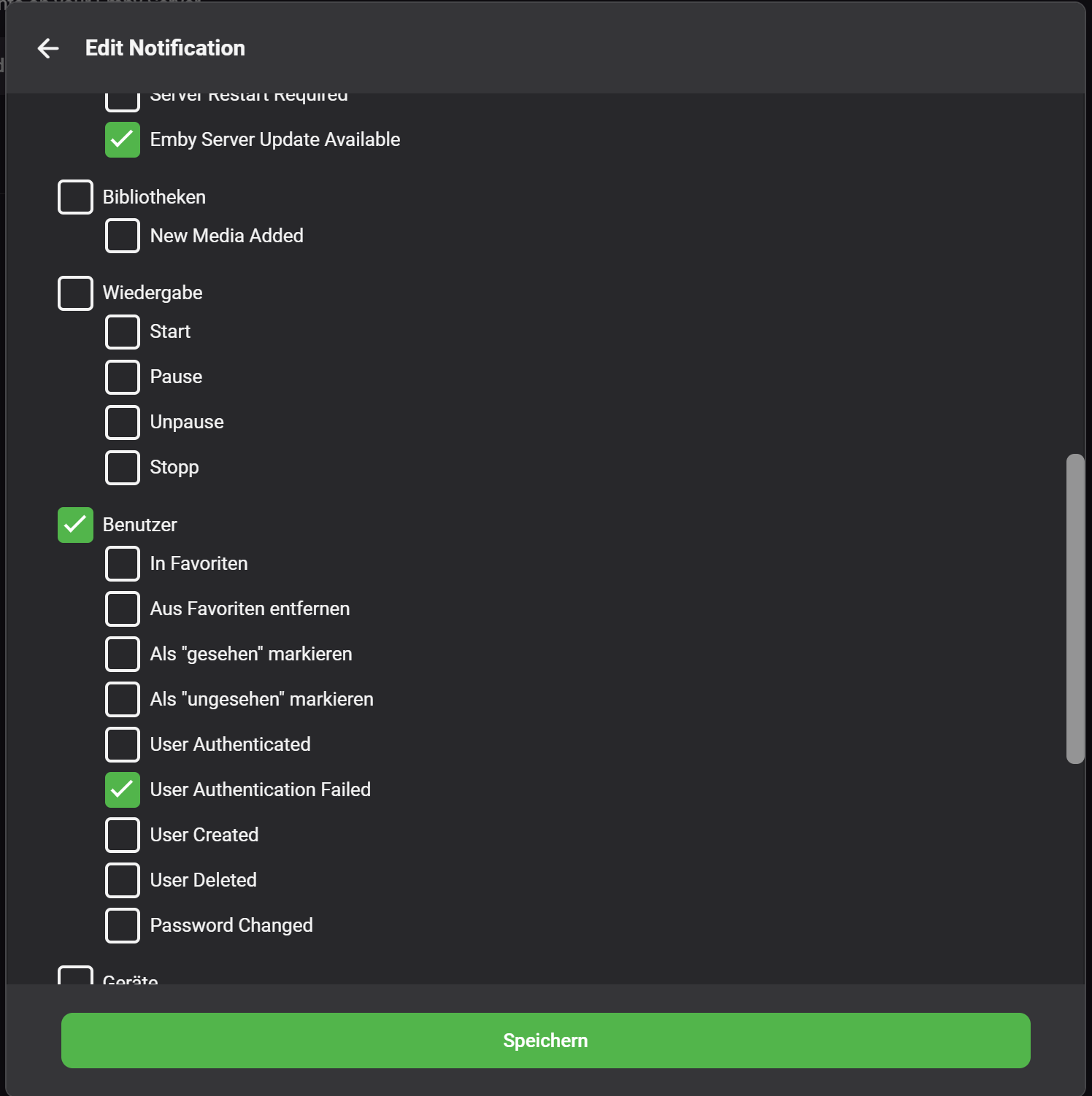
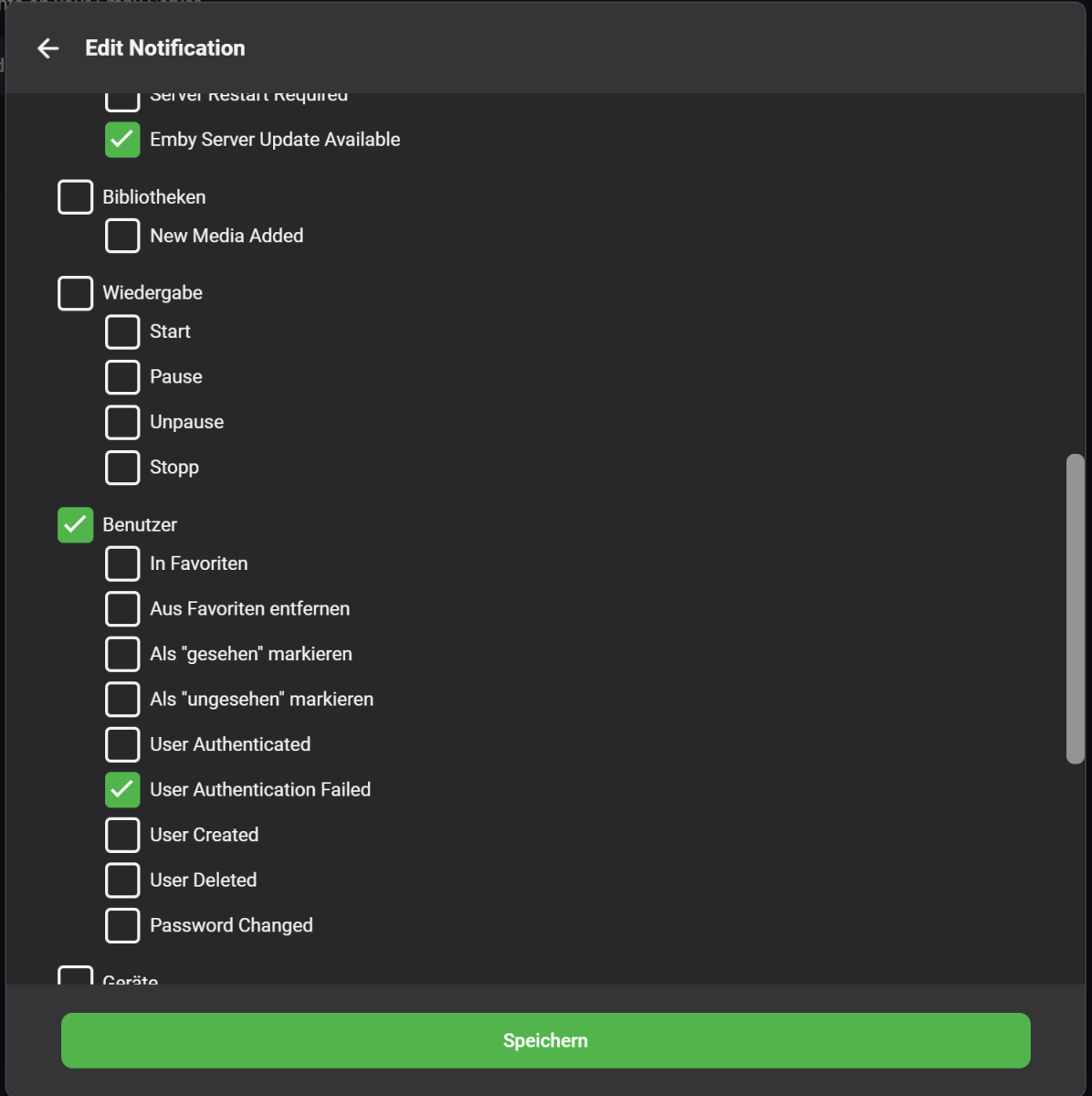
You're on beta branch and those notification events are not tied to Email plugin but are applicable to any service and are part of rewamped Notification system in 4.8.0.20. But nice that you pointed that out, tbh had no idea those expanded User events were included. @ng4ever, there is your requirement as @Eigeplackter suggested, "User Authenticated" notification.2 points
-
I'm failing to see the connection there, but to each their own, I guess. Just as I guess same function, if implemented, would be used by 0.01% of the userbase as it'd result in notification spamming for no apparent benefit.2 points
-
Thank you very much to you all for your suggestions and help. I decided to use an old MacBook-pro as server (with better specifications than the old one) and see what happened. It turned out it solved my problems. It seems that it as a hardware incapability from the ‘crappy’ laptop to transcode or process certain files. All solved now. Thanks!!2 points
-
Would be nice to have the ability to shift the Live TV Guide forward and back a set number of hours for those who have guide providers that do not sync up with the current time.1 point
-
After updating to iOS version 2.2.6 this morning my Home screen does not work/display, the loading wheel/circle just keeps spinning. Its the same on the web (chrome etc). On Apple TV the App works and shows the home screen content. Anyone else that had this problem after updating to 2.2.6?1 point
-
Please remove the country initials in the viewing classification. For exempele : מוגבל לצפייה מגיל 18-IL WHY WE NEED TO SEE THE IL? PLEASE REMOVE IT1 point
-
ok, i'll try that next.1 point
-
Hi, it will be nice to get option to add full tv guide in home screen instead of just one line. Regards.1 point
-
V1.0.0.1 Is up. This fixes the Display limit bug. Sorry... copy and paste syndrome... oops. Should be good now!!1 point
-
It was because it showed it last ran "8h 30m ago, taking 20 min". I later looked and it did show that it has ran since then (last ran 4 hours ago).1 point
-
Yep, all NFOs and artwork are local - and all meta-providers and image-fetchers disabled in Top Picks library.1 point
-
Not seeing same. Result after 4. Result after 6.

 1 point
 -
ChapterAPI can set credit markers.1 point
-
@horstepipe1 point
-
Eh? In what version of Emby can you scroll the guide even a few minutes back from the present? This is something I often find myself trying to do (e.g. to see easily when the current programs started). Admittedly, I'm not much bothered by the lack... Paul1 point
-
it doesnt help. But there is an error in the log with Top Pick. See attached. using the latest stable release from emby embyserver.txt1 point
-
This is easily possible today already. Just hit the skip next/previous or fast fwd/rew buttons on the remote to move by day (24h).# Also, with channel +/- you can vertically scroll by page (number of channel rows visible).1 point
-
Yes, just installed it. Alpha picker works fine, thanks @chef !1 point
-
Emby will read existing NFO only if Metadata Readers>Nfo option is enabled in library settings.1 point
-
+1 Everything I through at the Shield Pro (connected to a LG G1) it just works, no matter if HDR, DV, HD Audio (DTS-HD (MA), DTS:X, Dolby Atmos, etc.) or high bitrate (tested up to 50/60 Mbit).1 point
-
Exactly, for me it just simply works but what's next? Imo the best feature implemented in the last years is the skip intro which mainly was driven by 3rd party devs and donated to the core. Credit detection is still plugin exclusive and not every app can pick up those markers. They might have stuff in the pipeline but I feel like stuff get stuck there, examples: 1. TVNext 2. Unification of Windows app, afaik the first time I saw this was in 2021 3. Unification of Android app, to be fair development was done but seems somehow stuck right now. ... Just to name a few, I'm sure others could go on. Just my 2cents though...1 point
-
Not that I know of. On my TV I just download the zip and unzip it to a freshly formatted USB stick then insert into the TV. It's important to make sure there is nothing else on the stick as the TV writes a file to it if it has been used before and that will prevent an install. On my second TV I have to uninstall the App before trying to install a new one. The common mistake is to delete the icon from the "home" screen and not uninstall the app. You need to go into APPS and delete from there, it's unfortunate that Samsung use "delete" not "uninstall" as that would make it much clearer.1 point
-
I'm on 6.x, so I will definitely upgrade to 7.x and see what that does.1 point
-
And on another completely irrelevant to the subject of the thread point, if you get to put these guide improvements into Emby in general, the ability to scroll back to the beginning of the current day would be nice.1 point
-
An anything inspired standalone player would be epic.1 point
-
Thanks so much! confirmed this fixed my issue1 point
-
Yeah, they get copied over if they exist in the library. That way if you select the top picks version, your subtitles will be available to you.1 point
-
Signed up to help on this one. Breaking it down: Match Dolby/PCM Audio Levels Every digital audio is PCM, from the basics, but encoded differently. One of its encodings approach is Dolby Audio, this having reference audio levels (volumes) for home theater listening, which is a quite old standard nowadays albeit used. They scope 85dB average, 105dB peaks in any satellite speakers (front left/right, central, side left/right, surround left/right). This setting will set any and every digital audio source (PCM) being passed through (or decoded) and level it to Dolby reference. It can help improve the dynamic range by using a standard. Netflix content has narrow reference levels and by matching Dolby it gets closer to the dynamic range of it, for example. Match Content Audio Resolution You might be familiar with the high-resolution audio term or going through Windows Audio Settings and seeing CD-quality, DVD-quality, and Studio-quality as audio quality options. As an industry standard, CD is the equivalent of 44.1kHz at 16-bit PCM audio, while DVD is commonly 48kHz at 24-bit, and Studio is 96kHz - 192kHz at 24-bit. It illustrates how many times per second it can sample (x times 1000 Hz) and how much data it can hold (216 or 224 different numbers representing data per sample). High-res audio starts beyond 44.1kHz at 16-bit and the term is normally used for 96/24 or 192/24. This option will not touch the audio resolution (sampling and bit depth) and just pass it as-is via HDMI to the input device, assuming the connected device supports it (not every does). I have both enabled. I'm running the Shield in an LG CX and a Samsung Q950A and both support the most common high-res lossless audio formats, although the TV only via passthrough since by itself it caps at 44/16. I passthrough all the data digitally through the TV to the soundbar that, then, decodes it and converts to analog. Hope that helps.1 point
-
Next release for tomorrow afternoon. I've just got to make sure setting the IMDB id in the NFO is actually going to work.1 point
-
You could try the plugin Email Notification from Catalogue. I just want to be informed if auth fails, but user - user authenticated could work for you.
 1 point
 -
Shouldn't Emby have found it before that ? I mean, all the info one needs is already in the database, really no need to retry to find something. A databse query should be enough to get anything one needs. And allways remember...the first rule about databases is that you do not do redundancies.1 point
-
Hi I've managed to sort it. It was the version of mediainfo it was automatically installing 19.09-1build1 I've installed the latest version 22.12 and it is now getting the Dolby Vision flags Thanks for the help rbjtech and cheesegeezer1 point
-
Ahh right ok... the account did have admin privilages when it shouldnt have ! Got it, thanks Happy !1 point
-
I really wish this was the case but I think it is LG specific, I don't think most people are actually trying to play DV back from their media servers, I could be totally wrong but I'd guess a lot of people just use 1080p rips etc.... for things like Emby. I mean, if we are being honest a lot of people are just using it to play pirated content (not criticizing anyone here) which often isn't the highest quality rips and whatnot. So while some are certainly doing what I've been trying to do, I don't think we would see forums flooded with people complaining about DV not working even if it was an LG specific thing. I mean with my setup there is nothing that should make this happen and I did a huge amount of troubleshooting over like a multiple year period with no luck. The only things I haven't done are replace the Shield itself. But I've: Reset the shield Redone my rips Tried a flat network i.e. no firewall involved (just layer 2) Replaced cables Tried direct to TV vs going through my AVR Tried dozens of different files Tried a physical machine with a GTX 1070 in it just in case it was related to my VM being too slow (even though it was never under heavy load and transcoding is disabled) And that's just my short list of obvious things that would cause this behavior, I've spent so much time on this which is why I personally finally gave up on it and went back to using discs despite how much less convenient that is. And it also doesn't make sense that the exact same issue happens with both Plex and Emby, I know they are similar in some ways but still. Now MAYBE it's not an LG issue, but that's the area I'm pointing at being most likely because there doesn't seem to be anything else to try at this point. Either way though I nuked everything so not like I can troubleshoot anymore now haha, just chiming in to maybe help others with it. And in the end I want FEL despite the small difference it usually makes AND a good BD player does tone mapping for you with HDR10 content which is fantastic (things look noticeably better than they did from the Shield, since LGs built in tone mapping is honestly kinda subpar). Appreciate the input here though and hopefully I am wrong and there is a fix for those that want to do this, I just personally finally gave up on it which isn't something I do very often (and this wasn't just because of the DV issues, I had plenty of other reasons, such as MakeMKV being a pain in the ass) and I've been happier with it.1 point
-
TEST #1 - mp4, x264, stereo, no subs, no airplane mode = SUCCESS TEST #2 - mkv, x265, 5.1, subs, no airplane mode = SUCCESS TEST #3 - mkv, x265, 5.1, subs, airplane mode = SUCCESS Yay!1 point
-
@Darkseidd I've done some digging. What happens here, is top picks creates a nfo file for the series. But, we only give it a DateAdded value. This means that it is Emby who goes out and tries to name the Series it has found inside the Top Picks library. And wouldn't you know it, Emby doesn't choose the proper name for the series. So, I have a release here that gives a title to the series NFO to help Emby out with naming. I suppose the proper thing to do, is add some provider ID's into the mix, so there is no way emby can choose the improper name. Hopefully it's enough to help emby name items properly.1 point
-
yes. Well, one of the awesome things about Emby is that you can select what to show on the home screen per app. So, all could be supported really and left to the user. Currently there is Latest TV/Movies/Music (though they are latest 'additions' or 'updates), and these are fine if also complimented by Recent TV/Movies/Music So, the ability to display either set, or both, would be wonderful. I am sure it could be done via plugins (I really must look into them when i get current projects out of the way - 2 switch games), but not sure about interleaving them. By that i mean, TV - Latest additions TV - Recent releases * Movies - Latest additions Movies - Recent releases * Music - Latest additions Music - Recent releases * * so they reside just after the existing category.1 point
-
Something else I've noticed with HEVC videos - ET now seems unable to resume playback (or start at a chapter point). When pressing resume (or choosing a chapter) the backdrop displays and just stays there and ET appears to hang. I have to Alt-tab so I can force close it. I also tried a few H264 videos and they didn't have the issue.1 point
-
@Cheesegeezer I've no idea what was going wrong but I deleted everything and started from scratch and it all works fine. I've noticed a couple of things that are a bit odd but I don't think it's anything to do with the plugin. When watching a live stream it is always actually a bit behind actual live. Is it being transcoded? I guess it is from the Stats for Nerds below. Would the dropped frames be because my server is rather puny? Stream RTSP HLS (140 mbps 20 fps) Converting to compatible container Video 1080p H264 Main 51 20 fps Direct Play Dropped Frames 8 Corrupted Frames 0 Time for a live release I'd say1 point
-
OK thanks for the update.1 point
-
Understood. In this case the 1050ti is free and wouldnt require a rebuild, so its hard to go wrong, but it doesnt sound like its going to be a huge leap forward and will come with more power draw. I think I'll throw in the 1050ti for now and start deal hunting. If I can find a prebuilt with the UHD 7xx in the next few months I will jump on it. I really like the SFF prebuilts because except for mini servers, nobody wants them, so they are dirt cheap. Otherwise I'll look for a 12th gen MB+CPU combo on sale at newegg or similar and then at least I should get 2.5GB onboard, but then I have to do the whole thing (case, PSU, fans....). I guess I'll just see what comes up.1 point
-
Basically, I want to recreate something like this in Emby: The genre collections (white border) are pretty much possible to create, as well as the studio and person collections (red and blue) with limitations. But everything else is based on IMDb lists. PMM just manages and updates these lists automatically based on a configurable schedule. And you can use a lot of data sources to build your lists. Like mdblist.com or trakt.tv for example. Another cool feature is the possibility to place good-looking overlays on your posters, like an IMDb Top 250 Banner or ratings or quality info.
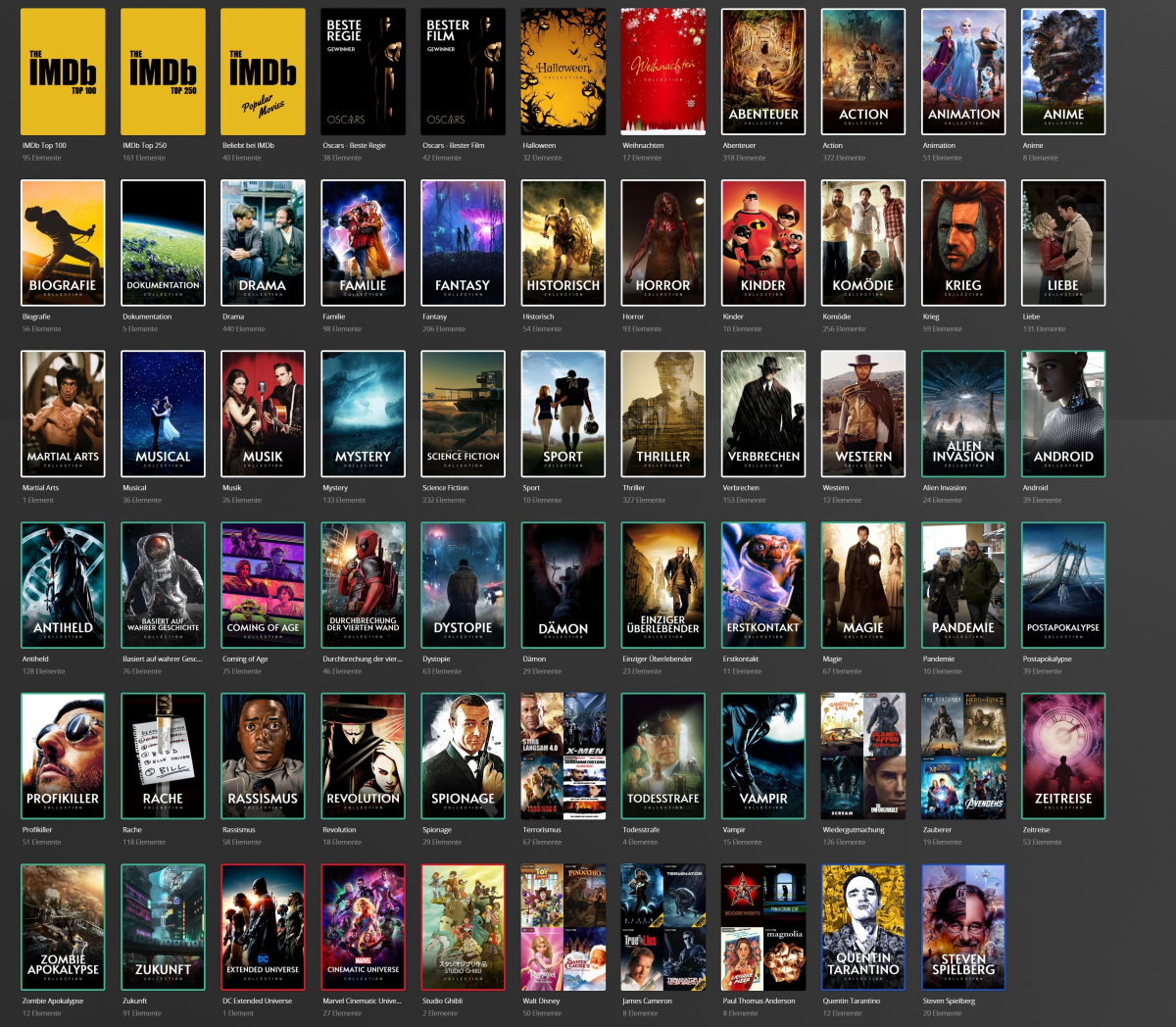 1 point
 -
The future is never the present. But a community member has provided a method in the PAST "July 8, 2021".1 point
-
I would like to add something on this. Even if you insist to install Emby to a user folder (it can be avoided if the installer gives the proper permisions, I mean with modern installers not the installer Emby still uses from the Mediabrowser days) Emby is not installed to the proper location according to Windows documentation. Installing a program to AppData folder is just the wrong place to install it, this is the folder for the data of a program not the files of the program. %LocalAppData%\Programs is the default folder to "install programs for a single user only" in MS Windows. It's been available since Windows 7/Windows Server 2008 R2 and the proper location to install software per user according to Microsoft documentation for Windows.1 point