Leaderboard




Popular Content
Showing content with the highest reputation on 01/08/23 in Posts
-
Hi, we are looking into it. Thanks.2 points
-
Hi, Yeah I'm still getting errors from the plugin. Instant failure on sync attempt. Unauthorized at Emby.Server.Implementations.HttpClientManager.CoreHttpClientManager.SendAsyncInternal(HttpRequestOptions options, String httpMethod) at Emby.Server.Implementations.HttpClientManager.CoreHttpClientManager.SendAsync(HttpRequestOptions options, String httpMethod) etc etc. According to the plugin config it's authorised. The token checks out with a future expire date. I have another trakt app for something else and it's working. Tested another. It works. Not sure what's going on here. I dunno what the above means but it doesn't seem to be getting a chance to hit the trakt API properly. EDIT: Just reread the changed descriptions for the schedule. I was under the impression that the plugin was adding episodes and statuses to trakt on that schedule. What WAS it doing? It's doing nothing now..... I've checked and recent episodes are on trakt with watched statuses. I still wish I could rate through Emby. That's about the only missing feature. So I have to manually removed this from scheduling to stop whatever it's trying to do. It's probably still worth nothing that it's not working at all because it would be needed once at least as the description now explains. EDIT 2: I didn't check properly. The plugin hasn't updated trakt since December 12 when there were some issues with trakt from what I've read. I'm now noticing that I'm getting an API limit error when I look at another app. The descriptions for the plugin are all over the place. Some spots say it will update watched status etc on "schedule" and the new text says to only do the thing that was previous scheduled once. It's not doing anything at all now since that date. The API limit for non VIP appears to be 1000 (per day at a guess) from the other app error text and the other app does nothing remotely close to that so I'm wondering what caused this. Was it the scheduled task? Does this plugin update trakt without the schedule and, if so, is it affected by the same error that was causing that task to instantly fail every day? (I only just noticed - I haven't checked the dashboard in a while so I didn't see the constant daily errors). As it stands Emby is not updating trakt at all as of that date for me.2 points
-
Then you've had a charmed life indeed! Paul2 points
-
That can happen if the earlier episode was not finished. If it kind-of was, but then the end credits were skipped, it might be worth checking the Emby settings which determine how near the end is considered finished. Paul2 points
-
Well done. Now I need to recover from this.2 points
-
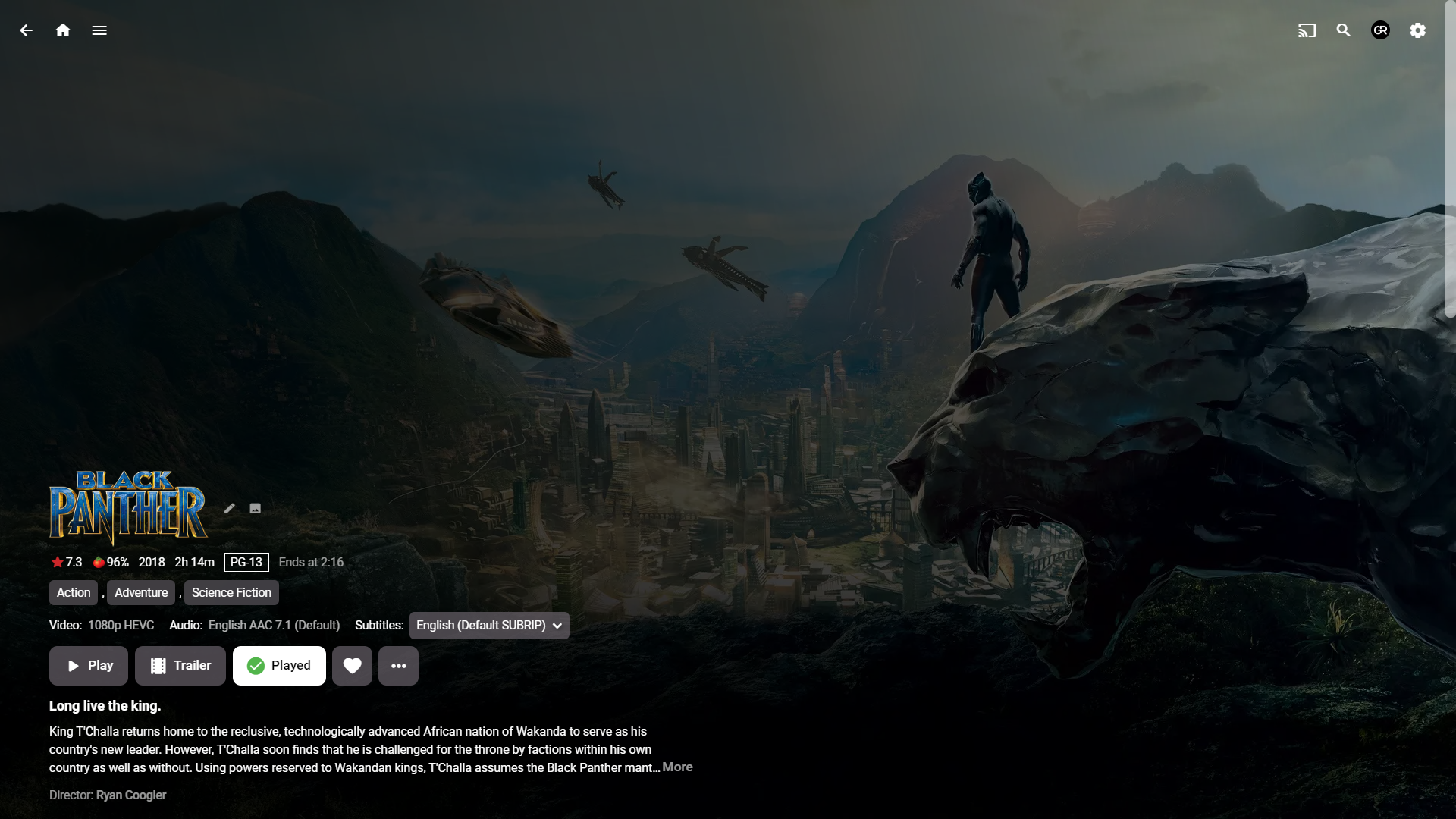
I think it would be nice to have the Audience Rating (icon) / Audience Score for movies along with the Critic Rating (icon) / Critic Score. It looks like the data is available from the Rotten Tomatoes API via the ratings field. 14 "ratings": { 15 "critics_rating": "Certified Fresh", 16 "critics_score": 99, 17 "audience_rating": "Upright", 18 "audience_score": 911 point
-
Ideally, I'd like an option with the Android TV app so that when I click on an something which is currently playing, that it starts playing immediately rather than going to the "Tune To Channel" pop up. I realise that I can do the same thing by pressing play, but the Shield remote implementation of play/pause is not very intuitive and not something my other half will ever use! Hope this is okay and I've put this in the right area. Thank you.1 point
-
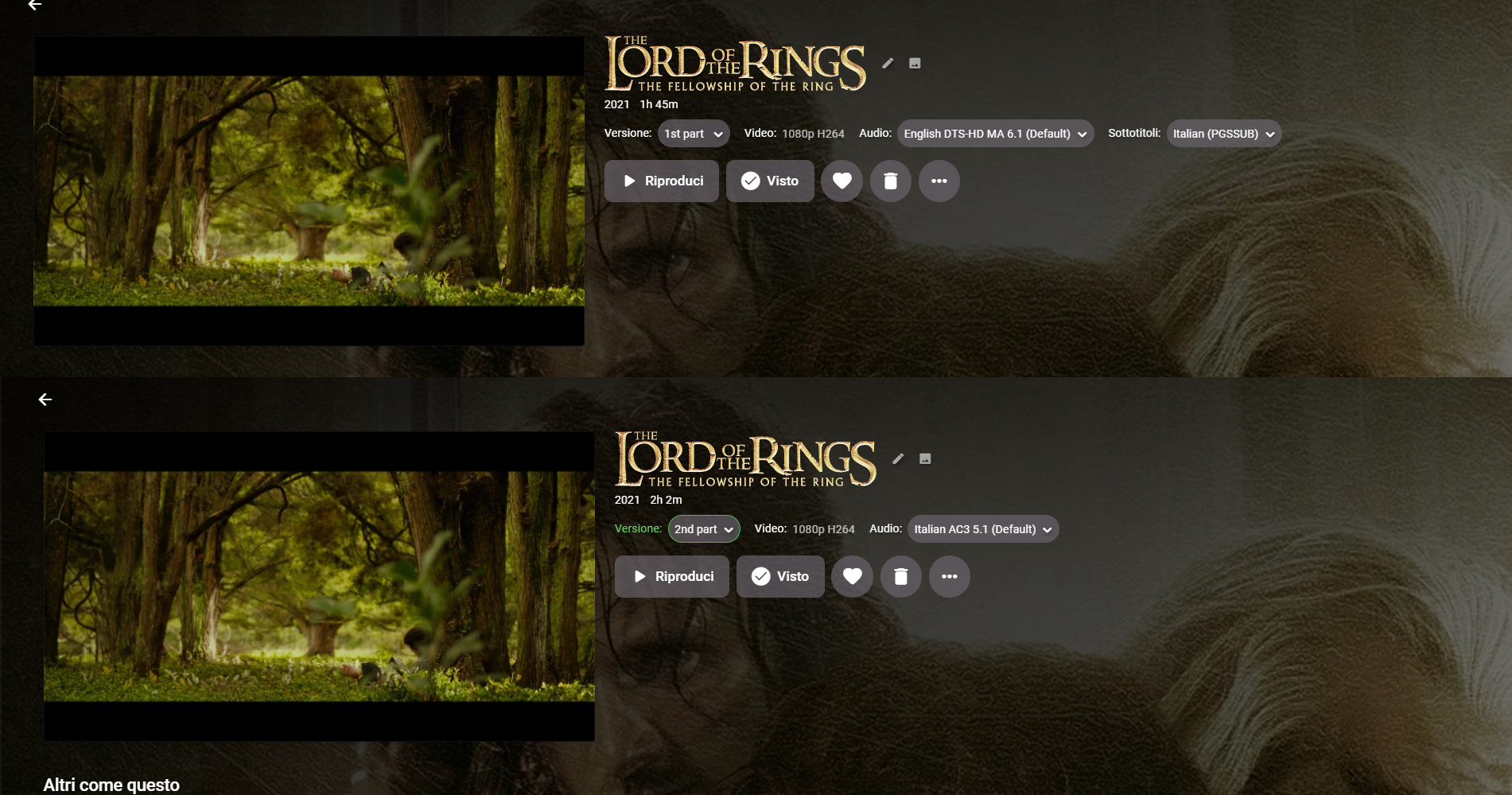
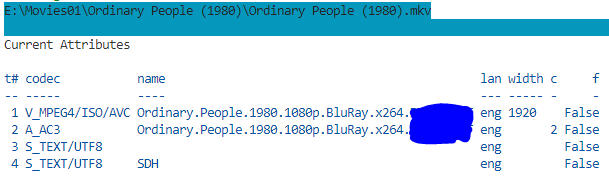
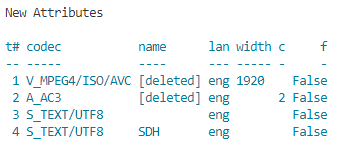
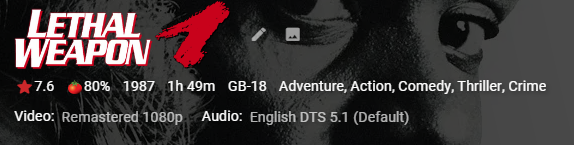
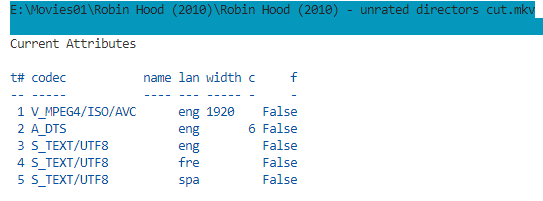
Background I wanted my movie versions eg. "Directors Cut" to show in UI even if only one version available. This is only possible with Global advanced library option and Embedded Titles... .However all my embedded [in mkv] titles were all over the place, so I wrote this script to clean embedded names on Video, Audio and Subtitle tracks Along the way, the script protects track names containing special words [customisable] and if the subtitle has "forced" in the title sets the forced flag (if language is in preferred list). Installation Requires powershell 7 and MKVToolnix (tested with version 73) Review and edit config.psd1 set track naming tokens and protected names $logonly=true - just dumps the current tags in emby and mkvs (belt and braces) < use this first and save log $testmode=true logs what changes would have been made. Notes only works on mkvs. test on a backed up library, mkvpropedit makes changes to track names and removes track properties on the files on your filesystem. Review the naming logic, it may not be to your preference. If there is no version, i remove the name because i am happy with Emby's default for blank trackname. With a bit of tlc a user could write their own set of rules for how they want their tags cleaned up - the script has the bare bones and builds up an array of mkvpropedit commands to send in one go. best to use a monospaced font like courier new to view logs. warning - "mostly only useful for people who have done zero tag maintenance on their mkvs - experienced taggers would probably want to improve the rules in the script". Issues and Suggestions Welcome - The rules are rudimentary to clean ui for most titles and protect tracks with useful data - stage 1 Examples Movie version present but not embedded No movie version, but subtitle has a protected name eg 'SDH' or 'Commentary' Forced Subtitle by trackname but not property in preferred language - now Emby auto selects the forced track Changes SetMKVTitlebyVersion v0.0.0.1.zip

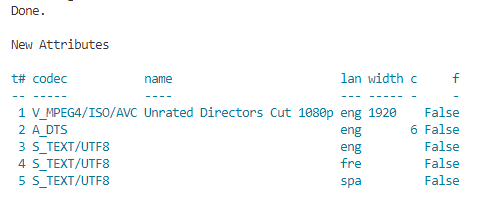
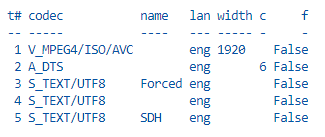
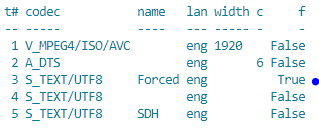 1 point
 -
Hi, I am a big fan of 60fps and all my home videos are in h264 59.94 fps with bitrate around 15000 kbps. I have an Emby server 4.7.11.0 installed on my home server (docker on ubuntu). On my phone I have Emby for Android 3.2.90. Everything works ok. I mean that direct streaming on my phone is perfect as well as on Chrome browsers. I have a Chromecast 3rd generation that supports 1080p 60fs. It works perfectly with 1080p 60fps youtube videos and other streaming platforms. The problem is with when I cast my 60fps home video to Chromecast (emby media player as far as I remember 2.1.0 version) Video is not smooth. Sometimes it looses some video frames. Sometimes the audio is interrupted for a second or two. It is playable but it is very frustrating when you watch a video and it is choppy sometimes. I thougt that it may be a problem with my wifi. Chromecast is like 30cm in front of my router and I have zero problems with Netflix, Disney etc streaming. So this is not network problem. I tried to reduce the bitrate to 10000 kbps. The same result. I converted a video to 30 fps and there were no problems even with higher bitrates. Today I bought Chromecast 4 HD. It is even worse. I couldn't catch a 10 seconds of playback without frame drop in 60fps I installed Emby For Android TV on Chromecast 4.0 and it works perfectly. Not even single frame drop even with 20000 kbps. Perfect 60fps playback. So the hardware is able to handle 60fps 15000 kbps h264 video. My question is what is wrong with this emby media player for Chromecast? Why It can't cast 60fps videos smoothly?1 point
-
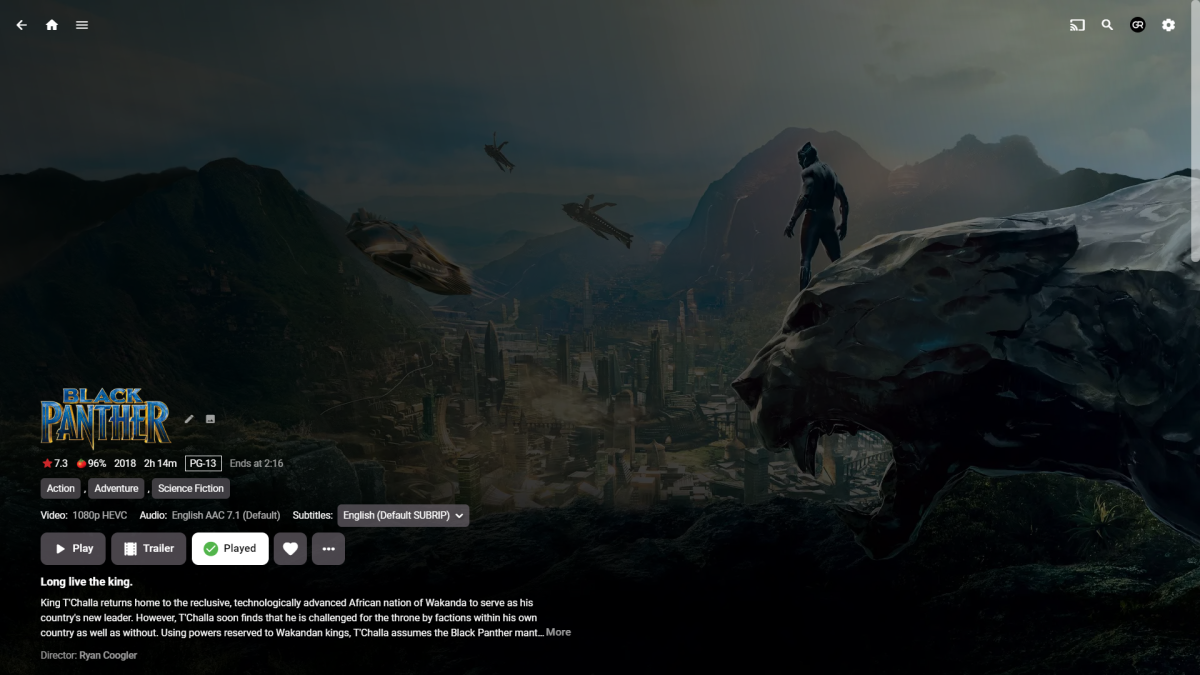
I'm like in the opposite camp and prefer it toned-down and sorta minimalistic, somewhat similar to @arrbee99's style:
 1 point
 -
How exactly is the media named and organized/structure? You have the correct total episodes of 75, so I can only guess it is specific to folder structure.1 point
-
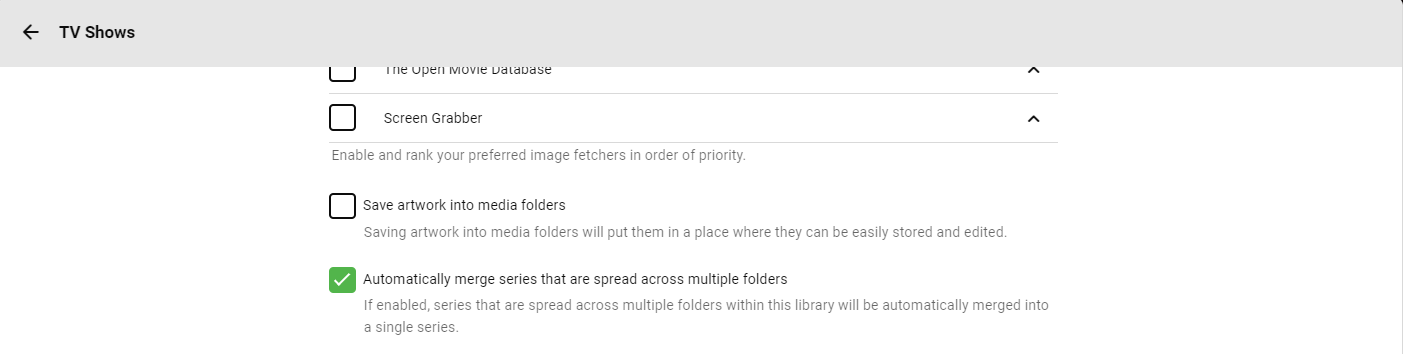
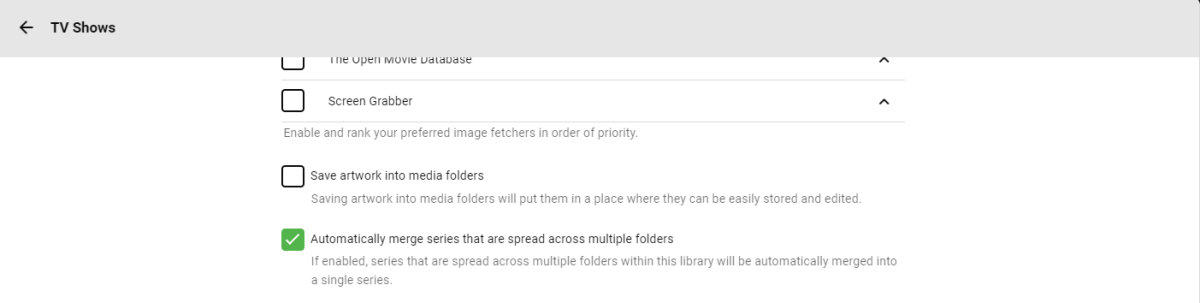
Do you have "Automatically merge series that are spread across multiple folders" option enabled in your library settings?
 1 point
 -
Looks to me your OS is prioritizing ipv6 over ipv4 in the log.1 point
-
so I restarted emby earlier and nothing changed, but on that restart I just did LAN changed back to ipv4 and now I can connect. I'm looking into disabling ipv6 so that doesn't happen again.1 point
-
@dnicks Can you provide a server log after a restart to show network discovery? But may have to disable ipv6 on your LAN.1 point
-
Yes plex is fine emby not so much pixel 71 point
-
1 point
-
Hi, yes it's something that we've talked about and is possible for future updates. Thanks1 point
-
Implemented. Implemented for both, DVB and ATSC. BDA is an option and working on Windows, of course, but TVnext is not using the http mode. It is using the low-level API instead, which allows to get the full mux - on all platforms (Linux etc.). I suppose that NextPVR can't do that either, right? It also implements dynamic filter updating: While the stream is being received and everything running, TVnext tells the HDHR which streams it wants to have. This allows to receive whatever is needed from the mux, but no more, which saves network bandwidth in the LAN and avoids unnecessary processing. Yes indeed. Besides the ones you mentioned, it also provides independency from any 3rd parties for both, fixing issues and supporting new features like new stream descriptors or updates to broadcast technologies (like recently for DVB-T2) and so many more things... If that would be true, at least... It has been sleeping for a while a while now. It only makes sense in the context of Emby where it will be one important component and replace an area where Emby has been pretty weak and limited in the past. By now, hardly anybody is using Emby TV without any 3rd party software, be it xTeve, NextPVR, TvHeadend or one of the many others. I think there's quite a potential of users who will switch to Emby when it has proper TV support, but what counts most is the full package and the integration of all kinds of media consumption in a single application. As a standalone product, I agree to what you're saying, but Emby is an awesome product already and lifting up the one weak area it has to a top level will surely make a difference.1 point
-
I'm using Caddy v2.61, and Opera and Firefox both connect using http/3 (which Caddy selects as default from v2.6 onward). I guess some clients might be restricted to earlier protocols, but Caddy sure isn't. Paul1 point
-
Audience score is far more valuable to me than critical rating.1 point
-
Your only options would be filtering per library by missing metadata, primarily IMDBid or TMDBid, maybe even by overview. But this would show unidentified media not mis-identified media.1 point
-
I've installed the app and it's the same behaviour like the "normal" android TV App. Ambilight is working during the menu navigation but the lights turned off after the playback has started1 point
-
This tagging tool seems to get better every week that goes by! This a must have for multiple reasons (smart pl/virtual tv/general lib tags/etc..)! Thanks @VicMoore for putting so much time into this great app.1 point
-
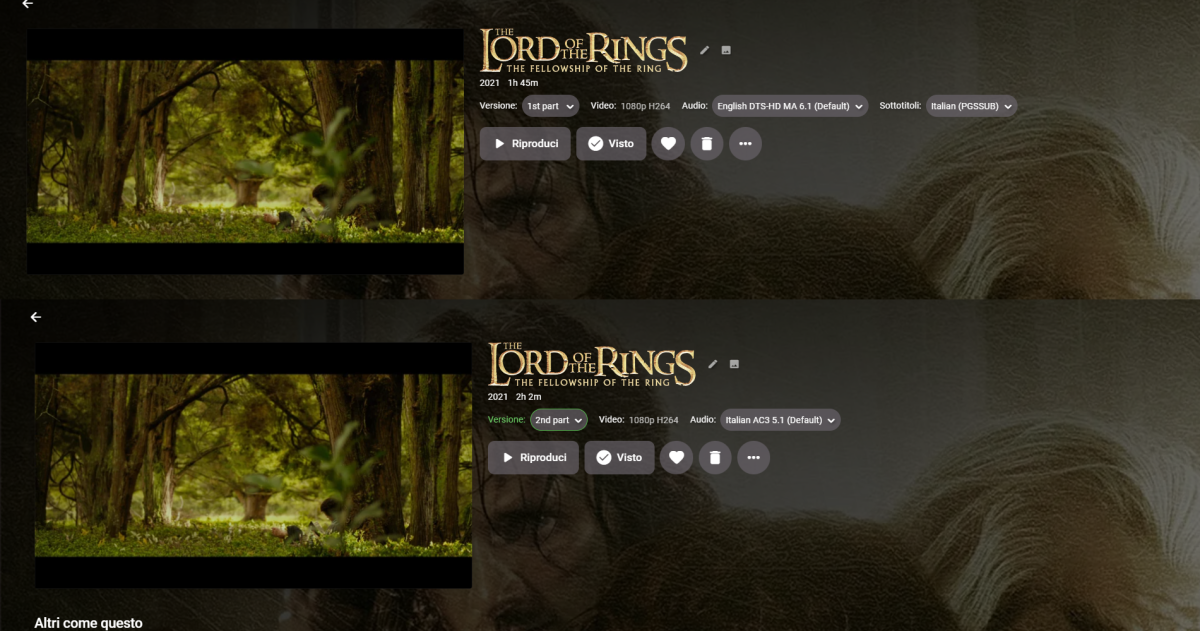
Okay, here we go, is this correct?
 1 point
 -
TOP!!!1 point
-
I've been thinking about trying it. Just gotta remember to do a backup first.1 point
-
Restart the server and run full library scan. Happens when many items change so the 60 second trigger happens multiple times. So if editing happens outside Emby you should shut Emby down before hand to stop this item update loop or just allow it to run.1 point
-
Yeah i use the Custome Thumbnail Option and in ALL my Movie Folders are including Primary Images but not all Movies Contain a Backdrop Image. So it seems that is Custome Thumbnail Option enabled and there is no Backdrop and / or Logo to create it he dont use Primary Images as Fallback. That will explain my current issue ^^ If no Backdrop / Logo available it would be nice if you script can make the thumbnail like: Black Background, on Top the Primary Image in the Center and on the Left side the Number. Like this example:
 1 point
 -
If you use MCM, @Happy2Play might have a suggestion or two, TMM is my poison.1 point
-
I have this exact problem. Would this "migration plugin" help?1 point
-
Obtain a domain name or use some free DDNS or have your users use Emby Connect (which requires them having a Connect account).1 point
-
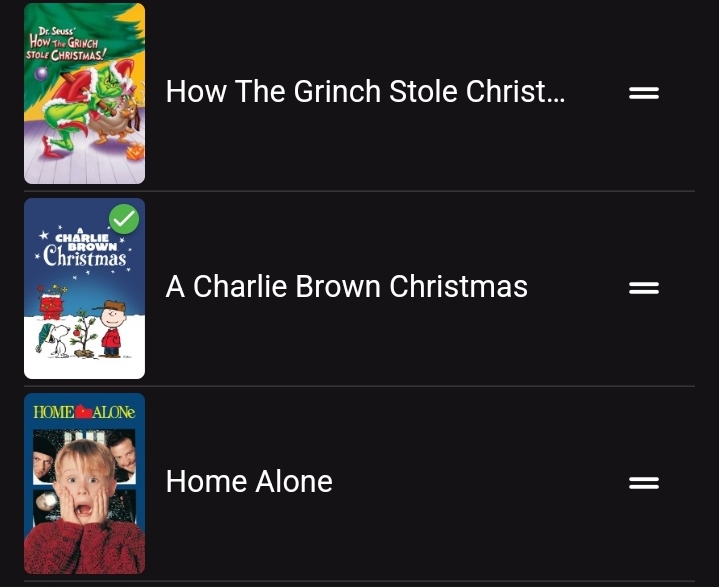
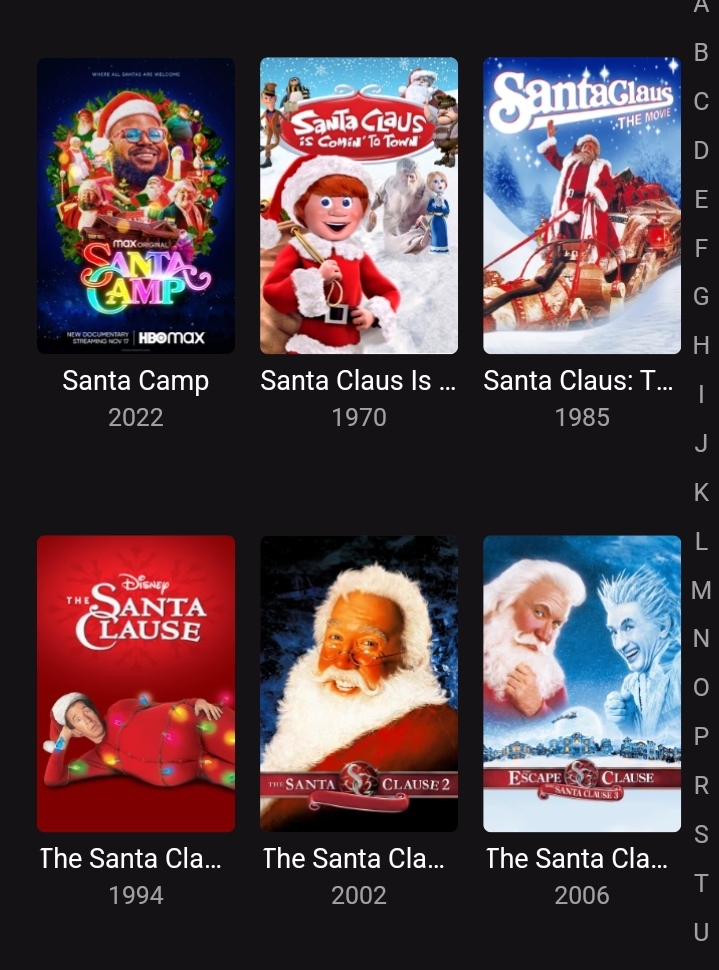
Started using Playlists for movies. The only view I can see is the list view. Would be nice if I could see in the Primary or Folder view as is in Movies.
 1 point
 -
Hi all, would be nice to see the following for movie-collections: 1. add the time range automatically under the cover (1950 - 1977) for example. Should be changed automatically also when a new movie is added. 2. add the amount of unseen movies from the collection, same what is displayed by series. 3. add the next movie from collection to "Continue Watching" would be nice aslo.1 point
-
I am testing out some IPTV sources. Some have thousands of channels and I am only interested in 50. So now I have to go into the channels section and uncheck thousands of channels I have no interest in. It would be great to have an option when adding a source to not automatically select all channels. So now I could go and select the channels I want.1 point
-
This is more of a "wouldnt it be cool if it did this...." It would be nice to keep the live tv stream active in a small picture in the corner of the screen and view the channel guide in full screen. For instance, I am watching a live show and want to look at what comes on next or on another channel without closing the show I am currently watching. Sent from my VS988 using Tapatalk1 point
-
Ok the apple TV app will get there. Thanks for the feedback.1 point
-
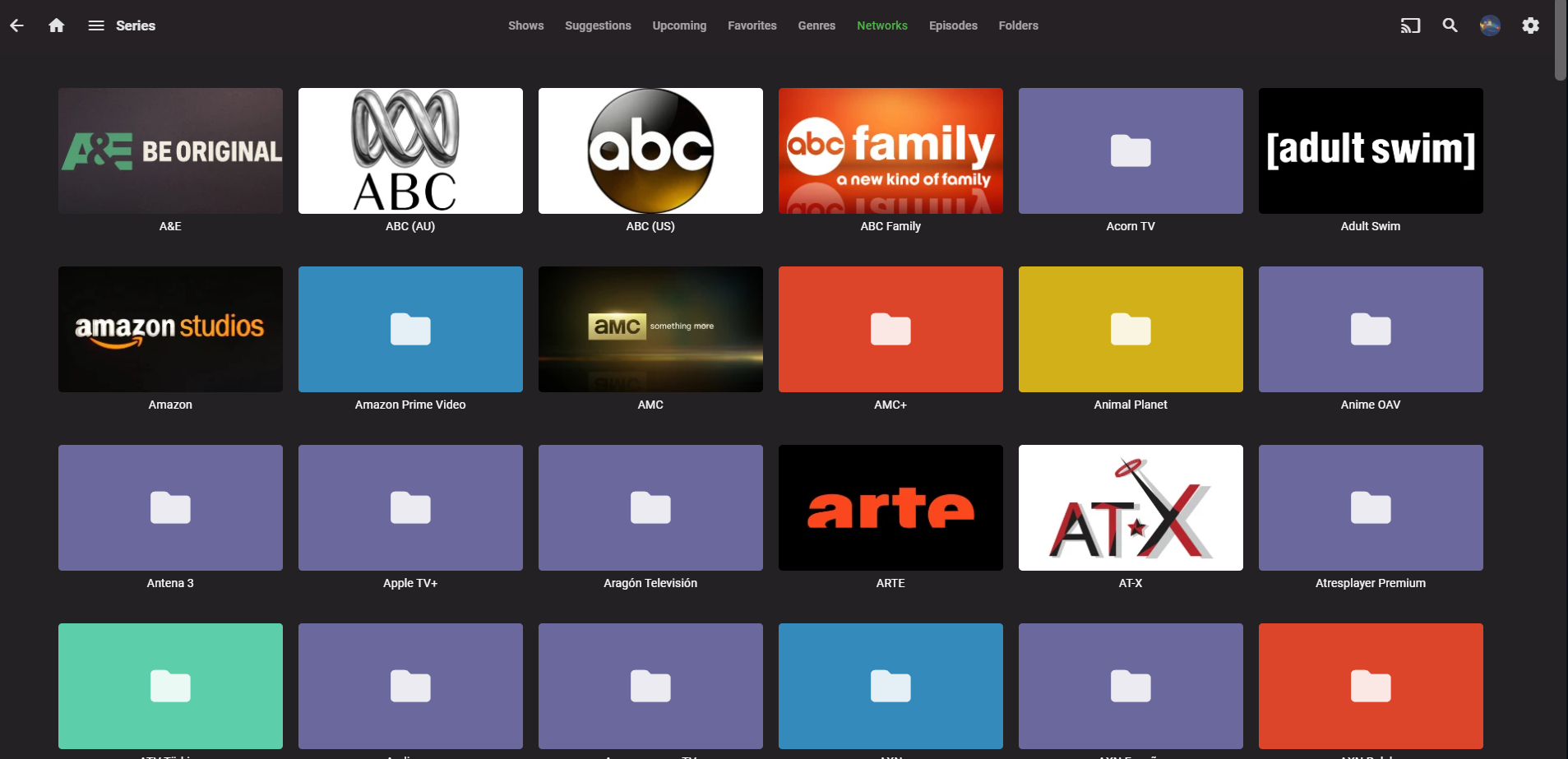
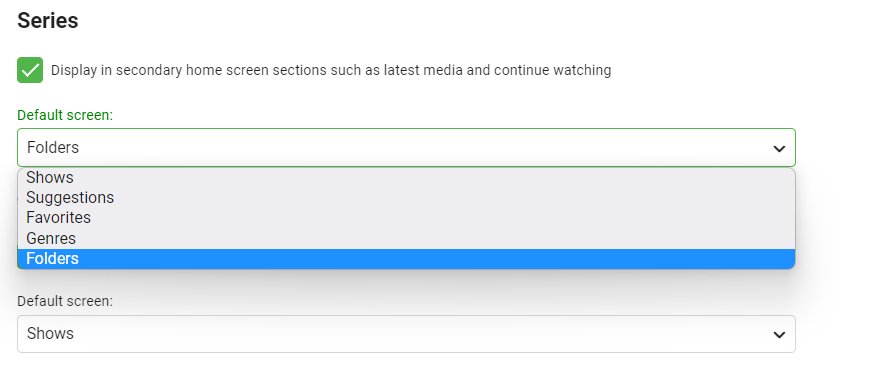
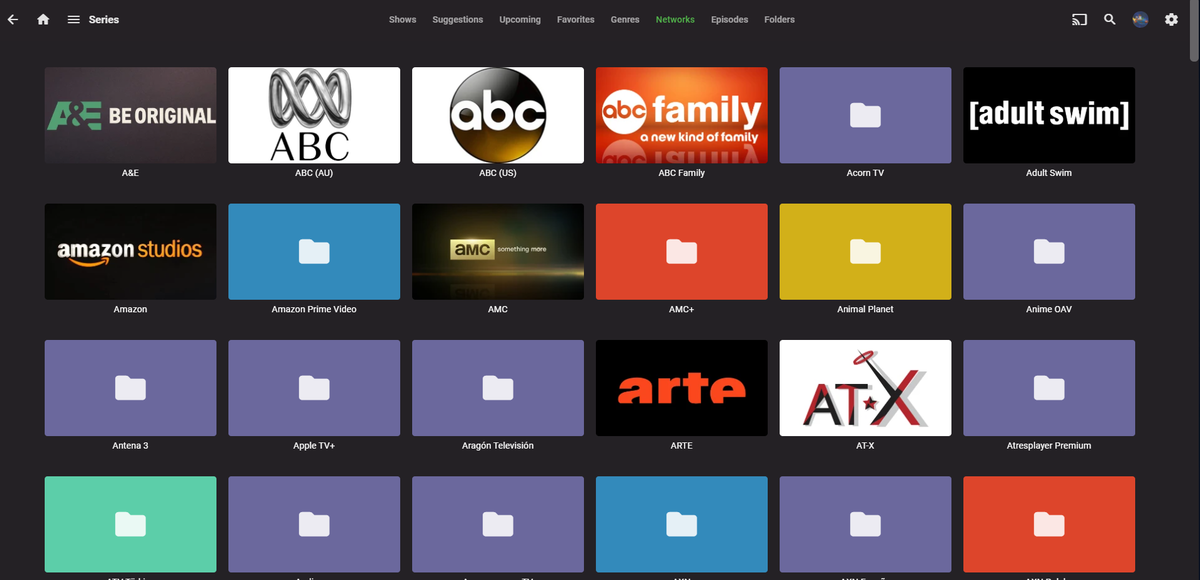
Emby Version 4.6.7.0 Synology NAS DS220+ Webbrowser Hello, If there are not way to do that. I would like in the future could see on list "Networks " to be set as default screen in settings as well. Have a great day guys!
 1 point
 -
By default "encode" acts on pretty much just text and javascript. The overwhelming data in emby is video which will be unaffected - so adding "encode gzip" to the Emby configuration is a waste of time (and harmless, I guess). Paul1 point
-
We can add this for the next release. Thanks.1 point
-
Hi there, In browsing my collection of movies on my Apple TV, I noticed that if movies are grouped into collections I can’t tell if I’ve watched them without diving in deeper. Would it be possible to have it display the tick in the corner if all movies in the collection are marked as watched? Cheers, Brad1 point
-
Yes, it would also allow for setting it to prefer SDH subs over dialogue-only subs. MovieFileName.en.SDH.srt and MovieFileName.en.HoH.srt are both supported elsewhere for text-based subs. MovieFileName.en.HI.srt is as well I think, but that can be ambiguous as it's the language code for Hindi as well as the abbreviation for 'Hearing Impaired'. And then I could just name my subs that way, instead of having to futz around with MovieFileName.EnglishAlt+255SDH.srt, and Emby would display them properly while also being aware of their language.1 point
-
Commenting because this thread was recently linked from another thread. I can tell you how this works at the mile high level because I showed them how to do it. What they do is remember different speeds for different conditions to have them available to use as defaults. So for example the client can remember the last n number of C class blocks it's used and saves the last known speed. This way it knows the default speed to start with in your home network, your work network, the cell network you use to drive to work, the network speed from the hotel you stayed at, etc... It of course isn't perfect but right in the ballpark as it remembers and uses your last known bitrate setting from the last time you used that C block. The app doesn't need to use any bandwidth tests but simply watches the speed of it filling it's own buffer. If it can fill it's buffer quickly it has "excess bandwidth" and can ask for a bitrate increase. If it's keeping the buffer just about filled it's right at the correct bitrate, and lastly if the buffer is decreasing then the bitrate is too high and needs to be reduced to the point it's just staying filled properly. So it uses it's own metrics of bandwidth availability by watching the performance of "filling it's buffer" on the fly. This only works when going through ffmpeg and does nothing for direct play. If stuttering happens during direct play the user would need to adjust or "fix" the stream to cause it to go through ffmpeg where the HLS packets can be changed on the fly (with a slight delay). When the app senses a bitrate change is needed it send that request to the Server which uses the new bitrate setting when creating the NEW packets. This generally works very good but can still have some issues if the quality of network changes drastically but the app catches up rather quickly and adjusts. Something like this could happen if someone starts downloading a lot turning their 50mb downlink into a 3mb downlink. Or multiple people start using the WIFI at the same time instead of just you, or you're moving throughout the house getting farther from the hotspot and your link speed decreases. But that's the beauty of being able to adapt on the fly (or close to it) so the person learns the stuttering clears itself up rather quickly by decreasing the bitrate and as soon as the line clears up they get more bitrates as well (walking back closer to the hotspot). Sort of a crude mans "adaptive" streaming using ffmpeg without pre-generated files of different bitrates/resolutions like Netflix, Prime, Hulu use. In addition to being able to adjust the bitrate on the fly you can also enforce the MAX bitrate of the user or system as a whole. So if you only have 15mb upload link on your Emby Server then that 15mb can influence and help change EVERY stream so everyone get's a share of the bandwidth vs one o two people hogging it all up. You can also use the MAX bitrate differently. So if you applied a 10mb limit to the user it would no longer be PER STREAM but to all streams the user has. So 1 stream could use all 10 or 2 streams 5 each or 3 streams 3.3mb, etc. Lots of possibilities when you think about how it could be used.1 point
-
Today I've done a very detailed internal assessment regarding a similar concept. I can't copy paste the results here. Quick summary: No @@pir8radio - Excellent! I came up with a long list o technical details and examples, but in the end it always burns down to this: Playback would stop unexpectedly and the user would need to wait again for the restart. That's just unacceptable. Here's only a few selected key points: That approach works in one direction only: Reduction=> So start with which value? If the start value is low, it wouldn't optimize for higher available bandwidths But for all lower available bandwidth values, it would mean that streaming will stop and restart at some time (or multiple times)This can happen after 10s or after more than a minute A player's 'buffering' state is not always an indication of low bandwidth (can have different reasons). We can't calculate an estimated bandwidth from the download duration because it often includes time until transcoding of the segment is finished(and we might not even get that data from the player) . Or in other words: A concept that is based on letting playback failures happen is a really bad idea.1 point
-
Hi, The rotten tomato audience score would be nice as it is closer to the reality. It would also be nice to give our own score (0-100 or 0-10) instead of just a heart (and sync this data with our TMDB/IMDB account). This way everything would be in sync. Thanks1 point
-
I hope this is not considered necroing, Im reading this as a feature request for rotten tomato audience score. I get the sense reviewers and movie makers are becoming more political, So im finding the audience score more valuable then the imdb score or the tomatometer. The difference between the tomato meeter and audience score on the last movie i saw was 50%, The difference between the audience score and imdb was even larger. This was on a movie with more then 86000 audience reviews. So i want to add my support to this feature, And i have liked the post.1 point
-
@@Luke, The Rotten Tomatoe(RT) metadata available inside EMBY is RT's "Critics Consensus". I believe what @@tomnjerry74 is asking for(and the reason I logged in to request this as well), is to have the option to choose RT Audience Score instead of the (out of touch) 'Critics Consensus' ratings. Both would be nice, but Audience Score is preferred. Thanks!1 point
-
OP is look to stop a /Items/{Id}/Refresh vs /ScheduledTasks/Running/{Id}.1 point
-
Or have the video running in the background with the tv guide overlay1 point
-
The same goes for the things in the "on now" tab. Obviously I know that some people will want to leave it as it is, so I was thinking this behaviour could be controlled by an app setting. I also know that the pop up from the guide exposes some controls/info but nothing that isn't available by pressing the down arrow when the show is playing.1 point