Leaderboard




Popular Content
Showing content with the highest reputation on 12/24/22 in Posts
-
I don't think I will jump ship, there are just so many reasons why I prefer emby over other media servers. Wife said we are purchasing the emby lifetime package after christmas after she took one look at plex1 point
-
Just released. Link in first post. Clear your browser cache since there is a UI change.1 point
-
No App can deliver HD Audio over eARC anyway (it's not just emby). HFR video works with HDMI 2.0b (60Hz) - so it's not a limitation for mainstream video. (almost exclusively 23.976/24/25 or 30fps) The Shield Pro is still (after 3+ years) the best solution if you want HD Audio via an AVR and 4K DV (all profiles) playback. The only thing it's missing ,and will be an issue in maybe 3-6 months is AV1 hardware support and it's missing HDR10+ (minor problem imo, this is the losing dynamic HDR format) - but hopefully the Shield 2023 will be out soon to resolve that. The fact the hardware has not reduced in price since release - shows they are still the high end 'go to' Media player for AV Enthusiasts.1 point
-
1. yes my logs are from before and after settings as well 2. I see Direct play in nerds stats1 point
-
Good day, I removed the login's devices from your account, regarding the solution giving above, from your emby server dash/setting, click on users, then do as suggest. My best1 point
-
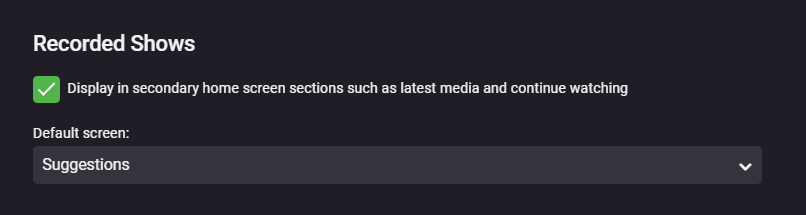
I would love to be able to have these options separated, or some other way to prevent certain libraries from filling up my Continue Watching section, but still have the Latest Media displayed for that library on the home screen. Example, I record daily news programs but I don't watch all of them every day. I like to go to the latest media section and jump right into the most recent recording. But with this setting, if I'm looking to catch up on a series in my TV Shows library, the Continue Watching/Next Up sections are showing newer episodes of TV recordings that I don't need to watch every episode, so I have to manually "Remove from Continue Watching" in order to keep that section clean, whereas I'd just like to not have them there and just scroll down to see what the latest is for everything in that library. So just splitting this up to be 2 options for each library, one for latest media and one for continue watching. Going a step further, I actually prefer having both Continue Watching and Next Up (legacy) enabled on my home screen. If I'm in the middle of a show and back out, it makes sense to keep it in continue watching until it's marked as played, but then I'd want it it disabled for Next Up. So in my case ideally it would be 3 toggleable sections for Latest Media, Continue Watching, and Next Up. I love having Next Up separate, but since it's marked as (legacy) I get the feeling you guys may disable this eventually ( please don't) but if that's actually going to be the case then just the 2 options for Latest Media and Continue Watching would be good enough for me.
 1 point
 -
I would prefer to have all libraries I select to default to release date or added time. Set in global server by default. it's possible?1 point
-
Again, what provider(s) are you using, in what order? Paul1 point
-
Confirmed, adding a file manually, even with a modified date from several days ago, results in Emby updating the "added" date to when the file was scanned in. So, looks like it is something on the Radarr side?1 point
-
Upgraded to v1.4.9 with the 'Fixed HLS subtitles not rendering correctly on certain models'....this seems to solve this issue as well..... I'll closely follow this in de coming days and inform you in more details ASAP. Grtz. Peter1 point
-
@Luke, Yes it does with the only requirement that it is compiled with vapoursynth. According to Chainik (developer) that is what the issue is. @alucryd Thanks for posting the new version for Arch, much apprecated!1 point
-
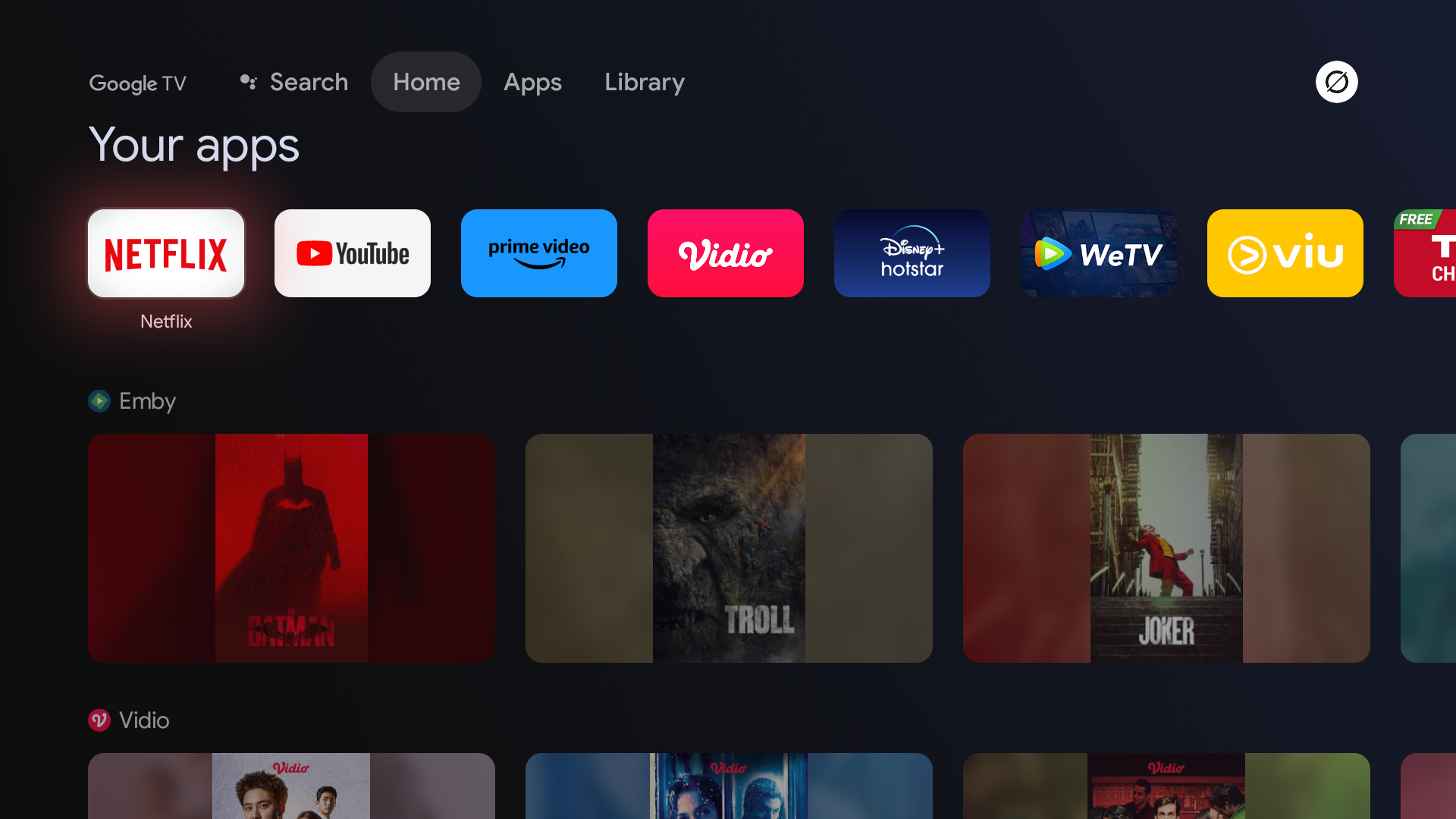
UPDATE: So I did some experiments, and among the experiments, I finally figured out how to fix it. First, secure your Emby server using SSL (You can follow this guide) Open your Emby server from Web Browser and go to "Settings > Network" menu, change "External domain" to your domain e.g "emby.example.com" and set "Secure connection mode" to "Required for all remote connections" Open your Emby for Android TV app, and login using domain following with the https, for example "https://emby.example.com" with port "8920" And voila! image now showing on your Google TV Home. If the image not showing try to uninstall and reinstall your Emby for Android TV app and repeat the Step No. 3 I am very happy that this issue has been resolved, but I am still not sure what caused this issue. However, I suspect that Google TV requires a "Secure Network" to be able to display the image on the Google TV Homepage, because when I use an IP without a Secure Network enabled, the image does not appear. Can anyone confirm this?
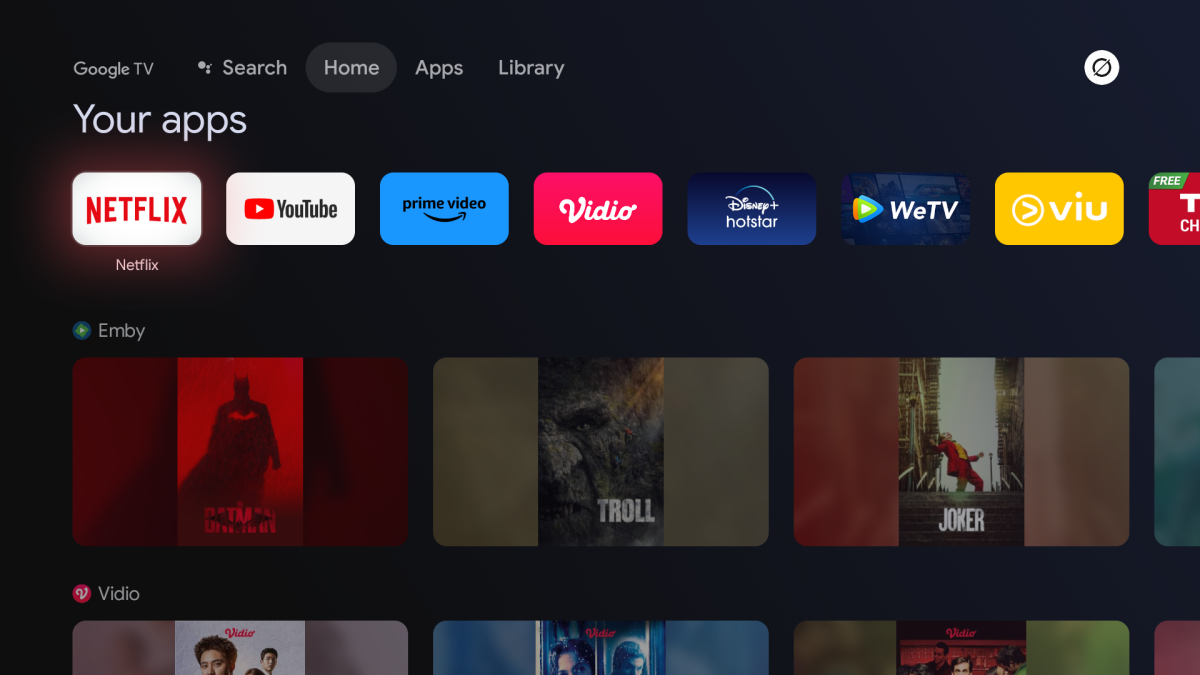 1 point
 -
Yeah I could probably add that and make it an option. Like "Commercial Skipped (20 sec)" or something like that.1 point
-
Not really interested in the "How" but the fact that it "Doesn't"1 point
-
Hi Version 1.1.12 is released https://github.com/nRafinia/Emby.Subtitle.Subf2m/releases/latest https://github.com/nRafinia/Emby.Subtitle.Subscene/releases/latest1 point
-
This could be useful for people who have an sdd for app and magnetic for media and put their hard disks to sleep. Browsing is somewhat and searching is heavily impacted by putting media drives to sleep. A word of caution - its great that my emby folder is 11GB in size, i used to use a media server which promiscuously cached everything down to different sizes of images (presumably for performance) which used over 100GB for its metadata. Its getting less and less of an issue as SSD sizes increase but 100GB would still be problematic for some. Anyways a scale of what is cached for different use cases and drive sizes might be beneficial.1 point
-
or emby could just implement the already coded 2.5 years ago tvnext functionality....1 point
-
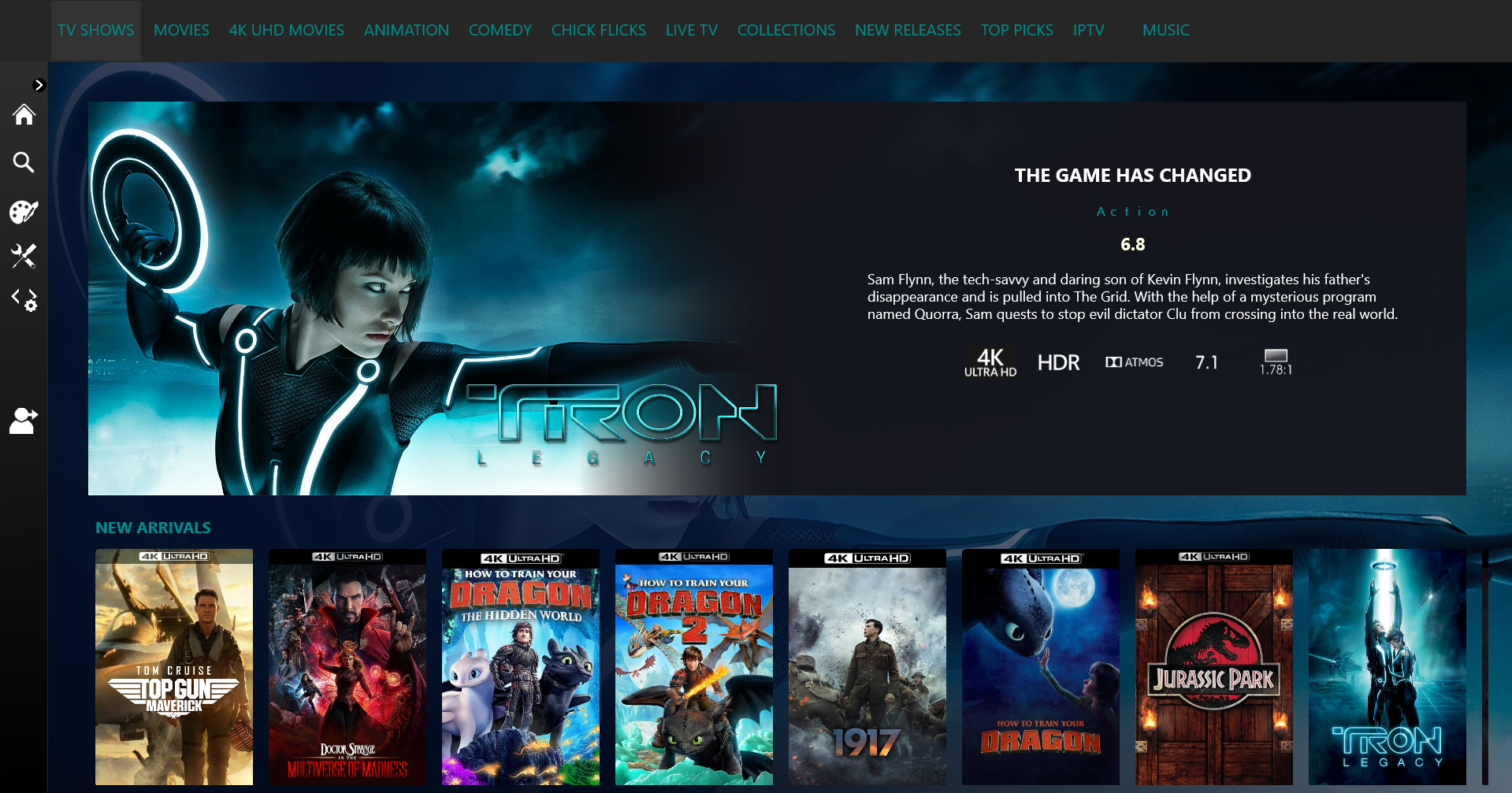
I love a good turkey Christmas dinner! I guess that's why your called chef.. No rush with Top Picks, it's gold mate. I'm sure you have a few things you want to sort out but take your time and enjoy the holiday season. Merry Christmas.1 point
-
Disable the user, then re-enable it - this will force re-authentication using your new password. If this is your only user - then create another Admin user first, then logon as that Admin, THEN disable the other account. Remove the temp Admin account once you are happy.
 1 point
 -
I'm quite loving this look
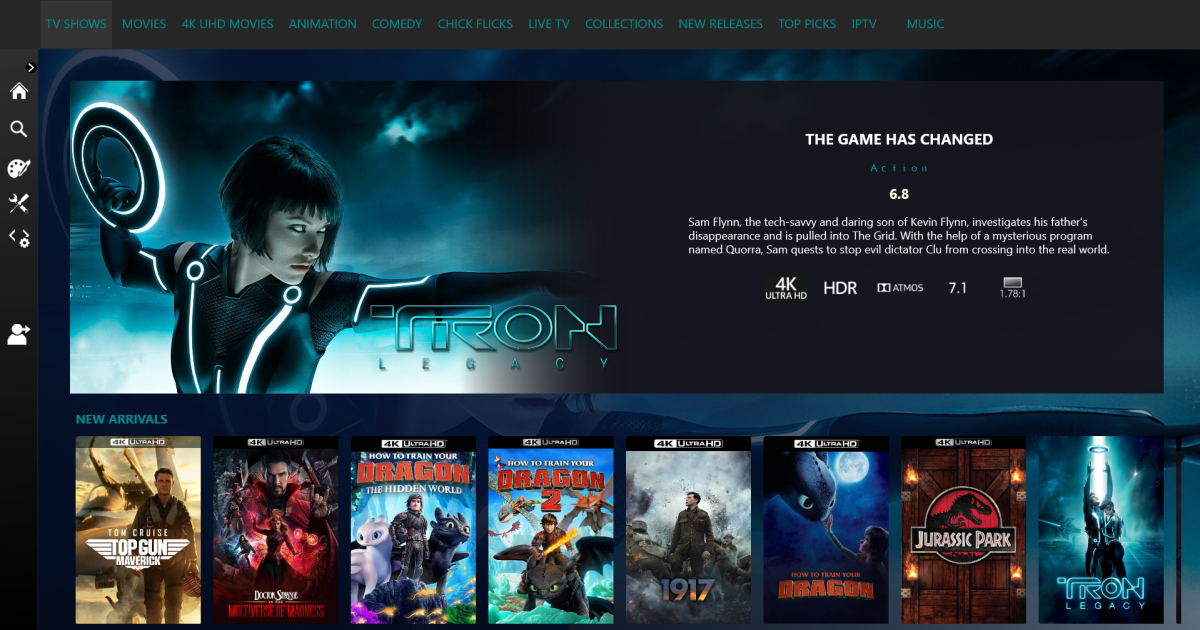 1 point
 -
There are some specials that are story-line specific that just about everyone would want to play in order.1 point
-
Yea if we get these settings, you could move it to the position you want or disable it if you like.1 point
-
That's all we want. And a simple addition in the Home Screen setup per user to add it if you wish - in this example - 'Spotlight' would be in section 1.
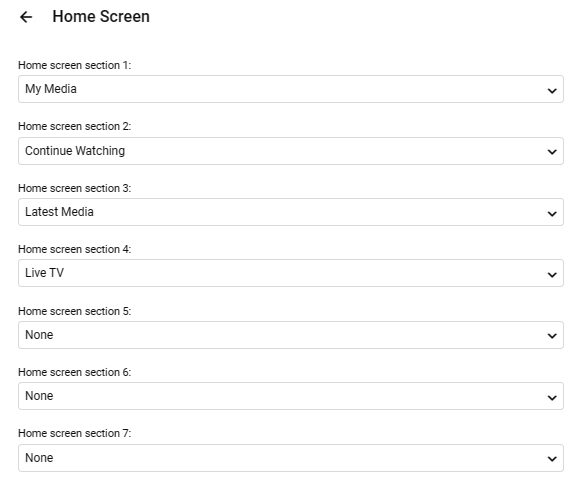 1 point
 -
Oh please no, thank you. Just address to D. Trump, Trump Towers, District of Trumpia. United Trumps of America.1 point
-
There are quite a few clients to implement such a feature on. It couldn't happen over night. @samsung2100 don't jump ship yet. Especially for "those guys" (team purple). I think you'd be more disappointed then you might realize. There are a lot of great ideas in this thread. I wouldn't count this one out yet. Luke rarely says "it's something he'd like to do." So, I'd imagine that's a good sign.1 point
-
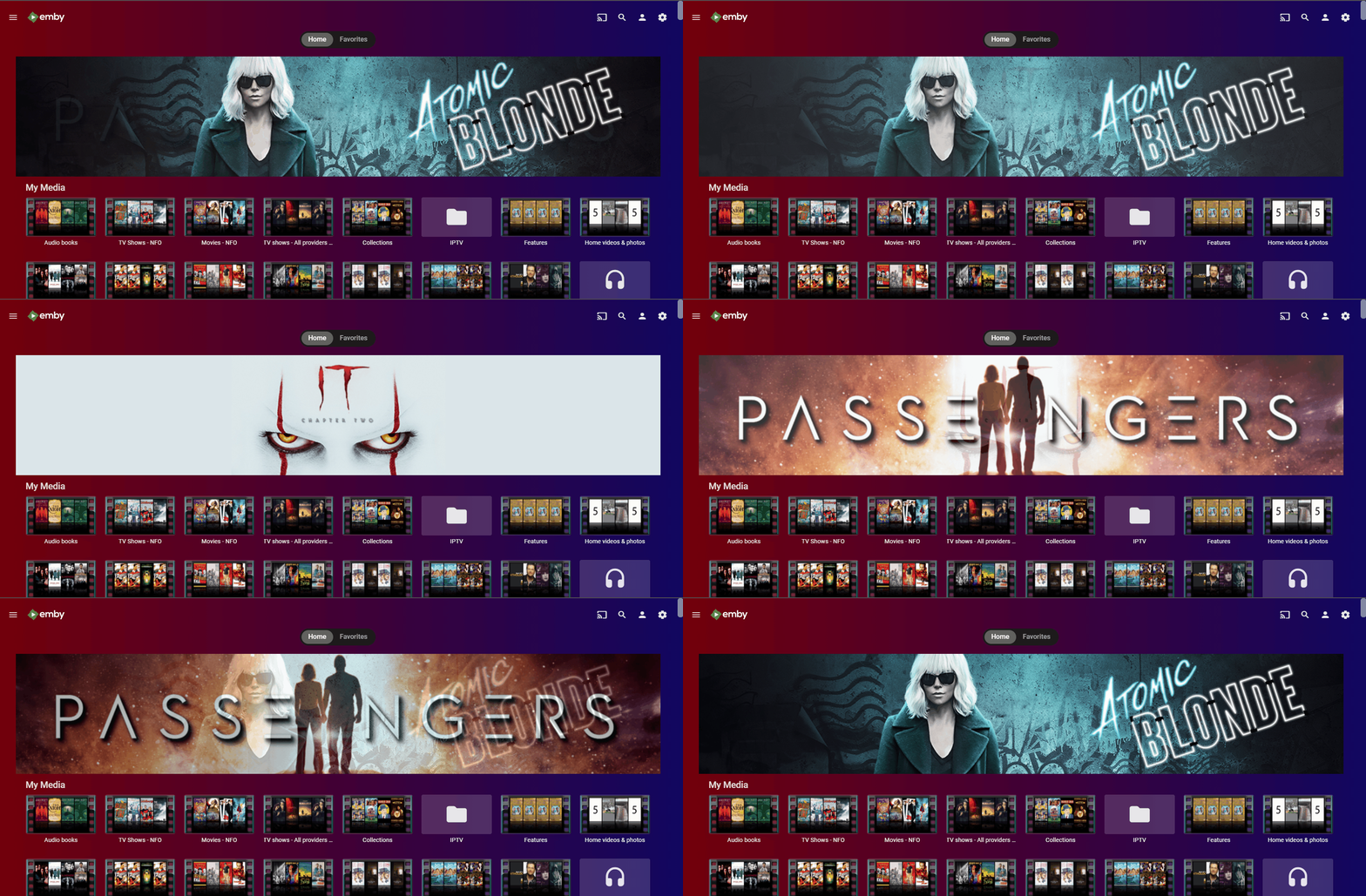
While you are waiting, maybe this will make someone happy for the time being or give an idea for a starting point: .sections.homeSectionsContainer::before { content: ''; display: block; background-image: url(https://assets.fanart.tv/fanart/movies/274870/moviebanner/passengers-585aa02f7420e.jpg); width: 80%; margin: 1em auto 0 auto; height: 16em; background-repeat: no-repeat; background-size: contain; background-position: center; } On the server dashboard, go to setting and copy the above into the "Custom CSS" field. Works with the web app only, though.1 point
-
There's plenty of things we've been waiting years for, but I think Luke and the guys do seriously well if you compare their resources to the somewhat bigger competition.1 point
-
Your a total tool!1 point
-
If I put Latest Media on top, I then have to scroll all the way to the bottom of the page to access any of my libraries.1 point
-
Can you not achieve that by not selecting the option to show 'a detailed preview of the selected item' while also rearranging the order of Home page items to put say Latest Media at the top ? Or have I got hold of the wrong end of the stick (again) ?1 point
-
Yes I do. Not sure about your point. For me, I don't use the side menu in Firefox and don't see the need for one in Android, so it wouldn't be an improvement. But no objections of course to options...1 point
-
Hi, currently no, but I think it's a good idea and something we can look at adding. Thanks.1 point
-
For users with Samsung Tizen SmartTVs (2015 - Present) who want to test the latest version of the Emby client app before it's submitted to Samsung for release in their app store. These installs should be considered beta until approved by Samsung, however they are the same ones submitted to Samsung monthly for inclusion in the Samsung store. Samsung's policy is that the only official way to distribute apps is through the Samsung store and that usb installs should be used for testing purposes only. Because of this policy Samsung has mandated that usb distributed apps must expire within 30 days of compiling. To help with testing you will be remined to update to the latest beta release as the app expires to ensure you are using the latest version when reporting issues. This install will also work for those who don't have access to the official client app in the Samsung app store. However, the same rules must be followed as indicated above. Release notes and version number For the latest release notes and version number click on this post https://emby.media/community/index.php?/topic/31461-emby-for-samsung-smarttv-release-notes-tizen-orsay/ Installation instructions Download this zip file: https://github.com/MediaBrowser/Emby.Releases/raw/master/tizen/tizen.zip Format a USB 2.0 stick using FAT16 (some larger USB 3.0 hard drives have been found to not work) (newer models may support other formats, check your users manual) Copy the tizen.zip file to the root of your USB stick Extract the contents of the tizen.zip file to the root. (This should create the folder 'userwidget' in the root of the USB stick and the folder should contain the two files needed) Turn on the TV Make sure your TV is connected to the Internet Plug the USB stick into the TV's USB port. Installation should start automatically. (There will be 3 quick messages in the upper right corner of the TV) Click 'OK' once the installation is complete. Optional, add the Emby app as a shortcut to Home Start the app from the Smart Hub or installed apps section of your TV. Troubleshooting If the installation does not start automatically, then please ensure your TV firmware is up to date and try again. If you get an installation error, try the process again with the USB stick formatted ass FAT32. We've received reports from users that installing from USB 3.0 hard-drive devices does not work, so please make sure to use a USB 2.0 thumb-drive device. Also, make sure the thumb-drive is unlocked/writable before plugging it in. The TV will need to write to your thumb-drive. Users with 2015 Samsung SmartTVs may experience an issue where the USB version of the app deletes itself upon restart of their TV. This is a security measure implemented by Samsung in which we have no control. If this is the case you may have to leave the thumb-drive in the TV and reinstall upon reboot, or install the latest release version of the client found in the Samsung app center. Updating from a previous USB install The app will notify you when an update is available. To update a previous USB install just repeat the instructions above. Notes: Certain Samsung SmartTVs have an issue where the app won't upgrade from USB drive if there is already a USB version installed. If this is the case you'll simply delete the old version before inserting the USB and then repeat the same installation process to install the new version. Also, try power cycling your TV after deleting the previous version if you have problems.1 point
-
Suggestions based on viewing history is a good idea for the future. Thanks.1 point
-
Apple is a closed eco-system and programing for it is a PITA from everything I've seen on the forums. People should just stop using crApple stuff, honestly.0 points







.thumb.jpg.d6885d5680202f4483eec858c82a6102.jpg)