Leaderboard




Popular Content
Showing content with the highest reputation on 12/21/22 in Posts
-
FWIW: I have two servers that use the same data. One of them accesses the files via local (the drives are physically attached to that server) and the other accesses the file through the network. I notice no real difference in performance and I can use either server for playback of any media I own. It should be noted that I have no high bitrate files and it is possible that really big files might produce different results than I have experienced. The only real difference I have seen is that the server that is not using local files is sometimes a little slower to pickup on file changes than the one that uses local data. It is not a huge difference but it is a difference. I could use either server for any watching I choose to do on any of my clients without any noticeable problems.2 points
-
FYI - Changing language or the title of a track does not require a remux, only an update of the headers. It should only take seconds using either 'mkvpropedit' or Header editor in the GUI of MKVtoolnix.2 points
-
I really don't get all the fuss over EHS. If you just limit the spotlight to the 1 spot if you want above my media and the 2 spot if you want below my media There will be no problem with the EHS. If you put the spotlight in the first spot it does not need to be more clicks, you can have the first click down pass the spotlight and go to my media and then a click up if you want to highlight spotlight. If you chose my media first and spotlight in 2nd the same can apply, just skip over and 1 click up if desired. then once you scroll down to your other media (continue watching, latest movies, ect) EHS would kick back in. this could only work if was limited to the top 2 rows and forcing the spotlight to be num 1 if my media was not there and forcing num 2 if my media was in 1 spot.2 points
-
Here is the latest list of versions for Emby software across the server and clients. Emby Server Stable: v4.9.5.0 (2026/05/18) Release Notes Beta: v4.10.0.14 (2026/06/04) Release Notes For other platforms, please refer to the download page. Emby for Android TV Google Devices Stable: v2.1.23 (2025/12/27) Beta: v2.1.46 (2026/04/15) Amazon Devices Stable: v2.1.23 (2025/12/27) Beta: v2.1.46 (2026/04/15) Stable Release Notes Beta Release Notes Universal Android app Stable: v3.5.16 (2026/01/26) Beta: v3.5.36 (2026/05/10) Release Notes Download the latest Beta here. Emby for Kodi See here for the latest information. Emby for Roku Stable: v4.1.63 (2026/05/04) Release Notes Beta: v4.1.64 (2026/05/13) Release Notes Emby for Windows (Windows Store for PC & Xbox One) Stable Release Notes Beta release notes Emby for Linux Beta Release Notes Emby for Samsung Smart TV (Orsay) E-series to H-series TVs only Release Notes Emby Theatre for Samsung Smart TV (Tizen) Release Notes Emby Theatre for LG Smart TV Stable: 1.0.50 (2026/01/19) Emby for iOS Stable: v2.2.53 (2026/05/16) Stable Release Notes Beta: v2.2.52 (2025/04/11) Beta Release Notes Emby for Apple TV Stable: v2.0.3 (2025/12/26) Announcement Beta: v2.0.6 (2026/04/11) Release Notes Emby for tvOS (Apple TV) Stable: 2.1.6 (2022/12/23) Release Notes - TBA Beta: 1.5.1 (10) (2021/03/02) Beta Release Notes Emby For MacOS Stable: 2.1.6 (2022/05/09) Details here. I will keep this post up-to-date as much as possible, but please send me a PM about anything I haven't updated, or is missing. Special thanks to @Borskfor supplying a lot of the updated information. Thanks.1 point
-
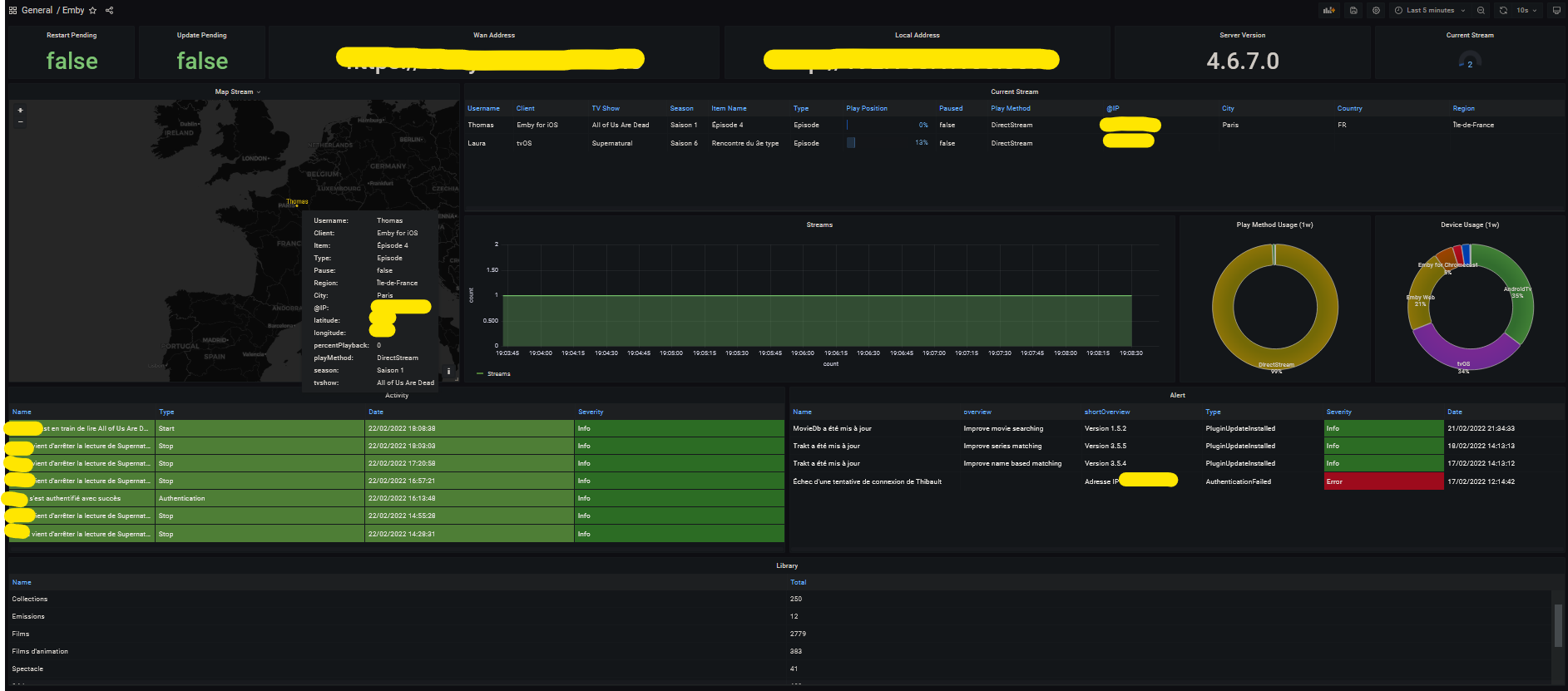
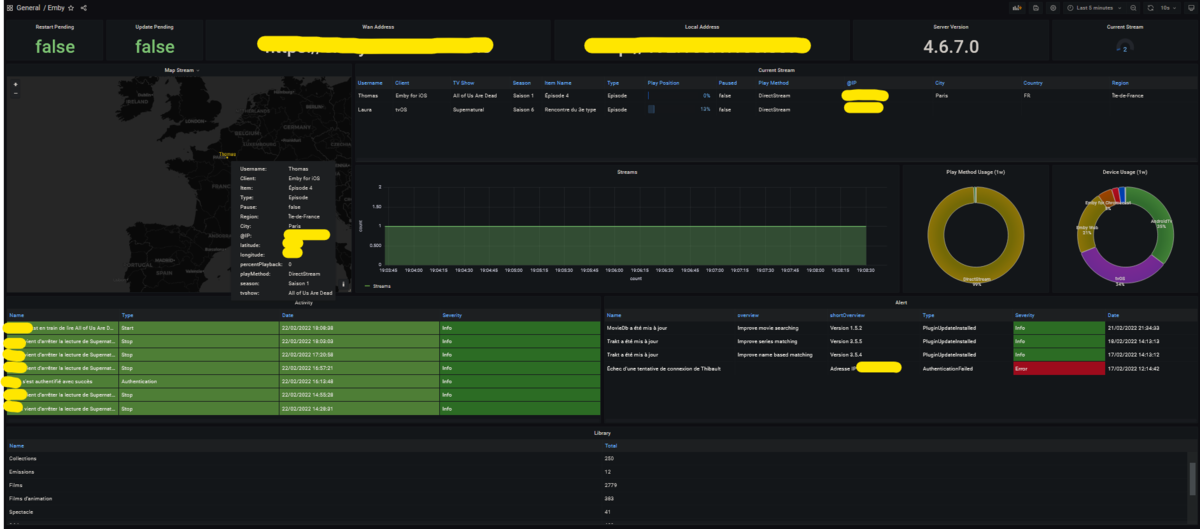
Hi everyone I did a quick export of some emby metrics for prometheus. It's still a first in alpha alpha alpha alpha alpha version but it seems to work If some volunteers want to try it and give me some feedback it would be really cool. I have in mind to add geoip to have a small map in grafana for example. If you use docker you just have to type this command: docker run -d -it \ --name=emby_exporter \ -e CONFIG_FILE=NAME_OF_YOUR_FILE.yml \ -v '/path/to/your/config/file.yml:/config/file.yml' \ bagul/goemby_exporter:latest Config file example: server: url: "http://<ip|domain name>" port: 8096 token: "your token" userID: "your userID" You will find your user id in the URL on your profile (on your server of course). And you will just have to add the exporter in your jobs in your prometheus config. As you can see the information is still recovered are thin but you can already make a small dashboard. I have the number of stream in progress and a map showing me the location of my users (approximate of course ) I think to add with time the information of Ombi for example. https://github.com/TOomaAh/emby_exporter_go My Dashboard: Emby Dashboard-1655999358418.json
 1 point
 -
Well that was easy enough - I dug through a ton of Registry settings and rebooting.... I ended up downloading IISCrypto and hitting the best practices button and selecting the reboot checkbox then apply - PC rebotted and SSL is working now. Mark as resolved - IISCrypto is the easy button1 point
-
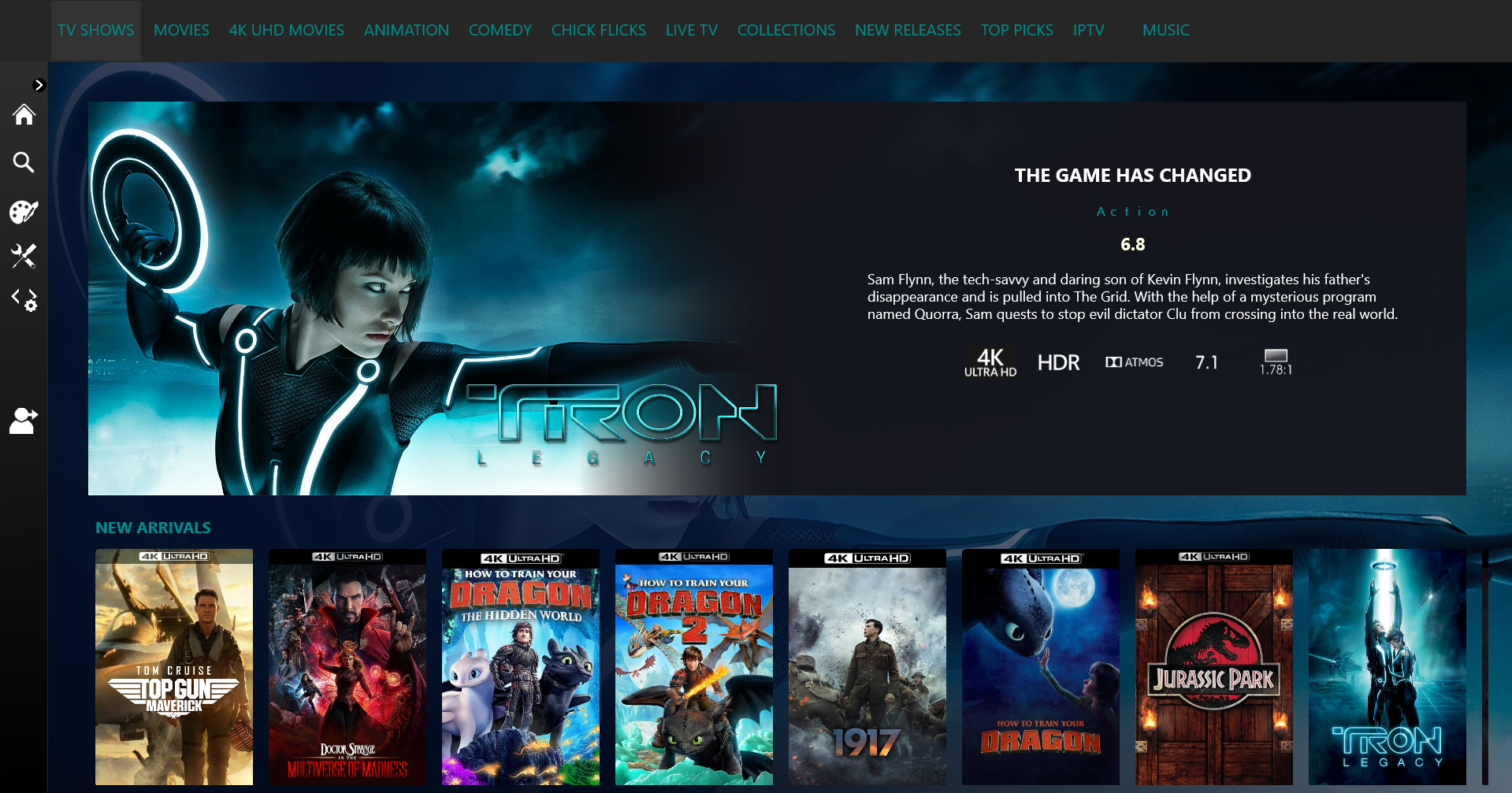
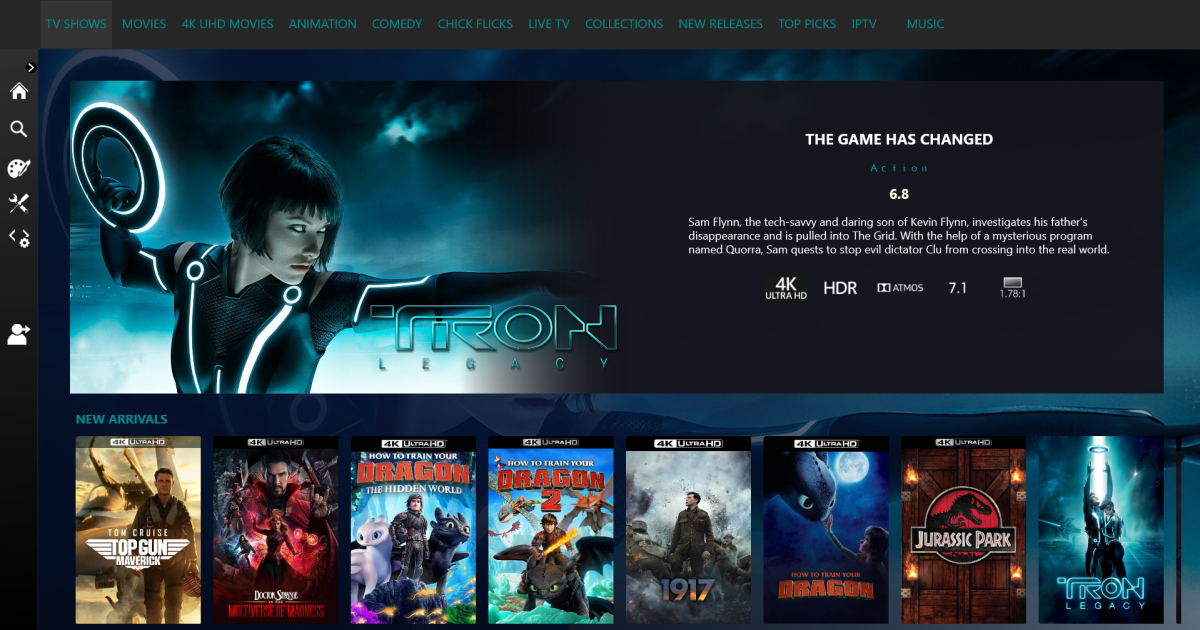
I'm quite loving this look
 1 point
 -
Hi Is there any updates yet as to adding reader for books on emby?1 point
-
Yes it does.1 point
-
It might be that something went amiss during update. 2022-11-05 sounds about right for 4.7.9.0 update, but 2022-12-13 update was 4.7.11, you should've had 4.7.10.0 in between those if server was updating regularly and SYSTEM.OLD would carry that date. Anyway, since you're already on 4.7+ branch it is possible you can downgrade and db has not been corrupted during failed update: delete C:\USERS\ADMIN\DOWNLOADS\EMBYSERVER-WIN-X64-4.4.2.0\SYSTEM folder, rename C:\USERS\ADMIN\DOWNLOADS\EMBYSERVER-WIN-X64-4.4.2.0\SYSTEM.OLD to C:\USERS\ADMIN\DOWNLOADS\EMBYSERVER-WIN-X64-4.4.2.0\SYSTEM, run server and see how does it compare (it will eventually auto-update itself again if you have auto updates enabled).1 point
-
I had to change Emby to use port 443 for HTTPS... But here are the results: TLS 1.3 - No TLS 1.2 - No TLS 1.1 - No TLS 1.0 - Yes SSL 3 - Yes SSL 2 - Yes I don't think modern browsers will even allow TLS 1.0 or lower (Chrome will only use TLS 1.1 or higher)1 point
-
This is something we'd like to be able to accommodate in future updates, but we're not quite there yet.1 point
-
Oops - sorry. Senior moment there... Paul1 point
-
No pm me. Your PayPal email is different then your premiere email, and I just have to fix that. Thanks.1 point
-
From the above - I would say it is not running. Using the windows file search facility - try and find 'EmbyServer.exe' That is the file you need to run to start Emby. Try just double clicking it in the search output (assuming it finds it) and then re-try the browser as you did before - HTTP://LocalHost:8096 If it then works - make sure you configure the 'start up' options before closing the browser. - server > settings > Run server at Startup = Yes + Launch Browser = Yes + Save.1 point
-
AFAIK you can't have two libraries pointing at the same folder. you need to sort out that folder1 point
-
It's limited by the network bandwidth - but assuming you are connecting over a 1Gig LAN - then it be no different for general playback (even 4k high bandwidth files should be fine) - but it may be a little slower browsing items and such like but the local 'cache' will try and compensate for this.1 point
-
When ever you copy database files you MUST shutdown Emby first. It's possible you copied the file when Emby was open which could corrupt the database. Then of course putting it back is going to cause issues. I don't use WinSCP as I just use the Synology File Manager to grab files from my local system while copies them to the proper directory (or vice versa). Normally File Manager can't see anything under the @appdata directory, but I didn't like that so I "fixed it" for my own use. I haven't shared how to do this as Synology hid these folders on purpose but if you do it the way I do it, mapping to my own home directory it's only available to my own username. If there's interest in this I'll write up a tutorial how to do this along with how to set permissions of the Emby files which I could setup to run as a Task Schedule manual run job. That should make life a little easier. I can also include how to reset Emby file permissions via SSH as well in case this is needed. Worse case the task manager script will make sense by understanding the procedure from the command line. Carlo PS I would want a couple advanced Linux guys running a Synology NAS to test first. Then let me know if they see any issues before I'd release this info publicly.1 point
-
It's fine to change the external port which is helpful to those running scripts looking for known ports used by certain apps. However, there really is no reason to change the internal port unless you are running multiple versions of Emby on the same machine. Keep in mind once you forward the port on the router it's using you local LAN to get to Emby Server. So Emby is listening on the Internal port. When it see's the IP address embedded in the packets it knows it was an external address. Emby then marks the packets with a return port you set in settings. This way the client will get the public port. The router intercepts this on the public port then port forwards it to the IP/port you set to your local Emby Server (usually port 8096). Hope that helps.1 point
-
It is one server reporting local and remote that will/should connect depending on whether you are local or remote not separate servers.1 point
-
Not according to your log. Info App: Adding HttpListener prefix http://+:8205/ Your port forwarding needs to be internal 8205 not 8096. So if I have this correct Emby Local is 8205 and Public is 58196 so Port forwarding should be external 58196 internal 8205 to 192.168.50.27 Probably need to verify firewall rule for 8205 also.1 point
-
I'll look into this solution. Thanks1 point
-
yeah, I'm not sure what i did to get into this situation, but I've fixed it. 1. Verified setting was not set on affected library. 2. "del /s *thumb.jpg" from the top of that library folder 3. Rescan for missing metadata on library. Episode images are now present, but not stored with media files. Thanks everyone.1 point
-
Yeah I'm running the beta. Nice change.1 point
-
I'm not sure what progress has been made on this. I have noticed some improvements/changes on the server and web interface that appears to address this by rounding what is being displayed. The only thing I have noticed is that it appears this hasn't been addressed on the Roku App. I'm still seeing digits beyond the tenths there. I'm OK with the displays rounding as if this is how the data is being delivered from the metadata sources like IMDB. I'm just posting here today to let you know (if you don't already know) that at least on the Roku App it appears to still have the same issue. Thanks for all the help!1 point
-
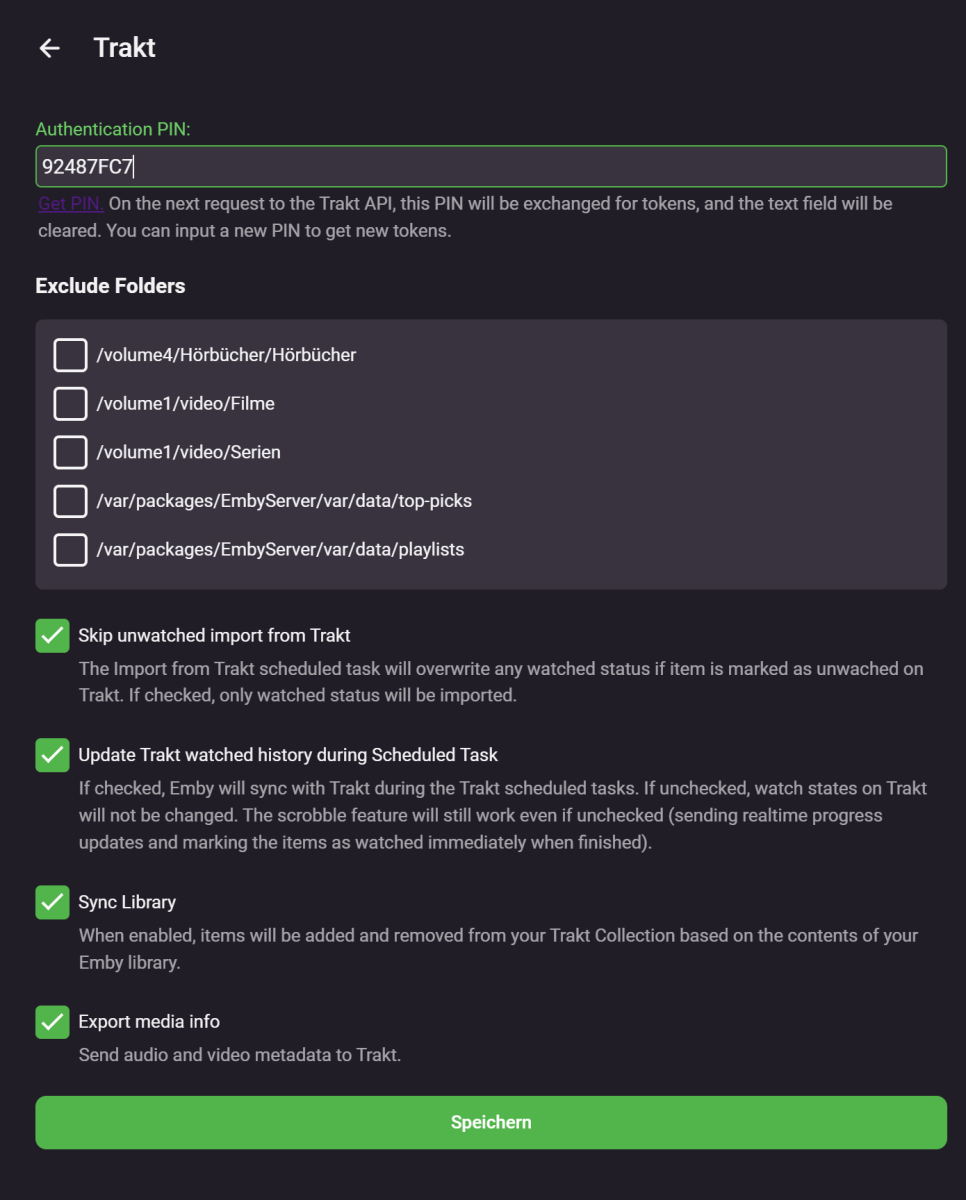
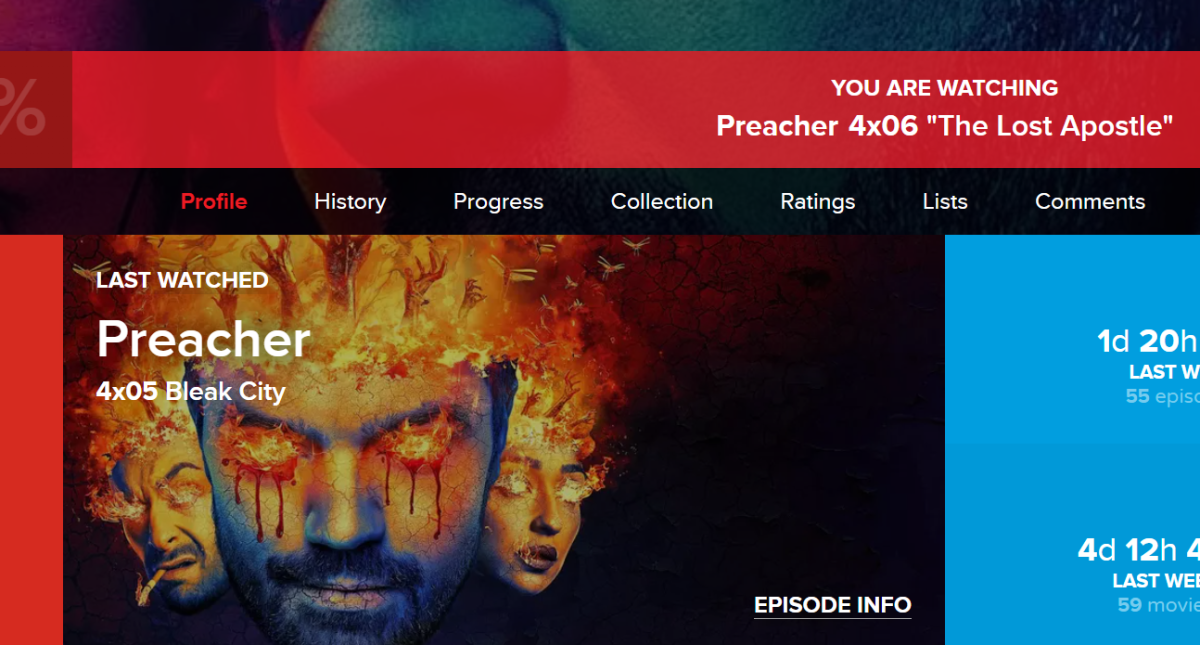
Yes, it has always said (Failed) for me since way back, but it nevertheless it has actually synced watched stuff, I guess it fails because som movies and episodes are not found on Trakt.1 point
-
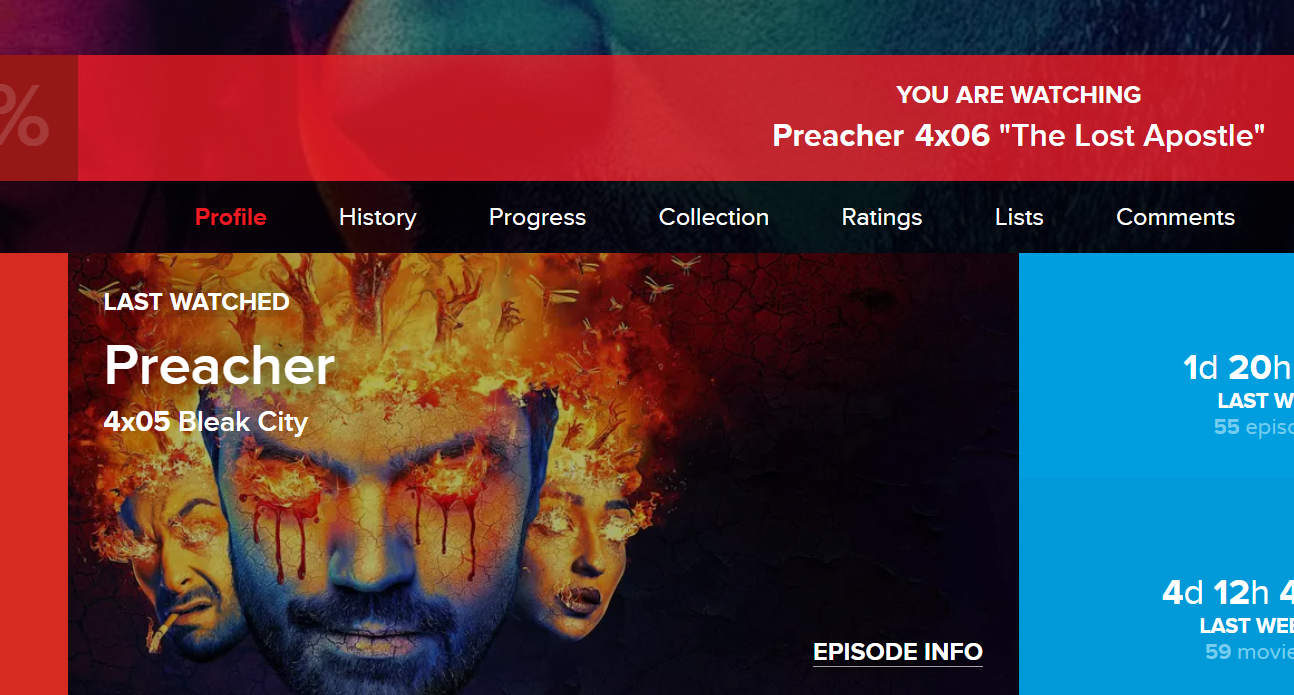
Funny thing is, even as job is still shown as failed, the actual watchstate on trakt.tv website is correct,;
 1 point
 -
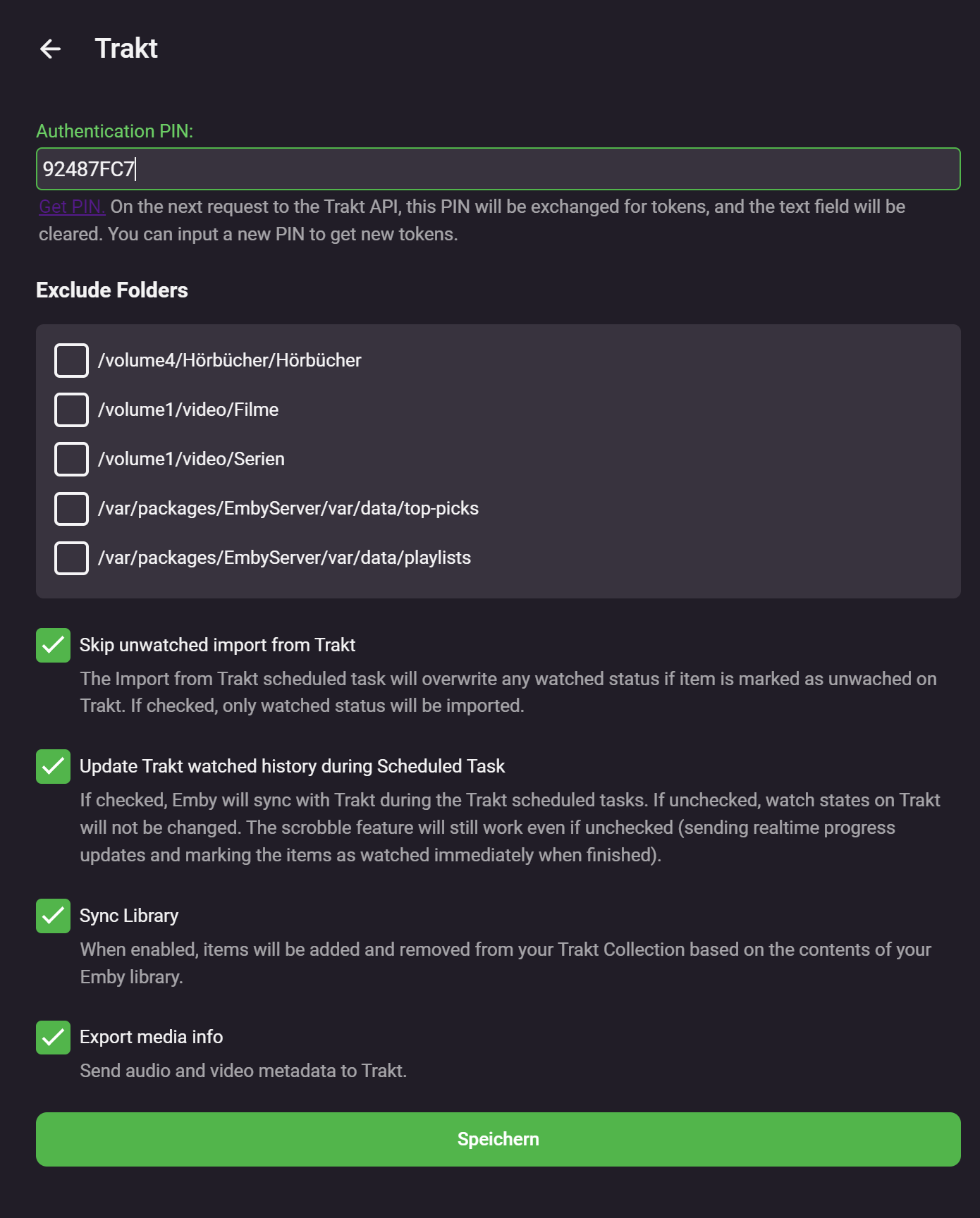
Just gave it a try myself and it's not working. Removed plugin - reboot - install plugin - reboot - got new PIN - sync fails - marked additional movie as watched - got new PIN - sync fails Settings (PIN of 1st try) Log attached embyserver (2).txt
1 point
-
Yeah, i don't think any client has a real EHS anymore. I think the coverart plugin or feature now, uses these enhancements to generate the images. Not sure on the tech behind but i'm gonna go with SkiaSharp for the drawables. Anyways, i hope this post makes the start of page 7 hahahahah1 point
-
EHS was a legacy feature introduced by Eric in WMC Client, which allowed for more info on the home page. Enhanced Home Screen. So if it is supposed to be an enhanced home screen then make it one.1 point
-
Agree - I also don't get why this is so complicated and takes 6 pages of debate and discussion - like every other client out there - the 'spotlight' is on focus when you start emby - if you like what you see - then click the button on it and it will take you directly to the movie (to select version, subs, audio etc), or take you to the seasons etc if it's a TV series, just like if you had 'found it' via My Media. If you don't like what you see on spotlight - then 'down arrow' to get to My Media - and proceed as normal. If you don't like seeing the spotlight bar - then turn it off - and My Media will be there like it always was. That's it. Not sure why EHS even got mentioned - EHS is just displaying extra info and graphics for when you manually select an item in the 'Latest' or 'Next Up' etc and will just replace the 'spotlight' screen estate when doing so - it does not do anything on 'My Media'. EHS is effectively a manual spotlight ! The main Spotlight would be partially doing the EHS for you (the whole purpose ..) - you probably just want the main title and spotlight image - and maybe the 'Tagline' from the metadata or the Season Overview if it's a TV show. In it's most simplistic form - it's just another 'Channel' row with a much larger poster size and the ability to be positioned above 'My Media' ..1 point
-
Funktioniert aktuell mit der 4.7.11.0 wieder.1 point
-
I didnt have time yet. I will answer asap.1 point
-
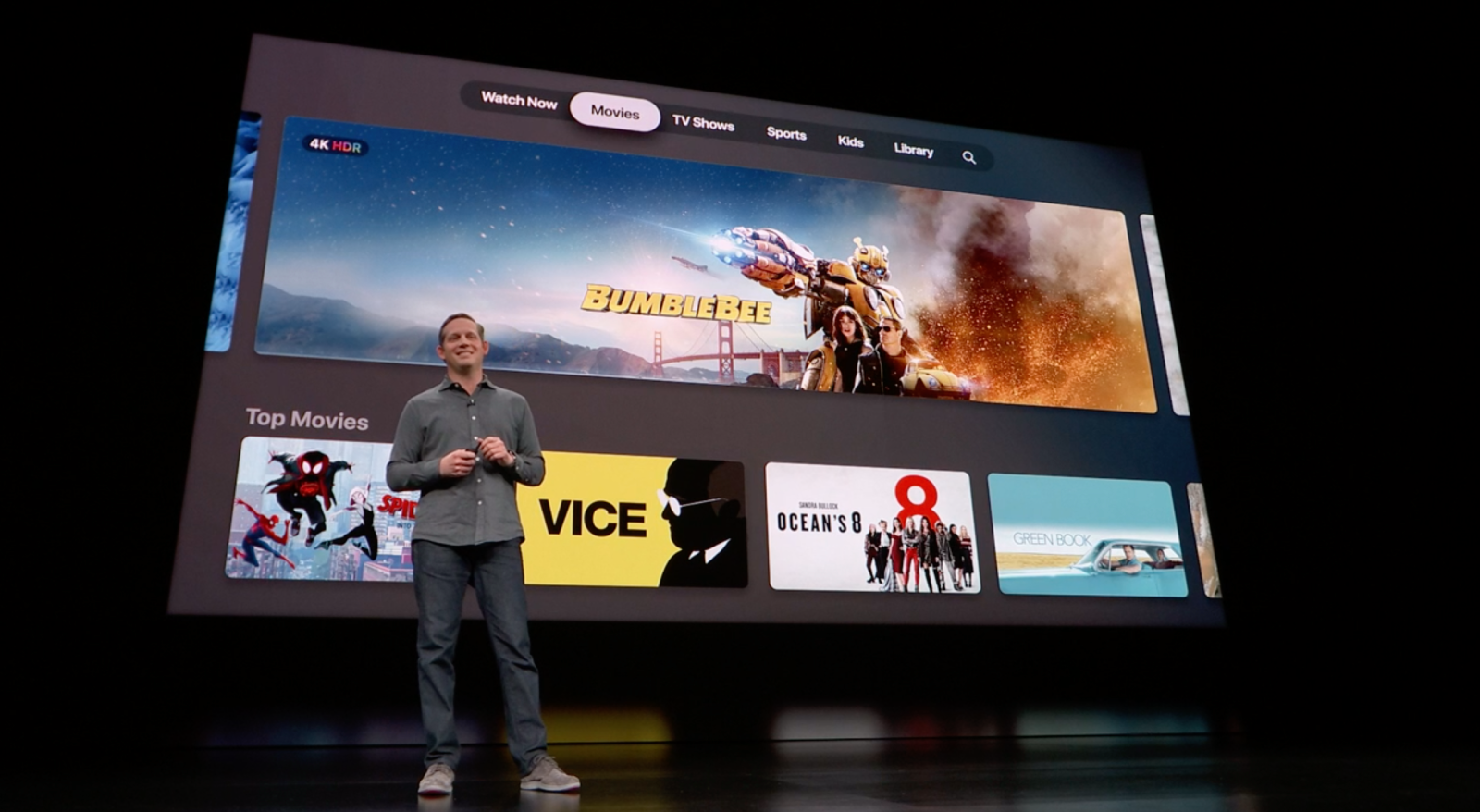
@Lukecant wait to see this implemented. It’s awesome to see the Apple TV getting some love from you guys.1 point
-
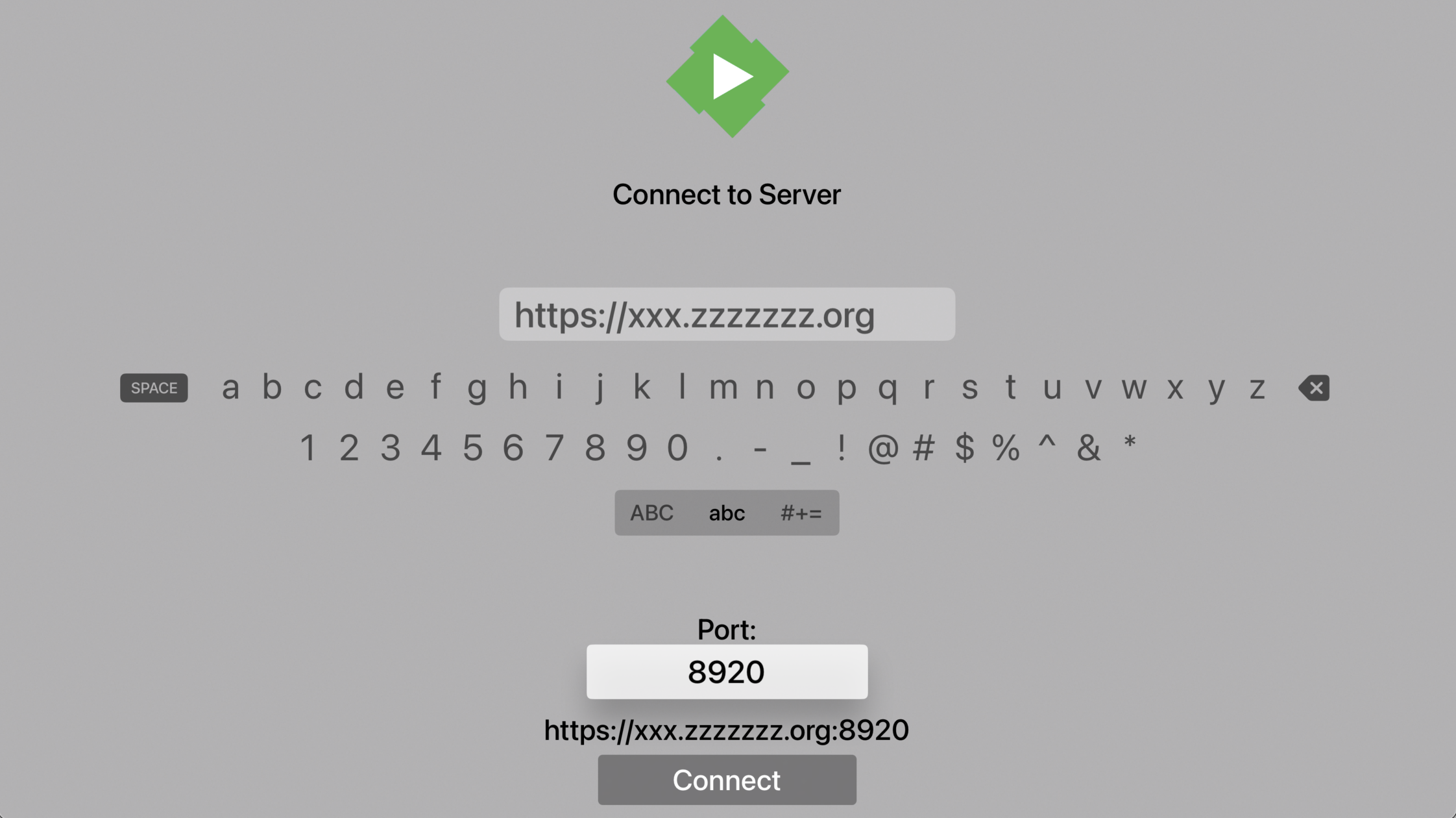
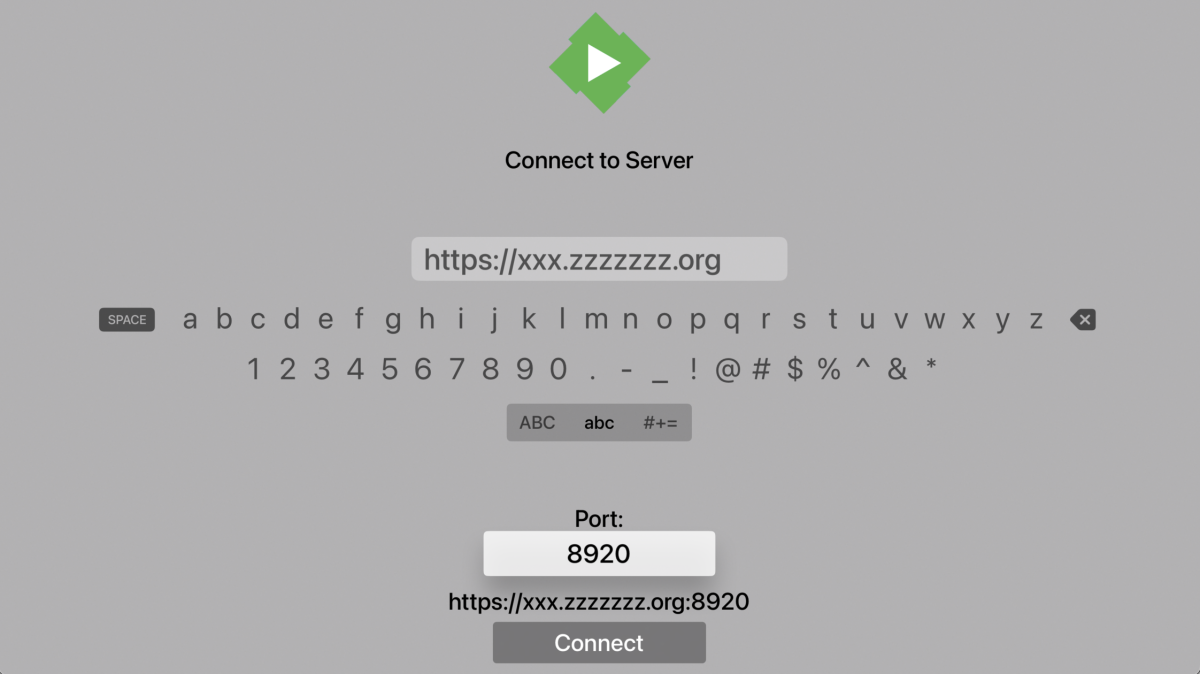
if I don't put the prefix: I can reach the server on port 443, but my login credentials are rejected My network configuration is the same as illustrated. And this occurs only with ATV, access from browsers, emby for LG, emby for windows are doing well... I can't test anymore for the moment, this ATV is in a secondary house....I'll be back to you when I'll go there again thanks for your help1 point
-
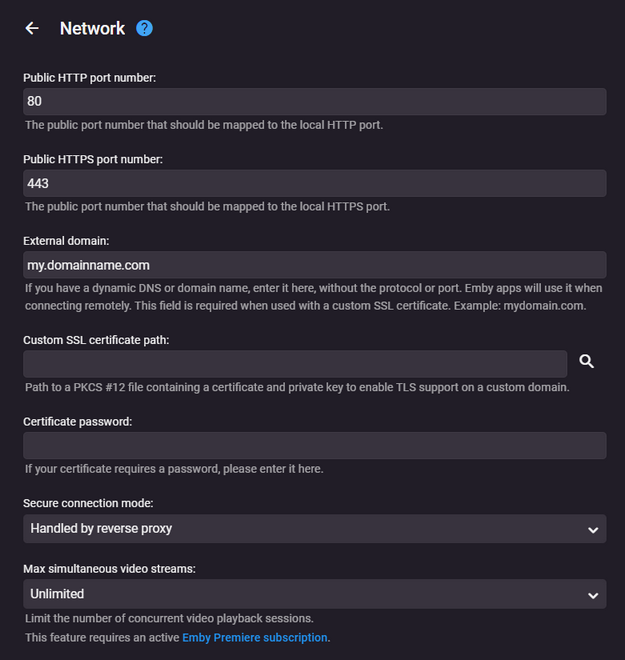
and what happens if you don't prefix the protocol, and just enter your domain name as "xxx.zzzzzz.org" and make the port "443" ? also what does your 'Network' tab look like in Emby, it should look something like this if configured correctly for a reverse proxy
 1 point
 -
What app version are you using? I'm not seeing this issue
 1 point
 -
Figured it out. Its a post request...1 point
-
Thanks Gents!! Merry Xmas!1 point
-
Thanks Cayars for helping out a fellow Rush fan!1 point
-
You've done that by opening this topic. We'll take a look at it. Thanks.1 point
-
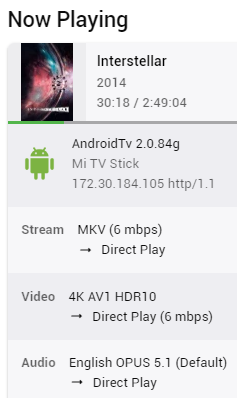
A new BETA version of Emby for Android TV was released today. Version: 2.0.84g It caught my attention that the first line in the changelog were about the subject of this topic. It can't be a coincidence. Anyhow, thanks for solving this @ebrand everyone else who was involved. This issue is solved. At least on my end. @VirulentPipyou'll need to subscribe to the Beta of Emby for Android TV to get this one. It can be done on the Google Play Store (smartphone, Desktop..)
 1 point
 -
Hi, this will be in the next update to Emby for Apple TV. Thanks !1 point
-
Finally I actually sat down and looked at it a bit more. It appears a filter for favorites was activated at some point and never turned off. Something my kids probably ended up doing. It is working correctly now.1 point
-
That is so odd. When I look at the Movies folder, it shows a "Custom" permission setup but I don't remember doing anything there. I have set the TVShows folder to readonly for the emby user and it is finding my TV shows now. Thank you very much!!1 point
-
Hi Luke, So I didn't get around to sideloading, but I did want to report back that I increased the RAM and added an SSD cache to my NAS and the problem seems to have remedied itself. I can't say for sure that was the culprit, but adding RAM has definitely made my NAS much snappier and a worthwhile upgrade. I'll keep you guys posted if this happens again, but for now I'll mark this as solved. Thanks1 point
-
I found it, can you do it like this ?
 1 point
 -
Preparations have been made a while ago. The new enums are part of the public (plugin) API: Emby.Media.Model.Enums.ExtendedVideoSubtypes Emby.Media.Model.Enums.HdrBaseFormats That's just one part, though. Next step is to extend the database for this.1 point
-
Messing around with this tonight Version 2:1 point
-
Here are my Marvel Cinematic Universe, Marvel Studios and DC Comics collections posters. Attached are the original Photoshop images so you can customize them to your liking. Enjoy! DC Collection - poster.psd Marvel Cinematic Universe - poster.psd Marvel Studios Collection.psd1 point