Leaderboard




Popular Content
Showing content with the highest reputation on 12/19/22 in Posts
-
I will have a look at the PR i got from @Luke for the Telegram Plugin an than port it when i find time for it.3 points
-
It would be nice if a user's stream was continuous between devices . Example: If I am listening to music on my phone then I log into the web UI, my stream would move to the web UI. Then if I close the web UI and later in the day I open the app on my phone again, the same stream would continue. Same concept with videos...2 points
-
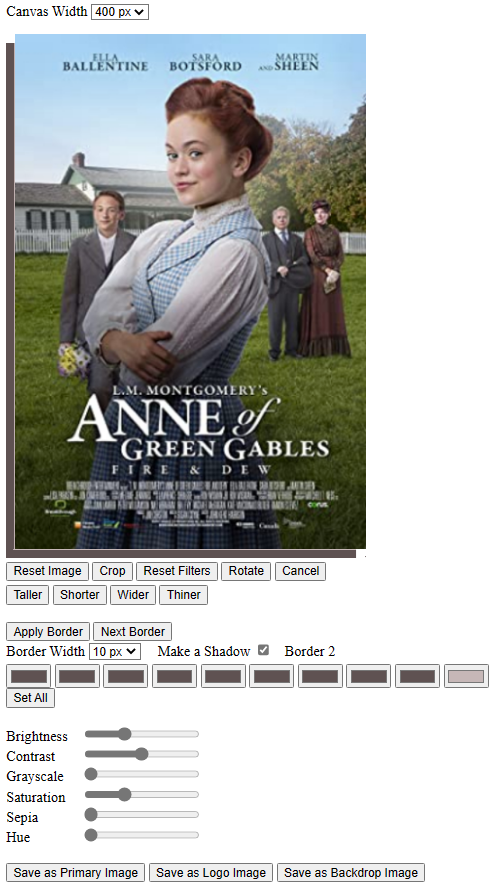
I have been working on an editor to edit the images used in Emby (Primary, Logo, and Backdrop). Currently the tool can replace images, but not edit them. The editor code is attached below. I have not integrated it into the (edit: Metadata) tool, but to do so is easy. The attached code is standalone and includes an image to edit. Please play with this editor and let me know if it's good enough to use for editing Emby images . You can also create custom borders and shadows. The save buttons are disabled and the rotate function is not finished. vic image_editor_1.5.html
 2 points
 -
Thanks GrimReaper. That worked and I now have a backup.
 2 points
 -
Emby Server 4.7.11 - New Intuitive TV Guide Improvements & Other Fixes This is the latest point release of Emby Server. It's a small maintenance release, containing improvements to existing functionality as well as a couple fixes for user identified issues. New Intuitive TV Guide Option Panel for Configuring the Display of Your Guide Data. 4.7.11 features a slick new way to quickly adjust the different options used for the TV Guide grid. Click the icon shown below highlighted by the yellow box. This opens a new panel where you can set over a dozen options including the sort order of channels, the channel groups (tags) you wish to see (or hide) as well as the data used in the far left column representing the channel. The rest of the options configure the information displayed with the program data. Setting the Channel Display to Title gives you this look in the first column. This is how it looks using: This is how it looks using: Right next to the icon we used above is our date picker: Clicking on the date gives us this: The number of days shown will depend on the guide data itself. If using Emby Guide data this can be adjusted here: If your provider supports Groups these will be available as shown below. You can also add tags to any channel you wish to edit which will show up here: Other improvements and fixes included in 4.7.11 include: * Fix intermittent scroll problem with Live TV Guide * Improve intro detection error handling for TV Series View the full article2 points
-
It's one-off purchase.2 points
-
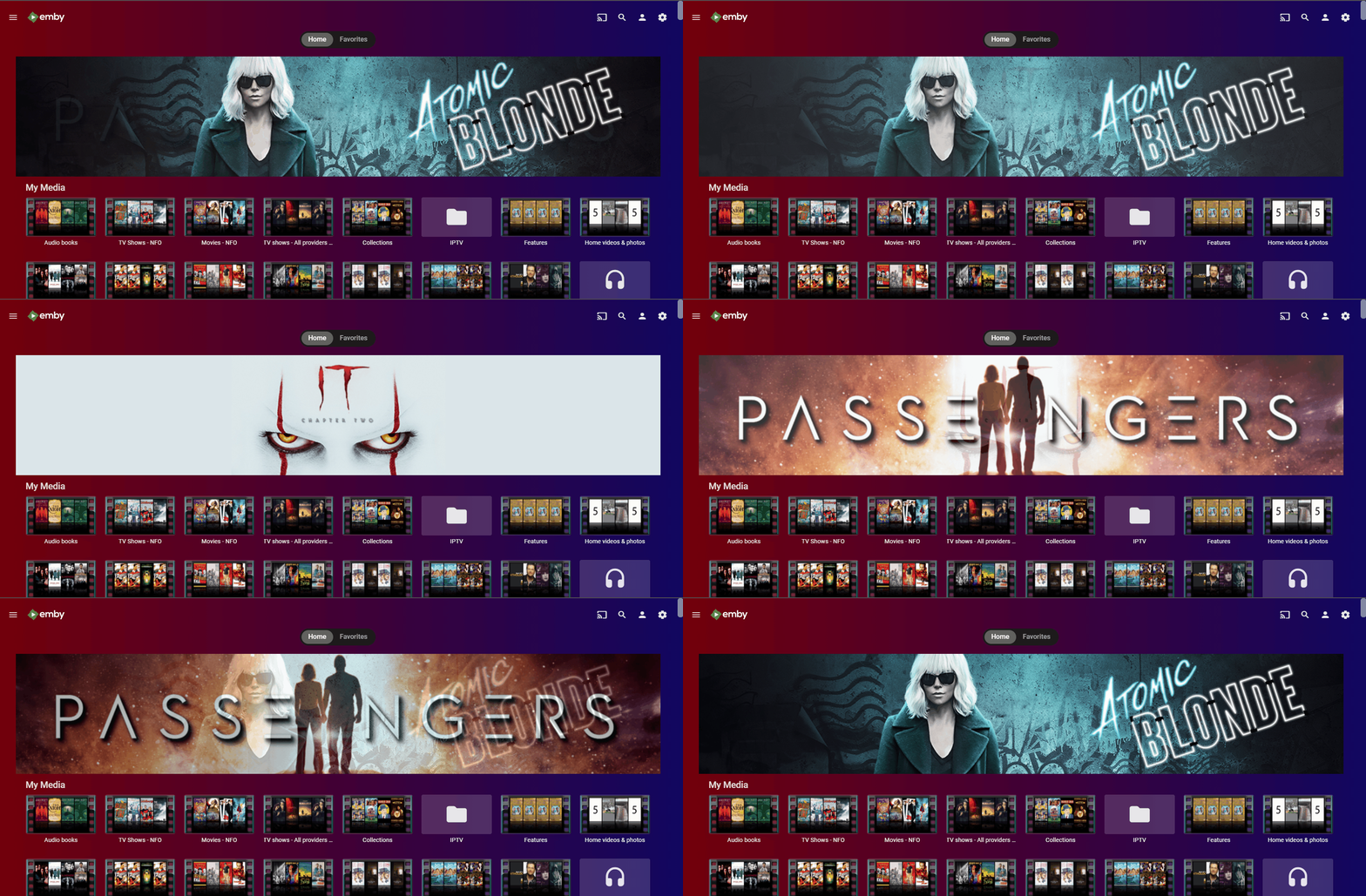
@rbjtech Then it is a matter of what to spotlight (content type) and how many but believe should be a customizable list.2 points
-
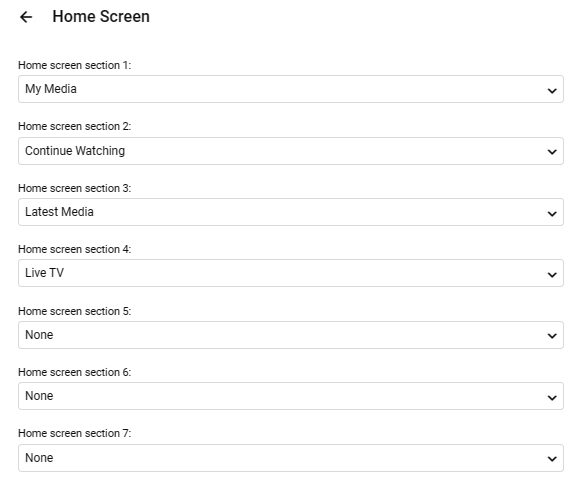
That's all we want. And a simple addition in the Home Screen setup per user to add it if you wish - in this example - 'Spotlight' would be in section 1.
 2 points
 -
Matrix Notifications Plugin for Emby Based on my Telegram Notifications Plugin i build a Plugin suitable for the Matrix Messaging Protocol. the simple advantage is that you can host your own server for it which does not rely on other people. Nope it is not in the Plugin catalog, because there are only plugins by developers which are "willing to fully support it. That means keep it up to date with server versions as well as fix any issues and respond to user help requests." Because of the closed source code of Emby and the lack of Plugin development documentation that is something i cannot ensure. What it does? It simply forwards the Messages of the Emby Notification Framework to a Matrix Room. Not more, not less. Sorry no fancy posters etc. because the Standard Notifications of Emby dont support it. That could be hacked into, but those things can break easily on every update. Install Install the Plugin by downloading the DLL (or build it yourself using VS2017/VS2019) and putting it into your Emby Plugin folder Restart your Emby Server Grab yourself the Element Messenger and curl (of something similier to talk with the API) Your server needs a user account on the matrix instance to use, so register on for it Start Element with your own account and create a room, deactive encryption (important), i made mine invite only. Invite your Emby Server to the room Head to the room settings you will find the internal Room ID, something like: !klblablabla:matrix.org an note it Now it is time to start playing with curl to get Access Token of your Emby user and join the room Mind changing the TLD etc accoring to your needs. Start with getting your Access Token curl -XPOST -d '{"type":"m.login.password", "user":"EMBYSERVERUSER", "password":"EMBYSERVERPASSWORD"}' "https://matrix.org/_matrix/client/r0/login" Join the room (the ! in the room ID must be exchanged with ah %21) curl -XPOST -d '{}' "https://matrix.org/_matrix/client/r0/rooms/%21klblablabla:matrix.org/join?access_token=ACCESSTOKEN" Test the connection curl -XPOST -d '{"msgtype":"m.text", "body":"hello"}' "https://matrix.org/_matrix/client/r0/rooms/%21klblablabla:matrix.org/send/m.room.message?access_token=ACCESSTOKEN" Go to the Plugin settings page and fill in the Access Token, Room ID (like you copied it from Element aka with the ! at front), and the Server TLD (dont forget the / at the back) Send a Test Notification Activate the Matrix Notifications Plugin in the desired Server notifications Known Issues? It does not support E-2-EE because there is no SDK for it. Of course TLS will be used. Where to get it? You can download the Source and DLL on Github or attached to this thread. https://github.com/bjoerns1983/Emby.Plugin.MatrixNotification/releases Have fun with it. If you have a cool idea simply open a Github Issue. Would be cool to have this registration process handled on the settings page, but thats beyond my Scope. PR welcome! Emby.Plugin.MatrixNotification.dll
 1 point
 -
Hi, The current implementation of Emby search is very basic. Based on what I can tell, it only matches exact strings in the same exact order. Example: "Mission: Impossible" In this example the following queries will return a positive match Possible Impossible Mission Mission: Impossible And the following queries will not return anything at all (The worst offenders are highlighted) Mission Impossible Missoin: Imposible Imposible Impossible Mission Mission : Impossible Mission Impossible Another example would be "Mr. Robot" where if the dot is missing, nothing is returned or in general terms any variation of any string that is not an exact match will not return anything at all. Let's not even attempt to try a title like "Agents of S.H.I.E.L.D.". This makes the search difficult to use and at times even frustrating. As the examples above show, the major theme is special characters and punctuation and they can probably be bypassed by just ignoring them, which might or might not cause other problems in the process. This problem also affects titles that have letters with diacritical marks or glyphs such as "Amélie" and "Æon Flux", if you can't type them exactly, you can't find them. In my opinion a better attempt would be to use a difference string matching algorithm such as Levenshtein distance, you can then define an acceptable threshold and return the closest matches. I found a couple of C# projects that implement this and might be useful as a starting point. FuzzyWuzzy, a port of Python project in C#. https://github.com/BoomTownRoi/BoomTown.FuzzySharp FuzzyString. Has some additional string comparison algorithms too. https://github.com/kdjones/fuzzystring Thanks.1 point
-
Channels DVR has this in beta right now. Is it something that Emby can do? https://community.getchannels.com/t/new-tv-everywhere-support-beta/17405?fbclid=IwAR0fv2XN-Xrssi5mkLLsye_fwYbX8oT5P7E8pv-fwpsBOIr1W3sXj7iecXQ1 point
-
Hi Feel free to mark as duplicate if you think this is too closely related to the other threads on pooling channels. My suggestion for doing has different ultimate goals to the other ones I've found: - Suggestion to pool duplicate iPTV or DVB, DVC, DVT sources so they only show up as a single channel - Each "single" channel could have multiple sources siting in behind - Channel service/sources can be set in preference/priority - When you tune/play the channel you want if it hangs or buffers then tuner automatically failbacks to the next source/service until it finds a stable one to play Most iPTV providers are providing multiple back ups in case a channel goes down or buffers. This suggestion allows us to use the back ups without having to manually edit the XML File. TV Headend has this type of feature built in already so it can be done1 point
-
Request that Emby server store Dolby Vision (including profile), Dolby Atmos, DTS:X, HDR10+ (smpte2094) and HLG for appropriate video in the db and use it for display in the media info and track selection sections of movie/episode details screen. This information once in the db can then also be used in numerous other areas like: Mediainfo Cover Art, Stats for Nerds, Distinguishing different DV profiles for hardware support and tone mapping Example Mediainfo app display of HDR10+ ffmpeg patch for HDR10+ https://patchwork.ffmpeg.org/patch/11491/ Related requested that may require DV profile information in order to prevent unneeded TM1 point
-
Hello all! I have very exciting news to share! With the most recent update 7.6.1.3 (PS7613/3686) from Amazon, passthrough of audio content works natively with the Emby app. I can confirm that my TrueHD and DTS content passes through to my Sonos and triggers the correct flag! It looks like my Shield TV can finally retire…1 point
-
Agree, as OP says: If media eventually appears in Latest without any modification, then sounds more like a refresh, and not a date added issue.1 point
-
It's too bad they did not add VC-1 support since I have a lot of blu-rays (mkvs) with VC-1.1 point
-
@alucryd Just FYI downloading and installing the emby-theater*.zst file ver 3.0.16-2 works fine. (Using download from mirror). Sorry I should have tried that first before posting.1 point
-
@Luke, unfortunately not. I just upgraded to 4.7.11 and the first video I watched within Safari, it did it.1 point
-
But how about the mounted location, /volume1/Emby ?1 point
-
Hi - Can you confirm if it plays DV Profile 7 (UHD Disk) ok ? Specs suggests it does not .. which would be a dealbreaker for me ..1 point
-
Amazon have updated the specification pages now as well to include all of it's new capabilities - Device Specifications: Fire TV Cube | Amazon Fire TV1 point
-
You are the one redefining "random" which is just making my point . What is desired here is not random. It is a very specialized, intelligent selection and ordering based on a lot of context.1 point
-
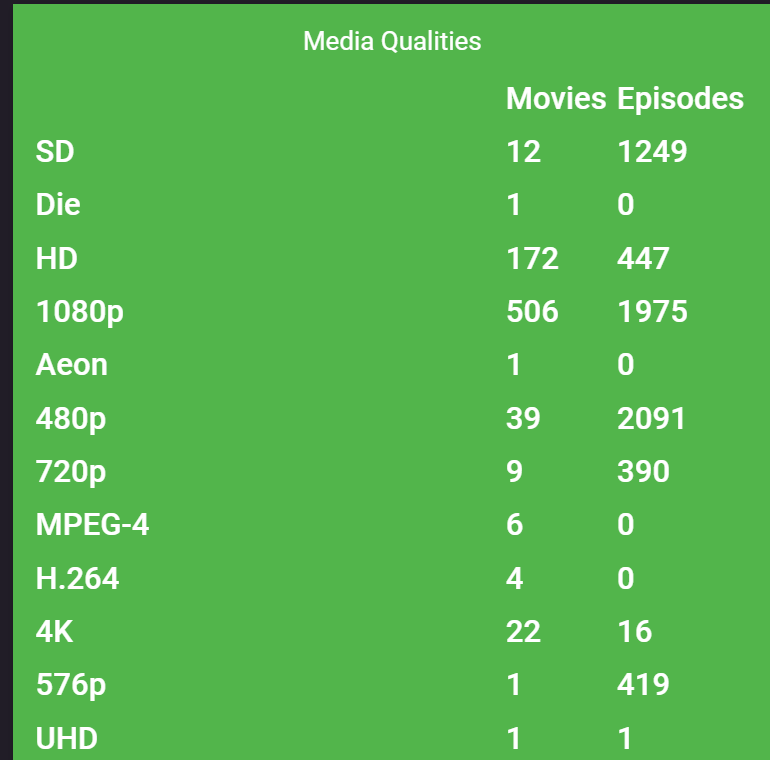
That has done the job ! No more "Deutsch" the rest seems to be in the other library, running batch there too. Thanks @seanbuff
 1 point
 -
Even if it is the wrong folder, system plugins automatically copy to /var/lib/emby/plugins. You should see this in the server log.1 point
-
There are some specials that are story-line specific that just about everyone would want to play in order.1 point
-
Ruhig bleiben, das ist normal. Der Scan dauert, abhängig von der Anzahl der Dateien, lange. Mein letzter Scan lief über Nacht knapp 4 Stunden.1 point
-
Can you provide specific examples. From 5Mbps to 4Mbps.
 1 point
 -
Why would those kinds of specials be set to occur during a season in the first place? If it has a place in a season then yes, I want it to play in that position, that's the entire point of that metadata field. Random extra features shouldn't have any "plays during" information set in the first place. Specials that do have in-season information include things like Twin Peaks: Fire Walk with Me, or the 9/11 episode of The West Wing, or the Party Games episode that connects Yes, Minister with Yes, Prime Minister, or Prison Break's TV movie finale. And yes, they should play in season.1 point
-
Something like the "Top Picks" settings would be nice.1 point
-
I think this depends on what you're referring to. The m3u file containing all the different channels will drop all but one version of the channel so it won't happen here. If the entry in the master m3u file points to another m3u file vs a channel stream, then that m3u file could contain multiple versions of the channel. This is typically done to have different resolution/bitrate versions used for ABR. I know Emby chooses the highest bitrate version to start with and works it's way down the list. How useful this would be I'm not sure because it's not like having 2 different streams from different providers, but multiple versions of the same stream done in real-time. So likely if the providers stream goes down there won't be any version. Many providers will give you multiple different versions of a channel SD, HD, UHD but they are delivered as different channel entries in the main m3u file. If they instead setup m3u files for each channel with all the different entries in the channel m3u file it would work pretty well I'd imagine. Carlo1 point
-
Not that I can see - this is on a Cube 2nd Gen - so relatively new. Having capabilities per device override does seem an obvious thing to add - but unless this was architected in from the start - probably a difficult thing to now add.1 point
-
Unfortunately the resolution means absolutely nothing in the quality settings, bitrate with actually determine resolution. So you would need a lower bitrate. But it may not matter if both require transcoding.1 point
-
Thank you very much. I have forwarded them to Avast support. I'll let you know what say they say.1 point
-
This is a problem on several devices. I asked early on to have a config option in the client that can be used to force transcoding HDR to SDR. Some clients get this correct such as the Shield and Xiaomi Mi (configured correctly) but other devices like the FireTV/Sticks "lie" to Emby. The sure fire way to fix this on a per client basis is to have an option "Force HDR to SDR on the Server". When checked Emby Server would either use a non HDR version if the media is stacked or would transcode/tonemap the HDR to SDR. What I don't remember as it's been a while since testing is if a FireStick (example) can tonemap HDR+ but not one of the other formats. So it would be worth checking to see if the device can tonemap any of the HDR formats.1 point
-
Create a batch file, insert the following: for /R %%f in (*.mkv) do "mkvpropedit" "%%f" --edit track:v1 --set name="" pause Either explicitly supply the path to 'mkvpropedit' or alternatively add the MKVtoolnix dir to your $PATH environment variable It's recursive, so will go into subfolders.1 point
-
Totally disagree. The SPOTLIGHT design is so old fashioned, it's like using an Xbox 360 again1 point
-
As long as it can be disabled.1 point
-
Year old necro, but I'd really like this as well. I really appreciate being able to swap devices and continue watching whatever movie or TV episode I was on. But I also have a fairly large collection of long MP3s (be they live concerts or downloaded podcasts), and I'd like to be able to continue listening to them across devices as well. I listen to podcasts in my car, but not being able to pick them up where I left off on my PC later is annoying, doubly so when the app goes to sleep and completely loses it. I was under the impression this was going to be short listed a year ago, but that hasn't been the case. I just want to be able to continue listening across devices :(1 point
-
Thanks so much, this was the solution to my problem. I overlooked this every time, while it clearly shows "Emby Connect" below the text input I received the confirmation mail and I'm able to remotly login via my email address now. Thank you for the support!1 point
-
@Happy2Play Alright, good to know how it works, thanks. I do have some content without providerids, so need to look out here. About the backup process: Next time i will test with your suggestions, with config, data, metadata, plugins, root and see how it goes.1 point
-
My main server died, so move to a new server. When I used this server, as my camera upload app on my cellular phone, I get multiple "camera uploads", just like the others have said. What are the solutions? thanks EDIT: Problem solved. Forgot to set the "camera upload path" on the new server. Deleted all of those existing "camera uploads", and that cleared all of the "camera uploads". Next I created a mixed content "folder" and pointed it to the new path.1 point
-
That's due to a DB crash on trakt side, see: https://status.trakt.tv/ They had to do a restore datet 7th Nov, and the APIs arent up running yet.1 point
-
@alucryd Thanks and appreciate the prompt reply1 point
-
@cayars @Luke as shown below, his media does not reside on the synology nas (192.168.1.19) but on another device with different local IP (192.168.1.16).1 point
-
If you're behind CGNAT, usual procedures won't do. Few methods you can tackle that:1 point
-
+1 would be nice to have it for music as well.1 point
-
So there we go, that's the feature request. Can we get the "continue listening" option for music content type?1 point
-
It's possible for the future.1 point