Leaderboard




Popular Content
Showing content with the highest reputation on 12/13/22 in Posts
-
I seem to have what I guess is a form of OCD. It seems that no matter how good or complete my Emby server/distribution setup is I cannot resist the urge to "improve" it. Over the last year I have redone/moved/optimized/improved my setup at least 5 times. That number of changes has been about the same ever since I retired several years ago. before that I may have had the same urges but they were fulfilled by the normal "work" needs and changes. Every time I make changes I have a period of real anxiety that things will go horribly wrong and they have a couple of times. I do not think it is really detrimental to my life but as I get older, over 75, I find making changes more and more taxing and I get tired real easily so I nearly run out of gas half way through the process. I know that once I start making changes I must follow through and finish or I will be without Emby for a while. That worries me somewhat but I just can't resist making changes and the last one, completed yesterday, really makes a difference in both ease of maintenance and convenience. I want to not have to go through what I did yesterday again but I am already finding that I have little "ideas" of things that "could" be better. I do not really need help or the help I need can not be obtained from an online message board so I am just posting here to share a bit and see if others have similar issues. BTW: When I still had a Plex server changes went wrong more often than they do now but I do not know if the difference is just that the hardware and software has improved or that Emby is truly more stable, both now and then, than Plex. I hope I can reduce my urges to change things as would hate to be trapped bedridden without Emby. I have other things I can watch/listen to but I prefer Emby most of the time. I guess I need a hobby to direct those urges but electronics/networking are just fun and I am very good at them and my Emby setup seems always to be a little short of perfect. All other hobbies seem kind of dull, uninteresting or too tiring to learn so I guess I am stuck with my Emby setup obsession.3 points
-
It's possible that they are not you and have different multimedia libraries than you.2 points
-
i have a combination of 2 iptv subs and a 3rd m3u from a local tv server that does nothing but manage the pcie cards. i would recommend iptvboss to provide emby with a fully curated m3u and xmltv file. emby's built in features are significantly behind the features in that tool. plus it gives you resilience.2 points
-
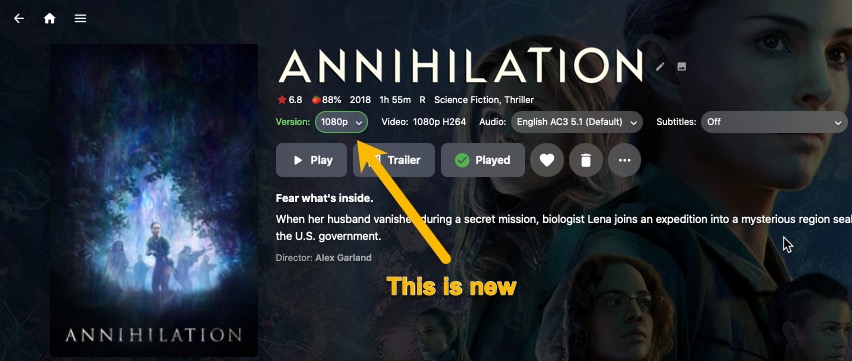
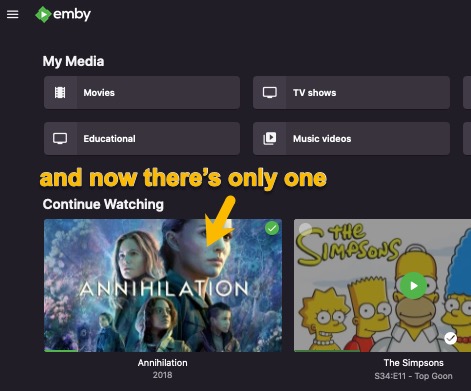
Problem solved! Thanks to all for the help.
 2 points
 -
Just want to let you all know that this is fixed. Thank you @Luke @cayars @Happy2Playfor your help. I managed to fix it when playing around with a few things yesterday. I turned the VPN off on my NAS, which changed the remote access IP. I then changed the port on emby to a different number. It was a pretty easy fix, but I had no idea you could change the port for emby.2 points
-
Boom you solved it! I made a dumb mistake lol, I setup two users on this machine both with the word emby in them and was mistakenly assigning the wrong user as owner of the pfx file, it's all good to go now! You helped me look at the right spot, thanks!2 points
-
Guys, The ebook side of Emby/MediaBrowser has been long stalled or rather stagnated. I would like to offer up a couple of suggestions. Many people use calibre as an ebook/comic book tool for scraping data and general management of their collection already. This program is absolutely astonishing in its ability to pull metadata from post calibre scans, as well as draw in metadata from the file source and/or directory structure. http://vaemendis.net/ubooquity/ Its a self contained .jar server/reader combination. And honestly I am very impressed by it's small footprint and wide range of abilities. The other option is COPS , which was written specifically with calibre in mind. It is open source, so making it work with emby I would think would be fairly easy. https://blog.slucas.fr/projects/calibre-opds-php-server/ Ever since the original release of MediaBrowser's bookshelf I have always wanted something that would allow me to 'read' my collection, rather than being basically nothing more than a place-set for images of books I own. I am sure that those who mainly have audiobooks are thrilled with bookshelf , but it's nothing more than an extension of the music library IMHO, not new features. We can have both right? Here I give you two suggestions free of charge.. Just because I love you, and Emby Personally I plan on running the Ubooquity Server along side of Emby from now on, just because of it's massive functionality and tiny footprint. But I sure hope that someone decides -- "yeah, ebook support should be in here too" and do something about it - rather than allow this now very very ancient issue to continue to remain an issue. And so I don't have to have 20 different ports open, some with SSL support - some not, because Emby isn't delivering the 'complete package'. (Please take some of this with humor, I know you have your hands full with improvements/bugs/suggestions/requests)1 point
-
Why? @Luke Oh wait, that was a Discord invite...Sry.1 point
-
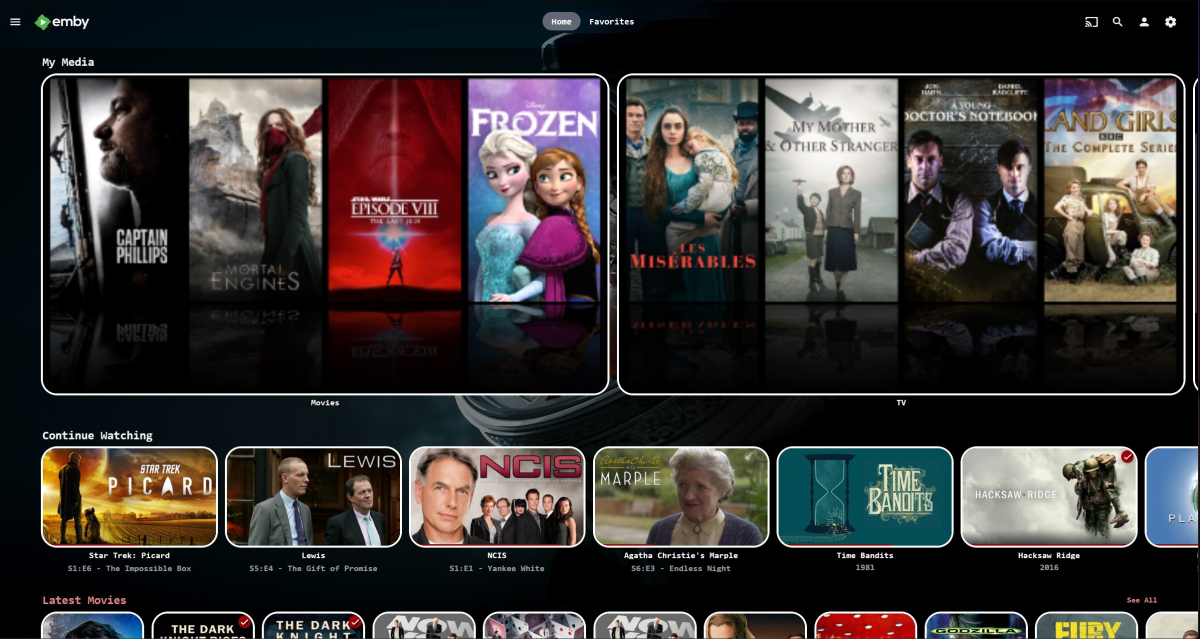
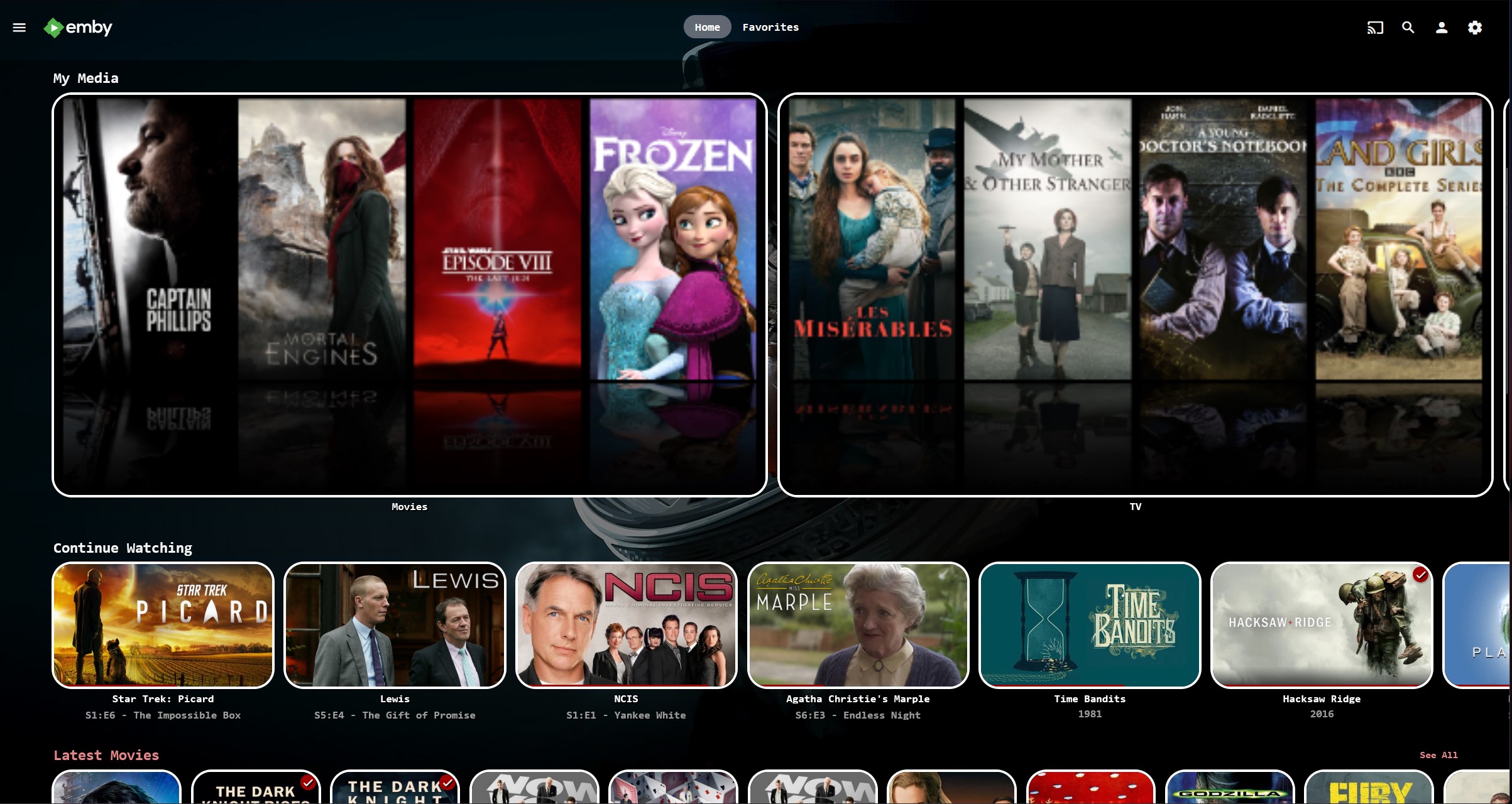
Squint a bit and pretend this isn't (stripey) My Media but just normal but big images - so not as good but less problematic ?
 1 point
 -
Yeah very odd indeed, seems to be more of an LG issue than anything else, or maybe a Shield Pro issue. If I find a solution I will report back, but it's clear to me this isn't directly an Emby issue.1 point
-
Sorry for the late response but I was away from home a week and have since tested a looooot, including your suggestions. Embarrassingly I've found the cause! It was as simple as to update the drivers for my wifi. After I did this I have not have artifacts or playback being stopped even once in several days. I am very sorry to have taken up your time but I am grateful for your help and very happy to keep using Emby. This actually helped with another problem I had with certain media that seemed to jump back and forth so thanks for that!1 point
-
No he wasn't1 point
-
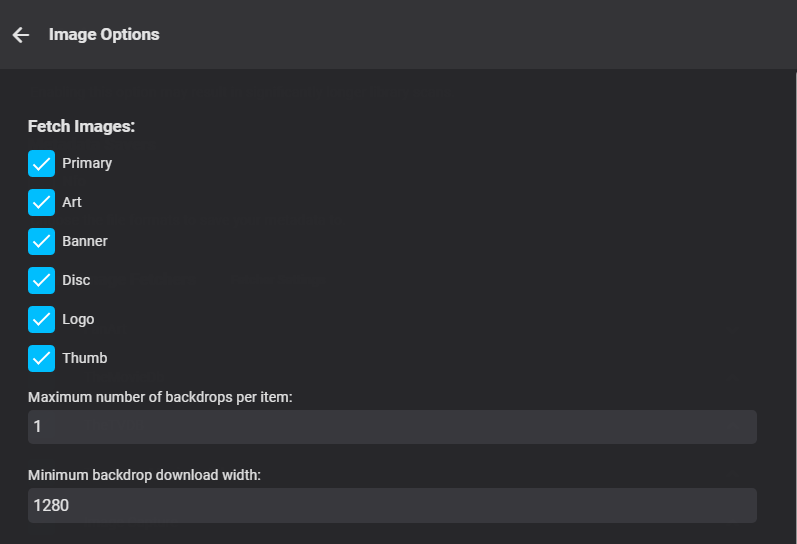
Well I guess, this is what I was looking for in the end! I guess I didn't notice it as a button... Thanks for your help! PS: It seems Banner is enabled for TV Shows by default, just not for movies1 point
-
Did you click fetcher setting next to Image fetchers per library?
 1 point
 -
It appeared after pulling the new version. So no but it's working now.1 point
-
I really like the last one you showed here with the white frame.1 point
-
Thank you thank you. Need to specify LD_LIBRARY_PATH before comskip. In my case LD_LIBRARY_PATH was set to /app/emby when run by emby, hence getting different results versus running the script from terminal. While trouble shooting this I ended up creating a comskip post processing script that logs everything, including the resulting edl contents, to a log viewable in the emby admin console. #!/bin/bash file=$1 #Post-processor command line argument: "{path}" logpath="/config/logs/comskip.txt" #change /config/logs to your emby log folder comskip="/usr/bin/comskip" #path to your comskip binary comskipini="/config/comskip.ini" #path to your comskip ini libpath="/usr/lib/" #path to shared libraries for comskip log_message() { echo $(date +"%Y-%m-%d%t%H:%M:%S") : "$1" >> $logpath } touch $logpath logsize=$(stat --format=%s "$logpath") if [ "$logsize" -gt "100000" ]; then rm $logpath fi log_message "Beginning post processing script on ${file}" if [ -f "$file" ]; then log_message "File exists, sleeping 1 minute before starting..." sleep 65 LD_LIBRARY_PATH=$libpath $comskip --ini=$comskipini "${file}" && log_message "Comskip success: Exit code $?" || log_message "Comskip failed: Exit code $?" if [ -f "${file%.*}.edl" ]; then log_message "Contents of ${file%.*}.edl:" while IFS="" read -r p || [ -n "$p" ] do log_message "$(printf '%s\n' "$p")" done < "${file%.*}.edl" else log_message "Comskip EDL file does not exist." fi else log_message "File does not exist. Comskip did not run." fi log_message "Finished post processing script on ${file}" Example log output: 2022-12-13 11:15:53 : Beginning post processing script on /data/dvr/The Tonight Show Starring Jimmy Fallon (2014)/Season 10/The Tonight Show Starring Jimmy Fallon S10E52 Miley Cyrus; Jesse Williams; Mary Mack.ts 2022-12-13 11:15:53 : File exists, sleeping 1 minute before starting... 2022-12-13 11:19:57 : Comskip success: Exit code 0 2022-12-13 11:19:57 : Contents of /data/dvr/The Tonight Show Starring Jimmy Fallon (2014)/Season 10/The Tonight Show Starring Jimmy Fallon S10E52 Miley Cyrus; Jesse Williams; Mary Mack.edl: 2022-12-13 11:19:57 : 856.49 1082.51 0 2022-12-13 11:19:57 : 1645.44 1916.51 0 2022-12-13 11:19:57 : 2161.43 2467.60 0 2022-12-13 11:19:57 : 2839.40 3155.55 0 2022-12-13 11:19:57 : 3487.42 3777.64 0 2022-12-13 11:19:57 : Finished post processing script on /data/dvr/The Tonight Show Starring Jimmy Fallon (2014)/Season 10/The Tonight Show Starring Jimmy Fallon S10E52 Miley Cyrus; Jesse Williams; Mary Mack.ts1 point
-
I have made the change and will advise if the issue reoccurs. Of note, this does seem to happen when using the official Emby Theater Linux client on Ubuntu as well, though not as frequently.1 point
-
You asked why people were requesting, sorry *insisting* on, something you weren't requesting. I provided a possible reason.1 point
-
So that makes it cater to an extremely small user base willing to curate this kind of thing. We have to spend our time on things that "just work" without a bunch of extra requirements because most people simply will not do the work and then complain that it is "half assed" or looks bad.1 point
-
Hey I‘d guess this is still true (as you see in your screenshot the content is interlaced):1 point
-
I use this behind a VPN container since my Service banned M3U's. IPTV Proxy1 point
-
@GrimReaper I see the avatar change is in readiness for the world cup battle with Argentina. Good luck mate!1 point
-
Seems to be related to the srt files within the video. From my side, when I download videos with .ass subtitles it works perfectly. Looking forward to the next update. Thanks Luke !1 point
-
Ok I figured everything out. Yes I was mistyping the password but when I fixed it I ran to another problem. When I was getting the free cert, I misread and thought I was doing a wildcard cert. I am dealing with a subdomain and my first cert was only just for the main domain. So that part is fixed. Everything is working. But I do have another question. My server is on a VPS and my server WAN and LAN IP is the same. I blocked internet access to port 8096 and I can still access it locally just fine. Before I blocked it I could access the server both through 8096 and 8920 remotely. My question is what port does Emby send updates and metadata through? I am assuming its standard port 80. I just want to make I still get those updates and have metadata come in since I blocked 8096.1 point
-
@pwhodges provides a very good guide here: https://emby.media/community/index.php?/topic/84777-caddy-v2-update-and-warning/&do=findComment&comment=879750 You basically just need to: install the default Caddy v2 package configure basic config file named 'Caddyfile' (see below) port forward 80 and 443 in your router to your Caddy host update Emby with your Public HTTP/HTTPS ports, external domain, and Secure connection mode = handled by reverse proxy run Caddy Basic Caddy config file would look like this: { email myname@email.com } media.mydomain.net { reverse_proxy <emby_host_ip>:8096 } Not much else to it, see how you go and let us know if and where you get stuck.1 point
-
Thanks for clarifying. I have figured this out and trying to combine the splited concerts into one video file where ever possible. So basically music video section is actually "movies" with two additional tag- Album & Artist. And there is not way to group tracks as one album. I tried using mixed content, but i'm unable to force the system to consider video tracks stored in a folder with names like, 01 - abc , 02 - def, 03 - ghi, 04 - jkl to be considered part of a series/season etc.1 point
-
Someone will recommend, and I would agree, that if you're getting started then Caddy would be much easier and just as good.1 point
-
The plugin isn't involved with the playback of the themes. It just downloads them and puts them in the right place for Emby to use them. So, if it's only a playback issue, the problem is with main Emby.1 point
-
Some things to try. 1. Restart Emby and check the embyserver.txt log. You can attach the log in this thread if you want someone to review it. What you're looking for is the server actually binding and listening on the https port. "Info App: Adding HttpsListener prefix https://+:8920/" or something to that effect. 2. Connect to your Emby server from a browser on LAN using https://<host IP>:8920. If it's working you'll get a cert error but can click through - Advanced -> continue to site If you don't get the expected results from the above then doubly make sure the pfx is good and the emby runtime user can open it - permissions, ownership, access to the full path, etc.1 point
-
v7.10.5, v7.11.1 & v7.12.0 seemd to have cured this behavior the disappear-after-play has returned after upgrade from e4k 7.12.0 -> 7.13.01 point
-
OMG Thank you! I knew had to be missing something silly. Appreciate the help, its all fixed now!1 point
-
I have updated auto organize, and fixed diskspace. Alexa is working, and I have started to recode the alpha picker. Shouldn't be too long1 point
-
Hi, yes we plan to continue to improve our channel management features. Thanks.1 point
-
Chef mate!! This makes me moist!! You absolutely nailed the Alexa brand. Not that i use them but I understand what your end goal was! Complete seamless integration. kudos bruv!1 point
-
I was having this same issue too, but my server is on macOS. What solved the issue for me was to remove all my network shares, and then add them back. This seems to have sorted out the permission issues that had popped up and was preventing the images from being saved. Simply reapplying the permissions to my existing shares was not working. I had to remove and then add them back. Hope that info helps out at least one other person1 point
-
Yeah, my narrow use-case does allow for a myopic view like that I'm just going to work on developing a better workflow to integrate my audio tracks with my existing media. I still think there should be a "lazy-friendly" solution to media like this!1 point
-
For this use case - I don't believe 'usage' based predictions will get the desired outcome. For mass usage - then yes, of course this would work - but for low users - then it's simply too little data to base a decision on. An App/Plugin needs to intervene and move related items - no file system/os is going to know that detail ?1 point
-
I had a similar problem after updating to the latest version of comskip (not the comskipper plugin). see this thread. not sure, but you may need to alter the path for your nas.1 point
-
Actually, it used to and people complained about it covering up what they were trying to look at on the screen. So it would have to be optional.1 point
-
HI, this is resolved in the next app update. Thanks.1 point
-
I was just using that port as an example its not the port that Ceton Proxy uses. As I stated I knew which IP address worked, because when I previously had Emby set up and it would auto detect the tuner, but every time I entered that same IP it would not accept it, it did not accept it until I added the port which Ceton Proxy uses, I think 5004 Yes everything is running great!!!!1 point
-
But some trends are just dumb. like remotes with about two buttons on them. Nextflix, Disney+ etc have sidebars and they're just annoying. You scroll to the left a bit too far and it pops up and just gets in the way. So I guess thats more a moan about implementation than their actual existence, but getting to them should be a deliberate act.1 point
-
As Luke said, they were probably turned on automatically. During playback, bring up the OSD, select the "CC" icon and then select "None".1 point
-
Okay, yeah, with some work, it is possible now. It will just be much easier in the future. You could use either the folder access or tags to do this now.1 point
-
This actually goes on us. We haven't integrated the oneVPL runtime yet, but it's on our to-do list.1 point
-
Notes for anyone else that tries this: Followed the intel guide published on 10/20/2022 for installing the Arc A770 on Ubuntu 22.04. https://dgpu-docs.intel.com/installation-guides/ubuntu/ubuntu-jammy-arc.html Installation confirmed successful & correct permissions set Ubuntu reflecting both UHD 750 & Arc A770 16GB enabled & available Issues: Unable to get Emby Server (Docker Container) to see the Arc A770. Only transcoding options were Quick Sync UHD 750 & VAAPI UHD 750. Multiple attempts made over a 2 - 3 day period. For reasons unknown, even though the default transcoding options were not changed & remained as Quick Sync UHD 750, HDR10 hardware transcoding started failing, & caused Emby to software transcode 1080p HEVC HDR10 content (85%+ CPU utilization for 1 stream). The only observable failure, was on HDR10 content. Physically removing the Arc A770 & rebooting the machine, corrected the issue & allowed Emby to utilize hardware transcoding for HDR10 content once again (CPU, less than 2%) Conclusion: Will give Intel a couple of months to continue work on drivers, as IMO, the igpu's ability to use quick synch & transcode HDR10 content should not have been impacted by having a dgpu installed & available to the OS.1 point
-
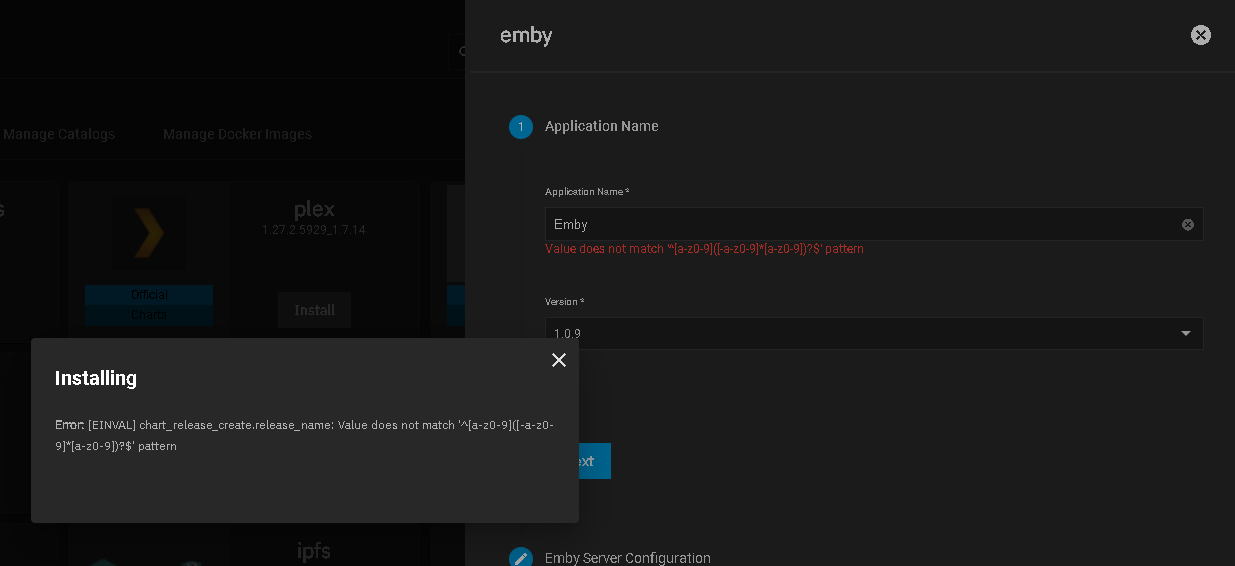
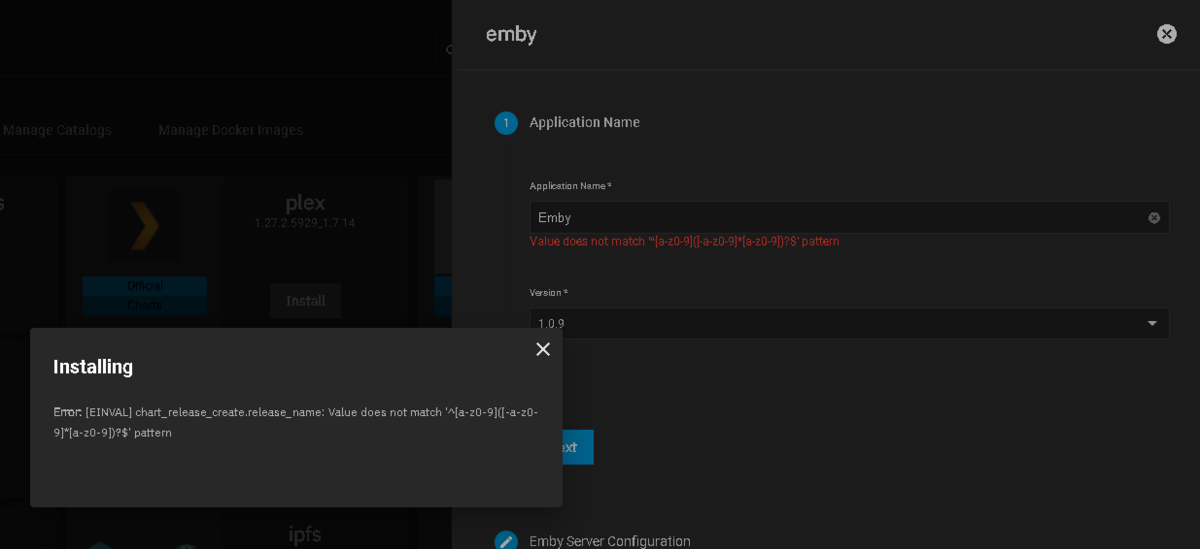
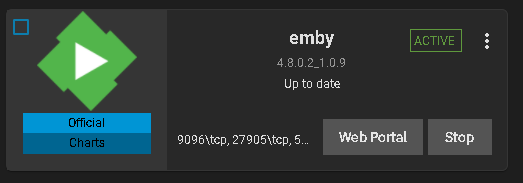
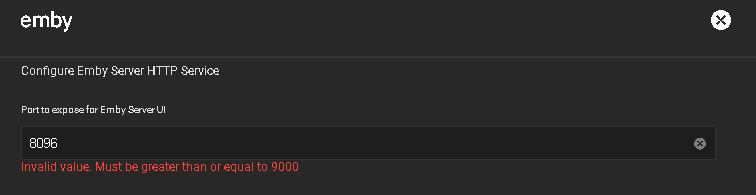
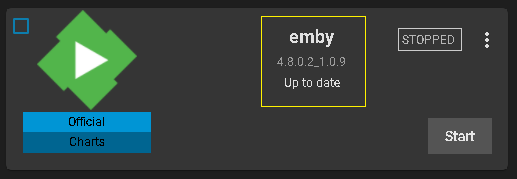
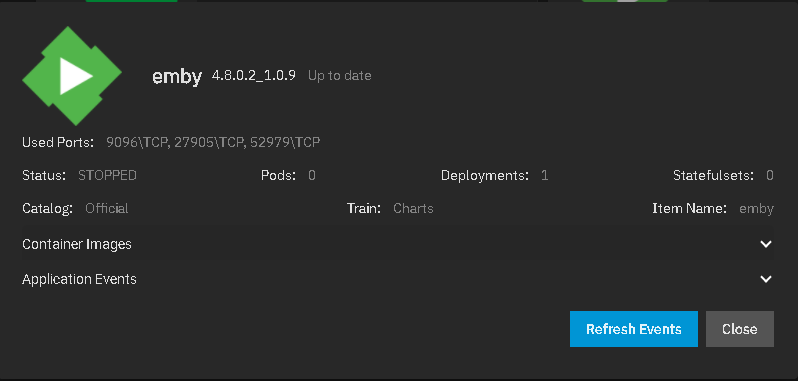
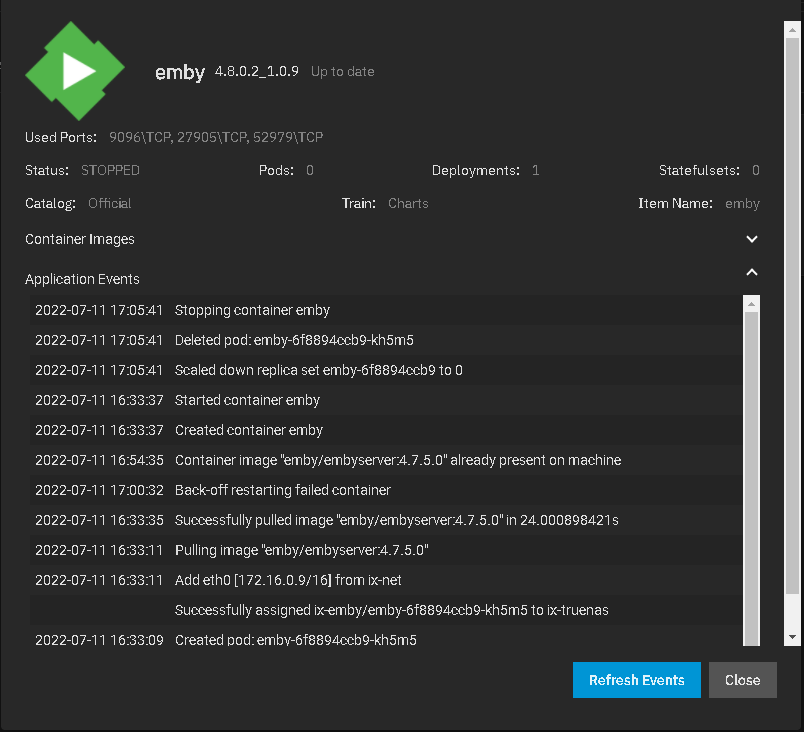
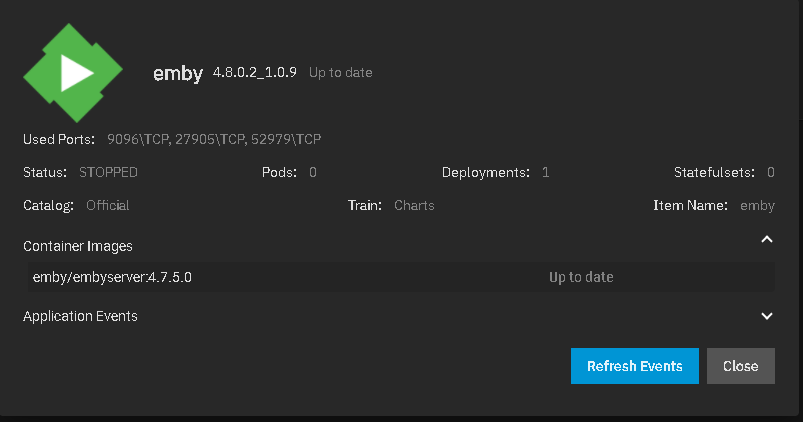
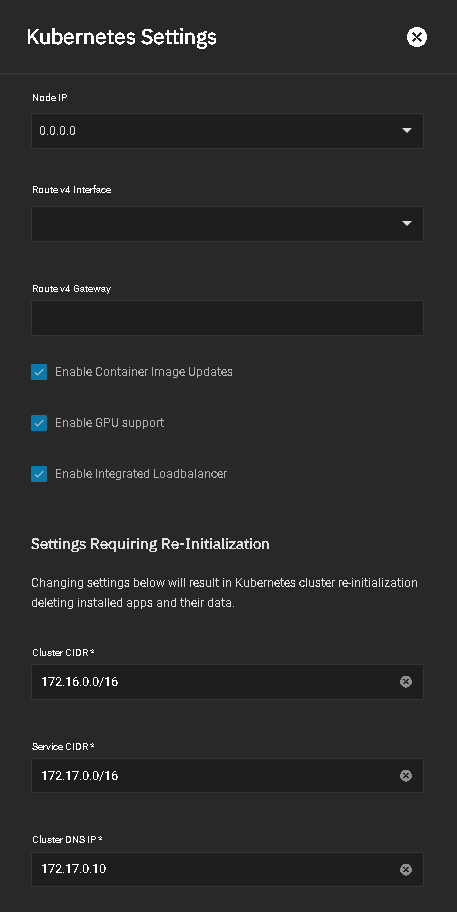
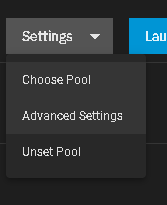
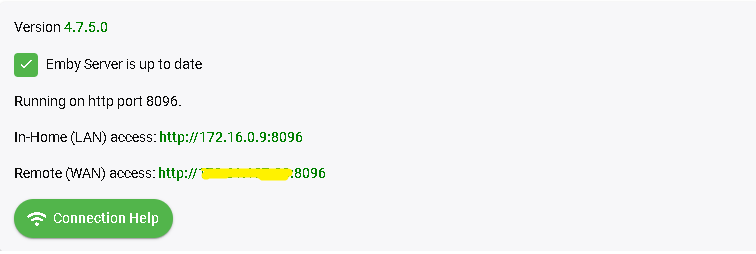
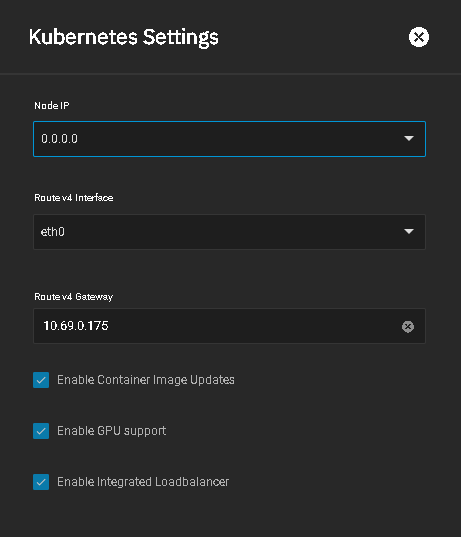
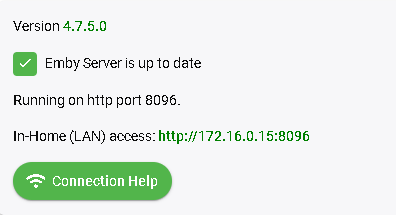
I re-installed TrueNas Scale on a new computer server and did nothing but create a small app pool to hold a couple apps. No other configuration other than that. NOTE ADDED: :I'll say this before reading further. The new setup is a bit messed up and would be really confusing to new users. Next I installed Emby but hit a slight snag on the name of all things and also didn't like 3 things being done on this install. I think the meant to have a set of caps in there because it won't take the name with a capital E. During the initial setup the default username is "bin" which is a bad choice. Better to default to "admin" as at least that makes sense for the first user which is the admin. The port being used is 9086 vs 8096, but this is what the dashboard shows: Neither link works. For me this needs to be: http://10.69.0.175:9096 to work using the defaults AS IS during install. 10.69.0.175 is the same IP as the TrueNAS server. As you can see above the version is 4.7.5.0 but this is what you see on the TrueNAS Console: I added the yellow box to this picture. If you click in that area it will bring up this screen: You can use the dropdowns one at a time. The first dropdown shows the Emby build number. or If you try to edit the config to switch it back to 8096 you'll hit this: The setup won't allow enter 8096 port or anything under 9000. If you click the SETTINGS button top right: And then picking the Advanced Settings You'll get this screen to adjust IPs used Once I configured this part: and tried installing Emby fresh I get which still is wrong: I was not able to change the node IP address in the cluster setup or GUI setup in 22.02. Any change I attempted via Network menu for IP, address space or port would hang it and crash. I tried a couple other things to see how it would work including DLNA and casting which didn't work for me as nothing would show up for "play on". Emby couldn't find any HDHomeRun tuners but could use them fine if I input the IP of the device likely due to the IP subnet differences. I can see this is going to need documenting to make it easier to setup properly and use. @dgrigo, curious on your system what do you see for URLs (ip & ports) on the console? It seems like a lot of things changed besides the 9000+ port issue.
 1 point
 -
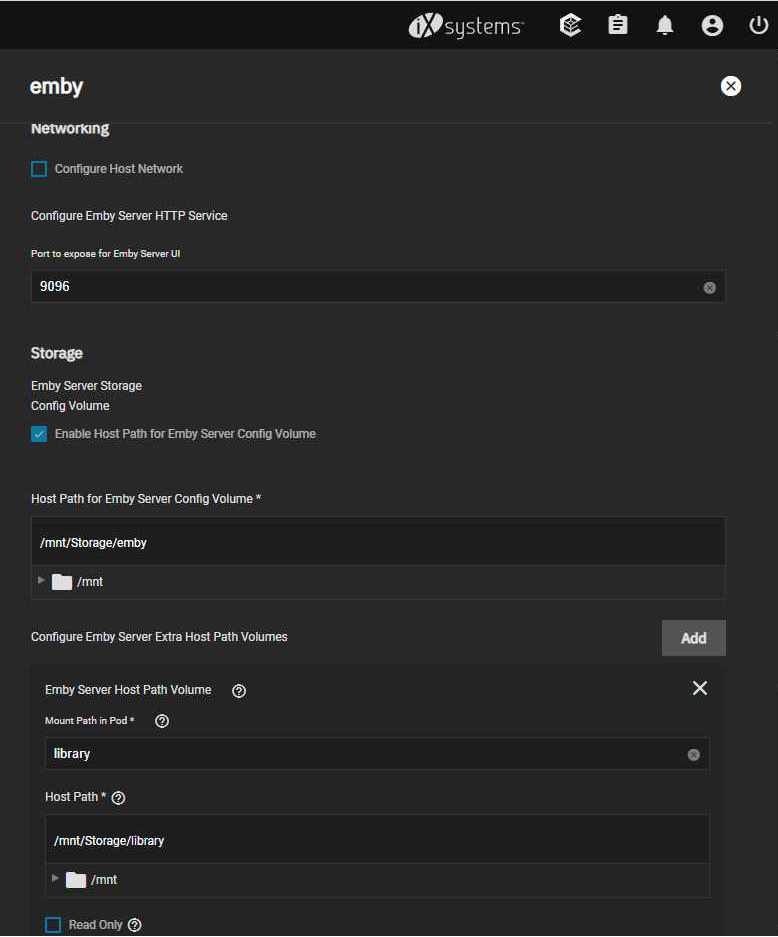
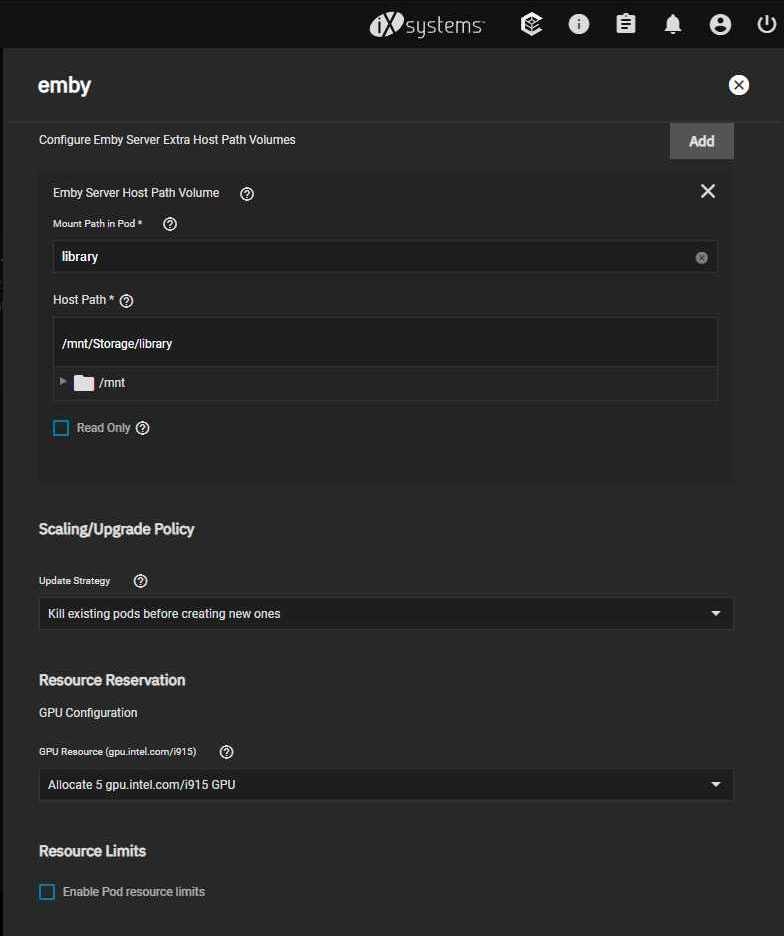
Hey, Those screenshots show exactly what you have to fill in truenas-scale installation, for the user you choose, in my case the user uid:1000 and gid:1000 which is the user i have to access my server also in samba shares. before you start the installation create the 2 datasets or directories if you prefer and change permissions to the user you choose in truenas ui, as you have to select them in installation.
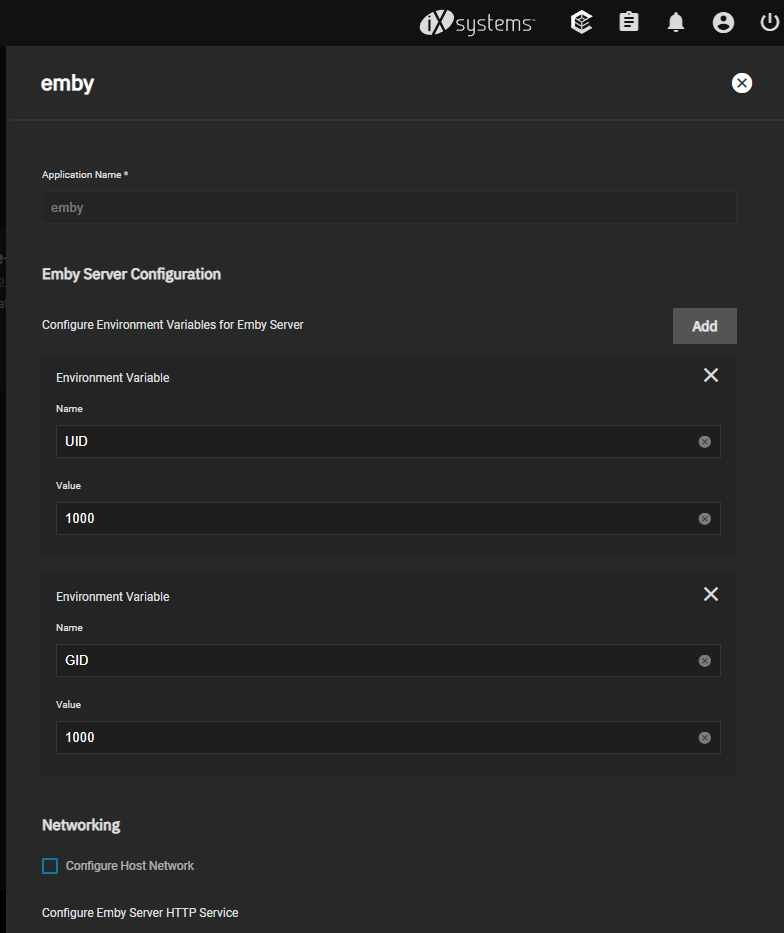 1 point
 -
A common reason Emby's Real Time Monitoring (RTM) stops working on Synology NAS is because the Unix set user limit on inotify instances and/or watches has been reached as a result of a large number of changes for instances to process and/or the total amount of folders, files, etc that need to be monitored by watches. When RTM stops working you may start to see errors in your server logs like the following where the default number of user watches (8192) has been reached. A similar error will show up when the default inotify instances (128) is reached. System.IO.IOException: System.IO.IOException: The configured user limit (8192) on the number of inotify watches has been reached, or the operating system failed to allocate a required resource. To increase the number of inotify instances and/or watches create the following task in DSM control panel Task Scheduler logged on with admin privileges. 1. Create a Triggered Task...User-defined script to run at Boot-up 2. Paste the following commands under the Task Settings tab sysctl fs.inotify.max_user_watches=1048576; sysctl fs.inotify.max_user_instances=4096; 3. Click Run to execute the new task (if not logged on as admin then a restart may be necessary) The task will then rerun during every boot to prevent the changes from being reverted back to default from a DSM update. To check that your changes took affect you can optionally run the following commands in Terminal cat /proc/sys/fs/inotify/max_user_instances cat /proc/sys/fs/inotify/max_user_watches If your library gets really big and the limit of user watches is again reached, then just increase the number again. The maximum number of watches allowed in Unix is 524,288 and each used watch takes about 1kb of memory on a 32-bit system (double on 64-bit). However, it will only use what is needed based on the number of items being watched.
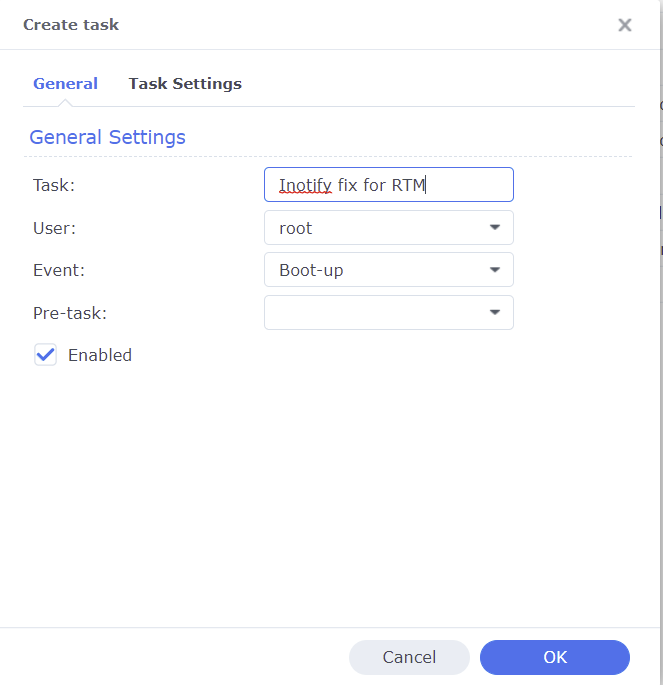
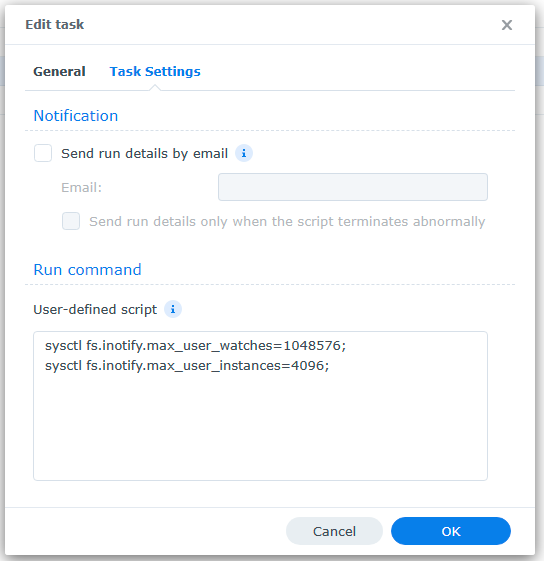 1 point





























.thumb.jpg.ef7a5c5053bd4685aeb82c5be20b79ad.jpg)