Leaderboard




Popular Content
Showing content with the highest reputation on 12/12/22 in Posts
-
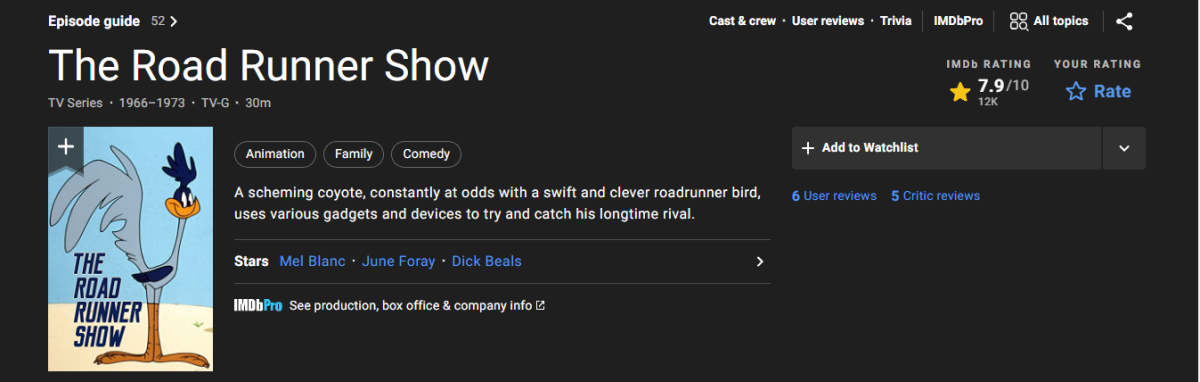
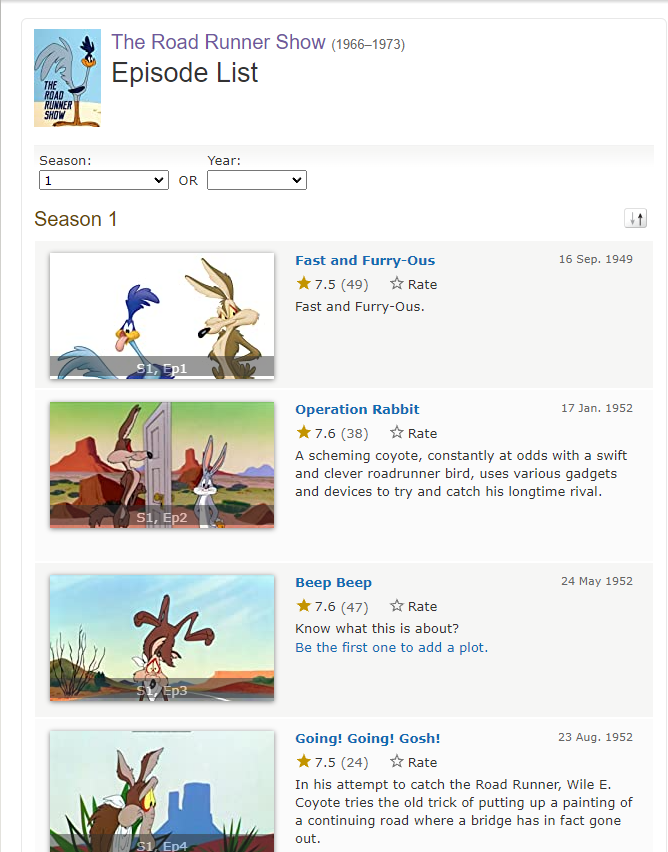
This is going to be a long one: That show is a mess, starting from IMDB listing: Years 1966-1973, however 1st episode listing is 1949, moving through the '50s? In any case you won't find that on either TVDB or TMDB; 1) On TVDB, it's part of a Looney Toons series as per: The Road Runner Show - TheTVDB.com Episodes are thrown accross various seasons, for example 1st episode "Fast and Furry-Ous" is S1949E24 of Looney Toons: Other episodes can be found under respective season-years. 2) On TMDB, it doesn't even exist as a TV show in any form, neither as a separate series nor as a part of some other series; the only reference is found in "Wile E. Coyote & Road Runner (theatrical cartoons)" list - TMDB lists are currently not supported by Emby, you can lend your support here: where most of those episodes are listed as movies. 3) OMDB does have that particular show listed but it's fairly limited in the data provided: {"Title":"The Road Runner Show","Year":"1966–1973","Rated":"TV-G","Released":"16 Sep 1949","Runtime":"30 min","Genre":"Animation, Family, Comedy","Director":"N/A","Writer":"N/A","Actors":"Mel Blanc, June Foray, Dick Beals","Plot":"A scheming coyote, constantly at odds with a swift and clever roadrunner bird, uses various gadgets and devices to try and catch his longtime rival.","Language":"English","Country":"United States","Awards":"N/A","Poster":"https://m.media-amazon.com/images/M/MV5BYzRkYWU2ZTUtOWZiYy00ZGRkLTkxOTgtODg5ZTEzNGM3ZDdmXkEyXkFqcGdeQXVyODk1MjAxNzQ@._V1_SX300.jpg","Ratings":[{"Source":"Internet Movie Database","Value":"7.9/10"}],"Metascore":"N/A","imdbRating":"7.9","imdbVotes":"11,612","imdbID":"tt0060019","Type":"series","totalSeasons":"1","Response":"True"} In any case, you will not be able to identify/scrape that series by regular means (TVDB/TMDB as topmost scraper) unless you do some renaming (as a part of TVDB Looney Toons series), scrape limited data from OMDB or opt for a lot of manual labor. Yeah, bad luck.
 2 points
 -
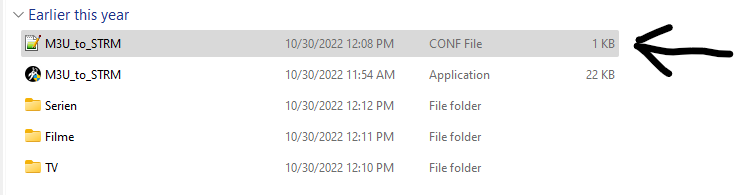
Only thing that goes in config file is link to Service that contains VOD.....See Pic...

 2 points
 -
Really depends - Oz (West Coat Especially) to UK is 200-300ms on the best possible connection - cross multiple ISP's and add in very chatty packet streaming - and it becomes more overhead than actual data as you know, but I do agree for low bitrate feeds, this should be technically possible as the buffers should smooth the latency issues. The logs will show the response times - which would give us a clue - but without this we are just guessing as you say.2 points
-
Pretty simple suggestion. I have multiple users for my Emby server. If I want to do continuous maintenance on the media, I have to tell everyone. some of them are harder to reach than others ( i.e. no Facebook or Skype chat etc. ) It would be great if say... on the admin panel, I could hit a check box that enables 'maintenance mode', where the server still runs does everything as normal, but instead of the login screen it displays a maintenance page saying the server is unavailable. Even better if I were able to directly put a reason in a text box that would then display on the login screen as well. Not really sure what others would think of this, but for me it would be quite helpful. mostly if I want to make sure no one is trying to access content I know won't work until I've done a full library scan again. Thanks for reading. -Kyle1 point
-
I seem to have what I guess is a form of OCD. It seems that no matter how good or complete my Emby server/distribution setup is I cannot resist the urge to "improve" it. Over the last year I have redone/moved/optimized/improved my setup at least 5 times. That number of changes has been about the same ever since I retired several years ago. before that I may have had the same urges but they were fulfilled by the normal "work" needs and changes. Every time I make changes I have a period of real anxiety that things will go horribly wrong and they have a couple of times. I do not think it is really detrimental to my life but as I get older, over 75, I find making changes more and more taxing and I get tired real easily so I nearly run out of gas half way through the process. I know that once I start making changes I must follow through and finish or I will be without Emby for a while. That worries me somewhat but I just can't resist making changes and the last one, completed yesterday, really makes a difference in both ease of maintenance and convenience. I want to not have to go through what I did yesterday again but I am already finding that I have little "ideas" of things that "could" be better. I do not really need help or the help I need can not be obtained from an online message board so I am just posting here to share a bit and see if others have similar issues. BTW: When I still had a Plex server changes went wrong more often than they do now but I do not know if the difference is just that the hardware and software has improved or that Emby is truly more stable, both now and then, than Plex. I hope I can reduce my urges to change things as would hate to be trapped bedridden without Emby. I have other things I can watch/listen to but I prefer Emby most of the time. I guess I need a hobby to direct those urges but electronics/networking are just fun and I am very good at them and my Emby setup seems always to be a little short of perfect. All other hobbies seem kind of dull, uninteresting or too tiring to learn so I guess I am stuck with my Emby setup obsession.1 point
-
To me this looks like the user does not have Access to the Adult and YouTube Libraries. Users-select your User, Access tab1 point
-
I have updated auto organize, and fixed diskspace. Alexa is working, and I have started to recode the alpha picker. Shouldn't be too long1 point
-
Dynamic Nodes work ok the only problem I am having now is my New Releases section only shows 4 movies in the Recently added movies section. Recently added movies in my older movies section works fine. If I tried to do Synced mode it freezes in the middle of scanning tv shows seasons Mook1 point
-
I'm going to add back the alpha picker. But it's going to take me some time to make it all work again. I've got to fix auto organize, top picks and disk space is showing problems. But, I am on it. Top picks is top priority!1 point
-
Quite possibly. That’s a shit tonne of movies and if you have version enabled, potentially 30k with 2 versions. Might be a memory overload. i keep mine to about 3k of movies and tvshows and have a monthly clear out. Bit like the first visit to to throne after a good strong coffee in the morning hehe1 point
-
Chef mate!! This makes me moist!! You absolutely nailed the Alexa brand. Not that i use them but I understand what your end goal was! Complete seamless integration. kudos bruv!1 point
-
Got it - I will try that, thank you.1 point
-
Yes, sorry. Move the folder somewhere else temporarily so Emby can't see it. Then rescan so it only picks up the 1978 series. Then add the folder back to where Emby can see it and scan again.1 point
-
The only way that I've been able to fix this in similar situations is to remove the 2003 version, rescan, identify the 1978 version, and then add back the 2003 version. Essentially, first add the tv series that isn't being recognized correctly, then add the tv series that is being recognized correctly.1 point
-
@Luke, I'm very happy to report that 3.0.19 works on an RPI 3b running Debian Bullseye (32-bit) as the OS. I get hardware acceleration on Live TV, Recorded TV, and Movies (mine are all mkv format) using the Auto (copy back) setting. I used to have to turn off hardware acceleration when watching either Recorded TV or Movies, but now I don't need to. Thanks to you, @alucryd, and the whole team for this!1 point
-
Okay, when the heat of the HDs is an issue then you must really have a lot of them... If you are operating at such figures as I'm supposing now, then this is the (only) right way. Power-down is for home users where devices are off for a large percentage of time, which compensates then for the thermal oscillation with regards to the total lifetime.1 point
-
too many .. It's not just the outright cost though - it's the noise, heat they produce (thus + cost of cooling) and speed/controller issues which all contribute to the 'there must be a better way' discussion. I keep my HDD's on 24x7 - my oldest (on my backup system, offline now, I don't keep that one on 24x7) is something like 9 years in continuous hours - start up's was less than 50 in that entire time lol.1 point
-
I've got 12 cans of spinning rust in my system, however Unraid does a good job of keeping the inactive drives spun down. Coupled with this script, and spin-up doesn't seriously impact the user experience (yes, the script says Plex, but it works for any media streaming Docker container).1 point
-
Hi Luke! I can't remember having this happen recently. I'll increase my usage of Emby on ATSC 1.0 channels and see if I can reproduce it! Wes1 point
-
Just wanted to share that I was having the same issue update would fail and would sometime act like it was going to work then it would get hung up at 50% and nothing but after updating the TNAS Emby did install and now is working.1 point
-
Now it's getting a bit nonsense. If you are concerned about wear, then you must keep your disks spinning 24/7. I had HDs running for > 15 years without error and without ever letting them cool down. If you are concerned about power consumption, then you need to switch them on and off on every occasion and accept the fact that they won't last as long as that, but they'll still make their years. But eventually you can't have both, and a strategy like "a little bit of this and a little bit of that" won't get you very far IMO.1 point
-
Yeah, it's gonna be easier to tag it manually in this case. Many thanks for checking this - the most important info for me is that identify function is not broken globally for my instance, just for this series.1 point
-
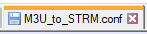
In Notepadd ++ call it this......
 1 point
 -
It's working perfectly now, even better than I expected. This plugin is one of my new favorite things about Emby. In fact it's going so well that I just ordered another 18X Exos disk and I have another family member that wants to get set up to watch it from her house. She heard about it and has Netflix right now, I feel sorry for her because Netflix plays all the old content from few years ago. My server has all the latest 2022 series and movies and I do go back to 2016 for most things but I mostly have the new shows. Anyways she has an old tv so I will need to get her an Amazon firestick because now I read fire TV has the Emby app and she will need that so her TV doesn't transcode. MY rig can handle lots of transcoding but I like to use it for things and VM's and I don't want any power sucking Tv's running on my GPU's. I'm getting my sister set up on her laptop first today and I have a reverse proxy so she can watch from any location.1 point
-
Correct - but I think Emby actually has some way to even get the basics correctly chosen. The logic has been 'try and play without transcoding' but I have never seen a breakdown of the logic beyond this. I think many people would LOVE to see some sort of user configurable selection based on preferences - or my personal view is the playback should be defined by the DEVICE. ie - if the playback device is capable of playing back DV5 with True-HD - and those are available in your language in the media file - then why would you NOT use those to playback ?1 point
-
Thanks. Actually the plugin seems to work very well. Keep up the good works!!! I was on kodi with sql, but kodi+embyforkodi+emby seems a more flexible, reliable and powerful solution! I hope the 7.x version will have a stable release soon and maybe it could be a good idea to publish it on kodi official repository...1 point
-
Hi Luke, no issues from my side after the missing deps were added to the repo, the installation worked with out any issues. I was trying to help hjason7812 My only comment for improvement would be to update https://emby.media/truenas-server.html 1.To make it clearer that this must be run in the System Shell and not within a Jail Shell 2. This is for TureNAS Core1 point
-
There are features where you know all about it - how it can work, how it needs to be implemented and where you are sure that it will work out successfully. Other features require a certain amount of research to evaluate and determine whether it's doable, which effort it would take and whether the results would be reasonably useful. Another category of features exists, where you know up-front that there's nothing to win, which means that you know that you can't deliver it in a way that it would satisfy users' expectations, and you even know that this feature would eventually cause much more dissatisfaction than not providing the feature at all. Unfortunately, this feature falls into the latter category - even though it seems to be so simple and even though some local players support it (somewhat), but this feature would suck in too many cases, even with high effort put into it. To be a bit more specific: There will be offsets between audio and video. And not only offsets but also drifts. And these two things cannot be automatically fixed by the server as it requires a human to assess and adjust. This means in turn that we would need to have controls for adjusting these two parameters - in all clients. But besides adjustment controls, many clients can't handle such things locally in terms of playback, and the server would need to do those adjustments - but the server, which is transcoding and/or muxing audio and video together, is often way ahead of time in processing, so adjustments made at the client, won't happen instantly. But only with instant changes can adjustments be made properly. Also, when changing offsets of audio/video in a live-transcoding/live-streaming scenario, HLS clients may fail and stop playback, as players usually sync by audio not by video. For players that support offsets, the range of these is quite limited because it happens at a point where video frames are already decompressed, and raw video frames take a huge amount of memory per frame. Then there's transcoding itself at the server. We support a gigantic amount of different transcoding setups and we know from subtitles that the behavior regarding data flow in ffmpeg is fundamentally different when there's a stream involved that is coming from a separate external file. For subtitles it doesn't matter that much, because all subtitle frames can be loaded into memory at once, but for audio, it can be different. As always, we don't have a single case to consider, but ALL cases and there's no room for an additional factor and potential point of error. It's also important to understand that you cannot compare a local player to what Emby Server is doing. Emby server is an intermediate instance in the chain of media delivery to clients. It doesn't work by outputting AV to local hardware (display/sound) directly, but instead it re-encodes/remuxes media which will finally be demuxed and decoded and presented by clients/hw/sw which is usually a lot less capable (than VLC for example). The deeper you look into this, the more difficult it gets and what I've mentioned so far is just scratching the surface. While everything is always possible for the future, I think we shouldn't make any false promises. It's too unlikely that this could ever be part of our playback procedures, not just because these are quite complex already, but also because this wouldn't work as a feature that would match our own standards in terms of quality and reliability and cause an endless amount of user reports instead. A more realistic feature might be some kind of "interactive remuxing", which allows you to set offset and drift values interactively through some UI in the server administration area (or maybe through a plugin) and mux the external audio track into the video file so that eventual playback will use the prepared file..1 point
-
This problem has been happening for a few months, when will it be fixed? (The latest Android version 3.2.89 also has this problem) As a result, the brightness of the application cannot be adjusted under different lighting environments, and the user experience is very poor. @Luke1 point
-
yes it was typo...50mb1 point
-
Can you pls clarify this? Is it gig or 500, curious as I have yet to see a residential NBN plan advertise an upload speed greater than 50Mbps I also would have expected this to at least help, seems odd. I have had success streaming content from Oz to the UK in the past, albeit wasn't super high bitrate 4K stuff but didn't produce any buffering like you're experiencing. As others have said, the logs will surely provide more info.1 point
-
Yeah you are not thinking about this correctly. You don't need guide data when you convert these VOD M3U files to .strm files. They are treated as if they are local media when you add them to or create a library for them. Emby will then scrape the metadata and create an .NFO file and scrape the artwork as well. So they aren't added as an M3U tuner to use as a "live" stream but appear just like any other media you have stored locally. Though yes you can take the M3U file and add it as a M3U tuner but then as you have stated have no EPG data for those "channels". This was just something that I toyed around with to see how it was done. So I don't currently have this setup in Emby therefore I have nothing to show a picture of. Perhaps another user out there can provide some screenshots.1 point
-
@FrogMaster @timter51 @chaank Can you please join in and try our new Google Home support? Thanks !1 point
-
@Luke, thanks for your response. It's working! Thanks for working on this one.1 point
-
Problem has been solved! Thank-you for pointing me in the right direction regarding the internet issue. Very weird. As I mentioned, I had access to the Linux server and Emby both within the network and remotely. But the issue was that the Linux server and Emby were not able to resolve the url's. This was apparent when I tried to sudo apt update my Linux and in the logs, which I was finally starting to understand. I had to edit my /etc/resolv.conf file to add nameservers, for which I added my router gateway and google (8.8.8.8). Restarted my system.d-resolved.service ... and VOILA! Everything working again! I'm not sure why the resolv.conf file was altered? Possibly due to an upgrade of the server? But, it's had me running in circles for the last week. Thanks to everyone on the Emby team. You do great work, and I think Emby is one of the best media servers out there. I know there is always a long list of updates and features you folks are working on, but if at some point, fixing the freezing issue with ffmpeg and PlutoTV can be addressed, I would be most grateful. Thanks again!1 point
-
Yes I have and with this the app can wake the server up. However now Ombi can't connect to the API, I have to look into this to check if this is fixable. And the app tries to send an WOL packet to every other network interface which docker created. Depending on the on the amount of created containers this might not be desirable.desirable But I have found another "solution". Using mac_address (https://docs.docker.com/compose/compose-file/#mac_address) in my docker-compose file to set one of the network interfaces MAC address to the one of the host interface and leaving the container in bridge networking mode. This works seamlessly (as in the container starts without errors or warnings and correct WOL packets are send) but I have not tested it thoroughly. I am pretty sure this is not a docker supported configuration as duplicate MAC addresses might create some issues or side-effects somewhere.1 point
-
Ok so this is weird. I happened to be looking at a different user's profile and access settings. I noticed that the box for the tv show library was unchecked for this user. It didn't occur to me at the time but a few minutes ago I went and looked. I'm not sure how I did this but it became unchecked for all users. I checked the box and can now see and play everything at the moment. Apparently not a permissions issue at all.1 point
-
Thank you SO MUCH for this guide, I finally have remote access working perfectly! One additional thing I discovered, regarding your 'step 8' - if you add the Zerotier IP address of the server PC to the 'External Domain' field in Emby Settings - Network, then you don't have to enter this IP when connecting from remote devices, you can just login with your Emby Connect username and password, and it will automatically connect.1 point
-
HI @TexasMouse we're hoping to have a new Emby iOS app update out this week, so please try that once available and let us know how it compares. Thanks !1 point
-
Agreed - but with this 'spotlight' function, the idea is the Admin is ultimately responsible for vetting the images.1 point
-
Network latency is going to be your killer here - doesn't matter how good your bandwidth is - latency from Auz is going to be horrendous for packet streaming. I would suggest using the download feature to get the file local and then play it from there.1 point
-
Just a heads up, with the 4..8 server this will be temporarily broken until it gets updated: I'm here to help so please let me know if you need anything. I see the source code is on github. Since I'm not sure ackbarr is currently active, if I don't hear from him then I'll take care of updating this.1 point
-
Right. You are manually entering a specific time not relying on an external source so it is a completely different situation in my view. If one is worried about the actual time it is extremely likely one would enter a padded time already.1 point
-
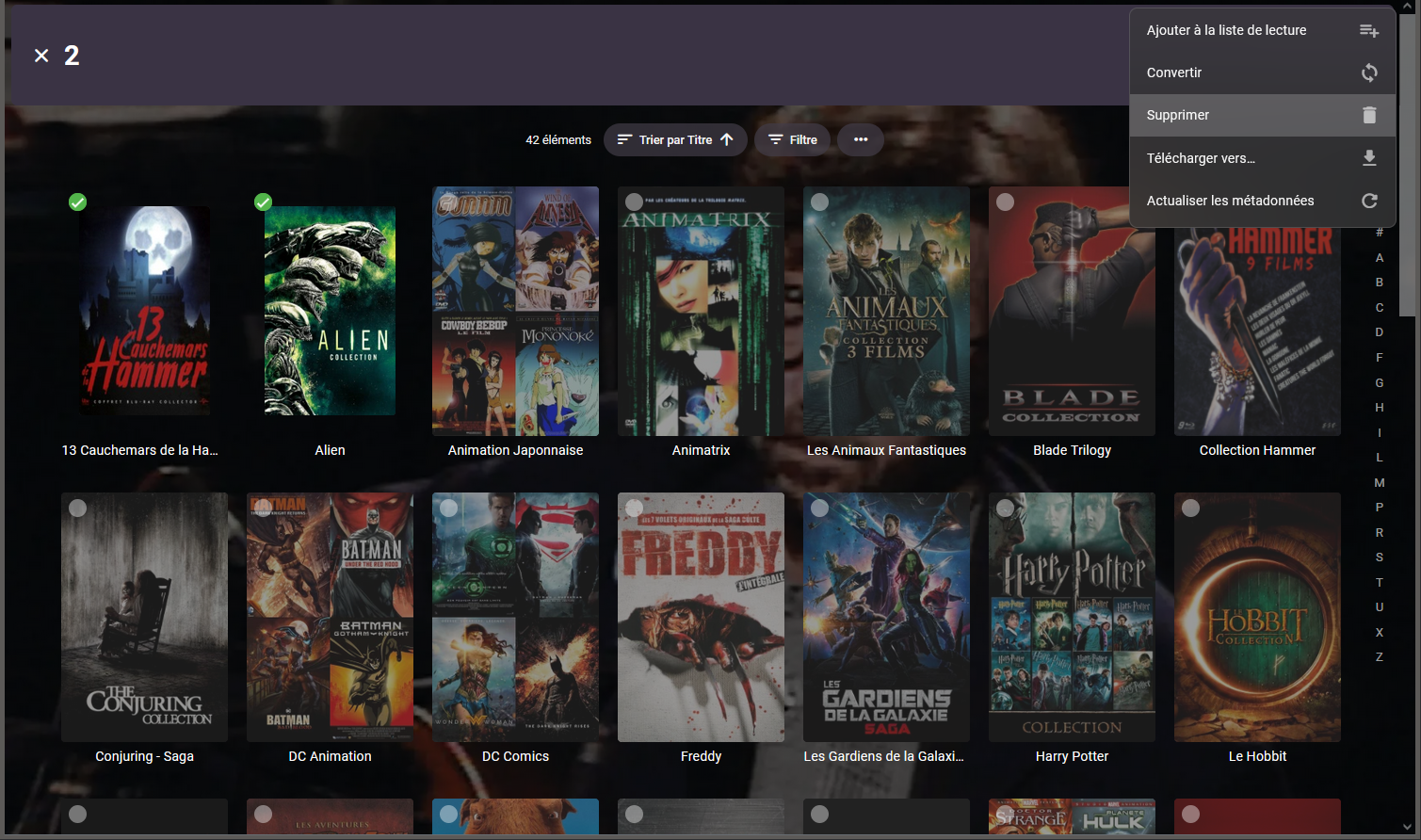
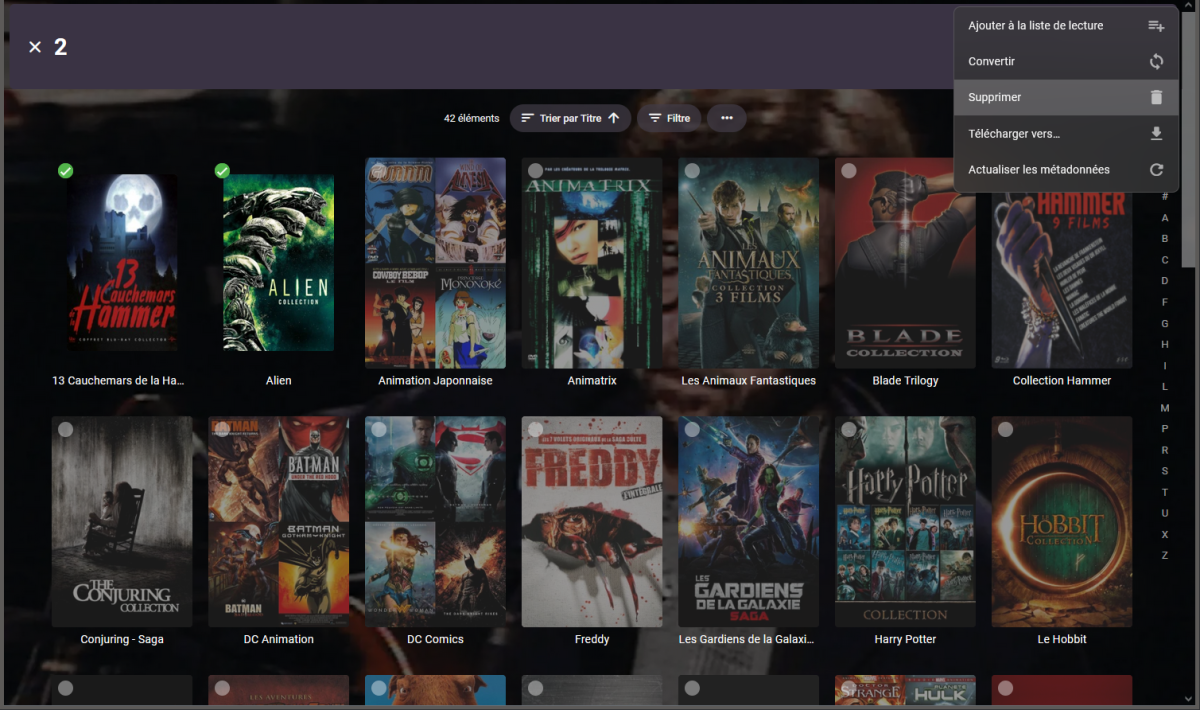
Alors il va y avoir quelques clicks à réaliser mais si tu vas dans Film->Collections (sur le bandeau en haut) Tu peux sélectionner une par une les collections (le petit rond en haut à gauche) et supprimer l'ensemble.
 1 point
 -
I see this has been brought up several times over the last few years so wanted to check if there has been any traction on getting the player to switch networks when leaving the local WiFi? The biggest hassle is plugging my phone into the car, starting some music, then pulling out of the driveway and getting one song before it stops. Only solutions I have at the moment are to wait until I've left the area before starting music (which doesn't work if Android Auto decides to auto start playing on connection and I need driving directions), turn off WiFi before plugging in, or wait for the playback to stop, then force close and restart the app on my phone. If I could get the "Local IP address" to populate as the remote address (domain name), then theoretically it could work, but no matter what I change in the Network Settings, the local address always displays as the servers IP address. I've also tried deleting the "local" server and adding by remote domain name in the app, and it works once, but next time I start the app it's back to the server's local IP address. Is there a way to force the "In-Home (LAN) access" field to populate as the remote domain address? I do have my network set up so this will work locally, but realize this could be a very bad setup for most people. Or even better, is there a chance that clean network switching will be implemented in the player in the near future?1 point
-
I thought I was the only one that this happens to. It's super frustrating like you said, when you start music and pull out of the driveway and then it craps out. I have to fully close the app and start over to get it going again. How is there not a function in the app to attempt to re-connect when the WAN connection changes? Seems like a pretty simple fix.1 point
-
MyPersonApi, updated. (this is now all working) - hopefully no more bugs! Nearly Everything is imported! Overviews, Date of birth , Place of Birth, Date of Death , Images etc (only 1 backdrop, Emby limitation) However using Edit Images you can import more! (at the moment the last thing to fix is import provider ids) GetImages array json now handled To search just MyPersonApi with Identify (and ignore default TMDB), leave the Name field blank and enter either the name or id (not both) in MyPersonApi id: field. This might produce an error in the logs for tmdb, as nothin is passed to it (but you can safely ignore that) CreatePersonApi Updated UTF8 now supported when exporting Updated PHP Included a HowTo.txt when the plugin is run and php is selected as output, it includes How To install & Create a truenas server Exports to folders with provider keys, an xml file in the folder with the images. Added a date Update 2 dec 2022 Added Provider Id support to import.1 point
-
Hi, yes, i did see that thread. The opening post is really just a primer on linux file permissions and, while I'm no expert, I'm not entirely ignorant of how ownership/access works. The rest of it is 3 pages of 20 different people having 50 different problems. Still, on Page 3, someone mentioned making sure the mounting options in fstab were correct. Sure enough, I was mounting as uid=1000,gid=1000. I just changed it to uid=1000 and gid=1004 (media). Now I can delete files within within Emby. I still don't get how sickchill worked and emby didn't, but I'll still take this as a win. Thanks.1 point
-
He can't help you right now because he does not know what the problem is. If you want help, you need to be as detailed as possible. "My channel don't work" isn't gonna cut it. What exactly is the plugin doing/not doing? What did you put into the fields when programming the channel(s)? What troubleshooting have you already attempted? Can you upload any logs or screenshots that might give a hint at what the problem is? Chances are, there is a simple solution to your problem that can be found IF there is enough background information to solve the problem. This is standard practice when asking for help on forums like this. We can't help you if we don't know what the problem is. If you are using EMBY and VirtualTV, I assume you are at least somewhat of a power user. You probably know your way around computers better than your average Joe. Get with the program.1 point
-
I always try to help if i can. Instead of being rude, please think about why answered in a sarcastic way and why i cannot help you, why nobody can't you help after your issue reporting.1 point