Leaderboard




Popular Content
Showing content with the highest reputation on 12/05/22 in Posts
-
I turned on debug options and watched a few shows today and there were no problems. If it happens again I'll report back with all the info you need.2 points
-
Be able to create playlist based on a certain criteria, like genre and or year, in order to create a dynamic playlist that it refreshes automatically when new content is added. This way you can for example, create a tv comedy playlist from the 90's, or a new sci-fi Movies playlist. Some other criteria for rules could be the rating, watched/unwantched, score, tags, language, audio codec, etc The possibilities could be endless1 point
-
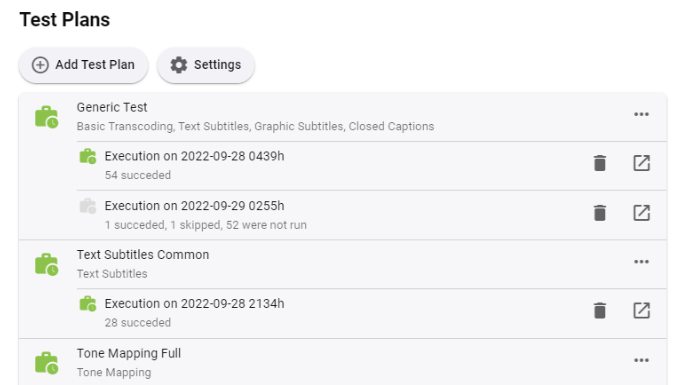
Starting from today, you can find a new plugin in the catalog: Transcoding Tests The plugin allows to perform a wide range of tests using a defined set of source files. These tests will help to better understand user issues, compare the behavior on different systems, while it rules out many of those factors which are often hard to impossible to rule out. Another use case is benchmarking and/or comparing the effects of different settings on performance and quality. Finally, this allows to recognize and analyze regressions and differences across versions more reliably. The results are stored outside the log folder and are not subject to regular cleanup. Each job execution is archived as a single file and those can be kept even when the actual output is cleared. The initial version includes essential functionality. From here on, we will see what else might be needed or useful. Updates Version 4.8.0.16 This version allows opening local output files or folders from Chrome (Windows) (see end of second post) The checkbox "Run this plan right now" is working now
 1 point
 -
One thing the streaming community hasn't done well is really create tools that allow us to simulate live TV well. I think the biggest reason that binging on Netflix (and Emby) is so popular is because you push a button and go. I'd like to see Emby create a "To Watch List" that basically allows you to sort shows into a specific order. When you watch that list, it will only play the most recent episode of each show in the list that premier inside that week. Lets pretend I made a DC TV Watch list, it would only play this weeks episode of Arrow, Flash, Legends, Supergirl and Gotham one after another. If an episode didn't premier that week, it gets skipped. Additionally, I'd like to see this system *ALSO* allow us to insert bumpers similar to Cartoon Network or Toonami. In the here and now, it would only insert bumpers between the series, but it would be nice if in the future, a system that allows some method for choosing the appropriate points between each act of an episode where bumpers could also be inserted. Bumpers would be a community thing to create, but inside the "to watch list", you'd choose what bumpers (if any) are used. Bumpers could even be surrounded by previews. Finally, another thought: while Emby already can pull Movie Trailers, it might be another cool future project if we could pull previews of related series not in the "To Watch List" and/or perhaps ones that aren't on your server that are similar to what you are watching. There's a lot of ideas in this post to digest and several should be their own project as part of this concept. Thoughts1 point
-
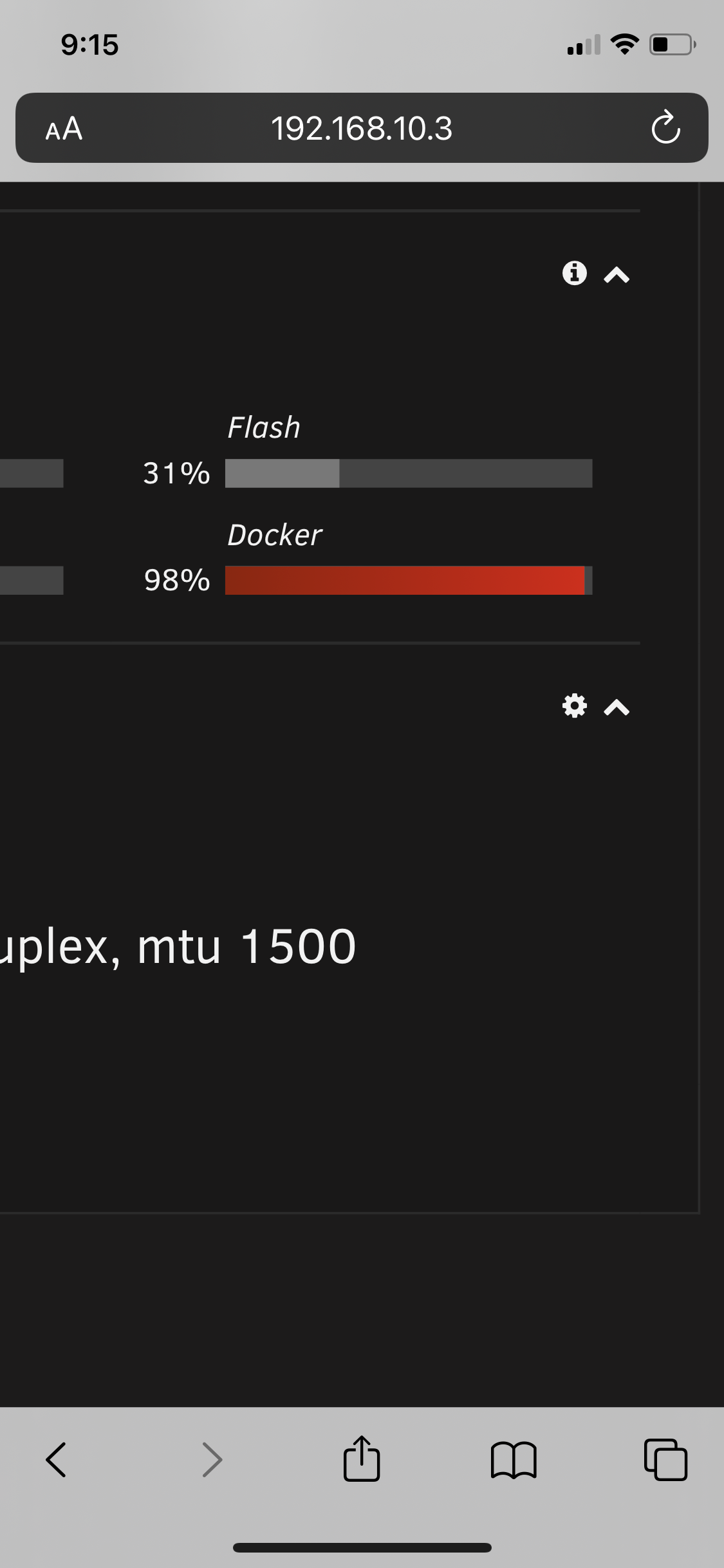
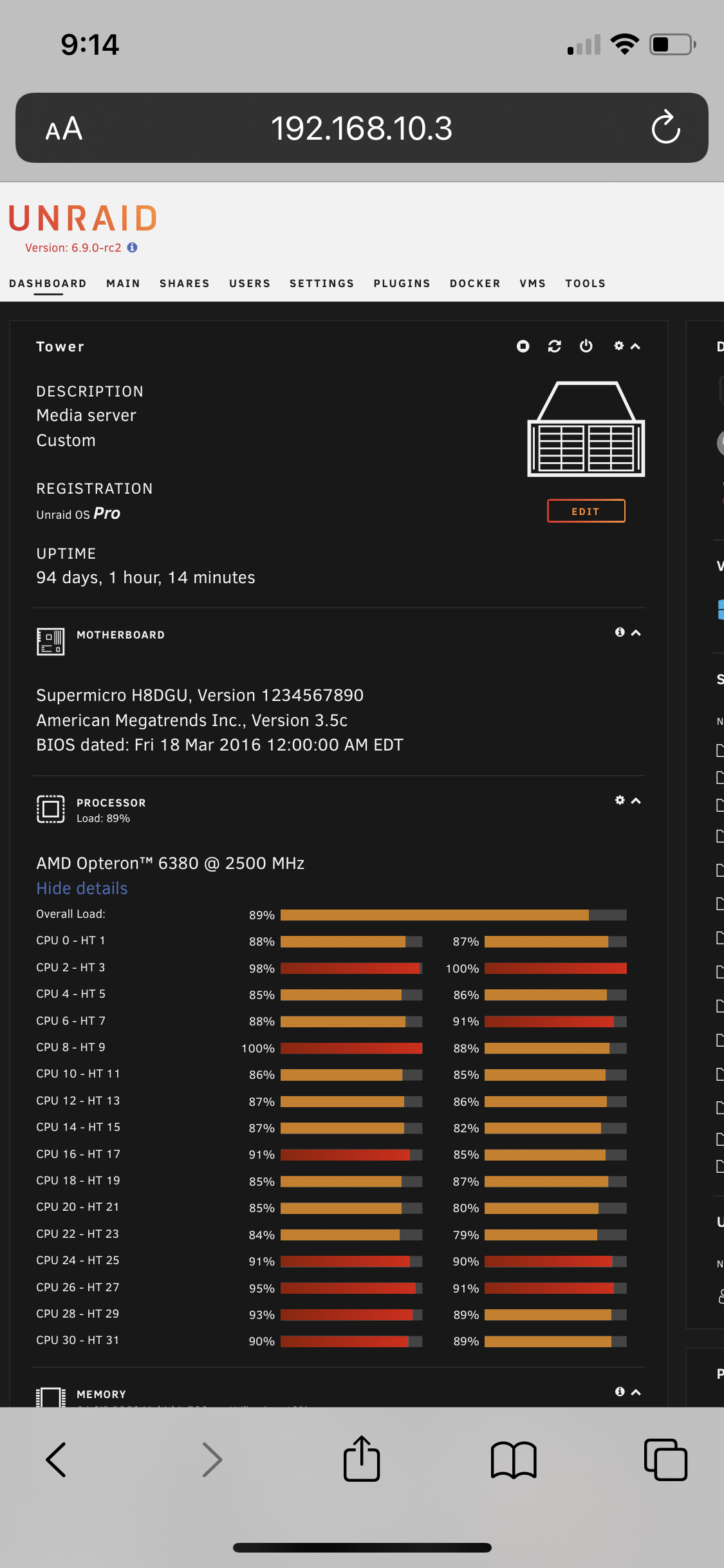
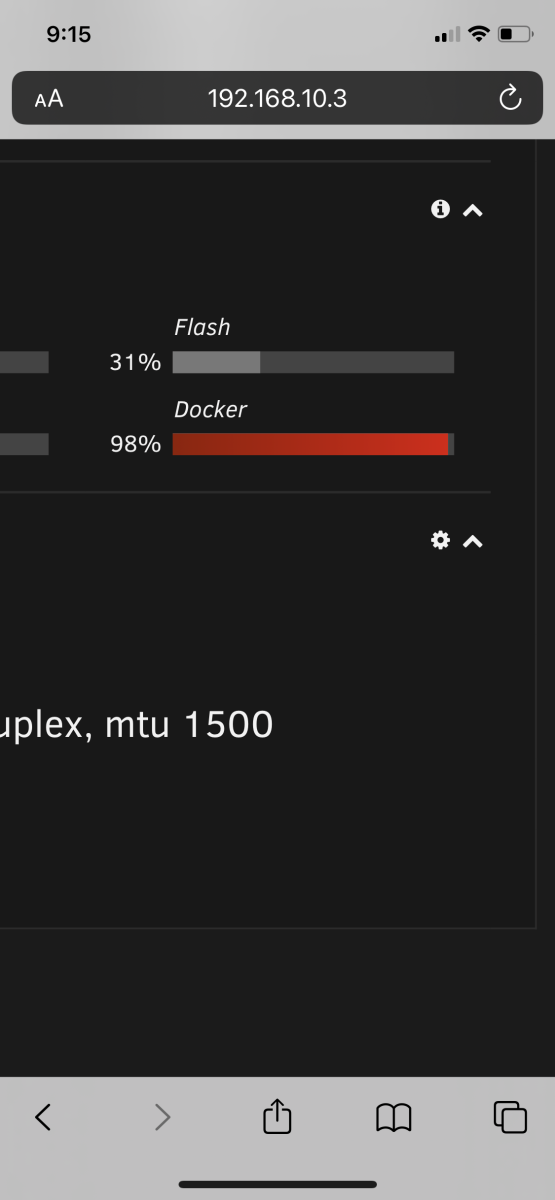
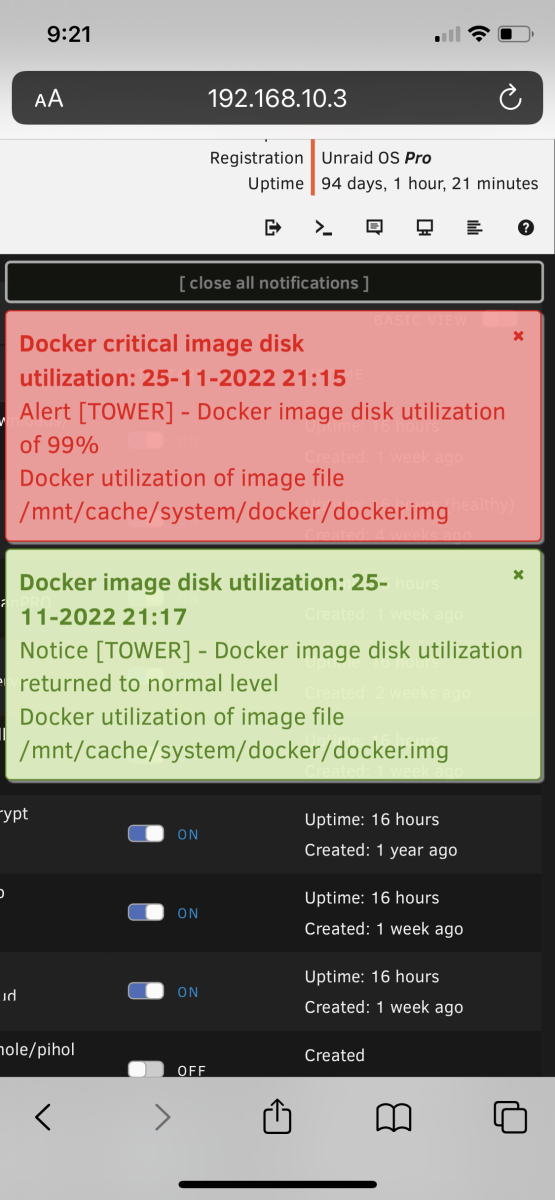
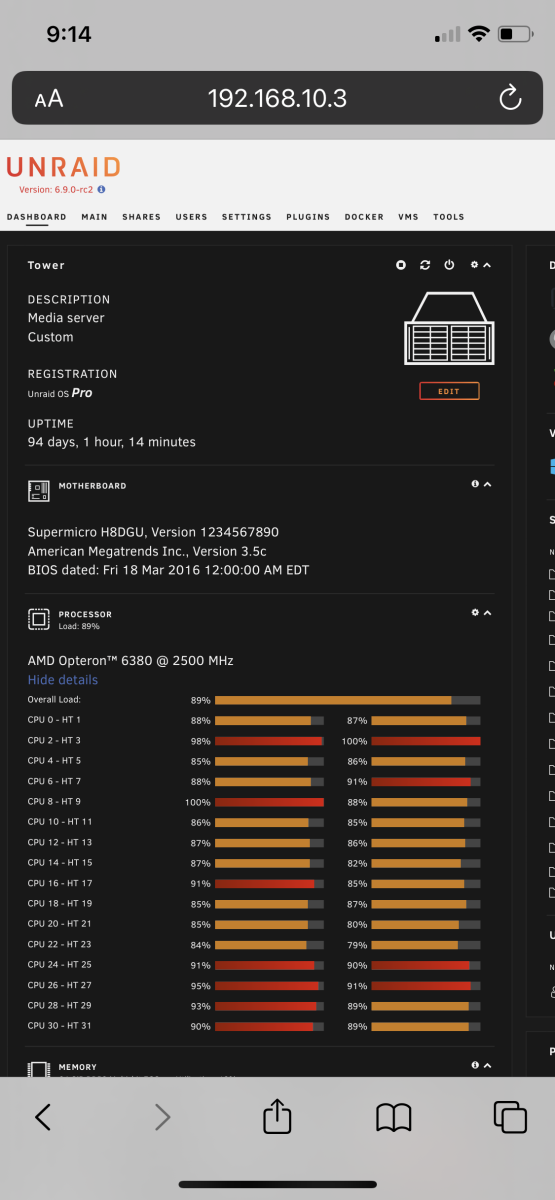
@PaulE123 You’re not the only one having this issue. I’ve narrowed it down to Emby as well and I can almost reproduce it. It’s always related to me trying to move through a video too quickly. It’s weird because I’m not even transcoding, just direct play. I’ve been in the server when it says it’s at 99% and when I open the container size it’s normal. unRAID showed me that my docker RAM usage was at 99% when it was happening. Another thing I’ve noticed is that it seems to correspond to Emby showing that it’s streaming a movie but it isn’t. I stop playing the movie on the shield, but but Emby says it’s still streaming. I’m on my phone so I can only upload a few screenshots which probably aren’t helpful. I can post more detailed information when I’m at a workstation.
 1 point
 -
To conclude this thread I wanted to note that you can do this for TV Show / Episodes as well. However, TV shows are stored with a different 'type' value in the Emby database. I've listed the different types related to TV shows below: TV Series name :: type=6 TV Season labels :: type=7 TV Series episode name :: type=8 If you wanted to unlock ALL items related to TV shows, you could execute the following SQL query: UPDATE MediaItems SET IsLocked=0 WHERE type=6 OR type=7 OR type=8; To relock, set IsLocked=1.1 point
-
It does, as both YouTube and Netflix do playback in HDR/Dolby Vision in the browser, but I suspect there are likely many limitations in what content can be played in HDR in the browser.1 point
-
Ahhh .... missed the update. Thank you1 point
-
problem solved Thanks.1 point
-
I know what that is. Give me until tonight. I will fix that.1 point
-
looks good so far for me at least1 point
-
Many thanks Luke. I try this ASAP1 point
-
Hi looks like i resolved it. There was a rights issue in the directory and was blocking inheritance to the folder.1 point
-
Sorry. I was away for the past week and did not get a chance to try what you recommended. When I got home yesterday 7.11.1 was available, so I just updated to it. I'll install 7.11.2 when I get from work later today and post back.1 point
-
I found out the hard wat it's only supported via HDMI IN Passthrough unfortunately. When playing TrueHD atmos it uses Dolby MAT, but it's meant to end up showing Dolby Multichannel PCM 7.1 or just plain Dolby Atmos (it does with HDMI IN passthrough) but it simply shows Multi Channel PCM 7.1 meaning the Atmos meta data via Dolby MAT is not working.. Whether this is a bug with the Cube I don't know, I sent mine back.1 point
-
I've been on 1.6.41.40 for a couple of weeks now, always on beta (currently latest .19) and it has been doing OK so far.1 point
-
If you haven't done it yet then extending the service unit might be the part you're missing. https://wiki.archlinux.org/title/Emby1 point
-
haha yea - I thought the metadata/images were linked to the same provider for some reason - but as you say they are separate and have now put thetvdb as my primary image provider - lets see how that plays. Thanks !1 point
-
I’ve tried throughout the day on two different Apple TV units without the issue occurring. Thanks1 point
-
Just to update that this niggle did fix itself after a few days; I've been keeping an eye on it for the last week and am now very happy that Trakt is being updated correctly with both Watched and Collected as and when my media is updated in Emby.1 point
-
So, to solve this problem on Synology i was create VPN connection to Netherlands server with routes like as an screenshots.
 1 point
 -
Here is his GitHub below: https://github.com/darkalfx/requestrr It is a Discord bot that uses other services such as Overseerr to allow members of the server to request and automatically download the requested media if enabled. I’ve tried just about everything to get it working and have seen other server shares using it, but I always run into an issue with the actual bot script restarting, etc. I figured i’d ask here to see if anyone else has used it themselves and how they went about it if so.1 point
-
Thanks a lot for the feedback! Have you tried moving thetvdb's image fetcher to the top? This should work fine together with TVMaze as the primary provider because TVMaze returns tvdb ids, so it won't need an additional identification for thetvdb.1 point
-
Hi, we hope to be in the Samsung store for more countries in future updates. Until then we're doing the best we can with the cards that have been dealt to us by Samsung.1 point
-
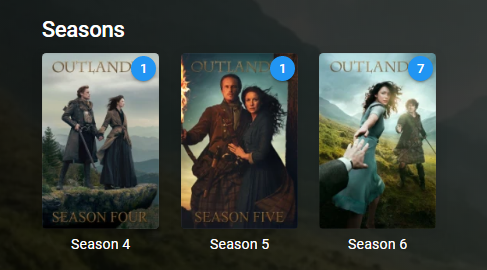
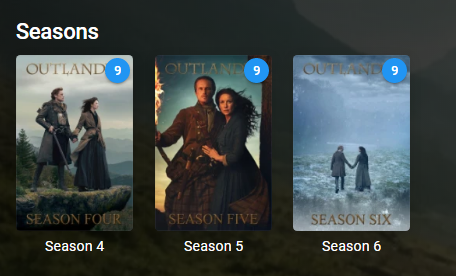
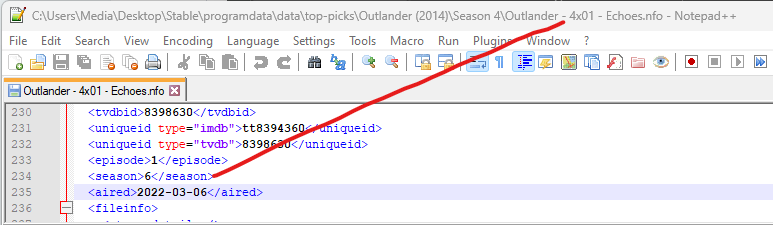
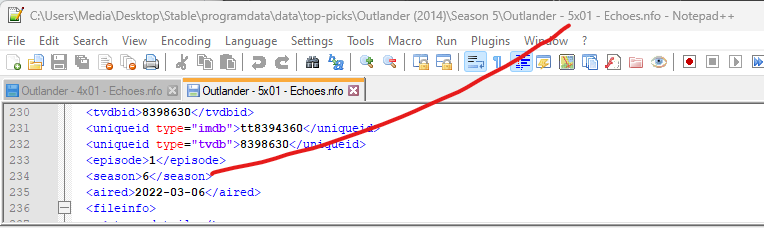
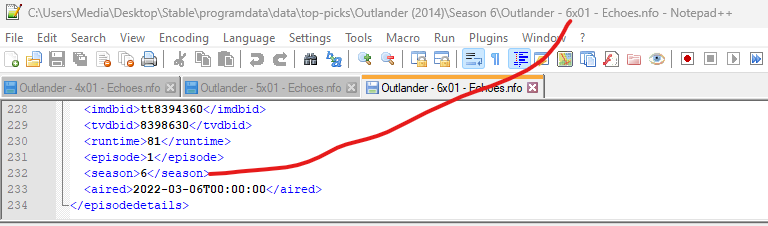
Don't think this is the issue as Emby tvshow.nfo has the same. But testing this I get the same results as everything is combine per season. Library Top Picks Items are multi-versioned even though there nfo file shows (Sorry didn't change file episode name but doesn't matter) So there is an issue somewhere in the plugin with show\episode structure.
 1 point
 -
hello painkiller8818.... tool_2.0c will solve your problem. Vic1 point
-
Hello JungleJim... I fix the bug you reported. The code is attached below. The problem was the old fix one bug and create another. I made a change to the post code earlier in the week and that change created the problem with bulk saves that you experienced. Please test the code and let me know if everything is now working as you expected. vic tool_2.0c.zip1 point
-
My plans worked out great, but my first run didn't work as expected ... explanation follows. After manually updating my database to protect the Name, Original Title, and Sort Name fields, I ran a 'Refresh Metadata -> Search for missing metadata' operation . However, it didn't update people images as I had hoped. My problem was that I backup and metadata into NFO files using the NFO saver feature. Since I just rebuilt my database from those NFO files, I still had the 'NFO Reader' setting enabled for metadata. All of my NFO files had the 'lockeddata' field set to true and the NFO Loader / NFO file setting seem to take precedence over other settings. Furthermore, I didn't even know that there was a 'lockedfields' tag in the NFO file ... so my NFO files were inconsistent with my database. Anyway, after running my first attempt, all MediaItem locks were BACK to where they were when I started. The entire MediaItem was locked and the Name, Original Title, and Sort Name were back to being unlocked. This pass didn't work but at least it didn't destroy my metadata. TAKE 2 After a few minutes, I quickly realized what had happened and developed a new plan: shut down Emby backup my database (library.db file) open the library.db in a DB editor run an SQL query to set the 'LockedFields' to 'Name|OriginalTitle|SortName' For anyone looking to run a query, all MediaItems that are in Libraries with a 'Content Type' of 'Movies' are of 'type' '5' in the DB. UPDATE MediaItems SET IsLocked=0, LockedFields='Name|OriginalTitle|SortName' WHERE type=5; run an SQL query to set the 'IsLocked' field to 0 for all movies (included in above) delete the library.db-shm and library.db-wal restart Emby in my Library settings, DISABLE the NFO 'Metadata Readers' setting run 'Refresh Metadata -> Search for missing metadata' for the entire library This refresh took about 12 hours to complete but WORKED GREAT. All people images and metadata were downloaded as desired. My existing metadata hasn't changed. Most importantly (for me) my 'Name', 'Original Title', and 'Sort Name' fields are still locked and unchanged. FINAL STEP I prefer to keep my metadata locked at all times, so I have one final step to complete -- re-lock ALL metadata. This process is a bit different since I don't want to run another refresh but I DO want my database and my NFO files to be consistent. Furthermore, Emby doesn't currently have any UI element that will let me set the "Lock this item to prevent future changes" for all items in a Library at once. I REALLY don't want to set them individually. Here's the plan: shut down Emby backup my database again (library.db file) open the library.db in a DB editor run an SQL query to set the 'IsLocked' field to 1 for all movies UPDATE MediaItems SET IsLocked=1 WHERE type=5; delete the library.db-shm and library.db-wal from within my 'Movies' directory, run the following terminal command to manually adjust my NFO files and make them consistent with my manually modified DB find . -type f -name '*.nfo' | while read n; do sed -e 's/<lockdata>\(F\|f\)alse/<lockdata>true/' -i "$n" ; done ; restart Emby celebrate and watch a movie1 point
-
Sorry, have not been able to play with this stuff for a while. Yes, it works fine for my X64 system. Am not going to try the arm64 install right now since I don't want to fix what is currently working on that system. Thanks for your efforts.1 point
-
+1 To this, Smartplaylist could be a great solution for re watching series with a rule to Delete from playlist when played status is reached. I could mark unwatched a series, but that breaks the trakt integration specially if you a seeing a series from multiple sources.1 point
-
I think we have a support session setup via PM now.1 point
-
Hi there, yes it has come up before and is possible for future updates. Thanks.1 point
-
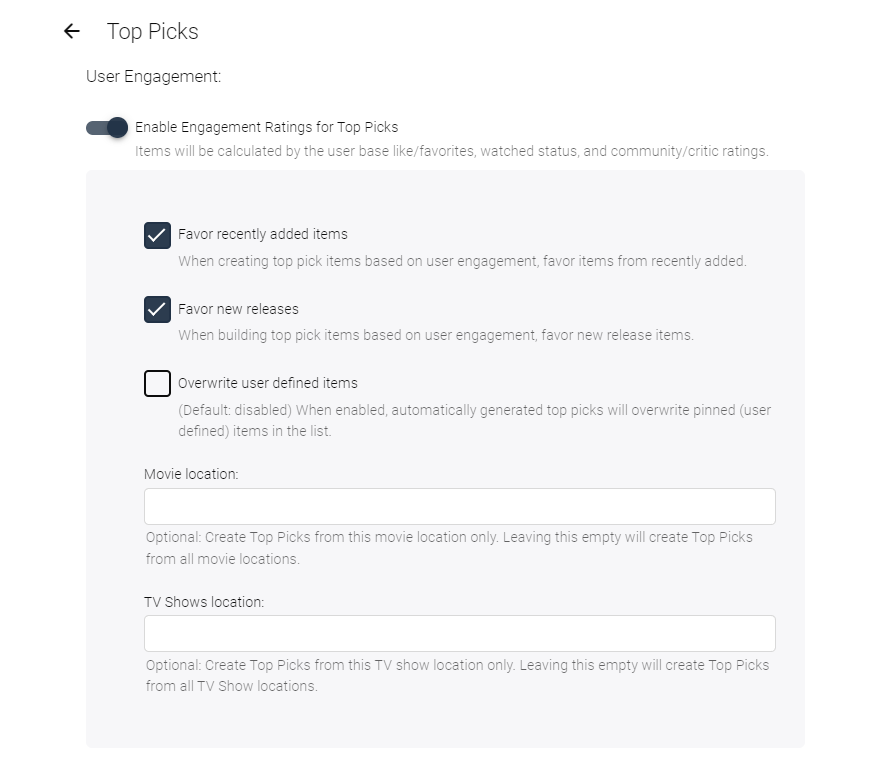
I've moved the virtual folder selection into the Engagement task. This should make it a ,little more clear about what these options do. And Yes @TheUrbanXplorer they stop items from appearing in the user engagement task results.... I'm 99% sure... @horstepipe I haven't forgotten you. I've laid the ground work to recreate the original Alpha-picker for the media select. It won't be in this new release, but probably the next one. @woenk I am pretty sure, that those nfo tags were the issue. It's a really trick thing. I'll release this now.
 1 point
 -
I have a similar issue with my Pixel 7 Pro (Android 13). Every time I play a video through the app (it doesn't matter if it's Live TV or not), I get the weird discolored look. The only solutions I have found so far are either setting the In-App settings for video playback to a lower quality which fixes the color issue but increases buffering since it now needs to be transcoded further, or accessing the videos via a web browser. Please fix this.1 point
-
I've been using since release as my primary provider - no real issues to report. A couple of the images I've not been too keen on (they seem to Favor 'sponsored' images that list the network and/or distribution network - I prefer a clean 'show' and image only look.) - but easy enough to just change them using thetvdb's image. No TBA's for episodes to report .. .. which was my main real reason for changing.1 point
-
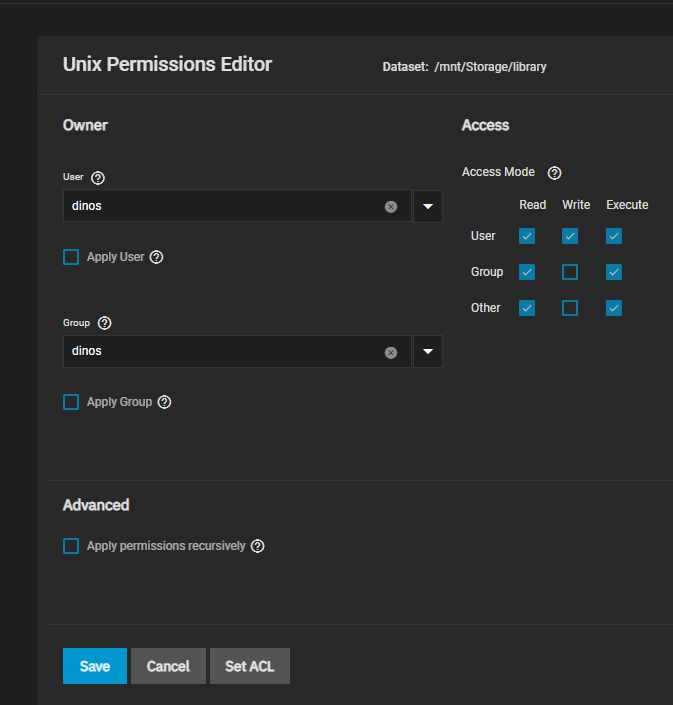
Like you have it setup you can't change permissions except if series is a dataset and the you need many datasets on root storage Ps. Hostpath /mnt/Volume dataset/dataset were you want to store files/Series I prefer to use just that /mnt/Volume dataset/dataset were you want to store files/ and inside that i have all directories like music, series , movies etc. Hope it make sense Dinos1 point
-
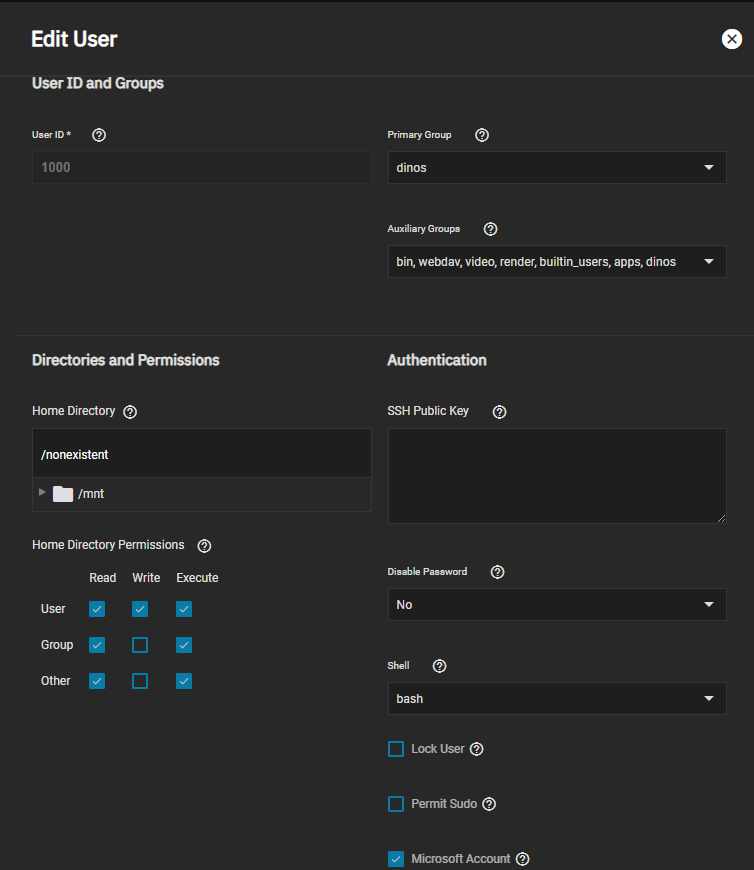
Dunno what version you run, if official emby runs as user id 2 (bin), if truecharts as user id hmm if i recall right 586 but the name is apps for sure Sounds like permissions, will not hurt to check that. On second one check auxiliary groups! add all of those to your user, no acl or anything more is needed. And off course run again permissions on the dataset next
 1 point
 -
Im Moment scheint es zu laufen. Wie ich es mir auch dachte, lag es nicht an Emby, sondern einfach an der rclone Konfiguration. Für jemanden wie mich, der mehr Windows-verwöhnt ist, ist so Linux-Kram schwer zu verstehen.1 point
-
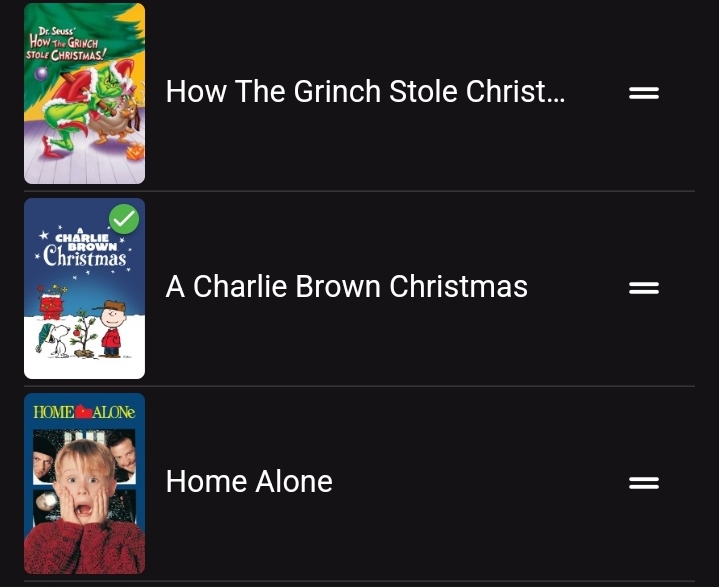
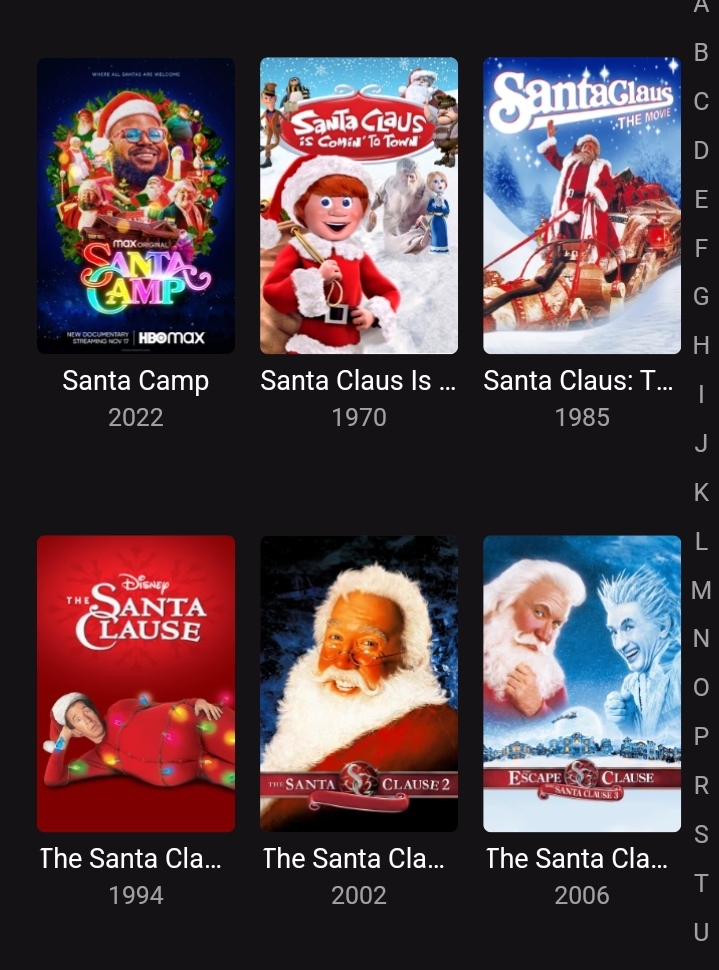
Started using Playlists for movies. The only view I can see is the list view. Would be nice if I could see in the Primary or Folder view as is in Movies.
 1 point
 -
I have Pixel 7. I have this same issue when doing live TV that are not HD and playing back recording that are not HD HD channels play fine. Also if I am playing a non HD file if I change the Quality from Auto to 480P-kpbs the display is OK.1 point
-
I can’t see how hard it would be to reimplement the holidays theme, even if you had to start afresh it would only take 10 minutes of your time1 point
-
Thanks you! This fixed it for me. Been having this problem for a few months (rolling back right after a new update failed) and didn't have the time or interest in debuging.1 point
-
Just fix the IP your synology is using to force it back to the previous one.1 point
-
HI, we are looking into it. Thanks.1 point
-
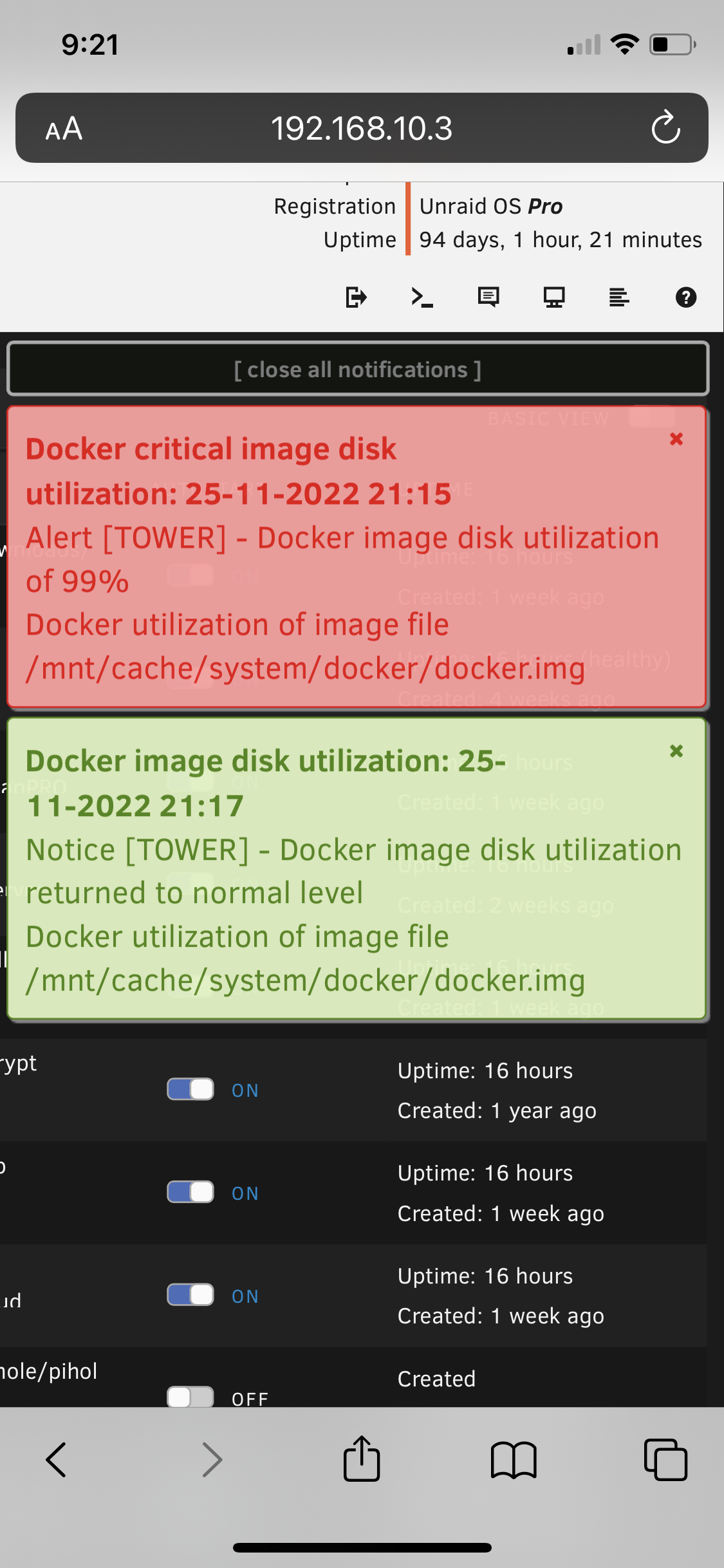
Hi @Luke Here is what I did to get the log file. 1. Stopped and started the Emby docker container 2. Rebooted the Shield 3. Rotated the log file 4. Began playback of a movie named Black Friday. Stats for nerds showed Direct Play. 5. Used the skip forward button a bunch of times after the movie started playing. This causes the video to freeze for ~2 minutes while the CPU utilization goes through the roof (all attributed to Emby) and the docker image generates the error below. 6. When the movie started playing again it showed that it was transcoding for some reason. 7. I then exited the movie. Within a minute or two I received the message "Docker utilization returned to normal" message from my server. Event: Docker critical image disk utilization Subject: Alert [TOWER] - Docker image disk utilization of 99% Description: Docker utilization of image file /mnt/cache/system/docker/docker.img Importance: alert embyserver.txt1 point
-
Glad to hear , this still on development then, i tried the chef version, sadly its not working for me atm, (idk the reason why tbh) but with the original ones, i use this to manage tv series in mixed content folder, and somehow magically can do it in original ones, but in plus, i think the library really need the series type for make it working as intended. what i feel lack in original ones atm is custom match / manual rules, like with regex / specific text for example find text "Dragonball" then link it to series that already registered in emby (either from mixed or series folder, or even custom path if needed) like "Dragonball Z" so if the plugins find any files that has Dragonball in its filename, its automatically sorted to Dragonball Z series with this alone its already good file sorting plugins IMO tho if you want to take it to the next level, add custom renaming for each series there that manually linked, for example series a filename : [releasegroup] brotherhood 720p.mkv into : the brotherhood 720p [releasegroup].mkv by adding pattern like {full series title} {quality} {release group name}.mkv this kind of renaming formatting is inspired by sonarr or radarr media organizer settings1 point
-
1 point
-
Well, i would hate this. You always can add stuff you have in your favorites to any list - and so to a "To Watch" List. I have a lot stuff in my favorites that i already saw and its stuff i can rewatch over and over again. But in my to watch list i only wanna have stuff that i never saw before but plan to see.1 point
-
On the movie page there is a favorite button and a watched button. It would be nice if they could at a watch list button. Very convenient. Zero downside1 point
-
@Lighthammer I agree that this would be a great idea. Hope more users vote on it.1 point