Leaderboard




Popular Content
Showing content with the highest reputation on 11/28/22 in Posts
-
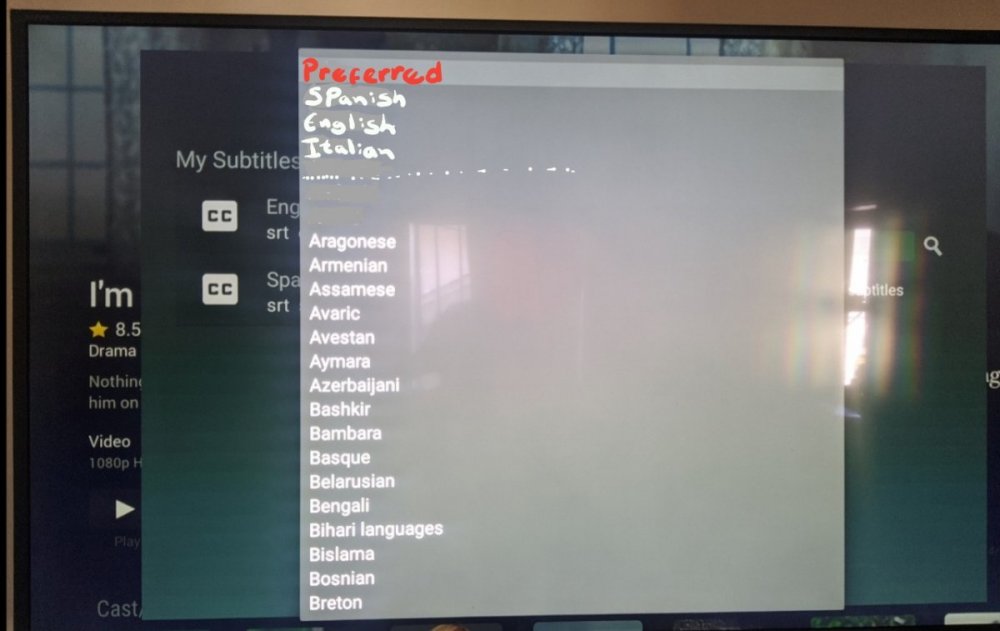
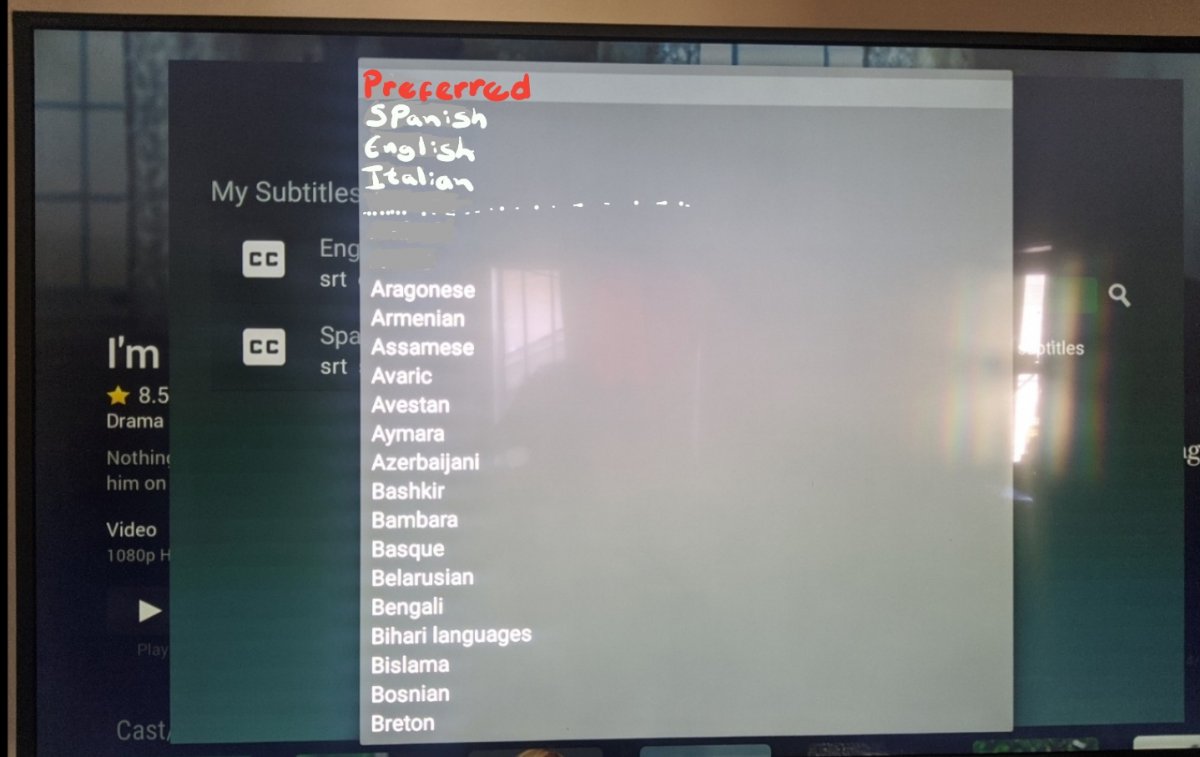
Downloading subtitles in the TV app is very annoying, you have move one by one until you go to the language you are looking for and in the TV the switching interface is very slow. wanted to suggest a better way to display the language menu for the TV app, because you use a tv controller and there is no scrolling. I did an example for a better understanding, in the preferred part I put the languages that are set in the server to automatically download. When I want to download subtitles I avoid the TV app, I rather use the phone or the Ipad because unlike the TV app, you can scroll fast and go directly to the language you want.
 2 points
 -
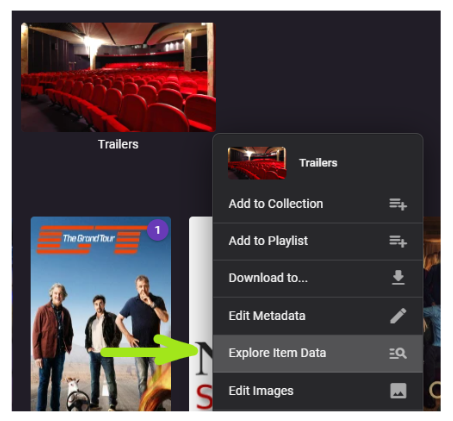
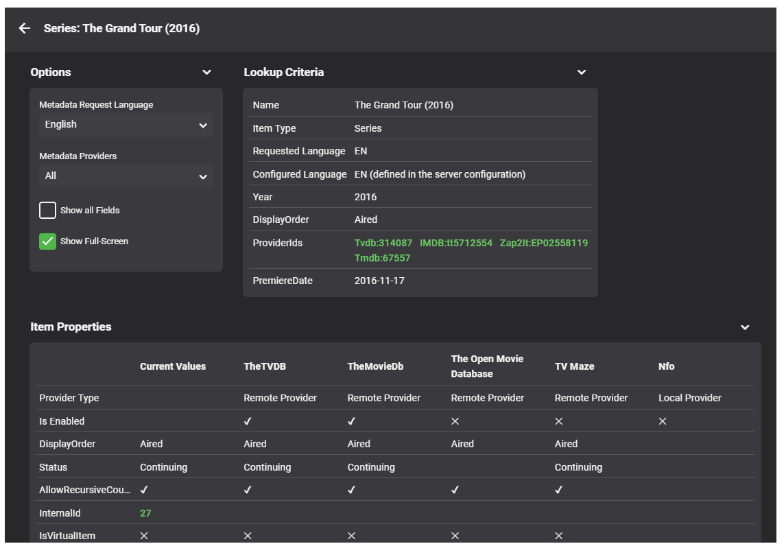
This is another brand-new plugin which is available in the catalog now: Emby Data Explorer Important Note Make sure to clear your browser cache after installation and restarting the server! History In 2016 I was working on Metadata Providers and wanted to see and better understand which metadata is coming from which provider and which information was actually taken by Emby Server. In turn, I had created the MetadataViewer Plugin. Later, it became outdated and I was no longer around to update, so eventually it had to be pulled due to incompatibilities after the server had evolved. Meanwhile, there had also been an idea for a "Backstage View" plugin with the purpose to provide some low-level insights into Emby item data, but it never took off. This month, I came back to some work on metadata providers and I had the same problems again, which ended up in creating this plugin. It's a fusion of the MetadataViewer plugin and the Backstage View concept - with a name that leaves room for more... Beta For now, it's available for the beta server only It's been done in two and a half days, so please report bugs in case you find any How it Works The plugin adds a new entry to the Item Context Menu: This will open a dialog for data display: This dialog is the one and only UI that the plugin provides. Everything is happening there. I will describe individual features in subsequent topics. ENJOY!

 2 points
 -
After bouncing Emby following the crash, this time it appears the setting change (changing DoNotIgnore back to True) has stuck. I re-ran manually and it appears to have worked as expected. All versions now grouped! Thanks to all for working through it with me!! I'm excited to try out more of these plug-ins, some look really useful.2 points
-
Nope, Emby doesn't, and there's long standing thread about it here on forums, but at least TMM started to write <episodenumberend> for Emby users' sake, so it does mitigate it a bit. Though IMHO it's Emby who's at fault here (and I know @Happy2Play will wholeheartedly disagree with me as it'd break his setup otherwise ).2 points
-
Your Batman NFOs are not only TMM made, you have some other software writing there. Bumblebee and District 9 are, and you have <lockdata>true</lockdata> that prevents any metadata change. You can change that in TMM settings and rewrite NFOs subsequently (right click>Enhanced editing).2 points
-
Performing the RTM fix seemed to resolve the runaway memory usage on the embyserver process. Everything appears to be working normally for the last several weeks. Thank you!2 points
-
What's the difference between a short video and a longer video that would mean anything to Emby?2 points
-
Hi, can we have the ipk please !2 points
-
Emby Server 4.7.10 - Library Improvements & LiveTV/DVR Fixes This is the latest point release of Emby Server. It's a small maintenance release, containing improvements to existing functionality as well as fixes for user identified issues. Improvements to Library Functionality Improvements have been made to library functions to reduce triggering events that don't need to be processed multiple times. This can reduce false RTM events, pulling subtitles, updating Trakt or other similar plugins as well as stop un-needed notifications from Webhooks and other notification plugins. This is done by implementing a delay before triggering new item additions until after the metadata has download and been processed. LiveTV/DVR Improvements and Fixes We corrected a translation issue that could sometimes print HeaderLiveTV instead of LiveTV on the home screen for non-English systems. A fix has been made to stop intermittent recording issues that happen when the series keep episode limit is set to only one. View the full article2 points
-
Hi, Thank you for the great product. It is a pleasure to use it. I have seen some posts but they are years ago regarding my request. Is there a plan to have notification (when adding movies, shows, live tv etc.) from the emby app ? This means to get a push message on my android phone, iphone, windows app, etc. With 3rd party software its not so cool. Thank you.1 point
-
Hi, I’d love that audio and subtitles choice would be saved per show, according to what you select on the last episode you watched. The main audio/subtitles parameters is a good point but there are many cases it is not enough and you need to adjust audio and subtitles at the beginning of every episodes. For example i like to watch Casa de Pale in Spanish with french subtitles, The Big Bang Theory in English with french subtitles, French TV shows in french without subtitles, ....1 point
-
I'd imagine this one will probably be a little to tricky to implement any-time soon Heck I'm not even sure if there's a suitable codec available that's opensource/free to use But it would be a really awesome extension to sync if you could transcode into multiple bitrates and then use adaptive streaming between the emby client and the server to pick the highest quality possible at any given moment. I would think this would be especially useful for mobile clients where the network performance can be all over the shop. I thought i'd suggest it on the off chance it was feasible.1 point
-
While Emby already has recommendations built in based on previously watched items I find they are not all that helpful. They seem to be based on genre only, for example, because you watched a comedy here are other comedies in your library. I do like how the also directed by/appear in recommendations work though. What would be great is if Emby could incorporate Trakt's recommendations as they are much more sophisticated. Trakt's recommendations are not only based off of what you have previously watched but also what your Trakt friends and other Trakt users have watched. It takes user ratings and trending/popular media into account. Ideally Emby would include full Trakt integration allowing users to rate media after watching, view lists and recommendations, and view upcoming media all from within Emby but for now I think recommendations would be a nice addition. Trakt has the potential to give Emby that community feel and allow users to discover new media, find something to watch, and recommend media to other users. http://docs.trakt.apiary.io/#reference/recommendations1 point
-
Curl on your system doesn't like the github certs for some reason. You could be missing a CA update for the OS. Try downloading the rpm with wget then running the installer on the file. wget https://github.com/MediaBrowser/Emby.Releases/releases/download/4.7.10.0/emby-server-rpm_4.7.10.0_x86_64.rpm dnf install emby-server-rpm_4.7.10.0_x86_64.rpm1 point
-
But it the direct play identification doesn't work for live TV. You already know that Luke.1 point
-
I feel your pain, bud, going through same penance.1 point
-
This is the one feature that I'm looking forward to being solved the most. It's super annoying, not only because of the long scrolling itself, but also because my wife will hound me about it when she's watching her shows. Sometimes the downloaded subtitle will not match the media content, and for some reason she doesn't have much sympathy for my explanation that the Emby team has a lot of other difficult things to solve, but I'm sure they'll find a solution eventually!1 point
-
There is not. Lend your support here:1 point
-
OK yes in some cases it still may get sent sooner than it should. We'll look into it. Thanks.1 point
-
Coming back to say that everything has much improved now. Haven't seen any crashes recently and live tv/dvr is quite usable now. Thank you!1 point
-
This is not true as it is about providerid not file/path/name. So "Aliens", (tmdbid=679) will will be used to track Played and Resume on every copy. Only time this changes if item does not have a providerid then a DBid is used and can be different and lost if something happened to DB or Media is moved. Should have always been that way or I know it has been from day one for me. Yes this has been mentioned before but currently not possible with the way all userdata/resume points are tracked as 10 copies/versions of a movies is still one move. But search/CW will show you every version unless Grouped.1 point
-
Thanks for the update. Not sure how I missed that thread when I was initially searching on the subject. Definitely the same behavior I'm seeing.1 point
-
I feel good about my streams but I want to provide log info to see what you all think. I have Emby Premiere and using the Live TV. After awhile if you watch a stream or too many there is an error that says no compatible streams. I can only solve this by rebooting Emby server as a whole and then it does it a few hours later, I found one article about this where support came in and made a change to where the channels are on the drive locally I believe? I just would like more information on how to get this setup a little more seamlessly. The provider worked great on other streaming methods. Been using Debian and have this server setup on that. Noticed this issue when I was hosting on windows. Decided to go to linux and see if anything changed and set that up fresh months ago. Im 1 version behind from being the latest. Logs attached embyserver.txt ffmpeg-transcode-2a26645b-c753-4b81-8ef3-fec6a0f9709b_1.txt1 point
-
i think i might have discovered why it was freezing (am having networking issues at home) but will report back if that is not the case1 point
-
Hi - this is the only way I've found so far. Like I mentioned earlier this behavior does not exist in Android (non TV) and the web app.1 point
-
Because you're always moving forward, whether it be new features, supporting new usage scenarios that you hadn't thought of before, resolving issues reported by others, etc. I realize you have good intentions but when you tell a software developer if it ain't broke don't fix it, then you're essentially saying let's stop trying to make the software better, and that will not be good for anyone.1 point
-
Will assume related to other Emby Theater topics. https://emby.media/community/index.php?/topic/114059-emby-theater-error1 point
-
@Nibble But Roku is free unless you are talking about LiveTV as the feature require Premiere not the Device. So assuming they are running their own server they can play their media. As I can disconnect the internet and watch all my movies/TV forever offline on my Roku.1 point
-
Thank you very much Luke.1 point
-
Yes, Apple TV does not yet support intro skipping. I think they’re working on it though, the Apple TV app is undergoing major changes so that it will be easier to add features like this in the future.1 point
-
I can’t get HDR from the AppleTV 4K MPV or native player. And with native player, most 4K doesn’t play all; I presume because I use MKV and not MP4. I can get 4K playback if I choose a supported audio track (that is, not Dolby Atmos). But using the Emby App on my Sony TV (Android app, I think), I get HDR. And I’m getting 4K HDR on my Shield + Projector combo. So it’s definitely an AppleTV 4K set of issues that I can’t solve.1 point
-
Glad it was a temporary thing. I was afraid something broke in the update. Thanks for checking in!1 point
-
Thanks.. I must have just missed that box1 point
-
One would expect all user-specific features to work properly.1 point
-
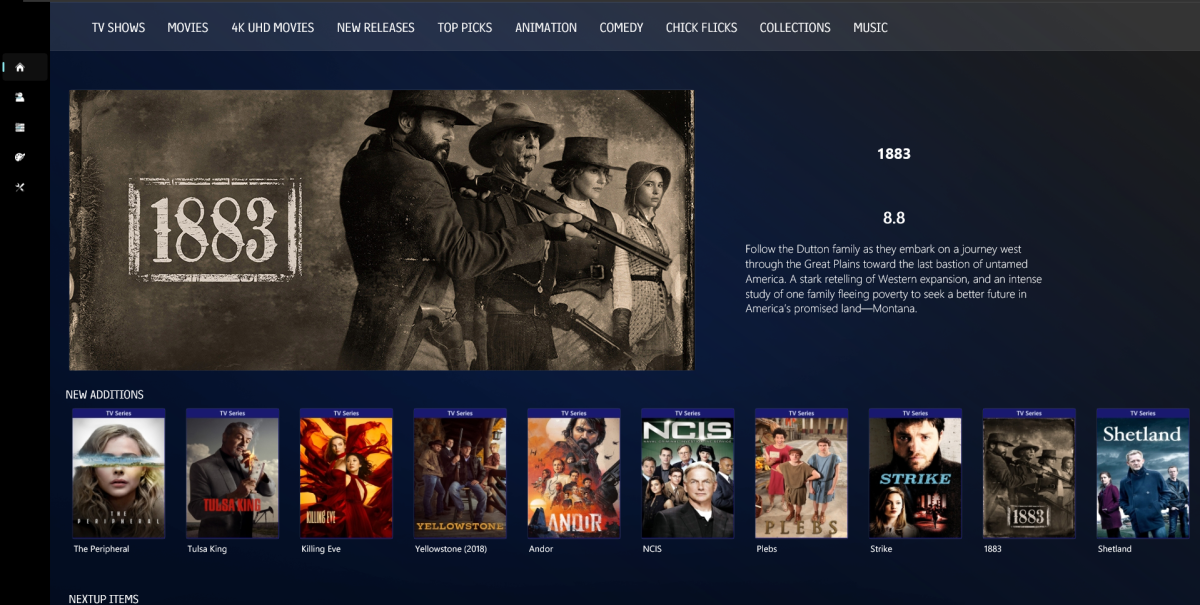
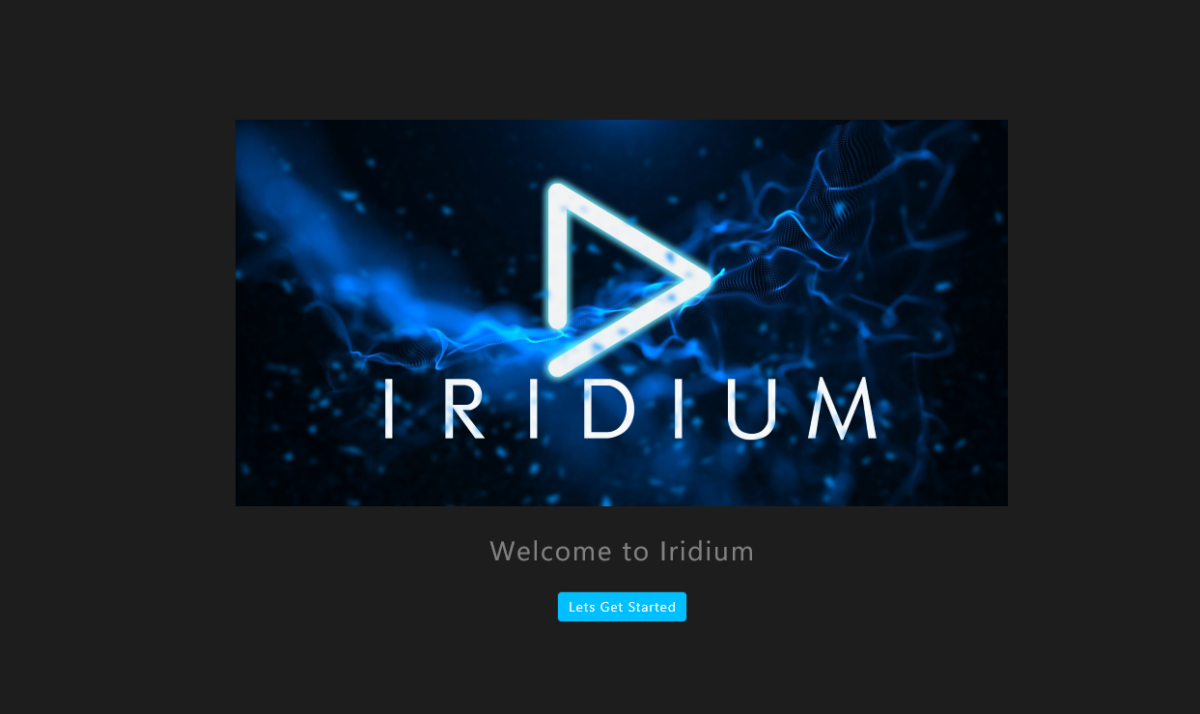
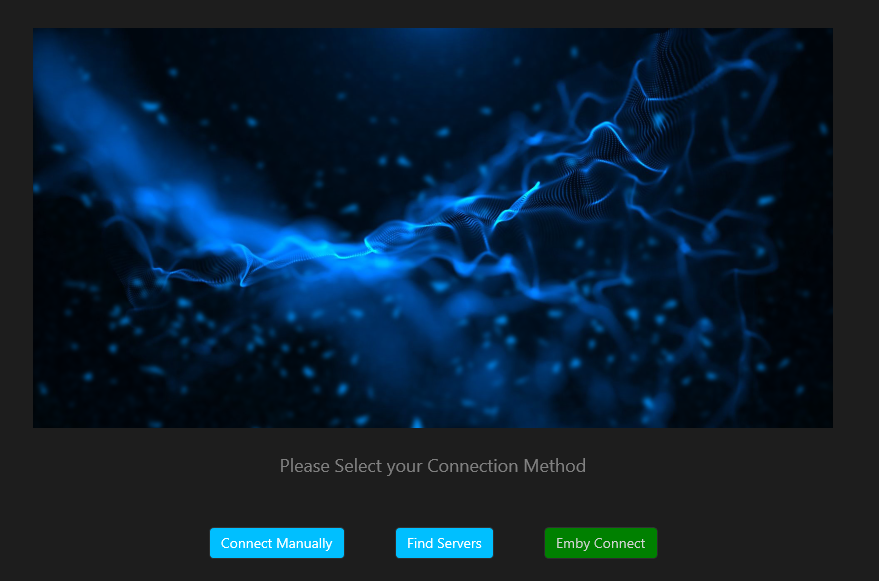
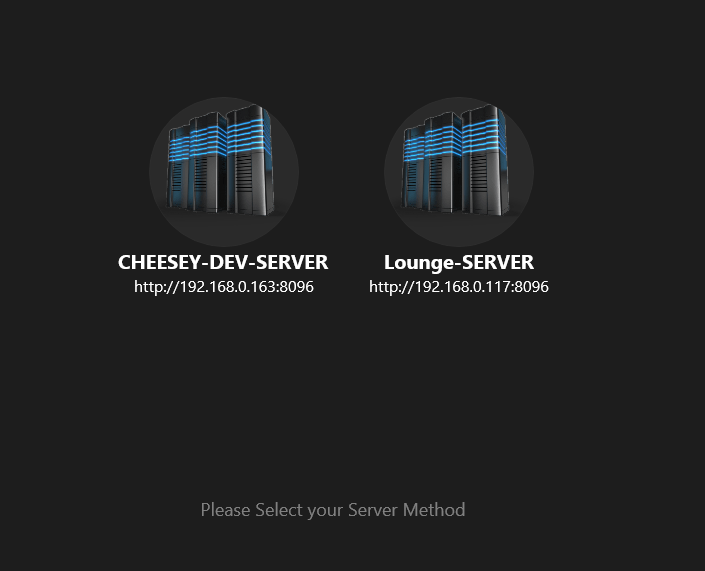
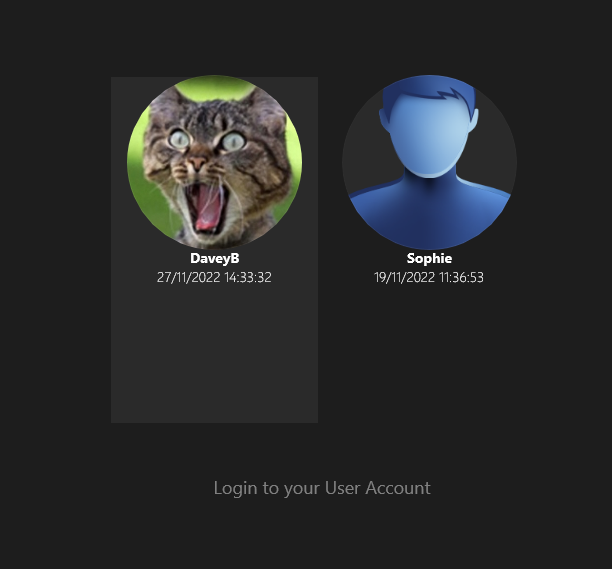
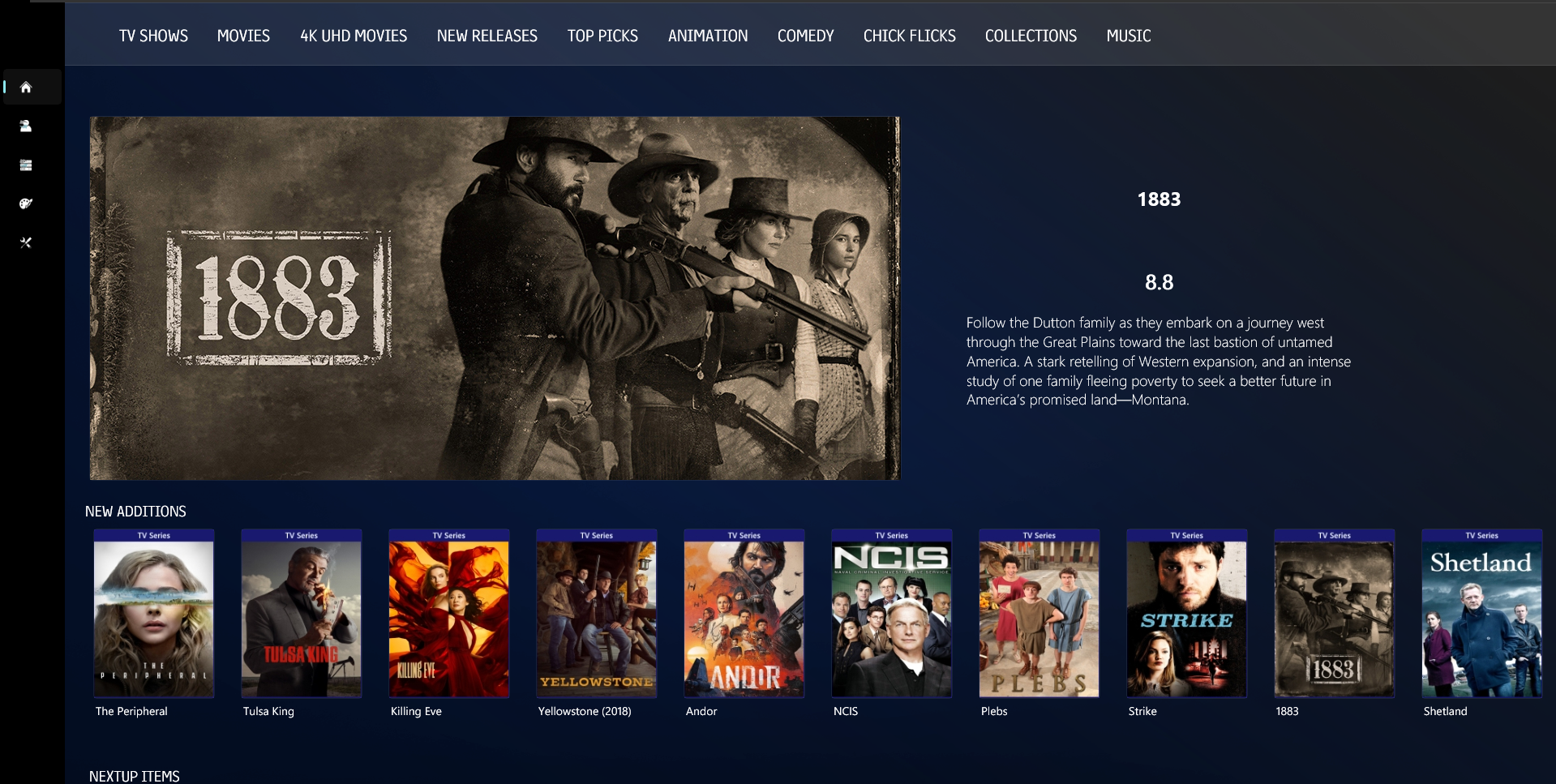
So, i've completely changed the programming language now. I've moved away from Web Development and I'm using .Net MAUI now. Which is a great for x platform development. Its still very new platform and has it's limitiations but I think that in the next 6 months it's gonna be pretty well rounded and feature rich. It makes sense to me because i can deploy on android, android TV, iOS, MacOs and Windows Desktop. I'm still figuring a lot of stuff out but the basics are there and it's pleasant to work with, quite similar to WMC MVVM structure so i'm feeling quite at home. Routing is bliss!! Templating is also great so and i can write in c# which reduces my learning curve massively. Anyway i looks very similar to the Javascript version i was working on and i'm certainly happy with it so far. Datagram is sent over the local network to find local servers Select Users and then you have the option to stay signed in
 1 point
 -
I have apologize, my family and I seem to contracted a nasty flu. It's been awful the last day or so. Everybody in the house has it. So, if I'm lost here for a day or two that way. But, I will be back.1 point
-
Job done, the movie list is now back to how it should look, thanks for the tip Luke.1 point
-
I will try the beta. Thanks, guys.1 point
-
Perhaps a 'MediaInfo' output for an epsiode that 'works' and 'does not work' would be useful to see the differences in the sub formats/flags ? As Paul has said above - the latest emby beta has some significant subtitle improvements above and beyond anything I've seen on a media player tbh - so I'm pretty certain it will accommodate your needs.1 point
-
Hi, yes we can look at improving that. Thanks.1 point
-
Yes, but if the container is MKV it will be transcoded. You can only direct play MP4s.1 point
-
Yes, In the current beta it is clearer, the options are Auto, Native and MPV.1 point
-
I'm very happy to announce here that, this bug has been completely fixed, thanks to @Luke on the commit "d052c4c281378de469e1cb0eb455860c81c8ea57", I can finally use emby for everything in my library again, no longer need a second app to manage games library. THANK YOU GUYS!1 point
-
hi, just try to put it here please https://repo.webosbrew.org/1 point
-
To reply to this topic for now. I am testing changing the headers to VLC. So far no issues but will continue to monitor this myself. Also went ahead and updated to the latest version1 point
-
HI, we'll take a look at it. Thanks.1 point
-
Finally: THREE years after this thread was opened because of this bug, and approx. nine months after i gave you a detailed description of the problem the bug was solved with yesterdays beta for Android TV. Just took me nine month of continuous nagging. Now the App just behaves like the normal Android App. How WOL is handled in Emby is still not good, but at least now it works. Now the Mibox of my father in law can just wake the Emby Server when it is needed.1 point
-
Could you please remove this again? My Family don't have computers and as i have a lifetime pass, i don't think it is helpful to make the life of non tech people harder with things like that, as you know the app isn't available in the app store so i have to drive to all of them to fix it. Would be great to remove this "feature" again. Thanks1 point
-
This community is here to help you. Here are some guidelines on what information you should supply when reporting issues. Make sure to check out our Knowledge Base for more useful information. Reporting Emby Issues Please create a topic in the community. Describe the problem in your own words, including what you're trying to accomplish, and where you're getting stuck. Please mention some specific examples. In your description, be very specific about the steps you took and what happened with the system. Describe it like you are talking to a blind person - because you are. We cannot see what you did or what happened so be as specific as possible. If you saw error messages, please tell us what they were. If the problem is difficult to explain, please include screenshots that demonstrate the issue. Please attach the server log from the time frame the activity occurred. See the section below titled Emby Server Logs. Please supply the full and complete log file in txt format. Please don't zip or compress, and avoid attempting to extract relevant sections. Everything is relevant to us. If a server transcoding log (ffmpeg log) was also generated during playback (in the server logs folder), please attach that as well. If you are using the Roku or Android TV specific app, please also follow the instructions below to send a log from the app. Emby Server Logs Logs can be accessed directly within the server's web interface by navigating to Logs under Emby Server sidebar section. If you're having difficulty using the web interface, log files can be found in the logs subfolder of the Emby Server Data Folder . Note: Be aware that these log files would not be sanitized if obtained directly from the logs folder and should not be uploaded in the forums. If there is an error downloading the logs through the Emby Web interface for Settings / Logs, please enable debug logging, repeat the attempt to download the logs and report the problem in the forum indicating the logs download issue. The raw logs can then be forwarded to a member of the Emby Team when requested. Emby for Android TV/Fire TV and Emby for Roku Logs These apps have the option to send an app log to us electronically. You enter the settings page and turn on the "Debug Options". Now there will be a new tile on your home page settings row (or menu option on the user menu at the top) labelled "Send Log". Reproduce your problem and then use this button to send the log. Then add the following information to your report in the forum: Exactly what you were doing and what happened. Include the name of whatever you played if it is a playback problem The time you sent the log (in Eastern Time please - UTC -5) The name of the Emby user on the local server that was logged in at the time How to Post Log Files You can simply drag a file onto your post to attach it. Alternatively, you can upload your log file to Paste2 or a DropBox account and then post the link in your topic. Please avoid linking us to log files that require us to sign into a website. If the problem is occurring in the Emby Web app, please remove any custom CSS you may have created and see if the issue remains after that.1 point
-
This community is here to help you. Here are some guidelines on what information you should supply when reporting issues. Make sure to check out our Knowledge Base for more useful information. Reporting Emby Issues Please create a topic in the community. Describe the problem in your own words, including what you're trying to accomplish, and where you're getting stuck. Please mention some specific examples. In your description, be very specific about the steps you took and what happened with the system. Describe it like you are talking to a blind person - because you are. We cannot see what you did or what happened so be as specific as possible. If you saw error messages, please tell us what they were. If the problem is difficult to explain, please include screenshots that demonstrate the issue. Please attach the server log from the time frame the activity occurred. See the section below titled Emby Server Logs. Please supply the full and complete log file in txt format. Please don't zip or compress, and avoid attempting to extract relevant sections. Everything is relevant to us. If a server transcoding log (ffmpeg log) was also generated during playback (in the server logs folder), please attach that as well. If you are using the Roku or Android TV specific app, please also follow the instructions below to send a log from the app. Emby Server Logs Logs can be accessed directly within the server's web interface by navigating to Logs under Emby Server sidebar section. If you're having difficulty using the web interface, log files can be found in the logs subfolder of the Emby Server Data Folder . Note: Be aware that these log files would not be sanitized if obtained directly from the logs folder and should not be uploaded in the forums. If there is an error downloading the logs through the Emby Web interface for Settings / Logs, please enable debug logging, repeat the attempt to download the logs and report the problem in the forum indicating the logs download issue. The raw logs can then be forwarded to a member of the Emby Team when requested. Emby for Android TV/Fire TV and Emby for Roku Logs These apps have the option to send an app log to us electronically. You enter the settings page and turn on the "Debug Options". Now there will be a new tile on your home page settings row (or menu option on the user menu at the top) labelled "Send Log". Reproduce your problem and then use this button to send the log. Then add the following information to your report in the forum: Exactly what you were doing and what happened. Include the name of whatever you played if it is a playback problem The time you sent the log (in Eastern Time please - UTC -5) The name of the Emby user on the local server that was logged in at the time How to Post Log Files You can simply drag a file onto your post to attach it. Alternatively, you can upload your log file to Paste2 or a DropBox account and then post the link in your topic. Please avoid linking us to log files that require us to sign into a website. If the problem is occurring in the Emby Web app, please remove any custom CSS you may have created and see if the issue remains after that.1 point






















.thumb.jpg.888f41f295aa5e3f52da1aea01254650.jpg)