Leaderboard




Popular Content
Showing content with the highest reputation on 11/15/22 in Posts
-
For those of you who are looking for a self-hosted solution to audiobooks there is an answer. I recently discovered AudiobookShelf and it is great. Even has a dedicated iOS and Android apps.2 points
-
Sorry, to post this here, but I always have a tough time finding one of the old posts asking this question so I'll ask it again from my profile so it's easy to check. Last I knew (about 5-6 years ago) Emby didn't support recording prioritization in the DVR. Meaning, you could set up recordings and it will take them all and look like they are scheduled, but simply not record any past the number of tuners. Maybe the rest of you have a ton of tuners, but we record a number of old shows that have marathons and such, plus I like to record sports, so it becomes an issue. HDHomerun did the same thing, you can say to record something and have no idea that it's not going to happen until after it doesn't happen. Plex tells you that there are conflicts via a popup, trying to get you to resolve at the time of scheduling. I just close that dialogue box and it puts the series I'm recording at the lowest priority. Anything in conflict doesn't get recorded. That's fine. What I find useful is a little marker on recordings that shows which ones aren't going to be recorded because of conflicts, so I can adjust, or at least know. Has Emby implemented anything like that yet? 5 years ago it was a feature that was on the roadmap, but I check every now and then and it's always the same status. I'd rather use Emby than Plex, but this is a deal breaker for me. Let me know!2 points
-
I did some more tests, i feeded the plugin (with override mkvpropedit V72) with 30+ new files, all files ok so far. Some with server 4.8.0.16, some with the brand new 4.8.0.17.2 points
-
I think we are in good shape with .282 points
-
No need to uninstall. They will happily run side-by-side on the same device.2 points
-
They are most likely multi-versioned, as per your naming convention - if you go to episode detail screen, you'll see a dropdown there. As @pwhodges suggested, either put all files in season folder or rename episodes with S/E identifier.2 points
-
Are these files in a folder that specifies the season number (using 1 if the only season)? If not, then trying moving them to a season folder, or changing the Enn in each name to S01Enn. Without a clear definition of the season number Emby is liable to try other numbers it can see, such as 2021 in this case. Paul2 points
-
Unrelated but you need to adjust your iNotify. The configured user limit (8192) on the number of inotify watches has been reached, or the operating system failed to allocate a required resource.2 points
-
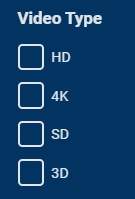
Hi It would be great if these filters had a third option that hid it. Like if I would like to hide all 4k movies. Currently I can't use these to only view 1080p content and lower.
 1 point
 -
Try lowercase 'i' instead of 'I' in the folder name.1 point
-
Ah okay !! if no parent thumb or backdrop it will missed and i can change this options in the plugin settings, ok for a test i actually test to refresh the 18 elements and i have a hole in the middle of the extra missing part (just interview) but all are just insane , work perfectly
 1 point
 -
The key section from all that error noise is: 'Parent Item does not have a compatible thumb' Your parent item must not have a thumb or backdrop image for my plugin to use to build an Extra thumb. You can either use the Emby UI to add a thumb and/or backdrop to *the parent movie* (then refresh metadata on the extra(s)), or turn off thumb generation in the Extras+ plugin. It's also possible that there's a bug in the plugin, but it's more likely that thumb/backdrop images are just missing from the parent.1 point
-
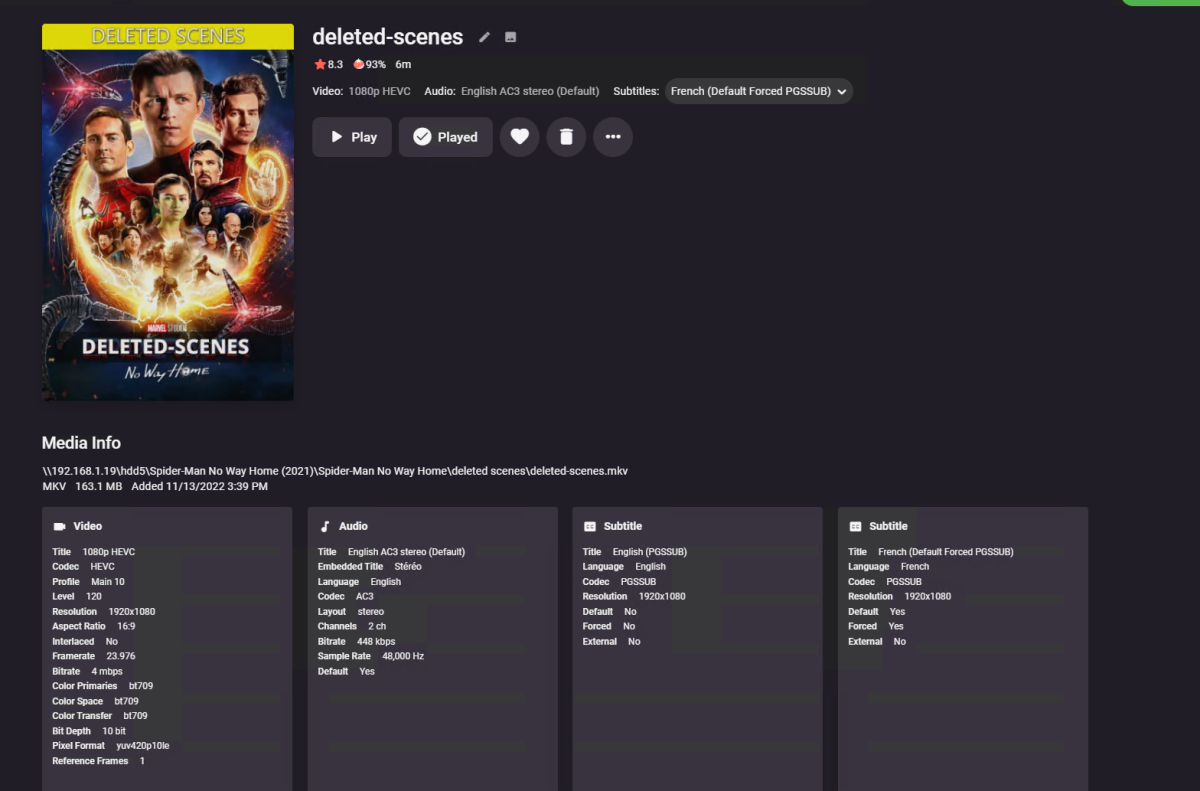
Damn !!! so cooool !!! brooo
 1 point
 -
Edit: The forum is giving me a hard time. All links are hopefully pointing to the correct file now. Please try downloading one more time. The download link for 6.2.1 has zero downloads, which makes me think you haven't downloaded 6.2.1:1 point
-
Please try downloading and installing again.1 point
-
Emby 4.8.0.17 introduced a breaking change. Please upgrade to the latest version of the plugin from the first post. So, if you're on 4.8.0.17, please use this plugin file:1 point
-
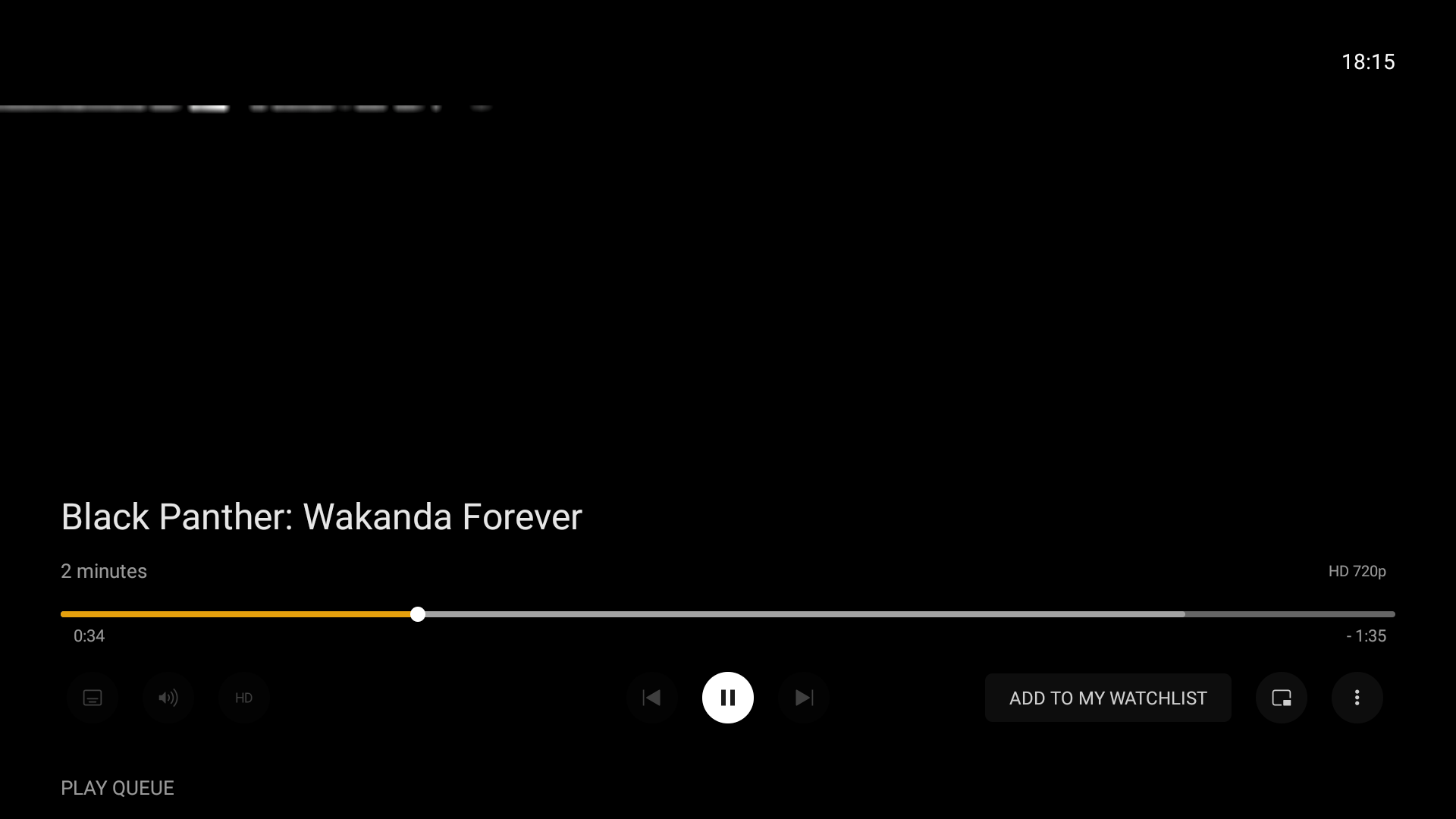
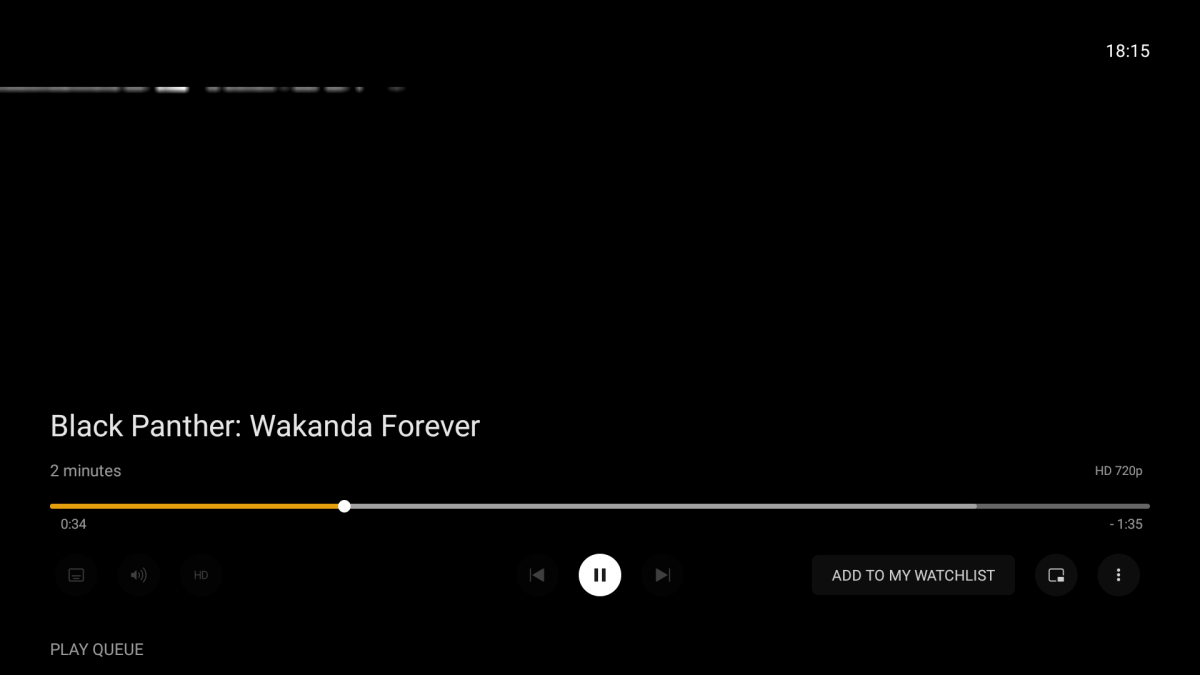
Also one thing I noticed and liked on plex is that, it has add to watchlist button while you watch trailers before the main movie. Emby doesn't have this feature. you know if you watch a trailer from your local library it would be nice if you have the option to add to watchlist while watching the trailer. ( sorry I couldn't show what's been shown on my screen.... Android tv policy I guess.)
 1 point
 -
ahahh no pb , okay we will wait for the future for an adaptation with the work of the new extras part, thanks you in all this and for all your patience , your help for the explanations with the extras Even if I got a little lost, I should have opened a new topic to ask for help directly.. hope i have help you a little ^^ LzM1 point
-
I just tested with .17. Looks like that method was removed as part of the new Extras work being done. I'll follow up with the devs to see what can be done. Thanks.1 point
-
> Sounds Kodi is doing that, not the plugin. if I point kodi at a non-emby library source, i.e. not using the plugin, and setup a collection, then watch a movie in that non-emby-managed collection, the movies does not disappear from the kodi set. if I manually remove a movie from a kodi-managed set, it stays removed from the set. only in the emby-set case are movies disappearing from sets after playing. that seems emby-plugin related to me :-/ > btw, are you sure it's removed and not hidden. no, not certain at all. just know that i don't "see" it in the displayed set. > I know there is an option in Kodi to hide watched content. there is for items in libraries. e.g., listing 'Movies', i can select to display "All/Watched/Unwatched". here it's "All". in any case, it seems to have no effect on what's shown, or not, in a set display. and, so far, i have not found an option that controls just the set's display ...1 point
-
Hi. There are absolutely no standards for logos. They can be any size/shape. This is one of the issues with trying to show them instead of a text title. Many of them look great but some do not just due to the shape of the logo.1 point
-
Okay that's good. If items are out of order for users in the future, I'll ask if that plugin is installed as part of the debugging process.1 point
-
IIRC it's part of the default plugin selection upon clean install.1 point
-
I will fix that this morning. Thanks grim!1 point
-
I tested nexus one or two month ago. Was fine at this point.1 point
-
I think this should be a bug and not intentional, because there is a black bar below when the music is playing, which is very obtrusive. When playing the video, this black bar will even block the content of the video. @Lukehas noticed this problem in other posts, and I posted a link above, which seems to be a problem that has occurred before.1 point
-
all loading from virtual folder for me except to see all the movies of the library and seems more speeder when selecting a virtual folder for now thanks for all your work @chef ^^1 point
-
Appears resolved in my quick test.1 point
-
I believe the Virtual folder option should be fixed in .271 point
-
I think he just misinterpreted this as being able to restrict m3u tuners per user and there are already existing feature request topics about that.1 point
-
Hi, yes I agree it makes sense. Thanks for the feedback.1 point
-
Stay tuned for Emby Apple TV improvements on the way. Thanks.1 point
-
Hi, I would say it's both.1 point
-
It turns out I had introduced 2 seperate bugs, I found and fixed one of them easily because it was in the new code, the other I dont even know how I introduced it and was much harder to find. Anyway its done! Completely fixed, please update to this one, and sorry for the inconvenience One thing to note is date of birth / death in your json has to be in dd/mm/yyyy format with those slashes. I can add support for other type if requested. Other is there is now a testpage, for testing the server but that is NOT functional yet. I was doing that whilst getting Peeved by having a hard time finding the bugs! So its a still to do. I reposted the dll in the 1st post and updated the screenshot I have a week off work coming up soon, so I hope to finish it properly then get on to the other media types.1 point
-
Time zone and time settings for Windows is correct. Other recordings (from other channels) are also correct.1 point
-
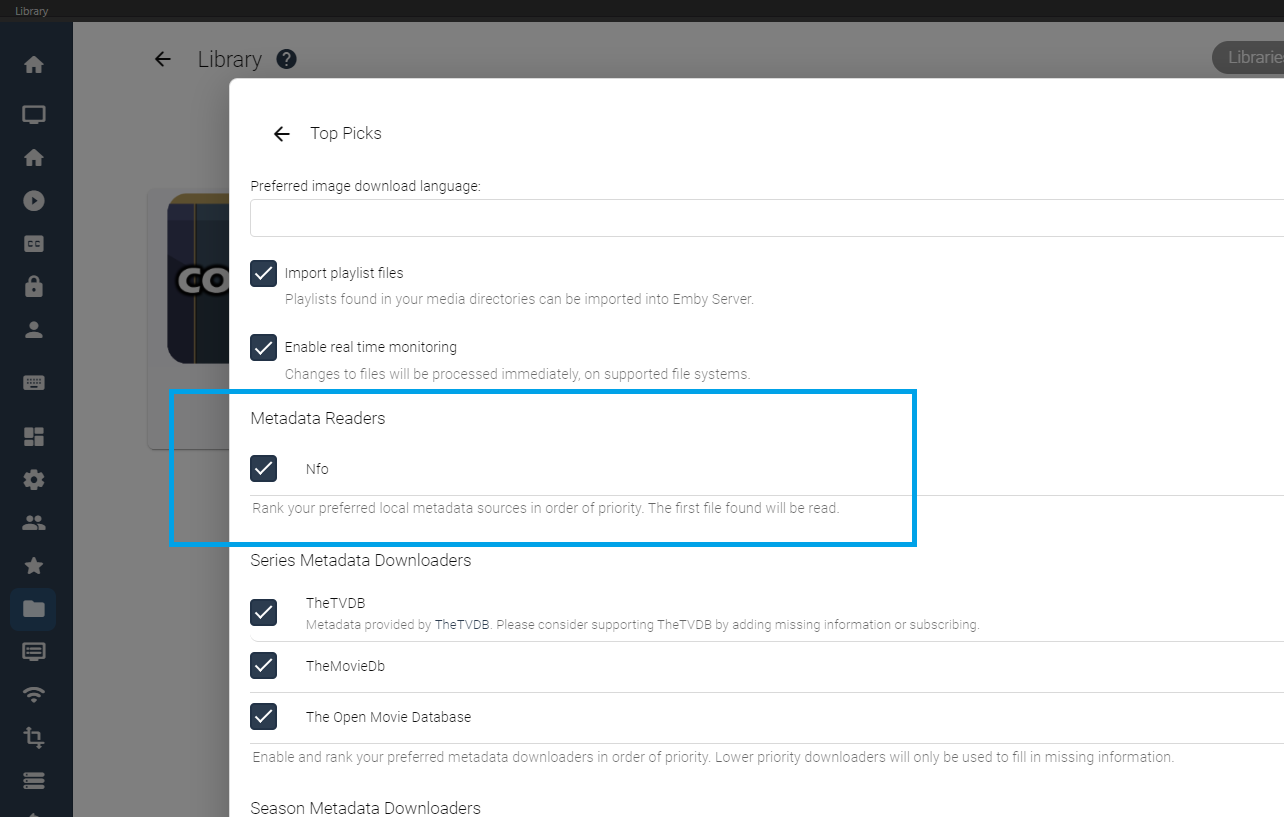
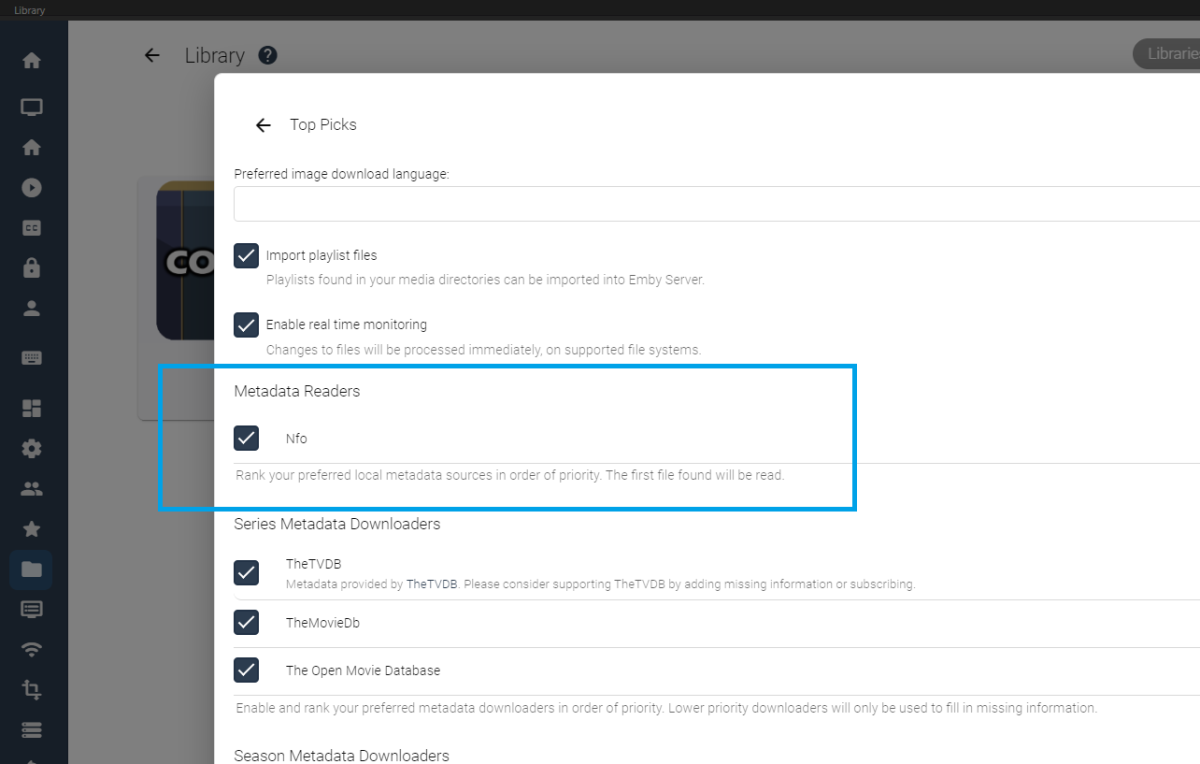
@Junglejim Looking under the Top Picks Library settings, is the Metadata Readers set to "Nfo" for you? If not, set it to "Nfo", and I have made sure to add this settings as enabled for future releases of Top Picks. If it is already set to "Nfo" please let me know Thanks so much.
 1 point
 -
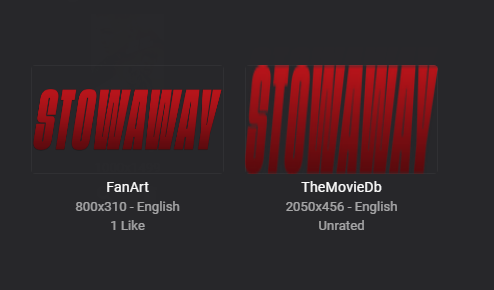
What do you mean as the client is going to make it fit where it is needed. Can you go over specific issue? FanArt standardizes them at 800x310 where TMDB will provide higher resolution images across the board.
 1 point
 -
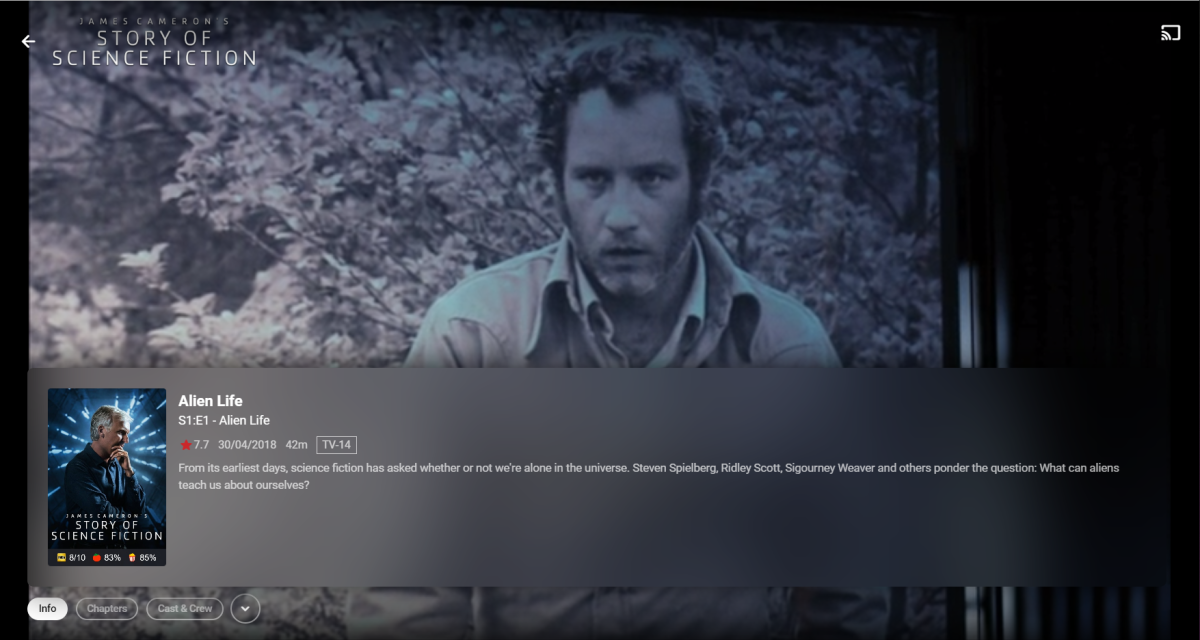
Why is episode title doubled here? Shouldn't upper one be Series title?
 1 point
 -
Yeah, that would definitely count as an odd resolution.1 point
-
The logging is awesome!! I would love to take full credit but there was a dood, that really helped me out with it and now i try to relay as much relevant info as possible in debug. But even Info level lets you know what’s happening. thanks @rbjtech for making me a better programmer.1 point
-
I can confirm this, tho i already know how to quick fix this, just force close your emby app, then reopen, its gone tho it will appear again when you play any music in emby, since those small navigation bar will stay there for the rest of your emby app opened (even in background), just force close it to make it gone (for now) cc @Luke tho idk if this intended or bug1 point
-
Hi. No it was not related to transcoding. The problem is that these devices have fairly limited memory and video apps are not designed to "buffer in" a whole bunch of content and then play it back anymore. Increasing the buffer size just led to other problems with running out of memory.1 point
-
I updated to 4.7.9.0 the other day and I think this might be working now. The last couple shows I've recorded have shown up with thumbnails without me needing to refresh the metadata. Before I get too excited, just curious if anyone else has noticed the issue resolved. I didn't see anything in the changelog that appeared to be related to this.1 point
-
Ссылка на плагин: https://github.com/luzmane/emby.kinopoisk.ru/releases Идёт тестирование перед возможным добавлением в каталог:1 point
-
Great! Finally. Switched to using the Android TV app on my Sony Bravia waiting for it (it's so much better than Apple TV!!!!!) BUT I prefer to use my Apple TV.....1 point
-
We're following this: https://github.com/google/ExoPlayer/issues/10387 If time continues to pass by without improvement then we may look at doing that ourselves.1 point
-
Hey this is a problem that I see allot. Can you give the option to delete everywhere. Some menus don't give you the option. Example. From main screen on shield I have latest tv shows. When I click on the show and say play next when the show is done if you click the ... There is no option to delete the show. I have to go back and then long press the show to delete. Version 1.6.65 thanks. The whole delete system needs to be worked on. When a show is done it should ask to delete it.1 point
-
Thanks again, found what i was looking for. Nothing comes up under content where i was looking before but it's all there under activity1 point
-
I still reckon, even though its probably rubbish, that it would be a lot easier for (other, brainy) people to come up with skins if the basic ET had proper vertical AND horizontal scrolling everywhere.1 point