Leaderboard




Popular Content
Showing content with the highest reputation on 11/12/22 in Posts
-
This will be in Emby Server 4.8. New playlists going forward will be private to the user who created it, and there will be a new context menu option to share the playlist with other users.4 points
-
Apologies for the disruption. We're hoping to have a new app update out sometime next week.2 points
-
I will omit v71 from being allowed to run.2 points
-
Hi. The provider ID is just metadata so you would want a metadata provider, not an item resolver.2 points
-
Both 71 and 71.1 are bugged, The part corrupting files with mkvpropedit should be fixed in V72. As soon as V72 is released i will do some tests with it.2 points
-
They won't be able to modify it.2 points
-
ComSkipper ... A Emby Plugin that skips commercials in recordings using output from comskip. This plugin will work with EDL files generated by Comskip, ShowAnalyzer or any other application capable of generating them to automagically skip past commercials when playing back recordings in Emby. A visual localized notification will be presented on the screen when this happens. UNC network mappings are fine - as long as the .EDL file is in the same filename as the media file. A PDF is included in the download that explains all of the details. But one thing should be made clear up front. And that is this plugin does NOT contain comskip, show analyzer, or any other program that detects the commercials and creates the EDL files with the skipping information. Also, the donator version of comskip is required because Emby stores its recordings in .TS format. I'm told the donator version is no longer required. User @vdrovergraciously created a PDF file on how to get this working on Ubuntu. It can be found in the Github repository in the doc folder and will be included in future releases. The PDF file also shows an easy way to configure Emby to automatically run comskip after each recording on a Windows server. Linux server users will need to figure out the best way to do this for their flavor of Linux. I am not a Linux advocate or user, however I did find this information in the NextPVR forum that is encouraging, and I encourage Linux users to help each other out with this as I will be of little to no help in this regard. https://forums.nextpvr.com/showthread.php?tid=60803 Building Comskip is really quick and easy on Ubuntu, so probably the same for any Debian based distro: $ sudo apt-get update $ sudo apt-get install ffmpeg libavcodec-dev libavformat-dev libavutil-dev autoconf automake git libargtable2-dev libtool $ git clone git://github.com/erikkaashoek/Comskip $ cd Comskip $ ./autogen.sh $ ./configure $ make $ sudo make install Once this is out long enough where I am pretty sure it is stable, I'll make its GIT repository public. Git Repo Getting it into the plugin catalog could follow after that, assuming the Emby team approves. I rarely record, my main use case is NFL football games. I record our local teams game, which when complete runs comskip on the recording which takes about 40 minutes. We then watch the game while eating dinner that evening. Skipping halftime (manually) it brings the time from 3-4 hours to 2 to 2.5 hours. Comskip does a very good, remarkable really, job on all of my recordings including the games to date. I have attached the comskip.ini that I use. It works well for me in the US. If you add this to your ini (make sure your system has the processing power to handle it), it will greatly reduce he time comskip takes to process your file (requires donator version). thread_count=2 Have fun and enjoy commercial free recordings Current Release Version 2.2.0.0 - Updated Emby library to latest. Version 2.1.1.0 - Added popular .editorConfig for consistent coding standards. Upgraded to latest Emby library. Version 2.1.0.0 - A change in Emby 4.8 caused a code update to be required in how DL files are read. If the plugin stops working in server 4.8, update to the latest plugin. Version 2.0.0.0 - Allows for chapters to identify commercial points if they exist. PlayOn and perhaps others identify commercials that way. Version 1.6.0.0 - Allows configuration of time message is displayed on the screen. Allows configuration of message displayed on the screen. Optionally displays the skipped time in minutes:seconds. Version 1.5.0.0 - Added optional commercial duration skipped to the on screen message by request. Version 1.4.0.0 - Made a couple log messages info from debug by request. Version 1.2.3.0 - Upgraded to Emby server 4.7. Version 1.2.2.1 - Added German (de) translation. Version 1.2.2.0 - Culture set so EDL file can be parsed everywhere. Version 1.2.1.0 - Real time no longer experimental. Session ID fix for LG (and maybe other) clients. Version 1.2.0.0 - Experimental feature to allow commercial skipping when watching during recording Initial open source release. Version 1.0.0.2 - Initial release. Version 1.0.1.0 - Addition of configuration switch to disable on-screen notifications. **Note** You will need to clear your browser cache due to the config UI change. comskipper.ini1 point
-
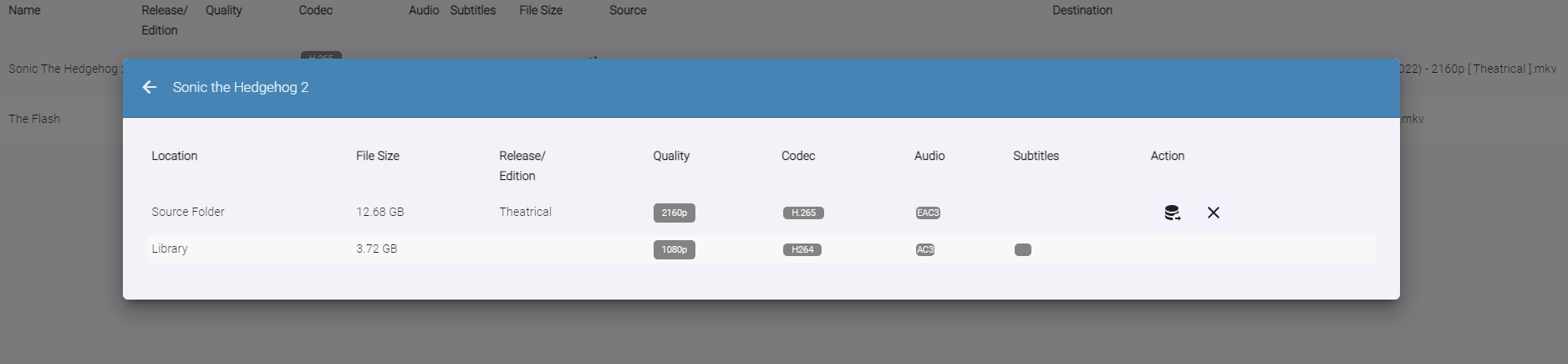
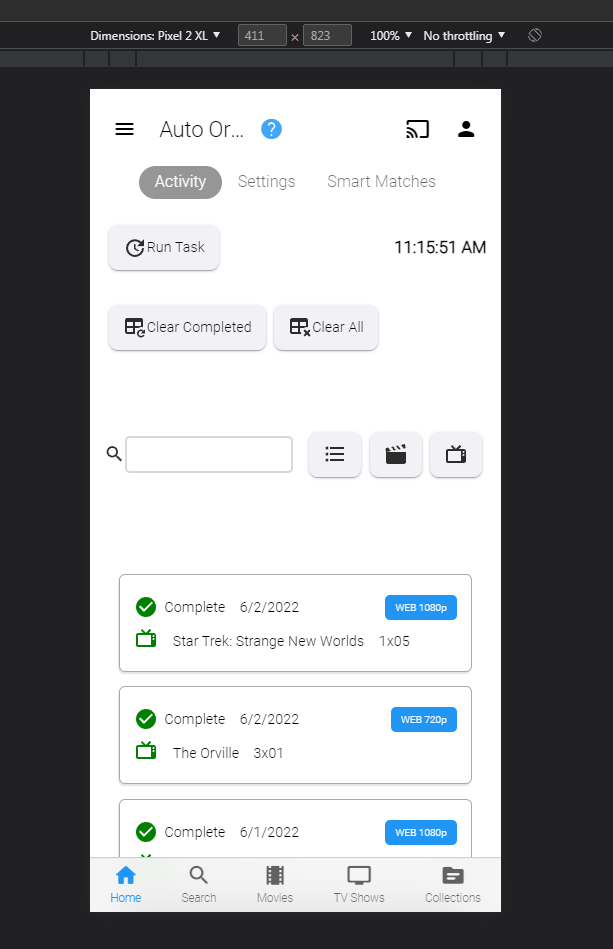
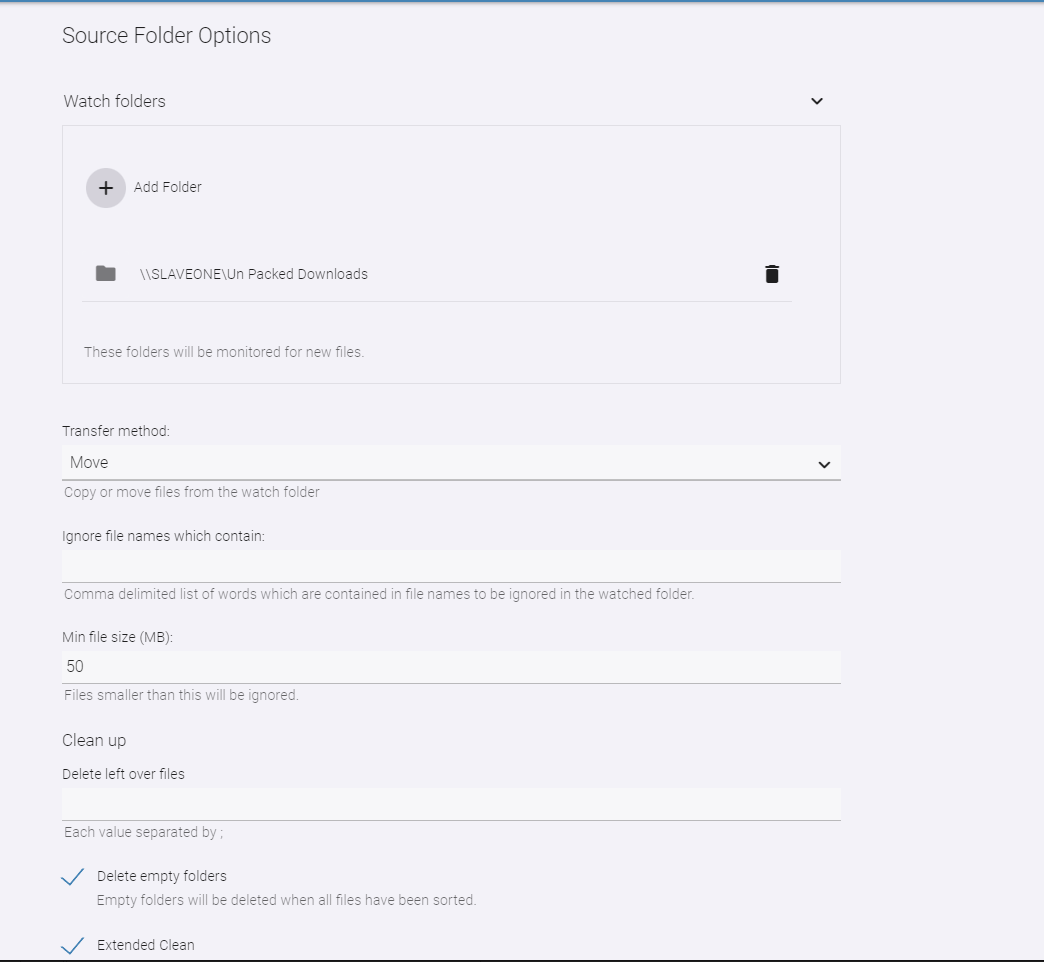
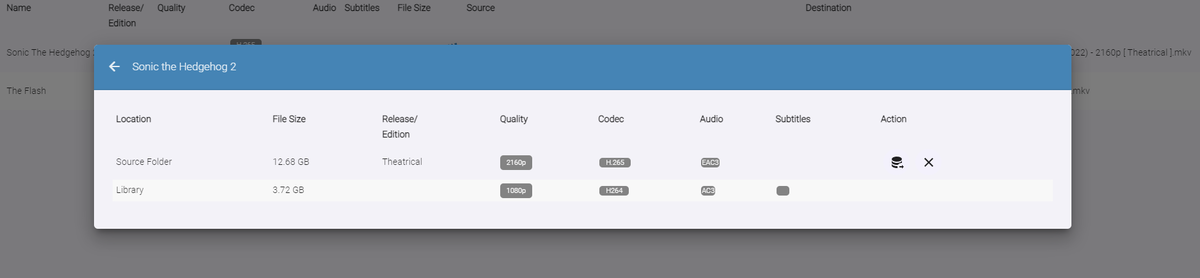
Auto-Organize PLUS - public beta Built upon the Original Auto Organize plugin, Auto-Organize PLUS is a new version which has some enhancements to help sort new media files into the Emby library. Mobile View: Enhanced Table Layout: with Media Info about the files in the watch folder. Multiple Watch Folder Settings: Existing Library Item/Watch Folder Item Media Info Comparisons: File Status/States: Files in the Watched folder can be in several states depending on user settings. Existing Item Existing Items are items that exist both in the watched folder, and also already exist in the Emby library. Users can click the existing item icon to compare the two items, and help decide if the file should copy over into the library folder, or not. New Resolution New resolutions are items that exist in the library, but may not have the same quality as the item in the watched folder. For example: 1080p, and 2160p. The "New Resolution" status will happen, when "Smart Auto Detection" is turned off for a certain media type. Processing The Processing status will happen when a file is being copied, or moved into the library folder. Success Success happens when a file has completely moved into the library folder with it's new name Failure Failure happens when a file name can not be fully parsed, and the media can not be understood by Auto Organize 2.0 User Input Required (Pending...) If a particular TV Show spans multiple folders within the Emby library, Auto Organize 2.0 will wait for user input to decide where to place the file. This state will may happen with "Smart Auto Detection" turned off, or on. Not Enough Disk Space If a file hasn't enough room to copy into the library folder, because it is full. In Use When a file is being copied into the monitored folder from another source, or is being used by another process. When the file becomes available the status will change. New Media When a file has been added to the monitored folder, and it doesn't exist in the Emby library, but "Smart Auto Detection" has been turned off. The file will enter the "New Item" state if all applicable metadata can be obtained to name it. This will allow the user to sort it when they are ready to. New Edition New Edition will happen if the media item in the watched folder has a different release parsed in it's name. For example: "Theatrical", and "UnCut". Table Sorting: Sort the files by stripping out certain types of media, and only showing others. Also, filter the current displayed items by "Name", "Date", and "Status" Current Issues, and on-going development Plugin configuration Page Headers are currently having issues in Emby. Options are not hidden behind the Header on scroll. This is a core issue that is currently being fixed Smart Matches are currently being enhanced, and the experience with smart matches is currently not what the end result will be. Installation notes: Please shut down the server Remove the "fileorganizer.db" file found in Emby's data folder. Place the plugin DLL in the plugins folder Re-start the server. Clear browsing data DOWNLOAD (stable server only): Emby.AutoOrganize_v1.6.41.43.zip Beta server: Emby.AutoOrganize_v1.6.41.23b.zip (Not updated recently)




 1 point
 -
Hi, I’d love that audio and subtitles choice would be saved per show, according to what you select on the last episode you watched. The main audio/subtitles parameters is a good point but there are many cases it is not enough and you need to adjust audio and subtitles at the beginning of every episodes. For example i like to watch Casa de Pale in Spanish with french subtitles, The Big Bang Theory in English with french subtitles, French TV shows in french without subtitles, ....1 point
-
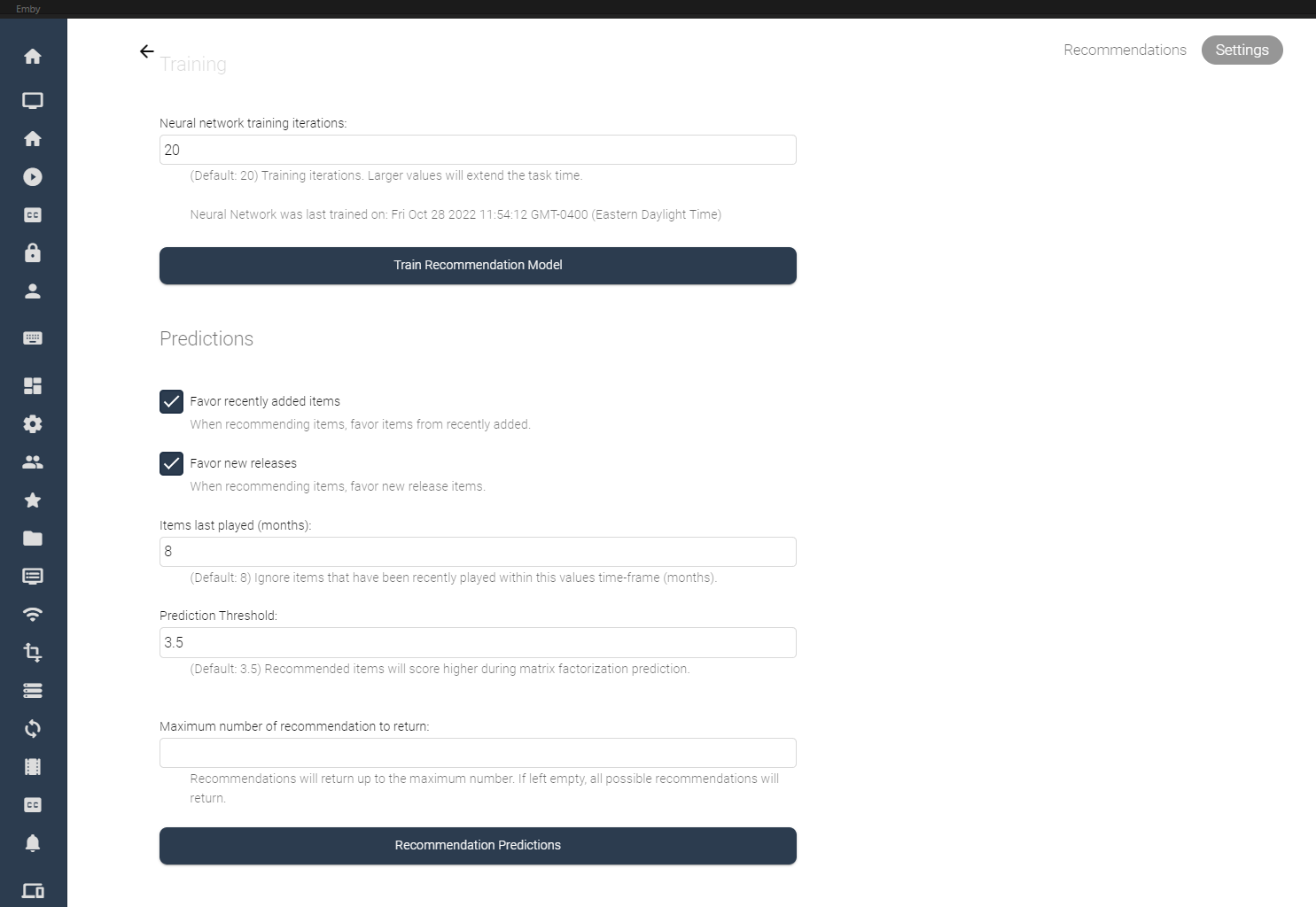
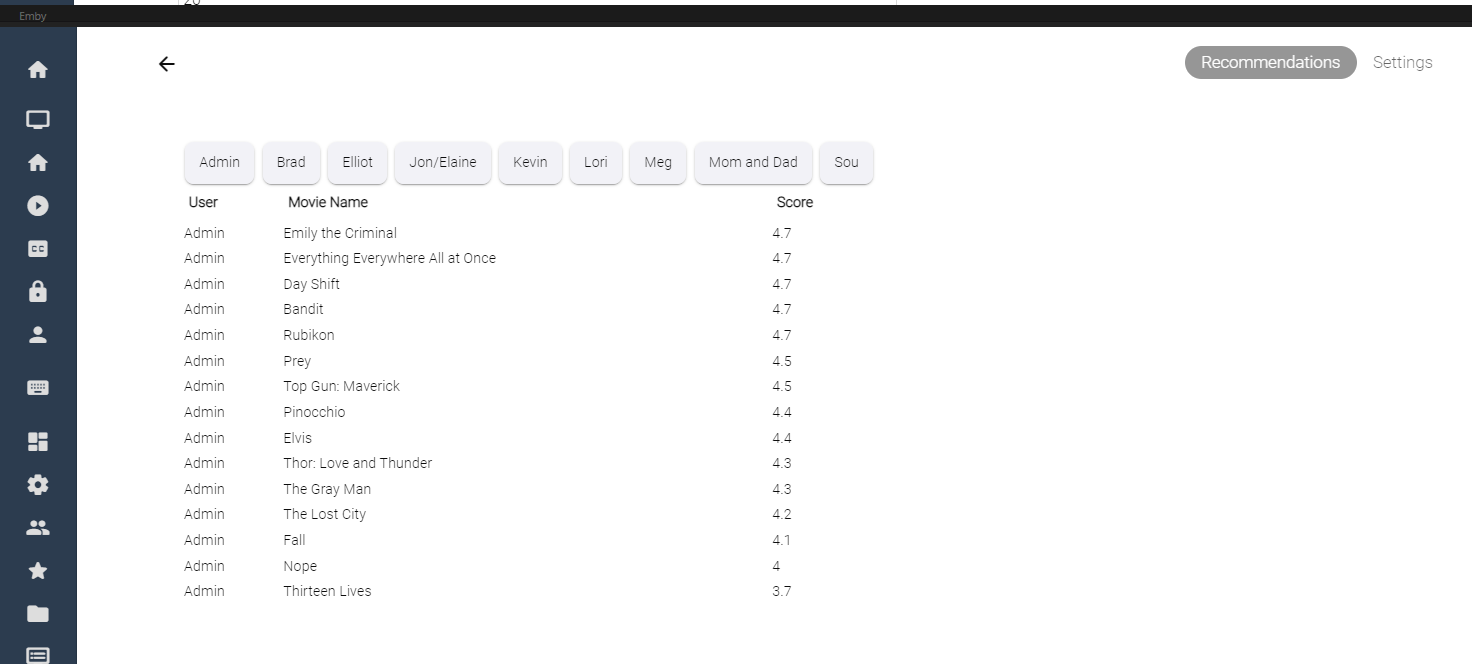
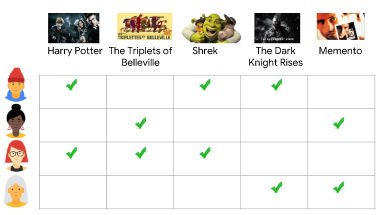
I've spent some of my spare time experimenting with machine learning, and applying what I've learned to some code for Emby. Using the massive dataset supplied by MovieLens (https://movielens.org/), I was able to create a machine learning plugin that loads a large set of data into a matrix factorization neural network, and can spit out recommendations for users in emby. Following this article by Microsoft: https://learn.microsoft.com/en-us/dotnet/machine-learning/tutorials/movie-recommendation and experimenting with their ML.Net libraries things started to get pretty interesting. The project itself is rather large, and I thought I'd share what I've come up with so far, maybe other people are interesting in how the neural network recommendation service is working when testing it against movies inside an Emby library. It's pretty cool. The idea could be to create an in-depth recommendation system for emby, or possibly utilize this as a way to create a new "Top Picks" style plugin that is user based. Which also might be really cool. I'll try and answer some questions up front if I can: What is Matrix Factorization, and How does it work in Machine Learning? In a nut shell, if you have similar tastes in movies as other people in the dataset, and they have rated a movie you haven't seen in a while, or have never seen, then that movie is recommended to you as a possible item to watch. The Neural Network will predict what you, or your users may rate the movie if it was watched. Is this plugin run locally on my machine? Yes, this plugin creates a matrix factorization neural network locally on your machine, which is trained in a scheduled task. Is any of my personal data shared during the training process of the neural network? No, your personal data is completely safe. no user data is shared with any data provider, and stays safely on your server. How does the neural network recommend items? The MovieLens dataset is an accumulation of almost 25 million data point on 27 thousand movies with almost 100 thousand users ratings. The ratings data is altered on your server to include your user data and then the neural network is trained on all the data points, allowing it to predict what movies in your library you and your users may want to watch. Once the "recommender" is trained it then saves a model and uses that to predict recommendations for users. The NN can be retrained when new users are added to your emby server, including them in the recommendation process. Asking your users to "like" or "Favorite" items in the library will certainly help factoring recommendations, however it is not entirely necessary. Does the Matrix Factorization Only look at "Liked/Favorite" Data? No, other columns are also feed into the neural network, like item genre. If one of your users do not "heart" the media on their account, their watched status and item play-states are factored into the recommendation predictions. If they watch more items that fit into a certain category, this is scanned in and calculated. It is best to have several movies marked as "liked/favorite" in the library form each user to get best results. Is it cross platform Yes, I believe it is. ML.Net is a cross-platform library using .netstandard 2.0. With regards to the runtimes associated with the plugin the following are available, and would be included in a dll: Linux64 Linux ARM Linux ARM64 OSX64 OSX ARM64 Win86 Win64 It is all fairly preliminary, definitely keep this in mind On the settings page it is possible to train the NN Model (top), and also run recommendation predictions (bottom). Once the network has created it's model, it is possible to run this model again and again against the library (due to it's 27 000 movie titles included). Selecting the "Recommendation Predictions" begins the second task of calculating what each user might like. Browsing back to the "Recommendations" tab, outlines each users predictions. It shows what the NN predicts your score would be out of 5. The results are definitely interesting. Sure, these are all new movies I should watch, and they are pretty much some of the most famous of the year so far. So the results seem to be pretty close to what I would expect. The training of the model also only use 20 iterations, to be honest I don't know if that is enough, or too much. It's all new. What I can say is that loading the ML.Net Assemblies work, and loading the MovieLens dataset into the NN also works. I have added toggles and inputs to try and test different training scenarios, but it's all kind of unexplored.

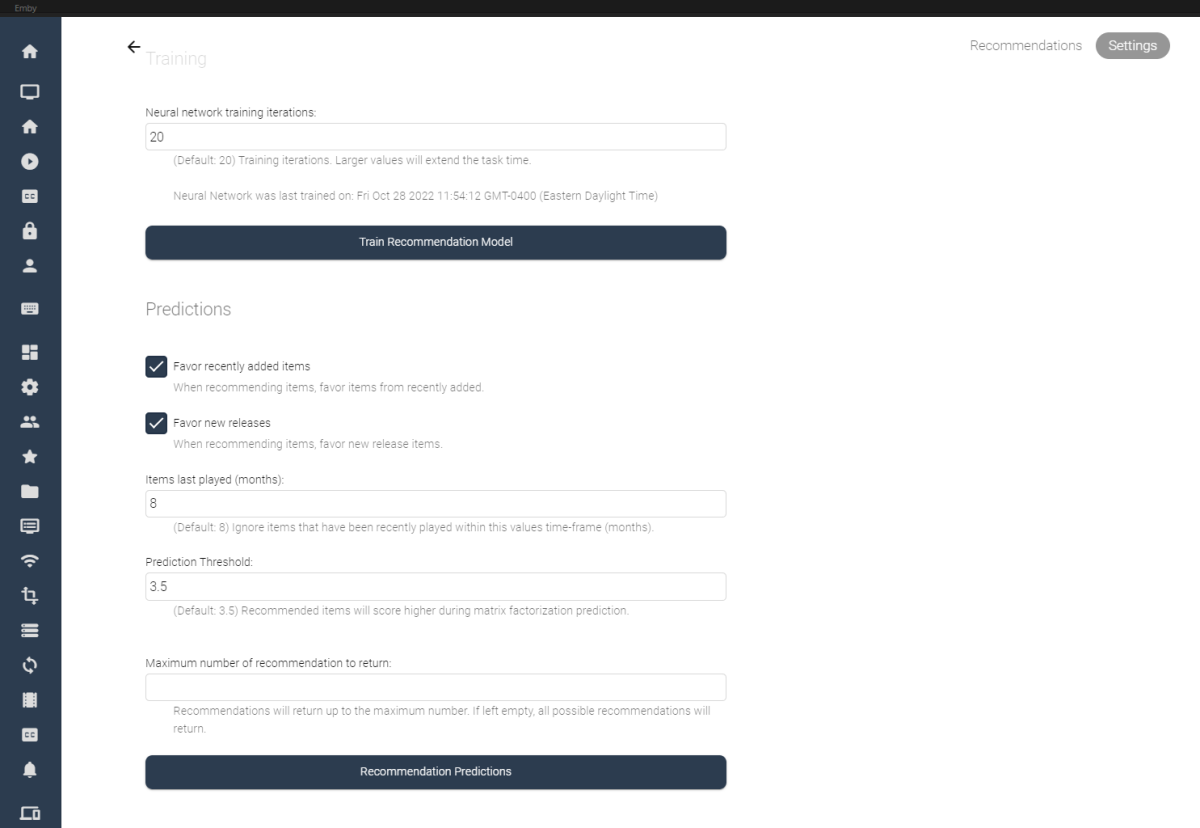
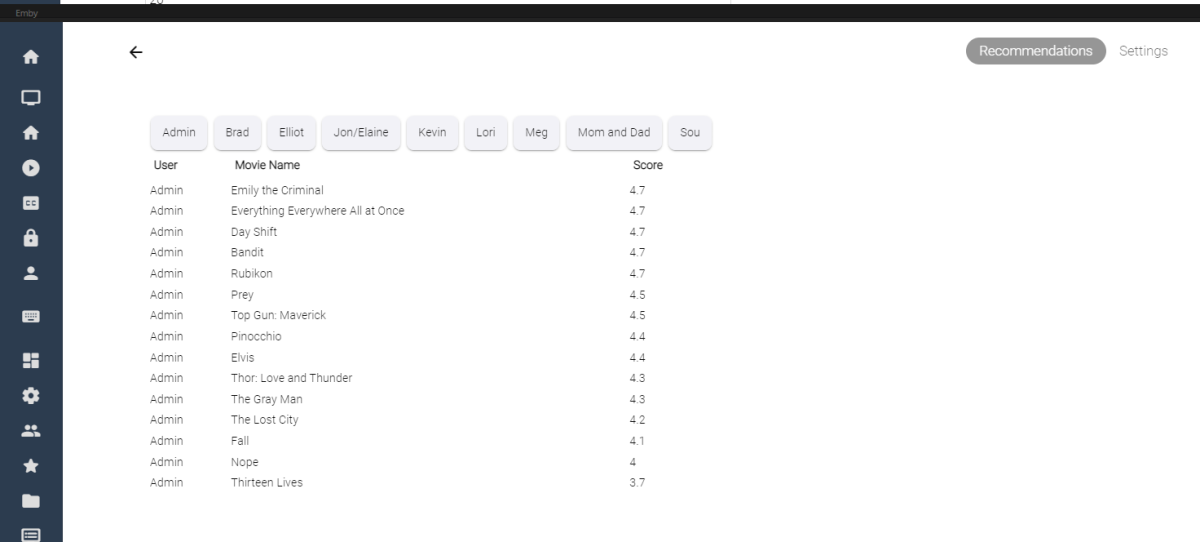 1 point
 -
Would be great if a feature was available to control how much to zoom in to the video on the web player via the browser. This would especially be helpful on ultrawide screens (21:9) where they are currenty black bars on all sides. Cover and Fill Aspect Ratio options just don't cut it. See below for examples Auto - Black all around Cover - Video is cut off Fill - Aspect Ratio is wrong


 1 point
 -
Hi It would be great if these filters had a third option that hid it. Like if I would like to hide all 4k movies. Currently I can't use these to only view 1080p content and lower.
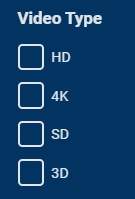 1 point
 -
These issues are resolved in the latest betas.1 point
-
Not now, but a future update will make channel switching almost instant for IPTV and comparable to a hardware TV for native tuner reception.1 point
-
TVnext will support VU+ as a native (remote) tuner.1 point
-
Implemented. Thanks for the help1 point
-
sehr schnelle Bedingung und Übernahme der einzelnen Schritte. Hatte es nur ein mal, dass er den gesehen Balken im Widget nicht übernommen hat (wie oben bereits erwähnt, worauf hin du sagtest das es auch daran liegen kann das der Skin was in den Cache legt). Wenn ich aufs Widget ohne Fortschrittsbalken klicke, hat er mir aber die letzte Stelle angeboten, sieht nach einem optischen Cache Thema durch den Skin aus. Wieder einmal der Beobachtungs Logs. Die Verarbeitung ist deutliche schneller geworden :-), danke! kodi.log kodi.log1 point
-
Kannst die Version versuchen: plugin.video.emby-next-gen-7.10.3-build 11.zip1 point
-
Anfänglich ein wenig Schluckauf, aber nach einem Neustart alles sauber. Die Verzögerung beim Rumspringen in der Abspielposition ist weg. Logs sind nur der guten Ordnung angehangen. kodi.log kodi.log1 point
-
I finally figured out what was causing the timeout. Somehow I managed to change the secuirty of my "Media" share (where all of my files are stored) from secure (read only access) to private (username/password). Once I changed it to private, Emby Next Gen was able to connect. Hope this helps someone else!1 point
-
Hi, can we have a download link of the app for the ones who can install it manualy or upload it to https://github.com/webosbrew/apps-repo, thank you !1 point
-
Yes the system will react to your changes in the file system with the next library scan (or within a minute if you have real time monitoring enabled).1 point
-
On most linux distros you get usualy the latest version as package, less experienced user have maybe some trouble to "downgrade" the version and set these packages on "hold" to avoid they get updated. So i think in case the V72 will run, the version check in the plugin should be abit expanded to catch V72 and upcoming versions as compatible. Sure, maybe there are new bugs in mkvpropedit, but i think it causes more trouble in the long run if brand new installations get mkvtoolnix V72 and higher and the plugin will not run in these cases.1 point
-
Das ist es, habe es über die Option "Position zurücksetzen" immer wieder getestet. Habe die alte Version und die neues Version abwechselnd getestet und der reproduzierbare "Fehler" tritt nicht mehr auf. Super!1 point
-
Cheese, RB, FYI just in case you haven't seen: MKVToolNix got a point release for 71, the latest version is now 71.1.1 point
-
Teste bitte die Version im Anhang. Ich hab jetzt den Cache zum fruehest moeglichen Zeitpunkt geloescht. plugin.video.emby-next-gen-7.10.3-build 2.zip1 point
-
Cheers mate.1 point
-
Okay, I'll take a look.1 point
-
Thank you for making this update. With this change, I can confirm the watched/unwatched status is now being updated after playing a video from a dynamic node.1 point
-
I was having issues playing all video media in Emby last night on my CCWGTV4K. Couldn't play any tv show or movie using the CC app, no matter the resolution, codec, file size, container, dynamic range(HDR10/HLG/DOLBY VISION) or just regular old 720/1080p content. I know it wasn't my server because it worked just fine on the LG TV Emby app. HOWEVER, for whatever reason, I've noticed that the LG TV Emby app doesn't recognize a lot of TV Shows from BBC, Sky and iTV as being HLG HDR content, which is why I prefer to use the Chromecast app for Emby vs the Emby app on my LG C1 OLED(which def supports HLG HDR) The CC app has always played the HLG HDR content correctly, and also has the playback correction feature for those rare cases when something doesn't play correctly. Force closed app, cleared app data, but CCWGTV4K app would just show a black screen with spinning blue loading circle when I tried to play any kind of video... and when I hit the back button on the Chromecast remote, the whole Emby app/interface was frozen after every attempt at playing a video. Finally restarted my CCWGTV 4k and everything started working again, so hopefully this was just a weird one off type situation...but if issue persists, I will def update on one of the appropriate Emby help forums. And I'd just like to say that regardless of some of the recent CCWGTV troubles, Emby support/admins are always great, and very responsive on the help forums. They even helped me configure the port forwarding, which is not very user intuitive on my FiOS router, way back when I first switched to Verizon as my ISP. So thanks Emby team! I will never switch back to Plex!1 point
-
Great! Thanks looking forward to it.1 point
-
Hi, the desktop app has a more robust video player, while the store app has the download feature. They are close to being unified though.1 point
-
Not aiming anything at you and your brill TV / transcoding etc work, but this year or this decade ?1 point
-
All we can do, I guess, is ask, and ask, and ask, and moan, and hint, and cajole, moan a bit more, moan again, ask @Luke to actually progress this.1 point
-
@ebr I just tested this and the manual drag and re-order is actually disabled on any sort other than Playlist Order. That's a good idea IMO. Luke did a good job designing this feature.1 point
-
I don’t know who make the change in his last firmware or software version, but,…. the issue does not exist anymore1 point
-
HI, yes more control over this is possible for future updates. Thanks.1 point
-
The Orsay (pre 2015 OS) app was developed by a couple of community users.1 point
-
Currently Emby does not even recognise a Dolby Vision stream - yet alone do anything with it. So once they add this (which I believe is in the pipeline, now that ffmpeg supports it..) then I guess it's a possibility.1 point
-
There are limitations in 6.X version in case you remove/move a complete folder. Emby server would only report the deleted/folder ID (not the content IDs) and folders are not synced in 6.x. It will be fixed in 7.x but not possible to backport. Major code changes was necessary to cover this case.1 point
-
TO ALL : Hopefully this helps with bugs and support tickets... New Releases Plugin: Top Picks Plugin:1 point
-
Yup, this will get done whenever we can figure out where the time keeps going... way too busy all the time.1 point
-
When i clone myself for the 4th time. Work is insane and that pays the bills1 point
-
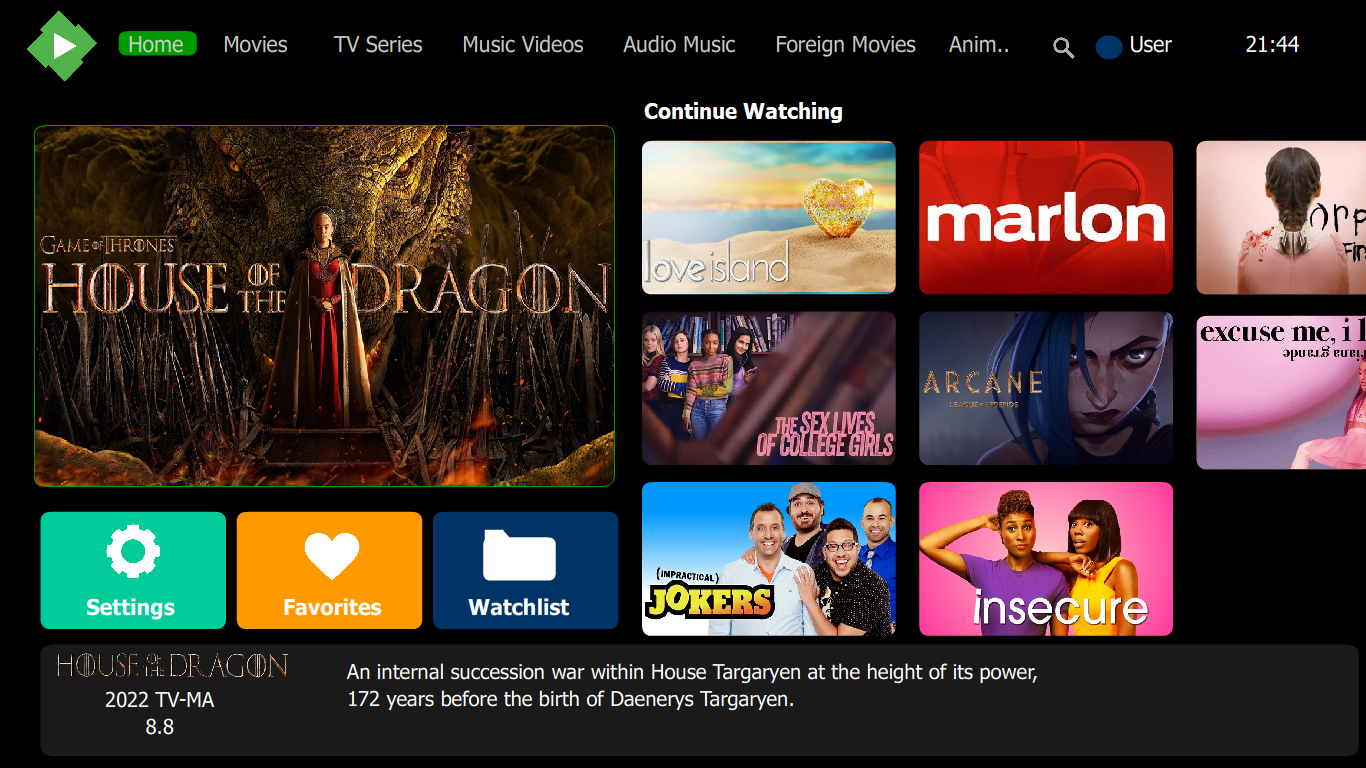
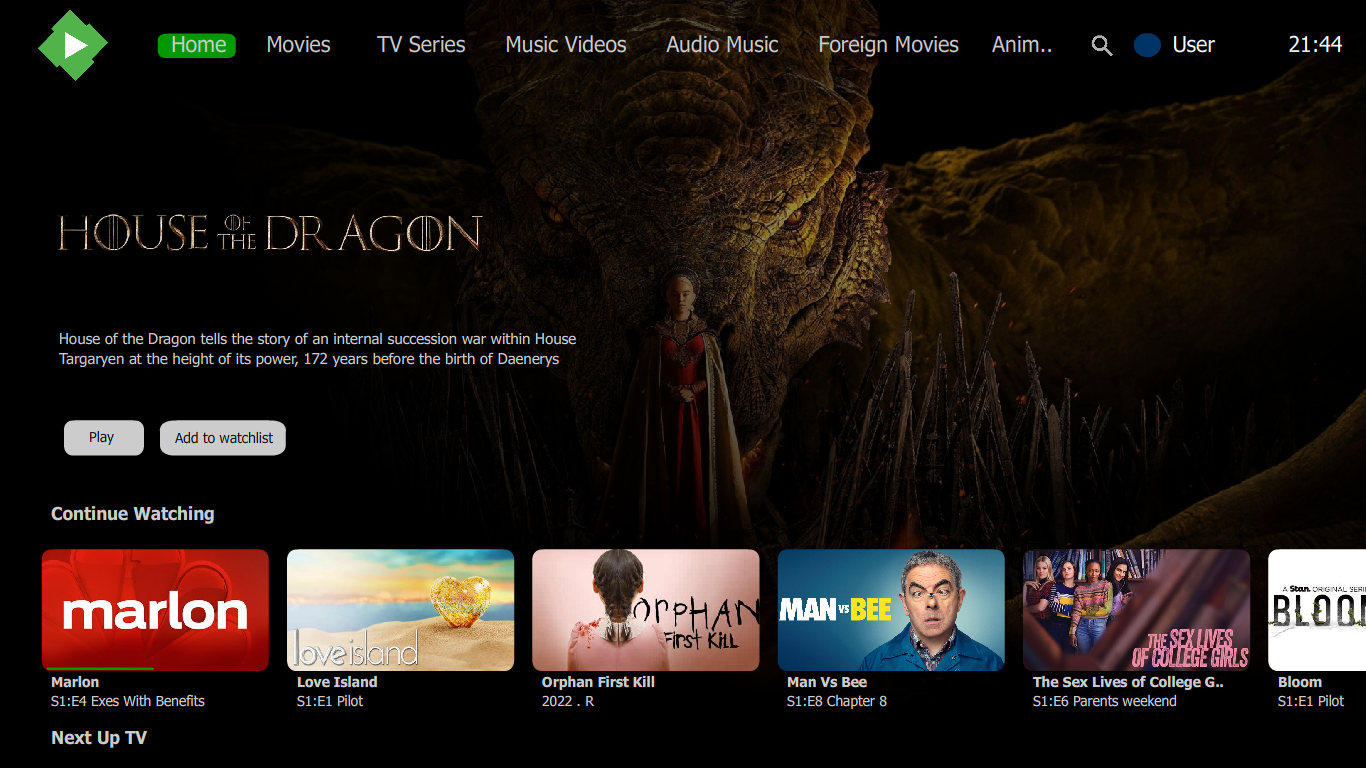
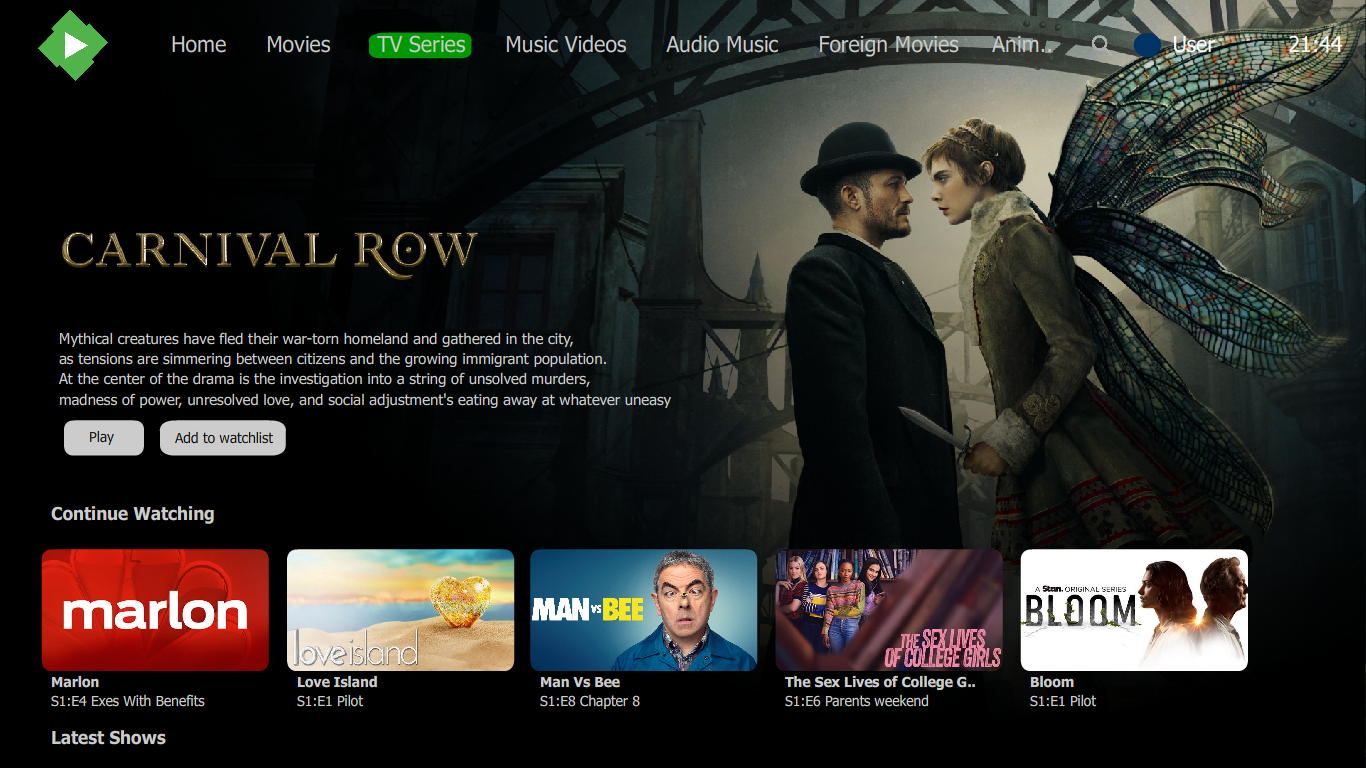
I have recently noticed some changes in the emby web app. In the TV mode, It allows you to choose between vertical and horizontal scrollable pages and i wish this feature returns in the android tv app and as a bonus i wish it features add to watchlist option for randomly displaying titles on the home screen.... Here are some images to illustrate my ideas
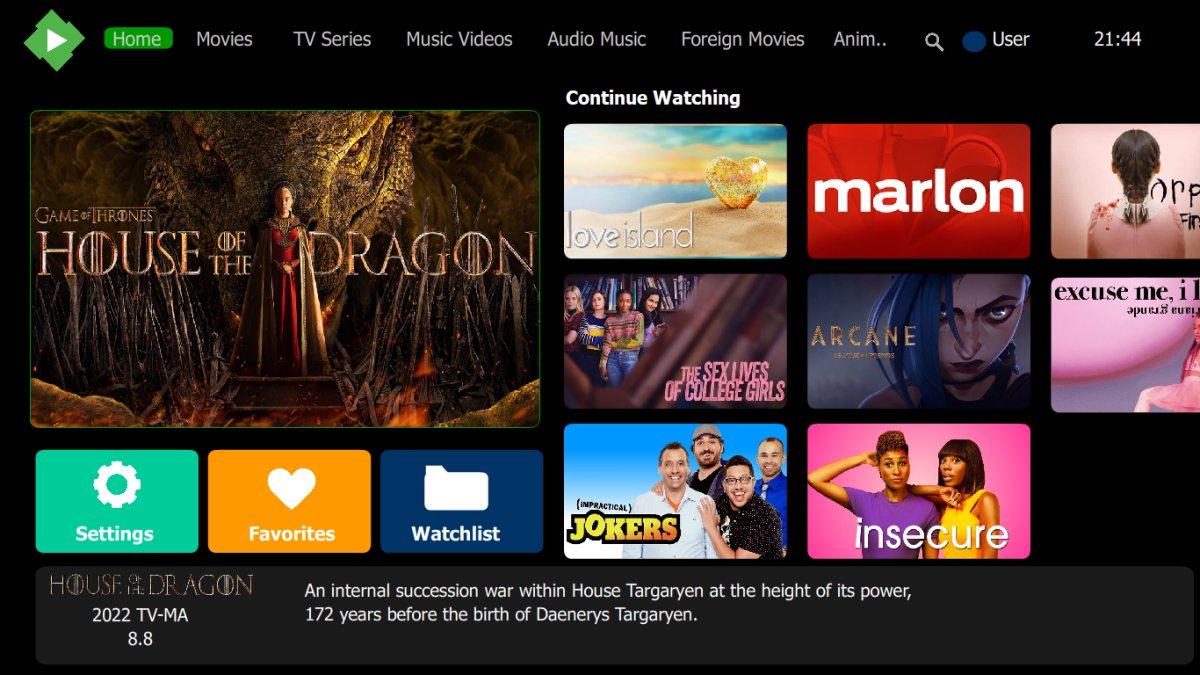
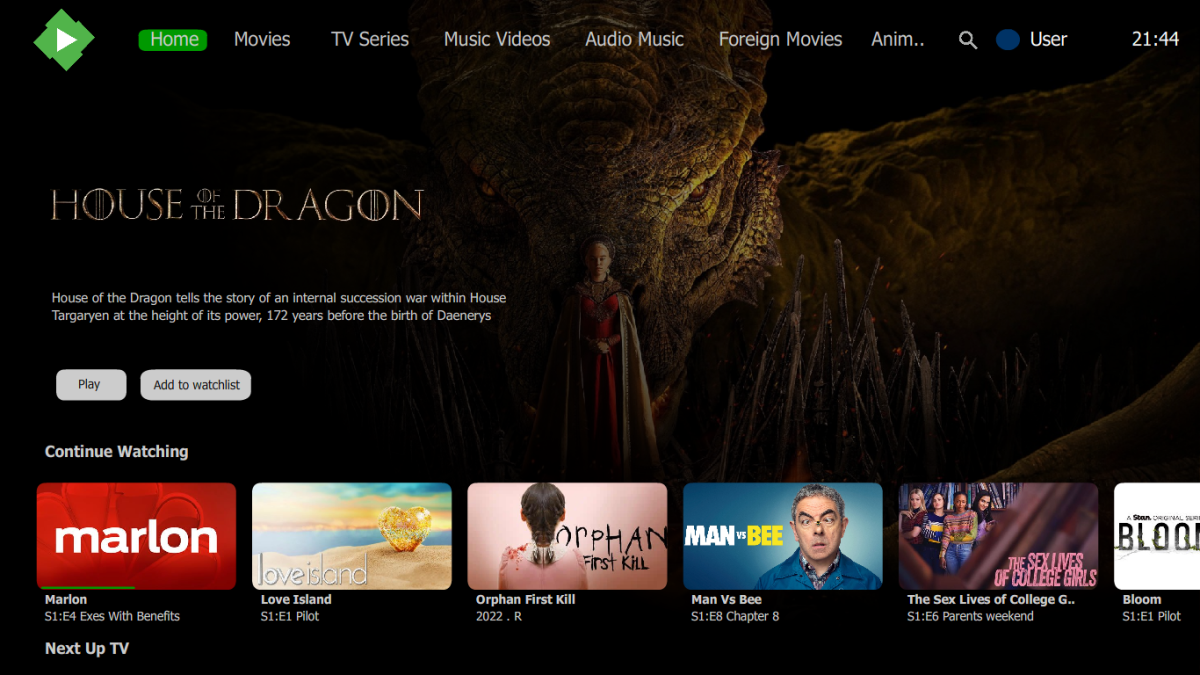
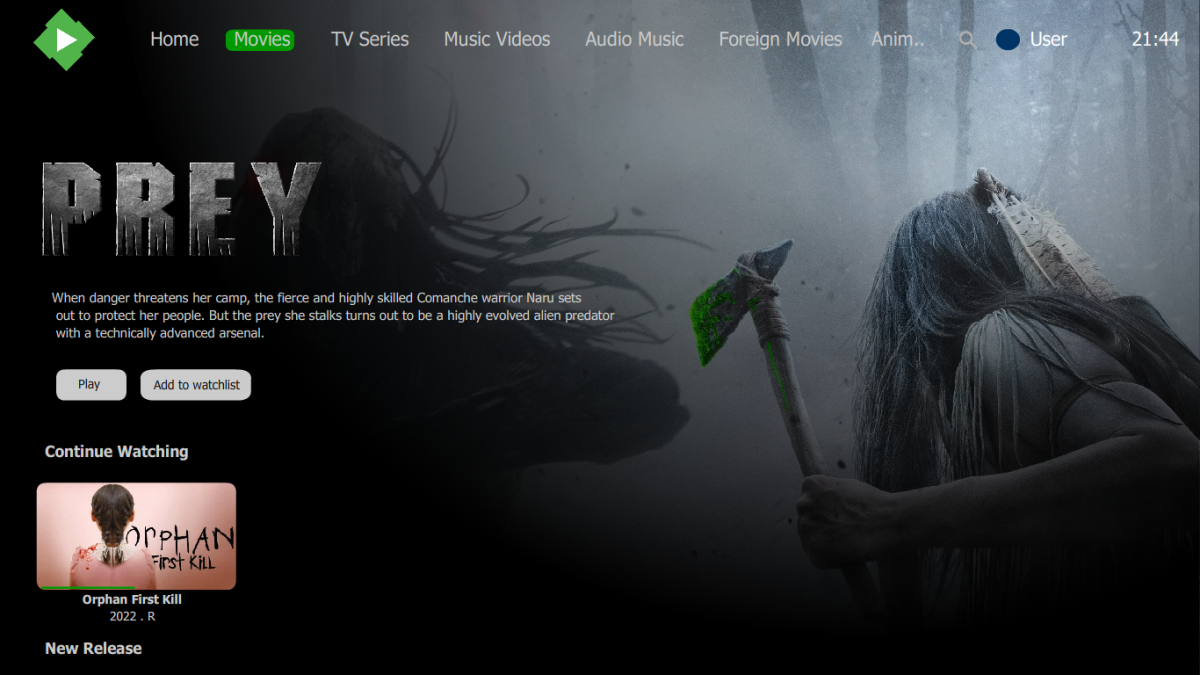
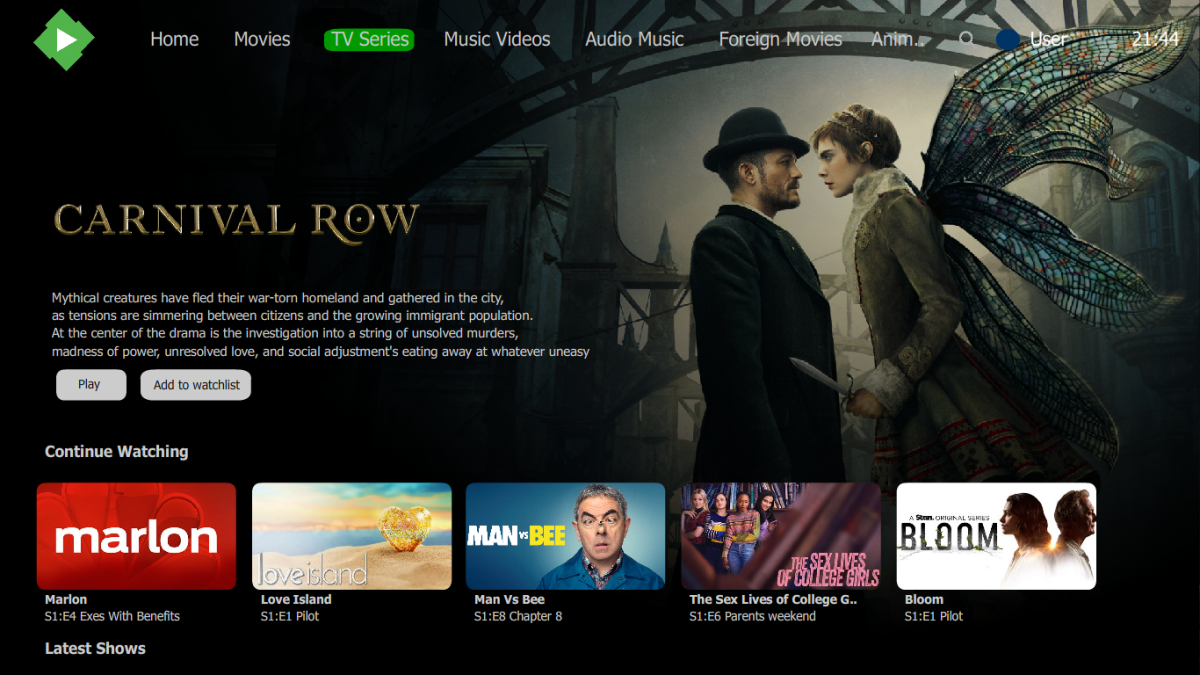 1 point
 -
Hey guys Anyone have any step by step how to do this ? I am on telegram and want to create a chat for my family and friends that have access to my emby Mook1 point
-
I think it was an isolated problem. All my other clients have no problems. I just switched almost everyone to the new server, no problems with the i5-12400T, it runs smoothly, I'll come back when there are more people at the same time (end of vacation).1 point
-
Great, thanks for that this was the problem. It was enough to copy the data into the new directory and set the permissions via SSH.1 point