Leaderboard




Popular Content
Showing content with the highest reputation on 10/29/22 in Posts
-
Right and then that gets into the complexity of the actual implementation and making this work for everyone - as detailed by Softworkz above. The bottom line as of this point and time: The benefits people think they will get from this feature are not quite as high as most people think The cost to properly implementing this feature at this point in time far outweigh those potential benefits In the future, there very well may be a better solution to the real problem this request is attempting to address (limited bandwidth delivery of high-quality content). This is a great example of a situation where it is really best to file a feature request at a functional level instead of for a particular detailed implementation. This request was "give us the option to transcode to h265" but what is really desired is "improve quality and speed of media delivery in limited bandwidth environments".3 points
-
No, there is software you can run that analyzes the results of an encode frame by frame back to the original frame that tells you specifically ie 85.46% the same. The software can also tell you how fluid it is as well as other factors comparing the encode to the source. So there doesn't need to be anything subjective about it. I didn't get into details but when I said you could adjust the HEVC bitrate/parameters to get the same quality output this is what I was referring to. Unfortunately, a lot of what you read in forums is antidotal information based on the person who did the encode and is very subjective as you say! They could easily be off 10% or more and think one encode is better than the other because they think it should be because of their expectation based on the setting they used or based on the outcome they expect to get. Had they asked at least two or three other people (but not nearly enough) to view two streams and tell you which seems better and why without saying anything else they may have gotten a surprise result or heard why the person didn't like one compared to another as the person doing the encode didn't notice it. As an example, pull down and de-interlacing that isn't 100% correct drives me nuts while a very small amount of banding in very dark scenes doesn't bother me that much but might drive another person batty because they want true dark scenes. Perception of outcome is a hard thing to overcome for anyone as you typically will have a bias based on an expected outcome. The way I semi got over that personally was writing a control script that encodes 15 to 30 second segments randomly adjusting a specific encoding setting between allowed values and then plays them randomly back, so the viewer has no idea what they are seeing. You can even take the control (AVC) and have it randomly mixed in with the other encodes that you rank & score. Then it asks for a rank score you input for each. It than allows playing back in the order you ranked them high to low or low to high to verify your choices are correct. After that it shows you the results. It of course is still subjective but if you didn't score the AVC version as the same as the control your other results are going to less than trustworthy. You take the results of this subjective test and then combine it with the analysis software that gives you specifics about the frame comparisons and you have a much better controlled experiment. Actually, taking raw rips and doing the subjective test to find out what an acceptable loss of detail is that still looks very pleasing to you is a good skill to know. In software based encodes of H.264 you have a Constant Rate Factor you can use to tell the encoder what quality to try to achieve. 18 to 28 are typical values for DVD with 23 being the default. The combination for CPU based H.264 encoding using the x264 encoder in ffmpeg uses a combination of Preset and CRF to achieve a specific quality and size (all else being equal). You can then try lowering or raising the preset (veryslow, slower, slow, medium, fast, faster, veryfast, superfast) and adjusting the CRF to change the speed of the encode while trying to keep your quality reference. The results you find will likely be using slower or slow is preferred for offline conversion but anything from medium to veryfast is needed for real-time transcoding based on number of simultaneous transcodes as welll as performance of your CPU(s) in the machine. You might find you want a lower CRF (ie 20) for storage but can run up to 25 for real-time encoding and be happy with the results. Using the subjective and software analysis together will give you results that should be pretty accurate. You can then do the same for QuickSync and/or Nvidia AVC transcoding for both long term storage and real-time transcoding. Same with CPU or GPU based HEVC transcoding. My point of this post is that you need actual methods to analyze results otherwise your own bias and expected outcome will negatively influence your results. But following some methodology like this you can get pretty accurate results and then be able to see what kind of bitrate savings one profile or codec gives compared to another. You could for example re-examine what your current settings are for H.264/AVC and tune them to be more ideal for both conversions and transcodes. You need to do this with different media to find what works for all types and gives the best overall results and set that for real-time transcoding. For conversions you could actually use different settings for animation, different for average drama or Comedy films while using yet a different profile for action films. These could even use 2 passes encoding to make the best use of the bitrate you're targeting. For offline conversions you can play around to really fine tune and have many profiles available to use. Media with an intentional film grain look is going to be bitrate heavy unless you take that into consideration. Offline conversions offer a lot of freedom to encode samples and tune per movie or batch of like media that isn't available to you for real-time encoding in general use. So getting back to real-time. You can compare using analysis software the outcome of an AVC encode to the original as well as an HEVC encode to the original. You can then compare the time and latency each would add in use compared to a direct stream. Now you compare the bitrate needed for AVC and the bitrate needed for HEVC and compare them. If you're real-time transcode is close to the same using a GPU or CPU because you're trading resources for time and won't be able to handle as many streams (which may be fine) but you have a significant saving in bitrate you have a winner. If you find your HEVC takes X amount longer and has for example 20% bitrate savings, does the fact you can transfer this through the internet save you latency compared to AVC and if so was it more than the latency you added? If close it's probably TIE-WIN as it will help with mobile data and data caps. If you're using a high end XEON or EPYC system you could throw a lot more CPU cores at the transcoder to reduce latency transcoding. The HEVC encoder scales cores much better than h.264 does due to the nature of the compression. In this case you would have saved overall latency because you'll have 30% to 55% savings in bandwidth depending on media transcoded which also means a 30% to 55% savings in latency for the stream transfer. This is a WIN in every checkbox except resource usage. You can measure the quality of the encoded videos with SSIM, PSNR, or the popular vmaf from Netflix. ffmpeg has a switch to support vmaf quality analysis. PS for anyone currently stuck with a small upload pipe using a GPU for transcoding you should test CPU only transcoding, if possible using 25 CRF and veryfast and see what you're speed is like as well as the quality of the transcode. Next try CRF 23 (default). CRF should be your guide for quality needed while the preset will determine how fast it can run to achieve that setting. very fast will work a lot faster then other preset but generate larger files but still probably smaller than GPU. A preset of Normal and CRF of 23 should generate pretty ideal bitrates. The higher the CRF you can tolerate combined with more efficient processing (slowest preset that works) will generate the smallest possible streams. That could be a better solution that some of you can use that were looking to HEVC for bitrate savings.3 points
-
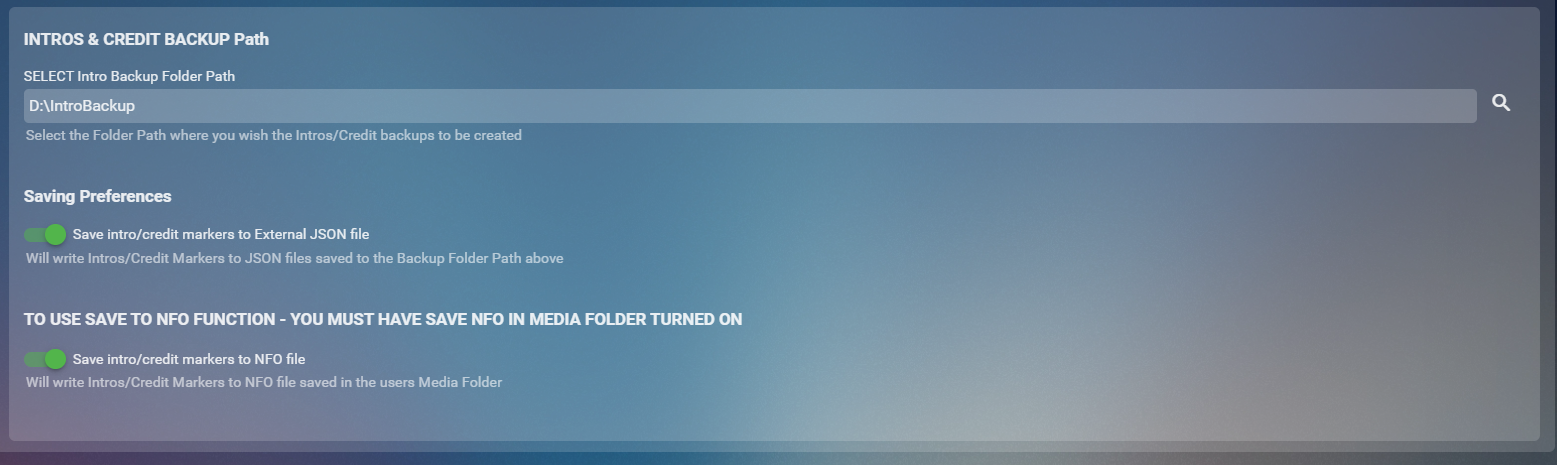
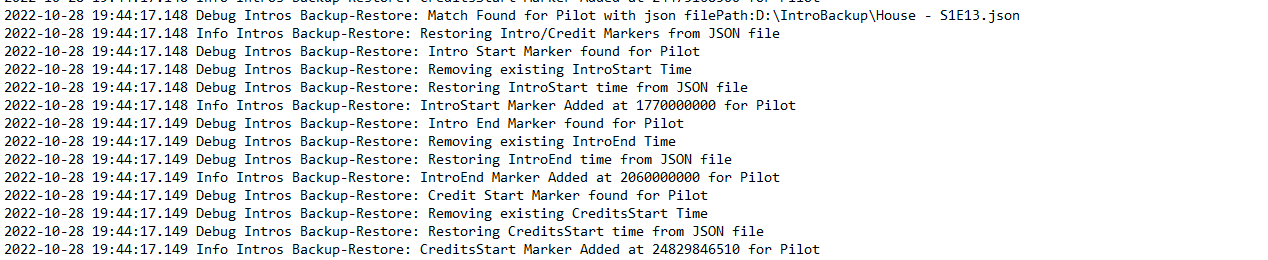
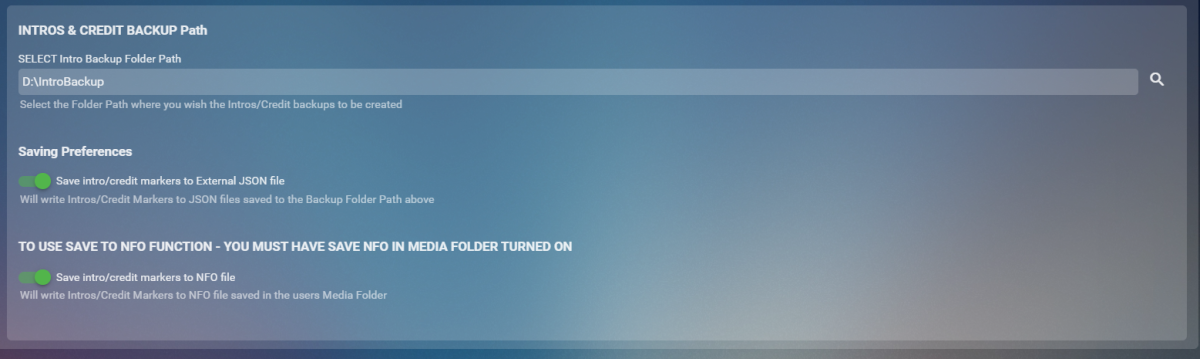
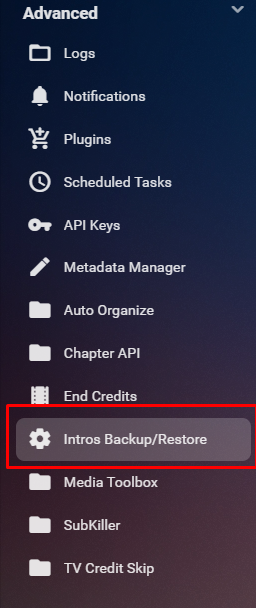
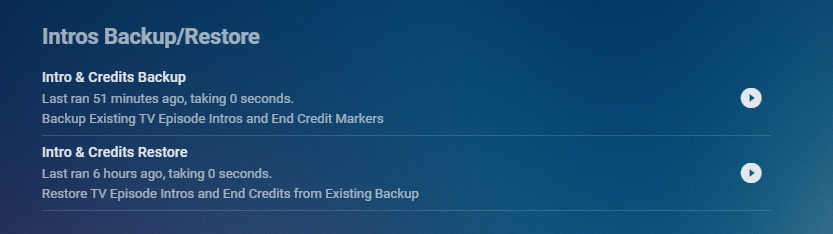
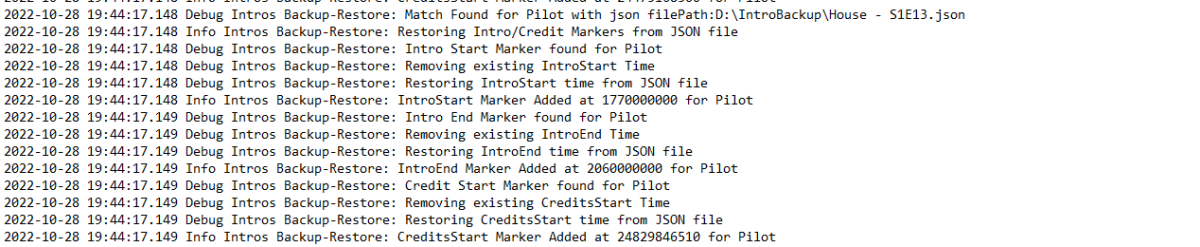
Cheesey Productions brings you Intros Backup for Emby Bringing you a way to Backup/Restore all your IntroSkip and CreditSkip Markers This plugin saves you time after a new install or after refreshing metadata by not having to conduct the process of conducting the intro fingerprint and detection tasks from the core side. Available from the plugin catalogue A huge shout out to @rbjtech and @elpooletfor all their help with this. PLEASE NOTE THAT TINY MEDIA MANAGER CAUSES ISSUES WITH MULTI EPISODE nfo files. I’m currently working to get this fixed but stick to JSON backup option only to ensure your intros are backed up. This plugin works very simply. For BACKUP - The user can Write these markers to JSON files stored in a user specified folder location and/or write directly to the NFO file stored in the Episodes media folder For RESTORE - The user can select to Write information back to episode chapter information markers using either JSON files OR the NFO file setup. BACKUP - takes yout existing markers from the episodes chapter table and will overwrite all previously backed up information. RESTORE will overwrite all currently stored markers and replace them with what is stored in the backup Shortcut in the Server Side Menu Setup your own timing for when to run the backup utility from the Scheduled Task Menu Backup Log Example with Debug enabled Restore Log Example with Debug Enabled Enjoy!! Always a pleasure


 1 point
 -
ability to be able to add a collection into another collection. ie: Spiderman Collection into a SuperHero Collection. like i could with mediabrowser with shortcuts. TIA1 point
-
As you probably know already, it's not uncommon for cartoons and anime episodes on dvd or television that multiple episodes are broadcasted in sequence as one. Emby already recognizes those multi-part episodes if they follow the naming convention: https://github.com/MediaBrowser/Wiki/wiki/TV-naming#multi-episode-files But the content of the nfo's that are generated by Emby for those multi-part episodes is wrong! Emby concatenates the episode titles and the overviews into one single <episodedetails> tag where it should add a seperate <episodedetails> tag for every episode: https://kodi.wiki/view/NFO_files/TV_shows#TV_Episode_Tags In return, if a correct nfo with multiple <episodedetails> tags exist, Emby only reads the first <episodedetails> tag and thus only creates one episode in the tvshow library. Sample: Disneys Gummibärenbande\Season 01\S01E04E05.mkv nfo created by Emby: <?xml version="1.0" encoding="utf-8" standalone="yes"?> <episodedetails> <plot>Sunni kann das Fiepen von Cubbis Blechflöte nicht mehr hören und verbiegt sie. Daraufhin kommt ein Ton heraus, der eine riesige fliegende Schlange herbeiruft. Tummi und Zummi entdecken ein seltsames Gummi-Gefährt, das sich als Drachen-Aufspür-Gerät entpuppt. Prompt weckt Tummi einen Drachen auf: aber der ist nicht zum Fürchten, sondern nur einsam.</plot> <outline /> <lockdata>false</lockdata> <dateadded>2019-02-08 02:52:07</dateadded> <title>Die magische Flöte, Der einsame Drache</title> <rating>7.3</rating> <year>1985</year> <tvdbid>182544</tvdbid> <runtime>22</runtime> <episode>4</episode> <episodenumberend>5</episodenumberend> <season>1</season> <aired>1985-09-28</aired> <fileinfo> <streamdetails> <video> <codec>h264</codec> <micodec>h264</micodec> <bitrate>2421544</bitrate> <width>960</width> <height>720</height> <aspect>4:3</aspect> <aspectratio>4:3</aspectratio> <framerate>23.97602</framerate> <scantype>progressive</scantype> <default>True</default> <forced>False</forced> <duration>22</duration> <durationinseconds>1338</durationinseconds> </video> <audio> <codec>ac3</codec> <micodec>ac3</micodec> <bitrate>224000</bitrate> <language>ger</language> <scantype>progressive</scantype> <channels>2</channels> <samplingrate>48000</samplingrate> <default>True</default> <forced>False</forced> </audio> </streamdetails> </fileinfo> </episodedetails> nfo created by Kodi and other media managers: <?xml version="1.0" encoding="UTF-8" standalone="yes"?> <episodedetails> <imdbid></imdbid> <title>Die magische Flöte</title> <showtitle>Disneys Gummibärenbande</showtitle> <rating>7.3</rating> <votes>4</votes> <top250>0</top250> <season>1</season> <episode>4</episode> <plot>Sunni kann das Fiepen von Cubbis Blechflöte nicht mehr hören und verbiegt sie. Daraufhin kommt ein Ton heraus, der eine riesige fliegende Schlange herbeiruft.</plot> <outline>Sunni kann das Fiepen von Cubbis Blechflöte nicht mehr hören und verbiegt sie. Daraufhin kommt ein Ton heraus, der eine riesige fliegende Schlange herbeiruft.</outline> <mpaa>FSK 0</mpaa> <playcount>0</playcount> <lastplayed></lastplayed> <aired>1985-09-28</aired> <studio>Playhouse Disney</studio> <thumb>https://thetvdb.com/banners/episodes/76081/182544.jpg</thumb> <fileinfo> <streamdetails> <video> <durationinseconds>1338</durationinseconds> <codec>avc</codec> <aspect>1.333</aspect> <width>960</width> <height>720</height> <scantype>progressive</scantype> </video> <audio> <language>deu</language> <codec>AC-3</codec> <channels>2</channels> </audio> </streamdetails> </fileinfo> </episodedetails> <episodedetails> <imdbid></imdbid> <title>Der einsame Drache</title> <showtitle>Disneys Gummibärenbande</showtitle> <rating>7</rating> <votes>8</votes> <top250>0</top250> <season>1</season> <episode>5</episode> <plot>Tummi und Zummi entdecken ein seltsames Gummi-Gefährt, das sich als Drachen-Aufspür-Gerät entpuppt. Prompt weckt Tummi einen Drachen auf: aber der ist nicht zum Fürchten, sondern nur einsam.</plot> <outline>Tummi und Zummi entdecken ein seltsames Gummi-Gefährt, das sich als Drachen-Aufspür-Gerät entpuppt. Prompt weckt Tummi einen Drachen auf: aber der ist nicht zum Fürchten, sondern nur einsam.</outline> <mpaa>FSK 0</mpaa> <playcount>0</playcount> <lastplayed></lastplayed> <aired>1985-09-28</aired> <studio>Playhouse Disney</studio> <thumb>https://thetvdb.com/banners/episodes/76081/331216.jpg</thumb> <fileinfo> <streamdetails> <video> <durationinseconds>1338</durationinseconds> <codec>avc</codec> <aspect>1.333</aspect> <width>960</width> <height>720</height> <scantype>progressive</scantype> </video> <audio> <language>deu</language> <codec>AC-3</codec> <channels>2</channels> </audio> </streamdetails> </fileinfo> </episodedetails>1 point
-
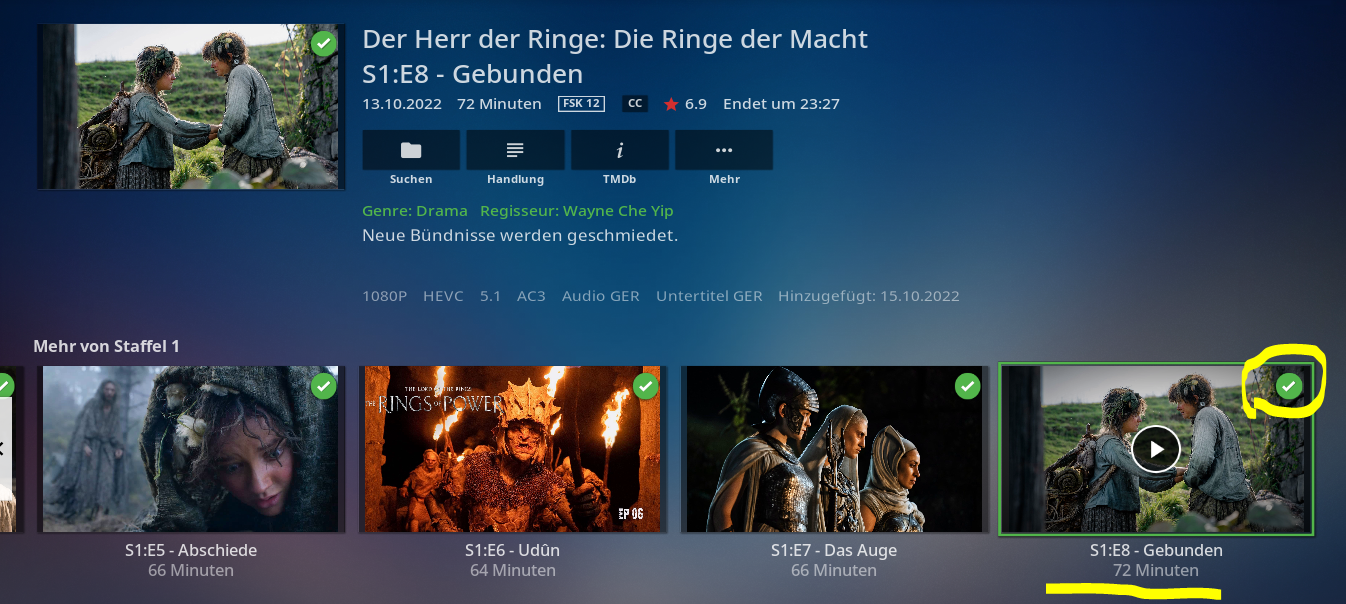
With the multiple versions feature you get a pulldown in the web client to select the version. When you do, the other pulldowns for audio tracks and subtitles also change for that version. However the duration and the Ends At display remain the same even though the versions have different durations. Would it be possible to have those two fields in the display change with the chosen version? Thanks.1 point
-
Hi, I know it is possible to put different Versions of a movie into same folder and give them behind the "-" different names for identification. I use this feature very often, also if a movie is in 3D, HD and 4K available. Sometimes also special Extended Versions, etc. I also use this Feature for Multi-Movie Boxes, like Tarantinos Grindhouse. (Grindhouse (2007) - Death Proof, Grindhouse (2007) - Planet Terror) which work great. But I noticed, that the Chapter List in the Grid View don't refresh, for the newly chosen file. Is it possible to implement this, that you see the chapter list of the selected version?7 It's not a big deal and not a nobrainer, but it would be more elegant if this could work. Especially if different Movie Versions have different Chapters.1 point
-
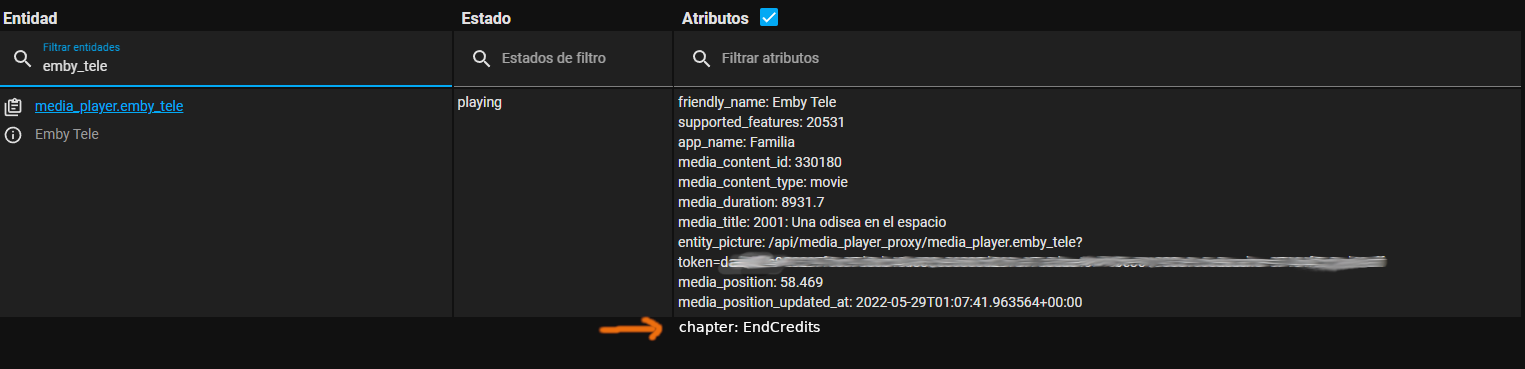
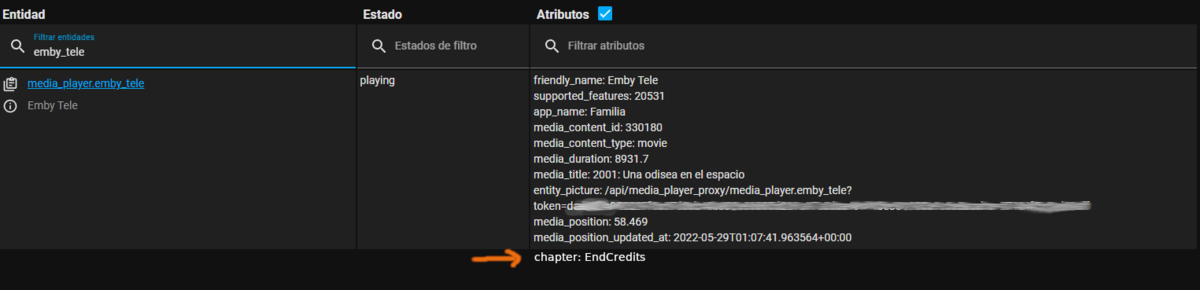
I have some automations in home assistant and one of them is one turns the lights off when we are watching a movie, turns on some dimm lights when pause and turns on all lights at stop. So this is the request: A way to recognize the end credits on the movies and to report what chapter is playing to homeassistant. That way an automation can be triggered when the end credits scene is playing, like turn on dimm lights. I'm aware that it appears to be 2 request in one, but really only chapter reporting is the one needed, end credit detection could be a nice to have thing. To do the first is needed to recognize the end credits for the movies, for this the new intro detect feature could be used (i already voted up the FR for end credits detection). But as i said before this feature is not that needed since most of the movies well ripped already have a chapter marker for the credits scene although most of the time they don't have the title "EndCredits" only the time marker for the chapter, but that's easy to fix editing the chapters. However the real feature request here is for emby to report what chapter is playing that could be via a new WebHook event or to make emby to report what chapter is currently playing as an attribute on Home Assistant. Currently there is so much attributes passed on to HomeAssisant so i hope that adding current chapter is not that difficult to add. (i added a little mockup to illustrate what i'm referring to)
 1 point
 -
Hi there, I just update the Emby win to the latest version as V4.7.8.0 and I found that the moives with different parts will no longer show the Poster. When I get into the detail of the movie, all metadata is there except the poster, and the Part 2 is actually showing the Poster. Not sure what cause it. Would you please kindly take a look? Thanks. Best, Nathan.1 point
-
Do you have "hide fully played content from latest media" enabled in home settings?1 point
-
Great -- I will signon at 8pm EST tonight. Thank you Vic1 point
-
Win 10 x64, Latest Emby Beta 4.8.0.14, Tool Version 1.0.1.14 (updated today after server start) Since the .14 Update, the tool simply does nothing with my files. Did not change any configuration, yesterday the 1.0.1.10 version did the job flawlessly like the weeks before. But after the update today, nothing. Track infos did not change inside the files. serverlog.txt1 point
-
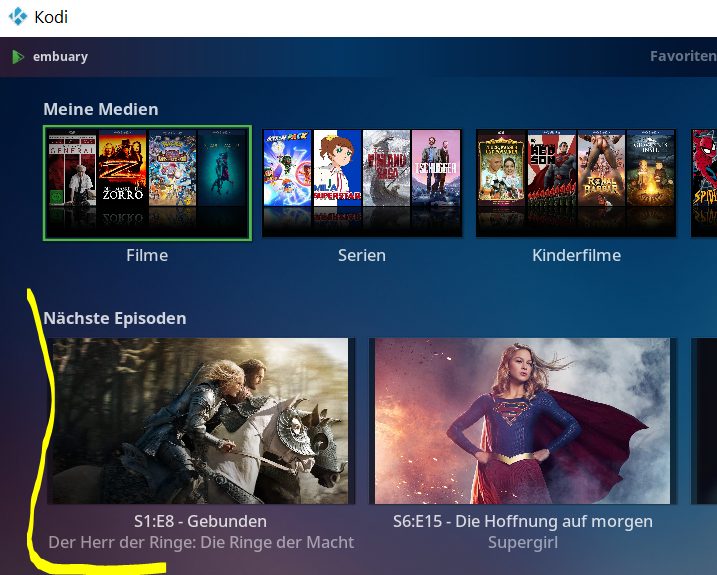
Currently not exactly sure what causes the issue but I have a rough idea. I'll add some patches in next version which probably addresses the issue. The nextup node is internally cached by next-gen plugin (for performance reasons). I assume the cache was not wiped BEFORE the widgets triggered its updates. This is the only explanation, why a skin reload would not have any effect and a Kodi restart has.1 point
-
As a matter of fact, the scan start was not detected. I'm just guessing, that the other plugins could be responsible. But even if not, it is easy to fix.1 point
-
@quickmicThanks! I'm not sure what other plugins are delaying the emby-plugin startup. I don't have a lot of plugins installed. Anyway, excluding the Music library from my Emby for Kodi libraries seems to be a good fix for now. I don't actually use it, and I only added it because "I could".1 point
-
DISREGARD. This is all very weird now. Now I can't access even my router home page. I'm aware this is drifting, but the community here is really helpful, so I'm hoping against hope someone can continue to guide me.1 point
-
You can use Launchd to set Emby to run on boot1 point
-
It makes sense, yes.1 point
-
Hi. That's fine. This forum is for all non-platform-specific server issues. Thanks.1 point
-
Hi. But, if one chose that option, that would replace all transcodes with HEVC instead of AVC. So, functionally, it would be the same once someone threw that switch.1 point
-
Hi I think you are making an assumption there. Transcoding to HEVC on the fly may or may not make a big difference for you but, in that situation, pre-encoding lower bitrate (1-2Mb I would think) versions of your files definitely would make a big difference.1 point
-
I only tried a restart, not a power cycle. Will try when I get back and report.1 point
-
The one thing that this statement reveals is that you either haven't carefully read all of my posts or you didn't understand them or you are pretending the latter. This is so boring. Now I have to clarify another time: What I have explained is the current situation right now, in October 2022 - and that's all. Technology is evolving, standards are changing and new standard coming up. Industry adoption of standards is evolving as well and sometimes very quickly especially this subject is something that needs frequent re-evaluation. I also want to spell it out once again for all those who are just begging for something that they could pretend to misunderstand: There is no strategic avoidance towards H.265 at all. I didn't say no and I didn't say never. In fact there are planned projects related to H.265, which are making use of that codec within a defined and limited scope. What I said in those posts above though, was about introducing HEVC transcoding as a general replacement to the H.264 streaming that Emby is doing. This is what this feature request is about and I have explained why this is not as easy as one would think.1 point
-
If it helps Emby seems to show SUBRIP as the codec for embedded subs and SRT for external SRT sub files (unsurprisingly) with external YES for SUBRIP and External NO for SRT. I'm not sure what other text based subs will show as ATM but currently that's not the issue. DVBSUB and eia_608 both show as external NO but they are graphical subs so not in the scope of SubKiller1 point
-
We are working on it fella!!1 point
-
It's not really the real-time transcoding that sets them apart as lots of people's servers never have to transcode much of anything (prepaired media), but it's the fact it's a full eco-system media setup. It has both a multi-user streaming server as well as clients that basically run on all the popular devices. It has a clean TV and DVR built in that doesn't require wild kodi setups to use and it doesn't need shared or exposed storage. Kodi for sure has die hard fans but a lot of people have switch to full blown media servers like Emby or to very simple GUIs like TiviMate and feed it content via m3u files which could point local or to streaming services. This type of solution is very easy to keep synced or updated as you can have it pull the m3u file from a cloud provider. Kodi has very little of this built in as it's just a media client that has a nice scripting environment available that people use to access info on other servers. Besides that, Kodi can get unruly trying to manage a large collection as it wasn't built to do that. Some people may be drawn to Emby for the transcoder so most media is playable on any device. But just because they switched to have that feature doesn't mean they want to always have to use it. You can learn to preprocess your media before adding it to Emby so it normally will never get transcoded. So that's one offline transcode/conversion vs every time the media is played. Maybe only preprocess what you know will be popular and played multiple time instead of creating a backlog. Or alternately files over X size (your largest) get processed first to save space. What ever, works as there is the real-time transcoder available when needed. But keep in mind anything that can direct play and has been properly processed offline is going to have a lot lower latency during playback. As far as the re-encode goes, I've been running HEVC for a few years and made it my default. But I also created AAC default 2 channel tracks if not present to stop transcodes & remuxes from happening due to lack of audio support. I also house cleaned the files by, stripping all audio and subtitles not in English as my family/friends have no use for this. I then exported subrips to external SRT if present and then finally converted the video stream to h.265 then created a new package for the movie in mkv format. What I have now are tiny streams compared to the originals and 1/3 to 1/2 the size they would get transcoded by GPU to in real time even using h.265. They still look great on my 75" 85" and 110' TV. The streams direct play basically all the time unless someone is on mobile with a local limit set. I got big space savings from doing this. JellyFin is pretty far behind Emby and Plex when it comes to hardware transcoding. Don't know how you think they are the clear winner. They use much of our code as well as published Plex code whenever possible to make improvements but it's the slowest of the bunch especially for modern files that are 4K HDR. On my 920+ Synology NAS for example I can't get a 4K HDR to 1080p SDR transcode from JF, can get 1 stream from Plex and 2 or 3 from Emby depending on the bitrate but there is clearly a difference. They are missing a lot of functionality and have issues to work out for things like subtitle. Their transcoder still feels like a 4 year older version of Emby''s (which it was/is). They add stuff but don't really understand how it interacts with other parts of the system. They recently tried to add some h.265 code but had to revert it back out as they didn't realize it's not a drop in code.1 point
-
I’ve figured out what was wrong. My devices and apps were configured for Portugal, since I used to live there. I guess the option to buy isn’t available there. I now have the option after changing the settings to Uk. thanks1 point
-
You enabled "use playback resume position from Emby server". This function is very experimental and is most likely the issue. Please disable it and continue your tests.1 point
-
That would be good and with the option to turn off the artist tab. If you could let me know when that option is added ill scan in my music library1 point
-
No. This is not a violation of the license. The minimum requirement is just that we need to send you the code when you inquire via postal mail and you pay us the cost for the storage medium. So, providing a download link is only a courtesy. The link is: https://mediabrowser.github.io/embytools/ffmpeg-2022_05_27.tar.gz I can't help, but you are sounding like those forkers who were first publishing cracks for Emby Premiere and after Emby went closed-source started to try forcing us with similar arguments (even though all community code had been removed already). So, I'm wondering what you are looking for so badly, that you can't find in the main ffmpeg source?1 point
-
@bill_w In the time i started with the Media Info Plugin i got myself a handfull files with Code 2. I retested these with VLC and MKVToolnix and found out these files was corrupted in different ways. Some are not even playable, others was playable, but chapter skipping or fast forward / fast rewind does not worked on these files. It seems something went wrong during muxing in my case. Andy1 point
-
I'll give that a shot. My server running emby is quite beefy, so I'm sure I can bump stuff up a bit without issue.1 point
-
There's no issue, I wasn't trying to sound critical, my limited bandwidth is the sole reason. If I had 1gig up/down, I wouldn't really care too much. For me personally, unless I'm out of the house, I'm on the LAN and emby works great. I actually run jellyfin and emby in tandem because I've been testing performance, quality, and just overall evaluating the two. But most of my family/friends, who are 100% WAN, have organically moved to using the Jellyfin apps, due to the quality increases, which in some cases, are quite dramatic. I encode 4k content whenever possible in HEVC or AV1. That's just a default for me when storing the source files. Obviously, the guys on the WAN won't be able to watch it in 4k quality, but it's much clearer when using HEVC transcoding, no discernible pixelation on a 4K TV, it looks quite nice. The only thing I would like to achieve by posting here, is encourage the emby team to consider prioritizing high efficiency codecs to some degree. I know it's not necessarily easy, but if your target audience is home users, high efficiency codecs are going to provide that user base a better experience. Unless most people have amazing upload speeds and I truely am an edge case. I appreciate your responses, they've been very detailed.1 point
-
HEVC has benefits - there's no doubt about that. It's all about outweighing the benefits vs. the required effort. Sure. That's a case where the abilities of HEVC become very visible. I'm not sure though, whether 4k makes sense at all when you have just 1Mbps available. It's a combination that Emby doesn't even use or allow to configure. We take user issues serious, so please create a new topic, so we can take a look at it. Let's not discuss this here, but two notes up-front: when there's buffering, it's usually either the server not transcoding fast enough or the target bandwidth isn't met or not calculated correctly. And with regards to quality: the default H.264 transcoding settings are set for moderate quality, it's not at the edge of what's achievable with H264.1 point
-
I understand your reasoning, and don't disagree at all. I do believe Emby is a much more polished product than Jellyfin for obvious reasons. However, after using both, and having a better streaming experience with Jellyfin, using HEVC transcoding over the WAN, I'm willing to sacrifice a little polish/reliability with functionality. My comparison of the two involved using telegraf/grafana to view time series data on my WAN connection and HAProxy connections. I also compared various platforms and apps, set them on 1Mbps and watched a 4k video. I had a clear increase in quality when using HEVC transcoding. I actually recorded bandwidth of around 1-2Mbps, when setting it to 1Mbps, but I'm sure that's normal. When setting bandwidth limits to unlimited and forcing transcoding, I also noticed a bandwidth decrease. So even if the benefits are theoretically slight, they seem to have real world benefits. Either that or the benefits of HEVC transcoding are truely miniscule and this must have something to do with jellyfin's implementation. I couldn't actually say for sure, but I do know, my parents/family/friends have reported a much better experience on Jellyfin. Less buffering and better quality (I globally limit remote stream to 3Mbps), but they did like Emby's UX better (I agree). In the end, actually being able to reliability play a video, without constant pausing/buffering, is what makes my decision for me. I do prefer Emby though, so I'll be following it's development.1 point
-
ok i just got finished doing some testing with JD the ETV dev. we think he figured out the issue with normalization. the problem looks like it happens when the content changes from 8bit to 10 bit. he had me create a test channel with only 8bit content and checked the transitioning and theres no scrambling happening with only 8bit content. he said hes going to think more on how he can normalize that.1 point
-
Thanks for the info… im gonna look at this intensely and figure out why sh1t is not verking.1 point
-
log 1 auch nach Skin reload keine Veränderung, asynchron zum Server log 2 gleich nach dem neustart ist alles synchron und wie es sein soll. 1_fehler auch nach skin reload.log 2_nach neustart alles super, sofort.log1 point
-
A generalization that can be safely made is that most anything that wasn't encoded from a very high quality source (ie: transcoding from one compressed CODEC to another) is going to suffer on these automated perceptual quality tests. In cases where people are just trying to minimize bandwidth being consumed on their non-unlimited data plans, this might be an acceptable trade-off. This is yet another advantage that content providers will have over home gamers like us--access to high quality sources, and more tightly compressed content that has an acceptable PQ rating...they can orchestrate tons of parallel encodes to eke out the best possible storage/data egress scenarios.1 point
-
Clear as Day my friend. So from a fresh install nothing works. I will try this myself tomorrow. and see if there are some legacy issues since the cores updates that may be hiding in the background. I really want you guys to enjoy this and i don't like why it's not working for you all.1 point
-
no worries, so the one plugin that doesn't conform to Emby plugin standards and terms and conditions and the one plugin that hasn't been updated since 4.6.x is the one we all have to work around1 point
-
Your device only has 512MB of Ram, correct? But you can check your system resources and play around with the numbers to your liking.1 point
-
Hi, you can set them as high as you're willing to go, making sure to read the help text to learn the tradeoffs.1 point
-
Running the Update Top Picks task in plugin, allowing it to finish then navigating to Top Picks library give a blank screen and console and log error. Home Screen works fine. localhost-1666572621884.log 2022-10-23 17:48:56.073 Debug Server: http/1.1 GET http://localhost:8097/emby/Items?ExcludeLocationTypes=Top Picks&Recursive=true&IncludeItemTypes=694ff1a675284a3c81ff501cf8d87692&SortBy=SortName[object Object]&fields=ProductionYear&X-Emby-Client=Emby Web&X-Emby-Device-Name=Microsoft Edge Windows&X-Emby-Device-Id=842e42e7-2b7c-4d84-8d12-d5f5e26056a0&X-Emby-Client-Version=4.7.8.0. UserAgent: Mozilla/5.0 (Windows NT 10.0; Win64; x64) AppleWebKit/537.36 (KHTML, like Gecko) Chrome/106.0.0.0 Safari/537.36 Edg/106.0.1370.52 2022-10-23 17:48:56.074 Error Server: Error processing request *** Error Report *** Version: 4.7.8.0 Command line: C:\Users\Media\Desktop\Stable\system\EmbyServer.dll -noautorunwebapp Operating system: Microsoft Windows 10.0.25227 Framework: .NET 6.0.9 OS/Process: x64/x64 Runtime: C:/Users/Media/Desktop/Stable/system/System.Private.CoreLib.dll Processor count: 8 Data path: C:\Users\Media\Desktop\Stable\programdata Application path: C:\Users\Media\Desktop\Stable\system SQLitePCL.pretty.SQLiteException: Error: near "[object Object]": syntax error - select A.type,A.Id,A.Name,A.ProductionYear,A.RunTimeTicks,A.guid,A.ParentId,A.Images from MediaItems A ORDER BY SortName[object Object] ASC SQLitePCL.pretty.SQLiteException: Exception of type 'SQLitePCL.pretty.SQLiteException' was thrown. at SQLitePCL.pretty.SQLiteDatabaseConnection.PrepareStatement(String sql, String& tail) at SQLitePCL.pretty.DatabaseConnection.PrepareStatement(IDatabaseConnection This, String sql) at Emby.Server.Implementations.Data.SqliteItemRepository.QueryItemsInTransaction[T](InternalItemsQuery query, IDatabaseConnection db, String[] columnsToSelect, Func`5 rowReaderFn, Boolean singleResult, String methodName) at Emby.Server.Implementations.Data.SqliteItemRepository.GetItems(InternalItemsQuery query) at MediaBrowser.Controller.Entities.Folder.QueryRecursive(InternalItemsQuery query) at MediaBrowser.Controller.Entities.Folder.GetItemsInternal(InternalItemsQuery query) at MediaBrowser.Controller.Entities.Folder.GetItems(InternalItemsQuery query) at Emby.Api.UserLibrary.ItemsService.GetQueryResult(GetItems request, DtoOptions dtoOptions, User user) at Emby.Api.UserLibrary.ItemsService.GetItems(GetItems request) at Emby.Api.UserLibrary.ItemsService.Get(GetItems request) at Emby.Server.Implementations.Services.ServiceController.Execute(HttpListenerHost appHost, Object requestDto, IRequest req) at Emby.Server.Implementations.Services.ServiceHandler.ProcessRequestAsync(HttpListenerHost appHost, IRequest httpReq, IResponse httpRes, RestPath restPath, String responseContentType, CancellationToken cancellationToken) at Emby.Server.Implementations.HttpServer.HttpListenerHost.RequestHandler(IRequest httpReq, ReadOnlyMemory`1 urlString, ReadOnlyMemory`1 localPath, CancellationToken cancellationToken) Source: SQLitePCL.pretty TargetSite: SQLitePCL.pretty.IStatement PrepareStatement(System.String, System.String ByRef) 2022-10-23 17:48:56.074 Debug Server: http/1.1 Response 500 to ::1. Time: 2ms. http://localhost:8097/emby/Items?ExcludeLocationTypes=Top Picks&Recursive=true&IncludeItemTypes=694ff1a675284a3c81ff501cf8d87692&SortBy=SortName[object Object]&fields=ProductionYear&X-Emby-Client=Emby Web&X-Emby-Device-Name=Microsoft Edge Seem to block all libraries as entering any library throws console and log error until Browser is Refreshed then everything is normal. Only testing in 4.7.8.0.1 point
-
Bumping this topic up again. Emby needs a way to display and allow for media deletion of duplicates. I keep a Plex docker container on standby and fire it up every few weeks to check for duplicates. It takes 23.6 GB (and growing) of drive storage just to have that container on standby for the duplicates detection feature. Granted there are more cumbersome ways of finding duplicates outside of Plex but nothing is as elegant or simple as Plex's method. Surly the Emby dev's can build something to show duplicates of TMDB or IMDB codes and provide a delete button or a trash can for safe measure.1 point
-
Here is the scenario: You have 2 versions of the same movie, a director's cut and a theatrical cut. Director's Cut is 2:14 with 18 chapters Theatrical Cut is 1:48 with 16 chapters. In the client UI (both web and Roku, and I assume all others), in the movie details page the time/length element, "Ends at" element, and all the chapters (number, thumbnails, etc.) are based on the 1st version alphabetically. So, for our example, it would show a length of 2:14. If it was 07:00 the End At would be 9:14, and there would be 18 thumbnails for the chapters. ... as the Director's cut is the 1st version. This doesn't change even if you use the Version pull down menu to select the other version. I suspect Emby is basing the length (and hence the Ends At) off the metadata not the file itself. I would like the UI to change those 3 fields base don the selected version in the pull down menu. So it starts off with length of 2:14. If it was 07:00 the End At would be 9:14, and there would be 18 thumbnails for the chapters. But, if I switch to Theatrical, the UI switches to length of 1:48. If it was 07:00 am the End At would be 8:48, and there would be 1_6_ thumbnails for the chapters. Thanks1 point
-
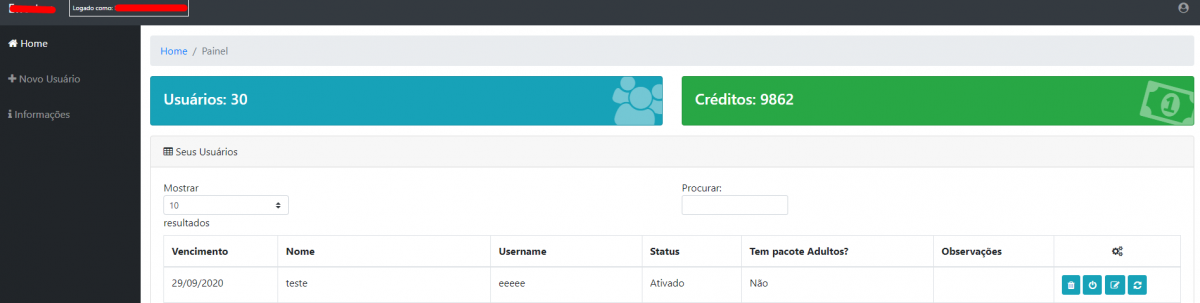
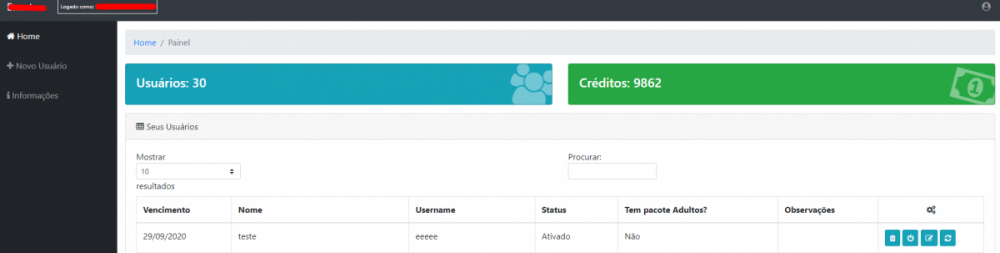
Tenho uma Equipe, desenvolvendo um muito interessante! eu até ja tenho um pessoal, mais estamos mudando toda Arquitetura! Vou inserir uma imagem do meu atual! Só como exemplo:
 1 point
 -
Eu ja tenho um beta e estou emm um novo projeto! assim que sair irei avisar!1 point
-
The above guide is written by @@Angelblue05 - Big thanks for that. Please follow the guide for reporting any problems encountered with the Emby addon. The topic is now closed.1 point