Leaderboard




Popular Content
Showing content with the highest reputation on 10/20/22 in Posts
-
Another HotFix was released today.
 3 points
 -
Yeah, you can thank Google for that. "Chromecast" functionality is where you are just casting directly to the device. "Google TV" is the OS that our Android apps run under. Chromecast devices used to just be for the former but now with the "Chromecast with Google TV" it is both in the same device.2 points
-
Issue now solved. After reapplying chown to the directory without the trailing slash at the end (/var/lib/emby) it creates the subtitlefonts on the metadata folder2 points
-
A user on reddit installed the same version of cloudflared on a machine which had already completed the update and had no problems. I went ahead and did the DSM update and cloudflared coninues working without problems...2 points
-
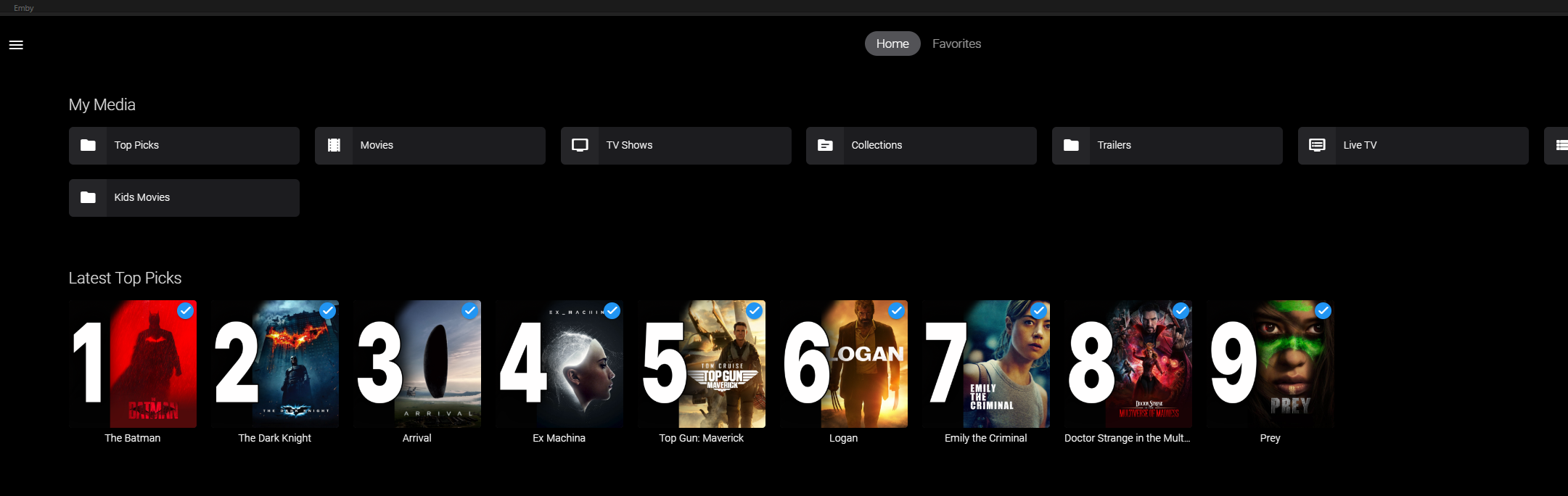
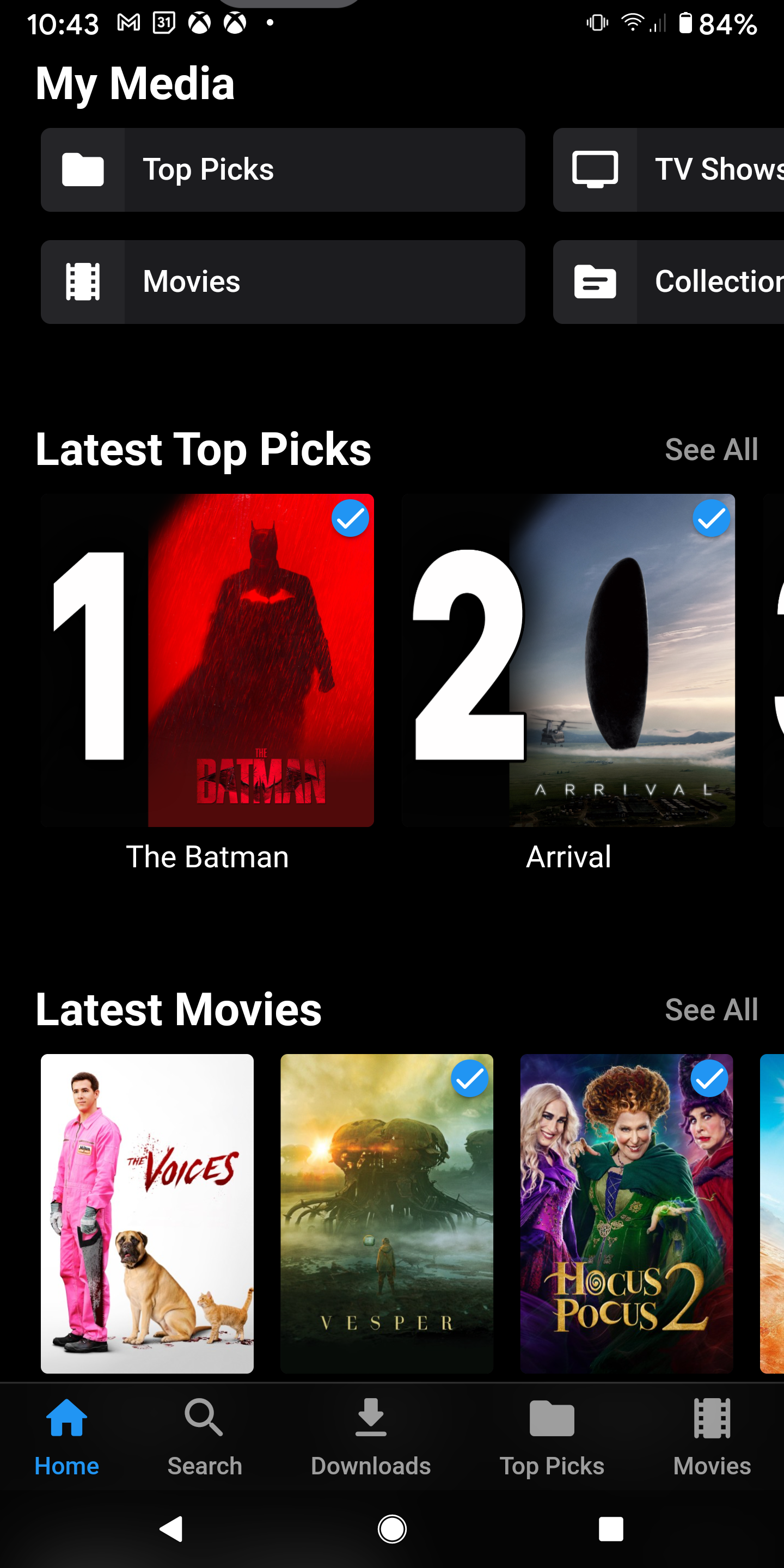
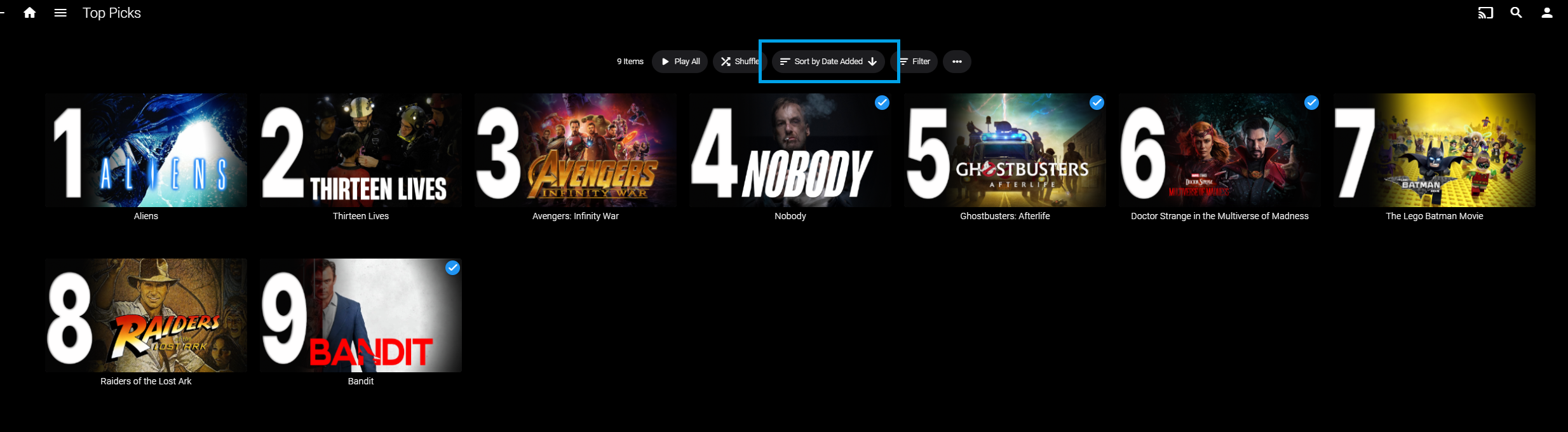
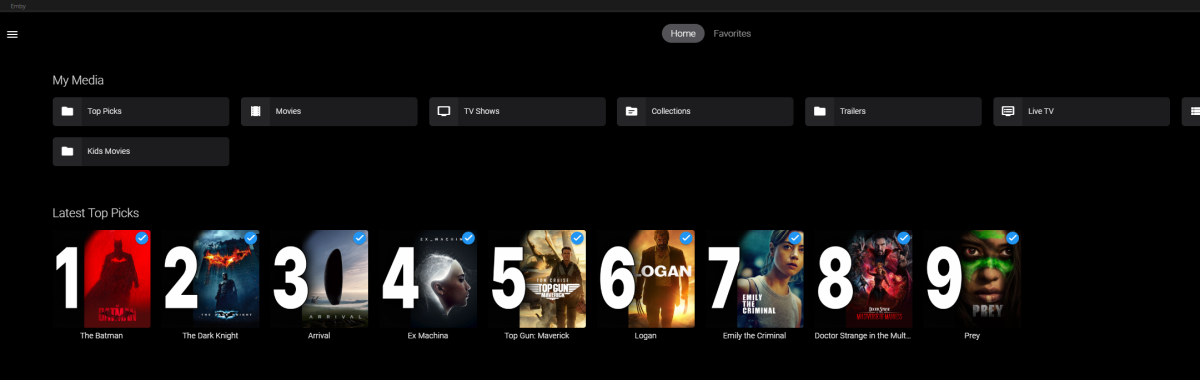
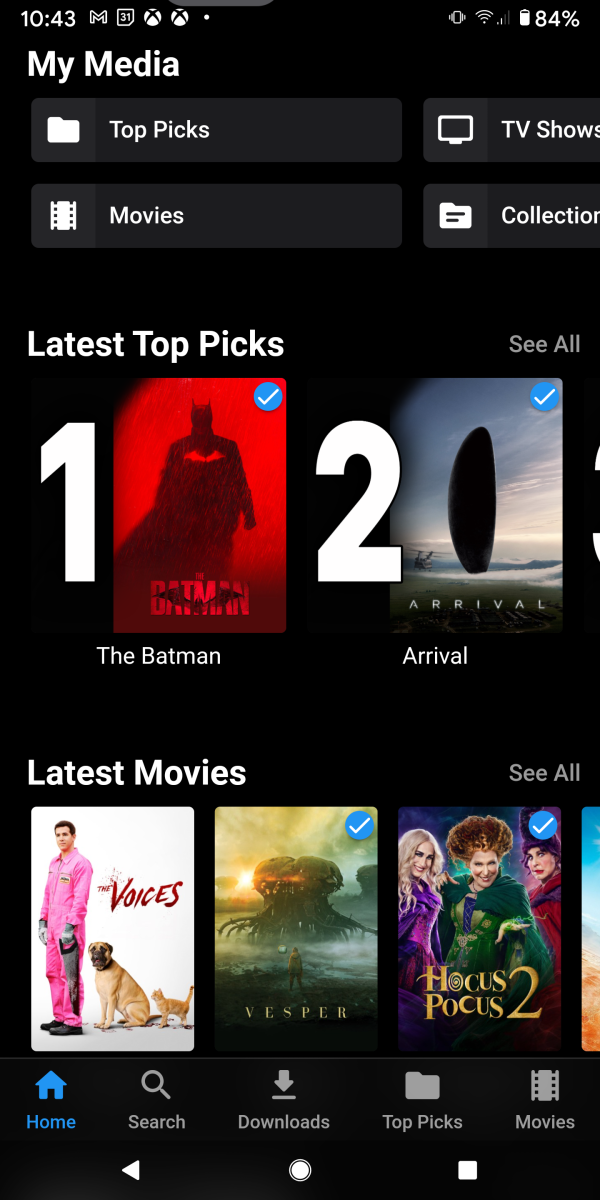
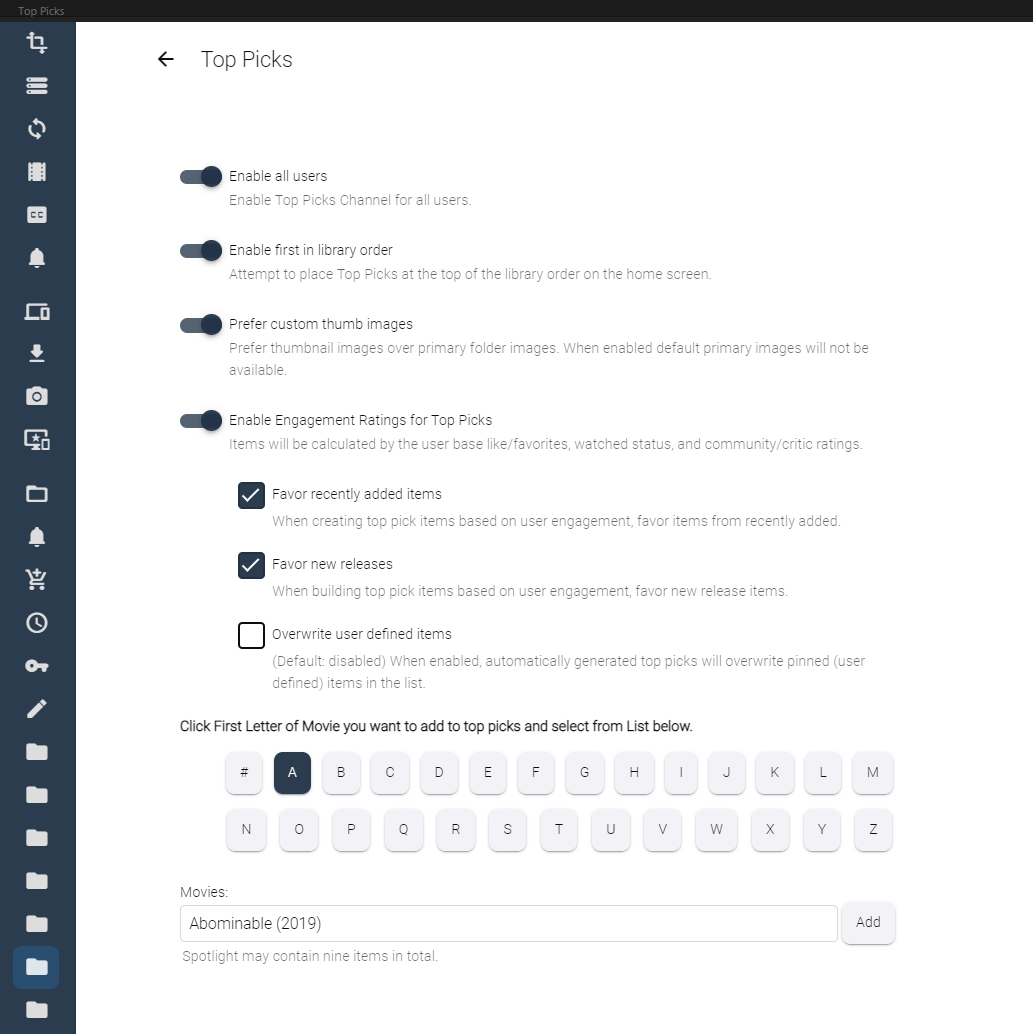
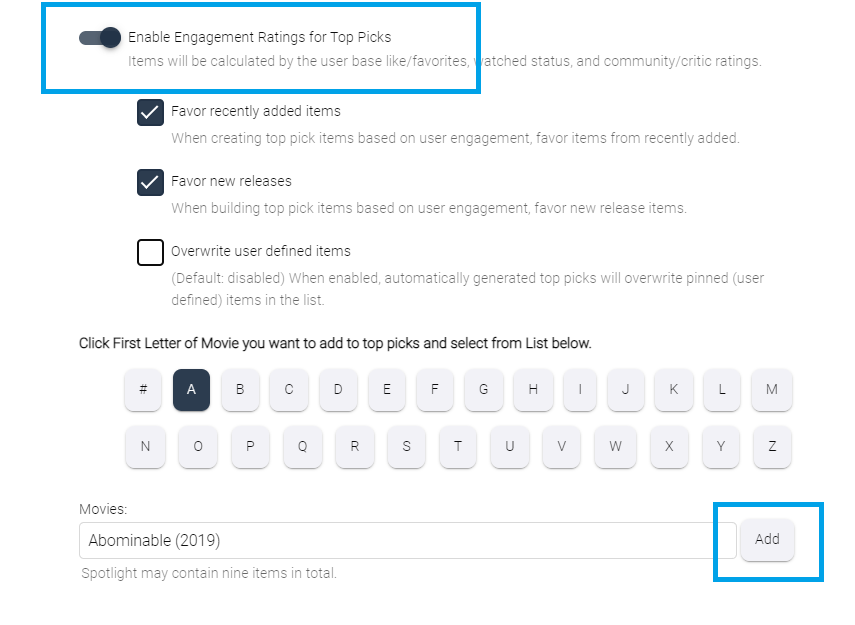
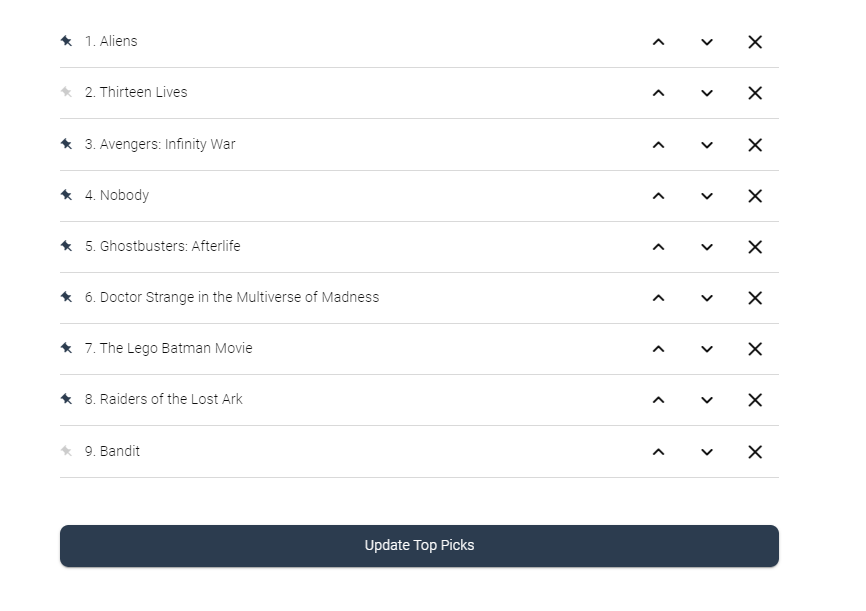
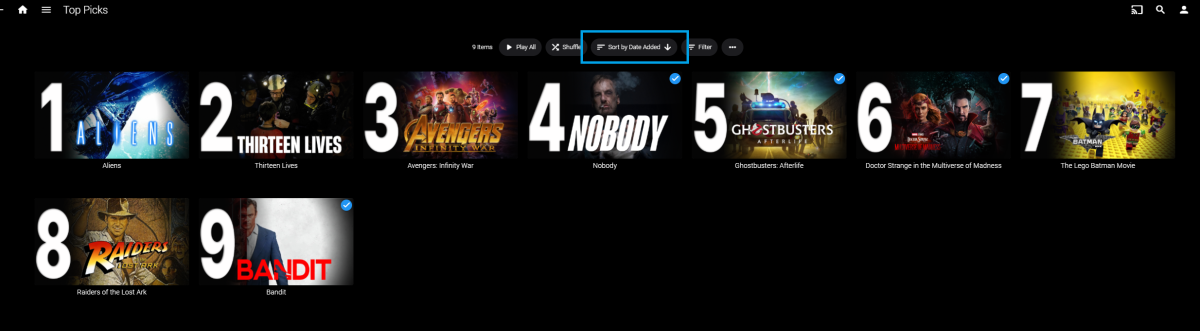
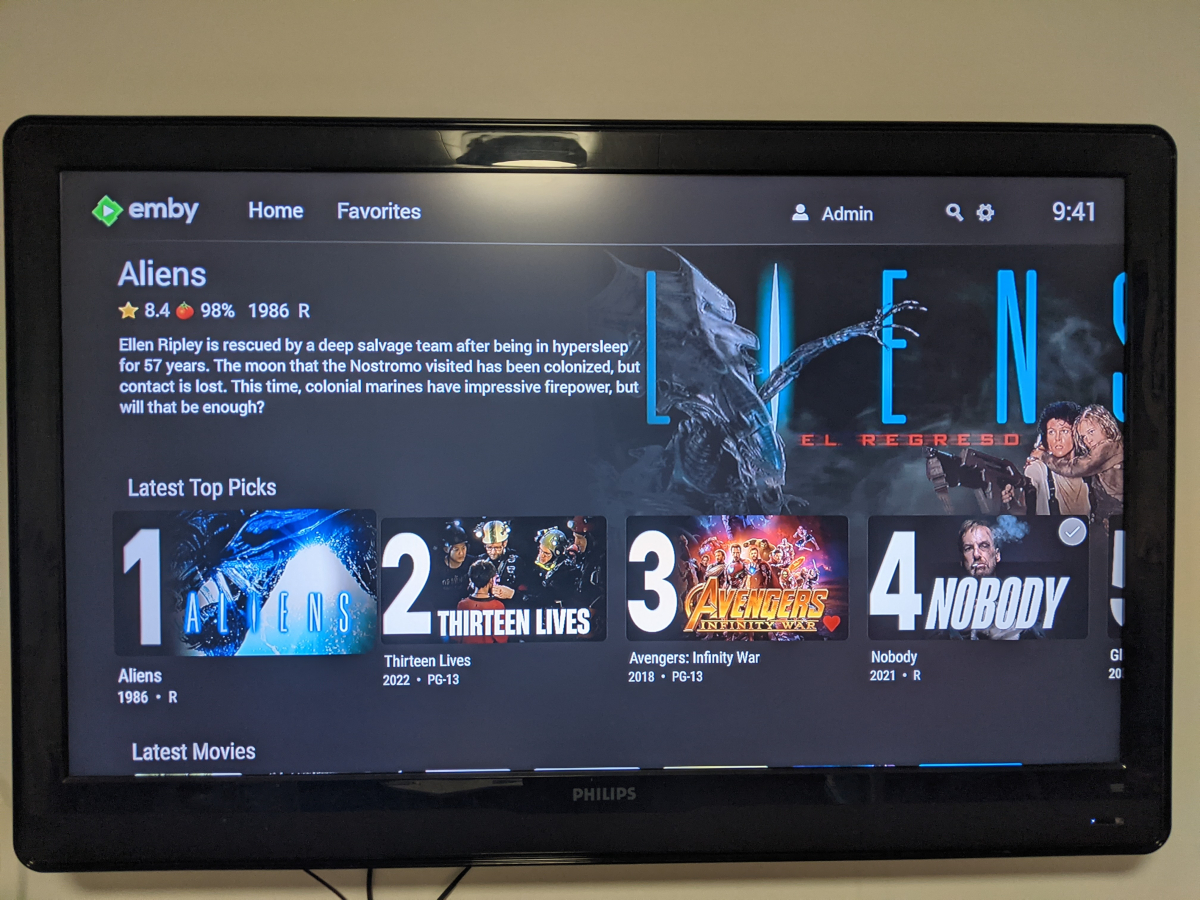
Welcome to Top Picks Top Picks will create a custom movie library with ranked items to share with your user base. Enabling settings in the top pick configuration will allow you to create a library based on your user engagement, and also customize what's being shown in the library. Note: Larger movie libraries will have the best chance at generating user engagement top pick items. Smaller libraries may only generate a couple top picks automatically. Critic rating, and community rating do play a part in choosing top pick items, along with User Likes/Favorited Items, and also Watched States. Creating, and editing the Top Picks List: After enabling, and running the scheduled task for user engagement (which will populate an initial list, but is also completely optional), you can also customize the library by adding movies of your choosing, and add-to/edit the top picks list to a maximum number of 9 items. It is important to note that users of the Top Picks library should not hide watched content from their home screen. This will ensure that all the content added to Top Picks is shown in the home screen layout. Pinning Items to the list: These items remain during the engagement rotation. This means that only auto generated items will be replaced weekly. Note: List item rotation will only happen when items are available in the library which meet the engagement criteria. This may lead to some manual up keep of the list. (In the image above, only the 2nd, and 9th item are allow to change, because they are not pinned to the list. However, the item changes will be based on the engagement results, and may not change based on the current state of the library and user engagement stats.) The more your users engage with the library, the more dynamic top picks will create lists. Favor custom thumb images over primary images: Favor custom primary images: Mobile: Android Enhanced Home Screen Layout Entering the Top Picks library you should choose to "Sort by Date Added" to have the images order themselves. There is a week long trial to test it out, after you install it from the catalog. If there are any questions please post them here in this thread. Please be kind, a lot of time, and work went into this. I'm open to further discussions regarding things that might make Top Picks better in the future as well. - chef Version 1.0.0.20 theme media is now added if it exists for a library item. Version 1.0.0.19 Current NFO files that exist in the library are now successfully used and properly altered for top pick items. This stops Emby from having to try and identify items which are already properly identified in the library. The ability to target a specific library for top pick creation. Version 1.0.0.18 Library items now have the option to show the top pick tag or not. Top picks drawing classes now attempt to draw custom thumb/primary images in memory without saving assets until complete. Version 1.0.0.17 Library is created with servers language for metadata retrieval. Top Picks will now search providers for missing resources to draw custom images for the library

 1 point
 -
Hi, Emby's subtitle feature has come a long way since I started using MB3 and I think the next step is now possible. The OpenAI group has released 'Whisper' a python (there is also a cpp implementation available) module that can be run locally to generate subtitles in 99 different languages (although english is the most efficient from a resource perspective currently) for any file containing audio. This is a OSS model that can be implemented (maybe as a plug in) across many OSes and would allow the generation of subtitles for things that currently lack them. Without hardware support it can't run in real time but as a scheduled task could be run during slow periods for a server. https://arstechnica.com/information-technology/2022/09/new-ai-model-from-openai-automatically-recognizes-speech-and-translates-to-english/ for a overview https://github.com/openai/whisper for the Github of the project.1 point
-
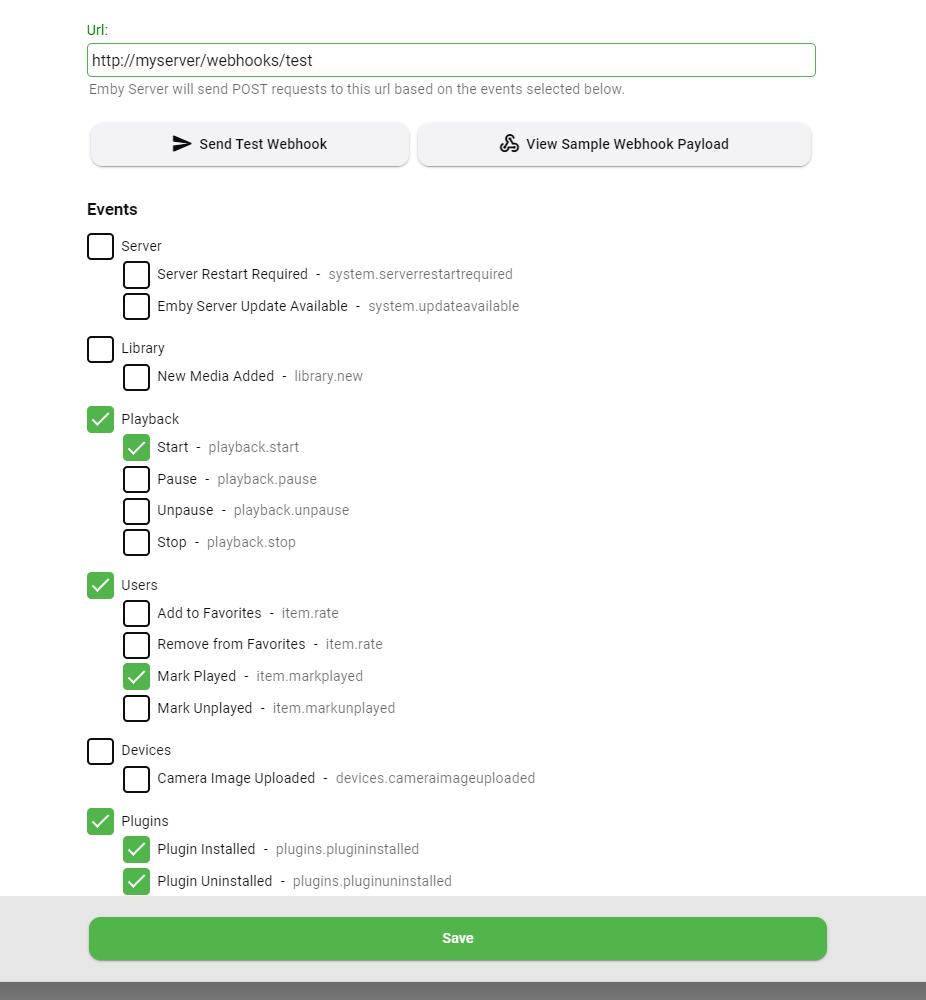
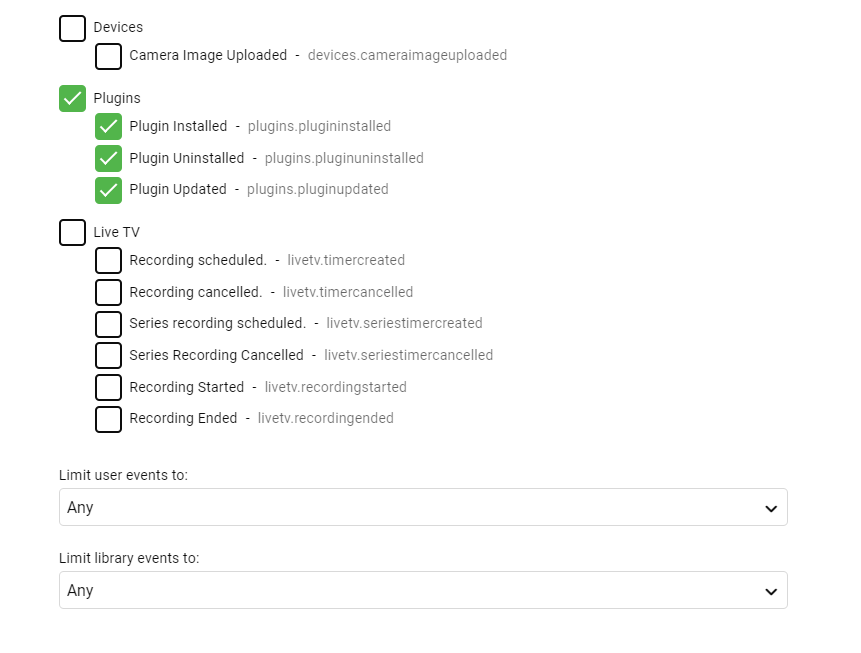
Here's what to look for in the next update to the Webhooks plugin (requires Emby Server 4.7.9+): Easy button to view a sample webhook payload Select individual events, making it easier to send different actions to different urls New events added for new media and camera upload User selection is now a multi-select You can also filter on libraries User selection is now a multi-select You can also filter on libraries
 1 point
 -
It is a newer model. UN65 TU700. They just got it last year. It is running the current version of Tizen.1 point
-
@rjow2021 Well that is do to it not following the rules. Look at folder name then look at file name, do you see the difference?1 point
-
Yes it sure did. I don't know how I missed that, Thank you. Clearly I skipped some reading and was defaulting to some typical without thinking1 point
-
Well, there has been 1 more development this evening. I changed the USB power supply to my Fire TV Stick. Now I can stream at close to 20mbps without stuttering, comfortably at 10mbps. Obviously the stick was not able to draw enough power, but now can. One to remember.1 point
-
OK this is included in the beta server 4.8.0.13+, so you'll need that in order to try it out. It may also get backported to a 4.7 stable release but that's undecided as of now. Due to the extent of the changes, you should double check your webhooks settings and re-save them if necessary. Even more event have been added beyond the ones in this screenshot, and that's because ultimately the work done here is going to serve as the basis for a revamp of the server notifications system.1 point
-
I appreciate your reply. Hopefully this is on someone's to do list. It isn't a big deal, just something I noticed when I was looking for something to watch.1 point
-
I would use camtasia... I got a license once for very cheap at HumbleBundle. I need to watch that video of yours! Thanks for that.1 point
-
4.7.8 here and its definitely broken for TV. Despite scanning of libraries, it randomly selects whether it will play the TAG MATCH into on a TV episode even though the meta tag under TAGS is same name as the main filename to play e.g. INTRO1 named tag has a filename called INTRO1.mp4. Permissions the same as movies intros which do work. Nothing in Logs I could see, no errors etc. Originally in server version 4.6.7/4.7.6 it did work BUT only if you had one intro file when using TAG MATCH - so if you had a few tags each pointing to a different filename it would not work in that scenario.1 point
-
Ok it's possible for future updates. Thanks.1 point
-
Hi have you explored the stats feature in the video player during playback?1 point
-
Hi. That information comes from the player so it is the client.1 point
-
No reason to do that conversion at all, in general. Paul1 point
-
Thanks for the reply! Since I'm hosting the m3u8, I think I can do the SVG->PNG translation myself for now.1 point
-
Hi Luke. I wanted to circle back on this with a fix, as I managed to solve this. In short, it seems the issue was caused by me having first created a Music library and pointed that at my Podcast/Audiobook drive folder. I’d then created an Audiobook library and pointed it at the same folder, which is where the problem arose. I deleted the original Music library in Emby, but that didn’t fix the issue. It seems that I had to remove any libraries that referenced the folder with my podcasts and audiobooks in it, then create a new Audiobooks library. After that, it works fine. TL;dr: Don’t re-use a folder that once had music in it for an Audiobook library. Create a new one with a new folder.1 point
-
This is fantastic mate, had to register with paypal as soon as I installed it. Thanks for your time on this! It looks and works great.
 1 point
 -
In the end, I reverted back to my original nginx config but keeping the prompt turned off. I got a playback stop again yesterday, but just once this time. After resuming playback where it left off, if was flawless. Opening Web Inspector does not change anything for me, I don't have any error beside some image's 404. I hope that in 4.8 I don't have this issue anymore. In 4.6, I didn't have that behavior but I didn't had proxy neither so... don't know who's the culprit here without any help from the devs. I'll post here if I find something helpful.1 point
-
Tvdb sends back TBA as the title when it doesn't have that data yet.1 point
-
don't worry ! Juste for christmass ;-)1 point
-
Hi, please see here for a similar question and answer of how you can do this: Let us know if this helps. Thanks !1 point
-
But this only works if clients are capable of playing the media. Primarily transcode do to Auto playback quality. If client is not capable your media will just error out.1 point
-
Yea I figured that. I'll have some free time this weekend I wanna pull the code and see if there's a simple way to put it together. I'm not to big on coding C# however I can do some python though. lol Shall Be fun to toy with though1 point
-
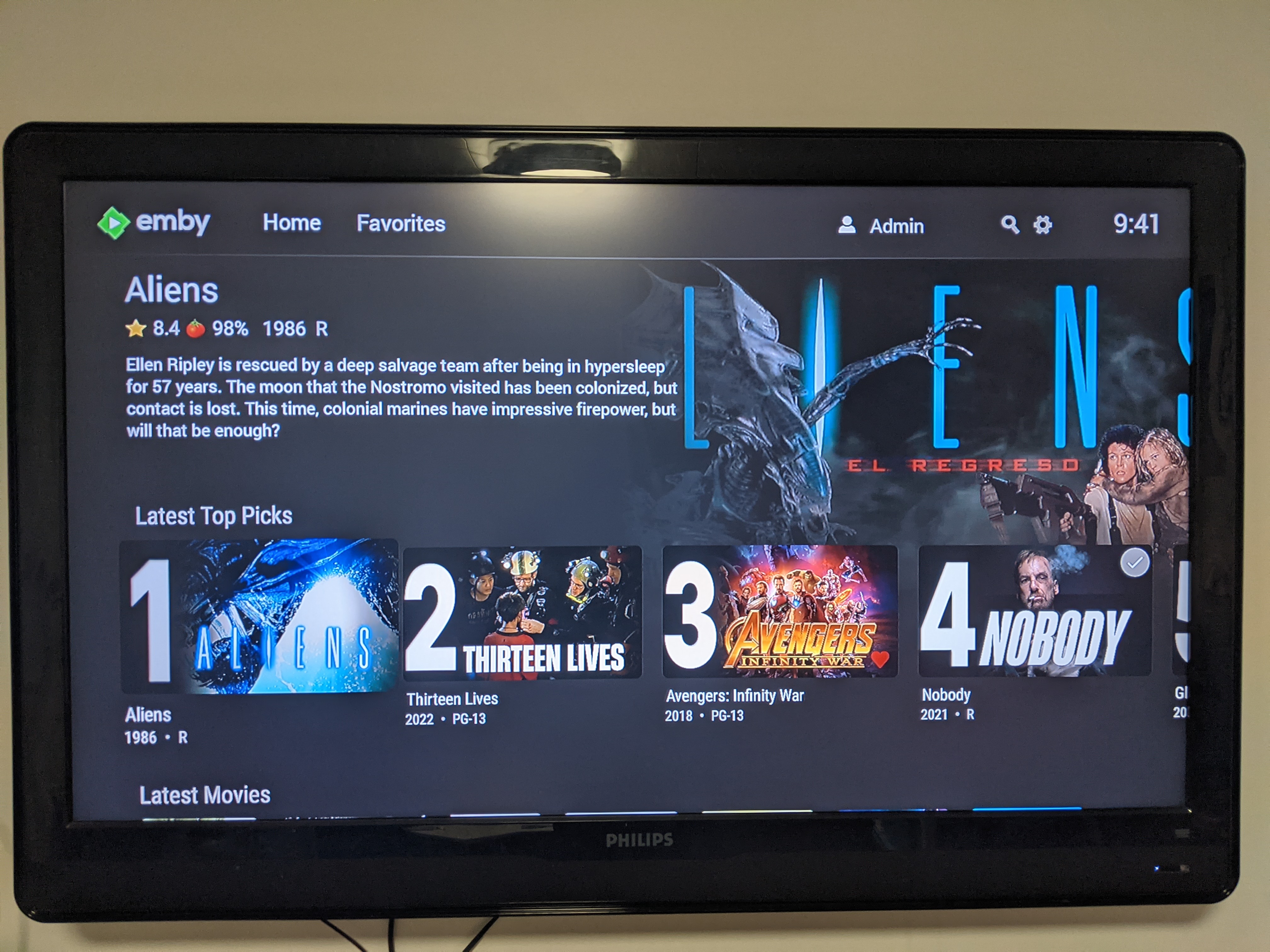
excellent. Top picks will now contact providers to locate the resources it needs to draw the custom images if they don't exist in the library. Very nice. ... 2022-10-19 22:37:03.388 Info Top Picks: Retrieving Logo from provider for Top Pick Aliens... 2022-10-19 22:37:04.701 Info Top Picks: Raiders of the Lost Ark logo copy successful. 2022-10-19 22:37:04.710 Info Top Picks: Raiders of the Lost Ark backdrop copy successful. 2022-10-19 22:37:04.922 Info Top Picks: Nobody logo copy successful. 2022-10-19 22:37:04.956 Info Top Picks: Nobody backdrop copy successful. 2022-10-19 22:37:05.058 Info Top Picks: Ghostbusters: Afterlife logo copy successful. 2022-10-19 22:37:05.237 Info Top Picks: Aliens backdrop copy successful. ... I will tend to some error handling, and push an update. I will also post what is contained in the update in the OP.1 point
-
Emby currently does not use episode name at all they require numerical order to get from providers.1 point
-
Currently it is a per-stream limit and not a total limit.1 point
-
Same issue happens on the TMBD api as it returns multiple result but yes if better "name" matching could happen it would be better instead of first result. As the TVDB api returns 2 results for query=The House Across the Street&year=2022 So the question becomes why does "The Woman in the House Across the Street from the Girl" appear first as it only contains "the House Across the Street"?1 point
-
OK Thanks. I've got this resolved in the web app. We'll look at it on android.1 point
-
The video helps a lot, I think I know what's going on and it confirms my suspicion It looks like it's having trouble retrieving the track details from the player. The single digit instead of a full detail line in item 2. of the debug confirms that. Now I think now I know what we're going to need to do to resolve this. Thanks1 point
-
Synology in general seems to use low end CPUs in their NAS likely to save $ on hardware as well as electric costs. Because of that you really want to make sure the NAS you purchase (if running Emby Server on it) support QuickSync which allows some complex decoding/encoding to get shifted over to the GPU vs running on the CPU. Amount of memory as well as strategic use of NVMe can make a world of difference as well to how fast Emby Server runs on the NAS! Carlo1 point
-
Any news on this? Seems that it's for quite some time1 point
-
Thanks for the kind words. If this plugin goes over well, we can use the same registration to create a companion in the future that can handle other media types in emby for sure.1 point
-
Just for grins...What model of Roku player is being used? I am having a similar problem and have tracked it down to a few consistencies. 1. Seems to only happen on lower end Roku players. Mid and Higher end Roku devices have no problem playing the same content, even when on the same network. 2. Seems to happen on Samsung TV's (Tizen) with the Emby app. 3. Seems to happen on Roku TV's (Hisense) with current Emby app. Might be nothing, but I did not see mention of the type device being used.1 point
-
We're looking into it. Thanks guys.1 point
-
I think the support would have to be built into our app. A server-side plugin isn't going to do it.1 point
-
Version 4.8.0.10 Beta. I just now did the same update to .12 and i see the same thing. Im going to pkay with the setting and check.1 point
-
No problem, glad to hear that it has improved.1 point
-
Okay let's build this thing. We'll use ebr's idea of handling everything through user policy. - copy views (home screen layout) What else? we'll need a list. it's probably likely we can create a couple options. you'd create a use, then open the plugin config and choose which layout/template you'd want to use. does this sound like what we need?1 point
-
We'll put a review of this on the to do list. Thanks.1 point
-
It's not an Emby issue. Yes, it would help to have this option documented for users/admins running Emby on Linux distros using systemd. And really only those who want to change service defaults. But this is core systemd functionality that applies to any applications that make use of it and not specific to Emby. I don't agree that the Emby devs should be responsible for anticipating and testing for user customizations. Same goes for conflicts created when using systemd overrides.1 point
-
Shield Experience 9.1 has been released. It is the same as the 3rd ebeta installment. https://www.nvidia.com/en-us/geforce/forums/shield-tv/9/496476/shield-experience-upgrade-91-released-63022/ Today we released SHIELD Experience Upgrade v9.1 (33.2.0.125) for all SHIELD and SHIELD Pro units. This update is based on SHIELD Experience Upgrade 9.0 and includes the following fixes: Enhancements: Adds support to automatically enable game mode on supported TVs (ALLM) Adds night listening mode (HDMI audio only) Adds option specify network workgroup when connecting to SHIELD over local network Adds option to create your own password when connecting to SHIELD over local network [SHIELD Pro 2019] Adds AI upscaling support for 60Hz HDR10 video [SHIELD Remote 2019] Adds option to only wake SHIELD with power button or NETFLIX button [Game Controllers] Adds option to only wake SHIELD with logo button Adds option to match uncompressed audio with Dolby reference volume levels Adds option to disable displaying HDR/Dolby Vision content Adds notification when app uses microphone Bug Fixes: Display Fixes bug where Dolby Vision mode would become re-enabled after reboot Network Resolves issue where link speed was not reported when connecting ethernet cable Resolves issue where “Restart Wi-fi” in Quick Settings was not working properly Audio Resolve audio pops heard after hotplug of USB audio devices Fixes bug where some apps would only play through headphones after “Match content audio resolution” is enabled Resolves issue where HDMI fixed volume required disable-enable cycle to work properly Fixes bug where stereo upmix would not become enabled after playing multichannel discrete audio [SHIELD 2019] Disables comfort noise feature when Dolby Audio Processing is enabled Storage Improves file transfer speeds to attached storage Resolves issues where NAS would not reconnect after SHIELD restart Accessories Fixes bug where SHIELD Controller 2017 or SHIELD Remote 2015 would not auto pair after taking upgrade SHIELD TV app Fixes bug where SHIELD TV app would not send keyboard entries while streaming GeForce NOW Resolves SHIELD TV app issue where user could not copy/paste text (passwords, URL, etc) Other Resolves issue connecting to GeForce NOW servers while NVIDIA Share is active Improves stream to twitch duration indefinitely Resolves issue where system would become unresponsive after enabling Dolby Audio Processing from quick menu Resolves issue where SHIELD would wake up unexpectedly Improved HDMI-CEC compatibility with other HDMI connected devices Resolves issue where app switcher (double tap home) would not show most recent screenshot properly Resolves adb connection issue where host PC would need to be re-authorized after 7 days Fixes bug where D-pad "up" and "down" would not function after upgrade1 point
-
It could be achieved in other way like stub which activates Siri/Google assistant command (Play X on Y), or for example for Itunes you can create any link which - if clicked - will open a player with a movie: https://linkmaker.itunes.apple.com/en-us/language For example this will play Dune on any device which has AppleTV installed https://tv.apple.com/movie/dune/umc.cmc.2l7qj9p33t3jww1roxi8cgiw5?itsct=tv_box_link&itscg=302001 point
-
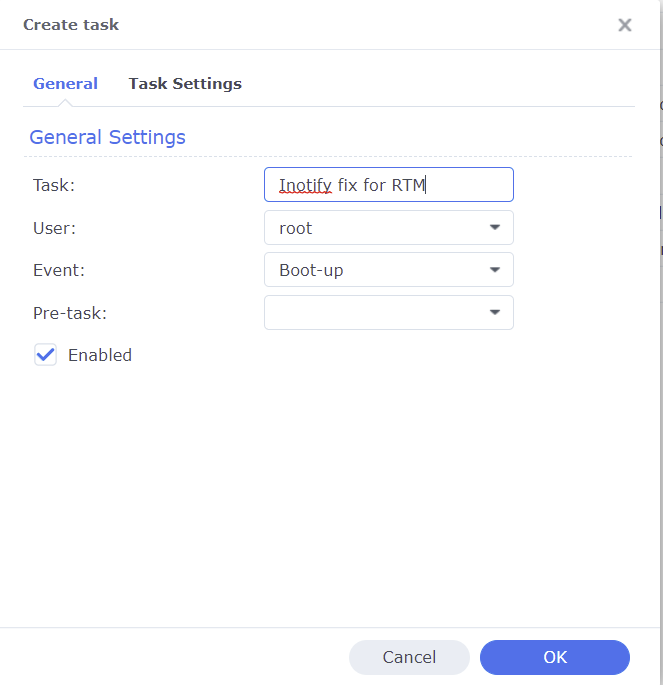
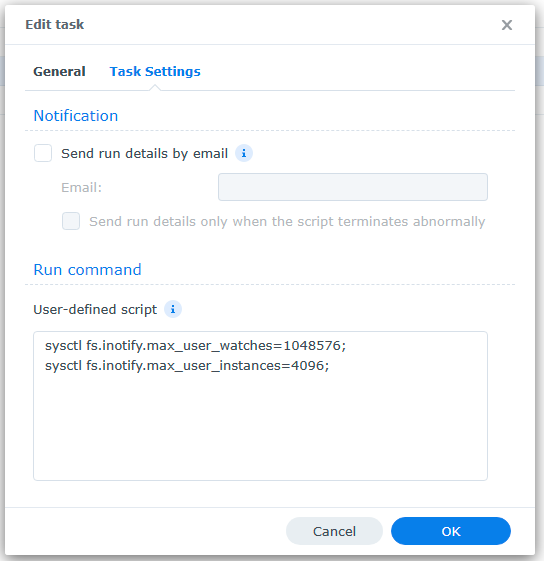
A common reason Emby's Real Time Monitoring (RTM) stops working on Synology NAS is because the Unix set user limit on inotify instances and/or watches has been reached as a result of a large number of changes for instances to process and/or the total amount of folders, files, etc that need to be monitored by watches. When RTM stops working you may start to see errors in your server logs like the following where the default number of user watches (8192) has been reached. A similar error will show up when the default inotify instances (128) is reached. System.IO.IOException: System.IO.IOException: The configured user limit (8192) on the number of inotify watches has been reached, or the operating system failed to allocate a required resource. To increase the number of inotify instances and/or watches create the following task in DSM control panel Task Scheduler logged on with admin privileges. 1. Create a Triggered Task...User-defined script to run at Boot-up 2. Paste the following commands under the Task Settings tab sysctl fs.inotify.max_user_watches=1048576; sysctl fs.inotify.max_user_instances=4096; 3. Click Run to execute the new task (if not logged on as admin then a restart may be necessary) The task will then rerun during every boot to prevent the changes from being reverted back to default from a DSM update. To check that your changes took affect you can optionally run the following commands in Terminal cat /proc/sys/fs/inotify/max_user_instances cat /proc/sys/fs/inotify/max_user_watches If your library gets really big and the limit of user watches is again reached, then just increase the number again. The maximum number of watches allowed in Unix is 524,288 and each used watch takes about 1kb of memory on a 32-bit system (double on 64-bit). However, it will only use what is needed based on the number of items being watched.
 1 point
 -
I will check later when I am near my tv and let you know, usually it seems to automatically update itself, so I am assuming whatever the latest version is out.1 point
-
You cannot force Emby to direct play. You have to ensure that it has no reasons not to do so. Reasons Emby might not be able to direct play: -- The client cannot handle an encoding in the file; this may be video, audio or subtitle format. Note that the handling of one incompatibility may introduce another - for instance, transcoding audio might then require re-muxing, and that may then require video transcoding (because Emby's default streaming format when remuxing doesn't handle HEVC, for instance); or subtitles which need burning in require video transcoding as part of the burning-in process. -- The bit rate of the file may be too great. The possible bit rate is determined by: hardware and network limitations; rate limitations set within Emby Server for internal connections, external connections, or individual users - they may also be set in individual clients. Transcoding is used to reduce the bit rate as specified. When playing, use the cog menu to bring up "Stats for nerds" which will tell you the reason for transcoding - you can then correct the setting, or ask for advice on how to prevent it. Some information is also on the server dashboard (try clicking the (i) symbol related to the client connection for greater detail) Note that the term "direct streaming" implies that the container has been changed - this is often because the audio is being transcoded (which is trivial), but not the video. Note that the client speed setting of "Auto" has a reputation for misjudging things, so it's worth trying explicit settings which you are confident your system can handle. Paul1 point