Leaderboard




Popular Content
Showing content with the highest reputation on 10/17/22 in Posts
-
Any update on being able to search backwards in the Guide in order to take advantage of "Catch-Up" TV with Emby?2 points
-
Mobile and Theater have the side menu, so I've removed the My Media section from my home screen as it's redundant. But this carries over to ATV and the Android app on my Shield, which don't have the side menu and thus makes most of my media inaccessible.2 points
-
Oh yeah! And by the looks of it, you are going to do quite well with it! Great work!2 points
-
you want me to compile all your work in a plugin for you? The only thing is you'd have to maintain it, so... downloading visual studio community edition is probably a good idea. you seem well versed in web based applications, so I can build up the plugin architecture so you can continue developing in js, and the backend C# will just load it for you... if you want2 points
-
Apparently a know bug. Also see two solutions here: https://support.mozilla.org/en-US/questions/12522622 points
-
He he, that's 2,500km from me at the moment....2 points
-
I've been trying both 1.6.41.39 and 1.6.41.37 and neither appear to be working any more. (On Emby 4.8.0.12 beta). Is Auto Organize working for anyone at the moment? (I followed the instructions in post#1 - stopped the server, placed "Emby.AutoOrganize.dll" in the plugins folder and deleted the fileorganization.db from the data folder).2 points
-
I tested: 4.7.8.0 > not working 4.8.0.10-beta: not working 4.8.0.12-beta: working Will wait until the next stable release for a final round of testing, but it seems fixed with the latest beta. Thanks!2 points
-
It would be nice if we could resize Emby Theater from the top edge of the app. I use it on my desktop a lot on a multi monitor setup and depending on my current work project, I move it between my different monitors which have different resolutions. When doing so, often the bottom edge gets lost off the bottom edge of the screen so I can't resize the window vertically because the top can't be used to resize the app. I usually have to drag it back to my largest resolution display, Maximize and Restore the window, resize it down to it's minimum, then drag it to the desired monitor and then I can maximize it again.2 points
-
Tried to search for this feature request but couldn't find it. It would be very good to be able to sort and filter the content of collections. I have some collections with a lot of movies (1001 movies you have to see before you die, Criterion collection, etc). As of today you can sort and filter the collections themselves but you can't sort and filter the content. So if I want to find an unseen movie from my 1001 collection I will have to scroll through a lot of movies. In the collection view you also separate categories (movies, tv, ...) and it would be great to be able to choose to not separate them also.1 point
-
ability to be able to add a collection into another collection. ie: Spiderman Collection into a SuperHero Collection. like i could with mediabrowser with shortcuts. TIA1 point
-
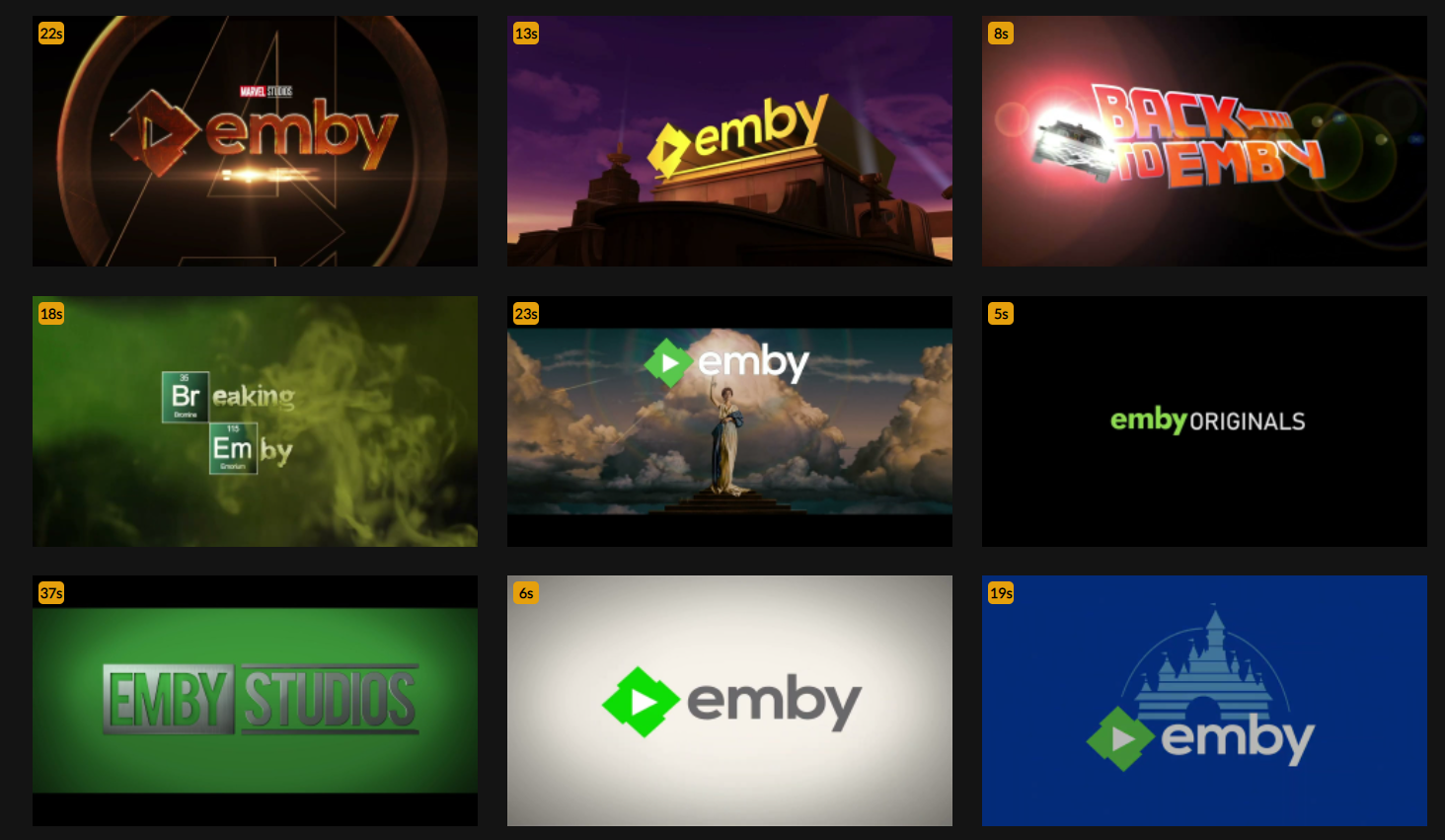
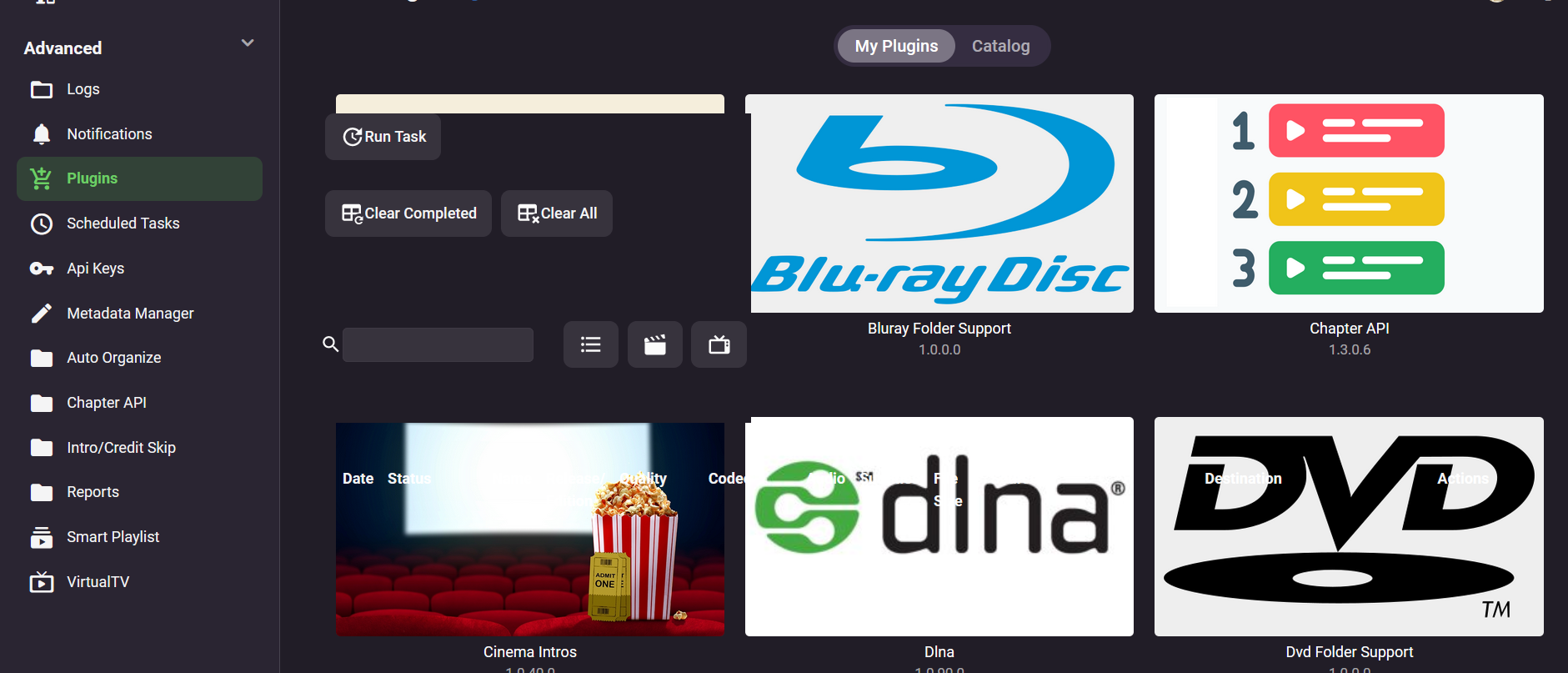
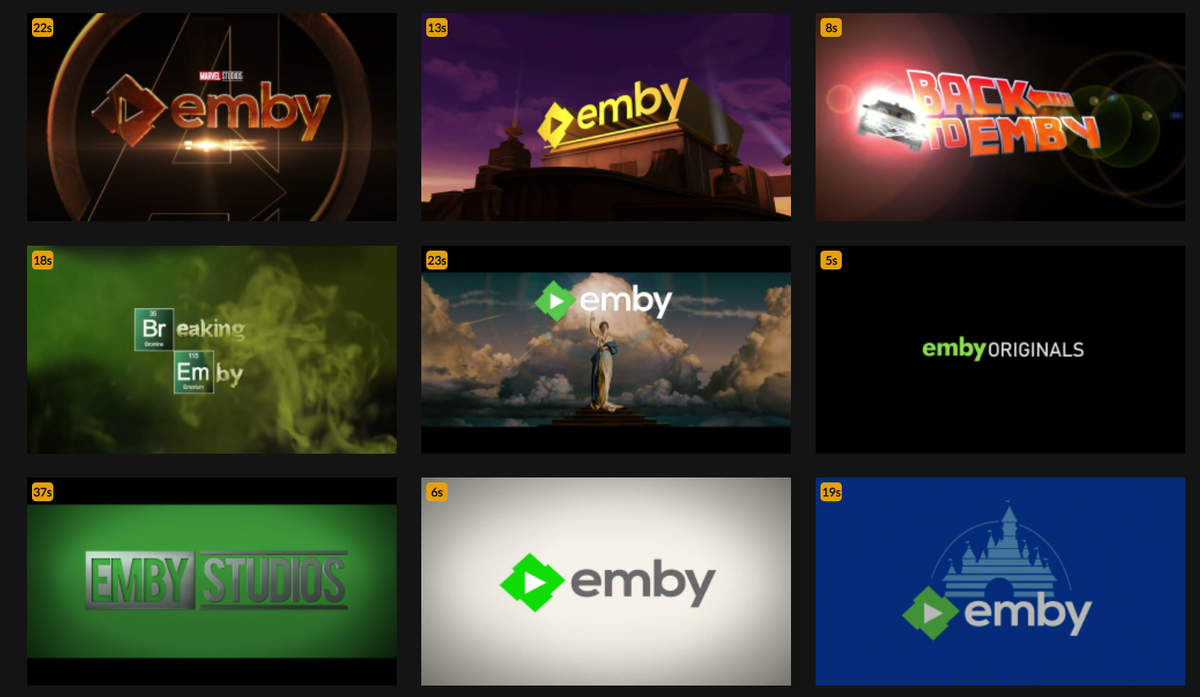
Here is my collection of about 50 pre-rolls for Emby: https://prerolls.me/platform/emby/
 1 point
 -
I notice there is no option for choosing external player on specific videos. Once you set the external player, all videos will opened in that player, but sometimes I only want a few videos to be played by external player. So I would say add a button, which opens the video in external player, on the movie/video page is a good idea.1 point
-
Hi is there a possibility to get a Parental Guidance Cleaner Plugin like the Genre Cleaner Plugin ? For US People probably has no sense but for people like me in Spain we end up having Movies with: ES-APTA, ES/A, ES-G, G ES-7, ES/7, ES-7, PG Etc. Now I've more than 60 different Parental Guide Codes for just 6 options (G, PG, PG-13, NC-17, R, X) Would be very useful to have somethig similar as Genre Cleaner to consolidate all Parental Guides for movies and TV Shows, otherwise it's impossible to filter by that. Thanks, and appologies if this is not the right forum section for this request.1 point
-
As a further test, I removed the snap firefox and added the mozilla ppa to my apt respositories, which installed the deb for Firefox 106.0. The font issue isn't present on this version. Everything is wonderful. I'm going to continue using the deb because I'm not really on board with the snap push to begin with, but that's twice now this font-family thing has come up on edge cases, so it probably still needs looking into.1 point
-
Yeah, I'm not sure how I forgot to map them. Lol this is solved1 point
-
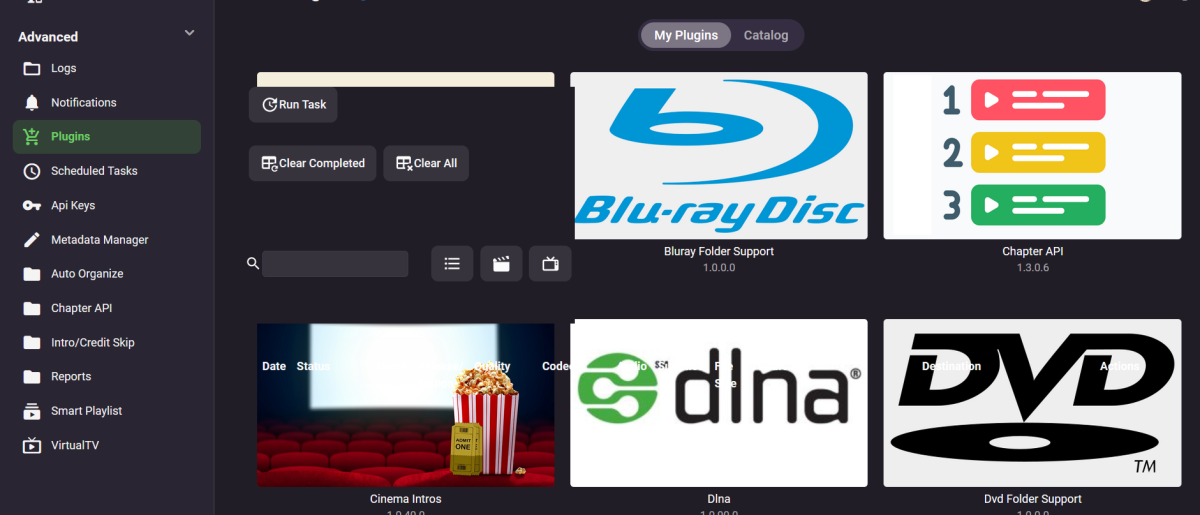
Experiencing this glitch, has anyone had it?
 1 point
 -
Played around a bit with this today using @pir8radio's nginx configs. Spun up a new ngnix container and pulled swag's letsencrypt's keys over. So I'm 100% on @pir8radio's nginx.conf version: "3.9" networks: media-stack: ipam: driver: default config: - subnet: 172.19.1.0/24 nginx: image: nginx:latest container_name: nginx volumes: - ${CONFDIR}/nginx/nginx.conf:/etc/nginx/nginx.conf - ${CONFDIR}/nginx/keys:/keys - ${CONFDIR}/nginx/logs:/etc/nginx/logs/ networks: - media-stack ports: - 80:80 - 443:443 restart: unless-stopped logging: driver: "json-file" options: max-size: "500k" max-file: "10" emby-stable: container_name: emby image: emby/embyserver_arm64v8:latest environment: TZ: 'America/Chicago' UID: ${UID} GID: ${GID} networks: - media-stack ports: - "8096:8096" - "8920:8920" volumes: - ${CONFDIR}/emby-stable:/config - /GD:/GD - /GD/TV:/TV - /GD/Movies_HD:/Movies_HD - /GD/Movies_4K:/Movies_4K - /mnt/MoviesCombined:/MoviesCombined:ro restart: unless-stopped logging: driver: "json-file" options: max-size: "500k" max-file: "10" cat /bsv/docker-state/nginx/nginx.conf worker_processes auto; error_log logs/error_test.log; events { worker_connections 8192; } http { include mime.types; default_type application/octet-stream; server_names_hash_bucket_size 64; server_tokens off; ## The below will create a separate log file for your emby server which includes ## userId's and other emby specific info, handy for external log viewers. ## Cloudflare users will want to swap $remote_addr in first line below to $http_CF_Connecting_IP ## to log the real client IP address log_format emby '$remote_addr - $remote_user [$time_local] "$request" ' '$status $body_bytes_sent "$http_referer" ' '"$http_user_agent" "$http_x_forwarded_for" $request_time $server_port "$http_x_emby_authorization"'; log_format default '$remote_addr - $remote_user [$time_local] "$request" ' '$status $body_bytes_sent "$http_referer" ' '"$http_user_agent" "$http_x_forwarded_for" $request_time $server_port'; sendfile off; ## Sendfile not used in a proxy environment. gzip on; ## Compresses the content to the client, speeds up client browsing. gzip_disable "msie6"; gzip_comp_level 6; gzip_min_length 1100; gzip_buffers 16 8k; gzip_proxied any; gzip_types text/plain text/css text/js text/xml text/javascript application/javascript application/x-javascript application/json application/xml application/rss+xml image/svg+xml; proxy_connect_timeout 1h; proxy_send_timeout 1h; proxy_read_timeout 1h; tcp_nodelay on; ## Sends data as fast as it can not buffering large chunks, saves about 200ms per request. ## The below will force all nginx traffic to SSL, make sure all other server blocks only listen on 443 server { listen 80 default_server; server_name _; return 301 https://$host$request_uri; } ## Start of actual server blocks server { listen [::]:443 ssl http2; ## Listens on port 443 IPv6 with http2 and ssl enabled listen 443 ssl http2; ## Listens on port 443 IPv4 with http2 and ssl enabled proxy_buffering off; ## Sends data as fast as it can not buffering large chunks. server_name embydr.*; ## enter your service name and domain name here example emby.domainname.com access_log logs/emby.log emby; ## Creates a log file with this name and the log info above. ## SSL SETTINGS ## ssl_session_timeout 30m; ssl_protocols TLSv1.2 TLSv1.1 TLSv1; ssl_certificate /keys/fullchain.pem; ssl_certificate_key /keys/privkey.pem; ssl_session_cache shared:SSL:10m; location ^~ /swagger { ## Disables access to swagger interface return 404; } location / { proxy_pass http://emby:8096; ## Enter the IP and port of the backend emby server here. client_max_body_size 1000M; ## Allows for mobile device large photo uploads. proxy_hide_header X-Powered-By; ## Hides nginx server version from bad guys. proxy_set_header Range $http_range; ## Allows specific chunks of a file to be requested. proxy_set_header If-Range $http_if_range; ## Allows specific chunks of a file to be requested. proxy_set_header X-Real-IP $remote_addr; ## Passes the real client IP to the backend server. #proxy_set_header X-Real-IP $http_CF_Connecting_IP; ## if you use cloudflare un-comment this line and comment out above line. proxy_set_header Host $host; ## Passes the requested domain name to the backend server. proxy_set_header X-Forwarded-For $proxy_add_x_forwarded_for; ## Adds forwarded IP to the list of IPs that were forwarded to the backend server. ## ADDITIONAL SECURITY SETTINGS ## ## Optional settings to improve security ## ## add these after you have completed your testing and ssl setup ## ## NOTICE: For the Strict-Transport-Security setting below, I would recommend ramping up to this value ## ## See https://hstspreload.org/ read through the "Deployment Recommendations" section first! ## add_header 'Referrer-Policy' 'origin-when-cross-origin'; add_header Strict-Transport-Security "max-age=15552000; preload" always; add_header X-Frame-Options "SAMEORIGIN" always; add_header X-Content-Type-Options "nosniff" always; add_header X-XSS-Protection "1; mode=block" always; ## WEBSOCKET SETTINGS ## Used to pass two way real time info to and from emby and the client. proxy_http_version 1.1; proxy_set_header Upgrade $http_upgrade; proxy_set_header Connection $http_connection; } } } Pointing my Nvidia Shield Pro - "Emby Android TV" client at "https://embydr.mydomain.com" port 443. I still get the same behavior. -Video will play just fine, but if I use ff or rw it will freeze up. -If i use the chapter timeline on the Emby Android TV client, to go forward or back. It works just fine. -Other Emby clients(pointed at the same nginx/emby server) IOS, Windows PC WebUI; Emby Theater work just fine. Skipping around on the timeline works well. -I also sideloaded the "Emby for Android" app onto the Nvidia Shield. ff and rw work fine; though I miss the progressive skip forward/back that the Emby Android TV app has. But ff and rw works just as you'd expect. Again, still pointed at the same nginx/emby server. None of my clients/users are allowed to do transcoding. This is all direct play. The problem only seems to exist when it's the Emby Android TV client, plus nginx. Pointing Emby Android TV directly at tcp:8096, problem goes away. Is the "Emby Android TV" client being deprecated and moving to just "Emby for Android"? Or is the Emby Android TV app the only one that will be on the Google Play and FireTV app stores? If it's being deprecated, then this is really a non-issue. EmbyServer 4.7.8.0 Emby Android TV 2.0.79g1 point
-
New build is up to try. Thanks.1 point
-
@Lukethis appears to be a Windows 11/Server 2022 issue as I have reproduced on Windows 11, but so far not on any older Windows version. But no one on any non-Windows systems have confirmed or denied this issue shown on other platforms.1 point
-
As I have already written, I use MakeMKV to rip the background videos from the Blu-ray menus and use these.1 point
-
This is the exact reason why you want to run Apache or nginx as a reverse proxy in front of Emby when you are exposing it to an insecure network. I doubt the Emby devs will ever keep up with all the new and emerging vulnerabilities that can be blocked by a simple reverse proxy. This is the type of solution I used in all the web based business apps I managed. Always assume that whatever security the app offers, a well managed reverse proxy is far superior. Exposing an application to the Internet without a managed reverse proxy is an open invitation for your entire network to be hacked and risks the privacy of all your personal data stored anywhere on the network.1 point
-
Yes, they are all listed scrolling on the front page1 point
-
We're following this: https://github.com/google/ExoPlayer/issues/10387 If time continues to pass by without improvement then we may look at doing that ourselves.1 point
-
Ok the apple TV app will get there. Thanks for the feedback.1 point
-
google today released the android 12 update for the 4k version of the Chromecast with Google TV and after the upgrade Emby for ATV 2.0.79g exhibits the same issue mentioned earlier (startups to a black screen and is stuck there). Is it possible to release the beta versions using the google play store beta program feature? That would make it easier to test without having to sideload1 point
-
I exclusively use Emby for Live TV. I love the layout of the Live TV section. It would be great if when I launch the app it automatically started in the Live TV section. It would be a nice setting in the app settings, Start in Live TV section. I know I can click in quickly if I add it to my home page, but it’s an extra step and my homepage would only serve the purpose to click in to the Live TV section. I use an Apple TV.1 point
-
Thank you,1 point
-
@FrostByte 100% agree. I like using kodi maven build (can playback DV material) but unfortunately, emby only uses or can see VLC as external player and won’t see the various kodi versions i have installed. VLC is limited when it comes to dv so i just go into kodi straight away if needed for the movies frostbyte mentioned.1 point
-
Hey there, any news from LG on the subject?1 point
-
The little pin hole in the back which resets everything has saved me a couple times when messing with things1 point
-
through USB and built-in media player it does not work . it says it is not compliant. But I think it does not fit TV Specs. I will test through emby anyway but I have an issue since last tizen update. I will revert1 point
-
I don't have a tunnel running on Synology but on a Windows machine since I've got multiple servers. I doubt there is any massive thing in this release you must have so if in doubt, just wait until there is a new version of cloudflared ready. That or you could install a virtual DSM machine and ty it there first to make sure it works. What I've generally found is that as long as you have your data files backed up Synology is pretty easy to recover from a bone-head operator error. : ) I've probably no less that 6 times reset it as I've gotten it in a bad state a few times testing things before publishing or helping users. A box reset will reload the OS/DSM and you can load straight to your last working version. The first couple times it's a bit un-nerving to do but now I don't even think twice about doing a reset. So that's probably you're worst case situation. Carlo1 point
-
It’s okay. I created a web app of Emby with safari and it works great in portrait mode for me. So I no longer need external player.1 point
-
Okay, I may have found the problem/fix. I disabled IPv6 on the QNAP and all seems ok at the moment. We'll see if that's the thing. embyserver.txt1 point
-
Have you tried looking at browser flag options? In Chrome/Edge entered IP or Hostname depending how you connect. edge://flags / chrome://flags
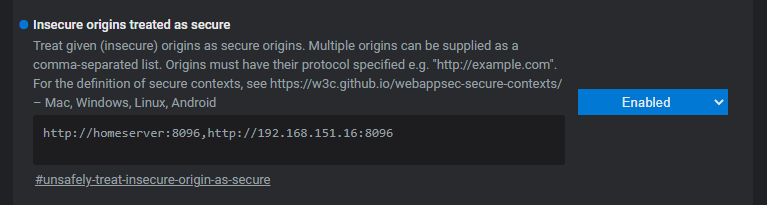 1 point
 -
In the next update to the webhooks plugin you'll be able to do exactly this, and pick specific sub-events so that you can setup one at a time if needed.1 point
-
It's possible. It is released on the 25th. Current AV1 hardware decoders are expensive, so many device mfg are not bothering with them. Some people have claimed the new Apple TV can brute force decode AV1, but we all know how well Emby plays with Apple TV haha.1 point
-
Hi, yes it makes sense. Thanks for the feedback.1 point
-
Look for this in the next update to the webhooks plugin. Thanks guys.1 point
-
So, it behaves like I thought it would. Thank you!1 point
-
Hi there, it's planned for future updates. Thanks for the feedback.1 point
-
Ok, after banging my head against a lot of walls over this library id switch, I've pushed up a release 2.2.0.10 that I hope will fix the issue with Iconic configuration page loading while avoiding breaking existing user configuration files.1 point
-
Yes we do plan to rework the shuffle mechanism in future updates as well.1 point
-
hi, a small proposal: a Button at the metadata manager to rename the file on HDD with the name and Date from the matadata. (better: with a selection with tag to use for rename) The reason: My movie file name contain the name and the year of the movie but the release og the movie here in germany is mostly one year later. WIth the wrong year at the filename the search at the imdb does not find the movie. I have to remove the year from the search. That means, i find the movie data but the file name contans the wrong year. A few week ago my database was corrupt. With the new installation of Emby I need to edit hundreds of entries manually. Waste time. greetings Taurec1 point
-
Its wonderful that we're blessed with companies like Google who take on the big companies for the common good. Oh hang on...1 point
-
I wrote this code just because I enjoy programming and learning. I was also planning to add features to simplify my Emby experience. Vic1 point
-
+1 for that request. Also the German Parantal Codes are a mess.1 point
-
Hi, yes it's possible for the future. It has been requested more than once before.1 point
-
Because what will happen is users will enable things that their devices don't support, and then they'll assume there is some kind of Emby problem and expect us to fix it.1 point