Leaderboard




Popular Content
Showing content with the highest reputation on 10/02/22 in Posts
-
HI, i investige a bit by my own and got an answer from Qnap support. It seems to be an issue by the new driver version. there is one special folder /dev/dri/nvidia0 missing. That is not the first time after QNAP updated the nvidia driver. On Plex support forum, the issue is also in discussion and Plex is already in contact with QNAP. Hope to get a new Driver version as soon as possible, that will fix it. For now the only solution is to deinstall the driver and the kernel manually, disable automatic app update and install the older version manually. (via SSH ) ALso install must be done manually. ( via SSH ) Or, more easier way: deinstall driver and downgrade to QTS 5.0.0. Update all apps and install the nvidia Driver. When done, update to QTS 5.0.1, but let auto App update disable. In that case you can use the new QTS version, but still the older and working nvidia driver Alex2 points
-
Luke, Thanks for the super-fast reply! Support on this forum has always been great and is one of the reasons I like Emby so much! I should have done some troubleshooting on my own before bothering the forum with this question, turns out I just fixed it right before seeing Luke's response (essentially doing just what he suggested). I just downloaded the latest stand-alone version for windows and copied the file "SQLitePCL.pretty.dll" from the downloaded zip file over top of the file on my server. Rebooted and it started right up. Perhaps I should do a full install of the latest version instead of just this one file, but it seems to be working just fine now. I guess something got corrupted in that file (perhaps as a result of the ungraceful reboot from the power glitch?). Let me know if you have any other recommendations, but it seems fixed now. Thanks again for the quick help! Mike2 points
-
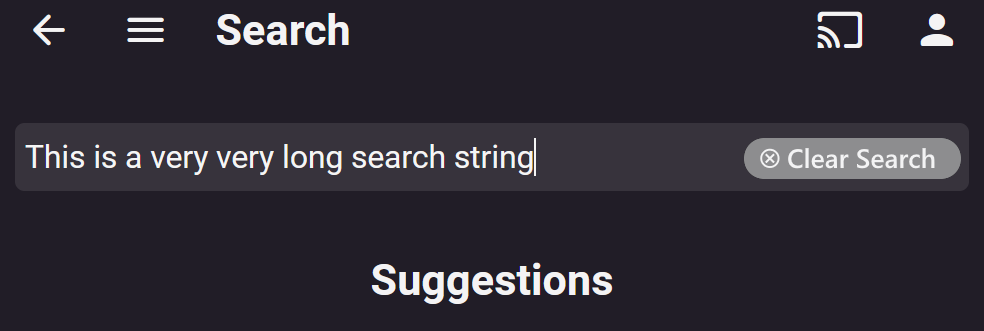
Hi all, along the lines of this request : it would be nice to be able to clear the search string with one click (x Clear Search) Thanks all, Roodee
 2 points
 -
Emby Server 4.7.7 - Keyword Recording, Lock Screen, Mini-Dock & More This is the latest point release of Emby Server containing new features as well as fixes for identified issues. DVR: Support Keyword-Based Recordings Newly added to 4.7.7 is the ability to record based on keyword(s). One way to access this new feature is to use the Recording tab from the Live TV interface, clicking on the Add Recording button as shown below. This brings up the following menu allowing selection of Keyword. Selecting Keyword bring up the following: Example Keyword search to DVR all Eagles NFL games regardless of day, time, channel or other criteria. Add Lock Screen Function to Video Player for Mobile Devices Tired of accidentally touching the screen and having the video jump to a new scene or doing something you didn't intend? The new lock screen will put an end to this when-ever you choose to use it. Simple click the lock button highlighted in yellow in the picture below to activate this. Any screen touches from this point on during the video will briefly bring up the following screen but do nothing else. In order to de-active this feature you would click the lock icon shown on the picture below, then click the confirm after that. This new feature is straight forward and very easy to use. Support Three-Way Navigation Menu Toggle - Switch Between Full, Mini-Dock and Flyout Modes One of the coolest features in this new release is the mini sidebar docking option. This works on mobile (Android Mobile shown below) as well as it does for desktop modes. In order to access this, click the highlighted icon shown in the picture below. Now, click the following icon one-time. You will now have the mini sidebar open as shown below. The mini sidebar is scrollable so if you have more libraries then would fit on screen you can simply scroll this menu up or down to gain access to all libraries on your system. You can click the icon to cycle through all the modes as needed. Add Image Size Display Option 4.7.7 adds the ability for users to select the image size they wish to use on each device's Libraries. In order to use this feature enter a Library and click the 3 dot menu. This will bring up a dialog with information that is library specific that displayed. You now have several choices you can choose as shown above for image size! Other improvements and fixes include: * Various database performance improvements * Stop scanning at the top of a library when it's unreachable * DVR: Don't use episode title for comparison when it matches the series title * Improved RTL supported in the web interface * Add more fields for selection in poster views * Fix support for simultaneous music and photo playback * Add option to control display of rating information at the start of video playback * Change wording of transcoding reasons to be more user friendly * Improve filter menu indicator Please report any issues you may have in the General/Windows section of our Community Forums: Emby Community General/Windows Forum View the full article2 points
-
It is really cool that Emby has the ability to support multiple versions of the same movie. It would be nice to have a setting on the client side to allow the user to set which version should be selected by default. This could be as simple a user-entered string, or it could be a list of detected strings to choose from. It could allow multiple entries and it would choose them in the order entered. On the Kodi side, it would also be nice to get the "Choose the Best Version for Me" option that the Emby app has.1 point
-
We developing a dashboard (web) to watch movies or series together. Our proof of concept was successful and works as we wanted. Proof of concept: We have tested the proof of concept and are now continuing to expand the platform, which is of course linked to Emby. Tested functionality and implemented; Connect users with external dashboard (connect uid's) Link devices to user Make groups / invite other users Sync video with each other or group Resync in group Groupchat Possible ideas Discord connection (chat, sync, profile pictures) Discord auto voicechannel (only users who are in the group) Share this dashboard with the community Dashboard: Join room (select device): Active group session with chat: Will be updated!1 point
-
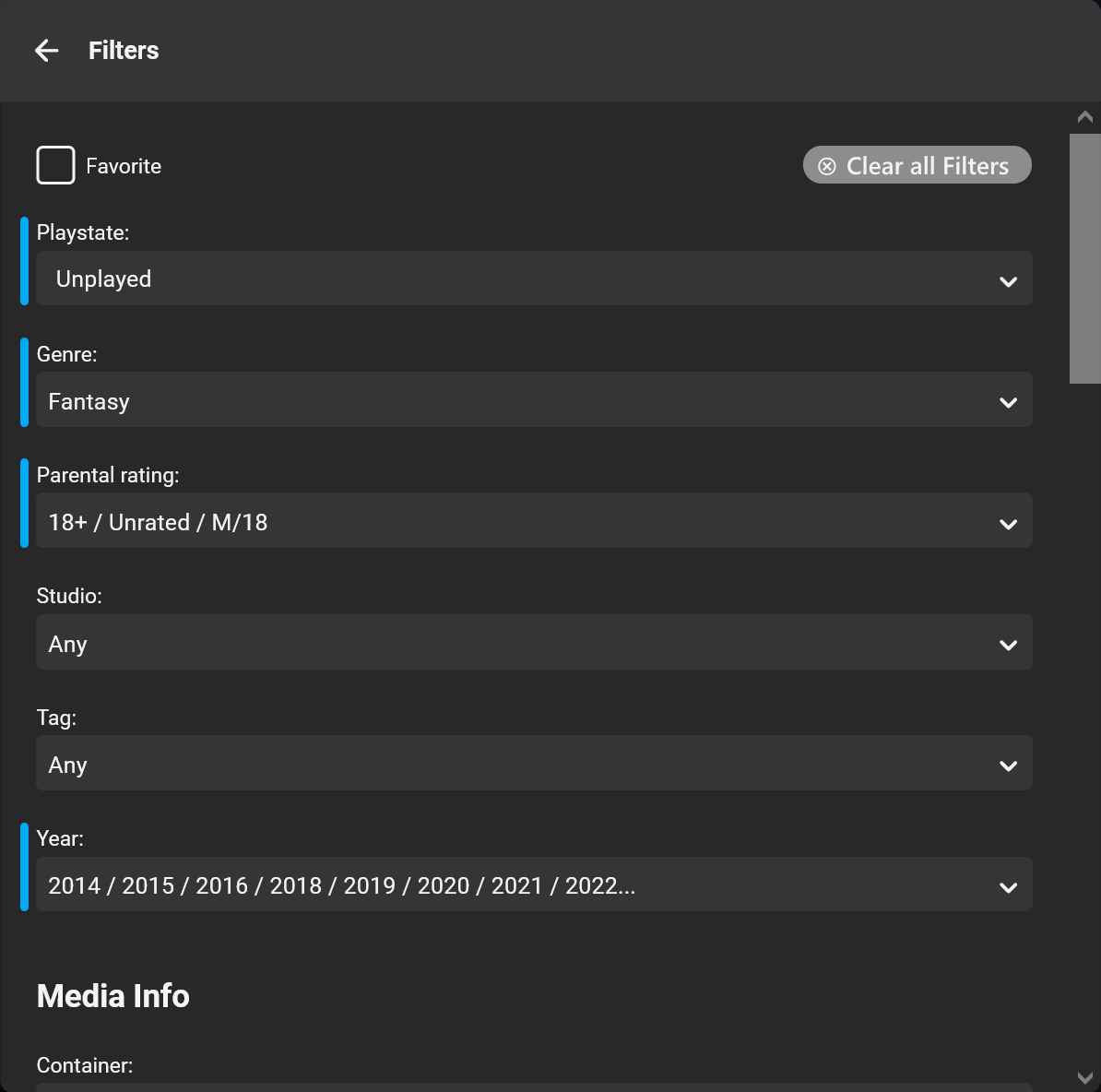
Sometimes when searching for a movie to watch I will set numerous filter criteria (Unplayed - Action - 2014 - PG13) for example. After Ive found what Im looking for its sort of cumbersome to have to go back in and unselect all the above individually. Any chance we can get a "clear all" button of some sort to get you back to viewing your entire library unfiltered? Plex does this and its very convenient. Thanks!1 point
-
@Luke But this is about Season level extras (but the placement fields already place them properly within Season from Season 0/Specials) and episode extras. As a Series/Show is not as simple as Movie putting an extra folder with media and it appears on Item page. With Shows an additional episode folder layer would have to be added (even though I believe it is already supported). Need coding to add extras to episode itemsdetails. Example for episode 1 extra to appear on episode itemdetails page as it really is not a Season 0 item to be placed within a Season. showfolder\seasonfolder\episodefolder\episode.ext Doctor Who (1963)\Season 1\Doctor Who (1963) S01E01\Doctor Who (1963) S01E01.mkv showfolder\seasonfolder\episodefolder\extras\extraname.ext Doctor Who (1963)\Season 1\Doctor Who (1963) S01E01\Extras\Deleted Scenes S01E01.mkv1 point
-
In Emby Server 4.8, we'll add support for using all of the same names that you can use for video files: extras specials shorts scenes featurettes behind the scenes deleted scenes interviews Specials is already supported and will be detected as Season 0, but we'll make the others all aliases of Season 0 as well.1 point
-
Just to add I am now on 4.7.8.0 Docker on Unraid and my original configuration as previous described is back to working 100%1 point
-
Any account appears to return to default sorts, if you update the password or login from a different computer. Tricky to test.... Hmmm. A side effect appears to also raise your blood pressue without needing any medication!1 point
-
Apps will need updates before it will be available.1 point
-
They may have changed slightly although I don't think they're that much bigger. But yes there is a new image size option that you can play with.1 point
-
@cayarsI wanted to extend my gratitude for your extraordinary patience and help! I finally successfully installed the Hynix P31 Gold (1TB) and copied over the Emby folders to it. The improvement to performance has been nothing short of startling! Whereas, previously we had to contend with jittery playback and frequent freezes (when pausing play or fast forwarding), now it's as smooth as Tennessee whiskey, or an 18-yr old Macallan, whichever you prefer. Honestly, I had forgotten what a pleasure it was to play something through without some hiccups. Thanks you so very much!1 point
-
i moved to Version 4.8.0.10 beta and i no longer have freezing. the playback error is still showing the recovering from playback error when using firetv on the android tv app, but doesnt seem to be causing issues. the sideloaded app 3.2.76 still does not show this error.1 point
-
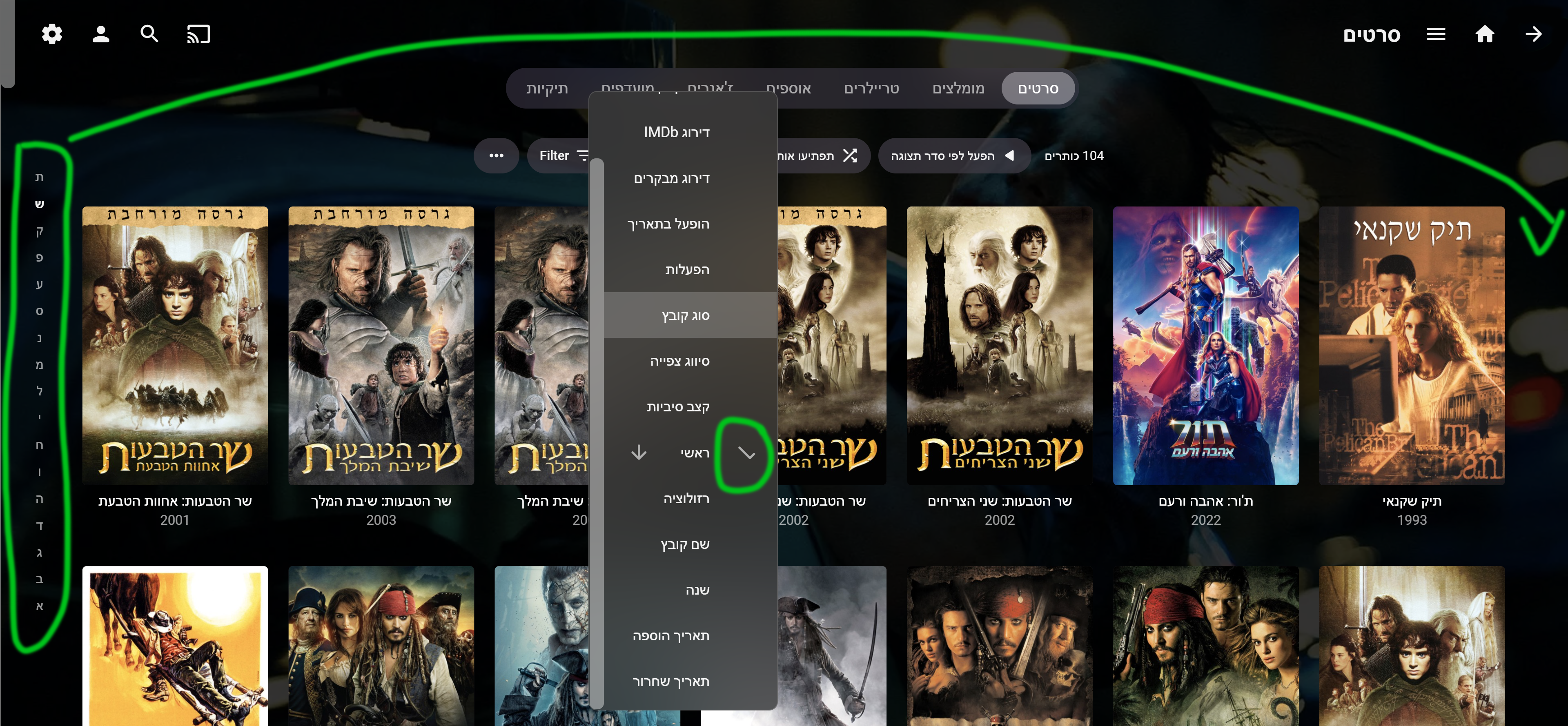
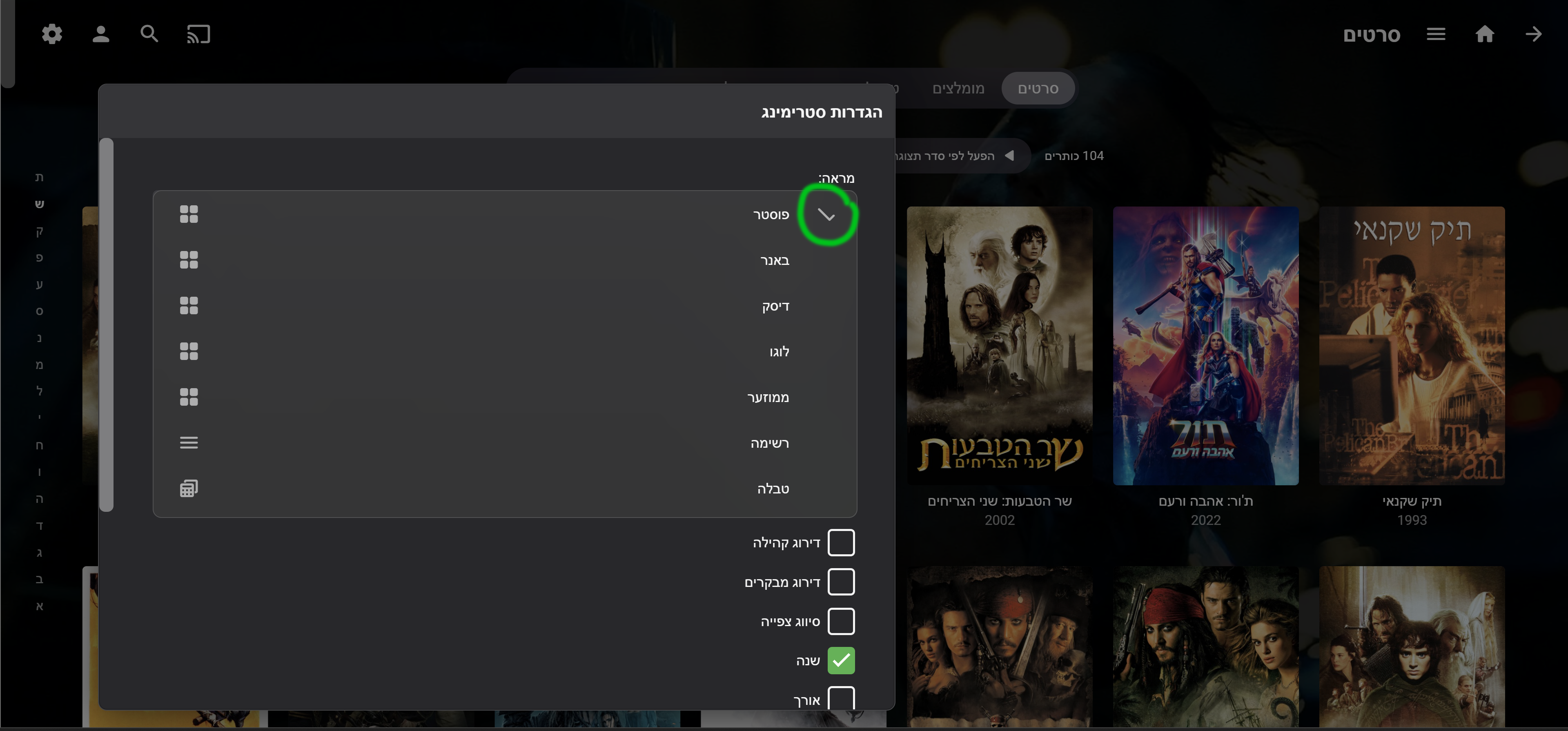
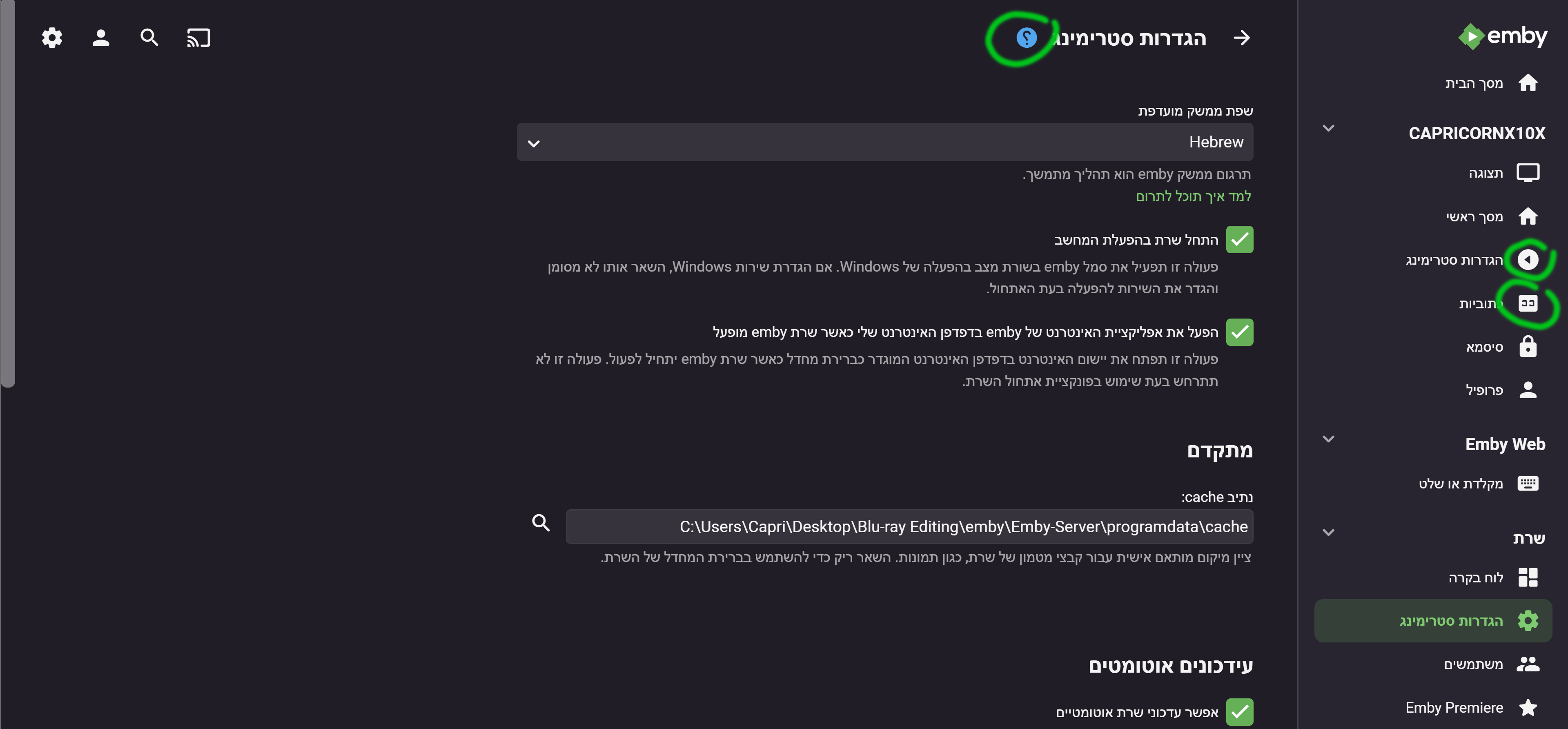
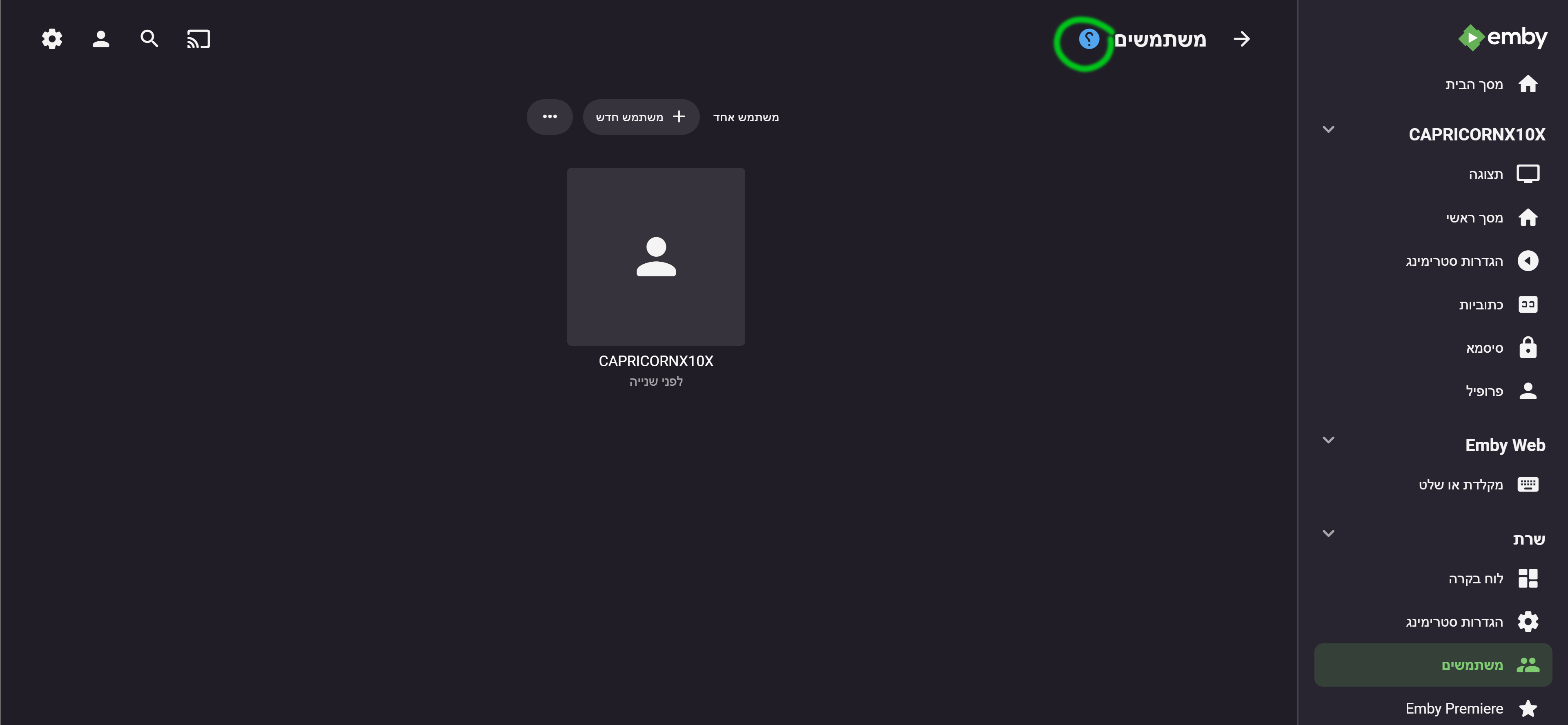
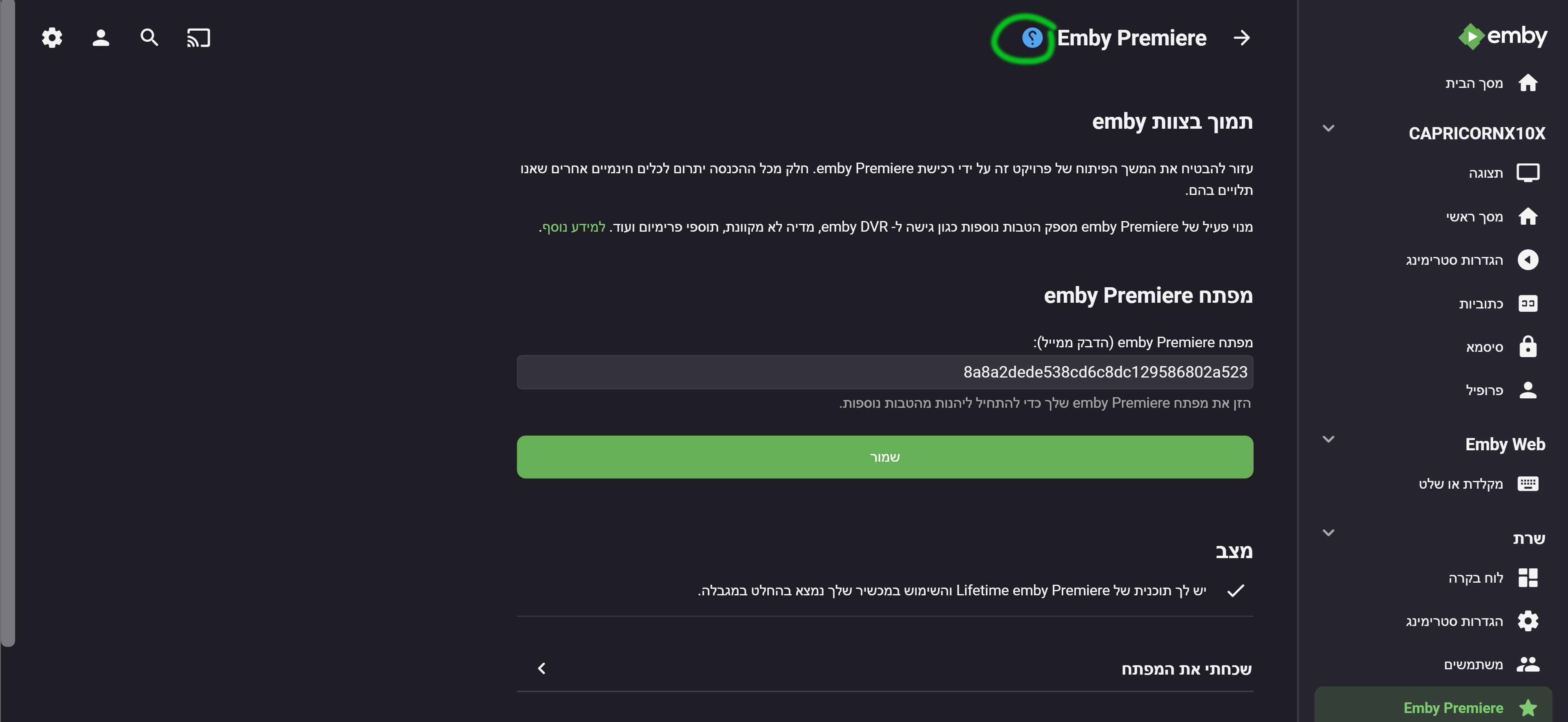
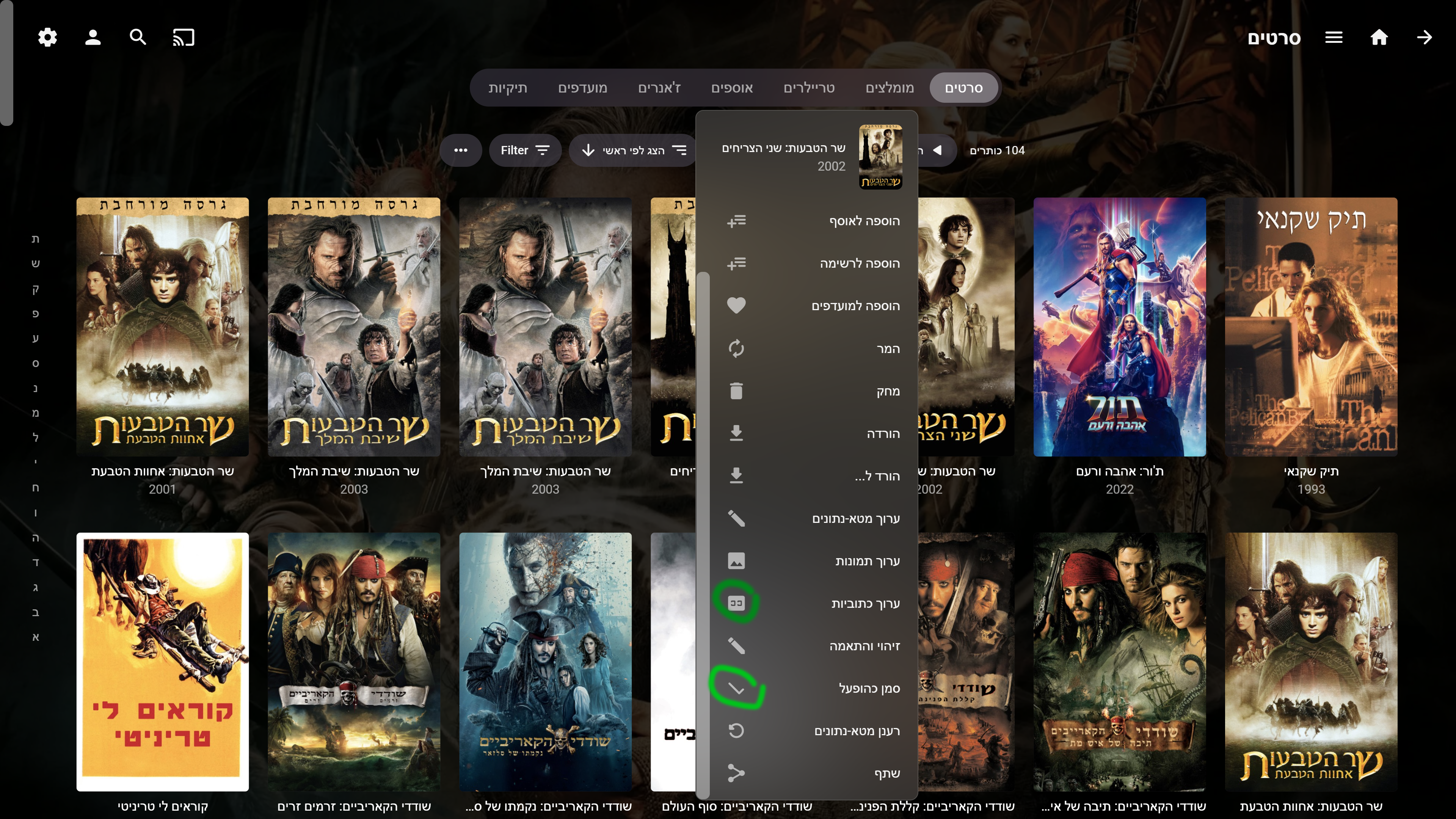
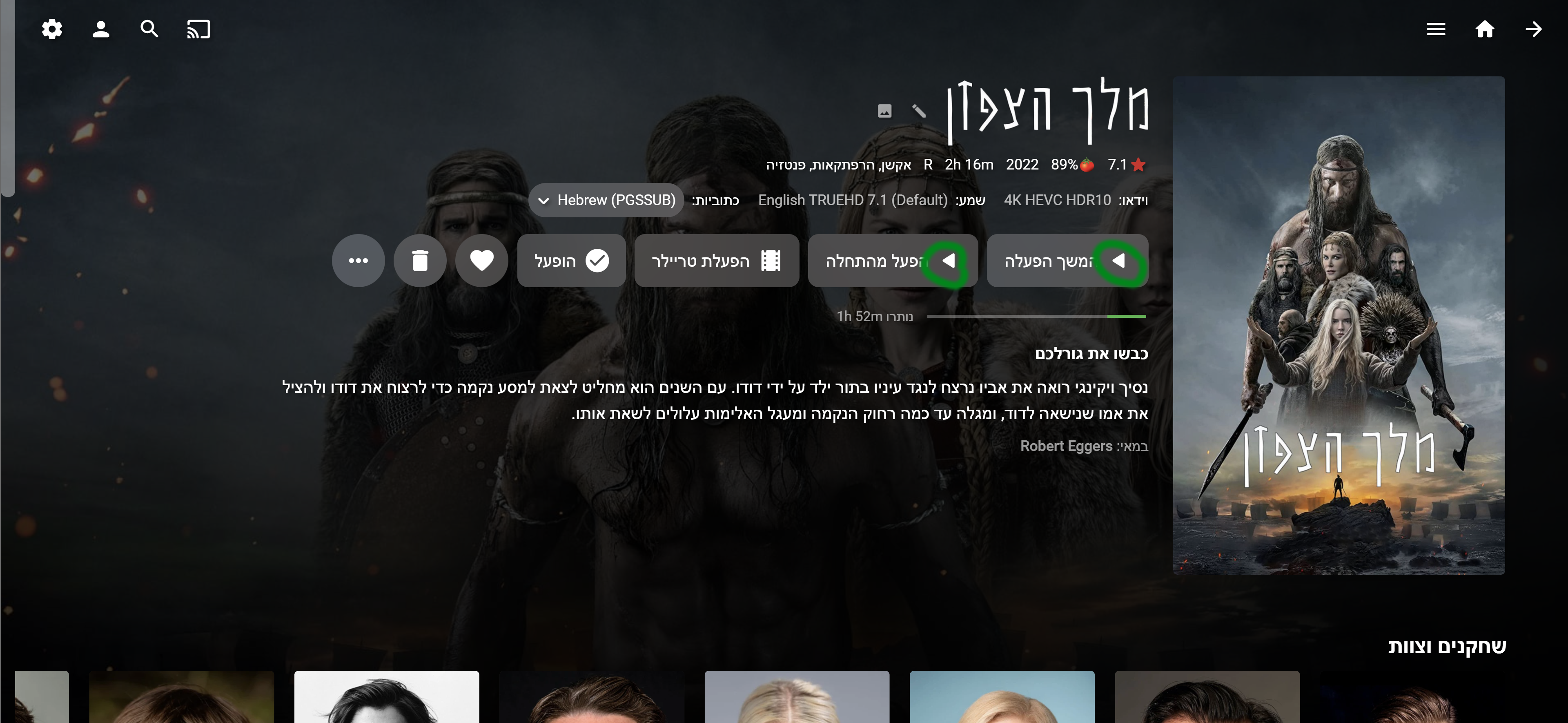
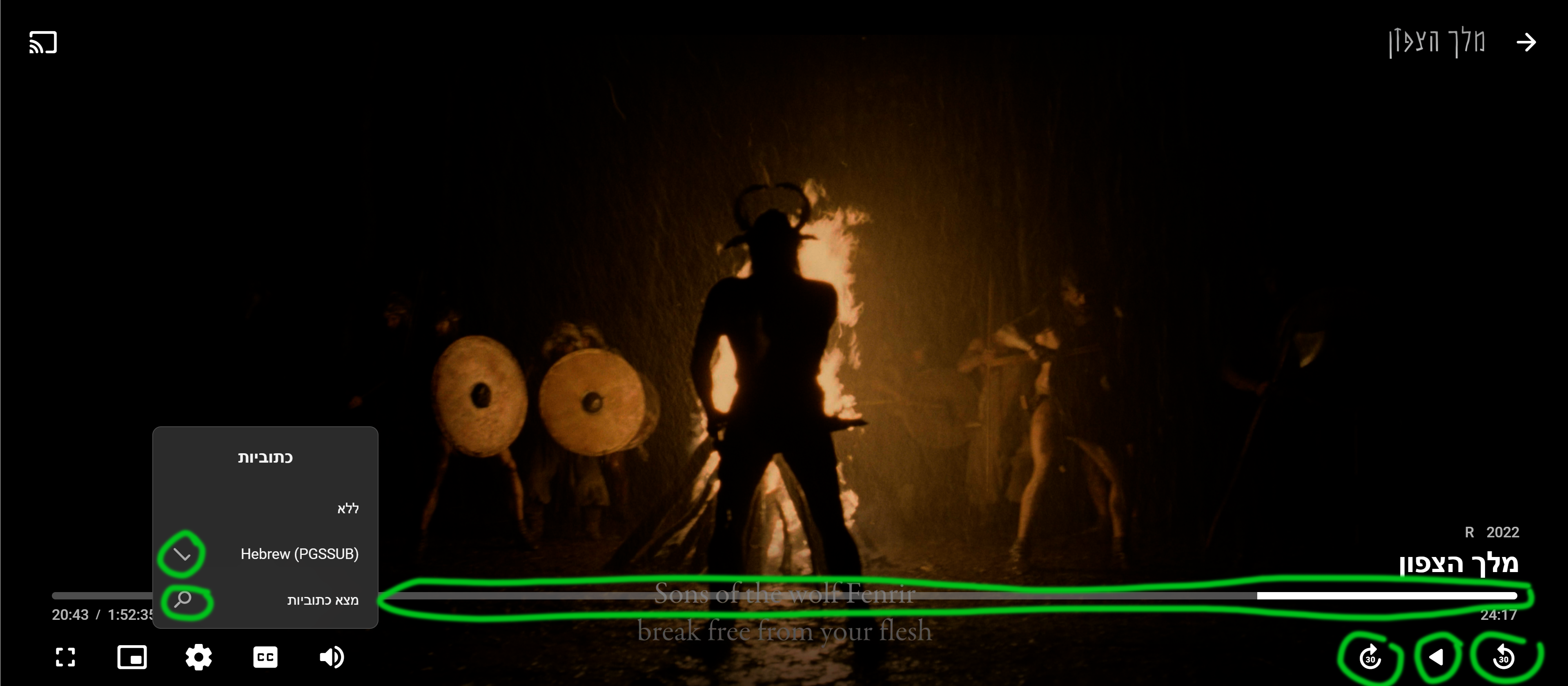
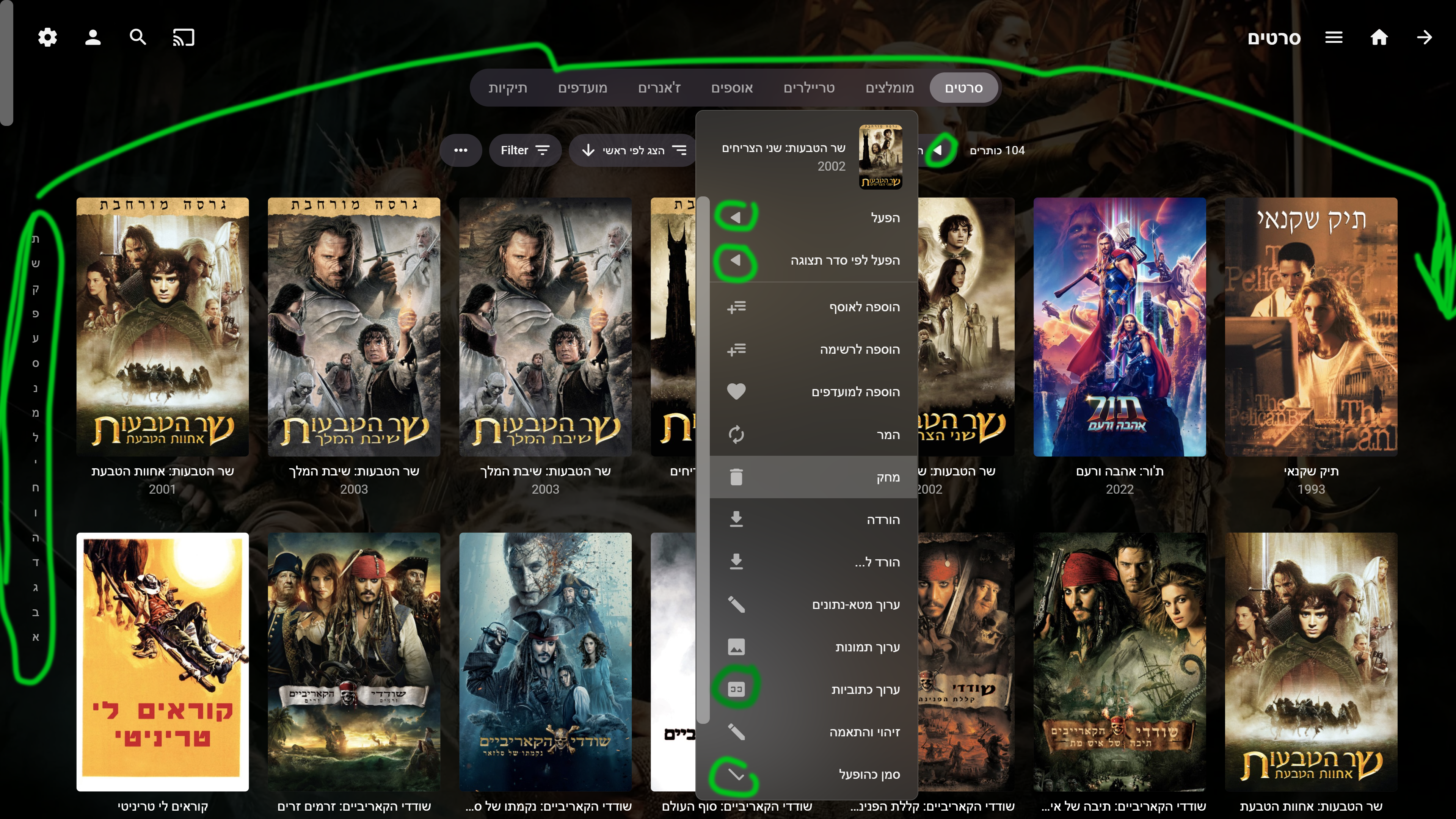
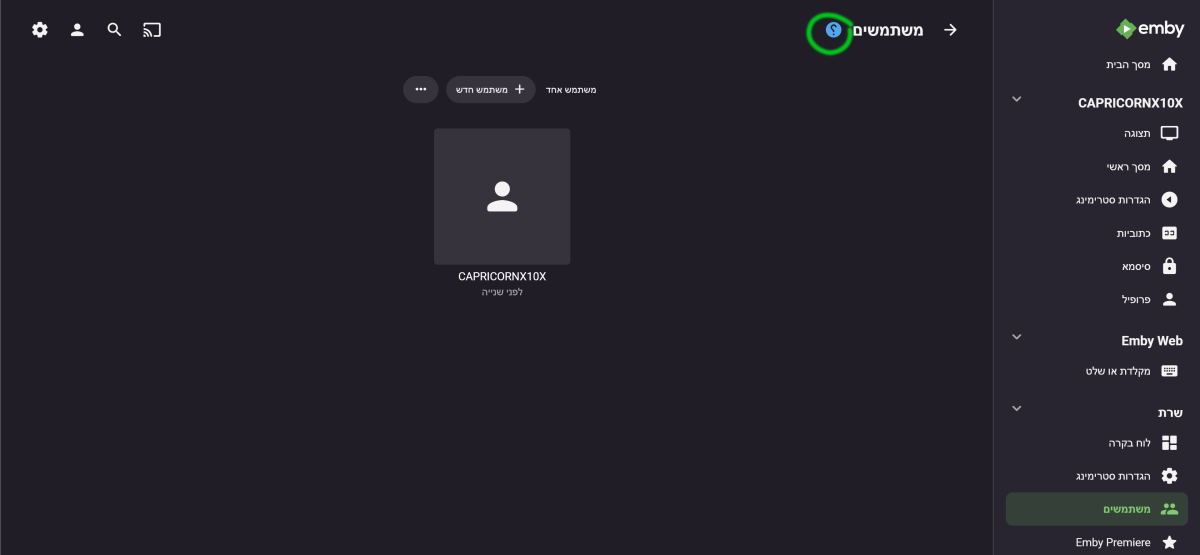
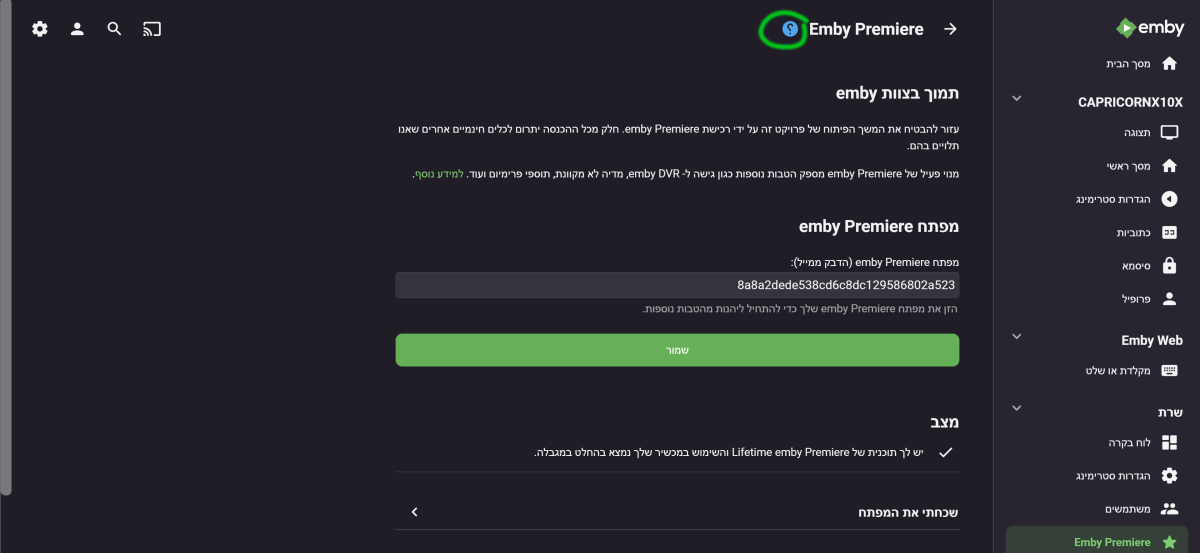
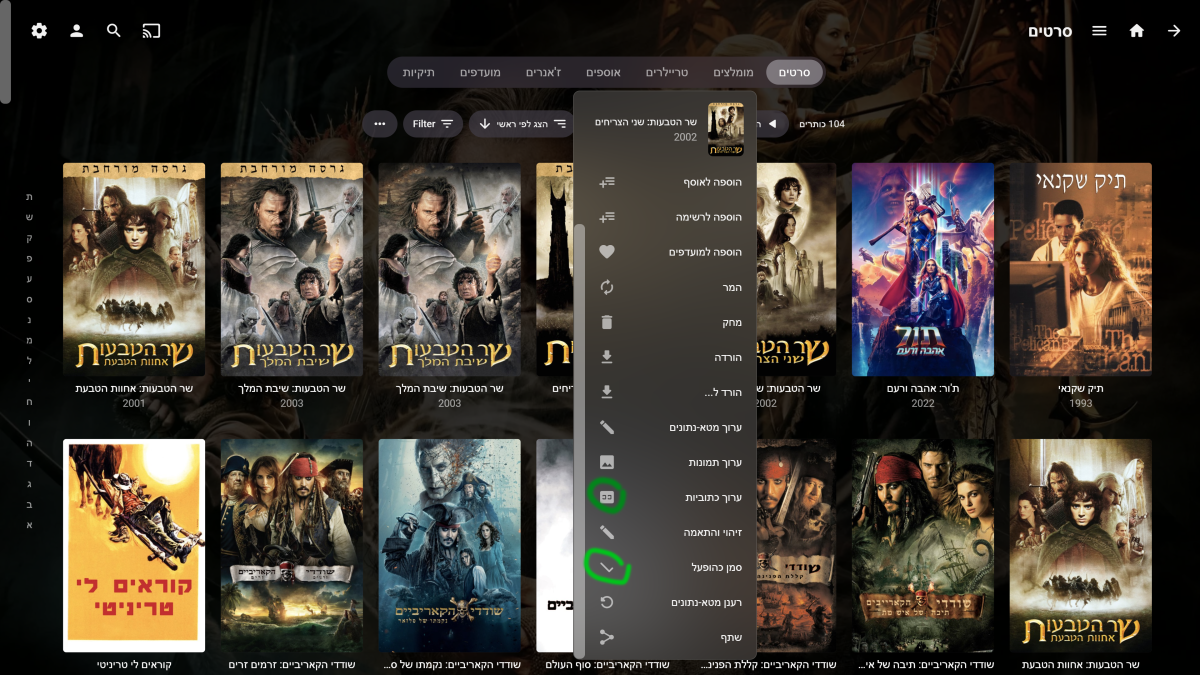
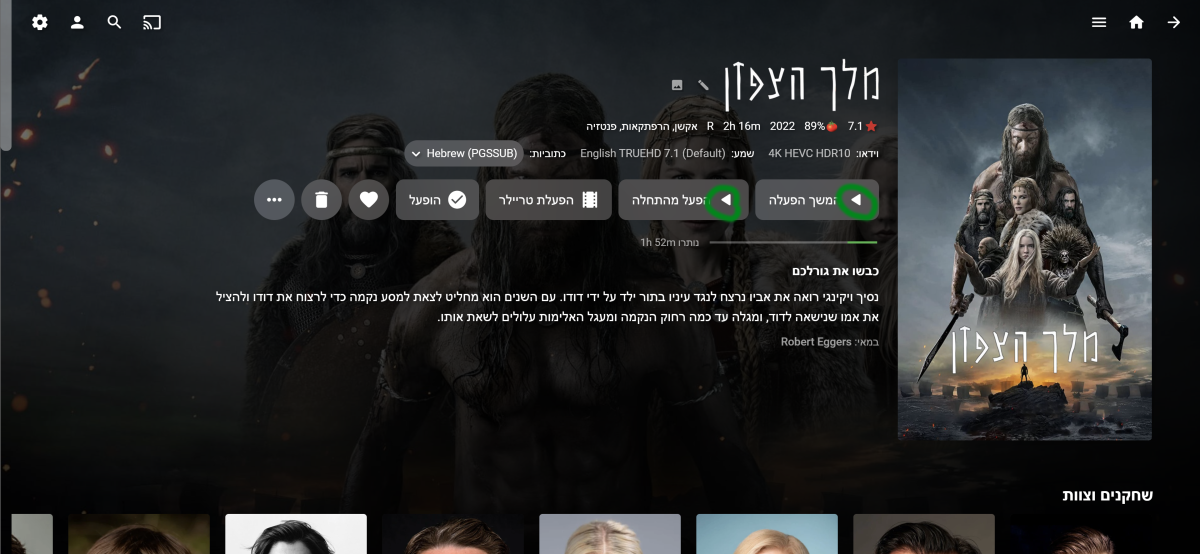
Hi Luke@, ebr@ Please continue to support the right-to-left view, there are some changes left. This is the list: 1. All the play symbols () should remain as in display language from left to right - this is a universal symbol and should not be reversed. 2. Almost all the "" symbols, especially those marked in gray in the elections, should be reversed. 3. On the web only, all the letters of the alphabet on the side of the screen - should move from the left side to the right side of the screen. 4. All the "" That his logo in blue should be reversed and look like a question mark - it's a universal symbol. 5. The subtitle logo "CC" should also be reversed. On almost all pages (not all, on the movie playback screen you don't have to, for example) 6. On the movie playback screen - the time skip symbols " should be reversed, the play symbol "" should be reversed, the search symbol should be reversed, the "" symbol should be reversed. And the most important thing!!! Change the command of the forward and back buttons on the remote. Right button = back in time Left button = forward in time To do it properly, please, please!! Do it properly in the Android app as well
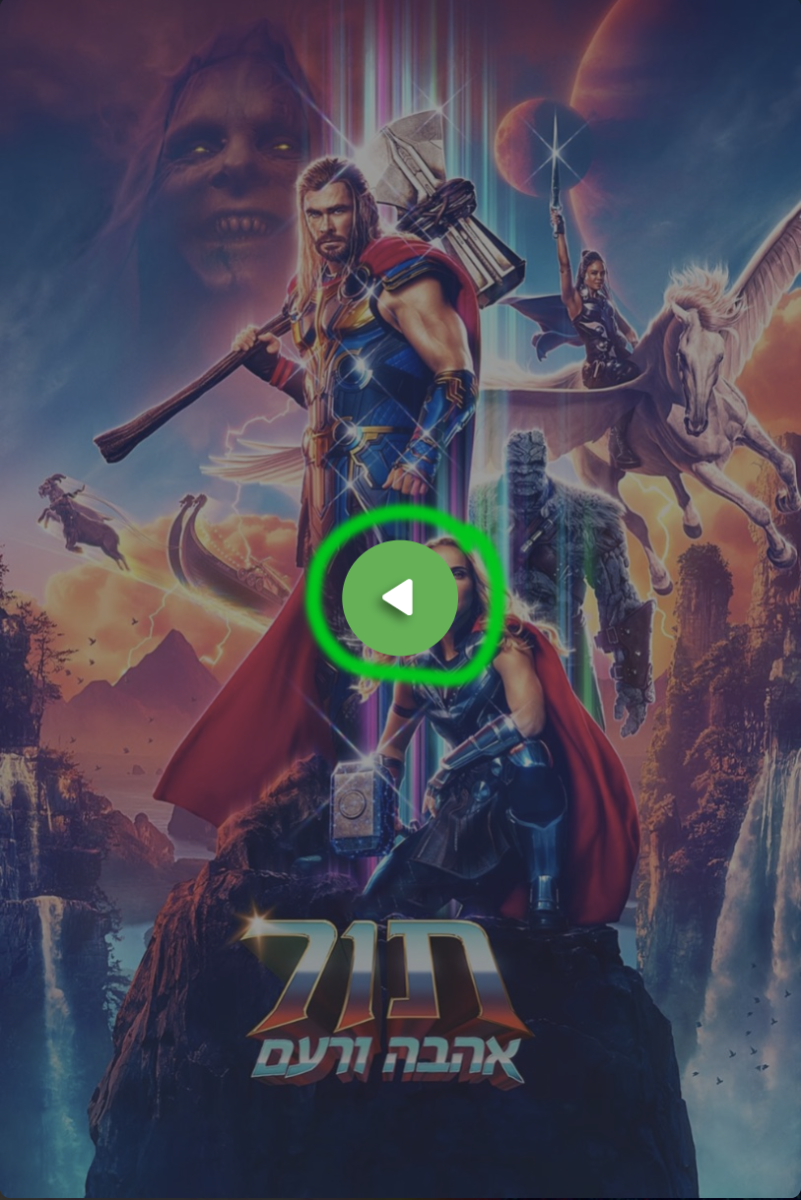
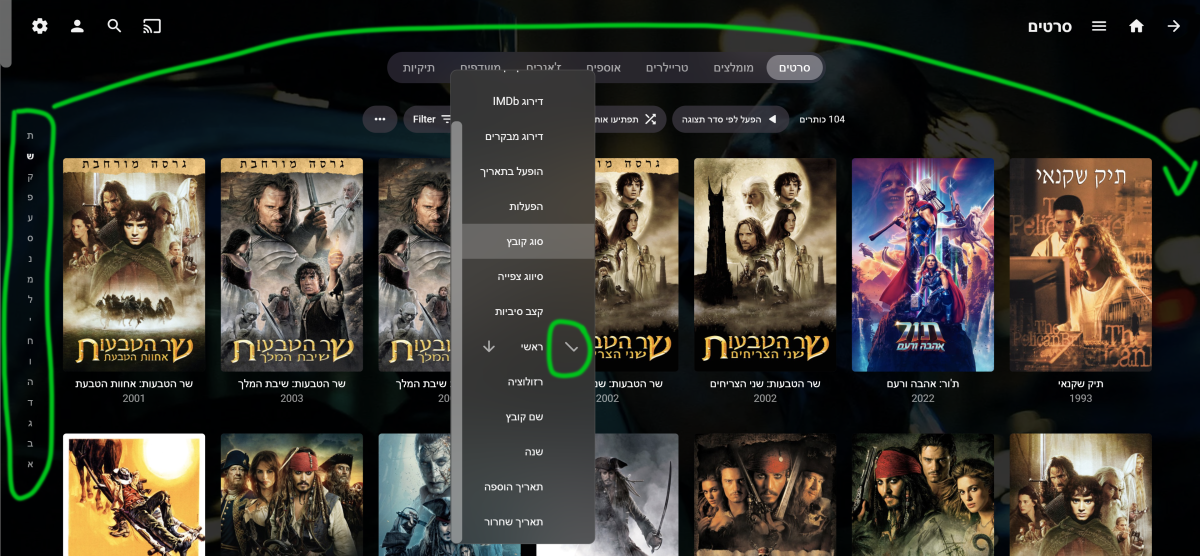
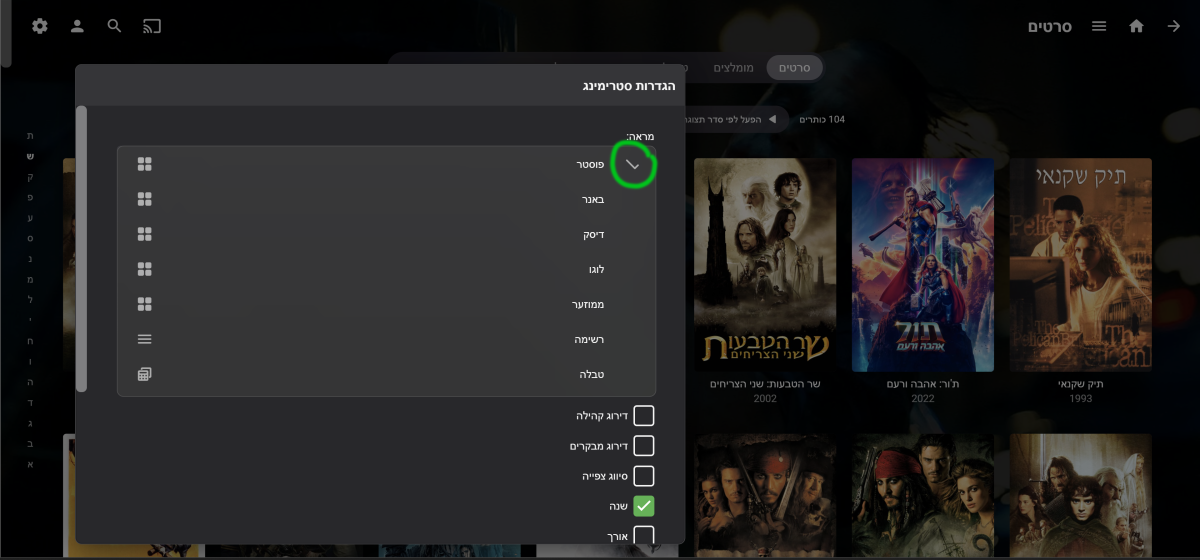
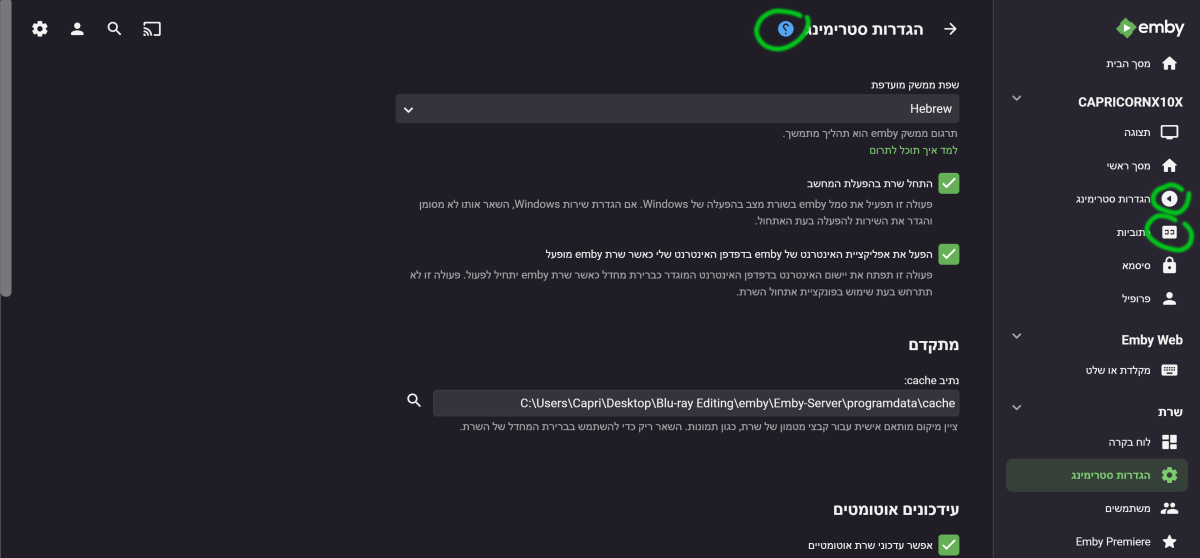
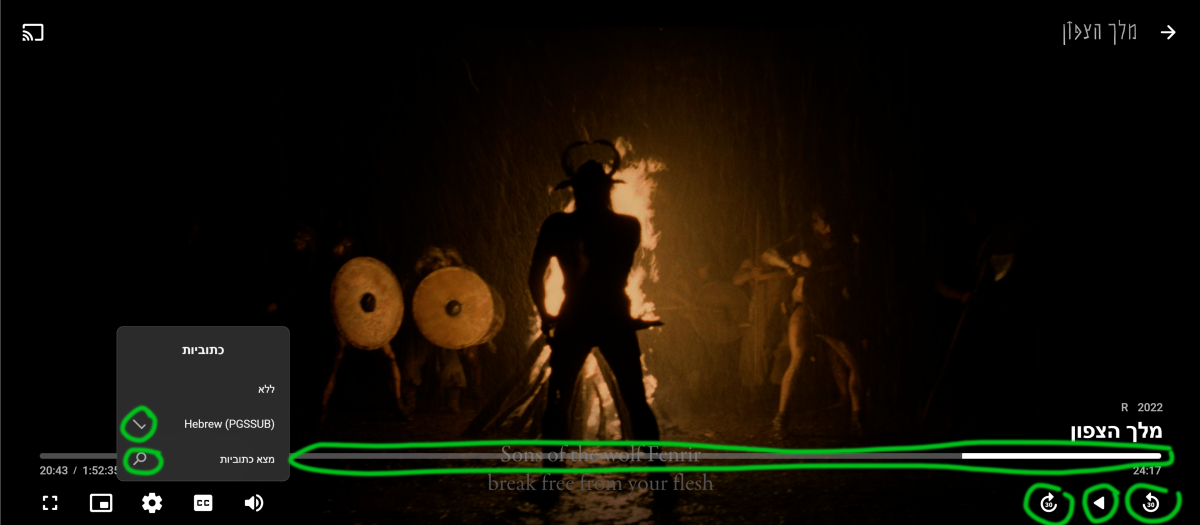
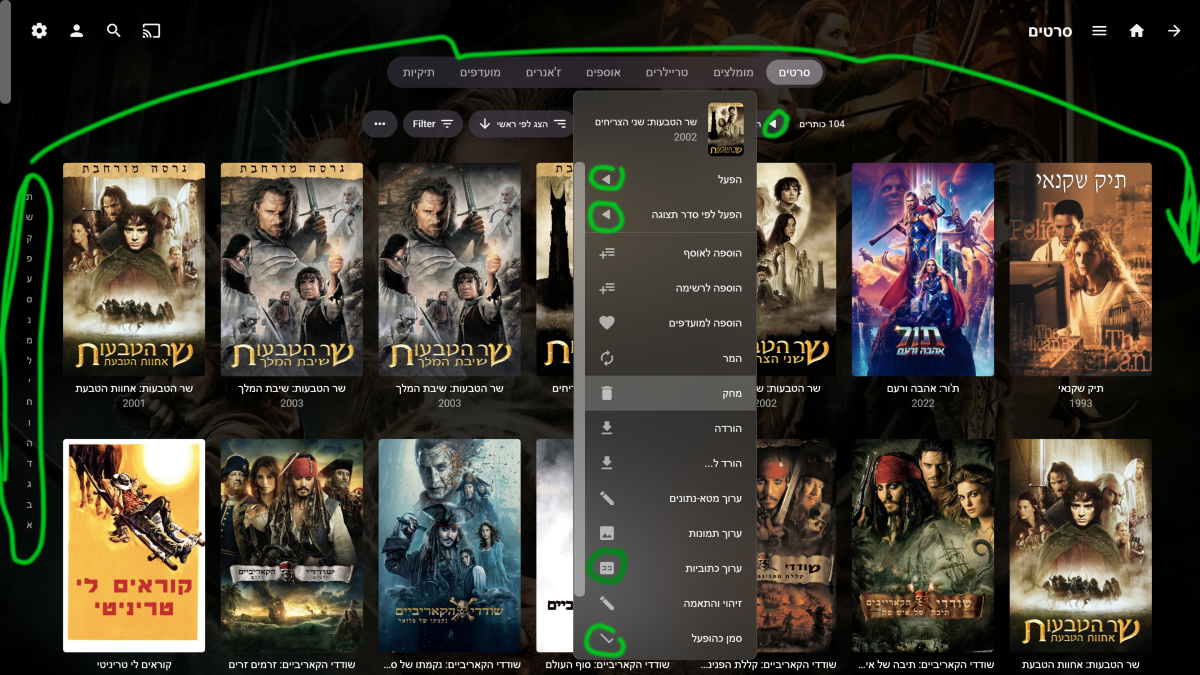 1 point
 -
Of course... That worked. Thank you. Now I can filter the reverse proxy with an access profile by IP address. I feel it is much more secure now. Thank you all.1 point
-
If it's https, then make sure to explicitly prefix with https://1 point
-
Here is the workflow on my system Sonarr/Radarr downloads media and puts it on my array in the proper folder. -> Emby gets notified and content shows up in respective library Unmanic is monitoring the array with rules setup to convert MKV files to MP4 files with AC3 audio. Upon completion Unmanic alerts Sonarr/Radarr to trigger a refresh. This updates the information in the ARR clients and that process works. Files are seen as the resulting MP4 files and the episodes/movies are unmonitored automatically as to not replace my wanted files with something else. Sonarr/Radarr are configured to Connect to Emby and alert it of the changes. I have it setup to alert ON IMPORT (initially downloaded), ON UPGRADE and ON RENAME. The reason I have it this way is that if the system recently acquired a lot of content, and the Unmanic Queue would be full of work to be done, the files as originally downloaded could still be available in Emby until they are converted, at which point Emby would refresh. I have had this configured this way for months without any issue. As of 4.8.0.10 (maybe the prior build as well but cannot be certain) this seems to be a bad setup. While the refreshing of the content in the library was never instant, now it seems to take days. Perhaps it is just my perception, but I went from not perceiving an issue at all to being wildly frustrated because I can't figure out what is happening. Granted my libraries are very large with over 10,000 movies and over 59,000 individual tv episodes across ~1000 series, however it's not like my content library has grown exponentially in recent months either. I contemplated downgrading, but If I roll back the official docker container to latest stable I would end up back on 4.7.6.0, as there does not seem to be a 4.7.8.0 image here: https://registry.hub.docker.com/r/emby/embyserver/tags and I do not know if it would be safe to roll back anyway given any DB changes or other modifications.1 point
-
I would hold off on what you were doing and see how the core feature ends up working. I think it may satisfy 90%+ of the needs as it is actually what this request was specifically for (copy user).1 point
-
Ah, I see. I was just trying to get it to show up on a few devices that weren't picking it up, seems to have just started working now. Must've changed something but I'm not sure1 point
-
Then the app is correctly reporting that av1 is not supported. This is an LG/app limitation, not an Emby limitation. While rare, it wouldn't be the first time I've seen files play from USB, but not from the app.1 point
-
Came up with "Playback error No compatible streams are available" Gave 3 logs in quick succession. Fun fact I tried the 4K Max native app (Having to use the Android app for AV1 playback) with this setting and got blank screen with audio so adding in those logs too. 4K Max ffmpeg-directstream-046a0c42-03fb-454e-a27c-8672830dc1c4_1.txt ffmpeg-remux-950b9ce2-bb52-4421-86d9-b15e98c15149_1.txt ffmpeg-directstream-ef9cc1e3-0791-4d73-825c-af8ff467f22e_1.txt ffmpeg-directstream-f97c01f7-b08e-4ee8-bfd6-e2aaa3c0e5f6_1.txt1 point
-
Seems the latest are installed for both.
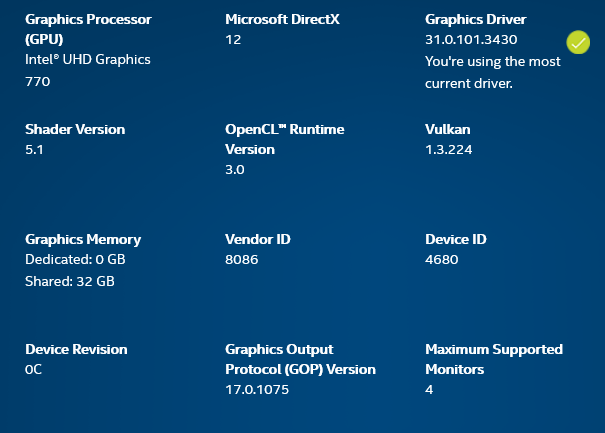
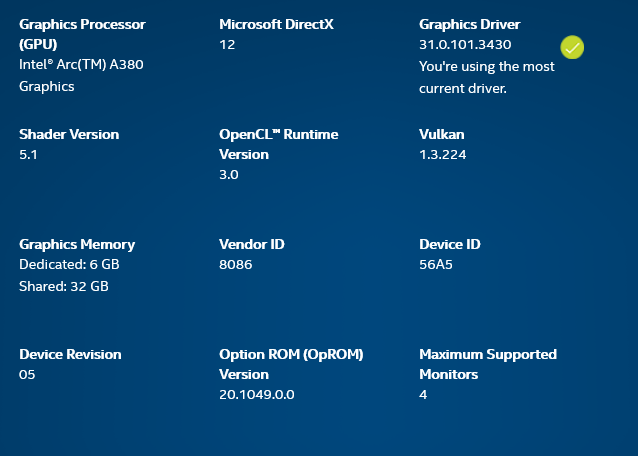 1 point
 -
If you want to keep similar naming, then you need to make slight adjustment to id. ID Tags in Folder & File Names Emby can also read a Meta-Data ID from the name. Format: Name (Year) [tmdbid=xxxx] Example: Alone (2020) [tmdbid=509635] Emby supports the following tags with the host website for lookup. tmdbid (https://www.themoviedb.org/) imdbid (https://www.imdb.com/) tvdbid (https://thetvdb.com/) But Name (Year) usually is all you need.1 point
-
I am very much for this! I have trouble finding the option to clear the filters. I've illustrated my idea before checking if it was already here, so here it goes: Thanks!
 1 point
 -
Try naming the season folders just like they are on thetvdb and you can place the (year) after that which may help. Here's a link to the kb Emby TV Naming : The Blue Planet (2001) Blue Planet II (2017)1 point
-
Still the same issue with the last server and android app version1 point
-
Like Marcus1305 i can confirm that the flickering thing has disappeared with the latest 1.4.1 version of the app. Thank you for the work done.1 point
-
Yes, can i desactivate them one by one , we need something like select all to uncheck all then check just the ones that i use or to make something to fetch just bouquet 1 / bouquet 2 / bouquet 3 ! You are a mashine man , i don't see anyone so dedicated , you working 24/7 ! Love you !1 point
-
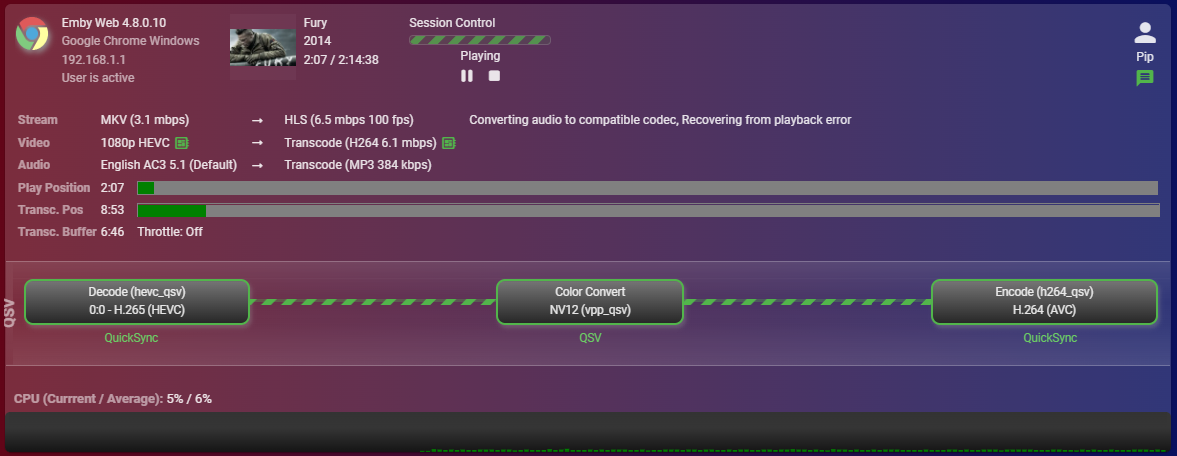
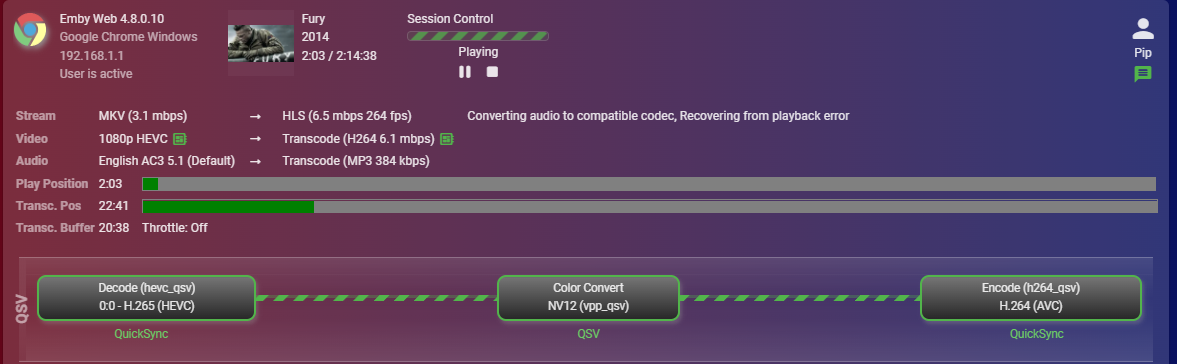
Honestly not what I was expecting, the UHD 770 absolutely smashed the A380. Emby bugged out in the 4K with the A380 and was always triggering software not sure why, but the UHD770 with no tone mapping was 190fps.
 1 point
 -
embyserver.txt@SamES1 point
-
Pretty sure this guy was a scammer. Hats off to the Emby team for your professionalism and patience. It was remarkable.1 point
-
You can add a keyboard shortcut to the Emby Theatre shortcut onthe desktop. Then you can use the media centre remote remapper app to assign that shortcut to the 'green button' and have it launch theatre.1 point
-
Long press on the screen can trigger 2.0x/3.0x speed. Currently, most players and browsers support it, including Telegram's internal video player. This function is very convenient. I hope the development team can add it to skip some boring scenes more quickly without missing dialogue.1 point
-
Thanks a lot
 1 point
 -
We canceled the transaction at PayPal.1 point
-
Can you start this issue as a new thread? The ass implementation is different so it will need a new investigation and I’m concerned it will get lost in this thread. @FrostByte, maybe it’s easier to just move this post to a new thread. Thanks.1 point
-
It's a matter of asking questions to narrow down the source of the problem.1 point
-
I'm going to just put a dropdown on the new user screen to copy settings from an existing user. I think that will make a lot of people happy.1 point
-
The problem isn't "the view-ability. the problem is the EPG file I've received from my provider is jacked up. That's part of my problem. A significant amount of channel information is missing, which is part of the reason why things are not properly displayed. As I've said before, there are far too many channels to manually re-map each station. It would be more beneficial if there was a why to automatically hide channels that don't have complete information in the metadata. This way, I can only concern myself with channels I do care about. I've asked my provider for a better EPG with better metadata, but I get no response. I"m sure the M3U data is screwed too.1 point
-
after conducting the initial work on this, there is absolutely no need to create an api because... the api is already there and available, and all the information is readily available with a few lines of code.1 point
-
Thanks for the feedback !1 point
-
I apologise if this is the wrong place for this but I wanted to say a big thank you to the people who spend their time developing and supporting this. I recently moved from Plex and was surprised to see how customizable this is and also how much better it works. After a bug with the Plex app on my Samsung TV I decided to spin up a docker container with Emby and was pleased to find all my devices supported it. The hardware transcoding seems much quicker, the tone mapping looks great and even retrieving subtitles from opensubtitles works simply (I don't know why I could never get Plex to reliably find subtitles but decided it wasn't that hard to get them myself) and it nicely integrated into Home Assistant. I can now sit back and watch a movie without interruptions - Of course I've signed myself up to Emby Premier and uninstalled Plex. Thank you very much, cheers!1 point
-
We are working on getting an Emby LG app update out to the store. Thanks.1 point
-
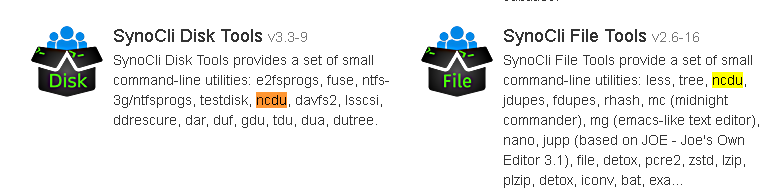
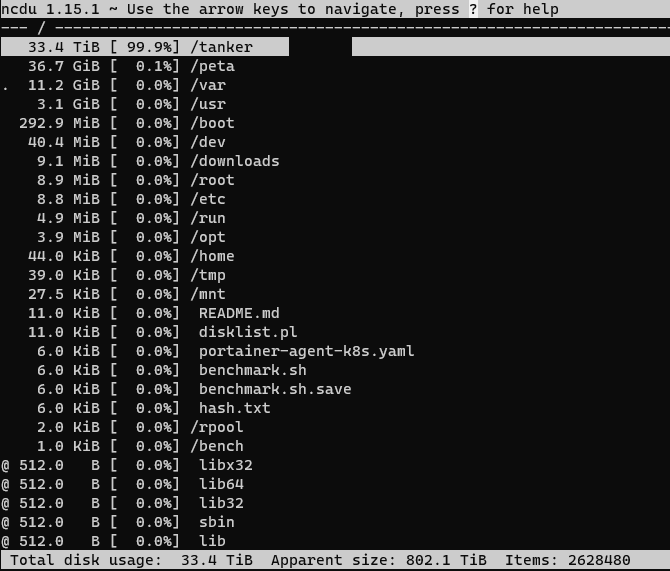
It looks like you typed the letter Oo instead of number 0 zero in md0. To be clear it's (m d zero). instead of: mount /mnt/md0 /dev/mdo <-- that one you want mount /mnt/md0 /dev/md0 Of course this was just a little trick I do to look at content of /dev/md0 vs trying to look at the root itself which can have other mount points attached to it. du -csh / or du -csh /mnt/md0 -c produces the grand total -s skips listing all the files and just shows the summary -h switches to the human readable format for the values du -ch -d 1 | sort -hr A slightly different format using -d 1 option to limit the listing to only the first level of directories You could: du -ch -t 100m This will list all of the files in on the current path that are bigger than 100 MB in a human readable form, along with a grand total (-c). If you want to sort it like the previous command just do the piping the same way: du -ch -t 100m | sort -hr Another way to limit the results by size is to display only files the size of which is in a specified range. For example to list files which are anywhere between 1 GB and 5 GB you can do this: du -ch /home | grep '[0-5]G' The above should work on all Synology systems. However there is an easier way if you can install ncdu or NCurses Disk Usage. You can find it here: https://dev.yorhel.nl/ncdu The easy way to install ncdu on Synology is from package manger. Install either of these: While not needed for this the other 3 "SynoCli" tools are great. I have all 5 installed Once you have it installed, run it from the command line by typing ncdu which will give you something like this: This was from Linux, not Synology but you get the idea. So depending if you have the community plugins installed or not you have a few methods to track down the space hogs. If using ncdu you can delete/remove files right inside the UI. Do type the "?" to bring up the command help to make life easier.

 1 point
 -
I got the exact same thing as well so it's not just you. Mines at 77% so I thought I night try and tidy it up a bit. I'll wait on Carlo to tell us what we messed up.1 point
-
Bumping this topic up again. Emby needs a way to display and allow for media deletion of duplicates. I keep a Plex docker container on standby and fire it up every few weeks to check for duplicates. It takes 23.6 GB (and growing) of drive storage just to have that container on standby for the duplicates detection feature. Granted there are more cumbersome ways of finding duplicates outside of Plex but nothing is as elegant or simple as Plex's method. Surly the Emby dev's can build something to show duplicates of TMDB or IMDB codes and provide a delete button or a trash can for safe measure.1 point
-
Can we get this in the header for filters. Or another way to reset filters as a lot of these check/uncheck filter options can be tedious.
 1 point
 -
It works with each user on a server (invisible option should standard be disabled), in your situation your father watches on his Android tablet, mother on her iphone, and you at home via your browser. I post a example video below. With connect we connect this dashboard user_id and emby user_id's. We have not yet decided. Whether it will be an online service (one hosting) or a service that you have to install on your own server. Yes! TLvnB3PRlf.mp41 point