Leaderboard




Popular Content
Showing content with the highest reputation on 09/21/22 in Posts
-
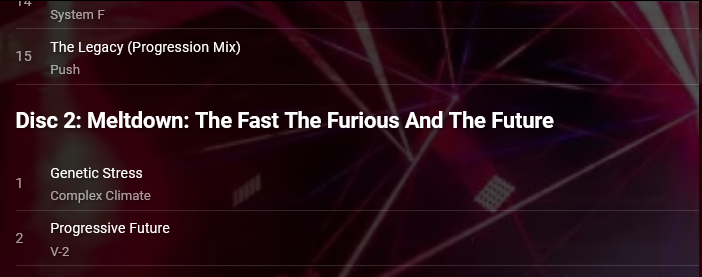
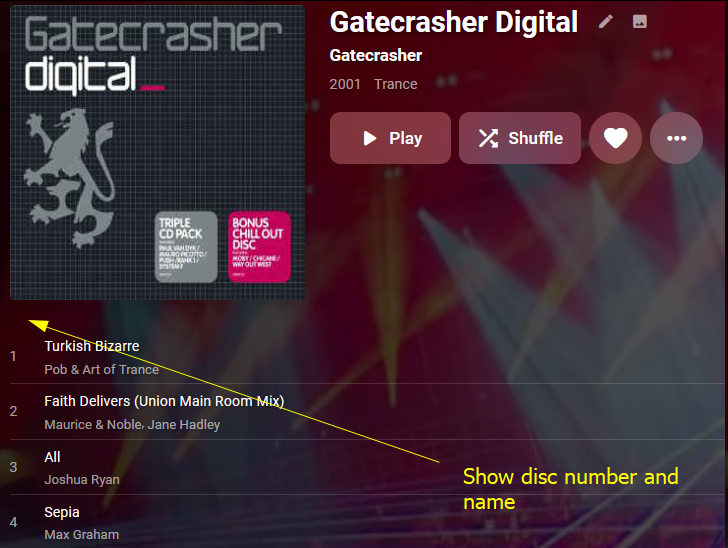
Hi Please add support for storing and displaying the title of a disc, as well as it's number. Here is a mock-up of how it might display, but I'll leave that to you. Disc title are supported by mp3s, flacs, and other formats: https://www.blisshq.com/music-library-management-blog/2018/03/27/lamentable-state-disc-title-support/ I think this also means that Disc 1's number and title will need to be shown (currently it is not). The album in my screenshots is an example of an album with disc names: https://www.discogs.com/release/77493-Various-Gatecrasher-Digital Many Thanks Stephen
 3 points
 -
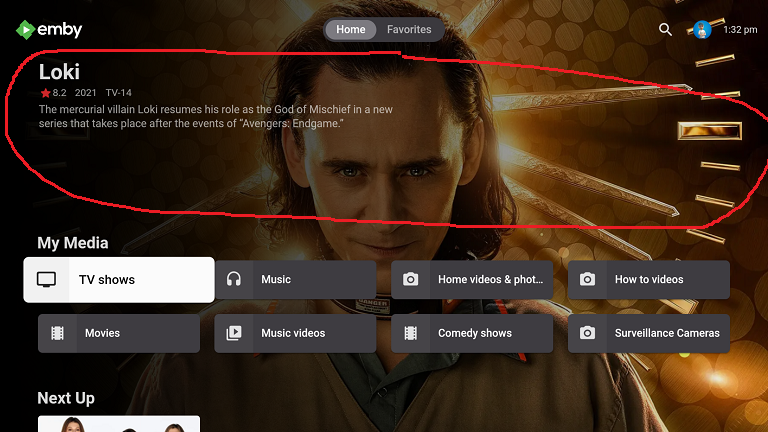
Request the enhanced area automatically rotate the randomly selected item when focusing on My Media libraries in vertical layout. Make the randomly highlighted episode/movie/song somehow playable from the enhanced home page Have the ability to add the highlighted media to Watch List This is sort of like it already does in horizontal layout where it rotates a random movie/episode, etc at about 20 secs and is clickable if the album/movie/episode, etc it picks catches your interest. Right now, you have to scroll around in order to force a refresh and there is no way to play the highlighted album/episode/movie, etc from the Home Page. This would apply to all ET based clients like Android, Samsung, Xbox, etc that use the new enhanced area for media libraries. Could use hard press or double tap in Android to bring up a menu
 2 points
 -
Using the file 'Apollo 11' for reference. If i change the metadata through Emby for this file editing the rating from GB-U to GB-15, also changing the custom rating to the same (I've checked the NFO file and this shows my changes), then running a library scan and scanning the metadata folder then refreshing internet data fixes this on the channel. It would still be handy to be able to adjust the rating for older kids though, I'm not sure if this would be possible2 points
-
Ahh, hatte dich falsch verstanden. Schau dir das mal an, ich glaube das sollte dir bei deinem Problem helfen können.2 points
-
This still seems to be true.2 points
-
Cool, so i think you have what you need. You just need to remember that the API will return the basic information for a request, if you need additional information then you need to request this in addition to the basic info returned.2 points
-
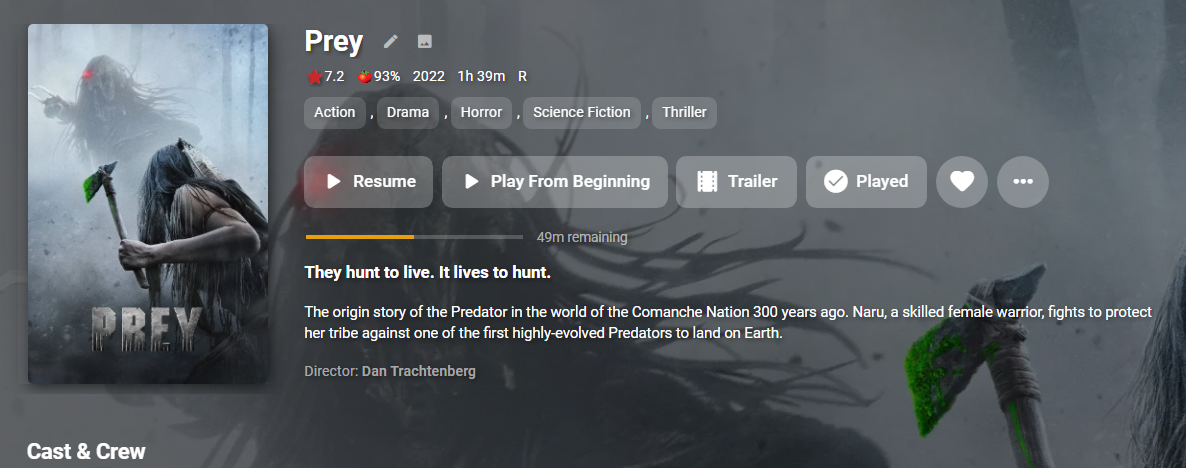
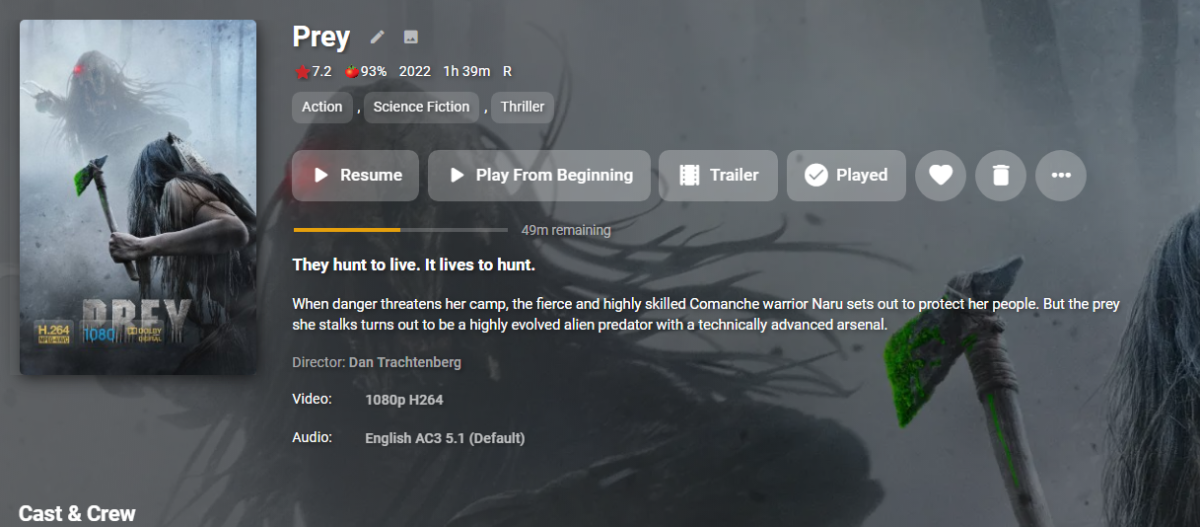
Not seeing any media info Video/Audio on channel vs library in newest version. Channel Library See the difference in genres also, but this is a test library database only metadata.
 2 points
 -
it would be very nice, if there can be a possibility to get users the access to edit metadata and image so the user can manage a the libraries. I would like to use it as a "content manager"-user which is like a technical engineer caring about the media content and nothing else. btw. emby is very very nice, thanks for all of your work!1 point
-
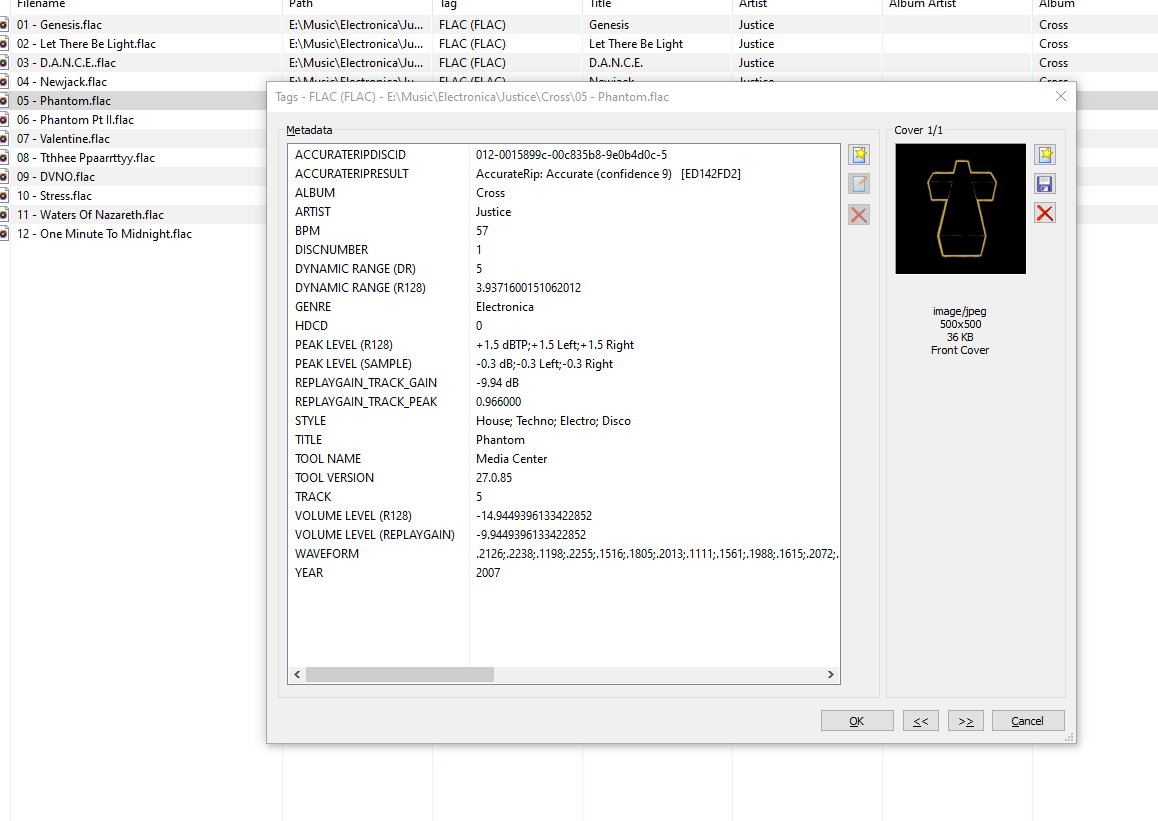
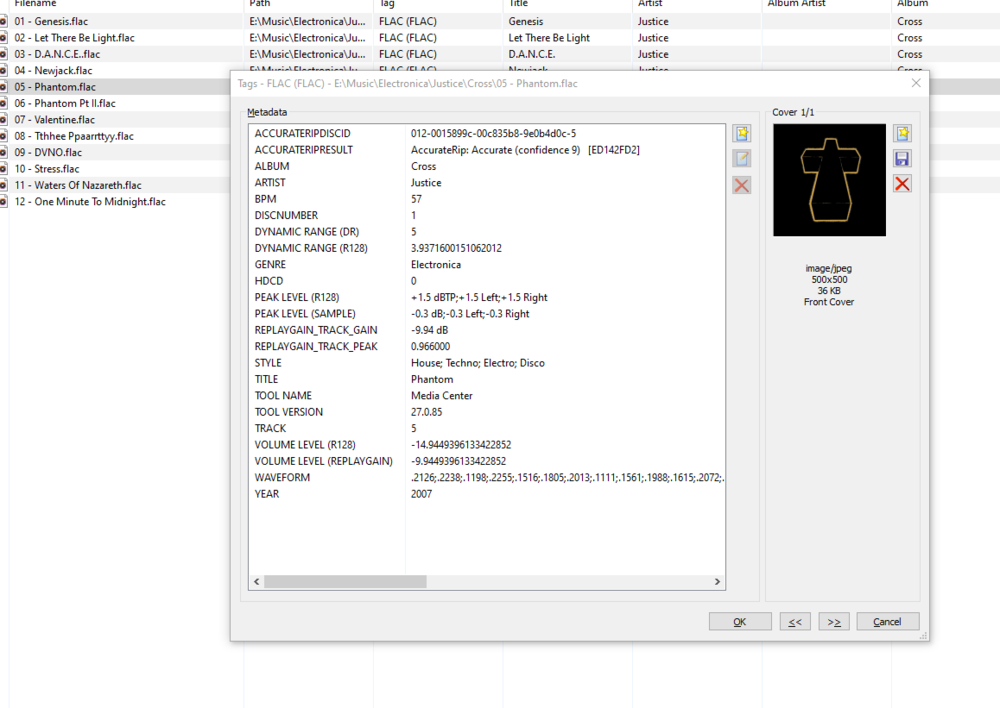
My apologies if this has been asked already. Could the Style tag in embedded music metadata be filterable in the Genre area? For example, I could select 'Electronica' within genres, and then a filter option would allow me to filter House, Disco, Trance... This could prevent genre cluttering for large collections
 1 point
 -
hi, a small proposal: a Button at the metadata manager to rename the file on HDD with the name and Date from the matadata. (better: with a selection with tag to use for rename) The reason: My movie file name contain the name and the year of the movie but the release og the movie here in germany is mostly one year later. WIth the wrong year at the filename the search at the imdb does not find the movie. I have to remove the year from the search. That means, i find the movie data but the file name contans the wrong year. A few week ago my database was corrupt. With the new installation of Emby I need to edit hundreds of entries manually. Waste time. greetings Taurec1 point
-
Why does the Shield TV app not have any of the "Light" color themes in it? Every other device I use has these themes available. My channel logos are mostly black so I need the light theme to be able to see them clearly. Can you add these into the Shield TV app please.1 point
-
Sure thing. Except that it's not an Emby plugin. It actually creates a local web service provider that communicates with emby and then creates the images for emby. The thing is massive. I actually just changed the code to save the overlay images for each actor using their tmdb ID. Reason being, I can ship this tool with a bunch of actor image overlays already processed with background removal, and this will allow the user to build their new collection using their custom backgrounds faster. I ran this on my own 10 000 actor images to create the cutouts. It will be in a zip file, which can be used for people who don't have the GPU or processing power to crunch their own actor db. It's just sorting the images now. Obviously, it's an option you can use, but you can also crunch your own db if you want to. I'll see how quickly I can test these new changes. BRB!1 point
-
Same issue if you put the option somewhere else. It just needs a proper confirmation.1 point
-
Check settings. You probably have them turned off.1 point
-
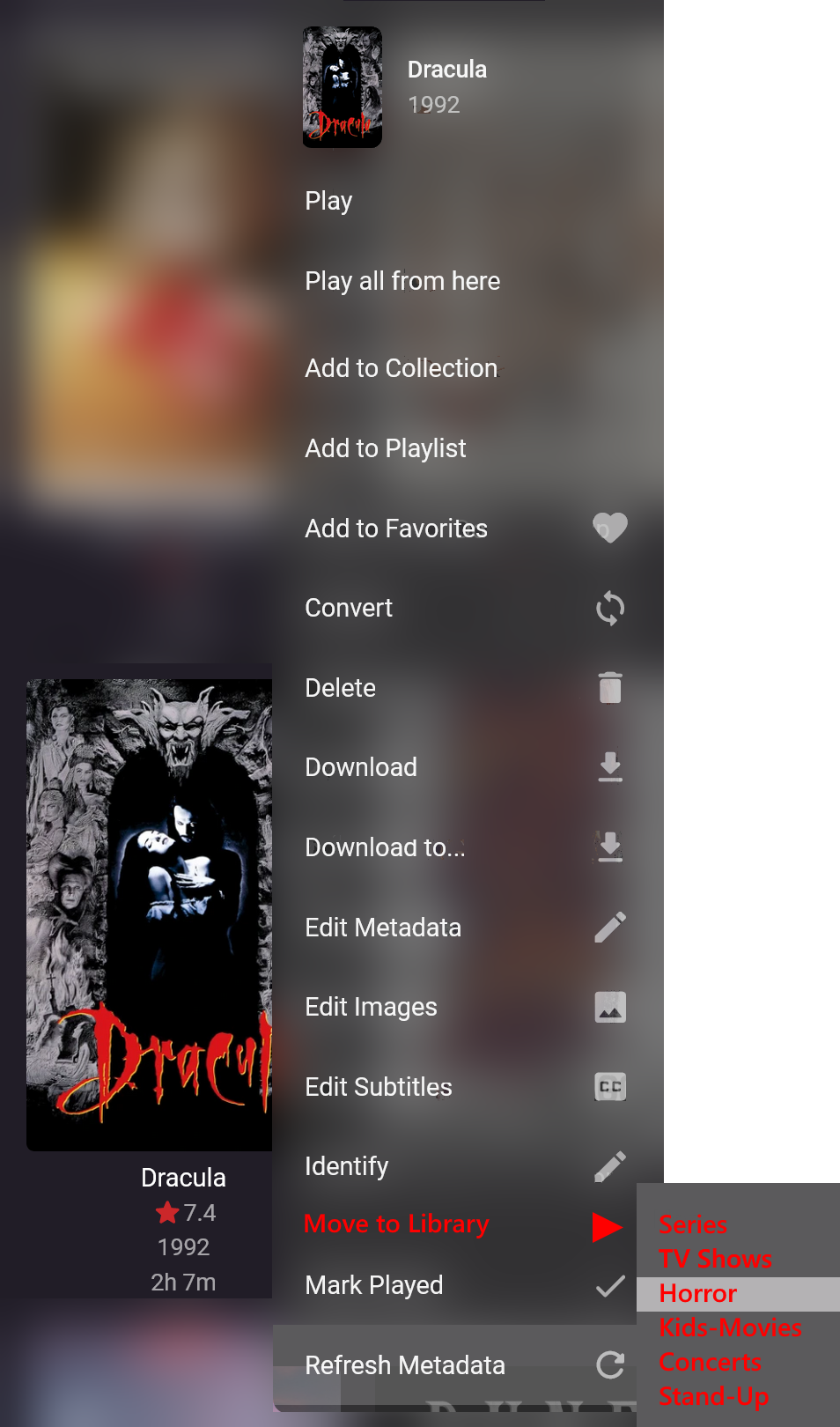
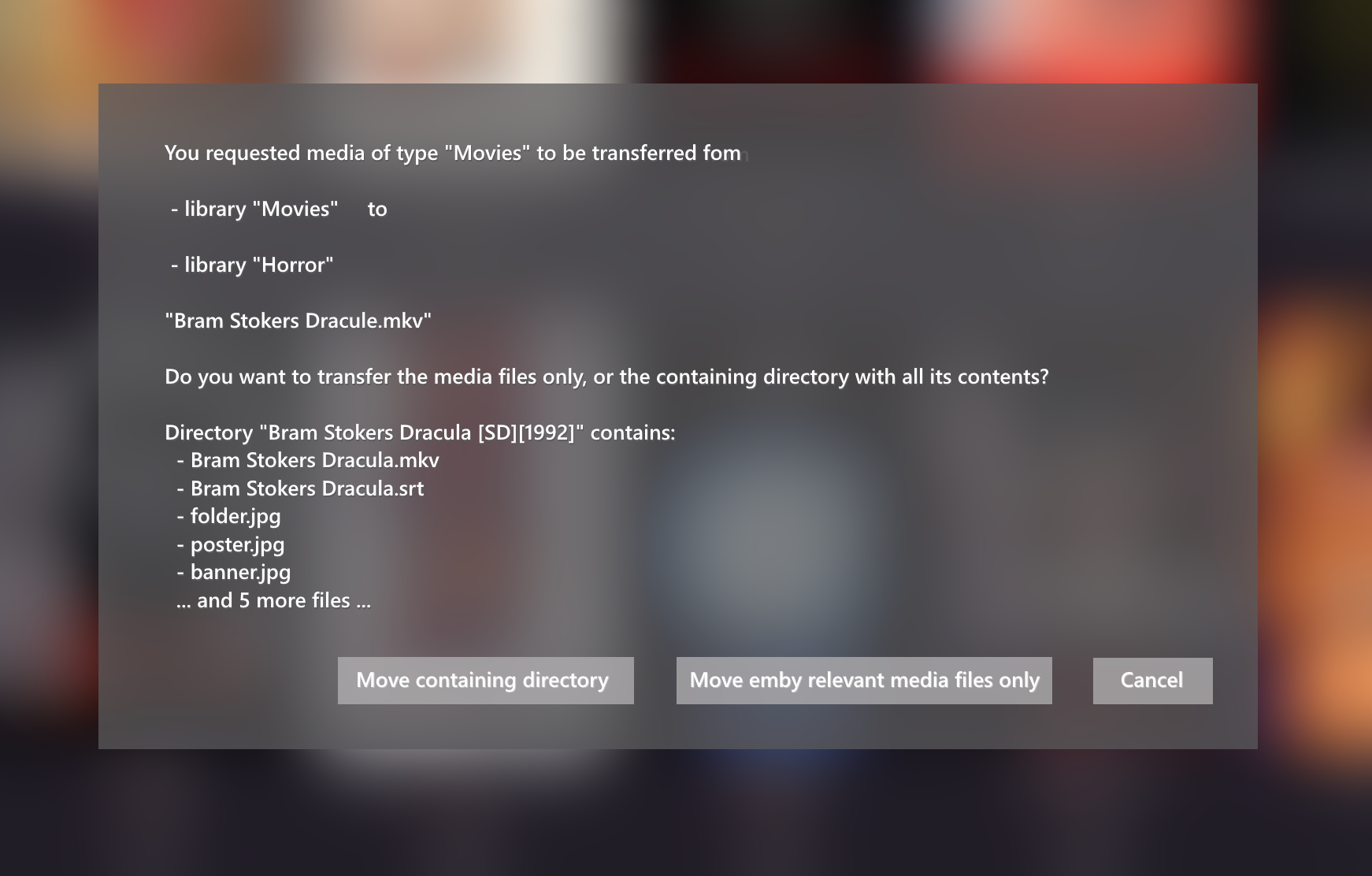
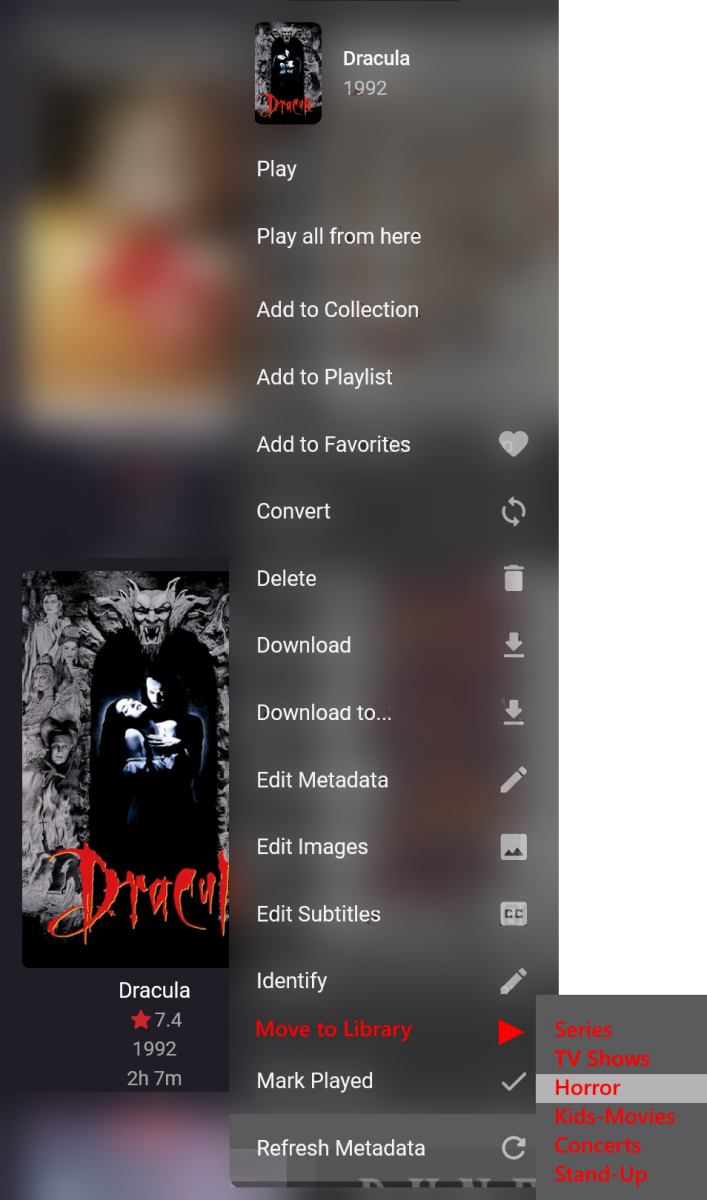
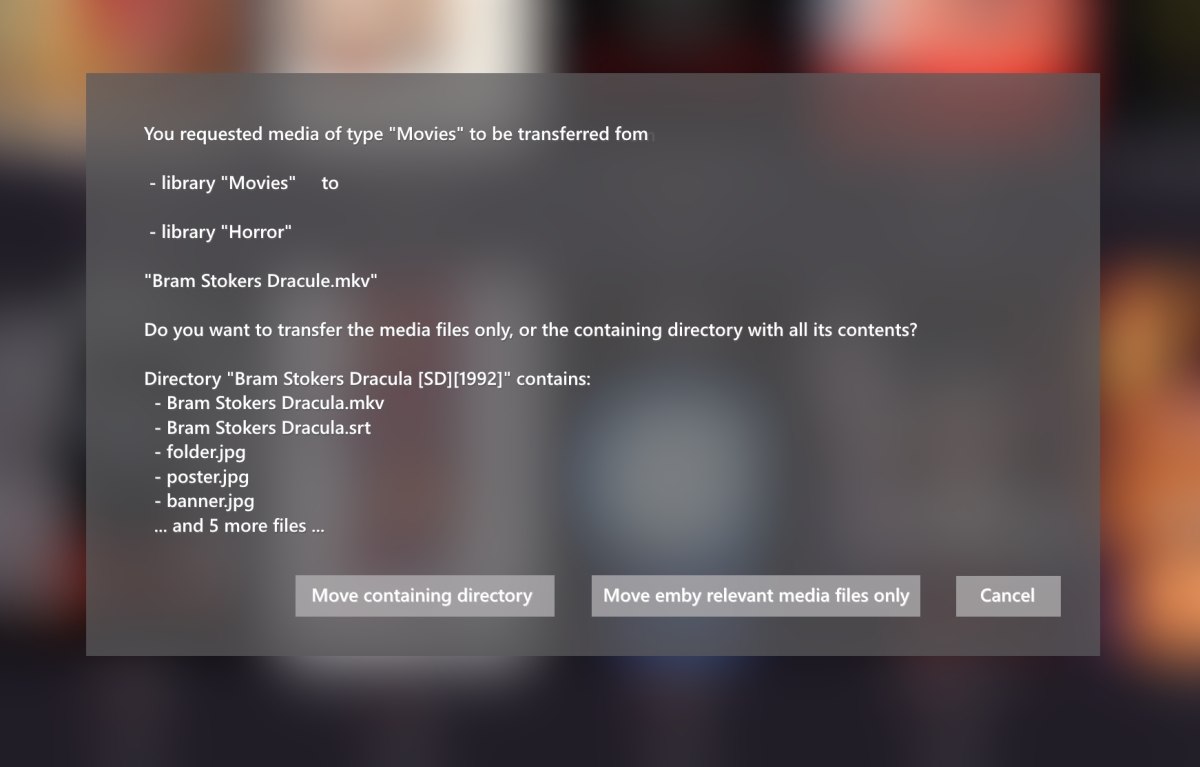
Hi All, I had my emby-server down for several months, and was very happy to see many small tweaks and also larger enhancements when I installed the latest version. Great Job. I found several things that I thought could be useful, here is one of them: I would like to have a function in the user-interface (UI) to move media from one library to another library. I have tried to illustrate an example here (in red): Currently, I have to do that on a filesystem level, and only I can do that. Adding that to the UI would enable other users to do that as well (with sufficient privileges). Once the destination is picked, a new dialog should pop up, what the transfer-request should move on the file-system basis: I hope that my idea is not totally absurd and finds many supporters! Thank you all! RooDee
 1 point
 -
This is what I'm doing, monthly click I'm ok with that for a freebie :)1 point
-
Don't worry about that, I can spin up a virtual machine running whatever OS is needed to give this a spin against my Emby server container.1 point
-
Ah ok sorry. No worries1 point
-
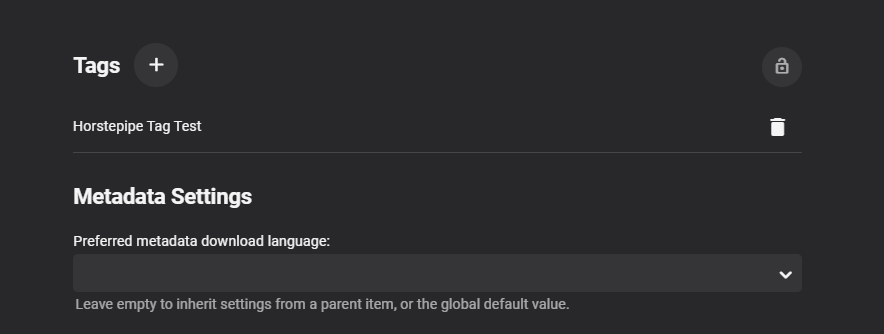
Here you go http://localhost:8096/emby/Users/{UserId}/Items?Recursive=true&ParentId=429&Fields=Tags&IncludeItemTypes=Season&api_key={AuthToken} which will return JSON { "Items": [ { "Name": "Season 1", "ServerId": "8da294d223d1427983f791b4cdb051e5", "Id": "432", "IndexNumber": 1, "IsFolder": true, "Type": "Season", "TagItems": [ { "Name": "Horstepipe Tag Test", "Id": 473459 } ], "ParentLogoItemId": "429", "ParentBackdropItemId": "429", "ParentBackdropImageTags": [ "9f3b76486ba922f75fb7aac995afd3a0", "5277ed4c1d0632b8331e82df096c7ab9", "7835dcfdaba850e5ac60955ea461aa30" ], "UserData": { "UnplayedItemCount": 5, "PlaybackPositionTicks": 0, "PlayCount": 0, "IsFavorite": false, "Played": false }, "SeriesName": "Westworld", "SeriesId": "429", "SeriesPrimaryImageTag": "db1b3fc06d34ebd93842bd78ba8205cd", "ImageTags": { "Primary": "76d16db538f56d733decd144b8f38d6e" }, "BackdropImageTags": [], "ParentLogoImageTag": "a39eea0c596a9368530bdbde0b7d85a9", "ParentThumbItemId": "429", "ParentThumbImageTag": "aadd4916ac86330d353ddffddb4e2256" } ], "TotalRecordCount": 1 }
 1 point
 -
Thanks Carlo. I added a rule on my firewall to allow all IP addresses to the two Emby ports and it is now working. Its not the most secure, but it works.1 point
-
merci beaucoup ! j'ai cherché partout sauf là merci encore1 point
-
Can you please add comment metadata to music? Since I am alternating between different apps, I thought that I would rely on comment metadata and smart playlists filters to preserve my playlists rather than be stuck with playlists in any particular app.1 point
-
Thank you so much!1 point
-
Hi, marking content as favorite is our method of rating. But yes, you could repurpose CriticRating if you wanted, where you are the critic.1 point
-
Only on windows and linux desktop, and windows won't be using it for too much longer.1 point
-
Have you tried restarting your server. Every time mine is stuck in a loop like this I have to restart and trigger a scan. Then all is well.1 point
-
So sorry for the delay!! It’s working perfect now. Has to user error there. Sorry!1 point
-
Same note here as Emby.Kids If users do not write nfo files with media this can be problematic if any metadata is changed in library or channel as they are technically two individual database entries. If users write nfo files both items would use the same nfo file and updating one should update the other on item refresh.1 point
-
Not seeing any in my test in web client. But will test more as channel linked to test file instead of media and has no selector.1 point
-
A follow up on this as if users do not write nfo files library and Channel item info can be different as each has their own database entry. From a nfo standpoint they would uses the same information as it resides with media a both entries would update the nfo file.1 point
-
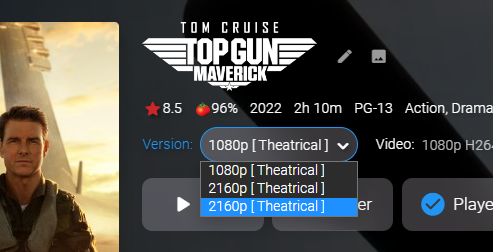
Oh finally! I understand! I got Media Sources working! Well... almost... I think I can fix that duplication issue. I can't believe it. What a freaking relief.
 1 point
 -
1 point
-
Personally, I think it is quite valid for someone's reputation to increase with a popular FR.1 point
-
Okay, finally looks like the 1.3.9 addressed most of the issues introduced with 1.3.3. Good Job.1 point
-
yeah actually looking closer the .log files are old. i think i am fine too1 point
-
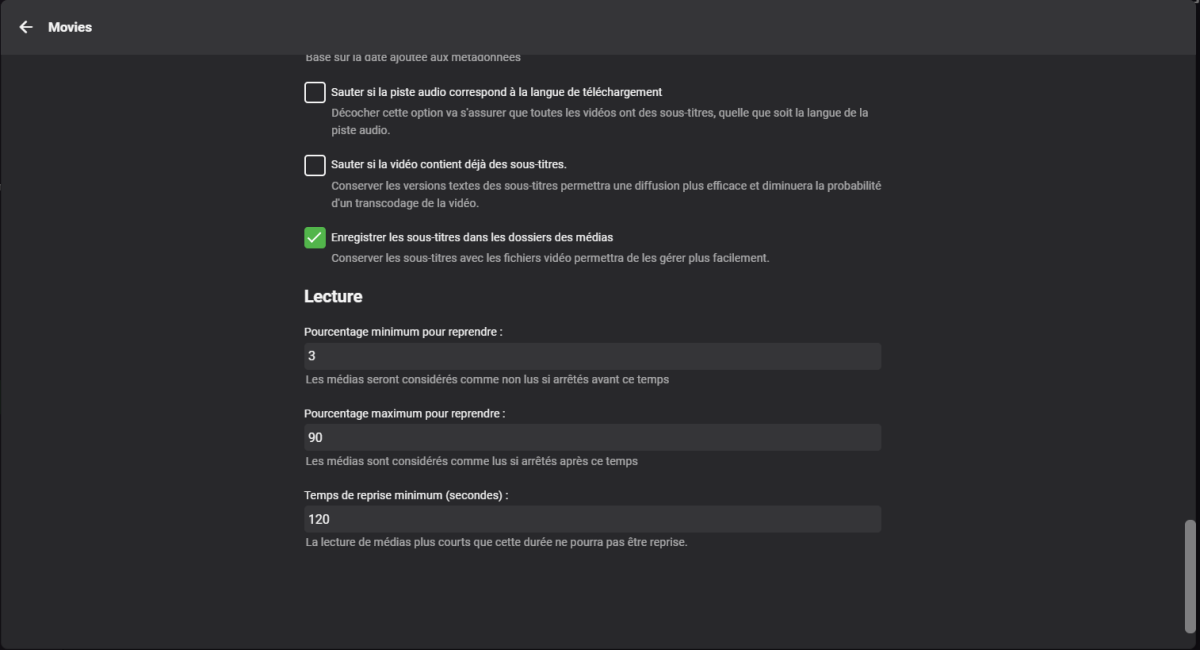
Salut ! Pour chaque bibliothèque dans ses paramètres tu as cette option
 1 point
 -
By chance, have you unknowingly enabled this?1 point
-
Apologies for the mixup.1 point
-
Hello, I have exactly the same problem with a new installation on OMV. The 50 .. 70 first artists and albums are found automatically when the files are downloaded in the Emby directory. but above this limit every new entry has no muzicbrainz id and introcucing it manually + "identify" give no results. Is this bug still present in the 4.7.6.0 ? IS there a way to solve it ? Thanks Ppatou1 point
-
Just as the title says, I'd like to be able to edit filenames - not on a bulk basis - from inside Emby. You can already delete files from inside the apps, why shouldn't an edit be possible then? It would streamline editing metadata and filenames more because you are not always required to edit in two different places.1 point
-
I'd like to see a discrete permission in the user configuration granting the ability to identify media and update metadata, without having to make that user an admin. Even in my small environment, there are multiple reasons I'd like this distinction. the most common, for my use case, is that it would allow us to "fix" misidentified media from the couch, while logged in to the family account in the common space. It would also be beneficial to enable this option for 'power users' I share access with, who I trust to contribute in this way but who I don't want to grant full access to delete all my libraries and such.1 point
-
Don't get me wrong. Both of what I mentioned would be valid reasons - I just wanted to point out that a VPN doesn't add much to security as long your router is configured properly and some routers also provide some basic protection which you don't have with a VPN that terminates directly on one of your machines. One general advice (no matter which way you go): Don't use the Emby ports (8096 etc), use either custom or default http(s) ports.1 point
-
If people in the music world call it style then it seems like that's what we ought to do instead of putting them into Tags. That means it will be a bit more work and that's why it is waiting, but I'd rather not stuff it into Tags just out of convenience alone if that's not really the right way to go.1 point
-
It's what I plan. But I can't manage to have the relationships in the database items to create the correct scripts. It would be a great feature for a future release to have the baility to "Move media files to a new location" in the Emby dashbord. Don't you think ? Even if I don't know if it does worth it since it's not an usual process....1 point
-
If you have a nfo file with the media then you should have all that information and it is maintained with a move. Unless you do not have a true metadata nfo file. Emby will always read nfo metadata (unless disabled per library). But to avoid more confusion can you go over a specific example.1 point
-
thanks for your reply! yes it would be really nice for bigger systems with a lot of users to clearly define roles and what they are allowed to.1 point
-
Okay, I'll put it on the list. Thanks.1 point
-
The one I have been using on all other devices is: Light (blue accent). It’s a white background with blue on the top menu. I understand if it takes time to make them. Just hoping it can be integrated at some point.1 point
-
The Apple TV theme is a light gray which looks washed out. Is it that hard to include all the themes across all apps? I was hoping to use the light theme with blue accent as i have it on all my other devices. That one works the best for what I need.1 point
-
Since this thread comes up in some searches for its topic, I thought I'd share my workaround... I was able to make this work in a Windows Server environment using symlinks. But to make it happen, I had to symlink the install locations before the installation began. Let's say I desired the install to be in C:\Servers\Emby. By creating a symlink in AppData called MediaBrowser-server to that location, the application uses the AppData path, but the storage is actually in C:\Servers\Emby. Its done with the mklink command in the command prompt. See "mklink /?" for its syntax. I cant really certify whether any issues are created this way - the Emby staff can if they would like. Ive had no issues, but of course if any arise due to doing it this way its obviously not their problem lol. (FYI not mine either ) Sent from my iPhone using Tapatalk1 point