Leaderboard




Popular Content
Showing content with the highest reputation on 09/19/22 in Posts
-
Thanks for the info! TBH, I haven't followed the whole story regarding intro detection, not even at our side. Working on such things is a bit of an unthankful job as you are never really done. There will regularly be new cases coming around where it doesn't work and then you need to get into it again. There's no clear solution and multiple methods needs to be combined, results weighted and summarized. Again something that needs a lot of iterative adjustment. If you ask me, it's not really something I'd like to work on, and I very much appreciate the effort from all of you guys on that subject! There's a number of things to come for developers working on Emby solutions (plugins and API integrations) which will make their work easier and more effective. The announcement will be made shortly and it's there to show that our appreciation for all developers goes beyond just words4 points
-
@chef APPROVED = 1 and does not show. For my test only G rating will appear.2 points
-
Excelente, vamos aguardar o Luke se posicionar a respeito de quando está atualização/mudança ocorrera. Marcelo, brazil2 points
-
I apologize to everyone for being so slow to get back to this list. I have some family medical issues that I am working through. I should be back in a few days. vic2 points
-
To tell you the truth, it's grown on me2 points
-
2 & 3. I assume you used for 3 the synced node (for "addon" node selection). Ergo they are identical nodes. Now it's hard to explain... The addon node uses caches from the next-gen-plugin queries. Technically the addon-mode node uses a detour via next-gen plugin. Dont' use it, it's just an extra layer and redirecting to the same node and makes no sense in this case. Addon mode nodes makes only sense for dynamic nodes (cause they are not "directly" available for Kodi ). Really hard to explain. I try, forget about all plugins related stuff. Kodi nodes are files and located in ...kodi/userdata/library/ It's a file telling Kodi what to show. It's related to Kodi's internal database and has nothing todo with the plugin at this point. So the node is just a file (with commands), and the difference between 2 & 3 is just how you call this file. 2: Kodi access the file directly and loads the view. 3: Kodi query's the plugin and the plugin redirects to the same (node) file. (That's the detour). -> Please don't ask why they are available if it's redirecting to the same node file. That's even more difficult to explain, but there are reasons. Dynamic nodes includes not synced content to Kodi's database (or the query is not possible via Kodi's database, but let's skip that for the moment). Ergo, not synced content cannot be queried via Kodi's database, and comes directly from Emby server (therefore it's slow). Back to your observation. 2 & 3 are identical, but looks the Kodi query is faster in one node than the other OR the detour via plugin uses the plugin's query cache. Even it is, it should be correct in both cases. The cache for queries is cleared under some circumstances. I stop here explaining that, but I'll review it. Maybe a bug, but I don't think so. Maybe just delayed, however. Let's go back to 1 & 2 Embuary uses realtime query to Kodi's database, therefore it's always "correct" but there is a price to pay. Embuary doesn't use Kodi's internal functions (the nodes/node files) for views. It uses jsonRPC calls which are by design not the fastest (another detour). So the way to got is let Kodi build the view by it's internal functions, ergo the node file. To make this even more clear, each Kodi widget/list view is based on those files (even with stock installation). -> Not 100% correct, but close enough for my point. So the final question is, why doesn't refresh the "custom" node file as fast and there are several explanations. Is it incorrect or is it just slower. Both cases is something to review VERY VERY deeply. Is it skin related. I know, you use Embuary but this is not a proper test. Such questions are not easy to answer. Could be everything, e.g. the skin is not triggering the refresh. The helper is not triggering the refresh. The refresh was triggered, but delayed. And a million more. However, I'll review it. Sorry for the long answer, but this is not a black or white matter. Therefore I recommend tests with stock skin. This is a dedicated testcase, or at least some else lightweight skin. Especially NOT using Embuary for such plugin tests. This skin has a million of extra layers, and nobody will know who causes an issue. I know you want everything perfect for Embuary, but I will not debug this skin. I debug plugin issues, and for some cases artwork review for some skins. If it's an actual plugin issue, test it and report it but not with Embuary. Don't get me wrong, I'm not saying it's not a plugin issue but there is no way to review it without reviewing the Embuary skin as well and that's not what I'm gonna do. I'll check the issue with a simple skin, if I find something than it's confirmed, otherwise not.2 points
-
Hi, this will be resolved in the next app update. Thanks.2 points
-
@roakuI tried your code and it caused the page to load ontop of other pages, the image data did not load either However, A Massive THANK YOU!!! You have pointed me in the right direction function (loading) { return function (page) { var pluginUniqueId = "B19C4634-2C02-4DD9-8579-F950961EB219"; page.addEventListener('viewshow', () => { let headerElement = page.querySelector("#header"); ApiClient.getJSON(ApiClient.getUrl('CPP/MainHeader.html/LoadHTML')).then(response => { var dat = response; headerElement.innerHTML = dat.Text; console.log(dat.Text); }).catch(e => { console.log(e); }); // rest of page javascript } ); } } A slight modification and its now working on every page view !!! I cannot believe how much of a headache this was !!! Thank you Thank you Thank you !!!2 points
-
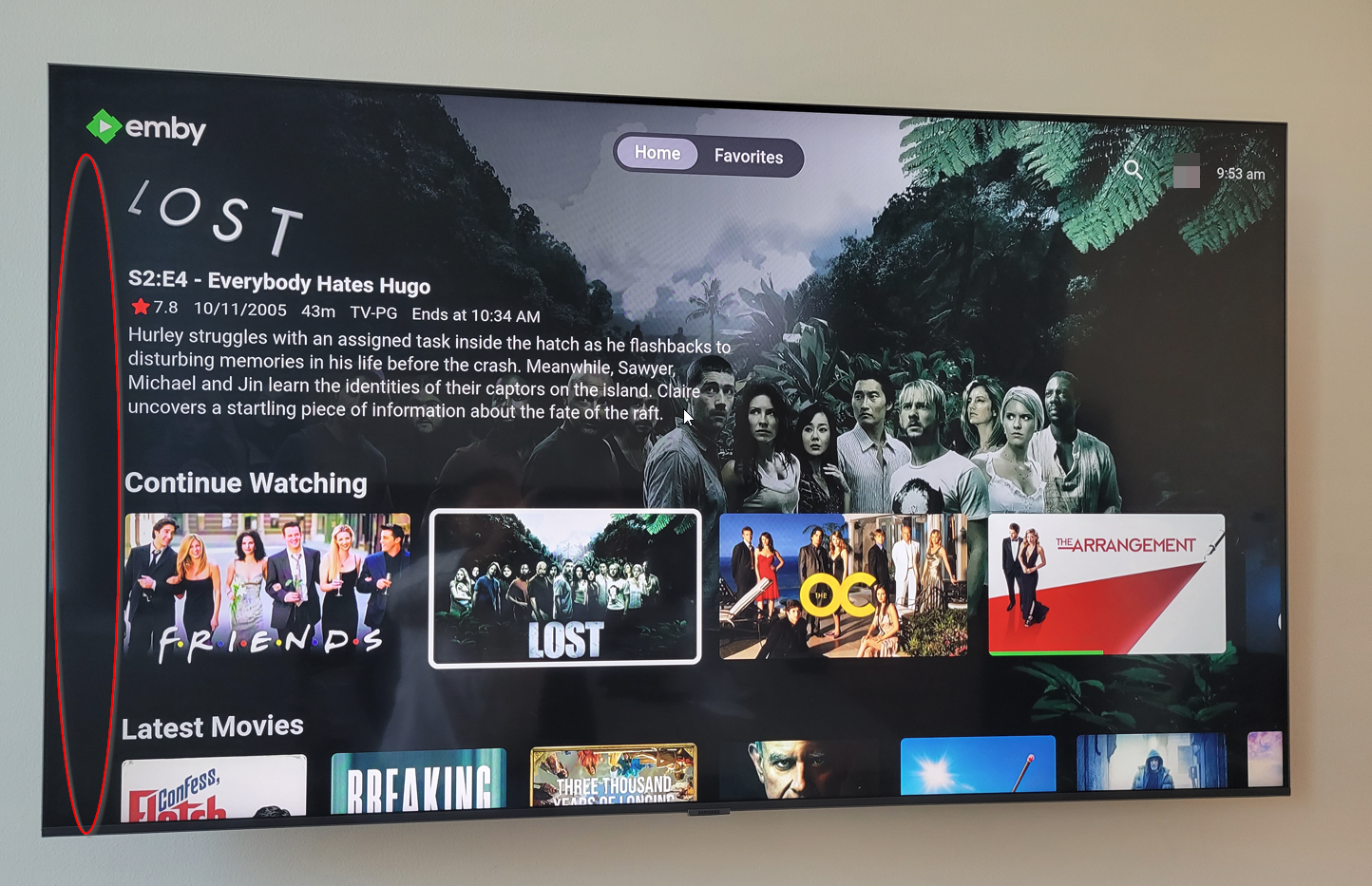
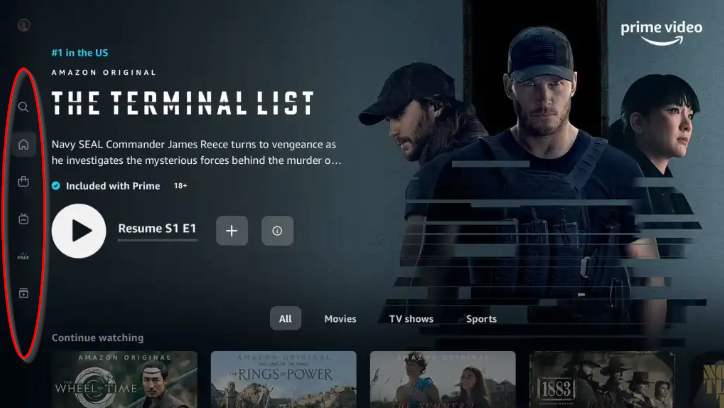
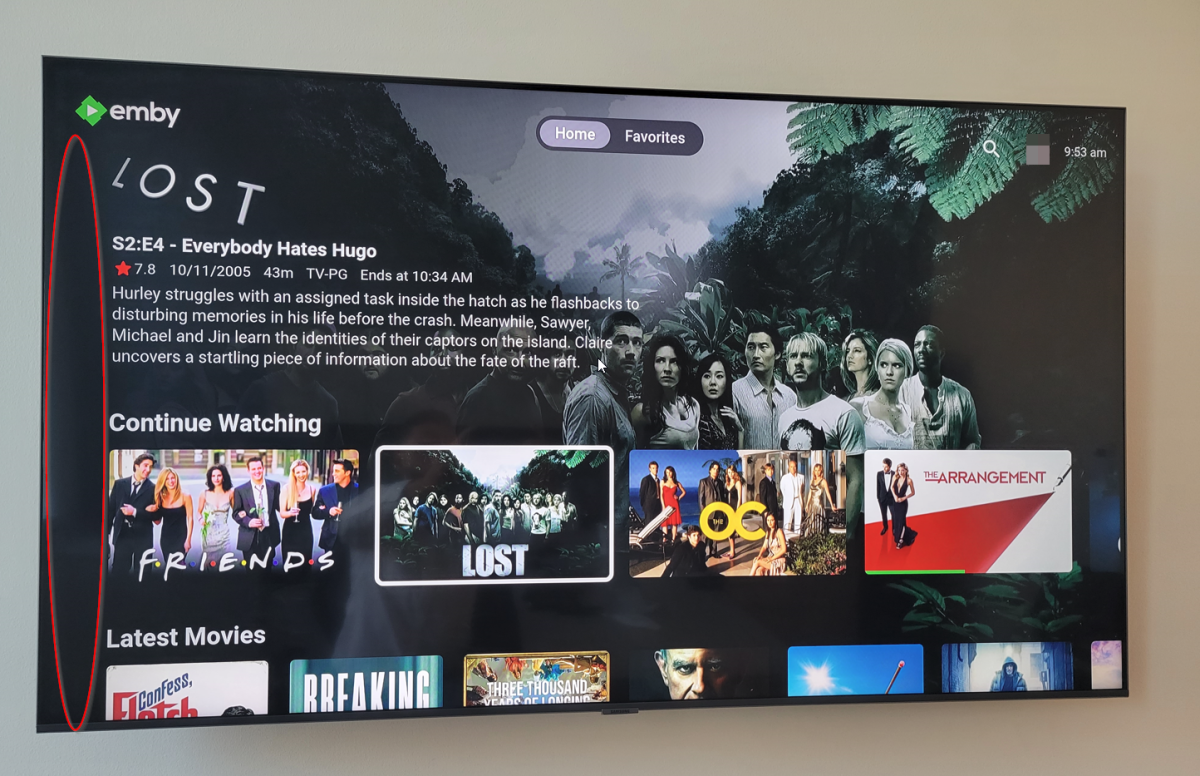
Here's how Amazon dose it Since Emby has this room on the left hand side may it can be placed there
 2 points
 -
thanks - sorry i jumped on the conclusion. you are right, I could switch to 720p from the menu you told me about. awesome!2 points
-
Okay, This is a New Releases Channel. It will aggregate items in the library that have a premiere date in the last 8 months, and that have been added to the library in the last 2 months. Note: If you do use the TImelord plugin to alter metadata, just know that the list in the channel will reflect those changes. Looking forward to some feedback. Emby.NewReleases.zip The only thing I can't seem to understand fully, is how this plugin displays it's list of items on ATV. The channel items show up as thumbnail images instead of primary. @ebr2 points
-
This is now fixed on my UE43KU6510 and my UE32M55002 points
-
It looks like the guide button is disabled for non LiveTV users in 1.3.8. Thanks2 points
-
If the request is a true duplicate then the threads should be merged. This keeps all the discussion in one place and the likes in one place. An example of a this is here https://emby.media/community/index.php?/topic/112252-cast-order-edit-option/ Just merge the threads.2 points
-
I moved from Plex to Emby and even though I think Emby is superior in its flexibility there are some things I like better with Plex, especially in terms of its looks. This theme is trying to fix that by making it a bit more similar to Plex but with some, in my opinion, improvements. The CSS is attached to this post for anyone interested and below are some screens to show it off Good to know I only use Chrome so I can't guarantee this CSS works as expected in other browsers. If you want the sidebar menu to look like in the screens, make sure to pin the sidebar. Watched badge/banderoll is inverted which means that the badge will not be shown if media have been watched, like in Plex. For desired look, please use the "Dark" theme for both Theme & Settings theme in the display settings. Emby-Stable-style-v3.6.txt





 1 point
 -
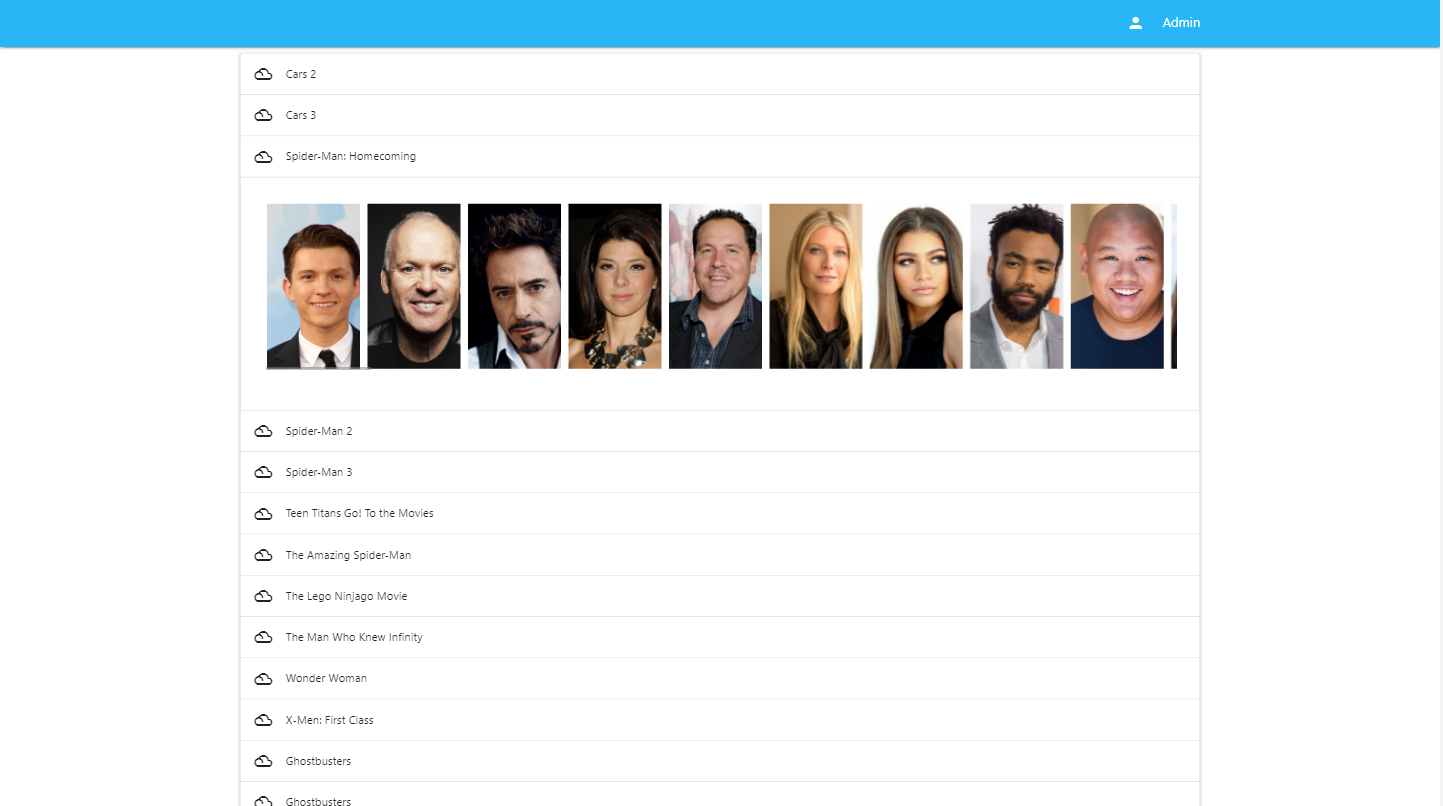
The clients display the Cast & Crew in the order that they appear in the xml file. Sometimes the order that they are in is not what I want and so I would like to change it. Therefore within the metadata editor could a simple up/down arrow be added to each actor so that the order they appear in can be controlled.1 point
-
I thought it would be best to open a new Topic with this. Since 1.3.8 the function for changing Backgrounds and Posters is broken since this Version. You can look for a new Background Picture but it is not possible to select something, neither you see the curser moving. Worked fine for me in 1.3.6 TV SAMS GQ-55Q6F1 point
-
I don't think any apology is necessary. You're doing this for free, after all, and family comes first in any event. Hope everyone is in better health soon.1 point
-
Oh, I'll change that to APPROVED, and see what happens.1 point
-
Parental rating is an enumeration. I would have thought that the API rating would map back over the different countries versions of level of control. If the enum return G = 1, then U should also equal 1. It does not do that apparently. Maybe I wrote it wrong, maybe I'm suppose to pass in 1 instead of the string version of the enum... ??? A config is gonna take time... I dunno. Let's see if passing the value of 1 will work first.1 point
-
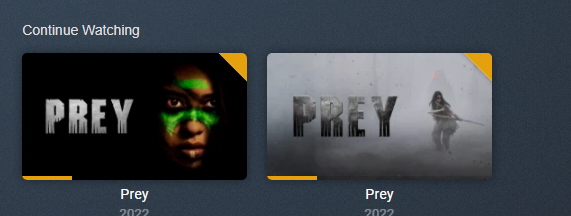
Also the problem with Channels is Duplication as they are new database items for existing items. Search is duplicated also.
 1 point
 -
I would make the Premieredate/Dateadded values configurable. Or make them both the same to cover Premieredate as Dateadded.1 point
-
@chef Yes, as G would be country specific and still leave out items. Emby links ratings to an index but would have to ask devs how this actually works behind the scenes. So this would actually need to target index to work across country mpaa. couple examples LoadRatings("us", new[] { new ParentalRating("TV-Y", 1), new ParentalRating("APPROVED", 1), new ParentalRating("G", 1), new ParentalRating("E", 1), new ParentalRating("EC", 1), new ParentalRating("TV-G", 1), new ParentalRating("TV-Y7", 3), new ParentalRating("TV-Y7-FV", 4), new ParentalRating("PG", 5), new ParentalRating("TV-PG", 5), new ParentalRating("PG-13", 7), new ParentalRating("T", 7), new ParentalRating("TV-14", 8), new ParentalRating("R", 9), new ParentalRating("M", 9), new ParentalRating("TV-MA", 9), new ParentalRating("NC-17", 10), new ParentalRating("AO", 15), new ParentalRating("RP", 15), new ParentalRating("UR", 15), new ParentalRating("NR", 15), new ParentalRating("X", 15), new ParentalRating("XXX", 15) }); LoadRatings("ru", new[] { new ParentalRating("RU-0+", 1), new ParentalRating("RU-6+", 3), new ParentalRating("RU-12+", 7), new ParentalRating("RU-16+", 9), new ParentalRating("RU-18+", 10) }); LoadRatings("uk", new[] { new ParentalRating("UK-U", 1), new ParentalRating("UK-PG", 5), new ParentalRating("UK-12", 7), new ParentalRating("UK-12A", 7), new ParentalRating("UK-15", 9), new ParentalRating("UK-18", 10), new ParentalRating("UK-R18", 15) });1 point
-
So.. it's been about 5 hours since I posted that test. Seems like it must work well. No one is reporting issues when the refresh internet channels task is run. So that is great!1 point
-
Stock estuary skin cannot be customized. Use estuary mod v2 (kodi nerds repo). You will see zero difference by default settings, but fully adjustable. Too all: Please don't drop skin related questions, issues etc in this thread. This is a bug report/support thread for next-gen plugin not a skin mod thread. btw, same for Kodi bugs.1 point
-
Sorry, in Emby library setup, what movie metadata providers are enabled on the library, and in what order?1 point
-
I wanted to put this up here as I spent a few hours finding the solution and hope this helps someone else. It took 5 minutes to implement the solution. I run Emby on an Ubuntu box. I use another box, called the DL box, to add audio files to the disk in the Emby server. The Emby server presents a smb share via samba that the DL box uses to copy files to. Emby has its music library on the disk that is presented out. The problem was; The DL box was moving and copying files into the correct area of the Emby library, via the smb share, but they were not being seen by library scans and therefore not added. The cause of this was permissions and ownership. The Emby service was in effect running as the user “Fred” but the DL box was connecting and saving files to the smb share as the user “DL” therefore the user and group membership of the new files was DL not Fred, so Emby couldn’t see them. The solution. In the smb.conf file add the lines force user = Fred force group = Fred Remember Emby is running as Fred That solved the problem. The new files were copied over with the right ownership and could be seen by Emby. You can also use force directory = 0777 and force create = 0777 to allow everyone to access the directory, but that’s a very bad idea. I hope this is of use, it took a long while to work out the problem, but minutes to solve.1 point
-
You're missing a closing div in this example html.1 point
-
I recorded something yesterday. I'll look later at what files end up there before and after deleting.1 point
-
@SamES looks like the picture shows up correctly on 1.3.8 you fixed it1 point
-
Yes, i agree this is also work for me on 1.3.81 point
-
@mickle026 I took a look at my code, and I'm not using getElementById *anywhere*. I'm using page.querySelector("#IDGoesHere") everywhere. That probably means you need to switch to querySelector too, because I normally use getElementById in my javascript, so I'd only be using something different if Emby required me to. https://developer.mozilla.org/en-US/docs/Web/API/Document/querySelector So, I think it's *both* that you need to select through page *and* that you need to use querySelector instead of getElementById. Hopefully, that takes care of it.1 point
-
Wowzers this sounds promising for sure... look forward to the announcement and thanks for the kind words. Absolutely no issues sharing our progress on this.... just wish we had more time at the minute to further our progress.1 point
-
With the latest version(s) I needed to do a full database reset and now I see Emby coverart and it is not enabled in the next gen settings. I use the coverart from Kodi. Thanks1 point
-
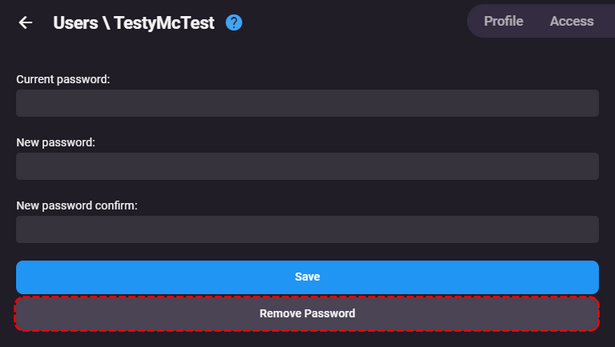
@SankethEmbyCnct Yes as long as the account is not an Admin, the admin user can remove passwords from any user. But if a local user I would leave password, and change local access to not required on LAN.1 point
-
@SankethEmbyCnct Have you tried clicking on 'Remove Password' on the users profile?
 1 point
 -
Hey, in the last test I noticed that deleting and adding databases is often only triggered after a restart. When resetting, the file "MyVideos119" or the thumbnail folder also remains and is overwritten again later when adding. I am currently testing the scheme again. Thanks Seger1 point
-
I tried the new 1.3.8 and now the Homescreen does have a Random Logo and description right from the start but it’s still missing the background of this Random Movie/Show. If you now can get the background to work, i think then it could be marked as fixed1 point
-
I'm still not seeing a background when selecting My Media which I think this one is about.1 point
-
I'd love to see the Apple TV app take after the iOS app's styling. For Emby, this is my favourite frontend, the styling is great for content pages and the homepage, library tabs are clean and uncluttered. A port of this frontend for Apple TV and other platforms would be great (If not already done.) The current Apple TV frontend is functional but could be brought up to par with the others.1 point
-
The STOP button (for those who have one) appears to be working for me in 1.3.8. Clicking STOP stops the video and returns to the details page.1 point
-
This one is fixed for me in 1.3.81 point
-
Thank you! Looking forward1 point
-
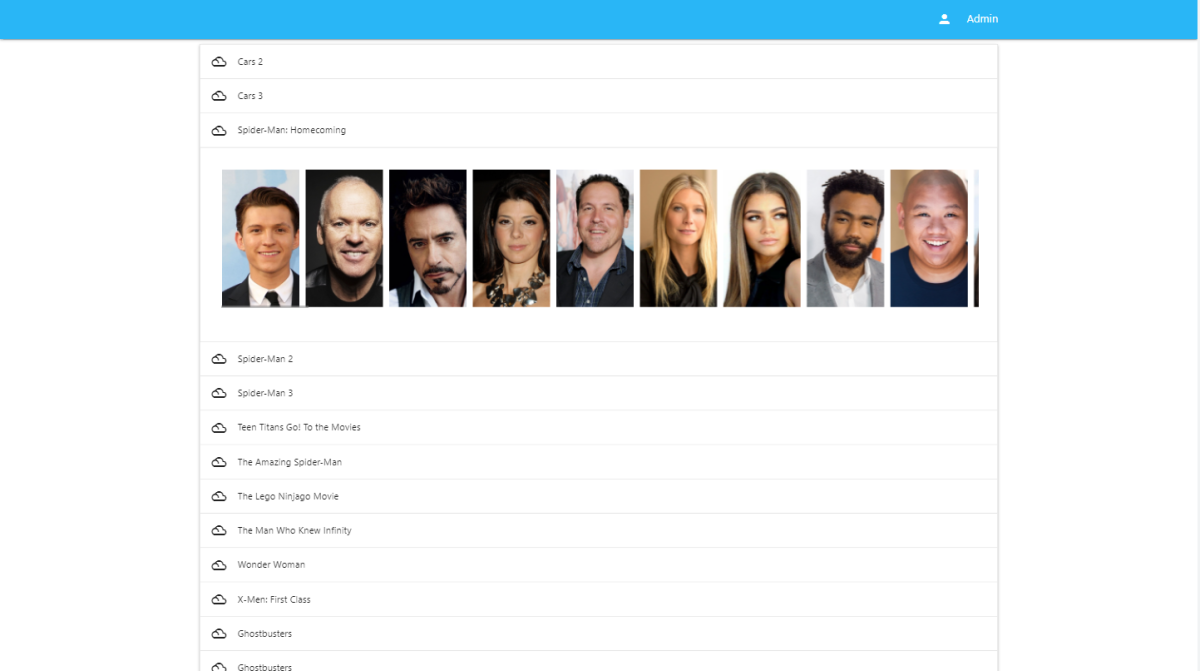
Some really exciting stuff here... it might not seem like it. But, it is. So, I'll be able to put this out there. I have now found the best way to show actors. Next, I'll add the process button to process all. It's so close to being done.
 1 point
 -
I ended the current iteration of my Emby Setup as: CPU: I5-4570 MB: ASRock Z97 Extreme 6 MEM: 4x 8gb @ 1333MHz PSU: Seasonic SS-660XP Boot: Raid 1 2x Crucial BX500 Transcoding: Crucial BX1000 Store: LSI Megaraid 2970CV -> Raid 6 with 8x 4TB drives OS: Windows 2012 R2 -> 2019 Hypervisor: HyperV (Emby ran on a Windows VM just because could mostly, tried to keep the Host machine as clean of installs as possible) It's been a fun work in progress to see this PC get upgraded and upgraded more (mostly just more ram and some SSDs). It all started even before Emby existed and it was just the MediaBrowser and playing them via Windows Media Center. Eventually I added Emby Plugin to Windows Media Center and used that until Emby Theatre was released. But the time has come to rebuild some of those core components. I decided that it would be more .. efficient/fun to upgrade my own work/gaming machine as well, so I replaced my Ryzen 3600 with a Ryzen 5900, and thus I had my new CPU. I didn't do any research really into a good server motherboard, and I probably should have. When I built my work machine, I looked long and hard at some of the best motherboards based on VRM components (apparently some manufactures were being really cheap and using bad VRM components) so to make it easy on myself I decided I'd just buy another ASRock x570 Taichi. Worst case scenario I have a back up in one way or another. I have way to may Chrome tabs open, Visual Studio's, Sql Server Mgmt Studio.. things these days just eat RAM, so upgraded my 2x 16gb 3200 to 2x 32gb 3600.. so now I have the RAM. So I really didn't think to much in advance about the whole build. I got lazy and just assumed I could replace one type of component with another. Sometimes it doesn't work out, and it definitely didn't work out for me. Took out the mobo, put the new one in, start plugging everything in and realized, the new mobo needs another CPU connection from the PSU, and I don't have that cord at my current location. Also the PSU is now 9-10 years old, almost past it's warranty, so purchased a Thermaltake Toughpower PF1 650W. Received that after day or two, rewired everything again. Then as I start to plug in the external devices... I have no video card as the 3600 doesn't have an IGP... sheesh. Ok well if I'm gonna buy a video card, lets go for something with NVENC and do some GPU offloading I thought. Trying to not make the same mistake twice about research, I looked into which cards support what encoding (https://developer.nvidia.com/video-encode-and-decode-gpu-support-matrix-new) and found that the consumer geforce cards are limited to 3 sessions. The quadro cards however, are not, and so it appears that besides the B-Frame HEVC (which I honestly don't know what it means) the first card to really support most other encoding features is the P2000. Off to ebay, buy a cheap P2000 and WAIT for that. At this point I really should have looked at some of the other quadro cards. From my very little search and some other documentation that is semi-relevant regarding encoding it would seem that the limit for cards is upwards of 250mb per transcode of the GPU (the p2000 has 5gb, so that 20 transcodes, way more than I'll need). I could have gotten a bigger card for $30+ more. There are driver hacks for Linux/Windows to remove the session limits, but I'd rather keep everything stock. Now I'm ready to go. Get everything plugged in and find out that in order to do SATA raid off the motherboard, I have to disable CSM. It appears that disabling CSM prevents the LSI Megaraid card from working. I'll probably do some additional testing in the future but for now, no Raid on the boot drive (oh well). Start to install Windows Server 2022 and no network card! WTF. Apparently the Intel i211 card has no Windows Server drivers... But there is a hack to make it work (https://blog.workinghardinit.work/2017/06/19/installing-intel-i211-i217v-i218v-i219v-drivers-windows-server-2016-eufi-boot/)? Now I'm not really into going off the rails to make something work, just because it means if something crashes, I can't prove it wasn't some weird hack I did to get it work. So.. do I buy a Windows server compatible PCIe network card and wait again? At this point I was ready to try something a little different. A friend of mine suggested trying a different OS/Hypervisor. I had used VMWare Workstation way way back in 2006-2008 when it went free, but I was totally unaware that ESXi became free. I'm honestly amazed at this. So started the install of ESXi and to surprise, literally everything worked. No downloads, drivers, config files to mess with, it.. just.. worked. Created a VM just for serving files, with PCIe passthrough of the LSI card, works flaw-less-ly. Created another VM for Emby and well it can't do passthrough of the P2000 because it's in use on the host (I could totally be wrong, but I don't know ESXi so..). I bought a NVS 295 off amazon for super cheap, took out the P2000, put in the NVS 295, ESXi boots... no problem. Yes! Ok install the P2000, booted, ESXi allowed me to enable passthrough, installed nVidia Quadro desktop driver, checked Emby, it found the driver, and enabled nvenc. Loaded up four chrome players on my work machine, playing the same 4k video (80mbps) and started adjusting the quality (1080p @ 10mbps, 1080p @ 6mbps, 720 @ 4mbps and 4k @ 40mbps). CPU at 17%, GPU-ENC at 81%, GPU-DEC @ 100%, GPU Mem at 3.5gb. Navigating through each of the players and changing the timecode causes a 100% spice in the GPU-ENC for just a second or so. No dropped frames. Video response (start, stop, timecode change) is now almost instantaneous (way way faster then the previous build). In the end: CPU: Ryzen 3600 MB: ASRock x570 Taichi MEM: 2x 16gb @ 3200MHz PSU: Thermaltake Toughpower PF1 650W Boot (ESXi): Crucial BX500 VMs: Crucial BX500 Transcoding: Crucial BX1000 Store: LSI Megaraid 2970CV -> Raid 6 with 8x 4TB drives GPU offloading: P2000 OS:ESXi 7.0 U3 - Windows Server 2022 - File Share - Windows Server 2022 - Emby I hope this lasts me another 10 years! And lesson learned... do more research.1 point
-
Hi, yes it's possible for future updates. Thanks.1 point
-
https://youtu.be/ctbTTRoqZsM Now we have hardware encoders. The next gen AMD and Nvidia GPUs will very likely have encoders, at least Nvidia. Things are progressing quickly.1 point
-
I have a huge music collection and totally agree that under genres, sorting by album name is completely useless. I want to sort by artist. So adding Artist in the sort field seems reasonable to me.1 point
-
The trouble I am finding, is that MUSIC library **DID** used to sort by Artist under Genres and was changed without any warning. Family really don't like the view by ALBUMS as artists are listed all over the place in a huge list (if large library). I agree with what you said though, in that not everyone will agree on ONE view, so hence my idea of a sticky option of "Sort by Artist", "Sort by Album" options. It would then work for Music/Music Videos/Audiobook libraries.1 point
-
Was thinking about how to do this with minimal user impact and all that How about, simply adding "Artist" under the SORT BY option menu option already there under Genres (and be "sticky")? This would work for Music, Music Videos and Audiobooks - you could even keep the (stupid) default view of by Albums? Can't see why this would be an issue as still tidy for you and gives customers choice? The current view is really giving usability issues right now. Thanks.1 point