Leaderboard




Popular Content
Showing content with the highest reputation on 09/10/22 in Posts
-
When I first laucbh the app and the TV show movie is selected under continue watching dose not work I have go select a different video and back on it for it to start working. Please see video2 points
-
Hi, I would suggest you open this as a new issue or feature request as V1.3.5 fixed the actual display problem in V1.3.4. I will mark it as solved2 points
-
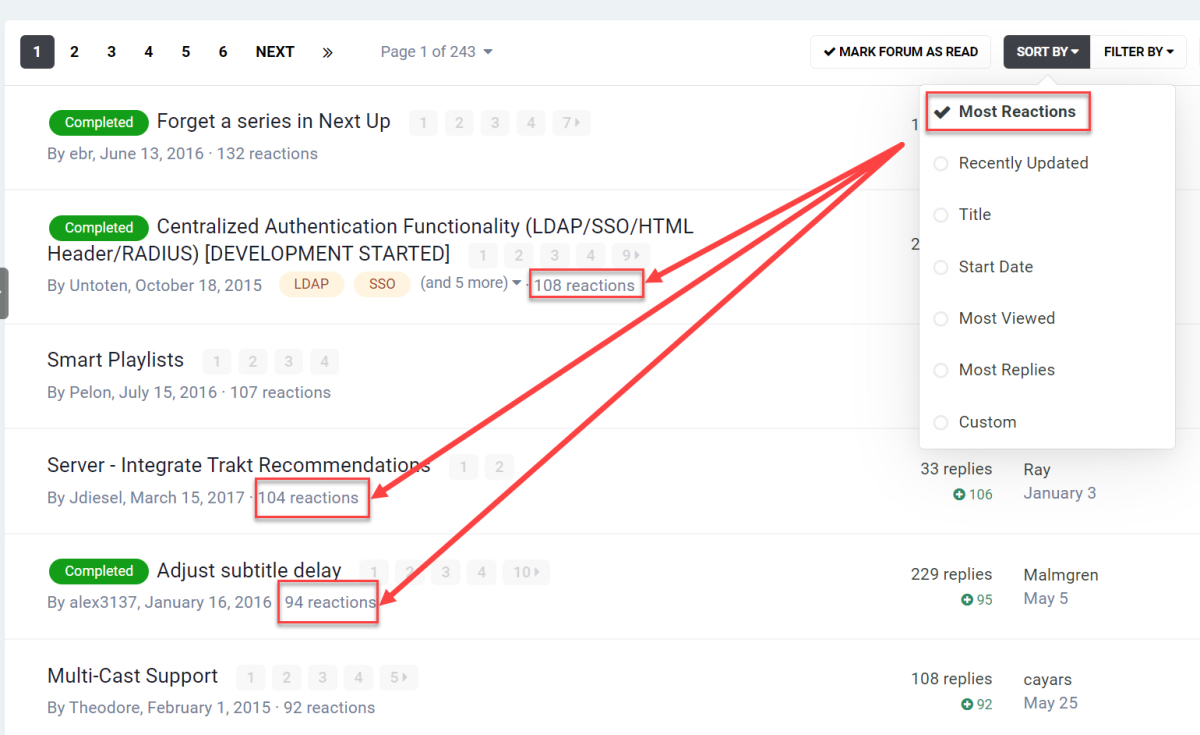
Sort by most reactions at the FR forum:
 2 points
 -
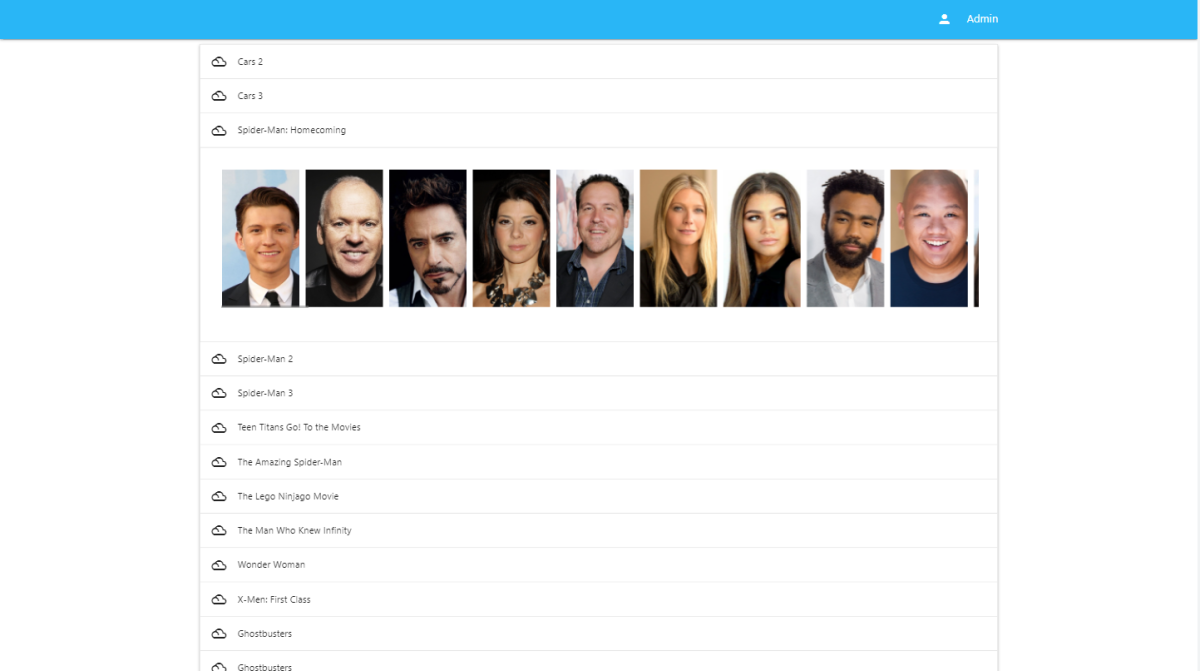
Some really exciting stuff here... it might not seem like it. But, it is. So, I'll be able to put this out there. I have now found the best way to show actors. Next, I'll add the process button to process all. It's so close to being done.
 2 points
 -
but there aren't more, unfortunately unfortunately yes. I'll may change my setup and give it a try again, but this may take time. Anyway, thank you for your great support!2 points
-
It would be great to be able to configure channel groups in LiveTV, which can be selected in the guide view (maybe as tabs) so that we can more quickly navigate to preferred channels using the d-pad. Perhaps start with Favorites by default, but be able to add custom groups (similar to collections) which we can add channels to (Network, Premium, Basic Cable, Kids, News etc.).1 point
-
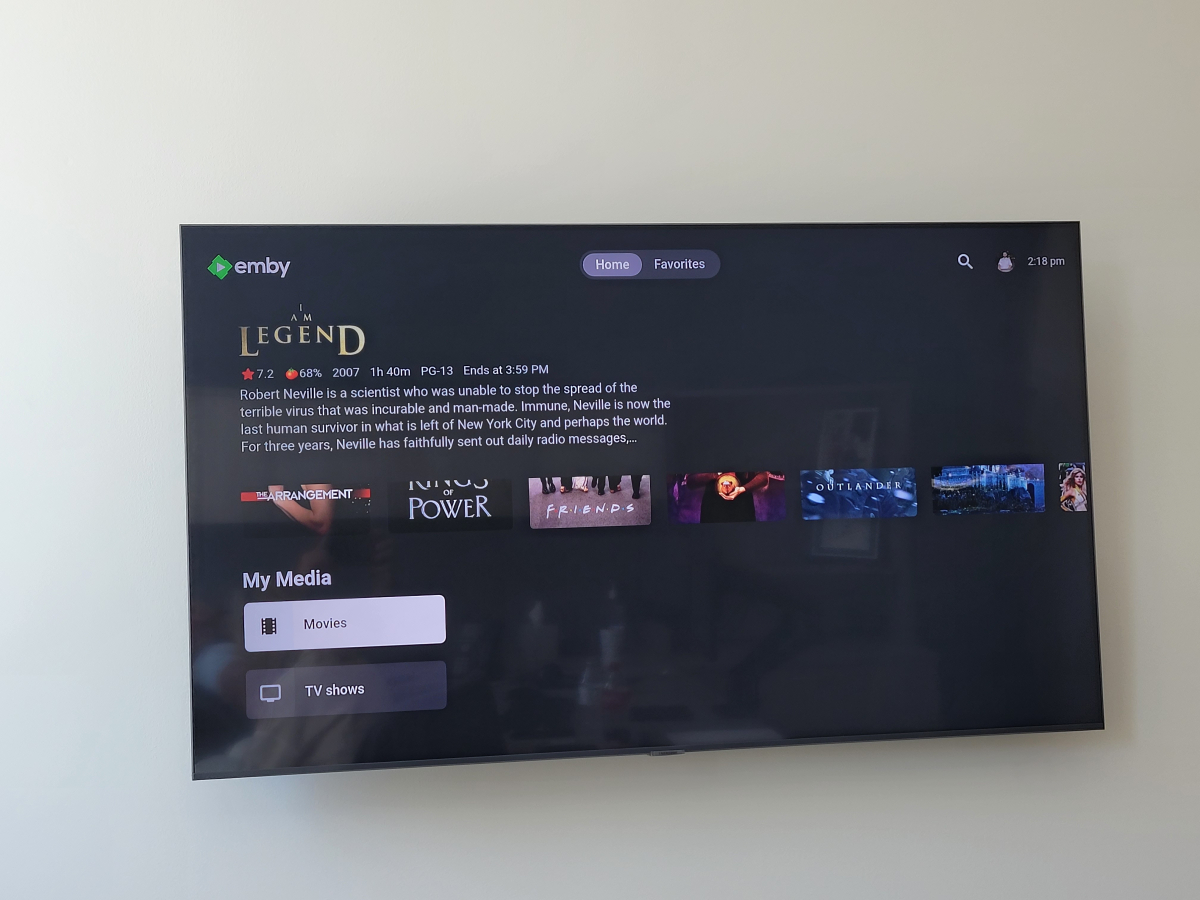
It would be nice to also get a background what that info. so for example it if i click on the movies media lable now on top i get a random movie info "love it" but it would also be nice to get a background with that so it make it look more appealing then a black screen with info on top Please see image when select media tabs
 1 point
 -
Hi, yes we'll take a look at it. Thanks for reporting.1 point
-
Okay, I feel silly now, issue resolved.1 point
-
For the record. I haven't experienced a reoccurance since switching to a CloudFlare setup. That seems to help.1 point
-
Yeah I agree with that. But for watching content from streaming platforms, Samsung supports all lossy audio codecs (AC3, EAC3 atmos) and can passthrough them to the soundbar.Even Bluray remuxes with lossy AC3 audio tracks can be watched. For lossless audio formats like TrueHD, it would be necessary to connect the media box directly to the soundbar or via earc although I'm not sure whether Samsung can passthrough multichannel LPCM via earc which would be necessary because there is no support for DTS codecs .1 point
-
Agree. Same error with the Android and Xbox apps. Need to select something else and return to force a refresh of the enhanced area.1 point
-
Ahh okay that makes sense now about selecting the user icon from the home screen I never knew that thanks for explaining. Okay sounds good let me know if you need anything else from me1 point
-
Hi, im enabled "allow_mlock" and then update from 4.7.1.0 to 4.7.6.0, confirms that all works!1 point
-
Please try the next USB release when it is available and let me know if it is fixed1 point
-
You could put a usb extension cable on the back of your tv or something so you dont have to move it but honestly this whole topic should be dropped and just invest in a media box which can run the emby app, those auto-update and have better codecs then a TV.1 point
-
You may want to start your own thread; this one is about getting it in the store worldwide.1 point
-
Lots of people are doing it now with no problem. What you said you tried was "Any" which didn't work. Changing it to US or UK however is working for lots of people.1 point
-
I'm not sure why I hadn't tried this before but I've just installed V1.0.94 from the Samsung app library and it works perfectly. As a bonus I have the themes back and the "ends at" is back in a sensible place. Obviously some of the nice new features are missing but they are not a showstopper. At least this version is wife friendly Is there a newer version which I could install that was released before Samsung set an expiry on USB loaded Apps? Do you agree that this is proof that the network etc. is OK? I still have v1.3.5 installed and am quite willing to continue with any tests you may have.1 point
-
Hi, he means the Emby Roku app.1 point
-
Well, I think I found the point after doing some tests and searches. If we play with Edge/Chrome, the browser may have problems with hevc/h265, we have to make sure the H/W to be enabled. If we play with Emby Theater(windows desktop version) with potplayer(or anyother players), have to make sure the players to be able to H/W enabled. I think Emby THeater(windows store version) is using its own decoder, that is why it is smooth. If we use Emby Theater(windows desktop version) with its own player, it would be smooth too.1 point
-
so i must have gotten it from using emby desktop app, because it was saying "on *computer name) before. thanks for insight, testing now1 point
-
Just heard from my sister. Latest AFTV client. Issue is gone.
 1 point
 -
Hi, yes I see the issue. Thanks for reporting.1 point
-
I will definitely keep an eye on it. I will switch back to using the AFTV client instead of Kodi. I also asked my sister to see if the issue went away on her device as well assuming it upgraded also. I will keep you posted.1 point
-
Agree, it needs something. If it's going to pick a movie at random to show the details, then display the backdrop from that movie also1 point
-
In the latest betas, the transcoding thread count doesn't have an effect anymore. It will be removed from the settings UI in a future update. For hw decoders, the thread count is set to 1, for sw decoders it remains to be unset (= auto: use maximum reasonable amount). Starting with 4.8.0.9, there is a new thread count parameter for the H264 and HEVC software encoders (in the codec parameters dialog).1 point
-
Benutzt lieber das Forum, dann haben alle was davon..... weshalb sollte man es auf Telegram nutzen? Wenn man ein Problem oder sonst was hat, dann sitzt man doch eh am Rechner oder?1 point
-
Hi, Check out the TVDB id for the episode you have problems with (instead of show level) I believe this is what is used to sync to Trakt EG My Boss, My Hero on TVDB Show = 85091 as you have mentioned Season 1 = 40779 Episode 1 = 435517 - this is what i think it syncs against for episodes1 point