Leaderboard




Popular Content
Showing content with the highest reputation on 09/09/22 in Posts
-
Great news. I've got this worked out in our standard Android app, Emby for Android (and our iOS and macOS apps). This will be in the next update to each of those apps. Thanks.4 points
-
Or you could just install DARK READER on your browser: darkreader.org Works well on most sites and can be toggled on/off, sites can be added removed...3 points
-
Things should be improved a bit once this development gets ported into the Apple TV app:3 points
-
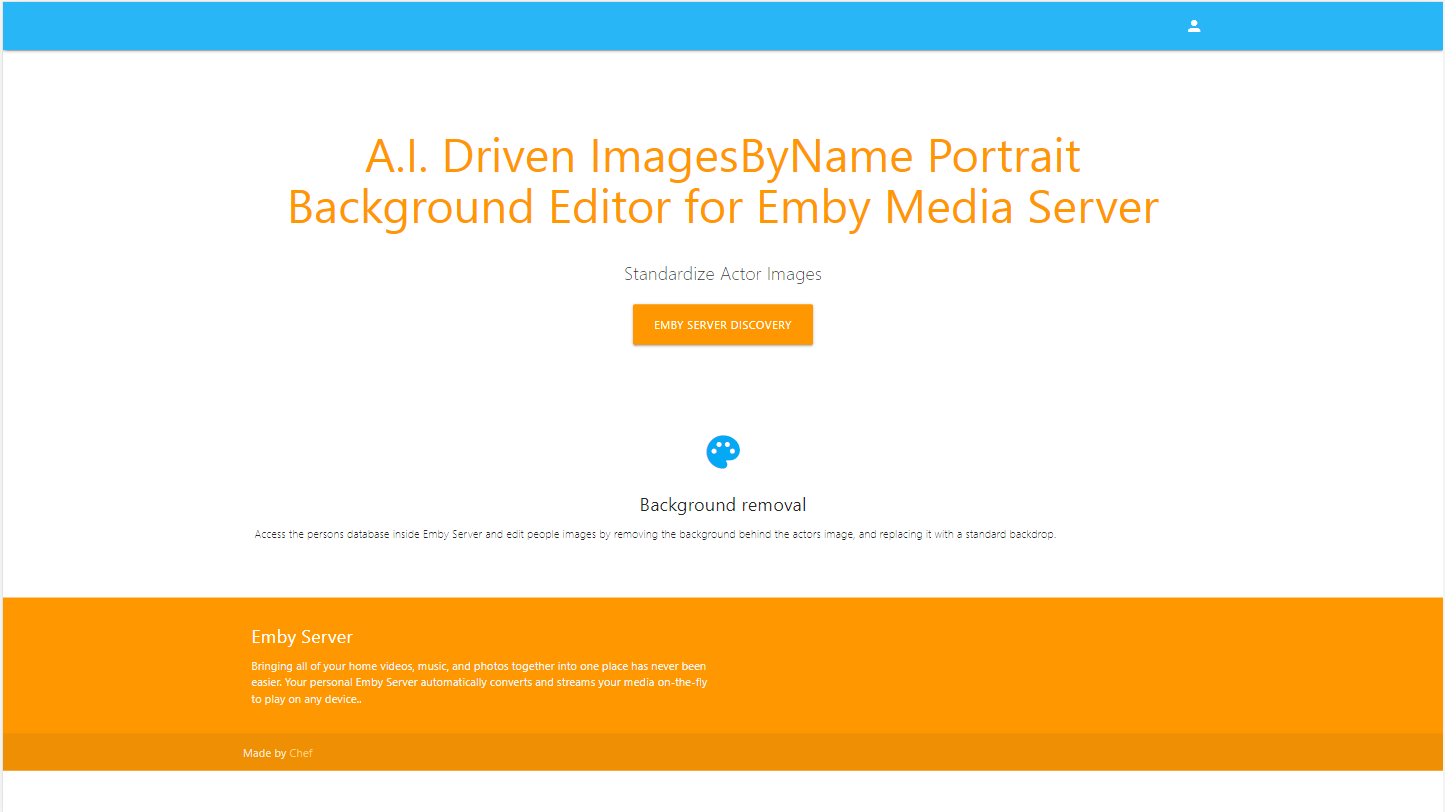
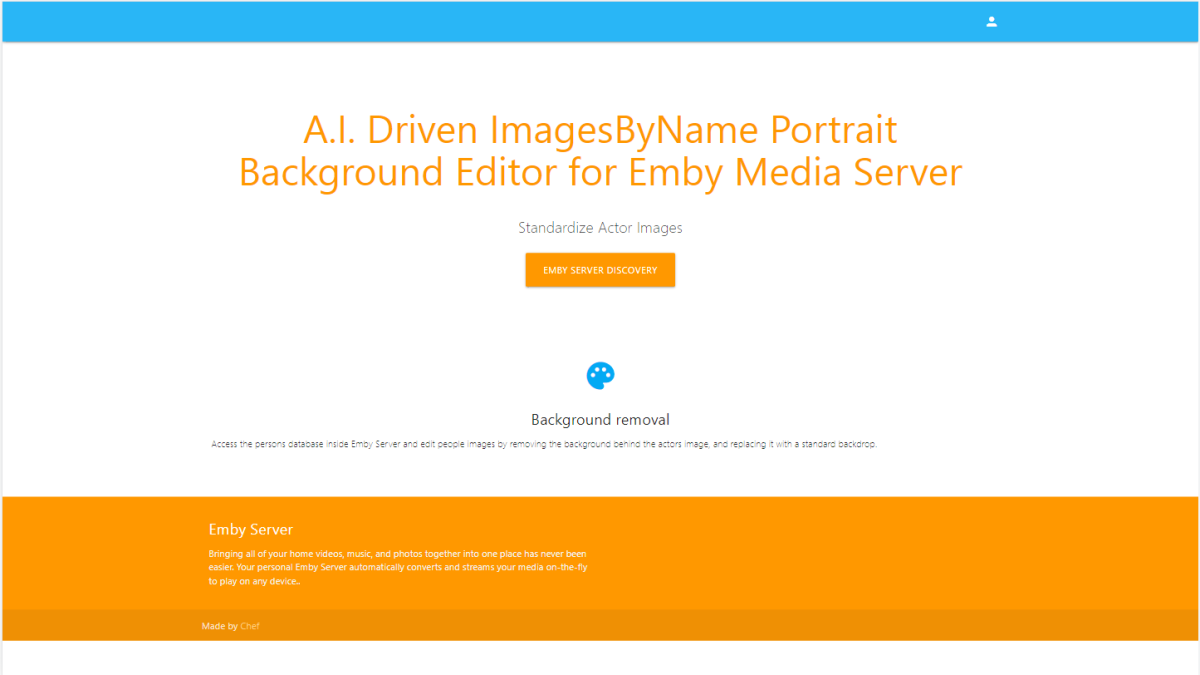
Whoa! So busy. Two 'all nighters'! I built a web app, and it has an API. I have never done that before. It is a huge undertaking, but I did it. This is the web page that appears when you go the url. You authenticate with Emby. Then you are shown the last 10 results of the background standardizer. Emby can request the images directly from the API, or this app can do a full replacement of the actor images in the file system. You can choose to keep both files if you don't like the results, so there is a "Go Back" feature, but it does double the image count so you'll have to have a large file system... But once you confirm the results, this will do a clean up. TODO: Choose to see processed actor list by movie/TV Show
 3 points
 -
You can choose the top picks as an admin, or you can toggle on the auto picks that will calculate a top pick list based on watched status and favorite items from the user base. The reason I've added the ability to add your own items is because some servers only have one or two users. This way you can show at the top of your home screen your top picks for the user base. The option is there to use it if you want it.3 points
-
I ended the current iteration of my Emby Setup as: CPU: I5-4570 MB: ASRock Z97 Extreme 6 MEM: 4x 8gb @ 1333MHz PSU: Seasonic SS-660XP Boot: Raid 1 2x Crucial BX500 Transcoding: Crucial BX1000 Store: LSI Megaraid 2970CV -> Raid 6 with 8x 4TB drives OS: Windows 2012 R2 -> 2019 Hypervisor: HyperV (Emby ran on a Windows VM just because could mostly, tried to keep the Host machine as clean of installs as possible) It's been a fun work in progress to see this PC get upgraded and upgraded more (mostly just more ram and some SSDs). It all started even before Emby existed and it was just the MediaBrowser and playing them via Windows Media Center. Eventually I added Emby Plugin to Windows Media Center and used that until Emby Theatre was released. But the time has come to rebuild some of those core components. I decided that it would be more .. efficient/fun to upgrade my own work/gaming machine as well, so I replaced my Ryzen 3600 with a Ryzen 5900, and thus I had my new CPU. I didn't do any research really into a good server motherboard, and I probably should have. When I built my work machine, I looked long and hard at some of the best motherboards based on VRM components (apparently some manufactures were being really cheap and using bad VRM components) so to make it easy on myself I decided I'd just buy another ASRock x570 Taichi. Worst case scenario I have a back up in one way or another. I have way to may Chrome tabs open, Visual Studio's, Sql Server Mgmt Studio.. things these days just eat RAM, so upgraded my 2x 16gb 3200 to 2x 32gb 3600.. so now I have the RAM. So I really didn't think to much in advance about the whole build. I got lazy and just assumed I could replace one type of component with another. Sometimes it doesn't work out, and it definitely didn't work out for me. Took out the mobo, put the new one in, start plugging everything in and realized, the new mobo needs another CPU connection from the PSU, and I don't have that cord at my current location. Also the PSU is now 9-10 years old, almost past it's warranty, so purchased a Thermaltake Toughpower PF1 650W. Received that after day or two, rewired everything again. Then as I start to plug in the external devices... I have no video card as the 3600 doesn't have an IGP... sheesh. Ok well if I'm gonna buy a video card, lets go for something with NVENC and do some GPU offloading I thought. Trying to not make the same mistake twice about research, I looked into which cards support what encoding (https://developer.nvidia.com/video-encode-and-decode-gpu-support-matrix-new) and found that the consumer geforce cards are limited to 3 sessions. The quadro cards however, are not, and so it appears that besides the B-Frame HEVC (which I honestly don't know what it means) the first card to really support most other encoding features is the P2000. Off to ebay, buy a cheap P2000 and WAIT for that. At this point I really should have looked at some of the other quadro cards. From my very little search and some other documentation that is semi-relevant regarding encoding it would seem that the limit for cards is upwards of 250mb per transcode of the GPU (the p2000 has 5gb, so that 20 transcodes, way more than I'll need). I could have gotten a bigger card for $30+ more. There are driver hacks for Linux/Windows to remove the session limits, but I'd rather keep everything stock. Now I'm ready to go. Get everything plugged in and find out that in order to do SATA raid off the motherboard, I have to disable CSM. It appears that disabling CSM prevents the LSI Megaraid card from working. I'll probably do some additional testing in the future but for now, no Raid on the boot drive (oh well). Start to install Windows Server 2022 and no network card! WTF. Apparently the Intel i211 card has no Windows Server drivers... But there is a hack to make it work (https://blog.workinghardinit.work/2017/06/19/installing-intel-i211-i217v-i218v-i219v-drivers-windows-server-2016-eufi-boot/)? Now I'm not really into going off the rails to make something work, just because it means if something crashes, I can't prove it wasn't some weird hack I did to get it work. So.. do I buy a Windows server compatible PCIe network card and wait again? At this point I was ready to try something a little different. A friend of mine suggested trying a different OS/Hypervisor. I had used VMWare Workstation way way back in 2006-2008 when it went free, but I was totally unaware that ESXi became free. I'm honestly amazed at this. So started the install of ESXi and to surprise, literally everything worked. No downloads, drivers, config files to mess with, it.. just.. worked. Created a VM just for serving files, with PCIe passthrough of the LSI card, works flaw-less-ly. Created another VM for Emby and well it can't do passthrough of the P2000 because it's in use on the host (I could totally be wrong, but I don't know ESXi so..). I bought a NVS 295 off amazon for super cheap, took out the P2000, put in the NVS 295, ESXi boots... no problem. Yes! Ok install the P2000, booted, ESXi allowed me to enable passthrough, installed nVidia Quadro desktop driver, checked Emby, it found the driver, and enabled nvenc. Loaded up four chrome players on my work machine, playing the same 4k video (80mbps) and started adjusting the quality (1080p @ 10mbps, 1080p @ 6mbps, 720 @ 4mbps and 4k @ 40mbps). CPU at 17%, GPU-ENC at 81%, GPU-DEC @ 100%, GPU Mem at 3.5gb. Navigating through each of the players and changing the timecode causes a 100% spice in the GPU-ENC for just a second or so. No dropped frames. Video response (start, stop, timecode change) is now almost instantaneous (way way faster then the previous build). In the end: CPU: Ryzen 3600 MB: ASRock x570 Taichi MEM: 2x 16gb @ 3200MHz PSU: Thermaltake Toughpower PF1 650W Boot (ESXi): Crucial BX500 VMs: Crucial BX500 Transcoding: Crucial BX1000 Store: LSI Megaraid 2970CV -> Raid 6 with 8x 4TB drives GPU offloading: P2000 OS:ESXi 7.0 U3 - Windows Server 2022 - File Share - Windows Server 2022 - Emby I hope this lasts me another 10 years! And lesson learned... do more research.2 points
-
That's a good question. It was an add-in that is not compatible with the new version of the forum.2 points
-
Welcome to the world of Linux where certain things are working in quite different way from Windows! When you run an application on Windows, it first looks for libraries to load in the same folder as the executable, then in system folders. On Linux, it's different. You control the paths for library loading through the LD_LIBRARY_PATH environment variable and the emby-server startup stub sets it like this: export LD_LIBRARY_PATH=$APP_DIR/lib:$APP_DIR/extra/lib This means essentially, that Emby loads its own versions of libs rather than those installed on the system. Otherwise most Emby installations on Linux wouldn't work as it would depend on system-installed libs and that's impossible to manage and deal with. When a plugin launches a process, that process automatically "inherits" the same environment variables as the parent process (= Emby) and that means that a system-installed binary will try to load required libs from the Emby folders rather than the system folders. Possible Solutions IMPORTANT: Please DON'T EVER mess around with the libraries of the Emby installation. 1. Use a Statically Compiled Binary It's possible to compile a binary "fully static". This means that the binary does not need to load any libraries because all are compiled into the executable. A plugin could include such binary, save it to some place on disk and execute it from there. Also, it wouldn't be required anymore for users to install it to the system. 2. Adjust the Environment Variables It's also possible to adjust the environment variables for the child process execution. I'm not sure though, whether it would be sufficient just to clear LD_LIBRARY_PATH or whether it would need to be set to a certain (default) value and which one it would need to be.2 points
-
Go to Playback settings and set hide playback transport buttons to NO2 points
-
It would be useful if the server (or perhaps clients) could cache most (if not all) content images (posters, backdrops, logos, etc) for movies, TV series and seasons. This would mainly be of benefit when a portion of someone's content is offline but the users would still like to view the content to know what exists. I think caching on the server would be preferable, then all clients could make use of the same cached images. if you think this would be a useful feature, please click the "Like This" button on this post.1 point
-
Unless I'm totally missing something, there's no way to add a row to the homescreen that displays the newest releases of movie library(ies). Would be a great, useful addition to latest media to have an option that sorts by release date instead of date added.1 point
-
Could you please add a Webhook for the New content added notification?1 point
-
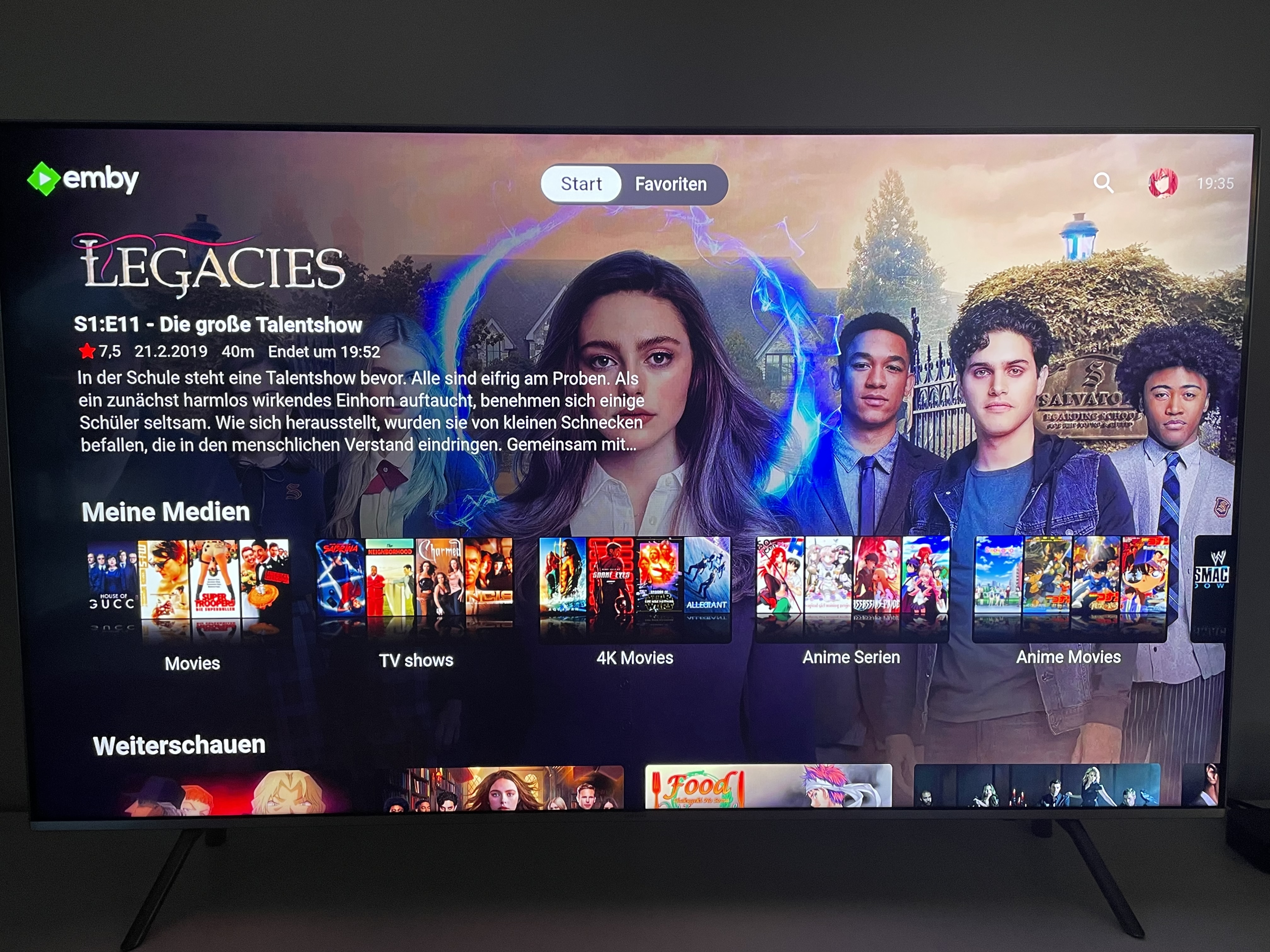
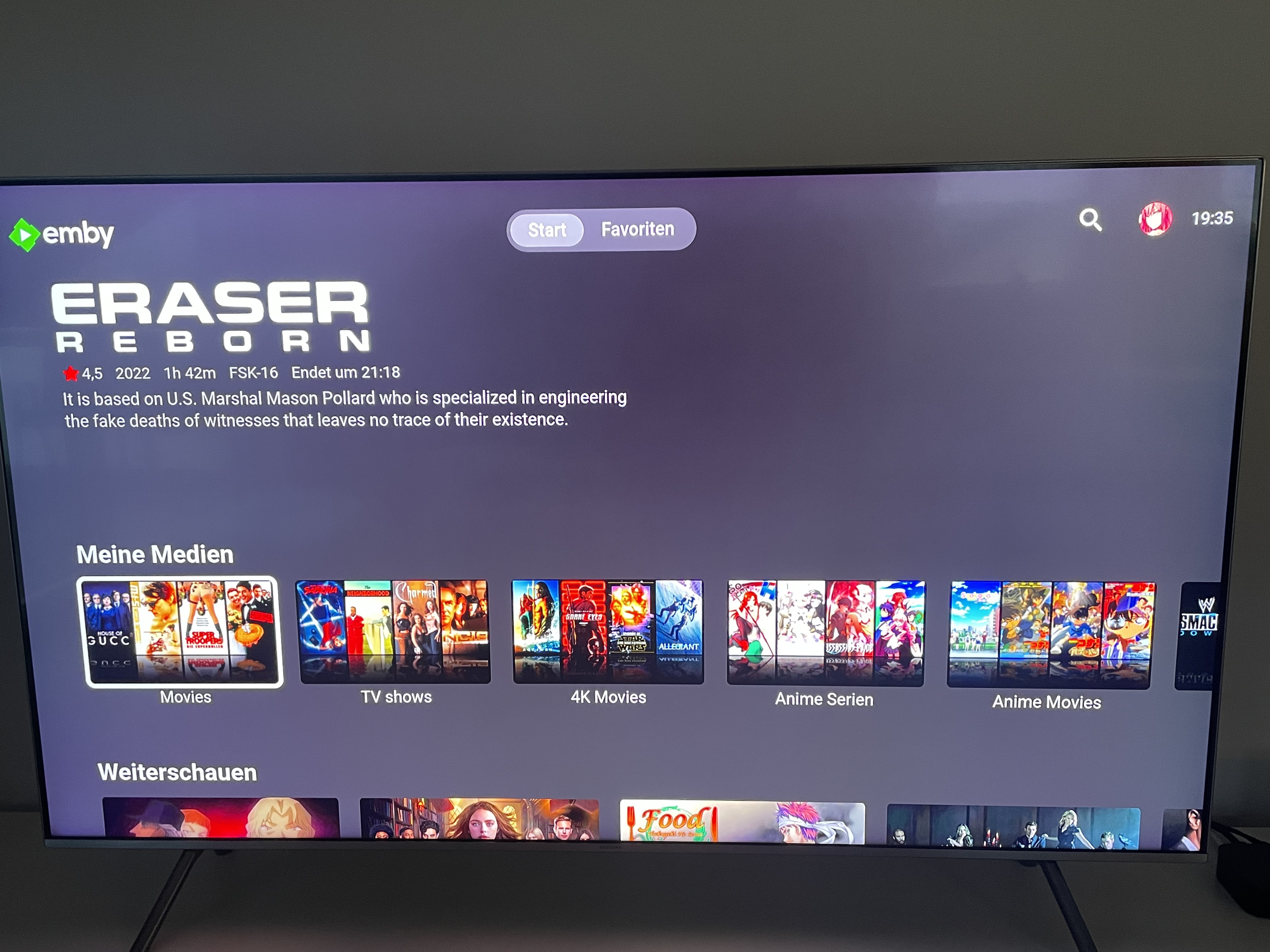
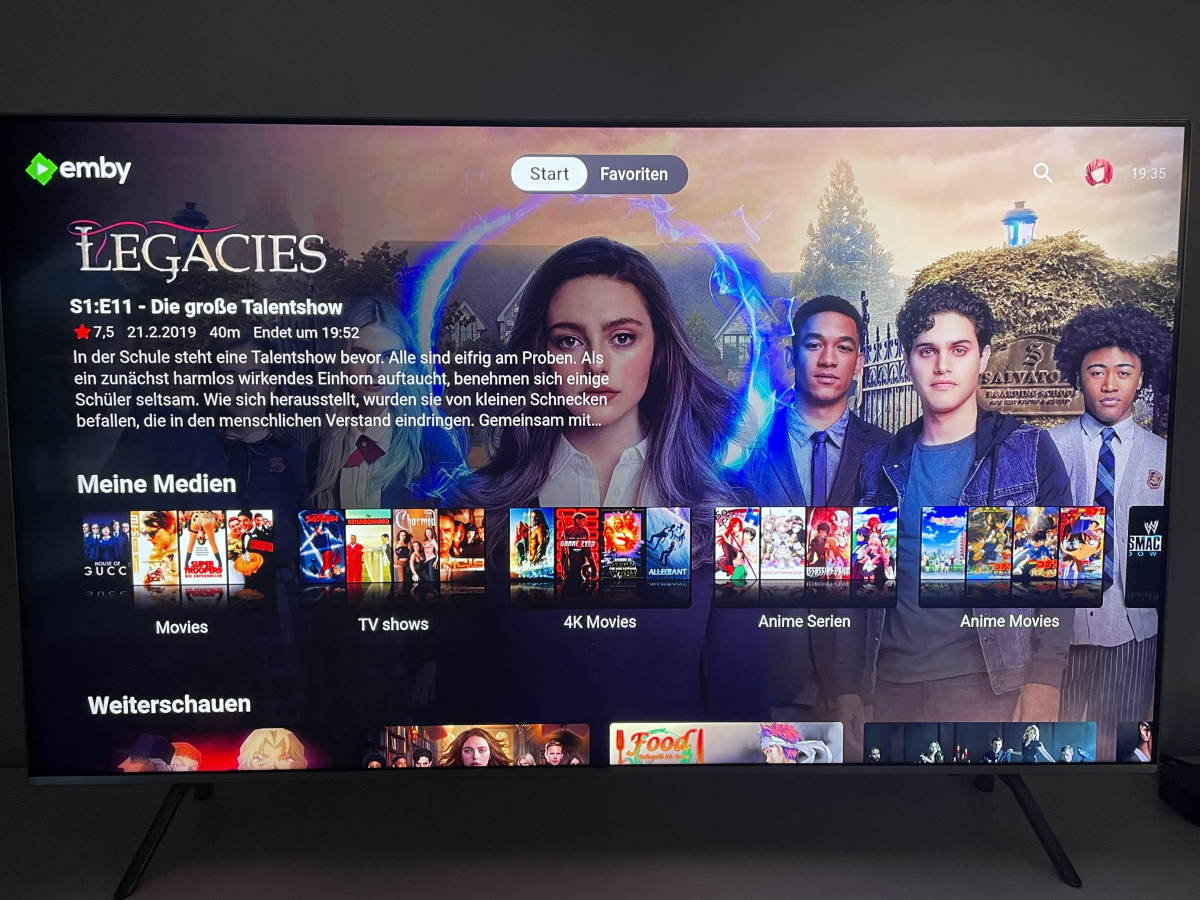
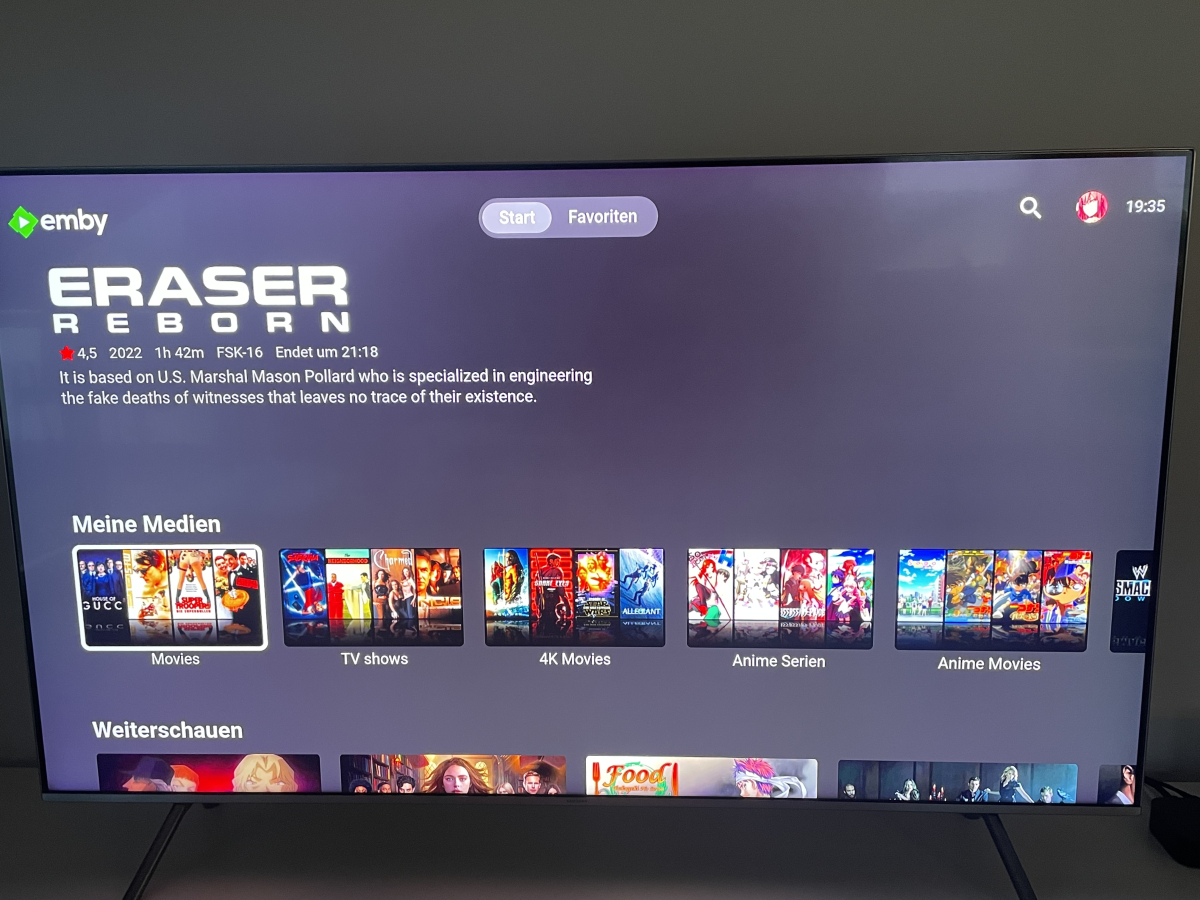
First, I'm pretty new to Emby so sorry when I miss some Backround here. On TV, when I'm on the Main Screen and I highlight a Movie or TV Show, it shows the Background of this Movie/TV Show with Logo and some Details. Now, when I highlight my Movie or whatever Library, it randomly shows the Text and also the Logo of a Movie or whatever, but every Time it's missing the Backround of this Item. I really like the Overlay of Emby on my TV but is it Possible to add the Backround to the "Homescreen" or add some random floating like the Server App or iOS App does when the Backround Images are turned on in the App Settings? Maybe that's something that could be added in the next Version? Btw. that's my TV SAMS GQ-55Q6F Thanks for Help Edit: I added some Pictures
 1 point
 -
Yes, I’m testing this in the 2016 emulator, and also my 2017 tv. The skipping itself is done by the client, but the client is only loading about 10 seconds of content at a time, so it is dependent on the network and server being able to support the requests. I’m not sure why this is different between 1.3.3 and the newer versions. There has been no changes to the player, in fact the player has always had this skip functionality, that’s how it jumps to the resume point or to chapter marks. Instead of seeking, you could do some tests where you select different chapters from the OSD and see if this causes the same crash. I also wouldn’t rule out the network contributing to this issue. If you’re tv is on a wired connection, then try wireless and vice-versa. If you have a more powerful PC, or even just to test a different PC you could download the portable version of the server and just make a small library with a few files and test if the problem still occurs1 point
-
I had been looking in the player. I now see options in the server config now for No Subtitles. I'm going to try that and see if it does what I want. I didn't even think to look at the server. Thanks.1 point
-
While this Forum post on QNAP server made the QNAP work again, it did wipe the drive. So, I'm now in process of reinstalling everything and copying media back over. I guess it was worth it for whatever security holes they are fixing but heads up anyone else jumping full versions of Firmware be sure to have backups of your media before attempting. Incase someone is reading this and cant get the Forum link to work the fix was: Edit: SOLVED All, I managed to solve the issue, by doing the following: Force shutdown , by removing the Power cable. (as the power button became useless for some reasons) Remove all hard drives, and restart the NAS empty Shutdown the NAS, install hard drive 1, reboot (NAS is now complaining about a missing / known hard drive : Good news) Shutdown the NAS, install hard drive 2, reboot: All good1 point
-
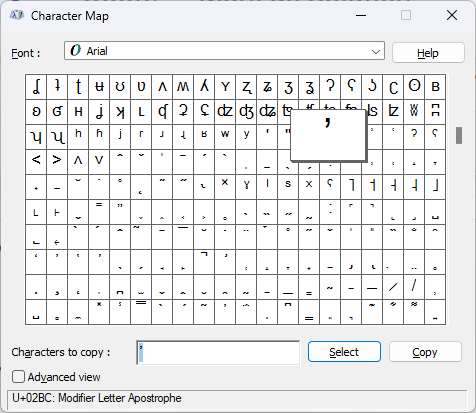
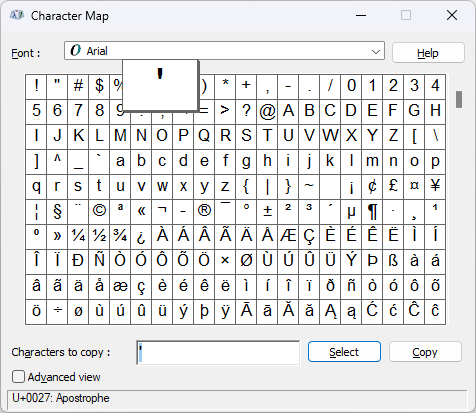
@DRW19 Sorry cannot reproduce issue with Livin' On A Prayer or Livinʼ On A Prayer So how do you make the characters you are using as a copy and paste of your examples work and charmap works?
 1 point
 -
Hi, I'm so sorry I forgot to come back to this thread! I've been very busy. I finally got this to work, and of course, it was user error. It had to do with how I had my folders set up. Sorry!1 point
-
Agree, it needs something. If it's going to pick a movie at random to show the details, then display the backdrop from that movie also1 point
-
Yes, I can duplicate that. Pause/Play works, but the FF/REW buttons don't seem to do anything. @Luke or @SamES will need to take a look.1 point
-
hi, i can see it now but when i click on skip/rewind 10 sec its not working any more1 point
-
You can update the firmware, but the actual Tizen version can only be updated by buying an evolution kit and I don't think they make those anymore. Maybe @SamES can run it in a 2016 emulator from the devkit. He may have already done that though. Sometimes the code has to check Tizen version (year) and do different things. If that's it.1 point
-
It's not Emby's error. If there's anything in the nfo that is not exactly like in the Kodi wiki, for example the provider ids for cast and crew that Emby writes, than Ember Media Manager won't accept that nfo. EMM even rejects nfo files that have empty elements in the form of <test></test> instead of only <test />. It's really a silly app in this regard.1 point
-
Version 1.9.0 Added: Refactored playlists to allow editing and pushing edits back to providers (Plex, Emby, Jellyfin, Subsonic). Syncs are manual as offline first and without proper ways for all providers to handle conflicts. Since there is now different kind of playlists (multi providers, single provider, read only), be sure to read the options when importing / creating playlists. Added new option to disable automatic library sync. Save external lyrics to internal database when offline caching songs for full offline usage. (Unfortunately this requires that you cache again the media) Add new option dynamic color for library navigation (Change primary color on details view, extracted from the image) Changed: Refactored the pause on short focus change to a more generic configurable action (Duck, Pause, None). You need to reconfigure the setting if you previously used pause. Change the show codec option to a more complete show additional info. Clickable row to toggle additional info like codecs, current equalizer profile, next media, queue details, … (Support long click for direct actions) Fixed: Fixed a small race that could lead to the wrong media being visible in the now playing (While the proper one was playing). Thanks for the reports. Optimized large playlist start on large databases.1 point
-
Was driving myself crazy with at least a couple of these issues the last while. Got used to power cycling between 2-5 times before the both the TV, Shield, and Soundbar would all be on, synced, and not displaying in boxed format. Hopefully this update fixes everything for me.1 point
-
Hi. Yes, the latest beta of the TV app should also solve this issue for you.1 point
-
It runs perfectly with me now. I can't say anything about DTS-X, as I have an older AV receiver, Onkyo TX-NR 809. The Shield is connected to this with an HDMI audio extractor, so I can still use the HD audio tracks that the amplifier supports. I no longer have any stuttering problems so far. Can now also use my network line to full capacity without it interfering. It should be mentioned that I upgraded my Windows server with an additional 2.5 GB LAN card. This is now available with 2.5 GB and 1 GB LAN simultaneously in the network.1 point
-
I see how I confused you when I said "play direct" on the TV. I didn't mean to imply "DirectPlay" just that I was playing "directly" on the TV not on the Emby app Ain't english great1 point
-
bifs are your thumbnail images either at chapter points or with whatever frequency you set. 320 refers to the resolution of the image 10 shows you set it at a 10s frequency1 point
-
is there any other solution? i´ve sourced out all my media data to the cache SSD of my unraid server to prevent disks spinning up edit: I´ve just added a 10GIG file where the problem is present and going to put it on some webspace now1 point
-
I was able to get this working by using the filename rule, as I realised almost all files had the resolution in the title. Another question: I have some libraries of mixed content (example: Documentaries featuring both TV & Movies), is this plugin not compatible? It only seems to appear for my Collections, Movies, Music Concerts, TV Shows libraries.1 point
-
Thanks for the info. Regarding this problem, I think the latest version of Emby Android TV app also solve this problem judging by my parents' experience1 point
-
That fixed it. Thanks Luke!1 point
-
Hi, Luke. Recording for my show at 7PM actually worked perfectly Tues and Wednesday but had some trouble tonight. The partial recording showed in Emby initially but then disappeared. It is, however, in the destination folder and can be played from there on my pc with a windows based player. I'm attaching the logs. Still enjoying Emby, just wanted to keep the info flowing. Thanks! recording-conversion-94ed1544-c63b-4e3e-a5d2-bc45819b0e5d_1.txt embyserver-63798267787(1).txt1 point
-
Tried it on all three Firestick 4k and 1 Firestick 4k Max. The arm7 version works flawlessly.1 point
-
Awesome, this totally worked. So in future for anyone struggling with this in future, here's what I did. - Go to Edit Metadata for a file. - Scroll down to Genre - Click the Plus button - Add "LGBTQ" or whatever you want to call the genre. - Scroll down to bottom and click "Save" After that when you select "Genre" when sorting the Library, it will show "LGBTQ" as a category. Thanks for the help Luke!1 point
-
The special add-in he put in for us in PMs where we could search properly is now gone.1 point
-
Correct! No problem. I mentioned it because I was unaware of the maintenance, and confused about why my eyeballs were being seared so early in the morning! I guess I can put on shades1 point
-
It would be use to have time-based internet streaming bitrate limits per profile. We've had problems for years with the various ISP's that our family and friends use over-subscribing their networks during prime time. Between the hours of 6-9pm, users have to manually drop their stream rate to 1-2mb to be able to watch anything... (usually AT&T is the culprit). If we could set the time/stream rate from their profile it would be nice.1 point
-
I do but make it paid. That’s paramount At least you will get real time feedback to improve on if necessary1 point
-
probably planned for a future release… it already is!! Finally… you should be rewarded for all the amazing free plugins you have already provided the emby community. 100% behind you on this bro1 point
-
I will close this thread till we done the update, just head up tho: 1 - Enhanced PM will be gone for good. 2 - Dark them (I will add one, but it will take time).1 point
-
Hello Samsung Smart TV UE55TU8502UXXH as i can see on emby server dashboard i use 1.2.6 not 1.2.8..1 point
-
hello, on us store the app version is 1.2.8 when the app will upgrade there?1 point
-
Would it be possible to make it so you can specify which details appear in columns in a playlist? I'd like to be able to see, for example, episode airdate.1 point
-
Hi, I think what will ultimately happen is that you'll be able to use all of the different view options in a playlist, and then that will give you all of the same field selection that you get elsewhere.1 point
-
I was surprised that the following were missing: SOUL LIVE CONCERTS MUSICALS GOTHIC PUNK Other than that, they look really good...1 point
-
Hello Can u please make EXYU, Trance, House, BossaNova?1 point
-
Sonarr/Radarr can rename files based on direct metadata as it uses it's own database and/or mediainfo data - you can setup a custom 'template' (in File Naming) and then on demand rename entire libraries, shows or individual files. I created a template to match what emby is expecting - and then added other attributes as useful info - my example below : {Movie Title} ({Release Year}) - {Quality Title} {MediaInfo VideoDynamicRange} {MediaInfo VideoBitDepth}bit {MediaInfo VideoCodec} {MediaInfo AudioCodec} {MediaInfo AudioChannels} Is this what you need ?1 point
-
I just had a quick look in your Logs. What i saw is that you have a lot of SocketException errors. Do you have any Firewalls or Antivirus on your Windows Emby Server running? Maybe this is causing Problems. You could try to Disable the Windows Defender Firewall for an hour, and also your Antivirus if you have one (best would be to exclude the Emby directory) And just test it again. I am not an emby dev, and not that familiar with the emby logs but this is what i would have an eye on. Maybe an experienced member could tell you more. There is also a trakt exception but this isn't the reason for stopping the playback.1 point