Leaderboard




Popular Content
Showing content with the highest reputation on 09/03/22 in Posts
-
I got the information for something similar thanks to rbjtech in another thread. ffprobe can detect the additional flags for internal subtitles So, I wrote a little script of my own with the following line in it %ffprobe_path% -v error -hide_banner -of default=noprint_wrappers=0 -print_format flat -select_streams s -show_entries disposition=hearing_impaired %input_file% and it outputs the following: streams.stream.0.disposition.hearing_impaired=0 streams.stream.1.disposition.hearing_impaired=1 The second subtitle (stream 1 as it counts from 0) is the one in my mkv which has the hearing-impaired flag and reports back true or 1. If Emby could store this information in the db and come up with a naming convention for external SDH subs then all we would need is an additional setting to always play SDH for those who want them on all the time. Otherwise, you can just choose them when you want. You can also test for all the other flags from the picture above such as commentary, etc which may be helpful to others.3 points
-
Installed and will try over the next few days.2 points
-
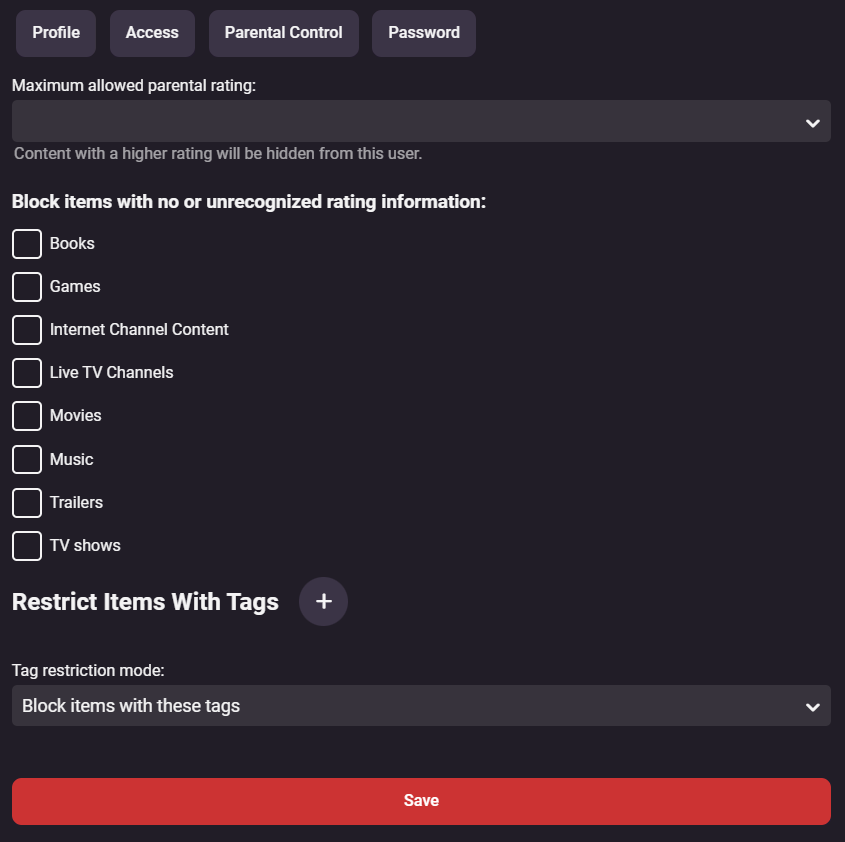
Can it be made so that tags that are listed in a user's profile as "Restrict Items With Tags" are themselves hidden as well. Currently it does hide the content that is restricted, but if I log on as a user who can't see that content and then go to movies -> tags, then I can see the hidden tag listed and it even shows a preview of the items tagged. So while users can't play any blocked content they do get a glimpse of what is being blocked or even THAT something is being blocked, which isn't desirable. I'd like to have that tag be completely invisible to the user it's being applied to.1 point
-
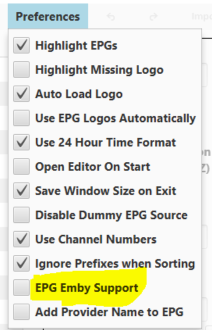
I have used this app for some time. They recently overhauled it and now are ready for new users again. It's not a proxy like xTeVe is, it allows you to prune and arrange your IPTV streams and generate m3u and xmltv files that can be consumed by Emby. Use of the app is free, if you want their extensive guide data, there is a minimal charge if it's for personal use. It also fixes the Emby bug (IMO, the Emby devs disagree ) so you can use 1 xmltv entry for multiple streams by setting this option. To find out more and get the app, use this Discord invitation.
 1 point
 -
Please allow more flexibility and/or admin control over Parental Controls & Restrict Items With Tags. in its current state only one tag can be added at a time. Perhaps by allowing separating by comma or space between tags e.g and/or allow the use of wildcards so we can add similar name Tags in one line e.g by using tagname along with "*" or "?" in lieu of adding multiple Tags for users with library restriction. Last, but not least, viable option introduced by user @seanbuff HERE is also an highly attractive one. Thank You
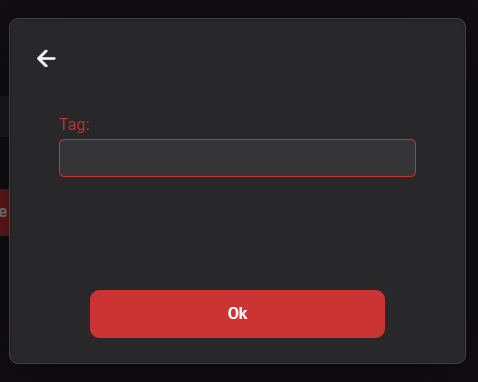
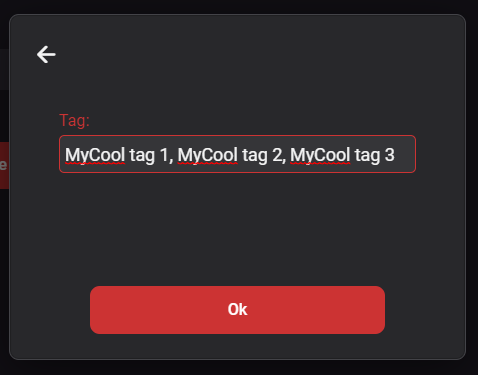
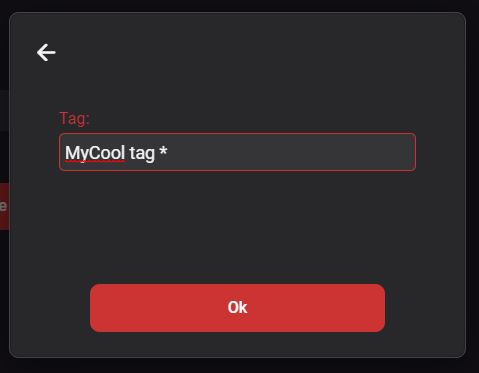 1 point
 -
204 is a success response. All 2xx responses are. https://developer.mozilla.org/en-US/docs/Web/HTTP/Status1 point
-
Thanks1 point
-
I'm glad to hear from you! Interesting things happened. So far since I replied to this post, the Emby Server has been running very stable and there has been no abnormalities.1 point
-
Ahhhh now it's working! Thanks for helping me @Luke and @alucryd1 point
-
Any news on this? It's the same problem I had reported here. It's still not working in the latest version of the app (1.3.4). This bug makes the photo part of the app totally useless. And beside my personal movie collection, home videos and photos are the only reasons why I'm using emby at all.1 point
-
I'm sure this has been asked before, but my ninja search skills aren't working right now. I would add bit depth 16/24 next to Hz in SFN for those with HD audio and replace the mbps which is there 3 times for some reason.
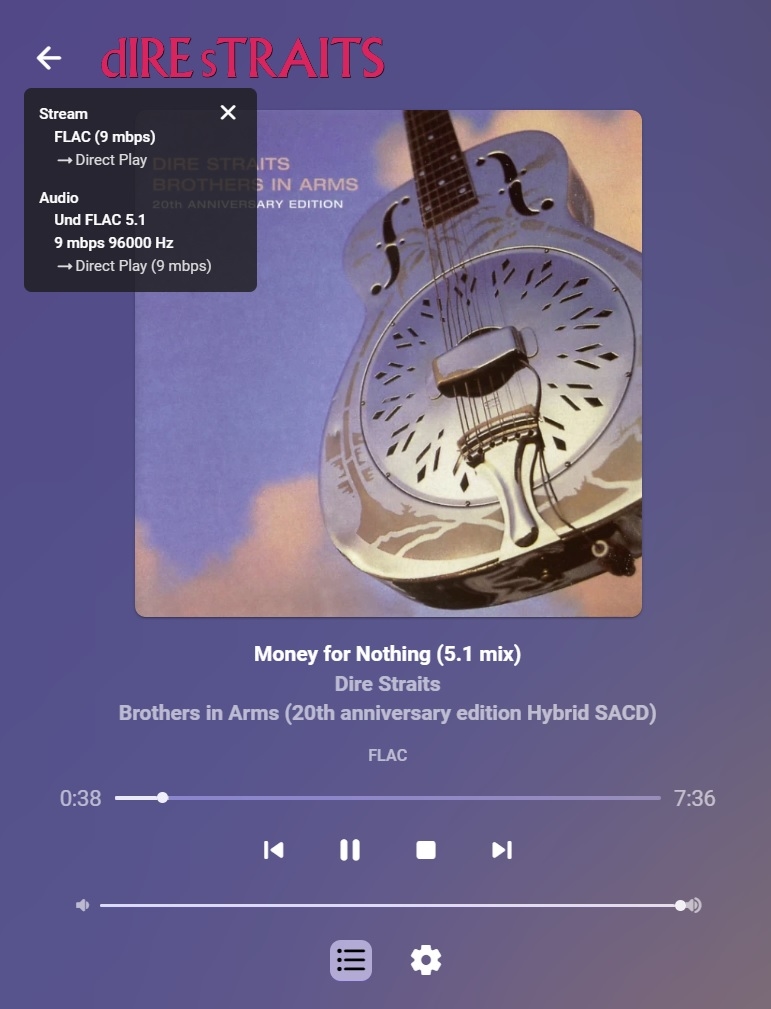 1 point
 -
Thought I'd weigh back in... I installed 2.0.80 and in movies that had trouble with FF/REW before, all seems to be working now. The only real difference now between the Android TV app and the Android app related to this feature is that the Android TV app seems to take longer to catch up if the FF/REV is a "long way" from the current position, but it doesn't freeze anymore as far as I can see. That said, I'm getting used to the Android interface on the Shield now that I've been using that for a while - the biggest "quality of life" I miss now is that some of the background screens when selecting movies or TV shows looks like it's optimized for a phone screen as the graphic is in portrait mode only in the middle of the screen. I've seen this differently though so I'm not sure what causes that.1 point
-
Hi, please attach the emby server log. Thanks.1 point
-
Hi, brightness control will be back in the video player in the next updates to the Emby Android and iOS apps. Thanks.1 point
-
Hi, brightness control will be back in the video player in the next updates to the Emby Android and iOS apps. Thanks.1 point
-
OK, I think I see the issue, thanks. It will be resolved in the next update to the app.1 point
-
I notice you setup your library using a UNC network path, e.g. \\ip\testshare\database This will make things much more complicated. Why not just setup the library using the direct local path? I suspect that will resolve your issue.1 point
-
Hello! Just wanted to let you know that I bought the 12400 and run my services in k8s cluster via containerd, hardware acceleration works flawlessly, 4K H265 video without acceleration is slamming all 6 cores (70%+ CPU) with choppy playback, VAAPI allows me to stream the same video file with barely 5% CPU usage and no buffering issues (unless it is on client side hehe)1 point
-
I've done the fix for this. let me have a think about the new created images and make sure that we do this right
 1 point
 -
You need existing BIF's as the code looks it when replacing. if you don't have the existing BIF - it will fail (but still generate the temp files). @Cheesegeezer - this is probably a 'bug' and it probably should a) check first, before extracting the files or b) write the bif file anyway if successfully created (even if it does not exist) - but the user then needs to ensure the feature is turned on in emby (afterwards) or it will never use the newly created BIF's ...1 point
-
Thanks to you both, I must have just been doop and had a boy look1 point
-
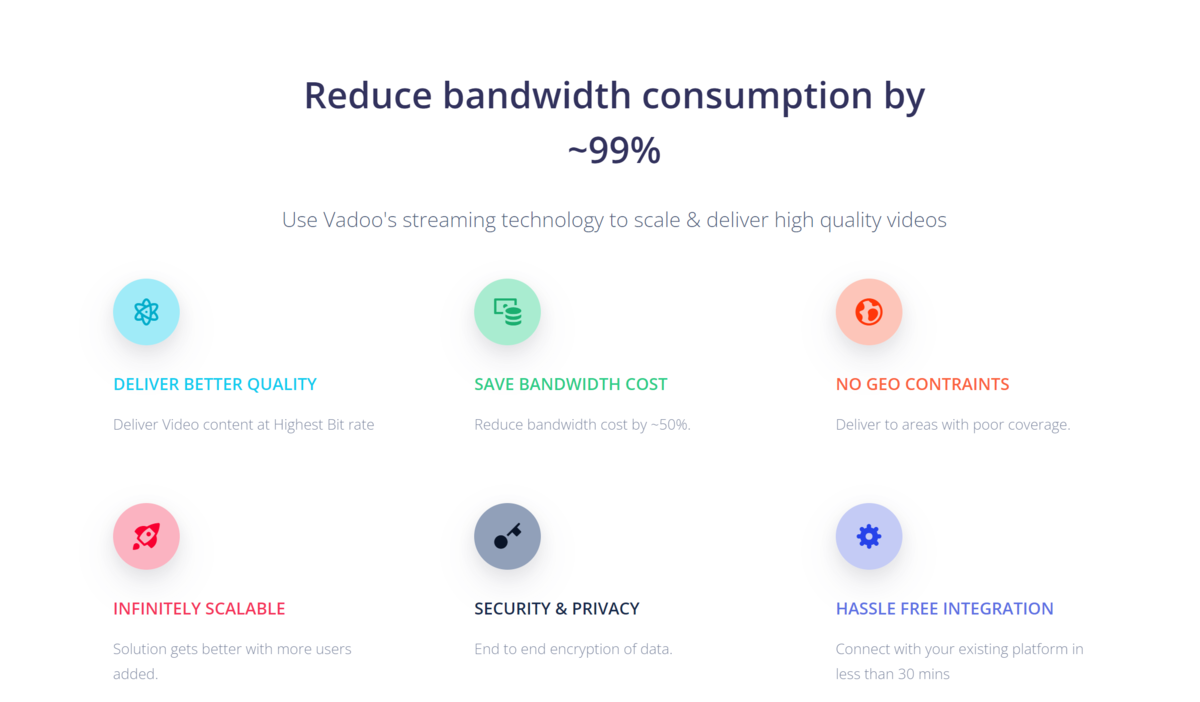
Thank you for consideration and it is also can called as P2P-CDN. Emby can put this features into monthly subscription and make profit like Netflix. Even the server provider is different from one and others but P2P streaming still work by detecting the MD5 checksum of the movie/file. All users can enjoy this stable speed if watching the same movie at the same time. It is win-win solution for EMBY and users. This is might killing feature to PLEX , ... Hahahax. Below is the sample tech that other company use it now https://github.com/vadootvpeer/p2p-cdn-sdk-javascript
 1 point
 -
This happens to me as well on a Pixel 6 and only with live TV. It also works if I use an external player like VLC. That's a non starter though because external players don't save progress.1 point
-
Yes, looks like the information is just pulled from Wikipedia, but not technically housed with MusicBrainz so it is not passed on. In either case, glad to know what direction I need to take now. Appreciate the excellent support from the Emby crew into looking into this. Thanks @Luke!1 point
-
All the other ones were ok. I have the app in English, not in another language.1 point
-
ValidationOnly is obsolete.1 point
-
That did it... "Use Original Art Aspect Ratio" seems to do the trick. Thanks!1 point
-
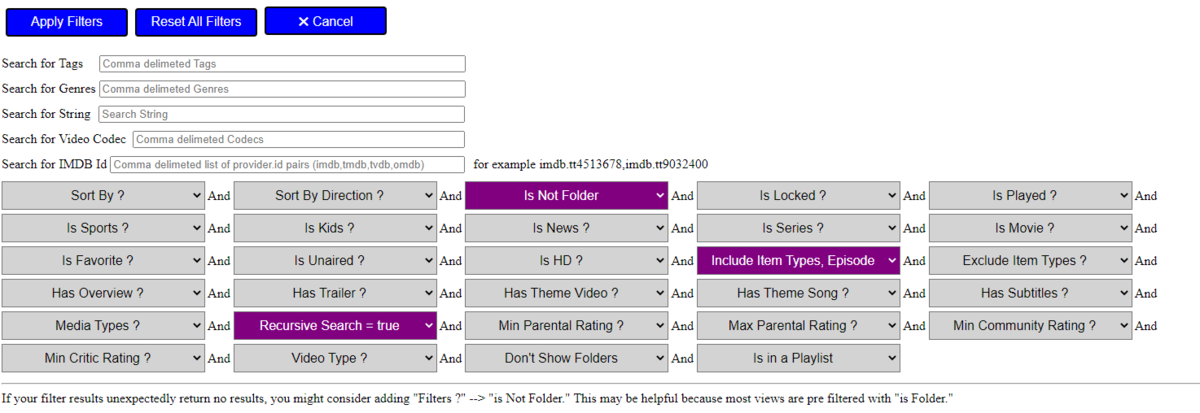
Enter a Series and filter to show all episodes for series. Then select all episodes.
 1 point
 -
Hi, I think what will ultimately happen is that you'll be able to use all of the different view options in a playlist, and then that will give you all of the same field selection that you get elsewhere.1 point
-
That is great to know and will save me a crap ton of time not having to play with X-Windows/vainfo etc... Emby is the best! Thank you again.1 point
-
Yes, that's correct! Unlike Nvidia, Intel does not provide a universal "'Linux' installer". For Intel, there are binaries for a few versions of a few distros and that's it (https://dgpu-docs.intel.com/releases/index.html). Besides that, you need to compile things yourself as the distro-included drivers are often insufficient and compiling all this can be a multi-day job.. So, we're including all of this with Emby as a no-pain solution for (almost) all Linux systems. No, we have the best and maximum included already, so you don't need to care, even when your distro thinks that non-free is bad1 point
-
Thanks, I sent Luke a dm now. Wasn't aware they had messaging on here, pretty neat.1 point
-
Hi, ebr. Just sent a couple of logs from the app on my Shield. I'm using version 4.7.6.0 on windows and 2.0.79g on my shield. Please let me know what you think. Thanks!1 point
-
I will try next time but it is not easy.1 point
-
@theniteow1 Per the linked topic they technically do not have descriptions.1 point
-
Hi, yea it's an interesting idea. You never know for the future.1 point
-
No, pulled the plug on it. See here:1 point
-
Ah, interesting. I wonder if I can make it run as a docker container for my unraid server.1 point
-
Hi. That looks like an accurate representation of the primary image shape. There is an option in CoverArt settings of whether or not to respect the aspect of the original image. Choose whichever way you want that.1 point
-
@Augustiner, you should be able to setup port forwarding on the Vodafone Station. This should be the steps to access it: Open a web browser and go to 192.168.1.1 The Welcome screen appears. Fill in your username and password. If you haven't set them, try the defaults: Defaults: Username: vodafone Password: You can find this on the bottom of the modem Click Log In and hopefully the Overview screen appears Click the Internet tab From the left-hand menu, click Port Mapping The Port Mapping screen should appear to setup forwarding properly. If you have a problem trying to get this going, send me a PM and I can remote in and give you a hand via TeamViewer. Concerning the way you were changing the ports via FileZilla. I imagine you were modifying the system.ini file? You could use filezilla to download a copy a view it. There are two different set of ports (local & remote) so you want to make sure you change the correct ones. But I would set them back to normal 8096 and 8920 for both sets and then do the router forwarding instead. Carlo1 point
-
I have a vertex2 and the chain is 2019 Shield pro > Vertex2 then main goes out to Samsung TV and audio goes to soundbar.1 point
-
Well, @Luke, was this just a gag, because on many other topics in here you said: yeah, we do not want to do that because it is impossible? I bought emby lifetime now and really hope you can use the money to develop this ap. But i also hate to reinstall it on my smart TV all over again. So.... i'll change the country region, because the community developed ARD and ZDF apps for emby. I do not loose any content then.1 point
-
My wife asked "where's Sandra Bullock" 3/4 the way through the movie. "I thought this was going to be more like Speed", she said. I loved it, she didn't.1 point
-
Hi, the ability to control poster sizes will be coming in future updates to the app. Thanks.1 point
-
@arrbee99 Have you tried adding this? div.guideEpg-currentTimeIndicatorDot {z-index: 0;}1 point
-
I just thought I would post a follow-up to my findings on this (I was finally able to try some different things last night). My devices are: Nvidia Shield Pro, 2020 Sony LED TV and a 2021 Sony OLED TV. All running Android TV. My Emby settings do not allow users to transcode as all devices should be capable of Direct Play (changed below for testing). Emby for Android TV 2.0.77g, Emby on a Windows Server, the Nvidia Shield was the most tested device. Media tests: 4k HDR and 4K Dolby Vision with DD 5.1+Atmos: all direct play just fine 4k HDR with AAC7.1 (same file used for all tests, tried multiple times on each device): Transcoding turned off: It does not play, Too many errors message Allow Audio and Video Transcoding: Both audio and video transcode; Video looks "washed out" (I dont have tone mapping turned on). Allow Audio Transcoding only (turn off video transcoding): Audio transcodes, video direct plays just fine Based on the advice of various threads, I side-loaded the Emby for Android ARM version (official, not beta). Left the settings the same (allow audio transcoding, do NOT allow video transcoding): Audio transcodes, video direct plays Went back to Emby for Android TV version (it just seems like the transitions between screens/items are "smoother" - I dont want to say the other is laggy, but there is definitely a difference that I cant seem to put into words). I left the regular Android version installed (didnt un-install it) The same file above (4k HDR, AAC7.1) now shows direct play for video AND audio. I tested a couple other 1080p and 4k files with AAC7.1 with the same results (direct play both audio and video). I am assuming that some shared DLL (yeah, I dont know much about Android and am using Microsoft Windows terminology, but maybe it is the same concept) got updated/changed with the Emby for Android that allowed the Emby for Android TV to direct play like it did before the update. I was able to duplicate the tests and results on all 3 Android TV devices and they all had the same result. I did not go back and turn off Allow Audio Transcoding to see the results but will try that when I get a chance. Not sure if this helps anyone else or if the results would be the same for others, but I thought I would report my findings.1 point
-
Assuming that there is memory to spare, placing Emby's data and/or cache to RAM offers significant advantages. Even though opting for the partial route is an improvement by itself, the latter can make Emby even more responsive compared to its stock configuration. Benefits include, among others: - reduced drive read/writes; - heightened responsive feel; - many operations within Emby, such as quick search are nearly instantaneous. To do so we can make use of a tmpfs. Because data placed therein cannot survive a shutdown, a script responsible for syncing back to drive prior to system shutdown is necessary if persistence is desired. On the other hand, only relocating the cache is a quick, less inclusive solution that will slightly speed up user experience with Emby. In this post is provided an example of script to move and sync the "data" folder (where is stored the emby db) to RAM. Be sure that rsync is installed and save the "executable" script to /opt/emby-server/bin/emby-data_sync.sh, for example: #!/bin/sh # The script will first move emby's data to a new static location, # make a sub-directory in /dev/shm, softlink to it and later populate it with the contents of data. # The second time the script runs, it will then preserve the RAM profile by copying (sync) it back to disk. PATH=/usr/local/sbin:/usr/local/bin:/sbin:/bin:/usr/sbin:/usr/bin static=data-static link=data volatile=/dev/shm/emby-data IFS= set -efu cd /var/lib/emby if [ ! -r $volatile ]; then mkdir -m0700 $volatile fi if [ "$(readlink $link)" != "$volatile" ]; then echo "--> Emby: Init RAM Disk" mv $link $static ln -s $volatile $link fi if [ -e $link/.unpacked ]; then echo "--> Emby: Sync Disk" rsync -av --delete --exclude .unpacked ./$link/ ./$static/ else echo "--> Emby: Sync RAM" rsync -av ./$static/ ./$link/ touch $link/.unpacked fi It is best to add a cron job to guarantee the sync between RAM and disk, for example the following entry will run the sync process every 30min. */30 * * * * /opt/emby-server/bin/emby-data_sync.sh Then it is necessary to change the service: /lib/systemd/system/emby-server.service to guarantee the initial and final sync, as follow: [Unit] Description=Emby Server is a personal media server with apps on just about every device. After=network.target [Service] TimeoutSec=5min EnvironmentFile=/etc/emby-server.conf WorkingDirectory=/opt/emby-server ExecStartPre=/opt/emby-server/bin/emby-data_sync.sh ExecStart=/opt/emby-server/bin/emby-server ExecStopPost=/opt/emby-server/bin/emby-data_sync.sh RestartForceExitStatus=3 User=emby [Install] WantedBy=multi-user.target After this change it is necessary reload the service with the command: systemctl daemon-reload Finally it is possible to activate the shared-memory for Emby with the command systemctl restart emby-server It is possible to verify the execution of the script with the command: systemctl status emby-server ● emby-server.service - Emby Server is a personal media server with apps on just about every device. Loaded: loaded (/lib/systemd/system/emby-server.service; enabled; vendor preset: enabled) Active: active (running) since Tue 2019-01-01 09:46:44 CET; 7min ago Process: 8310 ExecStopPost=/opt/emby-server/bin/emby-data_sync.sh (code=exited, status=0/SUCCESS) Process: 8315 ExecStartPre=/opt/emby-server/bin/emby-data_sync.sh (code=exited, status=0/SUCCESS) Main PID: 8320 (EmbyServer) Tasks: 23 (limit: 4915) Memory: 676.5M CGroup: /system.slice/emby-server.service └─8320 /opt/emby-server/system/EmbyServer -programdata /var/lib/emby -ffmpeg /opt/emby-server/bin/ffmpeg More details can be found with the command: journalctl | grep emby-data_sync.sh emby-data_sync.sh[23844]: sending incremental file list emby-data_sync.sh[23844]: activitylog.db-wal emby-data_sync.sh[23844]: authentication.db-wal emby-data_sync.sh[23844]: library.db emby-data_sync.sh[23844]: library.db-wal emby-data_sync.sh[23844]: users.db-wal emby-data_sync.sh[23844]: ScheduledTasks/6330ee8f-b4a9-57f3-3981-f89aa78b030f.js emby-data_sync.sh[23844]: ScheduledTasks/81267bb8-bb49-51de-4b1b-446262cc7365.js emby-data_sync.sh[23844]: ScheduledTasks/d459f39d-7abb-81f5-fcce-03048a7ecf4d.js emby-data_sync.sh[23844]: SyncData/Emby.Kodi.SyncQueue.I.1.40.json emby-data_sync.sh[23844]: sent 255,467,606 bytes received 227 bytes 30,055,039.18 bytes/sec emby-data_sync.sh[23844]: total size is 257,320,410 speedup is 1.01 emby-data_sync.sh[23852]: sending incremental file list emby-data_sync.sh[23852]: sent 4,561 bytes received 44 bytes 9,210.00 bytes/sec emby-data_sync.sh[23852]: total size is 257,320,410 speedup is 55,878.48 The paths used in this post are the default ones for a Debian installation, in the case the distribution used is different could be necessary to change some path. But the main concept remain the same. On my installation I was able to speed up the "quick searches" by 100 times. This improvement is mainly due to the increase of speed obtained by moving the SQLite databases to RAM. In this article: https://www.directionsmag.com/article/3794 is reported an interesting comparison on memory access vs disk access speed and is stated that: "If you have a problem with slow database access, placing the entire database in RAM can instantly provide a factor-of-100-thousand increase in access speed with no other programming or data structure changes required".1 point
-
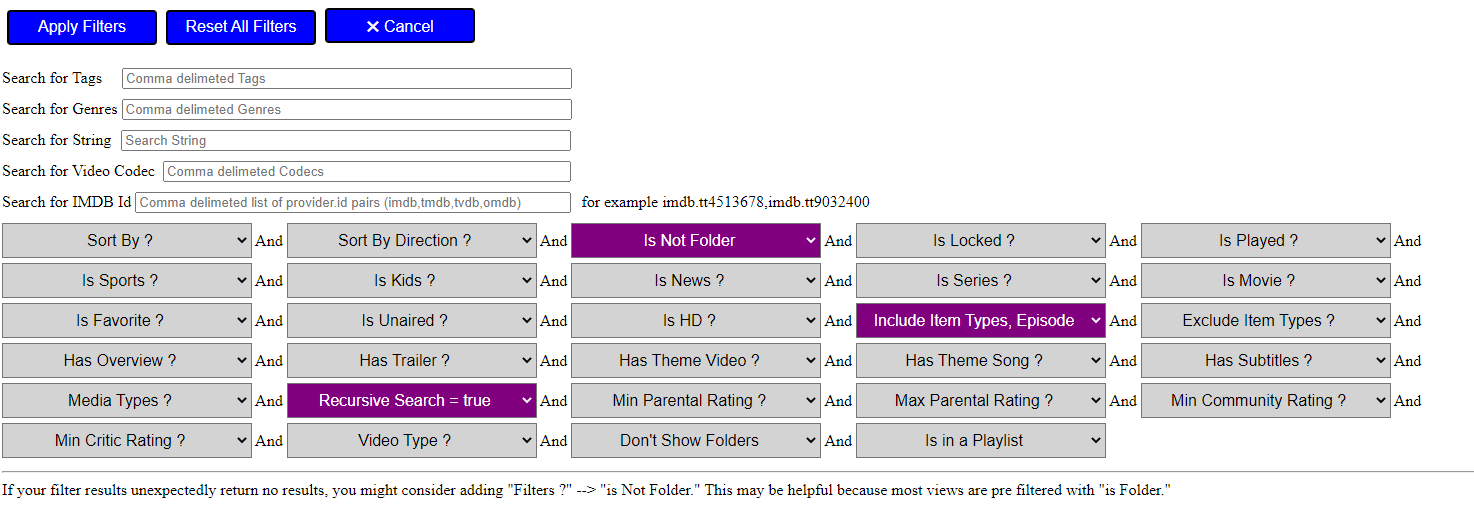
I've been playing with various views and on the List view (as opposed to Primary or Thumb views) there is a LOT of open real estate. This is particularly noticeable in the Playlists section. Please add in the middle of the bar for List view to show the description field (and rating) when using this view. You can see in the examples below the amount of space when using the web browser that is simply wasted between the title and the runtime. Even just 4 lines of text at a 100 or 150 characters per line should show MOST of the description if not all of it. Library: https://i.imgur.com/mKhZOJg.png Playlist: https://i.imgur.com/IUOqpHm.png1 point
-
Yes I think there is room for improvement in the list view.1 point
-
Hi, yes, if they are in the same Emby library they will be joined together.1 point