Leaderboard




Popular Content
Showing content with the highest reputation on 08/29/22 in Posts
-
Hi there, I am not the last to come here asking for help or information when I have one or more and I have always received help and answers to my questions. And for a little while I have no more worries, everything is running perfectly. So I said to myself that if I could come here for getting help, I could also come and say Thank you for all. I wish you all the best.2 points
-
https://themeservice.azurewebsites.net/ What is it? It is a site to host tv show intro theme (audio) chromaprint (https://acoustid.org/chromaprint) data to be used in auto detecting intros. It hosts just the chromaprint data which is a small (in comparison to the source audio) fingerprint of the audio that you want to detect, in this case the intro theme audio. The ChapterApi plugin and the above site are a progression of the work from the audio fingerprint thread: https://emby.media/community/index.php?/topic/107878-audio-fringerprinting-chromaprint-segment-detection/ How do you use it? The main way is to allow the ChapterApi plugin to download all the available data from the site and use that data to search for intros in your tv shows. You can manually search using the Intro Detect in the ChapterApi plugin. You can also let ChapterApi auto process new episodes as they are added. For this to work the tv show you want to detect intros for needs to be in the Theme Service db, you can check this by searching for the tv show in search on the site. All matching is done using the IMDB id of the series/tv show. What if the site does not have what I need? You can manually mark one episode with IntroStart and IntroEnd chapters, extract the intro info and then use that in the detect tab to detect intros in all the episodes. This intro info file can then be added to the Theme Service site for you to use in the future or for others to use. How do I add new items to the site? You need to be logged in to submit new items to the site. It is currently using GitHub OAuth to log in, if you dont have a GitHub account just create one. Added items are only editable by the person that submitted them, at the moment this is how it works, this is open for discussion.2 points
-
Hi all, just an update. I re-ran the Emby setup to re-install the server files and I have not been having any issue since *touch wood*. Thanks for the quick replies.2 points
-
You are talking about the "Skip intro" button? As far as I can tell from the specified "Skip intro" thread, intro can only skipped once by design and so the button only appears ones. But maybe I'm wrong. For the theme/look, I think that is something that the skin developer has to implement. The theme/look of the "next up" add-on (you showed in the picture) is also integrated in the embuary skin.2 points
-
Wanted to log in and thank you for posting this solution! This solved an issue I had with updating Emby!2 points
-
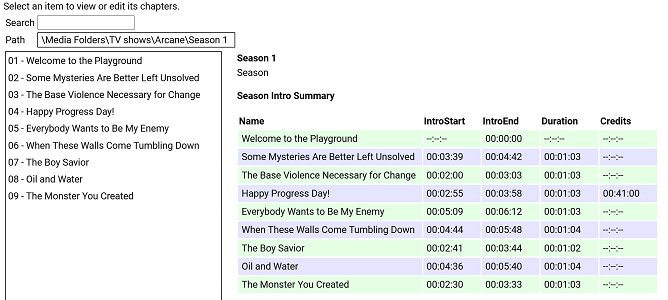
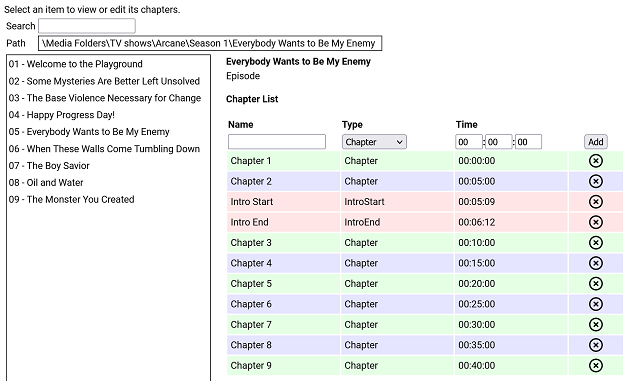
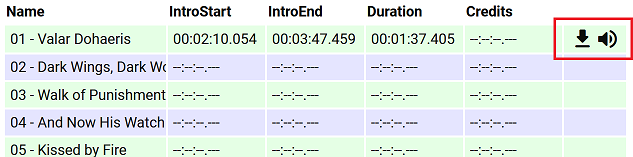
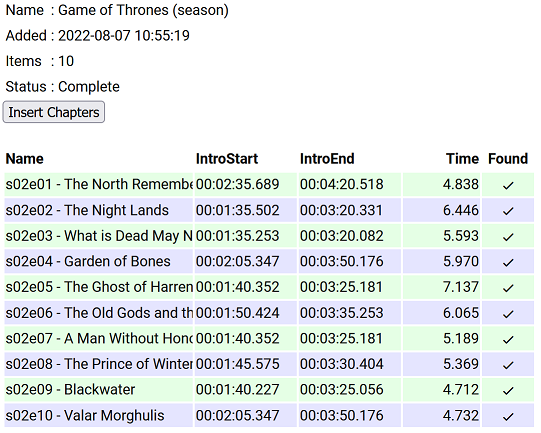
I have put together a simple chapter viewer and editor plugin. The plugin is now in the plugin catalogue. As always, here is the source: https://github.com/faush01/ChapterApi/tree/main/ChapterApi It is very simple and allows you to view chapters for an item (Movie, Season or Episode), remove chapters and add them. It supports all the different chapter marker types. It also has a season Intro summary page, select a season to see if it has intros detected for each episode. Note: All chapters are wiped and reset when you do a metadata refresh on an item. If you spend any time setting up or editing your chapters, keep this in mind. There is no current way of locking chapters. Chapter List Season Intro summary Intro Detection (CTRL-F for Intros) I have added a new way of detecting intros based on theme audio, this is using a very different approach than the core approach, it is using some of the ideas I posted over there: https://emby.media/community/index.php?/topic/107878-audio-fringerprinting-chromaprint-segment-detection/ With this approach, you need the Into Chromaprint info, this is a simple audio fingerprint of the theme song/music/audio. The plugin looks for this and can create chapters based on the results of the search. So where do you get the Chromaprint Intro info file, you can create one yourself for a series, season or episode by adding chapter info for one episode and then extracting that as a Chromaprint Info file. The new icons on the season summary page lets you extract the info file, if you just want to check you have the chapter offsets correct you can extract the audio of the chapter to play back and confirm it. A Chormaprint info file looks like this: { "series":"Game of Thrones", "season":2, "tvdb":"121361", "imdb":"tt0944947", "tmdb":"1399", "duration":107, "extract":10, "cp_data":"ThXy/E4hsdxOIZDdziWA3c9lgNnd/YDI3NyAyNyYwMzcuFHc1L0V3dS1F1/E8xJexOISXsfyMl72UzZe5lM13uZlNN/m7FDddvyT3Hack9xWjJDdR52Q3USWkN0EkvHfFJJz3zT2d98s53ffJO1n/yR8Z/4lTCf+Hgwn/k40N/pOJHH63iBR+/4xUfnuEdP47hXDeH1XgXgcd4B4DP/AeAzf0FkM/VBZDO0QWTzkEFkt9BN7bdASet3RUnqP0UJaj9dFe57WRH2u/kR977pEfO++RXw/vlb8D5Ze/Q+GfvcNgn32TdI99m/iPfbvYjj37jUZ/+4FX73uBN+9fhSfvV40vf1eELT9XjCU3V4hlN1fIZfcfzHW3C0FU9w9DRPYHTkTWA0pElgMLVNYBDVBWARRQBgUcUEYNHFRGCR3ARhk7gAY5e4BGdd+AxqGU0IahkHCCo5AwwreUMEKblDACipwwAsrbIMIGemCCAjKgggIipIYCI7QGBiWUBg4kjAbGIIxGvmDEhqrsQFequAAXq4gAF6uIABevjBDTq8Qwk2vEYLM/wKCxA8Og8QPHpDEH36QxDfe8MQ213HEFtUxxAfFdsTX0XbEt/H2xKPzdcSS0zXAgsI3wYLCJ8KSwyXCprXlwqakpcLnrLTC5ay0wlW09MMFsDXDBZE1wwXTJ8FV0ibB5eJm0e1v9lOta/dTrXn1Up0ZdVKNGXdSjwV1Up8BdFLvEGRS7yBgUusgYFLvIPAS72XwEt1d8wLF2fIDxNlyA8TbcgJ0/3ECZK9wAmSncQJEvyJCBZ4iQweOJwE3iiEAJpphACa74xE2qaMTNryjEia8oBInrGASJ6wgM0W4IjHFmCIwxIgmMJTIJjC0SCcwpVw3MeVtNTHnb3QxY270MXJWtTECRrEwAtKhMALjs3QS47N0I+XxdCPv0Hwh+1B8EfsRfAH7EnwB6xJ9EO9Tf3D1U37wxcN+8cXDfpXFQX6V90F/l+ZAfbfuQX337kN959dDf+dVwH7vVcB+//XQds3103fN91J1Tf5SfV3OUn0vz3N9L93wfy/00H4/5NB+H+RQfg/0En4P9BZ+P0U2f29Hdn/vRvd/nxL3dZ4S9XWOMvV0nzL1fJ8iVVyeIlVcvgLzXO4G8VxvFrFcPy6wXA0ukFgNKpAYDWqQCAz+0AgM11AIHPdRCDXzEQg18wMIVdMCCPfHAgm39wMKsuNBCpLzQwqCUUMKkkFBCqZQwAqmIMAJ5myBCGZogggH+YIIBdmCCASP0ggEh1AINIMwCSSzEAoksxEKZKcTSuWnAUqjYwBKkjEASpIwAU6yEMPOphCCz+YQgs1WAYLFFgWRxTZ1kIUn/dCFN8UwhRfHN4QPxzaEHeZ2xF3m1sTd5pXE3fbUxP1GFMT1RjXExQc2xMUXNkTXNRdEZyXVRGct1EQzLdREAz1VRANVNkQDQTYEA8FnAFPBbwDy8e0BoqHvAaKtbwOzuW8Ck4lvApOJZQKTjWUCkZFlArGxZQKhoWVCoaF0QqGldALhrXACxflzAcTbMgDE2yMA9P8lEOTtIRDk5WFR5fVjUXXfZ1FXjmVRFo5gUBaOYFA2nmBRNq3hUybso1Im7KNSJ/yhUmVc8FLVWHNShBgyE4QZMhCECyYQlA4nELQCZxDlM+cQZSOlEDUjpBAXIqQAFxLkABZO5AQWWuEEFtqmBAb6pgwG6rcMF+6wCBfnUAgF0xcLBcMXCjTTBRrl4QQbpeEEG6XlRBmt/UUZv/1FGZd/RRuOf0cbzlVHGV5VRxkuRMEbL1TBGz9lwRofdcMaD/XDGh3Twxp100Aa5fFAGuXhABmlsUEYrbFDGKe/wxinv8Bct7rAXIa+Q1yGn0Jcx5VCXNeF0l1nhfFfJYXwXzWn8F4Vo/NeBfNyXgfzMl4XUTJeJ0ExX2YcMFzmOFBctinRXIYpw1yGL8NdjhfCXY4Dw1+vA9Nf50HRX2Xhkd014bBdNaGwXTSl8F00n/BdFJ9xWRTtcls1bTJaNTUyWjURMlv1ARJb9QNTWbVTQFi1Y0BYteFAWLXhQFj39UNYV7XCWUadwllGmdJbRtnTW1bZ01pW3VNaXtVRWl7QVV5/QFde/0F2X/9Tdl/3ZnZdpiZU3aYmVN2mZ8TfpuHE3+bwgd/WsILXVoSS1zeFkJc3hZCXNYfQhhfXV4YX0TaHF3E2hSYRMoRmYXecZmXXnOZt15z3XZWUx93UlMffVcXF31fFRY82x1WPftV1/3/VZe181WX1dNUx8XXVEdF21AHBftRBQX7U0BN91OAnfNSgL33QoWt/1aFb/9aTS//Wg0v30oLF5VLCwORS86DkUmOgZFJl4GRSZfQ1cnX8NXIk/DZzNH12cVVpdnBVL3xw/y98cO8vfHHvHn9z7w5fU/9O3VNfztxTXc6UU02+lNMNr5XTDa230xettdNnrbXTZ53d02fLH9Imyx7SZkk+0nY5PtJXLH/SxyTvUscg71LXEH9R1wM+VNcCNlRXAnZUTRJ1VB029BQdavQcPOrwHDzq8Bwc6lAcDO8RGQz1EhsM0RYZHUEXGS1AVRgtZVQYb2XXGG/n1xnO8scbztLHGs7Sxxqew8EbrpVBWa+9QFnvqUBY/7lBWc+9Q1vNlUZbTdFGWg3BV1s9wFZZLdB3WS1hdVgv53dYL+bXWR521ltOUtdaztLFWt/CwFvv1cBb79zA2e/8wNnf/MPZzvzD3c7wQ9/O0EPf3sFT33/BVt1391bd9W/23fVp99/1OXXflT913pUzE96FE1Pe3wNTXu8T0V4vM9BeKyOQXzkjkF85dtBfKUbQXyhXUF84N1B/GCUQewh1ET8JXBM92dwDPbnYQTSZ2EA0iZhANImMRDCJhEUxmYDHM7nQ1jL54dYy6ePWMuuj1nLvo3dy54d0c+WPdHHVjVRxhY1Xc4WPVnPVz1Zz519Xc2YvV3NmL3ZzJiVncSYkY3cuFOF3PkDxdw5QsH8P4PB/DeDQPwz1UzkMrRI5DO0SORztAjk8/QE5PVVBON1TQziPU0IYj1LCGI8Cwxi9AkBYrCZAWKwmwVjcP8JYzF+CSExNg0kNRZBPDdWUT17XtU/+t/VN7pf0TK6XdEyut1VFnvVWx47xUsaG0VLGh0FTVrcBUVbvMVBWbSNQVikj8VYpI/FWKDfwUzge8FMYHnBTCFcwVwjXMVcI1TFXCIVwV9mFYXW5jXF1mZ1zdJi9c3SIvXF1mLRwd7iQMHb4sDP2eLAy9jigMvYsoTL2JeMm9yZiZvQmMmb0Igbv9CIN7PwiCOz8Yhjs/MI4/v2CPP5fghT+XoIRf16GE3delhJ3X7cy912vIrVc7SaUWG0ukEhpaoBIGGqASAjqgEhN/tFITddSSF1DM0hdQzNM/UFxTO9lU0znbdNM9m3ST4Zl0k6GwVJOhsETTpaBEU7ns1BO56PQT2WjwE0lp8BNJK/QTRT/Uk0E9xJNBdcSTRVDE0hlUVBIZWVQSHVt0UhVfdFJ1X3VSdd3VUvXU1dL19NWS9fDd0v3wXdLd+XVSTft1Ek3rVRJN7lXWVe9Fl1G3RdfRsUxX9bFM16mUVNetjFTXrYxU162MUFepjHBXuchgV7lIYFePTGRXz0TkF8sU5BdKFfQGSjfUBkY31AZGP8TGxjtExsZbQEZWfVDGZnVRxiZlUcYmZ1FHbi/RB24v0RfuK9Ed5y3R3ack0Z2nJJGcryy1nK14t5y5/L/cubWfXLmxmxy5sds8ubFbPNW1W3zRtVv8QbVbXEW/W1wFnltcDZ5ZXEmeGdxJmhmdzZs5lYWcOZWBtDiXgfQ814FkHMeBbBSGgWkAhsMrAIZTLwCGdzdAhndzUYZvVUHGb0RBRmfEwUY3xNFGP8yRVh9ModYLRaHWD0GhVg9NpRMXW6UTE3ulEzPntVMzofXTZ6F1U+uldVOrpVVTv7BVU7+0XdO/mFyTv5hc15vMXFeaTNxXigj0V44I9FeODZBXigWQF44FkBeGBdAHwhFUB8IwREdGYAQPXmAMD3ZhTQ9m4V0PbuPd327nnJ9m75yfZmuU3+ZrhF+uLc3/rixNv7o8Tb+6OE2/mkhdvZtIXbXLyF+1DYxftQ2Af/UJgy91HYYrcTWKK3ExiivxIY5r8SGT6XFhsPkx7bC5Me28vTHpuN1xebjNcTm8xDMZ+cQzFXvEEwV71BNBfVTTQRxVk8EUVZPFEF2TxRFd09VXfdNfXn1T+1t1E//ZVVOz3FXTk/BU05/wVBfL5HQXy+l0F8trdBfPanBXg25Q14Nt0JeDZICXk3CAl/dQgZc7QYHXK0vRVSvK8RUrivFVJ4vh9WONcfXhgDH1rYAwda+ENFGniDTQr4hkEOuFZBDrh2QQ68tsEKtZbBCvOXjQtjxYULYsSBD+LEgU1ixIFMYsyFTGbIjVRmyI3U5siF1ObZjdTi+Y3QY/mJ0GF5ifBhfY3wYTWN8WA1jfFgFY3lZRXF7GXX1ehvh93ob4fd6", "cp_data_length":3372, "cp_data_md5":"DDF936E4FD29A02CDA178EBFF37AD2E8" } It's just a JSON file with some info and the Chromaprint data. This can then be used in the Intro Detection tab to create a job against a series/season/episode list. Once complete, you can import the job results into your items. This is a semi auto way of detecting chapters for series that are having issues, because you are supply a good well-known chromaprint of the audio you want to target your results are much more predictable. Sharing intro theme cp data The sharded intro theme cp data is now hosted on GitHub https://github.com/faush01/ThemeCpData To use the hosted data in auto detection in the ChapterApi plugin, you can use the following URL in the "Intro Data External Url" on the options tab of the plugin: https://github.com/faush01/ThemeCpData/archive/refs/heads/main.zip Add the URL, hit download intro data, hit reload intro data and the intro cp data will be loaded for all the series you have that there is cp data for in the shared repository. If you want to add more the to the shared repo, clone it, add your new into cp json items and do a pull request to have your new items merged in and available to others.
 1 point
 -
So that explains why I "mysteriously" get SFN popping up on my screen...and having not known that, I have to navigate through the bottom row buttons and the triple-dot menu to disable it! On a more serious note, wouldn't it make sense to contextualize the use of the "ok" long press? During playback, toggle SFN, and on any other non-playback screen, jump to home? Just a thought.1 point
-
I have used this app for some time. They recently overhauled it and now are ready for new users again. It's not a proxy like xTeVe is, it allows you to prune and arrange your IPTV streams and generate m3u and xmltv files that can be consumed by Emby. Use of the app is free, if you want their extensive guide data, there is a minimal charge if it's for personal use. It also fixes the Emby bug (IMO, the Emby devs disagree ) so you can use 1 xmltv entry for multiple streams by setting this option. To find out more and get the app, use this Discord invitation.
 1 point
 -
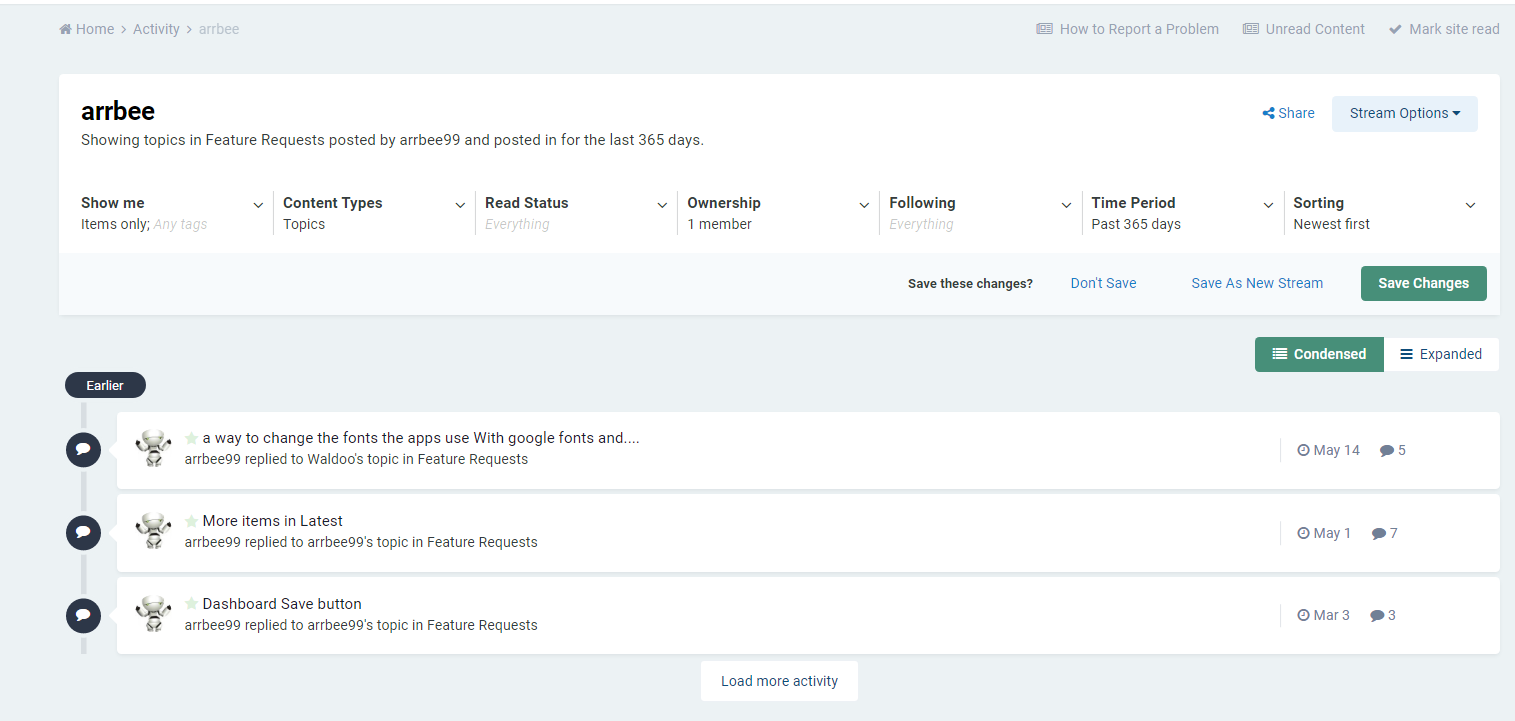
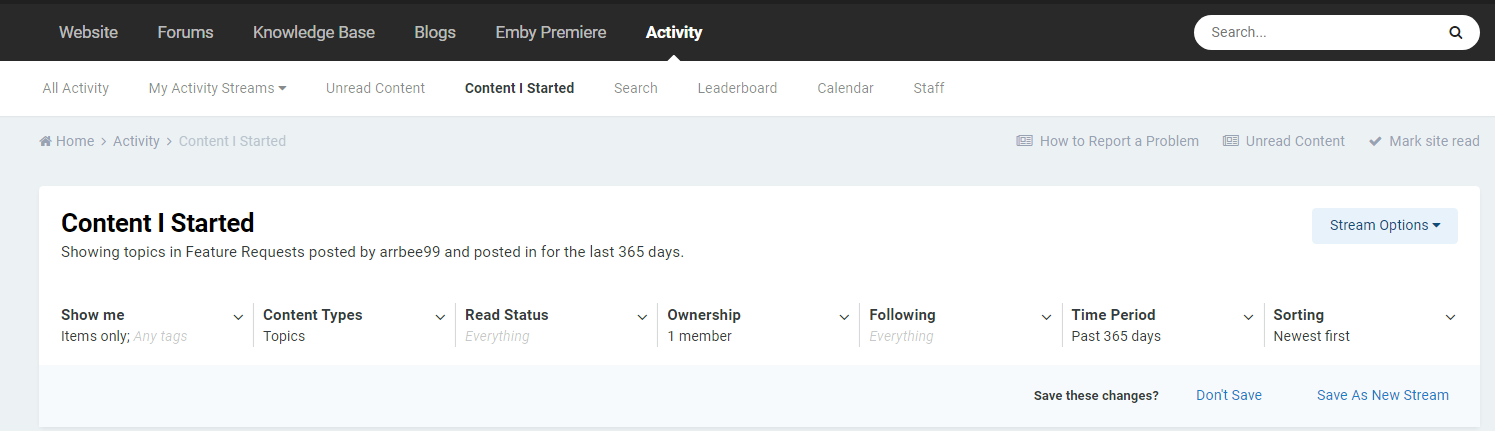
Looks like you would make a custom Activity stream. Expanding Content Type to specific Forum. And Ownership "Content I started". @arrbee99actually you can do it via Activity-Content I Started if you done not want a custom feed.
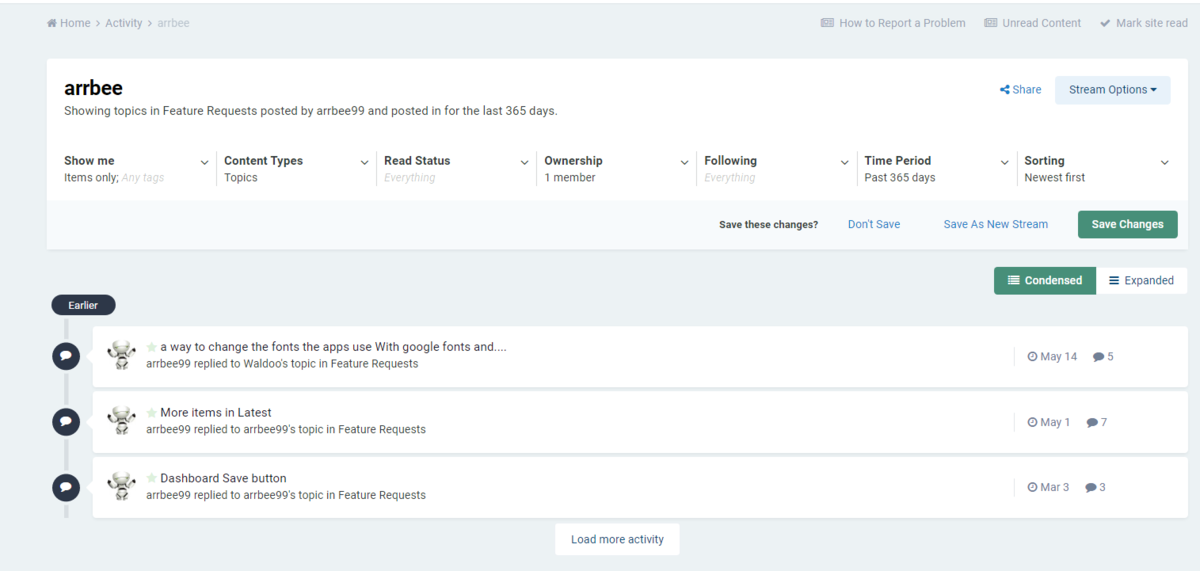
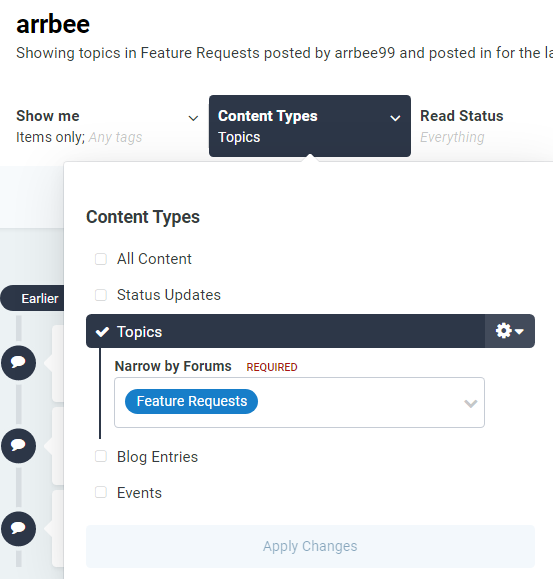
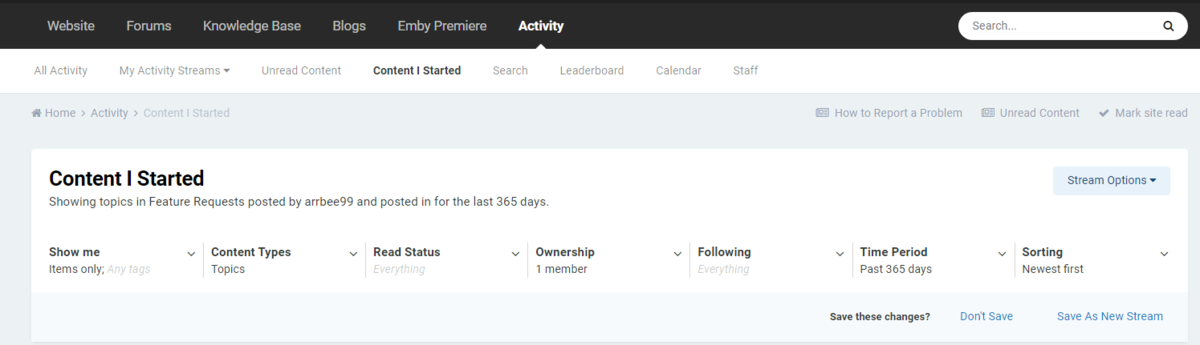 1 point
 -
In a last attempt i changed the emby username from an email address name to just a simple username and that did the trick. so my issue is solved
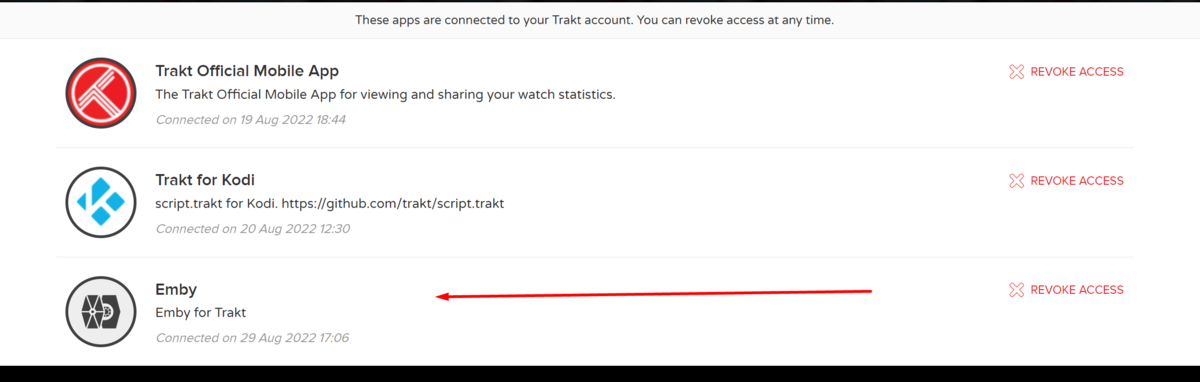 1 point
 -
@Luke: What is wrong with you?! Why don't you want to fix it? I don't understand at all!!!1 point
-
That's very interesting. If this crops up again, try just a clear cache and data on the app and see if that has the same result. Thanks.1 point
-
For example, if you have 2 different IPTV providers and each has ESPN and you want to be able to view them both (backup for example). If you have both providers streams specify the same guide data (epg-id), which would make sense as they are both ESPN, Emby will only make one of the streams available. The reason is since the streams both have the same epg-id, Emby considers one as a duplicate. It does not consider the 2 providers as making them unique, but rather the content is the same therefore it is a duplicate to Emby. Setting that flag in IPTVBoss will "correct" that situation, and in the example above you will see both ESPN streams in your guide in Emby. The streams will not be merged into one like a true backup.1 point
-
Awesome. Thanks !!1 point
-
It would probably be easier to just change the app region on your TV1 point
-
Doch, du kannst nach GB ziehen, da gibt es die App angeblich auch im Store Ciao, Alfred1 point
-
This would be great. I can test a few things1 point
-
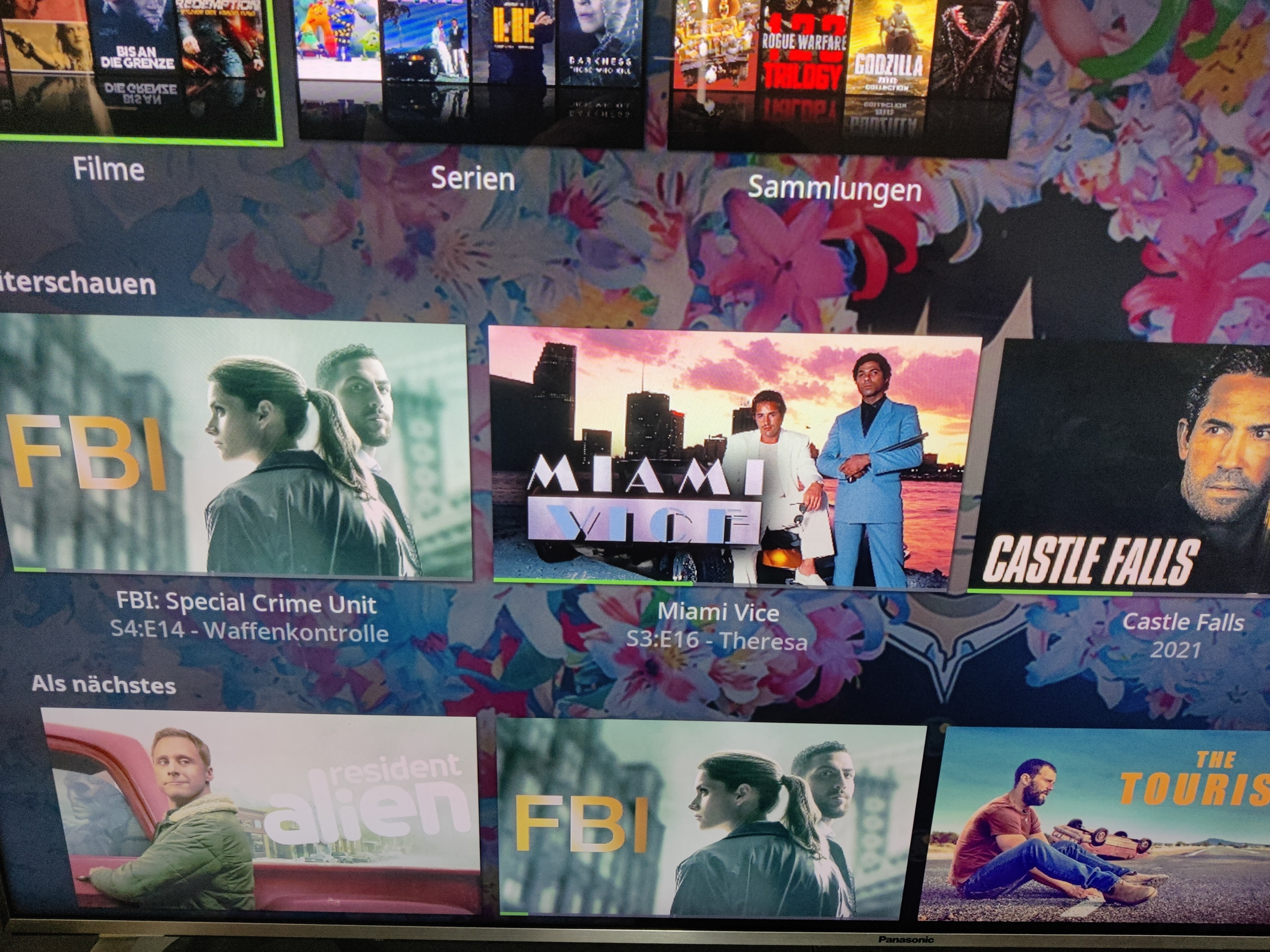
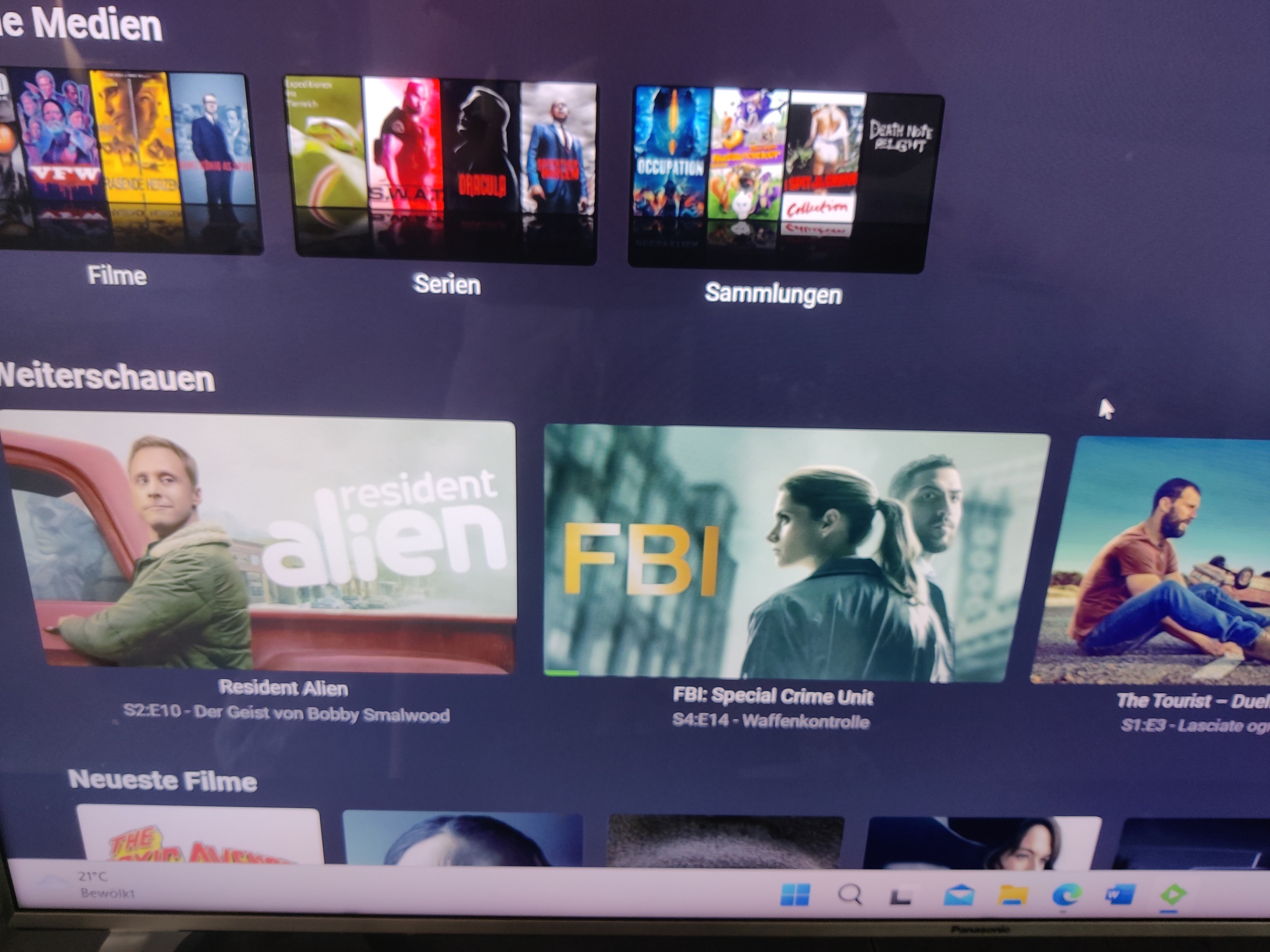
@seger for Images in the next Up and in progress widget, you need to have the proper images in the series folder. So you need "landscape.jpg" to have a constant look. "fanart.jpg" is used if no "landscape.jpg" is found. This is working like it should and looks in Kodi like in emby. Look in Kodi: Look in Emby: But yeah if you update from 6.x. to 7.x. version of emby-next-gen you have to do a full database reset and even have to rebuild your complete thumbnail cache. So as a hint: in emby "bilder bearbeiten" you have to look for "vorschau = landscape.jpg" and "hintergrund = fanart.jpg" landscape images are typically the ones with a name of the movie or series in it. While fanart images are typically random images without the show or movie name in it. (Sometimes you will find also images with the show or movie name as fanart but this is not intended.)
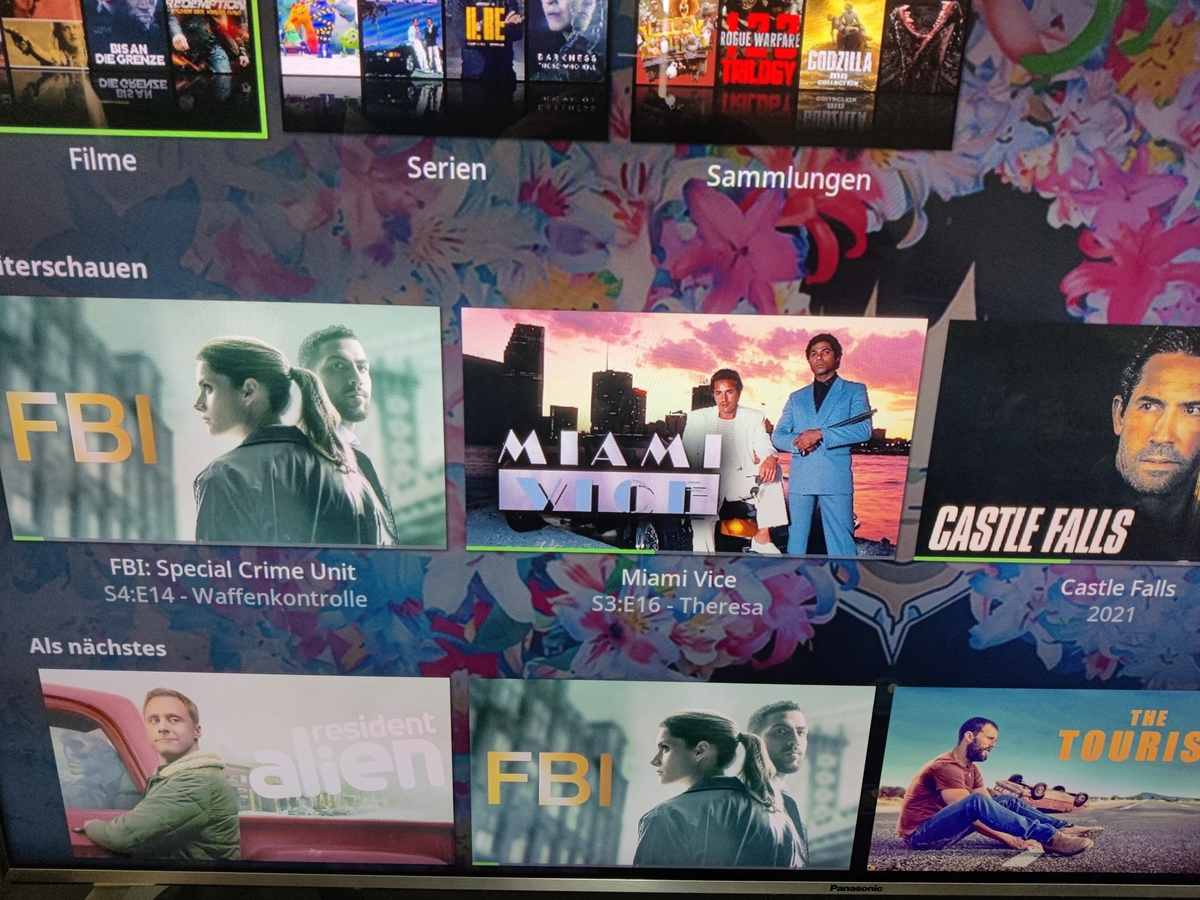
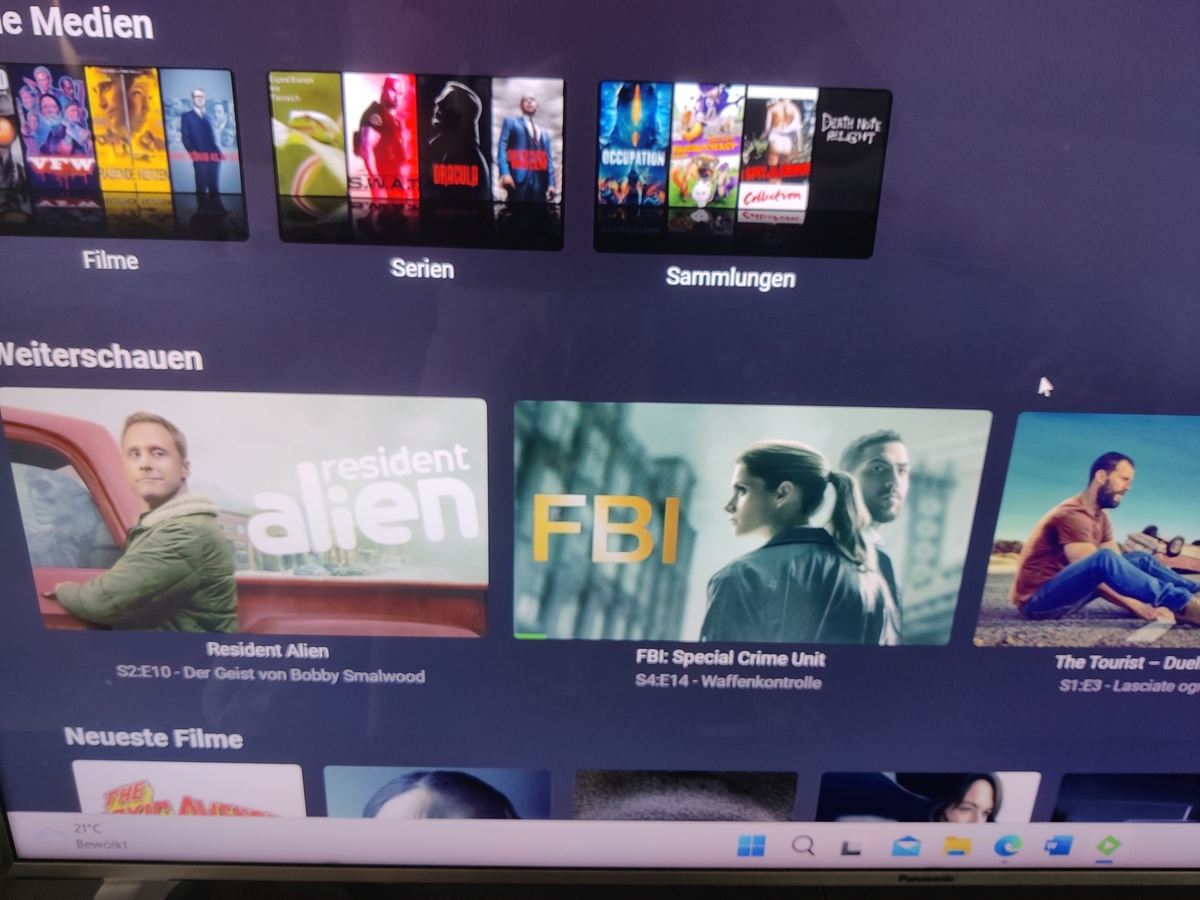 1 point
 -
@FrostByteDanke für die Hilfe. ich habe es per USB installiert und hoffe das wenn ein Update kommt das dann auch die App mit aktuallisiert wird. Das mit dem hin und her auf em TV ist mir doch zu aufwändig. mfg1 point
-
Seems like it fixed it thanks1 point
-
If you are unsure of what TeamB is asking - then why not provide the screenshot he asked for ? I don't get why you always seem to argue when people are trying to help you ?1 point
-
yes they should, they should be added with the correct marker type of IntroStart and IntroEnd IntroStart and IntroEnd chapter marker types are special and do not show up in the Web Client at all. However you should be given the option to skip when playing back. This is part of the reason I wrote the ChapterAPI plugin so you could see and interact with all the chapters including these new hidden ones. This is because the chapters are too short, anything under 10 seconds is considered too short, this could be changed, it looks like there might be a few shows with short 10 sec intros. My thinking was at 10 seconds it would not be worth adding a skip as it is only 10 seconds. If people think 10 seconds is ok though then I can fix this and show the download/extract buttons. If you have at least the first episode, you can manually add some chapters to it using the ChapterApi editing, add IntroStart and IntroEnd for your one episode and then you can extract it and upload it to the site or just use it in a detect job.1 point
-
Thanks a lot for your suggestions, I'll try it now!Of course, it would be better if it didn't have to be so troublesome in the future!1 point
-
The only inbound port you need is 32400 for Plex and 8096 for emby if you want to access them from outside your network. Otherwise Xteve and Plex/emby don't need anything open inbound, as all traffic will be outbound from Plex/emby to Xteve and out. Xteve doesn't need any ports open from the world1 point
-
We use iptveditor.com. It's give or take $15 / year & worth its weight in gold. Channel sorting & categories, channel numbering, EPG, channel logos, & auto updating stream names like ESPN+. Makes quick work of it.1 point
-
Hi, yes it's certainly possible for future updates. Thanks.1 point
-
nevermind i have solved the issue. i renamed the mkv files so that it no longer has the "0079" in it1 point
-
I don't see them as the same thing even though they overlap features. xTeVe as an HDHR emulator for Plex,without using a buffer, is good. xTeVe as a proxy with the three options of buffers is unreliable. xTeVe as channel management is a nightmare. IPTVBoss as a channel and guide manager is outstanding. I do recommend it even if you don't use their guide data. Make sure to tick the option for Emby.1 point
-
That should be much less likely to happen now with newer versions.1 point
-
For the app no. If you want their well groomed and extensive EPG data there is a charge for that, But it's minimal for individual use. I just got the invitation, I'll post in a bit. But here it is . It's in Discord.1 point
-
Hi all ! I took some guts and time (and a snapshot ) to re-test an update and I can confirm that this time it went on smoothly. So the solution is confirmed to be that allow_mlock must be configured on your jail BEFORE the upgrade. Afterwards it will be too late to activate it and re-upgrade. Thanks a lot guys !1 point
-
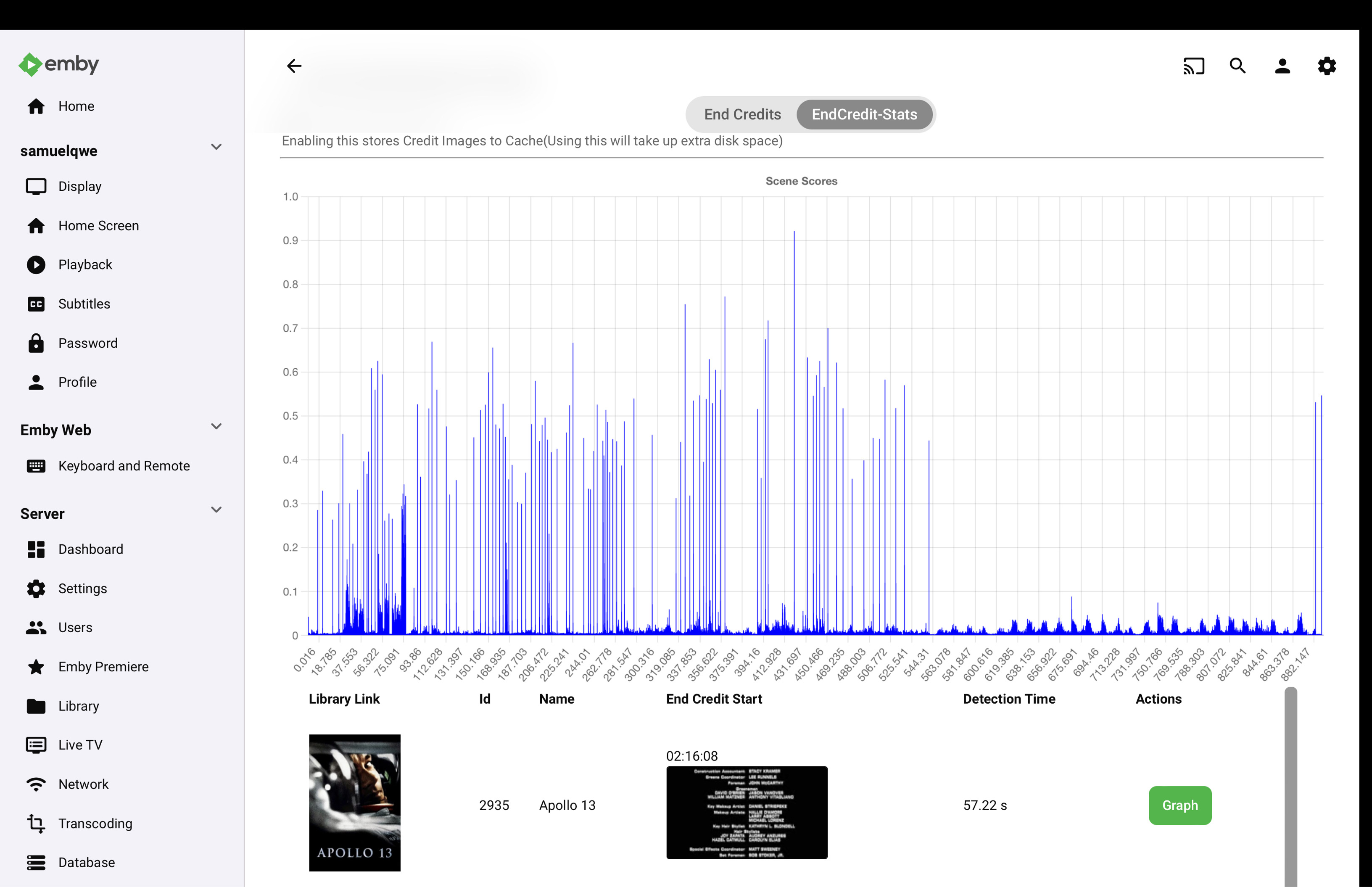
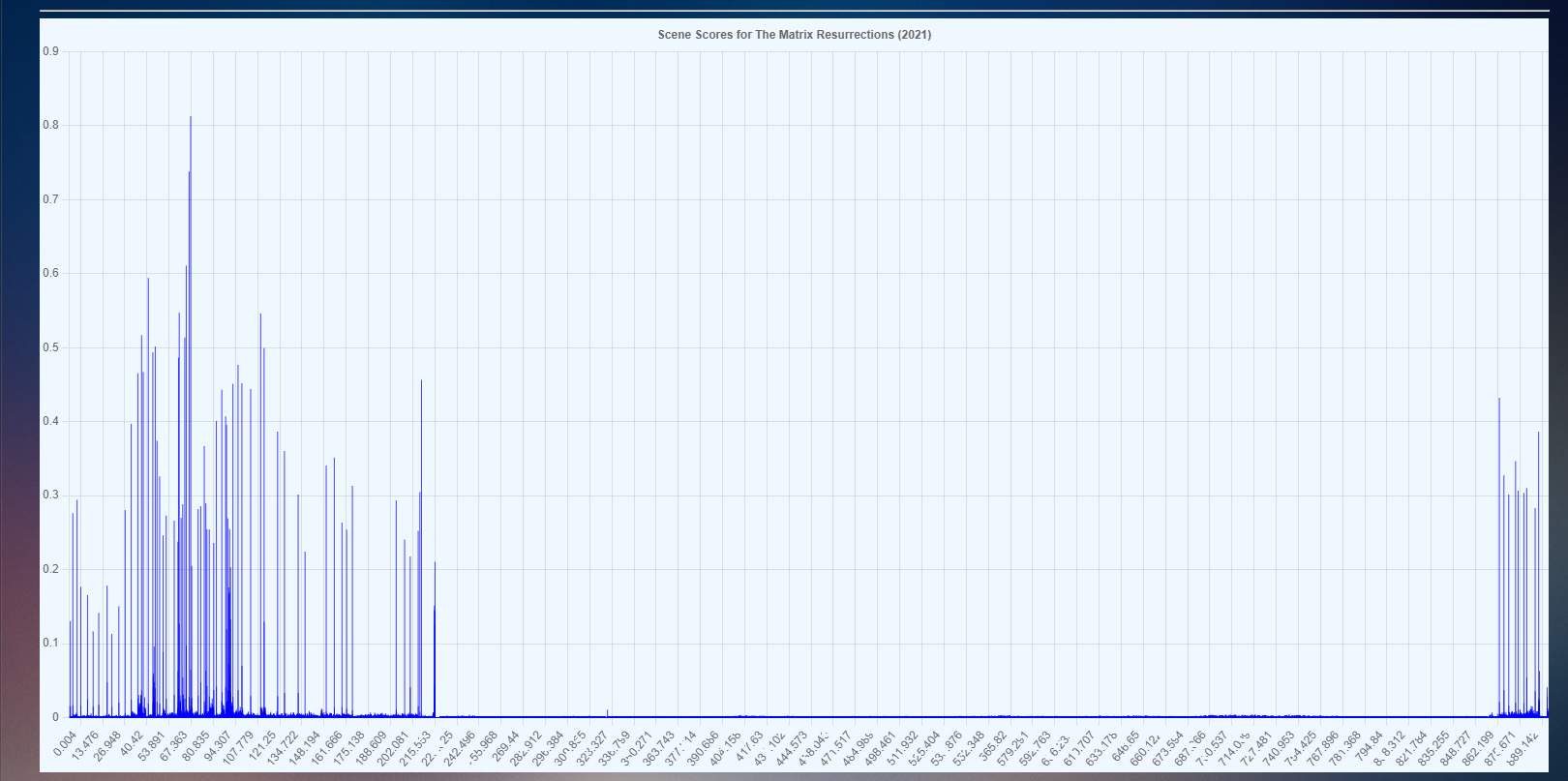
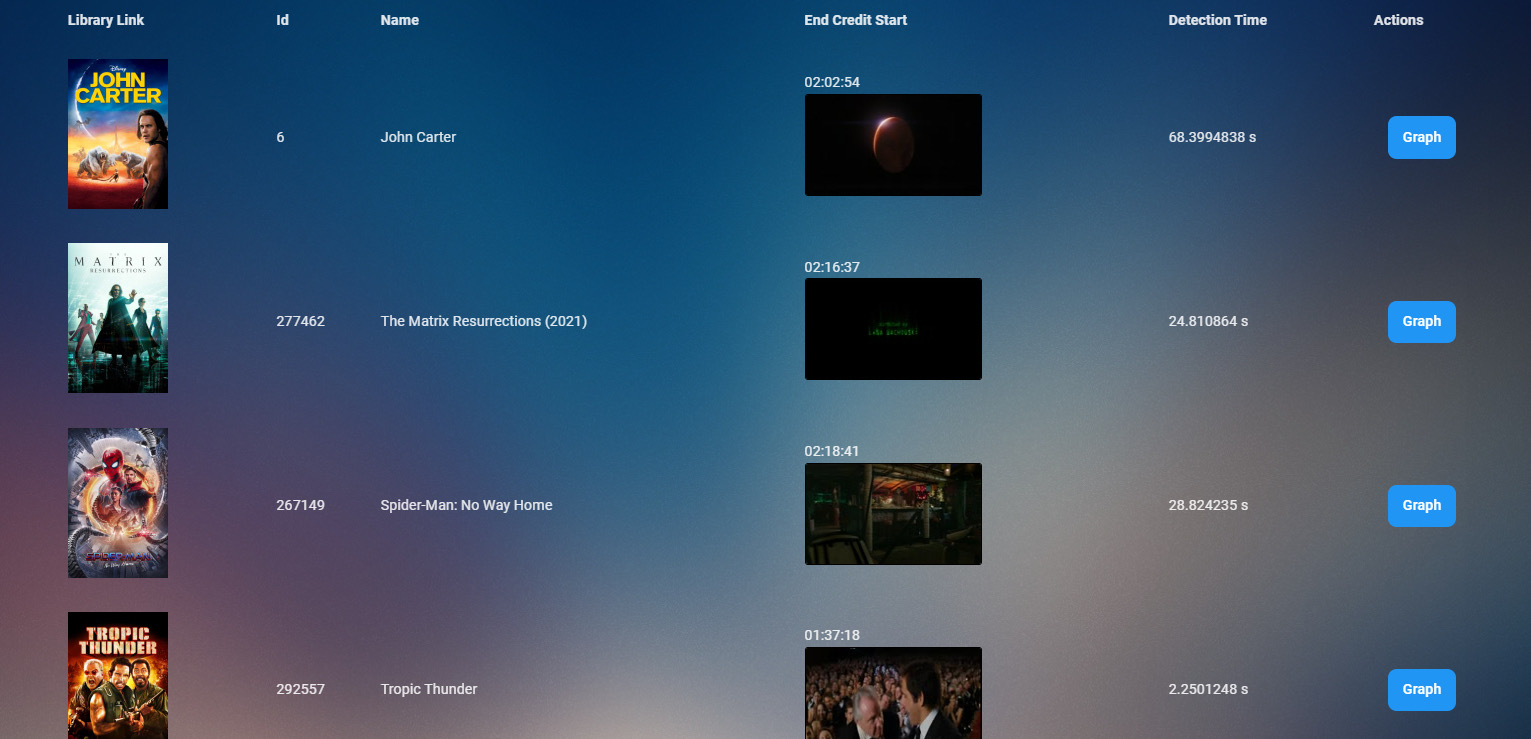
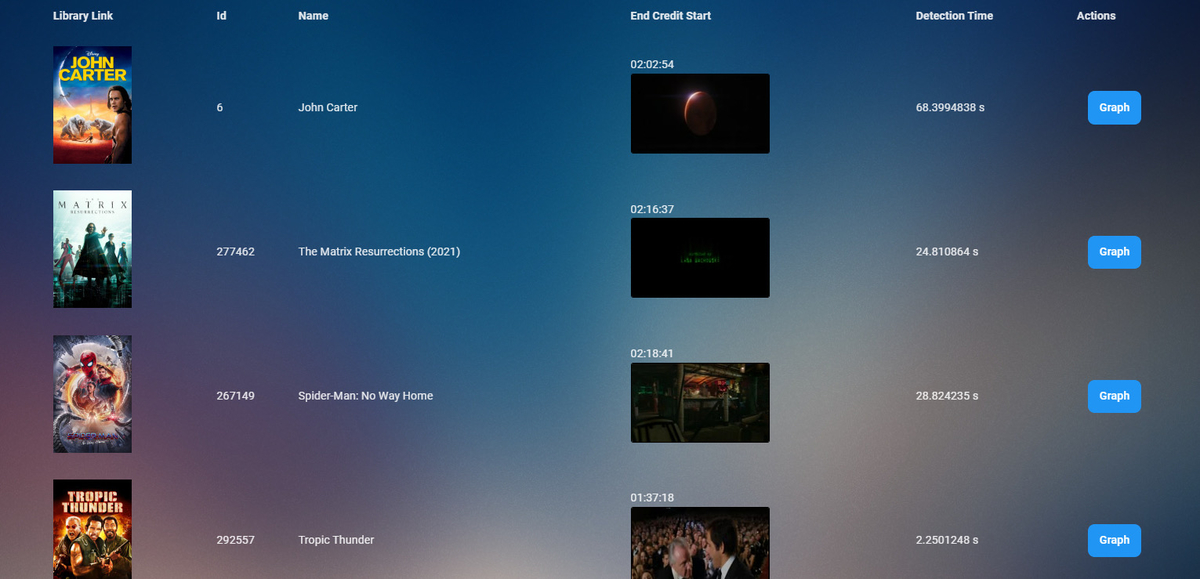
Myself and @samuelqwe & @rbjtech are currently working on a new method for end credit detection.
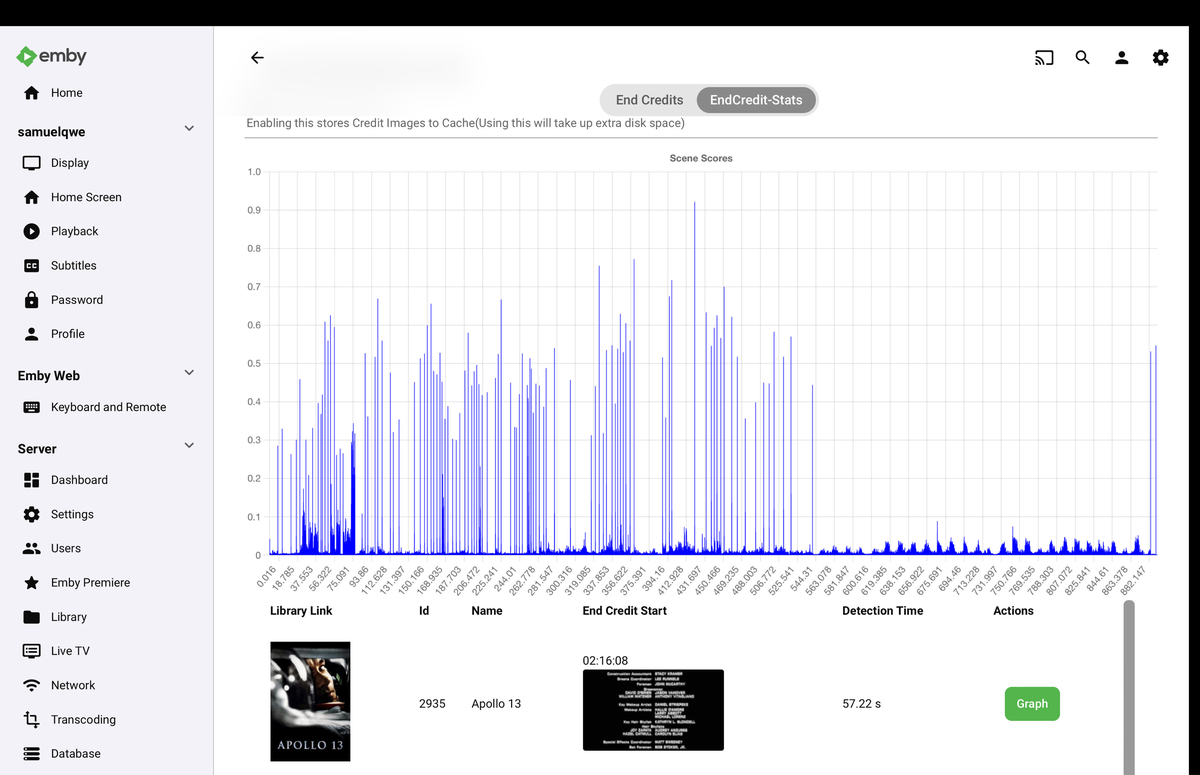
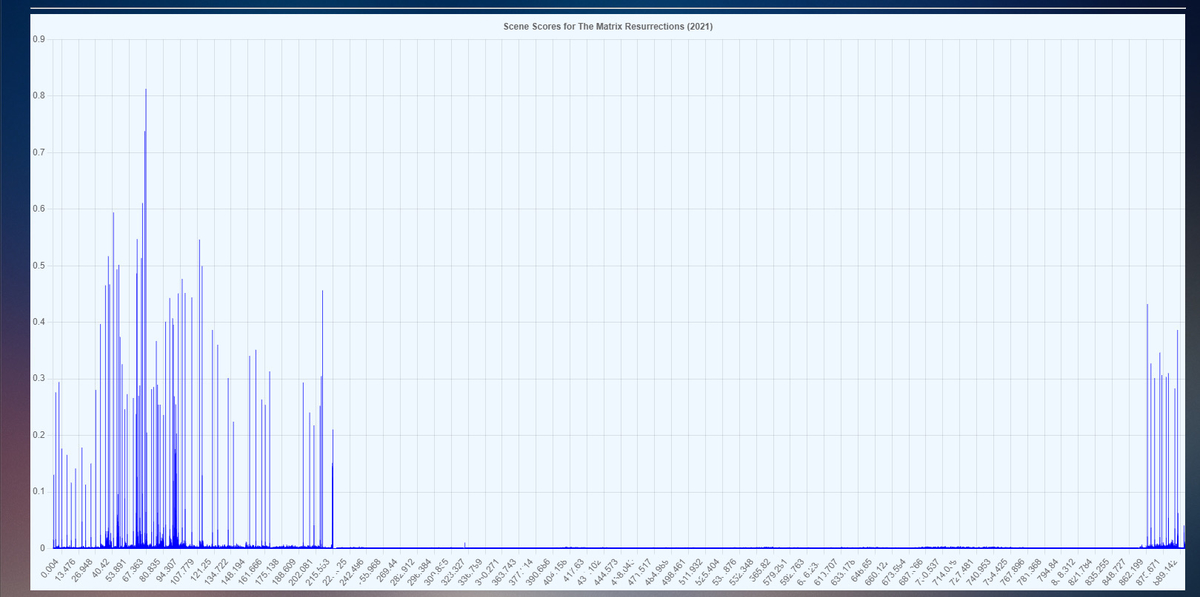
 1 point
 -
Hi, this is resolved for the next update to the emby LG app. We'll have that out as soon as it gets through LG review. Thanks.1 point
-
Nice. Let me know if it goes into the beta releases so I can test it and give a proper feedback to help.1 point
-
The server is unresponsive. I need to close it using the Monitor app and restart it again.1 point
-
Install app on your phone. Head over to pushover.net to register app, as you'll need auth token. Download plugin from Catalogue, enter that token and user key. In Dashboard>Advanced>Notifications, configure events you want to be notified of. If you want daily summaries (Users watched/Media added) , install Playback Reporting Plugin.1 point
-
I think it would be nice to have this option when right clicking the icon.1 point
-
The fact that admins are still ignoring this problem is so frustrating. Not a single new response, no news about solving the problem, absolutely nothing and the problem is very easy to fix. There are no signs at all by which you could notice that they at least tried to do something. Very disrespectful behavior.0 points
-
Not sure what this means. Or how a screenshot would help. It's just the same list I already typed out.0 points















.thumb.jpg.ef7a5c5053bd4685aeb82c5be20b79ad.jpg)