Leaderboard




Popular Content
Showing content with the highest reputation on 08/21/22 in Posts
-
It worked! And I'll keep an eye out for that Plugin. For anyone finding this thread later, ignore what the MkvToolNix installer says about downloading a 3rd party GUI - it does come with its own - and that's what you will need to use to follow @FrostByte's instructions.2 points
-
As far as the stuttering that is most likely caused by the huge number of internal tracks in your file which seems to be an issue with all Tizen apps. The only solution I know of right now is to remux your file and remove enough tracks to get somewhere below 30 (video+audio+subtitle), or just remove all the unwanted subtitle tracks. Got it. I imagine my 2018 will not be supported in a couple years also.2 points
-
It supposed to be in 'ServiceKind' - but it's always the same as normal tracks. after a bit of frustration with ffmpeg (lol) - it looks like ffmpeg can do it .. ffprobe -v error -hide_banner -of default=noprint_wrappers=0 -print_format flat -select_streams a -show_entries disposition=comment "M:\Films 4K\Back to the Future (1985) [tmdbid=105]\Back to the Future (1985) - 2160p Remux DV THD Atmos.mkv" streams.stream.0.disposition.comment=0 streams.stream.1.disposition.comment=0 streams.stream.2.disposition.comment=1 streams.stream.3.disposition.comment=0 Where 1 = a commentary flag in the MKV These are all available - so we could potentially add them if they are in the MKV DISPOSITION:default=0 DISPOSITION:dub=0 DISPOSITION:original=0 DISPOSITION:comment=0 DISPOSITION:lyrics=0 DISPOSITION:karaoke=0 DISPOSITION:forced=0 DISPOSITION:hearing_impaired=0 DISPOSITION:visual_impaired=0 DISPOSITION:clean_effects=0 DISPOSITION:attached_pic=0 DISPOSITION:timed_thumbnails=02 points
-
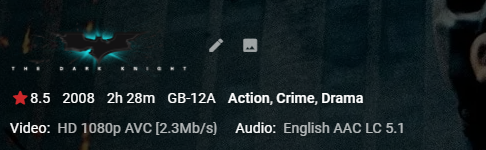
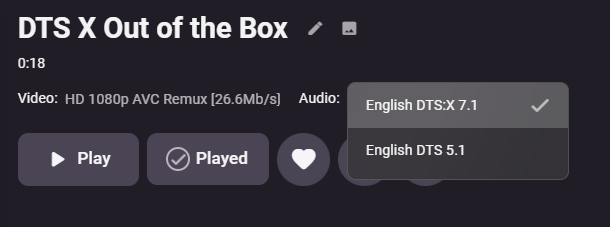
Cheesey Productions brings you MediaInfo for Emby Bringing your Media Info Formats up to Date (including HDR, Vision, Atmos, HLG, DTS:X, DVx, etc) And HDR-SDR Image Extraction using tone mapping for clearer seek images Available from the plugin store A huge shout out to @rbjtech for all his help with this. He was my knowledge base. Thanks Rich Please read the wiki page available that will help you get set up. MEDIAiNFO WIKI PAGE PLEASE NOTE THIS PLUGIN WILL MODIFY YOUR MKV EMBEDDED TRACK TITLES Some examples Also you can add tags to your items Enable the options in the settings and this will only add the tags for the unique formats the emby doesn't already take care of. There are plently of options for you to chose from to get your media looking how you want New Feature Added ---- HDR - SDR BIF File Creation using Mobius Algorithm for ToneMapping This generates larger and crisper images for Chapters and 10Sec ThumbnailSets WE URGE YOU TO READ THE WIKI PAGE 2 SO YOU UNDERSTAND FULLY WHAT'S INVOLVED HDR-SDR IMAGE GENERATOR WIKI Settings can be found at the bottom of the media info page. Feed back is always good. After replacing the dll always remember to clear your browser cache and restart it, to load new changes in the UI.
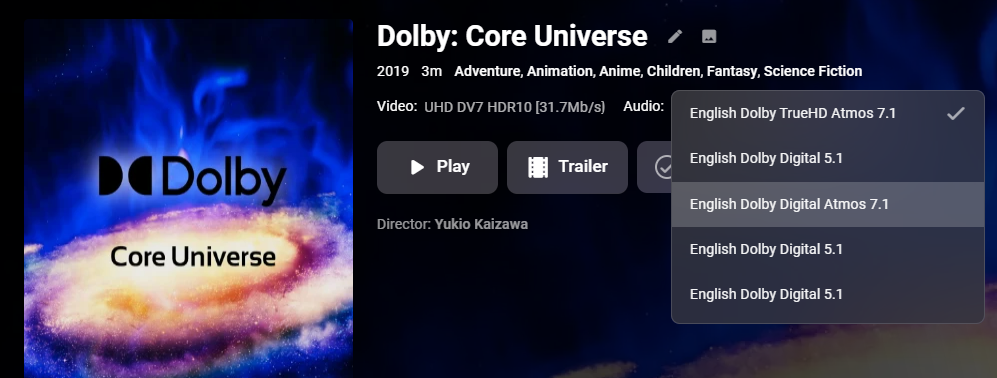
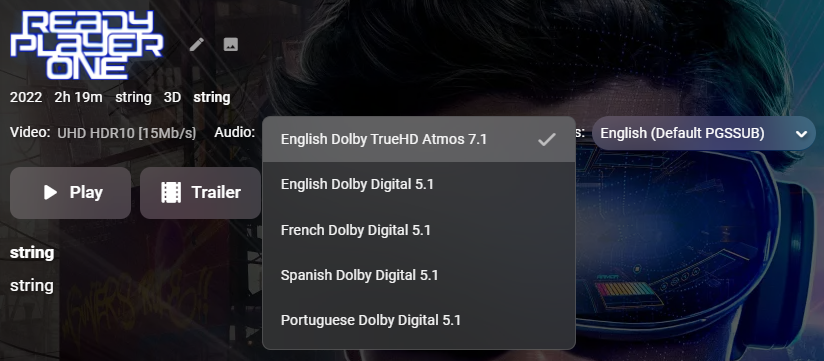
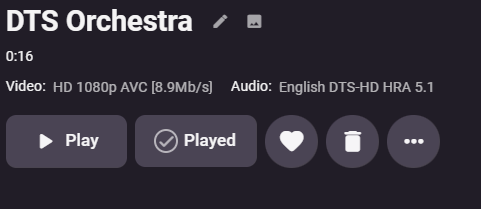

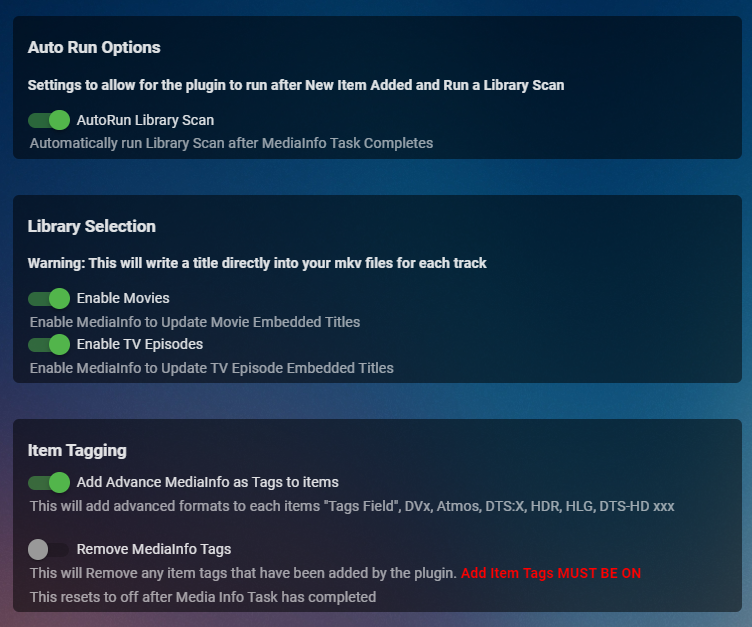
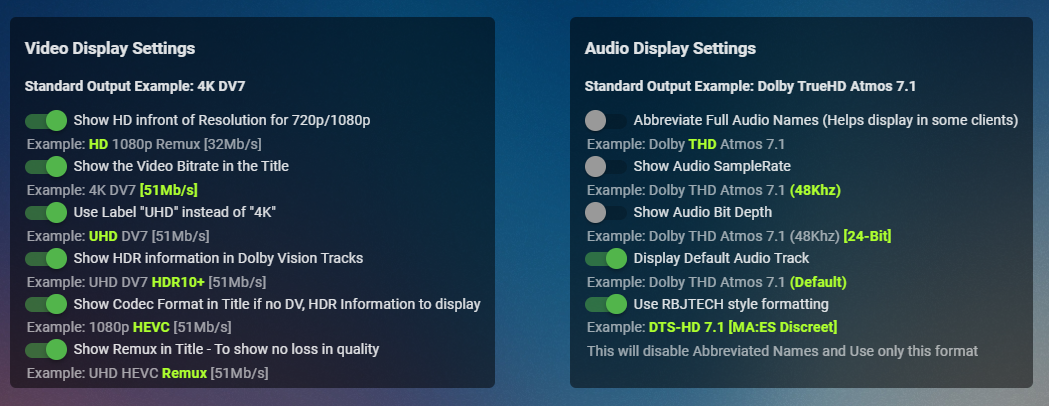
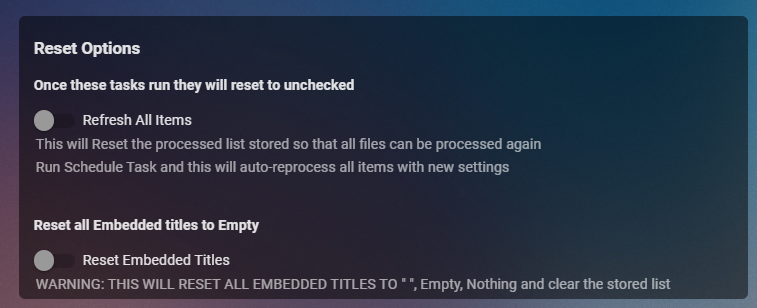
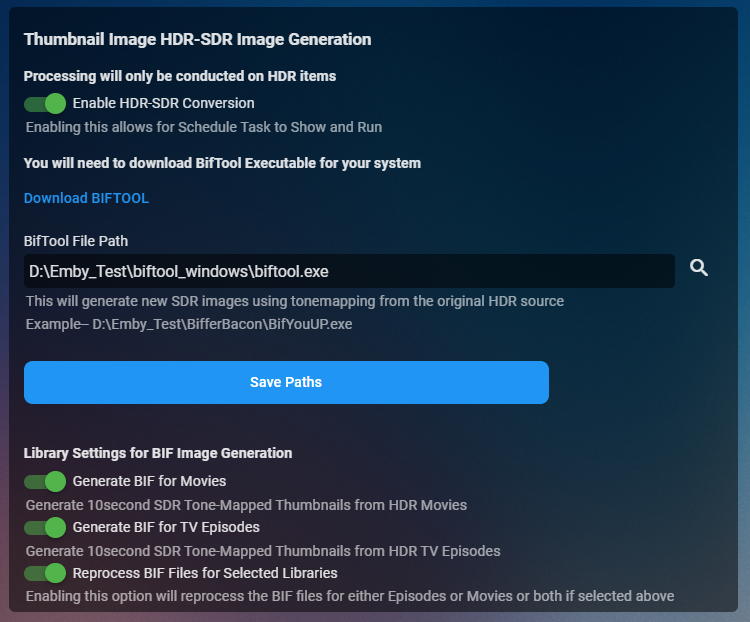
 1 point
 -
At the moment, if I assign artwork to Animation in a MOVIE library, then the TV library also has the same image for Animation. Id like my MOVIES library genre artwork to have different artwork to the TV one.1 point
-
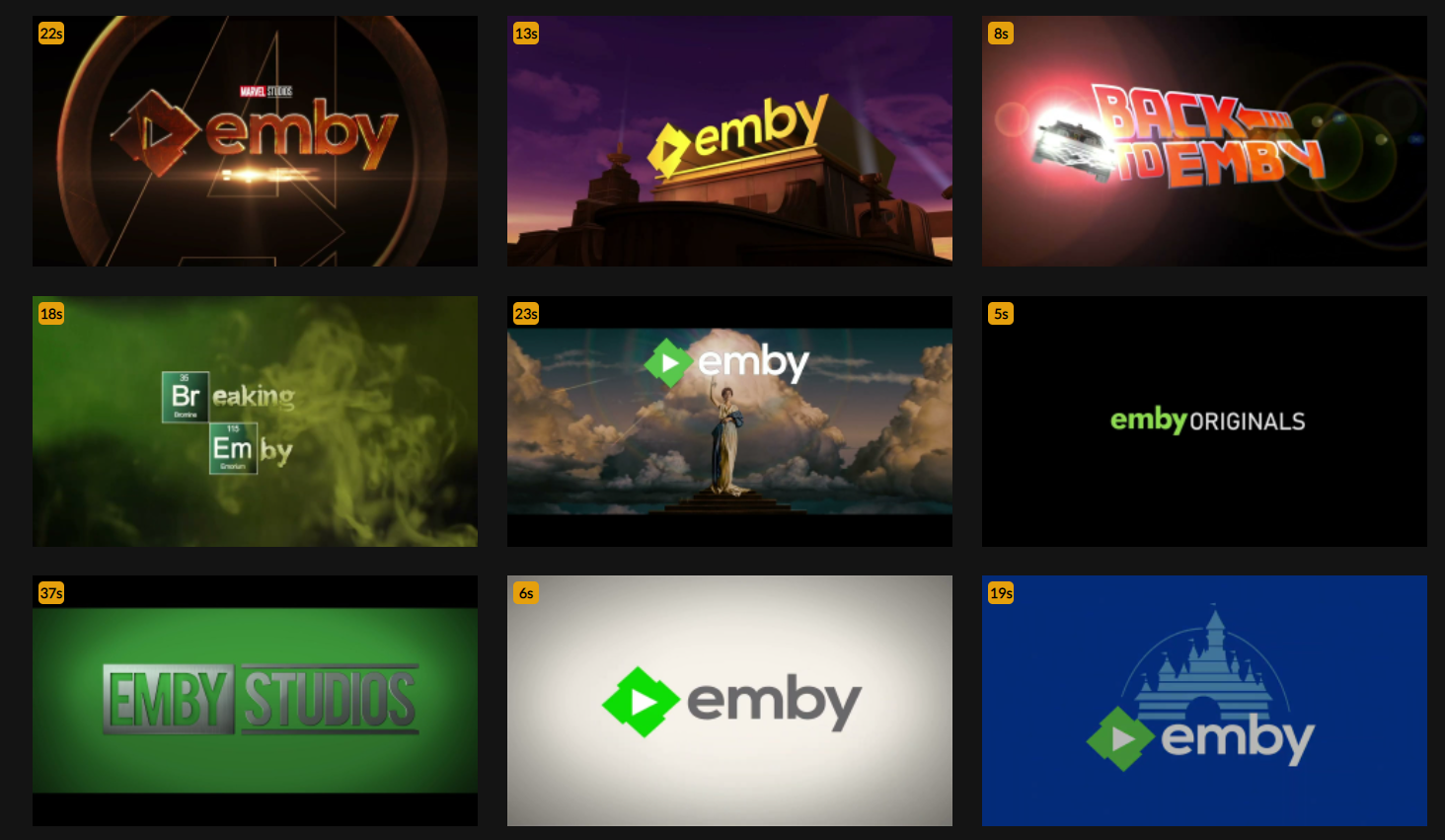
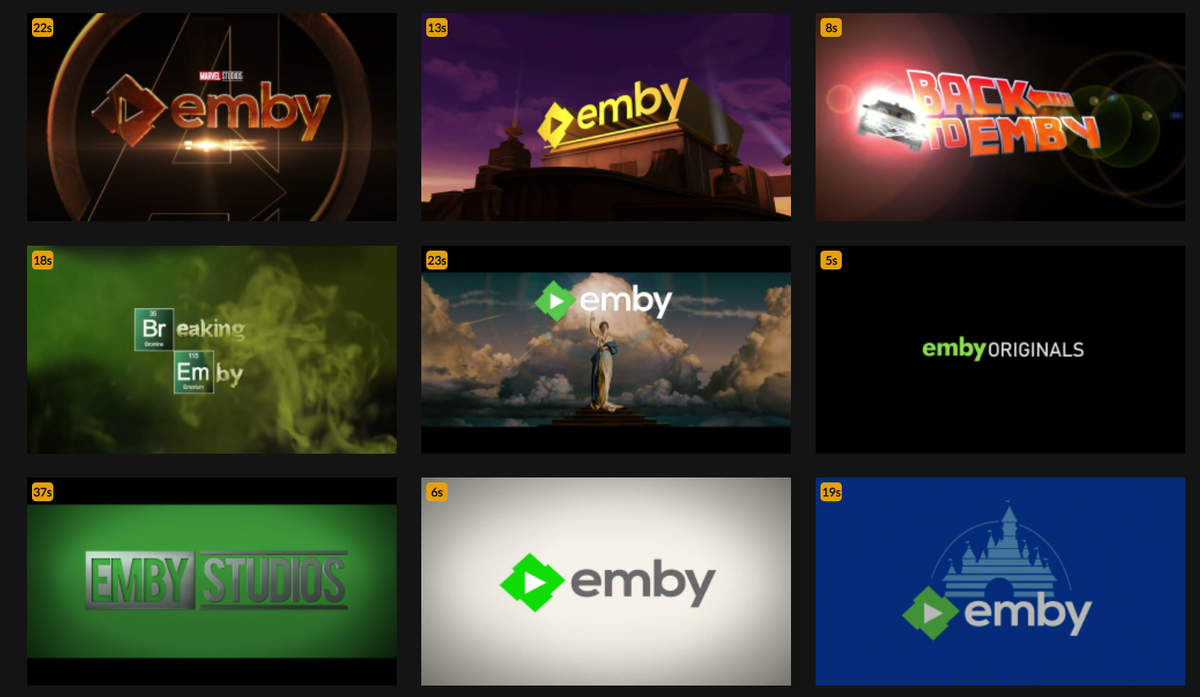
Here is my collection of about 50 pre-rolls for Emby: https://prerolls.me/platform/emby/
 1 point
 -
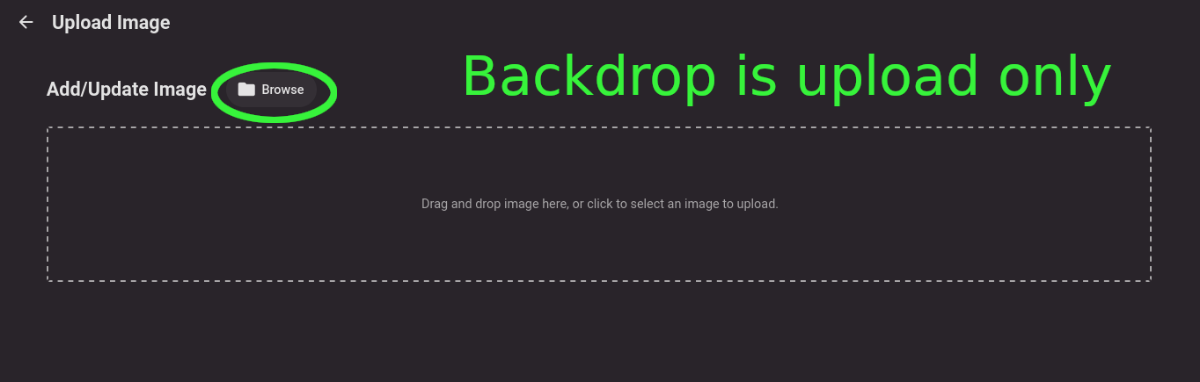
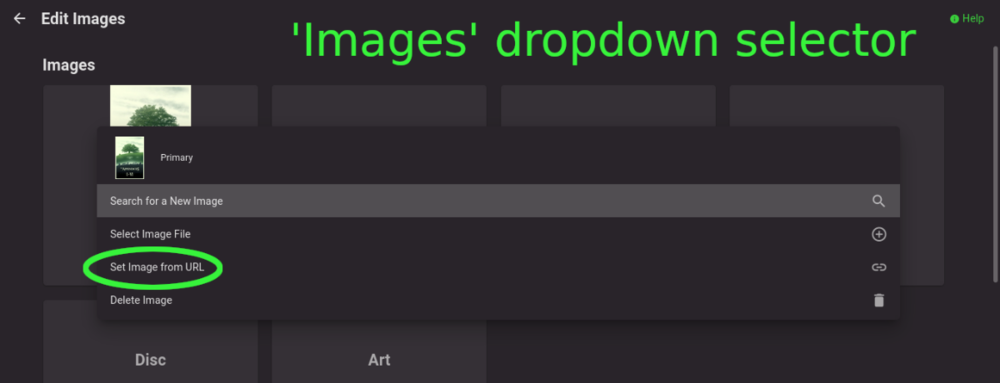
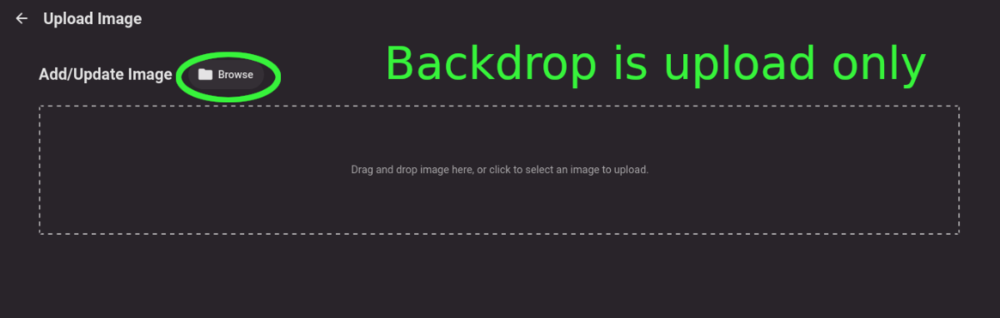
Title describes what I want but also here are some web app screenshots: The Image editor for all the types under 'Images' has a wonderful selector that includes a 'Set Image from URL' option: The Backdrops section only allows for adding images by file upload: I'd like to add Backdrops from URLs please.
 1 point
 -
I created a desktop (windows is released, linux works but I havent packaged it up) application where you can setup multiple servers, and have the tool sync the User Data between the servers. The next big push, is to create an Emby Plugin where you only have to setup the secondary servers. The codebase is 100% opensource MIT licensing. Use it to your hearts content, complain all you like I can take it. But seriously any feedback is most welcome. You can download the release here https://github.com/towel42-com/EmbySync/releases , there currently is no "whats the latest version" check, so if I update you will have to manually update. For now, it only synchronizes the user data between the servers. In the long term, I would like to be able to synchronize all user data, as well as server settings. Meaning everything from layout choices for the user to custom collections. It has both a Graphical UI (standard windows double click tool) as well as a command line version to enable scripting. Thanks, and let me know if you have any issues.1 point
-
MrMacKey... I found the problem. I think I have it fixed. I say I think because I have not had time to test it. Please try the code below and let me know if it fixes your problem. If not, then I will give it another go. I just wanted to get this code to you ASAP. Vic. emby_new_tool_38.html1 point
-
Please try again with the next update to the app. Thanks.1 point
-
Interesting. I'm going to play with that for subtitles in my script. If nothing else it will help for that 1% of the time the flag is actually set1 point
-
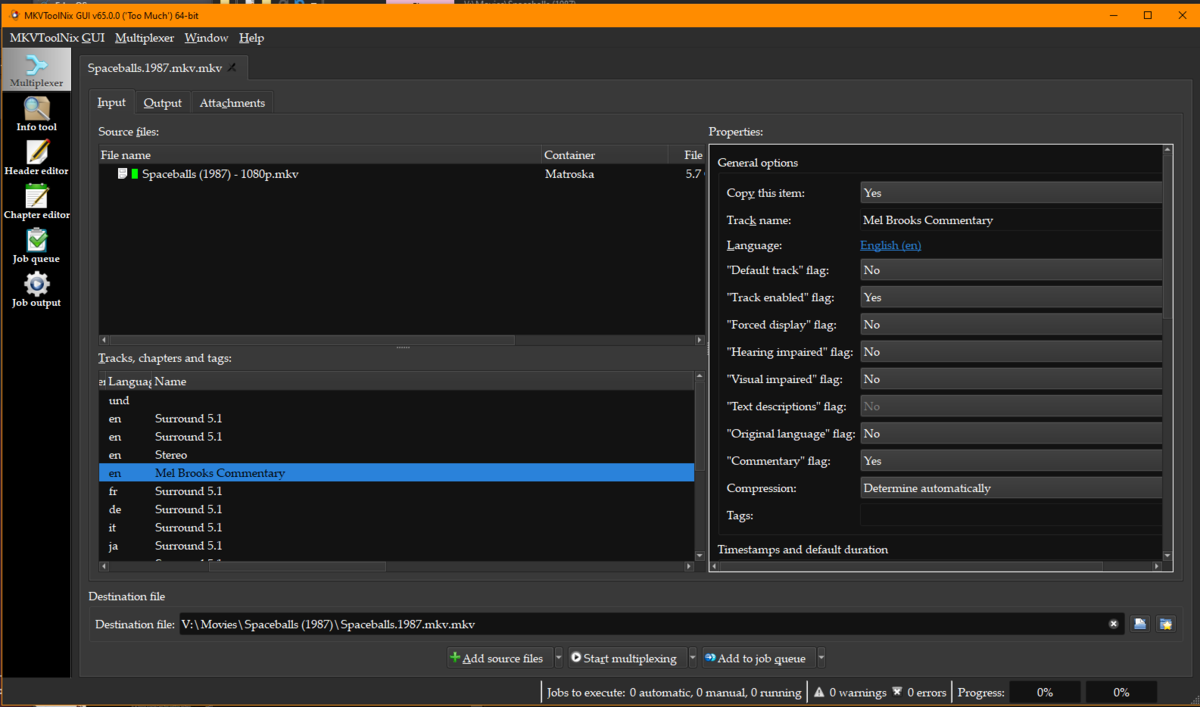
I know I would certainly be willing to fix flags that I may have missed when creating the track names the first time around with mkvtoolnix. As some of those at least are settable via the GUI.
 1 point
 -
Awesome - many thanks!1 point
-
MKVToolNix is very popular. MKVToolNix download latest version (fosshub.com) Fairly easy. Drag-n-drop your file onto the Window after starting. Then in the Tracks, chapter window unselect all the subs you don't need and click "Start multiplexing"1 point
-
Not sure how this works but in Emby Player, when I click on Subtitles: Off, a very long list of Subtitles is shown, all of which are SUBRIP - presumably these are all in the file? Unfortunately my TV is a 2016 model so that is the latest version of the player I can get from the App Store.1 point
-
hi @SamES im going to give it a try and let you know1 point
-
I think what you have found is a very curious anomaly. I will try and explain what I think is going on. Firstly, if I look at the Arabic and German subtitle tracks, the timing of the Arabic subs is earlier than the German. They also both start quite near to the start of the program There are some assumptions now on what I think the internal player is doing. When the player loads, I believe it always loads the first subtitle track. However, we either turn subtitles off, or select the users selected track when playback starts. This is an important point. You can't select subs before it starts, it can only occur once the file has been loaded into the player. This means on initial playback the first subtitle track is always loaded. I have confirmed in the debugger that we do the subtitle track selection very quickly, within the first second of playback. As the Arabic subs are immediately loaded, while we try and change to German subs when playback starts, I suspect the Arabic subs are already queued in the player and start showing before the player internally switches to the German track. There is another problem here, and @FrostByte is on the right track. There are too many tracks in this file and the player can't cope. This is what is causing the stuttering playback. We've seen this before and know it is a problem. As a result of the stuttering, I believe the player is missing subtitle timing events. When I select German subs and start playback, this is what I'm seeing: At ~8 seconds the Arabic Netflix sub appears It does not disappear at 12.375 seconds (as it is supposed to), however I do see stuttering at this time and I think the player is missing the event to turn off this sub line At 32 seconds, I do start to see German subs. Again, as result of the stuttering, I think the German Netflix line at 9.5 seconds is missed If I run this through MkvToolNix and only select the first 8 sub streams, I get playback without stuttering. Now I see this: At ~8 seconds the Arabic Netflix sub appears I think this is because it is already queued by the player At ~9.5 seconds, I see the German Netflix line displayed All sub lines are now in German So how best to summarise The combination of different subtitle times between the two languages for the first subtitle line, and the fact that they are so close to the start of the program is causing the Arabic line to initially show The large number of sub streams is causing the playback to stutter, which is causing the event to hide the Arabic sub to be missed. The next sub line is not until 32 seconds, so the Arabic sub remains visible until at least this time. Due to stuttering, it is possible that it even stays longer if the player is missing more subtitle events. Please let me know if this makes sense and matches with what you see. If you wait long enough, do you eventually see German subs appear? It will take at least 32 seconds, or possibly longer. Here is one more test, which I think proves this theory. The Czech track has the same timing as the Arabic track. If you select the Czech track before playback, you will find that you no longer see the Arabic track, only Czech. As the timings match, the problem doesn't occur in the same way as it does with the German track. The fix here is to remove some of the subtitle tracks and ignore 3 seconds of the Arabic subtitle (or manually fix the subtitle timings if you really feel the need for this to be perfect)
 1 point
 -
It's a valid request and something which I had to compromise on myself when using the plugin - as it overwrote 'commentary' tracks as you say. During the development with @Cheesegeezer, we did briefly touch on this - but there is no 'easy' way to do this because a) commentary tracks are not easily identifiable in MediaInfo - the tool we use to get the info from the MKV. It 'should be the 'ServiceKind' - but regardless of if the commentary flag is set in the MKV, it always reads 'CM' (Complete Main) in MediaInfo - so maybe this functionality is broken in MediaInfo. b) reading the title for 'key words' on the face of it seems simple enough - until of course you then need to factor in languages - THEN it starts to get complicated. wrt other metadata, then technically, if it's in the emby db, then it could be written to the Title - but you need to remember characters are very limited - so you are going to have to compromise somewhere. I know that cheese is away for a bit - so I don't think anything will happen in the next couple of weeks, but let me give this some thought myself as I would like to see this enhancement as well. I'll report back if we make any progress. @FrostByte1 point
-
Looks like another quirk in FF but does this correct the issue? button.channelCell {inset-inline-start: -2px;} But @Lukethis can be reproduced without any custom css in FF, not seen in Edge/Chrome. Sort of hard to catch with console open.1 point
-
Any chance in the future that unique meta info that may already be there, such as commentary, cast, director, or writer could be preserved when rewriting? Perhaps by reading the old first and if certain keywords are already in the metatag for that track they are stored and placed at the start of the new track name? I don't think there are to many special keywords that people might already be using but by adding this functionality this plugin becomes something that I could use (right now only certain special movies have I included the special tracks on but since I also don't see a way to lock or exempt certain titles I can't use the plug in). Not sure how many other people this would help.1 point
-
Hi, yes, it's definitely a good idea. Thanks.1 point
-
That's exactly what the problem is, a corrupt file, I have one doing this and I ran one through mkvtoolnix and it fixed the issue. One way I can tell is it doesn't show the length of the movie and when it ends on the dashboard. Once i ran it through that and copied the new file to my folder, scan and it works.1 point
-
Showing an empty tag is not desirable so we'll take a look at that. Thanks.1 point
-
I'm also watching with interest on the 'intel 'deep link' decoding/encoding technology on the new A380+ dGPU's - where you can allegedly get a 40% boost in enc/dec by running the two ASICS (iGPU & dGPU) in parallel. There is little info on it - but I *think* it's 12th Gen CPU's and above. I'll probably get an A380 when they are reasonable prices and have a play .. I don't need the performance at all, but the encode to AV1 in hardware is very appealing !1 point
-
The stuff dreams are made of in Australia!!!!! Third world in seems like most of the time. Our PM once said ‘No one needs faster that 25mbps’1 point
-
Relief is coming soon because the iOS app is about to get an automatic switch to the native player whenever possible. And then after that will be ported into the Apple TV app.1 point
-
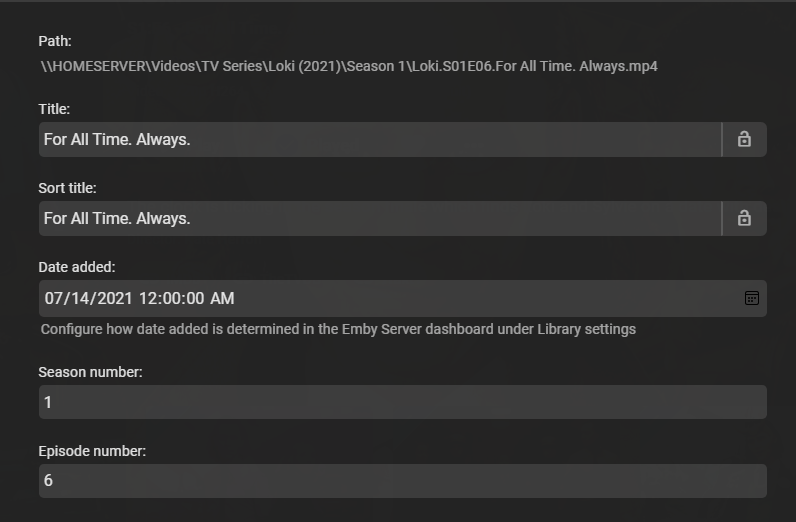
@Stellarat It shouldn't The log clearly shows Emby get the entire Series metatadata from TVDB. But I don't use AutoOrgaizer so I am not sure if there is something in the process.
 1 point
 -
Could there be an option to make 5 second bifs? I know a lot of people were upset when Emby stopped making them because of performance issues, but the clients still recognize them and if someone wants to spend the extra time creating them then maybe a plugin is a good place for that. The PS script I use can create both and tone map so I know they still work.1 point
-
New ones added!1 point