Leaderboard




Popular Content
Showing content with the highest reputation on 08/19/22 in Posts
-
I am looking to see if a SAML2/OAuth plugin is something others would use. I myself would love this feature to share Emby publicly with family members and friend and worry a little less about insecure passwords that some may use. I personally am a big advocate for security as I work in IT and see how a lack of good security can cause havoc. I love Okta and what it offers. Anyone can sign up and use it for free under 1000 users if you sign up as a Developer. That is just plain awesome. Let's see who else is interested. I am excited to find out! Thanks2 points
-
that was exactly it!!! man I went from 6hrs 52m down to 1m 25s lol thanks so much!!! (yeah, i already had it as a scheduled task once a week lol)2 points
-
It appears you are generating intro video markers along with the library scan, that can take a long time depending of the number of video files it needs to scan. Try setting the intro video markers as a scheduled task only (on the tvshows libraries settings), then try doing a scan and see how it compares.2 points
-
We thought the Sandman was great. Binged several shows at a time with that one. There was one or two episodes that were a bit horrifying, but not as much throughout as I expected.2 points
-
Agree. My wife says she's not sure she can watch the rest of the season. I'm holding out to see DD though.2 points
-
At the moment, if I assign artwork to Animation in a MOVIE library, then the TV library also has the same image for Animation. Id like my MOVIES library genre artwork to have different artwork to the TV one.1 point
-
Hi, I would like to have an option to choose H265 instead of H264 in the Transcode option. It will be smaller for all bad bandwidth (2~5Mbit ADSL), but will have a great quality. Mobile phone can benefit of it greatly too with the 4G and the limitation of download.1 point
-
Thank you very much for looking into it and finding the problem. Hopefully it’s the same problem @dsadlekand I are talking about. I don’t know when the update is coming, but I’ll give feedback whenever that happens. Thanks again!1 point
-
I'm going to side with rjbtech and state you should probably think about moving to hardware transcoding, specifically intel quicksync. My i3-8130u laptop can handle about 20 1080p streams at a mere 15 watts of power (only 3 4k streams though). I've recently bought a replacement 11th gen dual core laptop, so I will be testing that in September. Intel Qucksync is also on par with x264 slow in regards to quality as per MSU tests. You do not need to get an i7 as the quicksync ASICS are the same across a generation, meaning the celerons and the pentiums have the same ASICS as the i3-i9. All you get is more processing power for audio and "other" stuff. There is a decade long thread on doom9 where we discuss the evolution of hardware encoding. Your power bill will thank you.1 point
-
Ok I updated to 7.7.5. Gonna re-sync my library and see if it picks up my 4K Library I will post my log in a few Mook1 point
-
to all users: I'm afk for the next days -> onsite Moto GP race I'll be back on Monday...1 point
-
I have addon mode1 point
-
I now have 7.7.4 bc I downgraded bc of the library scan issue. However my 4K Library still dont scan in properly Here is the log kodi.log1 point
-
Sideloading the standard android app has solved the connection issue not sure what the issue is with the app from the amazon app store1 point
-
Lets rule out permissions issue (Unraid is a right pain at times), Exec into the docker so you are in the command line of the swag docker, and then enter: touch /emby/canyouseeme.txt go back to unraid and see if that file is written in /m,nt/cache/appdata/EmbyServer/logs/1 point
-
1 point
-
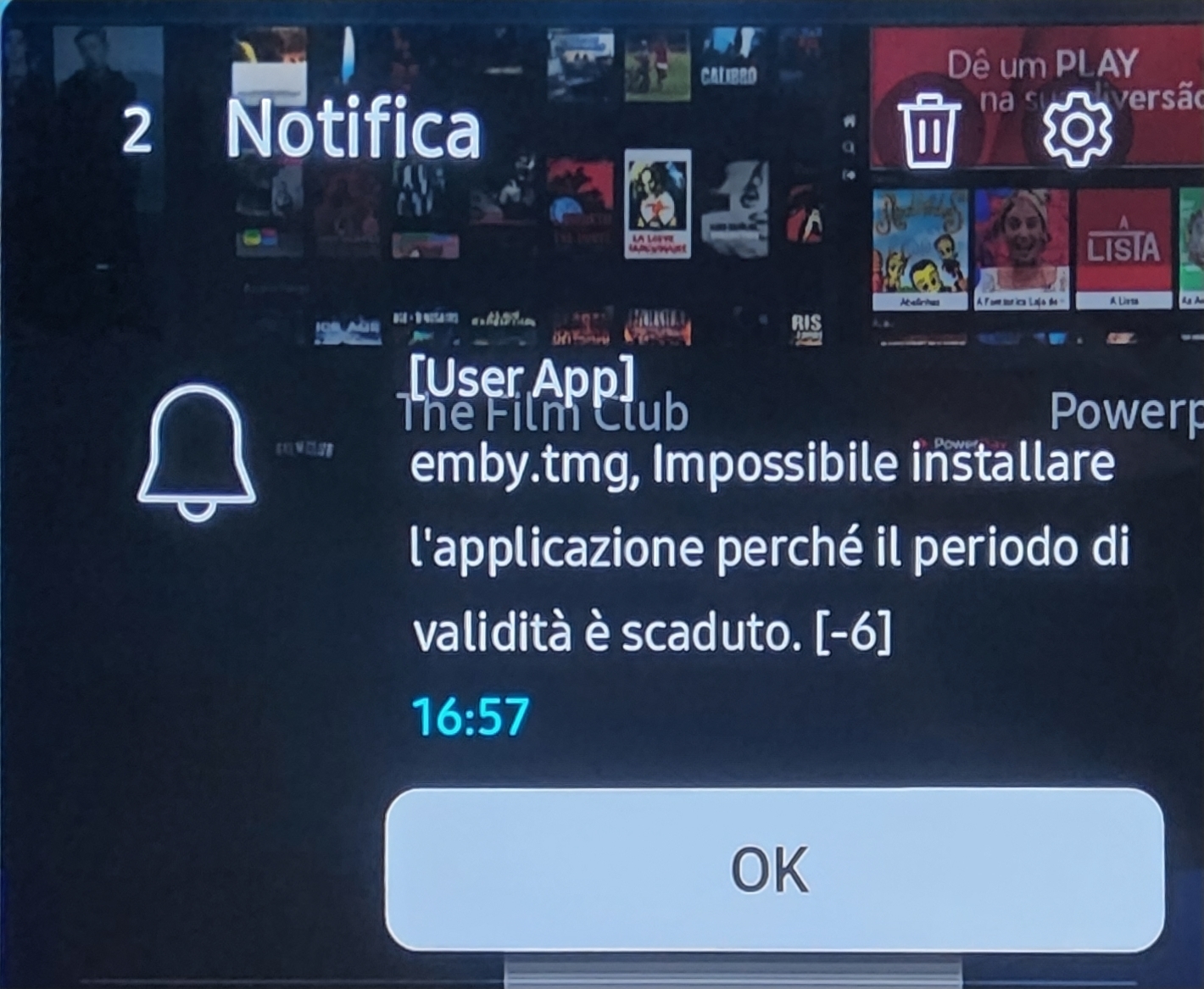
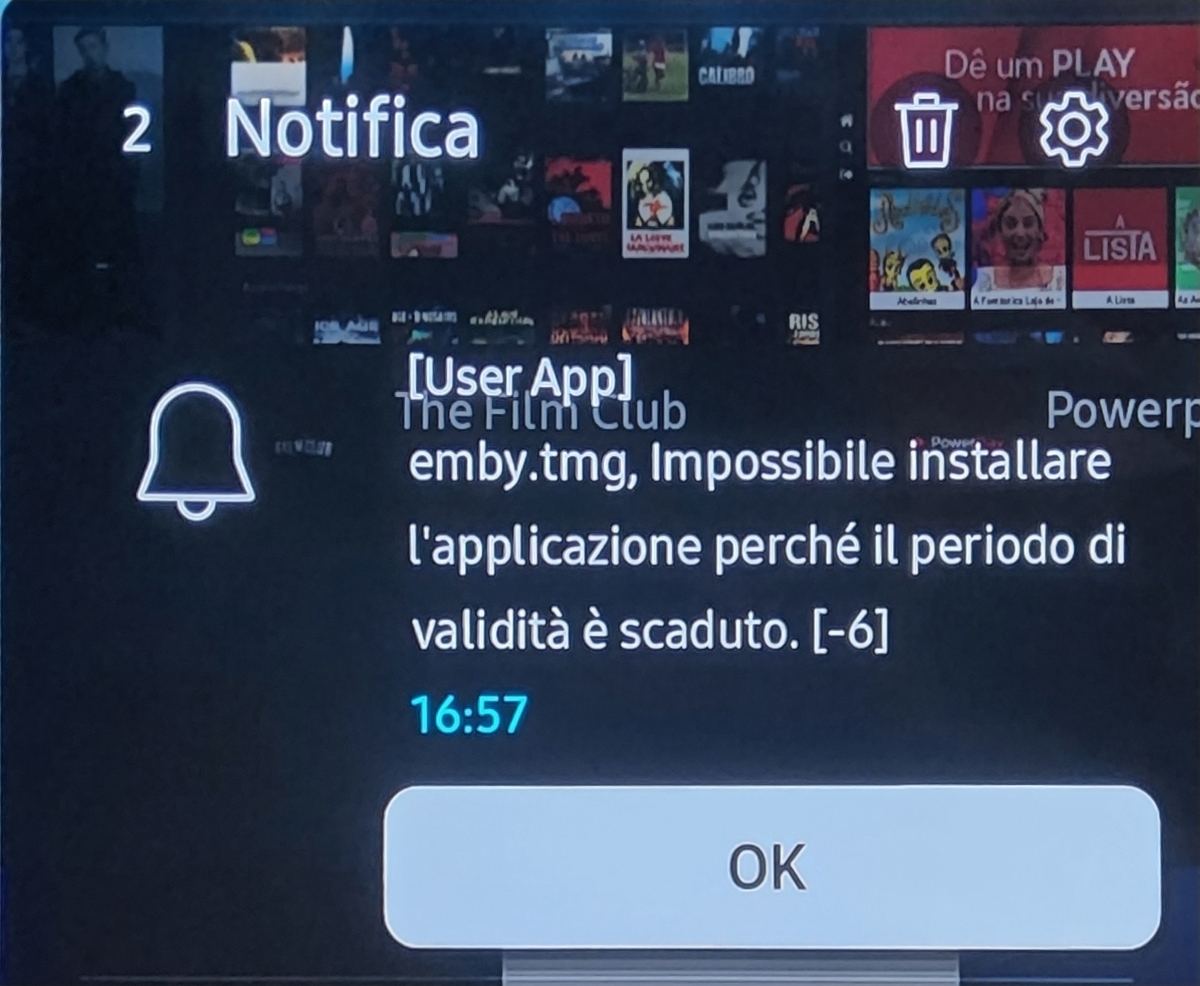
Hi guys, i have the same problem, i can't run or install again a emby package from tizen.
 1 point
 -
It worked, Thank you.1 point
-
When you deleted the previous version did you go into app settings way up in the top right corner and click the cog wheel to delete it, or did you delete the shortcut which was on the hub? If you all you saw was a message about browsing the files on the usb then most likely the previous app wasn't deleted prior to plugging the usb in1 point
-
After upgrading from v1, I've been using the plugin all week, and I love the updates. Trailers work fantastic, and it's a huge upgrade in functionality - I can successfully use a combination of local and online trailers with ease! Unfortunately, outside of trailers I'm struggling to get Single Intros or Multiple intros to play. When I try to play single intro files, they are found correctly in the UI and seem to be correctly indexed in the logs but they never appear on screen. Single intro files/folders don't play but it will skip right to trailers if they are in the VP queue. It behaves this way for me on web, android, IOS, Roku, and Xbox so it doesn't seem to be client specific. I think they are trying to play and failing for some reason. I haven't reported it yet, because I'm still trying to troubleshoot it. It must be something on my end since it seems everyone else is using them without issue. Initially I thought it was a permissions issue (I'm using a Synology for server and media), but the folder settings look good and if I create an emby library out of the intro files they play individually through emby. I'm running library scans (obviously, the local trailers are getting picked up) and have insured the clients have Cinema Intros active. This weekend I will try uninstalling/reinstalling the plugin and clearing the config file. If that doesn't work I will ask for help and post the logs, because I'm really scratching my head on this one.1 point
-
Will do, but takes a few Days, My Bro is on Vacation with the Samsung, was installed from USB.1 point
-
Cool thanks. I ended up using telegram and using it to push a message when emby writes it needs to restart. Then I use Home Assistant to check for the message and run a shell script, that stops and starts the emby service. It works, but a bit cumbersome tbh.1 point
-
Ah, great. I was feeling like no one understands me lately. But this has restored things a little. Thank you.1 point
-
Yes Luke I will make a log next time it happens.1 point
-
I added verification to the Theme Service web site. At the moment the main rule is you can not verify your own uploads. There is an option to only show verified results.1 point
-
Hi, this is resolved in the 4.8 beta channel, in 4.8.0.8+. We are working on getting the fixes backported into a new 4.7.X stable release. Thanks.1 point
-
There should be a library scan at the start of that log.1 point
-
The plugin is wonderful! It fixes the rigidness of Cinema Intros and adds additional features and control over what is played, how many items are played, and when. It's great seeing my choice of items play before movies (Personal Bumper, Trailer Bumber, Online Trailer Bumper, Online Trailer, Feature Presention Bumper, and Certification). All bumbers are multiple items except for the Trailer Bumber which displays a single "Movie Preview" Bumper. The issue of not being able to edit an item after it is created is no big deal. It's so simple to delete it and recreate it with the changes you want. I love it! Thanks so much for your effort and hard work on it.1 point
-
Well this is only a guess based on my experience with programming but they would probably need to upgrade several internal system. User permissions UI components Backend functionality External API ? The problem is... because there is no metric for how important features are to users, this was put on the low burner. I think this would be welcomed by the community, so hopefully if we keep talking about it and makes some noise here, our "rating" will go up. Because god forbid we have a system... https://features.jellyfin.org/1 point
-
HI, we found the reason for the playback stutter in the recent app update and we'll get getting an update out to the store to resolve this as quickly as we can. Thanks.1 point
-
HI, we found the reason for the playback stutter in the recent app update and we'll get getting an update out to the store to resolve this as quickly as we can. Thanks.1 point
-
HI, we found the reason for the playback stutter in the recent app update and we'll get getting an update out to the store to resolve this as quickly as we can. Thanks.1 point
-
My 3rd disk back to life, an other container was perhaps messing things. Android TV app still working, without any (noticeable) change, apart from recreating the container.... Thanks for your help and patience.1 point
-
I'm sorry but She Hulk is absolutely horrible. The premise is obviously fine, but the narrative, and the way the events unfold is just terrible. Why Marvel?... I love you... Why do the events of this first episode get written like that? Racing to tell a story never ends well. You watch, they'll rely on cameos from our favorite character to push the story along.1 point
-
A straight bluray rip from MakeMkv is going to result in massive files that the streaming oriented Roku isn't really designed to play. Using Handbrake to create a more streaming friendly version from the rip would likely help.1 point
-
From my understanding currently a limitation of FFMPEG. You could look at the MediaInfo pluging.1 point
-
still cannot believe that this whole playlist thing is 4 years in the making. It's not just about being able to delete media, it's that fact that each user cannot have their own playlists that only they can control. I can add a playlist and stop users from deleting data, but they can still re-arrange the playlist. Dev team - 4 years, come on sort it out. you have per user access controls built in for libraries, this surely cannot be too much of a hard task to implement1 point
-
Hi, we're looking into it. Thanks.1 point
-
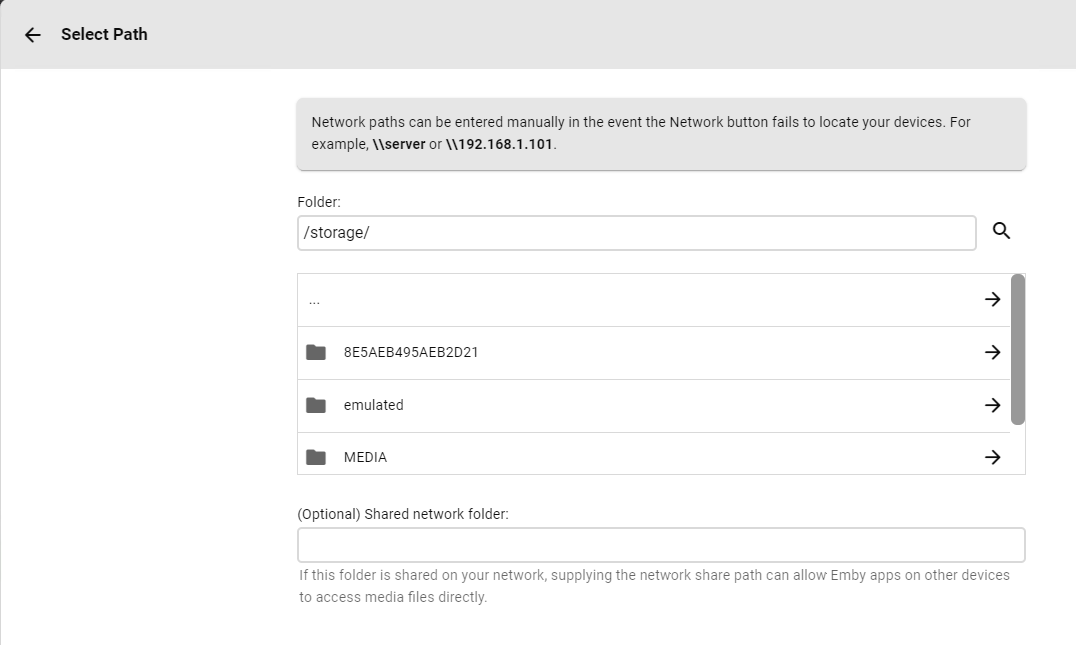
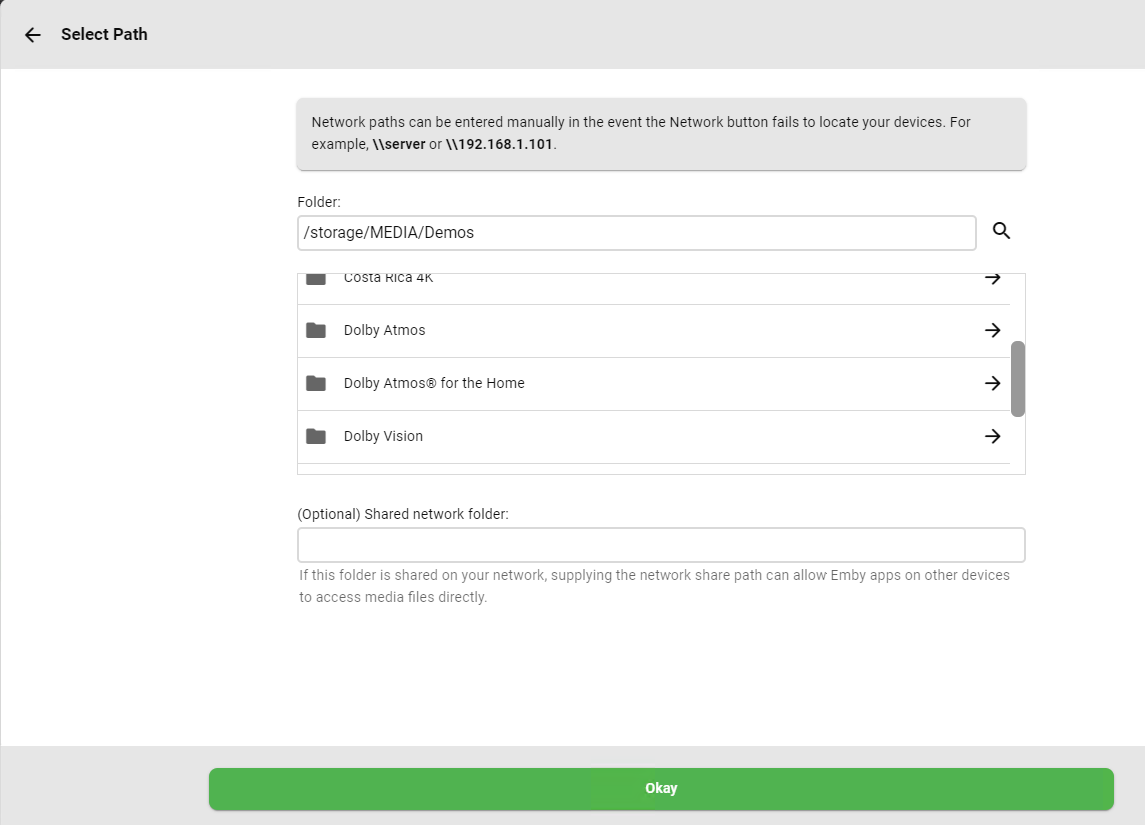
Yes I've setup the Shield Server and configured the libraries - So I created a new library - TV Series in my case In Folder - I then typed /storage/ and hit the looking glass symbol the available paths are shown below 8E5... is an external HDD MEDIA is my main media server mounted shares (no different to your MAC) Ensure 'show Advanced Settings' is selected at the top .. Ensure Metadata Savers is ticked (by default it is not) Ensure 'Save artwork into media folders' is ticked (by default it is not) If you have Video Preview Thumbnails enabled - then again, ensure the 'Save viewo preview thumbnails into media folders' is ticked. Subtitles (if you use them) are automatically saved with the media - but check this. -- Now if I want to add more movies/tv series etc to the SAME library as above - then I just select the Folders + Button - and then repeat for the folders. OR I can create another library - this is up to you. -- Below is for the MOUNTED drive on the shield. (ie a Network/remote location) Exactly the same process - but this time I select MEDIA (MB-AIR in your case..) and then select the sharename Then setup that library if new (the same as above) or it will of course just use the same setting if you added to an existing library. My Shield is now scanning all the items from the local HDD AND the MEDIA share ..
 1 point
 -
We are looking into it. Thanks for reporting.1 point
-
Hi, we're going as fast as we can. Hopefully we'll have something soon. Thanks.1 point
-
Yeah. It makes it really hard to listen to playlists across multiple albums without constantly having to adjust volume. Would be great to see this feature added, as well as separate audio playback settings for music vs video.1 point
-
FULL GUIDE THIS IS THE SECOND TIME TODAY THAT THIS FORUM BLOCKS AN EDIT STATING TOO MUCH TIME HAS PASSED AND MARKS IT AS UNEDITABLE Hi I have just spent the weekend on this myself. You do not mention if you are in docker or if Emby is installed directly on the server, but i managed to get both working by taking parts of guides on here and the web ill explain how i achieved it in both my set ups Docker I use Linuxserver Swag proxy docker to manage ssl and reverse proxy, they have fail2ban built in i exec in to docker and goto - cd /config/fail2ban Then you need to create a new filter in filter.d folder nano emby.conf and in their paste this text (credit - Original posts ) # Fail2Ban for emby # # [Definition] failregex = AUTH-ERROR: <HOST> - Invalid user HTTP Response 401 to <HOST>. ignoreregex = Then to save and exit Ctrl o Ctrl x Now go back to main fail2ban folder and if you havent made a copy of jail.conf already: cp jail.conf jail.local Then edit jail.local and add the emby entry as follows at the bottom of the document nano jail.local add [emby] enabled = true filter = emby logpath = /config/log/emby/embyserver.txt port = 80,443,8096,8920 maxretry = 3 findtime = 10800 bantime = 864000 Now notice the logpath entry as that is key, if you are using docker and swag, you will need to map the emby log files to the fail2ban container you are using as a volume, you can adjust the find and bantimes to suit ServerSide If you are running emby directly on the server its pretty much the same but as follows (presuming you have installed fail2ban) cd /etc/fail2ban Follow the same steps as above in creating the filter in filter.d and also copy jail.conf to jail.local but use these settings for jail.local at the bottom [emby] enabled = true filter = emby logpath = /var/lib/docker/volumes/emby_data/_data/logs/embyserver.txt port = 8096 maxretry = 3 findtime = 1d bantime = 1d chain = DOCKER-USER banaction = iptables-allports Ports - You can add port 80 and 443 here also just seperate with a comma to the port section depending which ports you want blocked Log Path - Change the Log path to where on the server the embyserver.txt file is located Chain - If you are not using Docker you can delete this line Ban-action = I want someone who is trying to login to my server to be banned from all ports hence using iptables-allports, you can change this to just iptables which will ban access to the specific ports listed in ports section or if you have set defaults at the top of this file you do not need to include You do not mention which firewall you are using so heres where it gets tricky I use UFW in front of IPTABLES so this is basically inputting it direct into IPTABLES and it does not show in UFW. WHY? well UFW was not playing ball with blocking the correct chain so i just went direct to the IPTABLES and it works a treat. DOCKER + UFW This is the additional steps to secure docker behind UFW. As anyone knows if you use UFW and block a docker port i.e 8096. You can still access it as the DOCKER-USER chain in iptables is loaded beforehand. I try and keep everything through my Swag Docker so only port 443 is exposed publicly. However if you do need docker ports open and use UFW, you should really change your setup so that you control the public ports available to docker To do this we need to reconfigure UFW nano /etc/ufw/after.rules and add this after the last commit line # BEGIN UFW AND DOCKER *filter :ufw-user-forward - [0:0] :ufw-docker-logging-deny - [0:0] :DOCKER-USER - [0:0] -A DOCKER-USER -j ufw-user-forward -A DOCKER-USER -j RETURN -s 10.0.0.0/8 -A DOCKER-USER -j RETURN -s 172.16.0.0/12 -A DOCKER-USER -j RETURN -s 192.168.0.0/16 -A DOCKER-USER -p udp -m udp --sport 53 --dport 1024:65535 -j RETURN -A DOCKER-USER -j ufw-docker-logging-deny -p tcp -m tcp --tcp-flags FIN,SYN,RST,ACK SYN -d 192.168.0.0/16 -A DOCKER-USER -j ufw-docker-logging-deny -p tcp -m tcp --tcp-flags FIN,SYN,RST,ACK SYN -d 10.0.0.0/8 -A DOCKER-USER -j ufw-docker-logging-deny -p tcp -m tcp --tcp-flags FIN,SYN,RST,ACK SYN -d 172.16.0.0/12 -A DOCKER-USER -j ufw-docker-logging-deny -p udp -m udp --dport 0:32767 -d 192.168.0.0/16 -A DOCKER-USER -j ufw-docker-logging-deny -p udp -m udp --dport 0:32767 -d 10.0.0.0/8 -A DOCKER-USER -j ufw-docker-logging-deny -p udp -m udp --dport 0:32767 -d 172.16.0.0/12 -A DOCKER-USER -j RETURN -A ufw-docker-logging-deny -m limit --limit 3/min --limit-burst 10 -j LOG --log-prefix "[UFW DOCKER BLOCK] " -A ufw-docker-logging-deny -j DROP COMMIT # END UFW AND DOCKER HOWEVER Adjust the 6 lines in the middle to match your docker network IP's, so if your docker network is for example 172.20.0.0/16 adjust both lines to match, include all docker networks you created the ips shown are example networks only and remember the /16 is required but adjust if your network is setup as /24 (normally /16 in docker) Now i found that a simple systemctl restart ufw was not sufficient enough for this change to be made. You have to reboot the server for it to really take affect reboot Now docker public ports will be restricted until you decide to open them We do this differently that creating a normal ufw open port by routing the port instead So lets take port 8096 for emby as an example If you want to open port 8096 to all docker network you would add ufw route allow proto tcp from any to any port 8096 However only emby is using that port so if you have set static IP's for Docker containers (why would't you) you can open that port for that one specific container So lets say you issued the emby docker with a static ip of 172.20.0.100 you would issue the command ufw route allow proto tcp from any to 172.20.0.100 port 8096 and then ufw reload for it too take effect To learn more about why you should do this when using docker and ufw visit Original info Footnote Now you can set UFW as the default banaction in the jail.local if you are using UFW and Emby direct (not in a docker) this is set near the top of the file in banaction, but leave banactions all ports to iptables-allports if you are using this kind of setup (i.e not docker) and only want the ban to be on the port affected, remove the banaction = iptables-allports from the bottom of the emby section in jail.local that way it will be blocked by UFW on that port only1 point
-
Hi I have just spent the weekend on this myself. You do not mention if you are in docker or if Emby is installed directly on the server, but i managed to get both working by taking parts of guides on here and the web ill explain how i achieved it in both my set ups Docker I use Linuxserver Swag proxy docker to manage ssl and reverse proxy, they have fail2ban built in i exec in to docker and goto - cd /config/fail2ban Then you need to create a new filter in filter.d folder nano emby.conf and in their paste this text # Fail2Ban for emby # # [Definition] failregex = AUTH-ERROR: <HOST> - Invalid user HTTP Response 401 to <HOST>. ignoreregex = Then to save and exit Ctrl o Ctrl x Now go back to main fail2ban folder and if you havent made a copy of jail.conf already: cp jail.conf jail.local Then edit jail.local and add the emby entry as follows at the bottom of the document nano jail.local add [emby] enabled = true filter = emby logpath = /config/log/emby/embyserver.txt port = 80,443,8096,8920 maxretry = 3 findtime = 10800 bantime = 864000 Now notice the logpath entry as that is key, if you are using docker and swag, you will need to map the emby log files to the fail2ban container you are using as a volume, you can adjust the find and bantimes to suit ServerSide If you are running emby directly on the server its pretty much the same but as follows (presuming you have installed fail2ban) cd /etc/fail2ban Follow the same steps as above in creating the filter in filter.d and also copy jail.conf to jail.local but use these settings for jail.local at the bottom [emby] enabled = true filter = emby logpath = /var/lib/docker/volumes/emby_data/_data/logs/embyserver.txt port = 8096 maxretry = 3 findtime = 1d bantime = 1d chain = DOCKER-USER banaction = iptables-allports Ports - You can add port 80 and 443 here also just seperate with a comma to the port section depending which ports you want blocked Log Path - Change the Log path to where on the server the embyserver.txt file is located Chain - If you are not using Docker you can delete this line Ban-action = I want someone who is trying to login to my server to be banned from all ports hence using iptables-allports, you can change this to just iptables which will ban access to the specific ports listed in ports section You do not mention which firewall you are using so heres where it gets tricky I use UFW in front of IPTABLES so this is basically inputting it direct into IPTABLES and it does not show in UFW. WHY? well UFW was not playing ball with blocking the correct chain so i just went direct to the IPTABLES and it works a treat1 point
-
Hi, this is a 2010 device? I don't think that's going to work, sorry.0 points