Leaderboard




Popular Content
Showing content with the highest reputation on 08/15/22 in Posts
-
There is absolutely no point to it. You can have 130votes and it never gets implemented, you can have 6 votes for something else and it does get implemented, because it’s actually easy or just a bug. the vote system sucks, the answer is always ”possible in future updates” Some of these requests stem back to 2015 and the duplicate sticker just highlights how long these requests have been in the system for. move to a transparent way of communication as to what is being worked on and hopefully reasons behind it. for example… ditching guid calls to improve library performance… required for WMC but not anymore you can maybe take on important stuff from the community that will enhance something that is already in the workflow. 2 pence worth from the idiot on the hill
 2 points
 -
Excellent, I could probably write a guide for that if someone thought others would use it2 points
-
The answer is... Yes! Yes it will!2 points
-
WOW!!! Thanks @FrostByte!!!!2 points
-
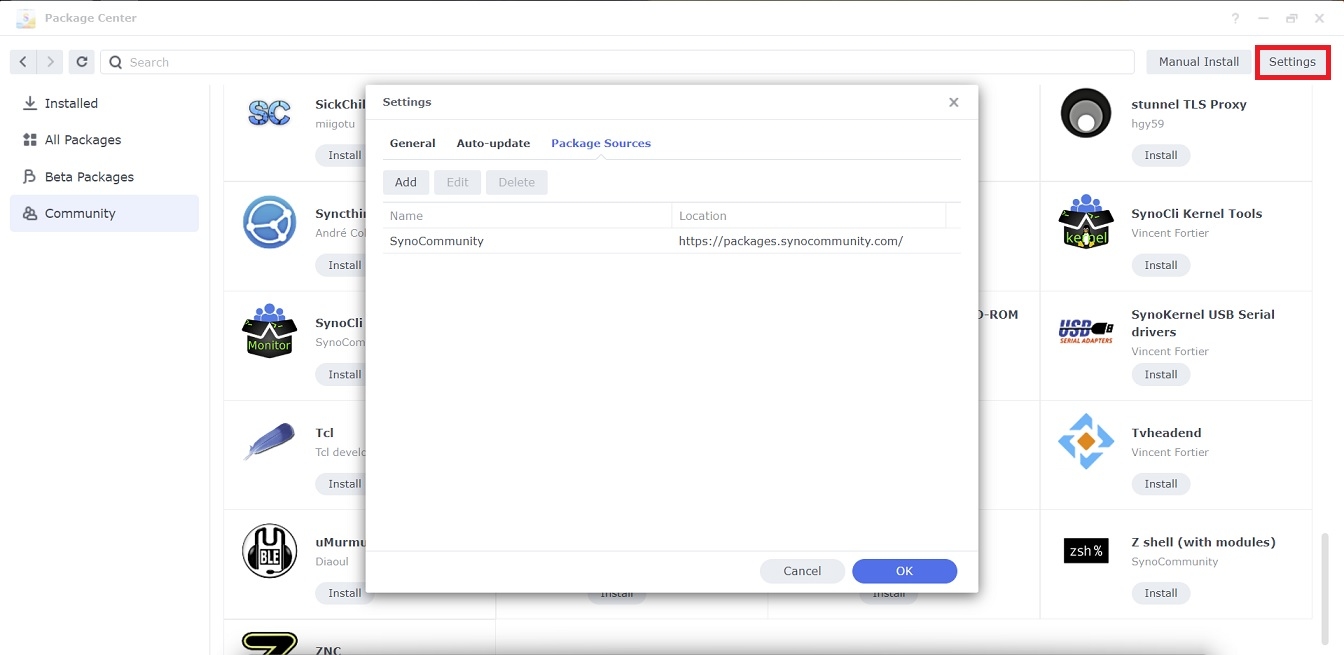
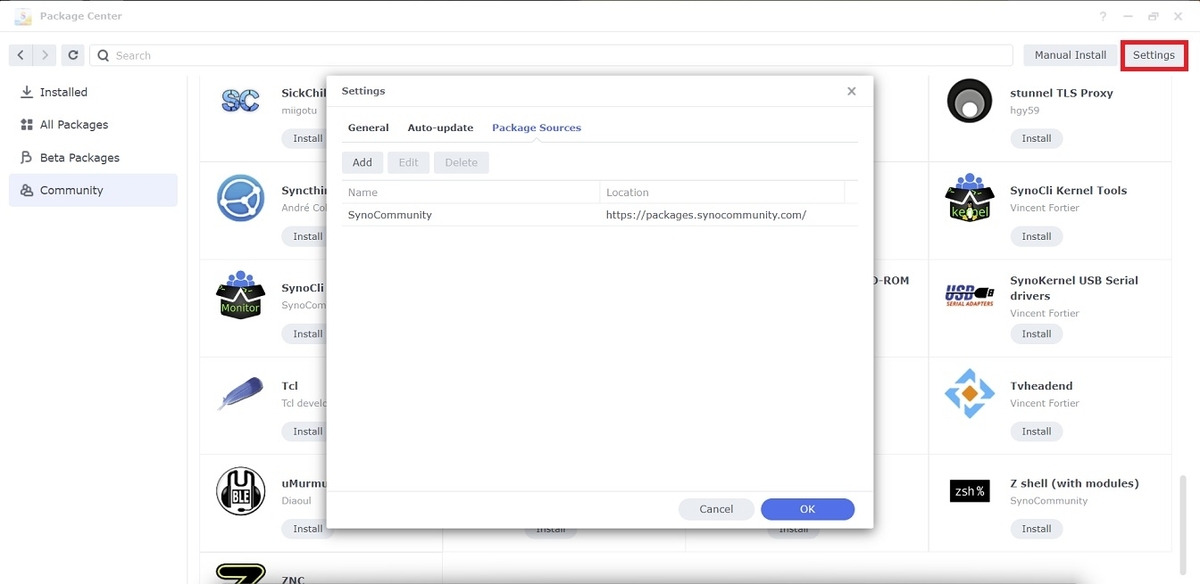
Step 1 Skip this step if you are on DSM7 or later. Log into your NAS as administrator and go to Main Menu → Package Center → Settings and set Trust Level to Synology Inc. and trusted publishers. Step 2 In the Package Sources tab, click Add, type SynoCommunity as Name and https://packages.synocommunity.com/ as Location and then press OK to validate. Step 3 Go back to the Package Center and enjoy SynoCommunity's packages in the Community tab.
 2 points
 -
So what does everyone think to converting the two Emby plug-ins into one stable and one beta plug-in? It seems duplicitous to have two plug ins whose only difference is that one uses VNET and gets its own IP and the other uses NAT and just uses a few ports on the same IP as the FreeNAS server? I've got a modification of the NAT plug-in that would switch it to use the emby-server-devel package that tracks the beta versions. It works fine when I have it setup with VNET but I've run into a bug that I'm still trying to work through with the TrueNAS folks with the NAT plug in. I personally like the VNET and I think having two VNET plug ins, one tracking stable and one tracking beta, that are clearly renamed in the plug in store would be more useful. What does everyone else think?2 points
-
@ShaneP First of all - amazing work on this plugin - really not sure how I missed this. So you may be aware that @chef is working on a 'Spotlight/Top Picks' plugin that shows items as a channel. This is all working great (I'm part of the testing/ideas group) and it would make a HUGE feature improvement on this plugin if the output of the Smart Playlists were simply shown as a channel instead - ie on the front page, the same as a library. Currently, the 'Spotlight' plugin just gets it's values from an XML file - by ItemId So if you could export the 'Playlist' by Item Id (in the correct Sort Order) rather than a XML just showing the Path, then the 'Spotlight' plugin could easily be modified to show the SmartPlaylist output as a channel - much better than the horrid (imo) playlist output. Maybe just write the export as a .txt file or something in the ..data\smartplaylists\<smartplaylist_id>\ area and the Spotlight/Channel plugin could pick it up from there - reading the JSON to get the Playlist details .. Could be exciting ..2 points
-
Bullet Train, watched this at the cinema. Great action/comedy, loved it! 82 points
-
Yes, moving to a remote location, having to rely on 4G, I'm worried that if there is an interruption to the upload process, things will get messed up. This way will hopefully stop any updating problems.. (Addicted to beta releases... )1 point
-
Ok, I'll get this up in the guide section tonight after I finish watching The Gray Man. I just did this with today's beta. It will be using Download Station and Windows Terminal/Powershell as ssh client to remote in, but people other OS like Mac can just use whatever tools like.1 point
-
But if your iPad is remote it will still use the spk from your iPad, uploading it to you NAS before installing it. I wanted to avoid this.1 point
-
Can you believe i use my iPad for this? I download the emby server update to my ipad icloud drive, then log into my remote nas using synology quickconnect. Then go to packages as usual and update emby pointing to the file on my ipad. Works like a charm.1 point
-
Ok, I worked it out Download the package using Download Station to a location on the remote NAS. SSH in and run: sudo synopkg install <package.spk> Bingo, all updated1 point
-
Thanks @FrostByte. It's no problem for me to use Download Station to get the spk, but whenever you try to choose a directory to update the package in Package Manager, it will ask for a folder on the computer you are using, so the remote one...you can't select a location on the remote NAS.1 point
-
The fully auto similar segments detection of audio is a great approach, it will work on a high percentage of series and give good results most of the time. This alternative approach is just a more manually configurable and interactive way of trying to achieve the same outcome. The idea is the intro info CP list are a crafted set of tested intros that are only available for series that have valid detectable intros. Thus you are starting from a know good place and hopefully for people that like to tweak their systems give them great results for targeted Tv Shows. As with everything, both approaches have their pros and cons. One of the disappointing things I found was it took over a year for the chromaprint muxer to be added to the packaged ffmpeg, I feel we would have been way ahead of where we are now if this had of been in the ffmpeg build when first asked. thanks, I am not sure how many people will use the intro detection stuff I am working on, I feel they will just use the fully auto version in the core (when it is fixed, currently has an issue with the ffmpeg command) but I build stuff in my spare time as a hobby which is weird as my day job is also doing the same sort of thing but I still find it relaxing to build tools like this. I am keeping the main Chapter Interface as is so it is useful as a chapter viewer editor and adding any intro detection stuff in its own tabs/pages/classes etc to keep them logically separated.1 point
-
There is a lot of good stuff on the SynoCommunity. However a few packages can't be installed as they're built for the wrong version.1 point
-
Oh, strange that it is not working on iPhone, I tested on my three apple devices : iPhone 13/iOS 15.6 and iPhone XR/iOS 15.6 and iPad Pro/iOS15.6 , with the latest version of emby and it plays gapless perfectly, see/hear from here. The emby server version 4.6.7.0... I hope this could help. Oh and the file type I am using are all ALAC. gapless-playback.MP41 point
-
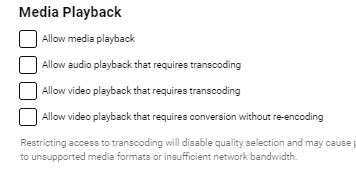
On the Guest account - just remove all the access below and they will get a message they cannot playback.. in Server > Users > Profile - for that user
 1 point
 -
BUG: VP Episodes release 2.1.0.1 doesn't save the minimum time under VP GLOBAL for episodes. Tried to change to 10 minutes by using up and down arrows and also by entering time. Also changed the Movie minimum time to see if it would save both values. Looked at VantagePoint.xml, and could only see a value for movie setting. On current version Emby Server 4.7.6.0 not a beta release. Also, some rewording from "MOVIES" to "TV SHOWS" where that minimum time is set on the VP GLOBAL tab. Original on screen text: "For example if you want intros to play for TV Shows that are longer than 45mins - enter 45 - this will only enable Vantage Point on Movies that are longer than 45 mins Anything below 45mins will ignore all intros and play as normal" So far though, good work, be nice to amend a configured item in the future too1 point
-
Thanks for the explanation @quickmic. I'll spend some more time tonight investigating what could be causing Kodi to crash. Last night I had looked at a couple of the archived Kodi logs from earlier in the day, and I have a vague recollection of seeing the error pertaining to the socket being locked. This likely means that for some reason, Kodi is now crashing every time I start the device. The power went out at one point yesterday, and I'm wondering if the the Kodi installation on the SD card of my rpi was corrupted as a result of not doing a proper shut down. If worse comes to worst, I have a Kodi backup from a few months ago that I can revert to for troubleshooting purposes.1 point
-
2022-08-14 21:39:09.708 T:1239 ERROR <general>: File "/storage/.kodi/addons/plugin.video.emby-next-gen/hooks/webservice.py", line 51, in Listen 2022-08-14 21:39:09.710 T:1239 ERROR <general>: 2022-08-14 21:39:09.710 T:1239 ERROR <general>: Socket.bind(('127.0.0.1', 57342)) This is the main issue, and there is nothing the plugin could do here. As mentioned, 99,9% the port is used due to a previous Kodi crash and the socket was not released. Also it would be possible, that another application uses port 57342 but I highly doubt that. So this record should disappear after a reboot. The other issue can be covered by plugin directly, but actually this should not happen. File "/storage/.kodi/addons/plugin.video.emby-next-gen/emby/views.py", line 367, in add_nodes for node in SyncNodes[view['MediaType']]: KeyError: 'boxsets'1 point
-
SynoCli is in the SynoCommunity repository. Download the spk for your NAS from the following link, or add the repository to PC to see everything there SynoCommunity1 point
-
I can also agree with that. And I'm sure there are plenty of users who would prefer it or less. Because there are many preferences. I would just like to have that as a option. Whoever wants to use it as he sees fit. And those who don't want to use will don't use it.... but the possibility for this feature to exist, in my humble opinion, is a must1 point
-
Not sure they could do that, as the apple tv spinner is different for example and is the Apple tvOS doing it while it loads something else? If the team could do it, then it could be argued by the team potentially as an emby logo spinner instead of your own. It would also have to be a plugin as would make the base product complicated to new people as what that configurable item was for until they had mastered Emby if it was not a plugin. Personally, I wanted to get rid of "spinners" altogether when using Emby's plugin 'Cinema Intros' as it is a nuisance and isn't smooth continuity from bumpers to classification videos shown before a movie starts; you wouldn't see "spinners" in the cinema for example. I think new upgraded Vantage plugin though may have got round that; need to check. On Apple TV especially, I'd rather the team concentrate on many other issues that have been ongoing (deinterlacing properly, match frame rate and various UI changes) than this request, but it's a community, perhaps it will get upvoted/liked...1 point
-
Now that I am using a static IP for Emby (different than the Scale host), I do note that DLNA now works on my lan! I can play DLNA stuff via vlc on my iPad from Emby on TrueNAS1 point
-
Awesome man great work on the addon. IMO embycon was nice but this is epic Mook1 point
-
Thank u man appreciate it Mook1 point
-
I did. I missed a couple of the other nods though which I just read about. I'll have to rewatch the credits. Now I need another movie to find out how the Predators got the pistol.1 point
-
Sorry for the bump - I was just looking for a feature like this too. Coming over from Plex - basically something like PASTA. Granted it's a sorta home-built solution outside of Plex itself, but it has the capability (and works flawlessly) to switch a series' default audio and subtitle track by season, by series, or by episode. So you can select to set the "Season" to match your preference, pick a language and sub, and it'll set each episode of that season to correspond to the picked choices - and if an episode is missing your preferred track/sub it'll note that and you'll see it skipped that episode in the log visible upon performing the switch. Handy tool, be cool if someone did something like that for Emby.1 point
-
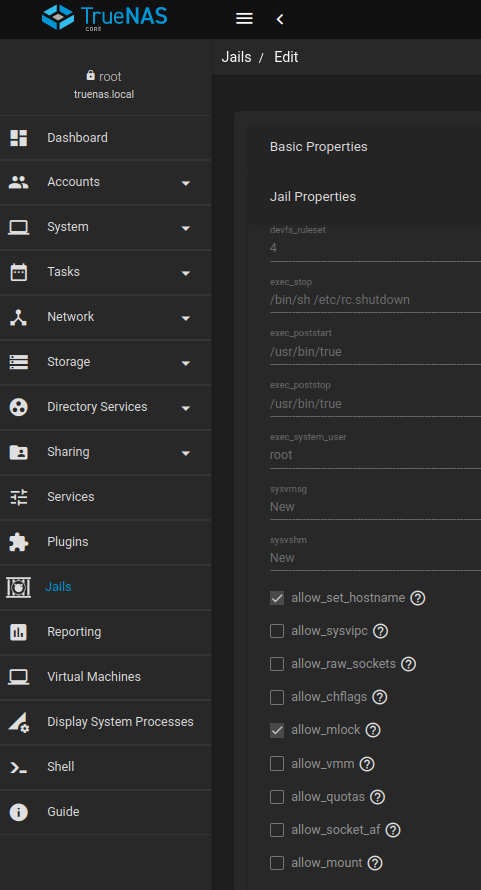
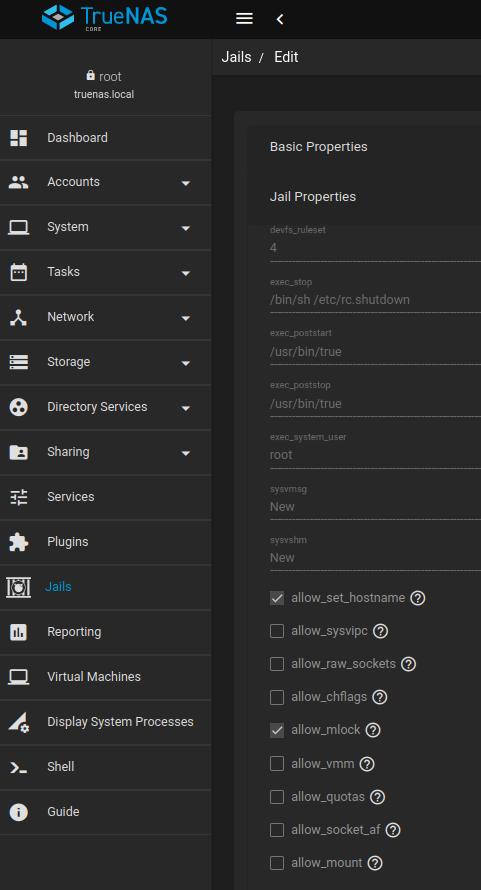
Be sure that the allow_mlock is checked... see below
 1 point
 -
Be sure to check the allow_mlock box... this resolves your issues.
 1 point
 -
be sure that the allow_mlock is checked... this will likely resolve your problem
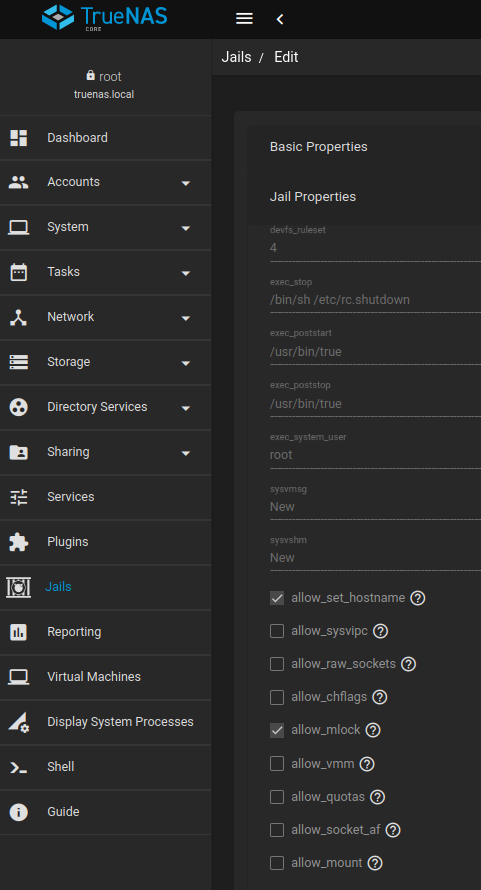 1 point
 -
The mlock issue is killing almost any BSD installation. if you ran top you would see that emby is disabled something like nlnslp which means it can't be started. clicking the allow_mlock checkbox solves the problem
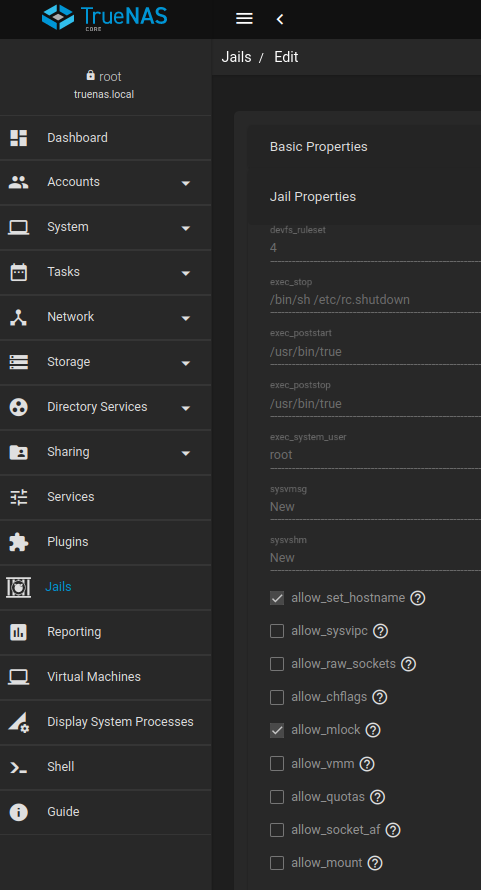 1 point
 -
You may want to install SynoCli File Tools from package center. This includes Midnight Commander. Midnight Commander (also known as mc) is a free cross-platform file manager that's a clone of Norton Commander. It's cross platform built so it can be installed on just about anything including windows. It would give you similar type functionality to WinSCP in that it supports SFTP/FTP client, has a built in editor, 2 pane folder layout for easy file/folder manipulation, etc. With MC installed on Synology you can open/connect via SSH. "sudo -i" to become root mc to launch Midnight Commander.1 point
-
If watching videos with wrong tint feels "more right" to you, then feel free to continue collecting those videos... You'll need to try on a case-by-case basis. Case-by-case means testing each video on each TV with DV support. When a TV advertises "support" for DV, that doesn't mean that it will support each DV profile in each video container and with each codec variant. It's not much of Emby's business anymore as even when that works, it would rule out all Emby functionality (re-scaling, re-encoding, segmenting for HLS delivery, subtitle burn-in, etc.), which means that as soon as any of these would be used, you will get wrong tinted video, no matter what your TV's capabilities are. There's no solution in sight, hence my advice.1 point
-
Solved this by following some instructions from a friend, will post step by step later in case it helps anyone else1 point
-
Hey, thanks for the info... Vic1 point
-
My impatience got the best of me: I updated manually Anyway: logged into Emby, shut it down from there, updated manually, it restarted by itself, did a database vacuum, restarted Emby manually, and... it all looks great! Thanks! I then added the "Skip intro" task to my TV series folder and after a few hours, all done! I'm assuming that once the version in the Package Center is available, it will ask to update again. I'll shut down Emby from inside before "updating" it, just in case. Cheers!1 point
-
Thanks Luke, it's all integrated together. Now I can read e-books in Emby via a browser. It' fantastic.... Vic1 point
-
Did ya catch the pistol throw back to Predator 2? Also, if you watch the end credits, they re-tells the story of the movie, but at the end... More Predator ships appear in the sky! Loved that movie!1 point
-
Hello, is it possible to seperate the adiobooks from the musik? If I add audiobooks, and download them with the IOS-App and look inside the download, they are displayed as Music. As I learnd this is also a problem in Emby for Kodi. On the Emby-Server they are marked as Music and then Emby for Kodi also add this to the Music folder in Kodi. Or maybe it is helpful to exclude them in Kodi Companion? Would be nice to find a solution for this. Regards,1 point
-
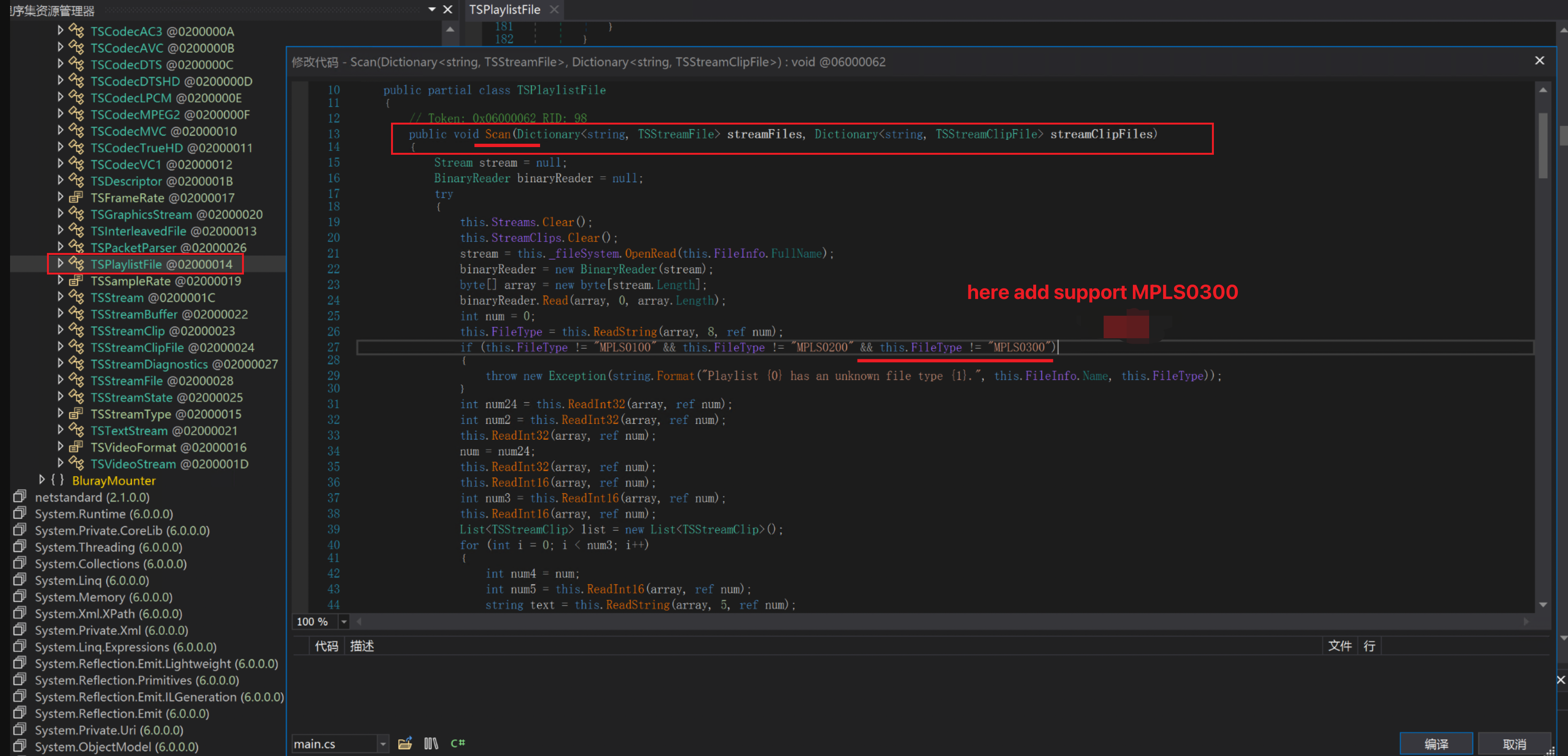
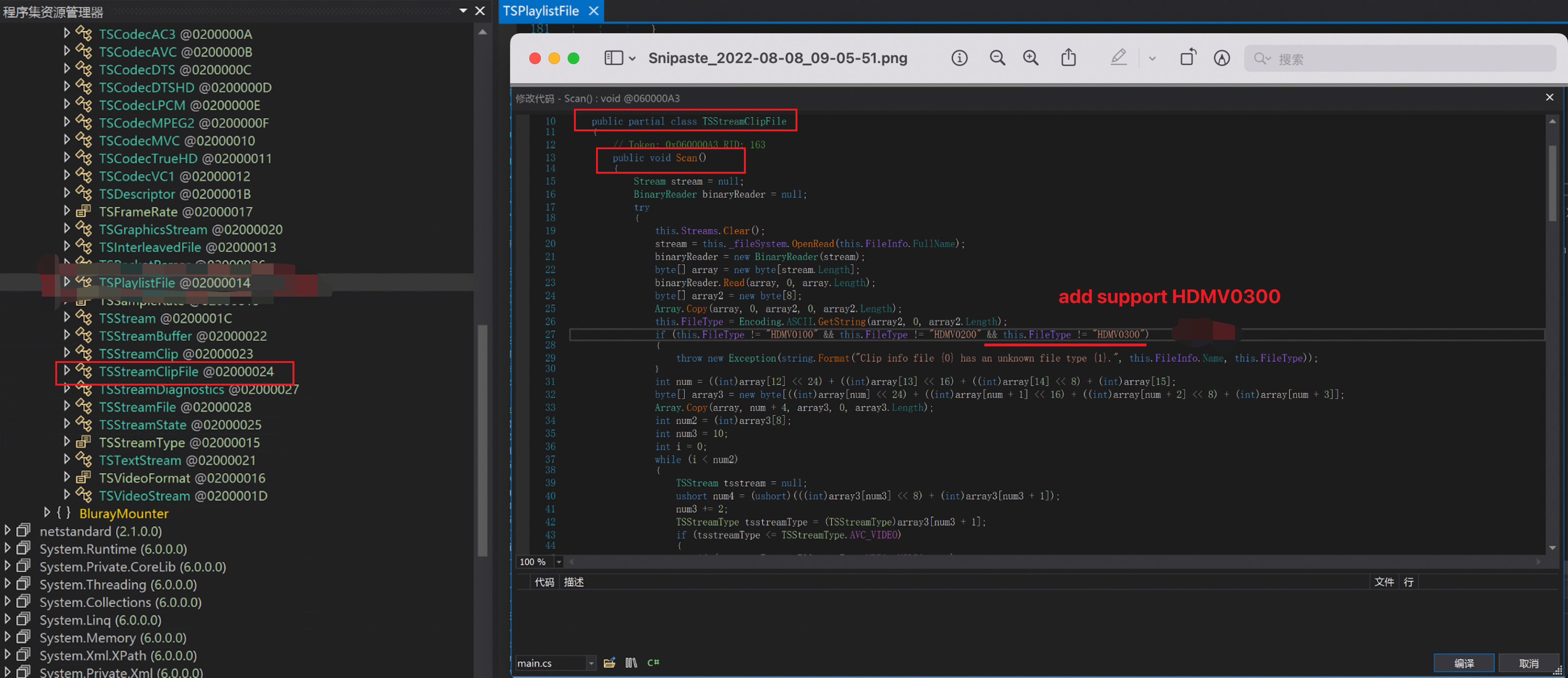
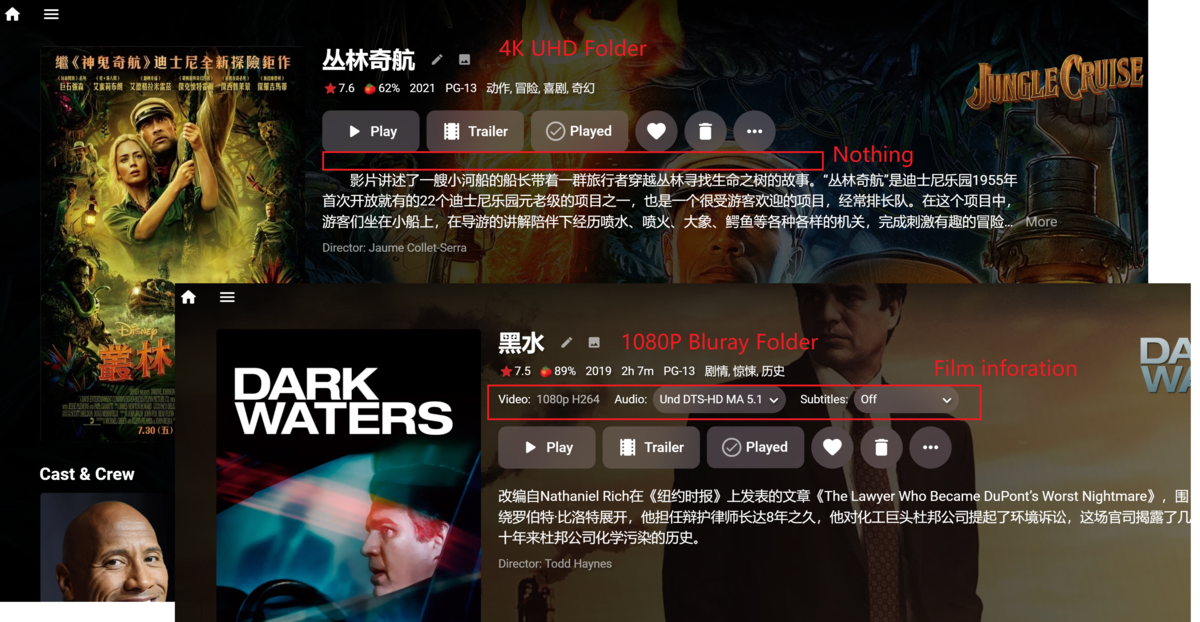
Now Emby can get the correct information for most of 1080P BDMV Folder movies ,including duration, audio track, subtitles, etc. It can also stream it correctly. But when it comes to UHD BDMV Folder movies, it doesn't work。In emby's log we found System.Exception: Clip info file 00000.clpi has an unknown file type HDMV0300. 1080P Bluray to 4k UHD Bluray doesn't change much structurally. The HDMV0300 and HDMV 0200 are basically unchanged, at least during from bdmv folder find the correct mt2s to stream。 Most files can be easily supported by modifying the BlurayMounter.dll as follows: It doesn't look very simple. Modify the code in these two places, most UHD can scan the correct media information and stream normally。 Although mkv is popular now and in the future, although Luck once replied this "the feature of bluray support has always been experimental and the BDInfo library is no longer being developed by the original author." I wish Emby would make a small change. Thank you very much !
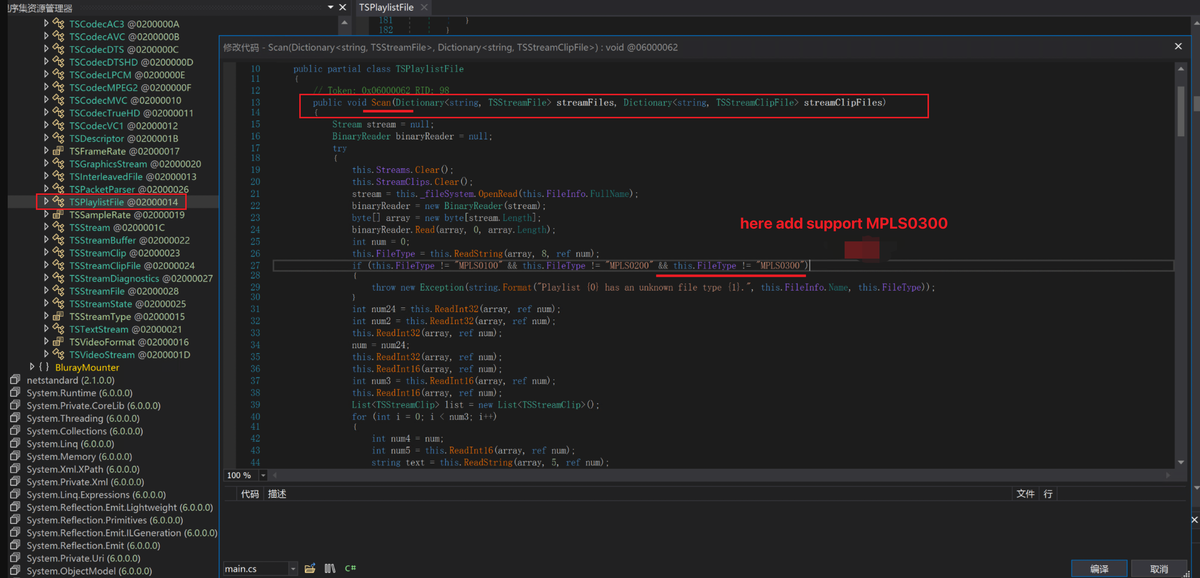
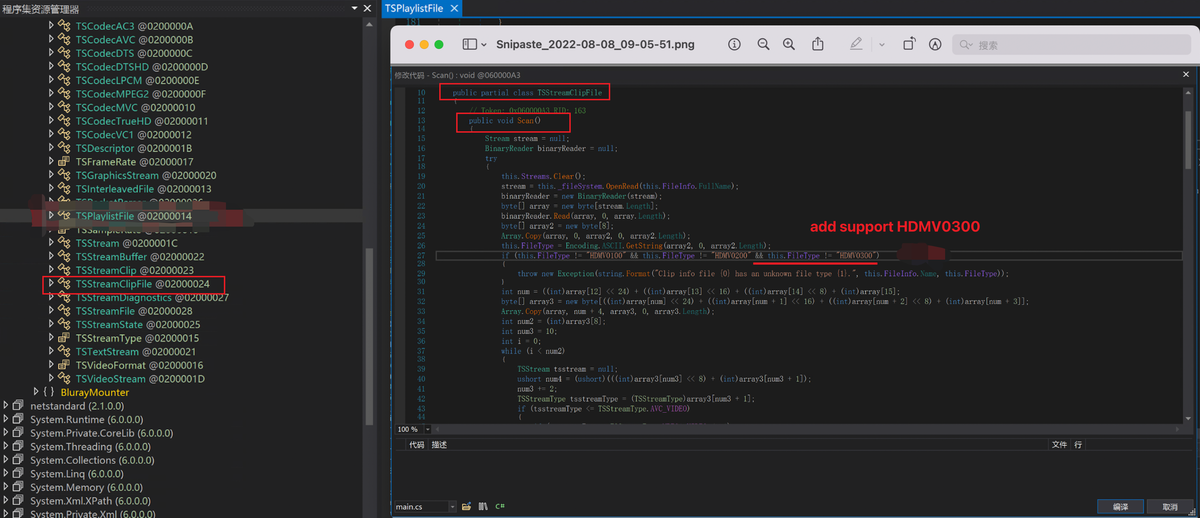 1 point
 -
Music can be problematic as it is embedded tag driven so editing within Emby is somewhat useless as Emby will not write to media metadata. All music editing should be done in music tagging software.1 point
-
Backgroud: I had an issue the other day where I could not connect to my Emby server. I could access the local port but not the remote port -- even if I was on the host machine. I thought it was windows defender/firewall causing me issues at first so I changed the ports around and would click allow on the windows host when prompted. None of that worked and I was already pretty busy so I didn't continue digging. Long story short, somehow the certificate had gotten removed / lost --- C:\Users\<USERNAME>\AppData\Roaming\Emby-Server\system\embyCert\<CERTNAME.p12> Once the cert was replaced everything returned to normal. I would love to see an error message or some kind of alert that would inform me of a missing certificate. Thanks for your time & everything you guys have done so far! Love the product! Chris1 point
-
there isnt an x-forwarded-for header you can add in your proxy per site? Yea i just looked.. https://www.haproxy.com/documentation/hapee/latest/load-balancing/client-ip-preservation/add-x-forward-for-header/ I didn't dig in but even if you have to do that server wide, it shouldn't effect any other service. x-forwarded-for is a normal header that tells the back end server who all handled this request. it also contains the originators IP. add this and your remote users ip's should start to show up in emby.. then the built in bandwidth settings should work. you can do it in the proxy, but it also limits everything else.. downloads, pulling of images etc..1 point
-
Not yet, but we're getting closer...1 point
-
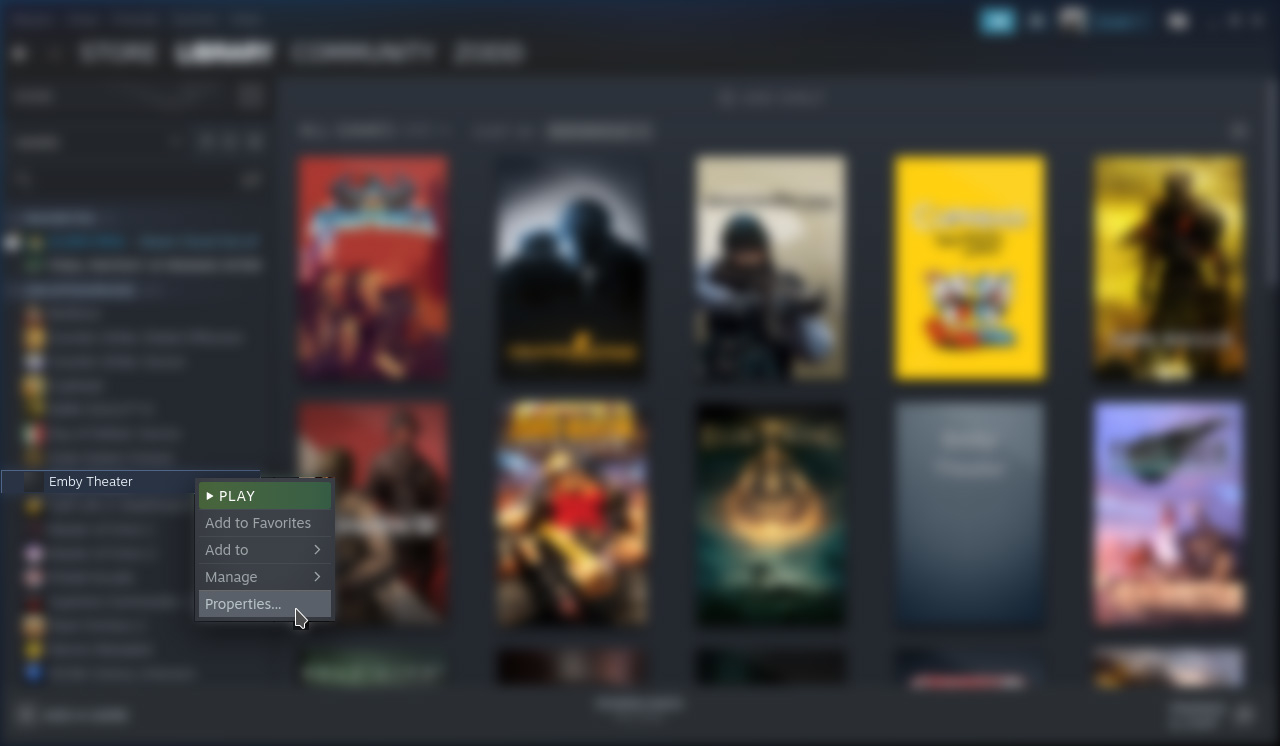
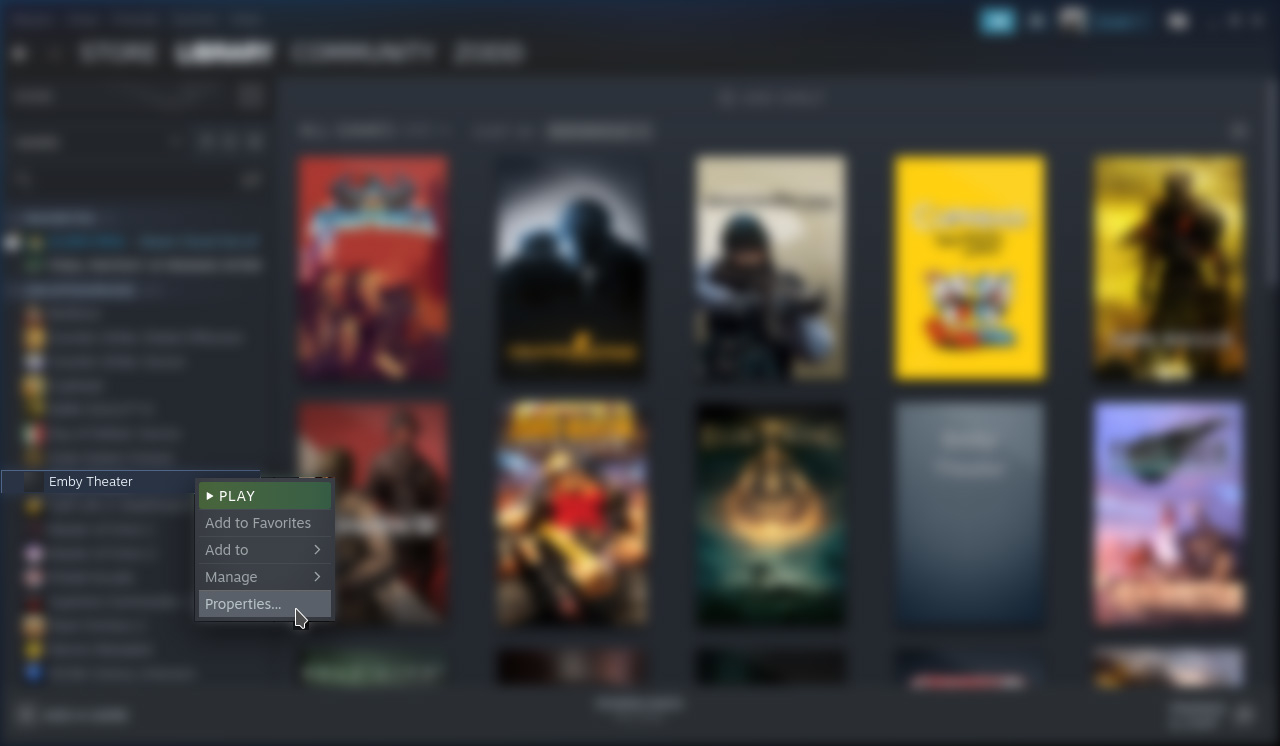
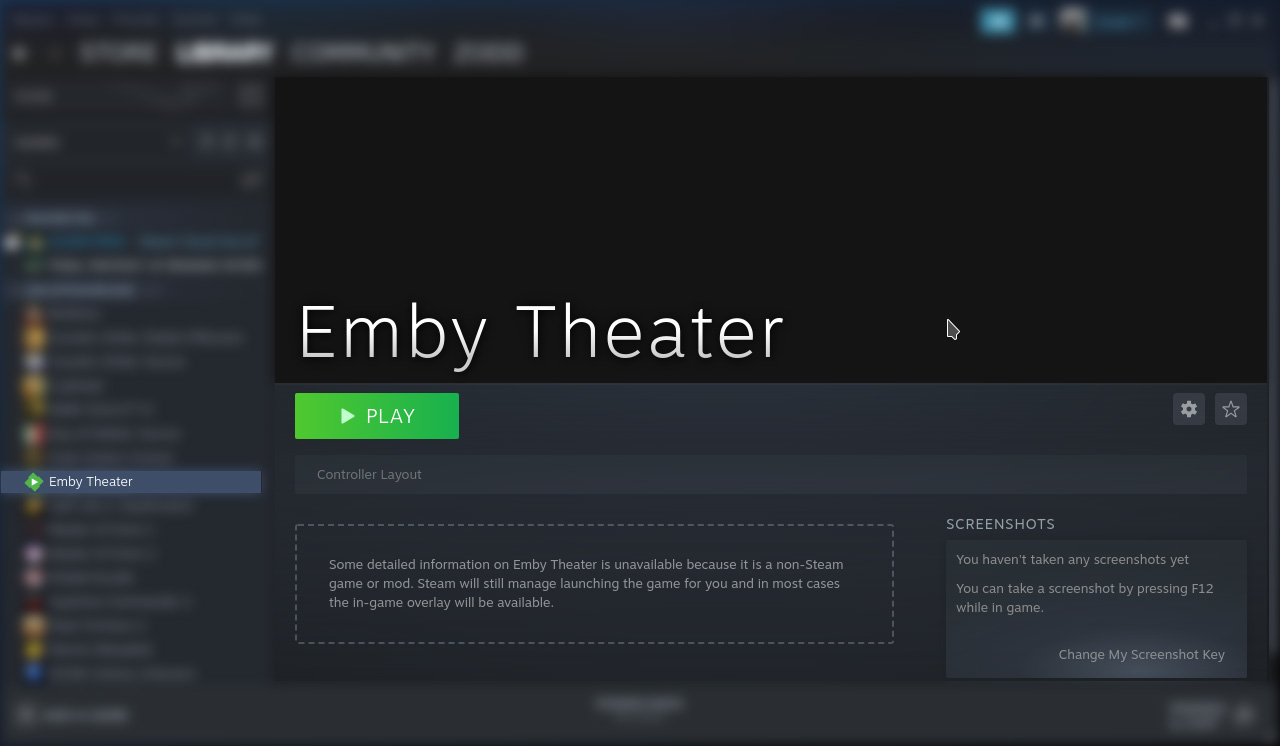
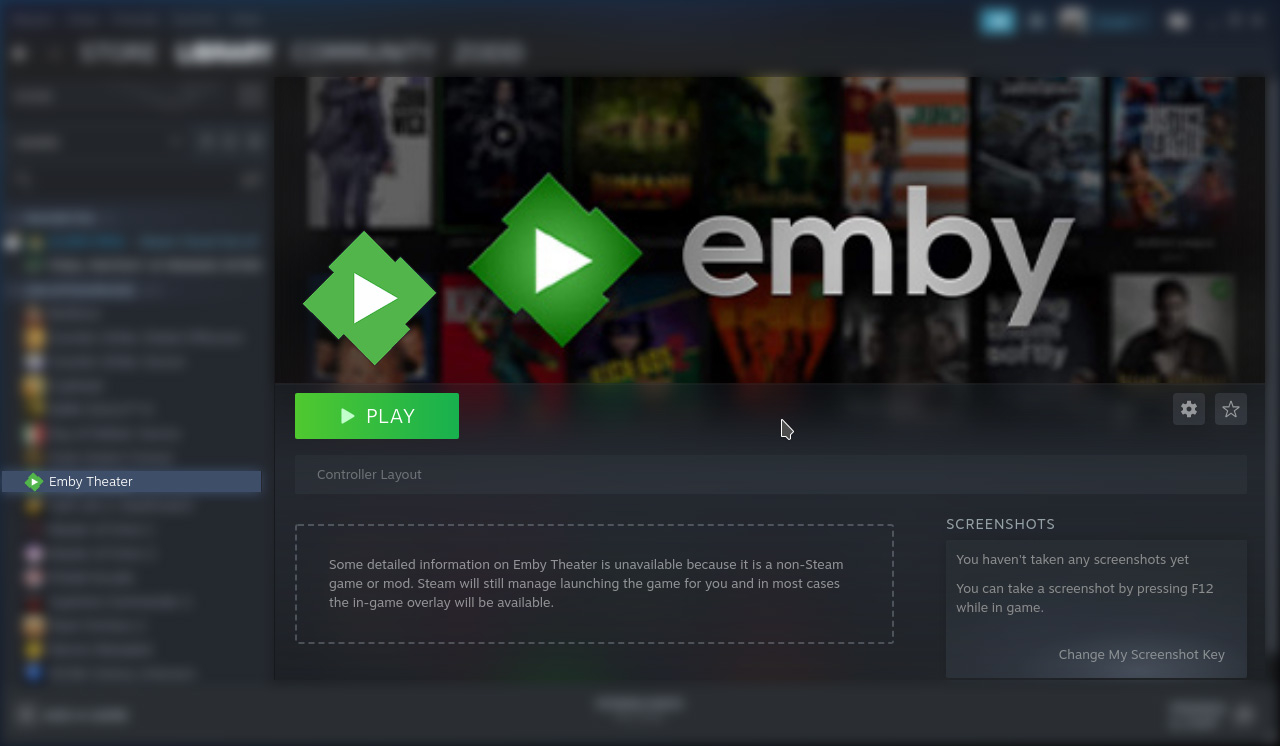
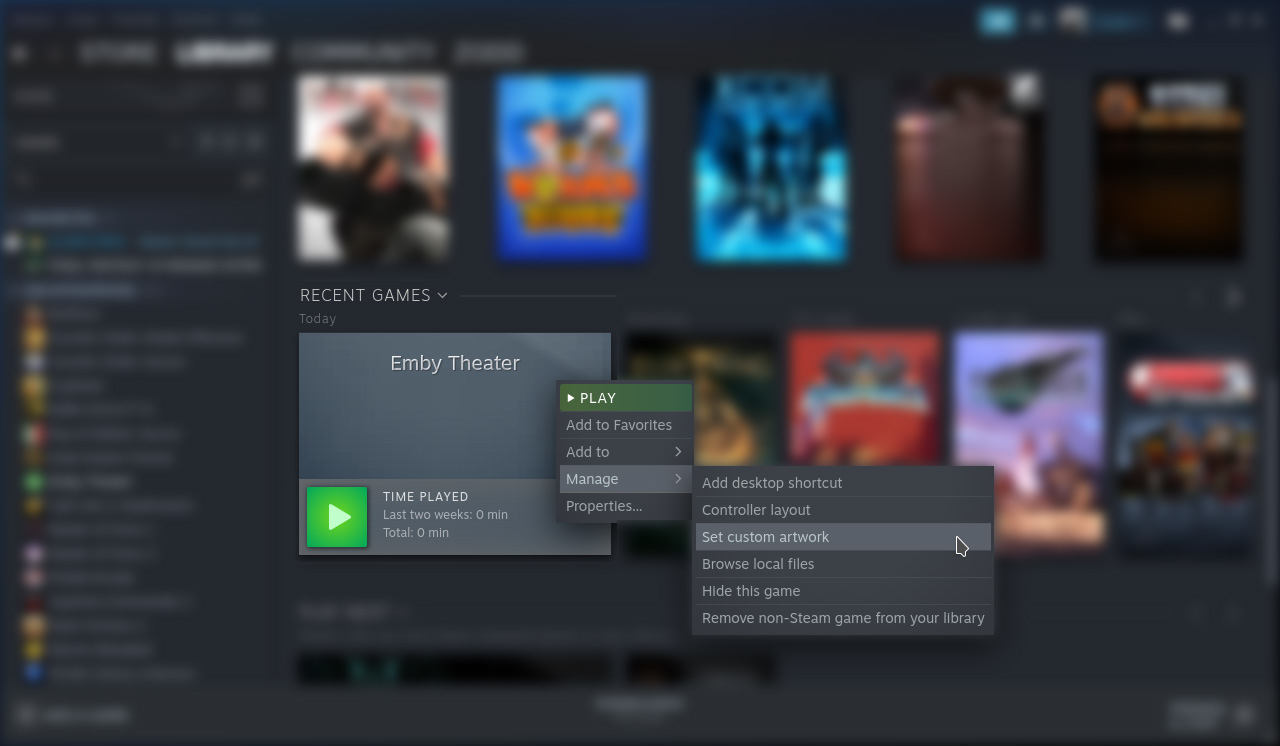
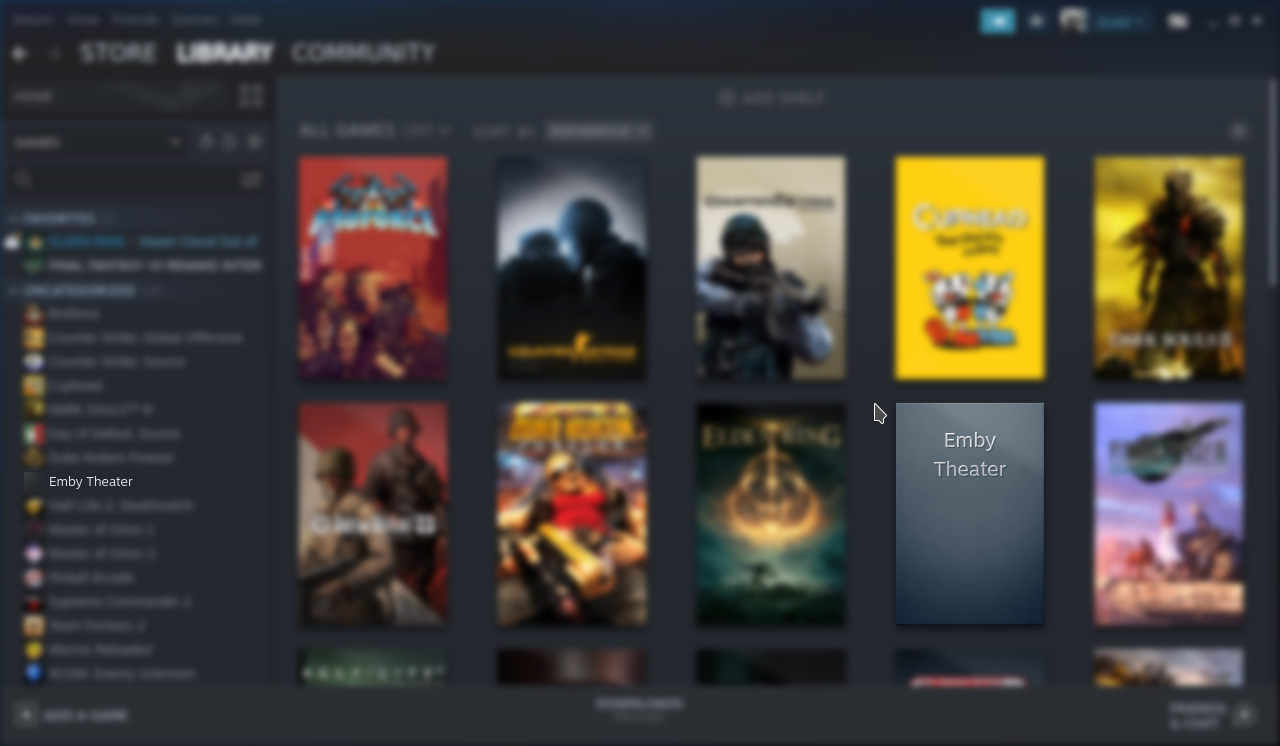
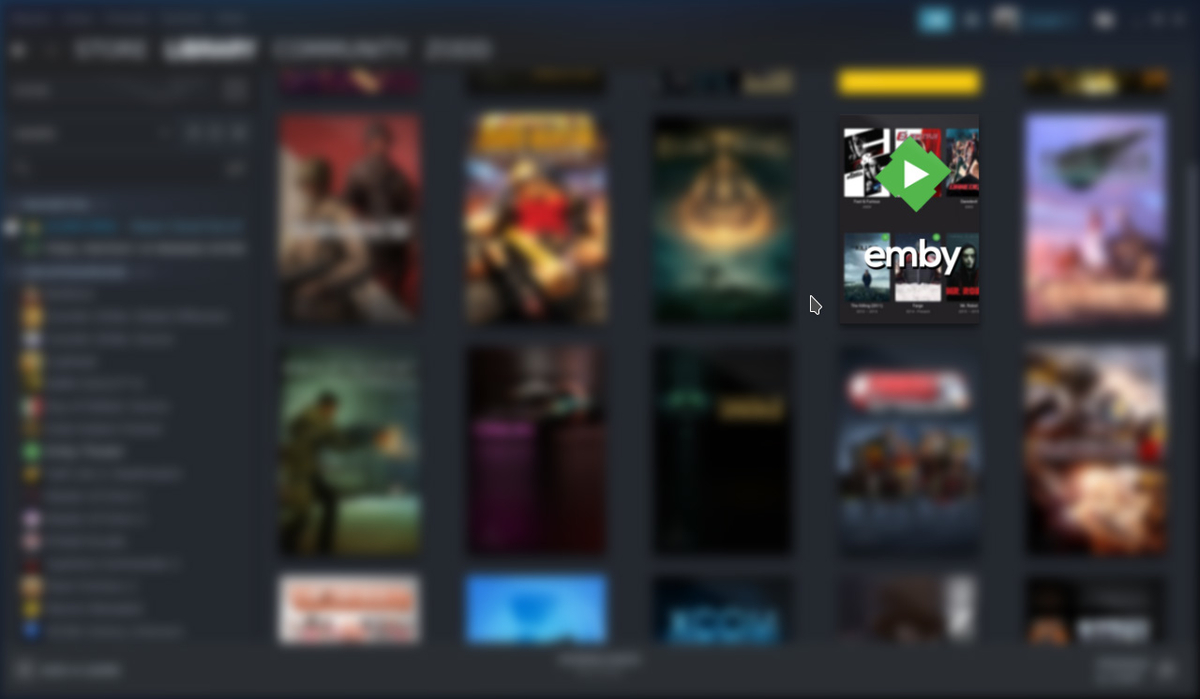
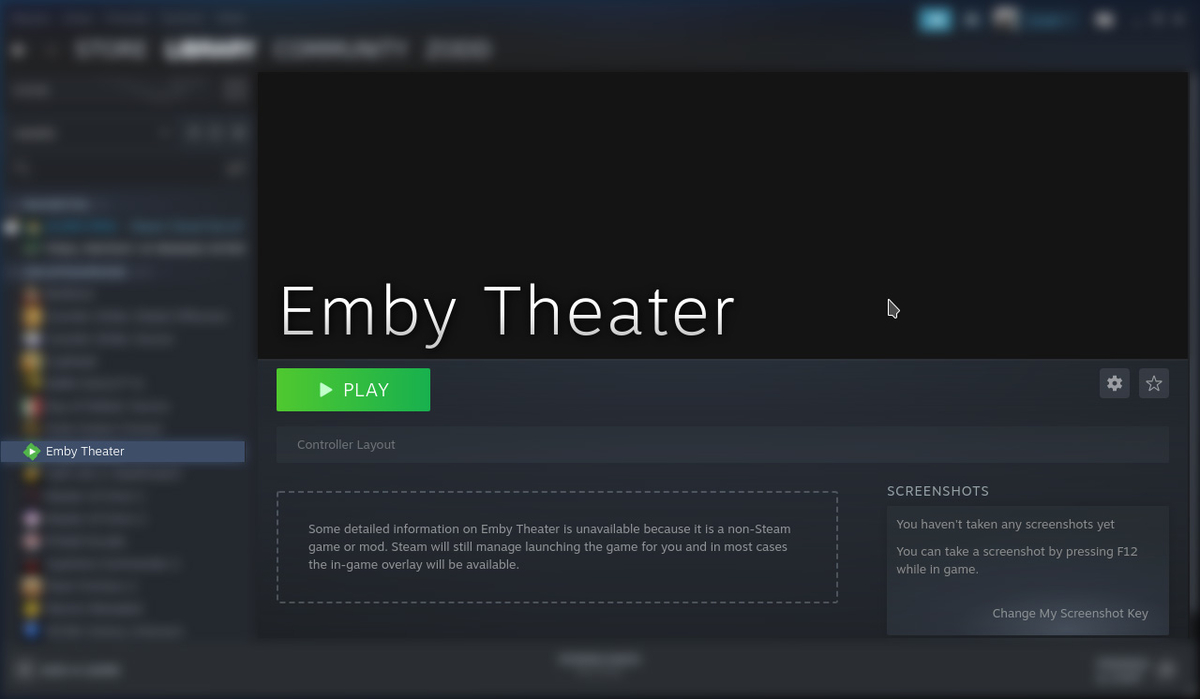
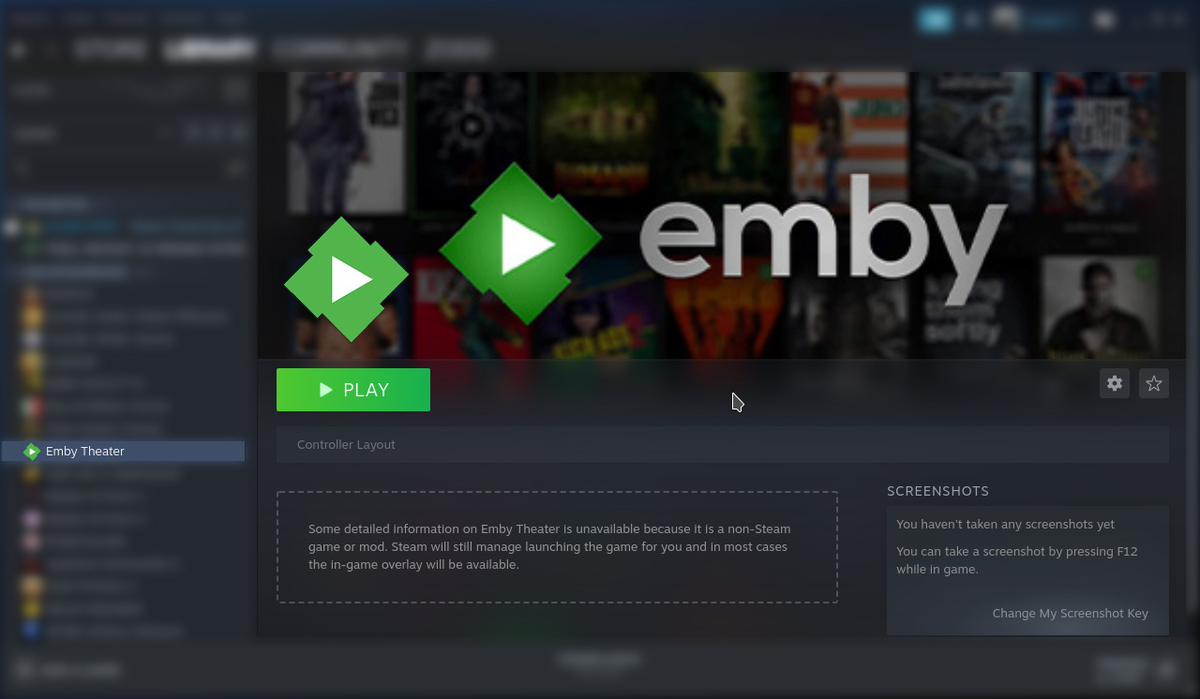
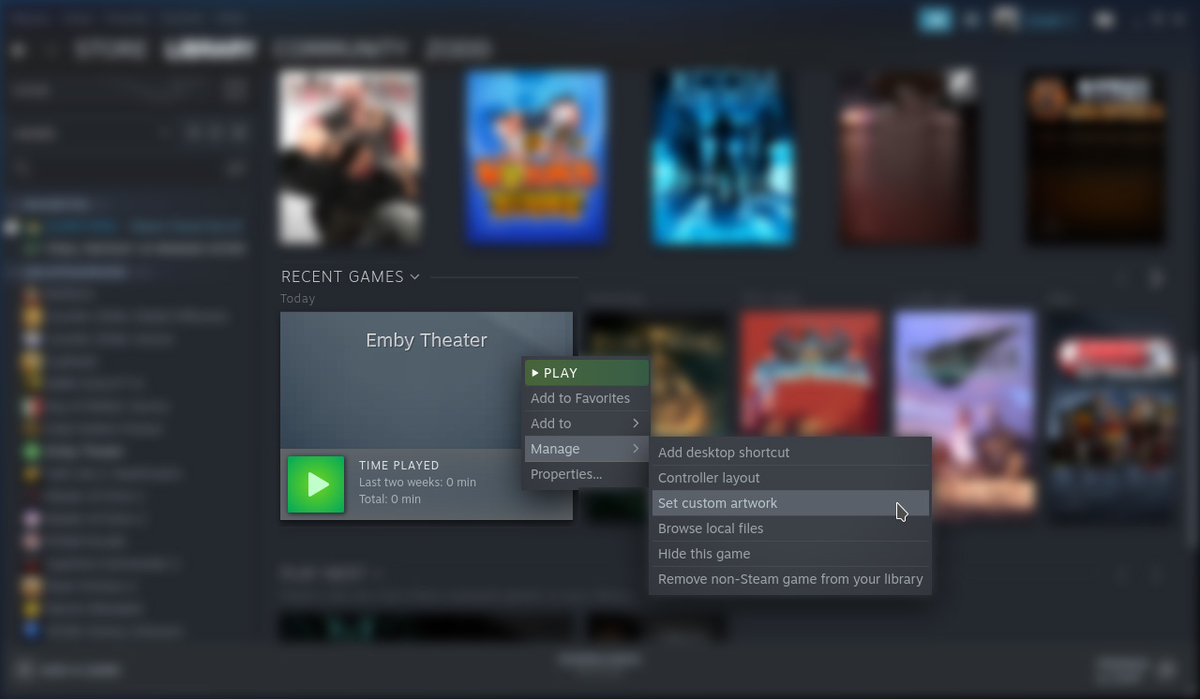
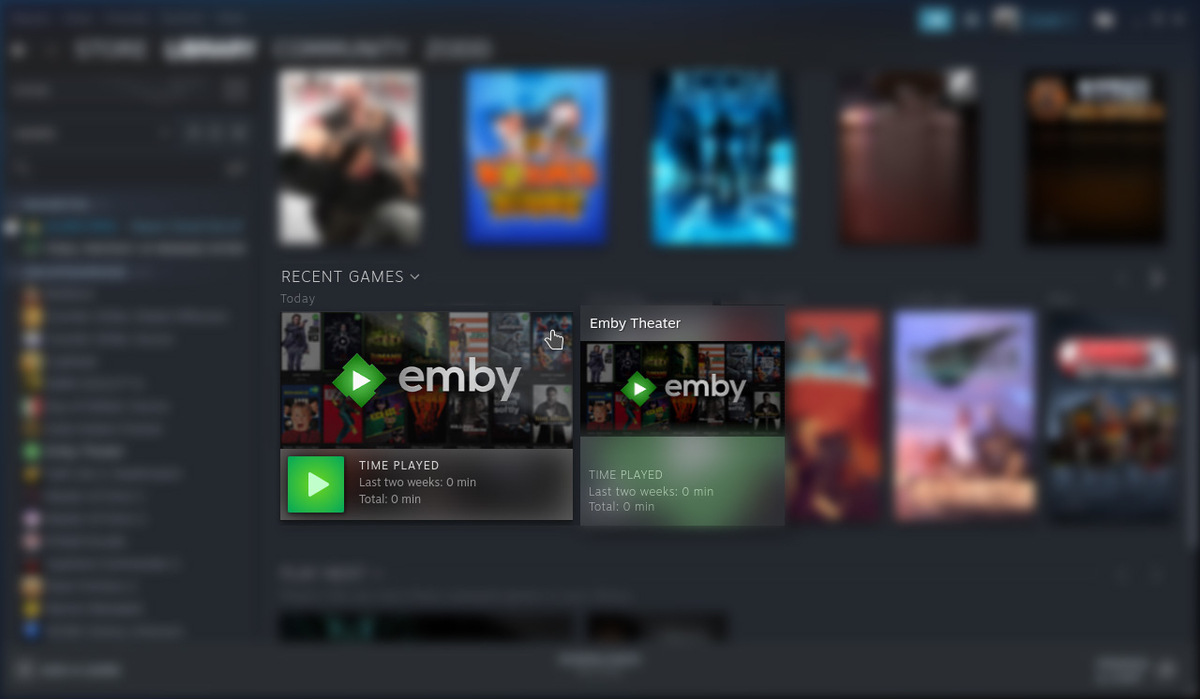
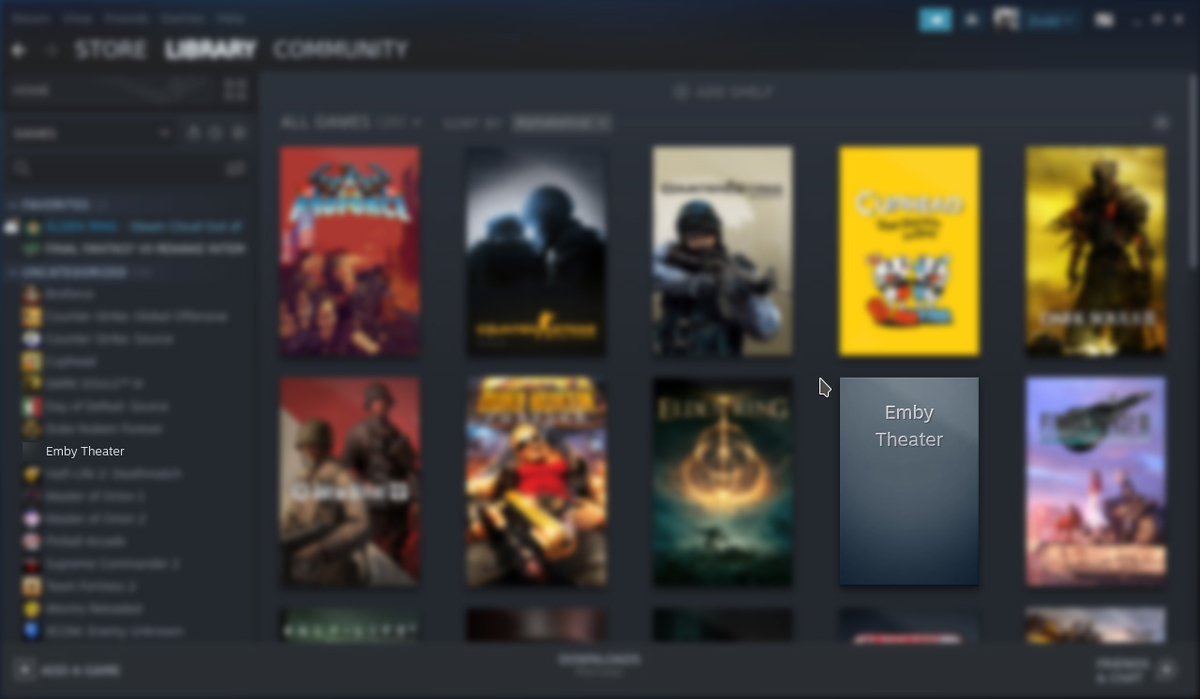
Customize Game in Steam (5 Locations) Download: Icon Download: Box Size Download: Backdrop 1. To update Icon, in the Uncategorized List, right click on Emby Theater then click Properties... Left Click in the Black Square (Icon) Next to the "Emby Theater" label. Navigate to /home/deck/Downloads and select Icon.png then click Open. The icon should now be applied. 2. Update the Library Box Cover, Right Click the Emby Theater, Click Manage, then Click Set Custom Artwork Navigate to /home/deck/Downloads and select box-size.jpg then click Open. The artwork should now be applied. 3/4. Update the logo and backdrop, Click on Emby Theater. Right click on the backdrop and click Set Custom Logo Navigate to /home/deck/Downloads and select icon.jpg then click Open. Right click on the backdrop and click Set Custom Background Navigate to /home/deck/Downloads and select backdrop.jpg then click Open. The artwork should now be applied. 5. Update the recently played artwork, launch Emby, then quit. Scroll down the list to recently played. Right click Emby, click Manage, then click Set Custom Artwork. Navigate to /home/deck/Downloads and select backdrop.jpg then click Open. When you're finished you should now have all custom artwork set for Emby.
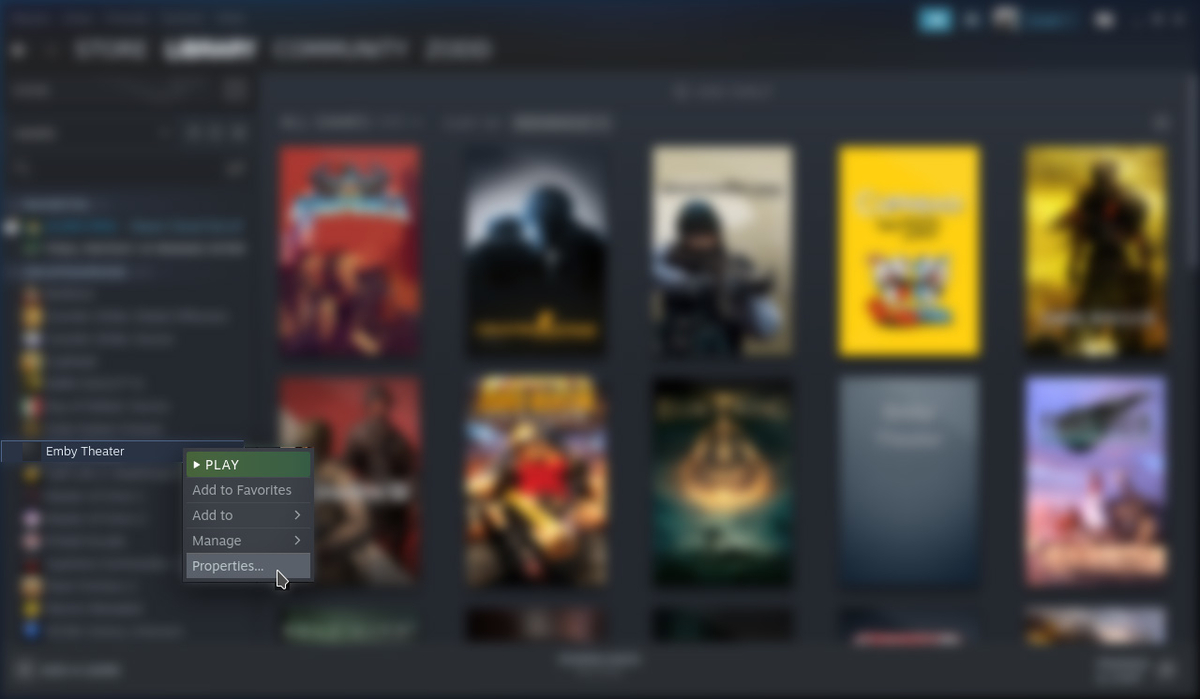

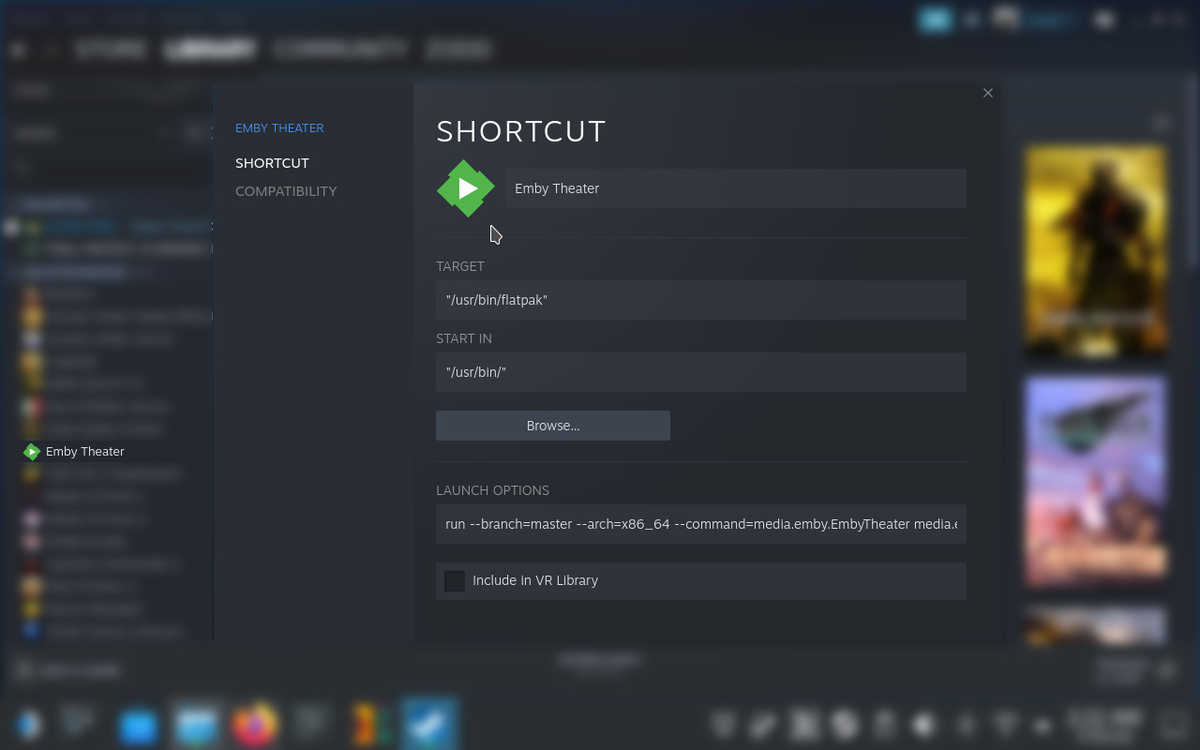
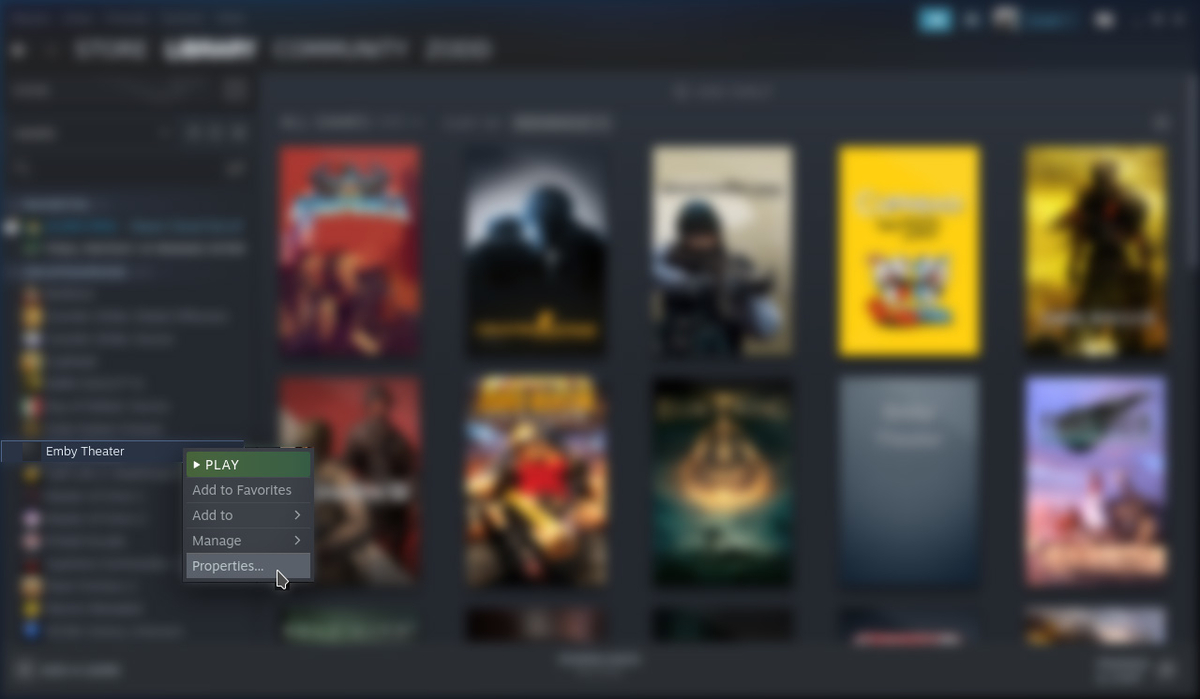
 1 point
 -
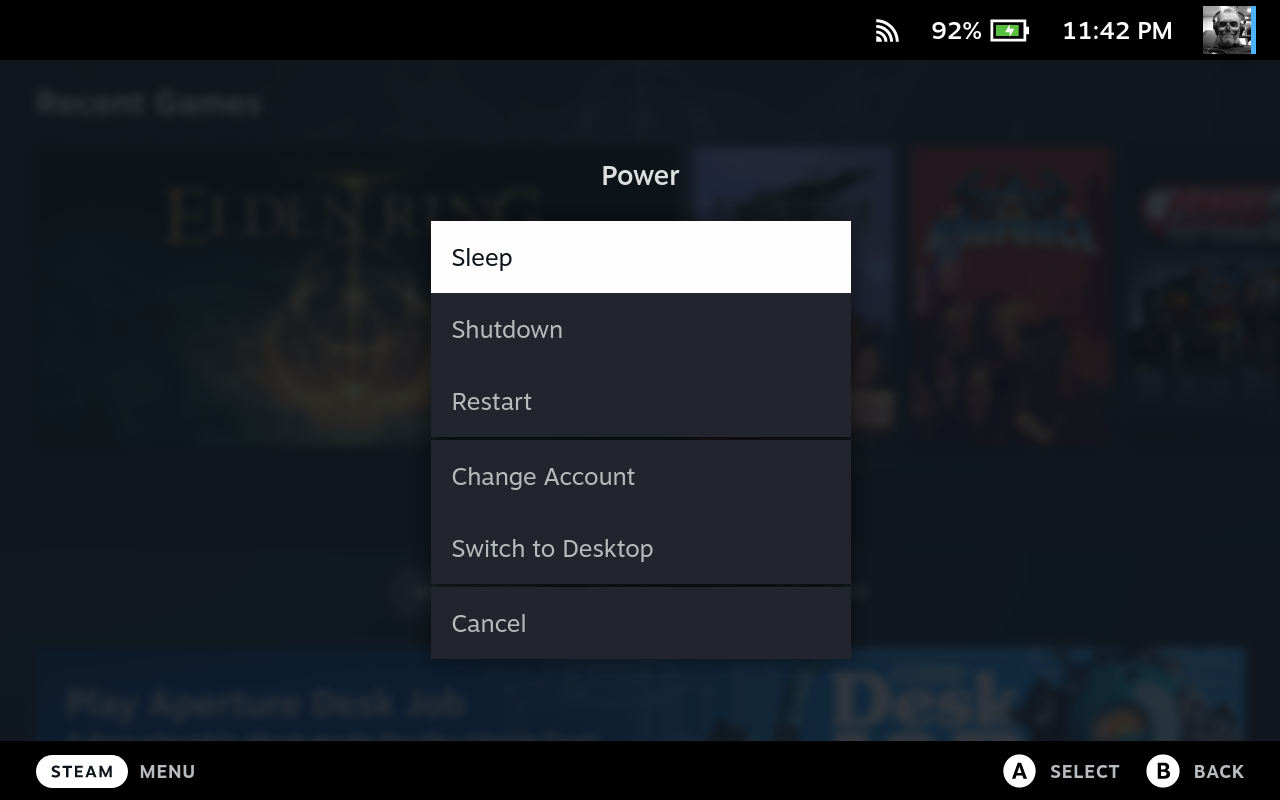
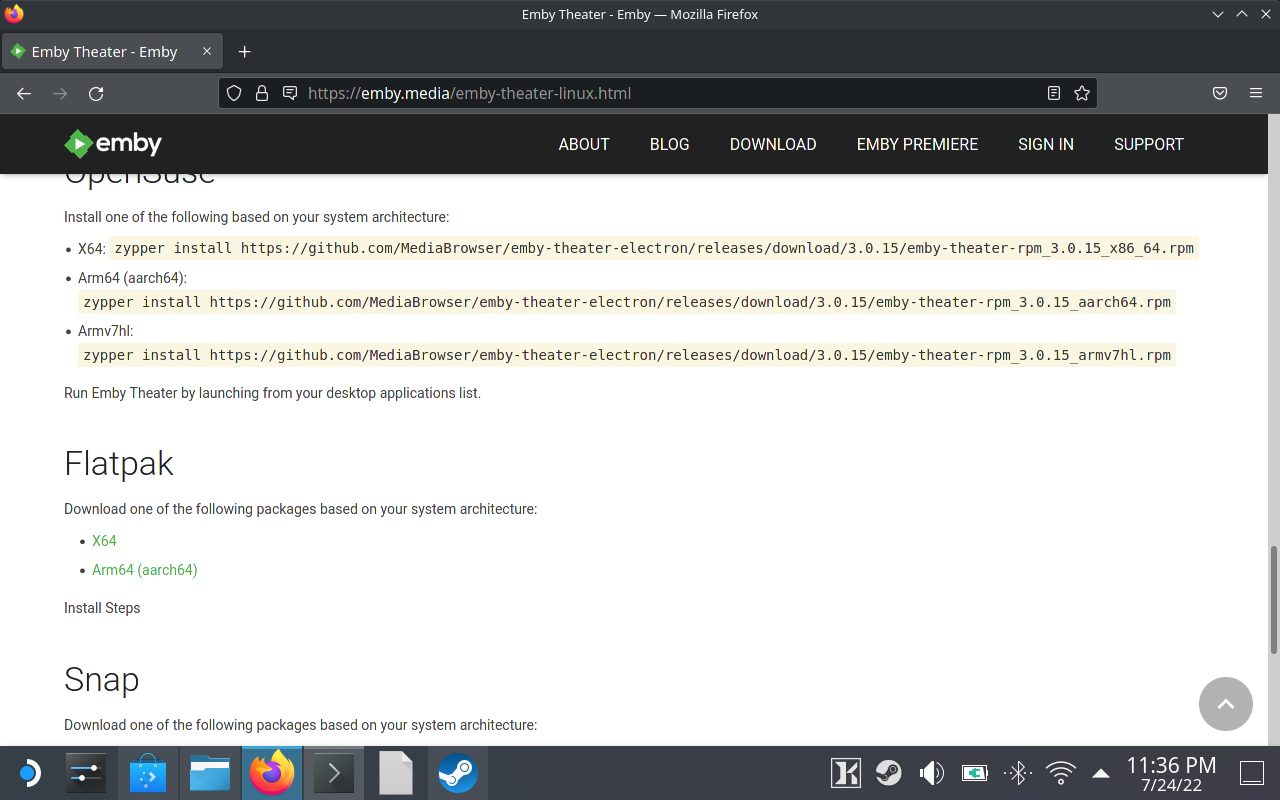
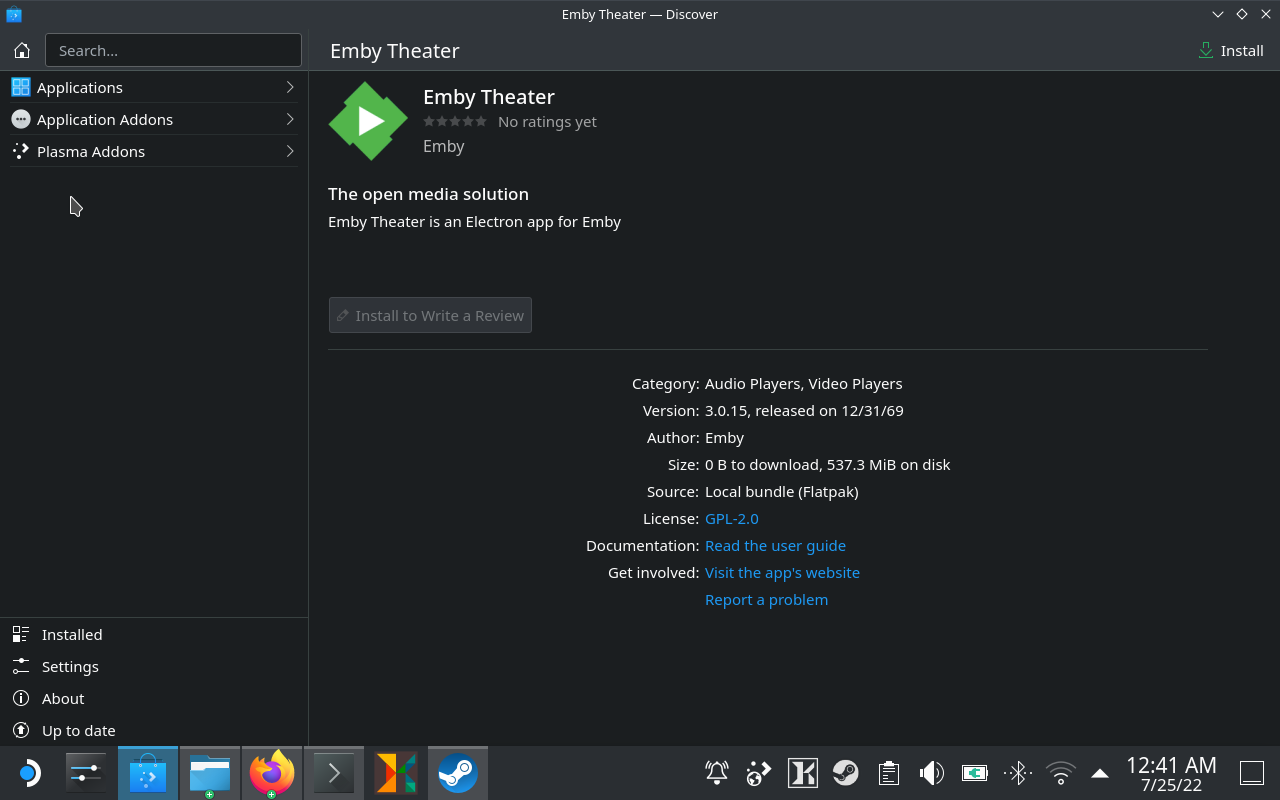
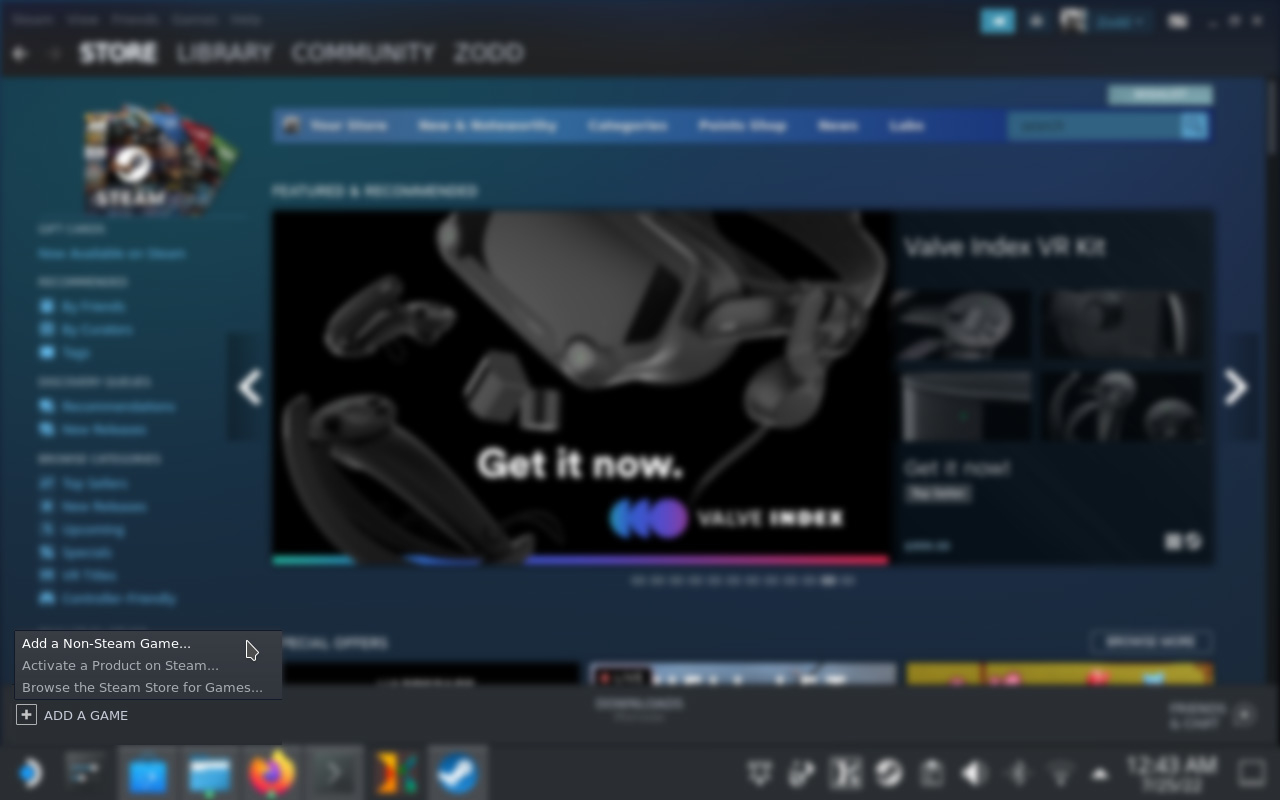
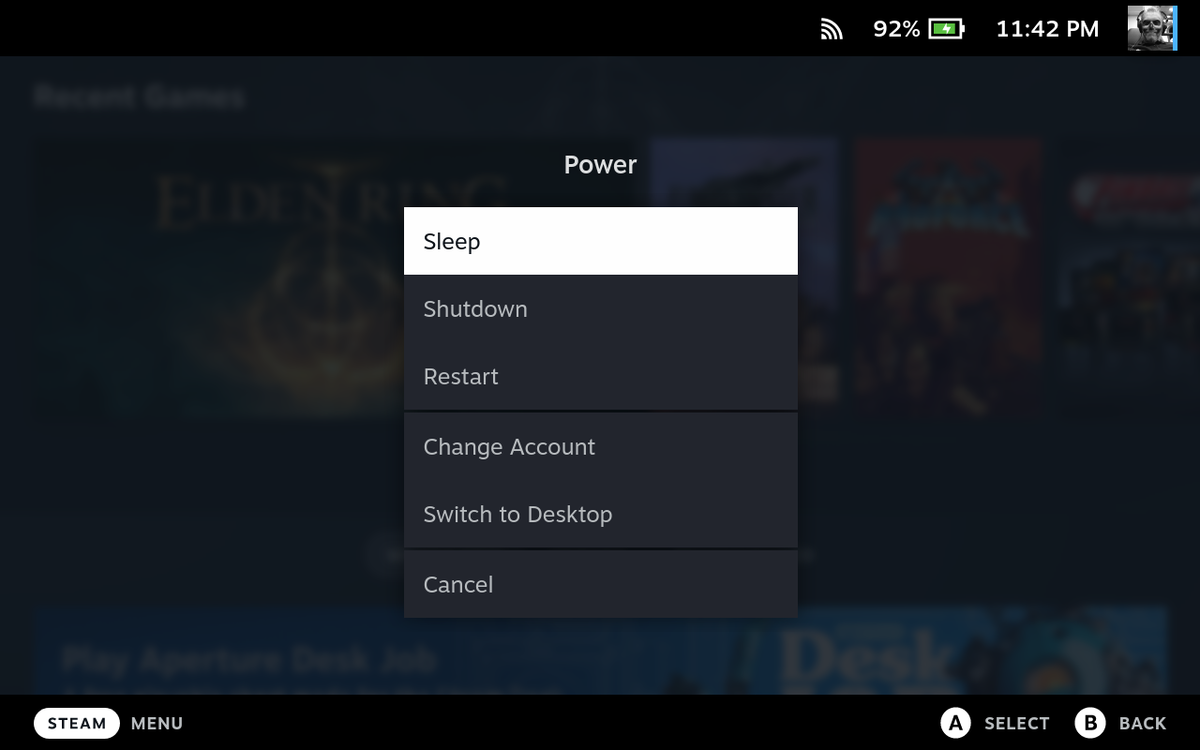
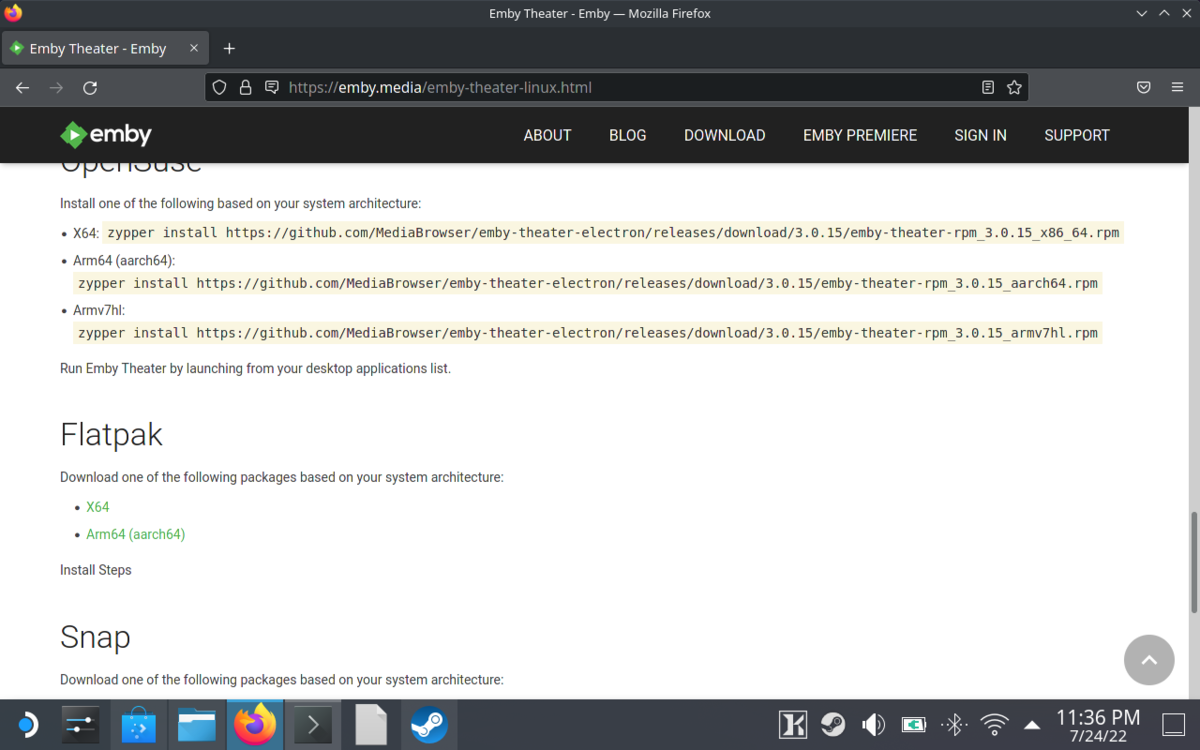
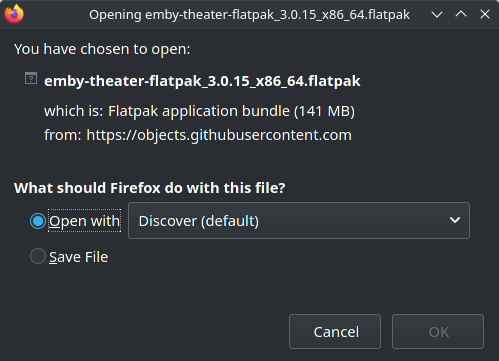
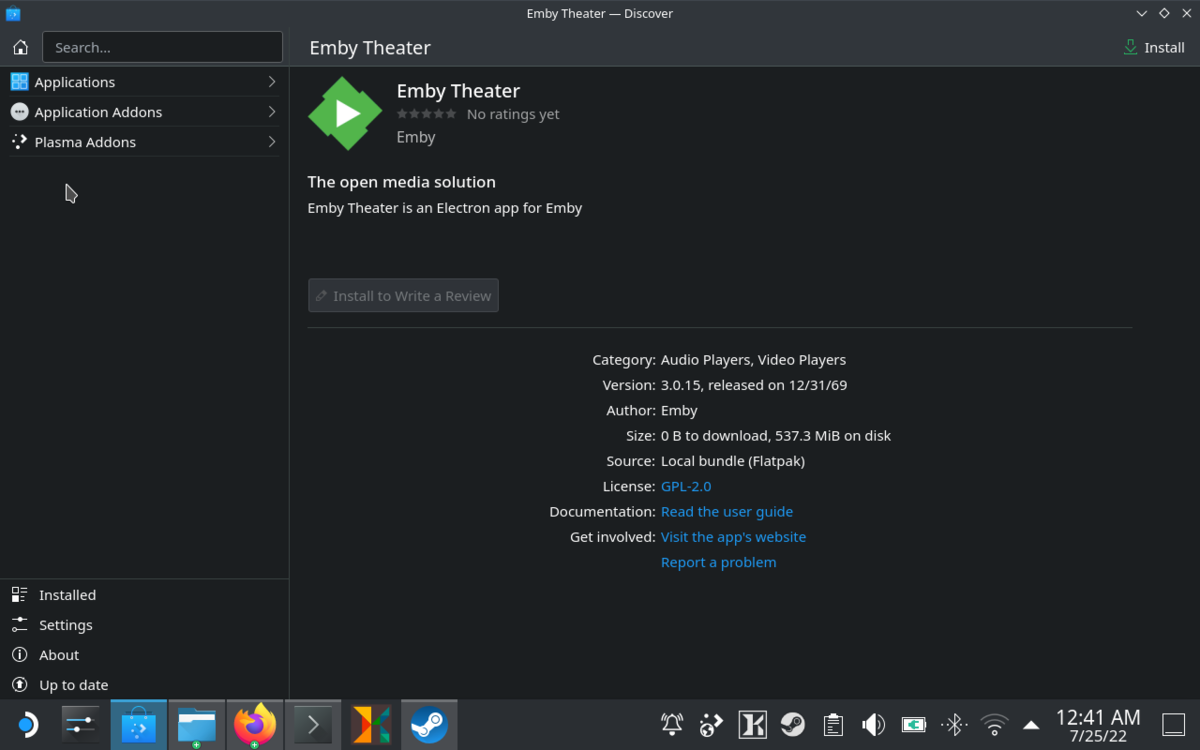
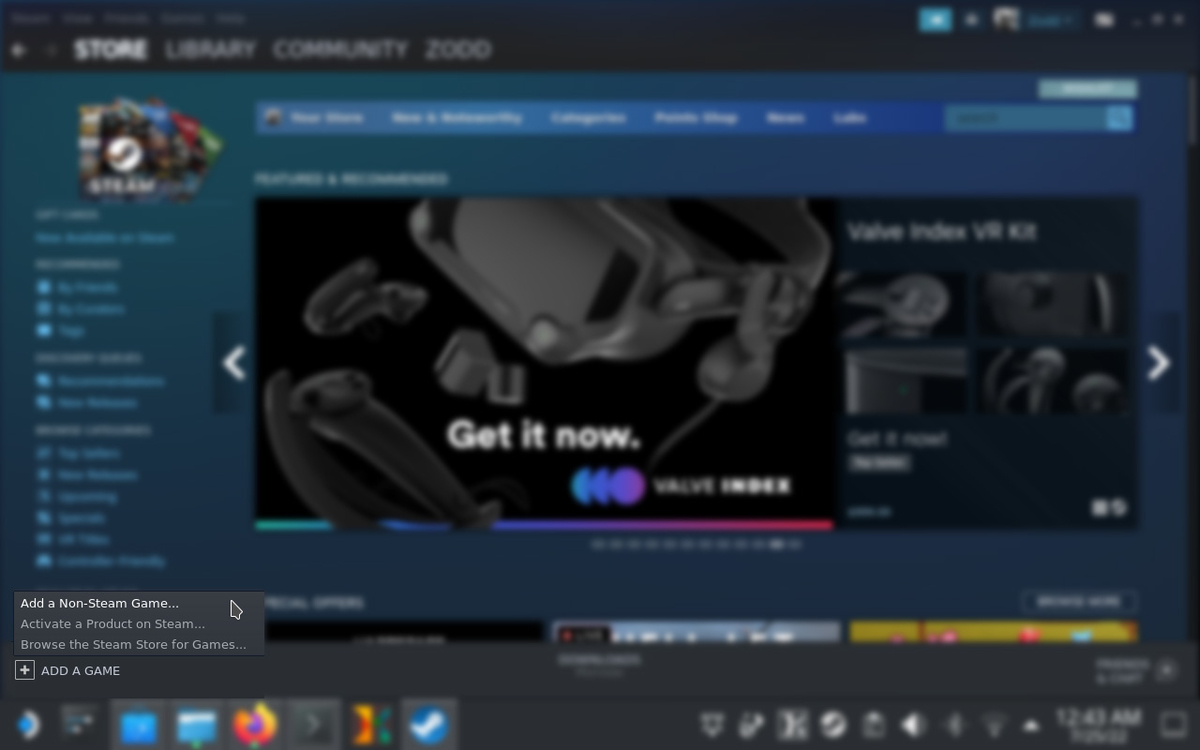
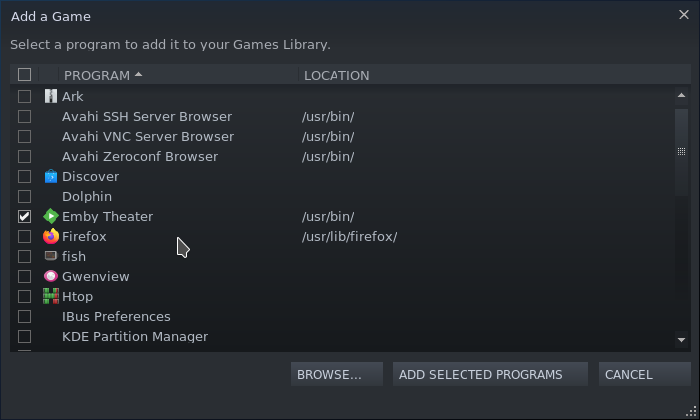
Installing Emby on Steam Deck. Pre-Installation Setup Visual Emby Install Command Line Emby Install Add Game to Steam Customize Game in Steam Pre-Installation After you have booted into the SteamOS, Press and Hold the Power Button, until the Power menu appears: Select Switch to Desktop Visual Install Launch Firefox, head over to emby > download > Amby Apps & Devices - Linux > click X64 to download the flatpak. (https://emby.media/emby-theater-linux.html#flatpak) Firefox download option: Open with Discover (Default) -> Ok Click Install in the upper right hand corner of discover. (The UI seems to be buggy here, once Emby is installed the progress bars will disappear, but the install button will remain. Click install again will result in a message that Emby is already installed.) Command Line Emby Install (Must be desktop mode, see pre-installation) From the Terminal Run: (note: the version linked below was the current version as of this writing and is the same link on emby.media linux install. Check for the latest version there) (CURRENTLY NOT WORKING) flatpak install --from https://github.com/MediaBrowser/emby-theater-electron/releases/download/3.0.15/emby-theater-flatpak_3.0.15_x86_64.flatpak Add Game to Steam (Must be desktop mode, see pre-installation) Launch Steam, click Add a Game, then click Add a Non-Steam Game... Check the Checkbox next to Emby Theater, then click Add Selected Programs Navigate to your Library and Emby Theater should be an option
 1 point
 -
You'll get the button skip feature following the next LG app update.1 point
-
Any news on Android TV etc gapless (crossfade) music playback?1 point