Leaderboard




Popular Content
Showing content with the highest reputation on 08/10/22 in Posts
-
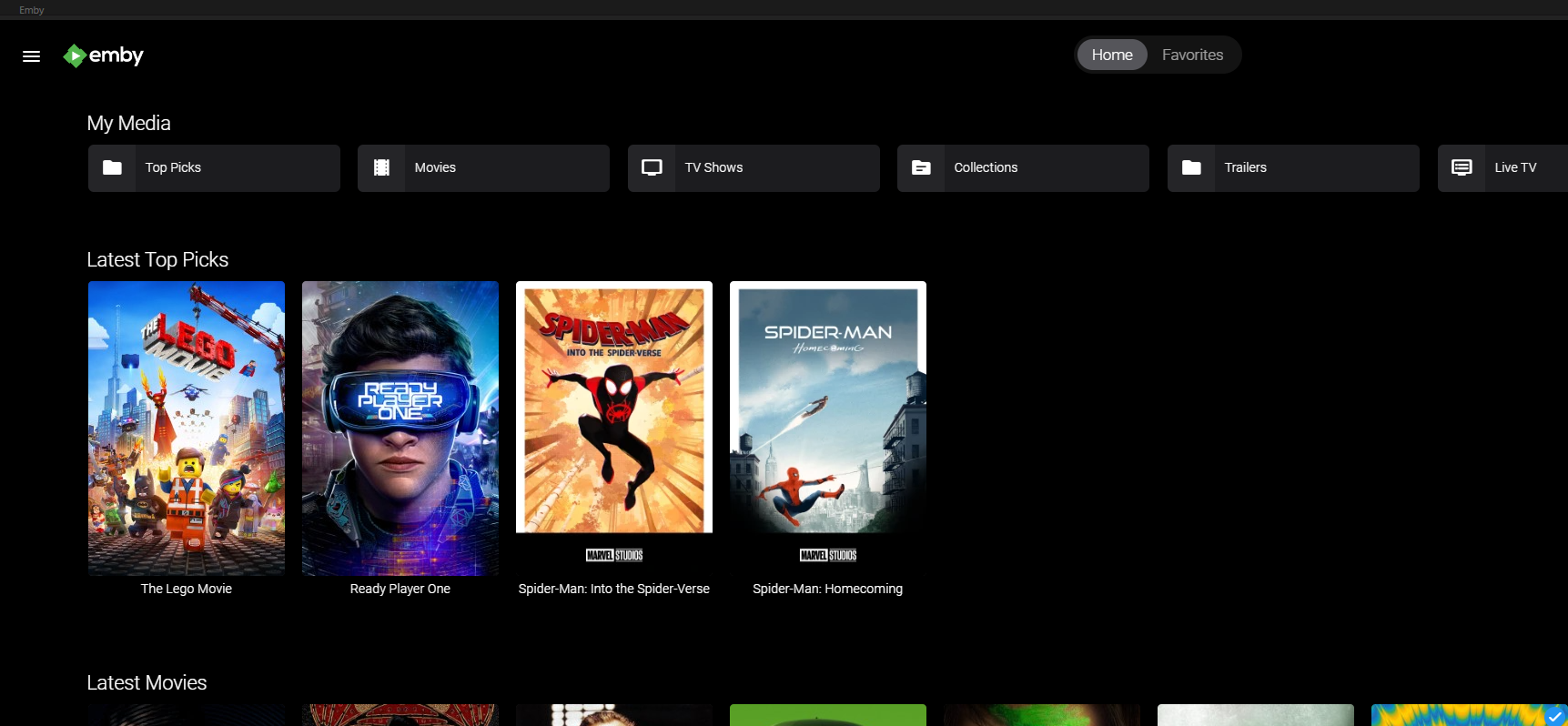
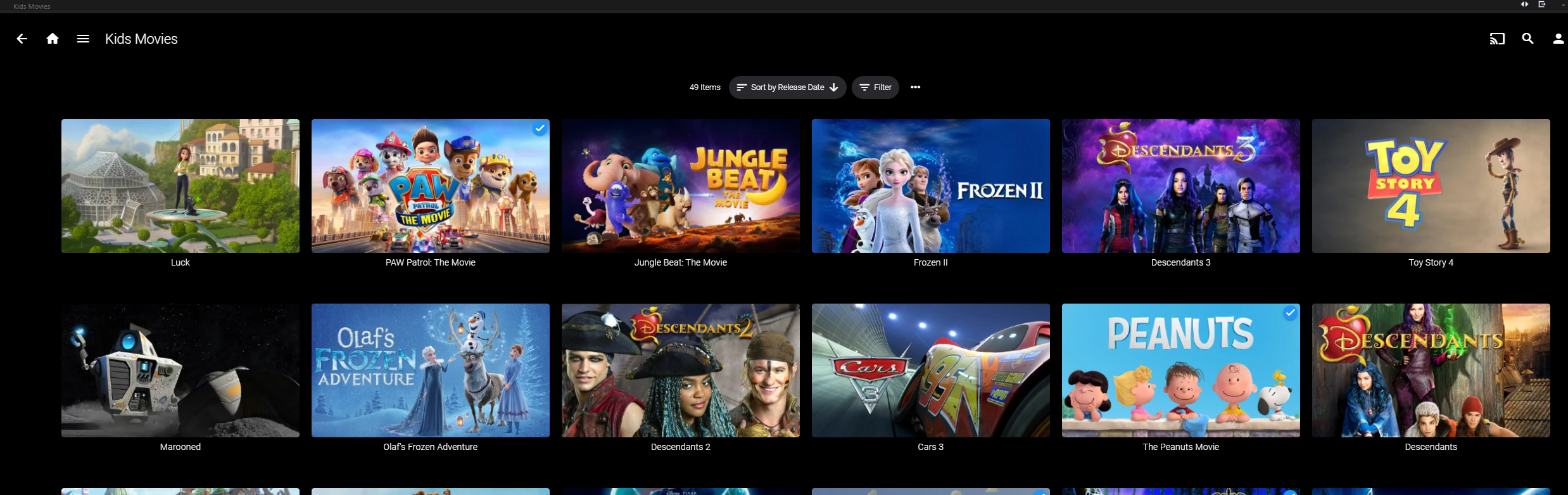
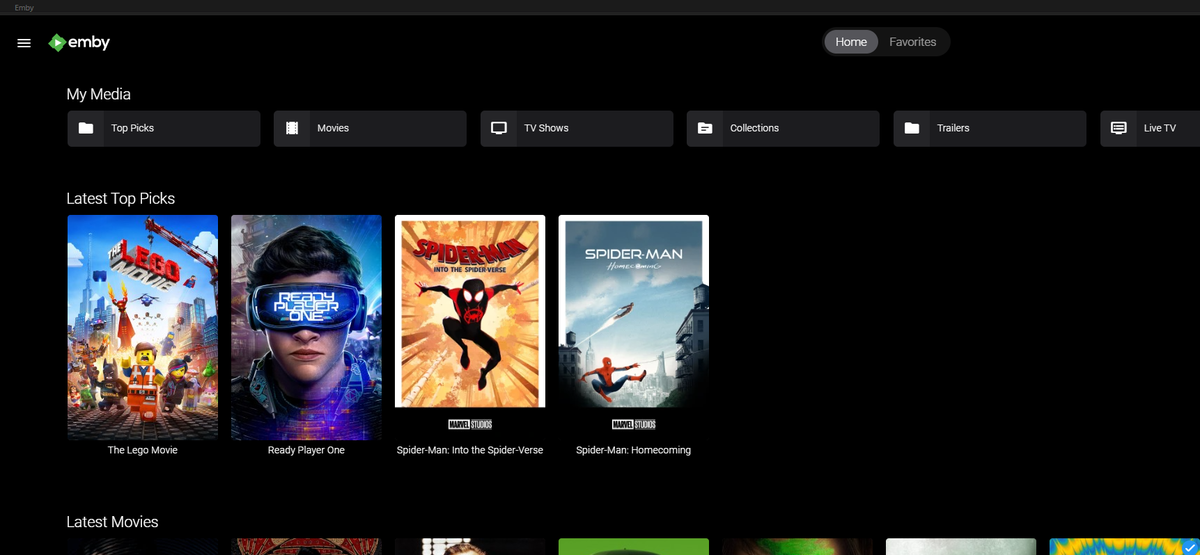
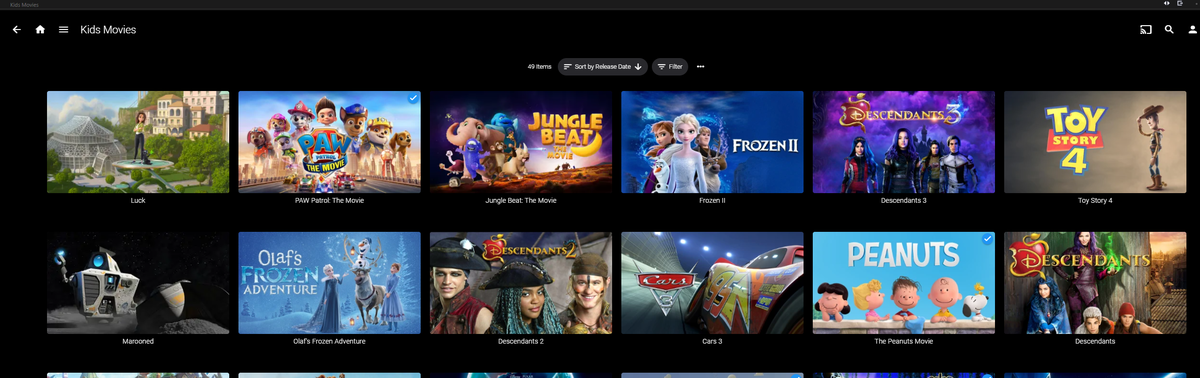
I feel like I owe the community one or two because I wasn't able to write a successful watch party plugin. Kids Channel: Creates a collection of movie items acceptable for your kids. Rated "G" from your library. ( (Disclaimer: This plugin will look at movie rating of "G" to decide if it is appropriate. The channel should be checked by a parent first to make sure all items are indeed appropriate for your children. Use Emby's built-in Metadata Editor to change Custom Patental Ratings values to ensure the library is actually safe for your kids!) Yeah sure they could have their own account, but what if they are driving you nuts, and all you want is for them to "Sit down! Be quiet! Let Dad have a moment of silence!".... oh... was that out loud??? Well, now you can simply scroll over the the "Kids Movies" channel and let them choose something, so you can finally have "just one moment of peace and quiet before the wife get home!" .... yikes speaking out loud again Yes you too can find that silent moment between sibling rivalry. Emby.KidsChannel_v1.0.0.2.zip Install, restart the server, and run "Refresh Internet Channels" Scheduled Task. Coming Soon "Top Picks Channel" Create custom Top Picks for your users and display them on the home screen. Enjoy!

 8 points
 -
As mentioned in other topics asking the same question, I think it should be removed from item context and only exist on multi-select as it has mark played/unplayed.2 points
-
I haven't heard from you yet, so I'll send you a PM in a few minutes.2 points
-
So far so good. Will report back tomorrow but I hadn't launched the client yet this morning until after installing the Beta client - it appears to have retained the intended settings so far. On a side note, has the client had some tweaks to it's load / connect time? Seems a tad snappier Will know for certain tomorrow if issue is resolved. @ebr - if issue reappears and is not resolved will follow your TS steps. Cheers all2 points
-
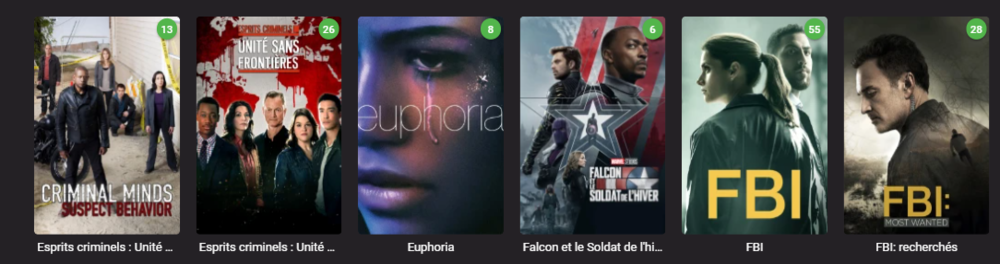
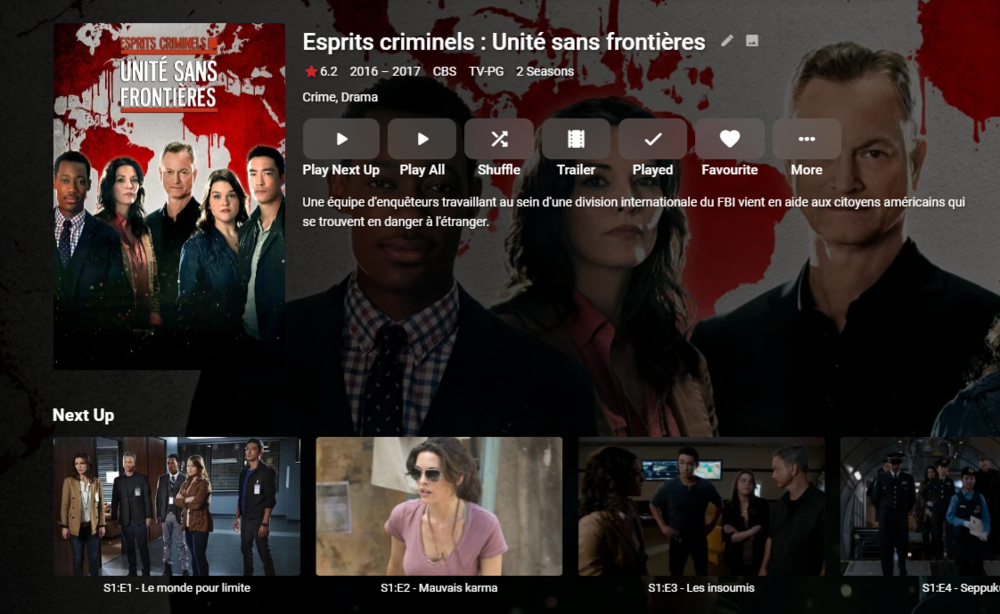
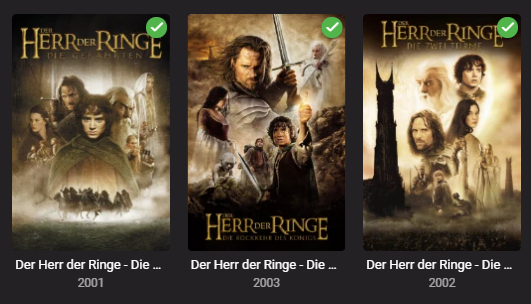
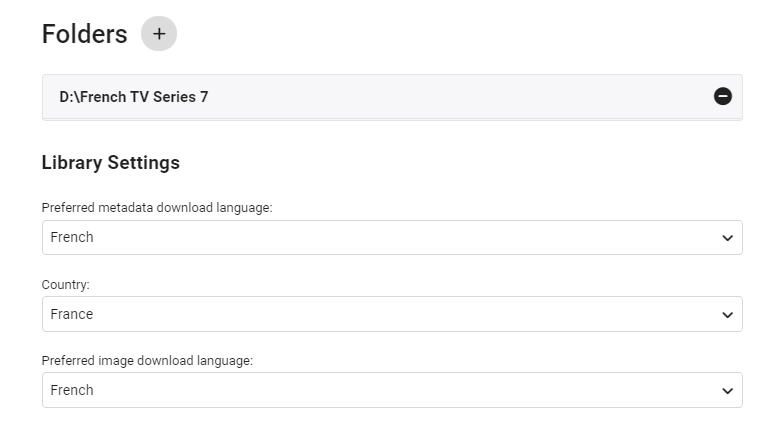
edit 30/08/2022 I've updated the script as follows - - On repeat usage, added Progress Monitor when skipping existing STRM files (rather than thinking it's hung ..) - Added Summary page of the New Libraries This also works with TV Series - due to the nature of each episode needing it's own STRM file - it takes a little longer, but works just as well. ------- I've created a simple script that creates a copy of the structure of an existing emby library (file path). It then populates this new structure with strm (link) files back to the original video files. You can then use this library as a new library within emby - and subsequently you can choose the metadata language as you would do as part of the normal setup. This means you can get : native language metadata (if it exists) native language artwork (if that exists) subtitle language as required (you can do multi language subs in the core system) The video file is played from the original library - so there is no need to duplicate the video files. If required, user permission can be removed from the main library, leaving just this new library to browse in the users native language. Usage (windows batch file) Copy the batch file 'libstrm.bat' and 'library.txt' to the emby server in a suitable directory. Modify the 'library.txt' file to match your system. In the example file I have - D:\TV Series\;D:\French TV Series\ D:\Films\;D:\German Films\ Also works with UNC - \\media\TV Series\;\\media\French TV Series\ \\media\Films\;\\media\German Films\ The first path is the original location, the second path is the new library location (with the strm files). Note - the path must end with a \ and the entries are separated by a semi-colon. The 'library.txt' file can contain any number of drives and folders - I suggest testing with a sample to start with. Run the 'libstrm.bat' file from a command. Depending on the number of folders/files - it may take a few seconds or more to complete - but it will show progress as it goes. Once complete - create new emby libraries pointing to the new locations - remembering to set the metadata language as required. For example :- Once setup and emby has scanned the new folders (it will do this automatically if set to monitor - or a manual scan) - all the relevant metadata will be imported. As an example - in my test French library :- Note the French metadata, episode names and artwork. In my test German library :- Again, German metadata & artwork. Keeping the system updated ... Because creating the strm files is manual - to add NEW media, the script can just be run again (via the Windows task schedule ever day for example). If the strm file is already there, it will not recreate it. However, if media is removed from the original library (remember it links to it, it is not a copy) - then the strm link will unfortunately break. It can of course just be removed manually by deleting the strm file. I've added a progress bar to now show when items are skipped (every 100 items gets a # displayed..) Media Playback ... The resulting playback will of course be identical to playing the original file (as it IS the original file) but any playback preferences will be remembered for that library. So if the Audio was set to French with French subtitles, then next time it is played, it will remember those settings. There may be a way of setting these to a library default in the native language - I have not experimented with this. Feedback welcome. (rename the libstrm.bat.txt file to libstrm.bat) library.txtlibstrm.bat.txt

 1 point
 -
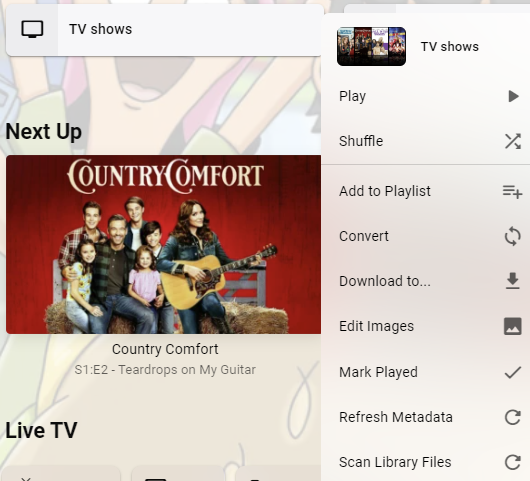
I don't understand why I would want to mark an entire library as played. If "Mark Played" is accidentally clicked, it'll mark EVERY video as played. There's no way to recover from that. There isn't even a "are you sure?" prompt. Can this option be buried somewhere else that's hard to get to? I have thousands of videos in several of my libraries and the possibility of accidentally marking every one of them as played just should not exist.
 1 point
 -
Feel free to remove this if it breaks any rules.i’m just trying to help. I’ve been waiting months for it to come back in stock. I got an email 20 minutes ago and have ordered one. if your after one, be quick in case those “Plex-ers” get them Hope it helps.1 point
-
Happy to report this is working now. I restarted Emby to grab a clean log to attach, after the restart the image began showing.1 point
-
it would be nice one day1 point
-
@nickbuol Hi there, let's look at an example. Please attach the information requested in how to report a media playback issue. Thanks!1 point
-
Test OK, good for Regex1 point
-
You can also send him a PM and the next time he's on then you two can schedule a time that works for both of you for him to assist remotely.1 point
-
Ce devraite faire en sorte les lettres francaises dans le Regex. I haven't written the French language since I was in school. I don't think I wrote 'devraite' correctly. It might be 'devrait' with 'Ce la' or maybe 'Cela'...I'm gonna give up. Every time I visit Montreal I feel less of a Canadian because I have to ask people to repeat what they say until I ask to speak English. LOL! In any case, I think this should handle it okay. Emby.AutoOrganize_v1.6.41.37.zip1 point
-
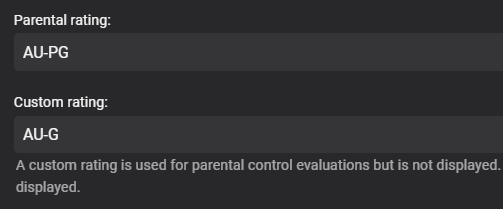
I've updated the version to 1.0.0.1 Items without Parental Ratings is ensured to be ignored Looks like if the item has a Custom rating, then the API returns that value in the "OfficalRating" property. So if you change an items Custom Rating it should show up (or be removed) in the kids channel.1 point
-
No it isn't. For while movies kept disappearing off my server.....I mean the files were just gone. I was watching them the day before then they weren't there. I finally started actually looking at the recycle bin before flushing it and to my surprise every day there were movies in there that shouldn't have been. Most were ones that my girlfriend had watched or at least skimmed. She said she didn't delete them. And I didn't delete the ones I had watched....but they were gone too. Funny thing the ones she watched kept showing up every day in the recycle bin....the same movies, over and over, for days and I know she hadn't watched them again. I had no idea what was going on so I removed the ability to delete files from within emby for EVERYONE and voila no more deleted files. I still don't know what happened but I think deleting files should remain at the OS level for the server admin only.....so that is how I have it set now. Haven't lost a movies since.1 point
-
Do you want to ask @cayars to log in and move your files to another location and maybe set WinSCP up for you?1 point
-
You don't need the Windows shortcut in order to use WinSCP, that step was just optional. If you've gotten that far just start WinSCP and access your files.1 point
-
@rbjtech gave you an answer to that in the very first reply. Use three-dot menu on Season level>Add to Collection.1 point
-
Nice work as always mate! It's great to keep the kids quiet for at least 10 min.. The "Top Picks" looks cool too, sort of like a spotlight channel.1 point
-
A decent option for those that only use their TV for Emby, but I'm sure I'm not alone in this not being an option due to having other apps that are only available in our own region.1 point
-
I found that it was relatively easy to over ride the country setting to USA (or other) on the TV. For my tv it involved resetting to factory default and in a specific step during agreeing to TOS doing a sequence of buttons on the remote. Since i assume all tvs are different, a quick google might help you find the one for you. After that emby and a bunch of other apps were available, and installed with no problem from the app store. Hope this helps someone else! Good luck!1 point
-
hey @chef this is awesome. Question: does it only look at the Parental rating or does it use the Custom rating if populated? I typically manually override official PG ratings as G if I deem them appropriate. The core parental controls use the Custom rating if available.
 1 point
 -
OK, just woke up. Will check out the beta app first to make sure it's not an easy fix1 point
-
The link doesn't look right, or the broker must have broken it, I'm posting the right link, sorry for the boldness. http://kodi.emby.media/Public testing/plugin.video.emby-next-gen-7.7.4.zip1 point
-
Really looking forward to this!1 point
-
pretty please1 point
-
No 4 is amazing! These are awesome!1 point
-
As usual, u just don´t get any useful information, that´s really a annoying thing with emby, u always get "we are on it", or get an answer like "Unfortunately, we also have to consider the costs and resources of us building and administering such a capability" Sure, keep wasting ur time on PS3 or similar old boxes makes much more sense instead of supporting the biggest TV Brand. Whatever, to be honest, I would not buy Emby again, not just because of the Samsung thing, more because of the "we are working on it" statements, u can read them all over the board, with exactly nothing happening in reality.1 point
-
I saved the logs because I was planning to post for help. This is a freshly-restarted instance with one attempt to play where playback stopped on its own in the way I described. embyserver.txt.zipffmpeg-directstream-1da7ec53-1959-422a-8bc7-860c70e0d892_1.txt.zip1 point
-
What HW? What DSM version? What program does it? (out of curiosity) 7.1 update 4 corrects this: "Fixed an issue where after restarting DSM, certain packages might fail to function properly if users had installed Synology High Availability." (just in case it's relevant to your case)1 point
-
Sure - I didn't mean close the Feature Request - I meant close this Plugin Thread Also to note The Emby Introskip Plugin is still functionally better than both the Amazon and Plex 'Introskip' (as it also does end credits, editing etc) - and is still functionally superior to the Emby Core Introskip feature as well - which is probably on-par with the Plex implementation. Unless we can innovate, be the first, or do something better than the competition - then my personal view is releasing something that is not only 2nd (3rd/4th in this case..) and inferior to the competition is not where anybody wants to be.1 point
-
Working on a fix now, for both versions to work..... fingers crossed i have found it..... testing now1 point
-
As a video game developer I personally know the pain of handing over some % of rev to platform holders, but that is the state of things for us and at the end of the day we make more money by supporting those platforms for users. Here is my case in point: I have been a relatively happy Emby user for about 3 months now and I'm downloading Plex right now - I'm just not going to update Emby every 30 days from USB as that's insane to expect my family to do so. I just can't deal with the constant issues like this so I'm going to have to switch I'm afraid.1 point
-
When pressing down 1 highlights whole screen (says emby webview emby) 2 highlights home favorites (says nothing) 3 highlights home (says home) 4 highlights favorites (says favorites) 5 search button (says search) 6 settings buttons (says settings) 7 time (says the time) 8 highlights all screen ( says my media continue watching.. goes through all heading text) 9 my media (says my media) 10 highlights my media and all options in area (says nothing) 11 highlights all options in my media (says nothing) 12 my movies (says my movies)1 point
-
Now is ok thanks1 point
-
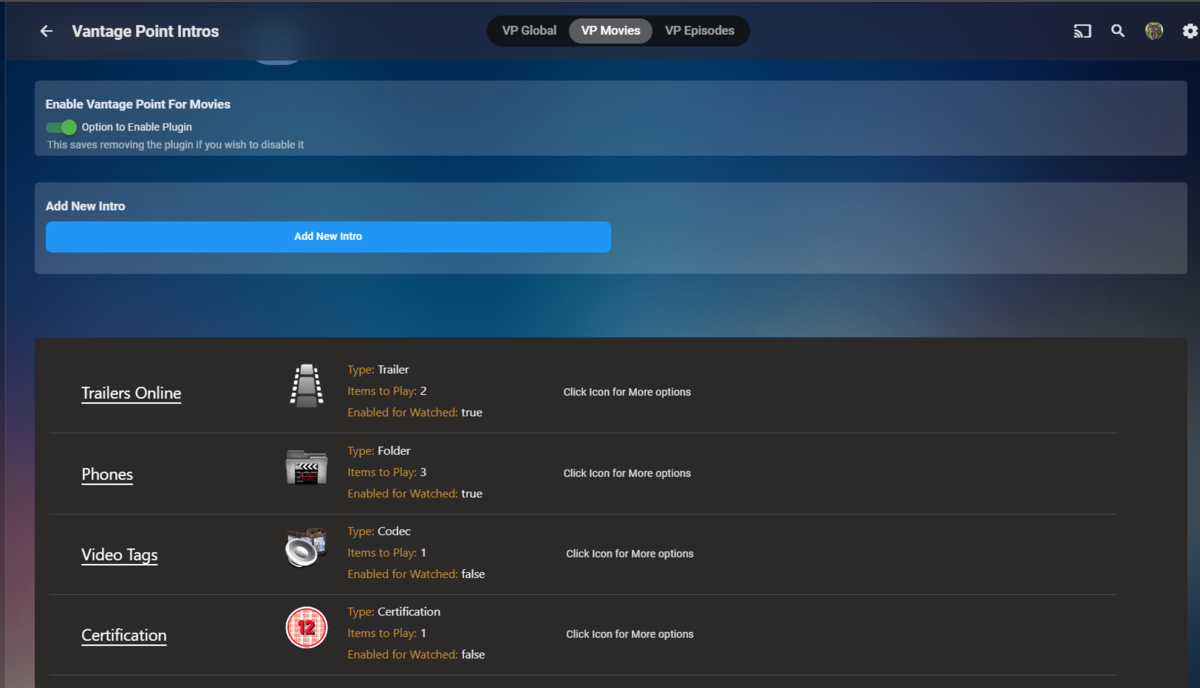
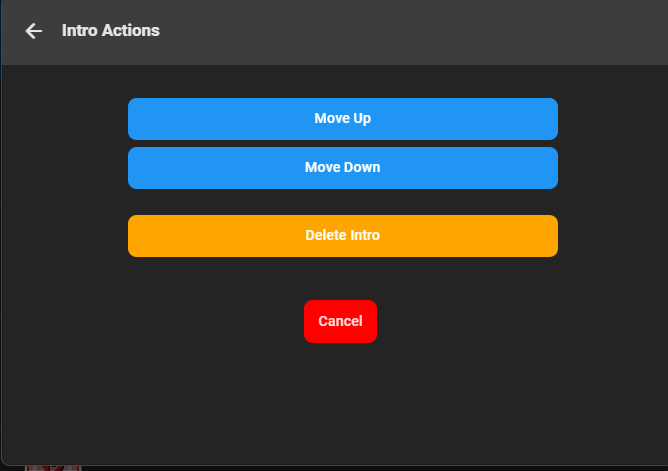
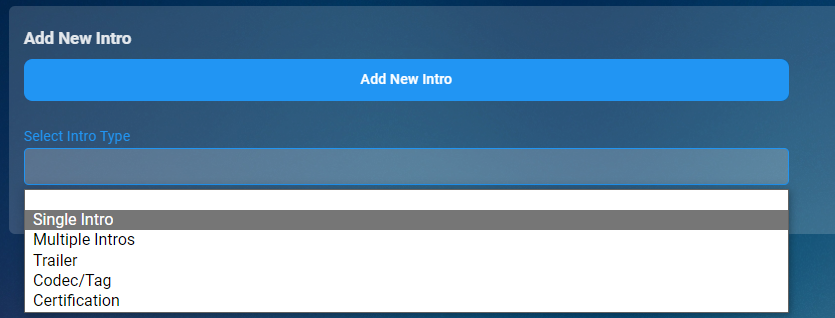
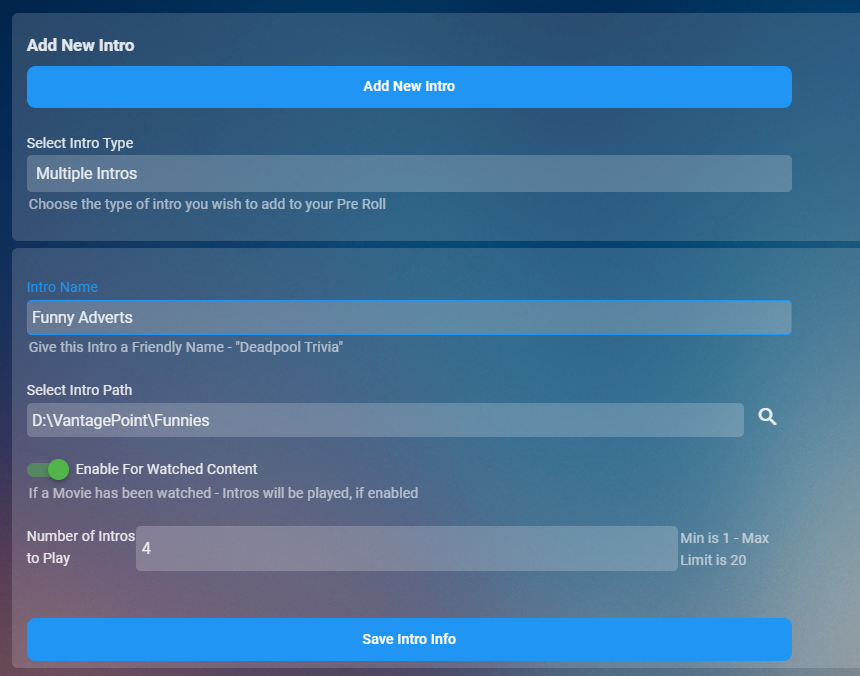
I sure will do. I've completed the UI now, just need to hook up the back end Clicking on the icon bring up a menu to move the intro or delete it And you can decide exactly how you want it to play in any order and as many items as you want for the pre rolls. Selecting a folder will take x number of intros randomly from that folder and play them in a random order also.
 1 point
 -
I will start figuring out the database and metadata file storage for it.1 point
-
Why not feature request moviedb to add it? That would be the easiest thing. I don't see why they wouldn't want to.1 point