Leaderboard




Popular Content
Showing content with the highest reputation on 08/05/22 in Posts
-
Not that this would ever be used but a bit of fun for a watch party intro IMG_3225.MP4 I will do a cool animation for release. chef is smashing this solo btw… such a legend5 points
-
I periodically download/remove albums in the Android app. I need a visual indication that I've already downloaded an album to my phone in the grid and single item views to make that process sane.2 points
-
Thank you, that was the sollution.2 points
-
Do you have "Display missing episodes within seasons" on for that library?2 points
-
*Done.*2 points
-
Solved this problem. Thank you all!2 points
-
I've posted 1.3.3 with the fix. Thanks guys.2 points
-
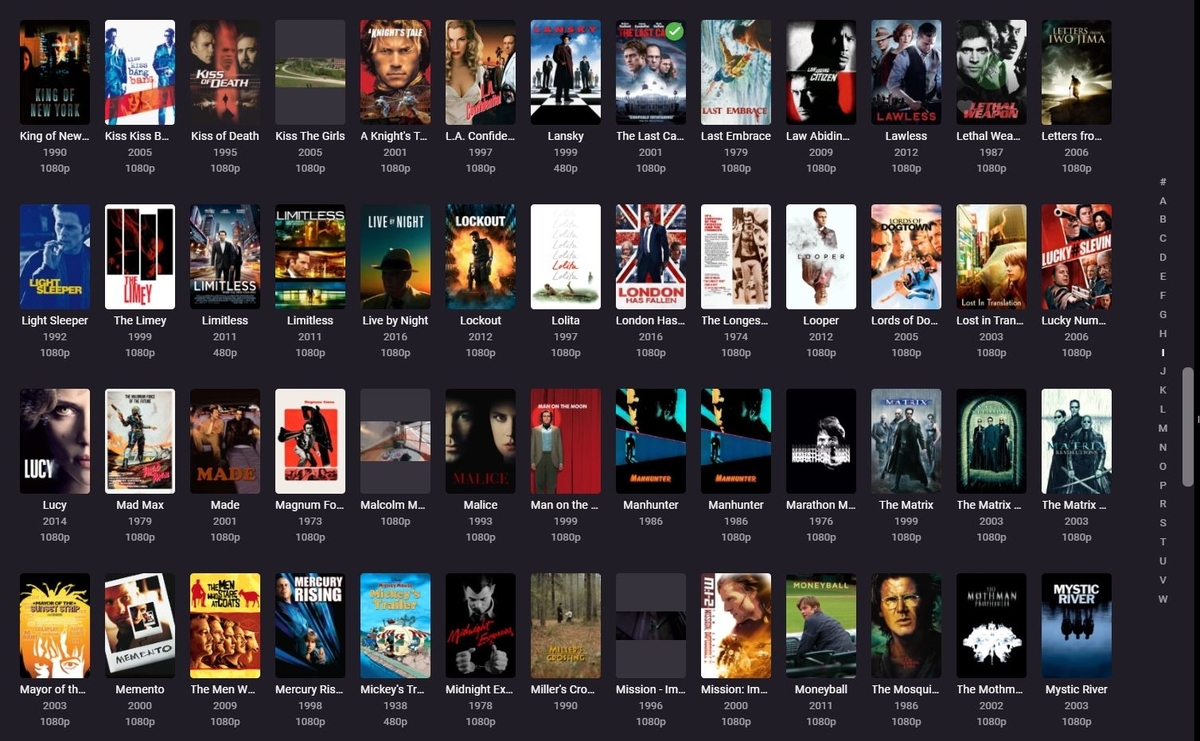
That made a BIG difference! Love it!
 2 points
 -
great the top menu problem Solved the subtitle black box is still there, but I never used before, so don't know from how many time is there good night \Gianni2 points
-
As I'm transitioning from Volumio and Plex to Emby to centralize my usage to one app, the one thing I'm missing the most is gapless playback. This is particulary annoying when listening to albums like "Dark Side of the Moon" by Pink Floyd. I'm experiencing a buffer of about 1 second in between songs, which really ruins the immersion. Would be awesome if this would be implemented in both the Chromecast, and web player.1 point
-
Been using Kodi & Emby for Kodi on a Nvidia Shield for a few months now, and have settled on the Aeon MQ 8 skin. Got everything set up as I want it, so loathe to change to another skin. However, when it comes to movie extras it doesn't work. I just get a blank screen when I select 'extras' in the context menu. Is there some setting I need to change? I have a test Kodi installation on a Firestick, and If I disable emby and link my movies library through Kodi it works. Any suggestions for a fix as overall I like using emby with Kodi? Thanks1 point
-
well ive tried that for many months and it would never send it by email, then after I mentioned it to emby all a sudden i get flooded with a ton of emails with the keycode, for many months it would never send it,, weird, but alls good! Thank You!1 point
-
Thanks quickmic! Sorted.1 point
-
The Oculus Firefox browser used to, but I don't know if the default Oculus browser does.1 point
-
Yes. It seems pretty similar, doesn't seem worth the effort to try and figure out the issue on the firetv app when this other one works fine.1 point
-
Looks like it is working as expected again. Holding down the directional arrow starts sliding through the thumbs, the longer held the faster the slide.... Thanks.1 point
-
Yes, actually since 7.7.11 point
-
New version available 7.7.2: delta changelog: fix artwork cache (special character issue) fix progress update issue for edge cases fix gueststar cast issue much faster database reset fix add users to session fix artwork cache for photos and photoalbum fix minor bookmark issue for episodes add trailer support for tvshows lot of changes in Kodi database (using exactly same pattern as stock Kodi) Comment: Database reset not mandatory, but recommended. Cast will not be updated without database reset tvshow trailers not added without database reset General: This was the last version where I accept additional feature requests. Focusing on bug reports only -> releasing as next beta/stable. I keep it as sideload (only) for the next week(s) till no more bug are reported and then pushing it to Emby-Kodi repos. All new feature request(s) will be added in 8.X Any bug reports are welcome! Thanks for all the testing, very appreciated!!!1 point
-
Ok, thanks for the update.1 point
-
Issue was resolved by reversing a change Windows made: https://www.youtube.com/watch?v=vyatMj1Z2NQ Also, just my $.02, but it's better to leave the topic named what it was as it described the problem I was having. Had I come across "Question About Network Shares" in my searching for a solution, I would have never even bothered looking at it as I was having a problem with thumbnails being gone/videos not playing and I would have had no interest in reading about someone else's "questions about network shares."1 point
-
Count me in!!!I would love if it was made possible to assign to a user a permission to download from a specific library and not from an other. For instance we have a user we will call Dave - I would love for Dave to be able to watch, but not download from the Library we will call "Movies", at the same time I would like Dave to be able to watch and download from the library we will call "Films". At the moment I can only grant Dave download permissions to all Libraries he has access to or revoke that permission. Would be great to add flexibility there. Thanks in advance1 point
-
WOW!! This is cool! @chef your kicking butt here.. Get on the payroll mate.1 point
-
The solution was that my config was build in /sites-available and then linked to /sites-enabled. The nginx config in /nginx/nginx.conf was on original values from the installation. So i copied the nginx.conf from your your linked post, changed the values to my needs and quotet out every line in the config file made in /sites-available (luckily it was the only one). I didn´t unlink the file yet. After failed tests with "nginx -t" i had to create the log directory with "mkdir /usr/share/nginx/logs/" and i had to quote out the SSL section because i have no own certificates to implement. So i had to get the Let´s Encrypt Certs to work. Now my config looks like below. After the last test everything was ok. I reloaded with "systemctl restart nginx.service" and tried to login via browser (worked fine) and via Emby App on Android (also fine). Now everything seems to work properly. ## Start of actual server blocks server { ## listen [::]:443 ssl http2; ## listen 443 ssl http2; proxy_buffering off; server_name emby.domain.de; (Domain changed because nobody needs to know ) access_log logs/emby.log emby; ## Creates a log file with this name and the log info above. ## SSL SETTINGS ## ## ssl_session_timeout 30m; ## ssl_protocols TLSv1.2 TLSv1.1 TLSv1; ## ssl_certificate ssl/pub.pem; ## Location of your public PEM file. ## ssl_certificate_key ssl/pvt.pem; ## Location of your private PEM file. ## ssl_session_cache shared:SSL:10m; listen 443 ssl; ssl_certificate /etc/letsencrypt/live/emby.domain.de/fullchain.pem; ssl_certificate_key /etc/letsencrypt/live/emby.domain.de/privkey.pem; include /etc/letsencrypt/options-ssl-nginx.conf; ssl_dhparam /etc/letsencrypt/ssl-dhparams.pem; Thats was the magic Greetings Schleudi1 point
-
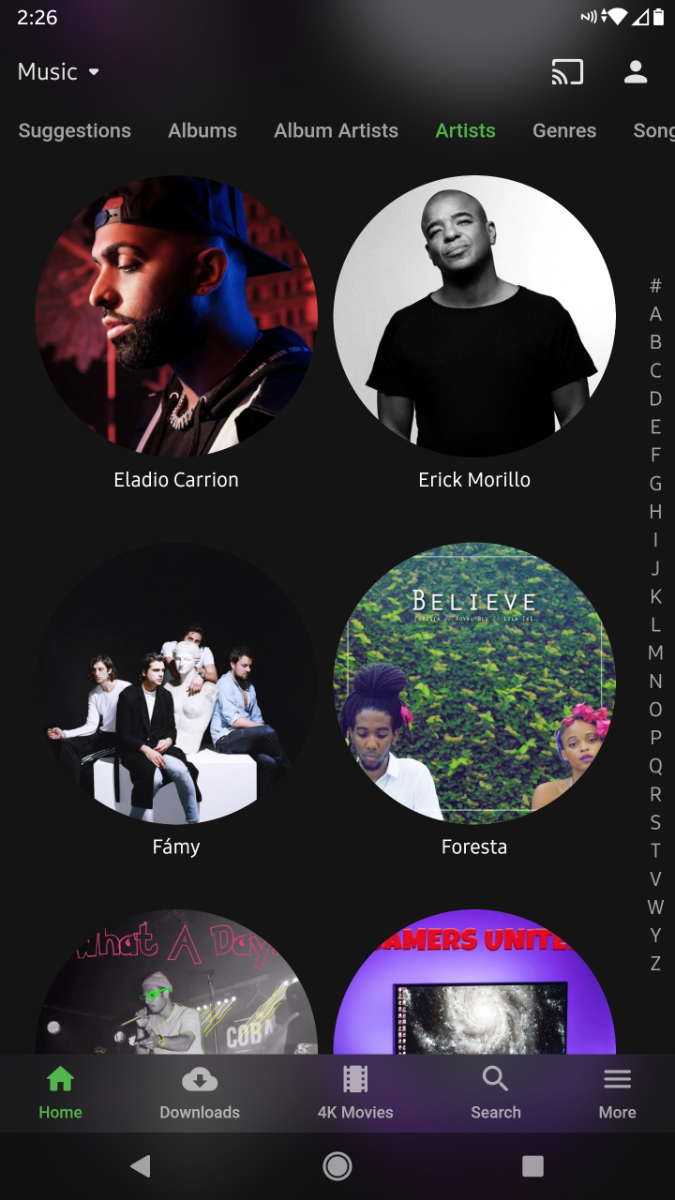
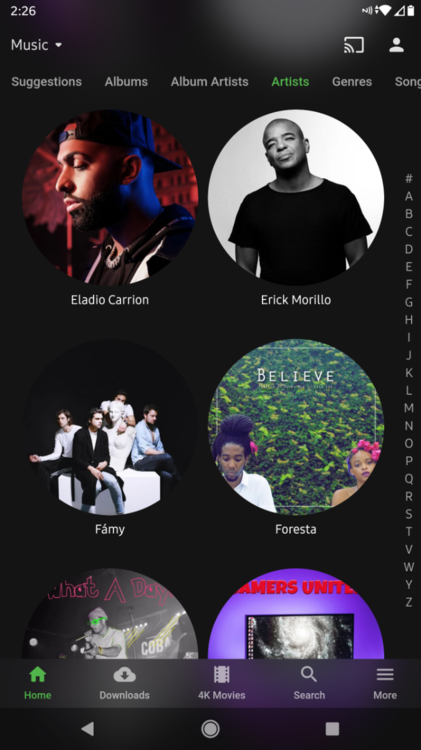
Is there anyway we could have and option across the board but mainly on android apps to adjust the size of the artist art? Like plex has the slider that adjusts the size of the art, it's just I have a lot of artists and scrolling feels like an endless task. Could we not have it so it goes 4 across and 6 down or similar?
 1 point
 -
Yes, I can see it now. Sorry for missing it. Will revert once I am able to collect the logs. Thanks again.1 point
-
This is working perfectly! I really love the flexibility to adjust the library view. Again, THANK YOU so much to you and Grim Reaper for all the help. I really appreciate it! I'm new to streaming and so far I love using Emby and this community forum is awesome!1 point
-
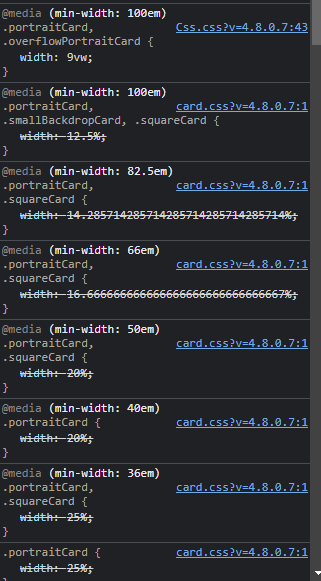
Glad you got it working. As the images are already scaled via min-width your resolution may fall at a lower value as shown.
 1 point
 -
That's good, CSS will work then. Just follow: Scroll to the bottom, click Save. Note: if you only want smaller posters, copy only this part of the code: /*Portrait card size*/ @media (min-width: 100em) {.portraitCard, .overflowPortraitCard { width: 9vw;} } Adjust width as desired.1 point
-
CSS works on localhost and LAN/WAN/DDNS Emby port connects. Just no the online connection via app.emby.media.1 point
-
Dashboard-Setting, custom css box. Won't work on Connect ie (app.emby.media).1 point
-
Depends on the connection method as it will not work on the online web client.1 point
-
You can do it with CSS that @Happy2Play posted.1 point
-
@musicmafia it would not apply to you client but here is the code for the web client.1 point
-
Then you shouldn't have posted that image, as it's a different client app. AndroidTV app (that you use on FireStick) indeed has that option, you can set Default image size for all libraries in app settings OR for each library individually, click three dots along right screen edge once inside any library view.1 point
-
Currently there are not options for this. But for the web client yes via css. You could show your support for this FR.1 point
-
Not in Emby. Should be possible via custom CSS, I'll move your topic to respective forum section.1 point
-
@sundevil67 @EyeShore Apologies for the delay. I've published Emby Server 4.7.6 for macOS 10.13+ on our website: https://emby.media/download Thanks.1 point
-
I have a m1 macbook and a VM with debian 11 buster. I used the UTM virtual machine to install Debian 11. I was only able to load the emby server using some desktop like cinnamon, lxde or gnome. Using just the CLI (bash) doesn't work.1 point
-
1 - 3 are counter to what I saw with comskipper. But, I did not pause.1 point
-
Yeah, that appears to be the case but you've found the correct solution - which is to set that audio option to mix down to stereo. Thanks.1 point
-
I have learned some very important things while testing this out. First of all, it is not a good idea to send a 'pause' command to the clients that are waiting. It just will not work the way you would expect. You must send the stop command to the clients that are waiting. then message them that they are in the queue When the Watch Party Controller starts playback on their device, send the play command to the other sessions, not the controlling session. I can tell you that initially it works. It is rough... But... things are always a little rough in the beginning.1 point
-
Hi Neik, sorry fella been out for a while, yes it’s fixed but I’ve added subtitle extraction since and remux removing unwanted pictoral subtitle languages. Its just about complete now. I should have a release by the weekend.1 point
-
I haven't - I didn't even realize this was an option in the filters. This is pretty handy, and while I'll confess that I still like the old metadata manager view best, this does solve the problem I was referencing to confirm that I haven't forgotten to lock a series (or unlock it when I'm messing with something). So I will definitely use this feature. Thank you!1 point
-
I am sure you get tied of hearing things like this, but Plex's Watch together feature has no such limitation in Roku. Watch together works just fine with people on different LAN (I have watched together from GA with someone in the UK before and out in CA all the time).1 point
-
The ability to control the experience on the Roku will only work on the local LAN. Meaning those users at the same location already. Which sort of makes this hard to do on the Roku for that reason. The Roku External Control Protocol (ECP) will only work locally on the LAN. The Roku app used to be able to use a web socket with an external listener. But that did not include the ability to "launch" into the application. The application had to already be running. Roku has changed certification requirements. Roku is forcing developers to implement deep-linking and ECP into their applications if they are public applications that serve video streams. https://developer.roku.com/docs/developer-program/discovery/implementing-deep-linking.md Because of this change think of the Roku more on terms with second screen type applications. Where the second screen can contain the Emby remote control interface, such as the web app, or other such things. https://developer.roku.com/docs/developer-program/debugging/external-control-api.md With Roku the context requested to play must come from within the network. Roku has blocked any attempt to access their API from an external location. Threads such as the above used to be able to work on almost every Roku around the world that wasn't firewalled. Every single model until Roku introduced Roku OS 8. Ever since it has been LAN only. Just giving this as a reason not to give up on this entirely. But to not count on Roku being able to participate. It isn't us. It is them. Apologies.1 point
-
Glad see this thread is gaining support, this request has been overdue, however, I appreciated comments about Emby Team have other pressing higher priority projects. That said, may I express that we collaborate thoughts and resource to implement what is needed to create the project and damp tempers. Please count me in for testing1 point
-
@Luke Is any additional information available on this issue? Perhaps I'm naive, but shouldn't you be able to identify what change(s) broke this capability by reviewing the code commits from the past couple of weeks? I'm an IT Architect and work with DevOps teams - that's definitely one route we would take to determine root cause. Also, if we rolled out a release to paying customers that broke a feature more important than the ones we fixed, we would roll back the available version to the last-known good. I appreciate that this may not be a full-time job for everyone on the Emby team, and I know supporting a publicly available ecosystem is difficult, but two weeks of not being able to use a core feature of an app we've paid for and only "we're looking into it" as a response feels a bit underwhelming. Thanks!1 point
-
No not really, I expressed an opinion and tried to justify it. You simply disregarded my opinion providing no explanation whatsoever. The way I understand your response is... you didn't like what I said because it goes against what you think and as such you decided what I wrote is not worth anything. Hence your reply is not constructive at all and it's only purpose was to vent some emotions (whatever they might be) on your side. I was going to write a retort to your reply, but it would be a waste of bits. As shown in this thread. Very unbiased. Much objectivity. Tho it ain't terrible. But you I wouldn't go as far as saying "pretty good". It is "pretty good" when it works. I am not claiming I can do better, I have no time (yet) for such things. But it's the same as when watching football... you don't need to be able to play it to understand a bad play.1 point
-
I appreciate the suggestion, but I'm not a fan (and more importantly, my wife is not a fan) of the Infuse UI. Also, I'm not keen on the idea of paying for another product so that I can use the product I originally paid for (lifetime premiere) when it was working just fine two versions ago. In my opinion, this is a bug that is breaking a core feature that was previously working and should receive priority attention as a break/fix issue.1 point
-
Such a constructive reply. Explains the state of emby. No further questions your honor. Nolle prosequi1 point