Leaderboard




Popular Content
Showing content with the highest reputation on 08/03/22 in Posts
-
I have learned some very important things while testing this out. First of all, it is not a good idea to send a 'pause' command to the clients that are waiting. It just will not work the way you would expect. You must send the stop command to the clients that are waiting. then message them that they are in the queue When the Watch Party Controller starts playback on their device, send the play command to the other sessions, not the controlling session. I can tell you that initially it works. It is rough... But... things are always a little rough in the beginning.3 points
-
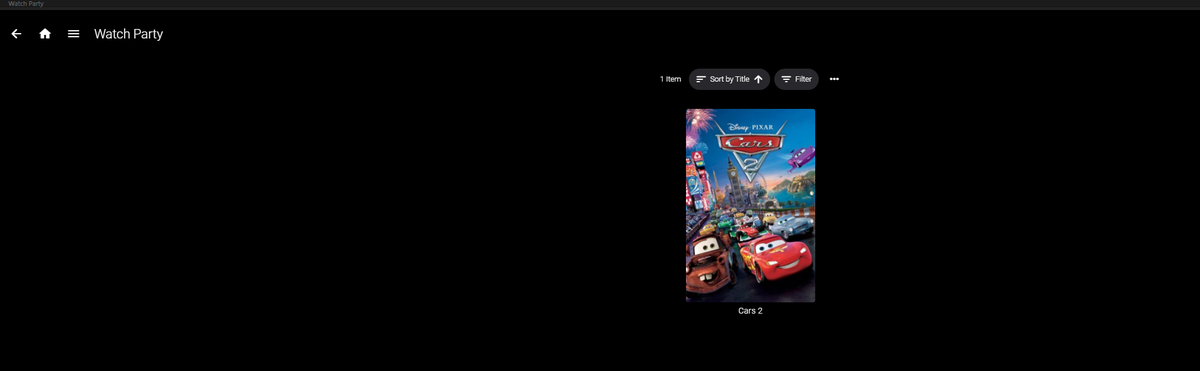
exciting stuff. Still a way to go, but our watch party channel can now be populated with an item (or items... i suppose) to create a party. Now, we'll have to continue with sync'ing the accounts, and (what i imagine to be somewhat of a difficult process of) creating parties in the UI?
 3 points
 -
@Luke Basically, a bulk edit to change US ratings to German Ratings. Or possibly automatic translation per system language. @Seger You have the ability to filter your ratings and bulk change them in the TAG tool.2 points
-
Mate!! So it works. Like you say, creases need ironing out and yes the delay is because of the session starting twice. epic bro!2 points
-
I think the one started by @softworkzand linked above is the one that will get updated with new releases.2 points
-
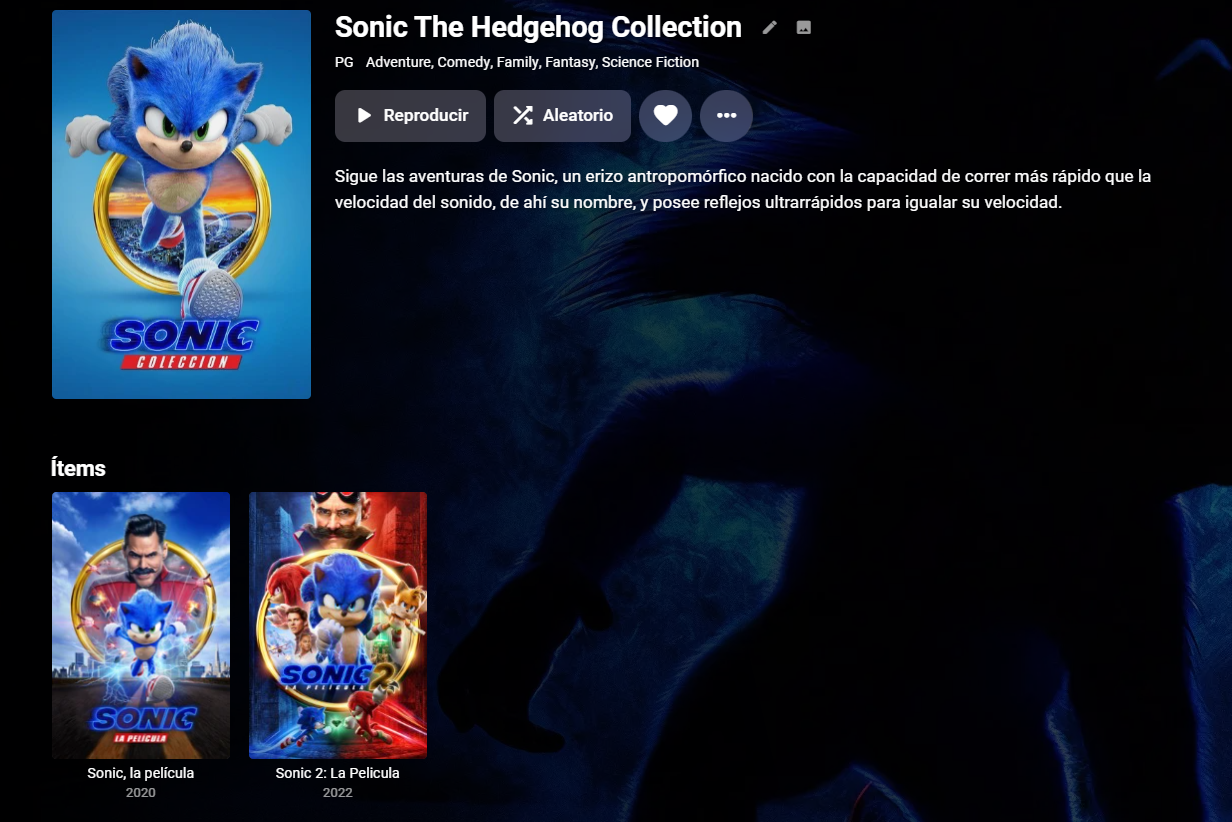
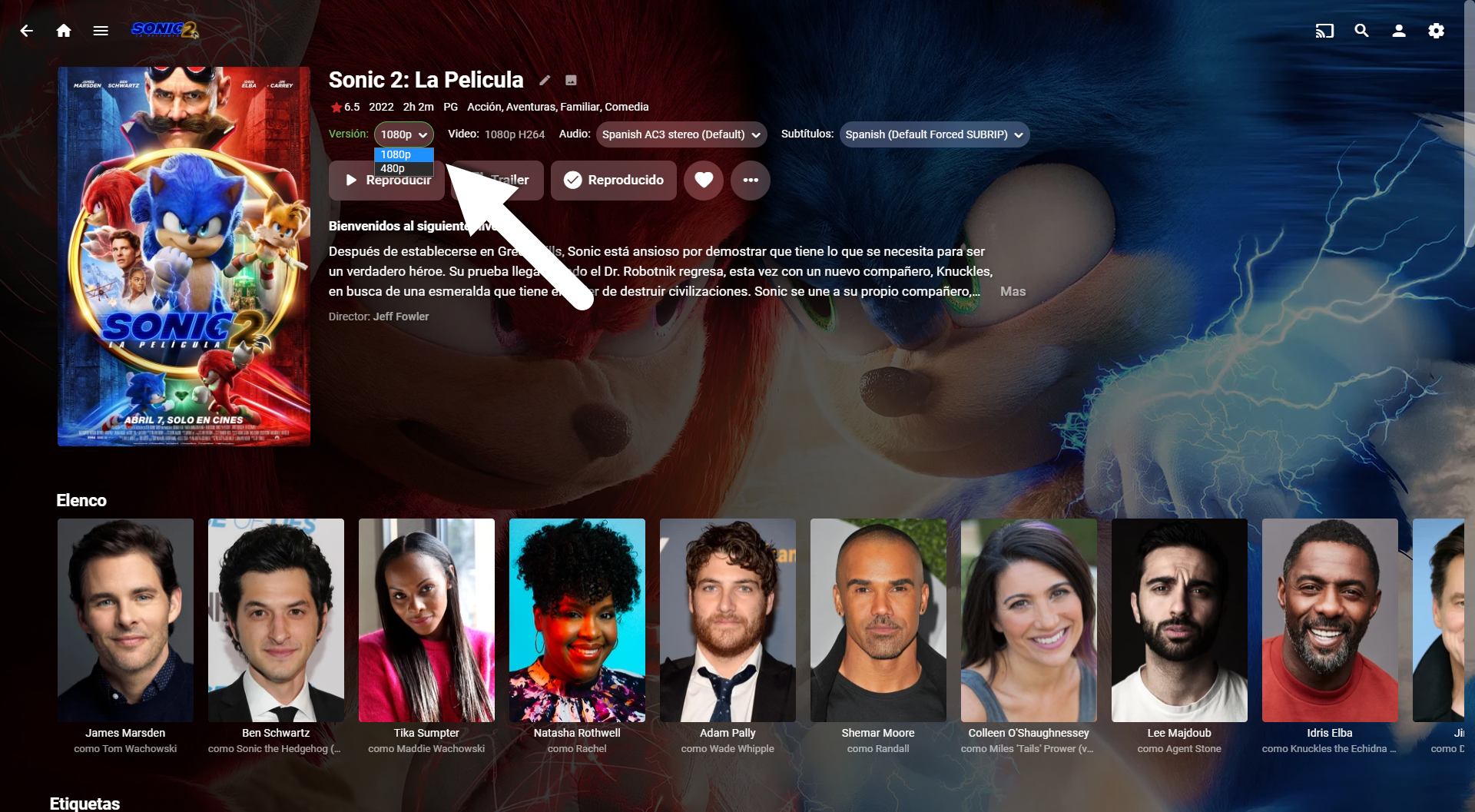
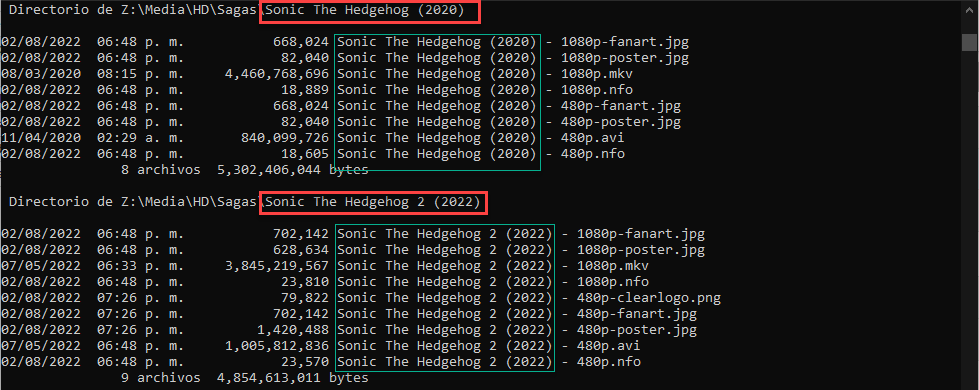
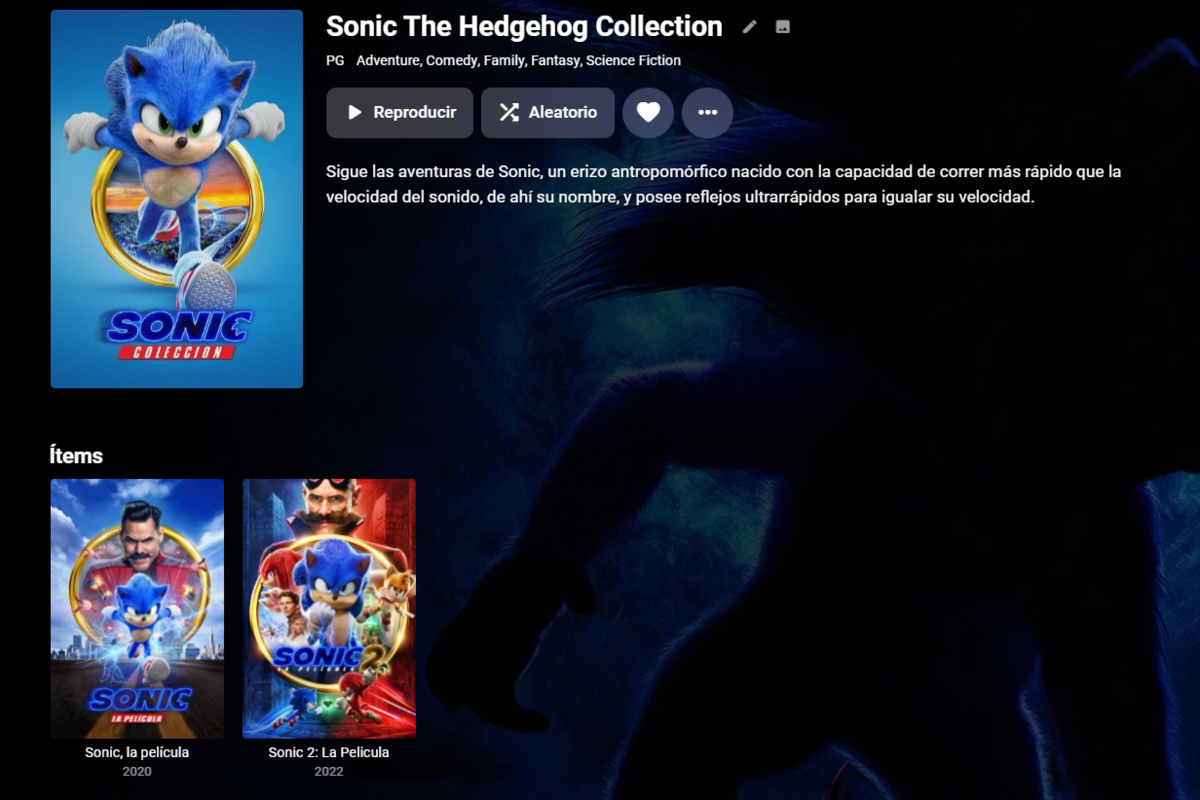
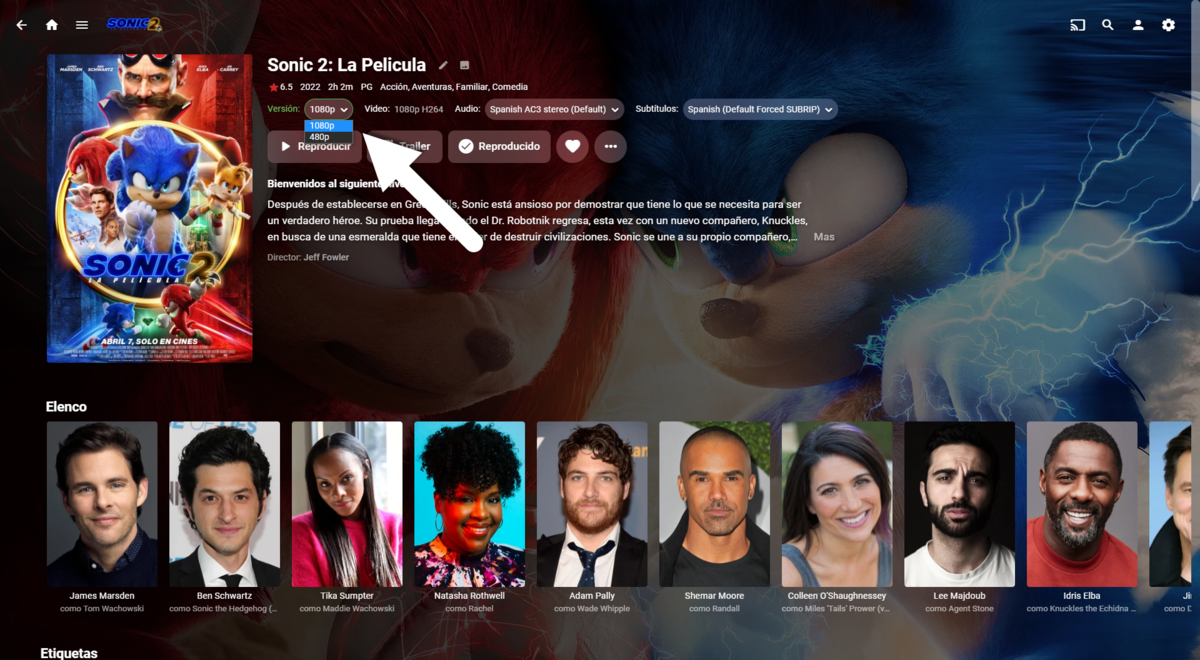
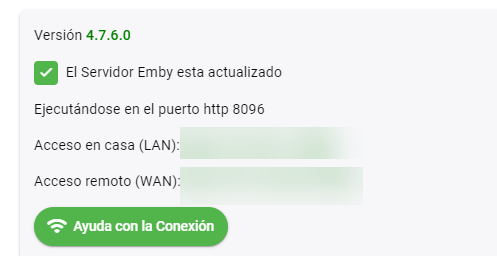
Al final para que funcionara deje la estructura asi, El nombre del Directorio tiene que concordar con el nombre del archivo antes del "-" para que las pueda identificar en la coleccion: La vista de la coleccion: La vista de la pelicula y la seleccion de Calidad: Mi version del Server: Saludos!
 2 points
 -
This plugin has been used by a couple people but should be considered beta. You can get more information on the plugin and it's companion utility, the source for each, and the executables at this Github page.1 point
-
You can read more about the feature in this link Currently a good Samaritan has volunteer to begin coding the feature into emby head to this forum to chip in ideas and thoughts @quickmic are we going to see tis been incorporated in to E4k addon in the near future. Better to be clairvoyant1 point
-
Can we have an option to flatten series if there are XX episodes or less. Just provides the ability to eliminate one frustrating click. I wouldn't want it on my 1,000+ episode Looney Tunes series. However, when you only have one or two seasons in a series, it helps drill down easier.1 point
-
@Luke I can be away from home a few days at a time regularly, so I download movies and TV shows. I'm away from my server and WiFi, and I don't have external access turned on. While I'm away I can watch several movies and TV shows, and when I'm home and on the same WiFi network as my server, I believe the server would update the played status of anything I'd watched while away but it doesn't. The android app definitely registers the episodes as played because they have the green tick, but the server never registers them as played even after several hours. This happens on lots of different movies and TV shows1 point
-
I managed to find the equivalent setting on HAProxy but I can't simply apply it to emby, it has to be on everything. It doesn't seem to cause any issues for the other stuff at first glance so hopefully everything will be fine, thanks. I'll update if I find out it interferes with other stuff in the future.1 point
-
Yea I linked to that because most reverse proxies have the same type of settings, so even if you're not using nginx, you can still pick up a few things from that guide.1 point
-
Hi, I would suggest comparing your reverse proxy setup to this: If you can configure the proxy to allow Emby Server to see the original client ip addresses, then this will allow the server to correctly determine if a connection is external or not.1 point
-
Or even a partygoer for that matter.1 point
-
Thanks very much. I will download it again.1 point
-
That's not exactly supported, no. You might be able to take the transcoding url obtained from /playbackInfo and do a search and replace on SubtitleStreamIndex and change it to SubtitleStreamIndexes=1,2,3, so a comma delimited list. But that's untested by us so I can't promise it will work.1 point
-
hi @hanssax for your model, what do our download instructions point to? https://emby.media/synology-server.html1 point
-
it was amazing1 point
-
It looks like the culprit was a corrupted database file. It's all resolved now.1 point
-
I ended up running an integrity check on my library database and discovering some errors. I then used the recover command to fix them and I've been running fine for the most part since. Every now and then I come across a show that has numerous episode files that are not populating within Emby even though they are physically present and have the correct permissions structure.1 point
-
Ok, will do, it is odd!1 point
-
Only one way to find out .. I think it really depends on how the user plays back that item. One user could be direct play, with a great internet connection - another user may be joining from their phone and they need to transcode. I guess we need to test all these scenario's. Maybe for users with a lot of playback latency, they get kicked if they lose sync after 5 retries for example.1 point
-
Hi, @softworkz will take a look at this. Thanks.1 point
-
Not necessarily - and this is where the mechanics of 'how' it all works needs to be thought through. We know there is no way a user can currently simply select a Movie and directly setup a Watch Party but they can add it to a 'Watch Party' playlist. The playlist is then polled by the Plugin and from that it creates the Watch Party channel movie item. Once it's appeared in the channel - then users can subscribe to it / add themselves in the lobby. The 'Plugin/System' does all this - at this point there is no Watch party human admin for that item ? Maybe if user who selected the film then joins the channel - they automatically get to become the 'admin' - if they don't, then the next person that does becomes the 'admin' ?. I think the idea of a Party is anybody can control it ? I guess a user with access to the Plugin (ie an emby admin) could change this I guess - but I don't think that is something to worry about for the proof of concept ?1 point
-
Hi, yes it's something that needs to be looked at. Thanks for reporting.1 point
-
This will be changing in the near future so that it would play with the best available method rather than just putting up an error message.1 point
-
True, Yes. I guess it could go at the top.1 point
-
Too many threads .. ! So the initial 'creator' of the party should - in theory, be the Admin and they decide when it starts. Auto starting a party on a timer is maybe something to look at down the line - I don't think it's needed just yet - or maybe not at all. The only time I think this might be useful is incase the party admin forgets to actually start the playback - maybe a timer times out and starts automatically anyway after x minutes.? You have 15 minutes to join the party for example. Anyway - Lets setup an idea party with a good well behaved host and see where the issues are .. haha1 point
-
What I saw in this thread is that folks from Emby were quite evasive around this topic all the way. And only sometimes there were some answers hinting that Emby developers don't want to agree on Samsung's terms about revenue sharing. I'd say that this thread should be closed with some summary about the fact that this most likely will not happen and opened if something changes. I've subscribed to this thread to get some news, but the only thing I'm receiving for ~four years is the same question and the same answer each time. UPD: I'm not trying to say that Emby devs are lying or greedy. We all know how unreasonable corporate agreements could be. It just doesn't make much sense to me to keep this thread open in this situation.1 point
-
Also take a look at the video OSD on those models. The subtitle menu has a black box arround it and also the progress indicator bubble has a back box arround it.1 point
-
I didn't notice that 4.7.6 was released, so all my viewing was done on 4.7.5. I'll try the newer release with the Roku to see if there is any change.1 point
-
Spoke too soon, still encountering an issue with cache all artwork on Windows with 7.7.1. PM'd latest logs.1 point
-
Will do tonight and post up the results1 point
-
Yes via manual grouping items via multi-select or the plugin found in the plug section of the forum. This structure will not work as every version must be in same named folder as the media. Each version must begin with the folder name, followed by " - ". You will have to manually group or use the plugin. What server version are you on as the Autoboxset plugin is obsolete?1 point
-
Thank you very much for the write up. My main issue was I had an already setup Kodi. I did what you said earlier and tried a clean install. Things are working much better. I know that mixed folders are not great but I have a ton of stuff that can't be named properly. That said I decided to leave that content out of Kodi and use it in the Emby app where it works better. My main use for the plugin is keeping my watch counts connected with Emby. Thanks for the hard work.1 point
-
Hi. The web site has been updated as well.1 point
-
Okay, I've found the problem. I once assigned buttons to my remote via the keymap editor in Kodi, including buttons for pictures related to zoom in, zoom out and reset zoom. I had programmed the ok button as reset zoom and that worked just fine in Next Gen 6.2 for as far as I know, but apparently no longer with the arrival of Next Gen 7. I have now reset those buttons to default and now everything works fine again. Anyway, the zoom in and zoom out function doesn't work, even when I assign them to buttons. Turning does work with the OK button. Is there a way to get the zoom to work? like in the advancedsettings.xml for example? Thank you.1 point
-
Let's wire this thing up! Yeah!
 1 point
 -
I favor open source as well. Doesn't mean either is crap, just different.1 point
-
The ability to control the experience on the Roku will only work on the local LAN. Meaning those users at the same location already. Which sort of makes this hard to do on the Roku for that reason. The Roku External Control Protocol (ECP) will only work locally on the LAN. The Roku app used to be able to use a web socket with an external listener. But that did not include the ability to "launch" into the application. The application had to already be running. Roku has changed certification requirements. Roku is forcing developers to implement deep-linking and ECP into their applications if they are public applications that serve video streams. https://developer.roku.com/docs/developer-program/discovery/implementing-deep-linking.md Because of this change think of the Roku more on terms with second screen type applications. Where the second screen can contain the Emby remote control interface, such as the web app, or other such things. https://developer.roku.com/docs/developer-program/debugging/external-control-api.md With Roku the context requested to play must come from within the network. Roku has blocked any attempt to access their API from an external location. Threads such as the above used to be able to work on almost every Roku around the world that wasn't firewalled. Every single model until Roku introduced Roku OS 8. Ever since it has been LAN only. Just giving this as a reason not to give up on this entirely. But to not count on Roku being able to participate. It isn't us. It is them. Apologies.1 point
-
Shouldn't that be at the top...? Why have to scroll all the way down to clear them?1 point
-
Sorry if I was being vague, to clarify: My TV was set as the default player (DNLA to my AndroidTV) I tried asking Alexa to play both with and without specifying a player, with the same result If I asked Alexa to state next episodes available she would also reply by saying she could not find any. I've recently popped my Emby setup over from a Linux server to Synology so I probably won't be able to test this for a short while anyway, I understand that the Alexa skill requires an HTTPS connection on port 443 which is not available for Synology installations out of the box (due to requiring a reverse proxy, which I haven't quite figured out yet). Once I've had a chance to rectify this I'll test again. @cayars1 point
-
This is how I've been doing it. Scrape it all in a library that's unlocked in Aired Order. Set all the images how I want them while theyre in Aired Order. Move the series folder to different folder on the drive that's not in emby Use ant renamer to batch rename files. Change the episode numbers in the nfo files to match my new filenames (and possibly folders). Move the files to another folder on the same drive that's marked as a locked Library. It takes some time, but it does get you the results. You can also do the same thing with movies that go in a series if you want to (for example) make a "Harry Potter" "TV Series" or make a giant "Star Wars" TV series that includes the various film trilogies as 'Seasons' as well as seasons of the TV Shows, in whatever watch order you prefer (like Chronological). Movies-Series work best with a trick of making the imdb IDs and whatnot be filled in with series / season specific garbage data, IMO.1 point
-
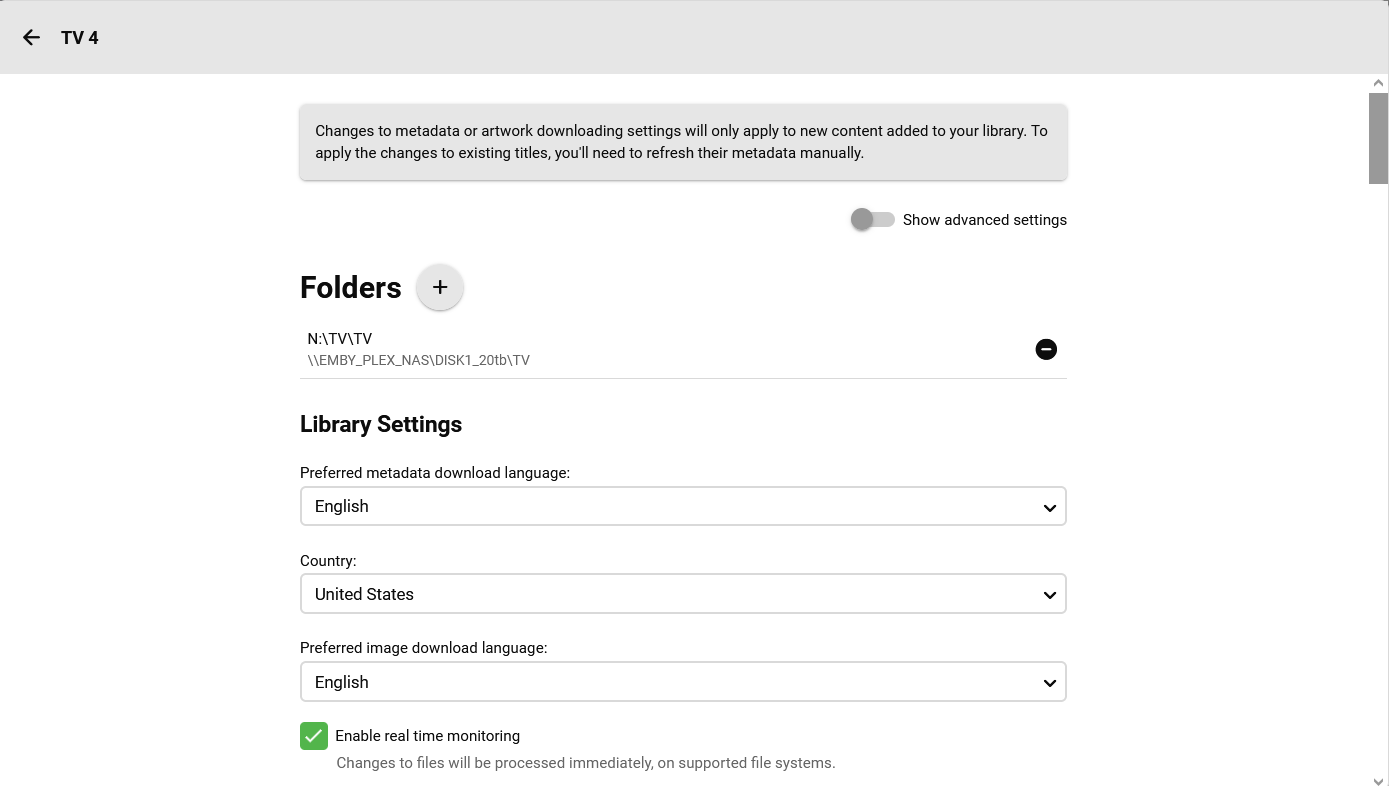
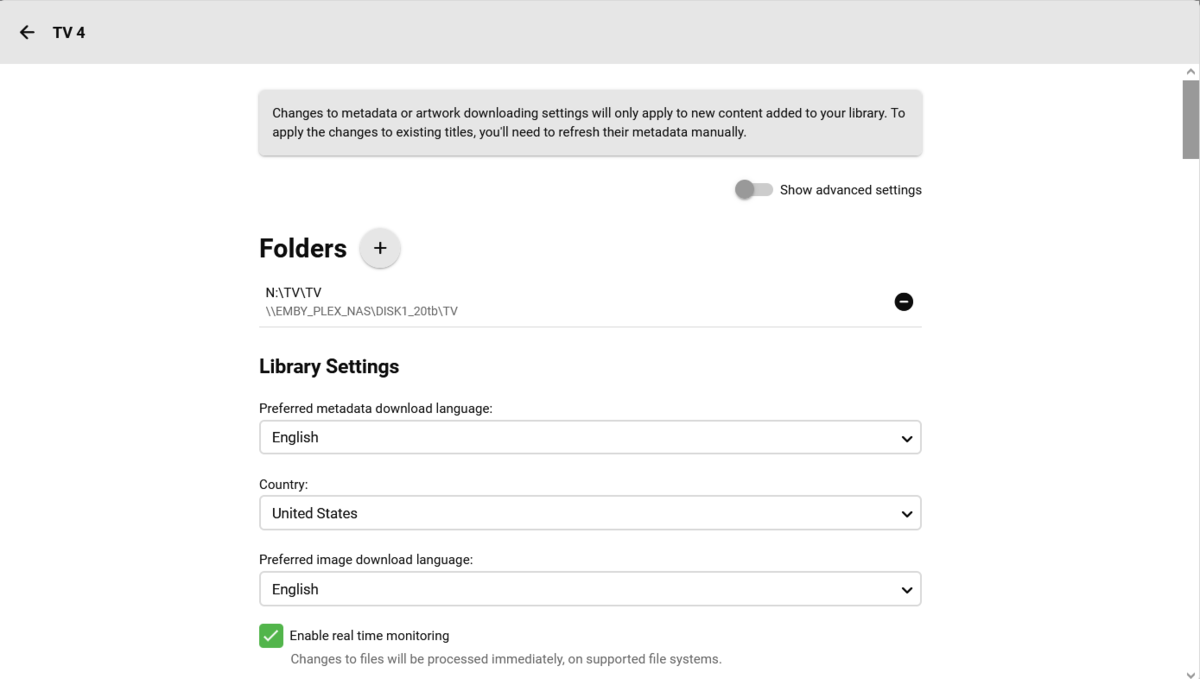
created a new pool for the drive and allocated all the storage for the full drive size. renamed the drive to all lowercase "emby_plex_nas" then mapped the drive letters with this command in the cmd prompt. open an elevated CMD/PS prompt and run this where N is your drive letter: ```NET USE N: \\emby_plex_nas\DISK1_20tb /PERSISTENT:YES``` fo rmy setup, each new drive needs its own pool to be created and allocate the entire drive because i want to maximize the storage and i dont care about backups. then created the library like this
 1 point
 -
Hi Luke, please see my summary: 1. without HW transcoding enabled, all live TV channels are working like expected. Not even one problem detected 2. With HW transcoding enabeled typically H264 or DVB S2 channels typically doesn‘t work, whereas H265 or DVBT2 channels still work without any problem. I mention H264 or DVB S2 because both characterize the live TV channels in scope and I don‘t know what makes the difference. I mention typically because there was a period of time were the channels in scope works with HW transcoding enabled. During the time of investigation, all channels were at any time operational with DVB Link, therefor I exclude that the problem is in the area of LNB, cables, TV Card or DVB SW. Now I‘m leaving the area of facts and make a guess: could ist be that the realtime behaivior of Emby to setup a live TV stream is different depending on HW Transcoding is enabled or not ? If so, could ist be that this difference produces somewhere a Kind of timeout ? Based on my knowledge, I‘m currently running out of ideas what to do more to identify the rootcause. For now, I‘ll stopp further investigations and run my system with HW transcoding disabled. In case you‘ve questions or ideas of test conditions which helps you analysing the rootcause please let me know. Emby_Fan1 point
-
Server Side Bitrate Limit (per user) is always ignored when using Emby for Kodi and maybe other clients too. This is not the way it sould work1 point
-
there is a nother problem with Emby for Kodi. If i want to play a video with transcoding, Kodi asks for Audio Stream and Subtitle stream. If i choose any subtitel Kodi crashes.. If i dont choose a subtitle it works. And normally Kodi dont have to ask for Languages (Audio or Sub) it has to auto choose its standarts On default kodi sets the bandwidth to 100MBits. But this shold be ignored cause serverside user setting is lower (20 MBit). So the server should limit bandwidth to 20MBit anyway no matter what the user setting is. ut if the user sets the Limit to e.g. 10 MBit emby should transcode in 10 MBit of course1 point
-
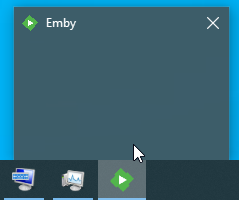
This issue is not unique to the Xbox version of Emby Theater. I am experiencing the same behaviour under Windows as well. Just as the OP describes, any random action performed in on or to the Emby Theater UI - resizing or moving the window, starting or stopping playback of something, scrolling, clicking on anything within the UI - stands a chance of crashing it. To elabourate on "crashing it", what happens is the Emby Theater window completely disappears. Note that it is just invisible, not gone. Even though it is entirely invisible, anything behind it won't respond to being clicked on because the Emby Theater window is blocking the click. The icon for Emby Theater remains in the taskbar, but the Windows preview of the application's window is empty (screenshot attached). Follow me so far? So now here's the weird bit begins. I've been using Emby Theater full time for about a year or so now. (whenever I say Emby Theater in this discussion, I'm always referring to the Windows desktop version. I don't know if this issue also affects the UWP version, and I don't care. I do not and will not ever use the UWP version, so let's not bother bringing it up again). This issue is new, only having started about 3 months ago. I had been using Emby Theater on this desktop hardware under Windows 10 for several months without any problems. Then I decided to try the upgrade to Windows 11. That was a monumentally bad idea for several reasons really, but one of the worst and the one that matters for the purposes of this post is that's when this issue with Emby Theater began. So I just wrote it off as a problem specifically with the brand new Windows 11, which isn't at all surprising. I gave Windows 11 about 3 months of actual use to see if the many problems I have with it would be addressed, and after seeing no improvement whatsoever I gave up and returned to Windows 10. By returned to Windows 10 I mean a complete FFR - FDisk, Format, Reinstall. So now I'm in a brand new vanilla install of Windows 10 (on the same hardware as before - no changes), and as expected all my problems with Emby Theater went away. For about 3 weeks, that is. Ironically enough, the other day I was showing it off to my buddy how stable it was again now that I was back in Windows 10 the first time it crashed on me. I was moving the window from one monitor to another. Since then, it has started crashing more and more frequently for every random reason. It's still not up to being as frequent as it was under Windows 11, but it's well past the point where I'll actually bother killing an hour bitching about it on a forum. So pretty frequently. I've attached a logfile, but there's not much to it. In that run, all I did was open Emby Theater, drag the window from one monitor to the other, then I tried to grab a corner and resize the window. As soon as I started to resize, it crashed. Once crashed, since the application window isn't visible the only ways to close it are through the taskbar icon or task manager. As an aside, what are the chances you guys will ever develop decent versions of the Emby Theater application that are properly coded for the platform they're aimed at? What I mean by that is natively coded, rather than using some shim type solution like Electron. Electron is hot garbage. There's no nice way to put it. It's a wonderful idea, but in practice it is absolutely terrible. If I wanted to just literally use the web UI, then I'd just use the damn web UI through a web browser. The only reason in the world to prefer the Electron version to a standard web browser is that the web UI transcodes absolutely EVERYTHING through a standard web browser. The Electron version at least will direct play most everything. For the most part, in the past I've been using Kodi on my desktop and set-top use cases, which is a fabulous and very well written solution that behaves far better than the "native" Emby Theater application and direct plays anything you could think to throw at it.. For my desktop use at least, I've been giving Emby Theater a chance lately because I just wanted something lighter weight than running Kodi. I'll be heading back to Kodi if this crashing of Emby Theater continues, though. If you're not going to bother coding your own proper player applications, then perhaps Kodi is a good choice for you guys as well. As your main focus, I mean. Put all your dev efforts into the Kodi plugins for the platoforms that Kodi exists on rather than having a native application. If all your native application is going to be is a stinking pile of Electron garbage, then I think that's the better way to go. Since the Kodi plugins are worlds better than Theater, then why not promote them from community projects to the official clients. It's already bad enough that you're splitting the Windows client development into two separate versions already, the desktop and the UWP versions, but you're also ignoring the far better options that already exist. theater-63780131674.txt
 1 point
 -
Hi, it isn't quite that easy as we have lots of apps and platforms to think about. But hopefully one day books can be a focus and we'll be able to spend more time on them.1 point